
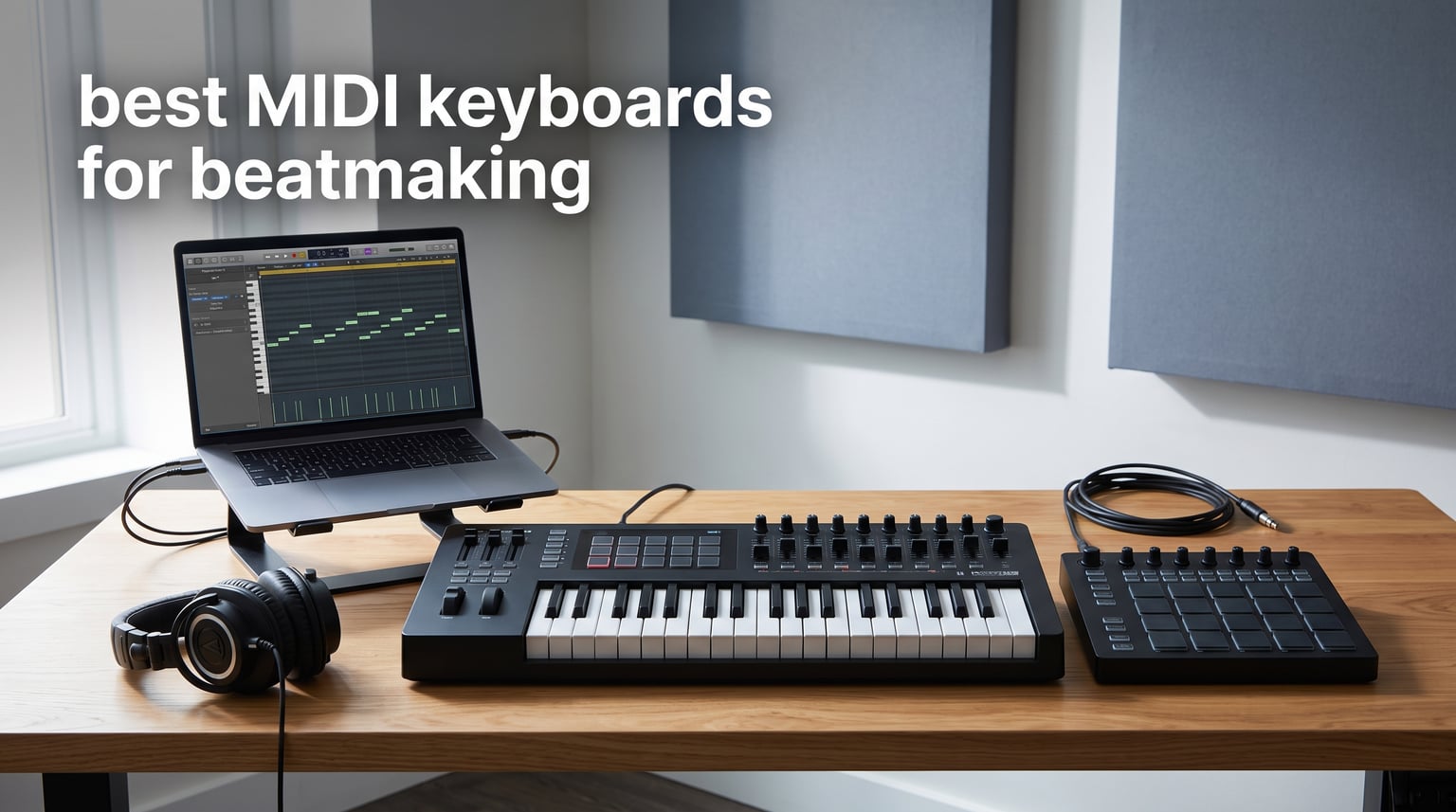
The best MIDI keyboards for beatmaking make the first eight bars feel immediate: play a bass line, tap a kick pattern, move a filter, and keep your attention on the idea rather than a mouse. A MIDI keyboard controller does not make sound on its own; it sends note, velocity, pitch, and control data to a DAW or virtual instrument, where those gestures become music.
For most beatmakers, I would choose the controller around three things: enough keys for the chords you actually play, pads that respond well enough for your drum style, and controls that fit the DAW you open every day. A 25-key unit can be a great travel partner, but forum discussions repeatedly flag its limited octave range when a producer starts writing fuller chord progressions.
A MIDI keyboard is not required to make beats. You can program notes and drums with a mouse, but a controller gives melodies, chord voicings, velocity changes, and automation a more physical workflow; that is why it becomes useful fast for hip hop, electronic music, and sound design.
Our list stays focused on real supplied product data rather than a generic catalog. It includes controllers with dedicated FL Studio or Ableton workflows, compact beat pad keyboards, hardware-friendly MIDI and CV connections, and 61-key production keyboards for people who want fewer octave-button interruptions.
Table of Contents
The top 3 picks for beatmaking answer three different studio needs
Choose the Novation FLkey 2 61 if FL Studio is your main DAW and you want a wide semi-weighted keybed plus pads, faders, and knobs in one surface. Choose the Arturia MiniLab 3 when desk space matters but you still want pads, encoders, faders, an arpeggiator, and MIDI out. Choose the Arturia KeyLab 61 mk3 when aftertouch, a more substantial 61-key instrument, and deeper performance control matter more than portability.
The best MIDI keyboards for beatmaking in 2026 cover every workflow in September 2026
This overview separates dedicated DAW surfaces from broadly compatible MIDI keyboard controllers. It also shows why key count is only one part of the choice: pad layout, aftertouch, sequencing, faders, and physical connections can change how quickly a loop becomes a finished arrangement.
| Product | Specifications | Action |
|---|---|---|
 Novation FLkey 2 61 Novation FLkey 2 61 |
|
View on Amazon |
 Arturia MiniLab 3 Arturia MiniLab 3 |
|
View on Amazon |
 Novation Launchkey Mini 25 MK4 Novation Launchkey Mini 25 MK4 |
|
View on Amazon |
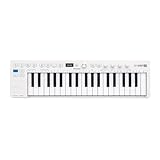 Arturia KeyStep 37 Arturia KeyStep 37 |
|
View on Amazon |
 Akai MPK Mini Plus Akai MPK Mini Plus |
|
View on Amazon |
 Akai MPK Mini IV Akai MPK Mini IV |
|
View on Amazon |
 Akai APC Key 25 MK2 Akai APC Key 25 MK2 |
|
View on Amazon |
 RockJam RJMK25 RockJam RJMK25 |
|
View on Amazon |
 Arturia KeyLab Essential mk3 61 Arturia KeyLab Essential mk3 61 |
|
View on Amazon |
 Arturia KeyLab 61 mk3 Arturia KeyLab 61 mk3 |
|
View on Amazon |
1. The Novation FLkey 2 61 is the strongest dedicated FL Studio pick
Novation FLkey 2 61 USB MIDI Controller Keyboard
61 semi-weighted keys
16 pads
8 knobs and 9 faders
Pros
- Direct FL Studio integration
- 61 semi-weighted keys
- 16 velocity-sensitive pads
- Scale and Chord modes
Cons
- FL Studio-focused workflow
- large desktop footprint
The FLkey 2 61 takes the top slot because it is made for FL Studio rather than merely being compatible with it. Its 61 semi-weighted keys give both hands room to hold chords, try inversions, and play a bass part without constant octave changes, while 16 velocity-sensitive pads handle step sequencing and finger drumming.
I like the control balance here for a beatmaker who also mixes inside the same project. Eight knobs and nine precision faders give you physical targets for levels and parameters, and the pitch and modulation wheels support lead lines that feel less grid-bound.
Its Scale and Chord modes are practical writing tools, not decoration. They can keep a sketch moving when you know the sound and groove you want but have not settled every note of the harmony; the arpeggiator adds another way to turn a held chord into motion.
The product data lists support for FL Studio and HUI, USB connectivity, and a three-year warranty. The supplied review summary is small at 12 reviews but carries a 5.0 average, with user comments praising the FL Studio integration, semi-weighted feel, and pad responsiveness.
The 61-key layout is the direct answer for chord-heavy FL Studio sessions
Pick this one when your beats regularly move beyond a two-octave melody and you want to record chords, bass, and top line with less button work. It is a better studio anchor than a bag-friendly controller, and that trade is obvious from its 4.82-kilogram listed weight.
It is also a natural fit for producers who automate mix or synth parameters as they write. The nine faders make the unit more useful across the full project than a pad-only surface.
The dedicated integration is the deciding factor before you buy
This is not the broadest choice for someone who switches DAWs constantly. If FL Studio is not central to your workflow, a controller with stated multi-DAW support is a safer match.
For a producer who wants direct FL Studio control and a full-width writing surface, though, the feature set is unusually well aligned. It also includes six months of FL Studio Producer Edition according to the supplied product information.
2. The Arturia MiniLab 3 is the compact all-round controller for daily ideas
Arturia MiniLab 3 Universal MIDI Controller, White
25 slim keys
8 RGB pads
8 encoders and 4 faders
Pros
- Pressure-sensitive RGB pads
- MIDI out
- arpeggiator
- 5-year warranty
Cons
- 25 keys limit two-hand parts
- PC and Mac focus
The Arturia MiniLab 3 makes a strong case for a small MIDI keyboard for music production because it does not sacrifice the controls that make a loop playable. It pairs 25 velocity-sensitive slim keys with eight RGB pads that respond to velocity and pressure, eight rotary encoders, four faders, and a built-in arpeggiator.
At 14 inches wide and 3.09 pounds, it is the kind of controller I would keep beside a laptop instead of putting away between sessions. The two capacitive touch controls cover pitch bend and modulation, so a compact setup still has access to basic expression.
The MiniLab 3 includes a mini display and clickable browsing knob, MIDI out, USB-C connectivity, and a five-year limited warranty. Its stated software support includes Ableton Live Lite, Analog Lab Intro, and UVI Model D, which gives a new producer sounds and a workable starting environment instead of only bare hardware.
The supplied user data is substantial: 3,389 reviews at a 4.7 average, with the summary pointing to build quality, responsive keys, and the software package. The recurring limit is familiar from small controllers: larger hands and two-hand playing can make 25 slim keys feel constrained.
The compact desk footprint is the direct advantage for laptop beatmaking
Choose the MiniLab 3 if you write beats in a bedroom, dorm, or mobile setup and want keyboard notes, pads, automation, and MIDI out in a single small unit. It is a particularly sensible bridge from mouse-based programming to playing ideas in.
The control count also gives you room to map filter, resonance, effects sends, or instrument macros. That matters when a beat needs movement rather than another static four-bar loop.
The 25 slim keys are the constraint to accept before choosing it
This controller is best for short melodies, bass lines, drum parts, and compact chord shapes. Producers whose normal writing starts with wide piano voicings will be happier with 37 or 61 keys.
For everything else, the pad pressure response and included controls make the MiniLab 3 much more than a basic travel keyboard. Its MIDI out also keeps a hardware synth route open for later.
3. The Novation Launchkey Mini 25 MK4 is the portable choice with polyphonic aftertouch
Novation Launchkey Mini 25 MK4 USB MIDI Keyboard Controller
25 mini keys
16 FSR pads
polyphonic aftertouch
Pros
- Polyphonic aftertouch
- 16 FSR pads
- Scale and Chord modes
- major DAW support
Cons
- Mini keys are not for every player
- limited 25-key range
The Launchkey Mini 25 MK4 stands out by putting expressive features into a very portable frame. Its 25 ergonomic synth-style mini keys support polyphonic aftertouch, so pressure on individual notes can send expressive information after the initial key strike when the instrument and sound support it.
Sixteen RGB FSR pads make this a more pad-forward option than many mini-key controllers. For beatmaking, that can mean drum programming on the pads while the keys cover a simple hook, then using the 64-step arpeggiator to add rhythmic synth movement.
Novation lists Scale and Chord modes, NKS readiness, USB and 3.5 mm MIDI connectivity, and integration with Ableton, Logic Pro, Cubase, and HUI. That is good news for a producer whose setup is not locked to one DAW, especially when a desktop controller needs to move between software projects.
The supplied review record shows a 4.7 average across 1,000 reviews. Users particularly praise DAW integration, responsive pads, and the creative help of Scale Mode, with polyphonic aftertouch called out as a standout feature.
The expressive mini-key design is the direct reason to choose this model
Choose this controller if you want a small production keyboard that can add more detail than basic note velocity. Polyphonic aftertouch is uncommon in this format and can make a pad, chord, or lead sound feel less mechanical when your software instrument reads it.
The 1.7-pound listed weight and compact dimensions also suit a backpack or a narrow desk. It is a realistic option for producers who make ideas away from their main room.
The mini-key action is the deciding test for piano-style players
The 25-key limit and mini format are purposeful portability choices, not substitutes for a larger keybed. If you play with both hands or dislike compact keys, move to the KeyStep 37, MPK Mini Plus, or a 61-key unit.
If your priority is finger drumming plus portable melodic writing, the 16-pad layout and modes make the compromise far easier to live with. Its supplied software bundle includes Ableton Live Lite and Cubase LE.
4. The Arturia KeyStep 37 is the best bridge between a DAW and hardware gear
Arturia KeyStep Controller & Sequencer, 37 Key
37 Slimkey keys
64-step sequencer
MIDI DIN and CV
Pros
- Aftertouch
- polyphonic sequencer
- CV outputs
- Chord and Scale modes
Cons
- No dedicated drum-pad bank
- reported key noise by some users
The Arturia KeyStep 37 is a different kind of beatmaking tool: it emphasizes sequencing, performance, and hardware connections more than a traditional pad-and-fader DAW surface. It has 37 velocity-sensitive Slimkey keys with aftertouch, a polyphonic 64-step sequencer, a 16-mode generative arpeggiator, and onboard Chord and Scale play modes.
I would reach for it when a software beat also has a synth, drum machine, or modular voice in the room. USB-C, MIDI DIN, sync I/O, a pedal input, and four configurable CV outputs give it a connection set that most small USB controllers cannot match.
The mutate feature in the arpeggiator offers a fast way to alter a repeating part while a loop is running. That is useful for electronic music producers who build variation from pattern changes rather than recording long keyboard takes.
The supplied reviews report a 4.7 average from 88 reviews, with praise aimed at the sequencer, arpeggiator, and CV outputs. Some user feedback mentions noisier stock, so it makes sense to think of it first as a capable creative and routing hub, not as a pad-focused finger-drumming board.
The hardware connectivity is the direct advantage for hybrid beatmakers
This keyboard makes the most sense if MIDI DIN and CV matter in your setup. It can sit between a computer and external instruments rather than asking the computer to be the only center of the studio.
The 37-key span is also a practical middle ground. It offers three octaves for chords and melodies while staying much shorter than a full 61-key production keyboard.
The sequencer-first layout is the deciding factor for drum-focused workflows
Choose another controller if your main performance habit is tapping drums across a dedicated RGB pad bank. The KeyStep 37 does not list a drum-pad grid, so its strengths are note sequencing, aftertouch, and connections.
Choose it if your best ideas come from evolving patterns and hands-on arpeggios. The included support for Analog Lab Intro and Ableton Live adds software instruments and DAW access to its hardware focus.
5. The Akai Professional MPK Mini Plus is the compact MPC-pad and sequencer choice
Akai Professional MPK Mini Plus 37-Key USB MIDI Keyboard Controller
37 mini keys
8 RGB MPC pads
64-step sequencer
Pros
- Responsive MPC pads
- 37-key range
- MIDI CV Gate I/O
- Chords and Scales modes
Cons
- One-year warranty
- setup can take time
The Akai Professional MPK Mini Plus takes the familiar MPK idea and adds more room to play. Its 37 velocity-sensitive mini keys cover three full octaves, while eight premium RGB MPC pads provide the tactile drum surface that many beatmakers expect from Akai.
The internal 64-step sequencer can handle drum and melody tracks, which makes it useful when you want to sketch a pattern from the hardware before committing every decision to a DAW grid. Eight assignable knobs and a transport section then bring basic sound and session control back within reach.
Its connection list is unusually broad for a compact controller: MIDI, CV, and Gate I/O are joined by NKS integration. The product information also lists Chords and Scales modes, MPC Beats software, and two months of Splice access.
The supplied review summary shows 2,121 reviews with a 4.6 average. Users praise the MPC pads, CV and Gate options, NKS integration, sequencer, and software bundle; the tradeoff is a one-year manufacturer warranty and reports that initial setup can be more involved.
The three-octave span is the direct upgrade over a 25-key controller
Pick the MPK Mini Plus if two octaves keep getting in the way but a 61-key board will not fit your room or bag. Thirty-seven keys let you leave a bass note down while finding a chord or a lead position with much less octave switching.
That size works well for beatmakers who play parts in rather than only drawing them into a piano roll. The mini key format keeps the controller compact despite the wider range.
The MPC pad workflow is the deciding reason to favor it over key-only controllers
The eight pads are designed around Akai’s MPC-style approach, making this a sound choice for beat-focused sessions where drums are performed as well as programmed. RGB feedback helps identify assigned pads during a busy project.
If you need a huge clip-launch matrix, the APC Key 25 MK2 offers a different Ableton-centered route. If you want pads, keys, a sequencer, and hardware I/O in one compact surface, the MPK Mini Plus has a rare combination.
6. The Akai Professional MPK Mini IV is the full-featured 25-key production pick
Akai Professional MPK Mini IV 25-Key USB-C MIDI Keyboard Controller, Black
25 mini keys
8 MPC pads
360-degree knobs and MIDI Out
Pros
- RGB pressure-sensitive pads
- screen and knobs
- FL Studio support
- USB-C and MIDI Out
Cons
- Mini keys
- limited two-octave range
The Akai Professional MPK Mini IV gives a small beatmaking keyboard a more modern control surface. It has 25 velocity-sensitive mini keys, eight velocity- and pressure-sensitive MPC pads with RGB feedback, eight assignable 360-degree knobs, and a full-color screen with a push-and-turn encoder.
For producers comparing the best MIDI keyboards for beatmaking with a compact-first mindset, its DAW coverage is a major point. The supplied data specifically names Ableton Live Lite 12, Logic Pro, and FL Studio integration, while USB-C and full-size MIDI Out make it practical for computer and external-instrument use.
Its arpeggiator has Pattern, Freeze, and Mutate functions, plus Chord and Scale modes. Those tools can turn a simple note input into rhythmic material and help a beginner move from drum loops toward harmonic parts without stopping the session to map every scale by hand.
The supplied record lists 727 reviews at a 4.6 average and a top sales rank in its controller category. Review notes highlight its broad DAW support and bundled instrument collection, while the expected limitation remains: 25 mini keys cannot replace a larger playing surface.
The screen and endless-style knob control are the direct workflow benefit
Choose this model if you want more feedback and navigation from a small controller. The color screen and encoder can make mappings and browsing less opaque than a bare set of knobs.
The eight knobs also invite hands-on CC automation. Map them to filters, envelopes, effects, or mixer sends, then record a pass while the drums run.
The 25-key range is the deciding limitation for serious keyboard parts
This is strong for drums, bass, leads, and compact chords, but it asks you to use octave buttons for wide voicings. Players who want to compose two-handed parts should move up to the MPK Mini Plus or one of the 61-key Arturia and Novation models.
For a small controller that still includes pads, a screen, MIDI Out, modes, and broad DAW support, the MPK Mini IV has unusually complete supplied specifications. It suits beginners who want room to grow as well as producers working with limited desk space.
7. The Akai Professional APC Key 25 MK2 is the direct Ableton Live performance choice
Akai Professional APC Key 25 MK2 25-Key USB MIDI Keyboard Controller
25 mini keys
40 RGB clip pads
8 rotary knobs
Pros
- 40-pad clip matrix
- Ableton Live focus
- 8 assignable knobs
- USB-powered
Cons
- Ableton-first design
- not built around MPC drum pads
The Akai Professional APC Key 25 MK2 is for the beatmaker who treats Ableton Live’s Session View as an instrument. Its defining feature is the bright five-by-eight matrix of 40 RGB pads for launching clips, with color feedback that lets you see groups, scenes, and active material at a glance.
It also has 25 velocity-sensitive mini keys, eight assignable rotary knobs for volume, pan, inserts, and automation, plus four directional buttons for clip and scene navigation. That layout makes it much better at arranging and performing loops than a conventional eight-pad controller.
The supplied data calls it USB-powered and plug-and-play for Mac and PC, with Ableton Live Lite included. It also includes Hybrid 3, Mini Grand, and Velvet virtual instruments, so there is a useful sound starting point after the controller is connected.
The supplied review count is 653 with a 4.5 average. The review summary supports the obvious strength: users see it as a solid Ableton controller with a strong RGB pad matrix, rather than a universal choice for every DAW.
The 40-pad clip grid is the direct reason Ableton producers should consider it
Choose the APC Key 25 MK2 when your workflow involves building scenes, launching stems, and trying arrangement changes in real time. It gives you more immediate clip control than an eight-pad board can provide.
The keyboard is still there for bass notes, top lines, and simple chords. In a live electronic set, that pairing lets one device manage both performance clips and new note input.
The Ableton-centered design is the deciding boundary for other DAWs
It is not the natural choice for an FL Studio-first workflow or for someone who mainly wants classic MPC-style finger drumming. Its listed software support is Ableton Live, and the pad matrix is designed around clip launching.
If that is exactly your environment, the specialization is a benefit rather than a drawback. If you work across several DAWs, the Launchkey Mini 25 MK4 or MPK Mini IV has stated wider support.
8. The RockJam RJMK25 is the straightforward wireless starter controller
RockJam RJMK25 25 Key USB MIDI Keyboard Controller with Drum Pads
25 mini keys
8 backlit pads
Bluetooth MIDI and battery
Pros
- Bluetooth MIDI
- 8 pads with note repeat
- 8 knobs
- rechargeable battery
Cons
- Less premium build
- needs charging
The RockJam RJMK25 focuses on getting a new producer playing without a complicated hardware footprint. It has 25 velocity-sensitive mini keys, eight backlit MPC-style drum pads with note repeat, eight assignable 360-degree knobs, and a compact frame with a rechargeable built-in battery.
Bluetooth MIDI is the feature that separates it from many entry-level USB controllers. Alongside USB, it gives you a less cable-dependent route for a laptop, tablet, or mobile-centered session, and the supplied compatibility list includes macOS, Windows, and iOS.
The listing says it works plug and play with major software including Ableton Live, FL Studio, Logic Pro, Pro Tools, Reason, and Cubase. That does not replace dedicated DAW mapping, but it gives a beginner a broad foundation for sending notes and controls where they need to go.
Its user base is the largest in this roundup: the supplied data reports 27,800 reviews at a 4.4 average. The summary calls out its broad feature set and popularity, while also warning that the budget-oriented build may not feel as premium and that the battery needs charging.
The Bluetooth connection is the direct advantage for cable-light setups
Choose the RJMK25 if you want a MIDI controller that can travel easily between a computer and an iOS-friendly setup. A rechargeable battery and Bluetooth connection are practical features when you do not want every writing session built around a desk cable.
Its compact size also makes it approachable for first projects. The keys, pads, and knobs cover the basic actions that turn a blank DAW session into a playable beat.
The basic build is the deciding tradeoff against established production lines
This is a sensible starting point, but it does not offer the aftertouch, deep sequencing, larger keybed, or named dedicated mapping found on higher-positioned picks. Producers seeking a more substantial key feel should look at the FLkey 2 61 or KeyLab 61 mk3.
For simple finger drumming, note repeat is helpful, and eight knobs are enough to learn basic automation. The short learning curve is its strongest appeal.
9. The Arturia KeyLab Essential mk3 61 is the full-width controller with serious DAW control
Arturia KeyLab Essential mk3 — 61 Key USB MIDI Keyboard Controller with Analog Lab V Software Included
61 keys
8 pressure-sensitive pads
9 encoders and 9 faders
Pros
- 61-key range
- 9 faders and 9 encoders
- FL Studio support
- Analog Lab V presets
Cons
- Large for portable desks
- white finish may show wear
The Arturia KeyLab Essential mk3 61 suits the producer who writes like a keyboard player but still needs controller depth for a DAW. It combines 61 velocity-sensitive keys with eight touch- and pressure-sensitive RGB pads, nine encoders, nine faders, and a 2.5-inch LCD screen.
Those controls are the reason it is more than a large MIDI keyboard. Nine faders can cover a substantial mixer bank, and the encoders can take care of synth or effects parameters while a beat is playing, keeping the arrangement process hands-on.
Arturia lists Scale Mode, Chord Mode, and an arpeggiator, as well as custom DAW integration for Ableton Live, Logic Pro X, and FL Studio. The supplied software list also includes Analog Lab V with 2,000 presets, UVI Model D, and NI The Gentleman.
The provided user data shows 462 reviews at a 4.4 average. Review notes emphasize the software package, 61-key form, and extensive controls; the size is the real consideration, as the listed width is 35 inches and it weighs 6.8 pounds.
The fader bank is the direct answer for producers who mix as they create
Choose this controller if your beatmaking process includes frequent level moves, effects sends, and virtual-instrument shaping. Nine faders and nine encoders give you many more immediate controls than compact keyboards.
The 61-key span matters just as much for chord writing. You can play bass, harmony, and a lead register with far less interruption, which supports longer performances and faster sketching.
The large footprint is the deciding check for small rooms
The KeyLab Essential mk3 61 belongs on a stable desk or dedicated keyboard shelf rather than in a small backpack. Measure your workstation before treating its broad control layout as an automatic fit.
Once it has a permanent place, it offers an effective progression from beginner modes to detailed DAW work. It is a convincing option for a producer who wants one main controller rather than separate keyboard and mixer surfaces.
10. The Arturia KeyLab 61 mk3 is the expressive advanced-controller pick
Arturia KeyLab mk3 USB MIDI Keyboard Controller, 61 Key – Black
61 semi-weighted keys with aftertouch
12 pads
9 encoders
Pros
- Aftertouch and semi-weighted keys
- 12 pressure-sensitive pads
- premium materials
- Analog Lab Pro
Cons
- Heavy 18.7-pound build
- limited review history
The Arturia KeyLab 61 mk3 is built for beatmakers who also want their keyboard parts to carry more expression. Its 61 semi-weighted keys include aftertouch, and the controller adds 12 pressure-sensitive performance pads, nine encoders, pedal inputs, USB-C power, and a 3.5-inch color screen.
That semi-weighted action makes sense for producers who find basic synth-action mini keys too light but do not want a fully weighted piano mechanism. Aftertouch gives compatible instruments a second layer of expression after a note is already down, which can add movement to pads, leads, and sustained chords.
The materials list includes aluminum and wood, and the supplied product information pairs the keyboard with Analog Lab Pro, Ableton Live Lite, NI The Gentleman, Loopcloud, and Melodics. It is clearly positioned as a main studio controller rather than a compact add-on.
The supplied ratings data shows 177 reviews at a 4.3 average, with feedback highlighting build quality and professional features. The lower review count than some compact controllers is worth keeping in mind, and the 18.7-pound listed weight makes portability a weak point.
The semi-weighted aftertouch keybed is the direct reason advanced players should look here
Choose the KeyLab 61 mk3 when the feel and expression of the keys matter as much as drum input. It is appropriate for producers recording complete parts, not only entering notes into a piano roll.
The 12 pads still give it a beatmaking role, while the encoders and screen support parameter work. That combination makes it capable of handling melodic writing, sound shaping, and performance duties from one position.
The substantial weight is the deciding tradeoff for a fixed studio setup
This controller should be viewed as a home-studio centerpiece. Its listed dimensions and 18.7-pound weight make it much less convenient than the MiniLab 3, Launchkey Mini, or MPK Mini models for mobile work.
For a fixed desk, the heavier build can be an advantage if you prefer a more planted controller. The KeyLab 61 mk3 is the choice here for serious key feel, aftertouch, premium materials, and a broad supplied sound package.
The right MIDI keyboard depends first on how you make a beat
Start with the number of keys, because it has the biggest day-to-day effect. A 25-key controller is excellent for drums, bass lines, top melodies, and travel, but forum users are right to flag the limited range once you begin playing two-handed chords; 37 keys are a helpful middle ground, while 61 keys are far more comfortable for full progressions.
Next, separate pad performance from clip launching. Velocity-sensitive MPC-style pads suit finger drumming and dynamic kick, snare, and hat input; pressure-sensitive pads can add another expressive layer. A 40-pad clip matrix, by contrast, is most useful for triggering Ableton clips and scenes, which is a different job.
The key action should match the way your hands write parts
Synth-action and mini keys are light, compact, and fast for electronic leads. Semi-weighted keys add resistance that many experienced producers prefer for chords and expressive playing, while aftertouch can send additional expression after a note begins.
Do not treat a larger keybed as automatically better. The right one is the format that stays connected and gets played: compact for a mobile producer, three octaves for a mixed desk setup, or 61 keys for a dedicated writing station.
The DAW mapping should match your main session, not a feature list
FL Studio users should put the FLkey 2 61 at the top of their short list because its product data says it is made for FL Studio. The MPK Mini IV and KeyLab Essential mk3 61 also name FL Studio support, while the APC Key 25 MK2 is clearly aimed at Ableton Live clip launching.
For a basic FL Studio setup, connect the controller by USB, select it in the MIDI settings, then test keys, pads, transport controls, and one knob before making a full template. Map one useful parameter at a time, such as a filter or mixer level, so your first beat stays focused on music rather than configuration.
The connections decide whether the controller can grow with your studio
USB is enough for many computer-only producers. MIDI Out, MIDI DIN, and 3.5 mm MIDI expand your options for external hardware, while CV and Gate connections matter for modular or analog-synth setups; the KeyStep 37 and MPK Mini Plus are the standout supplied choices in that area.
Also consider power and placement. USB-powered units make quick laptop sessions simple, the RockJam adds battery and Bluetooth MIDI, and a heavy 61-key controller is better treated as a fixture of the desk than as gear you move every weekend.
The included software is helpful when it supports the workflow you will use
Software bundles can put instruments and a starter DAW within reach, but the forum concern is fair: check what is actually included and what role it plays before letting it drive a decision. The supplied products variously include Ableton Live Lite, Analog Lab versions, MPC Beats, and other instruments, but the controller itself should solve your key, pad, and DAW-control needs first.
My simple selection path is this: pick 25 keys for maximum portability, 37 keys for a compact playing upgrade, and 61 keys when chords and full parts lead your sessions. Then choose pads for finger drumming, a grid for Ableton launching, or sequencer and CV tools for a hybrid hardware rig.
The answers to common beatmaking keyboard questions are straightforward
What is the best keyboard for beat making?
The Novation FLkey 2 61 is the best fit here for FL Studio beatmakers because it combines 61 semi-weighted keys, 16 pads, knobs, faders, Scale and Chord modes, and direct FL Studio integration. For a compact general-purpose option, the Arturia MiniLab 3 brings keys, pads, encoders, faders, an arpeggiator, and MIDI out into a small format.
Do I need a MIDI keyboard to make beats?
No. A mouse and DAW piano roll can program every note and drum hit. A MIDI keyboard makes beats faster and more expressive when you want to play chords, bass lines, melodies, pad rhythms, velocity changes, or automation by hand rather than draw each event. It is most useful when the physical input helps you keep an idea moving.
Which MIDI keyboard is best for music production?
The best choice depends on your workflow. The Arturia KeyLab Essential mk3 61 is strong for 61 keys, faders, encoders, pads, and stated FL Studio, Ableton Live, and Logic Pro X integration. The Novation Launchkey Mini 25 MK4 is better for portable multi-DAW work, with 16 pads, polyphonic aftertouch, Scale Mode, Chord Mode, and USB plus MIDI connectivity.
What is the best MIDI keyboard for sound design?
The Arturia KeyLab 61 mk3 is the strongest sound-design option in this list for its 61 semi-weighted keys with aftertouch, nine encoders, 12 pressure-sensitive pads, color screen, and Analog Lab Pro package. Aftertouch and hands-on encoders are especially useful for shaping sustained sounds, filters, effects, and expressive instrument parameters while playing.
The best final choice is the controller that fits your regular beatmaking session
For a dedicated FL Studio production desk, the Novation FLkey 2 61 is the clear first choice. The Arturia MiniLab 3 is the compact all-round recommendation, the APC Key 25 MK2 belongs with Ableton clip performers, and the Arturia KeyLab 61 mk3 is the expressive fixed-studio option.
The best MIDI keyboards for beatmaking in 2026 are not defined by the longest feature list. Choose the key range you will actually play, pads or clip control that match your rhythm workflow, and DAW support that removes friction; then make your first loop before mapping every last knob.