
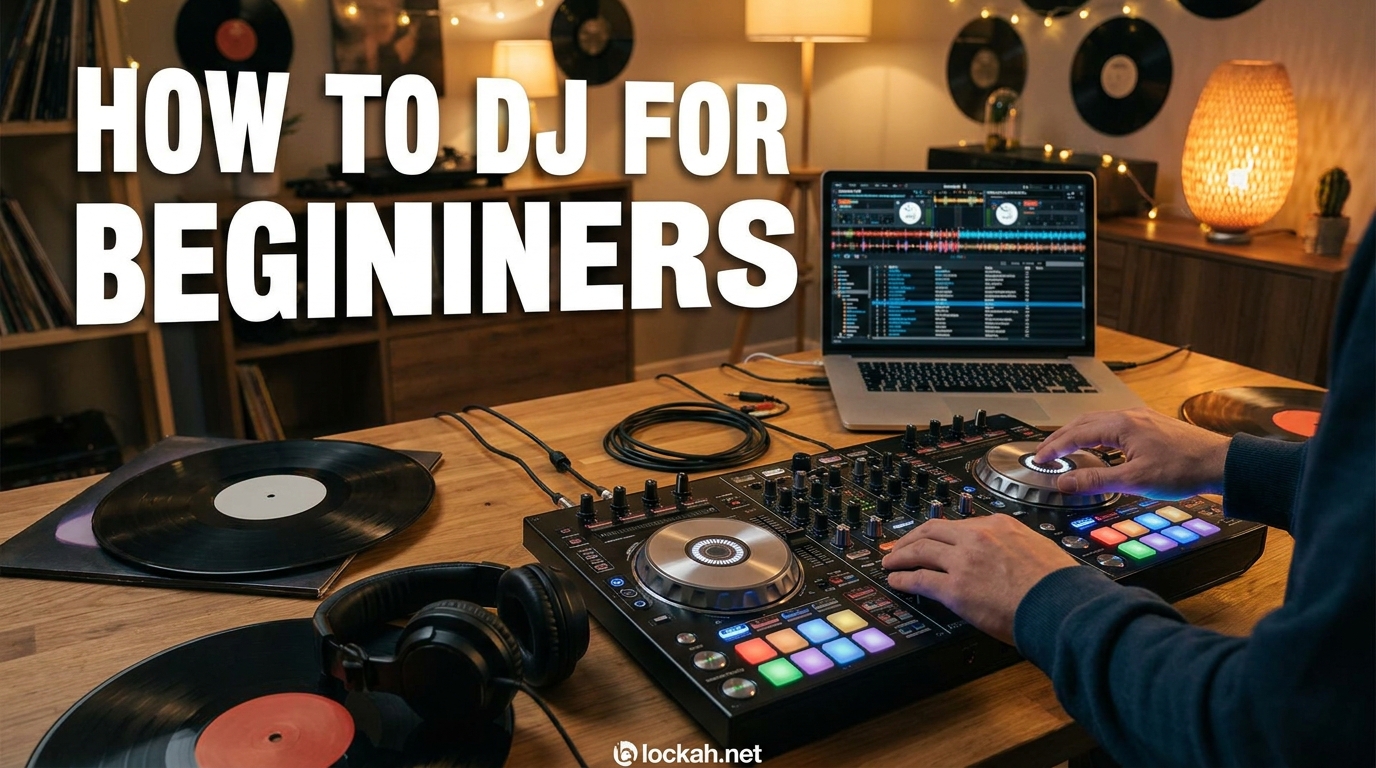
Starting your DJ journey feels overwhelming when you stare at controllers with dozens of buttons, faders, and knobs that all seem to do something important. I remember unboxing my first DJ controller three years ago and wondering if I had just wasted $300 on something I would never figure out. The good news is that learning how to DJ for beginners is absolutely achievable with the right approach, proper guidance, and consistent practice over the next few months.
This complete starter guide breaks down everything you need to know into manageable sections that build on each other logically. You will learn what equipment actually matters for beginners, which skills to prioritize first, how to avoid common mistakes that slow down progress, and a practical daily practice routine that delivers results. By the end of this guide, you will understand exactly what steps to take next and feel confident about starting your DJ journey in 2026.
Table of Contents
What Is DJing and What Does a DJ Actually Do?
DJing is the art of mixing pre-recorded music together to create a seamless, continuous listening experience for an audience. A DJ selects tracks, matches their tempos, blends them using EQ and effects, and reads the crowd to maintain energy and engagement throughout a set. The core skill is making the transition between songs so smooth that listeners barely notice when one track ends and another begins.
Modern DJing involves much more than simply pressing play on a playlist. You are actively manipulating two or more audio sources simultaneously, adjusting their speed to synchronize beats, using equalizers to carve out space for each track, and applying effects to enhance the mix. The best DJs also incorporate techniques like scratching, looping sections of tracks, and using hot cues to jump to specific moments instantly.
Types of DJs You Can Become
Club DJs perform in nightclubs, bars, and music venues where they build energy throughout the night and respond to the dance floor in real-time. These DJs typically focus on specific genres like house, techno, hip-hop, or top 40 and need strong beatmatching skills since they often use club-standard equipment.
Mobile DJs work private events including weddings, corporate parties, and birthday celebrations where they handle both music and often emcee duties. They require versatile music libraries spanning multiple genres and decades, plus strong crowd-reading abilities to keep diverse audiences engaged.
Radio DJs broadcast on FM stations or internet radio, focusing more on track selection, mic technique, and show formatting than beatmatching. Bedroom DJs practice at home for personal enjoyment or content creation, uploading mixes to SoundCloud or streaming on Twitch without necessarily performing live.
Turntablists specialize in scratching and cutting techniques, treating the DJ equipment as a musical instrument for live performance and battles. Each type requires slightly different skill sets, but all share the foundational abilities of track selection, tempo matching, and smooth transitions.
DJing vs Music Production: Understanding the Difference
DJing and music production are related but distinct disciplines that beginners often confuse. DJing involves mixing and performing existing music created by other artists, while music production means creating original tracks from scratch using digital audio workstations like Ableton or FL Studio. Many professional DJs also produce music, and many producers also DJ, but you can absolutely build a DJ career without ever making your own tracks.
Starting with DJing is actually the more accessible path since you can begin practicing immediately with downloaded tracks and affordable equipment. Production requires learning synthesis, sound design, arrangement, and mixing from the ground up, which typically takes longer to develop competence. Focus on mastering DJ skills first, then explore production later if that interests you.
Is DJing Hard to Learn and How Long Does It Take?
DJing is not inherently difficult to learn, but it requires consistent practice to develop the muscle memory and ear training needed for smooth performances. The basics of loading tracks, using the crossfader, and understanding your software can be learned in a single afternoon. However, mastering beatmatching by ear, understanding phrasing, and executing clean transitions typically takes three to six months of regular practice.
Your learning timeline depends on several factors including how often you practice, whether you have prior musical experience, and the quality of learning resources you use. Someone practicing thirty minutes daily will progress faster than someone cramming three hours once weekly. Previous experience with rhythm, counting beats, or playing instruments gives you a head start on understanding timing and song structure.
Is 25 Too Old to Become a DJ
Twenty-five is absolutely not too old to start DJing, and many successful DJs began much later in life. Age has no bearing on your ability to learn the technical skills or develop your musical taste and track selection abilities. The DJ industry values skill, style, and song selection far more than the age printed on your ID.
Some of the most respected DJs in the industry started in their thirties or forties after careers in other fields. Your life experience actually becomes an advantage since you likely have deeper musical knowledge, better social skills for networking, and more discipline for consistent practice. Do not let age become a mental barrier to pursuing something you genuinely want to learn.
Setting Realistic Expectations for Your Progress
Expect to sound rough during your first few months of practice, which is completely normal and part of the learning process. Your transitions will be sloppy, you will trainwreck mixes by having beats fall out of sync, and you will get lost in track arrangements. These struggles happen to every single DJ who ever learned, including the professionals you admire.
Most beginners can perform basic transitions competently within two to three months of regular practice. Beatmatching by ear typically clicks around month three or four when your brain suddenly understands how to nudge tracks into alignment. Professional-sounding mixes with creative transitions and smooth energy management usually develop around the six to twelve month mark.
Essential DJ Equipment for Beginners: What You Actually Need?
You need four core pieces of equipment to start DJing: a DJ controller or decks, a laptop or computer, quality headphones, and speakers or studio monitors. Many beginners overcomplicate their first setup by researching endless gear options and worrying about having professional-grade equipment. Start simple and upgrade as your skills and commitment grow.
DJ Controllers vs CDJs vs Turntables: Which Should You Choose
DJ controllers are the best starting point for beginners because they combine two decks and a mixer into one affordable unit that connects to your laptop. Controllers like the Pioneer DDJ-FLX4, Numark Mixtrack Pro FX, or Hercules Inpulse 500 cost between $200 and $500 and include everything needed to start practicing immediately. They use DJ software running on your computer to process audio, giving you access to visual waveforms and digital libraries.
CDJs are the club-standard equipment you see in professional venues, standalone players that read music from USB drives without needing a laptop. While learning on CDJs prepares you for club environments, they cost significantly more with a pair of Pioneer CDJ-3000s running about $2,400 each plus a mixer. Start with a controller and transition to CDJs later if you plan to play clubs regularly.
Turntables are used for vinyl DJing and scratching, offering a tactile experience that many DJs love but requiring the most skill and expense. You need two turntables, a mixer, cartridges, needles, and a vinyl collection, easily costing $1,000 or more to start. Vinyl DJing is rewarding but not recommended for absolute beginners due to the learning curve and ongoing costs.
Laptop Requirements and Specifications
Any modern laptop from the last five years can run DJ software effectively, so you likely already own something suitable. Minimum specifications include an Intel i3 or AMD Ryzen 3 processor, 4GB of RAM, and a USB port for connecting your controller. Recommended specs bump that to an i5 or Ryzen 5 processor with 8GB of RAM for smoother performance with large music libraries.
Both Windows and macOS work equally well for DJing, though some software like Serato performs slightly better on specific operating systems. Your laptop screen size matters less than you might think since you will spend more time watching the controller and listening than staring at waveforms. An SSD hard drive helps tracks load faster, but a regular hard drive works fine for beginners.
Headphones: Your Most Important Tool
Quality headphones matter more than speakers for learning because you need to hear both tracks clearly while beatmatching in private. Look for closed-back headphones that block external noise and provide good isolation, such as the Audio-Technica ATH-M50x, Sennheiser HD 25, or Pioneer HDJ-X5. Budget options like the Sony MDR-7506 or Audio-Technica ATH-M40x work well for beginners at under $100.
Your headphones need a coiled or long straight cable that reaches comfortably from your head to wherever the controller sits. On-ear or over-ear designs both work, though on-ear models like the HD 25 sit more securely when you tilt your head to one side during beatmatching. Avoid Bluetooth headphones due to latency issues that make beatmatching impossible.
Speakers and Monitoring Setup
You do not need expensive studio monitors to practice DJing at home, though they become important if you start producing music later. Any powered speakers, bookshelf speakers, or even good computer speakers work for learning the basics and hearing your mixes. Popular beginner options include the Mackie CR-X series, Presonus Eris, or JBL 305P studio monitors if you want something that grows with you.
Speaker placement matters more than brand for home practice. Position them at ear height, angled slightly toward your listening position, and away from walls to reduce unwanted bass buildup. If you live with others or have neighbors close by, practicing with just headphones is perfectly acceptable and actually helps develop better listening skills.
Budget Breakdown: Starter Setups at Different Price Points
A bare-bones DJ setup costs around $300 to $400 using entry-level controllers and headphones you may already own. The Pioneer DDJ-FLX4 at $299 includes rekordbox software and provides professional features in a beginner package. Add $80 to $100 for decent headphones and you are practicing for under $400 total.
A mid-range setup runs $500 to $800 with a better controller like the Pioneer DDJ-400 or Numark Mixtrack Platinum FX plus quality headphones. This tier adds features like larger jog wheels, more performance pads, and better build quality that withstands years of practice. You might also add basic studio monitors in this range for $150 to $300.
A premium beginner setup reaches $1,000 to $1,500 with professional-grade controllers, high-end headphones, and quality studio monitors. The Pioneer DDJ-FLX6 or DDJ-800 sits in this range with full-size jog wheels and club-style layouts. This investment makes sense if you are committed to DJing long-term and want equipment that transitions smoothly to club standards.
DJ Software Basics: Serato, rekordbox, Virtual DJ, and More
DJ software acts as the brain of your setup, processing audio, managing your music library, and providing the interface where you organize tracks and set cue points. The software you choose depends partly on your controller since some hardware only works with specific programs. All major DJ software offers free trials, so test before committing to learn which interface feels most intuitive.
Serato DJ: The Industry Standard
Serato DJ Pro is the most widely used software in professional settings, especially in hip-hop and open-format DJing. It offers rock-solid stability, intuitive workflow, and seamless integration with popular controllers from Pioneer, Numark, and Roland. The free Serato DJ Lite version handles basic mixing with limited features, while the Pro version unlocks advanced effects, recording, and more for a subscription or one-time purchase.
Serato works best with controllers specifically designed for it, though many modern controllers support multiple software options. The software excels at handling large music libraries and offers excellent key analysis for harmonic mixing. If you plan to play in clubs using Serato-enabled CDJs or mixers, learning Serato from the start makes sense.
rekordbox: Pioneer’s Ecosystem
rekordbox is Pioneer DJ’s software that integrates seamlessly with Pioneer controllers and CDJs, making it the logical choice if you own Pioneer hardware. The free version includes essential features for beginner DJing, while paid tiers add cloud storage, advanced effects, and video mixing capabilities. rekordbox uses the same library format as club-standard CDJs, so preparing tracks in rekordbox means they work instantly on club equipment.
Many beginners choose rekordbox specifically because Pioneer dominates the club equipment market, and learning on rekordbox prepares you for professional environments. The interface resembles club CDJ layouts, making the transition from home practice to club gigs smoother. Pioneer also offers the most beginner-friendly controllers that come with rekordbox licenses included.
Virtual DJ: Feature-Rich and Flexible
Virtual DJ offers the most features of any DJ software, including video mixing, advanced stem separation, and AI-powered automixing capabilities. The free home version handles basic DJing with a watermark on video output, while the Pro version removes limitations for a subscription fee. Virtual DJ works with virtually every controller on the market and receives frequent updates with cutting-edge features.
While some professionals dismiss Virtual DJ as beginner software, it actually powers many high-profile performances due to its advanced capabilities. The stem separation feature alone, which isolates drums, vocals, and instruments in real-time, justifies learning Virtual DJ for many DJs. Consider starting with Virtual DJ if you want access to the most features without spending money upfront.
Traktor and Other Options
Native Instruments Traktor appeals to techno and electronic music DJs who want advanced looping, effects, and remix deck capabilities. Traktor integrates tightly with Native Instruments hardware like the Traktor Kontrol S2 or S4 controllers. The software has a steeper learning curve than Serato or rekordbox but rewards dedicated users with powerful creative tools.
Other options include DJUCED, which comes free with Hercules controllers and offers solid beginner features at no cost. Algoriddim djay targets iOS and Mac users with excellent Spotify and Tidal integration for streaming DJs. Engine DJ powers standalone Denon Prime hardware for those wanting laptop-free performance. Each has strengths, but beginners should stick with Serato, rekordbox, or Virtual DJ for the best learning resources and community support.
Core DJ Skills: BPM, Song Structure, Phrasing, and EQ
Understanding foundational concepts makes the difference between a DJ who mechanically matches beats and one who crafts musical journeys. These core skills apply regardless of what equipment or software you use, forming the knowledge base that supports everything else you learn. Master these fundamentals before worrying about advanced techniques like scratching or complex effects.
BPM and Tempo: The Speed of Music
BPM stands for Beats Per Minute and measures how fast a song plays, with higher numbers indicating faster tempos. House music typically sits between 120 and 128 BPM, hip-hop ranges from 85 to 100 BPM, and drum and bass speeds along at 160 to 180 BPM. Your DJ software analyzes and displays each track’s BPM, making it easy to see which songs might mix well together.
When mixing two tracks, their BPMs must match for the beats to align properly. Most dance music uses a four-on-the-floor beat pattern where you hear a kick drum on every beat, making counting easier. Practice counting beats out loud while listening to music: “1, 2, 3, 4, 1, 2, 3, 4” until you can feel the pattern without thinking.
Song Structure: Bars, Phrases, and Sections
Dance music follows predictable patterns that DJs use to plan when and where to mix tracks. A bar contains four beats, and most electronic music organizes these bars into phrases of eight bars, making thirty-two beats total per phrase. These phrases group into larger sections like introductions, verses, buildups, drops, breakdowns, and outros.
Understanding song structure helps you know when to start mixing, when to execute transitions, and when to let a track play without interference. Most mixing happens during section changes, like transitioning during the last eight bars of an outro into the first eight bars of an intro. Your DJ software shows waveforms that visually represent these sections, helping you identify transition points.
Phrasing: The Secret to Smooth Mixes
Phrasing means starting your mix at musically logical points so the transition makes sense to listeners. A well-phrased mix aligns the beginning of a phrase in the incoming track with the beginning of a phrase in the outgoing track. When phrases align, the transition feels natural because the musical tension and release happen at expected moments.
Poor phrasing creates awkward moments where elements clash or the energy drops unexpectedly. Count phrases as you listen to tracks, noting when intros end and verses begin, when buildups start, and when drops hit. With practice, you will feel these transitions instinctively and know exactly when to bring in the next track.
EQ Basics: Carving Space in the Mix
EQ, short for equalization, adjusts the bass, midrange, and treble frequencies of each track to prevent them from fighting each other. Your mixer or software has three EQ knobs per channel: Low for bass frequencies, Mid for vocals and lead instruments, and High for cymbals and brightness. Proper EQing makes blends sound clear and professional rather than muddy and crowded.
The basic EQ technique for mixing involves gradually removing low frequencies from the outgoing track while bringing them in on the incoming track. This creates space for the new kick drum to punch through without clashing with the old one. Experiment with EQ during practice to understand how each frequency range contributes to the overall sound.
Gain Staging: Controlling Volume Levels
Gain staging means setting appropriate volume levels throughout your signal chain so nothing distorts or sounds too quiet. Each track needs its gain or trim knob adjusted so the level meters hit roughly the same point, usually in the yellow range without peaking into red. If one track plays significantly louder than another, your mixes will sound uneven and unprofessional.
Set your gain before mixing rather than trying to adjust it live during a transition. Check that your master output stays in a healthy range without clipping, which causes digital distortion that sounds terrible through speakers. Proper gain staging ensures your recordings sound clean and club systems receive appropriate signal levels.
Hot Cues and Memory Points
Hot cues are markers you set at specific moments in a track that let you instantly jump to that point by pressing a button. Most DJs set hot cues at the first beat of a track, at the start of a breakdown, at the beginning of a build-up, and at the drop. These cues allow quick navigation through long tracks and help you start mixes precisely at the right moment.
Memory cues serve a similar function but are used differently depending on your software, often marking the default load point when you bring a track into a deck. Spend time setting cues on your favorite tracks before practicing so you can focus on mixing rather than searching through waveforms. Organized hot cues speed up your workflow and improve mix timing significantly.
Beatmatching: The Essential Skill Every DJ Must Learn
Beatmatching is the process of adjusting two tracks so their beats play at exactly the same time and tempo, creating the foundation for every mix you perform. This skill separates DJs from people who simply press play on a playlist. While modern software offers sync buttons that match beats automatically, learning to beatmatch by ear remains essential for handling any equipment and developing your musical intuition.
Why Learn Beatmatching by Ear?
Club equipment does not always have reliable sync functions, and understanding beatmatching manually saves you when technology fails. Beatmatching by ear trains you to truly listen to the music rather than watching waveforms, making you more connected to what the audience hears. This skill also enables you to mix on vinyl or older CDJs that lack modern features.
Beyond practical necessity, manual beatmatching gives you finer control over how tracks align and interact. You can intentionally keep tracks slightly off for creative tension or quickly correct problems without fumbling with software settings. The confidence that comes from knowing you can mix on any equipment opens opportunities to play on different systems and at various venues.
Step-by-Step Beatmatching Guide
Start by loading your outgoing track on the left deck and letting it play through speakers normally. Load your incoming track on the right deck and use the pitch fader to set its BPM close to the first track based on the displayed values. Cue the incoming track to the first beat of a phrase, typically the downbeat where a significant element like a kick drum or vocal starts.
Listen to the outgoing track through speakers while previewing the incoming track in your headphones. Count beats along with both tracks: “1, 2, 3, 4” for the main track and simultaneously in your head for the cued track. When you reach the beginning of a new phrase in the outgoing track, press play on the incoming track.
Immediately compare the beats of both tracks in your headphones, listening for whether the incoming track plays ahead or behind the main track. If the incoming track sounds ahead, briefly touch the jog wheel to slow it down slightly. If it sounds behind, push the jog wheel to speed it up momentarily. These small nudges align the tracks temporarily.
If the tracks continue drifting apart after nudging, adjust the pitch fader to permanently change the speed. Raise the pitch fader slightly if the incoming track plays too slow, or lower it if the track plays too fast. Make small adjustments of one to two percent at a time, then test again by nudging and listening for drift over several bars.
Continue this process of nudging to align beats and adjusting the pitch fader to correct drift until both tracks stay locked together for thirty seconds or more. Once matched, you can execute your mix using the crossfader and EQ controls while monitoring both tracks to ensure they stay aligned. Practice this process hundreds of times until it becomes automatic.
Using the Jog Wheel for Temporary Speed Changes
The jog wheel serves two primary functions: nudging tracks for temporary speed adjustments and scratching. For beatmatching, touching the top of the jog wheel briefly slows the track down, while pushing forward momentarily speeds it up. Think of it like gently pushing or holding back a spinning record to align beats.
When tracks are slightly misaligned, use small nudges rather than sustained pressure on the jog wheel. A quick tap slows the track just enough to let the other catch up, while a brief push helps a lagging track catch up to the leader. The goal is temporary correction while you determine whether a permanent pitch adjustment is needed.
Phase Alignment: The Final Touch
Phase alignment means the kicks, snares, and other rhythmic elements hit at exactly the same moment in both tracks, not just at the same tempo. Two tracks can play at identical BPMs but sound terrible if the snare of one lands over the kick of another. Proper phase creates that tight, locked sound where the combined rhythm feels like a single cohesive groove.
Listen for the combined sound of both kick drums when mixed together. When phase-aligned, kicks hit simultaneously and reinforce each other with added power. When out of phase, kicks create a flamming or galloping effect that sounds messy. Use small jog wheel nudges to push tracks forward or back until the kicks lock together perfectly.
When to Use the Sync Button
Modern DJ software includes sync buttons that automatically match BPMs and sometimes align beats, which is fine to use after you have learned manual beatmatching. Sync helps during complex transitions, when using four decks simultaneously, or when performing technically demanding routines. Many professional DJs use sync strategically while still maintaining their manual beatmatching skills.
However, relying on sync exclusively prevents you from developing critical listening skills and leaves you helpless on equipment without the feature. Learn manual beatmatching first, then treat sync as a useful tool rather than a crutch. Even with sync engaged, you should still understand what is happening and be able to correct issues manually if the software makes mistakes.
Basic Mixing and Transitions: The Rule of 32 Explained
Mixing is where technical skills become artistic expression, blending two tracks into a seamless musical experience. The Rule of 32 provides a framework for when and how long to mix, giving beginners a reliable structure to follow. Understanding this rule and basic transition techniques elevates your sets from simple track-to-track playback to professional-sounding mixes.
What Is the Rule of 32 in DJing
The Rule of 32 states that most mixing actions should happen in increments of thirty-two beats, which equals eight bars in four-on-the-floor dance music. This aligns with how electronic music is structured, with phrases and sections changing every thirty-two beats. Following this rule ensures your mixing respects the musical phrasing and creates natural-sounding transitions.
Start bringing in your next track during the last thirty-two beats of the outgoing track’s section, typically the outro. Let both tracks play together for thirty-two beats while you blend them with EQ and the crossfader. Complete the transition by the time the new track reaches its first major section change, usually after another thirty-two beats.
The Rule of 32 is not absolute law but rather a guideline that works well for house, techno, and most electronic genres. Some styles like hip-hop or drum and bass use different phrase lengths, requiring shorter or longer mixing times. Learn the thirty-two beat structure first, then adapt as you explore different musical styles.
Simple Transitions for Beginners
The basic volume fade is the simplest transition: gradually lower the outgoing track’s volume fader while raising the incoming track’s fader over eight to sixteen beats. This works in any genre and requires no EQ manipulation, though it sounds less polished than more advanced techniques. Practice this first to get comfortable with timing and hand coordination.
EQ mixing creates cleaner transitions by swapping frequency ranges between tracks rather than just volumes. Start the incoming track with its low EQ cut, bring in the mids and highs to introduce melodic elements, then swap the lows during a transition moment when both kick drums can exchange places. This technique maintains energy while preventing frequency clashes.
The crossfader cut works well for hip-hop and quick transitions, snapping between tracks instantly or with very short fades. Set the crossfader to the middle, then quickly move it from one side to the other at a musical transition point. This creates sharp, energetic transitions that fit genres where long blends feel inappropriate.
Using the Crossfader vs Volume Faders
Volume faders control each deck independently and allow separate control over both tracks simultaneously, making them ideal for complex blends and EQ mixing. The crossfader acts as a switch between decks, quickly moving from one to the other with variable curve settings that change how abrupt or gradual the transition sounds.
Most beginners should learn on volume faders first since they offer more control and teach better mixing habits. Crossfaders excel for scratching, quick cuts, and certain genres like hip-hop where rapid transitions sound appropriate. Your controller or mixer likely has a crossfader curve adjustment that changes how the crossfader responds to movement.
Practice Routines for Building Mixing Skills
Start practice sessions with ten minutes of beatmatching drills, working on tracks with different BPMs and genres to build versatility. Follow this with twenty minutes of transition practice, focusing on one technique per session until it feels natural. Record your practice and listen back to identify timing issues, EQ problems, or phrasing mistakes.
Create a thirty-minute practice mix using ten tracks, forcing yourself to mix out of each song regardless of whether it feels ready. This builds decision-making skills and teaches you to work with imperfect situations. Review the recording, noting what worked and what did not, then practice the problematic transitions individually.
Building Your Music Library and Playlists
Your music collection is your DJ toolkit, and building a solid library takes time, money, and careful curation. Beginners often obsess over having thousands of tracks, but quality matters more than quantity. A well-organized library of two hundred tracks you know intimately serves you better than two thousand songs you have never heard.
Where DJs Get Their Music
DJ pools are subscription services that provide high-quality downloads specifically licensed for public performance, costing $10 to $50 monthly depending on the service. Popular pools include DJ City, BPM Supreme, ZIPDJ, and IDJPool, each with different genre strengths and geographic focuses. These services offer curated selections of current and classic tracks, often with extended edits and intros that make mixing easier.
Beatport is the dominant store for electronic music DJs, offering WAV and AIFF files in addition to MP3s with higher bitrates for better sound quality. While more expensive than consumer stores at $1.50 to $2.50 per track, Beatport provides the best selection of underground electronic music and exclusive releases. Juno Download and Traxsource offer similar services with different catalog strengths.
Streaming integration through Tidal or SoundCloud Go+ lets you access massive catalogs without buying individual tracks, though this requires internet connectivity and ongoing subscription fees. Beatport Link and Beatsource Link offer similar streaming for DJ software with offline storage options. Streaming works for practice and some gigs but owning your core tracks provides reliability when internet fails.
Organizing Your Library for Performance
Create playlists or crates organized by energy level, genre, and key rather than just by artist or album. Energy-based organization helps you move the crowd up and down throughout a set, while key-based groupings enable harmonic mixing techniques that sound musically pleasing. Most DJ software automatically analyzes and displays musical keys for each track.
Use color coding and star ratings to mark your favorite tracks, reliable openers, guaranteed peak-time weapons, and tracks that need specific mixing approaches. Tag tracks with custom fields noting the best transition points, whether they have long intros, or if they work well with specific other songs. This preparation during library building saves mental energy during actual performances.
Building Your First Gig Playlist
Prepare a two to three hour playlist with more tracks than you need, organized in rough performance order but remaining flexible. Include opener tracks with long intros that set the mood, building tracks that increase energy, peak-time bangers for the dance floor high point, and cooldown tracks for ending. Having options at each energy level lets you respond to the crowd without frantically searching.
Know every track in your playlist intimately before performing, including when the vocals start, where the breakdowns occur, and how long the outros last. Practice mixing between all the tracks in your set beforehand so no combination surprises you during the gig. Confidence in your music knowledge translates directly to better performance and less stress.
Common Beginner Mistakes and How to Avoid Them?
Every beginner makes mistakes, but knowing the most common pitfalls helps you avoid them or at least recognize and correct them quickly. These mistakes span technical skills, music preparation, and mindset issues that slow progress. Addressing these early prevents bad habits from becoming ingrained and frustrating your development.
Over-Reliance on the Sync Button
Using sync for every mix prevents you from developing essential listening skills and beatmatching ability. When you depend entirely on software, you never learn to hear when tracks drift or understand how tempo adjustments affect the mix. Start every practice session with manual beatmatching to maintain those skills, then use sync strategically for complex situations.
Sync also fails sometimes, analyzing tracks incorrectly or struggling with songs that have irregular rhythms or live drumming. DJs who never learned manual beatmatching panic when sync makes mistakes or when playing on older equipment. Learn the fundamentals first, then use technology to enhance rather than replace your skills.
Ignoring Song Structure and Phrasing
Mixing without considering phrasing creates awkward transitions where musical elements clash or energy drops unexpectedly. Beginners often focus so much on beatmatching that they forget to check whether they are mixing at logical points in both songs. Always count phrases and align your transitions with section changes.
Pay attention to what musical elements are playing in each track before starting a mix. Bringing in a track with full vocals over another track with vocals creates a mess. Wait for instrumental sections, outros, or breakdowns where fewer elements compete for attention. Good phrasing sounds effortless because it respects how the music is structured.
Playing Songs Too Long
Beginners often let tracks play for three to four minutes before mixing, losing the crowd’s attention during lengthy sections without enough energy variation. Most dance tracks have enough interesting elements for about two minutes of playtime in a mix before you should transition. Learn to recognize when a track has given everything it offers and move on.
Radio edits and short versions actually help beginners since they force quicker mixing decisions. As you gain experience, you learn when extending a track works for the moment and when it kills momentum. Track the dance floor response and be willing to mix out early if energy drops.
Neglecting Gain Staging and Volume Control
Poor gain staging leads to mixes where some tracks blast while others barely whisper, or worse, distortion from levels too hot. Set your gain knobs properly for each track before mixing rather than trying to adjust live. Check that your master output stays in the green to yellow range without hitting red.
Digital DJ software offers more headroom than older analog systems, but you still need consistent levels across your set. If listeners have to adjust their volume between songs, you are doing something wrong. Practice setting gains until it becomes automatic for every track you load.
Comparing Yourself to Professional DJs
Listening to polished mixes from professionals while learning discourages many beginners who compare their rough practice to perfect studio recordings. Remember that professionals have years of experience, and you are hearing their best work after many failed attempts. Your messy practice sessions today are exactly what their early practice sounded like years ago.
Focus on your own progress rather than comparing to others. Record your practice weekly and compare to your previous recordings to hear improvement. Everyone learns at different speeds, and consistent practice matters more than natural talent. The DJs who succeed are those who persist through the awkward beginner phase.
Not Practicing Consistently
Sporadic practice sessions separated by weeks yield slow progress compared to shorter daily sessions that build muscle memory. Thirty minutes daily beats three hours once weekly because skills require repetition and time for your brain to process learning. Create a practice schedule you can actually maintain rather than ambitious plans you abandon after two weeks.
Quality of practice matters as much as quantity. Mindlessly repeating the same mixes without focus teaches you nothing. Set specific goals for each session, whether nailing a particular transition, working on a genre you struggle with, or recording a clean fifteen-minute mini-set.
Creating a Daily Practice Routine That Works (2026)
Consistent, structured practice accelerates your learning faster than random sessions without goals. A good routine balances technical drills with creative mixing and builds progressively as your skills improve. Following a routine also removes decision fatigue about what to practice, letting you focus energy on actually improving.
The Beginner Daily Practice Structure
Start each session with five minutes of beatmatching drills using two tracks with similar BPMs, focusing on speed and accuracy rather than smooth mixing. Progress to five minutes of beatmatching with different BPMs or genres to build versatility. This technical warm-up gets your ears focused and hands loose.
Spend fifteen minutes on transition practice, working on one specific technique like EQ mixing or crossfader cuts. Use the same tracks repeatedly until the technique feels natural, then try different track combinations. Record this practice and listen for timing issues or rough spots.
Dedicate ten minutes to free mixing where you play whatever feels right without judgment, experimenting with different genres and creative ideas. This keeps practice fun and builds your personal style. End with five minutes reviewing what you learned and noting areas needing work in your next session.
Weekly Goals and Milestones
Set achievable weekly goals like learning three new tracks intimately, nailing one specific transition technique, or recording a clean ten-minute mini-set. Goals give you direction and let you measure progress objectively. Write goals down and review them before each practice session.
Milestone achievements keep motivation high: first clean mix, first thirty-minute practice set, first recorded mix you are willing to share, first time playing for friends. Celebrate these wins and recognize how far you have come. DJing is a long journey, and acknowledging progress prevents discouragement.
Recording and Reviewing Your Sets
Recording every practice session gives you objective feedback impossible to get while focused on performing. Listen to recordings with critical ears for timing issues, phrasing problems, EQ imbalances, and energy flow. Note timestamps of mistakes and practice those specific moments.
Compare recordings from different weeks to hear your improvement over time, especially during periods when you feel stuck. Sometimes progress happens invisibly until you compare to earlier work. Keep a library of your best mixes to track your development and share with mentors for feedback.
Getting Feedback from the Community
Share your recorded mixes with experienced DJs or online communities like Reddit’s r/Beatmatch for constructive criticism. Other DJs can spot issues you have become deaf to and suggest specific practice areas. Be open to feedback without taking criticism personally; every critique helps you improve faster.
Find a practice buddy at a similar skill level to exchange mixes and practice together. Explaining techniques to others reinforces your own understanding, and practicing with someone else adds accountability. Local DJ communities often have beginner-friendly events where you can meet other learners.
Frequently Asked Questions
How can a beginner start DJing?
Beginners should start by choosing a DJ controller and software, building a small music library of 50-100 tracks, and practicing beatmatching and basic transitions for 30 minutes daily. Focus on learning one skill at a time rather than trying to master everything simultaneously. Most beginners can perform simple mixes within 2-3 months of consistent practice.
What is the rule of 32 in DJing?
The Rule of 32 states that mixing actions should happen in increments of 32 beats (8 bars), matching how electronic music is structured. Start bringing in new tracks during the last 32 beats of the outgoing track’s section, blend for 32 beats, and complete the transition within 32 beats. This aligns with natural phrase changes in dance music.
Is 25 too old to become a DJ?
No, 25 is not too old to start DJing. Many successful DJs began in their 30s, 40s, or later. Age has no bearing on your ability to learn the technical skills or develop your musical taste. The DJ industry values skill and song selection far more than age.
Is $100 an hour good for a DJ?
Yes, $100 per hour is a solid rate for beginner to intermediate DJs performing at private events like weddings or parties. Club DJs often earn less per hour but play longer sets, while mobile DJs at high-end events can earn $200-500+ per hour. Rates vary significantly by location, experience, and event type.
How long does it take to learn to DJ?
Learning basic DJing takes 2-3 months of regular practice to perform simple transitions competently. Mastering beatmatching by ear typically clicks around month 3-4. Professional-sounding mixes with creative transitions develop around 6-12 months. Progress depends on practice consistency, prior musical experience, and quality of learning resources.
Do I need to produce music to be a DJ?
No, you do not need to produce music to be a successful DJ. DJing and music production are separate skills, though many professionals do both. You can build a complete DJ career focused solely on mixing and performing other artists’ music. Start with DJing first, then explore production later if interested.
What equipment do I need to start DJing?
You need four core items: a DJ controller ($200-400), a laptop, quality closed-back headphones ($80-150), and speakers or studio monitors. A basic starter setup costs $300-400 total. Start simple and upgrade as your skills develop rather than buying professional equipment immediately.
Should I learn beatmatching by ear or use sync?
Learn beatmatching by ear first, then use sync strategically. Manual beatmatching trains essential listening skills and prepares you for any equipment. Once you can beatmatch manually, sync becomes a useful tool for complex situations rather than a crutch that prevents skill development.
Your Next Steps: Starting Your DJ Journey Today
You now have a complete roadmap for learning how to DJ for beginners, covering everything from equipment selection to advanced mixing techniques. The knowledge in this guide eliminates the confusion that stops many aspiring DJs from ever starting. What matters now is taking action and beginning your practice routine.
Your immediate next steps are straightforward: choose your equipment within your budget, set up your software and music library, and schedule thirty minutes of daily practice starting today. Focus on beatmatching first, then gradually add EQ mixing and transition techniques as those fundamentals become comfortable. Record your practice, review your progress weekly, and connect with other DJs for feedback and motivation.
Remember that every professional DJ you admire started exactly where you are now, staring at unfamiliar equipment and wondering if they could figure it out. The difference between those who succeed and those who give up is simply persistence through the awkward beginner phase. You have the information you need. Start practicing, embrace the mistakes as learning opportunities, and enjoy the process of becoming a DJ in 2026.