
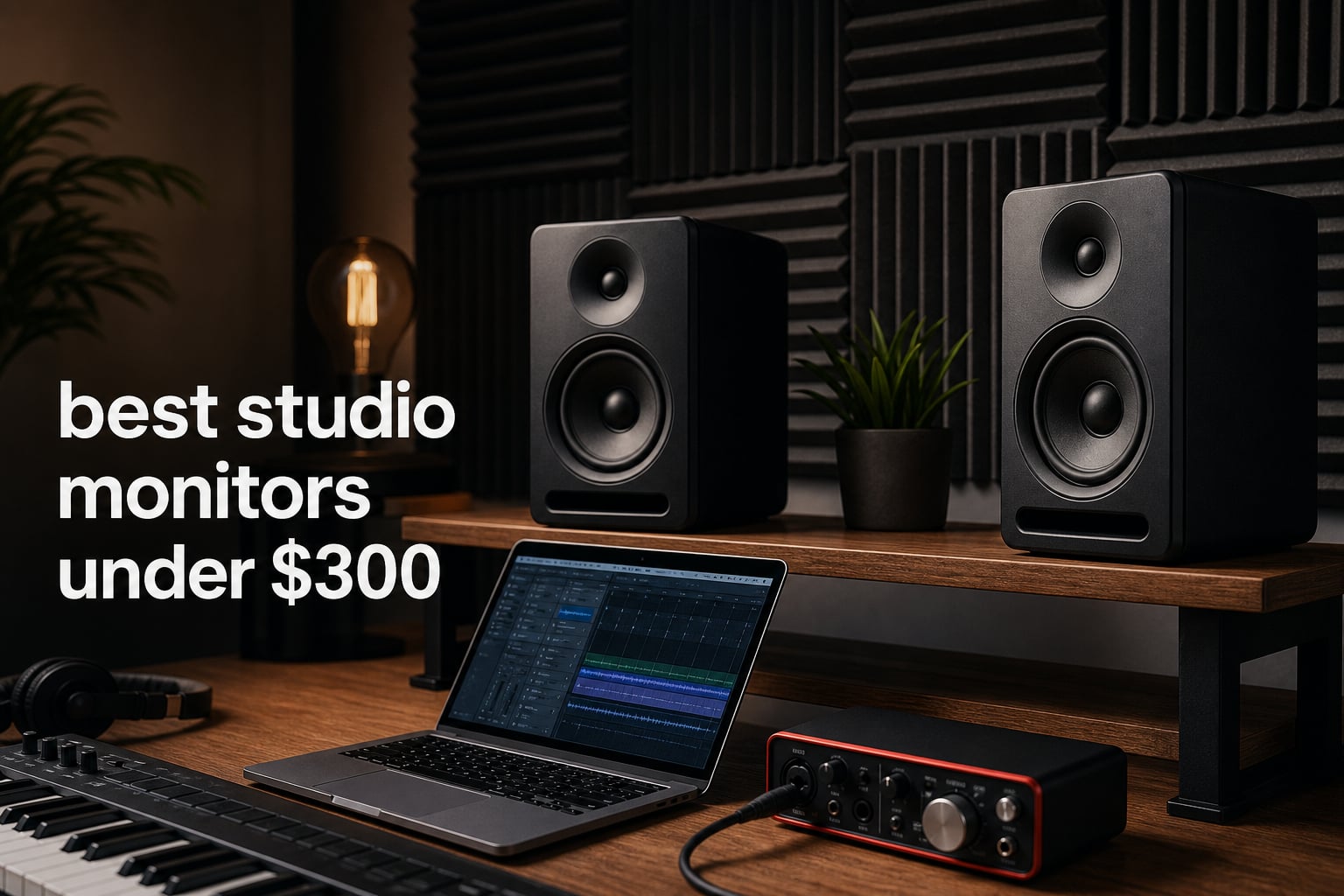
The best studio monitors under 300 are not the ones with the loudest spec sheet; they are the pair that lets you hear balance, vocal level, and low-end decisions clearly at your desk. Studio monitors are powered speakers made for accurate reproduction, so a mix has a better chance of translating to headphones, cars, and other systems.
I would start by matching the speaker to the listening distance and room rather than chasing the largest woofer. A compact pair can be the smarter call in a bedroom studio, while a five-inch or larger design gives electronic music producers more information around the kick and bass relationship.
This guide compares 12 active monitors using the supplied product specifications, inputs, controls, published ratings, and review information. If you are building the rest of your setup, our guide to making a dubstep track at home puts monitor choice in the wider production workflow.
One important expectation comes from producer discussions: small powered speakers do not create true sub-bass just because a bass setting is available. Good nearfield monitors help you make informed choices, but placement and a second reference on headphones still matter in 2026.
Table of Contents
Top 3 picks are the Yamaha HS4, Edifier MR5, and Ortizan C7
Our editor’s choice is the Yamaha HS4 for its dedicated room-control and high-trim controls plus XLR, TRS, RCA, and stereo-mini connectivity. The Edifier MR5 is the fuller-featured choice when you want a three-way active system, XLR, and room tuning, while the Ortizan C7 makes sense for a compact multi-input desktop setup.
- Yamaha HS4: best for an interface-led desktop setup where room and high-frequency adjustment matter.
- Edifier MR5: best for listeners wanting a three-way driver layout, wide connection options, and headphone output.
- Ortizan C7: best for a small workstation needing USB-C, balanced TRS, Bluetooth, and a front headphone jack.
All 12 studio monitors compared for 2026
The overview below is a fast way to narrow the field by driver size, core connection type, and the feature most likely to shape your day-to-day setup. Read the individual notes before choosing, because a claimed frequency figure alone does not predict how a monitor will behave on a desk or near a wall.
| Product | Specifications | Action |
|---|---|---|
 Yamaha HS4 Yamaha HS4 |
|
Check Latest Price |
 Edifier MR3 Edifier MR3 |
|
Check Latest Price |
 KRK Rokit 5 G5 KRK Rokit 5 G5 |
|
Check Latest Price |
 KRK Kreate 3 KRK Kreate 3 |
|
Check Latest Price |
 Ortizan C7 Ortizan C7 |
|
Check Latest Price |
 Pioneer DJ DM-40D Pioneer DJ DM-40D |
|
Check Latest Price |
 Mackie CR3.5 Mackie CR3.5 |
|
Check Latest Price |
 PreSonus Eris 3.5 PreSonus Eris 3.5 |
|
Check Latest Price |
 Edifier MR5 Edifier MR5 |
|
Check Latest Price |
 Pioneer DJ DM-50D-BT Pioneer DJ DM-50D-BT |
|
Check Latest Price |
 M-Audio BX5BT M-Audio BX5BT |
|
Check Latest Price |
 Kali Audio LP-UNF Kali Audio LP-UNF |
|
Check Latest Price |
1. Yamaha HS4 is the focused choice for a compact production desk
Yamaha HS4 Powered Studio Monitor in Black, Pair (HS4 B)
4.5 inch woofer
60 Hz to 22 kHz
XLR TRS RCA inputs
Pros
- Pair included
- Room and high trim controls
- Four input types
- Anti-slip pads
Cons
- Compact woofer limits deep bass
- Rear bass-reflex design
The HS4 is the pair I would put at the top of a tidy interface-and-laptop workspace. Yamaha includes two speakers, a 4.5-inch cone woofer, one-inch dome tweeter, speaker cable, stereo-mini-to-RCA cable, and anti-slip pads, so the basic desktop system has fewer missing pieces.
Its published response reaches from 60 Hz to 22 kHz at minus 10 dB. That lower figure tells me to judge deep kick and sub layers with a second reference, not to assume a small monitor will expose every lowest octave.
The connection selection is unusually practical for a small home studio: XLR/TRS combo, RCA, and stereo mini. Room Control and High Trim are useful when a desk or nearby wall makes the presentation too heavy or bright.
The HS4 works best at a short listening distance
Place the pair on stands or isolation pads so the tweeters point at ear height, then form an equal-sided triangle with your head. That arrangement gives the stereo image a fair chance before you reach for EQ.
The HS4 asks for bass-reference discipline
Use familiar commercial tracks and check bass on headphones after setting a mix. For a small writing and editing room, that workflow is more dependable than forcing low end out of a compact woofer.
2. Edifier MR3 is the flexible small monitor with app-based control
Edifier MR3 Powered Studio Monitor, Speaker Hi-Res Active Bluetooth Speaker
3.5 inch drivers
18W times 2 RMS
TRS RCA AUX Bluetooth
Pros
- Hi-Res certified
- Balanced TRS input
- ConneX app
- Headphone output
Cons
- Small mid-low drivers
- Monitor mode needs careful setup
The MR3 is made for a workstation that has to do more than one job. Its supplied data lists balanced TRS, RCA, AUX, Bluetooth 5.4 with multipoint connection, a headphone output, and Music, Monitor, and Custom modes.
I like the clear separation between those modes in principle: use Monitor as the starting point for production decisions, then switch only when you want casual playback. The ConneX app gives another route to EQ adjustment instead of leaving controls buried on the rear panel.
The cabinet is MDF, and the listed system uses 3.5-inch mid-low drivers with one-inch tweeters. Edifier states a 92.5 dB peak SPL and 18 watts per channel RMS, figures that fit close listening more naturally than filling a large room.
The MR3 suits a desk that also handles everyday listening
Bluetooth and multipoint pairing make the MR3 convenient for switching between a computer and phone. When you are mixing, wired balanced TRS from an interface is the more sensible signal path.
The MR3 needs space from desk reflections
Angle each cabinet inward and move it forward from a rear wall where possible. A desk mat, pads, or short stands can reduce vibration and keep the tweeters aimed correctly.
3. KRK Rokit 5 G5 is the adaptable five-inch monitor for shaping a room
KRK RP5G5 ROKIT 5 Generation Five 5″ Powered Studio Monitor
5 inch monitor
Class D amplification
25 DSP EQ combinations
Pros
- Three EQ modes
- Isolation pads included
- XLR TRS combo
- Three-year warranty
Cons
- One monitor listing
- Settings can distract from mixing
The Rokit 5 Generation Five brings a five-inch format, a silk-dome tweeter, Class D amplification, and onboard DSP to the list. Its Low Diffraction Baffle Design is intended to reduce diffraction and support clearer stereo imaging.
What stands out is the selection of three EQ modes and 25 combinations. I would begin in the flat-oriented reference setting, learn the monitor with familiar tracks, and treat the other choices as situational tools rather than a substitute for placement.
KRK also includes acoustic foam wedge isolation pads, which is genuinely useful for a desk-mounted pair. The analog connection is an XLR and quarter-inch TRS combo input, making it a clean fit with most audio interfaces.
The Rokit 5 G5 fits producers who need placement adjustment
The DSP options are helpful when furniture and wall distance cannot change much. Make one change at a time, then compare several reference tracks before deciding whether the adjustment helped.
The Rokit 5 G5 benefits from a repeatable reference routine
A flexible monitor can tempt endless tweaking. Keep one known playlist and one monitoring level so your ears, rather than changing settings, become the consistent part of the process.
4. KRK Kreate 3 is the compact pair for close desktop listening
KRK Kreate 3 Powered Studio Monitors Pair
3.5 inch glass aramid woofer
1 inch textile tweeter
Bluetooth
Pros
- Pair format
- Textile dome tweeter
- Multiple inputs
- Bluetooth
- Three-year warranty
Cons
- Small driver limits bass
- Only 52 published reviews
The Kreate 3 is a compact KRK pair built around a 3.5-inch glass aramid woofer and one-inch textile dome tweeter. The small footprint makes it a candidate for a computer desk where larger cabinets would force the listening triangle too wide.
Bluetooth is included for wireless playback, and the product information also says multiple audio inputs are provided. I would still connect a production interface by cable whenever possible, reserving wireless streaming for checking convenience and casual playback.
KRK describes the woofer as a lightweight woven glass-fiber composite design. That is useful context, but physical driver size remains the main limit: a 3.5-inch monitor cannot replace a larger system when you need detailed low-frequency decisions.
The Kreate 3 belongs on a genuinely small desk
Give these monitors a nearfield job, not a room-filling job. Keep the speakers close enough that direct sound reaches you ahead of wall reflections.
The Kreate 3 needs a second low-end check
Producers working with bass-heavy electronic music should use headphones or another playback system to verify the deepest notes. That habit prevents overcompensating for what a small woofer cannot reproduce.
5. Ortizan C7 is the connection-rich pick for a computer-centered setup
Ortizan C7 Powered Studio Monitors Pair with Bluetooth 5.3, Black
3.5 inch carbon fiber woofer
24-bit USB DAC
TRS USB-C Bluetooth
Pros
- USB-C digital input
- Balanced TRS
- Front headphone output
- Many inputs
Cons
- 0.75 inch tweeter
- Compact bass capability
The C7 covers a lot of desk scenarios with RCA, AUX, balanced TRS, USB-C, and Bluetooth 5.3. The included 24-bit DAC for USB digital audio is especially relevant if your computer is the main source and you want a simple direct connection.
Its two-way system combines a 3.5-inch carbon-fiber speaker with a 0.75-inch silk-dome tweeter. A front-panel headphone output keeps level switching convenient when you need to check a mix quietly.
Ortizan lists Bluetooth range at 18 metres, but I would not make Bluetooth the decision path for critical mixing. The balanced TRS input is the feature that gives the C7 a more serious role beside a compact audio interface.
The C7 suits creators who switch sources often
USB-C, TRS, and headphone access reduce cable swapping between a computer, interface, and personal listening. That convenience can make a compact workspace easier to keep organised.
The C7 requires modest low-frequency expectations
The 3.5-inch woofer makes this a nearfield choice. Trust it for arrangement, level balance, and everyday production work, then validate sub-heavy material on another reference.
6. Pioneer DJ DM-40D is the direct choice for DJ and production modes
Pioneer DJ DM-40D 4-inch Active Desktop Monitor Speakers, Pair, Black
4 inch woofer
96kHz DSP
DJ and Production modes
Pros
- Dedicated sound modes
- Class D amplifier
- DECO diffusers
- Front headphone socket
Cons
- RCA-focused connection
- No balanced input listed
The DM-40D is aimed squarely at people who DJ and make music in the same space. Pioneer DJ specifies two-way sound modes for DJing and production, a Class D amplifier with 96 kHz sampling DSP, and a four-inch woofer.
DECO convex diffusers are designed for clear high frequencies and a more three-dimensional stereo presentation. Time alignment between woofer and tweeter is another stated feature that speaks to coherent playback around the crossover region.
Connections are deliberately straightforward: RCA and mini-jack terminals plus a front headphone socket. I would use an interface with an appropriate output or a controller designed for RCA rather than expecting a balanced XLR workflow here.
The DM-40D fits a mixed DJ and writing station
The two sound modes are its practical advantage. Start sessions in the production setting, then use the DJ setting when practising transitions or enjoying a set.
The DM-40D asks you to plan connections first
Check the output sockets on your controller, mixer, or interface before ordering cables. This avoids adding adapters that complicate level control and desk cable routing.
7. Mackie CR3.5 is the simple desktop monitor with placement controls
Mackie CR3.5 Studio Monitors (Pair), 3.5″ Woofers, Tone Knob, Black
3.5 inch woven woofer
Tone control
Desktop bookshelf location switch
Pros
- Location switch
- Tone control
- TRS and RCA
- Headphone output
Cons
- 50W maximum listed
- Needs a subwoofer for deeper bass
The CR3.5 earns attention because it acknowledges a real problem: desktop and bookshelf positions do not sound the same. Mackie provides a location switch for those two use cases, plus a tone knob that can move from transparent toward boosted bass and highs.
The listed driver set is a 3.5-inch woven woofer and one-inch silk-dome tweeter. TRS, RCA, and 3.5 mm inputs cover the usual computer and interface sources, while the built-in headphone output is easy to reach.
I see the tone control as a listening aid, not a mixing shortcut. For mix decisions, begin with the transparent end, then use consumer-style voicing only to understand how a rough playback presentation might react.
The CR3.5 helps when speaker position has to change
The location switch is valuable for people moving between a desk and shelf. Recheck pan placement and bass balance after moving the speakers, because boundaries can alter both.
The CR3.5 keeps subwoofer decisions honest
Mackie itself notes that an external subwoofer is needed for enhanced bass. Add one only after improving placement, because a poorly placed sub can make a small room harder to judge.
8. PreSonus Eris 3.5 is the familiar entry point for basic nearfield work
PreSonus Eris 3.5 Powered Studio Monitors, Pair — 3.5” Active Near
3.5 inch woven woofer
50W amplification
TRS RCA front aux
Pros
- High and low tuning controls
- Front headphone jack
- Balanced TRS
- Pair format
Cons
- 80 Hz lower response listed
- No Bluetooth on this model
The Eris 3.5 is a straightforward active nearfield pair with 50 watts of built-in amplification, 3.5-inch woven-composite woofers, and one-inch silk-dome tweeters. It remains a sensible starting point when the goal is to leave consumer speakers behind and learn basic monitoring habits.
PreSonus lists an 80 Hz to 20 kHz frequency response, high- and low-frequency acoustic tuning controls, balanced TRS, RCA, and a front aux input. The front headphone jack is practical for a desktop recording station.
Community discussion often treats this class of compact monitor as a starting point that listeners may outgrow. I think that is fair: it can teach arrangement and balance, but deep bass and larger-room projection are not its assignment.
The Eris 3.5 works for first monitor routines
Use the tuning controls sparingly and listen to reference music at the same moderate level each day. You will learn more from consistency than from constantly changing the monitor’s voicing.
The Eris 3.5 needs a low-end cross-check for bass music
The listed 80 Hz lower response means sub frequencies need checking elsewhere. Closed-back or open-back headphones can provide another viewpoint without adding room-related bass problems.
9. Edifier MR5 is the feature-dense three-way monitor for a serious desk
Edifier MR5 2.0 Studio Monitor Bookshelf Speakers, 110W RMS, Black
3-way active
110W RMS
46 Hz to 40 kHz
Pros
- Dedicated mid driver
- Room tuning
- XLR TRS RCA AUX
- Headphone output
Cons
- Larger cabinet
- Single-unit listing
The MR5 has the most ambitious driver layout in this group: a five-inch long-throw woofer, 3.75-inch mid driver, and one-inch silk-dome tweeter in a three-way active crossover system. Edifier lists 110 watts RMS, 101 dB peak SPL, and a 46 Hz to 40 kHz response.
A separate mid driver can be attractive to producers who spend long sessions judging vocals, synths, guitars, and snare presence. It does not remove the need to learn the speaker, but it makes the MR5 a strong feature match for detailed desktop monitoring.
Connection choices include XLR, TRS, RCA, AUX, Bluetooth 6.0, and a front headphone output. Room acoustic tuning can be handled by rear knobs or the ConneX app, and the MDF cabinets are intended to reduce resonance.
The MR5 suits producers prioritising midrange detail
Use a familiar vocal-heavy record, a sparse acoustic track, and a dense electronic mix to assess whether the midrange presentation helps your work. Those references reveal more than a single bass-forward demo track.
The MR5 needs enough desk depth and a stable surface
The supplied dimensions show a deeper cabinet than the smallest options here. Measure the desk and leave room to position the speakers away from the rear wall before committing.
10. Pioneer DJ DM-50D-BT is the larger Pioneer option with wireless playback
Pioneer DJ DM-50D-BT 5-inch Active Monitor Speakers, Bluetooth, Pair
5 inch format
96kHz DSP
DJ Produce modes Bluetooth
Pros
- Bluetooth included
- DJ and production modes
- Front headphone socket
- DECO diffusers
Cons
- RCA and mini-jack focused
- Paper-based composite enclosure
The DM-50D-BT takes Pioneer DJ’s two-mode concept into a larger five-inch format and adds Bluetooth. Its stated features include the same 96 kHz-sampling DSP, Class D amplification, DECO convex diffusers, time alignment, RCA and mini-jack terminals, and a front headphone socket.
I would choose this over the DM-40D when physical desk space allows and you want the larger woofer format. The bigger driver does not give a complete picture of sub-bass, but it can offer a more comfortable scale for a wider desktop listening triangle.
Bluetooth is useful for quick playback from a phone or tablet. For a mix session, keep a wired connection from the main production source so the signal chain and level matching remain predictable.
The DM-50D-BT fits DJ producers who want a larger desktop pair
The DSP modes make it easy to shift between making tracks and practising sets. Keep your actual mix revisions in the production mode so comparisons stay meaningful.
The DM-50D-BT benefits from careful desk spacing
Do not crowd five-inch cabinets against a monitor screen or wall. Small changes in distance and toe-in can change stereo imaging more than expected.
11. M-Audio BX5BT is the app-adjustable monitor for modern creator workflows
M-AUDIO BX5BT 5″ Desktop Studio Monitors Pair
5 inch Kevlar woofer
240W bi-amplified
DSP app EQ Bluetooth
Pros
- Five-band app EQ
- Flat Hype Custom modes
- Kevlar woofer
- Bluetooth range
Cons
- Mode choices need restraint
- No XLR listed
The BX5BT combines a five-inch Kevlar woofer, silk-dome tweeter with waveguide, and 240 watts of total bi-amplified power. M-Audio also specifies Burr-Brown A-D converters, Bluetooth 5.0 with a 100-foot range, and DSP-tuned FLAT, HYPE, and CUSTOM reference modes.
Its Studio Control App offers five-band EQ and custom presets. I would see that as a way to make a limited room less troublesome after basic placement, not as permission to mix with a wildly altered response.
The listed connectivity is Bluetooth 5.0 and TRS. That makes it especially logical for a computer-and-interface setup where quarter-inch connections are already available.
The BX5BT works for creators who want controlled flexibility
Start with FLAT for editing and mixing, then reserve HYPE for casual playback checks. Save any custom curve with a clear name so you can return to a known baseline.
The BX5BT should not be judged by power alone
Higher power does not solve reflections or room modes. Keep monitoring level moderate and prioritise speaker position, ear height, and left-right symmetry first.
12. Kali Audio LP-UNF is the ultra-nearfield choice for precise close work
Kali Audio LP-UNFW 4″ Ultra Nearfield Studio Monitors – Powered Active Studio Speakers System for Music Production – Bluetooth, USB-C, TRS & RCA Input – 3D Imaging Waveguide, Boundary EQ – White, Pair
4.5 inch woofer
160W bi-amped
Boundary EQ USB-C TRS RCA
Pros
- Ultra-nearfield design
- 3D Imaging Waveguide
- Boundary EQ
- USB-C and TRS
Cons
- Only 15 reviews
- Plastic enclosure
The LP-UNF is designed specifically for ultra-nearfield listening, which makes it an interesting answer to the small-room problem. Kali supplies a 4.5-inch woofer, one-inch tweeter, 160 watts of bi-amped power, 3D Imaging Waveguide, and Boundary EQ.
Its published connection list is broad: Bluetooth 5.1, TRS, RCA, and USB-C. Kali also lists extension to 39 Hz and a 103 dB signal-to-noise ratio, though I would still verify the lowest material with familiar references in a real room.
The review count is much lower than many established entries here, so that published 4.3 rating carries less weight than a rating supported by thousands of reviews. The feature set is compelling, but this is one to assess against your exact desk depth and sources.
The LP-UNF is built for genuinely close listening
Ultra-nearfield listening puts you closer to the monitors so direct sound dominates more of what you hear. That can be helpful at a desk, especially when the room has limited acoustic treatment.
The LP-UNF gives wall-adjacent desks a useful control
Boundary EQ is relevant when a rear wall or desk surface cannot be avoided. Change the setting gradually and compare with reference songs instead of judging from one unfinished project.
Choosing the right monitor starts with your room and listening distance
Choose driver size after measuring your listening distance. Three-and-a-half-inch and four-inch monitors suit close desks, while five-inch models often make more sense when you can sit a little farther back and give the cabinets breathing room.
A larger woofer is not automatically better in a small untreated room. Low frequencies build up near walls and corners, so a monitor that reaches lower can expose more room problems as well as more musical detail.
Balanced connections are the better fit for an audio interface
XLR and TRS are balanced connections commonly used between an interface and powered studio monitors. RCA and stereo mini inputs remain handy for consumer sources, while USB-C may simplify a computer-only desk.
Bluetooth is convenient, but it should not be the main route for critical mix calls. Use a wired path during production, then use Bluetooth only as an extra playback check if the monitor provides it.
The 38 percent rule gives a useful first listening position
The 38 percent rule means placing your listening position about 38 percent of the room length away from the front wall, measured into the room. It is a starting position, not a law, but it can avoid some of the worst bass cancellations and peaks that occur at the centre or against a wall.
From there, make an equilateral triangle between your head and the two tweeters. Aim the speakers inward so their axes meet just behind or at your listening position, and keep left and right surroundings as similar as you can.
Desktop placement improves when the speakers are isolated and raised
Place monitors so the tweeters meet ear height, using stands, wedges, or pads where needed. Isolation does not fix a room, but it can reduce direct vibration into the desktop and make the setup easier to position.
Rear-ported models generally need some room behind them, while a wall-adjacent desk may benefit from a model with boundary or room controls. Make small moves, listen again, and write down the position that works best.
Basic treatment helps before a subwoofer enters the setup
In a bedroom studio, start with the simple changes: avoid a corner, add soft furnishing where it helps early reflections, and place broadband absorption at likely side-wall reflection points if you can. These changes can make monitoring decisions more reliable without changing the monitors themselves.
Forum conversations repeatedly point to room resonance below 300 Hz as a source of confusion. That is why I would correct placement and reflection issues before adding more low-frequency output.
A subwoofer is useful only when you can place and calibrate it
A subwoofer can reveal information below the range of compact speakers, but it can also exaggerate room modes. Add one when your work truly requires that range, you have a sensible place for it, and you can compare its level against familiar reference material.
For many bedroom producers, a good compact pair plus dependable headphones is the calmer first system. Use the headphones to inspect sub-bass and the monitors to judge width, midrange balance, and how the mix feels in open air.
Studio monitors differ from consumer speakers by showing problems
Consumer speakers often aim to make music sound exciting through added bass or treble. Reference monitors aim for a more honest view, helping you hear an over-loud hi-hat, a masked vocal, or a bass note that is swallowing the kick.
That does not mean a monitor is perfectly flat in every room. It means your familiar references, consistent placement, and repeated listening are part of the monitoring system too. For more production fundamentals, browse our music production equipment guides.
Common monitor questions have practical answers
What are the best studio monitors on a budget?
The best budget choice depends on desk size and connections. The Yamaha HS4 is a strong compact production option with room and high-trim controls, the Edifier MR5 offers a three-way active design and wide connectivity, and the Ortizan C7 prioritises USB-C, TRS, and a headphone output for a small workstation.
What is the 38 rule for studio monitors?
The 38 percent rule places the listening position about 38 percent of the room length from the front wall. It is a starting point intended to avoid some strong bass problems caused by sitting in the room centre or directly against a wall. Then form an equal-sided triangle with the two monitors and refine by listening to familiar references.
What is the best monitor under 300?
For a compact interface-led setup, the Yamaha HS4 is the clearest overall recommendation because it combines a 4.5-inch woofer with room control, high trim, and XLR, TRS, RCA, and stereo-mini inputs. Choose the Edifier MR5 instead if a three-way layout, XLR, and app-assisted room tuning match your desk better.
What is the best brand for studio monitors?
There is no single best brand for every room. Yamaha, KRK, PreSonus, Kali Audio, Edifier, Pioneer DJ, Mackie, M-Audio, and Ortizan each offer different strengths. Match the model’s driver size, wired inputs, room controls, and desk fit to your own production setup rather than choosing only by logo.
The right final choice is the monitor that matches your working distance
The Yamaha HS4 is my overall pick for a compact studio built around a wired interface, while the Edifier MR5 is the feature-rich three-way alternative and the Kali LP-UNF is the specialist option for close desktop listening. The best studio monitors under 300 are the ones you can place correctly, connect cleanly, and learn through repeat reference tracks.
Pick your likely use case, measure the desk, then set the speakers at ear height before judging the first mix. Once your monitoring is in place, learn how space affects a track with our guide to using reverb in music production.