
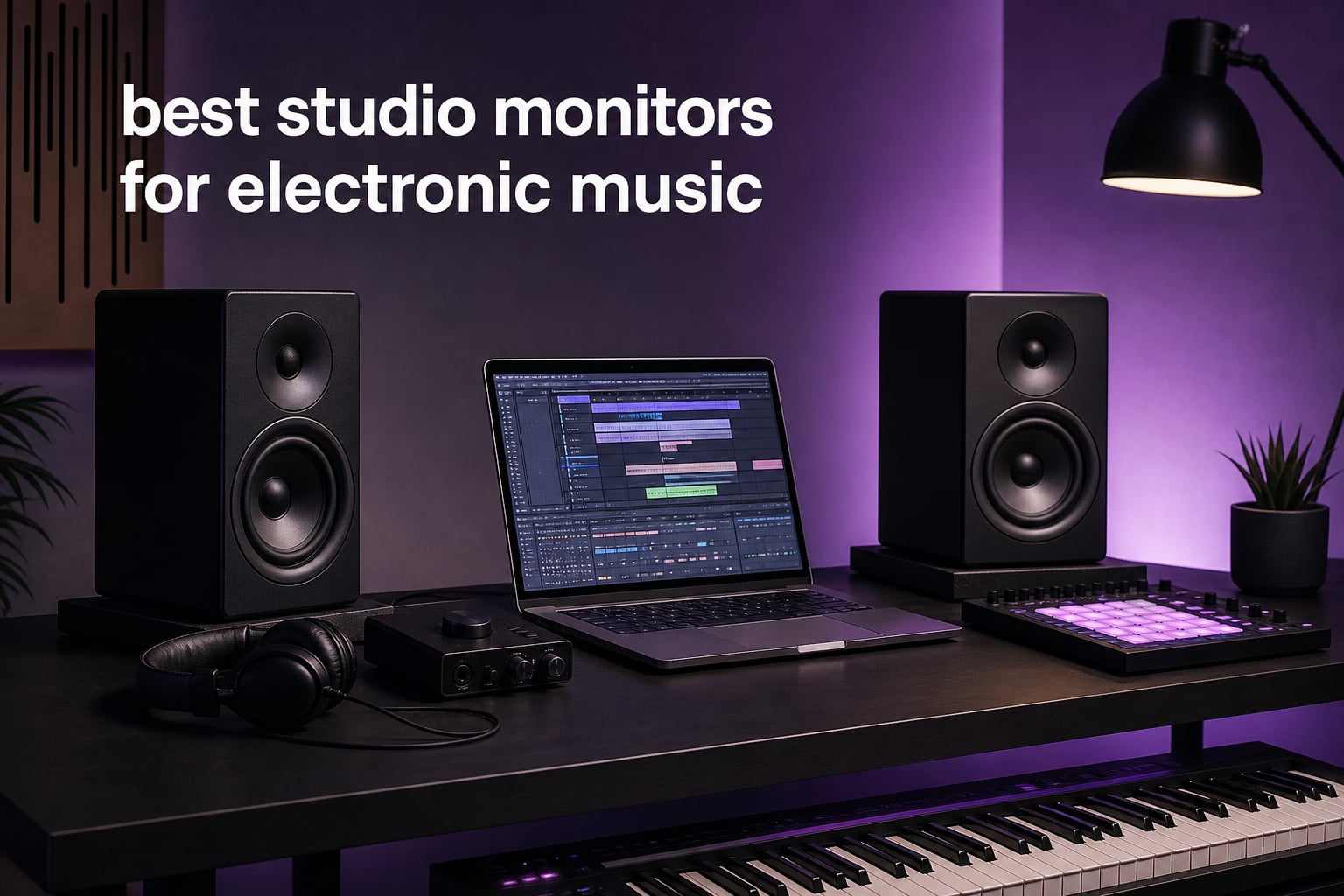
The best studio monitors for electronic music let you judge the part that can wreck an otherwise strong track: the relationship between kick, bass, and sub-bass. A club-ready low end is not just about hearing more bass; it is about hearing when notes collide, when a kick tail is too long, and when a synth layer is masking the groove.
I have kept this guide focused on the information verified for the ten monitors below: driver layout, stated frequency response where supplied, connections, room controls, and buyer-rating data. That matters because the right choice is different for a small desk, a bedroom room, a larger production space, and a producer who needs to check techno subs without turning every mix decision into guesswork.
Forum discussions make one point repeatedly: placement can matter as much as the speakers themselves. Put that lesson to work alongside your listening skills, and if dubstep is on your production list, learn how to make a dubstep track with a workflow that starts before the final mixdown.
Table of Contents
The top 3 picks cover the most common electronic-production setups
The KRK RP5G5 is my first choice for a 5-inch electronic-music monitor because it combines DSP-driven room tuning, a low-diffraction baffle, and supplied isolation wedges. The Kali Audio IN-5 is the more ambitious choice when a three-way layout and Boundary EQ fit the room, while the PreSonus Eris 3.5 is the practical compact starting point with front-panel headphone access and acoustic tuning controls.
These studio monitors for electronic music give you a quick 2026 overview
All ten are active monitor systems or powered speakers, so their amplifiers are built in. Read the feature column as a decision shortcut, then use the full reviews for the room, input, and low-end tradeoffs that a short spec list cannot explain.
| Product | Specifications | Action |
|---|---|---|
 Yamaha HS4 Yamaha HS4 |
|
Check Latest Price |
 Edifier MR3 Edifier MR3 |
|
Check Latest Price |
 KRK RP5G5 KRK RP5G5 |
|
Check Latest Price |
 Kali Audio IN-5 Kali Audio IN-5 |
|
Check Latest Price |
 ADAM Audio D3V ADAM Audio D3V |
|
Check Latest Price |
 Kali Audio LP-UNF Kali Audio LP-UNF |
|
Check Latest Price |
 PreSonus Eris 3.5 PreSonus Eris 3.5 |
|
Check Latest Price |
 Edifier MR5 Edifier MR5 |
|
Check Latest Price |
 Mackie CR5BT Mackie CR5BT |
|
Check Latest Price |
 M-AUDIO Forty Eighty M-AUDIO Forty Eighty |
|
Check Latest Price |
1. Yamaha HS4 is the compact wired-monitor choice for a small production desk
Yamaha HS4 Powered Studio Monitor in Black, Pair (HS4 B)
4.5 inch woofer
60 Hz to 22 kHz
XLR TRS RCA
Pros
- Pair package
- Room and high trim
- XLR TRS RCA inputs
- 4.7 rating
Cons
- 60 Hz low-end rating
- 4.5 inch woofer
The Yamaha HS4 is a pair of 2-way bass-reflex powered speakers with 4.5-inch cone woofers and 1-inch dome tweeters. Its stated response reaches from 60 Hz to 22 kHz at -10 dB, which tells me to treat it as a compact mixing reference rather than a full sub-bass monitor.
That is not a reason to dismiss it for electronic music. On a limited desk, its room-control and high-trim controls give you useful adjustment, while XLR/TRS combo, RCA, and stereo-mini inputs make a simple audio-interface or desktop connection realistic.
For bass-heavy work, I would check low notes on headphones or a second reference after shaping the groove here. Producers in small rooms often benefit more from a sensible listening level and disciplined placement than from forcing a bigger woofer into a corner.
The HS4 is best when desk space and input flexibility come first
This model fits a producer who needs a matched pair and wants balanced XLR or TRS plus consumer-device connections. The stated 26-watt output figure and compact 8.4 by 5.9 by 9.4 inch dimensions point toward close nearfield use rather than filling a large room.
The HS4 needs a second bass reference for deep electronic low end
A 60 Hz low-frequency specification cannot reveal the lowest content in a techno rumble or dubstep sub. Keep the mix decisions focused on balance and transient clarity, then cross-check the deepest octave on another trusted system.
2. Edifier MR3 is the connectivity-first option for an everyday desktop setup
Edifier MR3 Powered Studio Monitor, Speaker Hi-Res Active Bluetooth Speaker
52 Hz to 40 kHz
3.5 inch drivers
TRS RCA AUX Bluetooth
Pros
- Hi-Res certified
- Balanced TRS input
- 92.5 dB peak SPL
- Bluetooth multipoint
Cons
- 3.5 inch drivers
- No XLR input listed
Edifier lists the MR3 with a 52 Hz to 40 kHz flat response, 3.5-inch mid-low drivers, and 1-inch tweeters. Its 18 watts per channel RMS rating and 92.5 dB peak SPL make it a desktop-scale system with more connection options than many entry-level monitor pairs.
Balanced TRS, RCA, AUX, and Bluetooth with multi-point support are all on the verified feature list. I like that combination for a producer who shifts between an interface, a laptop, and casual reference listening, though wired balanced monitoring remains the sensible path for mix decisions.
The MDF cabinet is intended to reduce distortion, and a headphone output adds day-to-day convenience. Still, a 3.5-inch driver has a physical limit: use the MR3 to clean up midrange, tops, and the kick-to-bass relationship, not as proof of the deepest sub octave.
The MR3 is best for producers who connect several sources at one desk
This is a strong match when a balanced TRS source matters alongside RCA, AUX, and Bluetooth. Its two-year manufacturer warranty and 4.7 rating from 660 reviews add useful confidence for a monitor that may also handle non-production listening.
The MR3 works best when you cross-check sub-bass elsewhere
The stated 52 Hz bottom end is helpful context for house, EDM, and techno producers. Pair it with careful headphones or a larger reference before committing to very low bass notes and sub drops.
3. KRK RP5G5 is the most adaptable 5-inch pick for EDM-focused rooms
KRK RP5G5 ROKIT 5 Generation Five 5″ Powered Studio Monitor Pair
5 inch Kevlar
DSP room tuning
Class D amplifiers
Pros
- DSP tuning
- Low diffraction baffle
- Isolation wedges
- Three-year warranty
Cons
- 5 inch woofer
- XLR connectivity listed
The KRK RP5G5 ROKIT 5 Generation Five brings several features that make sense for studio monitors for EDM production: custom Class-D amplification, Kevlar drivers, a new 1-inch silk-dome tweeter, and DSP-driven room tuning. The 5-inch woofer format sits in the useful middle ground for a bedroom producer who needs more scale than a tiny desktop speaker without moving immediately to an 8-inch cabinet.
Its low-diffraction baffle is designed for lower distortion and better stereo imaging. In practice, that feature matters when you are placing hats, claps, vocal chops, and wide pads around a centered kick-and-bass foundation.
KRK also includes acoustic foam wedge isolation pads. I see that as a helpful starting point, not a substitute for stands, positioning, or listening tests; forum users are right to put monitor placement ahead of logo loyalty.
The RP5G5 is best when room tuning and stereo imaging guide the choice
DSP-driven room tuning makes this pair more adaptable than a monitor with no adjustment mentioned in its listing. The supplied wedges are another practical advantage for a desk where speaker isolation would otherwise be an afterthought.
The RP5G5 still needs room-aware low-end decisions
A 5-inch woofer is a good scale for many nearfield monitors for electronic music, but it does not remove room modes or make sub-bass automatically accurate. Keep the speakers symmetrical, use a listening triangle, and compare your low end on a second system.
4. Kali Audio IN-5 is the three-way option for detailed arrangement work
Kali Audio in-5 5 inch Powered Studio Monitor – White
Three-way design
Coaxial tweeter
Boundary EQ
Pros
- Coaxial textile tweeter
- 4 inch midrange
- Boundary EQ
- Two-year warranty
Cons
- Only 10 reviews
- No Bluetooth listed
The Kali Audio IN-5 is a 5-inch three-way studio monitor with a coaxial 1-inch textile-dome tweeter and a separate 4-inch optimized-profile midrange driver. That layout is the headline here: it gives the midrange its own driver instead of asking one woofer to cover every duty below the tweeter.
For electronic arrangements with dense synth stacks, percussion layers, vocal effects, and bass movement, midrange separation is a meaningful buying consideration. I would put the IN-5 near the top of the list when detail through the center of the mix matters as much as output and low-end weight.
Its HF/LF trims and Boundary EQ are directly relevant to real rooms. Put a monitor close to a wall and the bass balance changes, so a boundary adjustment is more useful than pretending a bedroom behaves like a treated control room.
The IN-5 is best for producers who need to separate busy mids
The three-way format and coaxial tweeter are the reasons to choose this Kali over a simpler two-way design. It is a thoughtful fit for sound design, layered techno, and EDM mixing where the musical action is not limited to the sub range.
The IN-5 calls for a deliberate room and connection plan
The listing specifies quarter-inch, RCA, and XLR connectivity, plus Boundary EQ, but it does not list Bluetooth. Its 4.7 rating is based on just 10 reviews, so the technical feature set deserves more weight here than a large volume of buyer feedback.
5. ADAM Audio D3V is the compact USB-C monitor with ribbon-tweeter detail
ADAM Audio D3V Active Desktop Studio Monitor Speakers – Black
USB-C
45 Hz passive radiators
D-ART ribbon tweeter
Pros
- USB-C plug and play
- 45 Hz bass extension
- Room correction switches
- Balanced quarter inch inputs
Cons
- 3.5 inch woofers
- Compact cabinet
The ADAM Audio D3V is an active desktop monitoring system built around 3.5-inch aluminum woofers, dual-sided 3.5-inch passive radiators, and a 1.5-inch D-ART ribbon tweeter. ADAM states bass extension down to 45 Hz, which is unusually relevant on paper for such a small desktop format.
USB-C plug-and-play is a major workflow benefit if you make sketches directly from a laptop, while balanced quarter-inch inputs leave room for a dedicated interface. The 80-watt amplifier specification and DSP-powered room-correction switches show that this is intended as a serious compact monitor rather than a basic computer speaker.
I would pay close attention to its tweeter if crisp top-end detail is what helps you set hi-hat levels, reverb tails, and distortion fizz. The passive radiators may extend bass, but they do not change the fact that this is still a 3.5-inch-woofer desktop system.
The D3V is best for laptop producers who want clean desktop connections
USB-C makes the D3V unusually easy to introduce to a portable production desk. The option of balanced quarter-inch inputs gives you a more conventional audio-interface route when your setup grows.
The D3V is best treated as a nearfield rather than a room-filling monitor
Its stated 45 Hz bass extension is useful for a compact monitor, yet speaker size and listening distance still shape the result. Keep these close, aim them at ear level, and verify deep sub-bass on a second reference.
6. Kali Audio LP-UNF is the ultra-nearfield choice for a computer-centered workspace
KALI AUDIO LP-UNF Ultra Nearfield Monitor System – Black
4.5 inch monitors
USB TRS RCA Bluetooth
Boundary EQ
Pros
- USB and TRS inputs
- 3D imaging waveguide
- Boundary EQ
- Touch volume slider
Cons
- Touch control adjustment
- No built-in microphone
The Kali Audio LP-UNF is an ultra-nearfield monitor system with 4.5-inch powered monitors, 1-inch tweeters, a 3D Imaging Waveguide, and Boundary EQ. It is designed for recording, mixing, and monitoring where the desk is part of the listening position rather than an obstacle between you and the speakers.
Its connection list is unusually broad: USB, quarter-inch TRS, RCA, and Bluetooth are all specified. I would use USB or balanced TRS for the production chain and leave Bluetooth for casual checking, since a stable wired path keeps the monitoring setup simple.
The touch-sensitive volume slider is a modern desktop convenience, and the stated 39 Hz frequency response is promising for a compact system. As with every small-room monitor, the room and speaker position still decide whether bass becomes useful information or a flattering blur.
The LP-UNF is best for a close listening triangle at a production desk
Ultra-nearfield placement can reduce the room’s share of what you hear because the direct speaker sound arrives strongly at your ears. This makes the LP-UNF a compelling option for a computer-centered home studio with limited distance to work with.
The LP-UNF needs a wired monitoring habit for mix decisions
Bluetooth is convenient, but USB and balanced TRS are the connections I would choose while balancing an electronic mix. Boundary EQ gives you a practical adjustment tool when a desk or rear wall affects the low end.
7. PreSonus Eris 3.5 is the straightforward compact pair for new producers
PreSonus Eris 3.5 Powered Studio Monitors, Pair — 3.5” Active Near
3.5 inch woofers
50 watts
TRS RCA front aux
Pros
- 50 watt amplification
- Acoustic tuning controls
- Front headphone jack
- Large review base
Cons
- 80 Hz low-end rating
- 3.5 inch woofers
The PreSonus Eris 3.5 is a compact pair with 3.5-inch woven-composite woofers, 1-inch silk-dome tweeters, and 50 watts of built-in amplification. The verified response is 80 Hz to 20 kHz, which makes its place in this guide clear: it is a practical monitor speakers for mixing starting point, not a standalone deep-bass solution.
Balanced TRS, RCA, and a front-panel aux input cover common sources, and the front headphone jack is handy at a shared desk. High- and low-frequency acoustic tuning controls are also welcome because a small bedroom rarely has neutral acoustics straight out of the box.
The Eris 3.5 has a 4.5 rating from 1,583 reviews and a strong studio-monitor bestseller position in its category. That amount of feedback is useful, but I would still judge it by its stated 80 Hz low end before choosing it for bass-led genres.
The Eris 3.5 is best for learning balance and arrangement on a compact desk
This PreSonus pair is a sensible first reference for producers who need familiar inputs, front headphone access, and acoustic controls. It can teach productive mixing habits when you compare your work across headphones, a car, and other everyday systems.
The Eris 3.5 needs support for serious sub-bass checking
An 80 Hz lower response does not expose the sub information that drives many electronic tracks. Use it to get the mids and highs honest, then confirm kick fundamentals, low bass notes, and sub drops on another reference.
8. Edifier MR5 is the flexible three-way monitor for wired and wireless sources
Edifier MR5 2.0 Studio Monitor Bookshelf Speakers, 110W RMS, Black
Three-way active
46 Hz to 40 kHz
XLR TRS Bluetooth
Pros
- Three-way crossover
- 110 watt RMS
- XLR and TRS inputs
- Room tuning controls
Cons
- Room treatment may help
- 10.38 kilogram pair weight
The Edifier MR5 uses a three-way active crossover with a 5-inch long-throw woofer, 3.75-inch mid driver, and 1-inch silk-dome tweeter. Its stated 46 Hz to 40 kHz response and 110-watt RMS Class-D amplification make it one of the more substantial active studio monitors in this ten-product set.
The XLR, TRS, RCA, AUX, and Bluetooth connection options cover almost every common input path. For production, I would select XLR or TRS from an interface; 24-bit/96 kHz wired Hi-Res support is listed, while Bluetooth 6.0 and LDAC are better suited to reference listening or convenience.
Physical rear knobs and the Edifier ConneX app handle room acoustic tuning. That flexibility is useful, though no setting replaces basic room treatment or correct placement if the rear wall is adding too much bass.
The MR5 is best for producers who want a three-way system with broad input support
The dedicated mid driver can be appealing when a mix has busy chords, leads, and percussion competing in the center. XLR and TRS make it easier to keep this speaker in a conventional balanced production chain.
The MR5 needs space and room attention to show its strengths
The listed dimensions are 11 by 6.3 by 10.4 inches, and the pair weight is 10.38 kilograms. Give the cabinets stable support and room around them, then use the tuning tools after getting the listening position right.
9. Mackie CR5BT is the versatile creative-reference pick with a location switch
Mackie CR5BT Studio Monitors (Pair), 5.25″ Woofers, Bluetooth, Black
5.25 inch woofer
Location switch
Bluetooth TRS RCA
Pros
- Desktop bookshelf modes
- 100 watt output
- TRS and RCA
- Bluetooth
Cons
- Only 56 reviews
- No frequency response listed
The Mackie CR5BT pairs a 5.25-inch woven woofer with a silk-dome tweeter and lists 100 watts of power output. Its location switch is the feature that catches my attention for a real-world production desk because it provides a desktop/bookshelf mode rather than treating both placements as identical.
Bluetooth, TRS, and RCA connections give it practical range for a hybrid creative workspace. A tone-control knob can change the presentation too, so I would use it carefully: a monitor used for mixing should begin from the most neutral available position, then be checked against known tracks.
Mackie does not state a frequency-response range in the analyzed listing. That omission means I would not make specific sub-bass assumptions from the 5.25-inch woofer alone, even though its size may appeal to producers moving beyond compact 3.5-inch systems.
The CR5BT is best for a desk that sometimes becomes a bookshelf listening setup
The location switch speaks directly to users who cannot leave their monitors in one perfect production position. It is also one of the few choices here that explicitly combines this placement adjustment with Bluetooth, TRS, and RCA.
The CR5BT needs familiar reference tracks before mix work begins
Without a verified frequency-response figure in the supplied data, take time to learn how known tracks translate on it. The 4.5 rating comes from 56 reviews, so personal references and cross-checks deserve extra importance.
10. M-AUDIO Forty Eighty is the large-woofer option for producers with room to spare
M-AUDIO Forty Eighty 8″ Studio Monitor Speaker
8 inch Kevlar
150 watt bi-amped
FLAT HYPE modes
Pros
- 8 inch Kevlar woofer
- 150 watt bi-amped
- DSP crossover
- XLR TRS inputs
Cons
- Larger cabinet
- 4.0 rating
The M-AUDIO Forty Eighty is the 8-inch option in this lineup, with an 8-inch Kevlar woofer, a 1.25-inch tweeter, and 150 watts of bi-amplified power. For a producer whose room can accommodate it, that larger woofer is the most direct route here to a monitor built around extended bass response.
M-AUDIO lists professional-grade Burr-Brown analog-to-digital conversion, DSP processing for the crossover, and FLAT and HYPE listening modes. I would mix in FLAT mode and use HYPE only as a deliberately colored extra check, much like checking how a track survives on a non-neutral playback system.
XLR and TRS analog inputs are appropriate for an audio interface, while Bluetooth 5.3 TWS streaming is available for convenience. The 11.5 by 10 by 15 inch cabinet needs genuine space; putting an 8-inch monitor in a cramped, untreated corner can make the room dominate the bass.
The Forty Eighty is best for electronic producers who have a larger listening space
The 8-inch Kevlar woofer and 150-watt bi-amplified design are the clearest fit for users who need more physical low-end capability than a 3.5- or 5-inch monitor can offer. It is especially relevant for bass-led production, provided the room is ready.
The Forty Eighty needs careful placement before you trust its bass
Its 4.0 rating across 57 reviews is lower than the others in this roundup, and the large enclosure will not suit every workspace. Start with equal distances to the listener, avoid corner placement, and use FLAT mode to make critical decisions.
The right monitor choice starts with room size, placement, and bass priorities
Start by matching the monitor to the room rather than chasing the largest woofer. Compact 3.5- and 4.5-inch designs suit a close desktop triangle, 5-inch monitors are the sensible middle ground for many bedroom producers, and an 8-inch model needs more distance from you and more control of the room’s low-frequency behavior.
Electronic music makes this decision feel urgent because kick and bass occupy the same part of the spectrum. A larger monitor may produce more low end, but an untreated small room can exaggerate one bass note and hide another, leading you to make changes that fail outside the room.
The 38% rule gives you a sensible first listening position
The 38% rule says to begin with your listening position roughly 38% of the room length away from the front wall, measured from that wall. It is a starting position, not a law: it helps avoid some severe room-mode positions, after which you should make small moves and listen to familiar tracks.
Place the two monitors and your head in an equilateral triangle, point the tweeters toward your ears, and keep the tweeters around ear height. If you must work close to a wall, choose a monitor with room or boundary controls and use those only after the basic geometry is right.
Balanced connections are the normal route from an audio interface
XLR and TRS inputs are the usual studio-friendly choices when your interface provides balanced outputs. RCA and AUX can be useful for consumer sources, while USB can simplify a laptop desk; Bluetooth is convenient for playback checks but is not the connection I would choose for critical mix work.
Set monitor gain conservatively and do most level control from the interface or monitor controller. This gives you repeatable listening levels, which is more useful than mixing louder every time the drop needs excitement.
Sub-bass needs a cross-check instead of a guess
Small monitors can still make excellent electronic tracks, but their specifications tell you where their lowest stated response begins. The HS4 is listed to 60 Hz, the Eris 3.5 to 80 Hz, the D3V to 45 Hz, the MR3 to 52 Hz, and the MR5 to 46 Hz; use those figures as context, not as a promise of perfectly flat bass at your seat.
Reference tracks you know well, headphones you trust, and another playback system are practical tools for checking a low end. This is why many producers start with a 5-inch monitor and only move to a larger design after their room allows it.
Room controls are useful after placement, not before it
Boundary EQ, room control, high trim, HF/LF trims, and DSP switches can help tailor the monitor to its position. The KRK RP5G5, Kali IN-5, ADAM D3V, Kali LP-UNF, Yamaha HS4, Edifier MR5, and PreSonus Eris 3.5 all list some form of adjustment in the supplied data.
Change one control at a time and listen to the same reference track. If you alter placement, gain, and EQ together, you will not know which move fixed the problem.
A DAW workflow benefits from a repeatable monitoring routine
Use a known reference track at the beginning of a session, then compare it to your mix at a similar perceived level. Pay attention to the kick transient, bass-note length, vocal or lead level, and the brightness of hats before opening more plug-ins.
When you export a draft, check it on headphones and an everyday speaker or car system. That simple loop makes studio speakers for music production more useful because you learn their translation instead of expecting any monitor to solve every room problem alone.
These FAQ answers address the common studio-monitor questions directly
What is the best studio monitor for music listening?
The best choice for music listening depends on your desk, room, and preferred connections. For a compact desk, the ADAM Audio D3V offers USB-C, balanced quarter-inch inputs, a ribbon tweeter, and stated bass extension to 45 Hz. For a larger electronic-music setup, the M-AUDIO Forty Eighty supplies an 8-inch Kevlar woofer and 150 watts of bi-amplified power, but it needs more room.
What is the 38 rule for studio monitors?
The 38% rule is a monitor-placement starting point: place your listening position about 38% of the room length away from the front wall. It can help you avoid severe bass build-up or cancellation points. Then make small position changes, keep the monitors and listener in an equilateral triangle, and use familiar tracks to judge the result.
What do most EDM artists use to make music?
EDM artists commonly use a DAW, an audio interface, headphones, and nearfield studio monitors. The monitor brand and woofer size vary because rooms vary. For electronic music, the useful requirement is accurate enough monitoring to judge kick, bass, sub-bass, transient detail, and stereo placement, then cross-checking the mix on other systems.
Are studio monitors good for music?
Studio monitors are good for music because they are designed to reproduce audio with less intentional bass or treble boost than many consumer speakers. That makes them helpful for production and mixing. They can also be enjoyable for listening, but their greatest strength is showing balance problems so a track translates more reliably to headphones, cars, and everyday speakers.
The best choice is the monitor that matches your electronic-music room and workflow
For the broadest 5-inch EDM-focused feature set, I would start with the KRK RP5G5 because its DSP room tuning, Kevlar drivers, imaging-focused baffle, and included isolation wedges address common home-studio concerns. Choose the Kali IN-5 when three-way midrange detail and Boundary EQ are more important, the ADAM D3V or Kali LP-UNF for compact desktop production, and the M-AUDIO Forty Eighty only when your space supports an 8-inch design.
The best studio monitors for electronic music in 2026 are not the ones that make the biggest first impression. They are the pair you learn well, position carefully, and verify against trusted references until your kick, bass, and sub-bass decisions translate beyond your room.