
The best 6 inch studio monitors give a home studio more low-end information than compact 5-inch models without demanding the space that larger nearfields often need. A 6- or 6.5-inch woofer is a sensible middle ground for producers who need to judge kick, bass, vocal weight, and synth layers from a desk or a modest treated room.
For this 2026 guide, I compared the 10 available models using the listed driver design, amplifier type, inputs, room controls, user ratings, and review volume. I also gave extra weight to the real problems producers raise repeatedly: bass that disappears in a small monitor, a sweet spot that feels too narrow, and a monitor placed close to a wall in an untreated room.
A monitor is not a finished mix in a box. Its job is to give you dependable information, so the right choice depends on placement, source connections, and whether you value wide imaging, front-ported bass, flexible EQ, or wireless playback alongside a flat reference mode.
Table of Contents
These Are the Top 3 Picks for 6-Inch Studio Monitoring
The JBL is my broad recommendation because its Boundary EQ, balanced inputs, wide sweet spot, and 467-review sample make it the easiest all-round starting point. Choose the PreSonus when point-source imaging and broad connection options matter most, while the Kali stands out for practical boundary and LF/HF adjustment.
These 10 6-Inch Studio Monitors Cover Every Main Setup
The overview below is a fast way to match driver layout, power approach, and connection choices before reading the individual notes. Remember that the listed models are active monitors, but several are sold individually while the Rockville APM6B is a pair.
| Product | Specifications | Action |
|---|---|---|
 Pioneer DJ VM-70 Pioneer DJ VM-70 |
|
Check Latest Price |
 PreSonus Eris Pro 6 PreSonus Eris Pro 6 |
|
Check Latest Price |
 Rockville DPM6W Rockville DPM6W |
|
Check Latest Price |
 JBL 306P MkII JBL 306P MkII |
|
Check Latest Price |
 Tannoy Gold 7 Tannoy Gold 7 |
|
Check Latest Price |
 Kali Audio LP-6 V2 Kali Audio LP-6 V2 |
|
Check Latest Price |
 Mackie MR624 Mackie MR624 |
|
Check Latest Price |
 Rockville APM6B Rockville APM6B |
|
Check Latest Price |
 KRK V6 Series 4 KRK V6 Series 4 |
|
Check Latest Price |
 M-Audio Forty Sixty M-Audio Forty Sixty |
|
Check Latest Price |
JBL 306P MkII Is the Best Overall Choice for Most Home Studios
JBL Professional 306P MkII 6-Inch 2-Way Powered, Active Monitor Speaker for Near Field Music Production, Studio Monitor, Desktop Computer, Hi-Fi Audio. Sold individually, Black
6.5-inch woofer
112W Class D
Boundary EQ
Pros
- Boundary EQ
- Wide sweet spot
- Balanced XLR and TRS
- Strong review base
Cons
- Sold individually
- Rear port needs clearance
The JBL 306P MkII earns the lead spot because it combines a 6.5-inch woofer, 112W Class D biamplification, and practical placement control. Its 4.6 rating comes from 467 reviews, which is the largest review sample in this group and gives the recommendation more context than a handful of ratings.
The listed 47 Hz to 20 kHz response gives this speaker useful low-frequency reach for a nearfield monitor. I would still check sub-bass on headphones or a second system, but this is the type of extension that makes kick-versus-bass decisions less abstract than they can be on very small drivers.
JBL includes balanced XLR and quarter-inch TRS connections plus a sensitivity switch for pro and consumer-level sources. That makes it a straightforward match for an audio interface, and the Slip Stream low-frequency port is part of a design aimed at clean airflow rather than port noise.
Near-wall placement is a JBL strength
The Boundary EQ is the feature I would reach for when a desk or a rear wall forces a close placement. It cannot correct a severely reflective room, yet it directly addresses one of the most common home-studio compromises.
Wide listening coverage is a JBL strength
JBL describes a broad sweet spot, which matters if you shift between a keyboard, control surface, and screen. It is also friendlier when a collaborator listens beside you, though serious mix calls should still happen at the centered listening position.
PreSonus Eris Pro 6 Is the Best Pick for Point-Source Imaging
PreSonus Eris Pro 6 2-Way Biamped, Active, 6.5-inch Coaxial Studio Monitor
Coaxial 6.5-inch driver
140W Class AB
35 Hz to 20 kHz
Pros
- Coaxial phase alignment
- Front port
- XLR TRS RCA
- Acoustic tuning
Cons
- Power Saver after 40 minutes
- Small review sample
The PreSonus Eris Pro 6 puts its 1.25-inch silk-dome tweeter and 6.5-inch woven-composite low-frequency driver on the same axis. This coaxial, single-point-source arrangement is designed for phase alignment, which is why I would put it high on a shortlist for producers who care about centered vocals and exact pan placement.
Its listed 35 Hz to 20 kHz response reaches lower than several alternatives here, and 140W of Class AB biamplification is rated up to 106 dB SPL. Those numbers do not remove the need for sensible volume in a small room, but they point to comfortable headroom rather than a monitor that has to work at its limit.
I also like the connection spread: balanced XLR, quarter-inch TRS, and unbalanced RCA are all present. Acoustic Tuning controls cover HF, midrange, low cutoff, and acoustic space, giving users more ways to make a placement-aware starting adjustment.
Front-port placement makes the Eris easier near a wall
The front-firing acoustic port is useful when rear clearance is tight. Leave room around the cabinet anyway, then use the acoustic-space and low-cut controls as starting points instead of guessing with a bass-heavy reference track.
Long idle sessions can trigger its Power Saver mode
The monitor enters Power Saver after 40 minutes of inactivity. Forum users often find auto power features frustrating during long sessions, so I would factor that behavior in if a studio regularly pauses for writing or client discussion.
Rockville DPM6W Is the Entry-Level Option with Full Analog Inputs
Rockville 6.5″ 2-Way 210W White Active/Powered Studio Monitor Speaker (DPM6W)
6.5-inch woofer
105W RMS
XLR TRS RCA
Pros
- Class D biamp
- 1.5-inch silk tweeter
- High and low controls
- MDF enclosure
Cons
- 80 dB signal-to-noise ratio
- Sold individually
The white Rockville DPM6W is an accessible route to a 6.5-inch active speaker with 105W RMS power and a biamped layout. Its 4.7 rating across 29 reviews is encouraging, but I would treat the smaller review sample as one useful signal rather than a final verdict.
Rockville lists a 1.5-inch neodymium silk-dome tweeter, polypropylene-cone woofer, and MDF cabinet. The 50 Hz to 20 kHz stated range suggests that it will cover the main musical bass region, while the low-end fundamentals below that need careful checking on other systems.
The rear panel provides XLR, quarter-inch TRS, and RCA inputs, so it can connect to an interface or a basic playback source. Independent high- and low-frequency controls are helpful for restrained correction, although an EQ knob is not a substitute for placing the monitors symmetrically.
Basic connection flexibility is a DPM6W advantage
Having balanced and unbalanced inputs removes a common beginner obstacle when studio gear changes. I would use XLR or TRS from an interface whenever possible, keeping RCA for equipment that does not offer a balanced output.
Noise specifications need realistic expectations
The listed 80 dB signal-to-noise ratio is lower than many buyers expect from a reference monitor. Keep gain staging disciplined and listen for self-noise at your normal distance before making it the center of a quiet editing setup.
Tannoy Gold 7 Is the Best Choice for Dual-Concentric Coherence
Tannoy Gold 7 6.5-inch Powered Studio Monitor
Dual Concentric driver
300W biamplified
Front-firing port
Pros
- Point-source imaging
- Front port
- XLR TRS and mini jack
- Two-year warranty
Cons
- Large cabinet
- Frequency response not listed
The Tannoy Gold 7 uses a proprietary 6.5-inch Dual Concentric point-source driver, placing the high-frequency section centrally within the driver arrangement. That architecture aims for phase coherence and a unified image, so it appeals to listeners who want a precise central phantom image rather than a wide-but-loose presentation.
Its Class AB system is listed at 300W with transducer-matched LF and HF amplification. I would not choose it on wattage alone, yet the combination of substantial amplification and a front-firing bass port makes it one of the more serious options for a workroom where placement is constrained.
Tannoy includes XLR, TRS, and 3.5 mm stereo mini-jack cables, which gives a new setup an unusually broad set of source choices. The product data does not list a frequency-response figure, so I would avoid making assumptions about its bass extension from driver size alone.
Centered imaging is the Gold 7 calling card
A point-source layout can make it easier to judge where a voice, clap, or lead synth sits in the stereo field. That is a meaningful advantage for arrangement work, where overlapping midrange elements can hide one another.
Cabinet space is the Gold 7 trade-off
The stated cabinet dimensions and 24.35-pound weight mean this is not a casual desktop speaker. Measure stands and desk depth first, then set the tweeter near ear height rather than squeezing it between screens.
Kali Audio LP-6 V2 Is the Best Pick for Practical Room Adjustment
KALI AUDIO LP-6 V2 6.5-inch Powered Studio Monitor – White
6.5-inch monitor
3-D Imaging Waveguide
Boundary EQ
Pros
- Boundary EQ
- LF and HF trims
- 3-D waveguide
- Mountable
Cons
- 80W listed output
- Rear port needs clearance
The Kali Audio LP-6 V2 is a 6.5-inch powered monitor with a 1-inch soft-dome tweeter, 3-D Imaging Waveguide, Boundary EQ, and separate LF/HF trims. That combination is especially attractive when the room is not perfect, because it gives the user several documented controls before reaching for broad software correction.
Its 4.5 rating comes from 73 reviews, and the supplied distribution shows 82 percent five-star ratings. I see that as useful corroboration for a monitor already known in forum discussions for a transparent, low-character presentation rather than a hyped sound.
The product data lists 80W maximum output and a low-noise port tube. A speaker does not need extreme level to be useful at a desk; what matters more is repeatable listening at moderate levels, then a second check at a different volume to see whether a mix balance holds.
Boundary EQ gives the LP-6 V2 a room-aware starting point
Boundary EQ is useful for a monitor near a wall or working on a desk, where reflections can change bass and low-mid perception. Start with the manufacturer settings that match the position, then make small changes after listening to familiar, well-produced tracks.
Mounting flexibility helps tight production rooms
The LP-6 V2 is listed as wall- and ceiling-mountable, which opens options beyond desk placement. Secure mounting and correct aiming matter, because moving the speaker off a reflective desk can improve the direct-versus-reflected balance at the listening position.
Mackie MR624 Is a Strong Option for Wide Stereo Coverage
Mackie MR624 -Channel Studio Monitor
6.5-inch woofer
65W Class AB
Logarithmic waveguide
Pros
- Wide dispersion
- Silk-dome tweeter
- Fast transients
- Pro Tools First included
Cons
- 65W listed output
- Rear port needs clearance
The Mackie MR624 pairs a 6.5-inch polypropylene woofer with a 1-inch silk-dome tweeter and 65W of biamplified Class A/B amplification. Its logarithmic waveguide is designed for ultra-wide dispersion, so I would consider it for an editing and production position where moving slightly off-center is unavoidable.
The 4.4 rating is based on 244 reviews, which is one of the more substantial datasets in this group. Review insights emphasize mix translation and stereo imaging, two qualities that matter more over time than a short burst of impressive bass.
The package also includes Pro Tools First software according to the product listing. That is a supplementary item rather than a reason to choose a monitor, but it could be useful for a producer building a first recording workflow around a compatible interface and computer.
Wide dispersion supports a flexible work position
A wide waveguide can keep high-frequency balance more stable when you lean toward a controller or keyboard. It does not replace the need to work from the sweet spot, yet it makes day-to-day movement less punishing.
Transient detail supports mix translation checks
The silk-dome tweeter is described as having fast transient response. I would use short, familiar percussion and vocal consonants to judge that quality, then compare the results on earbuds, a car system, or another ordinary playback device.
Rockville APM6B Is the Best All-in-One Pair for Flexible Playback
Rockville APM6B 6.5″ Black Powered Active Studio Reference Subwoofer.
Powered monitor pair
USB XLR RCA
Rear-panel EQ
Pros
- Sold as a pair
- USB input
- Headphone output
- Bass and treble EQ
Cons
- Rear-firing port
- Heavy pair
The Rockville APM6B differs from most entries because it is sold as a powered pair rather than a single monitor. It combines 6.5-inch two-way speakers, a listed 350W peak output, USB, RCA, XLR combo inputs, and a 3.5 mm headphone output.
That connectivity makes it appealing to creators who switch between an interface, computer audio, and casual reference listening. Its 4.3 rating across 218 reviews indicates a broad set of owner impressions, though its feature set makes it more of a versatile studio speaker system than a stripped-back reference-only design.
Rockville lists a rear-firing port, neodymium silk-dome tweeters, and bass/treble adjustment from minus 4 dB to plus 4 dB. Use that adjustment lightly: a boost can feel good initially but may lead you to remove too much bass from a mix.
USB and headphones make the APM6B unusually convenient
USB input can simplify a computer-centered desk, while the headphone socket is practical for late-night switching. For serious mixing, I would still prefer the cleanest possible interface path and use the same reference level from session to session.
Rear-port clearance remains important with the APM6B
Rear ports need breathing room from a wall to avoid a bloated low end. If the desk must sit close to the wall, start with the bass control reduced rather than assuming every bass issue belongs in the mix.
KRK V6 Series 4 Is the Professional Pick for Extensive EQ Control
KRK V6 Series 4 6″ 2-Way Powered Studio Reference Monitor, Black
6-inch Kevlar woofer
Class D biamp
Front-ported cabinet
Pros
- Kevlar drivers
- Front port
- Desk loading EQ
- Neutrik combo input
Cons
- Small review sample
- Limited availability
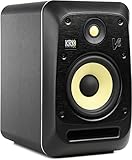
The KRK V6 Series 4 is the only model here with an exact 6-inch woven Kevlar woofer rather than a 6.5-inch driver. It pairs that woofer with a custom Kevlar tweeter, a front-ported bass-reflex enclosure, and biamped Class D amplification for a feature set aimed at serious studio adjustment.
Its control set is unusually deep: acoustic and desk-loading low-frequency EQs, plus mid- and high-frequency EQs, are listed alongside standby, ground lift, input sensitivity, and logo LED selectors. I would choose it when a producer is ready to learn what each control does rather than treating the rear panel as decoration.
The V6 has a 4.3 rating from 16 reviews, so ratings carry less statistical weight than the JBL or Mackie figures. Still, Neutrik combo connectors for XLR and TRS are a practical professional touch for a stable balanced connection.
Front-port design suits closer wall placement
A front port gives the V6 Series 4 more flexibility than a rear-ported cabinet when the room dictates a short wall gap. It still benefits from stands, equal spacing, and distance from corners, which remain the first controls in any room.
Multiple EQ bands reward methodical listening
Use one control at a time and return to a known reference track after each change. If you change low, mid, and high settings together, it becomes hard to learn whether a better result came from the speaker or a lucky coincidence.
Pioneer DJ VM-70 Is the Best 6.5-Inch Option for DJ-Friendly Playback
Pioneer DJ VM-70 6-inch Active Studio Monitor Speaker, Class D, Black
6.5-inch woofer
100W powered
Bluetooth and EQ
Pros
- 100W power
- Bluetooth
- Low and high EQ
- Aluminum enclosure
Cons
- Auxiliary listed connection
- Small review sample
The Pioneer DJ VM-70 is a 100W powered monitor built around a 6.5-inch cone woofer and 1-inch dome tweeter. Bluetooth connectivity and compatibility with phones, tablets, MP3 players, and laptops make it a logical option for DJs or producers who regularly audition tracks from several sources.
Its listing shows a 5.0 rating from 28 reviews. That perfect average is positive, but I would read it beside the modest review count and prioritize the verified hardware details: low/high EQ controls, aluminum enclosure, and a dynamic-driver design.
This is not the model I would select solely for a bare-bones mixing chain, since the listed connectivity technology is auxiliary while other choices specify XLR and TRS. For a hybrid DJ, playback, and production desk, its source flexibility may be the bigger attraction.
Bluetooth playback makes track referencing easier
Wireless streaming is useful for hearing a reference playlist from a phone without changing cables. Do final mix judgments through the main wired source, since a consistent signal path makes comparisons easier to repeat.
Low and high EQ help tailor a working position
The VM-70 offers low and high EQ controls for measured adjustments. Treat them as a way to reduce an obvious placement effect, not as a reason to chase a completely flat room with two knobs.
M-Audio Forty Sixty Is the Most Feature-Rich Modern Desktop Monitor
M-AUDIO Forty Sixty 6.5″ Studio Monitor Speaker
6.5-inch Kevlar woofer
DSP and app
Bluetooth 5.3
Pros
- Five-band EQ
- Bluetooth TWS
- HYPE and FLAT modes
- XLR and TRS
Cons
- 4.0 rating
- App adds complexity
The M-Audio Forty Sixty puts modern convenience beside a production-oriented signal path. It has a 6.5-inch Kevlar woofer, 100W biamplified power, Burr-Brown conversion, DSP processing, Bluetooth 5.3 TWS streaming, and balanced XLR/TRS analog inputs.
Its 5-band EQ and control app are the distinguishing tools here, with customizable presets as well as FLAT and HYPE modes. I would use FLAT for mix decisions, then use HYPE as a quick consumer-style check rather than blending the two purposes during the same decision.
The model has a 4.0 rating from 57 reviews, lower than the other highlighted choices. That does not erase its useful feature set, but it makes a careful return-window test with familiar material sensible for users who want app control and Bluetooth in their reference monitors.
FLAT and HYPE modes support two different listening jobs
FLAT mode is intended as a true mix reference, while HYPE mode helps check how material may feel on consumer-oriented playback. Separate those checks so that a fun reference curve does not become the sound you mix into by accident.
App EQ is useful when handled with restraint
The five-band EQ gives the Forty Sixty more adjustment range than most monitors here. Start with a neutral preset and make one small change only after you have ruled out stand height, wall distance, and desk reflections.
The Right 6-Inch Monitor Depends First on Room and Placement
A 6-inch or 6.5-inch nearfield is a strong fit for a home studio where the listener sits roughly one to two metres from the speakers. It supplies more bass information than a 5-inch design while staying easier to place than an 8-inch monitor, which can overload a compact room if it is pushed too hard or placed in corners.
Start with an equilateral triangle: the distance between the two speakers should match the distance from either speaker to your head. Aim the tweeters toward the listening position, place them near ear height, and keep left and right distances from nearby boundaries as similar as the room permits.
Five-inch, six-inch, and eight-inch monitors serve different room limits
A 5-inch monitor is often easier to fit on a tiny desk and can be a good choice when you work very close to the speakers. A 6-inch model adds useful bass reach for electronic music and recording work, while an 8-inch model usually needs more room and more careful low-frequency control.
There is no universal driver size that solves every problem. If your room is very small or highly reflective, careful placement and moderate volume can matter more than moving up in woofer size.
Room correction controls help but cannot replace setup basics
Boundary EQ, acoustic-space switches, low-cut settings, and LF/HF trims can reduce some placement effects. They cannot remove deep nulls, flutter echo, or a desk reflection that arrives almost as loudly as the direct sound.
Before changing EQ, move each speaker a little, add solid stands or isolation, and listen again. A small physical move can change bass perception far more than an aggressive tonal adjustment.
Balanced connections are the sensible default for an interface
XLR and TRS balanced inputs are the first choice when your audio interface provides them because they are designed for a stable studio signal path. RCA, mini-jack, USB, and Bluetooth have their place for convenience and reference playback, but use a consistent main path for decisions that affect a mix.
Set the monitor gain once, then adjust listening volume from the interface or monitor controller. This keeps your reference level repeatable and makes it easier to notice whether a new balance is truly better or merely louder.
Reference tracks make monitor learning faster
Choose several tracks you know extremely well and play them before opening a new mix. Listen for where the kick ends, how much low-mid weight the vocal carries, where the hats sit, and how wide the chorus feels.
Then check your work on ordinary earbuds, a car system, or a small speaker. That translation loop teaches you the monitor and room faster than chasing a specification sheet.
Untreated rooms call for honest limits and practical steps
Forum discussions consistently point out that good sound is hard to find in an untreated room. Start with symmetrical placement, avoid corners, use front-ported or boundary-adjustable choices when placement is tight, and add absorption at early reflection points when possible.
Headphones can provide a useful second opinion for low end and detail, but do not abandon speakers completely. Mixing monitors show stereo interaction and room behavior that headphones cannot reproduce.
These FAQs Answer the Most Common 6-Inch Monitor Questions
What is the best 6 inch studio monitor for home studio?
The JBL 306P MkII is the broadest home-studio recommendation here because it combines a 6.5-inch woofer, 112W Class D biamplification, balanced XLR and TRS inputs, a broad sweet spot, and Boundary EQ for near-wall placement. The PreSonus Eris Pro 6 is the stronger alternative when coaxial point-source imaging and a front port are priorities.
Are 6 inch studio monitors good for mixing?
Yes. Six-inch and 6.5-inch nearfield monitors are a useful mixing size for many home studios because they offer more low-end information than 5-inch models without the placement demands of many 8-inch monitors. Good placement, moderate volume, reference tracks, and checks on other playback systems still determine whether a mix translates.
What is the best budget 6 inch studio monitor?
The Rockville DPM6W is the entry-level pick in this comparison, with a 6.5-inch woofer, 105W RMS biamplification, a silk-dome tweeter, and XLR, TRS, and RCA inputs. The Kali Audio LP-6 V2 is another strong value-focused choice for buyers who place a high priority on Boundary EQ and LF/HF trims.
What size studio monitor do I need for a small room?
A 5-inch or 6-inch nearfield monitor usually suits a small room better than an 8-inch model. Choose 6-inch monitors when you want more bass information and can keep them on stands or a desk with sensible spacing from walls; choose 5-inch models for very tight listening distances and limited space.
How much should I spend on studio monitors?
Choose from models with the connections, placement controls, and driver design your room actually needs, then reserve part of the budget for stands, cables, and basic acoustic treatment. A carefully positioned pair with a consistent reference workflow is more useful than a more ambitious model placed against a wall or in a corner.
The Best Choice Is the Monitor That Fits Your Actual Mixing Position
For most producers, the JBL 306P MkII is the easiest recommendation because it pairs a proven review base with Boundary EQ, balanced inputs, and broad listening coverage. The PreSonus Eris Pro 6 is the imaging-first alternative, while the Kali LP-6 V2 makes the most sense when room-adjustment controls are at the top of the list.
The best 6 inch studio monitors in 2026 are not defined by woofer diameter alone. Pick the model that matches your room, connect it cleanly, position it carefully, and spend time learning its behavior against music you know well.