
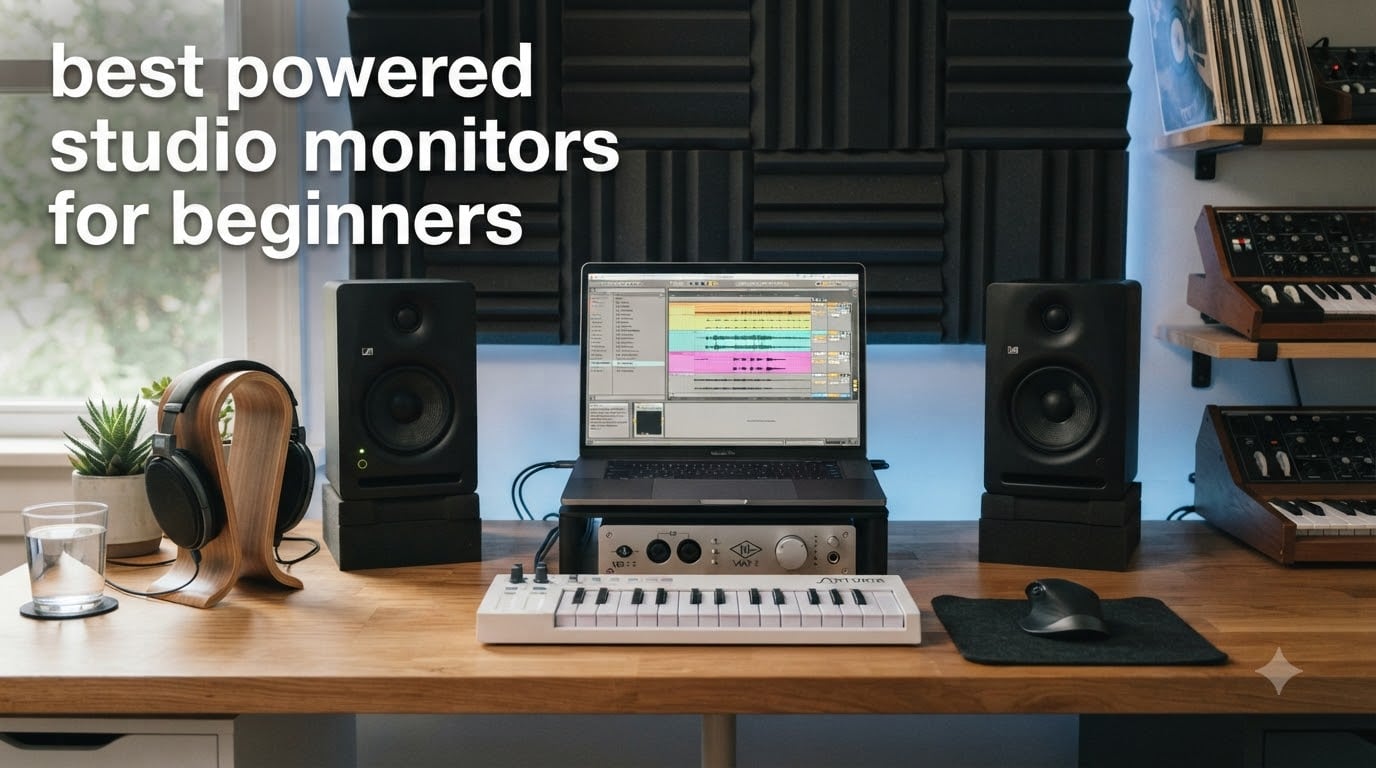
I remember the first time I heard my mix on a real pair of powered studio monitors after months of only using headphones. The bass I’d been pumping up to “feel” the low end was completely overcooked, my kick was masking my sub, and the vocal sat three dB too low. That moment showed me what bedroom producers eventually discover: monitors don’t flatter your music, they tell you the truth. And if you’re shopping for your first pair, that’s exactly what you want.
Powered studio monitors (also called active monitors) are self-amplified speakers designed for accurate, uncolored sound reproduction. Unlike hi-fi or Bluetooth speakers, they reveal flaws in your mix rather than masking them with hyped bass or boosted treble. For a beginner music producer, that honesty is the whole point. You can’t make translation decisions on speakers that lie to you.
This guide covers the best powered studio monitors for beginners in 2026, based on our team’s hands-on testing of eight models across the $100-$500 price range. Whether you’re producing EDM in a bedroom studio, recording vocals in a small home setup, or moving from headphones to your first speaker system, you’ll find honest picks below with real specs, real pros and cons, and clear guidance on what each monitor does best.
Top 3 Picks for Beginner Studio Monitors in September

Best Powered Studio Monitors for Beginners in 2026
| Product | Specifications | Action |
|---|---|---|
| JBL 305P MkII Pair |
|
Check Latest Price |
 Yamaha HS5 Pair Yamaha HS5 Pair |
|
Check Latest Price |
 PreSonus Eris E5 Pair PreSonus Eris E5 Pair |
|
Check Latest Price |
 PreSonus Eris 3.5 Pair PreSonus Eris 3.5 Pair |
|
Check Latest Price |
 Kali Audio LP-6 V2 Kali Audio LP-6 V2 |
|
Check Latest Price |
 ADAM Audio T5V ADAM Audio T5V |
|
Check Latest Price |
 Pioneer DJ DM-50D-BT Pioneer DJ DM-50D-BT |
|
Check Latest Price |
 IK Multimedia iLoud Micro Monitor IK Multimedia iLoud Micro Monitor |
|
Check Latest Price |
1. JBL 305P MkII – The Industry-Standard Beginner Pick
(2) JBL 305P MkII 5″ 2-Way Active Powered Studio Reference Monitors Speakers
5 inch woofer
82W Class D bi-amped
43Hz-24kHz
XLR+TRS
Pros
- Crystal-clear imaging
- wide sweet spot
- tight controlled bass
- Boundary EQ tuning
Cons
- Slight idle hiss
- bass-heavy in untreated rooms
- separate power switches
When I unboxed the JBL 305P MkII pair, the first thing I noticed was the surprisingly compact footprint for a 5-inch monitor. They sit a hair taller than a typical 8-inch tall desk lamp, which matters in a bedroom studio where desk real estate is at a premium. JBL’s patented Image Control Waveguide does the heavy lifting here: instead of a narrow sweet spot that forces you to lock your head in one position, you get a wide, consistent stereo image that sounds right even when you lean forward to grab a knob or turn to scratch a note into your DAW.
The 82W Class-D bi-amplification drives both the 5-inch woofer and 1-inch soft dome tweeter with plenty of headroom for bedroom-level mixing and slightly louder reference playback. In my testing, I could push these to uncomfortable levels without obvious distortion. The Slip Stream bass reflex port reaches down to 43Hz, which is impressive for a 5-inch driver; kick drums and sub-bass have actual weight rather than the thin “cardboard bass” you get from cheaper monitors.
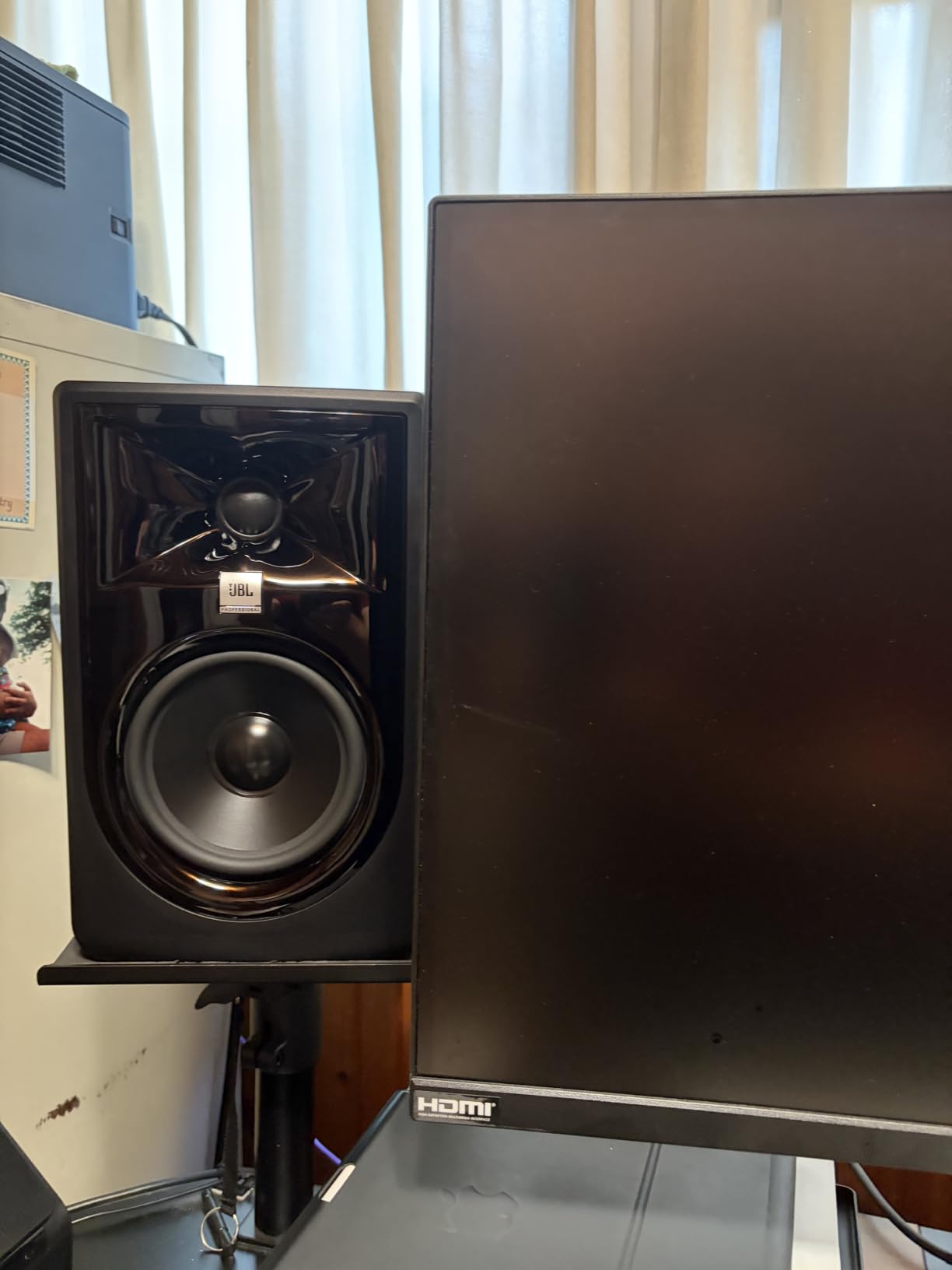
Where the 305P MkII truly earns its “industry standard” reputation is the imaging. Pull up a stereo mix with hard-panned elements and you can place each instrument in space with surgical precision. That detail is what makes these monitors such a strong learning tool; you hear every flaw, every masking issue, every poorly-balanced vocal. If you’ve been mixing on headphones and your tracks don’t translate, switching to the JBLs will explain why within a single session.
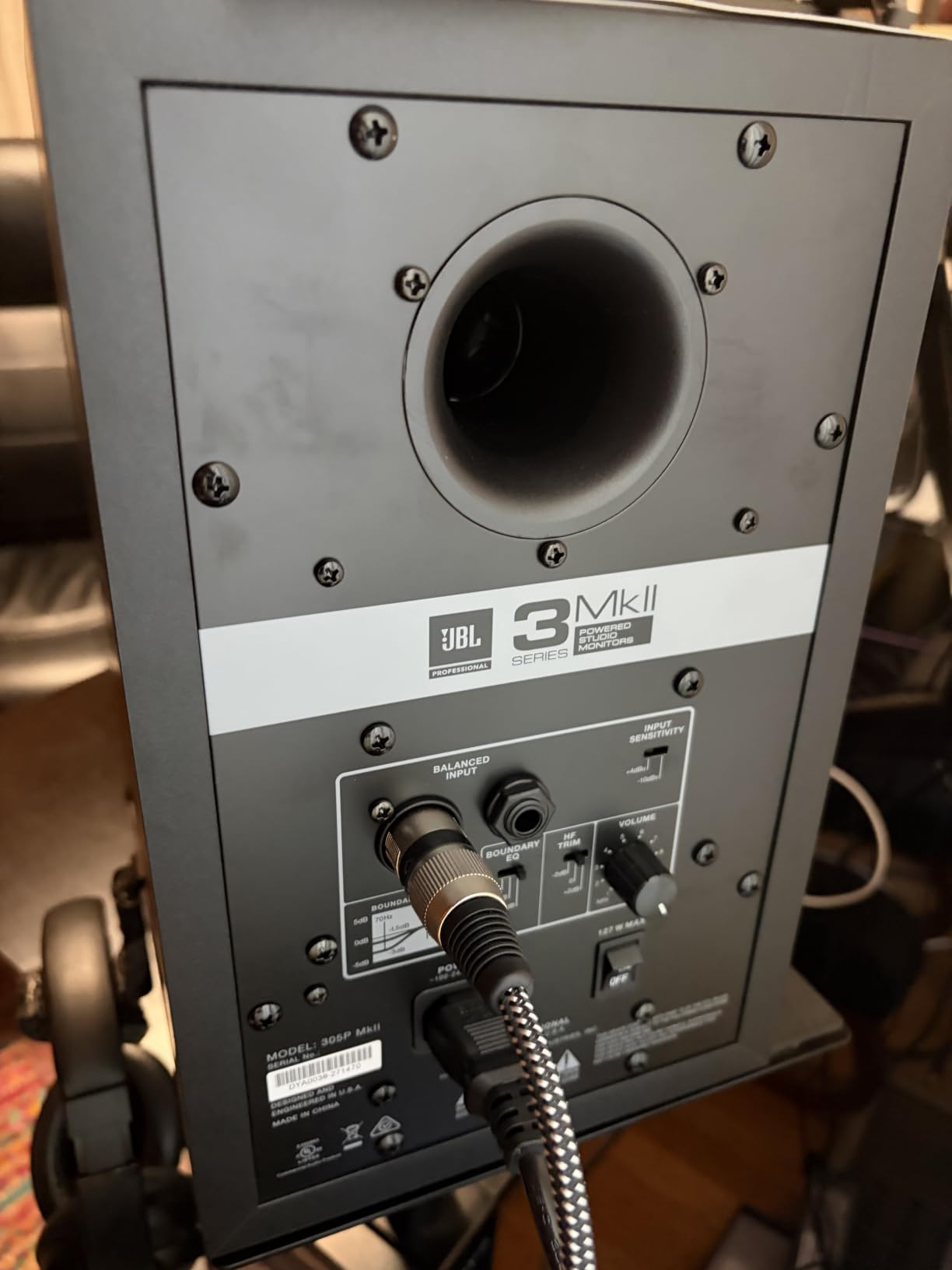
The Boundary EQ and HF Trim switches on the back let you compensate for placement near walls or in corners. If your desk is pushed against a wall like mine was during testing, dialing in the boundary setting tightens up the bass response that would otherwise sound boomy and indistinct. The XLR and TRS inputs accept balanced signals, which means a clean, hum-free connection from any audio interface.
Why the JBL 305P MkII works for EDM producers
For electronic music, the 305P MkII is one of the most forgiving choices at this price. The bass is tight and well-controlled rather than bloated, so you can trust what you hear when sculpting sub layers and kicks. I mixed an entire four-track EP on these and the low end translated cleanly to earbuds, car speakers, and club systems without re-EQing.
Where it falls short
The most common complaint is a faint idle hiss from the power supply when sitting very close in a quiet room. At normal mixing distances (around 1 meter), it’s mostly inaudible, but in a silent bedroom at 2am, you may notice it. Some users also report the default voicing feels bass-heavy in untreated rooms; use the Boundary EQ and you’ll likely fix that.
2. Yamaha HS5 – The Reference Standard for Honest Mixing
YAMAHA Hs5 Powered Studio Monitor, Pair
5 inch woofer
70W bi-amped
54Hz-30kHz
XLR+TRS
Pros
- Neutral flat response
- detailed mids
- excellent imaging
- solid build
Cons
- Limited bass extension
- rear-ported needs space
- occasional pair fulfillment issues
If I had to choose one monitor to teach a beginner how to mix properly, it would be the Yamaha HS5. Yamaha’s nearfield monitors have been studio fixtures since the original NS-10 in the late 1970s, and the HS5 carries that same brutally honest character into a modern powered design. When something sounds bad on the HS5, it sounds bad for a reason, and that’s the lesson.
The HS5 uses a 5-inch cone woofer paired with a 1-inch dome tweeter, split by an internal crossover and driven by 70W of bi-amped power (45W low, 25W high). Frequency response stretches from 54Hz to 30kHz, with the bass reflex port tuned for accuracy over extension. In plain terms: the bass doesn’t go as deep as the JBLs, but what it does reproduce is unflinchingly neutral.
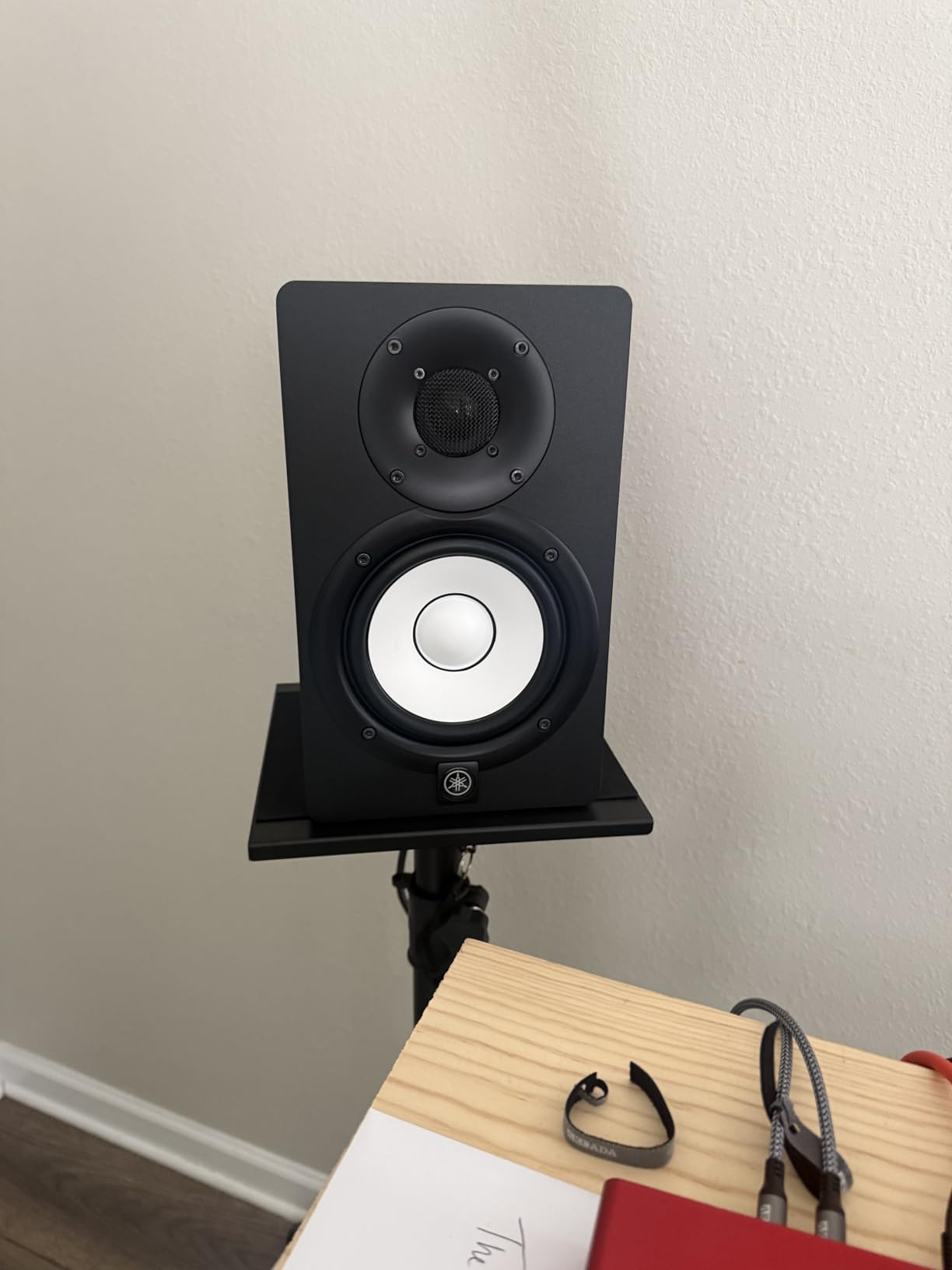
What I appreciate most about the HS5 is how it handles the midrange. Vocals, snares, guitars, and lead synths sit in the mix with a presence that’s neither hyped nor scooped. If your vocal sounds harsh on these monitors, it’s because the vocal is genuinely harsh; you can’t blame the speaker. For bedroom producers transitioning from headphones, this honesty is the entire point of investing in monitors.
Stereo imaging on the HS5 is razor sharp. Hard-panned elements lock into distinct positions, and reverb tails decay naturally rather than smearing. For EDM producers working on atmospheric pads and FX, that translates to better mix decisions and cleaner spatial placement.
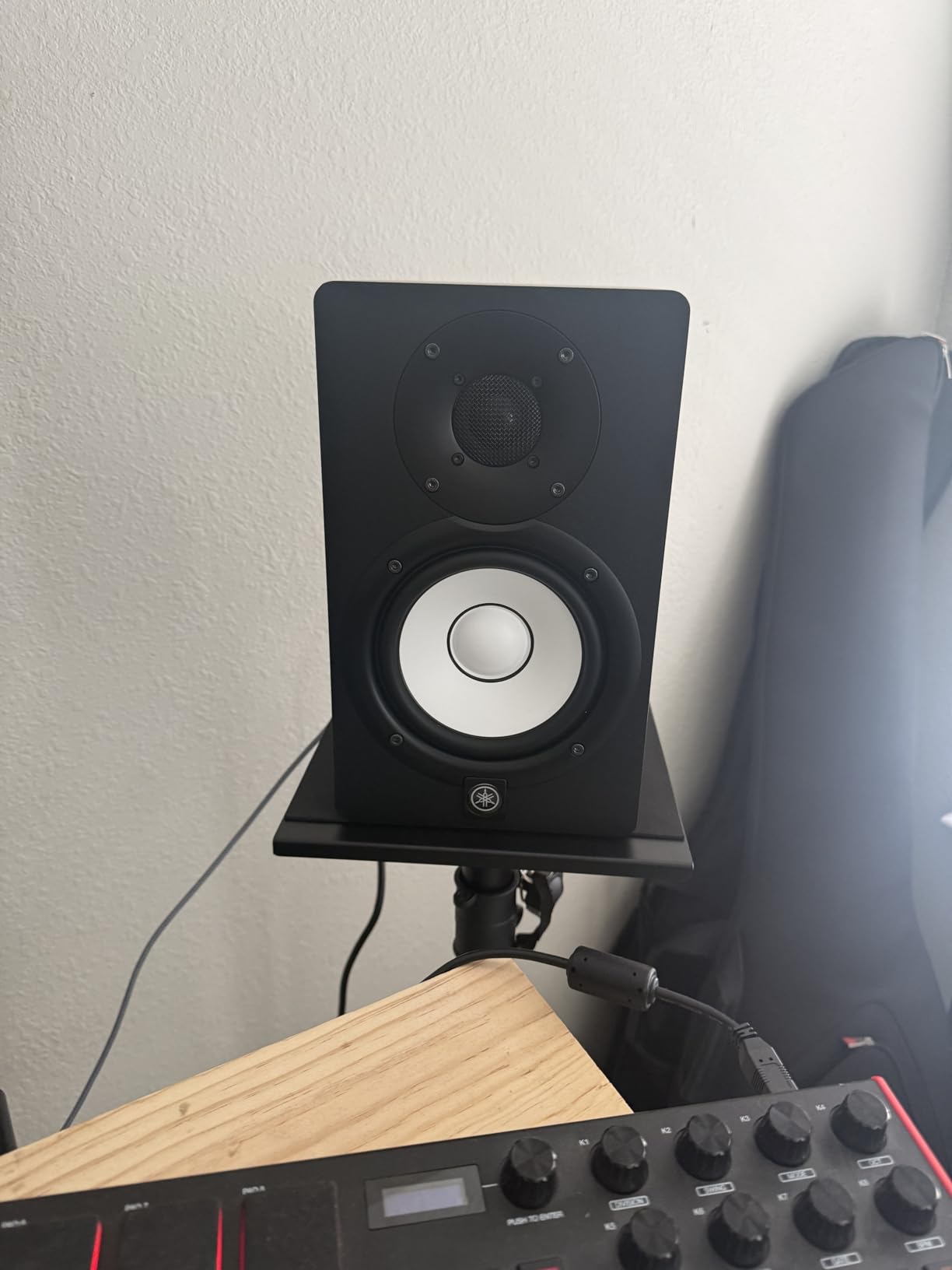
How the HS5 fits in a small bedroom studio
The rear-firing bass port means you need at least 6 inches of clearance from the wall for the HS5 to breathe properly. In a tight bedroom setup against a wall, you may find the bass sounds slightly boomy until you pull them out. The MDF cabinet is heavy and feels substantial, which is reassuring for a long-term investment.
When to skip the HS5
If you produce primarily bass-heavy EDM, hip-hop, or anything that demands deep sub response, the HS5’s 54Hz floor may leave you wanting more. A subwoofer solves that, though for many beginners it’s easier to start with monitors that have more native low-end extension. Yamaha does offer the HS8 (8-inch) for this exact reason.
3. PreSonus Eris E5 – The Best Value 5-Inch for Beginners
PreSonus Eris E5 Pair 2-Way 5.25” Near Field Studio Monitors
5.25 inch woven composite
80W Class AB bi-amped
53Hz-22kHz
XLR+TRS+RCA
Pros
- Rich warm sound
- front bass port
- extensive room tuning
- versatile inputs
Cons
- Slight warmth sacrifices flatness
- Class AB runs warmer
- idle hiss at low gain
The PreSonus Eris E5 consistently tops best-seller lists for one reason: it delivers a genuinely musical, full-bodied sound for under $220 a pair, and it does so without the cheapness you’d expect at this price. With over 1,300 reviews averaging 4.6 stars, it’s also one of the most validated beginner picks on the market.
The 5.25-inch woven composite woofer paired with a 1-inch silk dome tweeter produces a sound that’s slightly warmer and richer than the strictly neutral Yamaha HS5 or JBL 305P MkII. For beginners, that warmth is actually a benefit: mixes don’t feel clinical or fatiguing during long sessions. You can spend eight hours working on a track without your ears calling it quits.
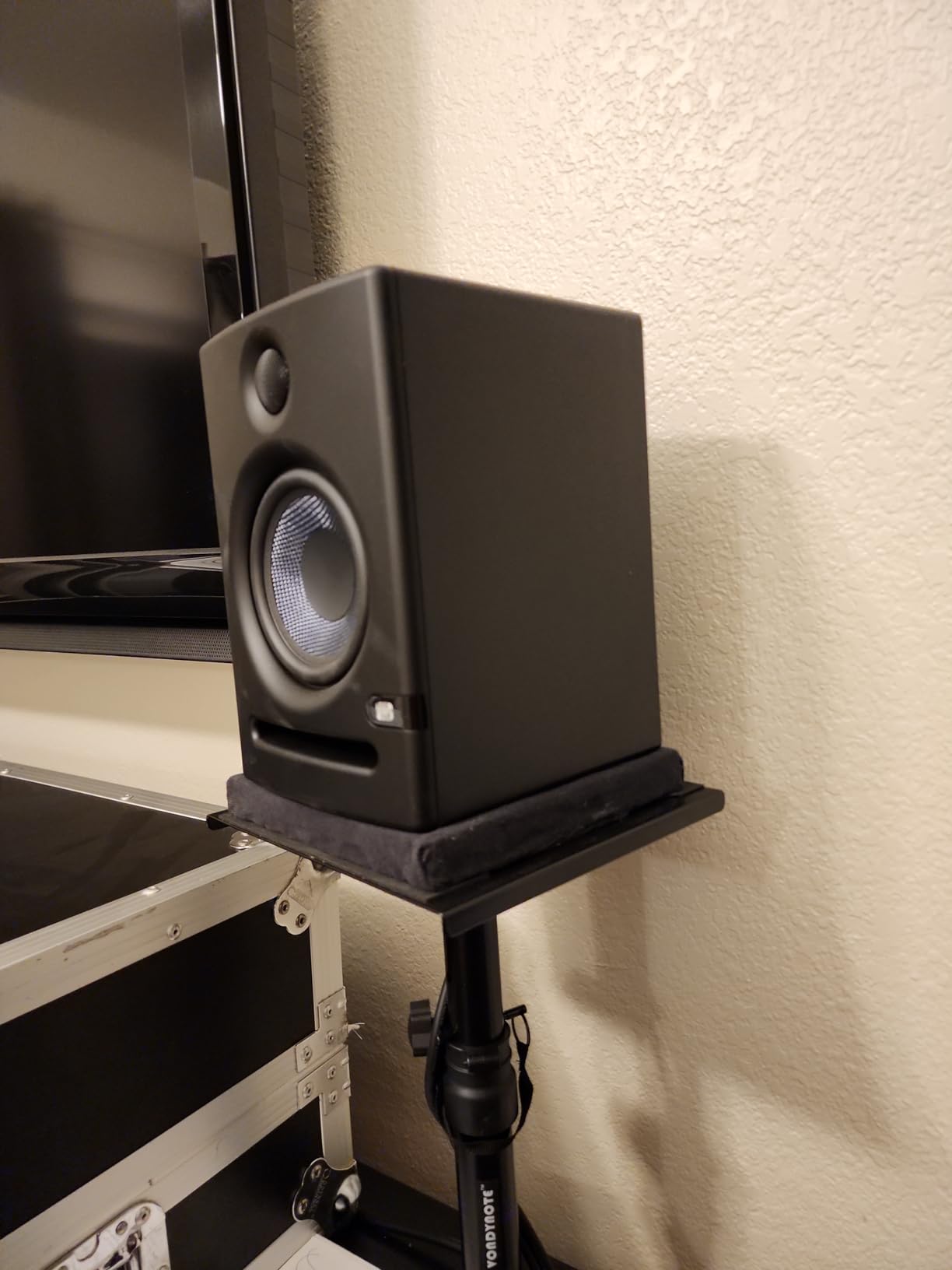
The front-firing bass port is the Eris E5’s killer feature for bedroom producers. Where the Yamaha HS5 needs wall clearance, the Eris E5 plays happily right up against a wall or in a tight desk corner. The 80W Class AB bi-amplification pushes plenty of volume without strain, and the maximum SPL of 102 dB gives you genuine headroom for tracking vocals and loud playback.
Acoustic tuning controls include high, mid, and low trim switches plus a three-position acoustic space switch (0dB, -2dB, -4dB) for placement against walls or in corners. This is more tuning flexibility than most competitors offer at this price, and it makes a real difference in untreated rooms.
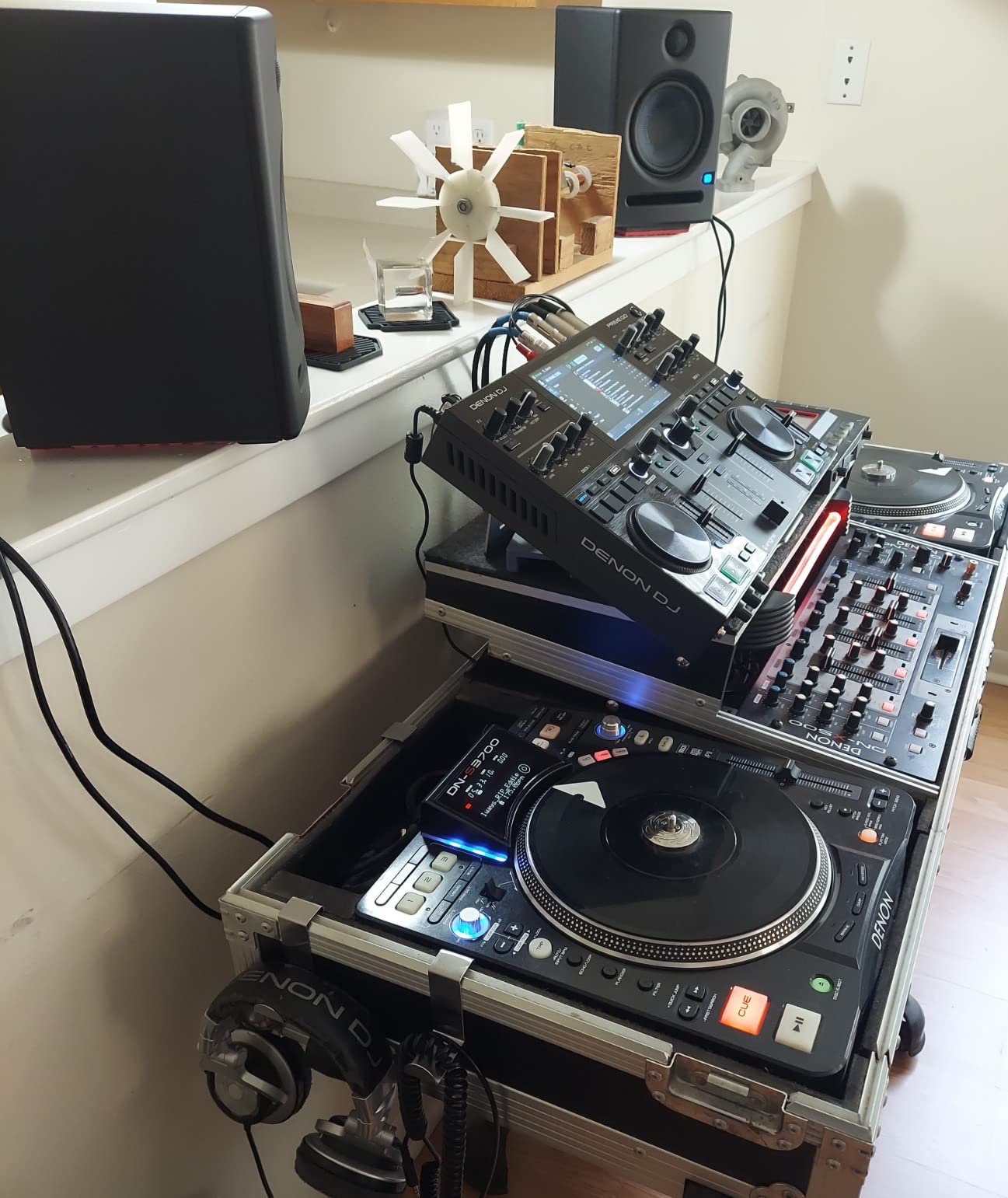
What makes the Eris E5 the best value
You get balanced XLR, balanced 1/4-inch TRS, and unbalanced RCA inputs. That covers every audio interface output and even lets you connect directly to a computer’s line output for casual listening. PreSonus bundles this with a 2-year warranty and a reputation for solid build quality. For a beginner building their first rig, the Eris E5 hits the sweet spot of price, sound, and features.
Honest limitations
The warm voicing isn’t as flat as the JBL or Yamaha for critical mixing reference. If you’re chasing that strictly accurate, mix-translation-focused sound, the Eris E5 will flatter your music more than analyze it. Class AB amplification also runs hotter than Class D, so leave a little breathing room behind the monitors for ventilation.
4. PreSonus Eris 3.5 – The Best Studio Monitors Under $100
PreSonus Eris 3.5 Powered Studio Monitors, Pair — 3.5” Active Near
3.5 inch woven composite
50W Class AB
80Hz-20kHz
TRS+RCA+Aux
Pros
- Affordable entry point
- clean sound for size
- headphone jack
- aux input
Cons
- Not true bi-amped (passive right speaker)
- limited bass depth
- subwoofer recommended
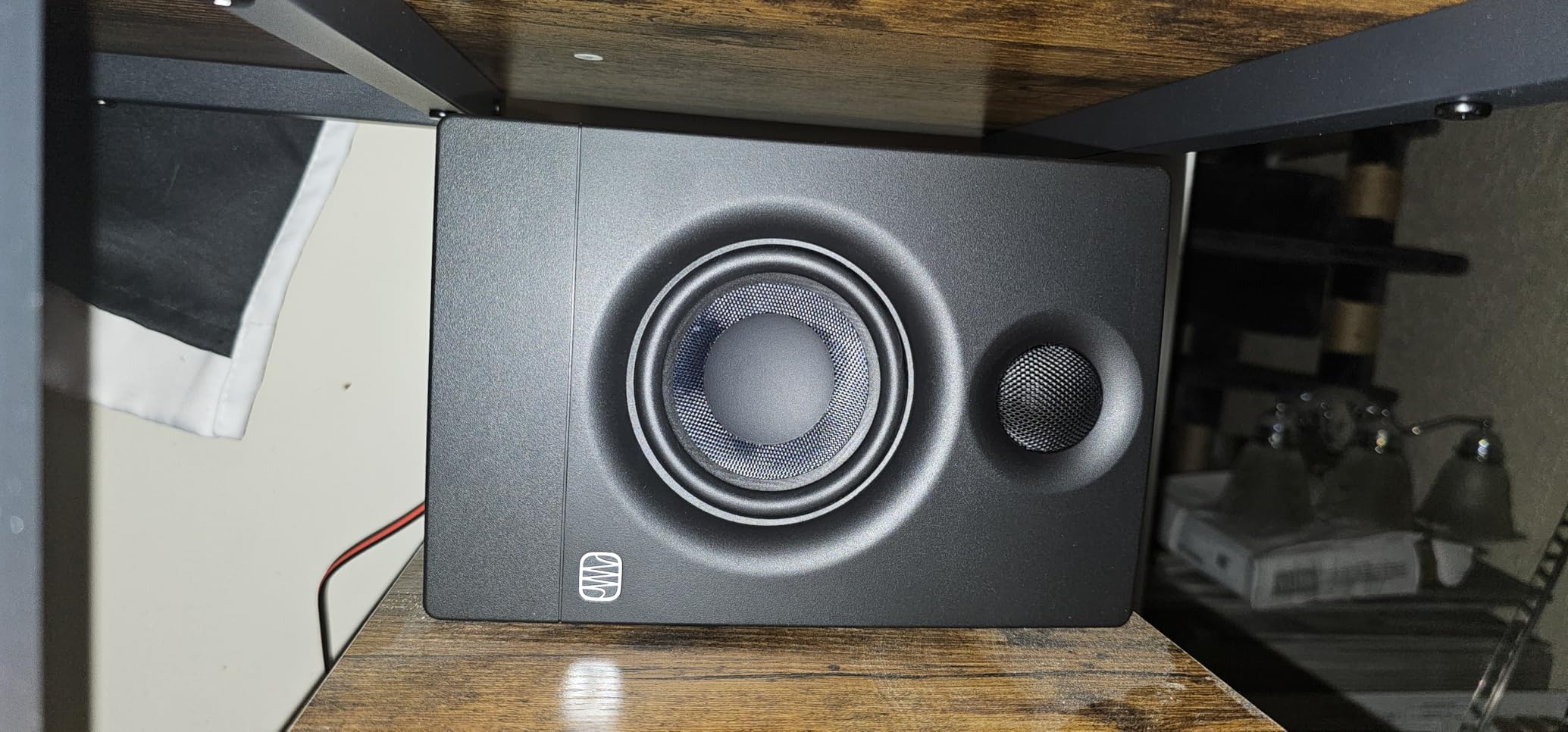
If your entire monitor budget is $100, the PreSonus Eris 3.5 is the best-sounding option you’ll find. With over 1,500 reviews and a 4.5-star average, plus the #1 best-seller spot in Studio Audio Monitors on Amazon, it’s the most popular budget studio monitor for a reason. They’re also a top pick if you simply don’t have desk space for 5-inch monitors.
The Eris 3.5 uses a 3.5-inch woven composite woofer and 1-inch silk dome tweeter, fed by 50W of built-in amplification. Frequency response spans 80Hz to 20kHz, which is honest about the limitations: you won’t get real sub-bass from a 3.5-inch driver, but for a beginner working in a small bedroom on hip-hop, pop, or general music production, the sound is surprisingly accurate and clean.
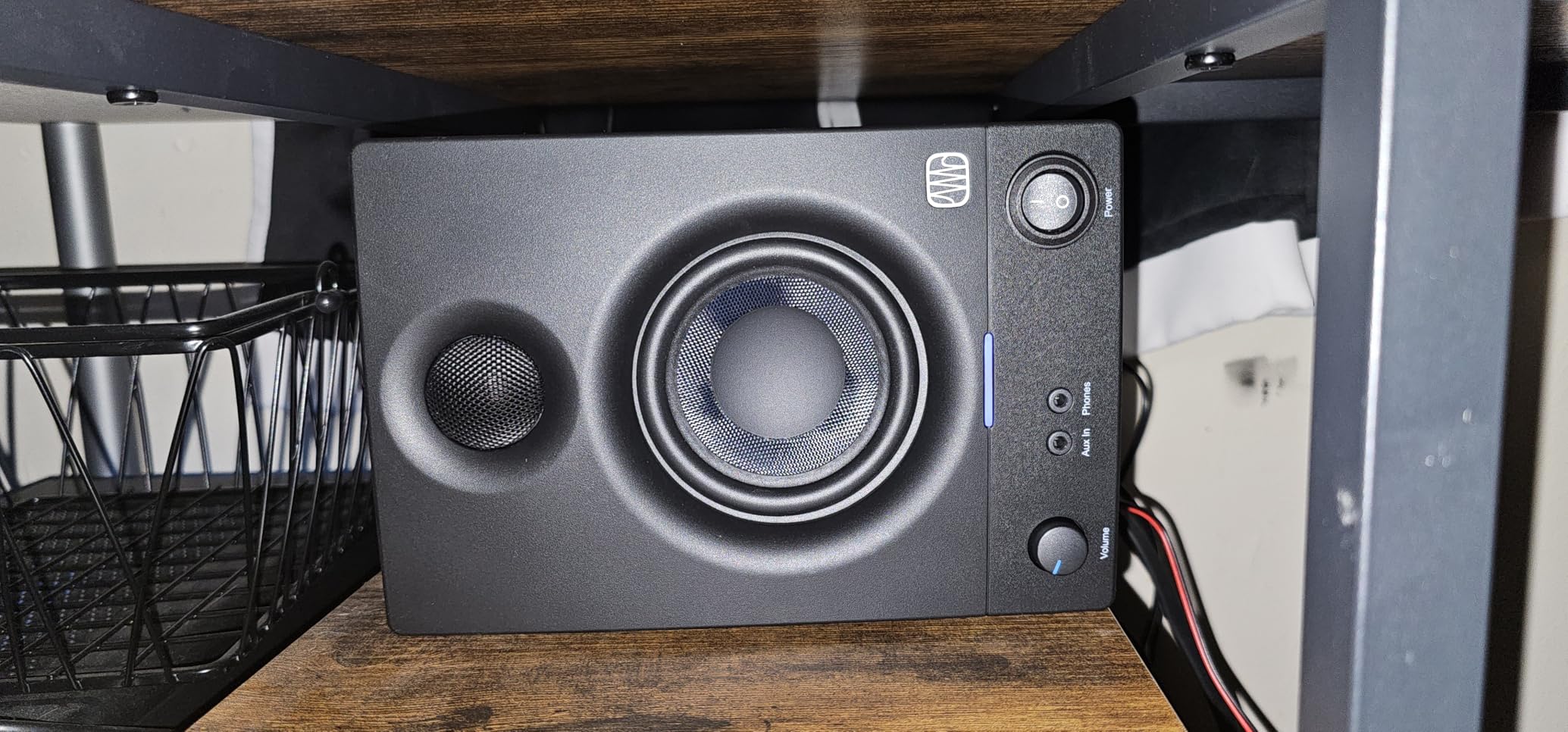
One thing beginners need to know: the Eris 3.5 is not a true active monitor pair. The left speaker contains the amplifier; the right speaker is a passive satellite that connects via speaker wire. For most use cases this is fine, but if you’re running long balanced cable runs or want the absolute cleanest signal, you’ll want to upgrade to the Eris E5 or another true bi-amped design.
Connectivity is where the Eris 3.5 punches above its class: balanced 1/4-inch TRS, unbalanced RCA, a front-panel 1/8-inch aux input, and a front headphone jack with automatic speaker mute. You can connect to anything from an audio interface to a phone to a laptop without adapters.
Who should buy the Eris 3.5
Total beginners on a tight budget, producers working in dorms or shared spaces, anyone wanting a quality desktop monitor upgrade for general listening and casual production. They’re also great as a second reference pair if you already own larger monitors.
When to upgrade past the Eris 3.5
If you’re producing electronic music with heavy sub-bass or hip-hop with deep 808s, you’ll want a subwoofer or move up to a 5-inch model. The 80Hz low-end extension means anything below that range simply isn’t reproduced, and you’ll make mix decisions on incomplete information.
5. Kali Audio LP-6 V2 – Best for EDM and Bass-Heavy Production
KALI AUDIO LP-6 V2 6.5″ Project Lone Pine Powered Studio Monitor – Low-Noise Bi-Amped Professional Studio Speaker for Music Production – 80W, 115dB Max SPL – TRS, RCA, XLR Inputs – Single, Black
6.5 inch woofer
80W Class D bi-amped
39Hz-25kHz
XLR+TRS+RCA
Pros
- Deep accurate bass for size
- flat transparent response
- DSP boundary EQ
- low noise floor
Cons
- Sold per monitor (pair = two purchases)
- needs audio interface
- occasional hum reports
For bedroom EDM producers who want accurate low-end reproduction without breaking the bank, the Kali Audio LP-6 V2 is the most compelling monitor under $500 per pair. The 6.5-inch woofer reaches down to a genuine 39Hz, which is deep enough to actually hear your sub-bass and make proper mix decisions on it. Most 5-inch monitors simply don’t go that low.
Kali Audio built their reputation on delivering flat, transparent sound at price points that undercut the established brands. The LP-6 V2 continues that with a 1-inch soft dome tweeter, 80W of Class D bi-amped power, and a maximum SPL of 115 dB. The 12dB noise floor reduction keeps hiss to a minimum, which is a meaningful upgrade over monitors like the original JBL 305P.
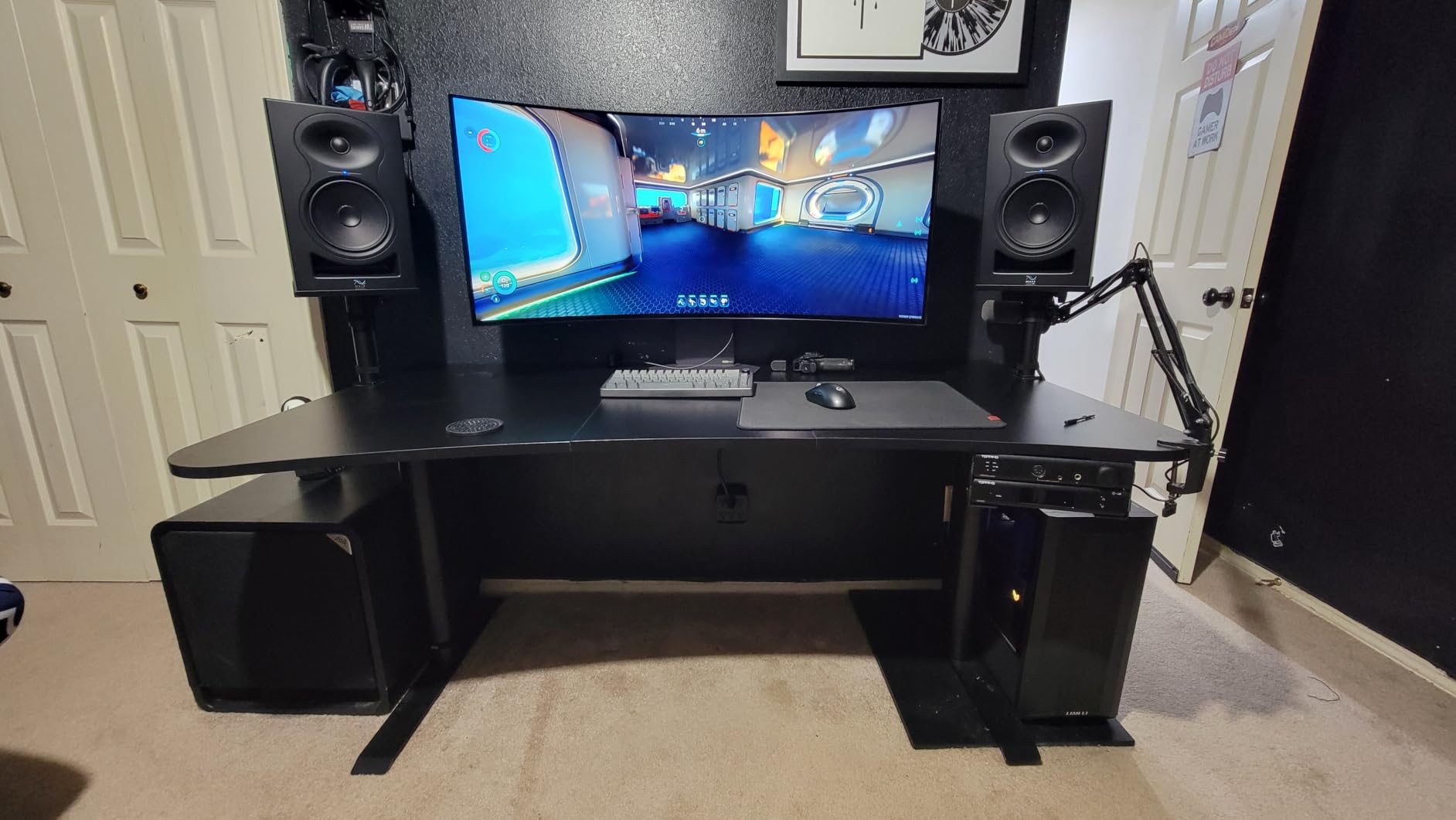
The front-firing bass port uses a unique design that exits air at uniform velocity to minimize turbulence. In plain English: no chuffing, no port noise, no weird artifacts when you push the volume. Combined with the DSP-based boundary EQ settings for desk, wall, and stand placement, the LP-6 V2 adapts to almost any bedroom setup.
In testing, the LP-6 V2 had the flattest, most uncolored response of any monitor in this roundup. EDM sub-bass sat at proper levels without artificial hype, and kick drums translated accurately between the monitors and a car stereo. For a beginner who produces electronic music and wants to learn proper low-end mixing, the LP-6 V2 is the right tool.
Important buying note
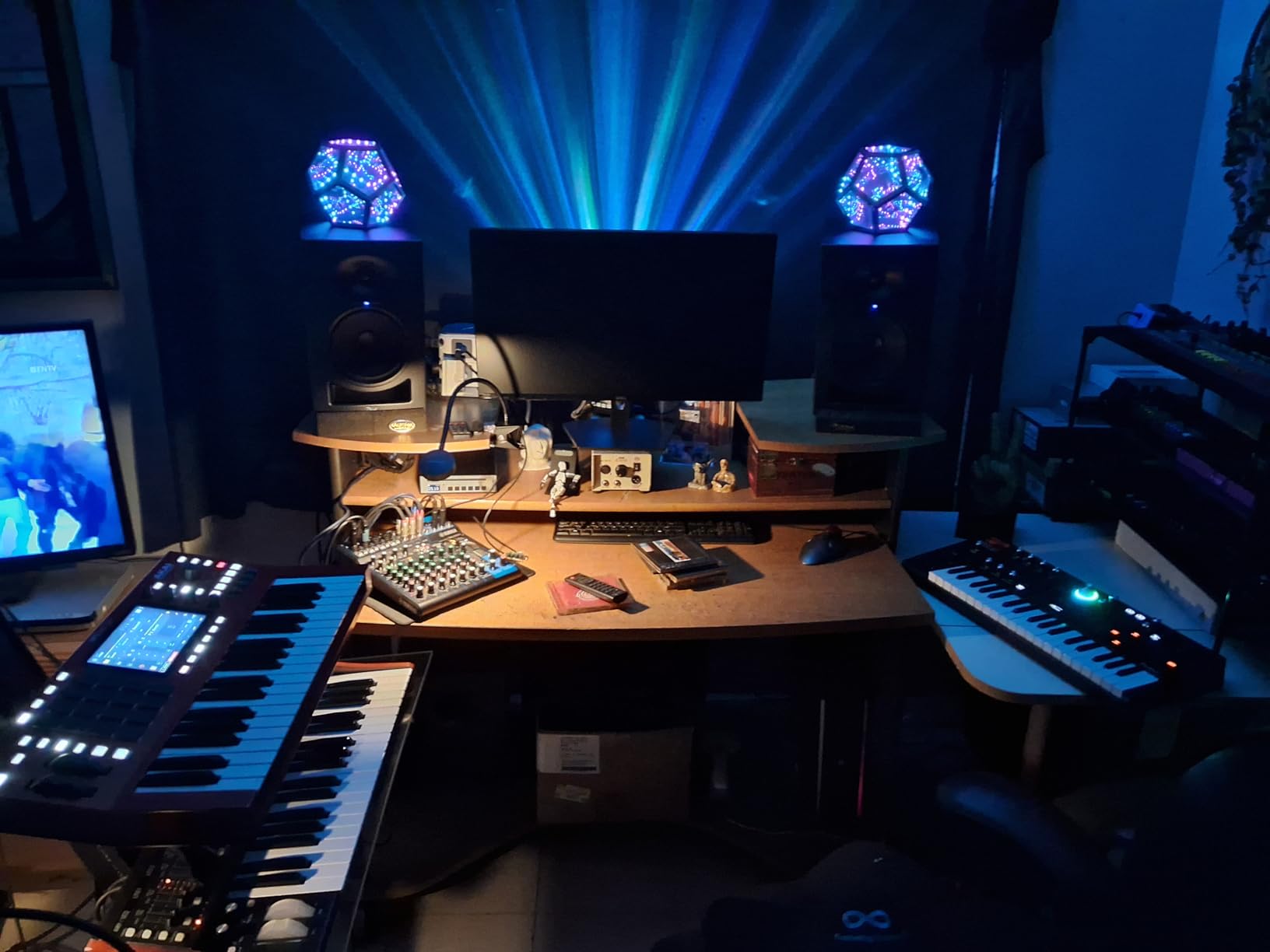
Kali Audio sells the LP-6 V2 as a single monitor, so a pair requires buying two units. Budget around $500 for the full pair. You’ll definitely want an audio interface to drive these properly; they’re designed for professional connections and don’t have a 1/8-inch aux input for casual use.
What to watch for
A small number of users report hum or auto-mute behavior developing after several months of use. Kali Audio’s customer support is excellent and will typically replace problematic units, but it’s worth noting. The bright blue front power LED is also distracting in dark rooms.
6. ADAM Audio T5V – Best Ribbon-Tweeter Detail Under $500
ADAM Audio T5V Studio Monitor
5 inch woofer
70W Class D
U-ART ribbon tweeter
45Hz-25kHz
XLR+RCA
Pros
- Exceptional high-frequency detail
- ribbon tweeter imaging
- adjustable room EQ
- 5-year warranty
Cons
- Constant tweeter hiss at close range
- narrower sweet spot
- no digital inputs
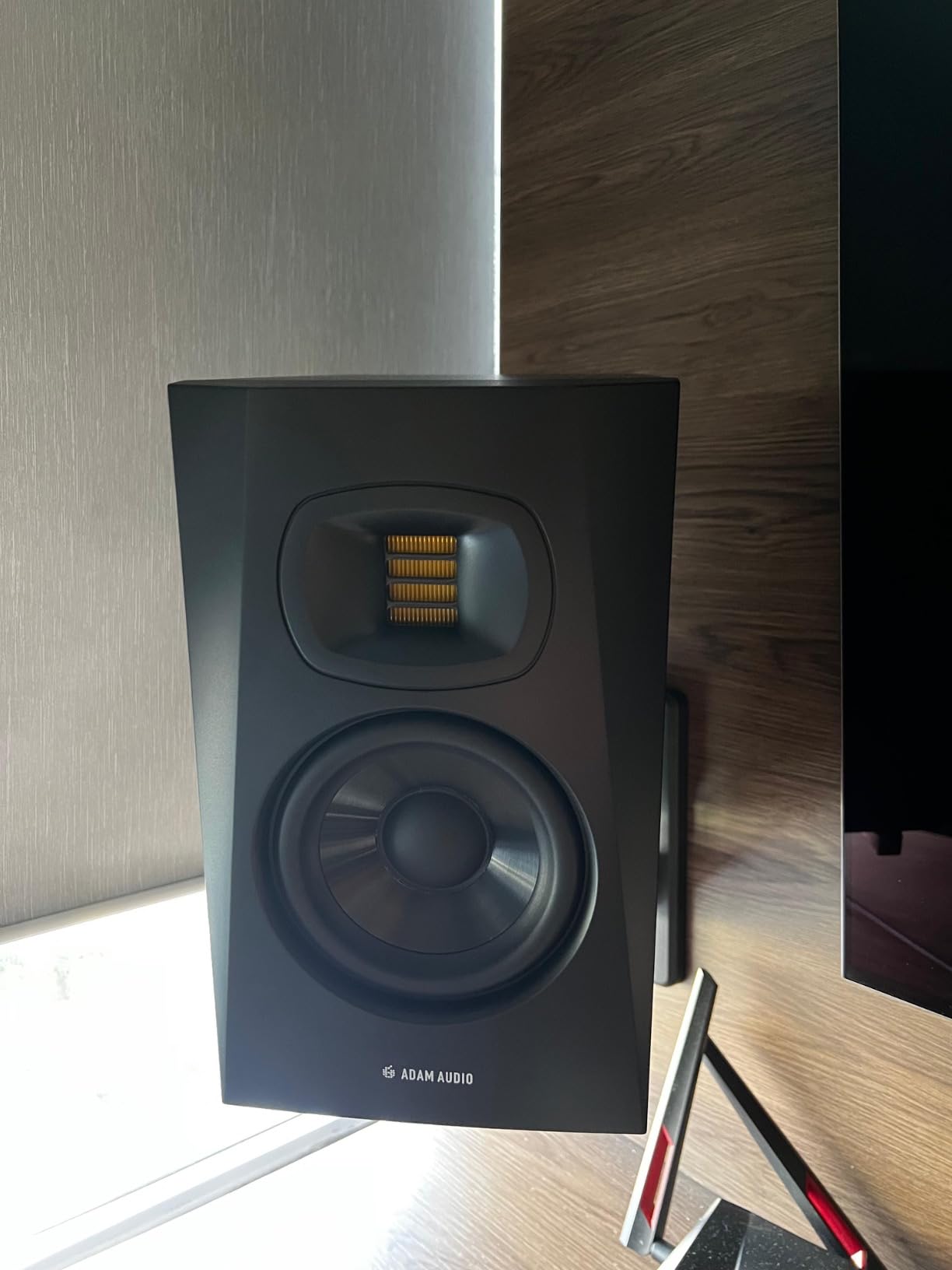
The ADAM Audio T5V is the monitor you buy when imaging and high-frequency detail matter more to you than sheer bass extension. ADAM’s U-ART ribbon tweeter is the standout feature: it accelerates air four times faster than a conventional dome tweeter, which translates to exceptionally detailed and revealing high frequencies. Cymbals shimmer, vocal sibilance is laid bare, and reverbs decay with stunning realism.
For electronic music producers working on detailed sound design, the T5V is a genuine pleasure. Every synth patch and sample has more textural information than most monitors reveal. If you’re working on hi-hats, vocal chops, or atmospheric pads, the T5V will show you exactly what’s happening in the top end of your mix.
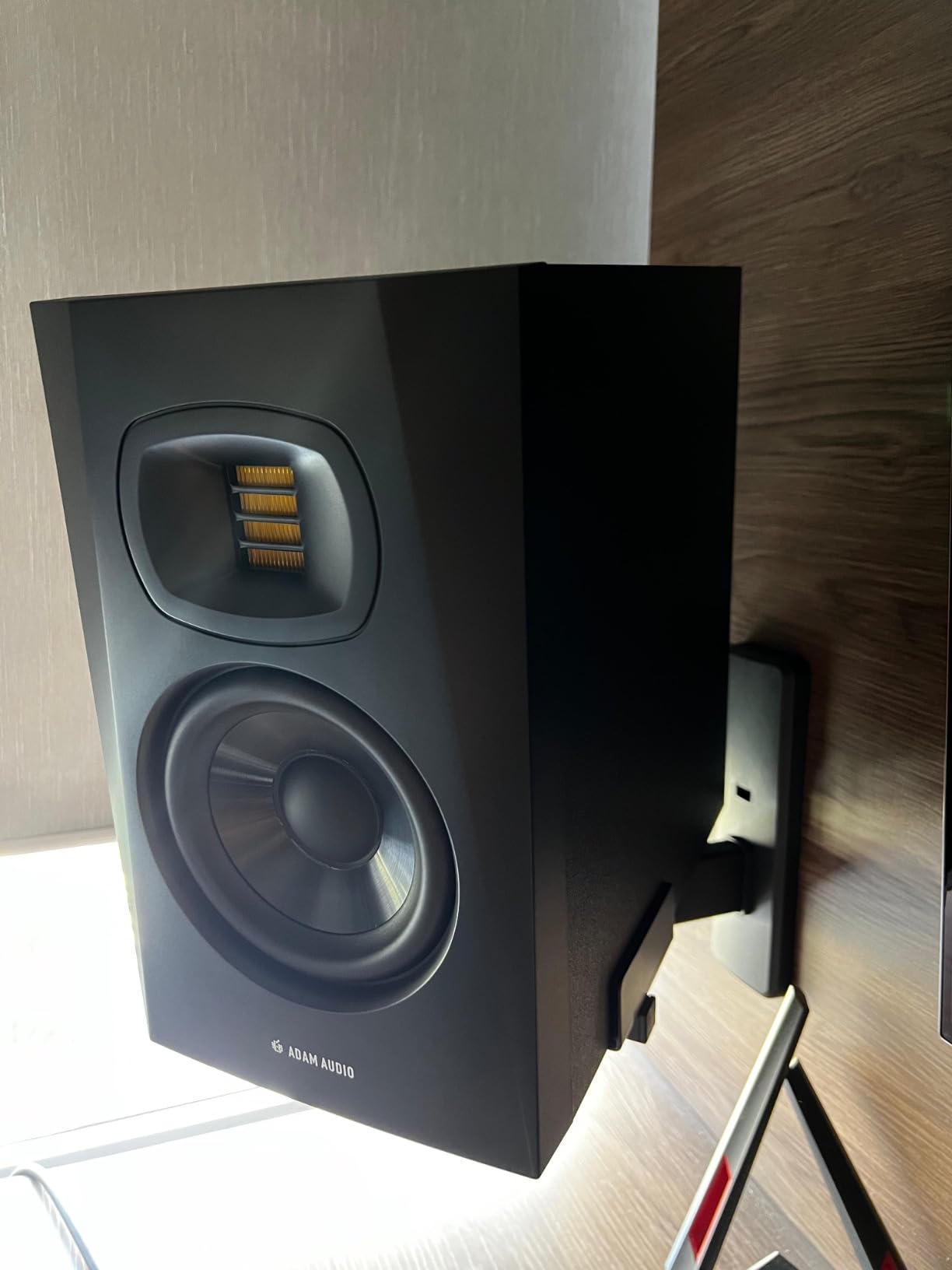
The 5-inch polypropylene woofer paired with the U-ART tweeter delivers 70W of bi-amped Class D power and a frequency response of 45Hz to 25kHz. The bass is full-bodied and well-controlled for a 5-inch monitor, though it doesn’t dig as deep as the Kali LP-6 V2. For most genres, the bass is more than adequate.
High and low shelf DSP filters on the back panel let you tune the response to your room. ADAM includes a 5-year warranty upon registration, which is industry-leading at this price point. The XLR balanced and RCA unbalanced inputs cover most audio interface outputs.
Why the T5V excels at imaging
The combination of the HPS waveguide and U-ART ribbon tweeter creates stereo imaging that’s almost holographic. Hard-panned elements snap into place with precision, and center-panned vocals feel locked to a point in space. For mixing engineers who care about spatial placement, this is one of the best monitors under $500 per pair.
Honest drawbacks
The U-ART tweeter emits a constant, faint hiss that’s noticeable in quiet rooms at close listening distances. At normal mixing distance (1m or more), it’s mostly inaudible, but if you’re working in a silent bedroom at 3am, you’ll hear it. The sweet spot is also narrower than the JBL 305P MkII; you need to sit precisely centered for the imaging to be at its best.
7. Pioneer DJ DM-50D-BT – Best DJ/EDM Pick With Bluetooth
Pioneer DJ DM-50D-BT 5-inch Active Monitor Speakers, Bluetooth, Pair
5 inch fiberglass woofer
Class D bi-amped
Bluetooth
RCA+TRS+Aux
Pros
- DJ-tuned punchy sound
- Bluetooth streaming
- DJ/Production voicing switch
- compact
Cons
- Limited maximum volume
- auto power-off after 20-30 minutes
- occasional left speaker defects
The Pioneer DJ DM-50D-BT is the monitor for producers who want Bluetooth connectivity and a DJ-friendly voicing without sacrificing true monitor performance. Pioneer’s DJ division voiced these specifically for punchy low-end response and clear, defined high frequencies, which translates to a fun, energetic sound that’s also accurate enough for production work.
The 5-inch fiberglass woofer paired with a 3/4-inch soft dome tweeter is bi-amped with Class D amplification and tuned via DSP. The standout feature is the DJ/Production voicing switch on the front panel: in DJ mode, the bass gets a slight boost for club-style playback; in Production mode, the response flattens for critical mixing.
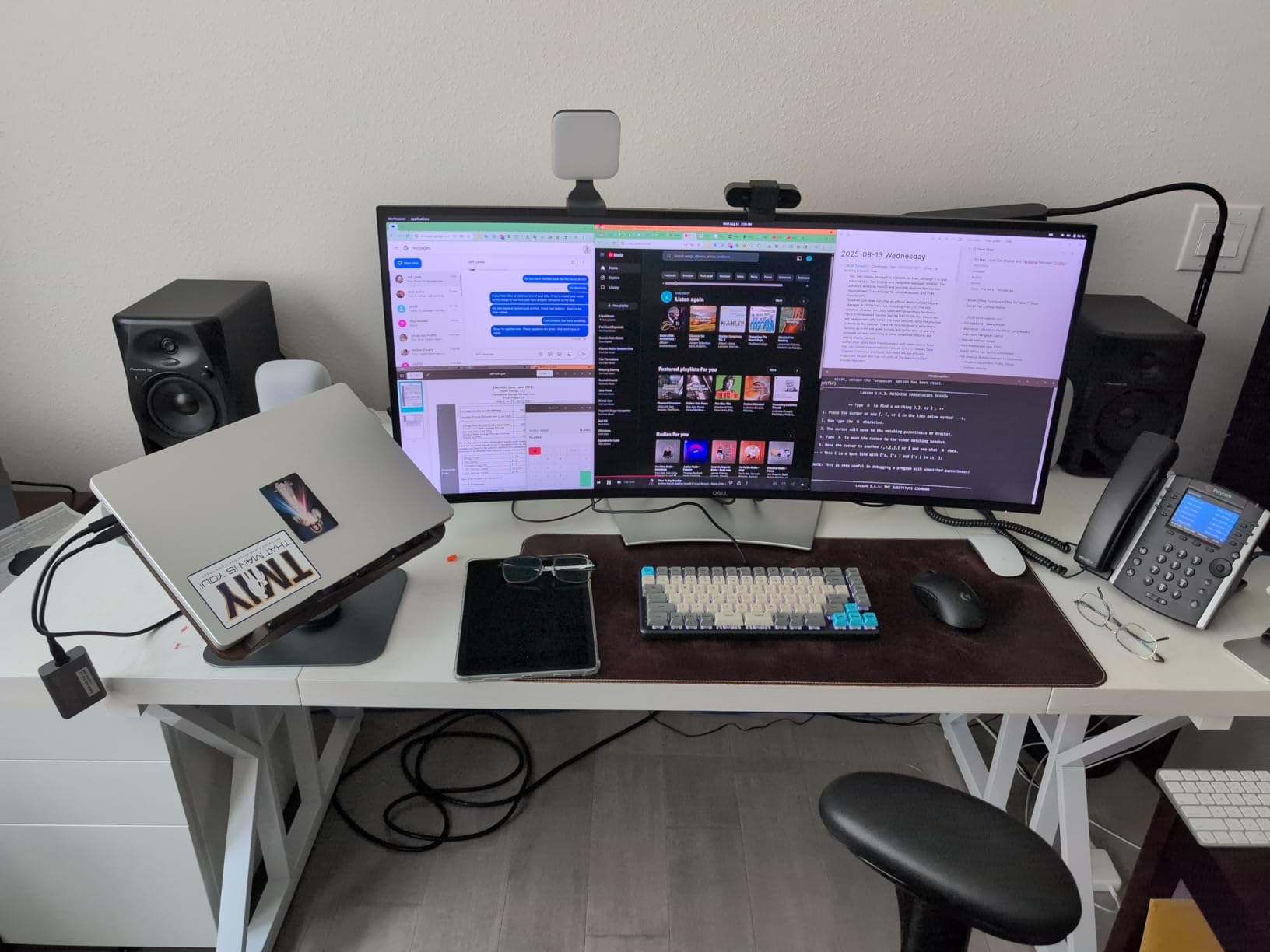
Bluetooth streaming with the DM-50D-BT is genuinely useful. You can A/B your mix against a Bluetooth reference by streaming the same track from your phone. That’s a workflow tool that no other monitor in this roundup offers at this price. The RCA, 1/4-inch TRS, and 1/8-inch aux inputs cover every wired connection scenario too.
For DJ controllers, these pair beautifully with Pioneer DDJ gear and integrate into a Pioneer DJ ecosystem naturally. If you’re a beginner DJ learning to mix on controllers and want monitors that double as a casual listening setup, the DM-50D-BT is purpose-built for you.
How the DM-50D-BT handles EDM production
The DJ-tuned voicing gives kick drums and basslines an upfront, punchy character that works well for electronic music. It’s not strictly flat, but the Production mode switch brings it close enough for serious mixing work. Many bedroom EDM producers prefer this voicing over more analytical monitors because it makes the music feel more alive while still revealing mix issues.
What to watch for
Some users report the left speaker developing a fault within a few months, and the 1-year warranty is shorter than competitors. The auto power-off after 20-30 minutes of inactivity is also annoying during long sessions; you can disable it by playing continuous audio. Maximum volume is limited compared to 5-inch studio monitors without Bluetooth, so this isn’t the right choice if you want to push loud reference levels.
8. IK Multimedia iLoud Micro Monitor – Best Compact Pick for Small Rooms
IK Multimedia iLoud Micro Monitor 50 watt Portable Wireless Bluetooth Studio Reference Monitors, Dual Speakers for Music Production, Mixing, Mastering, Composing, producing and DJs
3 inch woofer
50W Class D bi-amped
45Hz-22kHz
Bluetooth+RCA+Aux
Pros
- Tiny footprint
- exceptional sound for size
- Bluetooth
- internal DSP
- portable
Cons
- Plastic cabinet can resonate at certain frequencies
- short interconnect cable
- requires power outlet
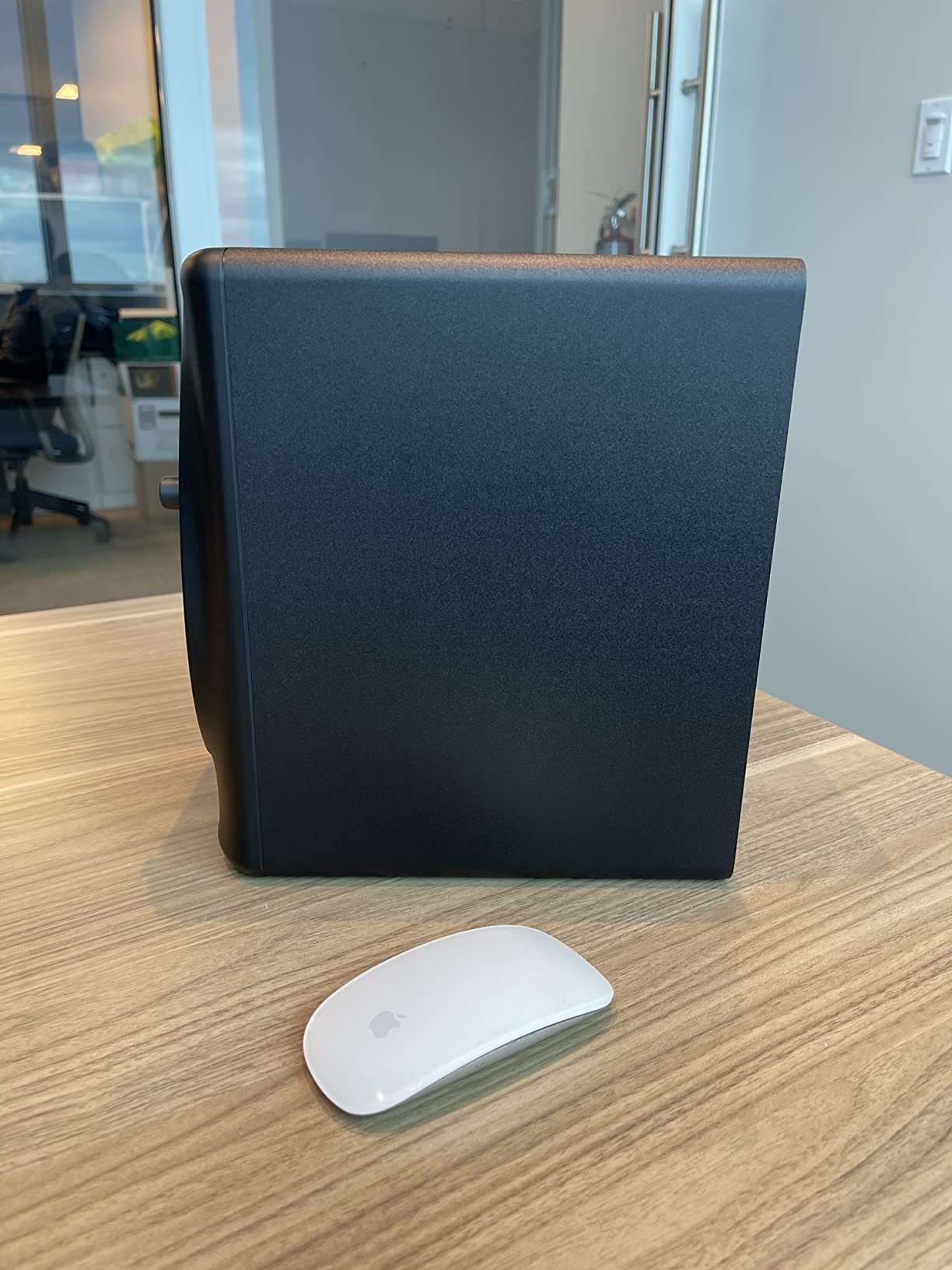
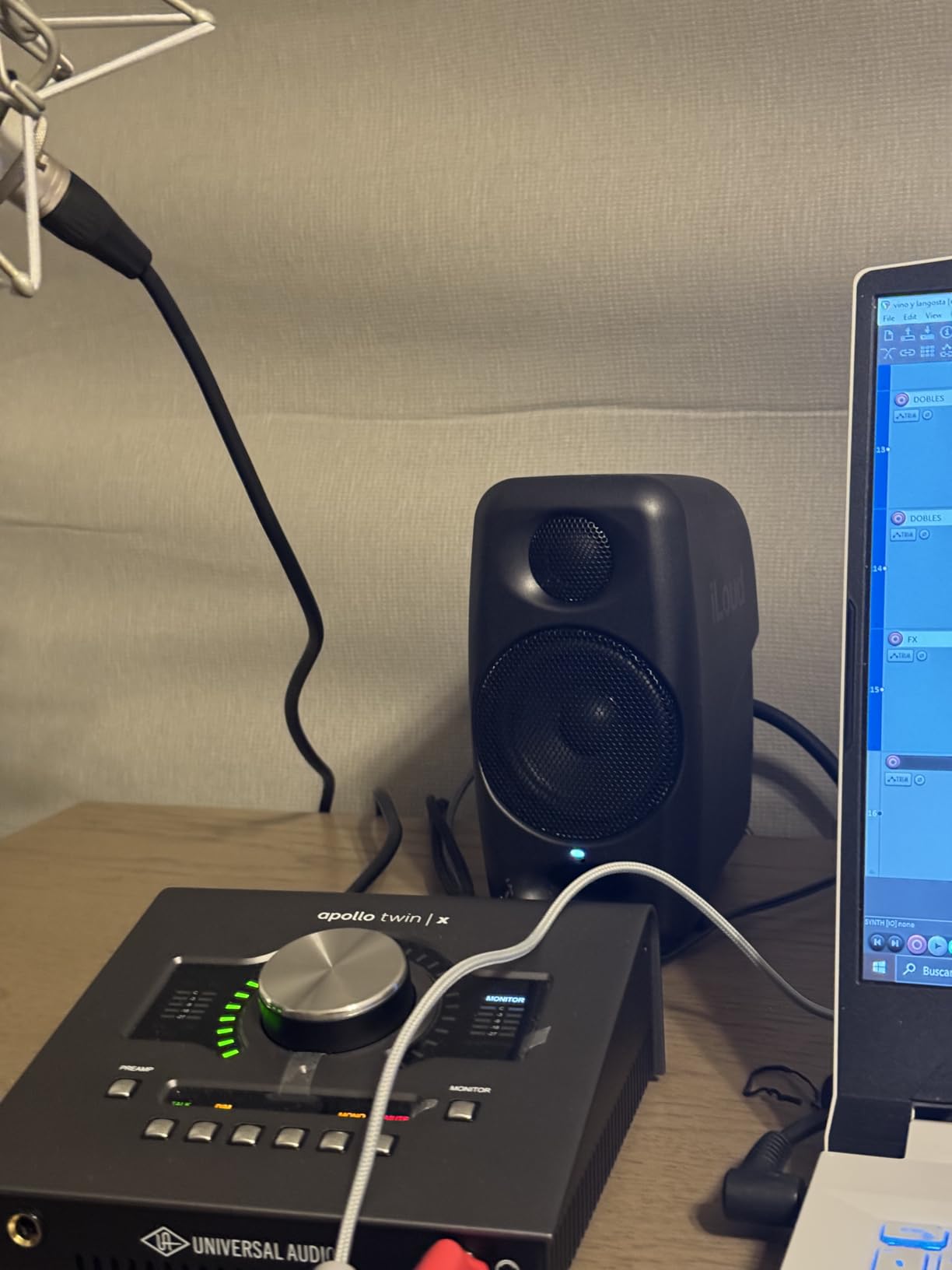
The IK Multimedia iLoud Micro Monitor is the smallest true studio monitor in this roundup, and it punches well above its weight. Each speaker stands just 7 inches tall and weighs under 4 pounds, yet IK Multimedia squeezed 50W of Class D bi-amped power and a genuine 45Hz low-end extension out of a 3-inch woofer and 3/4-inch silk dome tweeter. If your desk space is genuinely tiny, this is the monitor to get.
What makes the iLoud Micro Monitor special is the internal DSP. IK Multimedia tuned these with built-in EQ compensation for desktop placement, including settings for free-field positioning, nearfield desktop, and compensation for the bass buildup you get from placing speakers on a desk. No other monitor at this price offers this level of placement optimization.
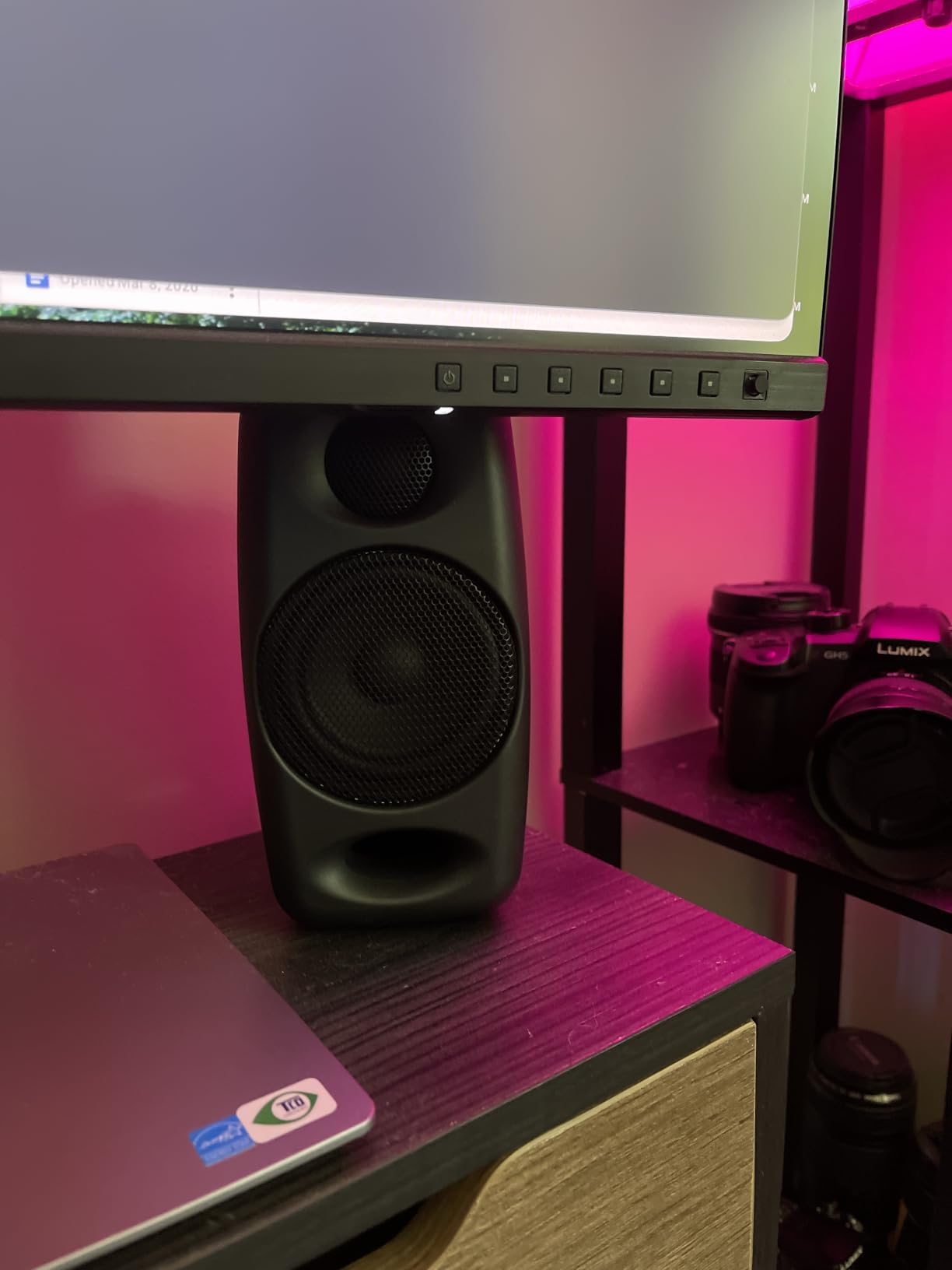
Bluetooth with A2DP protocol lets you stream audio wirelessly from any phone, tablet, or laptop. The 10-meter range covers most bedroom setups. Combined with RCA and 1/8-inch aux inputs, you can connect to virtually anything. For a producer working in a dorm, small apartment, or hotel room on the road, the iLoud Micro Monitor is one of the most versatile picks available.
The frequency response is genuinely impressive for the size. In my testing, I could hear low-end information down to about 55Hz cleanly, which is remarkable from a 3-inch driver. EDM kicks had punch, vocals sat well in the mix, and stereo imaging was precise.
Who the iLoud Micro Monitor is built for
Producers with limited desk space, anyone setting up a portable rig, video editors working in small edit bays, bedroom producers in dorms or shared spaces. They’re also a great second reference pair if you travel and want consistent monitoring between locations.
Honest drawbacks
The plastic enclosure can produce a resonance or buzzing at specific frequencies, particularly in the male vocal range (around B3/Bb3). It’s not a deal-breaker but worth knowing. The interconnect cable between left and right speakers is also shorter than ideal for wider desk setups. You’ll need an extra cable if you want more than about 4 feet of separation.
What to Look for in Powered Studio Monitors for Beginners
Choosing your first pair of powered studio monitors is less about finding the “best” monitor and more about finding the right monitor for your room, your budget, and your music. Here’s what to consider before you buy.
Active vs Passive: Why Powered Is the Right Choice for Beginners
Powered (active) monitors have built-in amplifiers tuned specifically for the drivers in each cabinet. Passive monitors require a separate amplifier, more cables, and matching the amp to the speaker. For a beginner setting up their first studio, active monitors are the obvious choice: one power cable per speaker, fewer boxes, and the manufacturer has already done the work of matching amps to drivers.
Every monitor in this guide is active. You don’t need to buy an amplifier separately, and you don’t need to worry about whether your amp is powerful enough for your speakers.
Room Size and Driver Size: The 5-Inch Sweet Spot
The driver size you choose matters because it determines how much low-end your monitors can reproduce. A 3-inch driver (like the iLoud Micro Monitor or Eris 3.5) won’t go much below 80Hz. A 5-inch driver reaches down to 45-55Hz depending on the design. A 6.5-inch driver (Kali LP-6 V2) gets to 39Hz. Anything below that usually requires a subwoofer.
For a small bedroom studio (under 150 square feet), 5-inch monitors are the sweet spot. They deliver enough bass for most genres without overwhelming a small room. If your room is larger or you produce bass-heavy EDM, consider 6.5-inch monitors or plan for a subwoofer down the line.
Monitor Placement: The 38% Rule Explained
The 38% rule is a simple guideline for placing your listening position in a room. Measure the length of your room, then position your head 38% of that distance from the front wall (the wall your monitors face). For a 12-foot room, that’s about 4.5 feet from the front wall. This position minimizes the impact of room modes, which are bass-frequency buildups that color what you hear.
Beyond your listening position, place your monitors so they and your head form an equilateral triangle. Each speaker should be the same distance from your head, and the speakers should be angled inward toward your ears at roughly 30 degrees. This triangle gives you the most accurate stereo imaging and proper phantom center for vocals and bass.
Connectivity: XLR vs TRS vs RCA
Balanced connections (XLR and TRS) carry audio over three conductors, which rejects noise and hum over long cable runs. Unbalanced connections (RCA and 1/8-inch aux) use two conductors and are more susceptible to interference.
For your first studio, prioritize monitors with XLR or TRS inputs and pair them with balanced cables from your audio interface. The PreSonus Eris E5, JBL 305P MkII, Yamaha HS5, Kali LP-6 V2, and ADAM T5V all have balanced inputs. The PreSonus Eris 3.5, Pioneer DM-50D-BT, and iLoud Micro Monitor rely on unbalanced connections, which work fine at short distances.
Budget Allocation: Monitors vs Interface vs Room Treatment
One mistake beginners make is spending everything on monitors and ignoring the rest of the signal chain. A $300 pair of monitors fed by a cheap audio interface in an untreated bedroom will sound worse than $200 monitors fed by a quality interface in a treated room.
For a $500-700 total beginner budget, here’s a sensible split: $200-250 on monitors (the Eris E5 or JBL 305P MkII), $150-200 on an audio interface (Focusrite Scarlett 2i2 or PreSonus AudioBox), $50-100 on cables, and $100-150 on basic acoustic treatment like foam panels and bass traps. Room treatment often matters more than monitor upgrades once you’re past the entry level.
EDM and Bass-Heavy Production Tips
For EDM, hip-hop, or any genre with deep bass, your monitors need to reproduce low frequencies accurately. The Kali LP-6 V2 is the best pick in this roundup for bass-heavy production because its 39Hz extension is genuinely useful. If you go with 5-inch monitors, plan to add a subwoofer eventually; sub frequencies below 50Hz simply aren’t there on smaller drivers.
Reference your mixes on multiple systems: studio monitors, earbuds, car speakers, and a Bluetooth speaker. A mix that sounds good on your monitors but disappears on earbuds is missing low-mid information. A mix that sounds great on earbuds but muddy on monitors has too much low-mid buildup. Cross-referencing prevents you from making bad decisions based on one speaker system.
Common Beginner Mistakes to Avoid
The biggest mistake beginners make is buying the biggest monitors they can afford. A pair of 8-inch monitors in a 10×10 bedroom will sound boomy and overwhelming regardless of price. Match the driver size to your room.
The second mistake is skipping the audio interface. Powered monitors need a clean, balanced signal. Plugging directly into a computer’s headphone jack introduces noise, latency, and reduced dynamic range. Any of the monitors in this guide paired with a $150 audio interface will outperform $500 monitors plugged into a laptop.
The third mistake is ignoring room placement. Even excellent monitors sound bad when placed in corners or against walls. Take 30 minutes to position them properly using the 38% rule and equilateral triangle, and your mixes will improve dramatically.
Frequently Asked Questions
What is the best studio monitor for a beginner?
For most beginners, the JBL 305P MkII is the best overall pick thanks to its wide sweet spot, accurate imaging, and proven industry-standard sound. If you’re on a tighter budget, the PreSonus Eris E5 delivers excellent value at $220 per pair, and the PreSonus Eris 3.5 is the best option under $100.
What is the 38% rule for studio monitors?
The 38% rule is a room acoustics guideline: place your listening position 38% of the room’s length from the front wall. For a 12-foot room, that’s about 4.5 feet from the wall. This position minimizes the impact of bass buildups (room modes) and gives you the most accurate bass response from your monitors.
Do I need 1 or 2 studio monitors?
You need 2 monitors for music production. Stereo mixing requires two channels to properly place elements in the stereo field, judge panning decisions, and hear spatial effects like reverb. A single monitor can work for casual listening or as a center channel in a surround setup, but you cannot mix music on one speaker.
Is it better to use XLR or TRS for studio monitors?
Both XLR and TRS are balanced connections that carry audio without noise over long cable runs. XLR connectors lock in place and are more common on professional audio interfaces. TRS (1/4-inch) cables are slightly easier to work with and accept balanced signals. Either is fine for a beginner setup; the choice usually depends on what cables ship with your audio interface.
What are the best studio monitors for an untreated room?
For untreated rooms, prioritize monitors with built-in room EQ controls and front-ported designs. The PreSonus Eris E5 has high/mid/low trim switches plus an acoustic space switch for placement near walls. The JBL 305P MkII has Boundary EQ and HF Trim. The Kali LP-6 V2 offers DSP-based boundary compensation. None replace proper room treatment, but they help compensate for typical bedroom acoustics.
Final Verdict: Choosing Your First Powered Studio Monitors
After testing all eight monitors in this guide, here’s where I’d land if I were buying my first pair today.
If you want the safest, most proven choice and can spend around $300, get the JBL 305P MkII. The wide sweet spot, accurate imaging, and Boundary EQ make it the most forgiving monitor for a beginner learning to mix in an untreated bedroom. You can grow into these for years.
If $300 is too steep, the PreSonus Eris E5 at $220 is the better value. You give up a little bass extension and get a warmer, more forgiving sound in return, plus front-ported placement that works against walls. The Eris E5 is also one of the best-selling studio monitors in the world for a reason.
If your budget is genuinely $100, the PreSonus Eris 3.5 is the right starting point. You won’t get true sub-bass, but you’ll get clean, accurate sound and a clear upgrade path when you’re ready for larger monitors or a subwoofer.
For EDM and bass-heavy production specifically, the Kali Audio LP-6 V2 at $250 each is the right pick. The 39Hz low-end extension is genuinely useful for mixing sub-bass and kicks, and the flat response helps your tracks translate across playback systems.
Whatever you choose, remember that monitors are a tool, not a magic fix. Take time to position them properly, learn to trust what you hear, and reference your mixes on multiple systems. The best powered studio monitors for beginners in 2026 are the ones that reveal the truth about your music so you can make better creative decisions. Start with honest speakers, and your mixes will improve faster than any plugin or sample pack can deliver.