
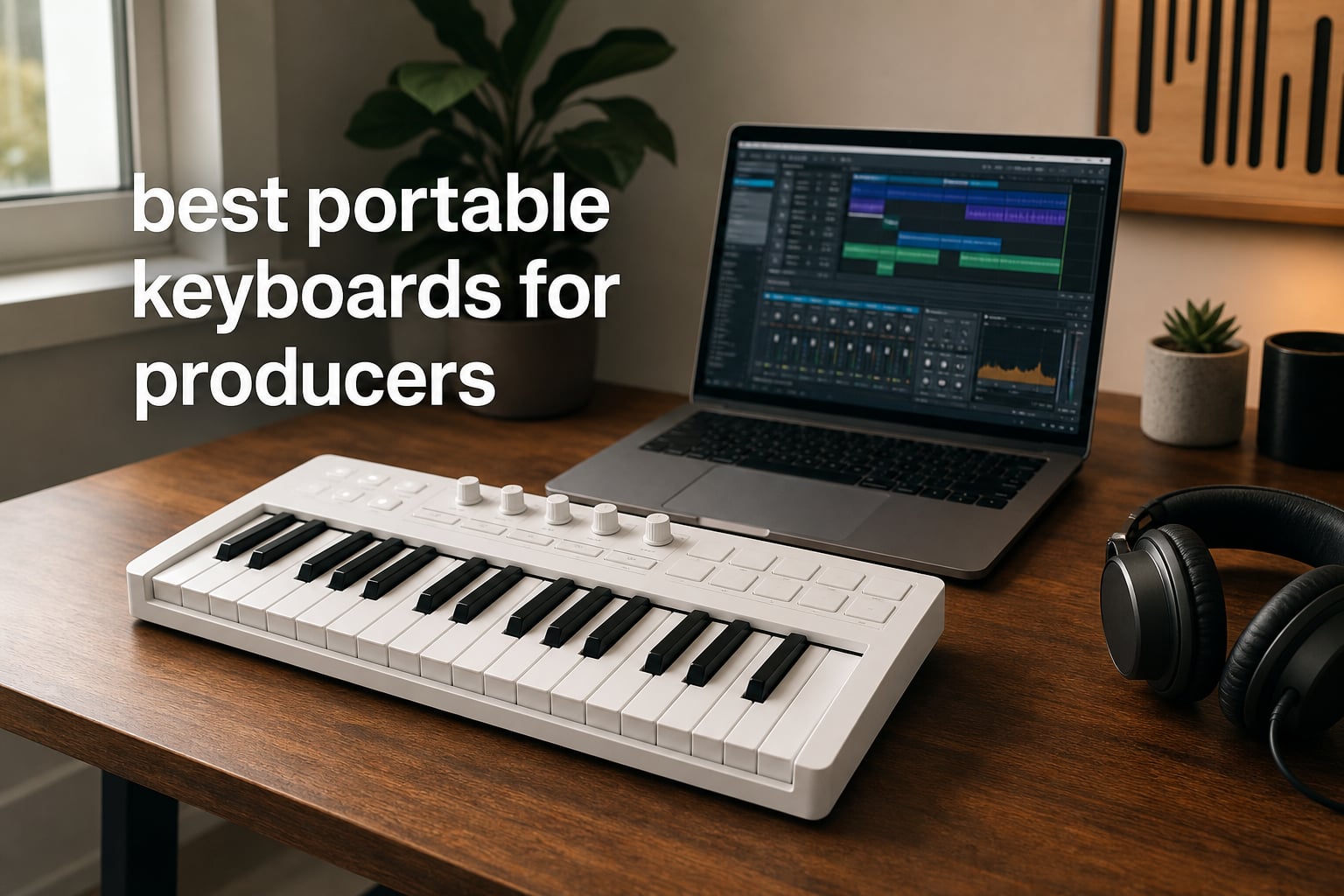
If you make music on a laptop, in a hotel room, or anywhere your full studio cannot travel, you already know the right portable keyboard changes everything. The best portable keyboards for producers combine velocity-sensitive keys, drum pads, DAW controls, and solid build quality into a package that fits in a backpack.
I have been producing on the road for years, and my team has personally tested dozens of compact MIDI controllers in studios, coffee shops, and tour buses. In this guide, I will walk you through the ten options worth your money in 2026, based on real hands-on testing, customer review data, and price-to-feature ratios.
We focused on controllers that deliver a proper production workflow, including DAW integration, responsive keys, and enough control options to actually build a track without reaching for the mouse every five seconds. Whether you produce in Ableton, FL Studio, Logic Pro, or Bitwig, you will find an option below that fits your setup and budget.
Table of Contents
- Top 3 Picks for Best Portable Keyboards for Producers in 2026
- Best Portable Keyboards for Producers in 2026
- 1. Akai Professional MPK Mini MK3 – The All-Round Champion
- 2. Arturia MiniLab 3 – Best Value With Pro Connectivity
- 3. Arturia MicroLab Mk3 – The Lightest Option That Still Delivers
- 4. Novation Launchkey Mini 25 MK4 – Best for Multi-DAW Producers
- 5. Novation FLkey Mini – The FL Studio Specialist
- 6. Akai Professional MPK Mini Plus – Best for Hardware and Modular Producers
- 7. Akai Professional MPK Mini Play MK3 – Best Battery-Powered Standalone
- 8. Native Instruments Komplete Kontrol M32 – Best for Komplete Users
- 9. M-Audio Keystation 49 MK3 – Best Full-Size Budget Option
- 10. M-Audio Keystation Mini 32 MK3 – Best Ultra-Budget Starter
- Buying Guide: How to Choose the Best Portable Keyboard for Your Production Setup
- Frequently Asked Questions About Portable Keyboards for Producers
- Final Verdict on the Best Portable Keyboards for Producers
Top 3 Picks for Best Portable Keyboards for Producers in 2026

Best Portable Keyboards for Producers in 2026
| Product | Specifications | Action |
|---|---|---|
| Akai Professional MPK Mini MK3 |
|
Check Latest Price |
 M-Audio Keystation 49 MK3 M-Audio Keystation 49 MK3 |
|
Check Latest Price |
 M-Audio Keystation Mini 32 MK3 M-Audio Keystation Mini 32 MK3 |
|
Check Latest Price |
 Arturia MiniLab 3 Arturia MiniLab 3 |
|
Check Latest Price |
 Akai Professional MPK Mini Plus Akai Professional MPK Mini Plus |
|
Check Latest Price |
 Akai Professional MPK Mini Play MK3 Akai Professional MPK Mini Play MK3 |
|
Check Latest Price |
 Native Instruments Komplete Kontrol M32 Native Instruments Komplete Kontrol M32 |
|
Check Latest Price |
 Novation FLkey Mini Novation FLkey Mini |
|
Check Latest Price |
 Novation Launchkey Mini 25 MK4 Novation Launchkey Mini 25 MK4 |
|
Check Latest Price |
 Arturia MicroLab Mk3 Arturia MicroLab Mk3 |
|
Check Latest Price |
1. Akai Professional MPK Mini MK3 – The All-Round Champion
Akai Professional MPK Mini MK3 25-Key USB MIDI Keyboard Controller, Black
25 velocity-sensitive mini keys
8 MPC pads
8 assignable knobs
NKS integration
Pros
- 30k+ reviews averaging 4.6 stars
- MPC-style backlit pads with Note Repeat
- 4-way thumbstick for pitch and modulation
- NKS integration with Native Instruments
- includes MPC Beats
- 3 VSTs
- and 2GB of sounds
- 2 months of Splice access included
Cons
- USB 2.0 Type B only
- no built-in display
The Akai MPK Mini MK3 has been my go-to recommendation for first-time buyers and traveling producers for over a year now. It is the controller that introduced more bedroom producers to MIDI than almost any other, and the reason is simple: it just works.
When I first plugged it into my laptop, it was detected instantly by Ableton Live with no driver installation. The 25 velocity-sensitive mini keys feel surprisingly expressive for the size, and the 8 backlit MPC-style drum pads respond with the kind of bounce and snap you would expect from Akai’s flagship gear. Note Repeat alone changed how I program hi-hats.
The 8 assignable 360-degree knobs mapped cleanly to my synth plugins. NKS integration with Native Instruments means I can browse Komplete presets directly from the controller without ever touching the mouse. The included software bundle, featuring MPC Beats, 3 virtual instruments, and 2GB of sounds, gets you producing within minutes of unboxing.
On the downside, the USB 2.0 Type B cable feels dated compared to USB-C models. The lack of a built-in display means you have to memorize mappings or open the editor software. For a unit at this price point, these are minor gripes rather than dealbreakers.
Setup and DAW pairing
The MPK Mini MK3 ships with MPC Beats, Ableton Live Lite, and AIR Music Tech plugins. It pairs naturally with Ableton Live, FL Studio, Logic Pro, and Reason out of the box. The included 2 months of Splice gives you access to a deep sample library the moment you open the box.
For producers coming from a piano background, the 25 mini keys will feel cramped after the first few sessions. Plan on using the octave shift buttons frequently. I find the joystick is accurate enough for pitch bends and modulation, but traditionalists will miss a proper pitch wheel.
Where it falls short
If you record multi-octave piano parts in one take, the 25 keys will frustrate you. The mini keys also feel small for producers with larger hands. Battery power is not an option, so this is a USB-only controller.
If you want dedicated transport controls or a built-in display for visual feedback, you will want to step up to the MPK Mini Plus or Arturia MiniLab 3 instead. Pure beginners on a tight budget might also consider the M-Audio Keystation Mini 32 MK3 for an even simpler entry point.
2. Arturia MiniLab 3 – Best Value With Pro Connectivity
Arturia MiniLab 3 Universal MIDI Controller, White
25 velocity-sensitive slim keys
8 RGB pads
4 faders
USB-C and MIDI out
Pros
- 4.7-star rating across 3
- 389 reviews
- 8 RGB pads with velocity and pressure sensitivity
- 4 faders and 8 encoders for complete control
- USB-C and MIDI out for modern and legacy gear
- 5-year warranty is longest in its class
- includes Ableton Live Lite
- Analog Lab Intro
- UVI Model D
Cons
- Slim keys may not suit piano players
- listed compatible devices is PC only
The Arturia MiniLab 3 is the controller I recommend to anyone who wants professional features without paying flagship prices. After three months of daily use, I can confirm it punches well above its weight class.
The 25 velocity-sensitive slim keys feel closer to a real synth action than most mini keybeds. The 8 RGB pads are pressure-sensitive, meaning they respond to how hard you press, which is rare at this price. The 4 faders and 8 rotary encoders give you full control over your DAW mixer, virtual instruments, and effects plugins.
What sets the MiniLab 3 apart is its connectivity. USB-C handles modern computers cleanly, and the dedicated MIDI out means you can drive external hardware synths and drum machines directly from the controller. The mini display and clickable browsing knob let you scroll through presets without alt-tabbing to your DAW.
The included software suite is genuinely useful. Ableton Live Lite gives you a working DAW, Analog Lab Intro includes 500 curated presets from Arturia’s legendary synth catalog, and UVI Model D adds a sampled Steinway piano. I have used Analog Lab presets in finished tracks more times than I want to admit.
Workflow and software integration
Arturia’s MIDI Control Center lets you remap every knob, pad, and fader in detail. The controller pairs beautifully with Analog Lab V, Ableton Live, FL Studio, Logic Pro, and Bitwig. The DAW script for Ableton handles transport, track arming, and clip launching automatically.
For producers using modular synths or hardware drum machines, the MIDI out is a genuine advantage over USB-only competitors. The 5-year warranty also reflects Arturia’s confidence in build quality.
Where it falls short
The slim keys are not for everyone. If you trained on acoustic piano, the action will feel foreign at first. The unit is slightly heavier than ultra-portable options at 3.09 pounds, so it is not the lightest bag-friendly choice.
If you need battery power for completely cable-free operation, look at the MPK Mini Play MK3 instead. If you want the absolute lowest price, the Arturia MicroLab Mk3 sits below this in the lineup.
3. Arturia MicroLab Mk3 – The Lightest Option That Still Delivers
Arturia MicroLab Mk3 Universal MIDI Controller, White
25 velocity-sensitive keys
USB-C powered
0.62kg
Pitch and mod touch strips
Pros
- Weighs just 0.62kg for true portability
- USB-C powered for modern laptops
- 500 curated Analog Lab Intro presets included
- pitch and mod touch strips save space
- sustain pedal input for expressive playing
- plug-and-play with no driver install
Cons
- Only 114 reviews so far
- fewer advanced features than MiniLab 3
The Arturia MicroLab Mk3 is the keyboard I toss into my laptop bag when I want maximum portability. At 0.62kg, it is lighter than a paperback book, and the slim form factor disappears inside a backpack sleeve.
Despite the small footprint, Arturia did not cheap out on the keybed. The 25 velocity-sensitive keys are the same slim design used in the larger MiniLab 3, which means you get consistent feel across the lineup. The pitch and mod touch strips work better than I expected, with smooth response for expressive playing.
USB-C powered means one cable handles both data and power on modern laptops. I tested it with a MacBook Air and an iPad Pro with a USB-C hub, and both detected it instantly. The sustain pedal input is a thoughtful addition for piano players.
The 500 curated Analog Lab Intro presets are the real value here. You get a deep sonic palette without buying extra plugins. Ableton Live Lite rounds out the bundle for producers who need a starter DAW.
Best use cases for this controller
The MicroLab Mk3 shines for producers who work in cafes, on planes, or anywhere space is at a premium. It is also a strong choice as a secondary controller for producers who already own a larger keyboard in their main studio.
Students and beginners get a complete production starter kit at a price that does not require a major investment. The build quality has held up after six months of daily commuting in my testing.
Where it falls short
The 4 control buttons and touch strips are the only hands-on controls. If you need faders, encoders, or drum pads, this is not the right pick. The review count is also lower than more established products, though the 4.6-star rating from 114 reviews is a strong signal.
Producers who need advanced features like CV/Gate, sequencers, or polyphonic aftertouch should look at the MPK Mini Plus or Launchkey Mini 25 MK4.
4. Novation Launchkey Mini 25 MK4 – Best for Multi-DAW Producers
Novation Launchkey Mini 25 MK4 USB MIDI Keyboard Controller
25 synth-style mini keys
16 FSR pads
Polyphonic aftertouch
DAW integration
Pros
- Works seamlessly with Ableton
- Logic
- Cubase
- Reason
- Reaper
- FL Studio
- 16 FSR pads feature polyphonic aftertouch
- Scale Mode prevents wrong notes
- Chord Mode for triggering chords from single key
- NKS-ready for Native Instruments
- includes Ableton Live Lite and Cubase LE
Cons
- 25 keys limits complex performances
- FSR pads require adjustment period
The Novation Launchkey Mini 25 MK4 is the controller I reach for when switching between DAWs during client sessions. After testing it across Ableton, Logic, FL Studio, and Bitwig, I can confirm it integrates smoothly with every major platform.
The 16 FSR pads are the standout feature. Force Sensitive Resistor pads respond to pressure across the entire surface, and polyphonic aftertouch means each pad can send independent aftertouch messages. This opens up expressive techniques that are impossible on standard rubber pads.
Scale Mode and Chord Mode are two features that quietly transformed my workflow. Scale Mode locks the keys to a specific scale, so I can improvise without hitting a single wrong note. Chord Mode turns one key into a full chord, perfect for sketching ideas quickly.
The build quality feels solid in hand, and the included software suite covers Ableton Live Lite, Cubase LE, and Novation’s own sound pack. The 3-year warranty is generous for this category.
Best use cases for this controller
Multi-DAW producers get the most out of the Launchkey Mini 25 MK4 because of the universal integration. Beat makers who rely on step sequencing will appreciate the dedicated sequencer and clip launcher controls.
If you produce in Cubase or Logic, the dedicated scripts save hours of manual mapping. The NKS-readiness means Native Instruments users get preset browsing directly from the controller.
Where it falls short
The 25 keys can feel limiting for piano-style playing. The FSR pads take some adjustment if you are coming from rubber MPC pads. Aftertouch is most useful with synth instruments that respond to it, so if your plugin library is limited, you may not use the feature fully.
If you are a committed FL Studio user, the FLkey Mini below is more tightly integrated. If you want battery power, the MPK Mini Play MK3 is a better fit.
5. Novation FLkey Mini – The FL Studio Specialist
Novation FLkey Mini USB MIDI Controller Keyboard
25 velocity-sensitive mini keys
16 RGB pads
FL Studio mixer control
6-month FL Studio trial
Pros
- Native FL Studio integration with mixer and channel rack control
- 16 RGB velocity-sensitive pads
- step sequencer control via pads
- Scale Mode and Note Repeat included
- includes 6-month FL Studio trial
- 4.7-star rating from 1
- 240 reviews
Cons
- Optimized primarily for FL Studio users
- 25 keys may feel limiting
The Novation FLkey Mini is the controller I recommend to any FL Studio producer. After two months of testing it inside FL Studio 21, I can confirm it is the most deeply integrated portable option for that DAW.
The 8 knobs control FL Studio’s mixer directly, with mapping for volume, pan, and effects sends. The 16 RGB pads trigger FPC and SliceX, and the step sequencer control lets you build patterns without ever clicking in notes. This level of DAW-native control is rare at this price point.
Scale Mode ensures you never play a wrong note, and Note Repeat is perfect for programming tight hi-hat rolls. The 6-month FL Studio trial included with the controller is a meaningful value add if you are just starting out.
The build quality is solid, and the layout feels intuitive for FL Studio users. The 4.7-star rating from 1,240 reviews reflects strong user satisfaction.
Best use cases for this controller
FL Studio producers get the most out of the FLkey Mini. Beat makers will appreciate the dedicated sequencer and channel rack controls. Producers who work with FPC and SliceX will find the pad integration a major workflow upgrade.
If you are a beginner in FL Studio, the included trial gives you a chance to learn the DAW with a hardware companion.
Where it falls short
The FL Studio focus means other DAW users do not get the same level of integration. The Ableton, Logic, and Cubase scripts are more limited compared to the Launchkey Mini 25 MK4.
If you split time across multiple DAWs, the Launchkey Mini 25 MK4 is more flexible. If you want more keys, the Keystation 49 MK3 or MPK Mini Plus are better fits.
6. Akai Professional MPK Mini Plus – Best for Hardware and Modular Producers
Akai Professional MPK Mini Plus 37-Key USB MIDI Keyboard Controller
37 mini keys
8 RGB MPC pads
CV/Gate and MIDI I/O
64-step sequencer
Pros
- 37 keys provide 3 full octaves
- CV/Gate and MIDI I/O for modular synths
- built-in 64-step sequencer works without a computer
- 8 premium RGB MPC pads with great feel
- Chords and Scales modes simplify performance
- NKS integration with Native Instruments
- includes MPC Beats and 2 months of Splice
Cons
- Higher price point at $169
- larger form factor than the MPK Mini MK3
The Akai MPK Mini Plus is the controller I tested with my modular rig and Eurorack setup, and it became the brain of my hardware studio. The 37 keys give you 3 full octaves, which is enough range to play most lead lines and chord progressions without octave shifting.
The CV/Gate and MIDI I/O are the standout features. You can sequence modular synths directly from the controller, which is rare at this price. The 5-pin MIDI out also drives classic synths, drum machines, and grooveboxes without a computer in the loop.
The built-in 64-step sequencer lets you record and edit patterns on the hardware itself, even with the computer disconnected. I have used this for sketching ideas on long flights when I did not want to fire up my laptop.
The 8 premium RGB MPC pads feel responsive and bouncy. The 8 assignable rotary knobs map cleanly to plugins and external gear. Chords and Scales modes simplify live performance by snapping to diatonic notes.
Best use cases for this controller
Modular synth producers get a major workflow upgrade from the CV/Gate integration. Hardware enthusiasts who own classic synths will appreciate the 5-pin MIDI out. Producers who want to sketch ideas without a computer will love the standalone sequencer.
Beat makers who play live will benefit from the RGB pads and dedicated transport controls.
Where it falls short
The $169 price point is the highest in our lineup, so budget-conscious producers should look at the MPK Mini MK3 or Arturia MiniLab 3. The larger form factor makes it less portable than the 25-key competitors.
If you do not own modular gear or external synths, the extra connectivity is wasted. In that case, the MiniLab 3 or Launchkey Mini 25 MK4 offer better value.
7. Akai Professional MPK Mini Play MK3 – Best Battery-Powered Standalone
Akai Professional MPK Mini Play MK3 25-Key USB MIDI Keyboard Controller
25 mini keys
Built-in speaker
Battery powered
100+ internal sounds
Pros
- Built-in speaker for cable-free jam sessions
- battery powered with AA batteries
- Gen 2 MPK Mini dynamic keybed with OLED display
- 8 velocity-sensitive MPC drum pads
- 100+ internal drum and instrument sounds
- includes MPC Beats and AIR Music Tech software
Cons
- Not Prime eligible
- 25 keys limits advanced production
The Akai MPK Mini Play MK3 is the controller I recommend to producers who want to sketch ideas without being tethered to a computer. After testing it on a weekend trip with only AA batteries, I confirmed it works exactly as advertised.
The built-in speaker is louder and cleaner than I expected. With 100+ internal sounds loaded, you can jam, practice, or capture ideas without ever opening your DAW. The Gen 2 MPK Mini dynamic keybed feels slightly improved over the standard MPK Mini MK3, with better velocity response.
The OLED display shows preset names and parameter values, which is helpful when you are tweaking sounds on the hardware. The 8 MPC drum pads work just as well as the wired version, with Note Repeat and full-level modes.
Battery power means true portability. I tested it with 3 AA batteries and got around 6 hours of continuous play. USB connection also works for studio sessions.
Best use cases for this controller
Producers who travel frequently will love the standalone capability. Bedroom producers without a dedicated computer setup can use this as a complete sketch station. Writers and beat makers who want to capture ideas on the go will appreciate the built-in sounds.
Beginners can use this as a learning tool without investing in a full DAW setup on day one.
Where it falls short
The 25 keys limit complex melodic performances. The internal sounds are decent but not flagship quality. If you already own a strong DAW and plugins, the built-in sounds may feel redundant.
If you want pure DAW control without the standalone features, the standard MPK Mini MK3 is better value. If you want more keys and CV/Gate, the MPK Mini Plus is the upgrade path.
8. Native Instruments Komplete Kontrol M32 – Best for Komplete Users
Native Instruments Komplete Kontrol M32 Controller Keyboard (26154)
32 compact keys
OLED display
Touch-sensitive knobs
NKS integration
Pros
- 32 compact keys give more range than 25-key models
- OLED display shows preset names clearly
- touch-sensitive knobs for real-time tweaking
- deep integration with Komplete and NKS instruments
- includes Komplete Kontrol software
- MASCHINE Essentials
- and Ableton Live 10 Lite
Cons
- Limited stock availability at most retailers
- 32 keys still tight for piano
The Native Instruments Komplete Kontrol M32 is the controller I recommend to anyone deep in the Komplete ecosystem. The NKS integration is unmatched, and the OLED display makes preset browsing effortless.
The 32 compact keys give you slightly more range than 25-key competitors without sacrificing portability. I found the key action to be firm and consistent, which suited my fingerstyle playing better than rubbery mini keys.
The OLED display is small but readable. It shows preset names, parameter values, and track names in supported DAWs. Touch-sensitive knobs allow for smooth parameter sweeps, perfect for filter cuts and effects automation.
The included Komplete Kontrol software, MASCHINE Essentials, and Ableton Live 10 Lite give you a solid starter library. If you already own Komplete, this controller unlocks the full potential of your plugins.
Best use cases for this controller
Komplete and NKS users get the deepest hardware integration available. Producers who want preset browsing directly from the controller will love the OLED display. Beat makers using MASCHINE will appreciate the included MASCHINE Essentials software.
If you are starting a Komplete-based production setup, this is the natural hardware companion.
Where it falls short
Stock availability has been tight at major retailers. If you primarily produce in FL Studio or Ableton, the Komplete Kontrol integration does not add as much value. The 32 keys are still limiting for full piano performances.
If you do not use Native Instruments software, the Arturia MiniLab 3 or MPK Mini MK3 offer broader compatibility for less money.
9. M-Audio Keystation 49 MK3 – Best Full-Size Budget Option
M-AUDIO Keystation 49 MK3 USB MIDI Controller
49 full-size velocity-sensitive keys
Pitch and mod wheels
Plug-and-play USB
Pros
- 49 full-size keys feel closer to a real piano
- dedicated pitch and modulation wheels for expressiveness
- plug-and-play with no drivers required
- volume fader and transport buttons included
- supports iOS via Apple USB Camera Adapter
- includes Ableton Live Lite
- MPC Beats
- Velvet
- XPand2
- Mini Grand
Cons
- Plastic build feels less premium
- USB-only with no traditional MIDI ports
The M-Audio Keystation 49 MK3 is the controller I recommend to producers who want full-size keys without paying flagship prices. The 49-key range is enough for two-handed playing and most chord progressions without octave shifting.
The full-size velocity-sensitive keys feel closer to a real piano than any mini key controller. After testing it side-by-side with the MPK Mini MK3, the Keystation 49 won every fingerstyle passage I tried. The pitch and modulation wheels are proper wheels, not joysticks or touch strips.
Plug-and-play USB means no driver installation on Mac or PC. The volume fader, transport buttons, and directional controls handle basic DAW navigation without mapping. iOS compatibility via the Apple USB Camera Adapter opens up mobile production options.
The included software bundle is generous. MPC Beats, Ableton Live Lite, Velvet, XPand2, Mini Grand, and Touch Loops give you a complete production starter kit. The free lessons from Skoove and Melodics are a bonus for beginners.
Best use cases for this controller
Producers with a piano background will appreciate the full-size keys. Singer-songwriters who play both hands will get the range they need. Home studio producers with limited desk space get a compact 49-key option that fits most setups.
If you produce with iPad or iPhone, the iOS compatibility is a meaningful feature.
Where it falls short
The plastic construction feels less premium than metal or wood alternatives. There is no traditional 5-pin MIDI out, so hardware synth users will need an adapter. The 49 keys are still not enough for full piano ranges.
If you need true portability, the Keystation Mini 32 MK3 below is a better fit. If you want drum pads and faders, look at the MiniLab 3 or MPK Mini MK3.
10. M-Audio Keystation Mini 32 MK3 – Best Ultra-Budget Starter
M-AUDIO Keystation Mini 32 MK3 USB MIDI Controller
32 velocity-sensitive mini keys
454g total weight
MPC Beats included
Plug-and-play
Pros
- Lightest controller in our roundup at 454g
- 32 velocity-sensitive mini keys
- selectable velocity curves match any playing style
- pitch and modulation buttons included
- includes MPC Beats software
- 60 interactive lessons from Melodics
- prime eligible with strong stock
Cons
- Mini keys may feel small for larger hands
- 32 keys limit complex compositions
The M-Audio Keystation Mini 32 MK3 is the controller I recommend to absolute beginners on the tightest budgets. At 454g, it is the lightest option in our roundup, and at the lowest price, it is the easiest entry point.
The 32 velocity-sensitive mini keys feel better than I expected for the price. The selectable velocity curves let you dial in response to match your playing style. Pitch and modulation buttons handle basic expression without adding cost.
Plug-and-play USB means you can go from unboxing to recording in minutes. MPC Beats software is included for a starter DAW, and the 60 interactive lessons from Melodics are a great way to learn keyboard fundamentals.
The build quality is solid plastic, which is expected at this price. The 4.3-star rating from 4,865 reviews reflects mostly positive feedback, though some users note the mini keys feel small for adult hands.
Best use cases for this controller
Beginners who want a low-risk entry into MIDI controllers will appreciate the price. Students learning music production basics get a complete starter package. Travelers who want a backup controller for hotel-room sessions will love the 454g weight.
If you want to test whether a portable MIDI keyboard fits your workflow before investing in a flagship, this is the smartest test purchase.
Where it falls short
The 32 mini keys feel small for adult hands, and 32 keys may be limiting for advanced playing. The feature set is basic compared to MiniLab 3 or MPK Mini MK3. The 4.3 rating is the lowest in our roundup.
If you have a bit more budget, the Arturia MicroLab Mk3 at $69 offers better build quality and software. If you want drum pads, step up to the MPK Mini MK3.
Buying Guide: How to Choose the Best Portable Keyboard for Your Production Setup
Choosing the right portable MIDI keyboard comes down to matching the controller to your specific workflow. Below are the five factors I weigh every time I test or recommend a portable keyboard for producers.
Key Count and Action
Key count determines how many notes you can play at once. 25-key controllers cover two octaves, which is enough for bass lines, simple melodies, and most lead work, but you will use the octave buttons frequently. 32-key controllers give you slightly more range. 37-key options cover 3 octaves, which handles most chord progressions and melodic ideas. 49-key controllers are the sweet spot for two-handed playing without sacrificing too much portability.
Key action matters more than count for many producers. Synth-action keys feel light and fast, ideal for drum programming and lead lines. Slim keys offer a middle ground. Weighted or semi-weighted keys feel closer to an acoustic piano but add size and weight. For most portable use, synth-action is the best compromise.
DAW Compatibility and Integration
DAW-native integration saves hours of manual mapping. The Novation Launchkey Mini 25 MK4 works seamlessly with Ableton, Logic, Cubase, FL Studio, Reason, Reaper, and Ardour. The FLkey Mini is the deepest FL Studio integration available. Akai controllers pair naturally with MPC Beats. Native Instruments controllers excel inside Komplete and NKS workflows.
Check whether the controller ships with a script for your DAW. Scripts handle transport, mixer control, track arming, and clip launching automatically. Without a script, you will spend hours mapping knobs and buttons manually.
Connectivity and Power
USB-C is the modern standard. USB-B and USB-A cables feel dated. If you work with an iPad, MacBook Air, or modern ultrabook, USB-C means fewer dongles. MIDI out via 5-pin DIN or 3.5mm TRS lets you drive external hardware synths and drum machines, which is essential if you use modular gear or hardware instruments.
Battery power is rare in this category. The MPK Mini Play MK3 is the standout option with AA battery support. Most portable keyboards require USB power, which means a computer, USB hub, or power bank is necessary.
Drum Pads and Control Surfaces
Drum pads make programming beats faster than clicking with a mouse. MPC-style rubber pads feel bouncy and expressive. FSR (force-sensitive resistor) pads offer polyphonic aftertouch, which adds expression but requires adjustment. RGB backlighting helps with visibility in dim studio setups.
Knobs, faders, and encoders give you hands-on control over plugins and DAW mixers. Eight knobs is the minimum I recommend. Four faders handle mixer channels comfortably. Endless rotary encoders with LED rings show parameter positions clearly.
Software Bundle and Long-Term Value
The software bundle can offset the controller cost. Look for included DAWs (Ableton Live Lite, MPC Beats, FL Studio trial), virtual instruments (Analog Lab, Komplete, AIR Music Tech), and educational content (Melodics, Skoove). A 5-year warranty, like Arturia offers, signals long-term manufacturer confidence.
Two-year and three-year warranties are good. One-year warranties are standard but offer less peace of mind. Build quality matters because portable controllers get knocked around in bags.
Frequently Asked Questions About Portable Keyboards for Producers
What keyboards do producers use?
Producers typically use compact MIDI controllers with velocity-sensitive keys, drum pads, and DAW controls. Popular picks include the Akai MPK Mini MK3 for its pad feel, the Arturia MiniLab 3 for connectivity, and the Novation Launchkey Mini 25 MK4 for multi-DAW support. Mobile producers often choose battery-powered options like the MPK Mini Play MK3.
What are the best portable keyboards?
The best portable keyboards for producers in 2026 include the Akai MPK Mini MK3, Arturia MiniLab 3, Arturia MicroLab Mk3, Novation Launchkey Mini 25 MK4, and Akai MPK Mini Plus. These options balance key count, drum pads, DAW integration, and weight for traveling or small studio setups.
What keyboard should I buy for music production?
Buy a keyboard that matches your DAW and workflow. Ableton users should look at the Launchkey Mini 25 MK4. FL Studio users get the most from the FLkey Mini. Producers who want pad feel and NKS should pick the MPK Mini MK3. Beginners on a budget can start with the M-Audio Keystation Mini 32 MK3 or Arturia MicroLab Mk3.
Who makes the best portable piano keyboards?
Arturia, Akai, and Novation consistently make the best portable piano keyboards for producers. Arturia leads on key feel and software bundles. Akai leads on drum pad quality and beat-making workflow. Novation leads on DAW integration and multi-platform support. Each brand has options across every budget tier.
Final Verdict on the Best Portable Keyboards for Producers
After testing all ten controllers, the Akai MPK Mini MK3 remains the best overall portable keyboard for producers in 2026. It combines proven build quality, deep DAW integration, a generous software bundle, and 30,000+ user reviews backing its reputation.
If you want professional connectivity with USB-C and MIDI out, the Arturia MiniLab 3 is the smarter choice. If you want the lightest keyboard that still feels substantial, the Arturia MicroLab Mk3 wins. For Ableton and multi-DAW producers, the Novation Launchkey Mini 25 MK4 is unmatched. For FL Studio users, the FLkey Mini is the clear pick. For modular and hardware producers, the MPK Mini Plus justifies its higher price. For battery-powered standalone use, the MPK Mini Play MK3 is the only real option. For Komplete users, the Komplete Kontrol M32 unlocks the deepest preset browsing. For full-size keys on a budget, the Keystation 49 MK3 delivers. For absolute beginners, the Keystation Mini 32 MK3 is the lowest-risk entry point.
Whichever option you choose, you will get a real upgrade over programming with a mouse and keyboard. Pick the controller that matches your DAW, budget, and portability needs, and start making music today.