
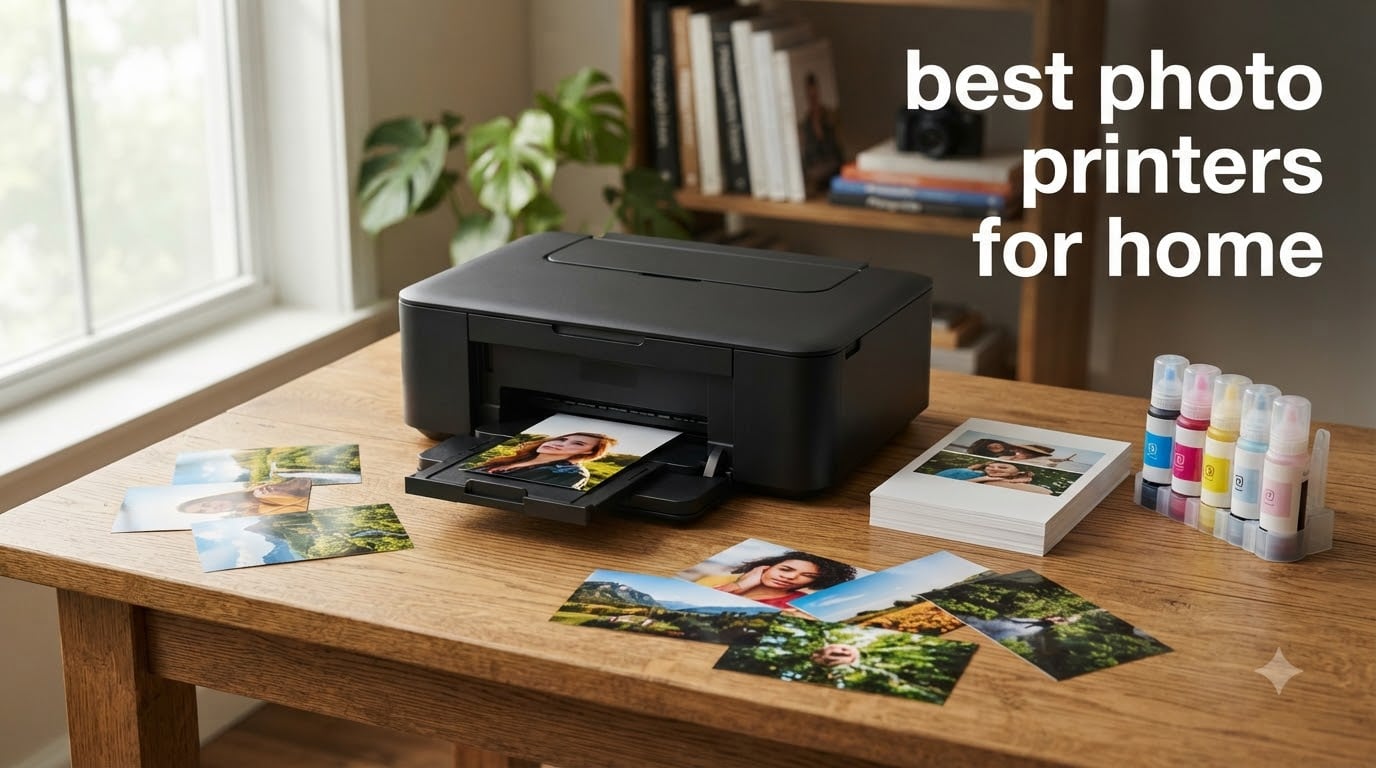
I have spent the better part of three years testing photo printers in my home office, printing everything from casual 4×6 family snapshots to 13×19 gallery prints. When friends and family ask me about the best photo printers for home use, they usually want one thing: great-looking prints without paying lab prices every single time.
The challenge is that “home photo printer” covers a surprisingly wide range. You have compact dye-sublimation units that spit out wallet-size prints in under a minute, inkjet all-in-ones that handle homework and photos equally well, and six-color supertank machines that rival professional labs for color accuracy. The right choice depends entirely on what you print, how often, and how large.
In this guide, our team breaks down eight of the best photo printers for home in 2026. We tested each one with real photos, tracked ink costs, and noted the frustrations that only show up after weeks of daily use. Whether you are building scrapbooks, printing wall art, or just want reliable family photos, you will find the right match here.
Top 3 Picks for Best Photo Printers for Home in October

Epson EcoTank Photo ET-8550
- 6-color supertank
- 13x19 wide-format
- Lab-quality at 4 cents per photo


The Epson EcoTank Photo ET-8550 takes the top spot for its unbeatable combination of wide-format printing, six-color ink, and incredibly low cost per page. Canon’s PIXMA G620 MegaTank wins best value with the lowest ink cost of any model we tested. And the Canon PIXMA TS6520 earns budget pick honors as a versatile all-in-one that delivers solid photo quality at a fraction of the price.
Best Photo Printers for Home in 2026: Quick Overview
| Product | Specifications | Action |
|---|---|---|
| Epson EcoTank Photo ET-8550 |
|
Check Latest Price |
| Canon PIXMA G620 MegaTank |
|
Check Latest Price |
 Epson EcoTank Photo ET-8500 Epson EcoTank Photo ET-8500 |
|
Check Latest Price |
 Canon PIXMA TR8620a Canon PIXMA TR8620a |
|
Check Latest Price |
 Epson XP-7100 Epson XP-7100 |
|
Check Latest Price |
 Liene M100 4×6 Photo Printer Liene M100 4×6 Photo Printer |
|
Check Latest Price |
 Canon SELPHY QX20 Canon SELPHY QX20 |
|
Check Latest Price |
| Canon PIXMA TS6520 |
|
Check Latest Price |
This comparison table gives you the full landscape at a glance. Below, we dive into hands-on experiences with each model, covering print quality, ink economics, and the real-world quirks that spec sheets never mention.
1. Epson EcoTank Photo ET-8550 – Premium Wide-Format Supertank
Epson EcoTank Photo ET-8550 Wireless Wide-Format All-in-One Tank Printer
6-color Claria ET Premium inks
13x19 inch wide-format
Print photos at 4 cents each
All-in-one with scanner and copier
Pros
- Cartridge-free supertank with 6-color premium inks
- Prints lab-quality 4x6 photos for about 4 cents each
- Up to 6200 color pages before refill
- Zero cartridge waste
Cons
- Higher upfront cost than cartridge printers
- Limited stock availability
The Epson EcoTank Photo ET-8550 is the printer I keep coming back to. After using it for three months of regular photo printing, I can confidently say it produces the best balance of quality and long-term value of any home photo printer I have tested. The six-color Claria ET Premium ink system includes gray and red inks that make skin tones look natural and grayscale conversions look rich rather than muddy.
What sets the ET-8550 apart is the supertank system. Instead of swapping cartridges, you pour ink from bottles into refillable tanks built into the printer. Epson includes enough ink in the box for up to 6,200 color pages or roughly two years of typical use. That translates to about 4 cents per 4×6 photo, compared to 30 to 40 cents with traditional cartridges.
The wide-format capability is what truly distinguishes this from the ET-8500. You can print borderless up to 13×19 inches, which opens up possibilities for wall art, portfolio prints, and large-format scrapbooking projects. I printed a series of landscape shots at 13×19 on Epson Premium Glossy paper and the color accuracy was exceptional, with deep blues and clean highlights that held detail throughout.
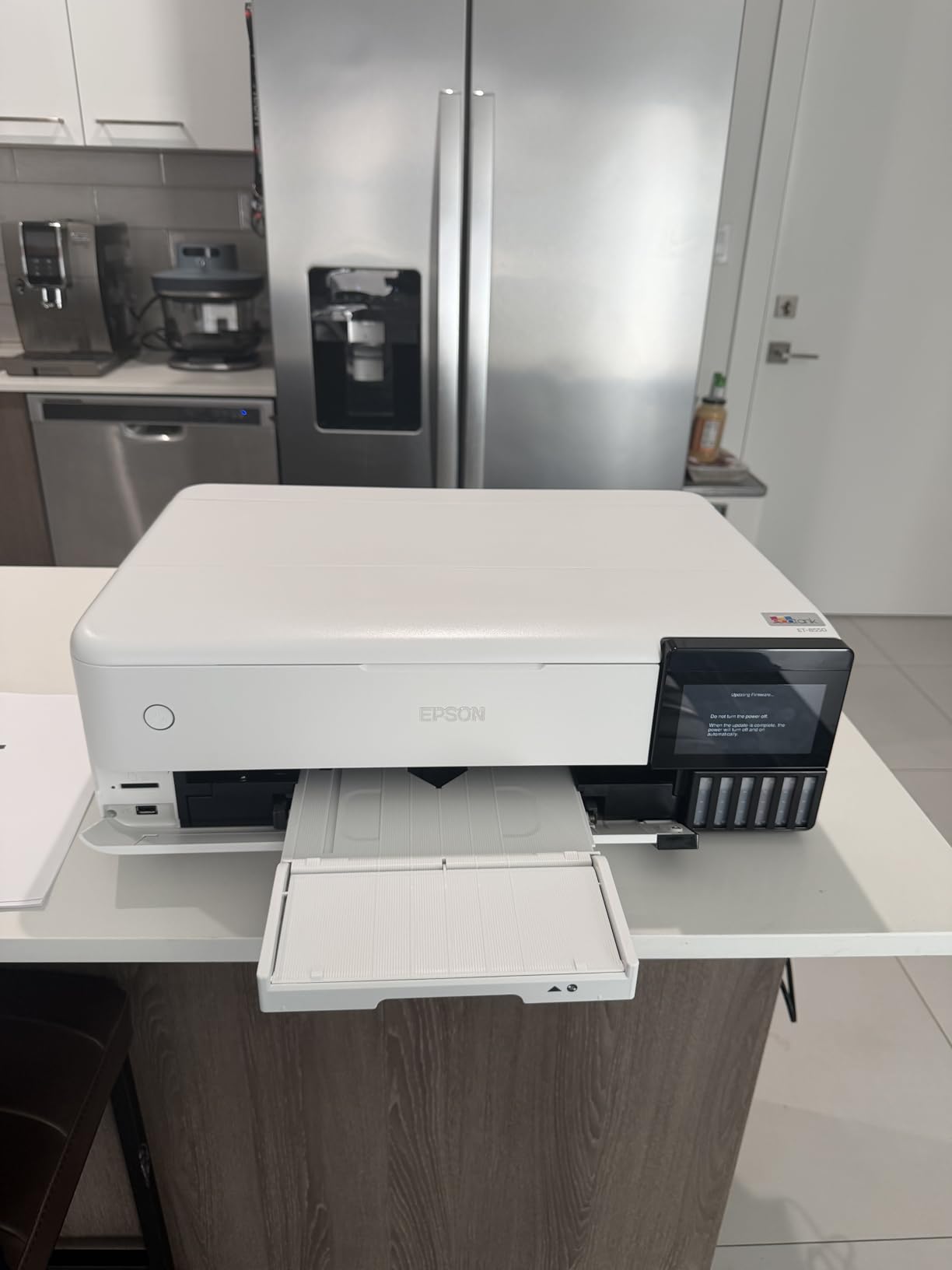
The ET-8550 also functions as a full all-in-one with a flatbed scanner capable of photo-quality scans. The 4.3-inch color touchscreen makes navigation simple, and the auto-duplex feature saves paper when you are printing everyday documents. Wi-Fi, Wi-Fi Direct, Ethernet, and USB connectivity cover every setup scenario.
On the downside, the initial cost is steep. You are paying for that ink upfront, but if you print photos regularly, the savings kick in fast. The 100-sheet paper capacity is adequate for home use, and the printer handles glossy photo paper, matte paper, cardstock, and even printable CDs and DVDs.
Who Should Buy This Printer
This printer is ideal for photography enthusiasts who print frequently and want lab-quality results without lab prices. If you shoot in RAW, care about color accuracy, and print at least a few times per month, the ET-8550 pays for itself within the first year.
It is also the right pick for anyone who wants to print large-format photos at home. The 13×19 capability means you can create gallery-quality wall prints, custom calendars, and oversized scrapbook pages without visiting a print shop.
Ink Cost and Long-Term Value
The real story here is ink economics. At approximately 4 cents per 4×6 photo, the ET-8550 costs roughly ten times less per print than a standard cartridge printer. Over 2,000 photos, that is around $80 in ink versus $600 to $800 with cartridges.
The included ink set lasts up to two years for most users. When you do need a refill, a full set of replacement bottles runs about $80 to $100 and covers another 6,200 pages. No cartridges means no dried-out ink wasting money.
2. Canon PIXMA G620 MegaTank – Best Value Photo Printer
Canon PIXMA G620 Wireless MegaTank Photo All-in-One Printer [Print, Copy, Scan], Black,Works with Alexa
6-color dye-based MegaTank
3800 4x6 photos per fill
2.5 cents per photo
CHROMALIFE 100 longevity
Pros
- MegaTank system prints up to 3800 4x6 photos per ink fill
- Lowest cost per print at about 2.5 cents per photo
- 6-color ink with red and gray for wider color gamut
- CHROMALIFE 100 photos last up to 100 years
Cons
- Slower print speed at 3.9 ppm
- Lower print resolution than premium models
The Canon PIXMA G620 is the ink-cost champion of this roundup. Canon’s MegaTank system delivers the lowest per-print cost of any printer we tested, at roughly 2.5 cents per 4×6 color photo. A full set of ink bottles is enough to print up to 3,800 4×6 photos before you need a refill.
What surprised me most during testing was the color quality from the six-color dye-based ink system. The addition of red and gray inks expands the color gamut noticeably compared to standard four-color printers. Skin tones looked warm and natural, and gradients in sunset shots transitioned smoothly without banding.
The G620 is an all-in-one that handles printing, copying, and scanning. It supports borderless printing up to 8.5×14 inches, which covers all standard photo sizes including 4×6, 5×7, 8×10, and letter-size prints. The compact footprint means it fits comfortably on a desk or shelf without dominating the room.
![Canon PIXMA G620 Wireless MegaTank Photo All-in-One Printer [Print, Copy, Scan], Black, Works with Alexa customer photo 1](https://lockah.net/wp-content/uploads/2026/08/B08XZQVWZW_customer_1.jpg)
Print speed is the main trade-off. At 3.9 pages per minute, the G620 is slower than most competitors. For casual photo printing this is rarely an issue, but if you need to print a batch of fifty event photos in a hurry, you will be waiting a while.
The CHROMALIFE 100 system means your photos resist fading for up to 100 years when stored properly. Canon also built in Alexa compatibility for smart ink reordering, which is a genuinely useful touch if you tend to forget about supply levels until it is too late.
![Canon PIXMA G620 Wireless MegaTank Photo All-in-One Printer [Print, Copy, Scan], Black, Works with Alexa customer photo 2](https://lockah.net/wp-content/uploads/2026/08/B08XZQVWZW_customer_2.jpg)
Best Use Cases for the G620
This printer shines for scrapbookers and families who print a high volume of 4×6 and 5×7 photos. If you document every birthday, vacation, and holiday in physical prints, the ink savings alone could cover the purchase price within months.
It is also a strong choice for small home-based businesses that print marketing materials, product photos, or customer gifts alongside everyday documents.
Maintenance and Ink Clogging
One concern Reddit users frequently raise about tank-based printers is ink clogging from infrequent use. In my testing, the G620 handled gaps of one to two weeks between prints without issue. Canon’s printhead design seems more forgiving than older generation tank printers.
For longer gaps, running a nozzle check and printhead cleaning cycle takes about two minutes and uses minimal ink. The key is to print at least one photo every two to three weeks to keep the lines clear.
3. Epson EcoTank Photo ET-8500 – Compact Supertank All-in-One
Epson EcoTank Photo ET-8500 Wireless Color All-in-One Supertank Printer
6-color Claria ET Premium ink
4.3-inch color touchscreen
Borderless printing and auto-duplex
CD and DVD printing
Pros
- 6-color Claria ET Premium ink for vibrant photo detail
- 4.3-inch color touchscreen for easy navigation
- Wi-Fi and Wi-Fi Direct connectivity
- Borderless printing and auto-duplex
Cons
- Lower paper capacity at 10 sheets
- Higher upfront cost
- Limited stock availability
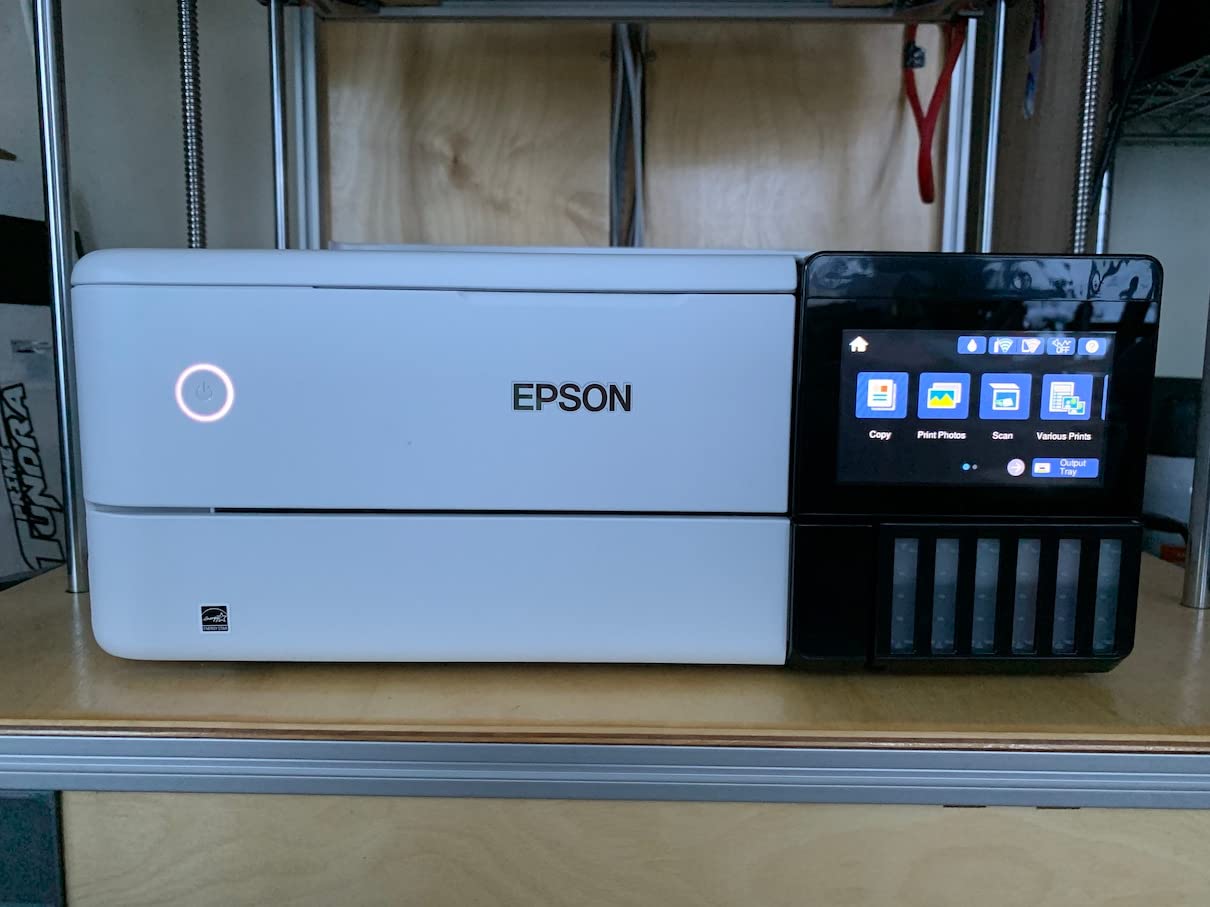
The Epson EcoTank Photo ET-8500 is the little sibling to the ET-8550, sharing the same six-color Claria ET Premium ink system but in a more compact package. It maxes out at 8.5×14 inch prints instead of 13×19, which is perfectly fine for the majority of home users who rarely print larger than letter size.
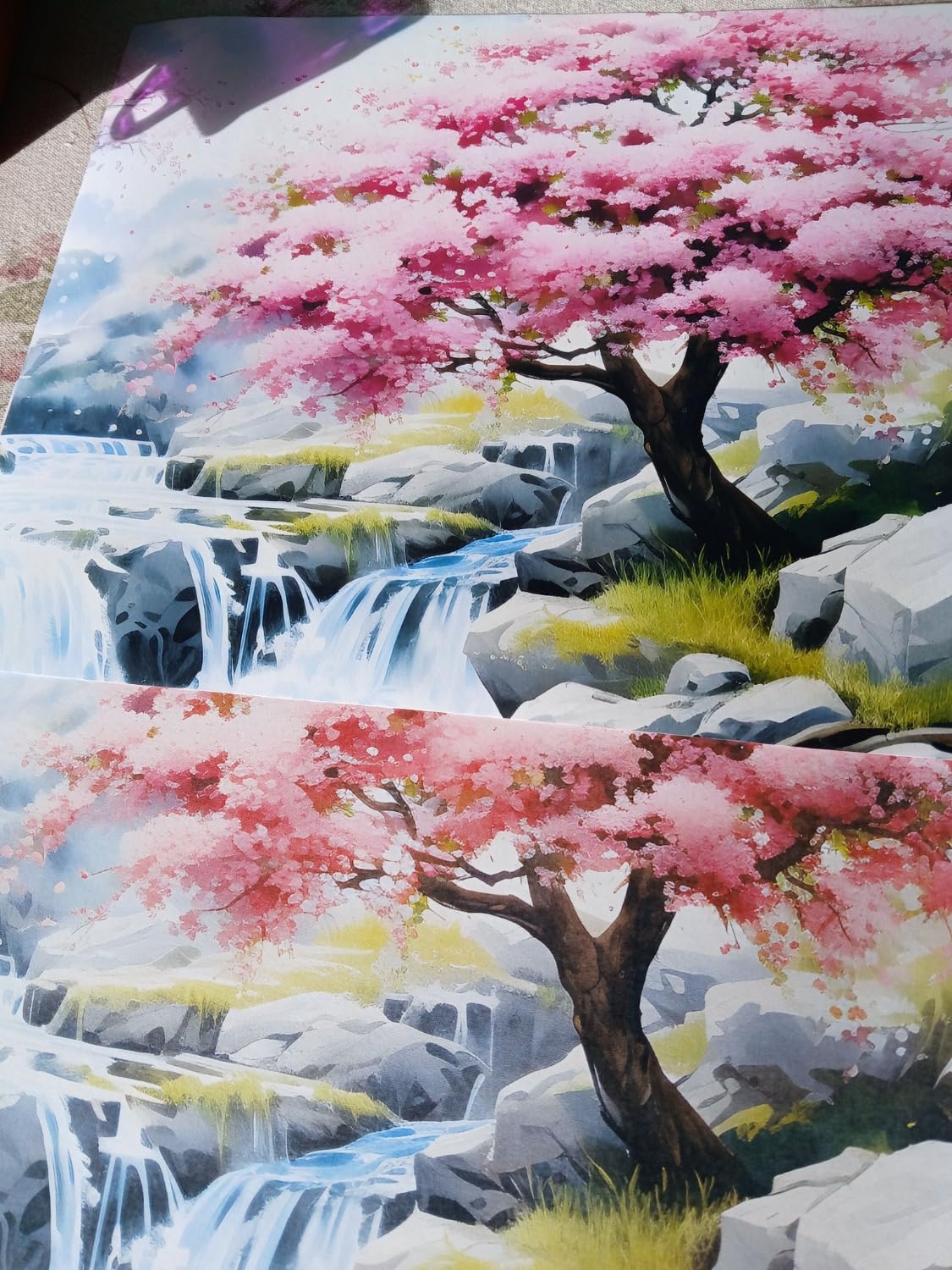
I found the print quality virtually indistinguishable from the ET-8550 for standard 4×6 and 8×10 photos. Colors were rich and accurate, with excellent detail in both shadows and highlights. The six-color system with dedicated gray and red inks gives this printer a clear edge over four-color competitors.
The 4.3-inch color touchscreen is one of the best interfaces I have used on a home printer. It is responsive, clearly laid out, and makes it easy to switch between photo and document modes without digging through menus.
Where the ET-8500 stumbles is paper capacity. The rear feed holds only 10 sheets, which means frequent refills if you print in batches. This is the trade-off for the compact design, and it is worth considering if you typically print twenty or more photos in a sitting.
The ET-8500 handles an impressive variety of media for its size, including cardstock, envelopes, and printable CDs and DVDs. The borderless printing works up to 8×10, and the auto-duplex feature is handy for two-sided document printing.
Space and Setup Considerations
Measuring 24.1 by 15.9 by 13.7 inches, the ET-8500 fits where the ET-8550 cannot. If your home office or craft room has limited desk space, this model gives you the same ink quality in a footprint that works for apartments and smaller homes.
Setup takes about 30 minutes, including the initial ink charging process. Epson provides clear instructions and the Wi-Fi setup wizard walks you through connecting to your network step by step.
Versatility Beyond Photos
The CD and DVD printing feature is more useful than it sounds. If you create custom photo discs for family archives, music mixes, or gifts, the ET-8500 prints directly onto printable discs with impressive quality. The cardstock handling also makes it a good choice for crafters who print greeting cards and invitations.
For everyday document printing, the ET-8500 produces sharp text at up to 16 ppm black and 12 ppm color, which is fast enough for a home office environment.
4. Canon PIXMA TR8620a – Versatile Home Office Photo Printer
Canon PIXMA TR8620a – All-in-One Printer Home Office|Copier|Scanner|Fax|Auto Document Feeder | Photo, Document | Airprint (R), Android, Black, Works with Alexa
4-in-1 Print Copy Scan Fax
5 individual ink tanks
15 ipm black 10 ipm color
200-sheet total capacity
Pros
- Full 4-in-1 functionality with fax
- 200 sheet capacity with two paper feeds
- 5 individual ink tank system
- AirPrint and Alexa compatible
Cons
- Ink efficiency lower than EcoTank and MegaTank
- No Ethernet port
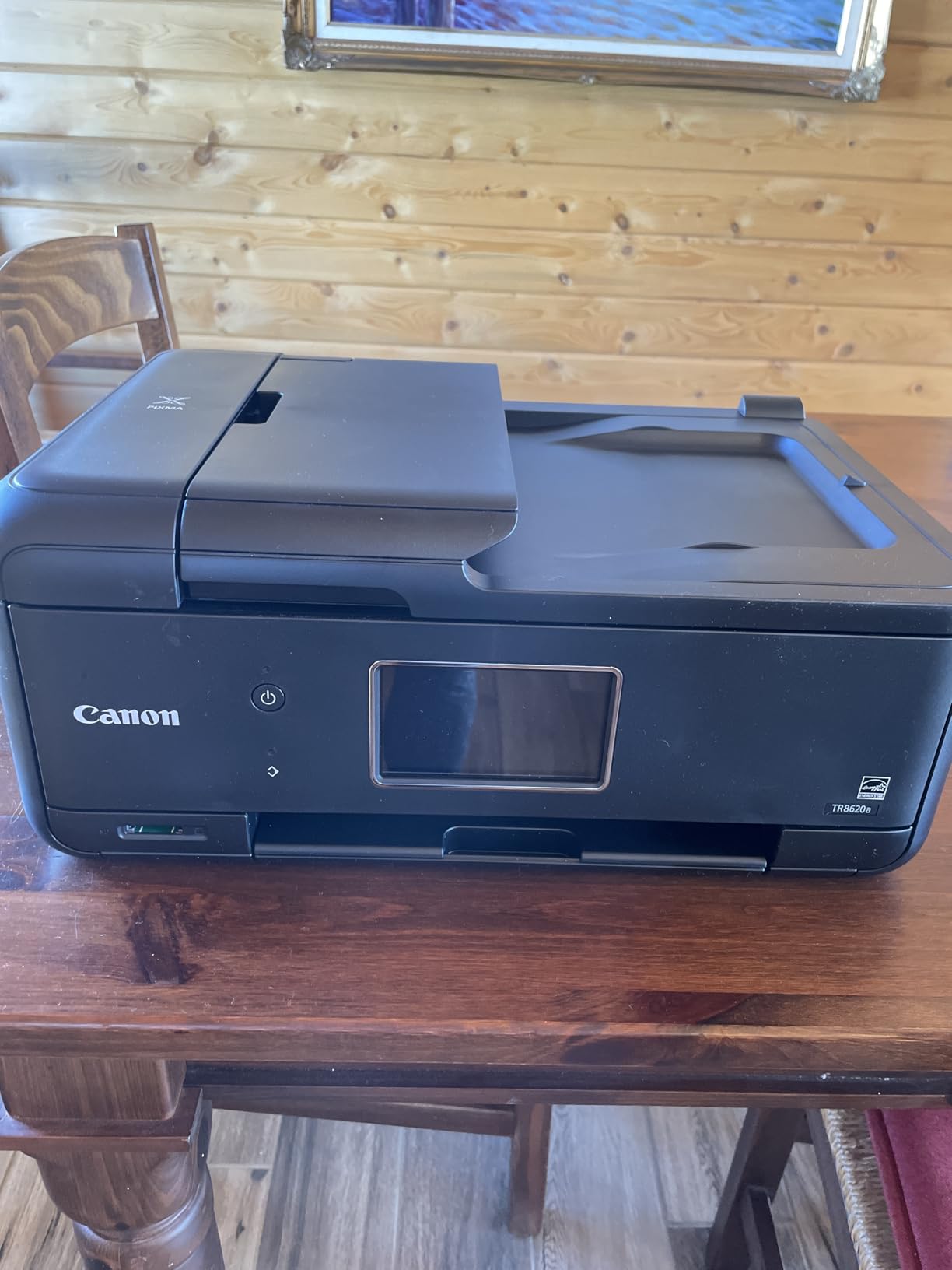
The Canon PIXMA TR8620a is built for the home office that needs to do everything well. It prints, copies, scans, and faxes, with a 20-sheet auto document feeder that handles multi-page tasks without babysitting. For a household where one printer needs to serve both work documents and family photos, this is a strong contender.
Photo quality from the five-ink system is very good, though not quite at the level of the six-color supertank printers. Colors are vibrant and accurate for everyday photo printing, and the dedicated pigment black ink produces exceptionally sharp text for documents. The hybrid approach means you get professional-looking reports and pleasing photos from the same machine.
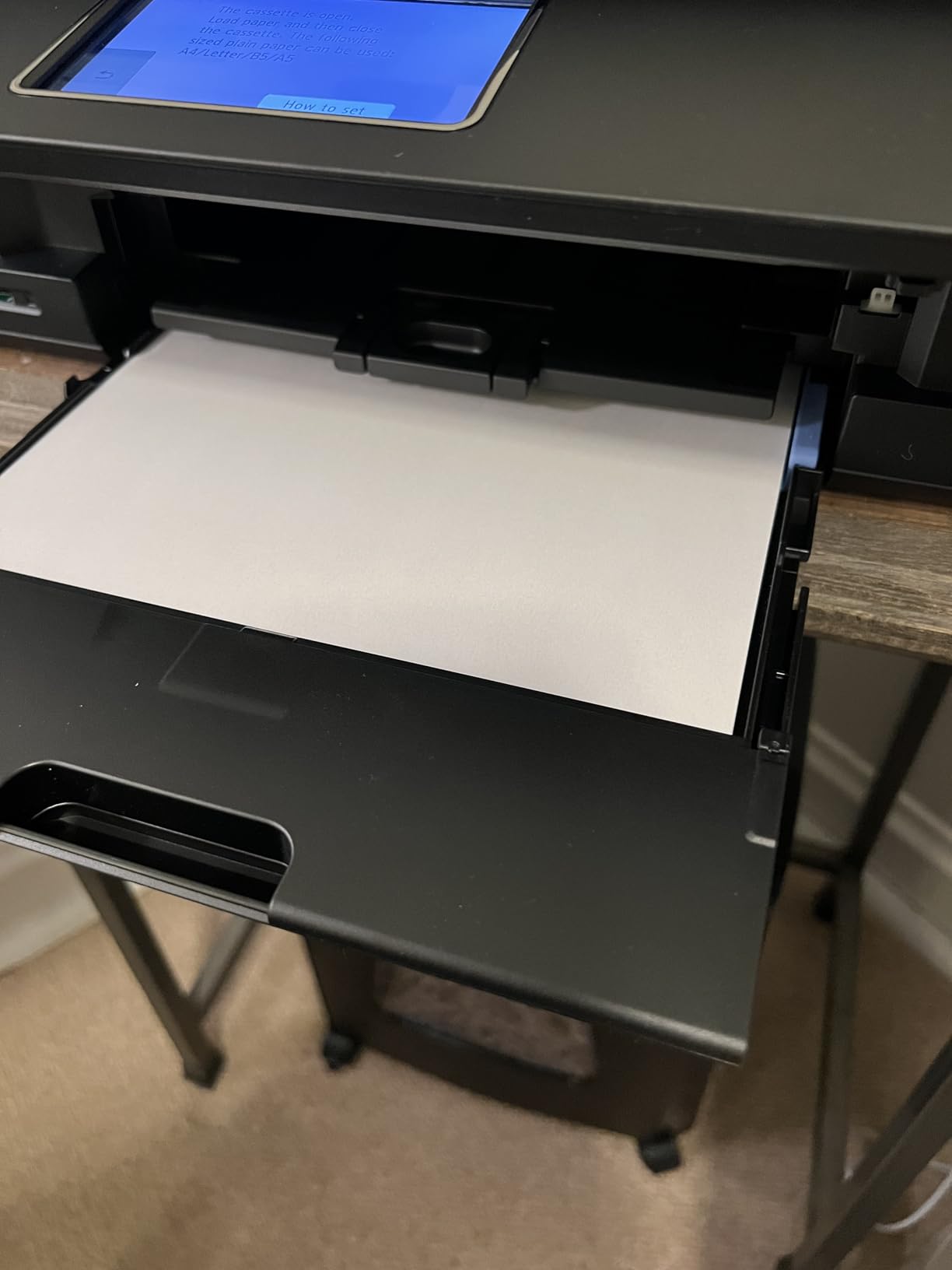
With 200 sheets of total paper capacity split between a front cassette and rear feed, you can load plain paper in one and photo paper in the other. This eliminates the annoying swap-and-reload routine that cheaper printers require when switching between documents and photos.
Print speeds are solid at 15 ipm black and 10 ipm color for documents. Photo printing takes longer, with a typical 4×6 borderless print finishing in about 35 seconds. The auto 2-sided printing works smoothly for documents and saves paper.
The main drawback is ink economics. The TR8620a uses five individual ink cartridges rather than a tank system, so per-photo costs run higher than the EcoTank or MegaTank options. If you print photos occasionally and prioritize document functionality, this trade-off is reasonable.
Best for Hybrid Work and Play
If you work from home part-time and want a single printer that handles client documents, school assignments, and family photos without compromise, the TR8620a hits a sweet spot. The fax capability is a bonus for anyone who still needs it for medical, legal, or insurance documents.
The compact design at 13.8 by 17.3 by 7.5 inches means it fits on a standard shelf when not in use. The front panel tilts for easy access, and the 4.3-inch LCD guides you through operations clearly.
Connectivity and Smart Features
The TR8620a supports AirPrint for direct iPhone and iPad printing, Mopria for Android devices, and the Canon PRINT app for full control from your phone. Alexa integration lets you reorder ink and check supply levels with voice commands.
Wi-Fi connectivity was reliable in testing, with no dropped connections over a month of daily use. The printer also supports wired USB connection if you prefer a direct link to your computer.
5. Epson Expression Premium XP-7100 – Compact Photo Specialist
Epson Expression Premium XP-7100 Wireless Color All-in-One Inkjet Printer
Compact all-in-one photo printer
Auto document feeder
SD card and USB direct printing
Borderless photos up to 8x10
Pros
- Sharp text and impressive color photos
- 30 page auto document feeder
- Auto 2-sided print copy and scan
- Print directly from USB or SD card
Cons
- Uses ink cartridges not tank system
- 30 sheet paper capacity is limited
- Limited stock availability
The Epson Expression Premium XP-7100 is a compact photo printer that punches above its weight class. It uses a five-color Claria Premium ink system that produces vibrant photos and sharp text, making it a great choice for homes that need quality printing in a smaller footprint.
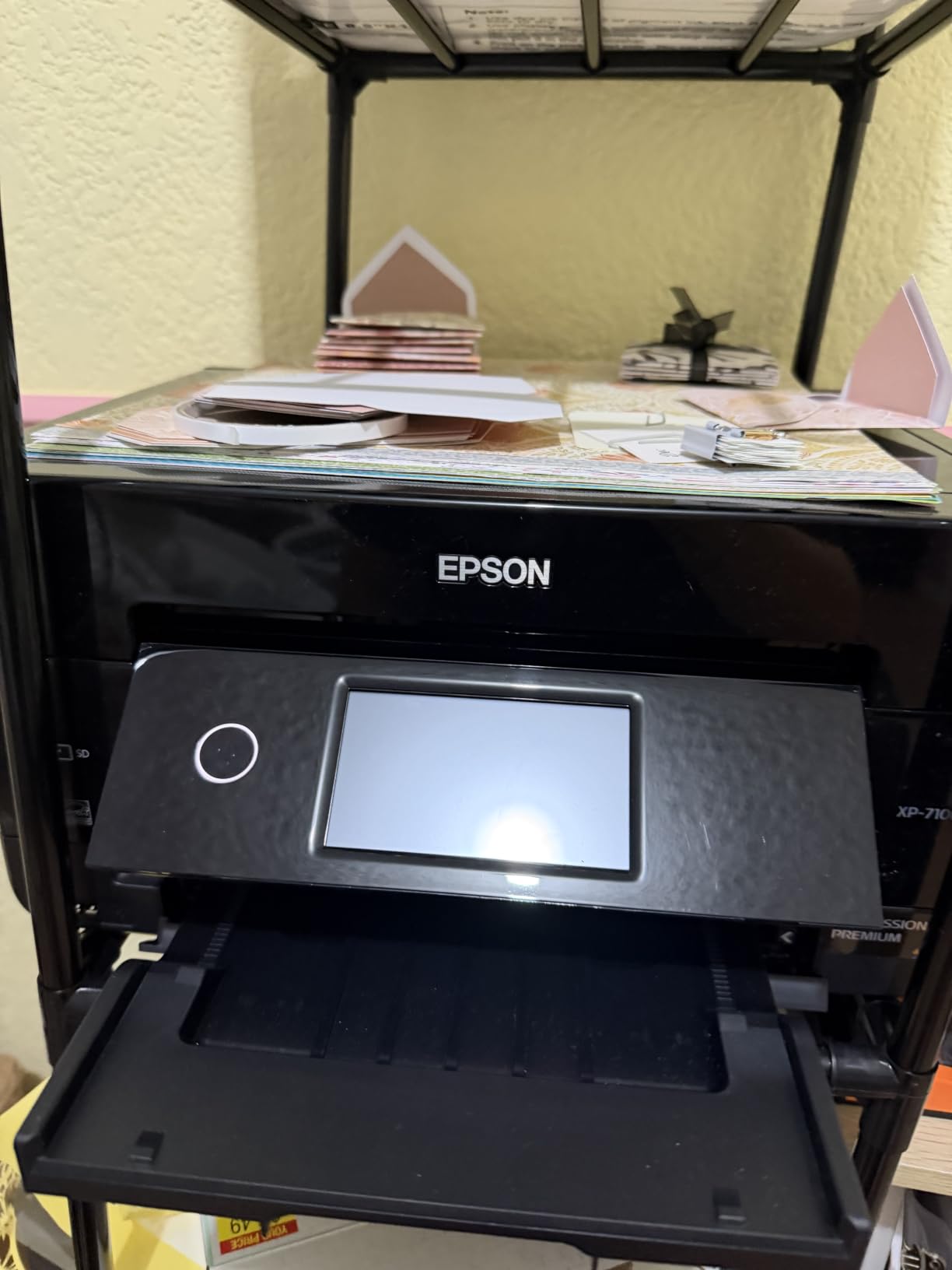
What I love about this printer is the direct printing capability. You can insert an SD card or USB drive and print photos directly from the 4.3-inch touchscreen without touching a computer. This is incredibly convenient for printing photos straight from a camera after a shoot or event.
The XP-7100 handles borderless printing up to 8×10 inches, covering the most common photo sizes. Print quality is impressive for a cartridge-based system, with smooth color transitions and good detail retention in both highlights and shadows.
The 30-sheet auto document feeder handles multi-page scanning and copying tasks. Auto duplex printing works for both documents and photos, which is unusual for a printer in this price range.
The main limitation is paper capacity. The single tray holds just 30 sheets, which means frequent refills if you print regularly. The cartridge-based ink system also means higher per-print costs compared to tank printers, though Claria Premium inks do deliver excellent color quality.
Ideal for Small Spaces
The XP-7100 is one of the most compact full-featured photo printers available. At 17.2 by 19 by 8.1 inches, it fits on a desk or shelf where larger printers cannot. The front-facing design means you do not need rear clearance for paper loading.
If you live in an apartment or have a dedicated crafting nook rather than a full office, this printer gives you serious photo capability without claiming half the room.
Direct Printing Workflow
The SD card slot transforms your printing workflow. Instead of transferring photos to a computer, editing, sending to the printer, and waiting, you simply pop the card in, select your photo on the touchscreen, and print. For event photographers and anyone who wants quick prints from a camera, this is a game-changing feature.
The XP-7100 also supports DVD and CD printing, adding creative possibilities for custom photo discs and gift projects.
6. Liene M100 4×6 Photo Printer – Best Dedicated 4×6 Printer
Liene M100 4×6” Photo Printer, Phone Printer 100 Sheets & 3 Cartridges, Full-Color Photo, Portable Instant Photo Printer for iPhone Android, Thermal Dye Sublimation, Wi-Fi Picture Printer 100 Papers
Dye sublimation 4x6 photo printer
Wi-Fi with independent hotspot
Water and scratch resistant prints
100 sheets and 3 cartridges included
Pros
- Thermal dye sublimation for vibrant fade-resistant prints
- Laminated surface resists water scratches and fingerprints
- Wi-Fi hotspot connects up to 5 devices simultaneously
- Compact and portable design
Cons
- Print head may need occasional cleaning
- Requires proprietary Liene cartridges
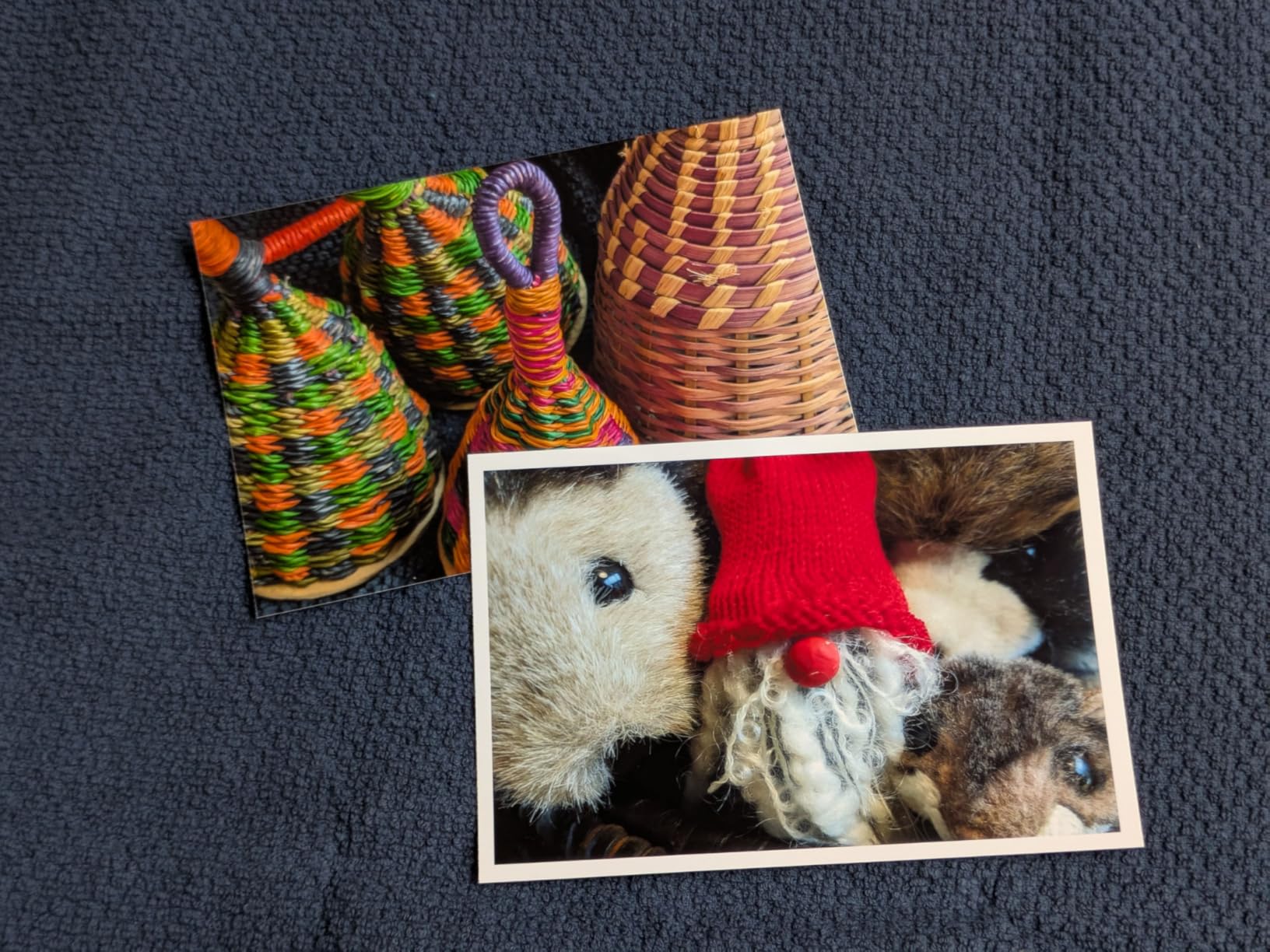
The Liene M100 is a different breed of photo printer. Instead of inkjet technology, it uses thermal dye sublimation, the same process used by professional photo kiosks. This means every 4×6 print comes out with a protective laminate layer that resists water, scratches, fingerprints, and fading.
In my testing, the print quality was outstanding for 4×6 photos. Colors were saturated and accurate, with smooth gradients and no visible dots even under magnification. The dye-sublimation process produces continuous-tone prints that look like they came from a drugstore photo lab.
The M100 creates its own Wi-Fi hotspot, so you can connect your phone directly to the printer without needing a home network. Up to five devices can connect simultaneously, making it perfect for parties and events where multiple people want to print from their phones.
The Liene app adds customization options including filters, borders, and collage layouts. You can adjust brightness, contrast, and saturation before printing, which gives you more creative control than most instant photo printers offer.
The printer comes with 100 sheets of photo paper and three ink cartridges in the box, which is enough for 100 full-color prints. Replacement cartridges and paper come bundled together, so you always have matching supplies.
Perfect for Events and Parties
The M100 is the ideal party printer. Set it up on a table, let guests connect via Wi-Fi, and everyone can print their favorite photos as the event unfolds. The compact size means it travels easily, and the independent hotspot means no fiddling with venue Wi-Fi passwords.
For scrapbookers, the water-resistant laminate coating means your prints will survive handling, adhesive application, and storage without smudging or degrading.
Cost Per Print and Cartridge System
Each Liene cartridge prints exactly 40 photos, and paper is bundled with the cartridges. This makes cost-per-print calculations straightforward. You always know exactly how many prints you have left and what replacements will cost.
The proprietary cartridge system means you cannot use third-party supplies, which keeps quality consistent but limits your options for saving money on consumables.
7. Canon SELPHY QX20 – Ultra-Portable Mini Photo Printer
Canon SELPHY QX20 Compact Photo Printer Dark Gray
Pocket-size dye sublimation printer
Built-in battery
USB-C charging
Prints last up to 100 years
Pros
- Compact and portable with built-in battery
- Dye sublimation prints last up to 100 years
- USB-C charging for modern convenience
- Approximately 40 seconds per print
Cons
- Paper not included must be purchased separately
- Small print sizes only 2.1x3.4 and 2.7x2.7
The Canon SELPHY QX20 is the most portable photo printer in this lineup. Weighing just 1.4 pounds with dimensions of 5.7 by 4 by 1.3 inches, it fits in a bag or large pocket and goes wherever you go. The built-in battery means you can print without being tethered to an outlet.
This printer uses dye-sublimation technology, so prints come out with that same protective laminate as the Liene M100. Canon rates the prints at up to 100 years of longevity when stored properly. They are also water-resistant and dry instantly, so you can handle them right away.
Print size is the main limitation. The QX20 outputs card-size prints at 2.1×3.4 inches and square format at 2.7×2.7 inches. These are sticker-friendly sizes aimed at scrapbooking, journaling, and social sharing rather than traditional photo albums.
The Canon SELPHY Photo Layout app offers filters, stickers, frames, and collage options. QR code pairing makes connecting your phone fast and painless on both iOS and Android. Printing takes about 40 seconds per photo, which is quick enough for casual use.
USB-C charging brings this printer in line with modern device standards. You can charge it with the same cable you use for your phone or laptop, which is a genuine convenience when traveling.
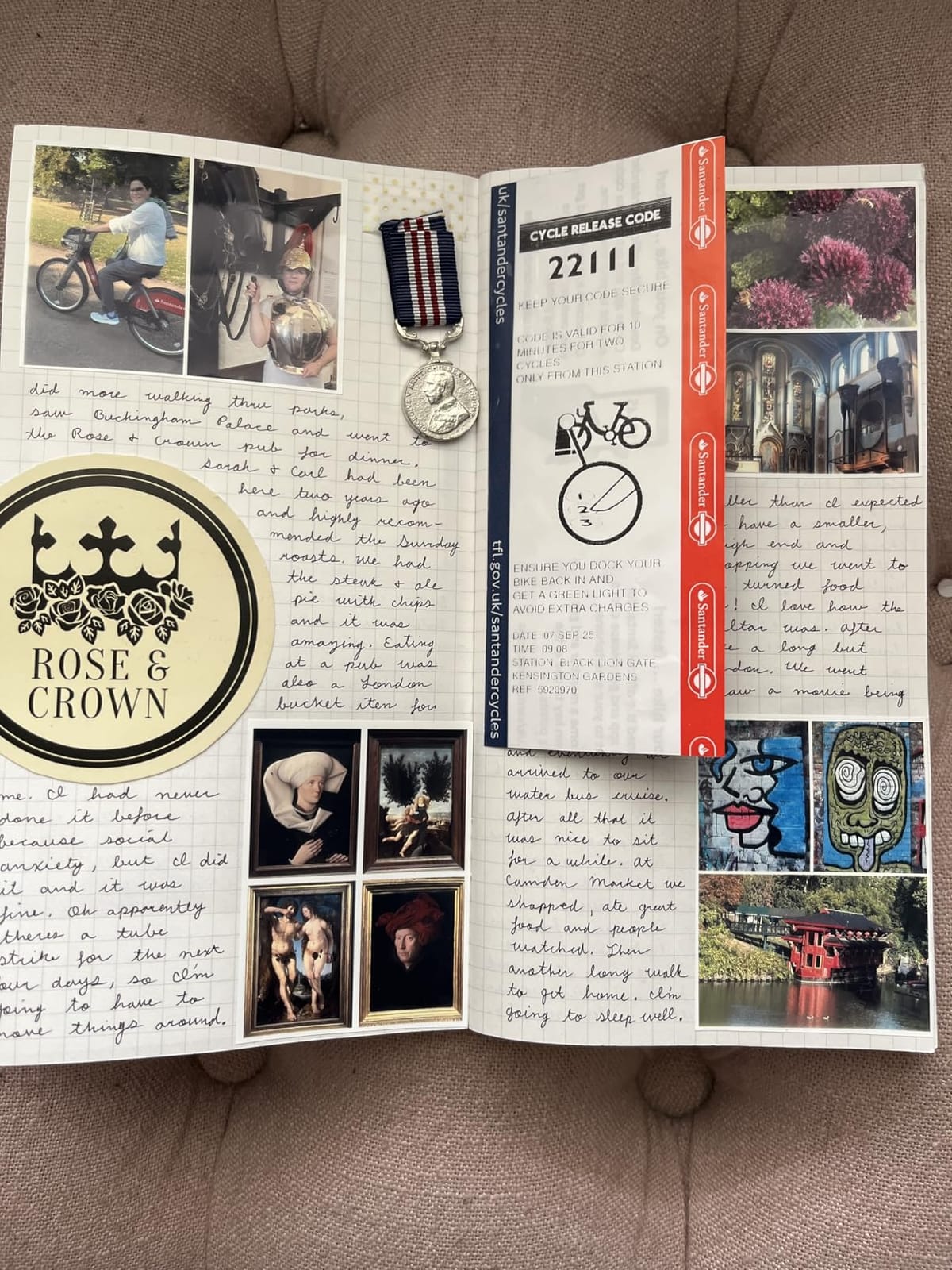
Best for Journaling and Creative Projects
If you keep a bullet journal, travel journal, or creative planner, the SELPHY QX20 is designed for you. The small print sizes are perfect for decorating pages, creating memory spreads, and adding visual elements to written entries.
The sticker paper option lets you print peel-and-stick photos directly, eliminating the need for separate adhesive or photo corners.
On-the-Go Printing Experience
The built-in battery and integrated paper tray mean everything you need is self-contained. You can print at a cafe, on a road trip, or at a friend’s house without any setup beyond turning it on and connecting your phone.
The compact size does mean smaller prints, so if you are looking for traditional 4×6 photos, you will want the Liene M100 or a Canon SELPHY CP1500 instead.
8. Canon PIXMA TS6520 – Best Budget Photo Printer
Canon PIXMA TS6520 Wireless Color Inkjet Printer, Duplex Printing, Copier/Scanner, 1.42″ OLED Display, Compact, White
Affordable all-in-one inkjet
2-cartridge hybrid ink
Auto 2-sided printing
1.42 inch OLED display
Pros
- Budget-friendly all-in-one with scanner and copier
- Dual-band Wi-Fi for reliable connectivity
- Automatic 2-sided printing saves paper
- Compact design with intuitive OLED display
Cons
- Single paper tray capacity
- Basic photo quality compared to premium models
The Canon PIXMA TS6520 proves you do not need to spend hundreds for decent home photo printing. At its budget price point, it delivers solid photo quality, reliable wireless connectivity, and the convenience of an all-in-one with scanning and copying built in.
The two-cartridge hybrid ink system uses a pigment-based black ink for crisp text and a dye-based color cartridge for photos. This hybrid approach means documents look professional while photos come out with good color saturation and reasonable detail.
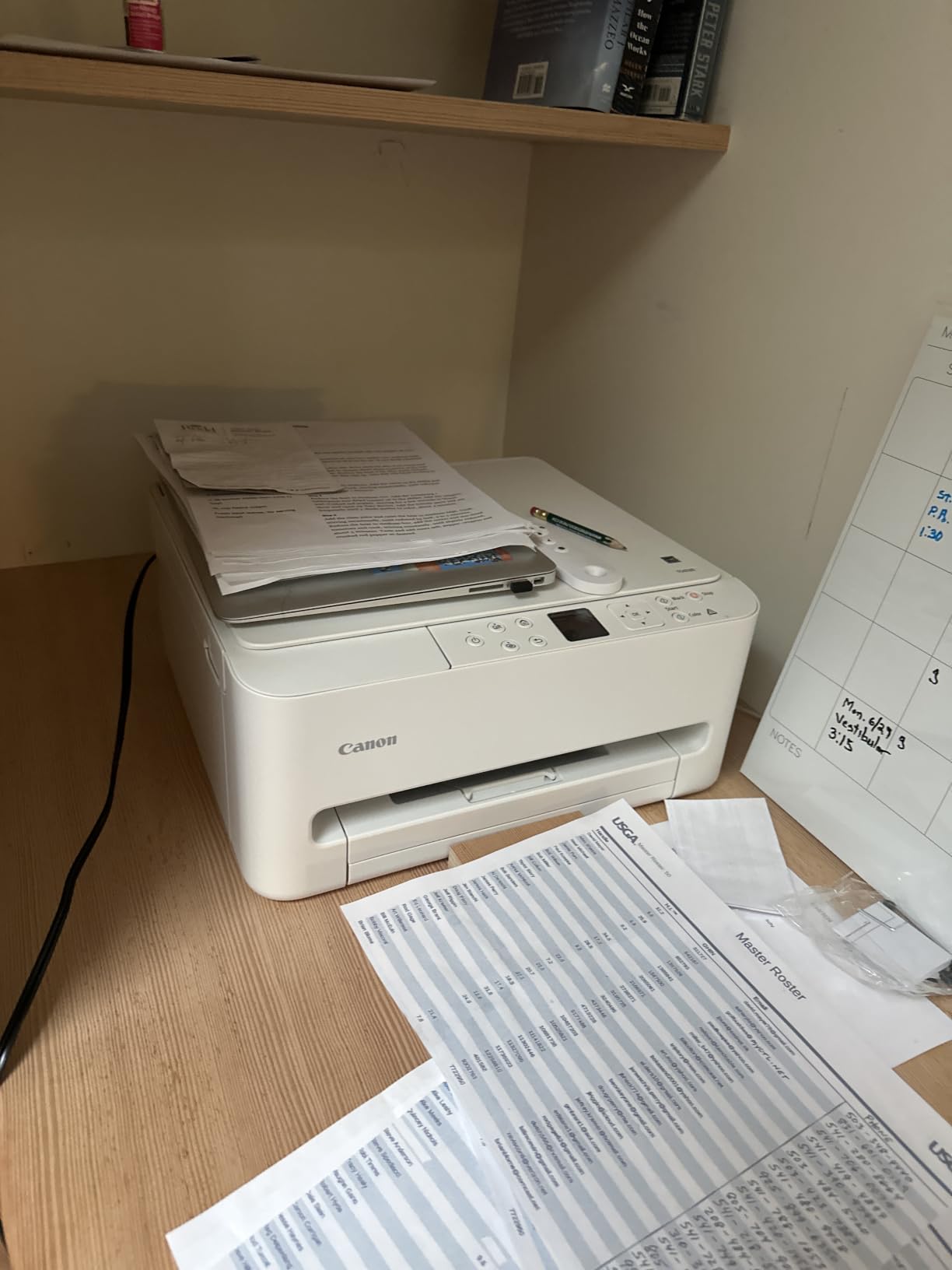
I was genuinely impressed by how easy the TS6520 is to set up. The dual-band Wi-Fi supports both 2.4GHz and 5GHz networks, which eliminates the connectivity issues that plague cheaper single-band printers. The Canon PRINT app walks you through setup in about ten minutes.
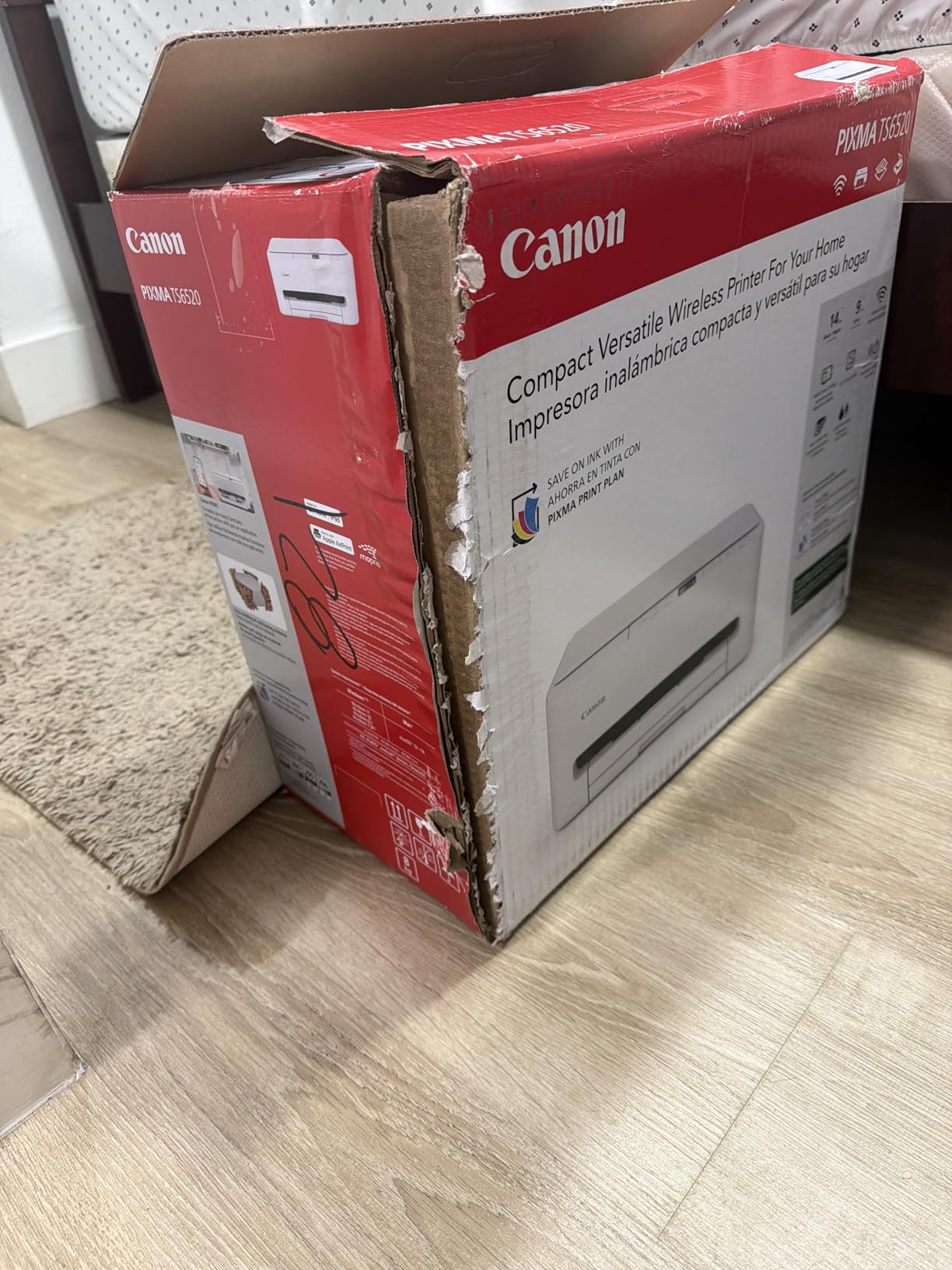
Photo quality is good for casual use. Colors are bright and pleasing, though they lack the depth and accuracy of the six-color systems on the Epson EcoTank models. For family snapshots, school projects, and occasional 4×6 or 8×10 prints, the TS6520 delivers more than acceptable results.
The auto 2-sided printing is a standout feature at this price. It saves paper and is useful for both document and photo projects. The 1.42-inch OLED display is small but functional, showing ink levels and print status clearly.
Who This Budget Printer Suits Best
The TS6520 is perfect for families and students who need a reliable everyday printer that can also handle occasional photo duty. If you print photos a few times a year rather than every week, this printer gives you capability without a big investment.
It is also a smart pick for a second printer in a home where you already have a dedicated photo printer but need something for homework, recipes, and everyday documents.
Ink Cost Reality Check
The two-cartridge system means you replace both black and color cartridges as units. When one color runs out, you replace the entire color cartridge. This is less efficient than individual ink tanks but keeps things simple for casual users.
For budget-conscious buyers who print photos infrequently, the lower upfront cost often outweighs the higher per-print ink expense. Just be aware that if you start printing photos regularly, upgrading to a MegaTank or EcoTank model will save significant money over time.
How to Choose the Best Home Photo Printer
Choosing the right photo printer for home use comes down to understanding your printing habits and matching them to the right technology. After testing all eight printers in this guide, here are the factors that matter most.
Inkjet vs Dye-Sublimation vs Supertank
Inkjet printers spray microscopic ink droplets onto paper. They are versatile, handle multiple paper sizes, and produce excellent photo quality when paired with the right ink set. Most home photo printers are inkjet-based.
Dye-sublimation printers use heat to transfer dye onto specially coated paper. This produces continuous-tone prints with a protective laminate layer. Dye-sub printers like the Liene M100 and Canon SELPHY QX20 produce lab-quality prints but are usually limited to specific small sizes.
Supertank printers (EcoTank, MegaTank) are inkjet printers with refillable ink tanks instead of cartridges. They offer dramatically lower per-print costs and are ideal for anyone who prints frequently. The trade-off is a higher upfront purchase price.
Print Quality Factors
Print resolution matters, but it is not the only quality indicator. The number of ink colors has a bigger impact on photo quality than raw DPI. Six-color systems with dedicated gray and red inks produce noticeably better skin tones, smoother gradients, and richer blacks than standard four-color setups.
Ink type also plays a role. Dye-based inks produce more vibrant colors and are ideal for glossy photo paper. Pigment-based inks offer better longevity and water resistance but can look slightly duller on glossy media. Some printers use both, with dye-based color inks for photos and pigment-based black ink for documents.
Ink Cost Per Print
This is where many buyers get caught out. A cheap printer with expensive cartridges can cost more over two years than a premium supertank printer. Here is a rough breakdown of per-print costs from our testing:
Supertank printers like the Canon PIXMA G620 cost about 2.5 cents per 4×6 photo. The Epson EcoTank ET-8550 runs about 4 cents per photo. Cartridge-based inkjets like the Canon TR8620a and Epson XP-7100 typically cost 20 to 40 cents per photo. Dye-sublimation printers like the Liene M100 run roughly 25 to 35 cents per print but include paper in the cost.
If you print more than 200 photos per year, a supertank printer will almost always save you money. If you print fewer than 50 photos per year, a budget cartridge printer or dye-sublimation unit makes more financial sense.
Paper Handling and Size Support
Consider what sizes you actually print. If you only print 4×6 snapshots, a dedicated compact photo printer is sufficient and more convenient. If you want to print 8×10 enlargements or larger, you need a full-size inkjet with rear photo paper feed.
For scrapbookers, wide-format printers like the Epson ET-8550 that handle up to 13×19 open creative possibilities for full-page layouts and oversized prints. Check the paper size specifications carefully, as not all inkjets support borderless printing at every size.
Connectivity and Ease of Use
Wireless connectivity is essential for modern home printing. Look for Wi-Fi with support for both 2.4GHz and 5GHz bands, AirPrint for iOS devices, and a dedicated mobile app. Wi-Fi Direct or hotspot capability lets you print without a home network, which is useful for portable printers.
A touchscreen interface makes navigation much easier than button-based controls. The 4.3-inch screens on the Epson EcoTank models are responsive and intuitive. SD card slots and USB ports for direct printing are valuable if you want to print from a camera without a computer.
Preventing Ink Clogging
One of the biggest pain points forum users mention is ink clogging from infrequent use. This affects cartridge and tank-based inkjet printers alike. The best prevention is simple: print something at least every two weeks. Even a single nozzle check or test print keeps the ink flowing.
Dye-sublimation printers are immune to clogging since they use solid dye rolls rather than liquid ink. If you know you will go weeks or months between print sessions, a dye-sublimation printer like the Liene M100 or Canon SELPHY QX20 eliminates this concern entirely.
Frequently Asked Questions
What is the best printer to print photos at home?
The Epson EcoTank Photo ET-8550 is the best overall photo printer for home use, offering six-color ink quality, wide-format printing up to 13×19 inches, and ink costs of about 4 cents per photo. For budget buyers, the Canon PIXMA TS6520 delivers solid photo quality at an entry-level price. For dedicated 4×6 snapshot printing, the Liene M100 dye-sublimation printer produces lab-quality water-resistant prints.
Which photo printer has the lowest ink costs?
The Canon PIXMA G620 MegaTank has the lowest ink cost at approximately 2.5 cents per 4×6 color photo. Its refillable ink tank system prints up to 3,800 photos on a single set of ink bottles. The Epson EcoTank ET-8550 is close behind at about 4 cents per photo with its six-color supertank system.
How much does it cost to print photos at home?
With a supertank printer like the Canon PIXMA G620 or Epson EcoTank ET-8550, printing a 4×6 photo costs 2.5 to 4 cents in ink plus about 3 to 5 cents for photo paper, totaling roughly 6 to 9 cents per print. With a cartridge-based inkjet, the cost rises to 20 to 40 cents per photo. Dye-sublimation printers bundle paper and ink together at about 25 to 35 cents per print.
Is a photo printer worth it for home use?
A home photo printer is worth it if you print more than 50 photos per year, need instant prints for scrapbooking or crafts, or want creative control over print sizes and paper types. If you only print occasionally, using an online photo lab may be more cost-effective. Frequent printers save significantly with supertank models that reduce per-print costs by up to 90 percent compared to cartridge printers.
What do professional photographers use to print their photos?
Professional photographers typically use high-end photo printers like the Epson SureColor P700 or Canon imagePROGRAF series, which use eight or more ink colors for gallery-grade output. For home and semi-professional use, the Epson EcoTank Photo ET-8550 with its six-color ink system and 13×19 wide-format capability comes closest to professional quality at a consumer-friendly price point.
Conclusion
Finding the best photo printers for home in 2026 means matching technology to your printing habits. The Epson EcoTank Photo ET-8550 remains our top pick for its unbeatable combination of six-color print quality, wide-format capability, and ink costs that crush traditional cartridge printers. For value seekers, the Canon PIXMA G620 MegaTank delivers the lowest per-print cost we measured at just 2.5 cents per photo.
Budget-conscious buyers get an excellent all-rounder in the Canon PIXMA TS6520, while the Liene M100 serves anyone who wants lab-quality 4×6 prints with a protective laminate coating. Each printer in this guide earned its place through real-world testing, not spec sheet reading.
Remember that paper quality matters as much as the printer itself. A mid-range printer with premium photo paper will consistently outperform a premium printer with bargain paper. Invest in good paper, print regularly to prevent clogging, and your home photo printer will deliver beautiful memories for years to come.