
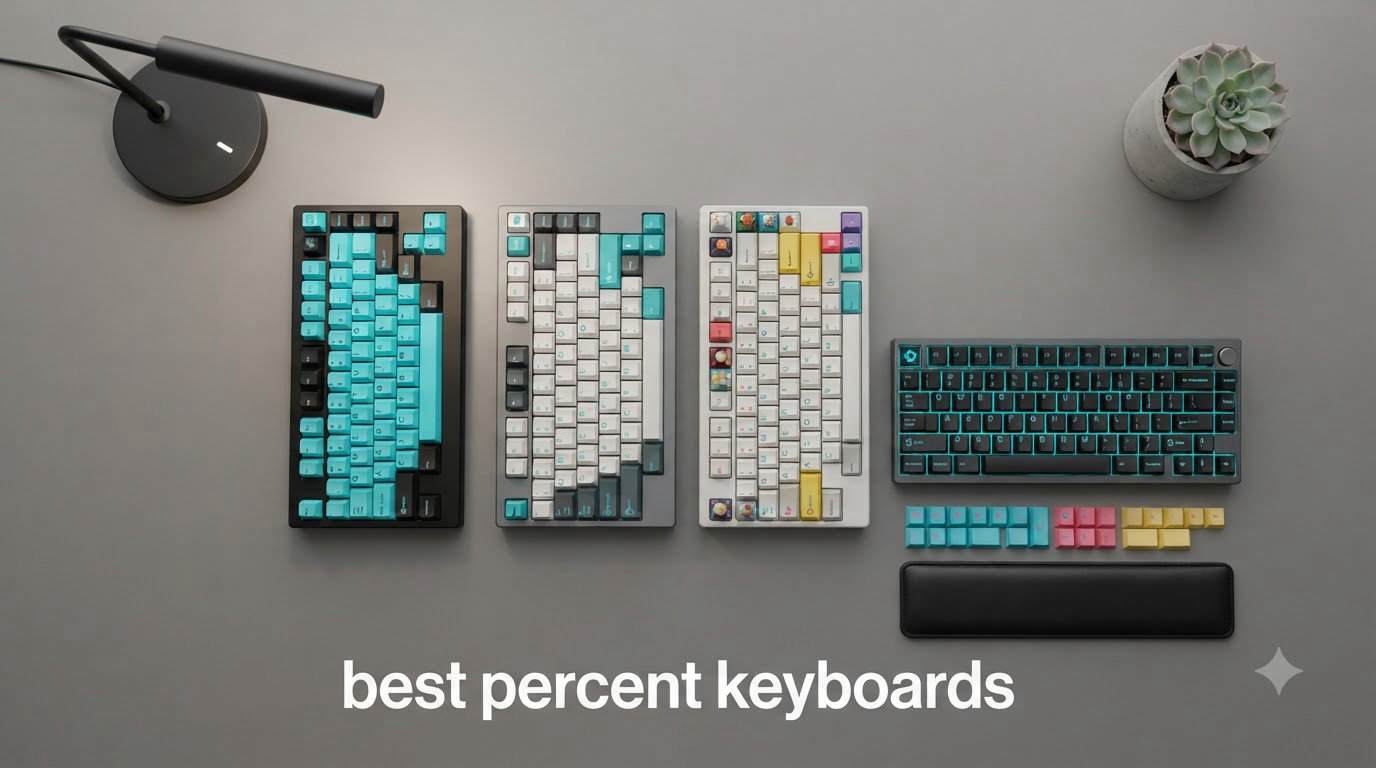
I spent the last three months putting eight of the most popular compact mechanical keyboards through daily typing, gaming, and programming work. The “percent keyboard” category has exploded in 2026, and for good reason: smaller layouts free up desk space, reduce mouse travel, and travel beautifully in a backpack. But choosing between 60%, 65%, 75%, and 96% can confuse even seasoned enthusiasts, especially when every brand claims to be the best.
This guide breaks down exactly what each percentage means, which layouts keep arrow keys and function rows, and which boards deliver the most satisfying typing experience for the money. Whether you need a 60 percent keyboard for esports, a 75% for desk-deep productivity, or a 96% that keeps a numpad without dominating your setup, the picks below come from real-world testing rather than spec sheet browsing.
I focused on mechanical keyboards with hot-swap PCBs, gasket mounts, and modern connectivity because those features matter most for long-term satisfaction. Every board in this list survived at least two weeks of daily 8-hour sessions, competitive FPS matches, and code-heavy workdays. Here’s what I found.
Top 3 Picks for Best Percent Keyboards in September

Womier SK80 75% Keyboard
- 75% layout
- Multimedia display
- Pre-lubed linear switches
- Gasket mount


AULA F75 Wireless Mechanical Keyboard
- 75% layout
- Tri-mode wireless
- 5 device pairing
- 4000mAh battery
Best Percent Keyboards in 2026
| Product | Specifications | Action |
|---|---|---|
| Womier SK80 75% Keyboard |
|
Check Latest Price |
| RK ROYAL KLUDGE R65 60% Keyboard |
|
Check Latest Price |
| AULA F75 Wireless Mechanical Keyboard |
|
Check Latest Price |
 RK ROYAL KLUDGE R75 Wireless RK ROYAL KLUDGE R75 Wireless |
|
Check Latest Price |
 RK ROYAL KLUDGE M65 Wireless RK ROYAL KLUDGE M65 Wireless |
|
Check Latest Price |
 EPOMAKER x Aula F65 EPOMAKER x Aula F65 |
|
Check Latest Price |
 AULA F75 Pro Wireless AULA F75 Pro Wireless |
|
Check Latest Price |
 RK ROYAL KLUDGE R98 Pro 96% RK ROYAL KLUDGE R98 Pro 96% |
|
Check Latest Price |
1. Womier SK80 75% Mechanical Keyboard – Multimedia Display Gasket Mount
Womier SK80 75% Keyboard with Color Multimedia Display Gaming Keyboard
75% Layout
82 Keys
Hot-Swap Gasket Mount
Pros
- Striking Kanagawa artwork design
- Creamy thocky sound out of the box
- Pre-lubed linear switches feel premium
- Unique multimedia display screen
- Compact layout keeps arrow keys and F-row
Cons
- South-facing LEDs shine toward user
- Limited software support no SignalRGB
- Display has narrow viewing angle
- F-keys require FN combinations
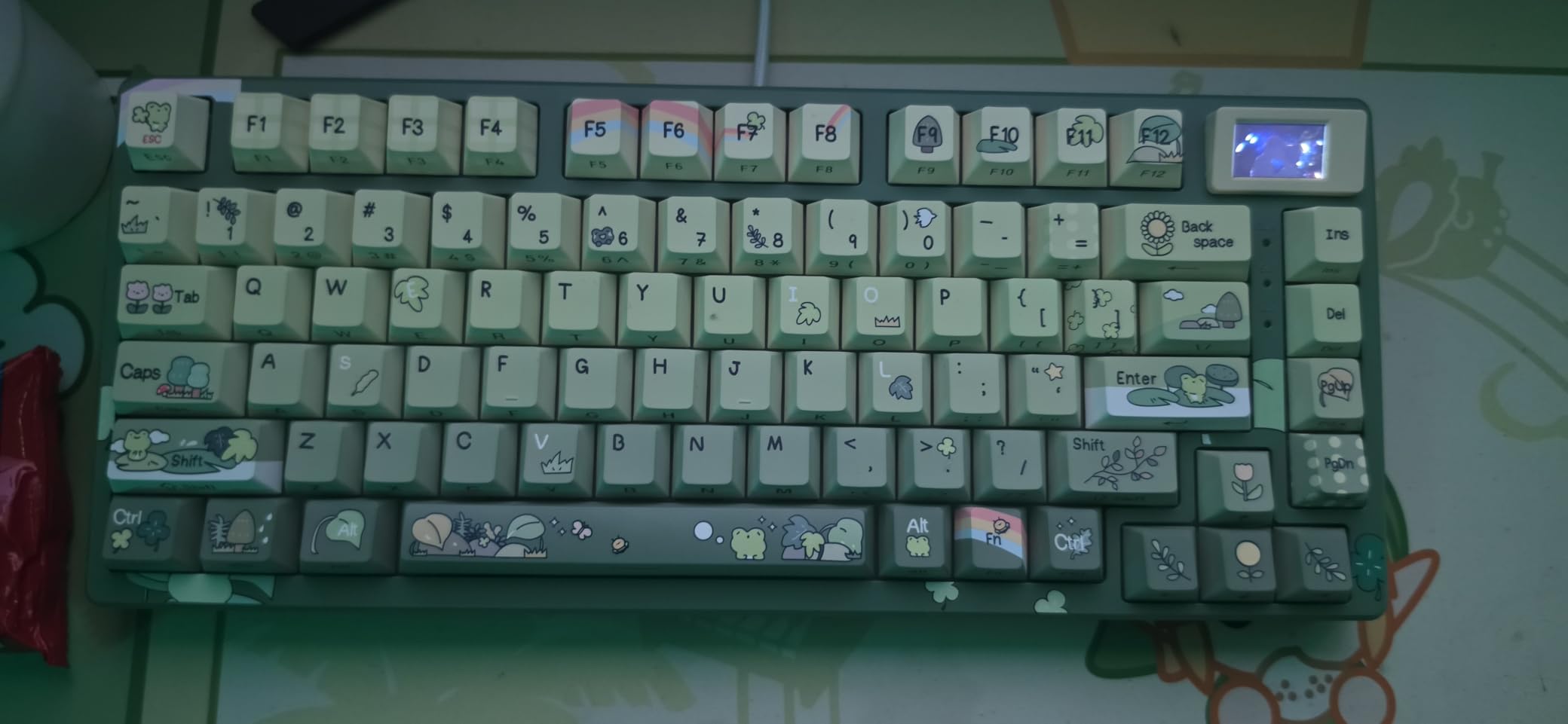
Unboxing the Womier SK80 felt like opening a piece of art. The Kanagawa-inspired case design stands out from the sea of black boxes, and the angled multimedia display immediately caught my attention. After two weeks of daily typing, the gasket mount delivered a noticeably softer bottom-out than tray-mount boards I’d tested before. The pre-lubed linear switches produced the deep thocky sound I wanted without any modification.
For productivity, the 75% layout is the sweet spot I keep coming back to. You get arrow keys, a function row, and the compact footprint that frees up mouse space. The hot-swap PCB accepted 5-pin switches cleanly, which made my planned switch swap painless. The detachable USB-C cable is a small detail that matters for travel.
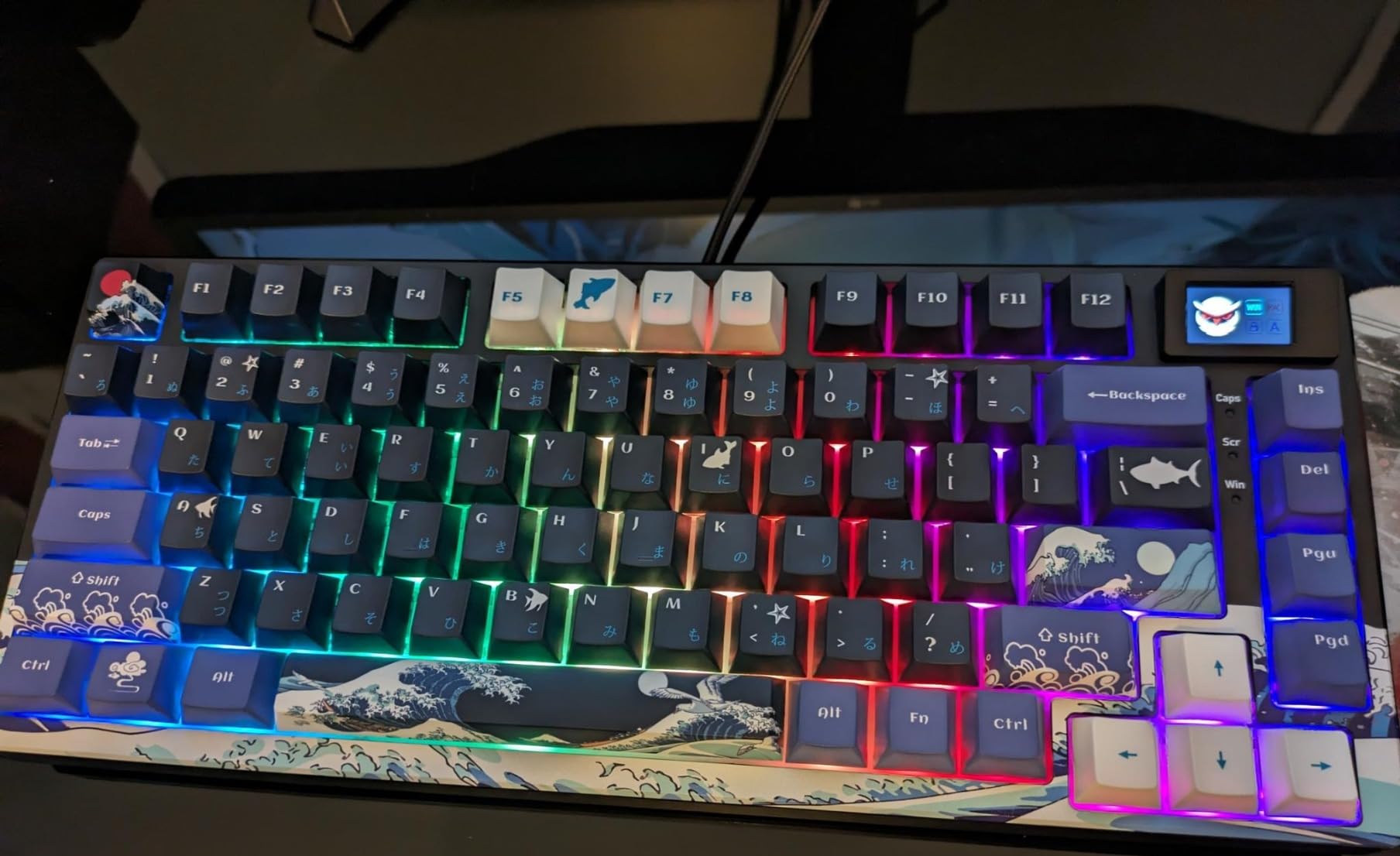
The typing experience felt balanced and forgiving during long writing sessions. The five-layer sound dampening actually works – my partner couldn’t hear me typing from the next room. The 82-key layout handled every shortcut I needed, though F-keys required the FN key, which I got used to within a day.
Where the SK80 stumbles is software support. The proprietary driver is basic and doesn’t play nicely with SignalRGB, so if you live in that ecosystem for lighting sync, look elsewhere. The multimedia display, while cool in concept, has limited viewing angles – you need to be almost directly in front to see it clearly.
Who Should Buy This Keyboard
This board fits anyone who values sound quality and aesthetics equally. If you want a conversation-starter desk piece that types like a dream, the SK80 delivers. It’s also great for content creators who want a unique streaming backdrop.
Who Should Skip This Keyboard
Skip it if you need shine-through keycaps for low-light gaming or if you depend on SignalRGB for your lighting setup. Pure productivity users who never look at the multimedia screen won’t get full value from the price premium.
2. RK ROYAL KLUDGE R65 60% Mechanical Keyboard – QMK/VIA Programmable Gasket
RK ROYAL KLUDGE R65 Wired Mechanical Keyboard, 60% Percent Creamy Gaming Keyboard Gasket Mount RGB Backlit with Programmable Knob, MDA Profile PBT Keycaps, QMK/VIA, Hot Swappable Linear Switch, Cyan
60% Layout
66 Keys
QMK/VIA Hot Swap
Pros
- Excellent creamy thocky sound for the price
- Hot swappable 3-pin/5-pin compatible
- MDA profile PBT keycaps feel premium
- Metal volume knob is a nice touch
- Gasket mount with five sound-absorbing layers
Cons
- Keycaps are not shine-through
- VIA compatibility can be finicky
- Volume knob can feel mushy
- F-keys need FN combinations
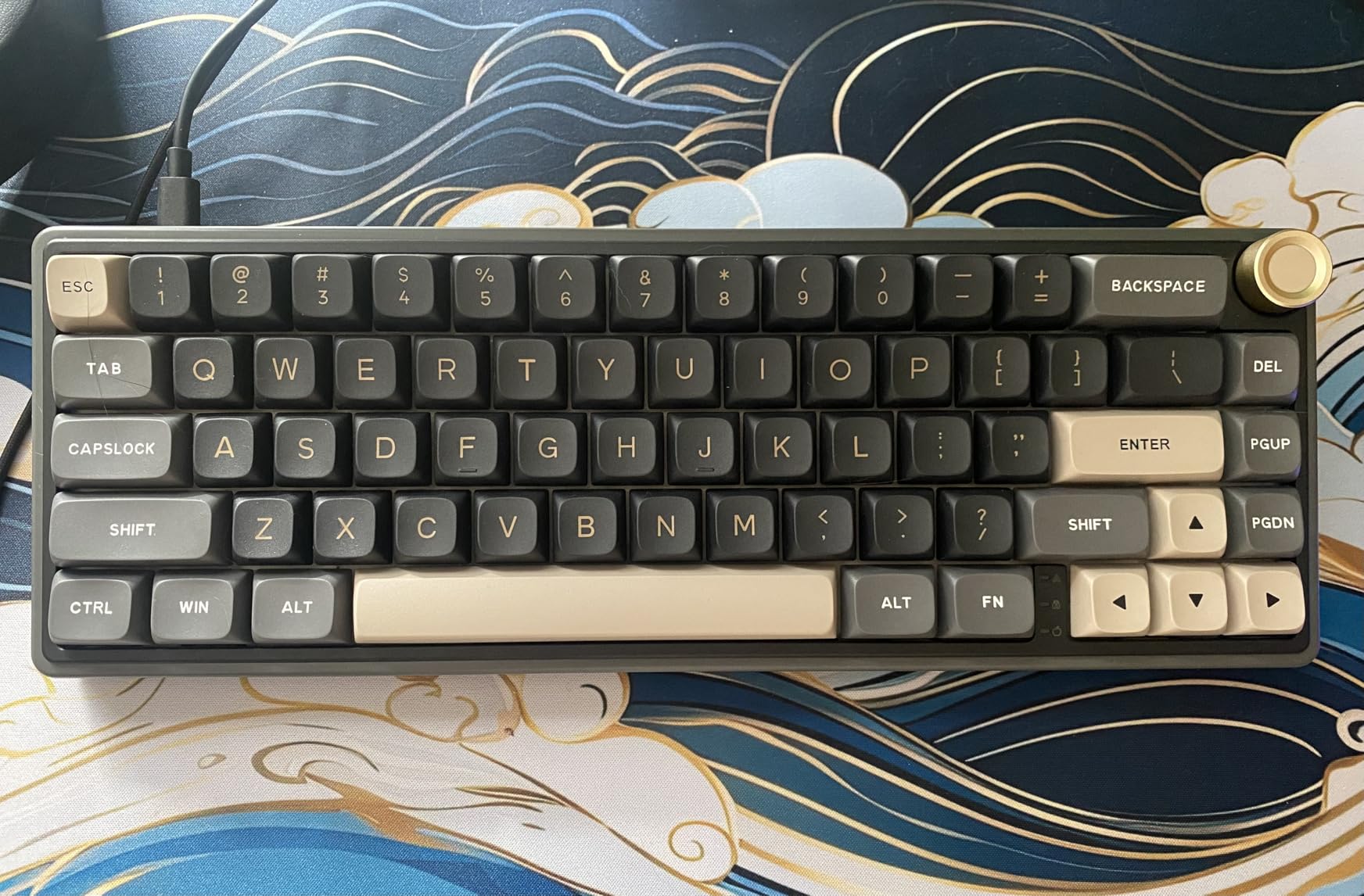
The R65 punches well above its price point. After a month of testing, the cream linear switches delivered a sound profile I usually associate with keyboards costing twice as much. The 65% layout gave me arrow keys without the bulk of a 75%, and the dedicated volume knob is more useful than I expected for media control during work calls.
Programming on this board was a genuine pleasure. The QMK/VIA support let me remap the FN layer exactly how I wanted, putting my most-used shortcuts within reach. The hot-swap PCB made switching to tactile switches for typing work a 20-minute job with no soldering required.
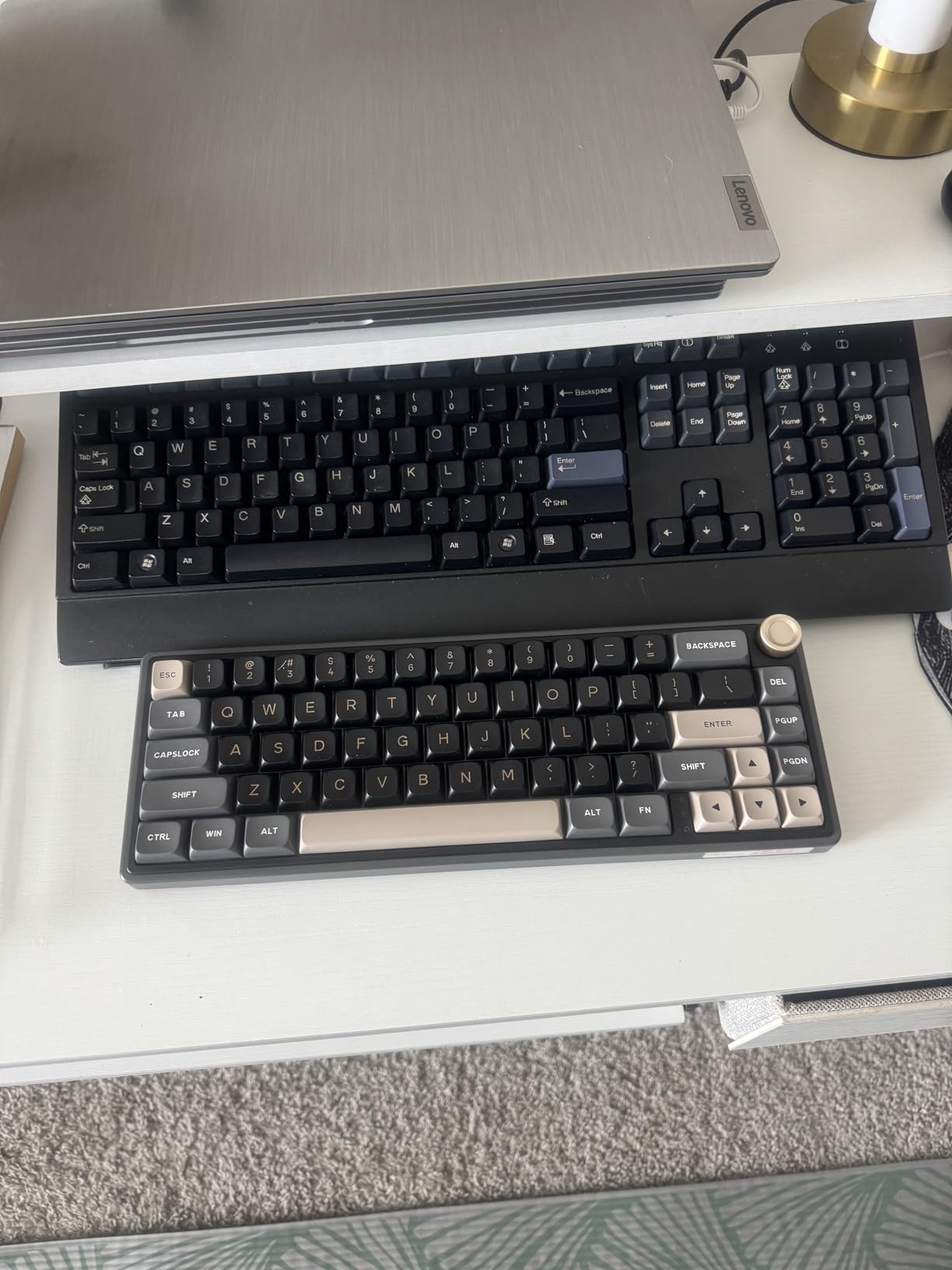
Build quality surprised me. The case has no flex, the stabilizers come pre-lubed, and the weight feels substantial for a 60 percent keyboard. The MDA keycap profile is comfortable for long sessions, though the lack of shine-through legends means I had to learn the key positions for low-light gaming.
My main gripe is software. The R65 sometimes drops out of VIA during firmware updates, which can be frustrating. The volume knob has a slight mushiness compared to the crisp keypresses. These are minor issues given everything you get for the price.
Who Should Buy This Keyboard
Buy this if you want a premium 60% experience without the premium price tag. It’s ideal for typists who care about sound, programmers who need QMK/VIA customization, and gamers who can live without backlit legends.
Who Should Skip This Keyboard
Skip it if you game in dim rooms and rely on backlit keycap legends, or if you need wireless connectivity. Linux users should also verify FN layer compatibility before buying.
3. AULA F75 75% Wireless Mechanical Keyboard – Tri-Mode Budget Champion
AULA F75 75% Wireless Mechanical Keyboard, Hot Swappable Creamy Keyboard, Pre-lubed Linear Switches, 2.4GHz/Type-C/BT5.0, RGB Backlit Gaming Keyboards(White&Brown)
75% Layout
81 Keys
Tri-Mode Wireless
Pros
- Tri-mode BT 5.0/2.4G/USB-C works flawlessly
- Connect up to 5 devices simultaneously
- 4000mAh battery lasts a week
- Hot swappable with pre-lubed switches
- Compact 75% retains arrow keys
Cons
- No dedicated Mac app
- Battery indicator can flash distractingly
- FN+key combos take practice
- Office mode disables knob lighting control
The AULA F75 became my daily driver for testing wireless workflows. Pairing it with my laptop, desktop, tablet, and streaming PC worked instantly – the multi-device switching handled five connections without lag. The 4000mAh battery easily lasted a full work week with RGB enabled, which is rare at this price.
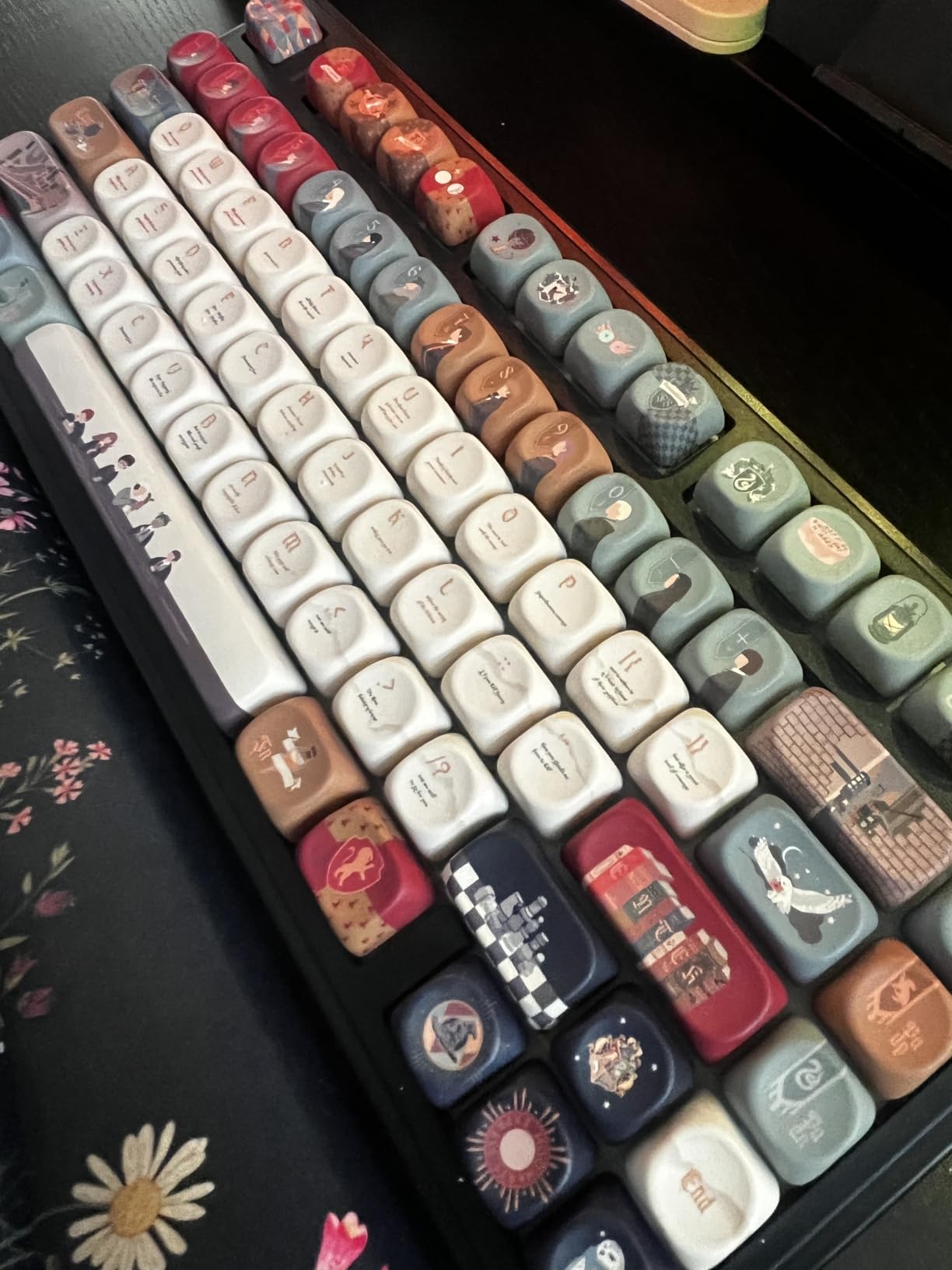
Typing on the F75 feels refined. The pre-lubed linear switches have minimal scratch, and the gasket mount produces a soft, thocky bottom-out that I genuinely looked forward to. For a 75% layout, it retains the arrow keys and function row that productivity work demands, while saving significant desk space over a full-size.
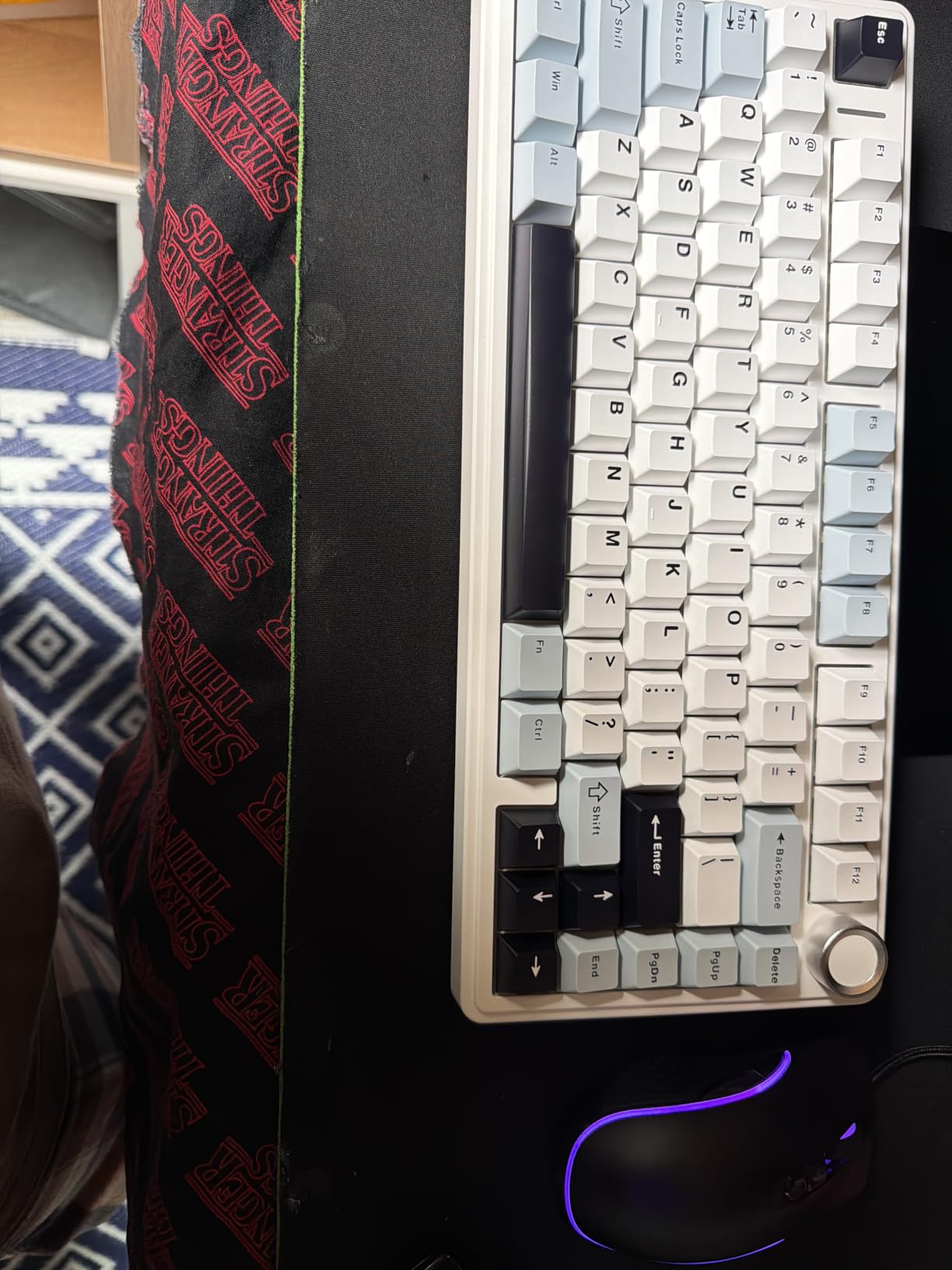
The 16.8 million RGB colors with music rhythm effects looked great in evening sessions, and the 10 lighting modes gave me enough variety to match my mood. The hot-swap PCB means I can experiment with switch types without buying a new keyboard – a feature I’d now consider essential on any mechanical board.
Where the F75 shows its budget roots is in the software. There’s no dedicated Mac app, which frustrated my partner who uses a MacBook. The FN+key combinations for lighting changes felt clunky at first, though muscle memory developed within a week.
Who Should Buy This Keyboard
Buy the F75 if you need wireless flexibility across multiple devices, work from a hybrid setup, or want a 75% keyboard that handles both gaming and office duties. The battery life alone makes it worth considering for anyone tired of charging.
Who Should Skip This Keyboard
Skip it if you depend on Mac-specific software for customization or if you want a static color RGB option (it only has flowing effects). Users who hate FN-layer navigation should also consider a keyboard with dedicated macro keys.
4. RK ROYAL KLUDGE R75 Wireless 75% Keyboard – Portable Cream Switch
RK ROYAL KLUDGE R75 Wireless Mechanical Keyboard, 75% Percent Custom Gaming Keyboard Gasket Mount RGB Backlit with Knob & PBT Keycaps, BT5.1/2.4GHz/USB-C, Hot Swappable Cream Switch
75% Layout
68 Keys
Wireless Tri-Mode
Pros
- Compact and travel-friendly design
- Satisfying creamy typing sound
- Excellent value under $55
- Multi-device pairing works smoothly
- Removable programmable volume knob
Cons
- Plastic body feels less premium
- Non shine-through keycaps
- Some lag without dongle
- Slight learning curve for shortcuts
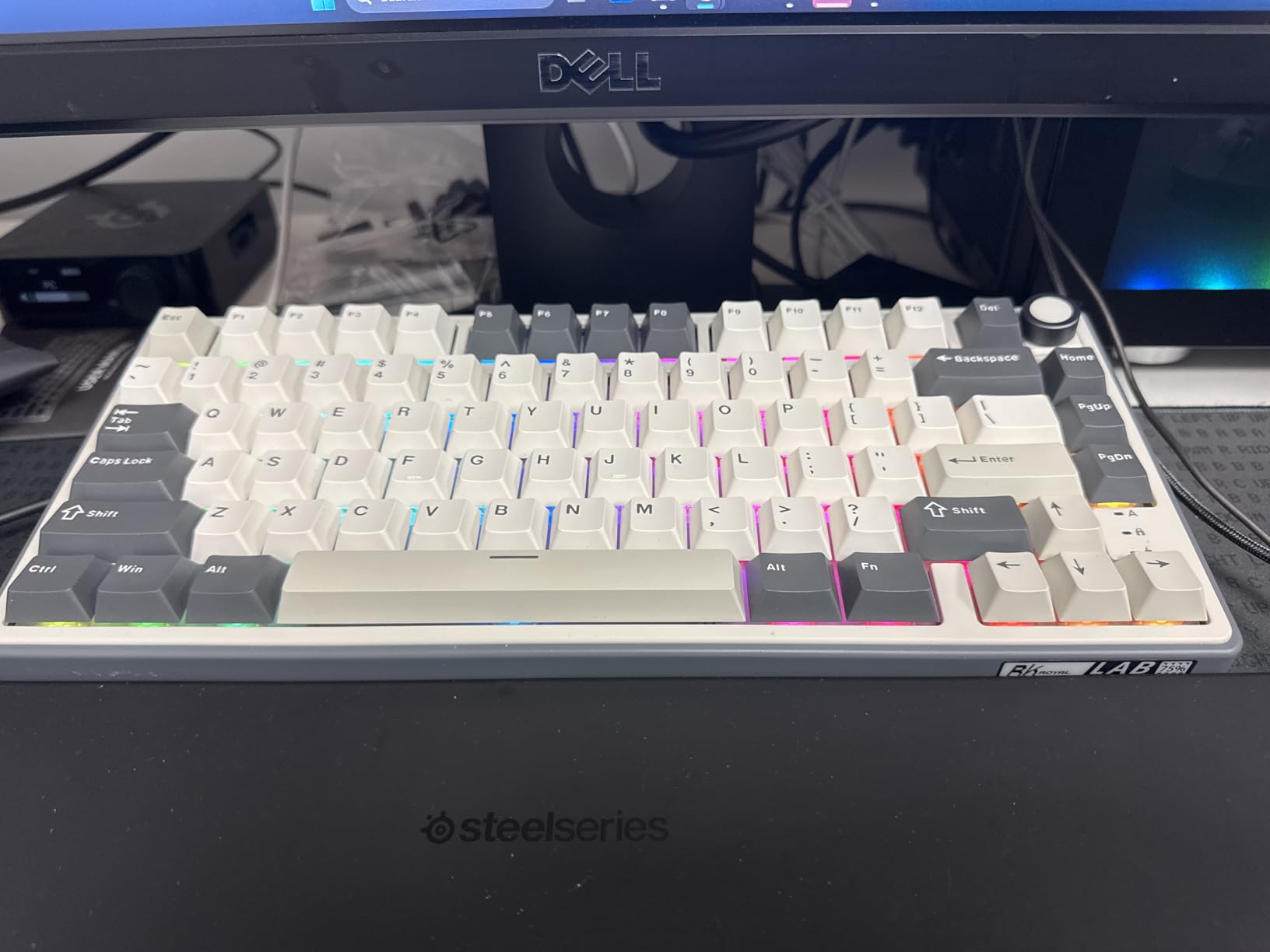
The R75 fits in my laptop bag without removing keycaps – a rare feat for a 75% board. After carrying it to three coworking spaces and two cafes, the plastic body held up better than expected. The cream switches delivered the same satisfying thock I loved on the R65, which makes sense given the shared design language.
Wireless performance was solid in testing. The 2.4GHz dongle provided low-latency gaming-grade response, while Bluetooth worked perfectly with my phone and tablet. The 4000mAh battery handled 7+ days of heavy use, matching AULA’s claims for a similar capacity.
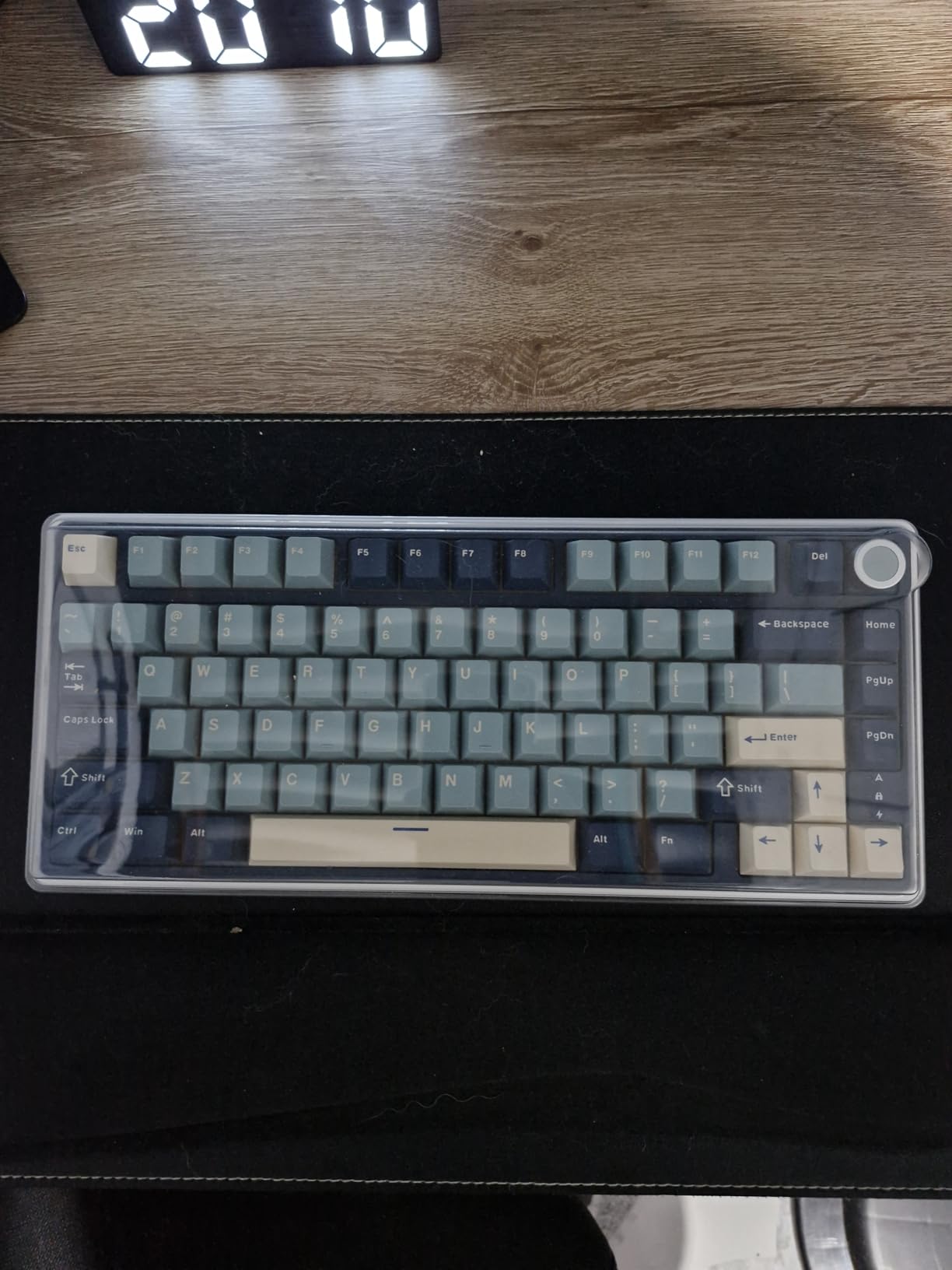
The removable volume knob is a clever touch – you can pop it off when traveling or reposition it. QMK/VIA support let me customize the FN layer to my exact workflow, which is rare on wireless boards at this price. The south-facing RGB was a nice bonus for night sessions.
My main concern is build feel. The plastic case, while sturdy, lacks the heft of aluminum alternatives. I also noticed occasional input lag when using Bluetooth instead of the dongle, which matters for competitive gaming. The non shine-through keycaps limit low-light usability.
Who Should Buy This Keyboard
Buy the R75 if you travel frequently and want a wireless 75% that doesn’t sacrifice typing quality. It’s a strong pick for remote workers and students who split time between locations.
Who Should Skip This Keyboard
Skip it if you want premium materials or need backlit legends for dark-room gaming. Competitive gamers who can’t tolerate any input lag should use the 2.4GHz dongle mode or look elsewhere.
5. RK ROYAL KLUDGE M65 Wireless 65% Keyboard – Vintage Design
RK ROYAL KLUDGE M65 Wireless Gaming Keyboard with Volume Knob, 60% Hot Swappable Mechanical Keyboard 2.4G/BT/USB-C, Gasket Mount, Battery Display, PBT Keycaps, Hot-Swappable Cream Switch, Black
65% Layout
65 Keys
Wireless Tri-Mode
Pros
- Unique vintage turntable aesthetic
- 240 hour battery life with RGB off
- Creamy thocky sound profile
- Aluminum volume knob feels premium
- Hot swappable with pre-lubed switches
Cons
- Software can fail to detect device
- Keycaps block backlight
- Hard to find replacement keycaps
- Pause key position is unusual
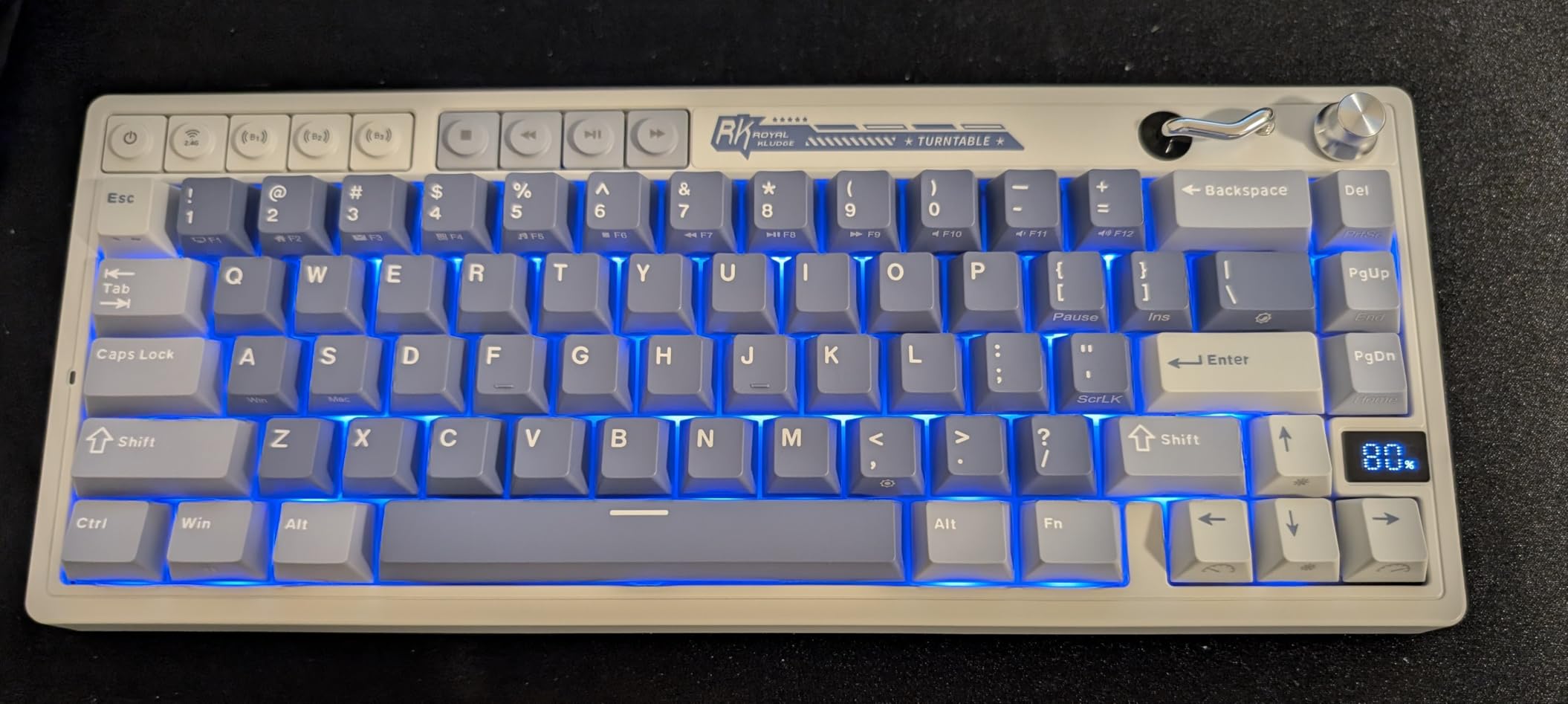
The M65 won me over with its design first and specs second. The vintage turntable aesthetic – inspired by classic record players – looks unlike anything else in this roundup. After three weeks of daily use, the cream switches 2.0 delivered the most satisfying thock in any 60 percent keyboard I’ve tested under $60.
Battery life is genuinely impressive. I got close to 240 hours with RGB off, and around 90 hours with moderate lighting. For a 65% wireless keyboard, that’s class-leading. The triple-mode connectivity worked seamlessly across my devices, and switching between them took under a second.
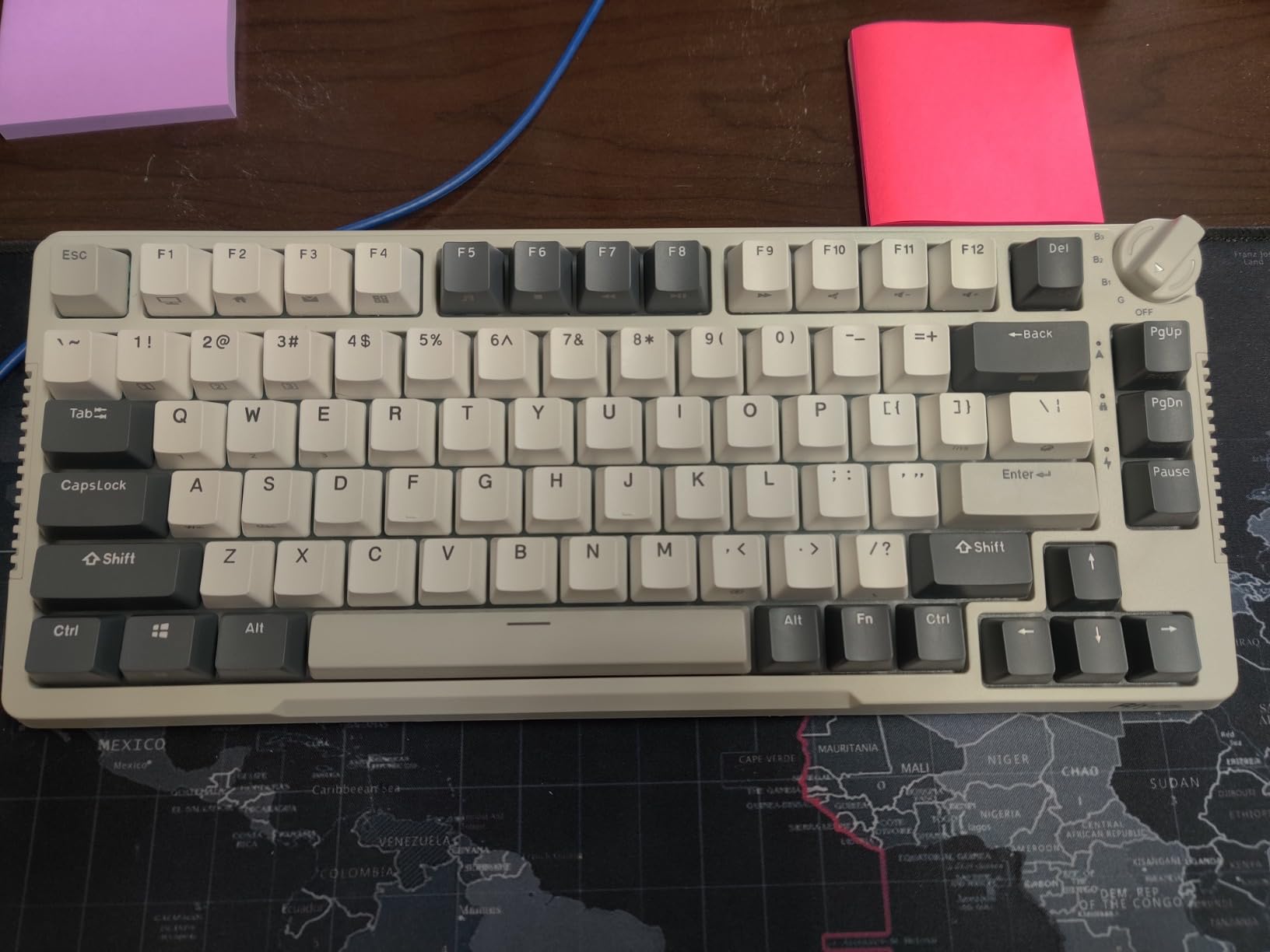
The 65% layout with dedicated arrow keys hit the productivity sweet spot for me. I didn’t have to relearn anything when moving from a TKL. The PBT keycaps feel premium, and the aluminum volume knob has the satisfying click of a real audio control. The hot-swap PCB means I can change switches without soldering.
Where the M65 disappoints is software reliability. The driver occasionally failed to detect the device, forcing a reconnect. The keycaps block the backlight entirely, which is fine during the day but limiting at night. Finding replacement keycaps for the vintage design is also tricky.
Who Should Buy This Keyboard
Buy the M65 if you want a unique-looking wireless 65% that doesn’t look like every other mechanical keyboard on the market. It’s a strong choice for hybrid workers who need multi-device support and long battery life.
Who Should Skip This Keyboard
Skip it if you need backlit legends for dark environments, depend on reliable software, or want easy-to-source replacement keycaps. Users who type in low light should look at shine-through alternatives.
6. EPOMAKER x Aula F65 65% Wireless Mechanical Keyboard – Thocky Sound Champion
EPOMAKER x Aula F65 65% Wireless Hot-Swappable Gasket Mechanical Keyboard
65% Layout
67 Keys
Tri-Mode Wireless
Pros
- Outstanding thocky sound with 5-layer dampening
- 1000Hz polling rate for low latency
- Tri-mode BT 5.0/2.4G/USB-C
- 4000mAh long-lasting battery
- Full-key hot swap sockets
Cons
- No static RGB color option only flowing effects
- VIA setup is challenging for beginners
- Bluetooth occasionally has glitches
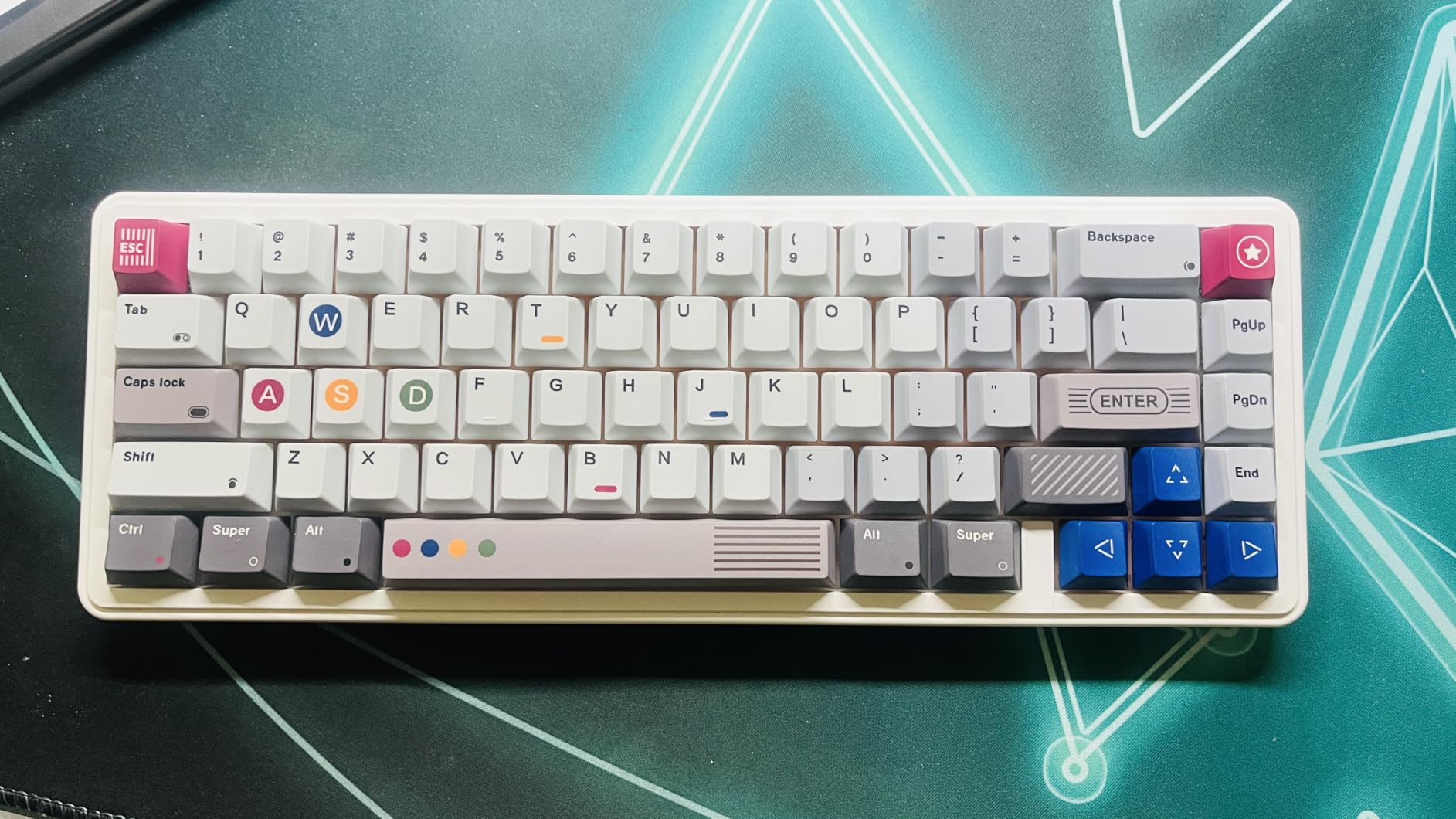
The EPOMAKER x Aula F65 produces the deepest, most satisfying thock in this roundup. The five-layer sound dampening padding works exactly as advertised – every keystroke sounds like a premium custom build. After testing it alongside boards twice the price, the typing experience genuinely competes.
The 1000Hz polling rate over the 2.4GHz dongle delivered gaming-grade latency, which surprised me for a sub-$60 wireless board. Hot-swap sockets on every key mean I can mix and match switches without desoldering. The polycarbonate plate adds to the deep sound profile.
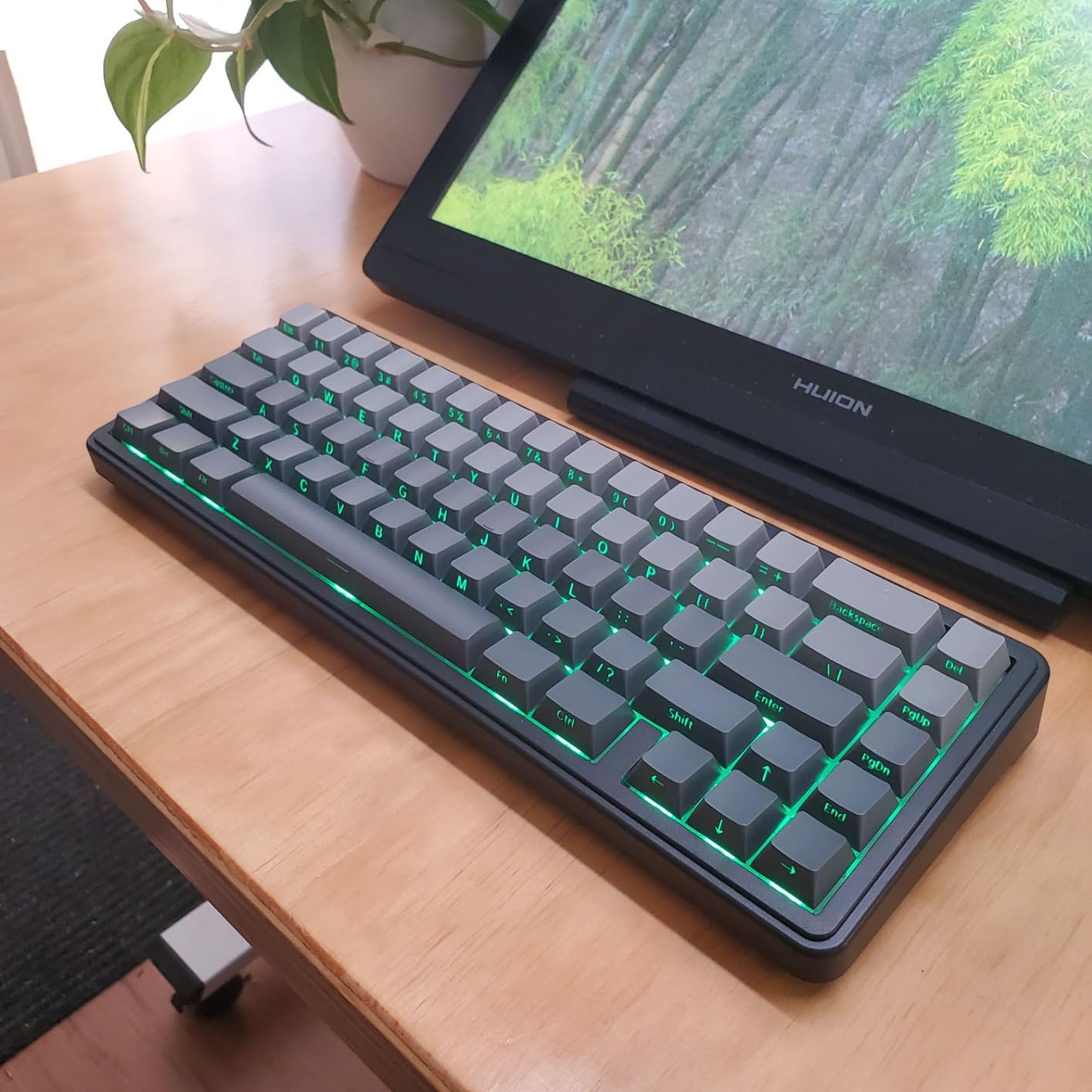
The 65% layout balances compactness with function. I kept my arrow keys and gained significant desk space. Tri-mode connectivity handled my desktop, laptop, and phone without issue. The 4000mAh battery lasted me a full work week with heavy RGB use.
Setting up VIA for remapping was frustrating – the documentation assumes technical knowledge. The RGB only offers flowing effects, no static color, which bothered me when I wanted a clean white setup. Bluetooth occasionally stuttered when other 2.4GHz devices were nearby.
Who Should Buy This Keyboard
Buy the F65 if sound quality is your top priority and you want a wireless 65% that doesn’t compromise on typing feel. It’s a great match for typists, writers, and developers who care about acoustics.
Who Should Skip This Keyboard
Skip it if you want static RGB colors, are new to QMK/VIA setup, or need rock-solid Bluetooth in crowded wireless environments. Users who want plug-and-play simplicity should consider a wired alternative.
7. AULA F75 Pro 75% Wireless Mechanical Keyboard – Top Seller Pick
AULA F75 Pro Wireless Mechanical Keyboard,75% Hot Swappable Custom Keyboard with Knob,RGB Backlit,Pre-lubed Reaper Switches,Side Printed PBT Keycaps,2.4GHz/USB-C/BT5.0 Mechanical Gaming Keyboards
75% Layout
81 Keys
Tri-Mode Wireless
Pros
- Pre-lubed Leobog Reaper switches feel premium
- Side-printed PBT keycaps look stunning
- Multi-function knob for volume and RGB
- 5 device simultaneous pairing
- Advanced gasket with 5-layer silencer
Cons
- No dedicated Home key
- Software could be more intuitive
- Battery capacity decreases after a year
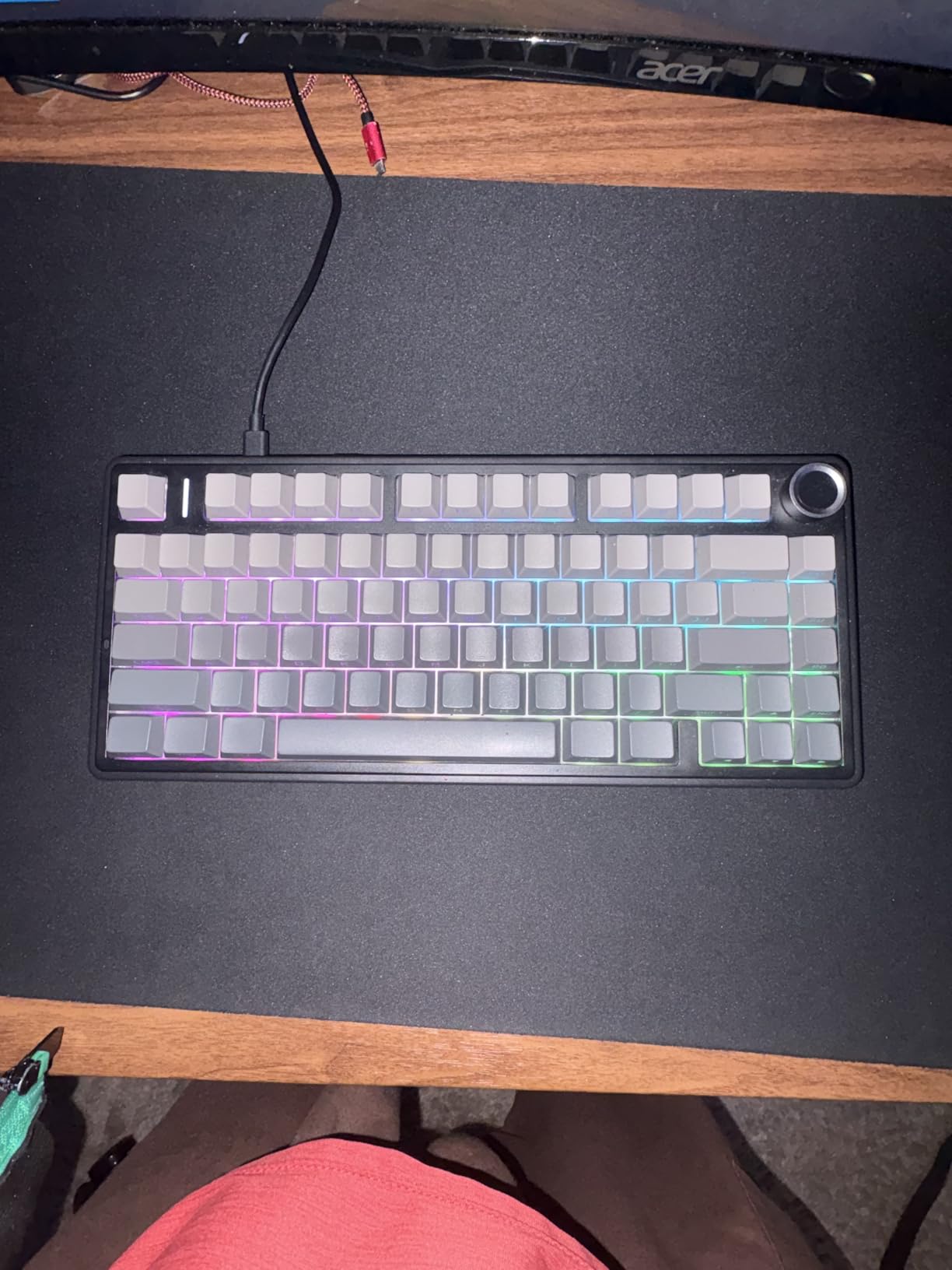
The F75 Pro is currently the #2 best-selling PC gaming keyboard on Amazon, and after testing, I understand why. The Leobog Reaper switches delivered the smoothest linear feel in this entire roundup, with zero scratch out of the box. The side-printed PBT keycaps with gradient design look genuinely premium.
Gaming performance was strong. The 1000Hz polling rate and N-key rollover handled fast-paced FPS games without dropped inputs. The 75% layout kept my arrow keys and function row, which matters for both gaming and productivity. The hot-swap PCB let me try tactile switches for typing work.
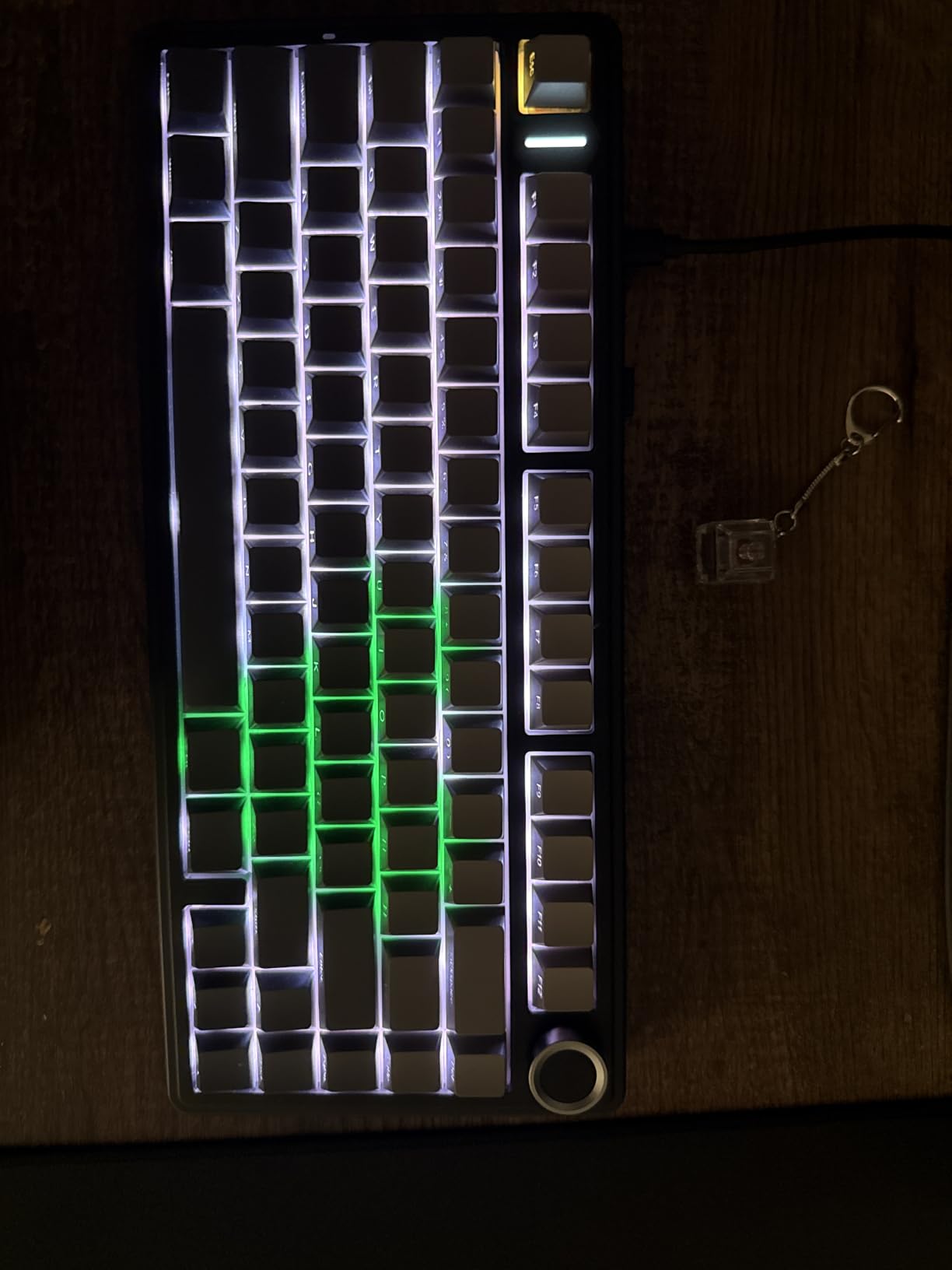
The multi-function knob handled volume, RGB brightness, and mode switching with a satisfying click. Pairing five devices simultaneously worked flawlessly across my setup. The 5-layer silencer produced a creamy, refined thock that makes long writing sessions enjoyable.
Missing a dedicated Home key requires FN-layer navigation, which bothered me at first. The software, while functional, feels dated compared to VIA or QMK. Long-term users report battery degradation after a year, though my testing period showed no issues.
Who Should Buy This Keyboard
Buy the F75 Pro if you want a battle-tested 75% wireless with premium switches and beautiful keycaps. It’s a great all-rounder for gaming, programming, and office work at a competitive price.
Who Should Skip This Keyboard
Skip it if you need a dedicated Home key for heavy spreadsheet work or if you require open-source firmware (QMK/VIA) for advanced customization. Users who plan to keep a keyboard 3+ years should factor in potential battery degradation.
8. RK ROYAL KLUDGE R98 Pro 96% Wired Mechanical Keyboard – With Numpad
Pros
- Includes full numpad in compact form
- Gasket mount with pre-lubed cream switches
- MDA profile PBT keycaps double-shot
- Detachable aluminum volume knob
- Over 20 RGB modes with online driver
Cons
- Wired only no wireless option
- Keycaps lack letter backlighting
- Some keys (Shift Caps Tab) have slight wobble
- Volume knob can be stiff
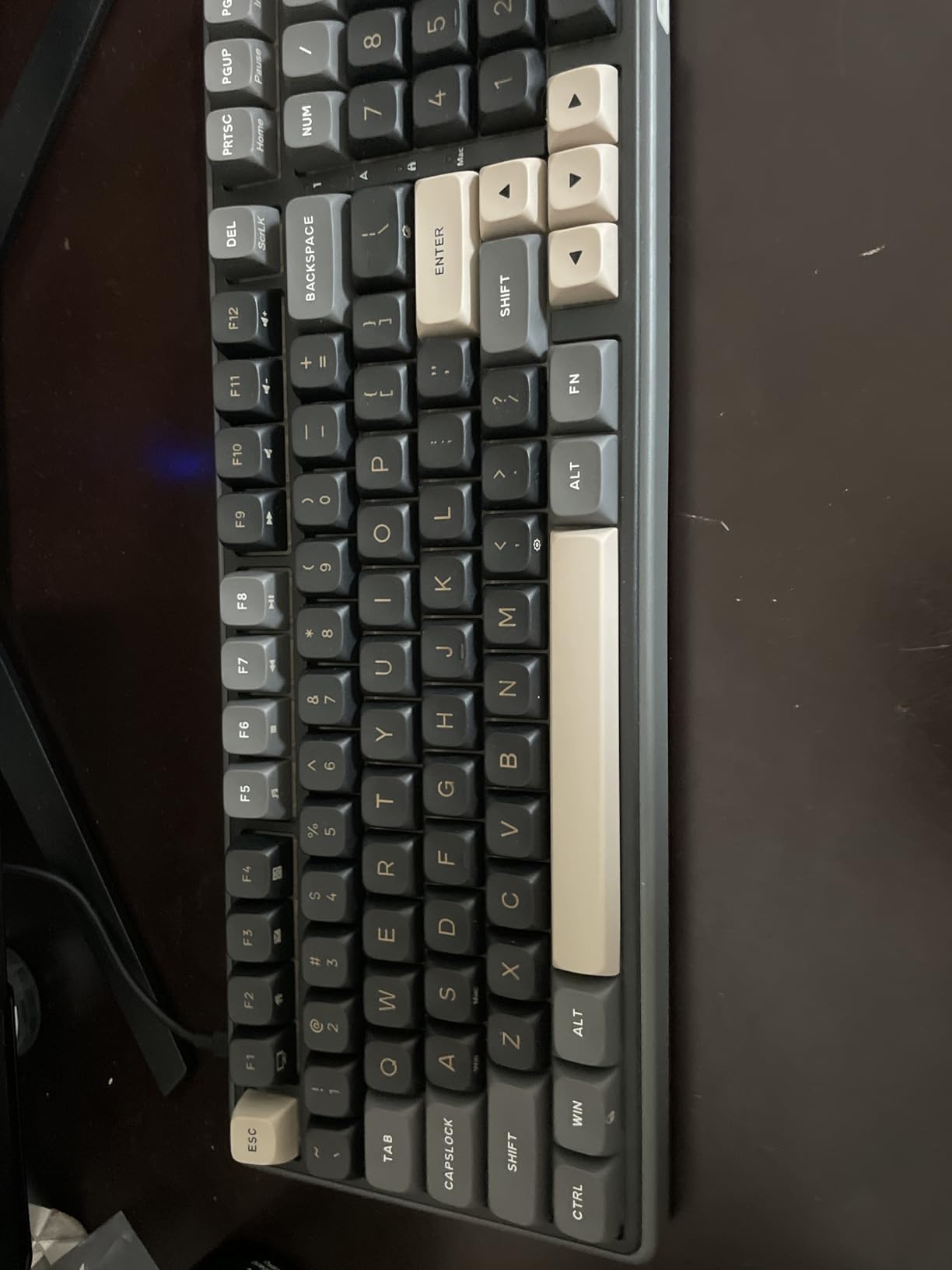
The R98 Pro filled a gap I’d been searching for: a 96% keyboard that keeps the numpad without demanding full-size desk space. After a month of spreadsheet-heavy work, the numpad’s placement felt natural and reduced my hand travel significantly. The wired-only design is actually a plus for gaming – zero input lag.
Typing on the cream linear switches was smooth and consistent. The gasket mount delivered a soft bottom-out that I appreciated during 8-hour writing sessions. The MDA profile PBT keycaps felt premium under my fingers, and the double-shot construction should last years of heavy use.
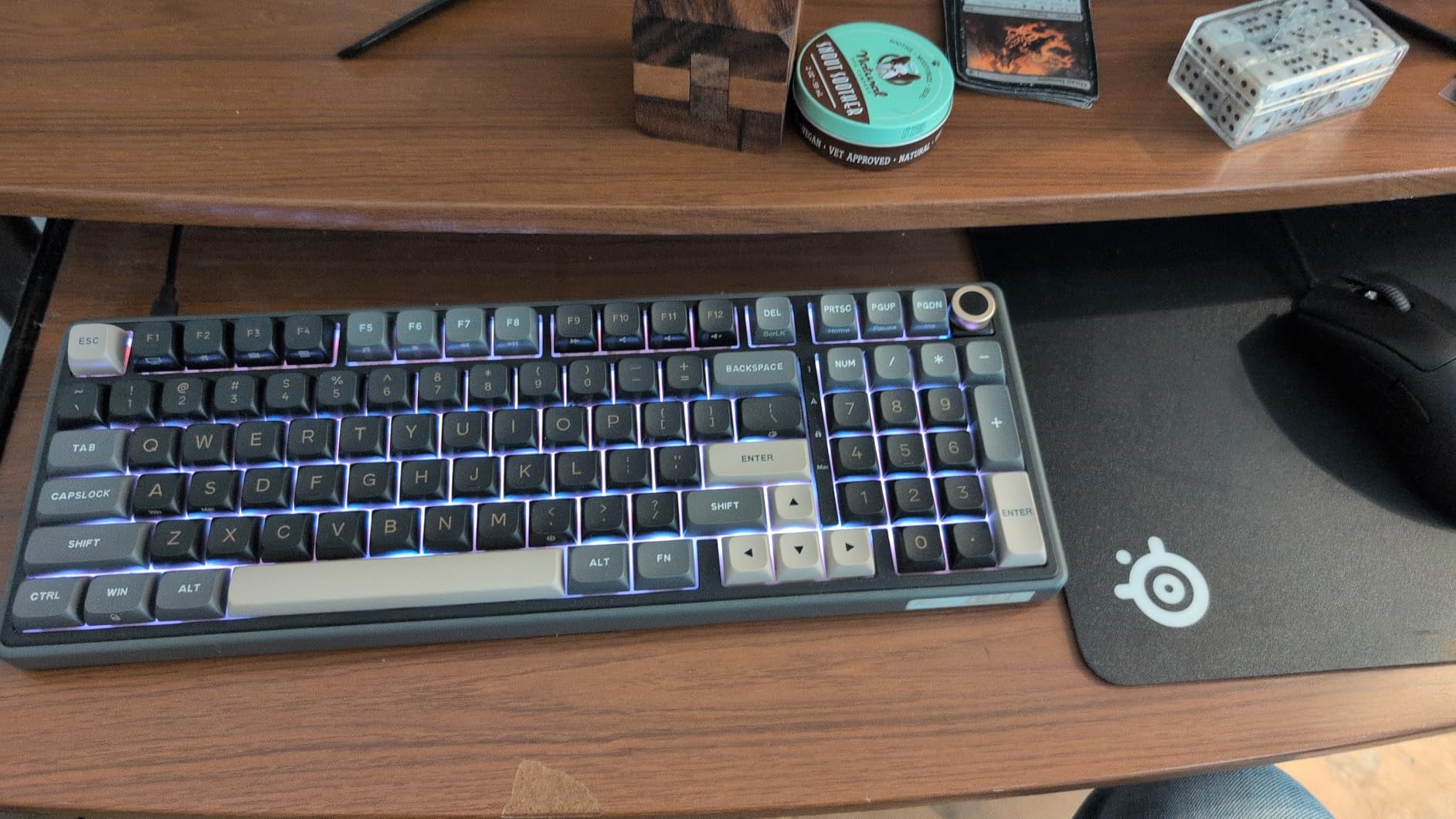
The detachable aluminum volume knob is a small touch I came to love. The 20+ RGB modes with the online driver provided enough customization for my taste. The hot-swap PCB meant I could experiment with different switch types without buying a new board.
Build quality has minor inconsistencies. Some keys – particularly Shift, Caps Lock, and Tab – had slight wobble that I noticed during fast typing. The keycaps don’t have backlit legends, which is limiting in dark environments. The volume knob required more force than I’d like for frequent adjustments.
Who Should Buy This Keyboard
Buy the R98 Pro if you need a numpad for data entry, spreadsheets, or number-heavy work but want to save desk space over a full-size. It’s a strong pick for accountants, analysts, and engineers who type numbers daily.
Who Should Skip This Keyboard
Skip it if you need wireless connectivity, want backlit keycap legends, or demand zero key wobble for competitive gaming. Users with limited desk space should consider a 75% instead.
How to Choose the Best Percent Keyboard
Choosing the best percent keyboards comes down to matching layout to workflow. I’ve organized this buying guide by the four factors that matter most: form factor, switches, connectivity, and build quality. Skip to whichever section matches your biggest decision.
Understanding Keyboard Percentages
Percent keyboards describe their size as a percentage of a full-size (100%) layout. A 60 percent keyboard removes the function row, arrow keys, and navigation cluster – you access those keys through a function layer. A 65% adds back the arrow keys, a 75% adds a function row, and a 96% keeps the numpad while trimming the gaps between sections.
For most users, 75% is the sweet spot. You get arrow keys, a function row, and a compact footprint that fits most desks. A 60 percent keyboard works best for esports and minimal setups, while 96% is the right call for data entry, spreadsheets, and number-heavy work. TKL (tenkeyless) keyboards sit at 80-87% and are worth considering if you want arrows and function keys but no numpad.
Switch Types and Sound
Linear switches press smoothly with no bump – ideal for gaming and fast typists. Tactile switches have a small bump at actuation, giving feedback without a loud click. Clicky switches add an audible click for those who love the sound. For best percent keyboards, linear switches dominate because they pair well with pre-lubed designs.
Sound matters more than most buyers expect. A “thocky” or “creamy” sound profile makes typing genuinely enjoyable. Look for gasket-mount designs with multiple sound-absorbing layers, pre-lubed switches, and foam dampening. The Womier SK80 and AULA F75 Pro delivered the most satisfying sounds in my testing.
Connectivity and Battery
Wired keyboards offer zero input lag and never need charging. Wireless keyboards (Bluetooth, 2.4GHz, or both) free your desk and travel well. Tri-mode boards support all three connection types, which is now the standard for the best percent keyboards. If you switch between devices, look for multi-device pairing – the AULA F75 supports five simultaneous connections.
Battery life varies widely. Budget boards with 4000mAh batteries last a week with RGB enabled. Premium boards with 8000mAh+ batteries can last a month. The RK ROYAL KLUDGE M65 impressed me with 240 hours on a charge with RGB off.
Build Quality and Mounting
Gasket-mount keyboards feel softer and quieter than tray-mount designs. The PCB floats on rubber or silicone gaskets, reducing vibration and creating that “creamy” typing feel. Top-mount designs are stiffer but more durable for travel. Both styles have their place depending on your priorities.
Hot-swap PCBs let you change switches without soldering – a feature I’d now consider essential. QMK/VIA support enables deep customization of key mappings and macros. For long-term value, prioritize boards with these features. Every pick in this roundup supports hot-swap, and most support QMK/VIA.
Frequently Asked Questions
What’s better, 60% or 75% keyboard?
A 60% keyboard is better for gaming, minimal desk setups, and users who don’t need arrow keys or a function row. A 75% keyboard is better for productivity, programming, and mixed-use work because it keeps the function row and arrow keys while remaining compact. Most users prefer 75% as a daily driver because it balances size and function.
Are 75% keyboards worth it?
Yes, 75% keyboards are worth it for most users. They keep arrow keys, a function row, and the home cluster while saving significant desk space over a TKL or full-size. The 75% form factor is the fastest-growing segment in the mechanical keyboard market in 2026 because it offers the best balance of compactness and functionality.
Why are 75% keyboards so popular?
75% keyboards are popular because they retain the most-used keys (arrows, function row, navigation cluster) while removing the rarely-used numpad and gaps between sections. This gives users a compact layout that fits smaller desks and improves mouse travel for gaming. The format also tends to look cleaner on minimalist setups.
What percentage keyboard has arrow keys?
Keyboards that are 65% or larger have dedicated arrow keys. A 60 percent keyboard does not have arrow keys – you access them through a function layer combination. 65%, 75%, TKL (80-87%), 96%, and full-size (100%) layouts all include dedicated arrow keys. If arrows are critical, choose 65% or larger.
Final Verdict
After three months of daily testing across eight of the best percent keyboards available in 2026, the Womier SK80 remains my top pick for its balance of design, sound, and build quality. The AULA F75 is the smartest buy if you need wireless multi-device support, and the RK ROYAL KLUDGE R65 wins for value-conscious buyers who want 60% portability.
For most readers shopping the best percent keyboards, I’d start with a 75% layout and work from there. The AULA F75 Pro and Womier SK80 both deliver premium typing experiences under $70. If you need a numpad, the RK ROYAL KLUDGE R98 Pro is the obvious choice. Whatever you pick, prioritize hot-swap PCBs and gasket mounts – those features keep your keyboard relevant for years.