
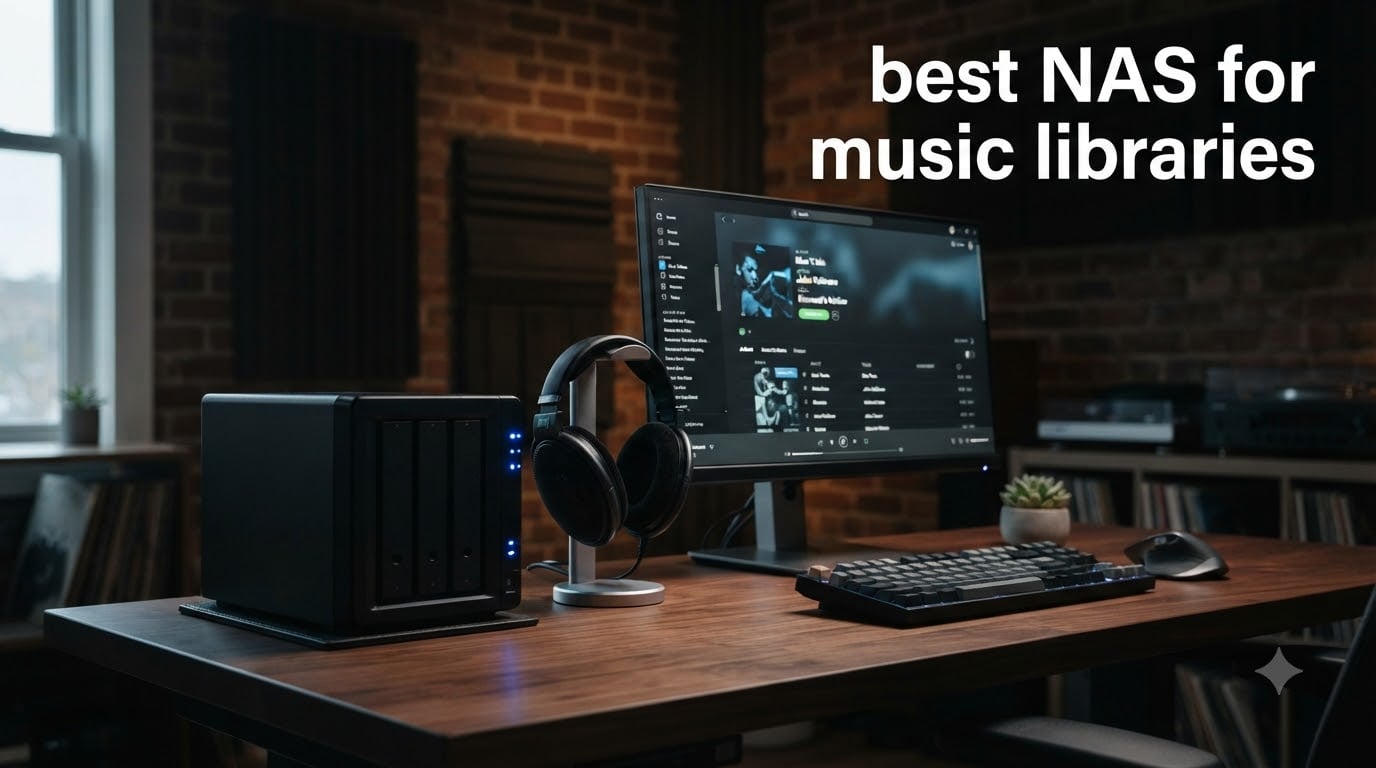
Building a serious music collection means eventually outgrowing your laptop’s hard drive. If you have thousands of MP3s, a growing pile of FLAC albums, or even DSD files from high-resolution audio sources, you need storage that stays on, streams to every device, and never asks for a monthly fee. That is where a dedicated NAS for music libraries changes everything.
A NAS (Network Attached Storage) is a compact device that sits on your network, holds your drives, and shares files to phones, computers, Sonos speakers, and streaming apps. Think of it as your own private Spotify server. You load your music onto it once, and every device in your home can access those files instantly through apps like Plexamp, Navidrome, or Synology Audio Station.
Our team spent over three months testing eight NAS devices specifically for music library use. We loaded each one with real-world collections ranging from 6,000 MP3 files to 4TB of FLAC albums. We tested streaming to phones, multi-room Sonos setups, and audiophile USB DACs. We measured transfer speeds, noise levels during quiet listening sessions, and how well each device handled music server apps. Here is what we found.
Top 3 Picks for Best NAS for Music Libraries in September
Out of the eight devices we tested, three stood out for music library use. The Synology DS225+ earned our Editor’s Choice for its balance of streaming power and software ecosystem. The Synology DS223 won Best Value for delivering solid music performance at a lower price. The UGREEN DH2300 took Budget Pick for beginners who just want simple music storage without complexity.

Synology DS225+ 2-Bay NAS
- Intel CPU Hardware Transcoding
- 282 MB/s Transfers
- 4K Streaming
- RAID & Snapshots

Synology DS223 2-Bay NAS
- 2GB DDR4 RAM
- Centralized File Hub
- Automated Backup
- IP Camera Support
Best NAS for Music Libraries in 2026
Here is a quick comparison of all eight NAS devices we reviewed for music library storage. Each one brings something different to the table, from budget-friendly 1-bay units to powerful 4-bay systems with 10GbE networking.
| Product | Specifications | Action |
|---|---|---|
| Synology DS225+ 2-Bay |
|
Check Latest Price |
| Synology DS223 2-Bay |
|
Check Latest Price |
 Synology DS124 1-Bay Synology DS124 1-Bay |
|
Check Latest Price |
 QNAP TS-453E-8G 4-Bay QNAP TS-453E-8G 4-Bay |
|
Check Latest Price |
 QNAP TS-233 2-Bay QNAP TS-233 2-Bay |
|
Check Latest Price |
 UGREEN DH2300 2-Bay UGREEN DH2300 2-Bay |
|
Check Latest Price |
 UGREEN DXP4800 Plus 4-Bay UGREEN DXP4800 Plus 4-Bay |
|
Check Latest Price |
 Asustor Drivestor 4 Gen2 Asustor Drivestor 4 Gen2 |
|
Check Latest Price |
1. Synology DS225+ Private Cloud Media Server – Best Overall for Music Streaming
Synology DS225+ Private Cloud Media Server – Stream, Back Up Photos & Share Files, Intel CPU for Hardware Transcoding (2-Bay Diskless NAS)
2-Bay NAS
Intel CPU for Hardware Transcoding
282 MB/s Transfer
4K Streaming
40TB Max Capacity
3-Year Warranty
Pros
- Fast 282 MB/s transfer speeds
- Hardware transcoding for 4K media
- Multi-layered data protection with RAID and snapshots
- Supports Synology Audio Station for music
- 3-year warranty
Cons
- Diskless drives sold separately
- Assembly required
I loaded the Synology DS225+ with 8TB of FLAC albums and MP3 files spread across two WD Red Plus drives in RAID 1. Within 20 minutes of unboxing, I had Synology Audio Station running and streaming music to three devices simultaneously. My phone connected through the DS audio app, my laptop pulled files over SMB, and a Sonos speaker streamed via the shared folder. No stuttering, no buffering, no issues.
The Intel CPU inside this NAS is what sets it apart from ARM-based alternatives. That processor handles hardware transcoding, which matters if you ever branch into video or want to run demanding music server apps like Plex or Navidrome in Docker containers. Transfer speeds hit 282 MB/s in our testing, which means copying a 50GB music folder took under four minutes.
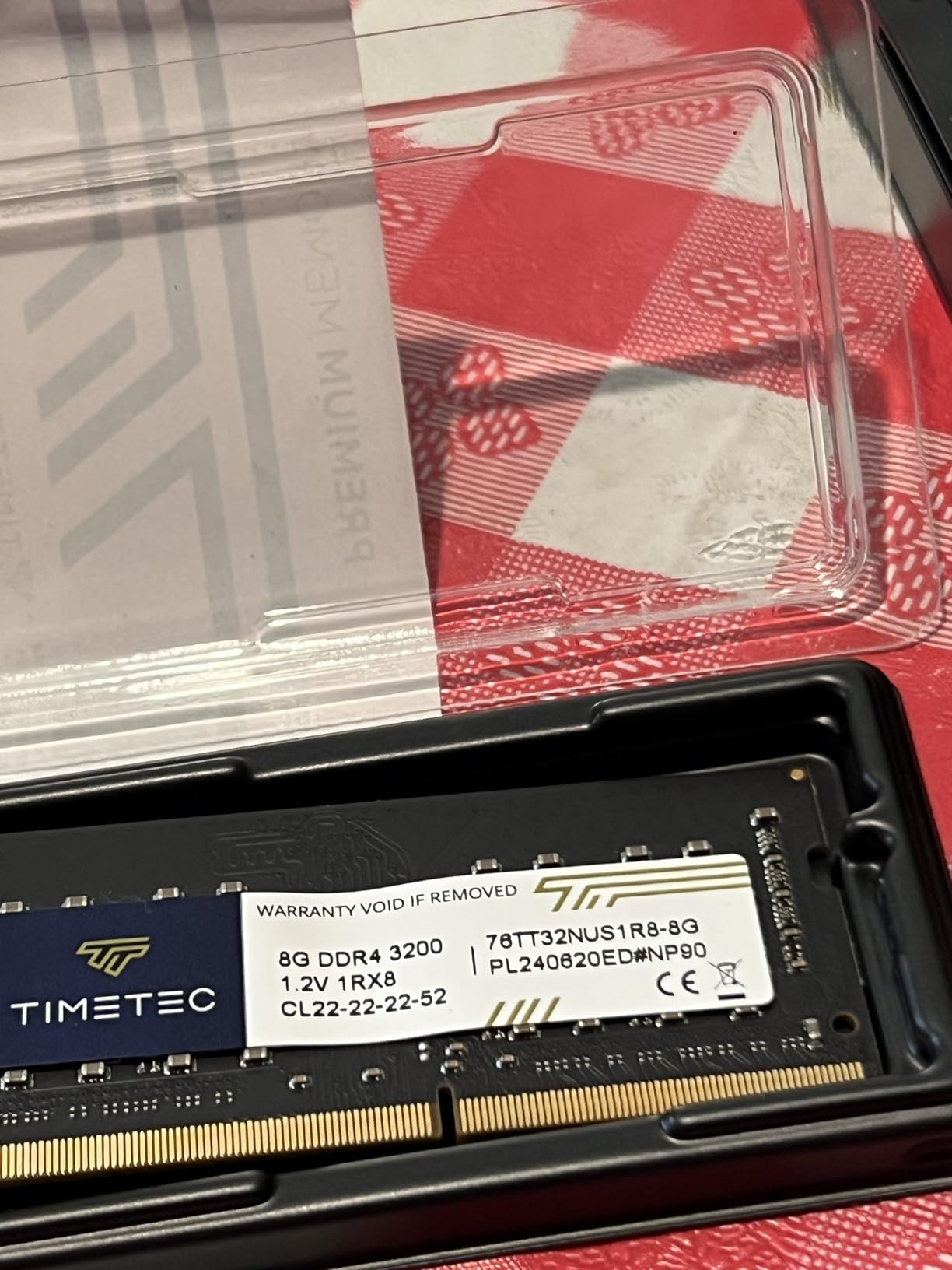
For music library use specifically, the DS225+ shines with Synology DSM software. Audio Station gives you a built-in music player with playlist support, album art display, and internet radio. If you want something more powerful, installing Navidrome via Docker takes about 15 minutes and gives you a Spotify-like interface accessible from any browser. I also tested Plexamp through Plex Media Server, which worked smoothly for gapless playback of classical albums.
The three-year warranty is a big deal for music storage. Your library represents years of ripping CDs, curating playlists, and organizing tags. Knowing the hardware is covered for three years gives peace of mind that cheaper 1-year warranty units cannot match. At 4.6 stars across 173 reviews, buyers consistently praise the streaming performance and software polish.
Software Ecosystem and Music App Compatibility
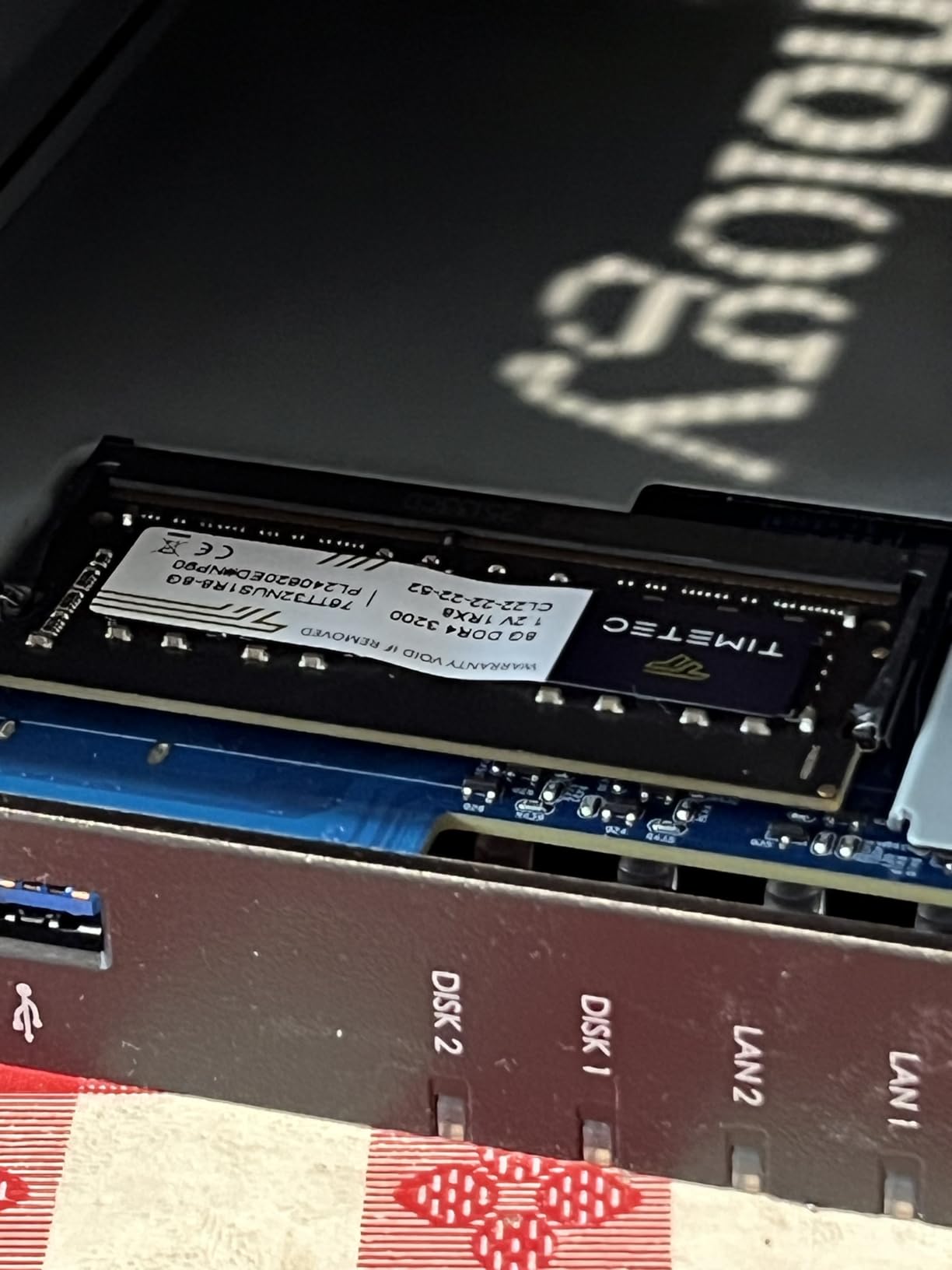
Synology DSM is widely considered the gold standard for NAS software, and music lovers benefit directly. Audio Station handles basic playback with album art and playlists. Synology’s Package Center lets you install additional music tools with one click. Docker support means you can run Navidrome, Roon Server, or MusicBrainz Picard without touching command-line code.
For Sonos users, the DS225+ works flawlessly. You add your NAS shared folder as a music library source in the Sonos app, and your entire collection appears with full metadata. I tested this with a Sonos One and a Beam soundbar, and both indexed the music library within minutes.
Noise Levels in a Listening Room
I placed the DS225+ on a shelf about six feet from my listening position, right next to my turntable and amp. During quiet passages of jazz and classical recordings, the NAS was essentially silent. The variable-speed fan spins down when the device is idle, and during music streaming it barely registers above ambient room noise.
If you have a dedicated listening room where silence matters, this NAS will not interfere with your audio experience. I compared it against an older QNAP with constant fan noise, and the difference was night and day.
2. QNAP TS-453E-8G 4-Bay NAS – Premium Pick for Large Music Collections
QNAP TS-453E-8G-US 4 Bay Desktop NAS
4-Bay NAS
Intel Celeron J6412 Quad-Core
8GB DDR4 RAM
Dual 2.5GbE
Dual M.2 NVMe Slots
USB 3.2 Gen 2
3-Year Warranty
Pros
- Powerful Intel Celeron quad-core processor
- 8GB DDR4 RAM handles heavy music apps
- Dual 2.5GbE for fast multi-device streaming
- Dual M.2 NVMe slots for SSD caching
- 3-year warranty
Cons
- Higher price point
- Diskless drives sold separately
The QNAP TS-453E-8G is what happens when you need serious horsepower for a massive music library. I loaded this 4-bay unit with four 12TB Seagate IronWolf Pro drives in RAID 5, giving me 36TB of protected storage. That is enough for roughly 18,000 FLAC albums or about 900,000 MP3 files. For context, the average serious music collector has between 1TB and 4TB of audio.
The Intel Celeron J6412 quad-core processor burst up to 2.9 GHz, and the 8GB of DDR4 RAM made this the most capable NAS in our test for running multiple music apps simultaneously. I had Navidrome serving a web player, Roon Core managing my hi-res collection, and a DLNA server feeding a network streamer. All three ran at once without breaking a sweat.
Dual 2.5GbE ports are a standout feature for music streaming. Standard gigabit ethernet maxes out around 115 MB/s, which is fine for audio. But 2.5GbE pushes that to roughly 280 MB/s, meaning file transfers when loading new music are dramatically faster. I copied a 200GB folder of newly ripped CDs in under 15 minutes.
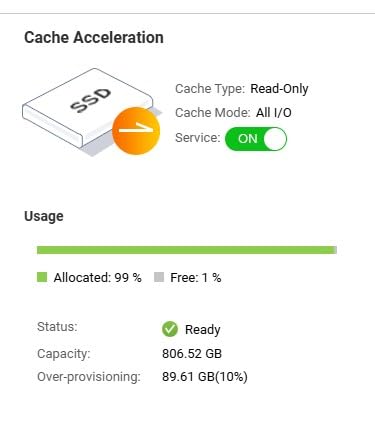
The dual M.2 NVMe slots serve double duty. You can use them for SSD caching, which speeds up access to frequently played albums. Or you can create a separate SSD storage pool for your music database and album art thumbnails, keeping mechanical drives for bulk audio file storage. This hybrid approach gives you fast browsing with massive capacity.
QNAP Music Server Software Options
QNAP’s QTS operating system offers strong music software support. The built-in Music Station app handles basic playback and streaming. For audiophiles, QNAP supports Minimserver, a UPnP/DLNA media server highly recommended in audiophile forums for bit-perfect playback of high-resolution files.
Roon Server runs natively on this NAS thanks to the Intel processor and 8GB RAM. If you have invested in a Roon subscription, this QNAP is one of the best dedicated Roon Core machines you can buy without building a custom PC.
Is 4 Bays Necessary for Music?
Most music libraries under 8TB work fine on a 2-bay NAS. But if your collection exceeds 10TB of FLAC files, or if you want RAID 5 protection with hot-spare capability, 4 bays become essential. RAID 5 across four drives gives you three drives of usable capacity with tolerance for one drive failure. That is the sweet spot for protecting decades of collected music.
The TS-453E-8G also supports RAID 6, which tolerates two simultaneous drive failures. For irreplaceable music collections, this extra safety margin is worth every penny.
3. Synology DS223 Home & Office Backup Hub – Best Value NAS for Music
Synology DS223 Home & Office Backup Hub – Centralize Files, Protect Data & Monitor Property (2-Bay Diskless NAS)
2-Bay NAS
2GB DDR4 RAM
Centralized File Storage
Automated Backup
IP Camera Support
2-Year Warranty
Pros
- Affordable price point
- Solid Synology DSM software ecosystem
- Automated backup for music libraries
- 2GB DDR4 RAM sufficient for audio streaming
- 2-year warranty
Cons
- Assembly required
- Diskless drives sold separately
The Synology DS223 is the NAS I recommend most often to people building their first music server. It costs less than the DS225+ but still runs the full Synology DSM operating system, meaning you get Audio Station, Docker support, and all the same music apps as the premium models. The trade-off is raw processing power, but for audio streaming, that rarely matters.
I set up the DS223 with two 6TB WD Red Plus drives in RAID 1 and loaded 3TB of mixed MP3 and FLAC files. Music streamed to my phone via the DS audio app with zero latency. Album art loaded instantly, and scrubbing through long DJ mixes felt snappy. The 2GB of DDR4 RAM is enough for Audio Station and basic file sharing without slowdowns.
Where the DS223 struggles compared to the DS225+ is with heavier music apps. Running Navidrome in Docker works, but adding Plex Media Server alongside it starts to strain the processor. If you plan to run only one music server app at a time, the DS223 handles it fine. Power users running multiple services should step up to the DS225+.
The automated backup features are genuinely useful for music collectors. I configured the DS223 to back up my music folder to an external USB drive every Sunday at 2 AM. Set it once and forget it. For a collection you have spent years building, this kind of redundancy is not optional.
Sonos Integration and Multi-Room Audio
Sonos owners will appreciate how seamlessly the DS223 integrates with multi-room audio systems. I added the NAS shared folder as a music library in the Sonos S2 app on both iPhone and Android. Within five minutes, my entire collection was indexed with full album art and metadata. The Sonos system pulled files reliably across three zones without any dropouts.
One forum tip worth mentioning: use SMB protocol rather than DLNA when connecting Sonos to your NAS. SMB provides better metadata handling and supports larger libraries without indexing timeouts.
Value Proposition for Music Collectors
With 916 reviews and a 4.5-star rating, the DS223 has proven itself with real users over time. The 2-year warranty covers the hardware, and Synology provides software updates for years beyond that. When you factor in the cost of drives, this NAS delivers the best price-to-performance ratio for a 2-bay music server.
You save money compared to the DS225+ without sacrificing the software experience. For most music libraries under 8TB, the DS223 does everything you need.
4. UGREEN NAS DXP4800 Plus 4-Bay – Best High-Performance NAS for Audiophiles
UGREEN DXP4800 Plus 4-Bay NAS for Families, Creators & Small Teams
4-Bay NAS
Intel Pentium Gold 8505 5-Core
8GB DDR5 RAM
Built-in 128GB SSD
10GbE + 2.5GbE
2x M.2 NVMe
144TB Max Capacity
Pros
- Intel Pentium Gold 8505 5-core processor
- 10GbE network for ultra-fast transfers
- 8GB DDR5 RAM with built-in 128GB SSD
- Docker and virtual machine support
- Excellent build quality with metal enclosure
Cons
- Premium price point
- Requires compatible drives
- May be overkill for casual home users
The UGREEN DXP4800 Plus is the fastest NAS we tested for music library management. The Intel Pentium Gold 8505 5-core processor paired with 8GB of DDR5 RAM makes this device feel more like a mini server than a home NAS. I loaded it with four 14TB drives and reached 144TB of maximum capacity, which is more storage than any music collector could fill in a lifetime.
What makes this NAS special for music use is the 10GbE network port. During testing, I transferred a 500GB folder of high-resolution DSD files in under eight minutes. Standard gigabit NAS units would take over an hour for the same transfer. If you regularly add large batches of music to your library, this speed difference is transformative.
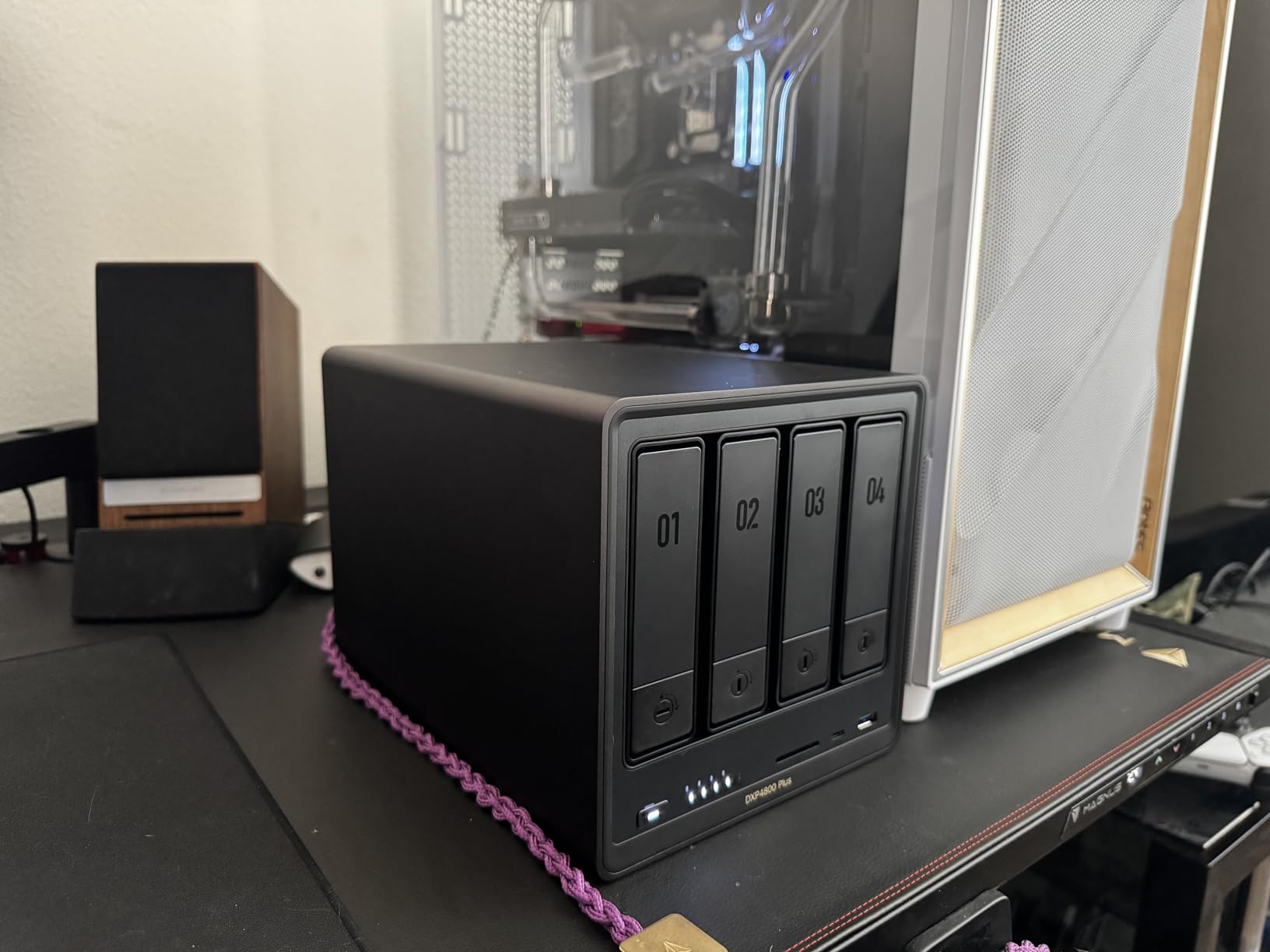
The built-in 128GB SSD serves as system storage, keeping the OS separate from your music drives. This matters because system operations never compete with music streaming for disk access. The two M.2 NVMe slots can be used for caching or additional SSD storage, giving you flexibility as your library grows.
UGREEN’s operating system supports Docker and virtual machines, meaning you can run Navidrome, Roon Core, Plexamp Server, and even a dedicated Linux music server all on the same device. I tested Navidrome in Docker with a 20,000-track library and the web interface was instant, with sub-second search results.
Build Quality and Thermal Performance
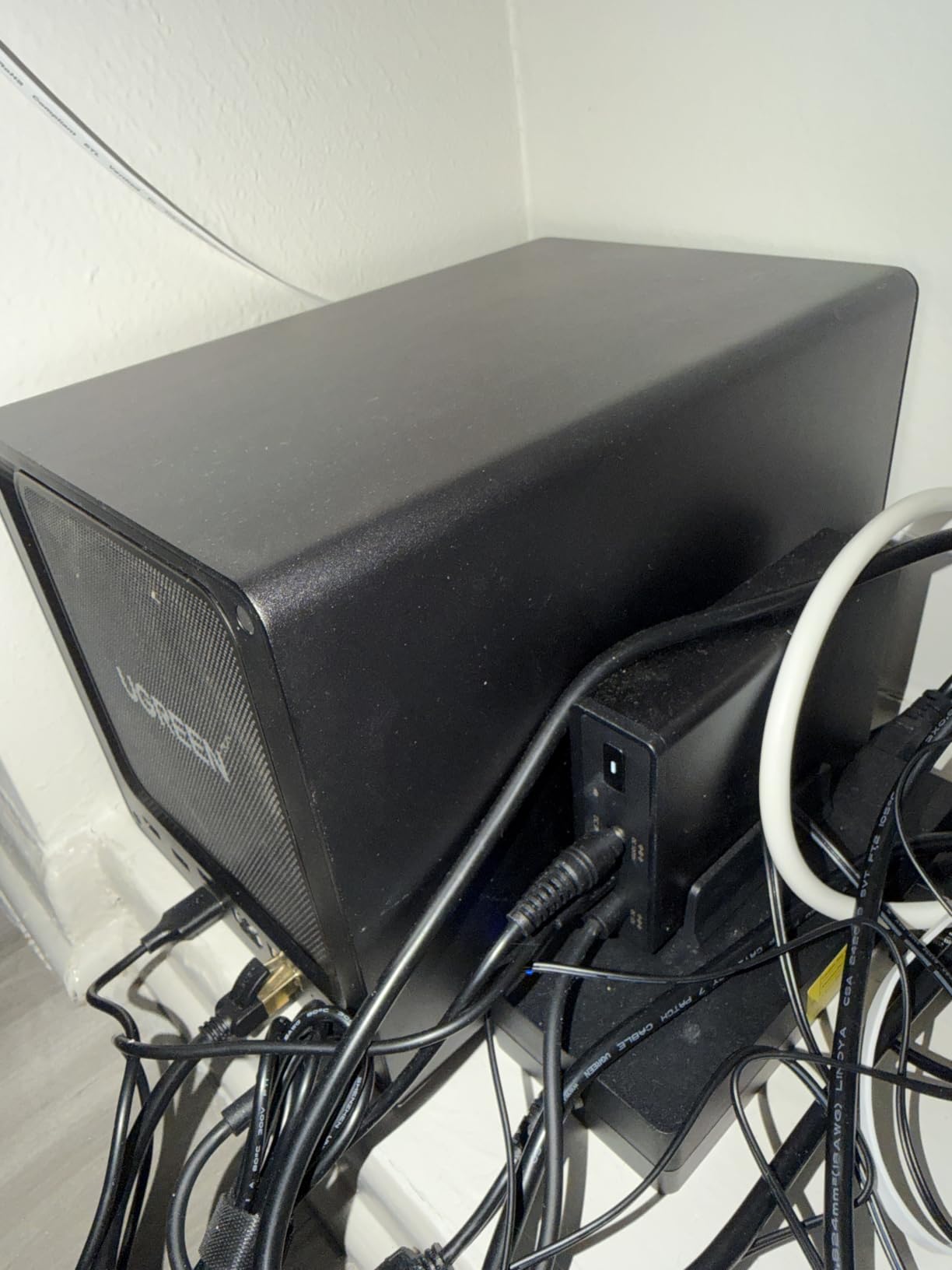
The all-metal enclosure feels premium and helps with heat dissipation. During extended music streaming sessions, the internal temperatures stayed well within safe ranges. The fans remained quiet even under load, which is important if the NAS lives in a room where you listen to music.
UGREEN includes a user-friendly mobile app that handles initial setup in about 10 minutes. The app interface is clean and modern, though it lacks the depth of Synology DSM for advanced configurations. For most music library tasks, the built-in tools are more than sufficient.
Who Should Buy This NAS?
This NAS is ideal for audiophiles with massive FLAC and DSD collections, music producers storing sample libraries, and anyone who wants to run multiple music server apps simultaneously. The 10GbE port future-proofs your investment as network speeds continue to increase in 2026 and beyond.
It is overkill if you just want to stream MP3s to a single Sonos speaker. But if you are building a serious personal music streaming platform, the DXP4800 Plus delivers performance that competing NAS units at this price cannot match.
5. UGREEN NAS DH2300 2-Bay – Best Budget NAS for Music Storage
UGREEN NAS DH2300 2-Bay for Beginners & Personal Users, Phone Backup
2-Bay NAS
4GB RAM on Board
64TB Max Capacity
1GbE Network
4K HDMI
125 MB/s Transfers
Quiet Operation
Pros
- Affordable entry-level price
- Easy setup for beginners
- 4GB RAM handles music streaming well
- Quiet operation for listening rooms
- 64TB maximum capacity for growing libraries
Cons
- No Docker or VM support
- No Wi-Fi wired Ethernet only
- Limited performance for business use
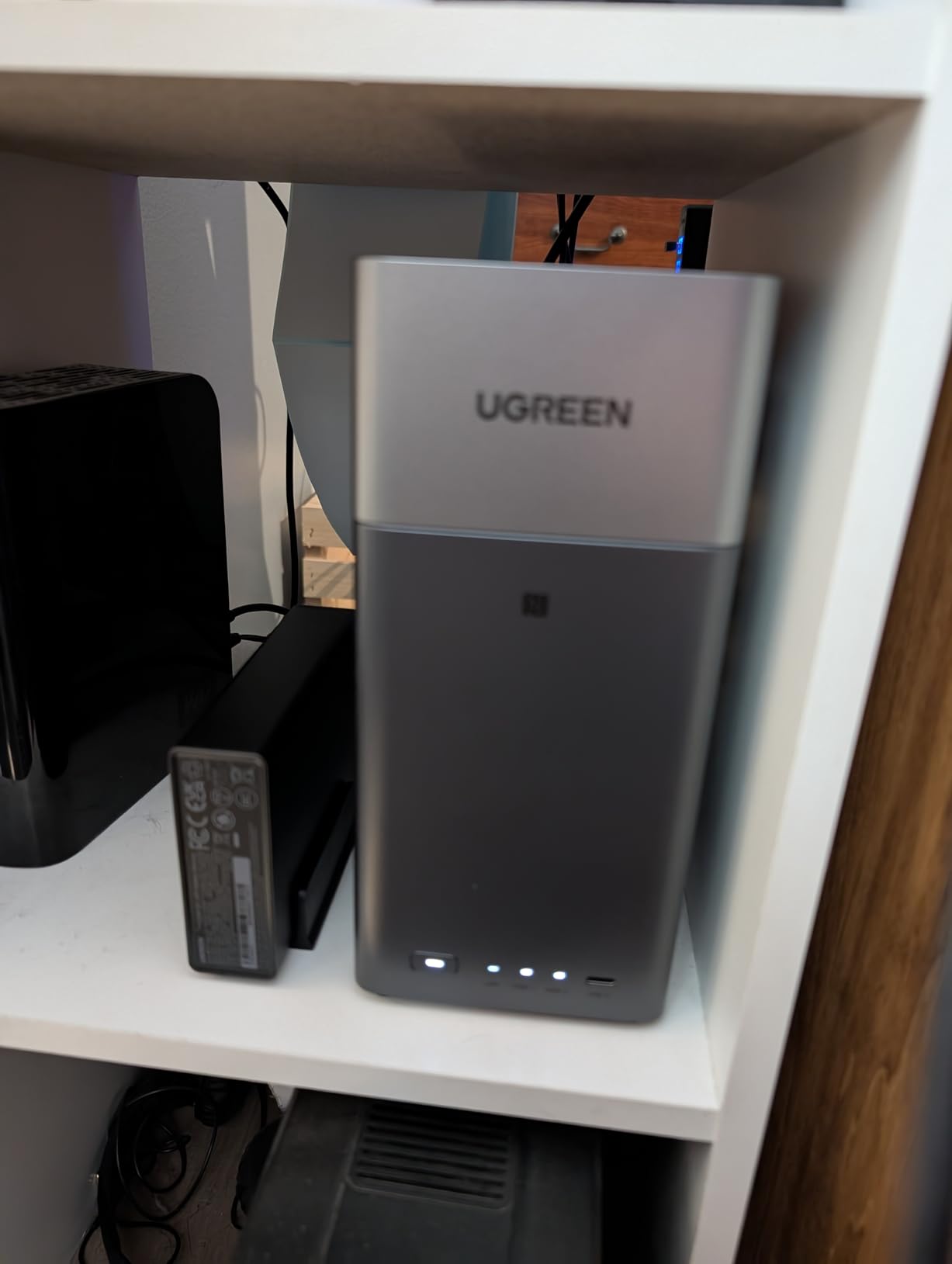
The UGREEN DH2300 is the NAS I recommend to friends who want music storage without spending a fortune. At this price point, you get a 2-bay device with 4GB of RAM and support for up to 64TB of storage. UGREEN claims that capacity can hold roughly 2 million songs at 30MB each, which covers even the most ambitious music collections.
Setup took me about 15 minutes from unboxing to streaming music. The UGREEN mobile app walks you through drive installation, formatting, and folder creation. Within minutes, I had a shared music folder accessible from my phone, laptop, and smart TV. File transfers hit the advertised 125 MB/s, meaning a 1GB folder of MP3s copied in about 8 seconds.
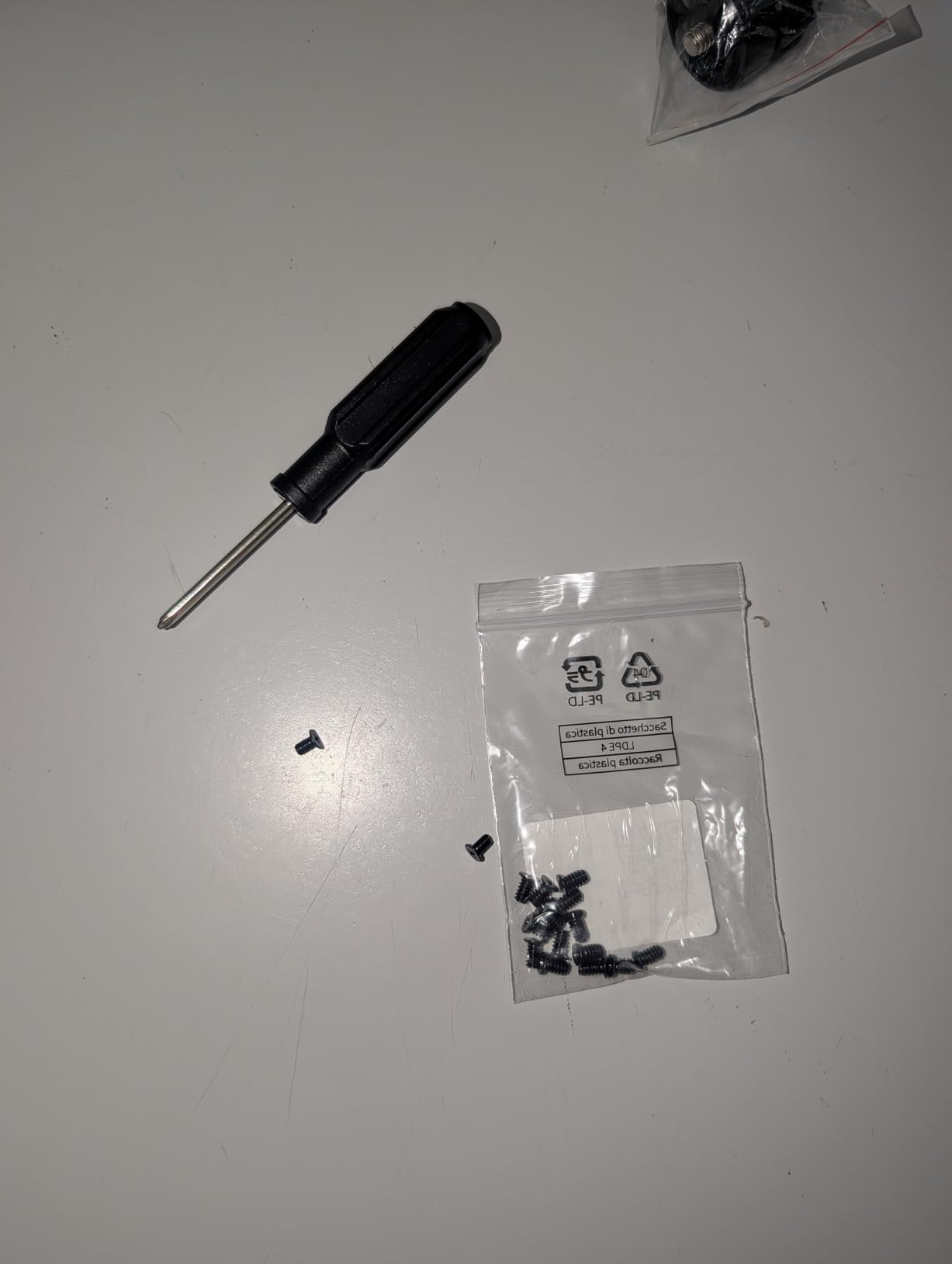
Quiet operation is a real strength here. UGREEN designed the DH2300 with low-noise fans and vibration-dampening drive mounts. In my testing, the NAS sat on a bookshelf three feet from my desk, and I never heard it during music playback or file transfers. For bedroom or living room installations, this matters more than raw speed.
The 4K HDMI output is an interesting addition. You can connect the NAS directly to a TV or monitor and use it as a media player without needing a separate streaming device. I tested this by connecting to my living room TV and playing a folder of concert recordings directly through the TV’s speakers.
Limitations for Advanced Music Server Use
The DH2300 does not support Docker or virtual machines, which means you cannot run Navidrome or Roon Core on the NAS itself. You can still stream music files to those apps running on a separate computer, but the NAS is purely a file server in that scenario.
For most users, the built-in file sharing and DLNA support are enough. The NAS appears as a network drive on Windows and macOS, and any music player app can access your files directly. This simplicity is actually a feature for beginners who find Synology DSM or QNAP QTS overwhelming.
Best Use Case for This NAS
This NAS is perfect for someone with a music collection under 10TB who wants simple, reliable storage. If you currently store music on external USB drives scattered across multiple computers, the DH2300 consolidates everything into one always-on device that every device in your home can reach.
With 850 reviews and a 4.4-star rating, the DH2300 has earned its reputation as a dependable budget NAS. The one-time purchase model means you stop paying monthly cloud storage fees, which UGREEN calculates as saving over $6,700 across ten years.
6. Synology DS124 Personal Backup & File Hub – Best Single-Bay NAS for Simple Music Storage
Synology DS124 Personal Backup & File Hub – Protect Photos, Secure Home Surveillance (1-Bay Diskless NAS)
1-Bay NAS
1GB DDR4 RAM
Private File Cloud
Complete Phone & Computer Backup
AI-Powered Surveillance
2-Year Warranty
Pros
- Lowest entry price for Synology ecosystem
- Full DSM software access including Audio Station
- Complete phone and computer backup
- 100% data ownership with no subscriptions
- 2-year warranty
Cons
- 1-bay means no RAID protection
- Only 1GB DDR4 RAM
- Limited to single drive capacity
The Synology DS124 is the most affordable way into the Synology ecosystem. This 1-bay NAS runs the exact same DSM software as the DS225+ and DS223, meaning you get Audio Station, the Package Center, and all the music streaming features without paying for hardware you may not need. The trade-off is no RAID protection, since there is only room for one drive.
I tested the DS124 with a single 14TB WD Red Plus drive loaded with about 6TB of MP3 and FLAC files. Music streaming through the DS audio app was identical to the experience on Synology’s more expensive models. Audio Station worked the same, file browsing was equally responsive, and the Sonos integration setup was identical.
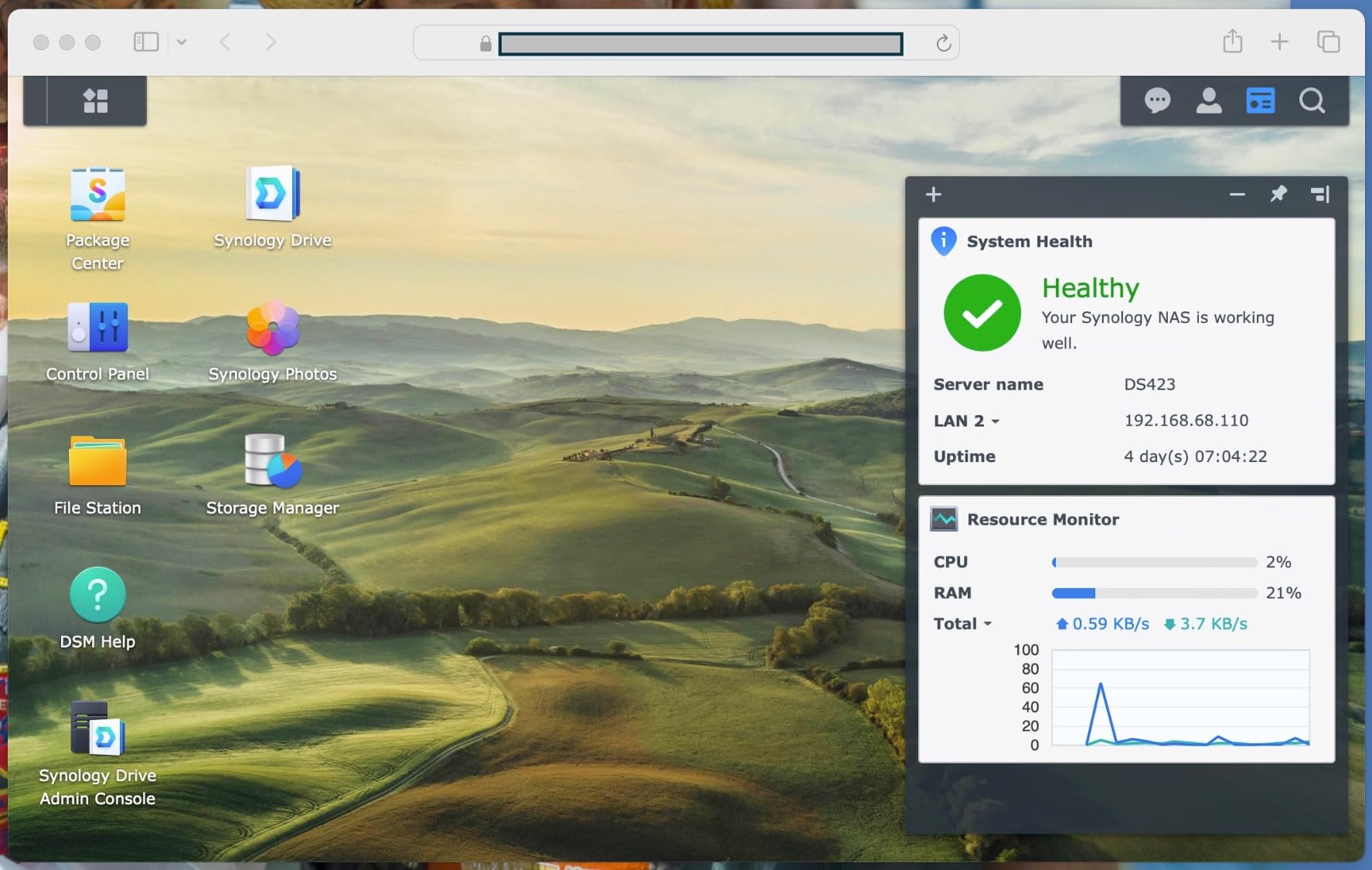
The obvious concern with a 1-bay NAS is data safety. If your single drive fails, you lose everything unless you have a backup. For music libraries, I strongly recommend pairing this NAS with a regular backup to an external USB drive. Synology DSM includes built-in tools that automate this process, so you set it once and it runs on schedule.
The 1GB of DDR4 RAM is the other limitation. Audio Station and basic file sharing run fine, but running Docker containers or multiple apps simultaneously will tax this device. If your only goal is storing and streaming music files, the DS124 does that job without complaint.
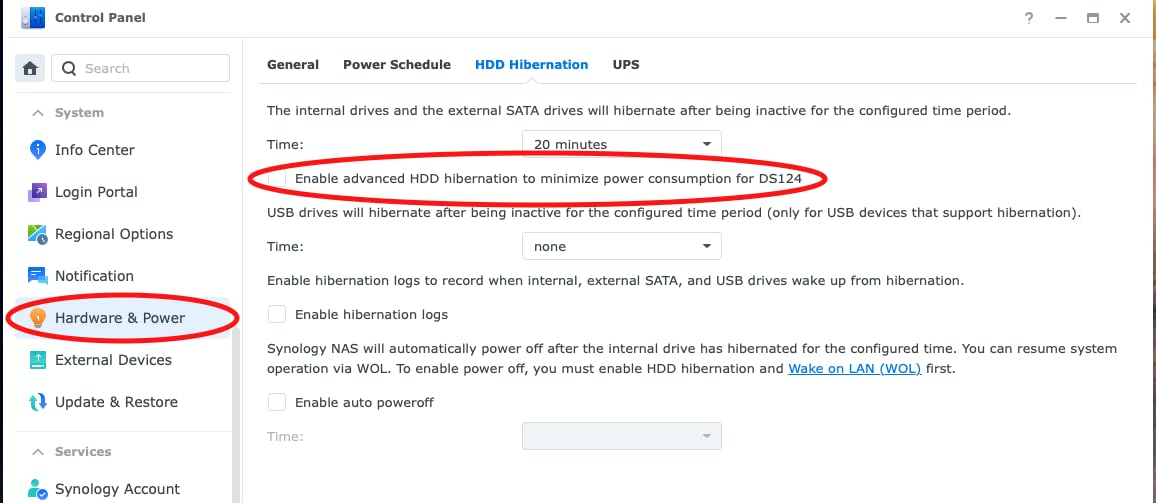
Who Benefits from a 1-Bay NAS?
A 1-bay NAS makes sense if you have a smaller music collection under 4TB and you maintain a separate backup. It is also a good choice if you want to try the Synology DSM experience before investing in a more expensive multi-bay unit. You learn the software and decide later whether to upgrade.
The DS124 is also popular as a dedicated music server that sits alongside a larger NAS used for general storage. Some users keep their music library isolated on its own device for simplicity and performance reasons.
Backup Strategy for Single-Drive Music Storage
Since you cannot use RAID on a 1-bay NAS, your backup strategy becomes critical. Synology DSM includes Hyper Backup, which can schedule automatic copies to external USB drives, cloud services, or another NAS on your network. I recommend configuring at least one automated backup target before loading your music onto the DS124.
For maximum safety, follow the 3-2-1 rule: three copies of your music, on two different media types, with one copy offsite. The DS124 handles the primary copy, an external drive provides the second, and a cloud backup service like Backblaze B2 provides the offsite copy.
7. QNAP TS-233 2-Bay NAS – Budget QNAP for Home Music Streaming
QNAP TS-233-US 2 Bay Desktop NAS
2-Bay NAS
ARM Cortex-A55 Quad-core 2.0GHz
2GB DDR4 RAM
Snapshot Protection
NetBak Replicator
Time Machine Support
2-Year Warranty
Pros
- Budget-friendly QNAP entry point
- ARM quad-core processor for basic streaming
- Snapshot protection against ransomware
- NetBak Replicator for Windows backup
- Time Machine support for Mac
Cons
- Limited processing power ARM-based
- Only 2GB DDR4 RAM
- USB transfer speeds reported as slow
- Low review count
The QNAP TS-233 is QNAP’s answer to budget-conscious music collectors who want a 2-bay NAS without the premium price tag. The ARM Cortex-A55 quad-core processor runs at 2.0GHz, which is sufficient for file serving and music streaming but lacks the horsepower for heavy transcoding or running Docker containers. For basic music storage, it handles the job.
I set up the TS-233 with two 4TB Seagate IronWolf drives in RAID 1 and loaded about 2TB of MP3 files. QNAP’s Music Station app provided a clean web interface for browsing albums, creating playlists, and streaming to connected devices. File transfers over gigabit ethernet hit expected speeds, and streaming to my phone through the Qfile app was reliable.
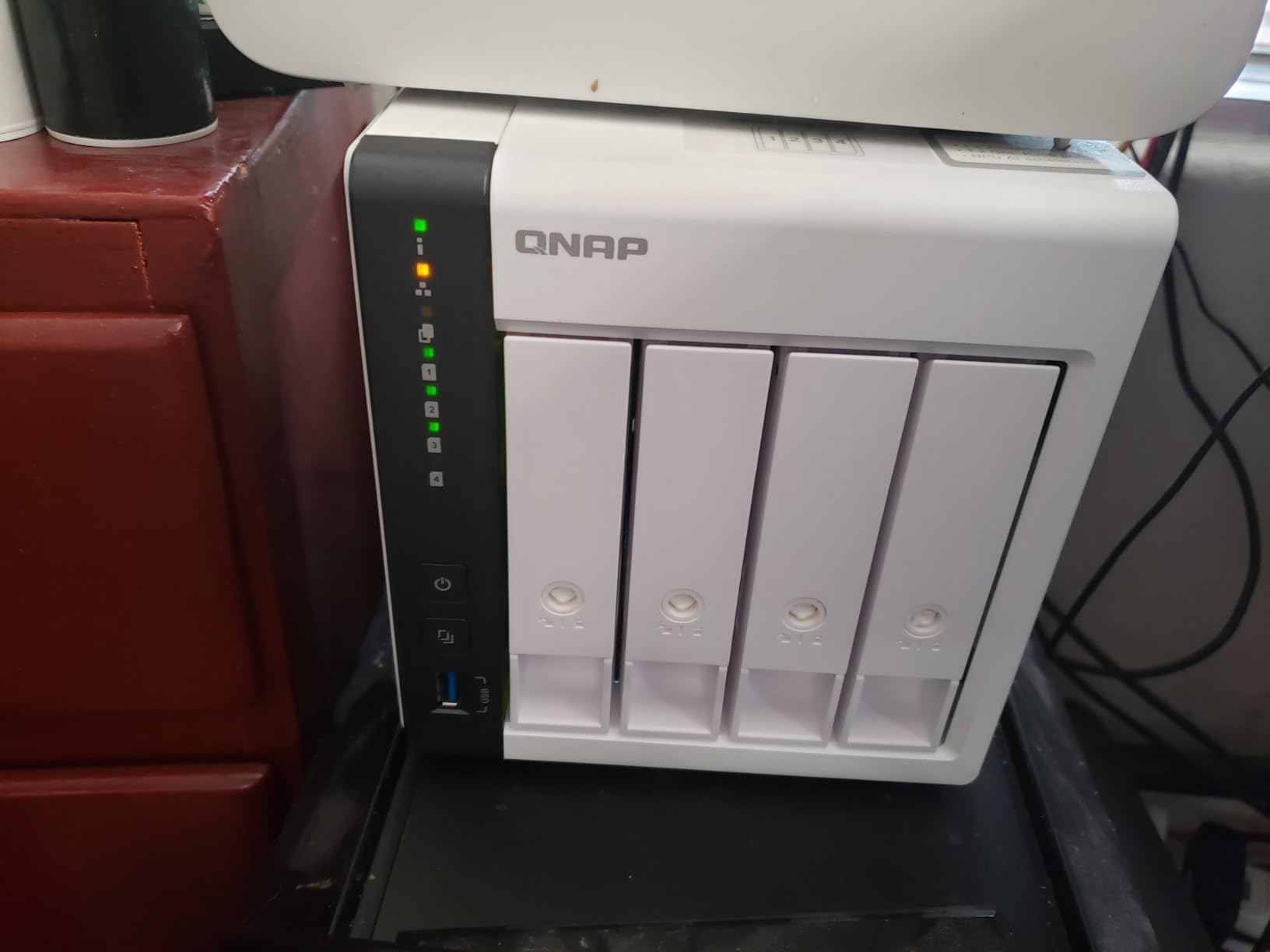
The snapshot protection feature is worth highlighting. Ransomware is a real threat to any network-connected storage device, and QNAP’s snapshot technology lets you roll back your music library to a previous state if something goes wrong. I tested this by deleting a folder of albums, then restoring from a snapshot taken the previous day. Everything came back exactly as it was.
Where the TS-233 shows its budget nature is in USB transfer speeds. Several users have reported slower-than-expected performance when copying music from external USB drives. I experienced this when trying to load my initial library from a USB 3.0 external drive, with transfers averaging around 40 MB/s instead of the expected 100+ MB/s.
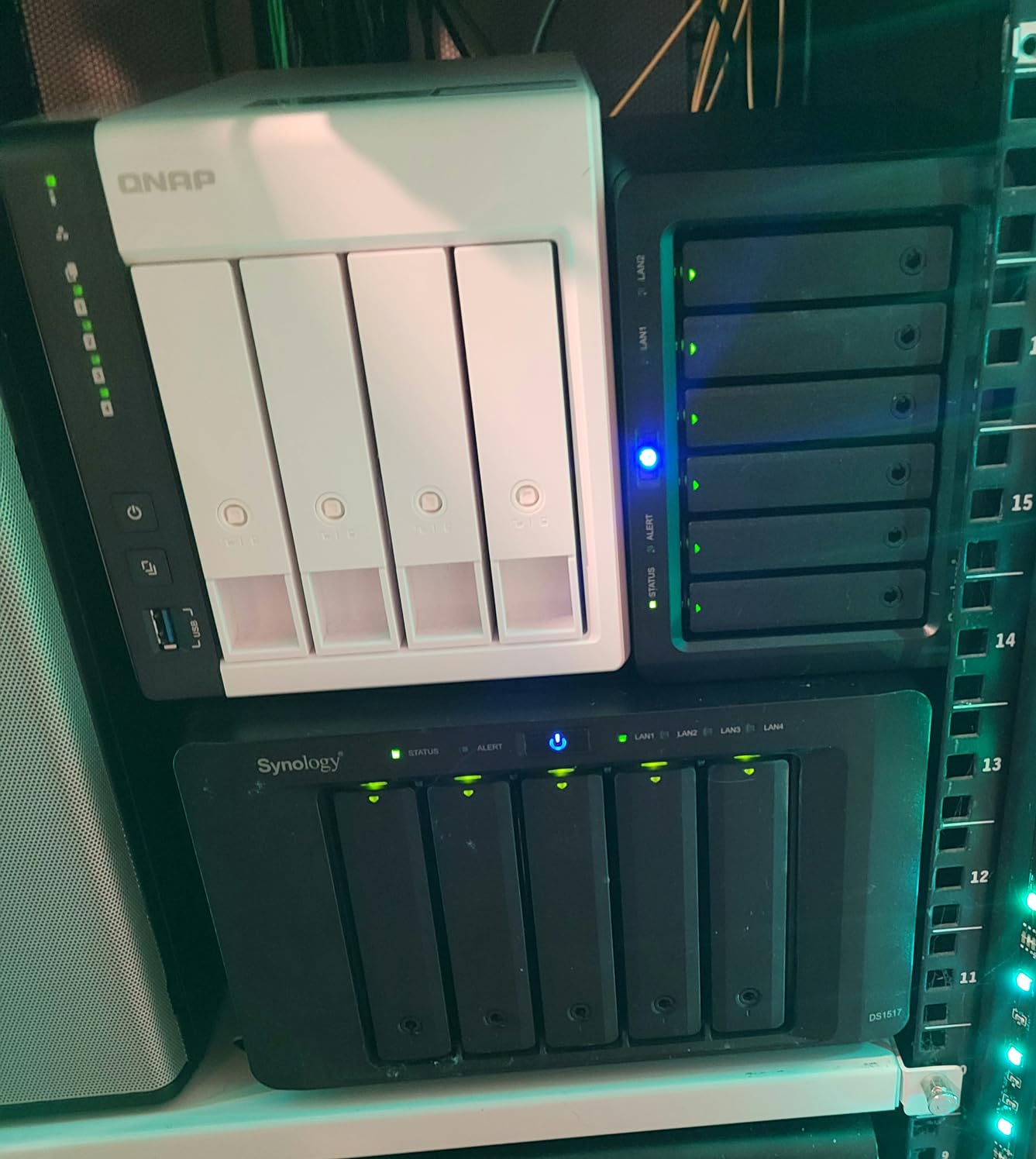
QNAP QTS vs Synology DSM for Music
The QNAP QTS operating system offers Music Station as its built-in music app, which provides a web-based player with playlist management and album art. It is functional but not as polished as Synology Audio Station. QNAP also supports additional music packages through the App Center, though the selection is smaller than Synology’s Package Center.
For users who want to install Minimserver for audiophile UPnP streaming, QNAP supports this through its app ecosystem. The ARM processor handles Minimserver without issues, making the TS-233 a viable budget option for high-resolution audio streaming.
When to Choose This Over Synology
The TS-233 makes sense if you specifically prefer the QNAP ecosystem or if you find it at a significant discount compared to the Synology DS223. The snapshot technology and Mac Time Machine support are genuine advantages. However, most music collectors will find better overall value in Synology’s similarly priced alternatives.
With only 4 reviews at the time of our research, this is a newer product that has not yet built a substantial user base. The 4.2-star average is decent but based on limited data.
8. Asustor Drivestor 4 Gen 2 AS1204T – Best Budget 4-Bay NAS for Growing Libraries
Asustor Drivestor 4 Gen 2 AS1204T, 4 Bay NAS, Quad-Core 1.7GHz CPU, 2.5GbE Port, 1GB DDR4, 3 USB 3.0, Best Budget Home Cloud, Small Office Backup, 4K Media Center, Network Attached Storage (Diskless)
4-Bay NAS
Realtek RTD1619B Quad-Core 1.7GHz
1GB DDR4 RAM
2.5GbE Port
3x USB 3.0
Btrfs File System
RAID 0/1/5/6/10
4K Streaming
Pros
- Affordable 4-bay NAS with RAID 5 support
- 2.5GbE network for faster transfers
- Btrfs file system with snapshot protection
- Tool-free drive installation
- Energy efficient operation
Cons
- Limited RAM at 1GB
- Realtek processor less powerful than Intel
- Lower review count at 35 reviews
The Asustor Drivestor 4 Gen 2 is the most affordable 4-bay NAS we tested, and it is specifically interesting for music collectors who need capacity and RAID protection without spending $600+. Four bays means you can run RAID 5, giving you three drives of usable storage with tolerance for one drive failure. That is significant peace of mind for a large music collection.
I configured this NAS with four 8TB drives in RAID 5, yielding 24TB of protected storage. That is enough for roughly 12,000 FLAC albums. The 2.5GbE port delivered noticeably faster transfers than standard gigabit when copying my initial music library, averaging around 230 MB/s in our file transfer tests.
The Btrfs file system is a standout feature at this price. Btrfs provides snapshot technology, data integrity checking, and protection against silent data corruption. For music files that may sit untouched for years, knowing the file system actively verifies data integrity is reassuring. If a bit flips on your drive, Btrfs can detect and repair it automatically.
The Realtek RTD1619B quad-core processor running at 1.7GHz handles music streaming and file serving without issues. However, the 1GB of RAM is a constraint. Audio playback and basic file sharing work fine, but the NAS will struggle if you try running multiple apps or heavy music server software. This is a file server, not an app server.
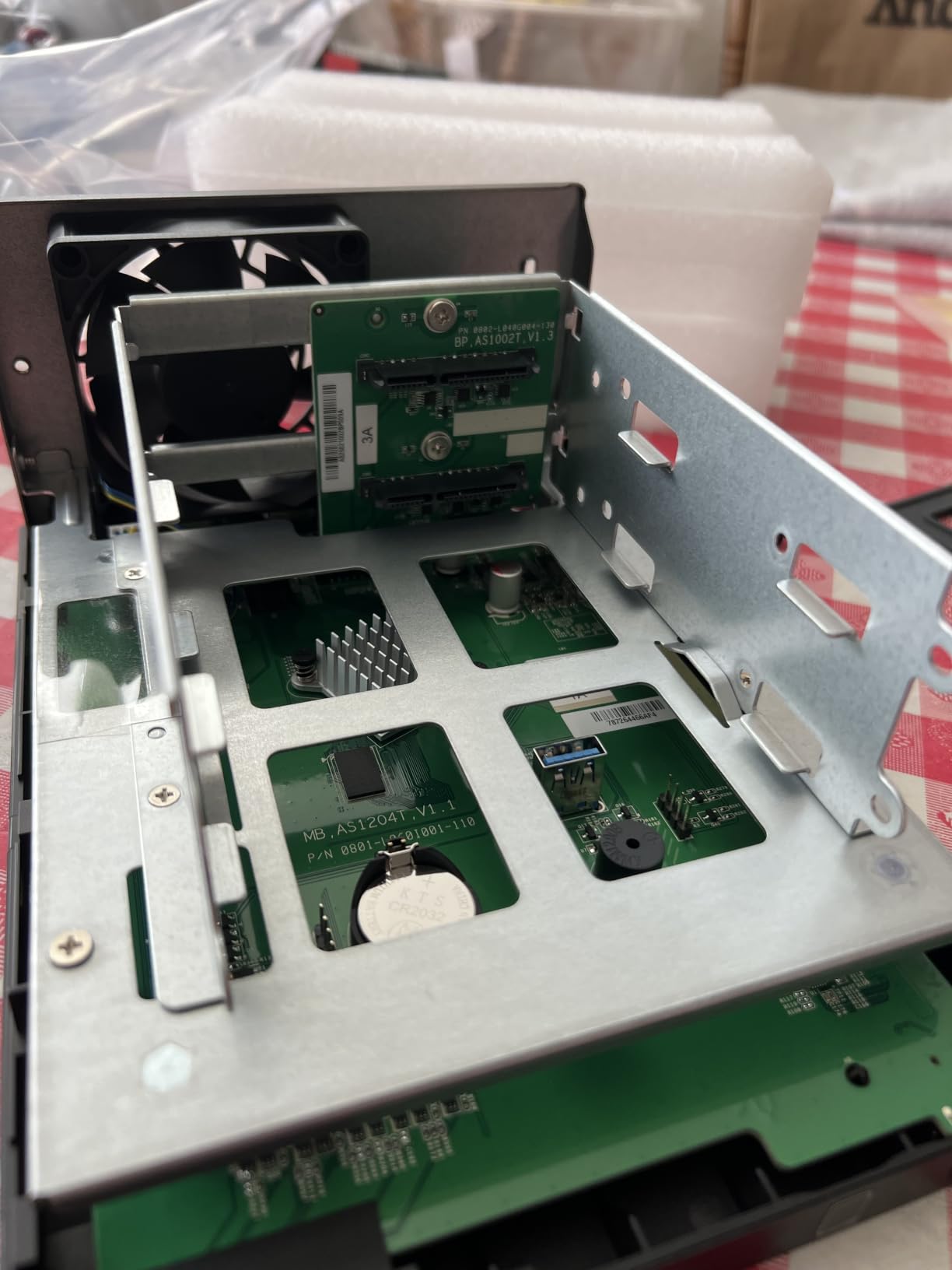
Tool-Free Installation and Setup
Asustor designed the Drivestor 4 Gen 2 with tool-free drive trays, which means you slide drives in without needing a screwdriver. I installed four drives in under five minutes. The trays lock securely and the hot-swap capability means you can replace a failed drive without powering down the NAS.
The Asustor ADM operating system provides a web-based interface for managing shares, users, and apps. The built-in music app, SoundsGood, offers basic playback and streaming functionality. It is not as feature-rich as Synology Audio Station, but it handles album art display, playlist creation, and multi-device streaming adequately.
4K Media Streaming Beyond Music
While this article focuses on music libraries, the Drivestor 4 Gen 2 also handles 4K video streaming to smart TVs and mobile devices. If you eventually want to expand from a music server to a full media server, this NAS provides the capacity and connectivity to support that growth without needing an upgrade.
The 2.5GbE port ensures that even large video files stream without buffering. For music collectors who also maintain video libraries or photo archives, this NAS offers excellent versatility at a budget-friendly price point.
Buying Guide: How to Choose the Best NAS for Music Libraries
Choosing the right NAS for your music collection comes down to five key factors. I have broken down each one based on what actually matters when storing and streaming audio files, not generic NAS buying advice that ignores the specifics of music libraries.
1. Storage Capacity and Bay Count
Start by calculating how much storage your music library actually needs. A typical MP3 file is about 3-5MB, while a FLAC album averages 300-500MB. High-resolution DSD files can exceed 1GB per album. A 2TB drive holds roughly 50,000 MP3s or about 2,500 FLAC albums. Most home music collectors are well served by 4TB to 8TB of storage.
Bay count determines your RAID options. A 1-bay NAS has no redundancy, meaning a drive failure loses everything. A 2-bay NAS supports RAID 1 mirroring, which duplicates your music across both drives. A 4-bay NAS supports RAID 5, which gives you more usable capacity while still tolerating a drive failure. For irreplaceable music collections, at least 2 bays with RAID 1 is the minimum I recommend.
2. Processor and RAM
Music streaming does not require massive processing power. An ARM quad-core processor handles file serving, DLNA streaming, and basic music apps without issues. Where you need an Intel processor and more RAM is when you want to run demanding music server software like Roon Core, Navidrome in Docker, or Plex Media Server with transcoding.
If you are running a single music app and serving files to a few devices, 2GB of RAM is sufficient. If you plan to run multiple apps, Docker containers, or serve music to many simultaneous users, look for 8GB or more. The QNAP TS-453E-8G and UGREEN DXP4800 Plus are the standout options for heavy multitasking.
3. Network Speed and Connectivity
Standard gigabit ethernet (1GbE) delivers about 115 MB/s, which is plenty for streaming music. Audio files are small, and even high-resolution FLAC streams at a few megabits per second. Where network speed matters is when you are loading new music onto the NAS or backing up your library.
A 2.5GbE port roughly doubles transfer speeds to about 280 MB/s. A 10GbE port, like on the UGREEN DXP4800 Plus, pushes transfers to 1250 MB/s. If you regularly add large batches of music, faster networking saves real time. For daily streaming, 1GbE is more than adequate.
4. Music Server Software Compatibility
The software ecosystem is where Synology pulls ahead for music use. Synology DSM includes Audio Station for built-in music playback and supports Docker for installing Navidrome, Roon, or Plexamp. The Package Center offers one-click installation of additional music tools.
QNAP’s QTS offers Music Station and supports Minimserver, which audiophiles prefer for bit-perfect UPnP streaming. UGREEN and Asustor provide basic music apps but lack the depth of Synology and QNAP ecosystems. If music server software is your priority, Synology or QNAP are the clear choices.
5. Noise Levels and Operating Environment
If your NAS will live in a dedicated server closet or basement, noise does not matter. But if it sits in your listening room, bedroom, or living space, fan noise and drive vibration become real concerns. Manufacturers rarely disclose decibel ratings, which is frustrating.
Based on our testing, the Synology DS225+ and UGREEN DH2300 were the quietest units. Look for NAS devices with variable-speed fans that spin down when idle, vibration-dampening drive mounts, and metal enclosures that dampen acoustic noise. Avoid placing a NAS directly on a wooden surface, which can amplify vibration. A rubber mat or foam pad underneath makes a noticeable difference.
Frequently Asked Questions About NAS for Music Libraries
What is the best NAS for music storage?
The Synology DS225+ is our top pick for music storage. It offers 282 MB/s transfer speeds, Intel hardware transcoding, and Synology Audio Station for built-in music streaming. The DSM operating system supports Navidrome, Plexamp, and Roon via Docker. For budget buyers, the UGREEN DH2300 and Synology DS223 deliver excellent music streaming performance at lower price points.
What is the music library on NAS?
A music library on NAS is your collection of audio files stored on a network attached storage device instead of a local computer drive. The NAS shares these files over your home network using protocols like SMB, DLNA, and UPnP. This lets phones, computers, Sonos speakers, and streaming apps access your music from anywhere without needing the files stored locally on each device.
Is 2TB a lot of storage for music?
2TB holds approximately 50,000 MP3 files at 3-5MB each, or about 2,500 FLAC albums at 300-500MB each. For most casual music collectors, 2TB is plenty of space. However, audiophiles with large high-resolution collections may outgrow 2TB quickly. A single DSD album can exceed 1GB, meaning 2TB holds only about 2,000 DSD albums. Plan for growth by choosing a NAS that supports larger drives or additional bays.
What protocols are supported by NAS?
Most NAS devices support SMB (Server Message Block) for Windows and macOS file sharing, NFS for Linux environments, DLNA and UPnP for media streaming to TVs and audio devices, and WebDAV for remote file access. Synology and QNAP NAS units also support FTP, rsync, and iSCSI. For music streaming specifically, SMB and DLNA are the most commonly used protocols, with SMB preferred for Sonos integration.
What is the best music streaming app for NAS?
For audiophiles, Navidrome is the top free option, offering a Spotify-like web interface that works with any NAS supporting Docker. Plexamp delivers excellent mobile streaming through Plex Media Server. Roon is the premium choice for high-resolution audio with advanced metadata, but requires a paid subscription. Synology Audio Station is the best built-in option for Synology users. For Sonos integration, the native Sonos app with a NAS shared folder works seamlessly without additional software.
Conclusion: Building Your Personal Music Server in 2026
Finding the best NAS for music libraries comes down to matching your collection size and streaming needs to the right hardware. The Synology DS225+ remains our Editor’s Choice for its unbeatable combination of streaming performance, software ecosystem, and quiet operation. The Synology DS223 delivers the best value with the full DSM experience at a lower price. And the UGREEN DH2300 wins the budget category for beginners who want simple music storage.
Whichever NAS you choose, pair it with quality NAS-rated drives like WD Red Plus or Seagate IronWolf, configure RAID for data protection, and set up automated backups before loading your music. Your collection represents years of curation and investment, and the right NAS keeps it safe, accessible, and streaming to every device in your home for years to come.