
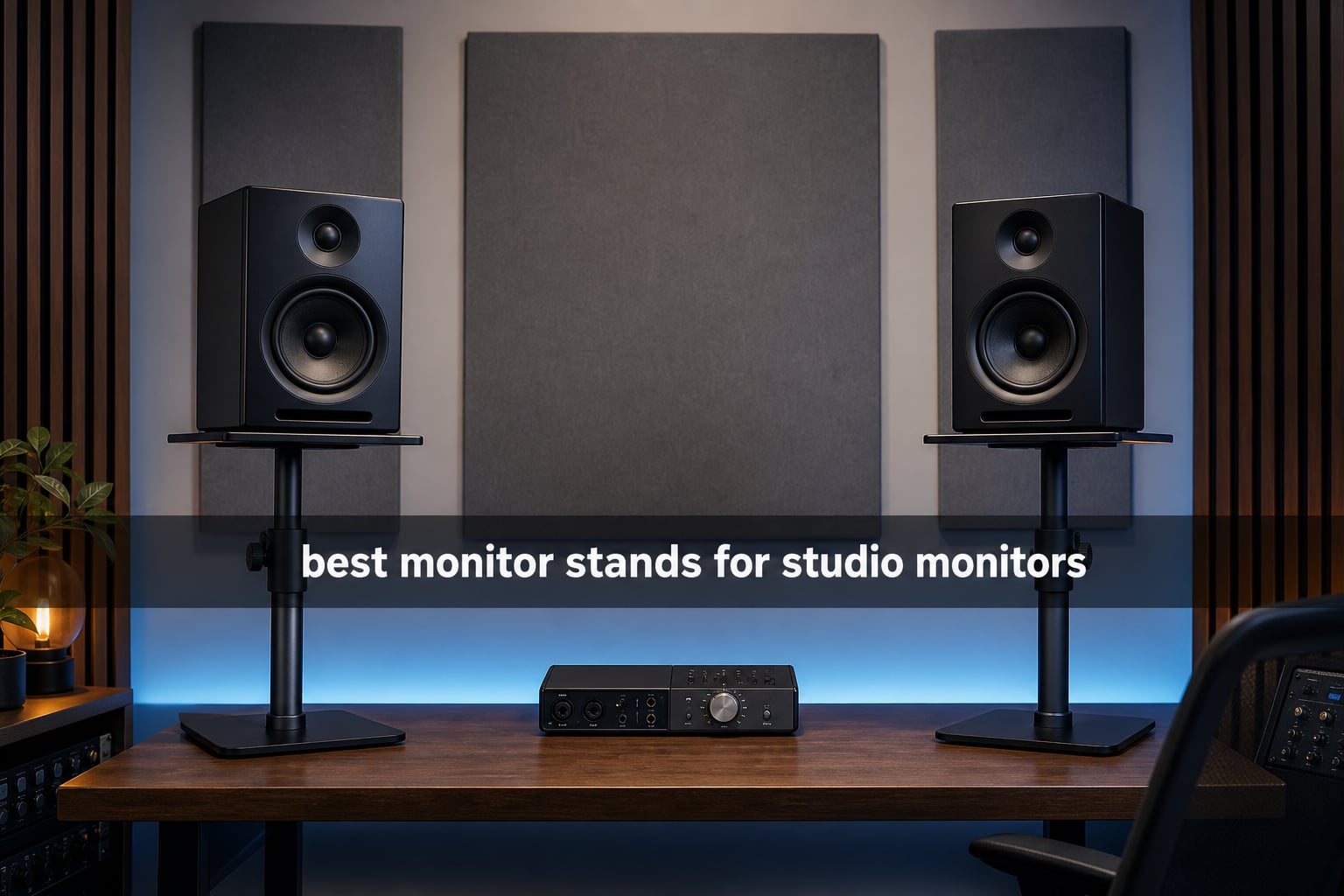
The best monitor stands for studio monitors put each tweeter at ear level, hold the speaker without wobble, and reduce the vibration passed into a desk, floor, or wall. That separation matters because a vibrating surface can add its own resonance, making bass feel thicker or less defined than it really is at the listening position.
I split this guide across ten real products because one stand type is not right for every room. A floor stand is the cleanest route when a desk transfers vibration; a clamp-on raises monitors when desk space is tight; foam pads and wedges help with short desktop setups; and wall mounts solve a very particular space problem.
For 2026, I would start with placement rather than a brand: measure your seated ear height, the monitor base, available desk clearance, and the speaker’s weight. The product details and review feedback below point out where a stated capacity, platform size, tilt option, or mounting restriction makes the difference.
Table of Contents
The top 3 picks cover floor, desktop, and isolation needs
The Vondynote floor pair is my broadest recommendation for a stand-alone setup because it offers a tall adjustment range and an 88-pound stated capacity. Liquid Stands is the desktop choice when your desk accepts a clamp, while JBER is the simple isolation-pad route for compatible 6-to-8-inch monitors.
These studio monitor stands make comparison simple in 2026
The overview below separates products by how they place a monitor: on the floor, above a desk, on a desktop, or on a wall. Check the footprint and speaker dimensions before treating a capacity figure as proof that a specific monitor will fit.
| Product | Specifications | Action |
|---|---|---|
 Vondynote Floor Stands Vondynote Floor Stands |
|
View on Amazon |
 JBER Isolation Pads JBER Isolation Pads |
|
View on Amazon |
 Liquid Stands Clamp-on Liquid Stands Clamp-on |
|
View on Amazon |
 Liquid Stands 5-inch Pads Liquid Stands 5-inch Pads |
|
View on Amazon |
 NiuNyuNeu Clamp-on NiuNyuNeu Clamp-on |
|
View on Amazon |
 Ekkogo 5-inch Pads Ekkogo 5-inch Pads |
|
View on Amazon |
 Monoprice Tilted Wedges Monoprice Tilted Wedges |
|
View on Amazon |
 Vondynote Desktop Clamp Vondynote Desktop Clamp |
|
View on Amazon |
 Perlegear Wall Mounts Perlegear Wall Mounts |
|
View on Amazon |
 PEGZONE Wall Mounts PEGZONE Wall Mounts |
|
View on Amazon |
1. Vondynote Floor Stands Are the strongest all-round floor option
Vondynote Pair Studio Monitor Stands 32.6″-50.9″ Base Floor Speaker Stands
32.6-50.9 inch height
88 lb capacity
Triangle metal base
Pros
- 88 lb stated capacity
- wide height range
- dual floor feet
Cons
- Large base footprint
- assembly directions may be unclear
For a serious home-studio layout, this Vondynote pair has the right basic idea: move the monitors away from the desk and set their height independently of furniture. Its specified 32.6-to-50.9-inch adjustment range gives much more room to align the tweeters with a seated listener than a fixed desktop riser does.
The stated 88-pound load capacity and three-point triangle base make this the option I would consider first for larger, heavier cabinets, provided the 17.3-by-9-inch base area works in the room. Review feedback specifically calls out stability and the locking knob, both useful details when a speaker must stay pointed at one listening position.
The Vondynote suits rooms that can spare floor space
The base is intentionally large, so I would measure the area beside and behind a desk before committing. That footprint trades floor real estate for stability, which reflects the recurring forum concern that lightweight or wobbly stands undermine an otherwise careful monitoring setup.
It includes rubber pads for hard flooring and metal nails for carpet, so the pair can adapt to two common studio surfaces. Pick the foot style that seats firmly; a stand that rocks on an uneven surface cannot do its positioning job well.
The Vondynote works best when height is the first problem to solve
The textured metal top is a practical support surface, but it is not a replacement for measuring the monitor cabinet. Confirm that the speaker’s base rests fully and securely on the 9-inch-wide top before placing it at the upper end of the stand’s range.
If desk vibration is muddying the low end, a floor-standing speaker stand creates more physical separation than putting foam under the same desk-bound speaker. I would still recheck toe-in and ear-level alignment after installation, since a taller position changes both.
2. JBER Isolation Pads Are the simple choice for 6-to-8-inch monitors
JBER 2 Pack Isolation Pads, Studio Monitor Speaker Isolation Foam Pads
13 by 10.62 inch pads
6-8 inch speaker fit
Five angle options
Pros
- Dense acoustic foam
- five placement angles
- broad 6-8 inch fit
Cons
- Foam can compress
- monitors may slide on smooth surfaces
JBER’s pair is not a height stand; it is a dense-foam isolation layer for monitors that must remain on a desk, shelf, or existing platform. Its 13-by-10.62-inch footprint is specified for 6-to-8-inch monitors, making it a more logical match for that size class than a compact pad made for small speakers.
The 50 kg-per-cubic-meter foam and five configuration options address two desktop problems at once: surface vibration and a tweeter that needs a slight upward or downward aim. Its 4.8 rating from 902 reviews gives this option the largest review sample among the top three picks.
The JBER pads fit wide desktop monitor bases
I would measure the full cabinet base rather than rely on woofer size alone. A 6-inch or 8-inch label does not describe the cabinet’s depth, and every part of the speaker base should sit supported rather than hanging off an edge.
The foam’s 1.8-inch height can make a useful small correction, yet it will not replace a floor stand when monitors sit far below ear level. Treat the angled configurations as fine placement adjustment after the speaker is already close to the right vertical position.
The JBER pads need a sensible weight check
The listed 22-pound capacity is the hard boundary I would use, not a rough suggestion. Feedback notes that foam can compress over time with heavier speakers, so staying comfortably within the stated limit is more sensible than pushing it.
Several users also report that smooth surfaces can make a speaker more likely to slide without added grip. Place each pad on a clean, level surface and confirm the monitor is stable before you angle it toward the sweet spot.
3. Liquid Stands Clamp-on Stands Are the flexible desk-space saver
Liquid Stands Studio Monitor Stands – Music Studio Desktop Speaker Stand – 2 Pack 12×9 Clamp-on Adjustable Short or Tall Speaker Support for Music Booth Desk Audio Monitor Stand Mount with Tilt
65 lb capacity
0-20 degree tilt
12 by 9 inch platform
Pros
- Stainless steel build
- adjustable tilt
- 6 mm isolation padding
Cons
- Desk must be 0.5-2 inches thick
- needs wall clearance
These Liquid Stands move a pair of speakers above the work surface while using a clamp rather than a broad desk base. That is a meaningful advantage for a producer who needs room for a controller, keyboard, or computer screen but still needs monitors raised and aimed toward the ears.
The manufacturer states a 65-pound capacity, a 12-by-9-inch platform, and tilt adjustment from 0 to 20 degrees. I like that combination for a nearfield setup because height alone is not enough when the speaker sits above or below the listener’s head.
The Liquid Stands fit desks within the stated clamp range
Check desk thickness before looking at any other feature: this clamp requires a surface between 0.5 and 2 inches thick. A solid top outside that range does not become compatible because the speakers themselves are light.
Also leave the stated minimum of 2 inches between the desk and wall. That small clearance detail is easy to miss in a compact room, especially where a desk is pushed against a wall for cable routing.
The Liquid Stands help listeners dial in the speaker angle
The 0-to-20-degree tilt range makes it possible to direct the tweeters toward ear level rather than forcing a flat platform to work. The built-in 6 mm anti-slip isolation padding is also relevant because clamps solve desk space but do not remove the need to control vibration at the contact point.
I would check that both platforms are locked at matching height and tilt before making mix decisions. A mismatched left and right angle changes the stereo picture, even if the speakers are the same distance away.
4. Liquid Stands 5-inch Isolation Pads Are the compact riser for small speakers
Liquid Stands Studio Monitor Sound Isolation Pads for Speakers 5″ High-Density Speaker Foam Pads that Prevents Vibrations Angled Speaker Riser – Acoustic Speakers Isolation Pad for Floor, Desktop
12 by 8 inch foam
Five angles
For 3-4.5 inch monitors
Pros
- Five angle choices
- non-slip surface
- compact desktop footprint
Cons
- Made for smaller monitors
- foam may not suit heavy cabinets
This Liquid Stands foam riser is aimed at a smaller monitor class, with the product details limiting compatibility to 3-to-4.5-inch speakers. I would choose it when a compact desktop speaker needs decoupling and a modest change in aim, not when a larger cabinet needs a structural stand.
The 12-by-8-inch form, 5-inch overall height, and five specified angles give a small setup more options than a flat pad. Its non-slip surface is a welcome practical feature when an angled speaker needs to remain planted during everyday use.
The small Liquid Stands pads match compact monitor cabinets
Cabinet width and depth still come first, even within the listed 3-to-4.5-inch monitor category. A small speaker whose base exceeds the pad cannot receive even support, which defeats both the stability and isolation goals.
For compact monitors on a shelf or desk, the footprint may be easier to accommodate than a clamp or separate floor stand. That is why I see this as a sensible space-saving accessory for a close listening position.
The Liquid Stands pads are for positioning rather than heavy support
The listed 50 kg capacity appears generous, but the product feedback also flags foam density as a potential concern with heavier professional monitors. I would reserve it for the smaller compatibility range the product itself gives rather than treating its capacity as a reason to upsize the speaker.
Use the five angles to bring the tweeter axis toward the ears, then listen again from the same seated spot. Isolation helps reduce transferred vibration; it does not correct a monitor that is poorly placed left to right or too close to a wall.
5. NiuNyuNeu Clamp-on Stands Are the straightforward adjustable clamp pair
NiuNyuNeu Pair of Desktop Speaker Stands 9″-14″ Clamp Studio Monitor Stands
9-14 inch height
50 lb capacity
Four locking positions
Pros
- Four height positions
- 5 mm C-clamp
- small desk footprint
Cons
- Needs 120 mm wall clearance
- desk limit is 2.6 inches
NiuNyuNeu’s pair offers four locked heights from 9 to 14 inches instead of a continuously variable column. For a basic desktop setup, that stepped adjustment can be enough when one of those heights places the tweeter close to the listener’s ears.
The listed 50-pound capacity, alloy-steel construction, and 5 mm C-clamp give it a more purposeful specification than a loose desktop riser. I also appreciate the stated 32.5-square-centimeter desk usage, because a stand that frees room can make a small studio feel more workable.
The NiuNyuNeu pair fits a desk with enough edge clearance
This design needs a desk no thicker than 2.6 inches and 120 mm of wall clearance. Measure both, including any raised cable tray, rear lip, or wall-mounted acoustic treatment that might occupy the clamp’s path.
The 9-by-9-inch platform is another measurement to compare against the physical speaker base. Load capacity says how much mass the clamp can support; it does not state that any cabinet shape will sit safely on the plate.
The NiuNyuNeu pair gives repeatable height positions
Four locking steps are useful when you want both speakers set identically without estimating the height by eye. I would select the closest ear-level position first, then use monitor angle or chair height only for small final adjustments.
The clamp does not make a desk immune to vibration by itself. Keep the contact points tight, use the platform as intended, and revisit the listening position if bass sounds different after the monitors leave the desktop.
6. Ekkogo 5-inch Pads Are the focused fit for common compact monitors
Ekkogo Studio Monitor Isolation Pads Premium Acoustic Foam Elevates Audio Ideal for 5 Inch Speakers Enhanced with Vibredux HD Foam for Superior Isolation
11 by 7.5 inch pads
24 lb capacity
For 5 inch monitors
Pros
- Made for 5 inch monitors
- multiple angles
- durable foam feedback
Cons
- Not for larger speakers
- foam may compress over time
The Ekkogo pair is unusually specific about its intended role: 5-inch monitors. The product listing names Yamaha HS5, KRK Rokit 5 G4, JBL 305P MkII, Adam Audio T5V, Mackie, and M-Audio among the compatible monitor families, which makes it useful for buyers shopping around that cabinet size.
Each pad measures 11 by 7.5 by 1.6 inches, and the listed 24-pound capacity provides a clear check before ordering. The 4.7 rating from 509 reviews suggests a substantial set of buyer feedback, with users highlighting clarity, vibration reduction, and angle choices.
The Ekkogo pads are built around 5-inch monitor sizing
I would treat the named monitor examples as a starting point, not a substitute for verifying the exact model base. Later revisions within a monitor line can have different dimensions, and a correctly supported cabinet remains more important than a nominal driver size.
This is a practical option when a 5-inch monitor is already close to ear height but needs a little decoupling and tilt. It is not the choice if the speakers need to rise a foot or move away from a resonant desk.
The Ekkogo pads need room below their 24-pound limit
The manufacturer specifies 24 pounds, while feedback says foam can compress after extended use. I would leave a healthy margin rather than place a borderline-heavy monitor on any foam platform and expect the angle to remain unchanged.
The material helps isolate contact vibration, but it cannot add the mass and floor separation that users of larger stands value for serious mixing. If the low end remains unreliable, inspect monitor distance from boundaries and desk vibration as well as the pads.
7. Monoprice Tilted Wedges Are the fixed-angle desktop solution
Monoprice Tilted Wedge Desktop Speaker Stands for Medium Sized Speakers, Speaker Riser, Anti-Vibration, 15 Degrees of Tilt, Pair, for Bookshelf Speakers and Studio Monitors, Black
15 degree tilt
Rubber construction
Medium speaker pair
Pros
- Fixed 15 degree projection
- compact format
- rubber vibration control
Cons
- Only for medium speakers
- lightweight construction
Monoprice takes the simplest approach in this group: a pair of rubber desktop wedges with a fixed 15-degree tilt. I would look at these when a medium-sized speaker sits too low on a desk and the geometry clearly calls for an upward projection toward the listener.
The compact pair is made for medium-sized speakers rather than large professional cabinets. Its rubber construction is relevant for reducing contact vibration, while the fixed angle keeps setup uncomplicated once it matches your ear height.
The Monoprice wedges suit a known 15-degree placement need
A fixed wedge works best when you can predict the relationship between the desk, speaker, and ears. Sit in the actual listening chair and use a straight visual line from the tweeter before assuming that 15 degrees is the correct aim.
If the tweeter already points at ear level, a fixed upward tilt could make the alignment worse. In that situation, a flat isolation pad or an adjustable stand is more appropriate than forcing a specific angle into the setup.
The Monoprice wedges belong under medium-size speakers
The listing describes them for medium-sized speakers, and the lightweight 0.95-pound pair should not be mistaken for a heavy floor stand. I would avoid using this style as the main support for a cabinet that requires a broad, high-mass platform.
Rubber padding can help keep vibration out of a desktop, but it is only one part of monitor positioning. Keep the speakers symmetrical, form an equal-sided triangle with the listening position, and check that both wedges have the same orientation.
8. Vondynote Desktop Clamp Stands Are the high-feedback compact clamp option
Vondynote Set of 2 Desktop Clamp Speaker Stands Short Studio Monitor Stands
9-14 inch height
50 lb capacity
9 by 9 inch EVA platform
Pros
- Desk-space saving clamp
- 50 lb capacity
- EVA anti-skid pad
Cons
- Clamp tops out at 2.6 inches
- not Prime eligible
Vondynote’s desktop clamp set covers the familiar 9-to-14-inch adjustment range in an alloy-steel format. Its 9-by-9-inch top plate includes a 2 mm EVA anti-skid pad, an important touch for speakers that must sit stable above the desk rather than directly on it.
This option has the largest individual review count in the roundup at 1,369, alongside a 4.6 rating. Buyer feedback emphasizes desk-space savings, sturdy construction, and a useful height range, which matches the basic reason to choose a clamp-on pair.
The Vondynote clamp fits desks at or below 2.6 inches thick
Compatibility begins with the 0-to-2.6-inch clamp range. I would include the desk’s protective top, underside support rail, and any cable-management attachment in the measurement, since all can reduce usable clamping space.
The 9-inch-square plate should be compared to the monitor base before relying on the 50-pound capacity. A secure clamp and a correctly sized platform must work together; one does not compensate for the other.
The Vondynote clamp helps create an uncluttered mixing position
By moving the monitors above the surface, it can clear practical room for a keyboard or controller without setting the monitors behind the desk. That is useful in a small studio where the listening triangle is otherwise compromised by furniture.
I would use the matching height settings on both sides and recheck that the EVA pads contact clean, dry speaker bases. A clamp stand changes position efficiently, but careful symmetry still determines whether the stereo image is trustworthy.
9. Perlegear Wall Mounts Are the broad-adjustment choice for solid walls
Perlegear Speaker Wall Mounts, Bookshelf Speaker Mounting Brackets with Dual Side Stable Clamp Design, Wide Tilt & Swivel Shelf for Large Surrounding Sound Speakers, Up to 55 lbs, 1 Pair
55 lb capacity
15 degree tilt
90 degree swivel
Pros
- Wide swivel range
- 55 lb stated capacity
- cable management
Cons
- Not for drywall alone
- installation can be complex
Perlegear’s wall-mounted shelves address a room where the floor and desk cannot spare space. Each pair is specified for speakers from 5.12 to 11.81 inches wide, up to 13.78 inches deep, with a 55-pound stated capacity and compatibility with concrete, wood studs, or brick walls.
The adjustment range is the headline feature: plus or minus 15 degrees of tilt and plus or minus 90 degrees of swivel. I would choose that flexibility when a wall location is fixed but the speakers still need to aim at a centered listening position.
The Perlegear mounts require a structurally suitable wall
Do not install these on drywall alone, which the product information rules out. Wall mounting shifts the safety question from a stand’s base to the integrity of the studs, concrete, or brick and to correct use of the supplied hardware.
Some review feedback notes installation complexity, so this is not the casual answer for a renter or someone who wants to move monitors frequently. Plan cable routes and speaker spacing before drilling, because moving a wall mount later is more involved than sliding a floor stand.
The Perlegear mounts provide useful directional adjustment
The 90-degree swivel range helps point a speaker across a room, while the 15-degree tilt can align it vertically. Set both channels symmetrically, then make small directional changes while seated at the listening position rather than judging the angle from elsewhere in the room.
Wall mounts can free a desktop, but the wall itself becomes the contact surface for vibration. The listing mentions vibration reduction, yet I would still confirm that the installed bracket is tight and that the speakers are clamped within the stated width range.
10. PEGZONE Wall Mounts Are the rotating alternative for bookshelf speakers
Speaker Wall Mounts, 55 lbs Capacity, Widths from 5.1” to 11.2”,1 Pair
55 lb capacity
360 degree rotation
5.1-11.2 inch width
Pros
- 360 degree rotation
- protective pads
- 55 lb stated capacity
Cons
- Narrower tilt range
- heavy speakers may need added support
PEGZONE offers another wall-mounted route for bookshelf-style monitors, with a stated 55-pound capacity and a clamp range for speakers 5.1 to 11.2 inches wide. The standout difference is 360-degree rotation, combined with plus or minus 45 degrees of side-to-side movement.
I would consider this pair when changing speaker direction matters more than having the widest vertical tilt. Protective pads are included to help prevent scratches where the bracket contacts the cabinet, a small but sensible detail on a clamped mount.
The PEGZONE mounts fit speakers within a defined width band
Measure the outside width of each monitor, including any shape that changes the width near the mounting contact points. The 5.1-to-11.2-inch band is specific, and a speaker that is too narrow or too wide is not a safe match regardless of its weight.
As with every wall product, verify the mounting surface and hardware plan before installation. The listing notes that very heavy speakers may require additional support, so I would not treat the stated capacity as permission to skip a careful structural check.
The PEGZONE mounts favor horizontal aiming flexibility
The plus or minus 10-degree tilt range is narrower than Perlegear’s, but the rotation feature can be useful where monitors must angle in from the sides of a room. This helps form the familiar listening triangle without putting stands on the floor.
Set rotation and tilt equally left and right as a starting point, then listen from the center. Wall placement saves space, but it does not remove the acoustic effect of nearby boundaries, so leave sensible clearance where the room permits.
The right stand type depends on where the monitors must sit
Floor-standing speaker stands are usually the cleanest solution when you mix seriously at a desk and can place supports to either side. They separate the monitor from the desk, support larger cabinets, and give more freedom to set the tweeter at ear level; forum discussions repeatedly favor mass and stability for this use.
Desktop stands, clamps, and pads make more sense when the room is small or the speakers must stay near a computer. A clamp saves surface area, a platform riser changes height and tilt, and foam pads focus on decoupling; none should be expected to provide every benefit of a stable floor stand.
The correct monitor height puts the tweeters at ear level
Set the tweeters at roughly the same height as your ears in your normal seated mixing position, then angle the monitors toward that point if needed. This is the direct answer to the common height question: measure yourself while seated, not while standing beside the desk.
For nearfield monitoring, the two speakers and your head should form an approximately equal-sided triangle, with each speaker aimed inward toward the listening position. Small changes in chair height, stand height, or tilt can matter more than buying a stand with a bigger adjustment range than you will actually use.
The platform must support both the monitor size and its weight
Read a load capacity as one safety measure, then check platform width and depth as a separate fit measure. A 50-pound rating tells you about support strength, while the plate or pad dimensions tell you whether the cabinet can sit with stable, even contact.
This matters with common 5-inch, 6-inch, and 8-inch monitor labels because driver size is not cabinet size. The Ekkogo pad is specifically intended for 5-inch monitors, JBER is sized for 6-to-8-inch speakers, and the two foam formats should not be swapped casually with a larger cabinet.
Acoustic coupling is the vibration transfer that colors what you hear
Acoustic coupling occurs when a speaker transfers energy into the surface holding it, such as a desk, shelf, floor, or wall. That surface can vibrate and add resonance, often making low frequencies feel less clear at the listening position than the monitor itself is producing.
Decoupling materials such as foam, rubber, EVA, and anti-slip padding reduce that transfer, while a floor stand also creates physical separation from a desk. Isolation is helpful, but it cannot replace good speaker symmetry, sensible distance from room boundaries, or correct ear-level placement.
A stable base and sensible clearance prevent common setup mistakes
Users in studio forums repeatedly mention wobble, low mass, and desk vibration as the practical problems that spoil a setup. Put a floor stand on a level surface, choose the appropriate hard-floor pad or carpet spike, and do not extend it higher than necessary for the listening position.
For clamps, measure desk thickness and wall clearance first. For wall brackets, check the speaker width, depth, and a structurally sound mounting surface; neither model in this guide is intended for drywall alone without suitable support.
These FAQs answer the key studio monitor stand questions
What height should studio monitor stands be?
Studio monitor stands should place each tweeter at roughly ear height in your normal seated listening position. Measure while you sit at the desk, then use stand height and tilt to point both monitors toward your ears.
Do studio monitor stands affect sound quality?
Yes. Proper stands can reduce vibration passed into a desk or floor and make it easier to place monitors at the correct height and angle. They do not change the monitor itself, but they can reduce surface resonance that colors bass and lower-midrange perception.
What is acoustic coupling and why does it matter?
Acoustic coupling is the transfer of speaker vibration into the surface supporting it. It matters because a desk, shelf, floor, or wall can resonate and change what you hear, especially in bass frequencies, making mixing decisions less reliable.
Are desktop or floor-standing studio monitor stands better?
Floor-standing stands are generally better when room allows because they separate monitors from the desk and offer flexible positioning. Desktop stands, clamp-ons, and pads are useful in small rooms when desk space, height correction, or surface vibration is the main issue.
Do I need isolation pads with studio monitor stands?
Not always. A stable floor stand can already reduce desk coupling, while pads are most useful under monitors on desks, shelves, or hard platforms. Use them when the monitor and surface are compatible with the pad dimensions and stated capacity.
The best choice is the stand that fits your room and monitor dimensions
For the best monitor stands for studio monitors in 2026, I would choose the Vondynote floor pair when free-standing placement and a high stated capacity matter, Liquid Stands when a compatible desk needs a clamp-on solution, and a correctly sized foam pad when the desktop setup only needs isolation and aim correction.
Measure the speaker base, monitor weight, ear height, desk thickness, and available clearance before selecting any of the ten. That short checklist is what turns a stand from an accessory into a reliable part of your monitoring chain.