
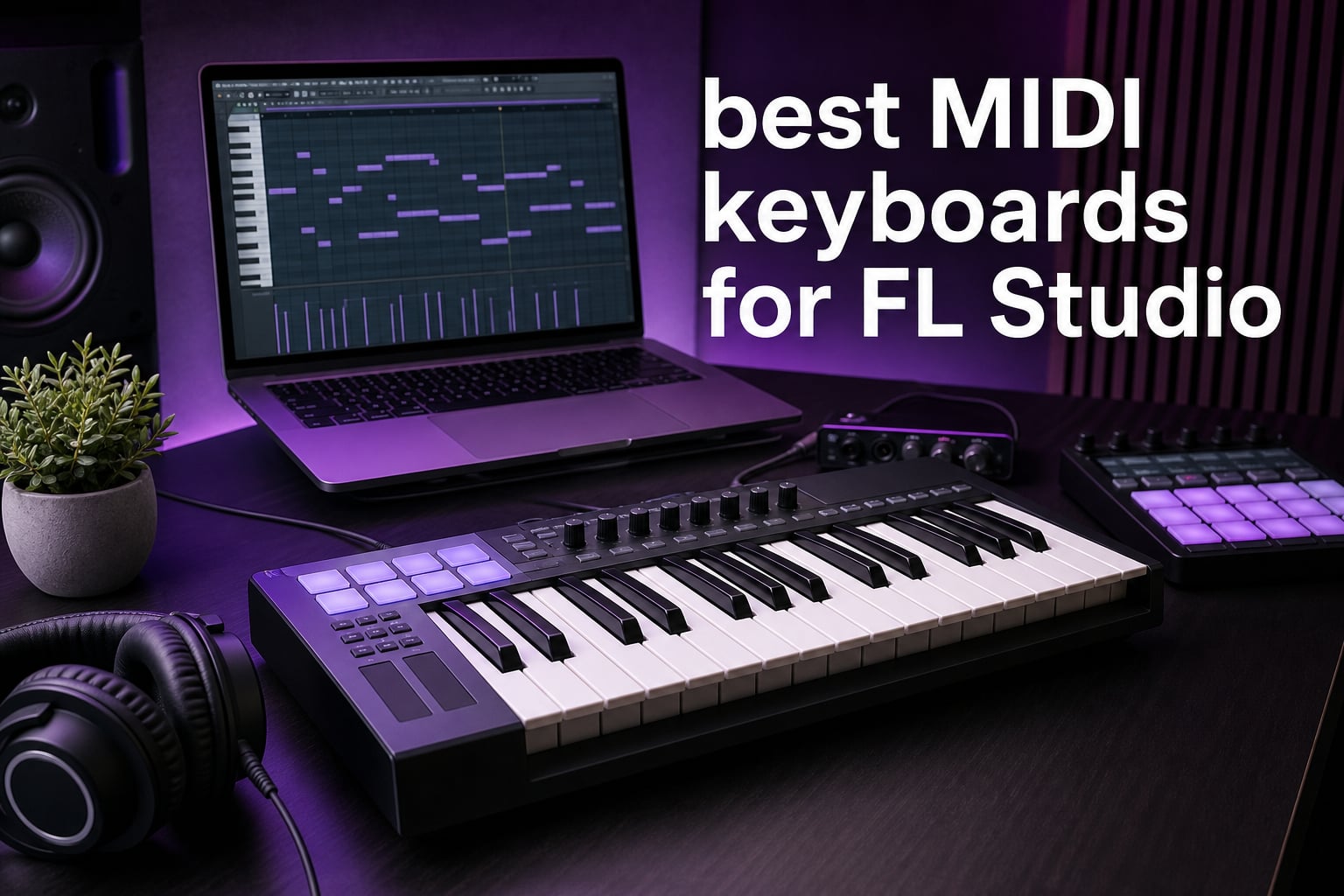
The best MIDI keyboards for FL Studio turn mouse-heavy note entry into a physical performance: play a chord, tap a drum pattern, move a filter, and record that expression into the Piano Roll. A controller does not make sound by itself; it sends MIDI messages such as note, velocity, pitch, and control-change data to FL Studio and its plugins.
I start with the workflow rather than the brand. A producer sketching basslines on a small desk needs a very different FL Studio MIDI keyboard from a player arranging two-handed parts, and the community feedback points to the same recurring questions: key size, pad feel, transport access, and whether mapping will slow down a session.
Every controller below can connect to a computer through USB where its listing states USB MIDI support, but their strengths are not interchangeable. I compared the real product specifications, listed software, supported platforms, controls, ratings, and review feedback to separate dedicated FL Studio control from broader MIDI-controller flexibility for 2026.
Table of Contents
The top 3 picks give most FL Studio producers a clear starting point
If I wanted the most direct FL Studio-focused surface, I would begin with the FLkey 49; if desk space mattered most, I would look at the MiniLab 3; and if I wanted a compact controller with current Akai pads and DAW support, I would pick the MPK Mini IV. Those choices cover the three most common starting points without pretending that one key count fits every producer.
These 12 MIDI keyboards cover FL Studio setups in September 2026The overview is a fast way to match hardware to the part of production you do most. Read the individual sections before choosing: a pad count, a key count, and the number of knobs each tell only part of the story.
| Product | Specifications | Action |
|---|---|---|
 Novation FLkey 49 Novation FLkey 49 |
|
Check Latest Price |
 Arturia MiniLab 3 Arturia MiniLab 3 |
|
Check Latest Price |
 Akai MPK Mini IV Akai MPK Mini IV |
|
Check Latest Price |
 Novation Launchkey 61 MK4 Novation Launchkey 61 MK4 |
|
Check Latest Price |
 Arturia KeyLab Essential mk3 49 Arturia KeyLab Essential mk3 49 |
|
Check Latest Price |
 Akai MPK Mini Plus Akai MPK Mini Plus |
|
Check Latest Price |
 Arturia KeyStep mk2 Arturia KeyStep mk2 |
|
Check Latest Price |
 M-VAVE K5 M-VAVE K5 |
|
Check Latest Price |
 Arturia MicroLab Mk3 Arturia MicroLab Mk3 |
|
Check Latest Price |
 RockJam RJMK25 RockJam RJMK25 |
|
Check Latest Price |
 Arturia KeyLab 49 mk3 Arturia KeyLab 49 mk3 |
|
Check Latest Price |
 Donner N-25 Donner N-25 |
|
Check Latest Price |
The best FL Studio choice is 1. Novation FLkey 49
Novation FLkey 49 USB MIDI Controller Keyboard
49 semi-weighted keys
16 RGB pads
8 knobs and 9 faders
Pros
- Dedicated FL Studio integration
- 49 semi-weighted keys
- 16 RGB pads
- Chord and Scale modes
- 9 faders
Cons
- Platform listing names Windows versions
- Full-size layout needs desk room
I put the Novation FLkey 49 first because its specification is built around FL Studio rather than merely listing generic DAW compatibility. It combines 49 semi-weighted keys with 16 velocity-sensitive RGB pads, eight pots, and nine faders, giving melodies, drum programming, and mixer work a dedicated physical control.
The listing names integration with the Mixer and Channel Rack, along with Sequencer Mode, FPC, and SliceX. That matters when a beat has to move from a pad idea to an arranged loop quickly: fewer controls need to be assigned from scratch through MIDI Learn.
The keybed gives a useful middle ground for producers who want more resistance than compact mini keys without moving to a piano-style controller. Forty-nine keys also leave room for a bass note under a chord or for a wider two-hand voicing before octave switching becomes routine.
FLkey’s Scale mode constrains playing to a chosen scale, while its three Chord modes provide another way to enter harmonies. I see those as sketching tools, not replacements for learning harmony; they are particularly helpful when a timed beat battle calls for a quick, clean first pass.
The FL Studio integration is the reason to choose this keyboard
This is the direct pick for a producer who wants the controller layout to mirror FL Studio tasks. The eight pots and nine faders put a substantial number of mixer and channel parameters under hand, while the pads can work with FPC and sequencing duties.
The product listing includes a six-month FL Studio trial and specifies USB and MIDI connectivity. Its customer feedback is strong as well: it holds a 4.7 rating from 1,240 reviews, with reviewers especially praising setup and hands-on FL Studio control.
The 49-key footprint suits arrangement more than travel
I would choose this size for a fixed desk where chord progressions, bass parts, and playing sessions are frequent. The controller weighs 6.77 pounds, so it is portable in a practical sense but not the controller I would throw into a small everyday bag.
Its source listing identifies Windows 10 and Windows 7, so Windows users have explicit platform information. Mac compatibility is not stated in the supplied data, which is a reason to confirm current support with the manufacturer before committing to a Mac-based setup.
The best compact control surface is 2. Arturia MiniLab 3
Arturia MiniLab 3 Universal MIDI Controller, White
25 slim keys
8 RGB pads
8 encoders and 4 faders
Pros
- Compact USB-C design
- Pressure-sensitive RGB pads
- Four faders
- Arpeggiator
- MIDI Out
Cons
- 25 keys limit two-hand range
- Slim keys are not for every player
The Arturia MiniLab 3 is the compact option I would put beside a laptop when I still want real mixing and sound-shaping controls. Its 25 velocity-sensitive slim keys sit with eight RGB pads, eight encoders, four faders, a small display, and a clickable browse knob.
The four faders distinguish it from many small controllers that offer knobs but little hands-on level control. In FL Studio, that can make a simple MIDI Learn mapping for channel volume or plugin parameters more comfortable than clicking around a screen.
Two banks of eight pads give the controller 16 pad assignments, and the pads respond to velocity and pressure according to the product data. That is a practical layout for FPC patterns, one-shots, and triggering samples, although producers who need a larger pad grid may prefer the FLkey 49.
I also like the included control choices: capacitive pitch and modulation sensors, a built-in arpeggiator, USB-C, and MIDI Out. The listed software includes Ableton Live Lite, Analog Lab Intro, and UVI Model D, which broadens the starting sound library even though the controller itself is universal rather than FL-specific.
The small desk setup gets the clearest benefit here
At 14 inches wide and 3.09 pounds, MiniLab 3 makes sense where a full 49-key board would crowd the typing position. It is a credible MIDI keyboard for beat making when the work centers on drum input, short melodic phrases, basslines, and automation.
The listing explicitly names PC and Mac hardware, plus Mac and Windows 10 platforms. I would connect by USB-C, select the input in FL Studio’s MIDI settings, then use MIDI Learn deliberately instead of attempting to map every available control at once.
The 25-key span asks for regular octave switching
MiniLab 3 is less suited to a player who records full piano arrangements or reaches for wide intervals constantly. The slim synth-action format can be fast for programming, but it does not give the full-size or semi-weighted feel some keyboard players expect.
The published customer record is persuasive for this category: 4.7 from 3,389 reviews, with feedback highlighting build quality, the velocity-sensitive keys, and the bundled software. That large review base adds useful context beyond the feature list.
The best current Akai compact choice is 3. Akai Professional MPK Mini IV
Akai Professional MPK Mini IV 25-Key USB-C MIDI Keyboard Controller, Black
25 mini keys
8 pressure MPC pads
8 360 degree knobs
Pros
- USB-C connection
- Pressure-sensitive MPC pads
- Full-color screen
- FL Studio support
- Chord and Scale modes
Cons
- Mini keys restrict piano playing
- Octave access needs function control
The Akai Professional MPK Mini IV is a focused portable controller for a producer who wants classic MPC-style performance pads alongside a small keyboard. The listing pairs 25 velocity-sensitive mini keys with eight velocity- and pressure-sensitive RGB pads, eight assignable 360-degree knobs, pitch and mod wheels, and a full-color display.
Its product data specifically lists FL Studio support among its pre-mapped DAW integration. That makes it one of the more relevant compact choices for this guide, particularly when pad-based drum entry and quick plugin adjustments matter more than a wide keyboard range.
The arpeggiator includes Pattern, Freeze, and Mutate functions, and the controller has Chord and Scale modes. I would treat these as ways to generate a starting rhythm or harmony, then edit the captured MIDI in FL Studio’s Piano Roll so the finished part remains intentional.
USB-C connectivity and full-size MIDI Out add flexibility for a compact unit. The product is listed for Mac and Windows, and its 1-kilogram weight supports a laptop-centered workflow without requiring a separate power supply.
The MPC pads make this a drum-first compact controller
For finger drumming, the Akai pad lineage is the main attraction. Eight pads are not a large grid, but the pressure response and RGB feedback give a player more expressive input than simple trigger buttons when building kicks, snares, hats, and percussion.
The published review record is 4.6 from 727 reviews, and the source data records it as number one in its controller category at the time collected. That is not a substitute for personal preference, but it shows strong current customer attention.
The mini keybed works best for patterns and short phrases
I would not select 25 mini keys for a pianist’s main controller. They are better suited to entering chords, hooks, basslines, and small melodic ideas, with the controller’s octave range used as part of normal operation.
The included production software, Native Instruments sound package, a Melodics trial, and Splice access add learning and sound resources. FL Studio users should still make the DAW’s MIDI input and controller type settings the first setup check before assuming every function is mapped.
The best wide-range player option is 4. Novation Launchkey 61 MK4
Novation Launchkey 61 MK4 USB MIDI Keyboard Controller
61 semi-weighted keys
16 aftertouch pads
Generative arpeggiator
Pros
- 61-key range
- Polyphonic aftertouch pads
- Scale and Chord modes
- NKS-ready
- Major DAW support
Cons
- Large 10.5 pound controller
- No FL-specific layout stated
The Novation Launchkey 61 MK4 is the choice for a producer who needs genuine playing range before anything else. Its 61 semi-weighted waterfall keys make it much easier to record left-hand bass and right-hand chords together, and it still includes 16 velocity-sensitive FSR pads with polyphonic aftertouch.
Unlike the FLkey, the Launchkey is presented as a controller for major DAWs, with FL Studio listed alongside Ableton Live, Logic, Cubase, Reason, Reaper, and Ardour. I would pick it when FL Studio is the main DAW but broader software compatibility is part of the plan.
The creative set is substantial: Scale and Chord modes, a generative arpeggiator with per-step editing, and NKS readiness for Native Instruments software. Per-step editing can help turn a rough repeating idea into something more shaped before recording or exporting MIDI.
The 4.7 rating from 1,000 reviews points to broad approval, with feedback praising the keybed, DAW functions, and creative tools. It is an arrangement-forward controller rather than a dedicated FL Studio surface with listed mixer faders.
The 61-key range is the direct answer for two-hand parts
Producers moving from loops toward chord changes, pads, piano layers, and bass performances will feel the extra range immediately. It reduces interruptions from octave switching and lets a player audition voicings in a more natural register.
The 10.5-pound weight and large form factor make this a better permanent-studio pick than a casual portable controller. The source data names Mac, Windows 10, and Windows 7, providing explicit platform coverage for common desktop setups.
The generative tools fit idea building rather than FL-specific mapping
I would use the arp, chord, and scale tools to get past an empty Piano Roll, especially during a time-limited challenge. The important distinction is that these features help musical input; they do not remove the need to map a controller or learn FL Studio’s own workflow.
There are 16 pads rather than eight, which gives drums and clip-style triggers more space. Producers whose main need is direct Channel Rack and Mixer access should compare the FLkey 49’s listed eight pots and nine faders before choosing this broader controller.
The best fader-led workflow option is 5. Arturia KeyLab Essential mk3 49
Arturia KeyLab Essential mk3 — 49 Key USB MIDI Keyboard Controller with Analog Lab V Software Included
49 keys with aftertouch
9 encoders and 9 faders
8 RGB pads
Pros
- Nine faders
- Nine encoders
- FL Studio DAW scripts
- Analog Lab V included
- Scale and Chord modes
Cons
- Source lists PC compatibility
- 6.1 pound fixed-desk feel
The Arturia KeyLab Essential mk3 49 is the controller I would consider when a mixer-style surface is as important as the keys. It has 49 velocity-sensitive synth-action keys with aftertouch, nine encoders, nine faders, eight velocity- and pressure-sensitive RGB pads, and a 2.5-inch LCD display.
The product data names custom DAW integration scripts for FL Studio, as well as Ableton Live and Logic Pro X. That is encouraging for producers who want a more guided starting point for mapping, but I would still test the supplied FL Studio script against the version and plugins used in the studio.
Nine faders create a useful channel-control row for levels, sends, or mapped plugin parameters. I prefer to start with a small mapping scheme—drum bus, music bus, bass, leads, effects, and a few important controls—because a controller becomes harder to use when every knob has an unclear assignment.
Analog Lab V with 2,000 presets, UVI Model D, and NI The Gentleman are part of the listed bundle. Those instruments are a real bonus for sketching, while FL Studio remains the host that receives and records the MIDI performance.
The fader count is the strongest reason to buy this model
Nine physical faders are far more useful than a long feature list if mixing by hand is your normal process. They can offer a tactile way to ride levels or capture automation, provided the FL Studio controls are mapped and labeled in a way you can remember.
The controller also provides Scale, Chord, and Arpeggiator modes for composition. Its rating is 4.6 from 623 reviews, and the source record identifies it as a strong-selling controller in its category.
The 49-key synth-action layout favors producers over piano specialists
I see the 49-key span as a flexible midpoint for electronic music production. It has enough room for practical chord-and-bass work without taking the space of a 61-key controller, and the eight pads cover core finger-drumming tasks.
The supplied information identifies PC compatibility and does not state Mac support. That absence is not proof of incompatibility, but it does mean Mac users should confirm current manufacturer documentation before relying on this option.
The best compact hardware-sequencing choice is 6. Akai Professional MPK Mini Plus
Akai Professional MPK Mini Plus 37-Key USB MIDI Keyboard Controller, White
37 mini keys
8 RGB MPC pads
64-step sequencer
CV Gate
Pros
- Three-octave keybed
- 64-step sequencer
- MIDI and CV Gate I O
- DAW transport
- NKS support
Cons
- One-year manufacturer warranty
- Mini keys remain compact
The Akai Professional MPK Mini Plus fills the gap between a 25-key travel controller and a desk-bound 49-key keyboard. Its 37-key keybed spans three full octaves, while eight RGB MPC pads, eight assignable knobs, a transport section, and a 64-step sequencer add a more production-centered layout.
I would look here when a controller needs to speak to FL Studio and external hardware. The product data lists MIDI I/O plus CV and Gate connections, so it can sit in a setup that includes modular gear or hardware synthesizers rather than only a computer.
It has a 64-step sequencer with one drum track and one melody or chord track. This can be a useful idea-capture tool, but it is separate from FL Studio’s Piano Roll; a buyer should choose it because on-device sequencing is wanted, not because it expects automatic project integration.
Chord and Scale modes, NKS integration, and an included MPC Beats package round out the listed features. The controller is available for Mac and Windows according to the source, while its 1.4-kilogram body remains manageable for a mobile rig.
The 37-key span answers the need for more room without a full controller
Three octaves make single-hand melodic playing much less cramped than a 25-key layout. I would choose 37 keys for a producer who alternates between bass, chord ideas, and lead lines but still works in a limited physical space.
Its customer score is 4.6 from 2,121 reviews, with review feedback calling out the expanded keybed, MPC pads, and hardware connections. That combination is unusual in a compact design and is the reason this model has a specific place in the list.
The sequencer and CV outputs matter only for a hybrid setup
A computer-only producer may get more daily benefit from additional faders or a dedicated FL Studio layout. The MPK Mini Plus becomes more compelling when its MIDI, CV, and Gate I/O will actually connect to instruments beyond the laptop.
The transport section is still a welcome DAW feature for starting, stopping, and recording. Check the controller configuration inside FL Studio and map remaining knobs through MIDI Learn, since generic DAW transport support does not describe every software function.
The best CV and sequencing choice is 7. Arturia KeyStep mk2
Arturia KeyStep Controller & Sequencer, mk2-32 Key
32 slim keys with aftertouch
Polyphonic sequencer
CV Gate outputs
Pros
- Aftertouch keys
- Polyphonic sequencer
- 16-mode arpeggiator
- CV and Gate outputs
- Chord and Scale modes
Cons
- Only 88 reviews at data collection
- No drum pads or faders
The Arturia KeyStep mk2 is the most hardware-oriented controller in this roundup. It uses 32 velocity-sensitive Slimkey notes with aftertouch, an OLED display, a polyphonic step sequencer, a 16-mode arpeggiator, pattern chaining, and configurable CV outputs for pitch, gate, and two modulation paths.
For FL Studio, USB-C MIDI and MIDI DIN provide the basic connection path for notes and control data. The more distinctive reason to choose it is its ability to act as the link between a DAW session and external synth or modular hardware, not its number of pads or faders.
Pitch and mod strips, chord mode, scale mode, sync I/O, and a pedal input make it a thoughtful performance tool. I would use the sequencer to generate or rehearse a phrase, then record the MIDI into FL Studio and edit the notes there when the arrangement needs more detail.
The listing gives it a 4.7 rating from 88 reviews. That is a smaller review sample than the compact controllers above, so I place more weight on whether its unusual connection set matches the actual equipment in your room.
The hardware workflow is the direct reason to choose KeyStep mk2
This is for a producer with MIDI DIN gear, modular voices, or an interest in clock and CV relationships. Its four CV outputs make it markedly different from a standard USB pad controller and potentially more central to a hybrid production desk.
The product data lists Mac OS X Intel and Windows 11 platforms. USB-C MIDI is the simple route for FL Studio, while DIN MIDI, CV, Gate, and sync connections need a clear plan for each external device.
The missing pad bank makes it less suited to drum-first FL Studio work
I would not choose KeyStep mk2 as the only controller for someone whose main routine is finger drumming into FPC. It has no listed drum pads or fader bank, so its physical design prioritizes notes, sequencing, and hardware communication.
The 32-note format is larger than a 25-key mini keyboard but still compact. Aftertouch, pattern chaining, and the creative mutate function offer expressive performance options that are relevant for synth-driven genres and live pattern experiments.
The best wireless-ready compact choice is 8. M-VAVE K5
M-VAVE 25 Key USB MIDI Keyboard Controller With 8 Backlit Drum Pads, Bluetooth Semi Weighted Professional dynamic keybed 8 Knobs and Music Production,Software Included (Black)
25 semi-weighted keys
8 RGB pads
Bluetooth and USB
16-hour battery
Pros
- Bluetooth and USB
- 16-hour battery
- Multi-platform support
- 8 pads and 8 encoders
- FL Studio compatibility
Cons
- Wireless latency can matter
- Slim keys may not suit pianists
The M-VAVE K5 is the unusual compact option for a producer who wants wireless capability without giving up pads and knobs. Its source data lists 25 velocity-sensitive semi-weighted keys, eight RGB backlit pads, eight rotary encoders, pitch-bend touch strips, Bluetooth, USB, and a built-in 2,000 mAh battery rated for up to 16 hours.
It explicitly lists FL Studio among compatible DAWs and names Windows, Mac OS, Android, and iOS compatibility. That range can be attractive for a producer who sketches on different devices, although FL Studio use itself remains centered on the computer setup.
I would use USB for recording a performance where timing is the priority. Bluetooth removes cable clutter and supports casual practice, but wireless MIDI can introduce latency concerns according to the product’s own review information, so it deserves a real test in the intended setup.
The controller includes smart chord and smart scale functions, giving beginners a way to start ideas while they learn. Eight pads and eight encoders give it more sound-control potential than a bare 25-key device.
The battery and platform range are this controller’s clearest advantages
A rechargeable controller can move between a desk, a couch, and a mobile device more easily than a USB-only design. It weighs 1.07 kilograms, which keeps it within sensible portable territory while still offering a complete basic control layout.
Its 4.6 rating comes from 407 reviews, and the product information records solid category demand. I would treat that as a signal to consider it, not as a guarantee that Bluetooth timing will suit every audio system.
The wired connection is the safer route for final MIDI recording
When playing a part that has to land tightly with a beat, USB removes one possible source of uncertainty. Wireless operation is a useful convenience feature; it is not the reason to compromise a time-sensitive recording workflow.
The semi-weighted description is appealing for players who want more resistance than typical mini keys, but the keybed is still slim. A traditional pianist should try a full-size controller where possible before basing the decision only on the action label.
The best minimal travel keyboard is 9. Arturia MicroLab Mk3
Arturia MicroLab Mk3 Universal MIDI Controller, White
25 velocity-sensitive keys
USB-C power
Pitch and mod strips
Pedal input
Pros
- Lightweight USB-C design
- Sustain pedal input
- Same keybed as MiniLab 3
- Analog Lab Intro presets
- Simple plug-and-play use
Cons
- No pads or faders
- Only four control buttons
- 25-key range
The Arturia MicroLab Mk3 is for the producer who wants the simplest possible way to play FL Studio instruments from a laptop. Its 25 velocity-sensitive keys use the same keybed named for the MiniLab 3, and the controller adds USB-C power, pitch and modulation touch strips, a sustain-pedal input, and four control buttons.
I would choose it for melody input, basslines, chord sketches, or travel sessions where a pad bank and mixer control are not required. At 0.62 kilograms, it is the lightest conventional keyboard-style option here and is designed to disappear into a small workspace.
The listing includes 500 Analog Lab Intro presets and Ableton Live Lite. Those bundled sounds can be used separately, while FL Studio recognizes the controller as a USB MIDI input for its own instruments and Piano Roll workflow.
The source data names Mac, Windows 10, and Windows 11 platforms. Its 4.6 rating from 114 reviews is a promising early signal, but the small control count should be the deciding fact for FL Studio users.
The lightweight keyboard is right for notes rather than hands-on mixing
MicroLab Mk3 provides a direct physical path to notes, expression strips, and sustain without a complex surface to configure. That makes it a sensible companion for a producer who already uses the mouse comfortably for drums, effects, and mixer changes.
The pedal input matters for players recording sustained chords or piano-style parts. The touch strips replace traditional wheels, so a buyer who performs frequent detailed pitch bends should decide whether that control style feels natural.
The lack of pads and knobs is a deliberate limitation
I would not pick this as the main FL Studio controller for FPC finger drumming or live automation. There are no listed drum pads, knobs, or faders, so the small size comes from omitting those tools rather than fitting them into a denser layout.
For a producer who needs only a compact, velocity-sensitive keyboard, that simplicity is an advantage. For a beginner who wants one controller to explore every production task, MiniLab 3 or MPK Mini IV gives a broader learning surface.
The best high-review-count portable option is 10. RockJam RJMK25
RockJam RJMK25 25 Key USB MIDI Keyboard Controller with Drum Pads
25 mini keys
8 backlit pads
8 knobs
Bluetooth and rechargeable battery
Pros
- Large review base
- Note-repeat pads
- Rechargeable battery
- Bluetooth and USB
- Headphone jack
Cons
- Mini keys are not for everyone
- Bluetooth can add latency
- Heavier than some compact options
The RockJam RJMK25 offers an approachable portable layout with 25 velocity-sensitive mini keys, eight backlit MPC-style pads with note repeat, eight assignable 360-degree knobs, Bluetooth MIDI, USB MIDI, a rechargeable battery, and a 3.5 mm headphone jack. Its large 27.8k-review base is the most immediately noticeable part of its source record.
FL Studio is among the major DAWs named in the product information. I would see it as a general-purpose starter controller for beat ideas, with note repeat helping create fast rhythmic patterns and the knobs available for basic mapped sound control.
The headphone socket is not a replacement for an audio interface, but it can be useful for a simple portable listening setup. Its 1.75-pound weight is still easy to carry, though it is a little heavier than some minimal 25-key controllers.
The 4.4 rating is lower than several models above, yet it comes from a much larger review count. Customer feedback in the product data reports high market presence while also reflecting the familiar compact-controller tradeoff: mini keys and Bluetooth will not suit every player or timing-sensitive situation.
The large review history gives beginners more feedback to examine
A deep pool of customer feedback can help a first-time buyer identify repeated strengths and complaints. I would still read for use-case matches—desktop production, wireless practice, or finger drumming—rather than treating a broad rating as a universal verdict.
The stated platform information includes macOS, Windows, and iOS. USB MIDI is the straightforward FL Studio connection, while Bluetooth is best considered an optional convenience for compatible devices.
The pads and note repeat favor beat sketches over keyboard performance
Eight pads with note repeat make rapid hi-hat, percussion, and repeated-sample ideas more immediate. The eight knobs are also useful as a beginner’s introduction to MIDI Learn, where one physical turn can be assigned to a plugin control in FL Studio.
A producer who plays detailed piano parts should move toward a larger, fuller keybed. This is a compact controller for producing patterns and short musical fragments, not an attempt to replicate a full keyboard instrument.
The best premium control layout is 11. Arturia KeyLab 49 mk3
Arturia KeyLab mk3 USB MIDI Keyboard Controller, 49 Key – White
49 semi-weighted keys
12 pressure pads
9 encoders and 9 faders
Pros
- Channel aftertouch
- 12 performance pads
- 9 encoders
- 9 faders
- Analog Lab Pro included
Cons
- Windows support is listed
- Source does not state Mac support
- 6.2 kilogram body
The Arturia KeyLab 49 mk3 is a substantial 49-key controller for producers who want a deep control layout and a more expressive keybed. The listed specification includes 49 semi-weighted keys with channel aftertouch, 12 pressure-sensitive performance pads, nine encoders, nine faders, a 3.5-inch display, USB-C power, pedal inputs, and Analog Lab Pro.
It is supported for FL Studio according to the supplied product record, so it belongs on a FL Studio shortlist for users who prioritize physical control. The larger pad count gives it a bit more performance-room than the eight-pad controllers, while the faders and encoders can be assigned to a structured mixing and sound-design template.
I would plan mappings before buying any control-heavy keyboard: decide which channels, sends, macros, or plugin parameters deserve permanent hardware access. That method makes nine faders and nine encoders useful rather than decorative, and it avoids changing the meaning of controls from session to session.
There is a tradeoff in the customer data. Its 4.3 rating from 177 reviews is lower than the higher-volume compact picks, so I would pay close attention to recent feedback and to whether its heavier, more elaborate layout is truly needed.
The aftertouch and control density are the reasons to select this model
Channel aftertouch can add expressive control to compatible instruments after a key is pressed, while the 12 pads provide more performance targets than an eight-pad bank. These features fit sound designers and players who want a controller to remain central as projects become more involved.
The 6.2-kilogram specification points to a permanent-studio role. It is not a light grab-and-go controller, and that is acceptable when a stable, full control surface is the actual goal.
The listed Windows support needs a compatibility check for other systems
The supplied listing identifies Windows hardware and Windows 10 or later, but does not state Mac compatibility. I would verify the current operating-system requirements and FL Studio integration documentation directly with Arturia before building a Mac-centered studio around it.
Its Analog Lab Pro bundle can complement FL Studio with a broad instrument library. The best fit is a producer who will make daily use of the pads, aftertouch, faders, and encoders rather than only the 49 keys.
The best basic learning-focused option is 12. Donner N-25
Donner Mini MIDI Keyboard N-25, 25 Key MIDI Controller Gifts for Beginners with Velocity-Sensitive Mini Keys Light-up Rocker Music Production Software, Small USB Controlador with 40 Teaching Courses
25 mini velocity keys
Light-up rocker
Teaching courses
USB MIDI
Pros
- Compact USB design
- Velocity-sensitive mini keys
- Teaching courses included
- Mac and Windows listed
- Arpeggiator functions
Cons
- No pads or faders
- 90-day warranty
- Small key size
The Donner N-25 is the stripped-back starting point for someone who wants to learn basic keyboard input without a large control surface. Its listing names 25 velocity-sensitive mini keys, a light-up rocker, USB connectivity, pitch-bend control, arpeggiator, sustain, octave, and tap-tempo functions, plus 40 keyboard-teaching courses.
I would select it for simple melody, chord, and bass entry in FL Studio, particularly when the learning material matters as much as controller features. It is compatible with Mac and Windows in the supplied data and can act as a plug-and-play MIDI input for recording notes into the Piano Roll.
The essential limitation is just as important: the product record does not list drum pads, rotary knobs, or faders. That makes it less complete for beat making than a compact pad controller, even though it covers the most basic keyboard function well.
It has a 4.2 rating from 706 reviews. That score and the short 90-day warranty are reasons to set realistic expectations: this is a straightforward learning-oriented keyboard, not the most feature-rich FL Studio controller in the roundup.
The teaching bundle is the direct advantage for a new player
Forty supplied keyboard courses could give a beginner a more structured first step into notes and technique. Once the basics are in place, FL Studio’s Piano Roll can show exactly what was played and make correction, quantization, and arrangement easier.
The small physical footprint also suits a laptop desk. Its light-up controls can offer visual feedback while learning, and the rocker provides a hands-on way to work with pitch-bend functions.
The missing pads and knobs limit beat-production control
For a beginner who wants finger drumming, sample triggering, and plugin control from the outset, I would choose a model with pads and encoders instead. The N-25 is closer to a compact note-entry keyboard than an all-purpose production surface.
The 25 mini keys also mean octave changes are part of normal use. It makes sense for short phrases and learning exercises, whereas a player who records wide chord parts should look at one of the 49- or 61-key models above.
The right MIDI keyboard depends on how you make beats in FL Studio?
Start with key count because it changes the feel of every session. Twenty-five keys work for drums, bass, one-hand melodies, and portable production; 37 keys give a more forgiving three-octave span; 49 keys are the versatile middle choice; and 61 keys make two-hand chords and bass parts much easier to capture in one performance.
Key action comes next. Synth-action and slim keys tend to suit compact controllers and quick production input, semi-weighted keys add resistance for more deliberate playing, and hammer-action designs are aimed at piano-style feel; none is automatically better for FL Studio, because the right choice follows the way you play.
The pads are important when finger drumming is part of your process
Velocity-sensitive pads can record soft and hard hits into FPC or another drum instrument, while pressure sensitivity adds another performance dimension on models that include it. Eight pads are enough for a compact drum layout, but 16 pads make it easier to dedicate more sounds to one bank.
I would not buy pads just because they look productive. If you program drums with a mouse and spend more time on chords, leads, and sound design, better keys or more faders can be more useful than a larger pad grid.
The knobs and faders matter when you will map them consistently
FL Studio’s MIDI Learn lets a hardware knob or fader send CC data to a chosen parameter. Map a small set of recurring controls first, such as filter cutoff, resonance, reverb send, delay send, track level, or a plugin macro, and label the choices in your template.
Dedicated integration can reduce setup work, but generic controllers are still capable once configured. Advanced users can also investigate FL Studio MIDI scripting for more tailored behavior; the important point is to use documented scripts and save a reliable template rather than rebuilding mappings in every project.
The connection type should match the real recording environment
USB MIDI is the direct, common way to connect a controller to FL Studio. MIDI DIN, CV, and Gate matter for external instruments, while Bluetooth is useful for cable-free use but should be checked for timing behavior before a recording session where tight rhythmic input matters.
Platform details deserve the same attention. Where the source data explicitly names Windows, Mac, iOS, or Android, I have called that out; where a listing does not name a platform, confirm current manufacturer support rather than filling in the gap from assumption.
The fastest setup starts with FL Studio MIDI settings
Connect the controller, open FL Studio’s MIDI settings, enable it as an input, and select any appropriate controller type or script that the manufacturer documents. Then load an instrument, play a few notes, and verify that the Piano Roll receives the expected pitches and velocities.
After notes work, test pads and transport controls one at a time. I recommend saving the project as a template after making a small set of mappings, because a reliable starting configuration is far more useful in a beat battle than dozens of unfamiliar controls.
The answers below explain FL Studio MIDI keyboard basics
Do MIDI keyboards work with FL Studio?
Yes. A USB MIDI keyboard sends note, velocity, pitch, and control data to FL Studio, where the Piano Roll and plugins receive it. Enable the device in FL Studio MIDI settings, then test notes and controls before mapping extra functions.
What keyboard should I get for FL Studio?
Choose a Novation FLkey 49 when dedicated FL Studio controls and 49 semi-weighted keys matter most. Choose a compact controller such as Arturia MiniLab 3 or Akai MPK Mini IV for a small desk, pads, and portable production; choose 61 keys when you regularly play two-hand parts.
What is the best brand for MIDI keyboards?
There is no single best brand for every FL Studio producer. Novation offers FL Studio-focused options, Arturia offers compact and control-rich choices, and Akai offers MPC-style pad controllers; key count, control layout, and connection needs should decide the choice.
How many keys do I need for beat making?
Twenty-five keys are enough for drum programming, basslines, and short melodies, but octave switching is frequent. Forty-nine keys are a flexible middle size for chords and arrangement, while 61 keys make wider two-hand parts more comfortable.
The best MIDI keyboards for FL Studio fit the way you write music
The Novation FLkey 49 is my direct choice for a producer who wants dedicated FL Studio integration, pads, faders, and a useful playing range in one controller. MiniLab 3 and MPK Mini IV make more sense when compact production is the priority, while Launchkey 61 MK4 and the larger Arturia boards suit players who want wider keys or deeper physical control.
Pick the controller that removes the most friction from your actual sessions, connect it through USB, and build a small FL Studio template around the controls you use every day. That is the practical route to making one of the best MIDI keyboards for FL Studio work for you in 2026.