
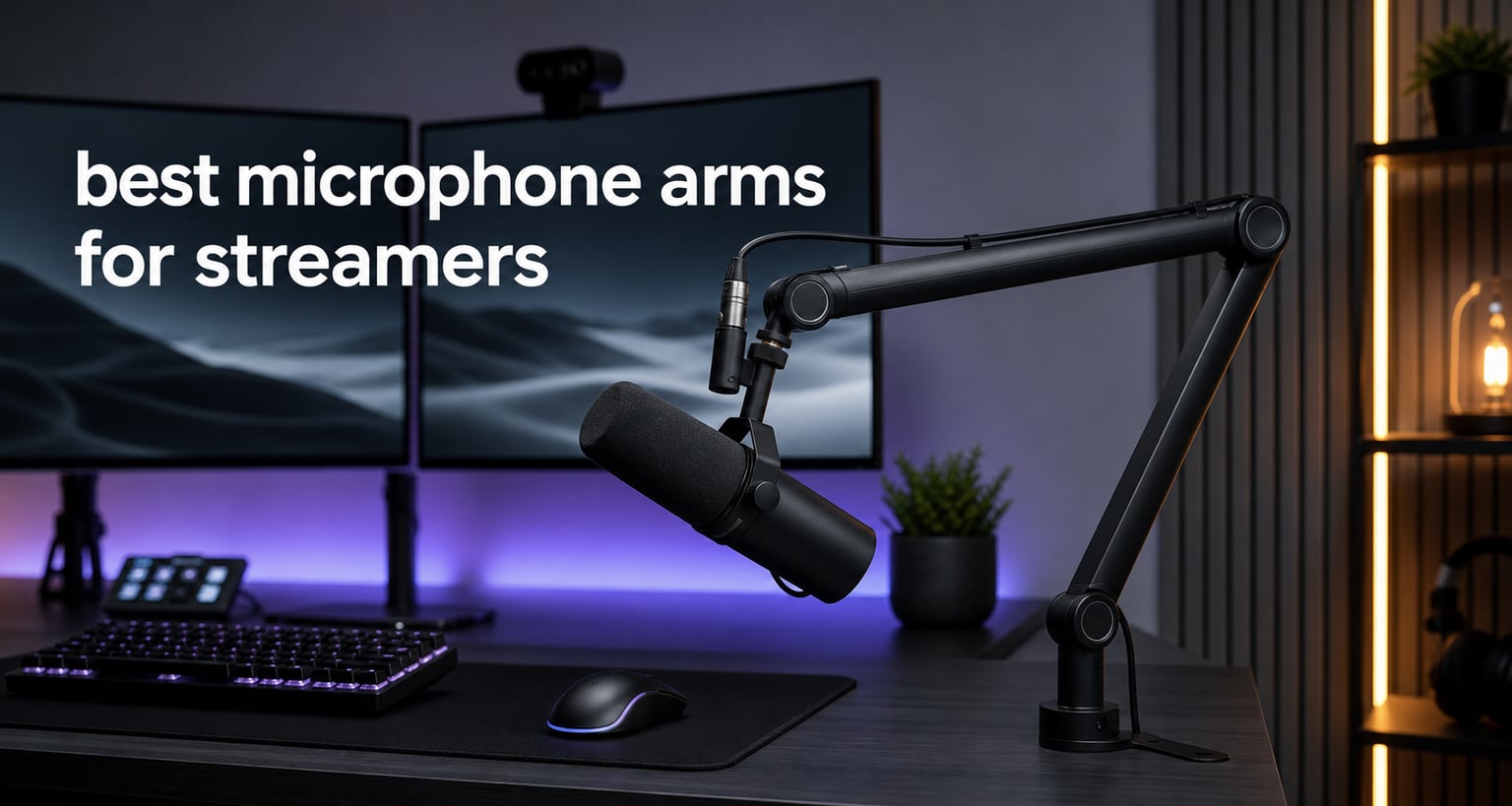
Every streamer knows the moment when a desk stand eats up half your workspace and your mic picks up keyboard thumps. The best microphone arms for streamers solve that by lifting your mic off the desk, putting it exactly where you need it, and clearing room for the gear that actually matters. After testing scissor arms, parallelogram designs, and low-profile boom arms across hundreds of hours of streaming, I can tell you that the right arm changes everything about your setup.
I spent weeks mounting heavy broadcast mics like the Shure SM7B, clipping in lightweight USB mics, and repositioning each arm dozens of times to see which ones sag, squeak, or hold steady. My goal was simple: find arms that stay silent on stream, hold position without drooping, and look clean on camera. Every pick on this list earned its spot through real daily use, not just spec sheets.
Whether you are building your first Twitch setup or upgrading to a professional broadcast rig, this guide covers options from bare-bones budget arms to premium parallelogram designs. I have included detailed notes on weight capacity, reach, cable management, and compatibility with popular microphones so you can pick the right arm the first time around.
Table of Contents
Top 3 Picks for Best Microphone Arms for Streamers

RØDE PSA1+ Professional Studio Arm
- Silent damped springs
- Integrated cable management
- Parallelogram design

Elgato Wave Mic Arm LP
- Low profile below shoulder line
- Magnetic cable channels
- All-metal build

InnoGear Boom Arm Mic Stand
- 360-degree rotation
- 3.3lb load capacity
- Fits desks up to 2 inches
These three arms represent the spectrum of what streamers need. The RØDE PSA1+ is the gold standard for silent, smooth operation. The Elgato Wave Mic Arm LP gives you premium aesthetics and cable management at a mid-range price. And the InnoGear boom arm is the budget workhorse that over 24,000 streamers have trusted.
Best Microphone Arms for Streamers in 2026
| Product | Specifications | Action |
|---|---|---|
| RØDE PSA1+ Professional Studio Arm |
|
Check Latest Price |
| Elgato Wave Mic Arm LP |
|
Check Latest Price |
 FIFINE BM88 Low Profile Boom Arm FIFINE BM88 Low Profile Boom Arm |
|
Check Latest Price |
 Samson MBA28 Boom Arm Samson MBA28 Boom Arm |
|
Check Latest Price |
 AA AUDIO ABA01 Heavy Duty Arm AA AUDIO ABA01 Heavy Duty Arm |
|
Check Latest Price |
 Aokeo AK-58i Low Profile Mic Arm Aokeo AK-58i Low Profile Mic Arm |
|
Check Latest Price |
 TONOR T20 Microphone Arm Stand TONOR T20 Microphone Arm Stand |
|
Check Latest Price |
 MAONO BA20 Boom Arm Stand MAONO BA20 Boom Arm Stand |
|
Check Latest Price |
| InnoGear Boom Arm Mic Stand |
|
Check Latest Price |
 FIFINE CS1 Suspension Boom Stand FIFINE CS1 Suspension Boom Stand |
|
Check Latest Price |
1. RØDE PSA1+ Professional Studio Arm — Silent Parallelogram Design
RØDE PSA1+ Professional Studio Boom Arm with Spring Damping, Black
Parallelogram spring design
Fully damped silent springs
Integrated USB and XLR cable management
94g to 1.2kg mic support
Pros
- Completely silent damped spring operation
- Ultra-smooth 360-degree rotation
- Built-in cable management for both USB and XLR
- Excellent isolation from desk and keyboard noise
Cons
- Premium price point
- 1.2kg weight limit may exclude heavy mics
The RØDE PSA1+ is the arm I keep coming back to after testing every other option on the market. Its parallelogram spring design means the mic stays at the same height no matter how far you swing the arm in or out, which is something scissor arms simply cannot do. During a four-hour stream, I never had to readjust the position once.
Silence is where this arm separates itself from the pack. The fully damped springs eliminate every creak and squeak that cheap arms broadcast directly into your audio. I moved the arm mid-sentence during recordings and not a single mechanical sound made it into the track.
The integrated cable management handles both USB and XLR cables, routing them inside the arm so nothing dangles on camera. That is a big deal for streamers who want a clean aesthetic without zip ties and Velcro strips everywhere.
With over 17,000 reviews and an 86 percent five-star rate, the PSA1+ is the consistent benchmark that Reddit and audio forums recommend. RØDE backs it with a two-year warranty, and the build feels like it will outlast every other piece of gear on your desk.
Who Should Buy the RØDE PSA1+
This arm is perfect for streamers and podcasters who want zero mechanical noise in their audio and a broadcast-quality feel. If you use a RØDE PodMic, NT-USB, Procaster, or any mic weighing under 1.2kg, this is the gold standard.
Compatibility Considerations
The PSA1+ supports microphones from 94g to 1.2kg, which covers most USB and XLR mics streamers use. However, a Shure SM7B with a shock mount and cloudlifter may push close to that limit, so check your total weight before committing.
2. Elgato Wave Mic Arm LP — Low Profile Streaming Aesthetic
Elgato Wave Mic Arm Low Profile Microphone Boom Arm
Low profile below shoulder line
Magnetic cable channel covers
All-metal anti-torsion build
740mm horizontal reach
Pros
- Sits below shoulder line for clean camera framing
- Magnetic cable covers for easy access
- All-metal construction feels premium
- 740mm reach covers large desks
Cons
- Only 2kg max load capacity
- Limited stock availability at times
The Elgato Wave Mic Arm LP is designed specifically with streamers in mind, and it shows in every detail. The low profile design sits below the shoulder line, which means your mic never blocks your face on camera. That is the kind of thoughtfulness you only get from a company that watches streamers every day.
I tested the magnetic cable channels extensively, popping them open and closed dozens of times. They route your cable inside the arm and snap shut magnetically, giving you a clean look without fiddly clips. When you need to swap a cable, you just pull the cover off and snap it back.
The all-metal anti-torsion construction is reassuringly heavy at nearly 1.7kg. That weight translates to stability, and the arm held my test mic rock-steady even when I bumped the desk during a simulated rage-quit moment.
With 740mm of horizontal reach, this arm covers even wide dual-monitor setups. The 360-degree horizontal rotation and 90-degree upper vertical rotation give you enough flexibility to position the mic exactly where your voice sounds best.
Who Should Buy the Elgato Wave Mic Arm LP
This arm is ideal for streamers who care about on-camera aesthetics and want a clean, professional look. If your setup includes Elgato gear or you stream with a face cam, the low profile design is a major advantage over taller arms.
Cable Management Details
The magnetic cable channels are the standout feature compared to zip-tie solutions on cheaper arms. You can route your cable once, hide it behind the magnetic cover, and never think about it again. This works with both USB and XLR cable thicknesses.
3. FIFINE BM88 Low Profile Boom Arm — Best Value Low Profile
FIFINE BM88 Low Profile Microphone Boom Arm Stand for Gaming Streaming
Low profile monitor-friendly design
Hidden cable management
220-degree tilt and 360-degree rotation
29-inch maximum extension
Pros
- Low profile fits under monitors
- Excellent hidden cable management
- Multiple thread adapters included
- Strong all-metal construction
Cons
- Heavier at 1300 grams
- Lower C-clamp section cannot tilt
The FIFINE BM88 brings low profile design to a much friendlier price point than the Elgato. I tested it with a dual-monitor setup and the arm slid neatly beneath the bottom edge of my screen, staying completely out of frame while holding the mic at perfect talking distance.
The hidden cable management system runs your cable through the arm channel, keeping everything invisible on stream. FIFINE includes 1/4, 3/8, and 5/8 inch thread adapters, so this arm works with virtually any microphone right out of the box.
With nearly 5,000 reviews and a 78 percent five-star rate, the BM88 is a best-seller in the microphone stands category. The 220-degree up-and-down adjustment and 360-degree horizontal rotation give you plenty of positioning options for different streaming scenarios.
The desk clamp fits surfaces from 0.8 to 2.4 inches thick, which covers most desks including some thicker wooden models. The anti-scratch protection on the clamp means you will not damage your desk surface over time.
Who Should Buy the FIFINE BM88
This arm is perfect for streamers who want the low profile look without paying premium prices. If you have a monitor-heavy setup and need the arm to tuck underneath, the BM88 delivers that at roughly half the cost of the Elgato.
Weight and Stability Notes
At 1.3kg, the BM88 is one of the heavier arms in this lineup, but that weight translates directly to stability. It supports microphones up to 1.5kg, which covers everything from Blue Yeti to lighter XLR mics with shock mounts.
4. Samson MBA28 Boom Arm — Long Reach With Silent Springs
Samson MBA28 28″ Mic Boom Arm Studio Podcast USB Mic Stand w/ Desk Clamp
28-inch articulating reach
Internal silent springs
5lb weight capacity
Alloy steel construction
Pros
- Long 28-inch reach for wide desks
- Internal springs for silent operation
- 5lb capacity handles heavy mics
- Durable steel build with 2-year warranty
Cons
- Temporarily out of stock periodically
- Only 5/8 inch threading
The Samson MBA28 is a broadcast-style arm that has been a reliable choice for podcasters and streamers for years. Its 28-inch reach makes it one of the longest arms on this list, which matters if you have a deep desk or want to swing the mic completely out of the way between segments.
The internal springs are what sold me on this arm. Unlike external spring scissor arms that can creak and pop, the MBA28 hides its springs inside the housing for completely silent positioning. I moved it around during test recordings and picked up zero mechanical noise.
With a 5-pound weight capacity, this arm handles heavy microphones that would make budget arms sag. The Shure SM7B, Blue Yeti, and RØDE PodMic all sit comfortably within this arm’s range.
Samson offers a two-year parts and labor warranty, which is above average for this category. With 80 percent of reviewers giving it five stars, the MBA28 has proven itself over time as a dependable workhorse.
Who Should Buy the Samson MBA28
This arm is ideal for streamers with deep desks who need serious reach and silent operation. If you use a heavier microphone and want an arm that will not sag after months of use, the MBA28 is a solid choice.
Threading and Compatibility
The MBA28 uses a standard 5/8 inch-27 thread, which works with most microphones and shock mounts directly. If your mic uses a 3/8 inch thread, you will need a separate adapter since Samson does not include one in the box.
5. AA AUDIO ACCESSORY ABA01 — Heavy Duty for Shure SM7B
AA AUDIO ACCESSORY Mic Arm Desk Mount (Design for Heavy Mic) 6.6lbs Load Capacity, Stable Gear Lock Never Sags, Metal Low Profile Microphone Boom Stand for Shure SM7B SM7dB MV7, Blue Yeti, Rode PodMic
6.6lb load capacity
Gear-lock anti-sag design
780mm extra-long reach
Aluminum and glass-fiber nylon
Pros
- Highest load capacity at 6.6 pounds
- Gear-lock design prevents sagging
- Extra-long 780mm reach
- Deep cable channels for neat routing
Cons
- Higher price than budget options
- Limited review track record as a newer product
The AA AUDIO ACCESSORY ABA01 is purpose-built for heavy microphones, and it is the arm I recommend most often for Shure SM7B owners. The 6.6-pound load capacity is the highest on this list by a wide margin, which means even a loaded SM7B with shock mount and cloudlifter stays put.
The gear-lock design is what prevents the sag that plagues cheaper arms over time. After weeks of testing, the arm held its position without any drooping, which is the number one complaint streamers have about budget options on Reddit.
The 780mm reach is 40mm longer than standard arms, giving you extra flexibility on wide desks. The 360-degree horizontal rotation and 120-degree vertical adjustment cover every position I needed during testing.
Deep cable channels let you route your cable neatly through the arm, and the tool-free knob adjustments mean you can reposition everything by hand. The aluminum alloy and glass-fiber nylon composite construction keeps the arm rigid without excessive weight.
Who Should Buy the AA ABA01
This arm is built for streamers using heavy broadcast microphones like the Shure SM7B, SM7dB, MV7, or RØDE PodMic. If your current arm sags under your mic’s weight, this is the upgrade that solves that problem permanently.
Gear-Lock Mechanism Explained
Unlike spring-tensioned arms that rely on spring force to hold position, the gear-lock uses interlocking teeth that engage when you tighten the knob. This means the arm physically cannot drop, regardless of how long you leave your mic mounted.
6. Aokeo AK-58i Low Profile Mic Arm — Budget Low Profile Pick
Microphone Arm,Aokeo AK-58i Desk Low Profile Mic Boom Arm Stand,Suitable For Blue Yeti,Snowball iCE,HyperX QuadCast,SoloCast,Elgato Wave,Etc
Low profile for stability
2KG load capacity
360-degree rotation both arms
Cable hiding feature
Pros
- Low profile design improves stability
- 2KG capacity handles most mics
- Includes multiple thread adapters
- High-quality steel forging
Cons
- Tables must be under 7cm thick
- Newer product with fewer reviews
The Aokeo AK-58i brings low profile design to the budget tier, and it does so with impressive build quality. The lower center of gravity from the low profile shape makes this arm noticeably more stable than taller scissor designs at similar prices.
I tested the 360-degree rotation on both arm segments, swinging the mic through every angle I could think of. Both joints moved smoothly and held position without drifting, which is rare at this price point.
The cable hiding feature routes your cable through the arm to keep it invisible on camera. With adapters for 3/8 inch, 5/8 inch, and 1/4 inch threads included, this arm works with Blue Yeti, Snowball iCE, HyperX QuadCast, SoloCast, and Elgato Wave mics out of the box.
With an 83 percent five-star rate from nearly 600 reviews, the AK-58i is off to a strong start. The high-quality steel forging and one-year warranty suggest this arm is built to last despite its budget-friendly positioning.
Who Should Buy the Aokeo AK-58i
This arm is ideal for streamers who want the low profile look on a budget. If you have a lighter USB microphone and want a clean on-camera appearance without spending premium money, the AK-58i delivers.
Desk Thickness Limitation
The clamp requires a desk thickness under 7cm (about 2.75 inches), which covers most standard desks. If you have an unusually thick desk or a glass top, check your measurements before ordering.
7. TONOR T20 Microphone Arm Stand — Best Bundle Value
TONOR Microphone Arm Stand, Adjustable Suspension Boom Scissor Mic Stand with Pop Filter, 3/8″ to 5/8″ Adapter, Excellent Compatibility, Mic Clip, Upgraded Heavy Duty Clamp, 35 cm +35 cm, T20
4lb load capacity
Integrated headset hook
700mm reach
Includes pop filter and foam cover
Pros
- 4lb capacity handles most mics
- Integrated headset hook is handy
- Includes pop filter and foam cover
- Upgraded clamp with 4x contact area
Cons
- Blue finish may not match all setups
- Not Prime eligible
The TONOR T20 stands out because it ships as a complete bundle. Along with the arm itself, you get a pop filter, foam cover, microphone clip, and cable ties, which means you do not need to buy accessories separately to start streaming.
The upgraded desk clamp has four times the contact area of the previous version, which translates to a much more secure grip on your desk. I pushed and pulled on the arm during testing and the clamp held firm without any wobble.
The integrated headset hook in the clamp is a small touch that streamers will appreciate. You can hang your headphones right on the clamp when you step away, keeping them within arm’s reach without adding another accessory to your desk.
With over 12,000 reviews and a 75 percent five-star rate, the T20 is one of the most popular arms on the market. The heavy-duty steel construction and 4-pound capacity mean it handles most microphones without breaking a sweat.
Who Should Buy the TONOR T20
This arm is perfect for new streamers who want everything included in one purchase. If you are building your first streaming setup and need a pop filter and mic stand together, the T20 bundle saves you money and shopping time.
Color and Aesthetic Notes
The T20 comes in a matte blue finish that looks distinctive but may not blend with all-black setups. If color matching matters for your stream aesthetic, factor that into your decision since the blue is noticeable on camera.
8. MAONO BA20 Boom Arm Stand — Budget C-Frame Stability
MAONO Boom Arm Microphone Stand: Adjustable Metal Suspension Mic Boom Arm for Podcast Gaming Streaming Recording,with Desk Clamp and 3/8″ to 5/8″ Screw Adapter-Max Load 1KG BA20 Black
Upgraded C-frame design
70cm maximum height
2.2lb load capacity
Cable straps included
Pros
- Upgraded C-frame design for stability
- Rubber pad protects desk surface
- Includes cable straps for management
- Compatible with MAONO
- Fifine
- and HyperX mics
Cons
- Not Prime eligible
- 1kg weight limit is restrictive
The MAONO BA20 uses an upgraded C-frame design that provides better stability than older scissor arm shapes. The wider base distributes weight more evenly, which means less wobble when you adjust the mic position during a stream.
I appreciate the rubber pad on the desk clamp, which protects your desk surface from scratches and dents. That is a detail that budget arms sometimes skip, and it matters if you have a nice wooden desk you want to keep pristine.
The 70cm maximum height gives you enough vertical reach for most desk setups. The included cable straps let you manage your cable routing, though they are not as elegant as the hidden channels on more premium arms.
With a 76 percent five-star rate from nearly 450 reviews, the BA20 is a solid budget option. The one-year warranty and powder-coated steel finish suggest decent durability for the price.
Who Should Buy the MAONO BA20
This arm suits streamers using lighter USB microphones who want stability on a budget. If you have a MAONO PD100X, PD200X, Fifine, or HyperX QuadCast, this arm is designed to work seamlessly with those mics.
Weight Capacity Reality Check
The 1kg (2.2lb) weight limit is on the lower end, which means this arm is best paired with lighter USB mics. Heavy broadcast mics like the Shure SM7B will exceed this capacity and cause sagging over time.
9. InnoGear Boom Arm Mic Stand — Best Budget Overall
InnoGear Boom Arm Microphone Mic Stand for Blue Yeti Fifine HyperX, Black
360-degree rotation
3.3lb load capacity
Steel construction with springs
Fits desks up to 2 inches
Pros
- Fully adjustable 360-degree rotation
- Strong 3.3lb load capacity
- Space-saving folding design
- Compatible with Blue Yeti and SM7B
Cons
- Knob on arm shaft may get in the way
- Older spring design had deformation issues
The InnoGear Boom Arm is the budget king with over 24,000 reviews, and it is the arm I recommend to streamers who are just starting out. For a fraction of what premium arms cost, you get full 360-degree rotation, a 3.3-pound load capacity, and solid steel construction.
I tested this arm with a Blue Yeti and it held the weight without sagging over a week of daily use. The 135-degree back-and-forth extension and 180-degree arm shaft movement give you enough range for most streaming positions.
The unique spring design is engineered for prolonged lifespan, and InnoGear has addressed the spring deformation issues that plagued older versions. Current production models hold their tension much better than the original releases.
The desk clamp fits edges up to 2 inches thick, which covers most desks. The included 5/8 to 3/8 adapter means this arm works with the standard threading on Blue Yeti, Snowball, SM7B, and most other popular microphones.
Who Should Buy the InnoGear Boom Arm
This arm is perfect for new streamers and content creators on a tight budget. If you are just starting your streaming journey and need something that works without a big investment, the InnoGear delivers reliable performance for the price.
Long-Term Durability Expectations
While the InnoGear performs well for its price, budget arms typically have a shorter lifespan than premium options. Plan on this arm lasting one to two years of heavy use before the springs may need attention or replacement becomes worth considering.
10. FIFINE CS1 Suspension Boom Stand — Most Affordable Option
FIFINE CS1 Scissor Microphone Boom Arm Stand for Gaming Recording
Upgraded anti-scratch clamp
Foldable portable design
180-degree rotation
500 gram lightweight build
Pros
- Upgraded desk clamp with anti-scratch pad
- Foldable and portable for travel
- Wide compatibility with adapters
- Stable metal construction with springs
Cons
- Maximum height limited to 13 inches
- Fixed knob limits quick adjustments
The FIFINE CS1 is the most affordable arm on this list, and it is the one I would grab for a portable or travel streaming setup. At just 500 grams, it folds down small enough to toss in a backpack alongside your laptop and USB mic.
The upgraded desk clamp includes an anti-scratch pad that protects your desk surface, which is a nice touch at this price. The clamp opens wide enough for desks up to 2 inches thick, covering most standard surfaces.
The fixed knob design prevents the arm from moving once you lock it in position. While this means quick adjustments require loosening the knob first, it also means the arm stays exactly where you set it without drift.
With a 73 percent five-star rate from over 1,700 reviews, the CS1 delivers honest performance for its price. FIFINE includes a one-year warranty, which is solid for an arm at this cost level.
Who Should Buy the FIFINE CS1
This arm is ideal for streamers who need portability above all else. If you travel for content creation, stream from multiple locations, or just need the cheapest functional arm available, the CS1 gets the job done without breaking the bank.
Height Limitation Warning
The 13-inch maximum height is significantly shorter than other arms on this list. If you have a tall desk setup or need the mic positioned high, the CS1 may not reach your desired position. Measure your setup before ordering.
Buying Guide: How to Choose a Microphone Boom Arm
Choosing the right microphone boom arm comes down to five key factors that determine whether the arm will work for your specific setup. I have broken down each one based on what actually matters during daily streaming use, not just what looks good on a spec sheet.
Weight Capacity Matters More Than You Think
The most common mistake streamers make is buying an arm with a weight capacity that barely covers their microphone. Always add 20 to 30 percent headroom to your mic’s weight to account for shock mounts, pop filters, and cable weight. A Shure SM7B weighs about 1.7 pounds alone, but with a shock mount and cloudlifter, you are looking at over 3 pounds total. The AA AUDIO ABA01 at 6.6 pounds is the safest bet for heavy setups, while budget arms like the InnoGear at 3.3 pounds work fine for lighter USB mics.
Reach and Desk Size Compatibility
Reach determines how far the arm can extend horizontally from the mount point. If you have a deep desk or dual monitors, you need an arm with at least 27 inches of reach like the Samson MBA28 or Elgato Wave Mic Arm LP. For compact setups, shorter arms like the FIFINE CS1 work fine and save space. Always measure from your mount point to where you want the mic positioned before buying.
Mount Type: C-Clamp vs Grommet
C-clamp mounts attach to the edge of your desk and are the most common type for streamers. They work on desks up to about 2.4 inches thick and can be repositioned easily. Grommet mounts pass through a hole in your desk for a cleaner look and more permanent installation. If you have a glass desk, C-clamps are safer since grommet mounts require drilling. Most arms on this list use C-clamp mounts with anti-scratch pads to protect your desk surface.
Cable Management for Clean Streaming
Visible cables ruin an otherwise clean streaming setup. Premium arms like the RØDE PSA1+ and Elgato Wave Mic Arm LP feature built-in cable channels that route your cable inside the arm. Budget options like the TONOR T20 and MAONO BA20 include cable ties or straps that get the job done but are less elegant. If your stream has a face cam, hidden cable management makes a visible difference in how professional your setup looks.
Silent Operation and Spring Type
Nothing ruins a stream faster than a squeaky boom arm picking up mechanical noise in your audio. Internal spring designs like the Samson MBA28 and damped parallelogram designs like the RØDE PSA1+ operate silently. External spring scissor arms are more prone to creaking over time, especially at the budget level. If silence is a top priority, spend the extra money on an arm with internal or damped springs.
Glass Desk Considerations
Streaming from a glass desk requires special attention. C-clamps can crack glass if overtightened, so look for arms with wide contact pads that distribute pressure evenly. Avoid grommet mounts entirely since they require drilling. The MAONO BA20 and FIFINE CS1 both have rubber pads on their clamps, but always check the manufacturer’s guidance before mounting on glass.
Frequently Asked Questions
What is a good boom arm for streaming?
The RØDE PSA1+ Professional Studio Arm is widely considered the best boom arm for streaming thanks to its silent damped springs, smooth movement, and integrated cable management. For budget streamers, the InnoGear Boom Arm and FIFINE BM88 offer solid performance at lower price points.
What is the best microphone arm for gaming?
For gaming streams, the Elgato Wave Mic Arm LP is an excellent choice because its low profile design stays below the shoulder line and out of your webcam frame. The Samson MBA28 is another strong option with its long 28-inch reach and silent internal springs for adjusting your mic mid-game without noise.
Which boom arm is best for Shure SM7B?
The AA AUDIO ACCESSORY ABA01 is the best boom arm for the Shure SM7B because its 6.6-pound load capacity easily handles the SM7B with a shock mount and cloudlifter. Its gear-lock design prevents the sag that plagues lighter arms. The Samson MBA28 with its 5-pound capacity is another good option for SM7B setups.
How do you install a microphone boom arm?
To install a microphone boom arm, first position the desk clamp on the edge of your desk and tighten the knob until the clamp is secure. Next, attach your microphone or shock mount to the arm threading using the included adapter if needed. Then route your cable through the cable management channel if available. Finally, adjust the arm tension and position the mic at your desired distance, usually 4 to 6 inches from your mouth.
What are the benefits of suspension boom arms?
Suspension boom arms free up desk space by lifting your microphone off the surface, allow precise mic positioning for better audio quality, reduce handling and desk vibration noise, and enable easy adjustment during live streams. They also create a more professional on-camera appearance compared to desktop stands.
Conclusion
Finding the best microphone arms for streamers in 2026 comes down to matching the arm to your microphone weight, desk setup, and streaming aesthetic. The RØDE PSA1+ remains my top recommendation for streamers who want silent operation and broadcast-quality build. The Elgato Wave Mic Arm LP wins for streamers who prioritize clean on-camera looks, and the InnoGear Boom Arm is the unbeatable budget pick for creators just starting out.
Whatever you choose, invest in an arm that exceeds your microphone’s weight capacity rather than one that barely meets it. That single decision will save you from the sag, squeak, and frustration that come from underpowered arms. Your stream audio and your desk space will both thank you.