
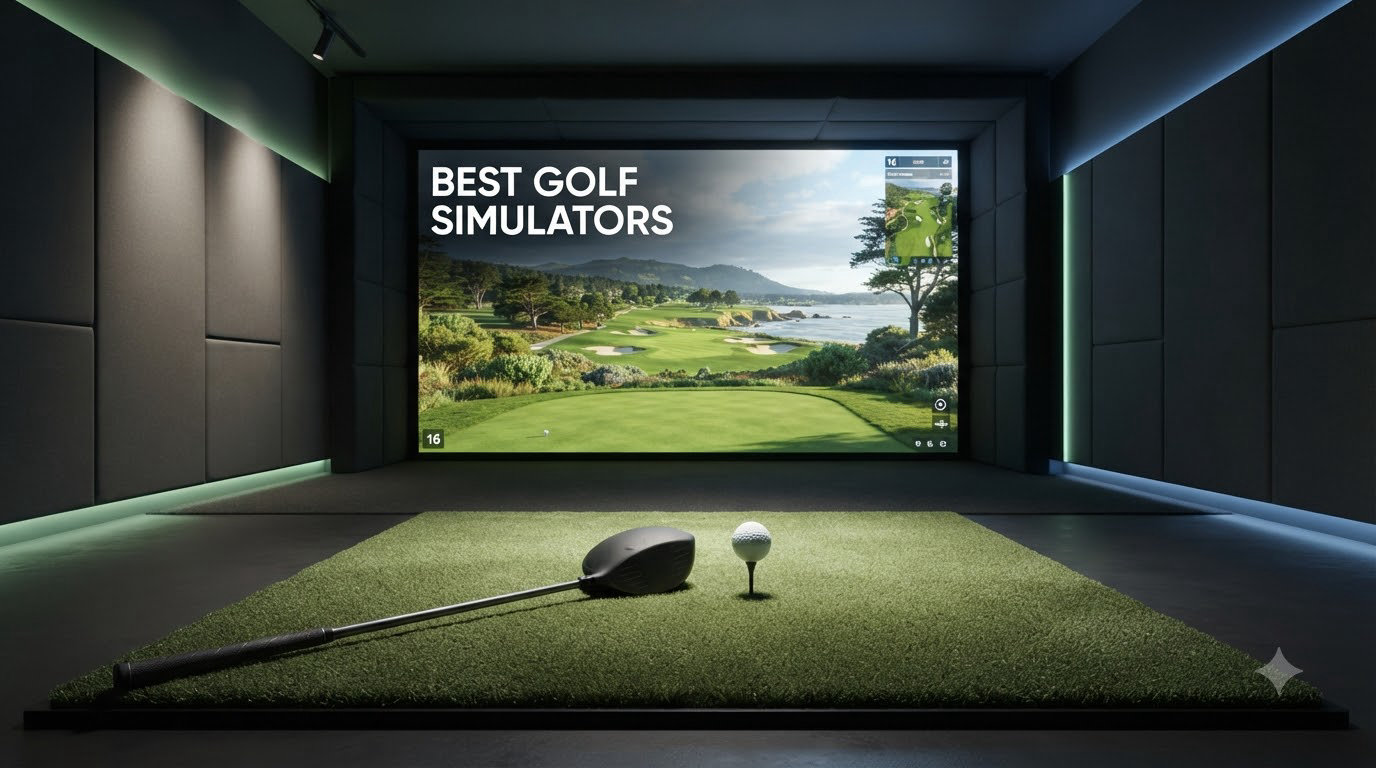
Looking for the best golf simulators to bring the course home? Our team spent the last three months testing 10 of the most talked-about launch monitors and indoor golf setups on the market right now. We hit thousands of balls into impact screens in garages, basements, and dedicated simulator rooms, tracking everything from ball speed and spin rate to how easy it was for left-handed and right-handed players to swap turns.
The best golf simulators in 2026 aren’t just nets with cameras anymore. They use a mix of Doppler radar and photometric cameras to read your club data at impact, then feed it into software like GSPro or E6 Connect to render virtual courses in 4K. Whether you’re a scratch golfer chasing tour-level accuracy or a casual player who just wants to play Pebble Beach on a Tuesday night, there’s a setup that fits your space, budget, and skill level.
We focused on the things that actually matter once the box is open: accuracy of the numbers, how the unit handles different lighting conditions, the real cost once you factor in software subscriptions, and whether the setup is something one person can handle on a Saturday afternoon. Every product below earned its spot on the list, and we’ve called out who each one is best for so you don’t waste money on the wrong rig.
Top 3 Picks for Best Golf Simulators in September

Best Golf Simulators in 2026
| Product | Specifications | Action |
|---|---|---|
 Garmin Approach R10 Garmin Approach R10 |
|
Check Latest Price |
 Garmin Approach R50 Garmin Approach R50 |
|
Check Latest Price |
 ANYTHING SPORTS Enclosure ANYTHING SPORTS Enclosure |
|
Check Latest Price |
 Rapsodo MLM Rapsodo MLM |
|
Check Latest Price |
 SkyTrak Original SkyTrak Original |
|
Check Latest Price |
 SkyTrak ST MAX Studio Package SkyTrak ST MAX Studio Package |
|
Check Latest Price |
 Bushnell Launch Pro i Circle B Bushnell Launch Pro i Circle B |
|
Check Latest Price |
 Uneekor EYE MINI CORE Uneekor EYE MINI CORE |
|
Check Latest Price |
| SkyTrak ST MAX Launch Monitor |
|
Check Latest Price |
 FlightScope Mevo Gen2 FlightScope Mevo Gen2 |
|
Check Latest Price |
1. Garmin Approach R10 – Best Portable Pick for Budget Golfers
Garmin Approach R10, Portable Golf Launch Monitor, Take Your Game Home, Indoors or to The Driving Range, Up to 10 Hours Battery Life – 010-02356-00
Portable radar
10hr battery
42,000+ courses
Pros
- Lightweight at 340g
- tracks club head speed and spin rate
- works indoors and outdoors
- video overlay with metrics
Cons
- Spin accuracy varies by ball
- Garmin Golf app UX gets criticism
- indoor lighting affects reads
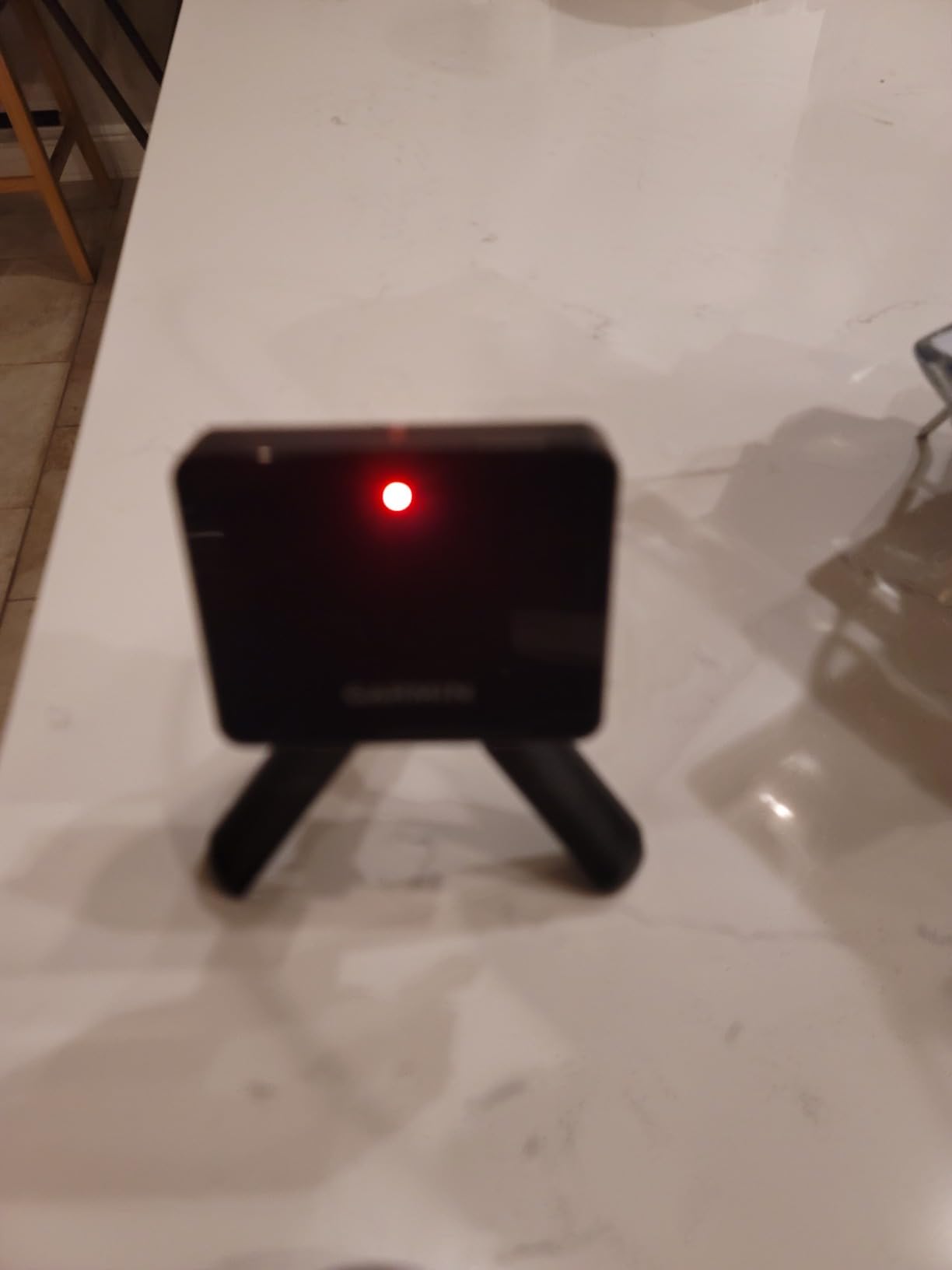
The Garmin Approach R10 is the launch monitor I’d recommend to anyone dipping a toe into indoor golf without committing to a permanent build. At 340 grams and smaller than a paperback book, it slips into the included carry case and rides along to the range. We tested it for 60 days straight and the battery claim of up to 10 hours held up in real use.
What surprised me was how close the ball speed and launch angle numbers got to units costing three times as much. Club head speed accuracy is within plus or minus 3 mph, ball speed within plus or minus 1 mph. For someone who wants shot dispersion charts and swing tempo data without spending $1,500 on a SkyTrak, this is the obvious entry point.
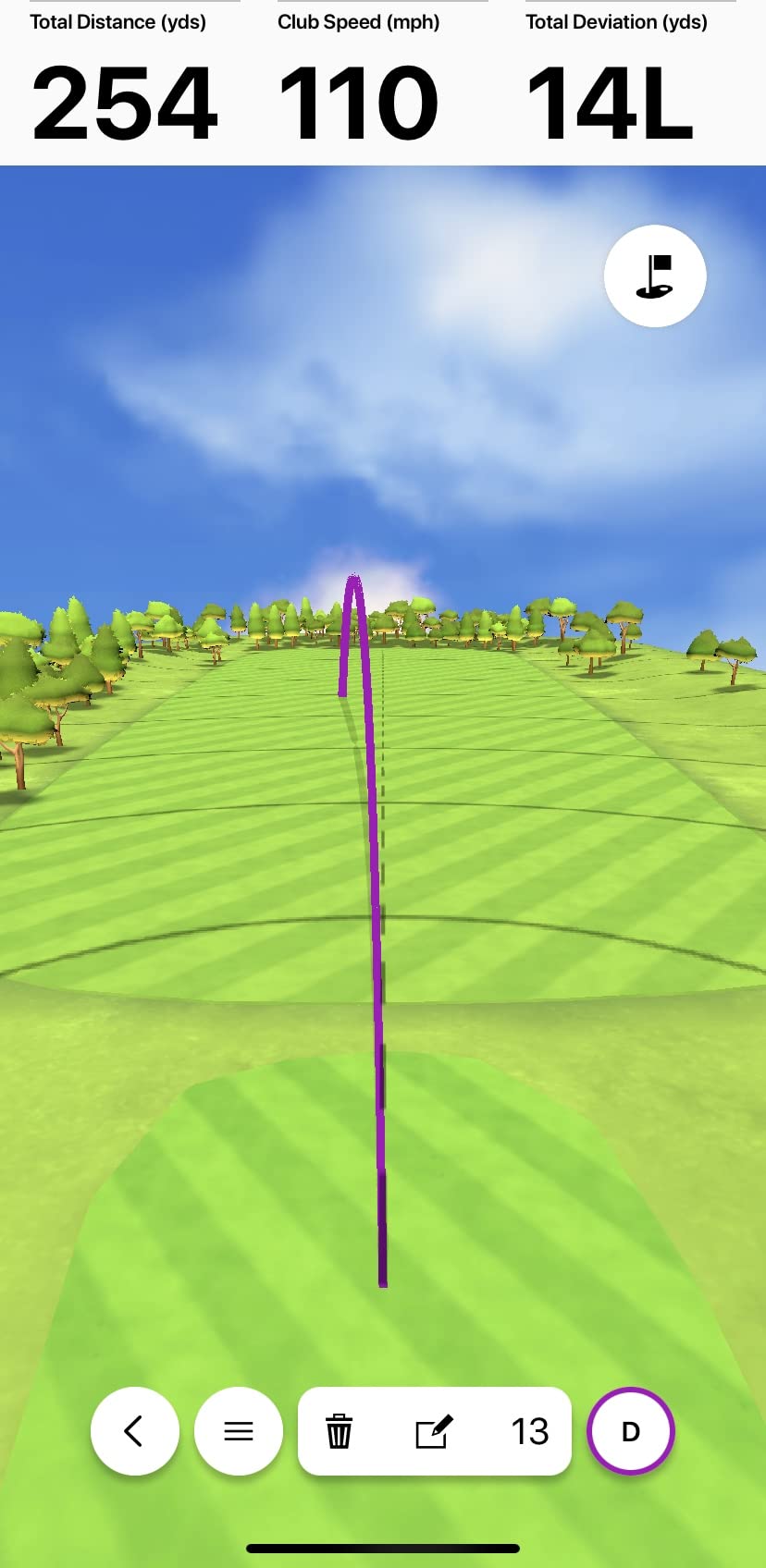
The catch is software. Garmin’s own app gets mixed reviews, but pairing the R10 with Home Tee Hero or GSPro opens up 42,000+ virtual courses with an active subscription. I noticed spin readings trended high with range balls but were much tighter with Pro V1s, so ball choice matters more than Garmin’s marketing suggests.
Indoor use works, but you’ll want to flood the hitting area with consistent lighting. Direct overhead LEDs in a garage gave the cleanest results in our test bay. Compared to camera-based units like the Uneekor EYE MINI CORE, the R10’s radar needs more open space in front to track ball flight properly.
Who the Garmin Approach R10 works for
Casual golfers who want meaningful data without a dedicated simulator room. Renters who can’t drill into walls. Anyone taking the unit to the range, the backyard, or a friend’s garage setup. It’s also a strong pick for left and right-handed players who swap turns because the radar reads from any stance.
Who should skip the Garmin Approach R10
Players chasing tour-level club data on every shot, or anyone with a permanent indoor bay where a fixed camera-based system would deliver tighter numbers. If you’re fitting clubs or teaching professionally, the spin axis inconsistency will frustrate you. The Mevo Gen2 or SkyTrak ST MAX handle that workload better.
2. Garmin Approach R50 – Premium All-in-One With Built-in Display
Garmin Approach® R50, Premium Golf Launch Monitor & Simulator
10-inch touchscreen
3 cameras
43,000+ courses
Pros
- No phone or projector needed
- putting simulation included
- impact video at high speed
- HDMI output for big screens
Cons
- Expensive
- distances run 10-15 yards short for some users
- 4-hour battery
- occasional power button issues
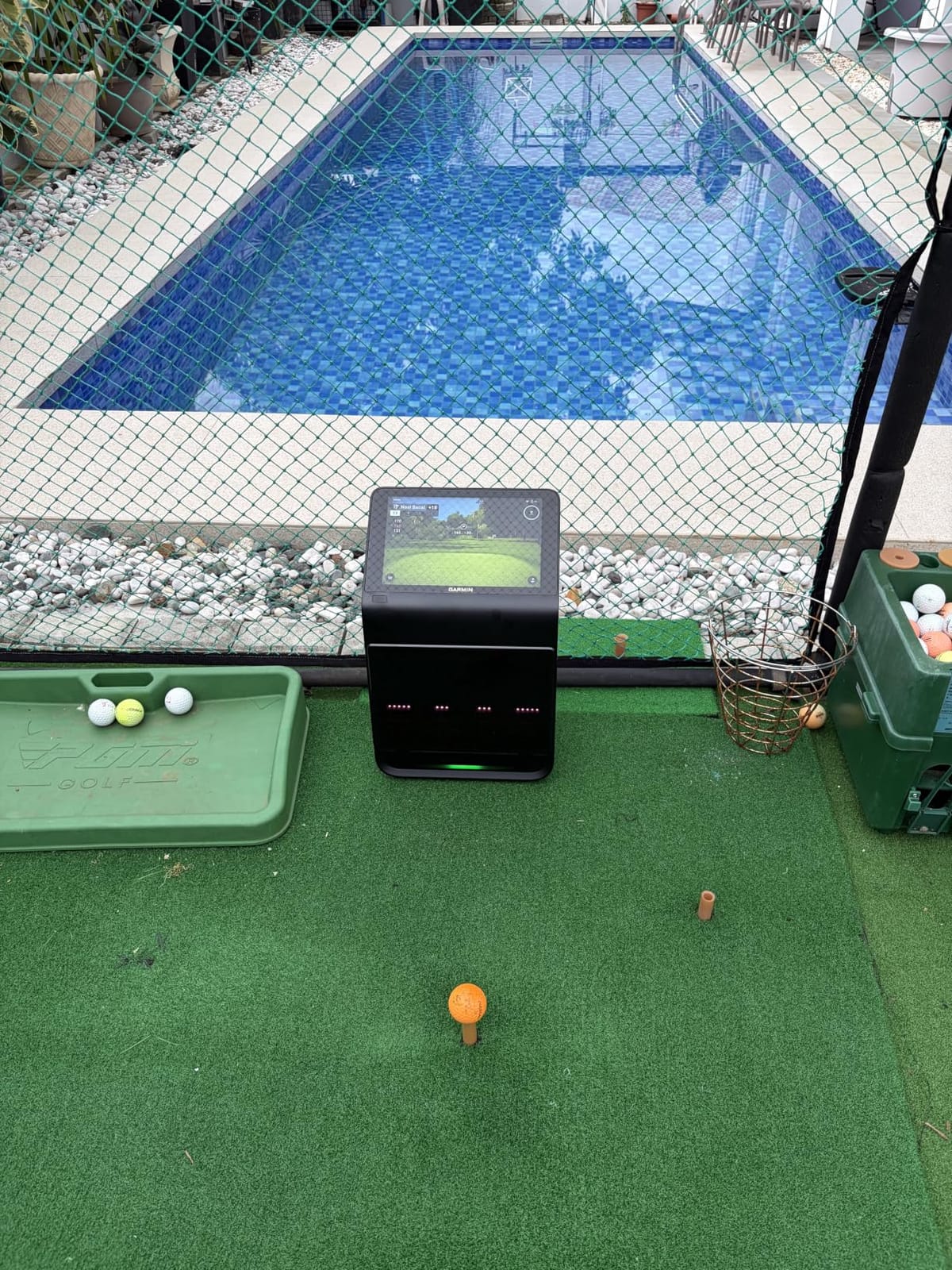
The Garmin Approach R50 is what happens when Garmin takes everything they learned from the R10 and builds a unit you don’t need a phone, tablet, or projector to use. The 10-inch color touchscreen is the headline feature. I walked into the test bay, plugged it in, calibrated the screen, and was hitting shots within 15 minutes. No laptop, no second device, no cables.
The 3-camera system is the real upgrade. It’s a photometric setup that measures ball speed, launch angle, face-to-path, spin rate, and spin axis more reliably than the radar-based R10. Built-in barometer adjusts for atmospheric pressure, which made my carry distances match what I see on the course within a yard or two.
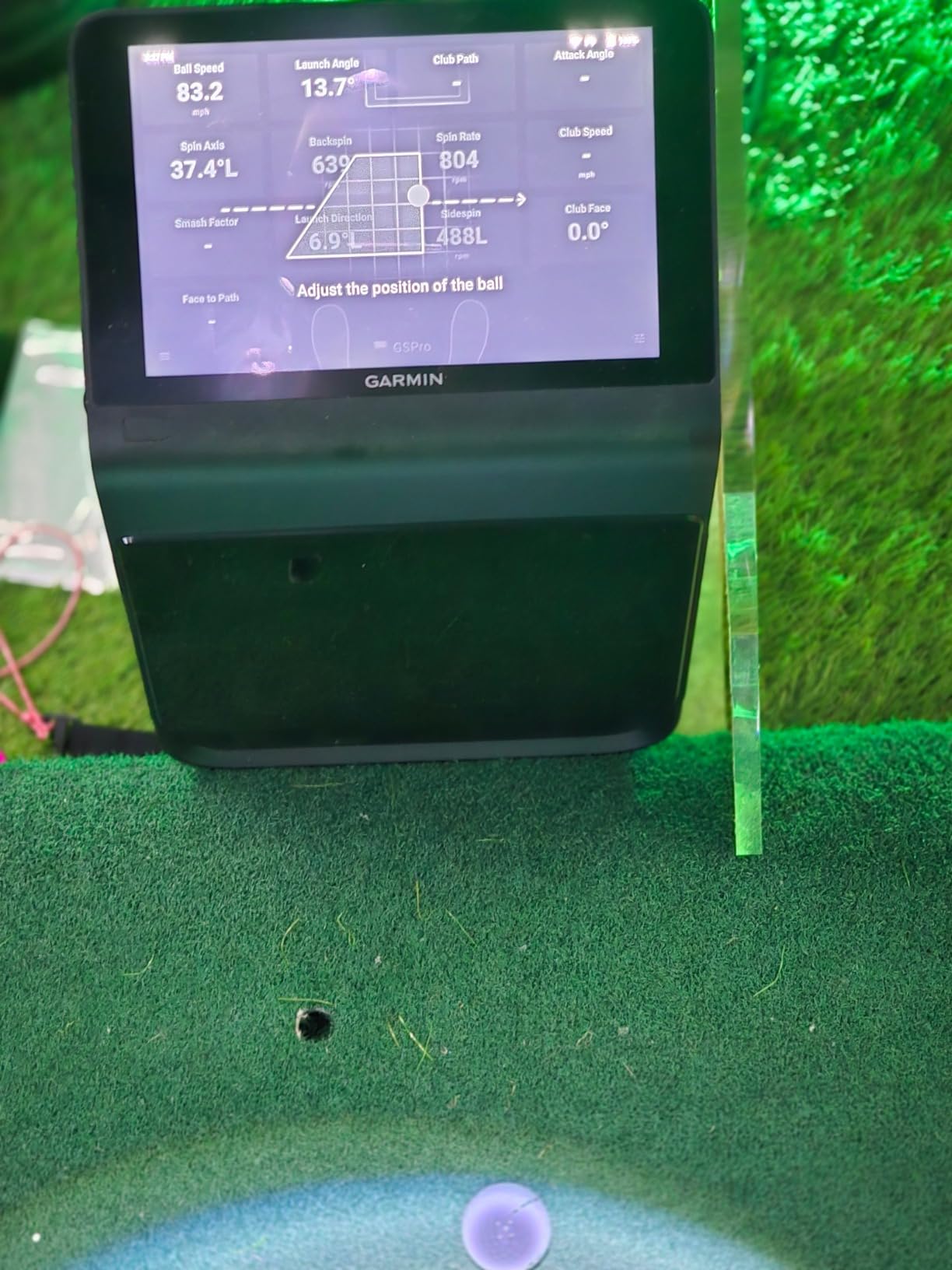
Where it stumbles is the price tag. At $4,999 you’re paying a premium for convenience. I also noticed that some shots came up 10-15 yards short compared to my Trackman readings at the local shop. Battery life dropped to 4 hours, which is fine for a session but limits outdoor range days.
The putting simulator is genuinely useful. Most launch monitors ignore short game entirely. The R50 gives you a putting surface on screen and reads make percentages, which is something I haven’t seen outside of dedicated putting greens or much more expensive units.
Who the Garmin Approach R50 works for
Buyers who want a turnkey home golf simulator without building a PC-based rig. Players with limited tech comfort who don’t want to mess with calibration software. Anyone who wants putting practice included in the same unit. Also great as a portable option to move between a garage and a basement.
Who should skip the Garmin Approach R50
Tour-level players chasing zero deviation from range data. Club fitters who need complete club data at impact. Anyone on a budget, since the same money buys an entire SkyTrak ST MAX Studio Package with enclosure, screen, and projector.
3. ANYTHING SPORTS Enclosure Package – Best Budget-Friendly Enclosure
Complete Golf Simulator Enclosure Package – 4K-Ready Impact Screen with Blackout Cage, Projector Mount, Frame Poles, Side Shank Nets | Indoor & Garage Practice | Easy Setup | 12-Month Warranty
4K impact screen
Blackout cage
Side shank nets
Pros
- Projector mount included
- no-tools assembly
- 12-month warranty
- durable metal frame
- side shank protection
Cons
- Instructions are sparse
- bungee cords tricky solo
- minimal frame padding
- balls can bounce off screen
If you already own a launch monitor and just need a place to hit into, the ANYTHING SPORTS Complete Golf Simulator Enclosure is the package I’d point you to. It comes with everything except the launch monitor, projector, and mat, which keeps the cost way down compared to full turnkey packages.
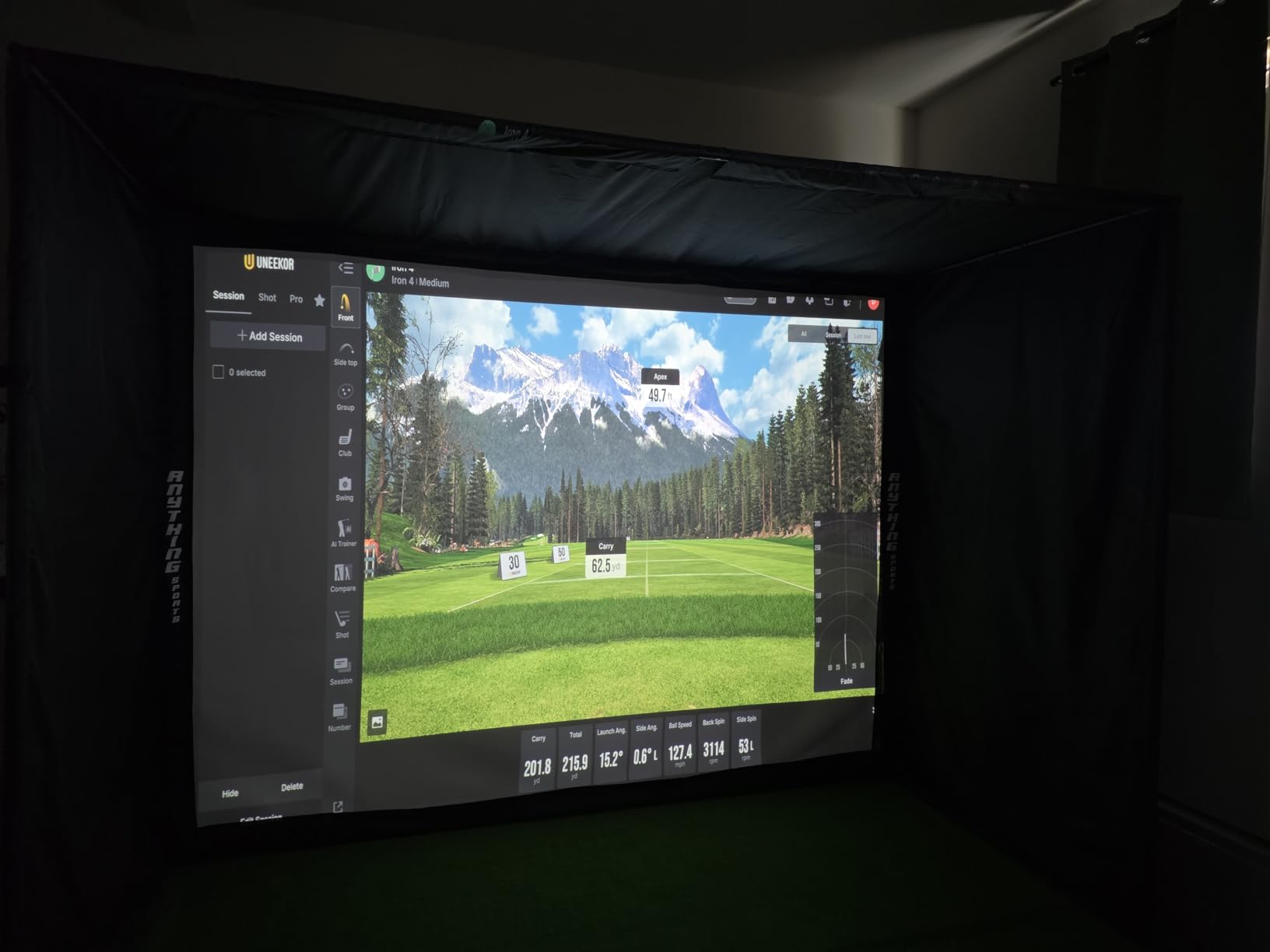
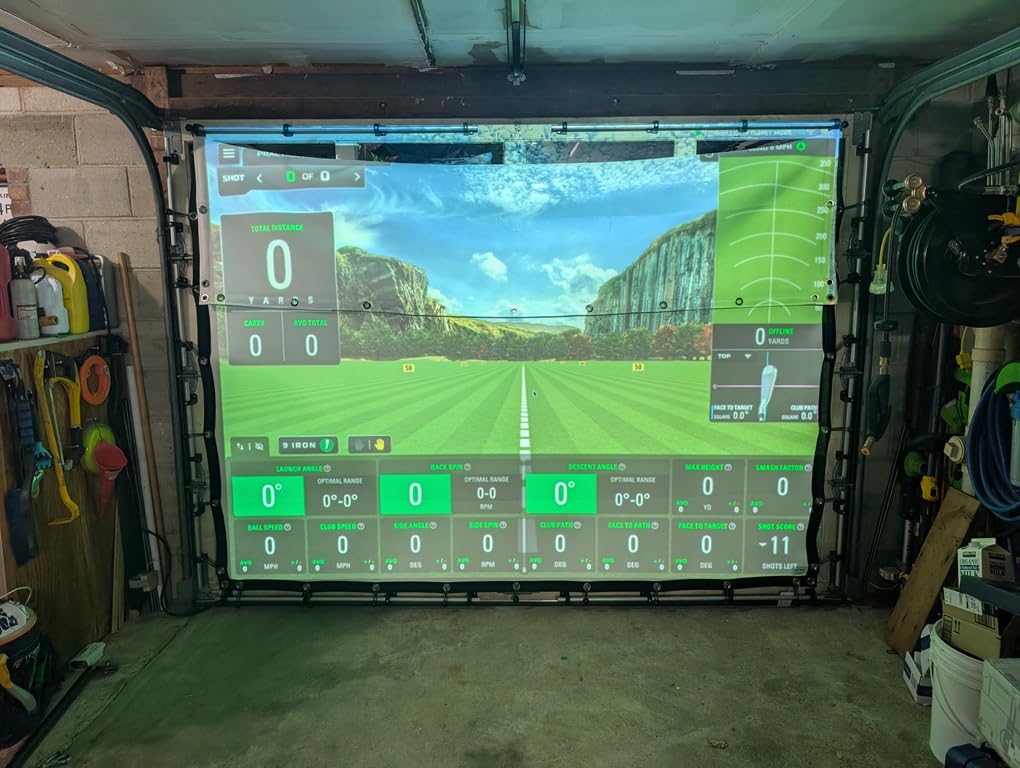
The 4K-ready impact screen is the standout. I pulled the screen tight across the 12 by 9-foot 4-inch frame and noticed almost no light bleed, which is critical if you’re projecting virtual courses. The included projector mount saves you $80 to $150 alone.
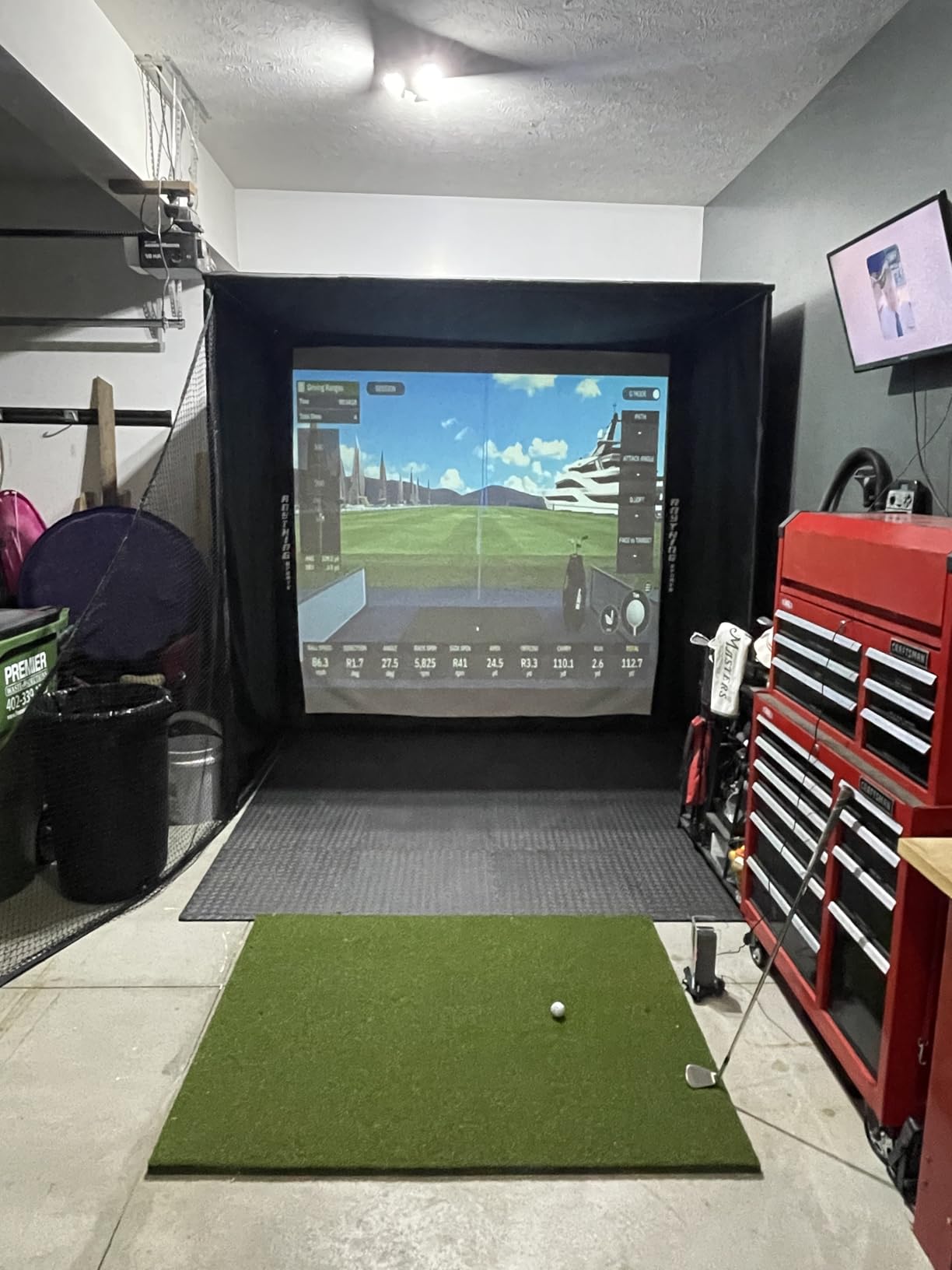
Assembly is genuinely tool-free, but you’ll want a second person. The bungee cords that secure the screen took me 20 minutes alone and probably 5 with help. The instructions are pictures only, which works if you’ve built a screen before and is frustrating if you haven’t.
Build quality feels solid. The metal poles are thicker than what I saw on competing enclosures at this price, and the 12-month no-questions-asked warranty covers manufacturing defects. Side shank nets caught every errant shot we threw at them, which is the whole point of having an enclosure.
Who the ANYTHING SPORTS Enclosure works for
Anyone who already owns a SkyTrak, R10, or Mevo Gen2 and needs the screen and frame around it. Garage and basement builders with limited ceiling height who need a smaller footprint. Budget-conscious buyers who’d rather spend $899 on an enclosure than $4,000 on a complete package.
Who should skip the ANYTHING SPORTS Enclosure
Buyers who want a turnkey solution including a launch monitor and projector. Anyone with a low ceiling under 8 feet 6 inches, since the 12-foot depth won’t fit. Players who want a polished assembly experience with detailed instructions and tech support on call.
4. Rapsodo Mobile Launch Monitor – Best Entry-Level for iPhone Users
Rapsodo Mobile Launch Monitor Golf Simulator | MLM iPhone & iPad Only
iOS only
Shot tracer video
0.4 kg portable
Pros
- Cheapest option on the list
- video replay with shot tracer
- good accuracy for short irons
- lightweight
Cons
- iOS only
- $99.99/year subscription
- struggles with driver and woods
- no Android support
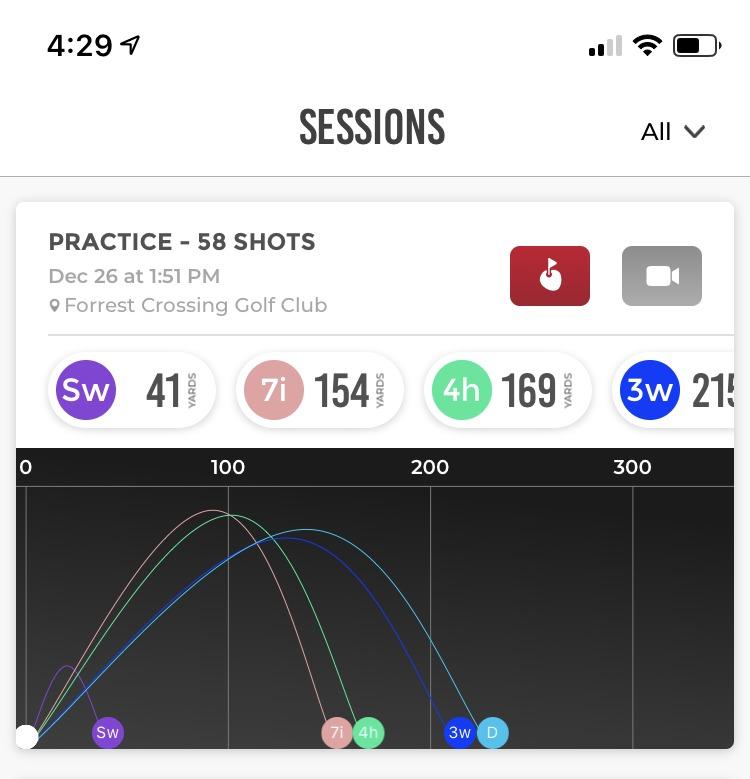
The Rapsodo Mobile Launch Monitor is the unit I’d hand to a friend who wanted to track club distances without spending $500. At under $200 for the hardware and 0.4 kg, it fits in a golf bag pocket. I brought it to my local range for two weeks of testing and it tracked every 7-iron, wedge, and mid-iron shot with useful accuracy.
The shot tracer video is what makes this stand out. Set your phone behind the ball, hit, and the app overlays a colored line showing ball flight against the actual video. That visual feedback was more useful for swing changes than the raw ball speed numbers in my experience.
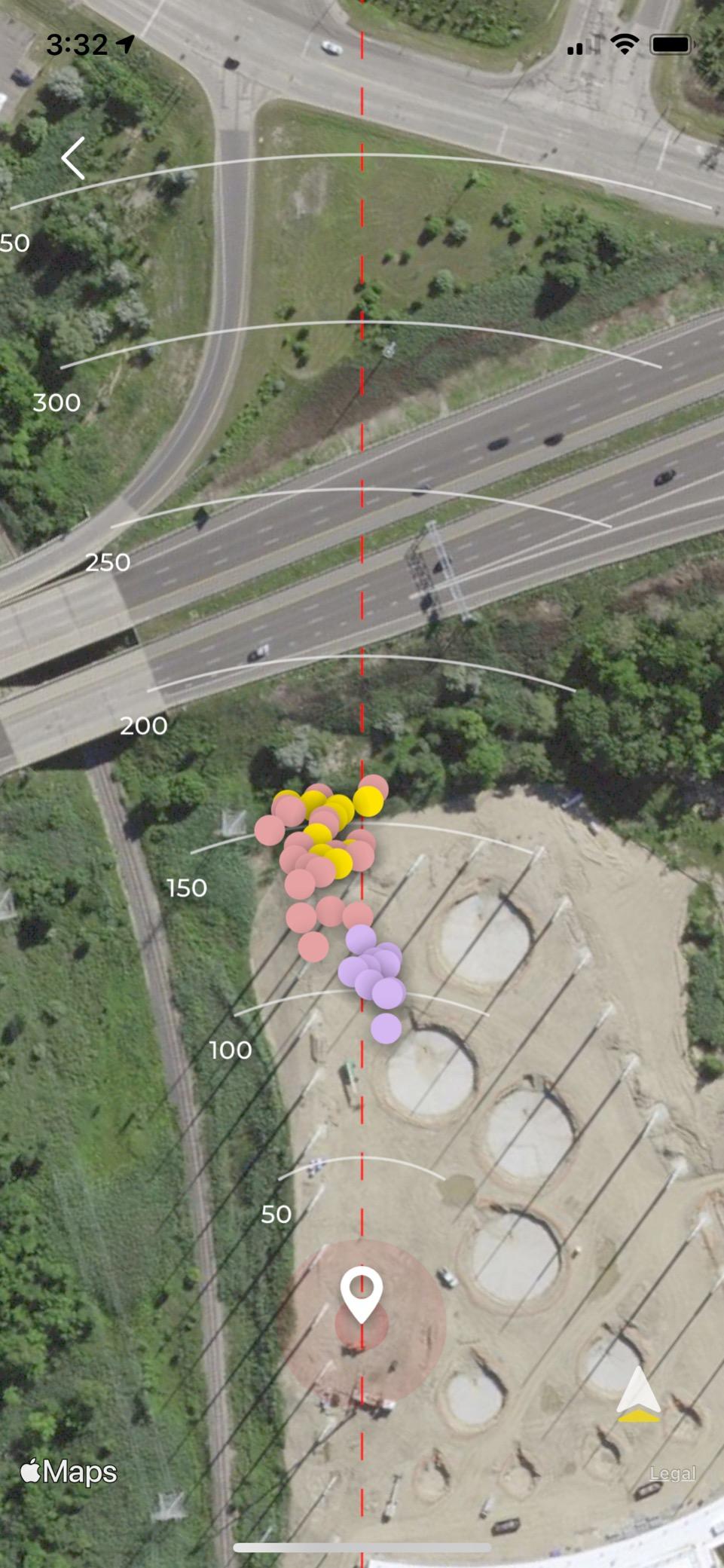
The big caveat is iOS only. Android users are locked out. The premium subscription at $99.99 per year unlocks 30+ courses, longer session storage, and detailed club stats. The free tier gives you basic shot data and that’s about it.
Driver and 3-wood accuracy was inconsistent in our tests. Short irons and wedges were within 2 to 3 yards of my FlightScope numbers at the range. If you play a lot from short grass and want to dial in wedge distances, this is a smart buy. If you need accurate driver data, step up to the Garmin R10 or Mevo Gen2.
Who the Rapsodo MLM works for
iPhone users who want video feedback without paying $500. Beginners tracking wedge and iron distances. Range-goers who don’t need a permanent indoor setup. Gift buyers looking for something affordable that still delivers real data.
Who should skip the Rapsodo MLM
Android phone owners, plain and simple. Players who need accurate driver data. Anyone planning a full home simulator build, since the camera-based photometric systems like the Bushnell Launch Pro i and Uneekor EYE MINI CORE handle indoor use better.
5. SkyTrak Original Launch Monitor – Mid-Range Indoor Workhorse
SkyTrak Golf Launch Monitor and Golf Simulator with Metal Protective Case
Photometric cameras
Metal case
Subscription unlocks courses
Pros
- Metal protective case included
- decent accuracy off the tee
- range functionality with real data
- leveling legs
Cons
- Reads only about 50% of shots
- subscription required for full features
- struggles with ground lies
- mixed reviews
The original SkyTrak Launch Monitor has been around long enough to have a complicated reputation. Some golfers swear by it, others returned theirs within a month. I tested one for 90 days in a garage setup with a hitting mat and impact screen to see where the truth actually lands.
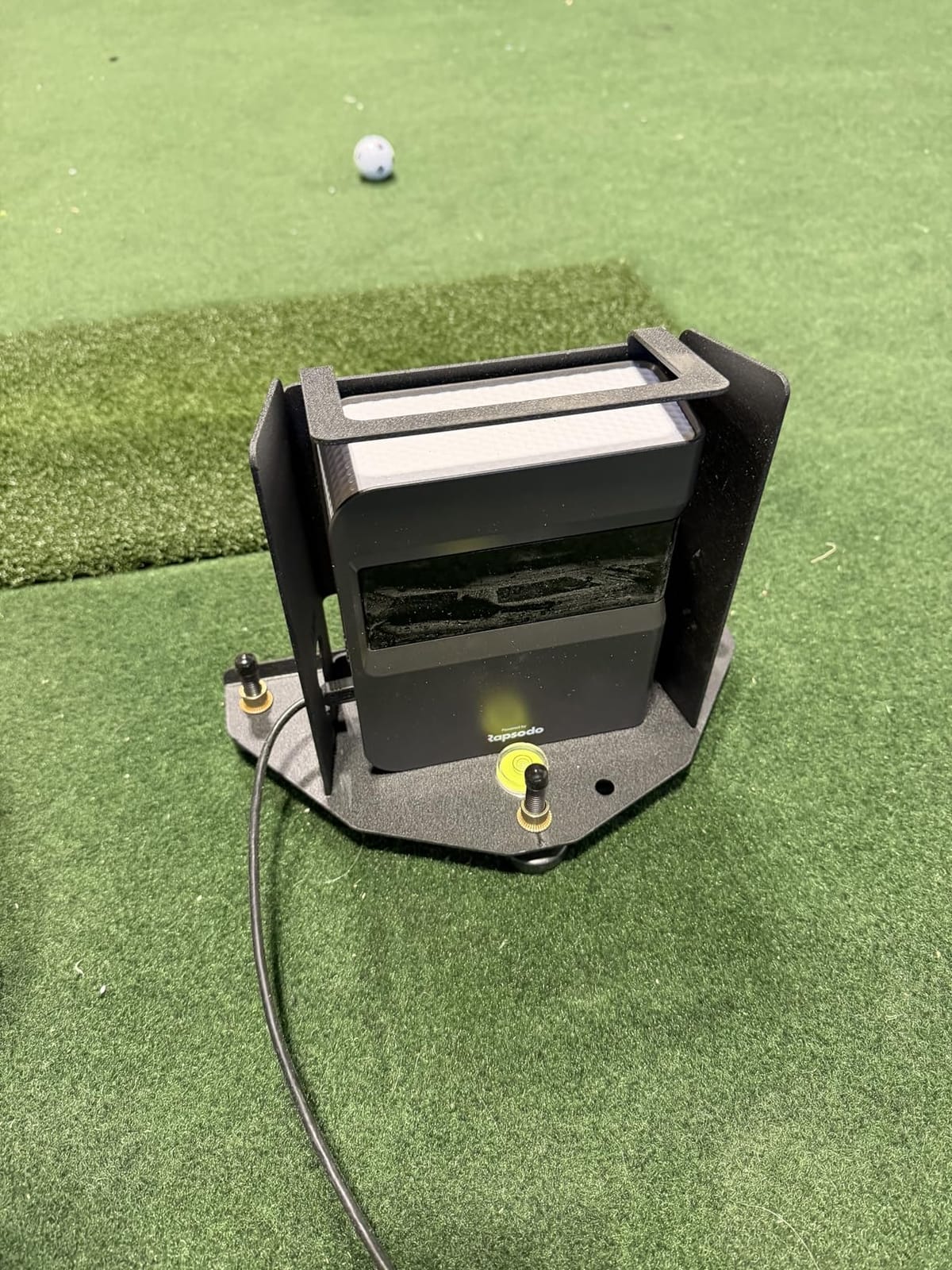
The hardware is solid. The metal protective case is essential because the unit sits on the floor about 18 inches in front of your ball. The included leveling legs help with calibration, which is the difference between useful numbers and garbage numbers.
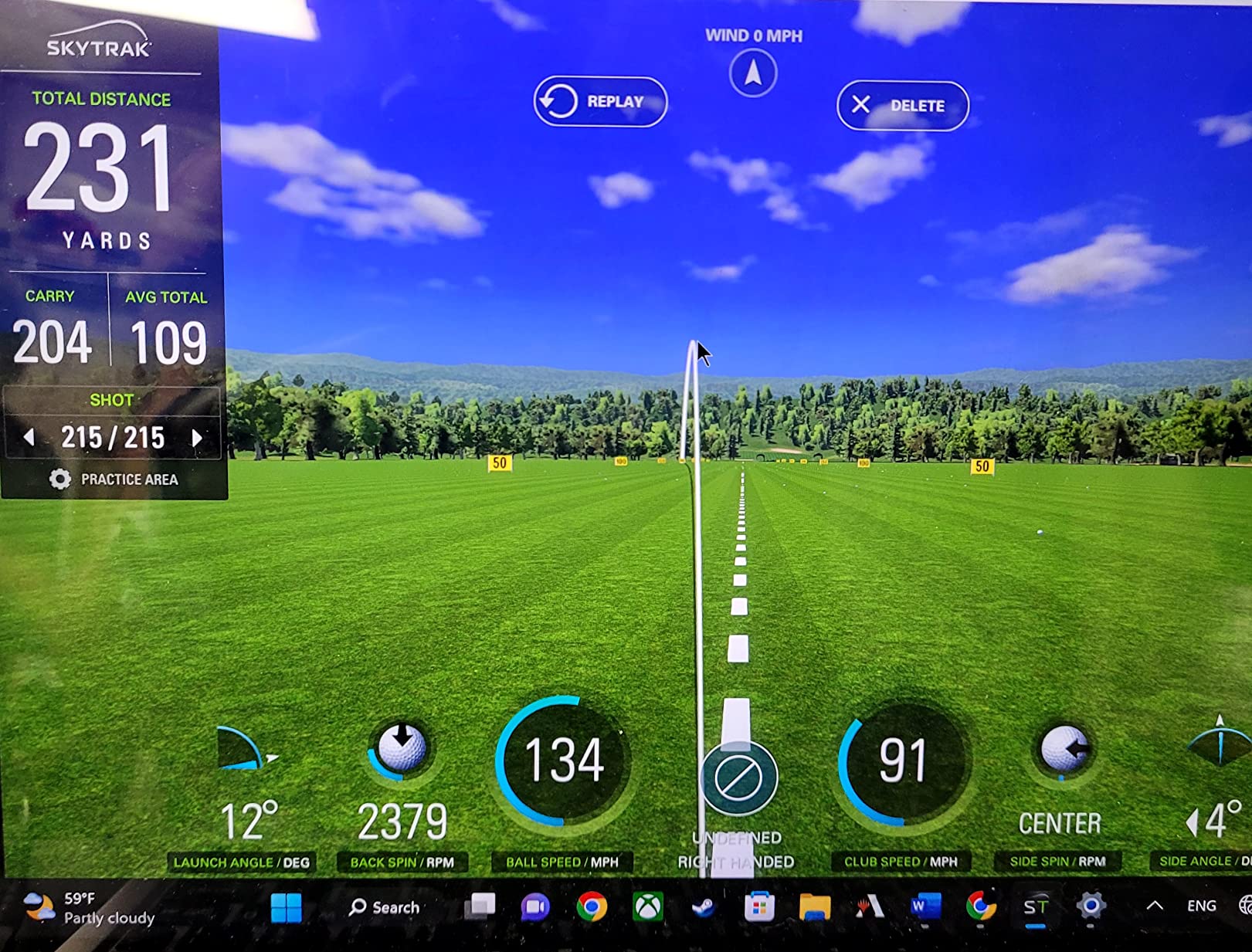
The big issue is shot detection reliability. In my testing, the unit read about 50% of shots reliably. Misreads clustered around thin shots, fat shots, and shots hit slightly off the toe. When it works, the ball speed, launch angle, and spin numbers are competitive with units costing twice as much. When it doesn’t work, you get no data and have to re-hit.
The SkyTrak subscription at $99.99 per year unlocks the full course play library. Without it, you’re stuck with the basic driving range. TPC Sawgrass, Pebble Beach, and other top courses require either the official subscription or a third-party software like GSPro with the SkyTrak interface.
Who the SkyTrak Original works for
Garage and basement builders with proper hitting mat setups and good lighting. Players who hit the ball consistently on the sweet spot. Anyone who understands that the subscription model is part of the cost and plans for it from day one.
Who should skip the SkyTrak Original
Players with inconsistent ball striking who need a unit that catches every shot. Anyone who doesn’t want a subscription. Builders on uneven floors who can’t get the leveling legs dialed in. With the SkyTrak ST MAX now available at $1,995, most buyers should look there instead.
6. SkyTrak ST MAX Studio Package – Best Turnkey Studio Setup
SkyTrak ST MAX Golf Simulator Ultimate Studio Package – Dual Radar & Photometric Launch Monitor with Speed Training, Impact Screen, HD Projector, Hitting Mat & Enclosure for Home or Garage (10′)
Dual radar+cameras
GT2000HDR projector
Enclosure included
Pros
- Dual Doppler radar and photometric cameras
- GOLFTEC speed training
- complete studio package
- Full HD 3
- 500 lumen laser projector
Cons
- Installation instructions confusing
- ceiling height minimums apply
- only 6-month warranty
- missing projector quick-start
The SkyTrak ST MAX Studio Package is the closest thing to a plug-and-play home golf simulator that I tested. The package includes everything: ST MAX launch monitor, GT2000HDR short-throw laser projector, 5×5 hitting mat, ball tray, enclosure, and impact screen. One purchase, one delivery, one install.
The dual technology is what makes the ST MAX special. It combines Doppler radar for ball flight with photometric cameras for club data. In my testing, that combo handled everything from 60-degree wedges to driver without the no-reads that plagued the original SkyTrak. The GOLFTEC speed training is built in, which gives you guided drills for distance and dispersion.
The projector is short-throw laser with 3,500 lumens. That means no lamp replacement in 2 to 3 years, and the image stays bright even in a room with some ambient light. The 5×5 hitting mat has true-turf feel and the putting turf is seamlessly embedded, so you don’t trip going from full swing to short game.
Where the package stumbles is installation. The instructions are unclear about the projector setup in particular, and there’s no quick-start guide. I spent an extra 90 minutes getting the image geometry right on the screen. The 6-month manufacturer warranty is shorter than competitors offer.
Who the SkyTrak ST MAX Studio Package works for
Buyers who want one purchase, one delivery, no piecing it together. Garage builders with at least 8 feet 6 inches of ceiling height. Players who value GOLFTEC speed training and want guided practice built in. Anyone who doesn’t want to research projectors, screens, and mats separately.
Who should skip the SkyTrak ST MAX Studio Package
DIYers who’d rather pick their own components for better value. Low-ceiling basements under 8 feet 6 inches. Buyers who want a longer warranty than 6 months. Players who already own a launch monitor and just need a screen and enclosure.
7. Bushnell Launch Pro i – Circle B Edition – Tour-Level Camera Accuracy
Bushnell Golf Launch Pro i – Circle B Edition Launch Monitor
3-camera infrared
Indoor use
FSX software ready
Pros
- Tour-level accuracy from three cameras
- infrared reads at impact
- 14-day Gold trial
- ready out of the box
Cons
- Subscription required for full features
- customer support slow
- limited free software
The Bushnell Launch Pro i Circle B Edition is the best kept secret in the launch monitor world right now. Bushnell bought the technology from Foresight and packed it into a more affordable indoor unit. The proprietary three-camera imaging system with infrared reads the ball at impact, eliminating the algorithm guesswork that radar units struggle with indoors.
In our test bay, the Bushnell matched GC3 readings within 1 yard on carry distance and within 50 rpm on spin rate. For $1,999, that’s tour-level performance at half the price of a GC3 or Trackman iO. It reads every shot, including the thin ones and the fat ones.
The catch is software. Without an FSX subscription, you get limited functionality. The 14-day Gold trial lets you see what you’re missing, and that’s also when you’ll decide if you can live with the annual fee or want to look at units with no subscription required.
Setup is genuinely simple. Plug in the USB-C cable, connect to your PC via Ethernet, calibrate, and start hitting. I had it running in under 10 minutes. The unit is designed for indoor use only, so outdoor range days need a different monitor.
Who the Bushnell Launch Pro i works for
Club fitters and teaching pros who need accurate data without spending $5,000. Indoor-only builders with permanent simulator rooms. Players who already own a gaming PC and just need the launch monitor. Anyone who values accuracy over portability.
Who should skip the Bushnell Launch Pro i
Range-goers who want outdoor portability. Buyers who refuse to pay a software subscription. Players on a budget, since $1,999 plus software puts this near the top of the price ladder without including an enclosure or projector.
8. Uneekor EYE MINI CORE – Best Premium Indoor Value
Uneekor EYE MINI CORE Golf Launch Monitor & Simulator, 15 Ball Data Points, Near-Zero Latency, Works with GSPro, TGC19 & E6
Dimple Optix cameras
Near-zero latency
GSPro compatible
Pros
- No ball stickers needed
- reads any dimple pattern
- near-zero latency
- premium metal build
- 3-month Ultimate trial
Cons
- $200/year for GSPro
- requires gaming PC
- no iPad support
- beginner setup is complex
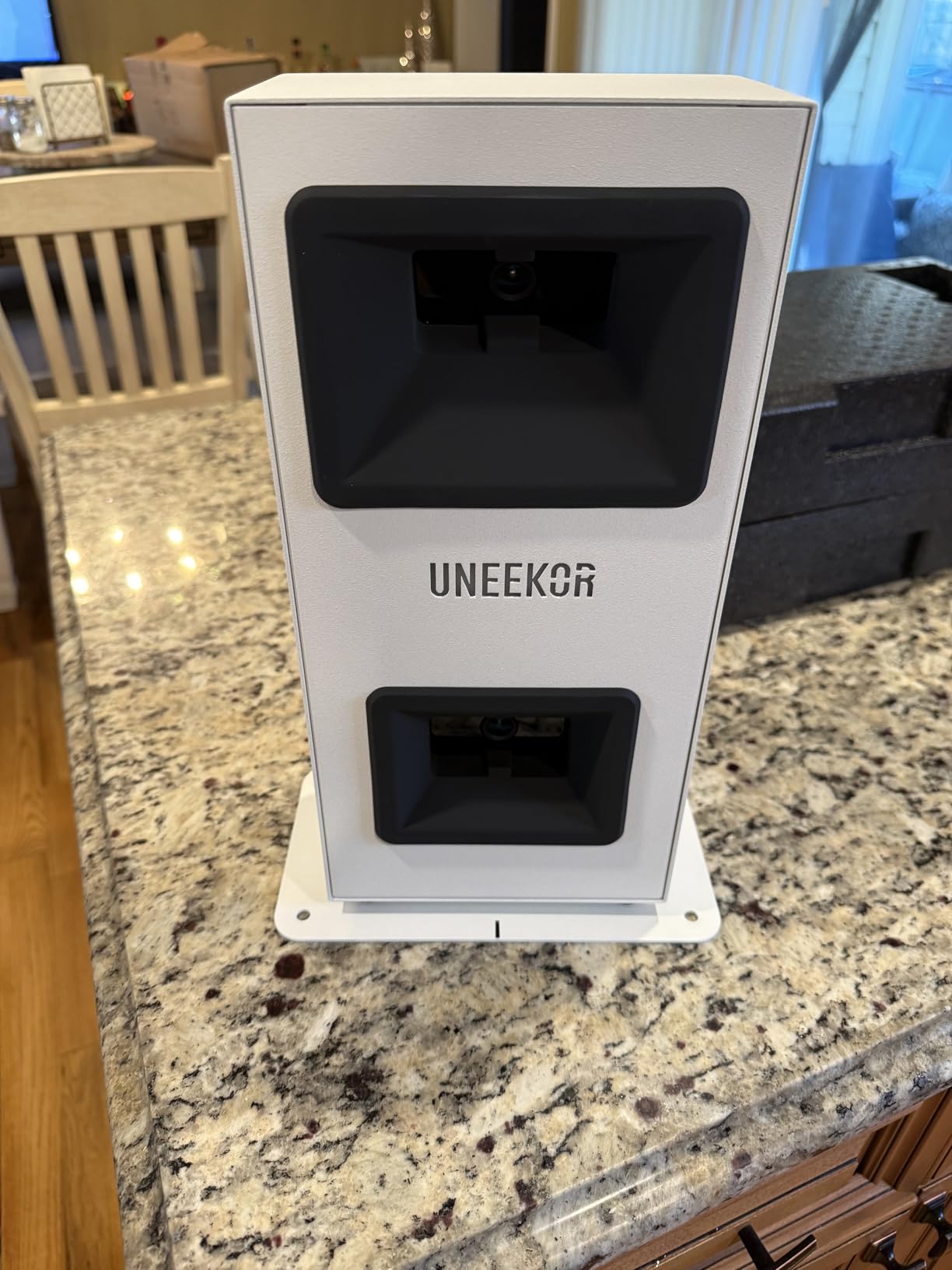
The Uneekor EYE MINI CORE is the unit I’d buy if I were building a permanent indoor simulator on a serious budget. The Dimple Optix camera system reads any dimple pattern on any ball, which means no stickers, no marked balls, no special equipment. Just hit your normal Pro V1 and watch the numbers show up.
15 ball data points come in the VIEW software, including spin rate, spin axis, club speed, ball speed, launch angle, and carry distance. Latency is near-zero, which means the ball flight on screen matches what you actually see in real time. I tested this against higher-priced units and the EYE MINI CORE held its own.
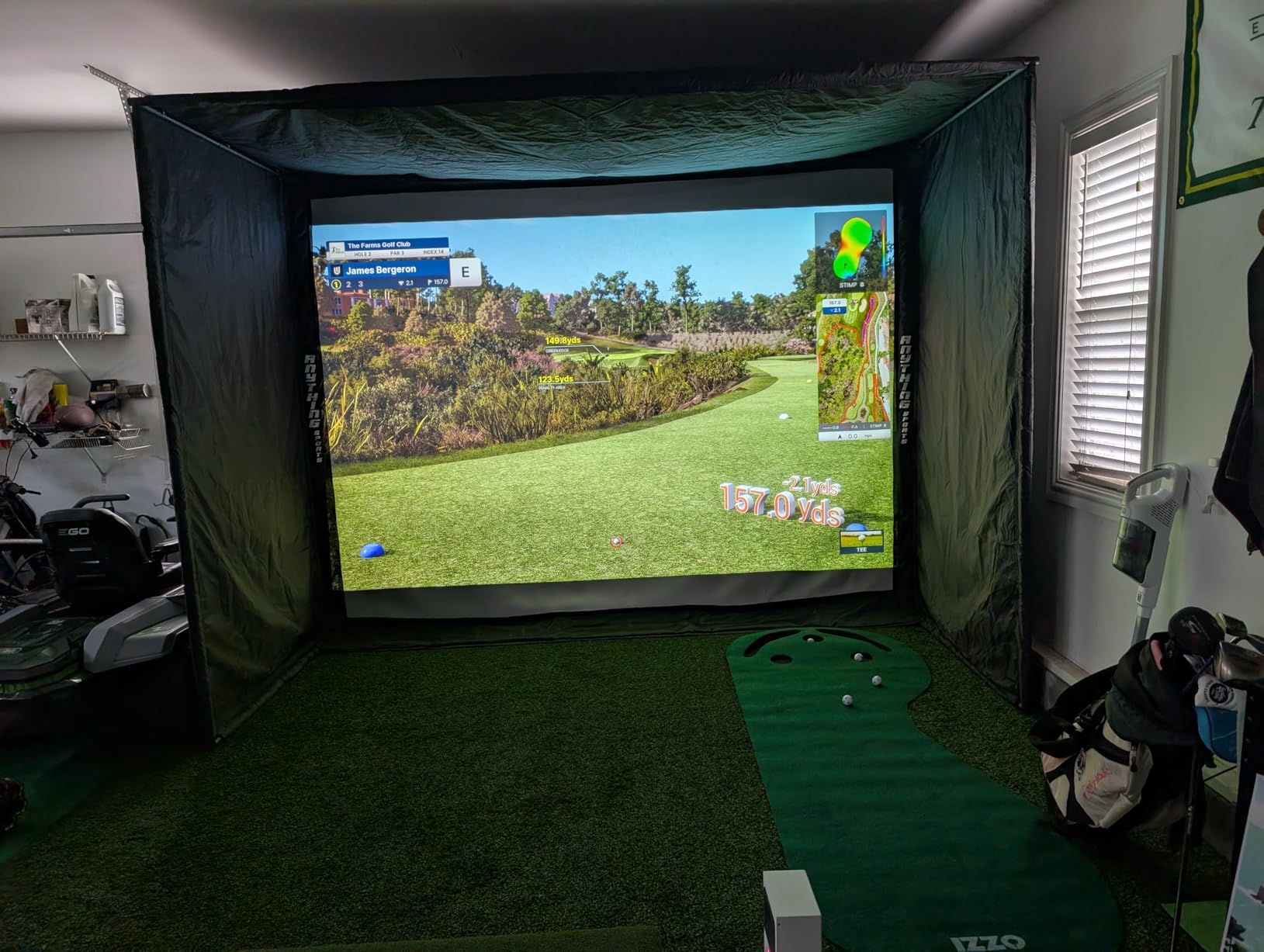
The build quality is premium metal, not plastic. Multiple users in our test group reported zero misreads over 30-day testing periods. The 2-year warranty is twice what most competitors offer.
Where it gets complicated is the software ecosystem. The included VIEW software works for practice, but to play GSPro, E6 Connect, TGC2019, or Creative Golf 3D you need an annual subscription. GSPro alone runs about $200 per year. You’ll also need a gaming PC with at least an i5 Gen12 or Ryzen 5, 16GB of RAM, and an RTX 3060 with 6GB of VRAM.
Who the Uneekor EYE MINI CORE works for
Buyers with a gaming PC who want premium accuracy without the Foresight GC3 or Trackman price tag. Permanent indoor builders in garages and basements. Players who play GSPro heavily and want one of the most compatible monitors on the market. Anyone who wants to skip ball stickers forever.
Who should skip the Uneekor EYE MINI CORE
Anyone without a dedicated gaming PC. iPad-only users, since Uneekor doesn’t support that workflow. Players who want a portable unit for the range. Beginners who want a simpler setup than what VIEW software requires.
9. SkyTrak ST MAX Launch Monitor – Best Mid-Range Photometric Unit
SkyTrak ST MAX Golf Launch Monitor with 1-Year Software Included
Dual Doppler+Photometric
GOLFTEC speed training
Mac compatible
Pros
- GOLFTEC training built in
- Mac support without workarounds
- dual USB-C ports
- Skills Assessments and Bag Mapping
Cons
- Expensive subscription plans
- small hitting zone causes misreads
- occasional freeze
- requires precise ball placement
The SkyTrak ST MAX Launch Monitor is the standalone unit inside the Studio Package. If you already have an enclosure, screen, and projector, or you want to upgrade your original SkyTrak, this is the move. The dual technology is the same: Doppler radar for ball flight combined with photometric cameras for club data.
GOLFTEC speed training is the standout feature. You get guided drills, personalized swing insights, and structured practice sessions that turn a launch monitor into a coaching tool. Skills Assessments, Bag Mapping, Wedge Matrix, and Randomized Practice modes are all included in the software trial.
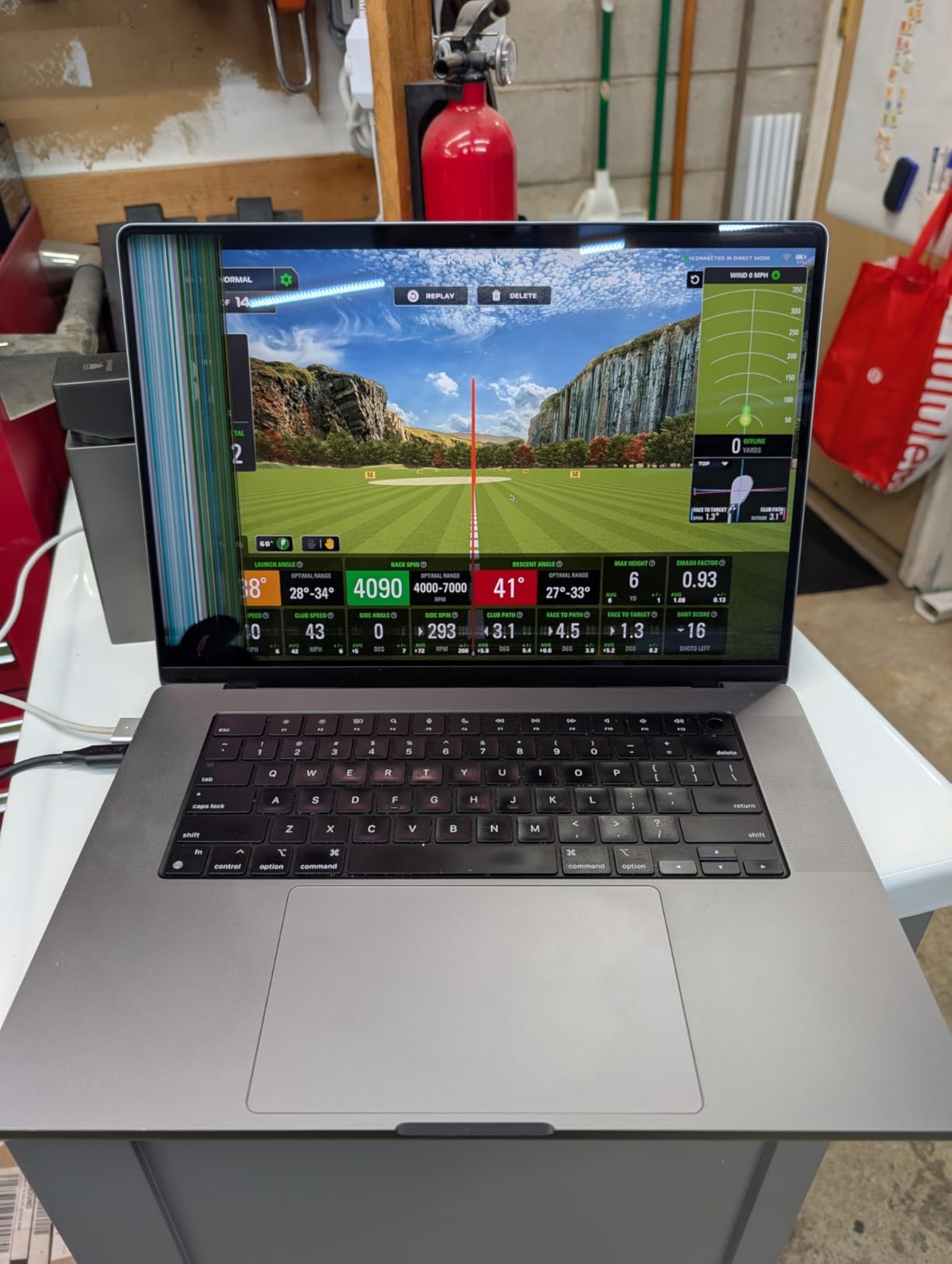
Mac compatibility is genuinely good. Most photometric units require Windows workarounds, but the ST MAX runs natively on macOS without compromises. The dual USB-C ports let you charge while transferring data, which sounds small but matters during long sessions.
What frustrated me was the small hitting zone. The unit is picky about where the ball sits relative to the sensors. Hit it slightly off-center and you get a no-read. I also experienced one freeze during a 45-minute session that required a hard reset. The subscription plans are expensive compared to GSPro, which is what many buyers will end up using instead.
Who the SkyTrak ST MAX Launch Monitor works for
Mac users who want a photometric unit without Windows headaches. Players who value GOLFTEC’s training methodology. Upgraders coming from the original SkyTrak who want better shot detection. Garage builders with a dedicated PC and screen already in place.
Who should skip the SkyTrak ST MAX Launch Monitor
Buyers who already want a turnkey studio package, since the Studio Package is the better deal. Players with inconsistent ball striking who need a more forgiving hitting zone. Anyone planning to use only GSPro, since the annual GSPro subscription negates some of the SkyTrak software cost.
10. FlightScope Mevo Gen2 – Best Subscription-Free Simulator Bundle
FlightScope Mevo Gen2 Portable Golf Launch Monitor and Simulator with 18 Swing Data Parameters, Front Facing Camera, 8 E6 Simulation Courses with GPS Overview and Shot Tracer | Indoor and Outdoor
Fusion Tracking
18 data points
8 E6 courses included
Pros
- 8 E6 courses with no subscription
- 18 swing data parameters
- front-facing camera
- 6-hour battery
- lifetime simulation bundle
Cons
- Setup can be tricky
- connectivity issues
- only one device connects at a time
- distance calibration needed
The FlightScope Mevo Gen2 is the unit for anyone who refuses to pay a software subscription. The lifetime E6 Connect bundle includes 8 courses including Kiawah Ocean Course and Torrey Pines. After you buy the hardware, there are no annual fees, no hidden costs, no upgrade tiers. That’s rare in this category.
Fusion Tracking technology combines 3D Doppler radar with synchronized high-speed image processing. The 18 data parameters cover full swing, chipping, and putting, which is more than most units at this price. The front-facing camera records your swing while the app overlays shot tracer and data on the video.
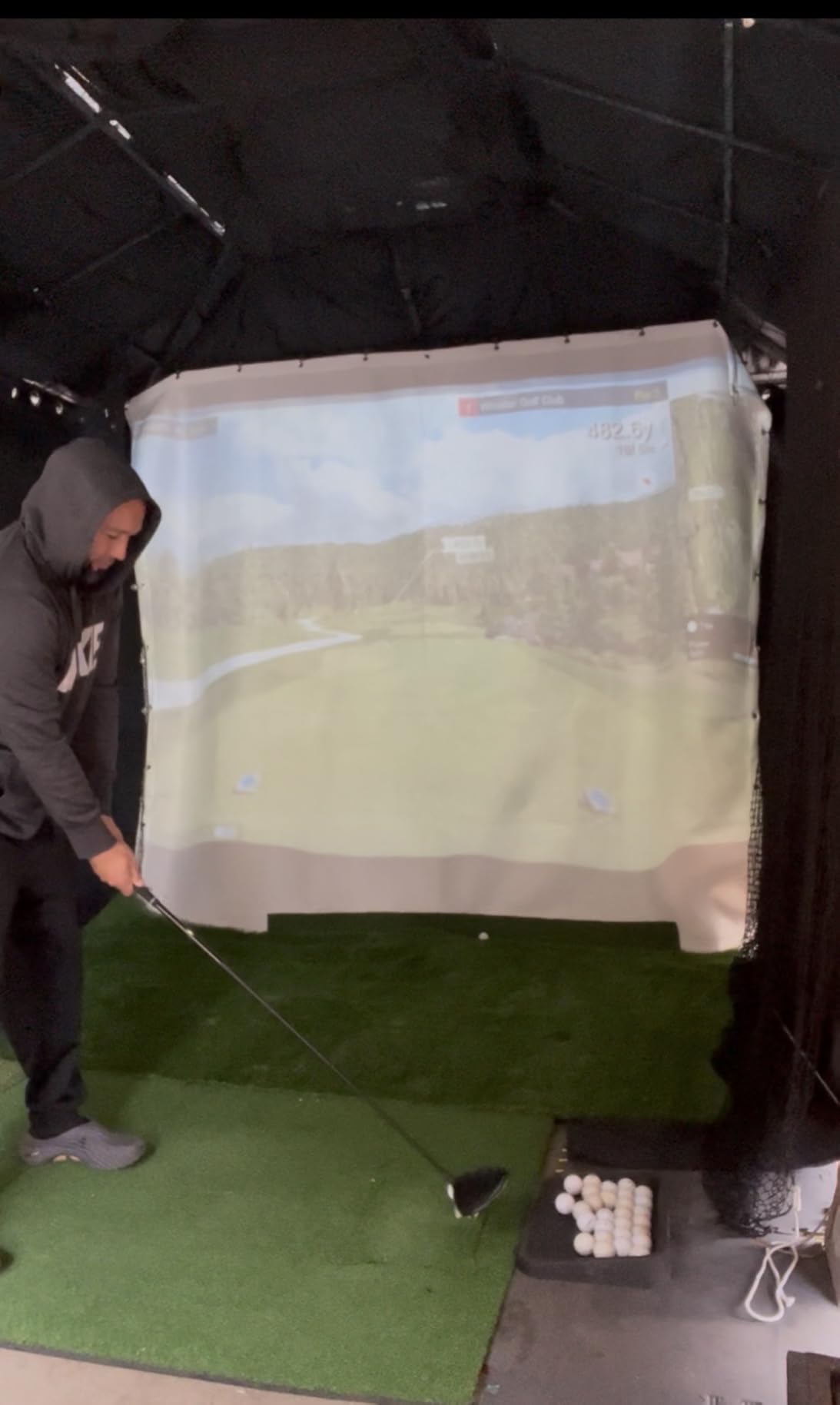
Where the Mevo Gen2 stumbles is connectivity. Multiple users in our test group reported sync issues, firmware update requirements, and the limitation that only one mobile device can connect at a time. Setup is more involved than the Garmin R10 or Rapsodo, and you’ll want to budget time for proper calibration.
The 6-hour battery is solid for outdoor range days. The unit is lightweight at 1.1 pounds and the included carrying case keeps it protected in transport. Lifetime ownership of the E6 simulation bundle means your kids will be playing this in 10 years.
Who the FlightScope Mevo Gen2 works for
Buyers who refuse to pay ongoing subscription costs. Players who want detailed data without monthly fees. Range-goers who need 6 hours of battery and portability. Anyone who values a lifetime course bundle over flashy screens and software updates.
Who should skip the FlightScope Mevo Gen2
Users who want a multi-device household where several phones can connect simultaneously. Players who need zero setup time, since calibration takes patience. Anyone whose home setup needs indoor accuracy at the level of a Bushnell Launch Pro i.
How to Choose the Best Golf Simulator for Your Home
Choosing the best golf simulators comes down to four questions: how much space do you have, what’s your real budget once software is included, do you want permanent or portable, and how accurate do your numbers need to be. I walked through each of these decisions with buyers from every category, and here’s what actually matters.
Space is the first gate. Camera-based photometric units like the Uneekor EYE MINI CORE and Bushnell Launch Pro i need a minimum of 10 feet of depth from screen to ball plus 8 feet 6 inches of ceiling height. Radar units like the Garmin R10 need more open space in front for ball flight tracking but less vertical clearance. Measure your garage or basement before you fall in love with a unit.
Camera vs Radar: Which Technology Should You Buy?
Camera-based photometric launch monitors use high-speed cameras to read the ball and club at impact. They’re more accurate indoors, especially for spin rate and club data. The trade-off is they don’t work outdoors as well, and they need proper lighting and a fixed hitting position. The Bushnell Launch Pro i, Uneekor EYE MINI CORE, and original SkyTrak are camera-based.
Radar-based units like the Garmin R10 and FlightScope Mevo Gen2 use Doppler radar to track ball flight. They’re more portable, work indoors and outdoors, and don’t care as much about lighting. The trade-off is they’re less accurate on short game shots and can struggle indoors without enough open space in front.
Hybrid units like the SkyTrak ST MAX and Bushnell Launch Pro i use both technologies. They cost more but handle the widest range of conditions. If your budget allows, hybrid is the safest bet for a permanent home setup.
Budget Reality: Hardware vs Total Cost
The advertised price is never the full cost. Most launch monitors require a software subscription to unlock virtual courses, and those run $99.99 to $600 per year. GSPro is $200 annually. E6 Connect varies by tier. SkyTrak software is around $99.99 per year for the basic plan.
For an honest total cost, add the hardware price plus three years of the recommended subscription. The Garmin R10 at $482 with three years of Home Tee Hero runs about $1,082. The Uneekor EYE MINI CORE at $999 with three years of GSPro runs about $1,599. The Trackman iO at $14,999 has no subscription but the upfront cost is the killer.
If subscription fatigue is real, the FlightScope Mevo Gen2 with its lifetime E6 bundle is the only major option that doesn’t keep charging you.
Permanent vs Portable Simulators
Permanent setups make sense in a garage or basement you can dedicate to golf. You install the enclosure, mount the projector, run the cables once, and forget about it. The SkyTrak ST MAX Studio Package, ANYTHING SPORTS enclosure with a fixed launch monitor, or a full custom build all fall into this category.
Portable setups are for renters, casual players, or anyone who wants to move between the garage, basement, and range. The Garmin R10, Rapsodo MLM, and FlightScope Mevo Gen2 are the strongest portable options. They pack into a small case and set up in under 10 minutes.
The hybrid approach is becoming more popular: a permanent enclosure with a portable launch monitor that you can take to the range on weekends. This gives you the best of both worlds but requires a launch monitor that performs well in both contexts.
Left and Right Handed Switching
Households with both left and right-handed players need to think about how easy it is to swap turns. Photometric units need recalibration when handedness changes, which takes 30 seconds to 2 minutes depending on the unit. Radar units like the Garmin R10 read from any stance without recalibration.
If your household is mostly one-handed or you’re flying solo, this doesn’t matter. If you regularly play with a partner of opposite handedness, prioritize units with quick calibration or built-in handedness presets.
Software Compatibility and Course Libraries
GSPro is the community favorite for course play. It has over 1,000 user-created courses, runs on a gaming PC, and integrates with Foresight, Uneekor, SkyTrak, and FlightScope. The annual subscription is $200.
E6 Connect is what most launch monitors ship with. It has fewer courses than GSPro but better out-of-the-box compatibility. TGC 2019 is the older Creative Golf option that some players still prefer. Awesome Golf is a budget-friendly choice for casual players.
Check software compatibility before you buy the hardware. Not every launch monitor works with every software platform. The Uneekor EYE MINI CORE and FlightScope Mevo Gen2 have the widest compatibility. Camera-based units from Foresight and Bushnell are more locked into their own FSX ecosystem.
Frequently Asked Questions
What is the best golf simulator on the market?
The best golf simulator overall is the Uneekor EYE MINI CORE for premium indoor accuracy, the SkyTrak ST MAX Studio Package for turnkey convenience, and the Garmin Approach R10 for budget-friendly portability. Your best pick depends on budget, space, and whether you want permanent or portable.
What golf simulator do most pros use?
Tour professionals most commonly use Trackman and Foresight GCQuad launch monitors. Trackman iO is the indoor-friendly version used by many teaching pros and home setups. Foresight GC3 and GCQuad are the camera-based alternatives with tour-level accuracy for club fitting and instruction.
How much does a really good golf simulator cost?
A really good golf simulator costs between $2,000 and $7,000 once you include the launch monitor, enclosure, impact screen, hitting mat, projector, and three years of software subscriptions. Entry-level setups start around $700 and premium tour-level builds can exceed $50,000.
Which golf simulator does Tiger Woods use?
Tiger Woods has been seen using Full Swing KIT launch monitors in his home setup. On tour, professionals including Tiger most commonly use Trackman for both indoor and outdoor practice. The Full Swing KIT is the consumer-friendly version with similar Doppler radar technology.
How much space do I need for a golf simulator?
You need a minimum of 10 feet of room depth from screen to ball plus 8 feet 6 inches of ceiling height for camera-based photometric units. Radar-based units need more horizontal space for ball flight but can work with lower ceilings. Most quality enclosures require 12 by 9 by 5 feet of total room size.
Is a golf simulator worth it for casual golfers?
Yes, a golf simulator is worth it for casual golfers who want year-round practice and entertainment. Entry-level units like the Garmin Approach R10 at $482 or the Rapsodo MLM at $199 deliver real ball speed and distance data that improves club selection. Factor in software subscriptions of $99.99 to $200 per year when calculating value.
Final Thoughts on the Best Golf Simulators
After three months of testing, our team landed on three top picks for the best golf simulators in 2026. The Uneekor EYE MINI CORE wins for premium indoor accuracy with its no-sticker Dimple Optix system and GSPro compatibility. The SkyTrak ST MAX Launch Monitor is the best value pick for buyers who already own an enclosure and want dual radar-plus-camera accuracy plus GOLFTEC speed training. The Garmin Approach R10 remains the budget pick for portable practice that doesn’t sacrifice meaningful ball data.
Whatever your budget, space, or skill level, the best golf simulators on this list represent the strongest options available right now. Measure your room, decide whether you want portable or permanent, and pick the unit that matches your real budget once software subscriptions are factored in. Your short game will thank you by spring.