
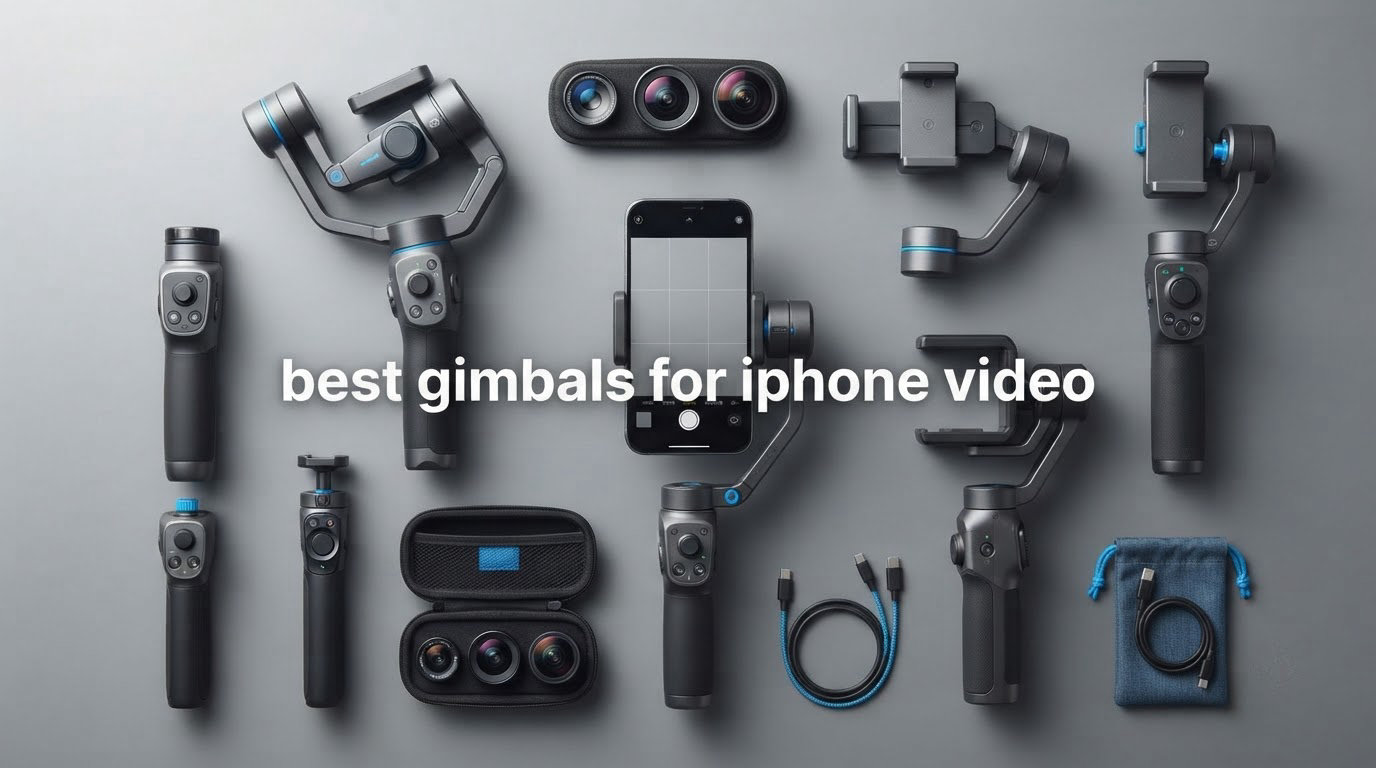
There is a moment on every iPhone shoot where you stop trusting the phone. You walk backwards down a hallway to show a room, tilt the camera up toward a ceiling, and the whole clip wobbles in a way no amount of editing fixes. Optical image stabilization and Action Mode smooth out the tiny tremors of a standing shot. Neither one stabilizes forward movement, a long pan, or a pull-back reveal.
A three-axis gimbal does all three, because three brushless motors cancel your hand movement in real time. That is the whole argument for spending money here. But the best gimbals for iPhone video are not chosen by brand reputation alone, and every generic roundup we read got it wrong in the same way. They list gimbals by general category and leave you to work out whether your actual phone, in your actual case, with your actual add-ons, will fit and stay balanced.
We went through the specs and owner feedback on nine current-generation phone gimbals and matched each one to a specific iPhone problem: the payload ceiling on a Pro Max loaded with a case and an ND filter, the gimbals that lock you into a proprietary app when you would rather shoot ProRes in Blackmagic Camera, and the budget models that quietly only stabilise two axes. If you want a broader look first, our general gimbal roundup covers the non-Apple side too. This one is iPhone only.
Table of Contents
- Top 3 Best Gimbals for iPhone Video (October 2026)
- All 9 iPhone Gimbals at a Glance
- 1. DJI Osmo Mobile 6 – Best Overall iPhone Gimbal
- 2. DJI Osmo Mobile 7P – Best for Solo Creators Who Film Alone
- 3. DJI Osmo Mobile 8 – Best for Tracking Inside Any App
- 4. Insta360 Flow 2 Pro – Best for ProRes, Dolby Vision and Any iOS App
- 5. Hohem iSteady M7 – Best for Heavy iPhone Rigs and Pro Max Setups
- 6. Hohem iSteady X3 – Best Travel iPhone Gimbal for Carry-On Size
- 7. Zhiyun Smooth Q3 – Best Budget Pick with a Real Fill Light
- 8. AOCHUAN Smart XE – Best for Interview and Seated Studio Shots
- 9. Hohem iSteady M6 Kit – Best Mid-Range Gimbal with Native Camera Tracking
- Which iPhone Gimbal Fits Your Phone?
- Does Your iPhone Already Stabilize Well Enough?
- The Buying Decisions That Actually Matter
- Frequently Asked Questions
- Which iPhone Gimbal Should You Buy in 2026?
Top 3 Best Gimbals for iPhone Video (October 2026)

DJI Osmo Mobile 6
- 3-axis stabilization
- Built-in extension rod
- 290 g payload
- Magnetic quick-release clamp


All 9 iPhone Gimbals at a Glance
| Product | Specifications | Action |
|---|---|---|
| DJI Osmo Mobile 6 |
|
Check Latest Price |
| DJI Osmo Mobile 7P |
|
Check Latest Price |
| DJI Osmo Mobile 8 |
|
Check Latest Price |
 Insta360 Flow 2 Pro Insta360 Flow 2 Pro |
|
Check Latest Price |
 Hohem iSteady M7 Hohem iSteady M7 |
|
Check Latest Price |
 Hohem iSteady X3 Hohem iSteady X3 |
|
Check Latest Price |
 Zhiyun Smooth Q3 Zhiyun Smooth Q3 |
|
Check Latest Price |
 AOCHUAN Smart XE AOCHUAN Smart XE |
|
Check Latest Price |
 Hohem iSteady M6 Kit Hohem iSteady M6 Kit |
|
Check Latest Price |
1. DJI Osmo Mobile 6 – Best Overall iPhone Gimbal
DJI Osmo Mobile 6 Gimbal Stabilizer for Smartphones, 3-Axis Phone Gimbal, Built-In Extension Rod, Object Tracking, Portable and Foldable, Vlogging Stabilizer, YouTube TikTok, Slate Gray
305 g
Folded 189x84.5x44 mm
290 g payload
3-axis stabilization
Pros
- Exceptionally smooth 3-axis stabilization on foot and while panning
- ActiveTrack locks on and reacquires moving subjects quickly
- Folds to 189 mm and powers on as it unfolds
- Built-in extension rod and included grip tripod
- Side wheel gives precise zoom and focus control
Cons
- Mimo app does not support ProRes
- Motors struggle once extra weight is added
- First unfold is tight and not well explained
This is the gimbal we recommend to most people, and the reason is unglamorous: it is the one that gets picked up and used. More than twenty thousand owner reviews sit behind it, and the pattern in those reviews is remarkably consistent. Walk with it, run with it, pan with it, and the footage comes back looking like the phone was on sticks.
The magnetic clamp is the part people underestimate. You unfold the arm, the unit powers on, the DJI Mimo app opens, and the phone snaps into place without a balance ritual. That two-second loop is the difference between a gimbal you carry and a gimbal you leave in a drawer.
Technically it is the lightest of the three DJI models here at 305 g, and it folds down to 189 by 84.5 by 44 mm, which is genuinely pocketable rather than merely compact. The rated maximum load is 290 g. That number is the one to check against your own setup, and it is the reason this is our best overall rather than our best for heavy rigs.
An iPhone plus a slim case already eats most of that allowance. Add an external lens or an ND filter and the motors start working harder, which is exactly the complaint owners raise most often. Heavier loads also drain the battery faster, so if your rig runs close to 290 g you should expect a shorter working day than the headline figures suggest.
The extension rod is built into the arm, and the small grip tripod is in the box, so there is nothing else to buy before your first shoot. Four modes cover most work: follow, tilt locked, FPV and Spinshot.
What the Osmo Mobile 6 does well on iPhone
ActiveTrack is the feature that converts a stabilizer into a production tool. Lock it onto a person, a dog or a moving object and the phone keeps them framed while you walk alongside, which is most of what a solo creator does. Reacquisition after the subject briefly leaves frame is fast, so you do not restart the take every time someone crosses a doorway.
The side wheel handles zoom and focus without leaving the grip, and the status panel on the handle shows battery and current mode. Bluetooth remote support means an Apple Watch can start recording on a shot you are not holding, which matters for any one-take walkthrough.
Where it falls short for iPhone shooters
The single biggest gap is ProRes. Mimo captures to MP4 and the app does not offer Apple’s ProRes codec, so a ProRes-first workflow means shooting in a different app and giving up the tracking features. That trade is acceptable for most vloggers and unacceptable for a lot of colour-managed shooters.
Two smaller annoyances recur. The first unfold from the lock position is tight and the manual does not explain it clearly, and the default joystick direction and panning speed usually need changing in settings before the gimbal feels natural. Photos taken through Mimo are not Live Photos either, so this is a video tool first.
2. DJI Osmo Mobile 7P – Best for Solo Creators Who Film Alone
DJI Osmo Mobile 7P Gimbal Stabilizer for iPhone & Android, Native Tracking
368 g
Folded 190x95x46 mm
300 g payload
Up to 10 hours
Pros
- Very stable 3-axis footage while walking
- Up to 10 hours of battery that can also charge the phone
- Multifunctional module doubles as mic receiver fill light and tracker
- Built-in extension rod and tripod
- Control wheel for zoom and lighting
Cons
- Bulky for anyone wanting an ultra-compact body
- Tracking can lose the subject in very low light
- Needs recalibrating more often with heavy phones
The 7P is the one to buy if you are the only crew. Everything on it exists to remove a second pair of hands. The built-in extension rod handles high and low angles, the deployable tripod handles static framing, and the multifunctional module on top receives a DJI wireless mic while lighting your subject and carrying the tracking sensor.
Battery is the headline. Owners consistently report close to the advertised ten hours of operation, and the unit can charge the phone while it films. For a day of walking tours or an event shoot, that removes the single most common reason a gimbal dies mid-session.
Setup is the easiest of any gimbal we looked at. Unfold, the magnetic clamp attaches, Mimo opens, and you are recording. More than seven thousand reviews describe the same walkthrough without complaint, which is rarer than it sounds for a motorized device.
The rated payload is 300 g and the body weighs 368 g, so it is noticeably heavier in the hand than the Osmo Mobile 6. Folded, it measures 190 by 95 by 46 mm, which fits the included pouch comfortably but will not vanish into a jacket pocket the way the smallest bodies here do.
Tracking uses both phone lenses, which is why it holds a subject more steadily than single-lens implementations. The module’s control wheel adjusts zoom and lighting without a second device.
Why solo shooters rate this so highly
Owners consistently call it the easiest gimbal they have set up, and the reason is the combination of magnetic mount, guided app setup and the module handling three jobs at once. For a one-person shoot, that consolidation is worth more than any individual specification.
The extension rod plus tripod combination is what makes hands-free framing practical. Low-angle shots at pet height, overhead framing, group selfies and timed static takes all become possible without a second accessory, and that matters when nobody is holding a light.
Where it disappoints
The size is the recurring complaint. Anyone who wants a genuinely compact gimbal will find 368 g and a 190 mm folded length too much for a daily carry. The built-in fill light is useful in dim interiors but is not bright enough to be a key light outdoors at dusk.
Tracking degrades in very low light, and the gimbal asks for recalibration more often than owners expect, particularly with a large phone mounted. The included tripod is on the flimsy side, the supplied USB-C cable is short enough that it barely reaches the phone once mounted, and gesture control is over-eager enough that some reviewers switch it off entirely.
3. DJI Osmo Mobile 8 – Best for Tracking Inside Any App
DJI Osmo Mobile 8 Gimbal Stabilizer for Phone, 3-Axis Stabilization
370 g
Folded 7.5x3.7x1.8 inch
3-axis with 360-degree pan
Roughly 10 hours
Pros
- Native tracking works in Instagram TikTok Zoom and other apps
- Smooth 3-axis stabilization on foot
- 360-degree infinite pan rotation
- Built-in tripod and extension rod
- Roughly 10 hours plus phone charging while filming
Cons
- Cannot switch front to rear camera mid-recording
- Weak phone magnet makes drops a real concern
- No quick recalibration function
The Osmo Mobile 8 is the current DJI flagship, and the upgrade that matters most on iPhone is not stabilization. It is native tracking. Instead of asking you to record inside Mimo, the gimbal’s tracking works inside Instagram, TikTok, Zoom and other apps, so a creator posting to a platform they already use does not have to change their recording workflow at all.
That single change removes the biggest friction point in phone gimbal ownership. It also means the gimbal becomes less of a reason to open proprietary software and more of a background tool you leave running.
Mechanically it is a 370 g body with 360-degree horizontal pan rotation, a built-in extension rod, a quick-deploy tripod, and a multifunctional module carrying audio reception and integrated lighting. Battery life sits around ten hours, and it will charge the phone while filming.
Stabilization quality is what buyers expect from a current DJI body, and the reviews describe smooth results for walking, running and action shots. The 360-degree pan means a follow shot does not need to stop when the gimbal hits a mechanical limit.
Owner feedback is also unusually specific about the negatives, which is useful. You cannot switch between the front and rear cameras mid-recording. There is no quick recalibration function. The package includes a pouch but no lanyard and no protective case.
Why native tracking changes the decision
Most phone gimbals can only track inside their own app. That is a workflow tax on iOS shooters in particular, because the apps people actually record in are rarely the manufacturer’s. When tracking follows you into Instagram or TikTok, the gimbal stops being a reason to leave your normal app and starts being an accessory for it.
It also makes the gimbal useful for livestreams and video calls, where there is no Mimo workflow to speak of. The module’s audio reception also means a DJI wireless mic can feed straight into the phone.
Where it falls short
The phone magnet is the most serious practical issue, and reviewers call it out directly. It is not especially strong, and on a heavy Pro Max with a case the phone can shift or drop, which is precisely the failure mode buyers on forums describe dreading most.
Losing mid-recording camera switching is a real loss for anyone who wants to move from a talking head to a product shot without cutting. The extension rod can also be stiff to extend and retract, and the body is heavier than some rivals once the module is fitted, which shows up on long handheld sessions.
4. Insta360 Flow 2 Pro – Best for ProRes, Dolby Vision and Any iOS App
Insta360 Flow 2 Pro Grey – Foldable AI Phone Gimbal, Track in 200+ Apps with Apple DockKit, Multi-Person Tracking, 360º Pan Tracking, Built-in Tripod/Selfie Stick, iPhone/Android Portable Stabilizer
385 g
Folded 97.9x178.4x36.7 mm
300 g payload
3-axis with free tilt
Pros
- Apple DockKit means tracking works in 200+ iOS apps
- Supports Dolby Vision and Apple ProRes capture
- Multi-person tracking frames whole groups
- Free tilt mode keeps framing consistent as the phone moves
- Built-in tripod selfie stick mirror and teleprompter
Cons
- Active Zoom Tracking limited to iPhone 12-16 Pro and Pro Max models
- Heavier 385 g body than several rivals
- Some buyers still prefer DJI or Zhiyun for feel and app polish
If you shoot ProRes, this is the gimbal that will not get in the way. The Flow 2 Pro supports Apple ProRes and Dolby Vision capture, which no other model here can claim, and it is the first gimbal series with Apple DockKit, letting tracking run inside more than 200 iOS apps rather than only the Insta360 app.
That combination answers both halves of the common iOS objection. You keep the high-bitrate codec you edit in, and you are not locked into one recording app. For a shooter who already has an editing pipeline built around Log or ProRes, that changes what the gimbal costs you in lost workflow.
Free tilt mode is the quiet feature that changes how shots look. Instead of the gimbal fighting you when you raise or lower the phone, it lets the frame move up and down while keeping the subject composed, which makes smooth crane-style moves possible from a single operator.
Multi-person tracking frames whole groups, which is genuinely useful for family and camping footage where a face-lock would have picked the wrong person. Active Zoom Tracking keeps fast subjects framed at zoom levels up to 15x, useful for stage performances and field sports.
The body is 385 g with a 300 g payload rating, and it folds to 97.9 by 178.4 by 36.7 mm. Battery life is rated at ten hours, and the box includes a magnetic phone clamp, a USB-C to USB-A cable and a protective pouch.
Who this gimbal is really for
iPhone Pro shooters who want maximum control. The people who care about codecs, who grade their own footage, and who would rather not surrender recording to an app just to get tracking. The free tilt and multi-person tracking also make it a strong travel pick for family documentary work.
It is worth being honest that some buyers still prefer the DJI and Zhiyun ecosystems for build feel and app polish. That is a fair criticism of the general software experience, and it is why this sits further down the list rather than higher for most people.
Where the limits are
Active Zoom Tracking is restricted to iPhone 12 through 16 Pro and Pro Max models. If you are on a base or Plus iPhone, or on a newer generation outside that range, you do not get it, and that is a hard hardware restriction rather than a setting.
At 385 g it is one of the heavier bodies here, and it carries a 300 g payload rating like the three DJI models rather than a heavy-rig figure. The listed compatibility covers iPhone 12 onward, so very old devices are out. Everything is rated as not water resistant, which matters if you shoot in rain or spray.
5. Hohem iSteady M7 – Best for Heavy iPhone Rigs and Pro Max Setups
Hohem iSteady M7 Gimbal Stabilizer for Smartphone, Magnetic AI Tracker Fill Light, Detachable Touchscreen Remote Controller, Built-in Extension Rod, 500g Payload Gimbal Stabilizer for iPhone Android
629 g
500 g payload
193 mm aluminium rod
1.4-inch touchscreen remote
Pros
- 500 g payload handles large phones with cases and add-on lenses
- Detachable 1.4-inch touchscreen remote shows a live view at about 10 m
- AI tracker is a separate module with its own camera so tracking works in the native camera
- Batteries for roughly 12 hours with phone reverse charging
- Up to three 1/4-20 expansion ports for mic light and lens accessories
Cons
- Heaviest unit here at 629 g and tiring over long sessions
- Recording depends on the Hohem Joy app
- Tracking can stutter when the target turns away
The M7 exists to solve a problem the rest of this list cannot: a loaded iPhone. A Pro Max in a case, with an external SSD, an anamorphic lens and an ND filter, will exceed the 280 to 300 g ratings of most phone gimbals. At 500 g payload, this is the only model here that clears a genuinely heavy rig with room to spare.
The second innovation is the detachable 1.4-inch full-colour touchscreen remote. It shows a live view of what the AI tracker sees and works from roughly 10 m away, so a solo operator can frame a shot, step back, and still see the composition. That is the closest any of these comes to a second camera operator.
Balancing takes about ten seconds according to owners, even with a large phone, and the AI tracker is a separate module with its own camera. Because the tracking happens in the module rather than in an app, it keeps working in the phone’s native camera and in other apps, which sidesteps the lock-in problem that weighs down cheaper Hohem models.
The expansion ports take three 1/4-20 mounts for a microphone, a light or a lens, and the aluminium extension rod extends to 193 mm for high, low and pet-eye-level angles. The tracker carries a front RGB and CCT fill light with remote brightness and colour adjustment, and battery life runs to roughly twelve hours with reverse charging for the phone.
Everything in the box: gimbal, AI tracker with fill light, detachable remote, tripod, carrying case and USB-C cables.
Why heavy-rig owners pick this one
Payload is the deciding number and no other gimbal here comes close. Forum discussions about external SSD rigs consistently converge on high-payload models because a phone plus drive plus filter exceeds everything else. Three expansion ports also let you build a proper small rig rather than bolting accessories to a bare clamp.
Tracking handles people, pets and objects, with double-tap or drag target selection. The remote lets you start and monitor a shot without touching the gimbal, which turns shaky operator movement into a non-issue on long takes.
Where it struggles
At 629 g it is the heaviest gimbal in this group by a wide margin, and owners report fatigue on long handheld sessions. That weight is the direct cost of the payload capacity, so you are paying for it in your arm.
Recording and some features depend on the Hohem Joy app, and reviewers note that the app’s image quality can reduce the benefit of the phone’s own stabilization. Tracking can stutter or lose a subject when that subject turns their back to the module, and detaching the remote drops its live video feed, which some buyers found frustrating. The included tripod is also short and of limited use.
6. Hohem iSteady X3 – Best Travel iPhone Gimbal for Carry-On Size
hohem iSteady X3 3-Axis Gimbal Stabilizer for iPhone & Android, Black
0.93 lb
Folded 3.86x1.73x6.32 inch
3-axis with iSteady 8.0
Pros
- Folds to a pocketable shape at 0.93 lb
- Screened remote shows the phone view so you never look away
- Clip-on magnetic fill light with adjustable brightness and tones
- Built-in tripod and extension rod for low pet and overhead angles
- Hohem customer service resolved failures with a prompt replacement
Cons
- Record button and tracking only work inside the Hohem app
- Recording through the app adds cable weight that unbalances large phones
- Large phones can make the holder sag backwards
Size is the whole argument for the X3. At 0.93 lb it folds to 3.86 by 1.73 by 6.32 inch, a genuinely pocketable shape. If you shoot travel footage and pack light, this is the one that does not get left behind at home.
It is also unusually capable for its size, mostly because of the remote. The detachable controller has an LCD screen and works out to 32.8 ft, showing you the phone’s view so a solo creator can film without walking back to check the framing.
Stabilization uses three axes with iSteady 8.0 processing, and owners report that the motors handle heavier phones better than the price suggests. The tripod and extension rod combination covers low pet angles and overhead framing, and the clip-on magnetic fill light has adjustable brightness and multiple colour tones.
Compatibility is broad, covering iPhone 17 back to 11 Pro Max, which is worth noting if you rotate devices often. The box includes the remote, a magnetic fill light, a hex key, a USB-C cable, a storage pouch and a warranty card.
AI tracking and gesture control run through the Hohem Joy app, and the shooting modes cover portrait, landscape and tracking. Warranty is one year.
What makes it a genuine travel pick
Size and weight decide whether a gimbal comes with you. A gimbal you leave in a hotel room is worth nothing on a walking day, and the X3 is the one most likely to come out of a bag at this weight. Several owners also report that Hohem customer service replaced failed units quickly, which reduces the risk of carrying a spare.
The screened remote is the feature that separates it from other entry-level options. Because you can see the frame without returning to the phone, walking follow shots and one-take sequences become practical for a single operator.
Where it disappoints
Recording and tracking only work inside the Hohem app, and shooting through the app means a cable running from the gimbal to the phone. That added cable weight throws off the balance on a large phone, which is exactly the phone most likely to need this gimbal.
Large phones can also make the holder sag backwards, so the mount needs popping back up mid-shoot. AI tracking is reliable for people but struggles with inanimate objects, a minority of buyers report motor failures and friction over warranty replacement terms, and the feature set is more than a total beginner can comfortably use. For shorter-form vertical work specifically, our TikTok gimbal picks go into that setup in more detail.
7. Zhiyun Smooth Q3 – Best Budget Pick with a Real Fill Light
Zhiyun Smooth Q3 Combo, 3-Axis Phone Gimbal with Fill Light and Gimbal Bag, Portable & Foldable, Gesture Control, Video Recording, Auto Tracking Gimbal Stabilizer for Smartphone for iPhone & Android
340 g
Folded 1.8x6.1x7.1 inch
280 g payload
1500 mAh up to 10 hours
Pros
- Good stabilization for the money
- 180-degree flippable fill light with three brightness levels
- Light at 340 g and folds down small
- Four modes including a selfie-oriented one with the light
- Combo includes bag tripod and wrist strap
Cons
- 280 g payload excludes the largest phones
- ZY Cami app design frustrates some users
- Arm must be fully extended or the connection pins fail
The Smooth Q3 earns its place here on one feature more than any other: a 180-degree flippable, touch-sensitive fill light with three brightness levels. On a gimbal at this level, having a light that flips toward your face for a talking head and folds away for daylight walking is unusual and genuinely useful.
It also fixed a real flaw from the earlier Q2, where the wide-angle lens could be obstructed by the mount. The grip position is better and balancing is easy, and owners frequently describe the feel as premium for the money.
Stabilization runs on three axes with four modes: pan-following, locking, full-follow and a selfie-oriented PhoneGo mode. SmartFollow 3.0 handles single-gesture control and multiple panorama modes, and ZY Cami adds slow motion, dolly zoom, inception mode, 360-degree panorama and time-lapse.
The battery is a 1500 mAh pack rated for up to ten hours. Body weight is 340 g, folded size is 1.8 by 6.1 by 7.1 inch, and the video capture resolution is listed as 4K. The combo bundle adds a protective bag, tripod, Type-C cable and a wrist strap.
This is also a sensible second gimbal. If you already own a good one and want a lighter unit for daytime travel, that is a very common reason owners buy it.
Why the fill light matters more than the spec sheet
Most budget gimbals at this level give you a small fixed LED or nothing. A flippable 180-degree light that physically points where you want it is a small amount of hardware that solves a real problem: indoor vlogs and video calls shot in the evening, which is when most phone footage actually gets made.
Combined with the wrist strap and pouch in the combo, it makes a sensible first gimbal for a beginner who will not need to balance an arm weighted with accessories. Our Zhiyun roundup covers the rest of that brand’s phone and camera range.
Where it falls short
The 280 g payload rating is the hard limit. It excludes the largest phones, so a Pro Max with a case sits right at or over the ceiling, and the motors will show it in the footage and in battery drain.
The most-cited setup problem is specific and fixable: the extension arm has to be fully extended for the connection pins to make contact, and if it is not, stabilization fails. The ZY Cami app design frustrates some users, zoom control does not work with some iPhone models, and there are occasional reports of unreliable Bluetooth connections and slow setup.
8. AOCHUAN Smart XE – Best for Interview and Seated Studio Shots
AOCHUAN Smart XE 3-Axis Gimbal Stabilizer for iPhone&Android,Foldable
345 g
Folded 163x108x55 mm
280 g payload
2600 mAh up to 10 hours
Pros
- Very low entry cost with three-axis claims plus a fill light and face tracking
- Claw-like grip avoids pressing side buttons
- Fast object tracking with a skeleton-overlay body mode
- 2600 mAh battery for up to 10 hours
- One-click switch between landscape and portrait
Cons
- Only two axes truly stabilise
- Struggles when camera and subject are both moving
- Recording and tracking only work inside the AOCHUAN app
The Smart XE sits at the entry point of this list, and for one specific job it is hard to beat: seated interviews, cooking videos, and any static setup where the camera is not moving. In that situation the stabilisation is smooth and tracking is quick, and the 2600 mAh battery runs up to ten hours.
The claw-like grip is a nice practical touch. It holds the phone without pressing the side buttons, which stops accidental taps from stopping your recording, and the one-click button switches between landscape and portrait for vertical-first content.
The bundle is generous for the money: RGB fill lights, a tripod and a carry case are included, along with a USB-C cable and an on-device control cheat-sheet sticker. Object tracking in the app is fast and accurate, with a skeleton-overlay body tracking mode, and there is a focus wheel and a zoom slide with adjustable focus speed on the handle.
Compatibility lists iPhone 16 back to 12 Pro Max, and the shooting mode list is long: panorama, cinematic, movie, live streaming, time-lapse, motion-lapse, Hitchcock and inception, plus slow motion.
The body weighs 345 g and folds to 163 by 108 by 55 mm, and warranty is one year.
When a cheap gimbal is the correct choice
Static and seated work does not stress a gimbal. The motors are compensating for vibration from a surface rather than for continuous pan and tilt, which is the easiest thing they can do. If your footage is largely interviews, tutorials or overhead product shots, this is a defensible purchase and the battery life means you can record a long session without a cable.
It is also a reasonable backup unit. A second gimbal in a different bag costs far less than a replacement, and the physical controls are simple enough that a beginner will not be overwhelmed.
Where the marketing overstates it
This is the clearest example in the list of a 3-axis claim that is generous. Buyers report that only two motors actually stabilise, with the third handling orientation only, so walk-and-pan shots with a moving subject stay visibly jittery. That is fine for a seated interview and a real limitation for anything shot on foot.
Everything is locked inside the AOCHUAN app, and 4K recording is not available for some flagship phones. Samsung S23 and S20+ users lose tracking above 30 fps, large phones can get stuck and fail to rotate fully, and a few have arrived unable to charge. If you shoot while walking, look elsewhere.
9. Hohem iSteady M6 Kit – Best Mid-Range Gimbal with Native Camera Tracking
Hohem iSteady M6 Kit Gimbal Stabilizer for iPhone &Android,3-Axis Gimbal
551 g
400 g payload
0.91-inch OLED display
1.06x3.27x5.85 inch folded
Pros
- 0.91-inch OLED shows battery mode and parameters at a glance
- AI vision sensor tracker works inside the phone's native camera
- iSteady 7.0 algorithms keep walking and running footage steady
- 400 g payload covers most modern phones
- Fill light covers 2700K to 6500K plus RGB
Cons
- Heavier build at 551 g
- Listed 18-hour battery figure is optimistic
- No detachable screen remote unlike the newer M7
The M6 Kit sits in the middle of this list and does something the cheaper Hohem models do not: the magnetic AI vision sensor tracker works inside the phone’s native camera rather than only inside the Hohem app. That removes the app dependency that dogmas the iSteady X3 and the Smart XE, and it means you can shoot in whatever app your workflow already uses.
Its 0.91-inch OLED is the kind of small screen that seems like a gimmick until you are on a long shoot and would otherwise be guessing. It shows battery, mode, Bluetooth status and gimbal parameters.
Stabilisation runs on iSteady 7.0 algorithms, and owners report that walking and running footage stays shake-free. The 400 g payload covers most modern iPhones including larger ones with a case, sitting comfortably below the M7’s 500 g but above the 280 to 300 g ceiling of most of the field.
The control wheel handles roll axis rotation, focus and light colour and brightness in one place, and the magnetic fill light runs from 2700K to 6500K plus RGB. You can also power on with the phone mounted on either side of the roll motor for ultra-wide framing.
It folds to 1.06 by 3.27 by 5.85 inch and the kit includes a tripod and a semi-rigid carrying case. Warranty is one year.
Why the native camera tracking matters
App-based tracking forces a choice. Either record in the manufacturer’s app and accept its recording and export options, or record in the app you actually want and lose tracking. A vision-sensor module removes the choice, which on iPhone means you are not locked out of Blackmagic Camera, Filmic Pro or your usual recorder just because you added a gimbal.
For a mid-range price, the combination of 400 g payload, a multi-temperature fill light and a status display is unusually complete. It is a good first serious gimbal for someone who is not chasing the lightest possible body.
Where it is no longer the right buy
It is effectively superseded by the iSteady M7, which adds a detachable touchscreen remote and raises the payload to 500 g. Buying the M6 today only makes sense if you want the M7’s capabilities and not its 629 g weight, or you have found it at a meaningfully lower price.
At 551 g it is heavy for a phone gimbal, and the listed 18-hour battery figure is optimistic in practice according to owners. There is no detachable screen remote, so solo framing relies on gestures, and a minority of buyers report motor noise and wobble over extended use.
Which iPhone Gimbal Fits Your Phone?
Most gimbal disappointments are fit problems, and they are simple to avoid. Add up your phone, your case, and every accessory you intend to mount, then compare the total against the gimbal’s rated payload. Exceeding the rating is what produces motor strain, battery drain and drift.
A bare iPhone sits comfortably inside every gimbal here. The question is what happens once you add a case, and a large Pro Max with a case approaches or passes the 280 to 300 g ceiling on four of the nine models in this roundup.
Base and Plus iPhones in a slim case: any of the nine will carry the load. Your decision is about features, not payload, and the DJI Osmo Mobile 6 or the Hohem iSteady X3 are the most comfortable to carry.
Pro and Pro Max in a slim case: aim for a 300 g payload or higher. That rules out the Zhiyun Smooth Q3 and the AOCHUAN Smart XE, and it puts the DJI Osmo Mobile 6, 7P and 8, and the Insta360 Flow 2 Pro at the edge of their ratings once a case is fitted.
Pro Max with a case, an external lens and an ND filter: move up. The Hohem iSteady M6 Kit at 400 g and the Hohem iSteady M7 at 500 g are the only models here with real headroom, and forum discussions about external SSD rigs point to the same conclusion.
Pro Max with an external SSD, cage and anamorphic lens: the M7 is the only gimbal in this roundup rated for that combination. Nothing else should be considered, whatever the specification sheet claims about lenses.
Clamp width matters as much as weight. The models that use a wide claw-style holder accommodate larger phones better, and the commonest complaint among users of mid-range units is a holder that sags backwards with a large phone and needs popping back up.
If you are still weighing the wider category, our smooth video phone gimbal guide covers the general case, and the cinematic phone gimbal picks focus on the moves people want to learn next.
Does Your iPhone Already Stabilize Well Enough?
Sometimes yes. If you only shoot static or tripod-mounted clips, an iPhone on a tripod produces cleaner results than a handheld gimbal, and buying a gimbal changes nothing for you.
Optical image stabilization handles small hand tremors on the main camera and the telephoto lens. Electronic stabilization smooths digital video. Action Mode goes further by cropping and stabilising the feed in real time, and it is genuinely good for short walking clips. What none of these do is stabilise a long pan, a pull-back, or a forward walk where you are the subject.
The gimbal also adds things software cannot: an extension rod for high and low angles, a tripod for hands-free framing, physical zoom and focus control, and motorized subject tracking that holds a person or pet in frame while you move around them.
Our rule of thumb: if more than half your shots involve movement, a gimbal pays for itself quickly. If most of your footage is a person talking to a fixed camera, Action Mode and a tripod are enough, and the money is better spent on audio.
The Buying Decisions That Actually Matter
3-axis versus 2-axis. A genuine 3-axis gimbal corrects pan, tilt and roll. Some budget units only stabilise two axes and use the third motor purely to rotate orientation, which is enough for static work and not enough for walking shots. If you shoot on foot, insist on three real axes.
App lock-in. This is the decision most iPhone shooters get wrong. If the gimbal only tracks inside the manufacturer’s app, you are giving up your recording app and often your recording format. The DJI Osmo Mobile 8, the Insta360 Flow 2 Pro and the Hohem M6 and M7 all track outside their own app through hardware, which is the correct choice if you shoot in a third-party recorder.
Magnetic mount versus clamp. Magnetic quick-release means the phone is in and out in seconds, which is what makes a gimbal something you actually carry. A screw mount or a slow clamp is fine for a rigged setup and frustrating for anything casual.
Tracking style. Face lock, manual target selection and multi-person tracking are different tools. Single-person video calls for a lock-on button, family footage needs group framing, and shooting a stage or a field sport needs something that holds a fast subject at zoom.
Battery versus weight. Every extra feature you add for battery life adds grams. Ten hours of runtime is what you want for a full shoot day, but a body that tires your arm by hour three is a battery you will not get to use.
Firmware and app longevity. App-dependent gimbals depend on software that can be abandoned. Vision-sensor tracking and native tracking are more durable, and a gimbal that only functions through a phone app is a gimbal that stops working when its maker moves on. DJI and Insta360 both ship frequent updates, while owner feedback on Hohem and Zhiyun apps is more mixed, with specific complaints about ZY Cami’s layout and Hohem Joy’s recording quality.
What to avoid. Watch for weak phone magnets, because a dropped phone is the failure nobody plans for. On forum threads, budget models are repeatedly blamed for dropping the phone mid-recording, and the most common cause is a magnetic mount that cannot hold a phone plus case. Also avoid anything where the app is the only place recording works, and anything whose battery claim was not tested beyond a short session.
Finally, be sceptical of headline specifications. The 18-hour battery figure on one model here is optimistic in practice, and one 3-axis claim in this roundup is generous. The pattern is consistent across the category: the specification sheet describes the best case, and the owner reviews describe what actually happens after a month of use.
Frequently Asked Questions
What is the best gimbal for iPhones?
The DJI Osmo Mobile 6 is the best overall iPhone gimbal in this roundup. It weighs 305 g, folds to 189 mm, has a 290 g payload rating, and combines a magnetic quick-release clamp with a built-in extension rod and an included grip tripod. The 7P is the better pick for solo creators who need a longer battery, and the Insta360 Flow 2 Pro is the one to choose if you shoot Apple ProRes or Dolby Vision.
What is the best phone gimbal for iPhone?
For most iPhone owners the DJI Osmo Mobile 6 is the right answer because it is light, folds small and mounts instantly. If your phone is a Pro Max with a case, an external lens and an ND filter, move to the Hohem iSteady M6 Kit at 400 g payload or the Hohem iSteady M7 at 500 g. If you record in Blackmagic Camera or Filmic Pro, pick a model with hardware tracking such as the Osmo Mobile 8 or the Insta360 Flow 2 Pro.
What are the top 5 gimbals for phones?
Our top five are the DJI Osmo Mobile 6 for overall use, the DJI Osmo Mobile 7P for solo creators who need a long battery, the DJI Osmo Mobile 8 for tracking inside any app, the Insta360 Flow 2 Pro for ProRes and Dolby Vision capture, and the Hohem iSteady M7 for heavy rigs and Pro Max setups. Each covers a different iPhone problem rather than a different price bracket.
Which gimbals are best for beginners?
The DJI Osmo Mobile 6 is the easiest starting point because the magnetic clamp and guided app walkthrough remove most of the setup friction. The Zhiyun Smooth Q3 is the best budget option and adds a flippable fill light, which is genuinely useful for indoor vlogs and video calls. The AOCHUAN Smart XE is the cheapest, and it is a good fit for beginners shooting seated interviews or static content rather than walking footage.
Is ZHIYUN better than DJI?
Not overall. DJI wins on build feel, app polish and tracking reliability, and its magnetic mounts are the fastest to work with. Zhiyun wins on value and on specific hardware, such as the flippable fill light on the Smooth Q3, which no DJI body at a comparable level offers. Our advice is DJI for reliability and Zhiyun when you want a particular feature for less, but note the ZY Cami app is the weaker of the two.
Is there a video stabilizer on iPhone?
Yes, in three forms. Optical image stabilization compensates for small hand tremors on the main and telephoto cameras. Electronic stabilization smooths video in software. Action Mode does more, stabilising the feed in real time and handling short walking clips well. None of them stabilise a long pan, a pull-back reveal, or a forward walk where you are the subject, which is what a three-axis gimbal handles.
Are smartphone gimbals worth it?
Yes, if you shoot on foot. A gimbal adds stabilisation for panning, tilting and forward walking, plus an extension rod, a built-in tripod, physical zoom and focus control, and subject tracking that holds a person or pet in frame while you move. If most of your footage is a person talking to a fixed camera, iPhone Action Mode with a tripod is enough and the money is better spent on audio.
Which brand gimbal is best for iPhone video?
DJI has the strongest combination of build quality, app stability and tracking reliability, and covers three distinct price and feature points in this roundup. Insta360 is the strongest choice for ProRes, Dolby Vision and any-app iOS tracking through Apple DockKit. Hohem leads on payload capacity, with the only 500 g option and mid-range models that track in the native camera. AOCHUAN wins on entry cost for static shooting.
Which iPhone Gimbal Should You Buy in 2026?
Start with the DJI Osmo Mobile 6. It is light, it folds to a genuinely pocketable size, it mounts in two seconds and it carries almost any iPhone you will realistically use. If you film alone and need a battery that lasts a full day, step up to the Osmo Mobile 7P. If you want tracking to follow you into Instagram or TikTok, the Osmo Mobile 8 does that natively.
Then match the exception. Shoot ProRes or Dolby Vision and you want the Insta360 Flow 2 Pro, which is the only gimbal here that keeps those codecs and still tracks. Run a Pro Max with a case, lenses, filters or an external SSD and you need a payload rating above 300 g, which means the Hohem iSteady M6 Kit or the M7.
Carry light and you want the Hohem iSteady X3 at 0.93 lb. Film indoors and want a light built in, and the Zhiyun Smooth Q3 is the value pick. Mostly static or seated footage on a tight budget, and the AOCHUAN Smart XE does the job, with the honest caveat that its 3-axis claim is two axes in practice.
Whatever you choose, weigh your phone plus your case plus your accessories against the payload number before you order, and confirm whether tracking works in the app you actually record in. Those two checks prevent nearly every regret we saw reported. Use the buttons above to check the current details for 2026, and pick the gimbal that matches your iPhone rather than the one with the longest feature list.