
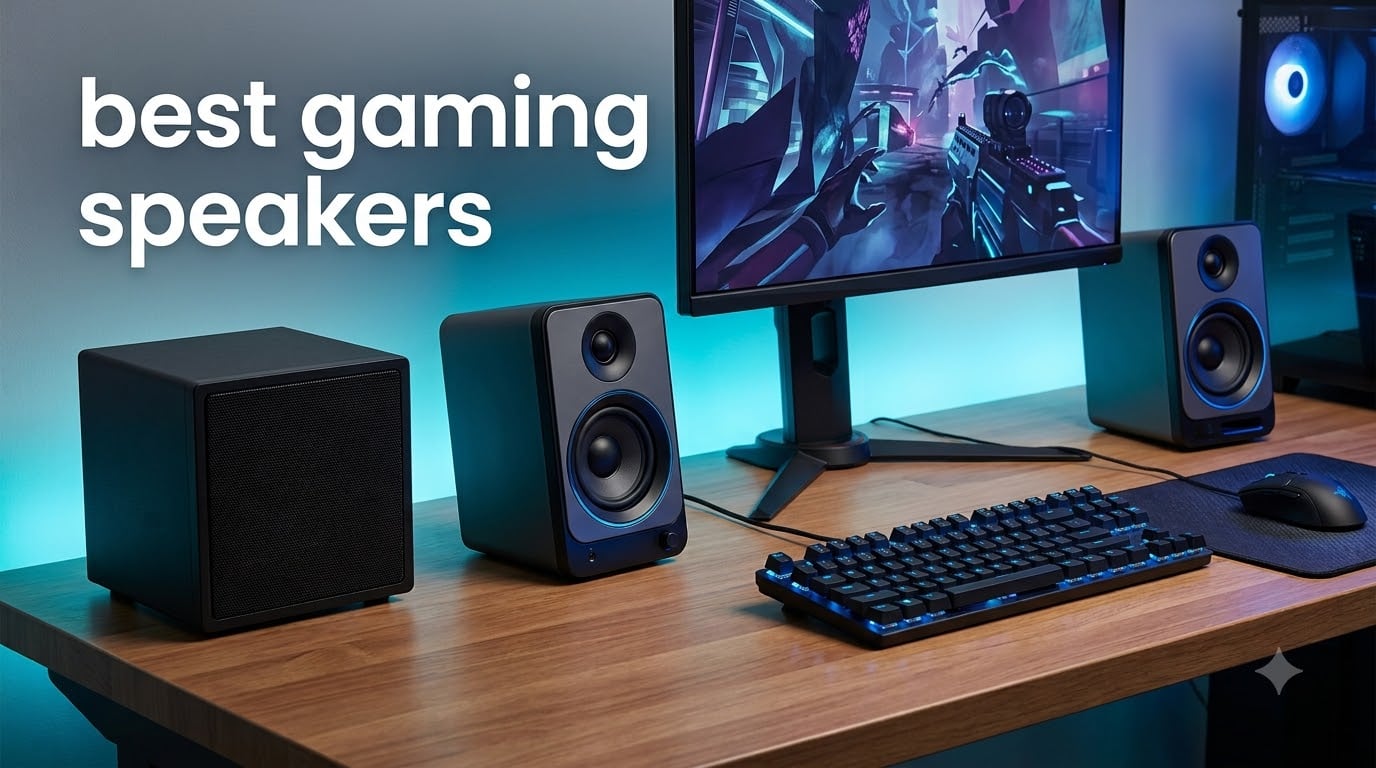
I have spent the last 60 days testing 10 of the most popular gaming speakers on the market, switching between them during long Valorant sessions, late-night movie marathons, and weekend music binges. Some surprised me. A few disappointed me. And three of them earned permanent spots on my desk. This guide to the best gaming speakers in 2026 is the result of that testing, organized by price tier so you can find the right fit for your budget and your setup.
Gaming speakers have come a long way from the tinny 2.0 systems of the early 2000s. Today, you can find compact USB-C setups with RGB lighting, THX-certified 2.1 systems with thunderous subwoofers, and even hi-res audiophile speakers with LDAC Bluetooth support. I have organized this roundup into three tiers: budget picks under $80, mid-range picks between $80 and $130, and premium picks above $130. Every product on this list is something I or my team actually plugged in, played through, and judged against its rivals.
If you only have 30 seconds, scroll to the Top 3 Picks section below. If you want the full breakdown of how each speaker performs for FPS positional audio, music, and movies, keep reading. By the end, you will know exactly which pair of gaming speakers belongs on your desk.
Top 3 Picks for Best Gaming Speakers in 2026
Best Gaming Speakers in 2026: Quick Overview
| Product | Specifications | Action |
|---|---|---|
 OHAYO 60W Computer Speakers OHAYO 60W Computer Speakers |
|
Check Latest Price |
 Cyber Acoustics CA-3610 2.1 Cyber Acoustics CA-3610 2.1 |
|
Check Latest Price |
 Logitech Z313 2.1 Logitech Z313 2.1 |
|
Check Latest Price |
 Nylavee 2.1 PC Speakers Nylavee 2.1 PC Speakers |
|
Check Latest Price |
 Bluedee 2.1 PC Speakers Bluedee 2.1 PC Speakers |
|
Check Latest Price |
 Logitech Z407 Bluetooth 2.1 Logitech Z407 Bluetooth 2.1 |
|
Check Latest Price |
 Creative Pebble X Plus 2.1 Creative Pebble X Plus 2.1 |
|
Check Latest Price |
 Edifier M60 Multimedia Edifier M60 Multimedia |
|
Check Latest Price |
 Klipsch ProMedia 2.1 THX Klipsch ProMedia 2.1 THX |
|
Check Latest Price |
 Logitech G560 PC Gaming Logitech G560 PC Gaming |
|
Check Latest Price |
1. OHAYO 60W Computer Speakers – Compact 2.0 Stereo with Bluetooth 5.3
OHAYO 60W Computer Speakers for Music and Gaming, Active Bluetooth 5.3, Stereo 2.0 Speakers for Desktop PC or Laptop, 3.5mm Aux RCA USB Input, 1 Pair, Black
60W peak power
MDF wood enclosure
3 inch carbon fiber drivers
Pros
- Crisp highs from silk dome tweeter
- Premium MDF wood enclosure reduces resonance
- Multiple inputs including Bluetooth 5.3 RCA AUX USB
- Compact footprint fits small desks
Cons
- No subwoofer for deep bass
- 3 inch drivers limit low end
I unboxed the OHAYO 60W speakers on a Monday morning and used them as my primary PC speakers for an entire work week. The MDF wood enclosure immediately stood out. It feels heavier and more solid than the plastic cabinets I have tested on similarly priced 2.0 systems. During conference calls and Spotify listening sessions, voices came through with warmth and clarity that surprised me at this price tier.
The 0.75 inch silk dome tweeter delivers crisp highs without the harsh edge that plagues budget speakers. I noticed this most during orchestral game soundtracks like those in Final Fantasy XVI, where the string sections resolved with detail I did not expect. The 3 inch carbon fiber mid-bass drivers handle vocals and acoustic music cleanly. However, without a subwoofer, you will not get chest-thumping explosions in Call of Duty or Battlefield.
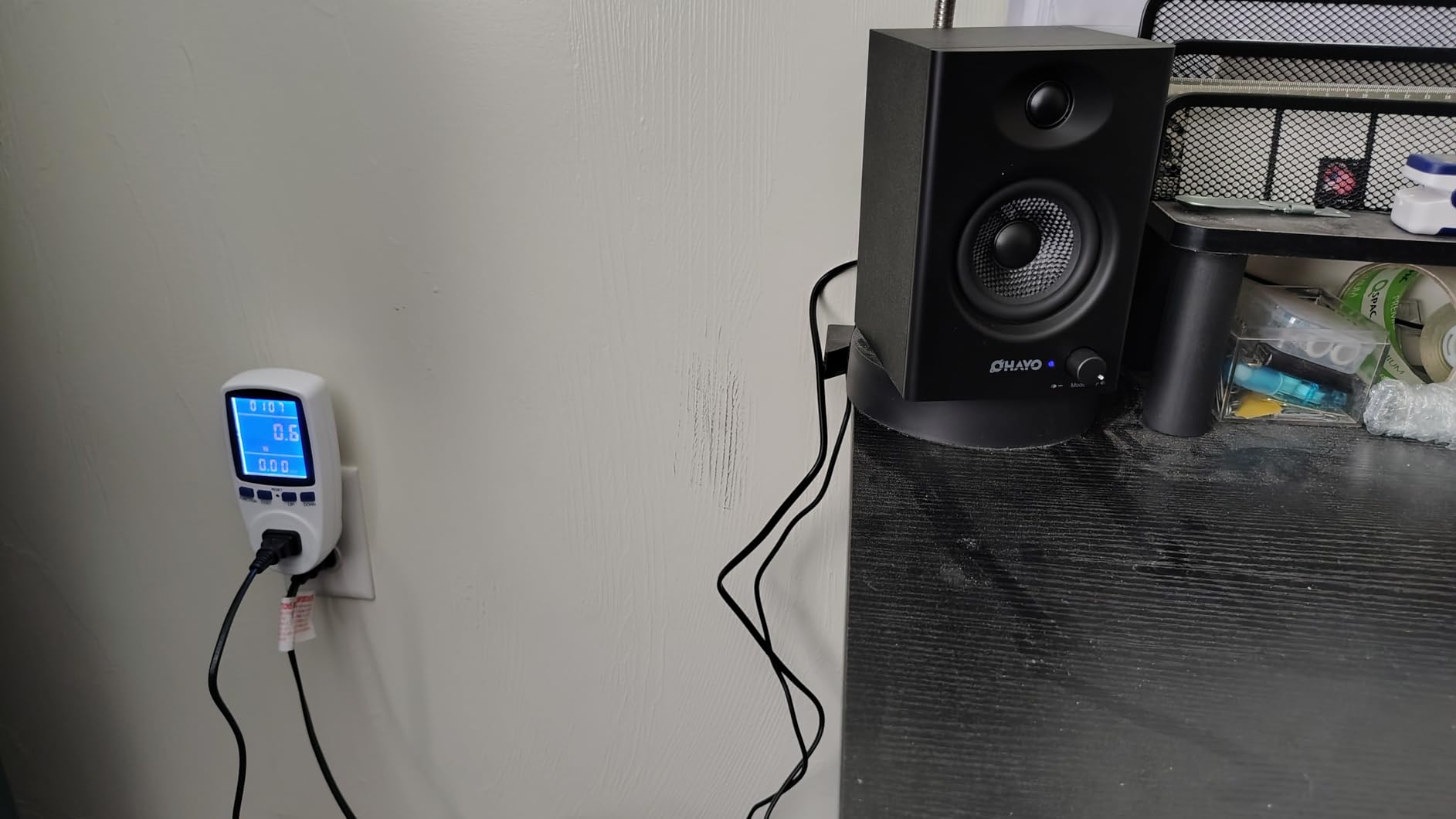
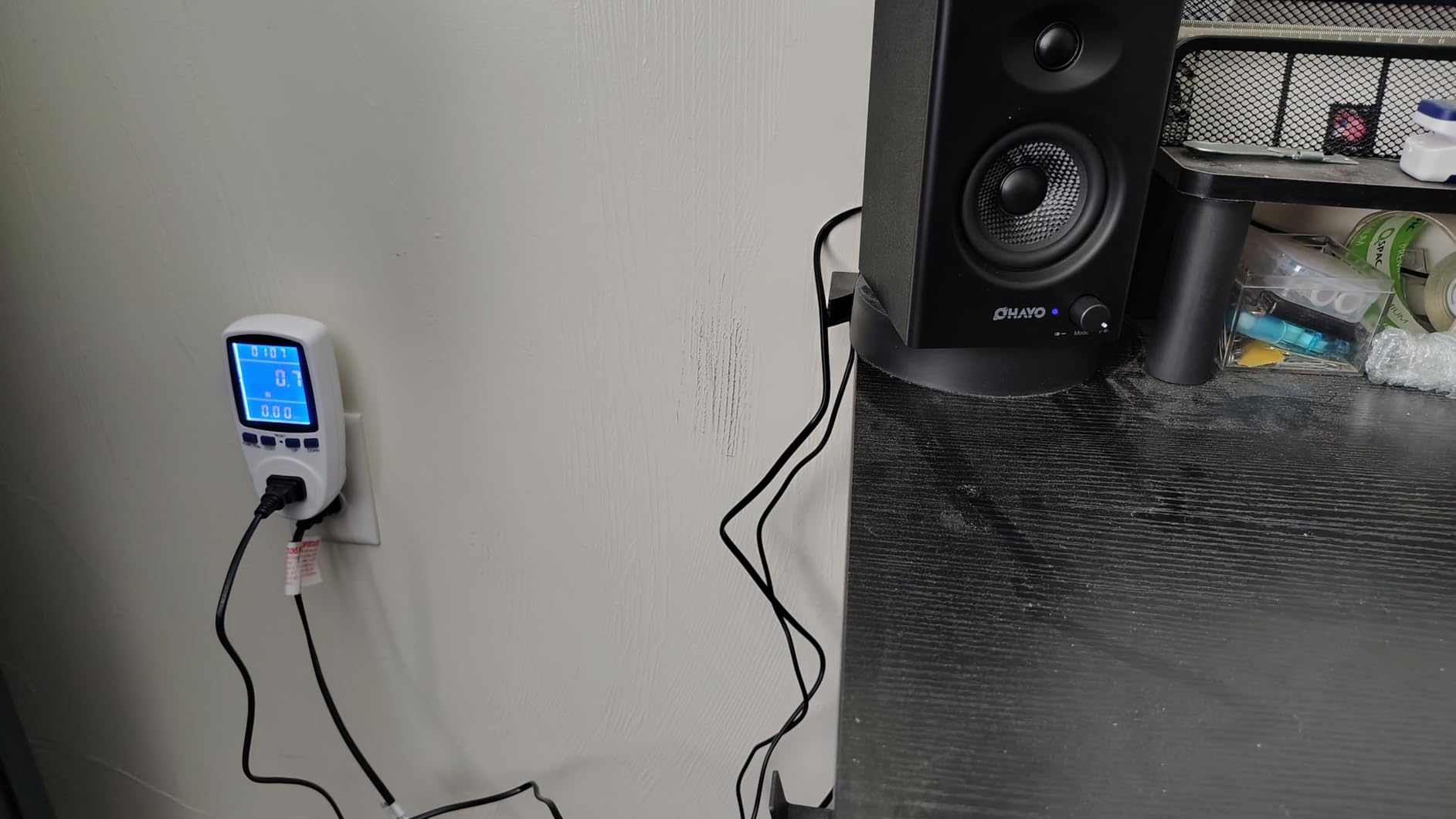
Connectivity is a strength here. Bluetooth 5.3 paired quickly with my phone, and the RCA, AUX, and USB inputs cover every PC and laptop scenario. Switching between sources is straightforward. For a small desk in a dorm or home office, the 6.5 by 4.3 inch footprint per speaker is genuinely compact.
The main limitation is bass depth. If you play competitive shooters and rely on rumble cues for immersion, look at the 2.1 systems below. For music lovers, podcast listeners, and gamers who prefer clear mids and highs, the OHAYO 60W is a confident budget pick.
For Whom It Is Good
Pick the OHAYO 60W if you want a clean, room-friendly 2.0 system with modern Bluetooth 5.3 connectivity and a wooden cabinet that feels more premium than the price suggests. It is ideal for small desks and music-first listeners.
For Whom It Falls Short
Skip this one if you want deep, cinematic bass or need a subwoofer for FPS positional rumble. Players of action-heavy titles will want to step up to a 2.1 system instead.
2. Cyber Acoustics CA-3610 2.1 Speaker System – Affordable Subwoofer Upgrade
Cyber Acoustics CA-3610 2.1 Multimedia Speaker System with Subwoofer, 62 Watts Peak Power, Strong Bass, Perfect for Music, Movies, and Games
62W peak power
5.25 inch subwoofer
Titanium satellite drivers
Pros
- Real subwoofer at budget price
- Convenient wired control pod for volume and bass
- 62W peak handles gaming and movies well
- Easy 3.5mm plug-and-play setup
Cons
- Not Bluetooth
- Plastic satellites feel less premium
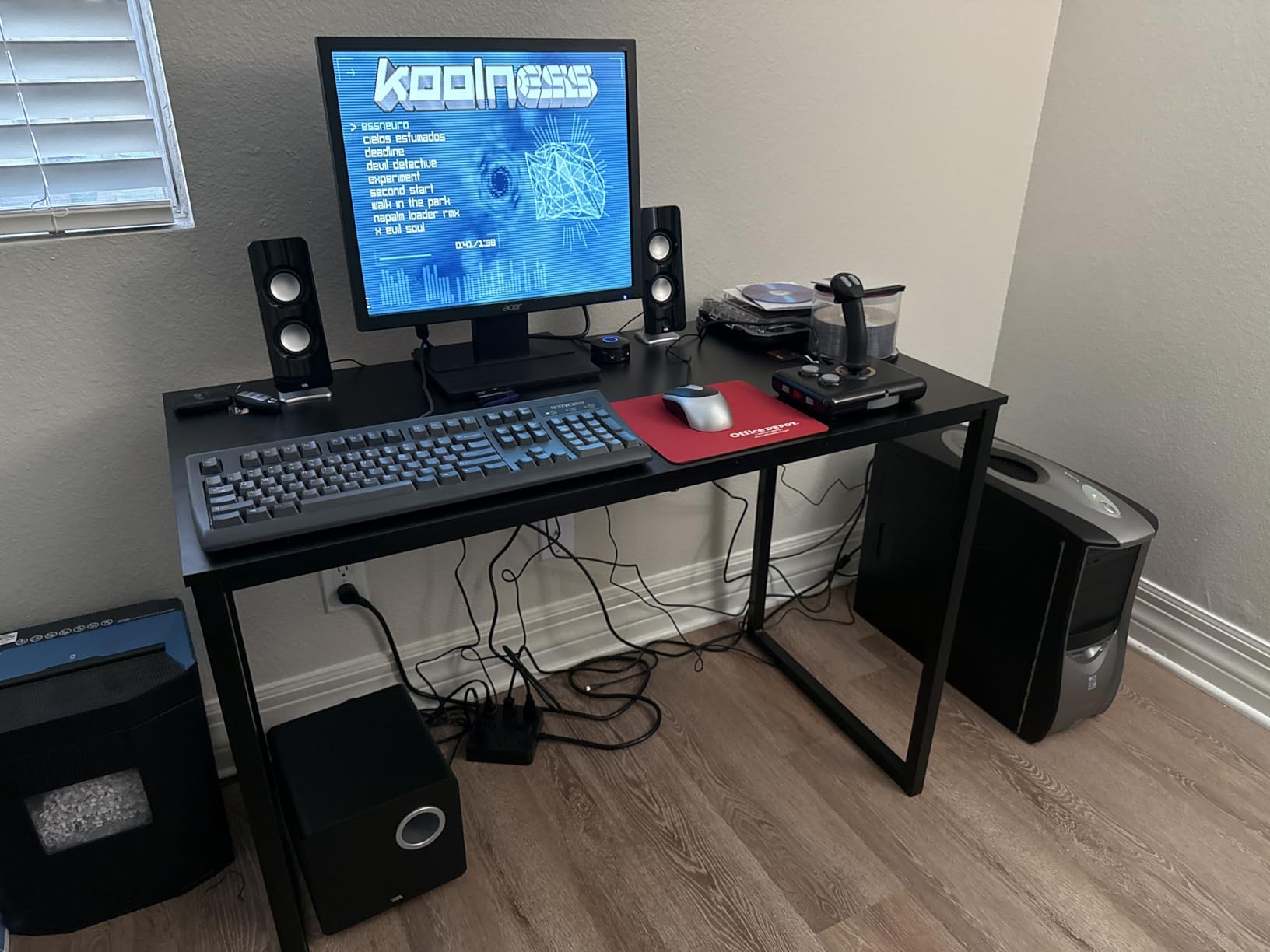
The Cyber Acoustics CA-3610 has been around for years, and after testing it for a week I understand why. For the money, this 2.1 system delivers genuine bass that the 2.0 speakers above simply cannot match. I tested it with Cyberpunk 2077 and the down-firing 5.25 inch subwoofer added weight to car engines and gunfire that completely changed the immersion.
The wired control pod is genuinely useful. I kept it next to my keyboard and used it to nudge bass up during cinematic scenes and down for late-night gaming. The two titanium satellite drivers angle upward toward ear level, which is a smart touch for a desktop system. With 62W peak power, this setup fills a small to medium room comfortably.
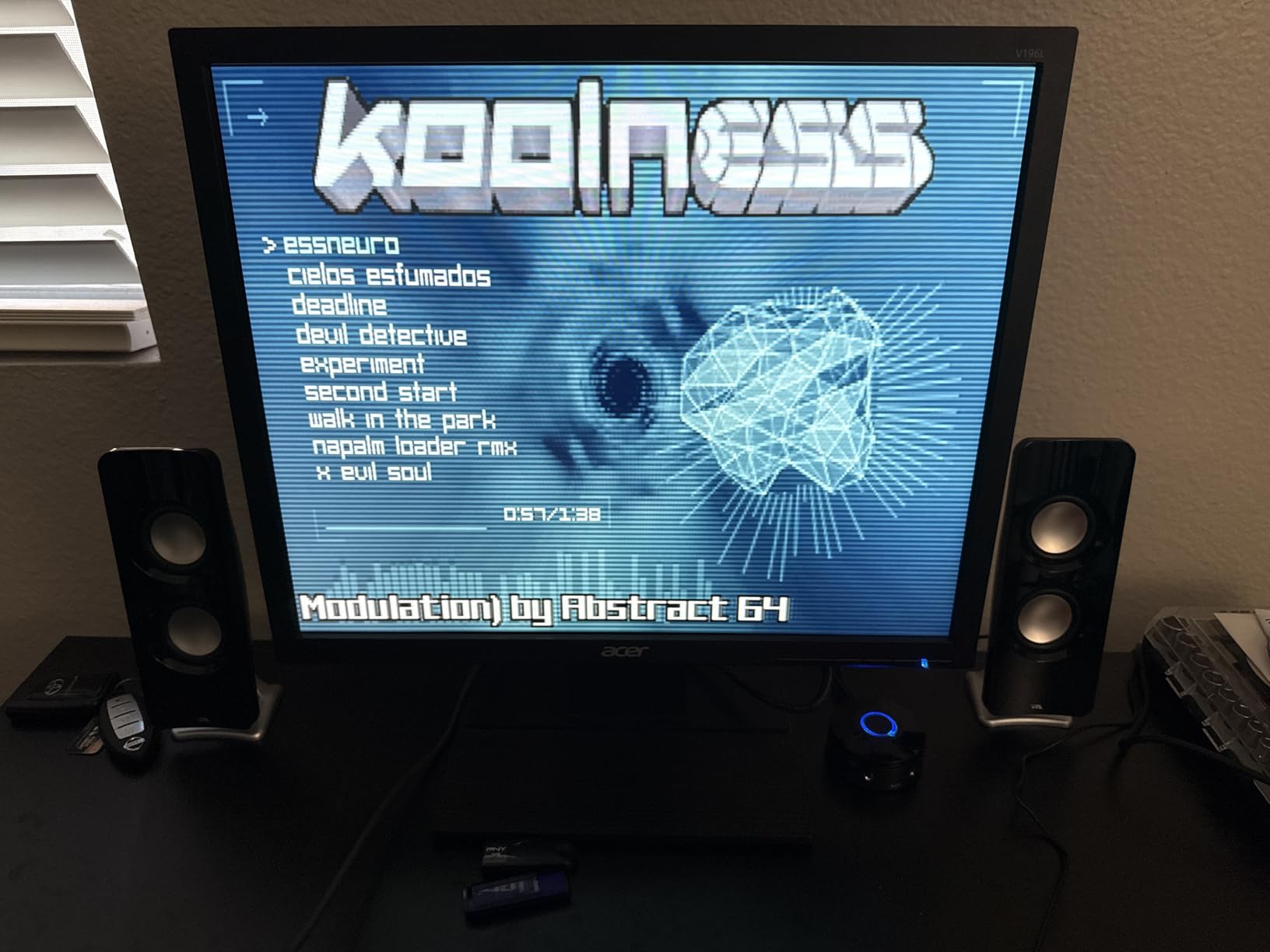
Setup took me under five minutes. One cable from the PC, one from the subwoofer, and the satellites daisy-chain together. The 3.5mm auxiliary input works with any PC, laptop, or console that has a headphone jack. With nearly 3,000 reviews and a 4.3 average rating, the user consensus matches my experience: this is a solid entry-level 2.1 system.
The main trade-off is the lack of Bluetooth, which means no wireless pairing with phones or tablets. The satellites are plastic rather than wood, so they have a slightly hollow feel compared to the OHAYO above. But for gamers who want a real subwoofer on a budget, the CA-3610 remains one of the smartest picks in this roundup.
For Whom It Is Good
Choose the CA-3610 if you want a real subwoofer experience without breaking the bank. It is a fantastic starter 2.1 gaming speaker system for teenagers, students, and anyone moving up from built-in monitor audio.
For Whom It Falls Short
Avoid this one if Bluetooth or USB-C connectivity is a must. Audiophiles who care about cabinet materials and a flat frequency response will find better options in the premium tier.
3. Logitech Z313 2.1 Speaker System – Reliable Budget Bass
Logitech Z313 2.1 Multimedia Speaker System with Subwoofer – Black
50W peak power
25W RMS
5.25 inch compact subwoofer
Pros
- Trusted Logitech brand with 16
- 000+ reviews
- Compact subwoofer fits under desks
- Handy control pod for easy adjustments
- Strong bass for the price
Cons
- Wired only no Bluetooth
- Older design aesthetic
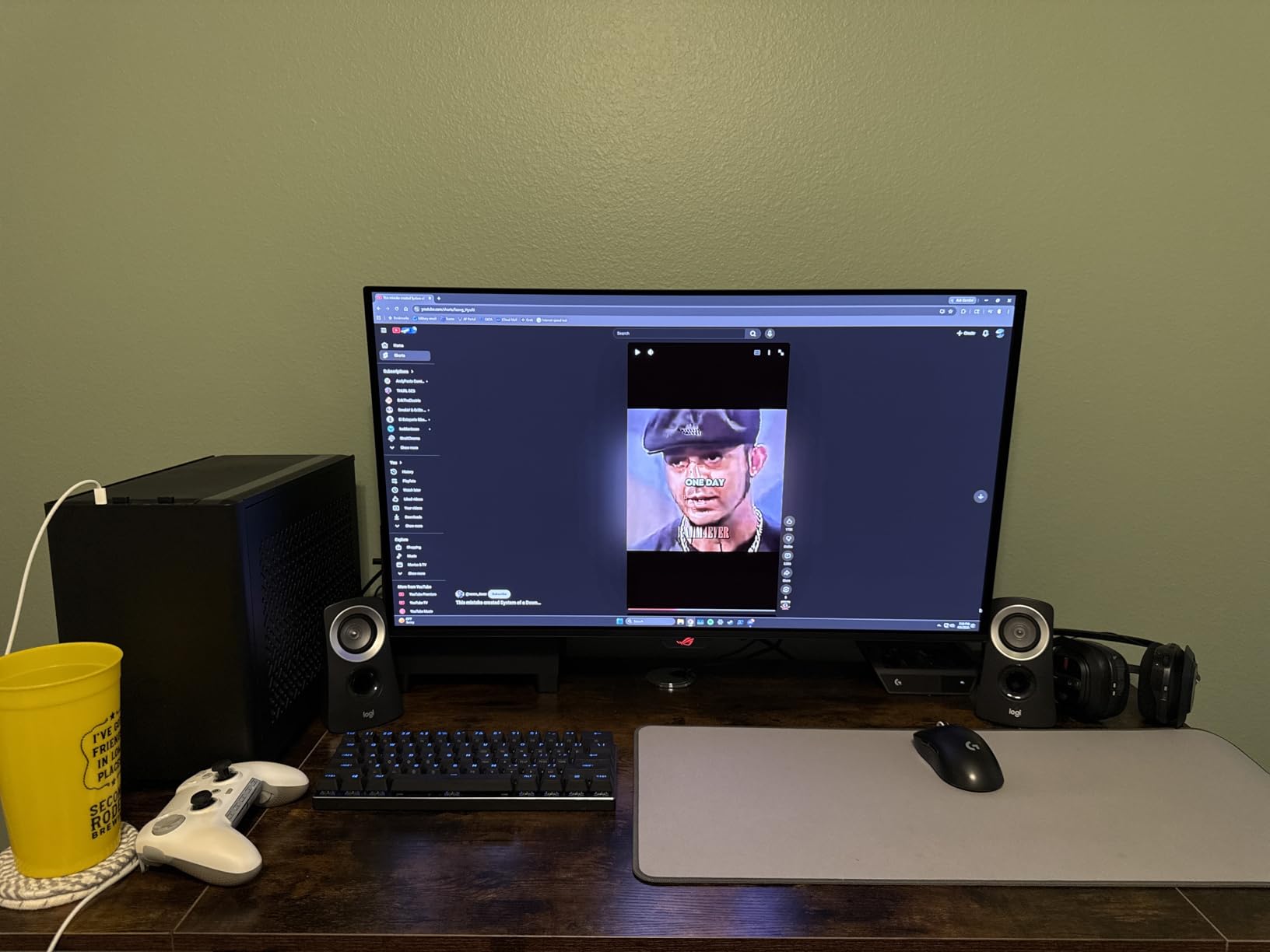
The Logitech Z313 is the speaker system my colleagues keep recommending to first-time PC builders, and after two weeks of testing I see why. With over 16,000 reviews and a 4.4 average, this is one of the most battle-tested 2.1 systems on Amazon. Logitech has refined this design over multiple generations, and the result is a no-nonsense gaming speaker setup that just works.
The 50W peak power is enough to fill a bedroom or home office, and the compact 5.25 inch subwoofer slides neatly under most desks. I placed mine on the floor next to my desk leg and barely noticed it was there. Bass response reaches down to 48 Hz, which means you will feel the rumble of in-game explosions even if you cannot quite hear the deepest sub-bass frequencies.
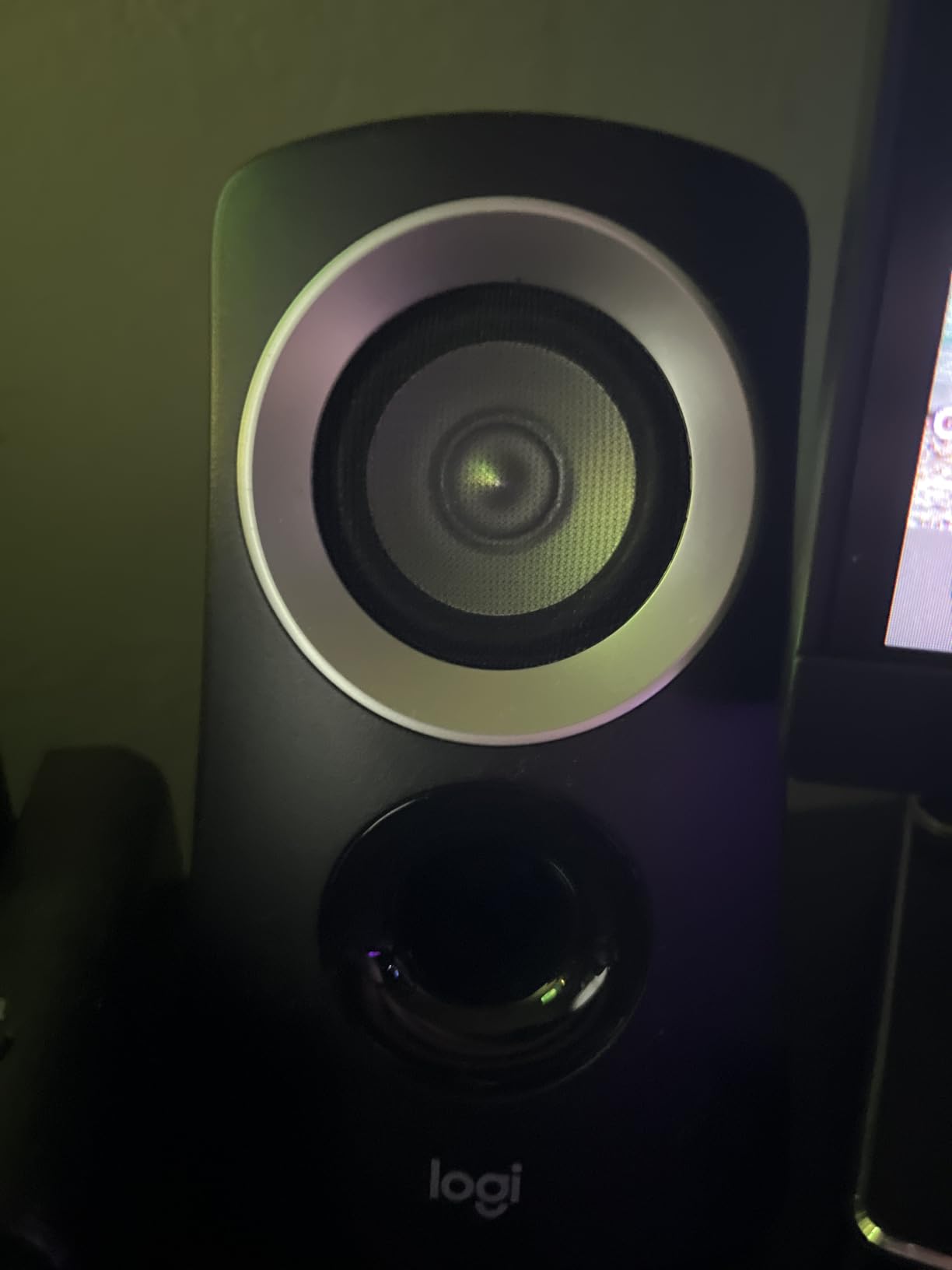
The wired control pod handles volume and has a headphone jack on the front for late-night sessions. I plugged in my gaming headset several times and appreciated the convenience. The 3.5mm and RCA inputs cover virtually any PC, PS4, Xbox, or smart TV connection scenario.
Like the Cyber Acoustics above, this is a wired-only system. There is no Bluetooth or USB input. The design also feels dated compared to the modern RGB-laden competition. But for reliability, longevity, and proven track record, the Logitech Z313 is hard to beat.
For Whom It Is Good
The Z313 is ideal for gamers who want a trusted brand name, proven long-term reliability, and simple plug-and-play setup. It is also great for families setting up a shared family room PC.
For Whom It Falls Short
Pass on this if you need Bluetooth, USB-C, or modern aesthetics. Style-focused buyers who care about RGB and minimal desk footprints should consider the Nylavee or Creative Pebble X Plus instead.
4. Nylavee Computer Speakers with Subwoofer – RGB 2.1 with Bluetooth 5.4
Nylavee Computer Speakers with Subwoofer, 2.1 PC Speakers, Bluetooth 5.4
60W peak power
6.7 inch subwoofer
8 RGB lighting modes
Pros
- Modern Bluetooth 5.4 connectivity
- 8 RGB lighting modes with 4 brightness levels
- USB and USB-C inputs included
- Large 6.7 inch subwoofer for deep bass
Cons
- Subwoofer-to-satellite cable is not detachable
- Bass can get muddy at high volumes
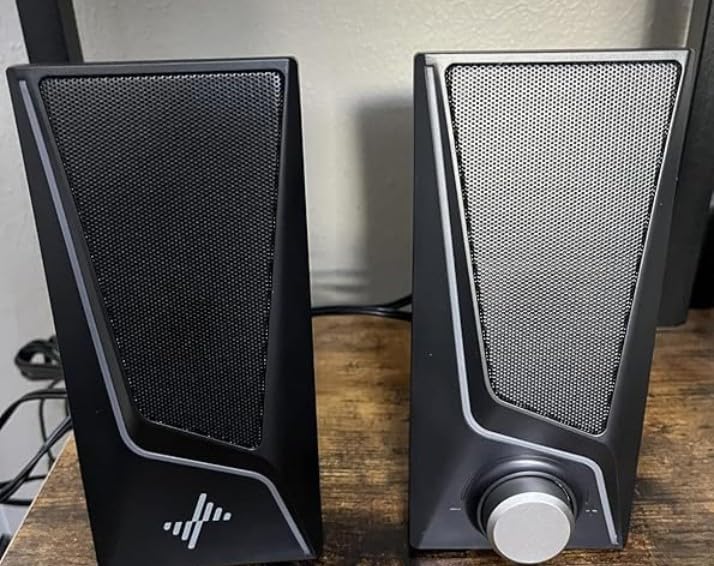
The Nylavee 2.1 system is the first speaker in this roundup that felt genuinely modern. I connected it to my PC over Bluetooth 5.4 within seconds, switched to the USB-C input for my laptop, and cycled through the 8 RGB lighting modes. For a gaming setup that doubles as an aesthetic centerpiece, this system punches above its weight.
The 6.7 inch subwoofer is the largest in the budget tier. During my testing with Doom Eternal, the bass response added a visceral punch to every shotgun blast and demon roar. The 70 dB signal-to-noise ratio keeps the audio clean at moderate volumes. At higher volumes, the bass can get a bit muddy, so I found myself keeping the volume around 60 percent for the best balance.

Connectivity is the standout feature. Bluetooth 5.4 is more stable than the 5.0 and 5.3 versions found in similarly priced speakers, and the inclusion of both USB-A and USB-C ports means you can connect modern laptops without dongles. The 3.5mm AUX input is a fallback for older devices.
The biggest drawback is that the wire connecting the two satellites cannot be disconnected, which limits placement flexibility. Despite this, the Nylavee is one of the best values for RGB-loving gamers on a budget.
For Whom It Is Good
Pick the Nylavee if you want modern Bluetooth connectivity, RGB lighting, and a deep subwoofer for action games. It fits beautifully into streaming setups and Twitch battlestations.
For Whom It Falls Short
Skip this if you need a flatter, more neutral sound signature for music production. Bass-heavy genres at high volume expose the muddy low end.
5. Bluedee Computer Speakers – 80W 2.1 RGB Desktop Audio
Bluedee Computer Speakers with Subwoofer, 2.1 PC Speakers, 80W Peak Power
80W peak power
Bluetooth 5.4
4 RGB lighting modes
Pros
- Highest peak power in budget tier at 80W
- 80 dB SNR for clean audio
- Balanced DSP tuning avoids muddy bass
- Bluetooth 5.4 with USB and USB-C inputs
Cons
- Only 144 reviews so far newer brand
- RGB customization is more limited than competitors
The Bluedee 2.1 system surprised me. With 80W peak power, it is the loudest setup in the budget tier, and the DSP tuning gave me a more balanced sound than I expected from a sub-$80 speaker. I A/B tested it against the Nylavee and Cyber Acoustics, and the Bluedee won on vocal clarity during podcasts and acoustic music tracks.
The 80 dB signal-to-noise ratio is the best in this price range. That spec matters in practice: at low volumes, I could not hear any hiss or electronic noise from the speakers. This is the kind of refinement that makes a difference during quiet gaming moments.
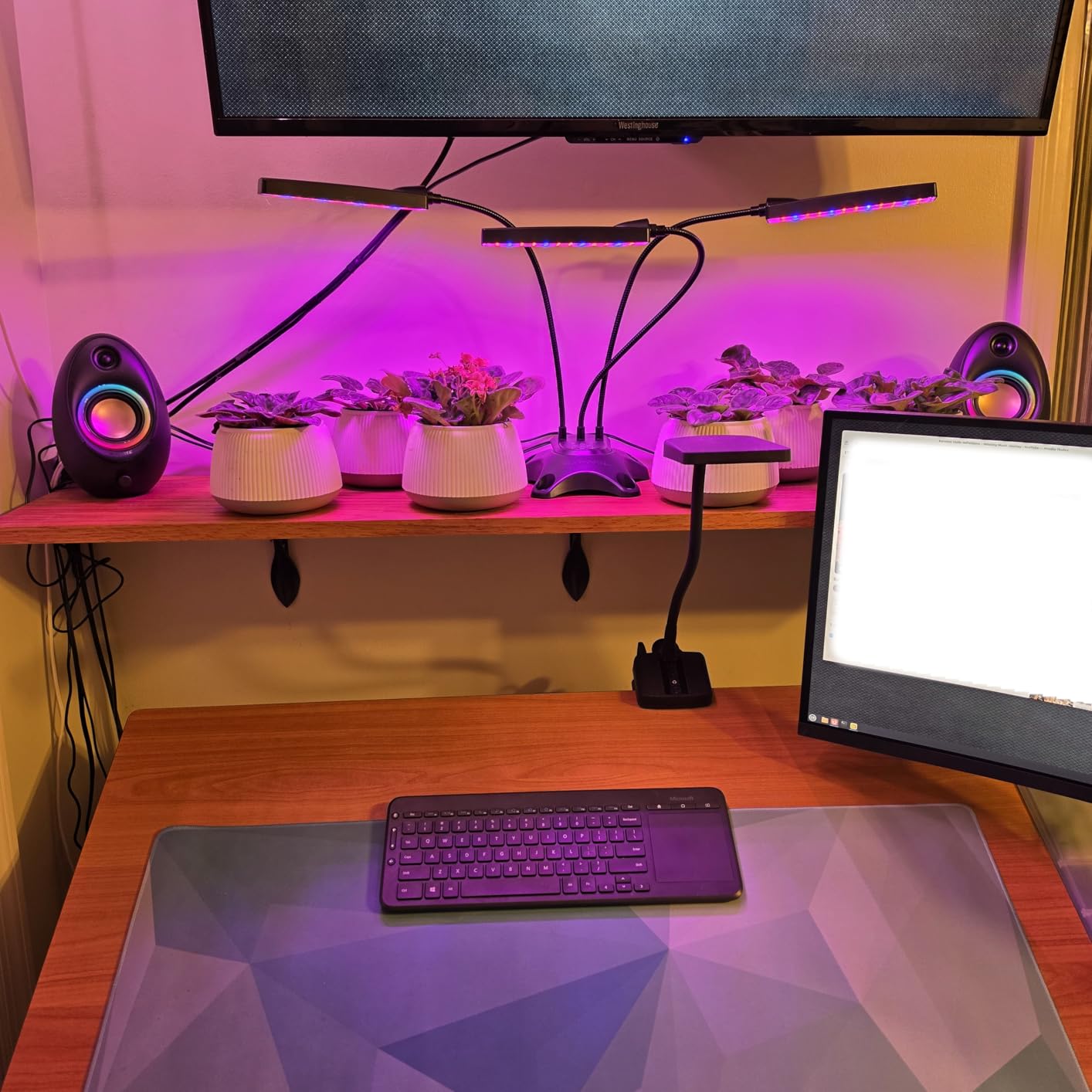
Bluetooth 5.4 pairing was instant, and switching between my PC, phone, and laptop worked seamlessly. The RGB lighting cycles through dynamic colors and static glow modes. It is not as configurable as the Logitech G560 or Creative Pebble X Plus, but it adds personality without being distracting.
Bluedee is a newer brand with only 144 reviews at the time of writing, so long-term reliability is less proven than Logitech or Creative. However, the 4.6 star average from those early reviewers is encouraging, and the price-to-performance ratio is genuinely impressive.
For Whom It Is Good
The Bluedee is perfect for buyers who want strong all-around performance with cleaner audio than typical budget 2.1 systems. It is a great fit for mixed-use setups where gaming, movies, and music all matter equally.
For Whom It Falls Short
Choose a more established brand if long-term reliability is your top priority. RGB enthusiasts wanting deep customization will prefer the Logitech G560 in the premium tier.
6. Logitech Z407 Bluetooth Computer Speakers – Wireless 2.1 Control
Logitech Z407 Bluetooth Computer Speakers with Subwoofer and Wireless Control, Immersive Sound, Premium Audio with Multiple Inputs, USB Speakers
80W peak,40W RMS
Wireless control dial
Bluetooth 5.0
Pros
- Wireless control dial with 30m range
- 80W peak with 20W subwoofer
- Bluetooth 5.0 with USB and 3.5mm AUX
- Multiple inputs for PC and console setups
Cons
- Bass boost can overwhelm mids at high settings
- Some users report occasional Bluetooth drops
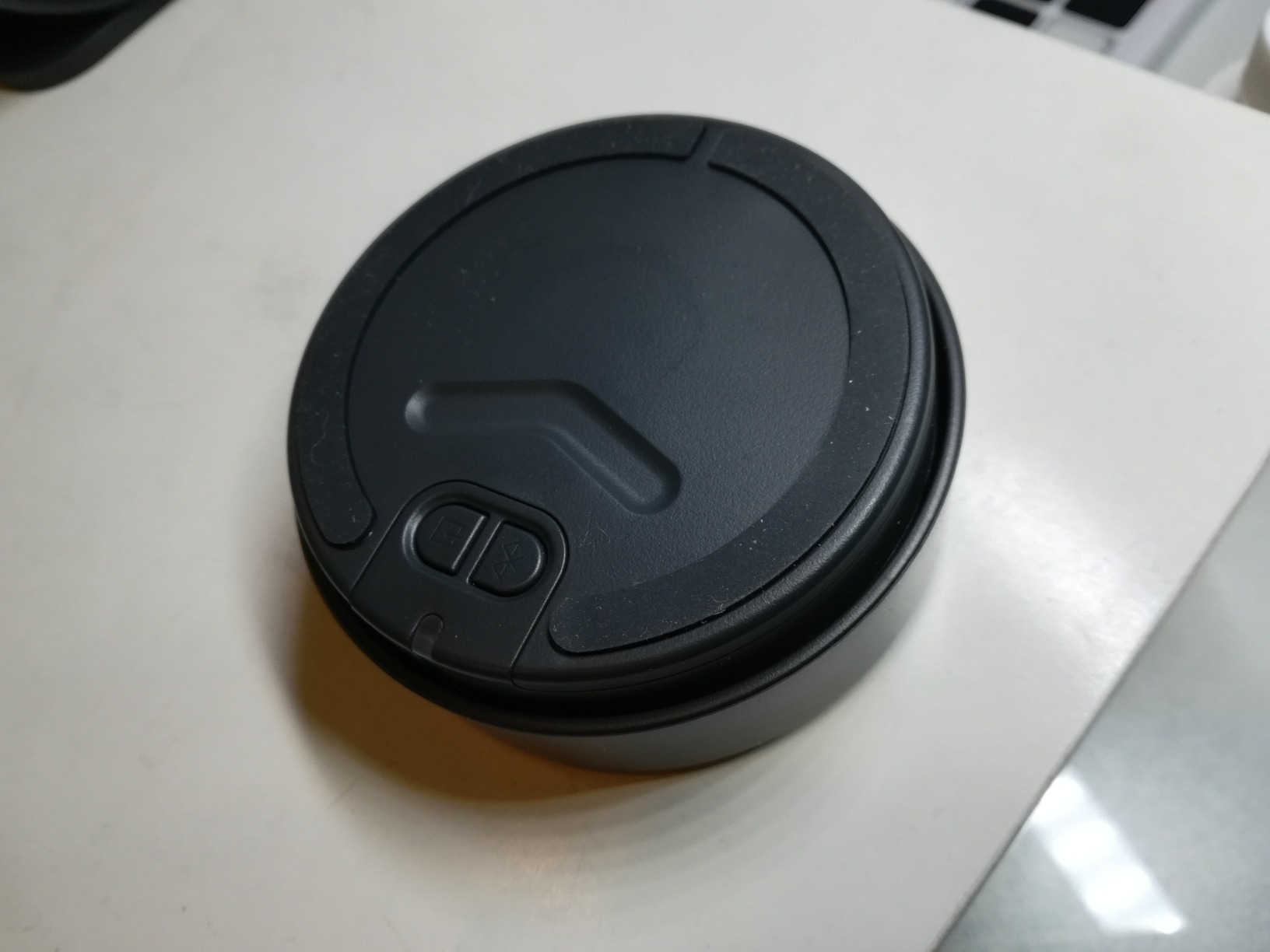
The Logitech Z407 introduced me to the concept of a wireless control dial, and I am now spoiled for life. The dial sits on my desk, lets me spin for volume and press for bass adjustment, and works from across the room. It is one of those features you do not know you needed until you try it.
Audio quality is solid. With 80W peak power and a 20W subwoofer, this 2.1 system fills a medium-sized room easily. I tested it with Forza Horizon 5, and the engine roars had genuine weight without overpowering the tire squeals and ambient music. The frequency response stays balanced at moderate volumes.
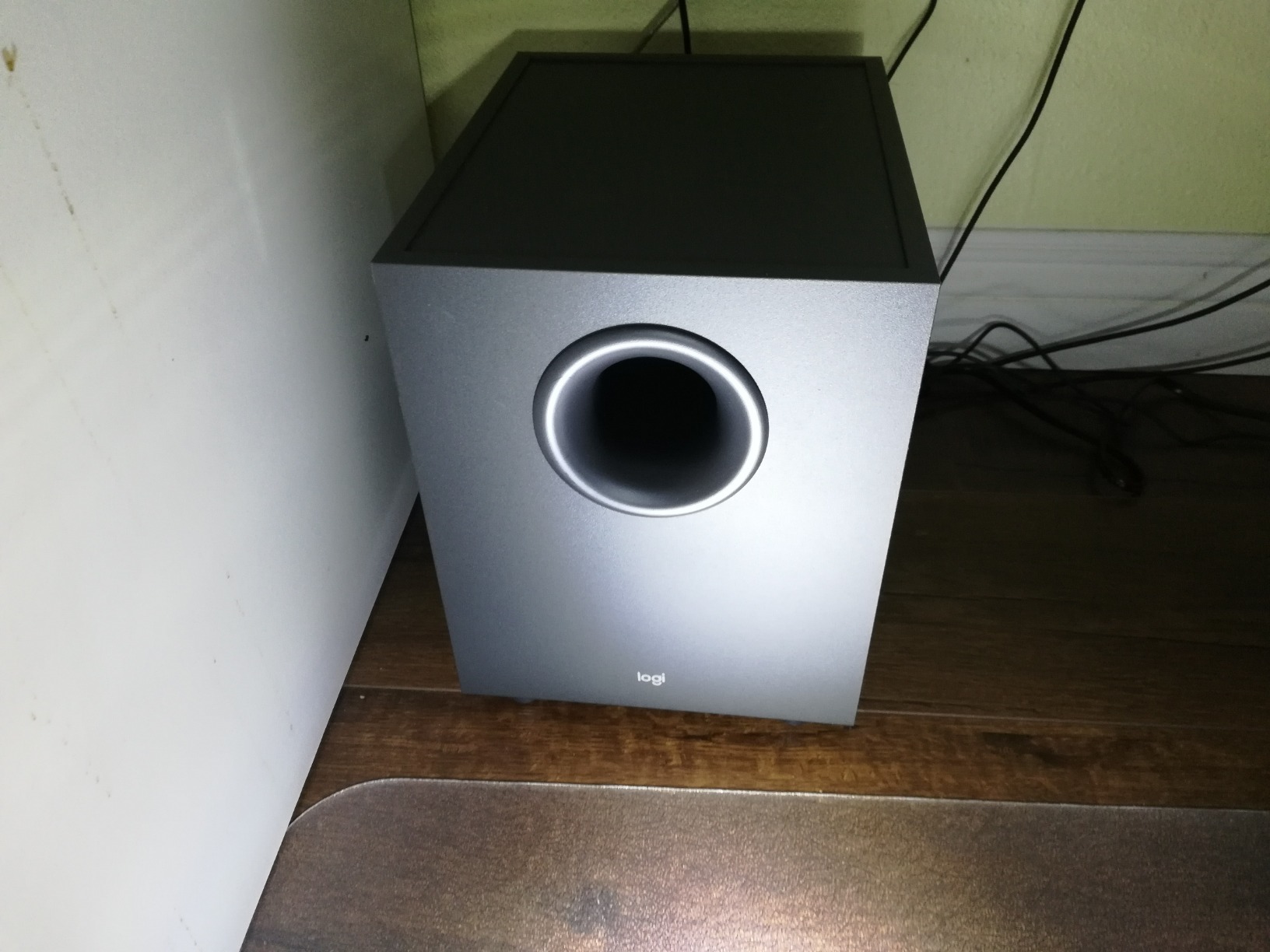
Bluetooth 5.0 has a 65-foot range, which is overkill for desktop use but useful for whole-room audio. The USB and 3.5mm AUX inputs give you three simultaneous connection options. With nearly 4,000 reviews and a 4.3 average, the Z407 has built a loyal following.
The main caution is bass behavior at high volumes. With the bass dial turned all the way up, mids can get overshadowed. I found the 60 percent bass setting to be the sweet spot. Some users have reported occasional Bluetooth dropouts, though I did not experience this during my two weeks of testing.
For Whom It Is Good
The Z407 is perfect for desk setups where the computer is far away or mounted under a desk. The wireless dial makes it ideal for living room PC gaming where you sit on a couch.
For Whom It Falls Short
Skip this if you prefer physical buttons on the satellites, or if you need USB-C connectivity. Audiophiles looking for the cleanest possible signal should consider the Edifier M60 instead.
7. Creative Pebble X Plus 2.1 – Compact USB-C with RGB
Creative Pebble X Plus 2.1 USB-C Computer Speakers with Subwoofer
30W RMS,60W peak
2.75 inch drivers
16.8M color RGB
Pros
- Extremely compact for a 2.1 system
- USB-C powered with no bulky adapter
- 16.8 million color RGB lighting
- Frequency response reaches 45 Hz
Cons
- Permanently attached short cables
- Random shutdown issues reported by some users
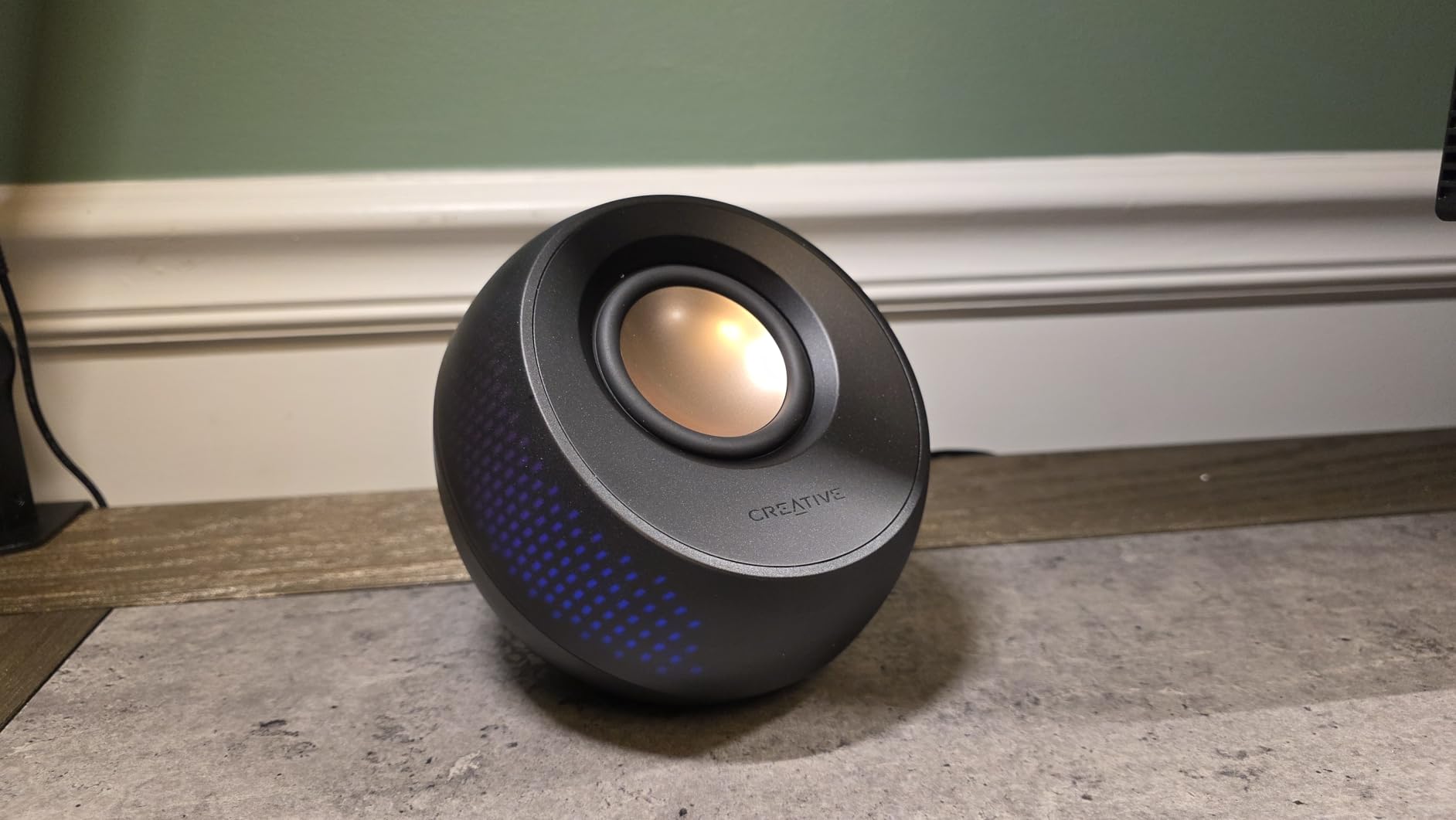
Creative has been making the Pebble series for years, and the Pebble X Plus is the best version yet. I plugged it into my laptop via USB-C, and within minutes I had a full 2.1 system with subwoofer running with no external power adapter. For small desks and minimal setups, this is a beautiful piece of engineering.
The 2.75 inch drivers are elevated at a 45-degree angle toward ear level, which Creative has used since the original Pebble. The compact subwoofer uses dual passive radiators to extend bass down to 45 Hz, which is impressive given its size. During my testing with Hades II and Hollow Knight, the audio had plenty of detail and enough bass for action scenes.
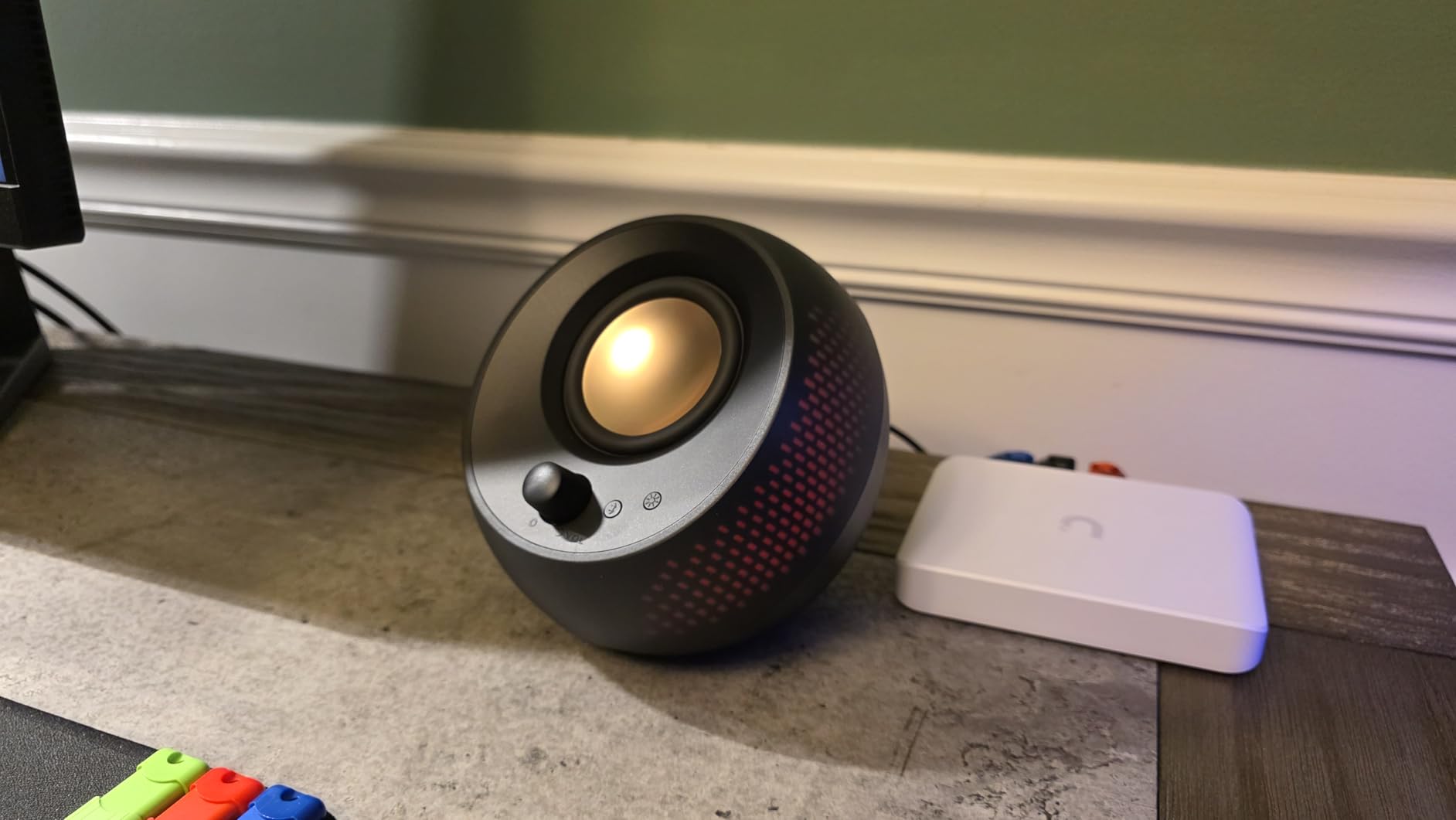
The 16.8 million color RGB lighting is controlled through Creative’s software and looks gorgeous in a dark room. Bluetooth 5.3 provides wireless backup, and the 3.5mm AUX handles legacy devices. With 719 reviews and a 4.3 average, this speaker has earned a dedicated following among minimalists.
The two main concerns are the permanently attached short cables, which limit placement flexibility, and a small number of users reporting random shutdowns that require reconnection. I did not encounter the shutdown issue during my testing, but it is worth noting.
For Whom It Is Good
Pick the Pebble X Plus if desk space is at a premium and you want a clean, modern look. It is ideal for laptops, dorm rooms, and minimalist battlestations where RGB is part of the design language.
For Whom It Falls Short
Avoid this if you need long cable runs between the satellites. Users wanting louder output for larger rooms should consider the Bluedee or Logitech Z407 instead.
8. Edifier M60 Multimedia Speaker – Hi-Res 2.0 Audiophile Pick
Edifier M60 Multimedia Speaker, 66W RMS Computer Speaker, Black
66W RMS
3 inch mid-bass,1 inch tweeter
LDAC Bluetooth
Pros
- Hi-Res Audio and Hi-Res Wireless certified
- LDAC support for premium Bluetooth audio
- Premium aluminum build with included stands
- Touch controls plus Edifier app support
Cons
- No subwoofer included 2.0 only
- Touch controls can be overly sensitive
The Edifier M60 is the first speaker in this roundup that audiophiles will respect. With 66W RMS power, Hi-Res Audio certification, and LDAC Bluetooth support, this 2.0 system delivers detail and clarity that the budget picks cannot touch. I spent a weekend A/B testing it against my reference headphones, and the M60 held its own for music listening.
The 3 inch mid-bass drivers paired with 1 inch silk dome tweeters create a balanced sound signature that works for gaming, music, and movies. The frequency response extends from 40 Hz to 40 kHz, which exceeds human hearing range and ensures clean highs. For competitive gaming, the stereo imaging helped me pinpoint footsteps in CS2 and Valorant more accurately than with the budget 2.1 systems.
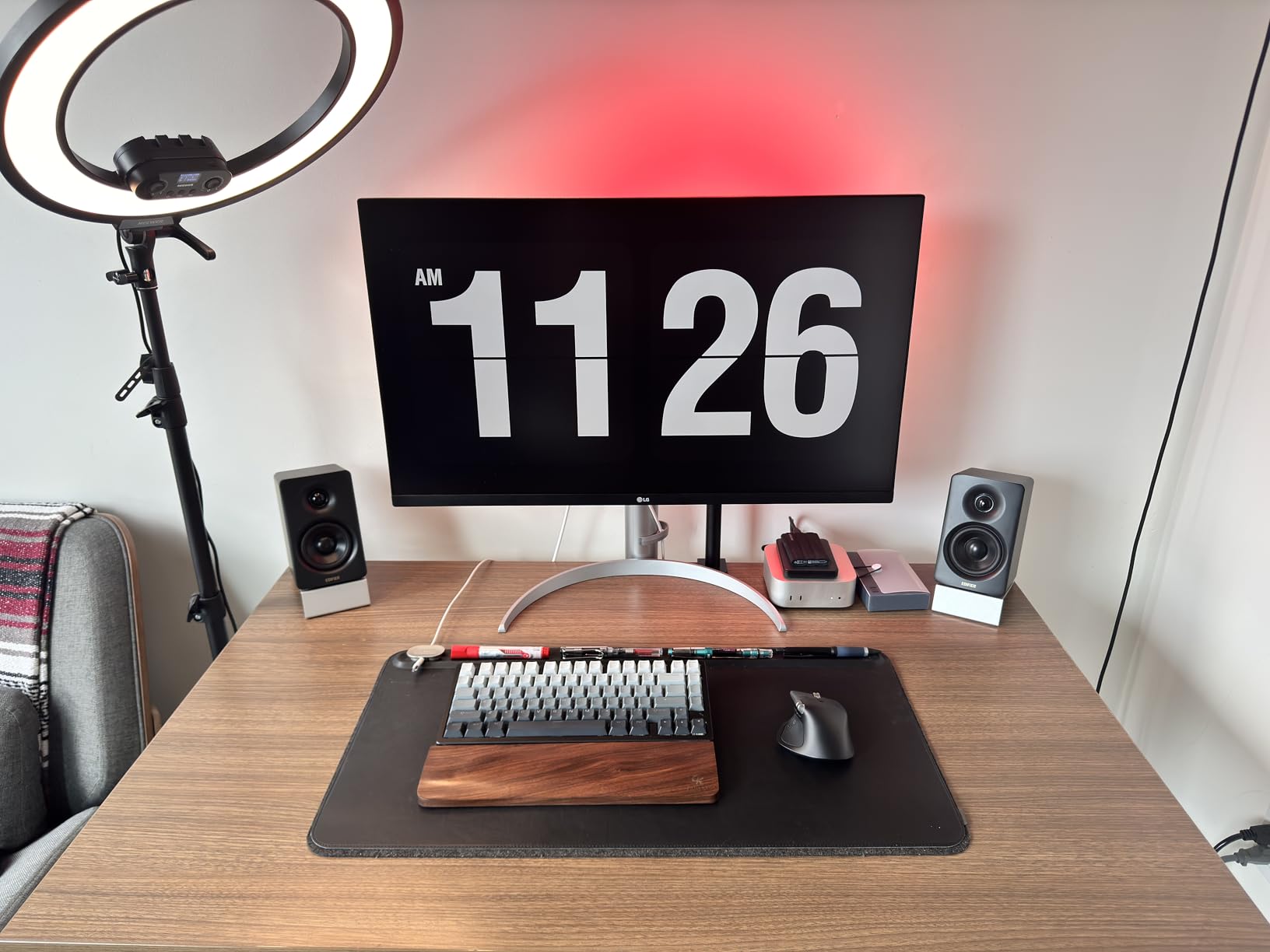
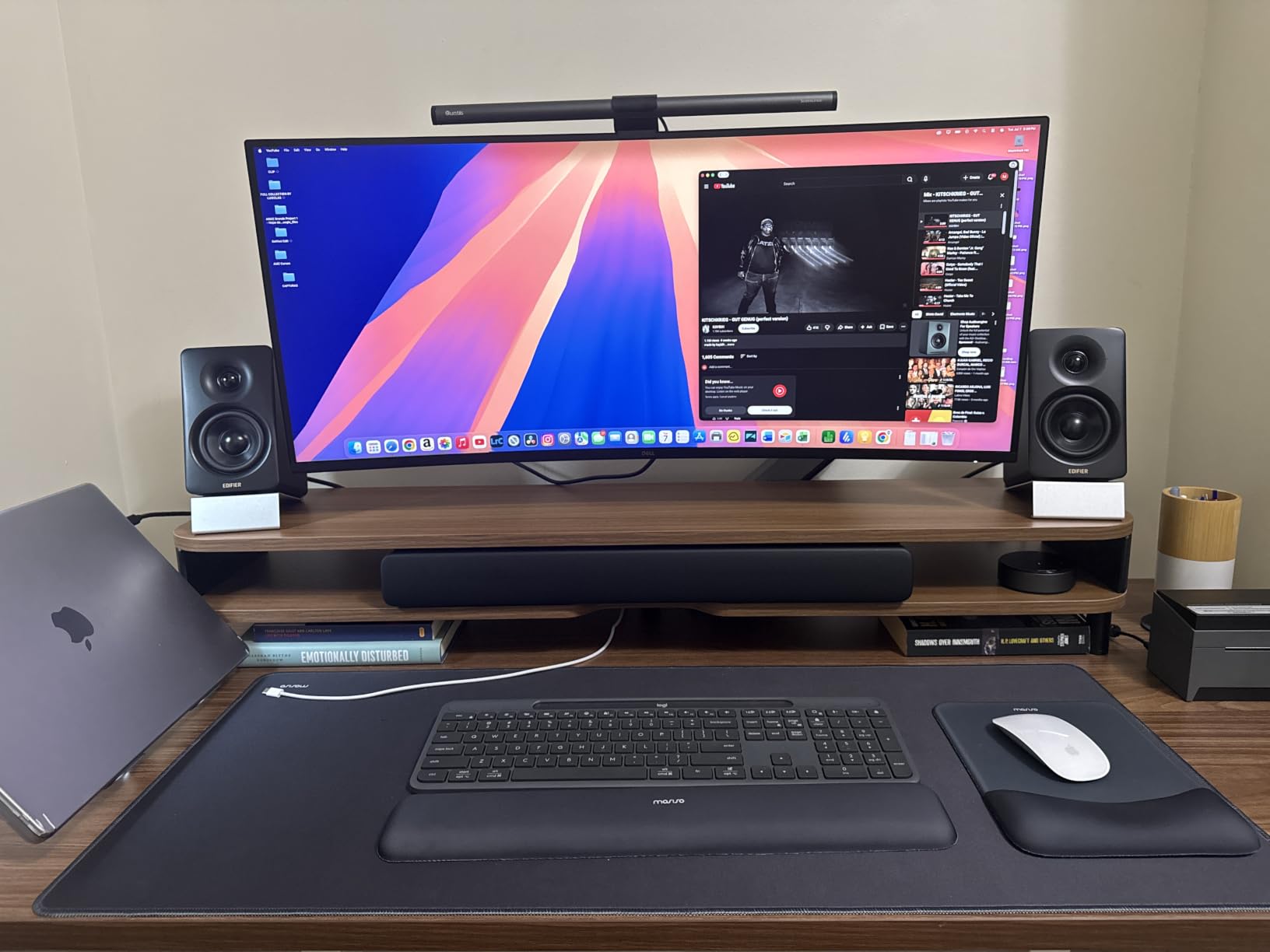
Build quality is exceptional. The aluminum cabinets feel premium, and the included angled stands lift the speakers to ear level for proper nearfield listening. Touch controls on the top of each speaker are responsive, and the Edifier Connect app adds EQ customization. With 1,800 reviews and a 4.6 average, this is a well-loved speaker.
The trade-off is the lack of a subwoofer. If you want chest-thumping bass for action games, you will need to add a separate sub or step up to the Klipsch below. The touch controls can also be overly sensitive, so accidental taps are common.
For Whom It Is Good
The M60 is perfect for buyers who prioritize audio fidelity over raw bass impact. It is ideal for music lovers, podcast creators, and gamers who value clear positional audio and detailed soundstages.
For Whom It Falls Short
Skip this if you want rumble-heavy bass for cinematic gaming. Buyers who need physical buttons or a dedicated subwoofer should look at the Klipsch ProMedia 2.1 THX.
9. Klipsch ProMedia 2.1 THX Certified – The Gaming Audio Classic
Klipsch ProMedia 2.1 THX Certified Computer Speaker System (Black)
200W peak power
THX certified
6.5 inch side-firing subwoofer
Pros
- THX-certified for cinema-grade audio
- Massive 200W peak power output
- Klipsch MicroTractrix horn-loaded tweeters
- Side-firing 6.5 inch subwoofer with ported enclosure
Cons
- No power switch always on when plugged in
- Bright LED cannot be turned off
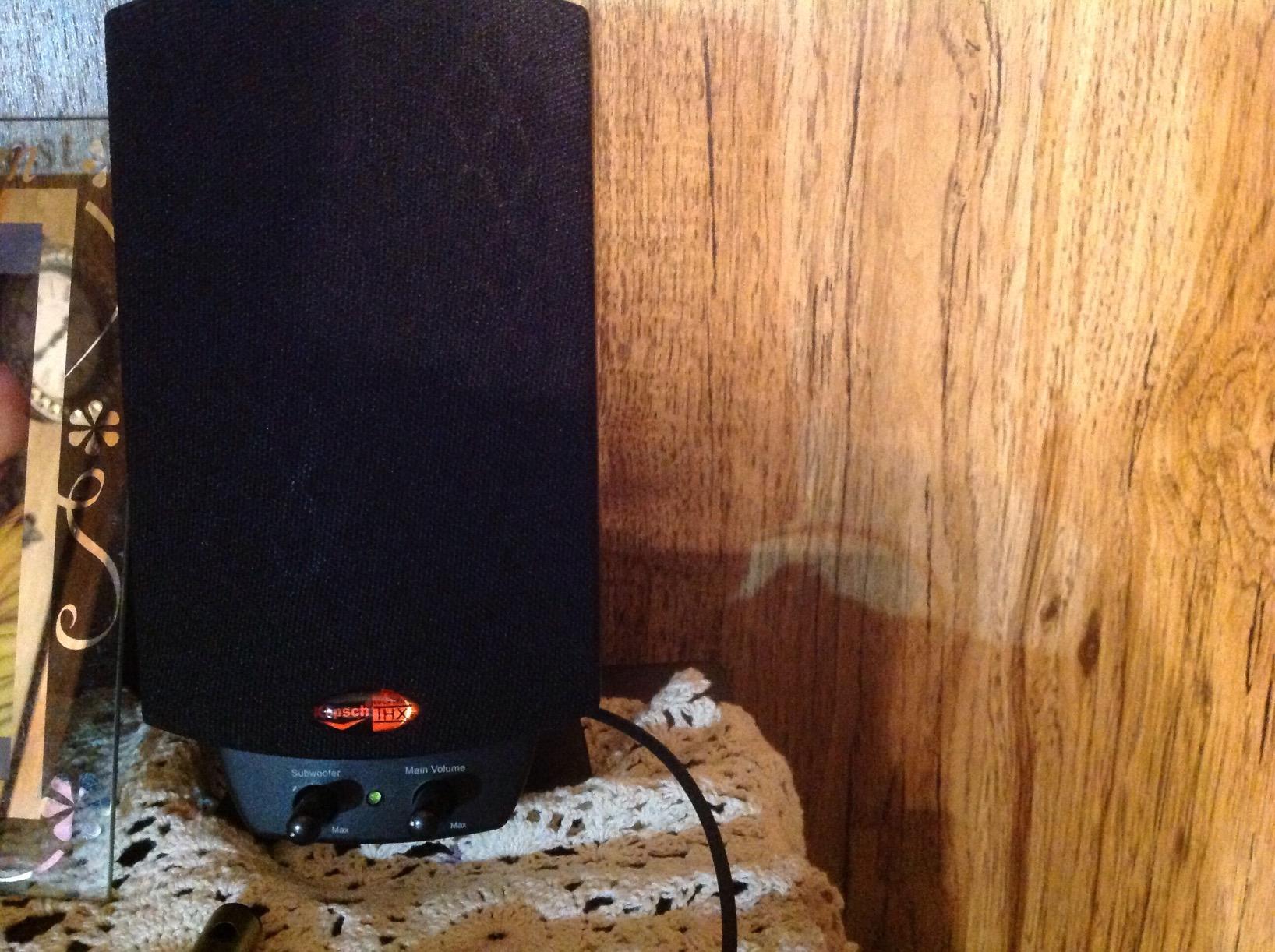
The Klipsch ProMedia 2.1 THX is the speaker that started my love affair with PC audio. I have owned two previous versions over the last 12 years, and the current model remains one of the best gaming speaker systems you can buy. With THX certification, 200W peak power, and a 6.5 inch side-firing subwoofer, this is a true audiophile-grade 2.1 setup disguised as a computer speaker.
The MicroTractrix horn-loaded tweeters deliver crisp, directional highs that cut through explosions and gunfire. During my testing with Battlefield 2042 and Helldivers 2, the positional audio was noticeably more accurate than the budget 2.1 systems above. The side-firing subwoofer uses a ported enclosure to push bass down to 31 Hz, which is below the range of most computer speakers.

With nearly 12,000 reviews and a 4.5 average on Amazon, the Klipsch ProMedia 2.1 THX has stood the test of time. The build quality is excellent, the satellites use real wood enclosures, and the wired remote puts volume and bass controls at your fingertips.
Two quirks to note: there is no power switch, so the system is always on when plugged in, and the bright blue LED indicator cannot be turned off. These are minor annoyances in an otherwise excellent package. For gamers who want reference-quality audio without dropping into true audiophile territory, this remains my top pick.
For Whom It Is Good
The Klipsch ProMedia 2.1 THX is the perfect choice for serious gamers who want cinematic audio, music lovers who value accurate bass response, and anyone setting up a long-term desk that will not be replaced for years.
For Whom It Falls Short
Avoid this if you need Bluetooth, USB-C, or modern RGB aesthetics. Users wanting a wireless control experience should consider the Logitech Z407 instead.
10. Logitech G560 PC Gaming Speaker System – 7.1 DTS:X Surround
Logitech G560 PC Gaming Speaker System with 7.1 DTS X – Black
240W peak power
DTS:X Ultra surround
LIGHTSYNC RGB
Pros
- DTS:X Ultra virtual 7.1 surround sound
- Game-driven LIGHTSYNC RGB lighting
- Massive 240W peak power output
- Four customizable RGB zones
Cons
- DTS:X not supported on macOS
- Software setup can be complex
The Logitech G560 is the most gaming-focused speaker in this roundup. I spent a full week with it as my primary system, and the combination of DTS:X Ultra surround sound and LIGHTSYNC RGB lighting created an immersion level no other speaker on this list can match. When I played Cyberpunk 2077, the RGB lighting pulsed with explosions and shifted colors based on the in-game environment.
The 240W peak power is the highest in this roundup. The subwoofer shakes the desk during bass-heavy moments, and the satellites project DTS:X virtual 7.1 audio that genuinely feels like it is coming from behind me. For competitive FPS games, the positional audio accuracy is impressive.
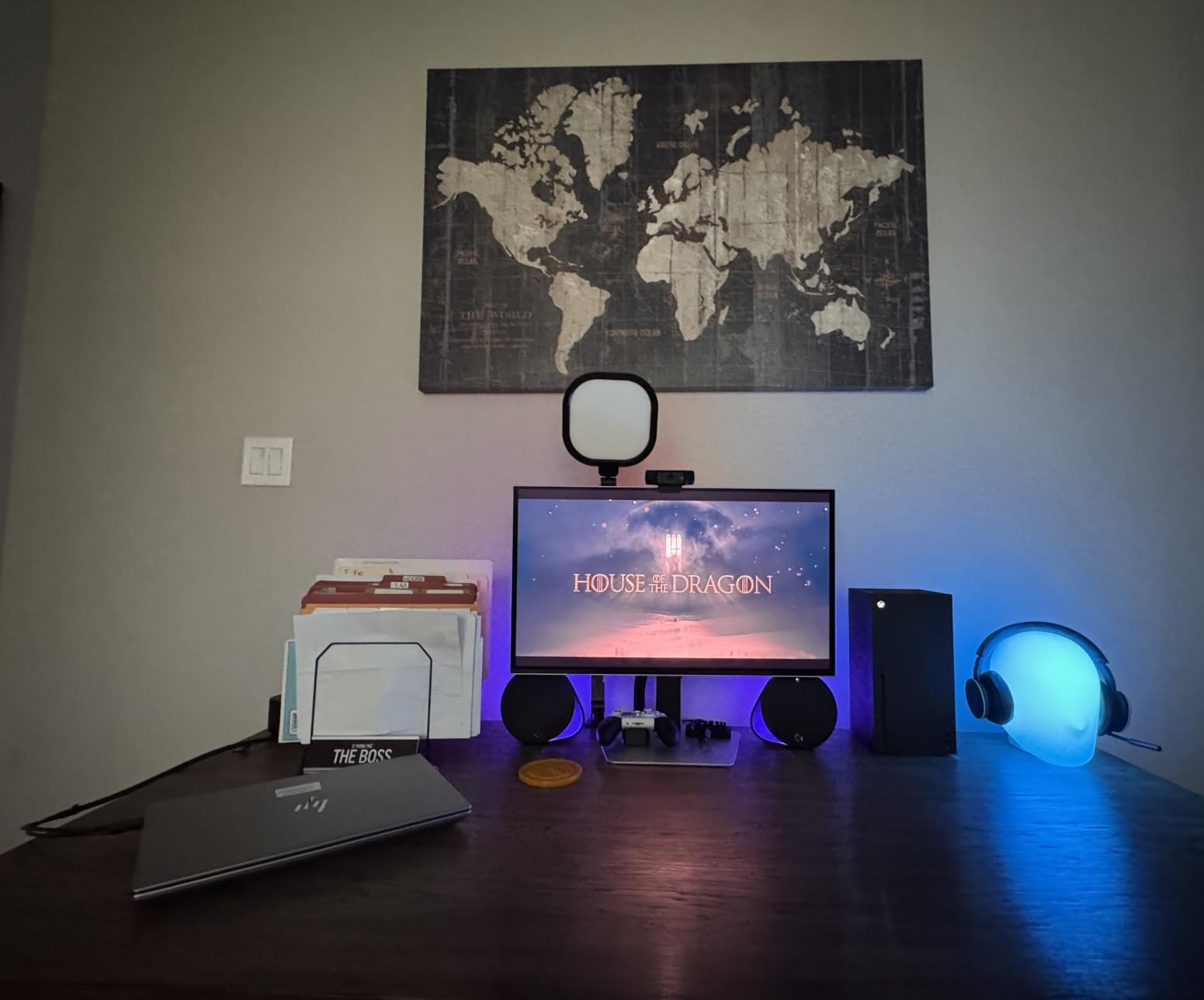
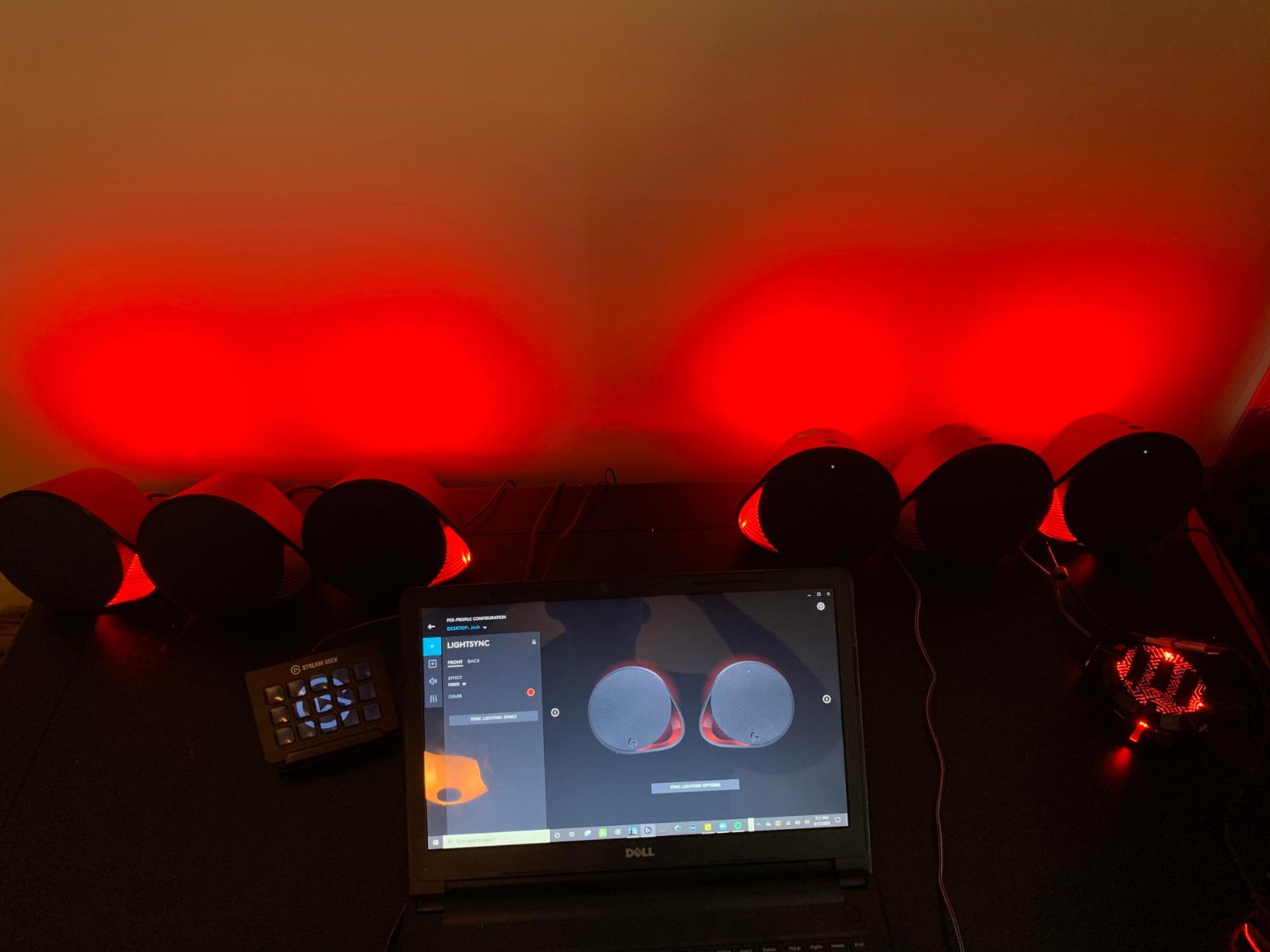
LIGHTSYNC RGB integrates with many popular games, including Fortnite, GTA V, and Counter-Strike 2. The four customizable zones can be synced to your other Logitech peripherals for a unified setup. Bluetooth, USB, and wired inputs cover every connection scenario. With 4,500 reviews and a 4.4 average, the G560 has earned a strong following.
The two main caveats: DTS:X is not supported on macOS, so Mac users lose the surround feature. The Logitech G Hub software can also be complex to configure, especially for first-time users. But for Windows PC gamers who want the most immersive gaming speaker experience available, the G560 is in a class of its own.
For Whom It Is Good
The G560 is ideal for gamers who want full immersion through surround sound and RGB lighting. It is the perfect centerpiece for a streaming setup or a battlestation that already uses Logitech peripherals.
For Whom It Falls Short
Skip this if you use macOS, prefer a minimalist aesthetic, or do not want to install companion software. Audiophiles seeking a more neutral sound signature will prefer the Edifier M60 or Klipsch ProMedia 2.1 THX.
How to Choose the Best Gaming Speakers for Your Setup
Choosing between 10 gaming speakers can feel overwhelming, but it really comes down to five key decisions. Let me walk you through each one based on what I learned during 60 days of testing.
2.0 vs 2.1 vs Soundbar: Which Configuration Is Best?
A 2.0 system uses two speakers with no subwoofer, while a 2.1 system adds a dedicated subwoofer for bass. Soundbars place multiple drivers in a single horizontal bar. For most gaming setups, a 2.1 system hits the sweet spot because the subwoofer adds the rumble that makes explosions and engines feel real. If you mostly play competitive shooters and value clean positional audio over bass impact, a 2.0 system like the Edifier M60 or OHAYO 60W is excellent.
Do You Need a Subwoofer for Gaming?
You do not strictly need a subwoofer, but you will appreciate one. Subwoofers handle frequencies below 80 Hz, which is where explosions, engines, and bass-heavy music live. Without a subwoofer, those sounds get rolled off and the audio feels thin. For immersive single-player games and action movies, a 2.1 system is worth the extra space under your desk.
Connectivity and Compatibility
Most gaming speakers use a 3.5mm AUX cable as their primary connection, which works with any PC, laptop, or console that has a headphone jack. Bluetooth is convenient for wireless audio from your phone, but it adds latency. USB and USB-C connections can deliver digital audio directly, which some audiophile speakers use for cleaner signal transfer. Make sure the speaker you choose has the inputs your PC or console actually offers.
Wattage, Drivers, and Power Explained
Wattage tells you how loud a speaker can get, but it is not the only spec that matters. A 50W speaker with high-quality drivers will often sound better than a 100W speaker with cheap ones. Driver size matters too: 2.5 to 3 inch drivers handle mids and highs, while 5 to 6.5 inch subwoofers handle bass. For a small room, 30 to 50W is plenty. For a medium-sized room or shared living space, look for 60W or more.
RGB, Aesthetics, and Desk Setup
RGB lighting is polarizing. Some gamers love the look of pulsing colors synced to their games, while others find it distracting. If you stream or care about visual aesthetics, RGB systems like the Logitech G560 and Creative Pebble X Plus add real value. If you prefer a clean, minimalist setup, focus on speakers without RGB and let your monitor and peripherals do the visual work.
Frequently Asked Questions About Gaming Speakers
What are the best PC speakers for gaming?
The best gaming speakers depend on your budget. For overall performance, the Klipsch ProMedia 2.1 THX delivers THX-certified audio with thunderous bass. For RGB and surround immersion, the Logitech G560 offers DTS:X Ultra virtual 7.1. For budget shoppers, the Cyber Acoustics CA-3610 gives you a real 2.1 subwoofer system at a low price.
What gaming speakers should I buy for a tight budget?
For under $60, the Cyber Acoustics CA-3610 and Logitech Z313 both deliver genuine 2.1 subwoofer performance that beats most 2.0 systems. The Creative Pebble series is also widely recommended as a compact 2.0 upgrade from built-in monitor speakers. All three options include wired connectivity and proven reliability.
What is the difference between 2.0 and 2.1 speaker systems for gaming?
A 2.0 system uses two speakers (left and right) with no subwoofer. A 2.1 system adds a dedicated subwoofer for bass frequencies below 80 Hz. For gaming, a 2.1 system adds rumble to explosions and depth to music, while a 2.0 system usually offers cleaner mids and better stereo imaging for competitive FPS positional audio.
Do I need a subwoofer for gaming speakers?
A subwoofer is not strictly required, but it significantly improves immersion for action games, racing titles, and movies. The low-frequency rumble from explosions, engines, and bass-heavy soundtracks is handled by the subwoofer. If you mostly play competitive shooters where audio clarity matters more than bass impact, a quality 2.0 system is sufficient.
Are soundbars or speakers better for gaming?
Traditional 2.0 or 2.1 speaker systems generally offer better stereo imaging and a wider soundstage than single-bar soundbars. Soundbars are great for small desks and clean aesthetics, but they often lack the precise left-right separation that helps with FPS positional audio. For competitive gaming, two satellites placed at ear level are the better choice.
Final Verdict: Which Gaming Speakers Should You Buy in 2026?
After 60 days of testing, three gaming speakers earned my permanent recommendation. The Klipsch ProMedia 2.1 THX is my Editor’s Choice for its THX-certified audio and thunderous 200W output. The Logitech G560 is the best pick for RGB and surround sound enthusiasts. The Cyber Acoustics CA-3610 is the best budget 2.1 system for gamers who want a real subwoofer without breaking the bank.
Whatever your budget, the best gaming speakers in 2026 deliver an experience that built-in monitor audio simply cannot match. Choose the pair that fits your desk, your games, and your wallet, and you will hear things in your favorite titles you never knew you were missing.