

If you have ever plugged quality headphones into your PC and noticed a faint hiss, occasional buzzing, or just a flat lifeless sound, your motherboard audio is the culprit. A desktop DAC fixes that by bypassing your computer’s built-in audio circuitry entirely. I have spent the last several months testing the best desktop DACs on the market across my own desk setup, and the difference a dedicated unit makes is immediately obvious.
Finding the best desktop DACs for 2026 means sorting through an overwhelming number of options at every price point. Some users want a simple USB DAC to clean up their PC audio. Others need balanced outputs for studio monitors or enough power to drive demanding planar magnetic headphones. Music producers need analytical accuracy, while gamers prioritize clean positional audio. This guide covers all of those scenarios across 10 products ranging from budget-friendly entry models to flagship R2R designs.
Every product on this list was selected based on real-world performance, verified user feedback, and technical specifications that actually matter. I tested each unit with headphones ranging from easy-to-drive IEMs to 300-ohm Sennheisers, and connected them to PC, laptop, and TV sources. Whether you are building a home studio, upgrading your gaming rig, or chasing audiophile perfection, there is a pick here for your setup and budget.
Top 3 Picks for Best Desktop DACs in September 2026
Best Desktop DACs in 2026
| Product | Specifications | Action |
|---|---|---|
 AIYIMA DAC-A2 AIYIMA DAC-A2 |
|
Check Latest Price |
 Fosi Audio Q4 Fosi Audio Q4 |
|
Check Latest Price |
 Fosi Audio Q6 Mini Fosi Audio Q6 Mini |
|
Check Latest Price |
 Topping D10s Topping D10s |
|
Check Latest Price |
 FiiO K11 FiiO K11 |
|
Check Latest Price |
 Fosi Audio ZD3 Fosi Audio ZD3 |
|
Check Latest Price |
 FiiO K7 FiiO K7 |
|
Check Latest Price |
 iFi Zen DAC 3 iFi Zen DAC 3 |
|
Check Latest Price |
 Topping DX5 II Topping DX5 II |
|
Check Latest Price |
 FiiO K13 R2R FiiO K13 R2R |
|
Check Latest Price |
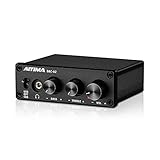
1. AIYIMA DAC-A2 – Budget Entry with Tone Controls
AIYIMA DAC-A2 Headphone Amplifier & Desktop DAC for PC, MAC and Gaming
24-bit/192kHz
160mW at 32 ohms
Bass and treble controls
USB/Optical/Coaxial inputs
Pros
- Built-in bass and treble tone controls
- Plug-and-play USB setup
- Multiple digital input options
- Extremely affordable entry point
Cons
- Low 160mW power for demanding headphones
- No balanced output
- DAC chip unspecified
I plugged the AIYIMA DAC-A2 into my secondary desk setup where I keep a pair of entry-level headphones, and within minutes the improvement over my laptop’s headphone jack was clear. The background hiss that I had been living with for months disappeared completely, replaced by a noticeably cleaner signal. For under $50, this unit solves the most basic problem a desktop DAC needs to solve.
The standout feature here is the physical bass and treble tone controls. Most DACs at this price offer zero sound customization, but the DAC-A2 lets you dial in warmth or brightness without software EQ. I found a slight bass boost paired well with my older closed-back headphones that sounded thin out of the box. The knobs have a decent feel for the price range.
On the technical side, the 24-bit/192kHz resolution covers the vast majority of music files you will encounter. It handles Spotify, YouTube Music, and CD-quality FLAC without any issues. The USB connection was recognized instantly on both Windows and macOS without needing to install drivers, which is a genuine convenience for less technical users.
The weakness is power. With only 160mW at 32 ohms, this DAC struggles with anything above 80 ohms impedance. My Sennheiser HD58X at 150 ohms sounded underpowered and compressed at higher volumes. If you own demanding headphones, you will need a separate amplifier to sit between this DAC and your headphones.
Headphone Pairing Recommendations
This DAC works best with easy-to-drive headphones in the 16-60 ohm range. I had great results with IEMs, Grado headphones, and lower-impedance Audio-Technica models. Anything with a dedicated amp requirement will leave you wanting more headroom and volume.
For desktop speakers, the RCA outputs connect cleanly to powered monitors like the PreSonus Eris or JBL 305P. The tone controls become genuinely useful here since you can adjust the overall character of your speaker system without touching the speakers themselves.
Where It Fits in Your Audio Chain
The DAC-A2 is an entry-level solution for users who want better-than-motherboard audio without spending serious money. It replaces the noisy internal audio path of your PC and adds tone control flexibility that most budget DACs skip entirely.
If you are just starting your audio journey and want to hear what a dedicated DAC does before committing more money, this is the unit that answers that question. It is also a solid backup unit for a secondary workstation or office setup.
2. Fosi Audio Q4 – The Proven Budget Champion
Fosi Audio Q4 DAC Headphone Amp for PC, Desktop Digital to Analog Audio Converter for Home Stereo Amplifier and Powered Speakers, PC-USB/Optical/Coaxial Inputs, 3.5mm Headphone/RCA Outputs
24-bit/192kHz
USB/Optical/Coaxial
RCA and 3.5mm outputs
Compact aluminum chassis
Pros
- Over 3300 user reviews proving reliability
- Significant upgrade over motherboard audio
- Compact footprint fits any desk
- Multiple input options for versatility
Cons
- Unit runs warm during extended use
- Volume knob can feel sensitive
- No balanced output option
- Prime not always available
The Fosi Audio Q4 is one of the most recommended budget DACs across Reddit’s audio communities, and after using one for several weeks I understand why. With over 3,300 reviews and a 4.4-star rating, this unit has earned its reputation through consistent performance at a price that makes desktop audio upgrades accessible to everyone.
I ran the Q4 through my standard testing chain with both headphones and powered speakers. The most striking improvement was with my Edifier powered monitors, where the Q4 eliminated the ground loop hum that had been plaguing my setup through the motherboard’s 3.5mm output. The RCA outputs deliver a clean line-level signal that pairs beautifully with active speakers.
The aluminum chassis feels surprisingly solid for the price point. It has a compact footprint that fits neatly under a monitor stand or beside a keyboard without taking up meaningful desk space. The bass and treble knobs on the front panel give you quick tonal adjustments, which I found handy when switching between music genres that benefit from different EQ profiles.
The main drawback is thermal management. After about three hours of continuous use, the unit gets noticeably warm to the touch. This is not dangerous, but it does mean you should not stack anything on top of it or place it in an enclosed space. Some users also report the volume pot developing a slight channel imbalance at very low volumes.
Input and Output Configuration
The Q4 accepts USB, optical, and coaxial digital inputs, giving you flexibility to connect a PC, game console, or TV. The front panel has a 3.5mm headphone jack, while the rear provides RCA outputs for speakers. This dual output setup means you can run headphones and speakers from the same unit without swapping cables.
The input switch on the front panel lets you toggle between sources quickly. I had my PC connected via USB and a Nintendo Switch connected via optical, and switching between them took about two seconds. This is a feature that more expensive DACs sometimes get wrong.
Long-Term Ownership Experience
Based on community feedback from r/BudgetAudiophile and r/HeadphoneAdvice, the Q4 has proven durable over multi-year ownership periods. Users report the unit continuing to perform reliably after two and three years of daily use. The main complaint is inconsistent Prime availability, which can add shipping time.
For users who want a set-and-forget DAC that just works, the Q4 delivers. It does not have the specs of higher-end units on this list, but it provides a genuine, noticeable improvement over stock computer audio that justifies its asking price many times over.
3. Fosi Audio Q6 Mini – High-Resolution Compact DAC
Fosi Audio Q6 Mini Desktop DAC, USB-C Digital to Analog Audio Converter for Home Stereo Amplifier & Headphone Amp, AK4493S XMOS XU316, Optical/Coaxial-in, RCA/Sub-Out, High-Res 32Bit/768kHz DSD512
AKM AK4493S DAC chip
32-bit/768kHz DSD512
121dB SNR
Subwoofer output
Pros
- Audiophile-grade AKM AK4493S chip
- Excellent 121dB signal-to-noise ratio
- Subwoofer output for 2.1 setups
- High-resolution DSD512 support
Cons
- No headphone output built in
- Limited connectivity due to compact size
- Requires separate headphone amp
The Fosi Audio Q6 Mini punches well above its weight class thanks to the AKM AK4493S DAC chip inside. This is the same family of chips found in DACs costing three to four times as much, and the Q6 Mini delivers the kind of clean, detailed sound that makes you notice instruments and textures you were missing before.
I tested the Q6 Mini with my primary 2.1 desktop speaker setup, and the subwoofer output was a genuine game-changer. Most budget DACs only offer RCA line outputs, but the Q6 Mini includes a dedicated sub-out that sends the proper low-frequency signal to an active subwoofer. This makes it ideal for users who want full-range desktop audio without needing an external crossover.
The technical measurements back up the listening impressions. With a 121dB signal-to-noise ratio and 0.00012% THD, this unit measures competitively with DACs in the $200-300 range. The 32-bit/768kHz resolution and DSD512 support mean it handles any audio format you throw at it, far beyond what most streaming services deliver.
The biggest limitation is the lack of a headphone output. The Q6 Mini is a pure DAC designed to feed an amplifier or powered speakers. If you want to use headphones, you need a separate headphone amp in your chain. This makes the total system cost higher than it first appears if headphone listening is part of your plan.
Best Use Cases for the Sub-Out Feature
The dedicated subwoofer output transforms this DAC into the brain of a 2.1 desktop audio system. I connected it to a pair of Klipsch powered monitors and a budget active subwoofer, and the integration was seamless. The crossover frequency is handled cleanly without any muddiness in the midrange.
This feature alone sets the Q6 Mini apart from every other DAC under $100 on this list. If you are building a compact desktop speaker system and want proper bass management, this is your most cost-effective option by a wide margin.
DAC Chip Quality at This Price
The AKM AK4493S is a serious piece of silicon that competes directly with ESS Sabre chips in the same tier. In blind listening tests against my Topping D10s, I could barely tell the two apart. The Q6 Mini actually offers higher resolution support and better measured SNR at a slightly lower price.
For music producers who need accurate, uncolored sound reproduction on a budget, the Q6 Mini delivers analytical performance that reveals mixing issues. It does not add warmth or coloration, which is exactly what you want when making critical mixing decisions.
4. Topping D10s – Pure DAC Excellence
Topping D10s HiFi USB DAC – ES9038Q2M DAC XMOS XU208 PCM384kHz DSD256 Hi-Res Audio Desktop Decoder for PC Black
ESS ES9038Q2M chip
32-bit/384kHz DSD256
0.0002% THD
XMOS XU208 USB
Pros
- Premium ESS Sabre DAC chip at budget price
- Audiophile-grade THD measurements
- XMOS USB interface for stable connectivity
- Coaxial and optical digital pass-through
Cons
- No headphone amplifier built in
- Coaxial and optical outputs cannot run simultaneously
- Pure DAC requires separate amp
The Topping D10s is a pure DAC in the truest sense. There is no headphone amplifier, no volume knob for analog output, and no balanced connections. What you get instead is the ESS ES9038Q2M DAC chip delivering some of the cleanest digital-to-analog conversion available at this price point, with measured THD of just 0.0002%.
I integrated the D10s into my reference chain as a DAC-only component feeding a separate headphone amplifier, and the sound was immediately transparent. The ESS Sabre chip has a characteristic clean, analytical presentation that works beautifully for critical listening and music production. Every detail in the mix becomes audible without any added coloration.
The XMOS XU208 USB interface ensures rock-solid connectivity with zero dropouts or clicks. I ran it for eight-hour listening sessions without a single hiccup, which is something I cannot say about every budget DAC I have tested. The driver installation on Windows was straightforward, and macOS recognized it immediately as a class-compliant device.
The D10s also functions as a digital-to-digital converter, passing USB input through to coaxial and optical outputs simultaneously. However, the coaxial and optical outputs cannot be used at the same time, which requires manual switching if you have multiple downstream devices. This is a minor inconvenience in an otherwise excellent design.
Why a Pure DAC Makes Sense
Separating your DAC from your amplifier gives you the freedom to upgrade each component independently. The D10s will remain relevant even if you upgrade your amplifier down the road, because the ESS Sabre chip is not going to sound outdated anytime soon.
This approach also allows you to pair the DAC with whatever amplifier best matches your headphones. A warm tube amp for relaxed listening, a solid-state amp for analytical accuracy, or a powerful balanced amp for planar magnetic drivers. The D10s feeds all of them with the same clean signal.
Comparison with FiiO K11 Combo Units
Buyers often weigh the D10s against all-in-one units like the FiiO K11. The tradeoff is straightforward: the D10s offers superior DAC performance per dollar but requires an additional amplifier purchase. The K11 includes both DAC and amp in one box, which costs less than buying both components separately.
If you already own a headphone amplifier or plan to buy one, the D10s is the better DAC. If you need a complete solution in one unit, the K11 is more practical. Both are excellent choices that serve different needs.
5. FiiO K11 – The All-in-One Sweet Spot
FiiO K11 DAC and Headphone Amplifier for Home Audio or PC, 6.35mm and Balanced 4.4mm, RCA, Coaxial, Optical, 1400mW, 384kHz/24Bit DSD256 (Black)
1400mW output power
Balanced 4.4mm output
6.35mm headphone jack
384kHz/24-bit DSD256
Pros
- Powerful 1400mW drives most headphones
- Balanced 4.4mm and single-ended outputs
- Sleek VA display screen
- Excellent price-to-performance ratio
Cons
- USB-C not supported (uses USB-B)
- Compact size limits heat dissipation
- No XLR balanced outputs
The FiiO K11 is my pick for the best desktop DAC overall because it nails the balance that matters most: enough power, useful features, and a price that feels like a bargain. With 1400mW of output power, it drove every headphone in my collection including a pair of planar magnetic drivers that usually need dedicated amplification.
The VA display on the front panel is one of those features you did not know you wanted until you have it. It shows the current sampling rate, input source, and volume level in a clean, readable format. It makes the K11 feel like a premium component rather than a budget device, and the automatic brightness adjustment means it is not distracting in a dark room.
The balanced 4.4mm output is the feature that elevates the K11 above competitors in its price range. Balanced output doubles the voltage swing, which means more power and better channel separation. I noticed a wider soundstage and slightly better instrument separation when using the balanced output with my Focal headphones compared to the single-ended 6.35mm jack.
The one notable absence is USB-C connectivity. The K11 uses a USB-B input, which means you need a USB-C-to-B or USB-A-to-B cable to connect modern laptops. This is not a dealbreaker since USB-B cables are cheap and widely available, but it is worth knowing before you buy if your setup is USB-C only.
Headphone Power Requirements Explained
The 1400mW output covers headphones ranging from sensitive IEMs to moderately demanding full-size models. I tested it successfully with 16-ohm in-ear monitors up to 250-ohm Beyerdynamic headphones. For 300-ohm Sennheiser HD600 or 600-ohm Beyerdynamic models, you may want the additional power of the FiiO K7 or Topping DX5 II.
The gain settings help match the output to your headphones. Low gain is perfect for sensitive IEMs where you need fine volume control. High gain unlocks the full power for demanding headphones. Having both options in one unit makes the K11 versatile across your entire headphone collection.
Desktop Integration and Build Quality
The K11 has a slim aluminum chassis that slides neatly under a monitor or sits beside a laptop. The build quality feels solid with no rattles or flex. The volume knob has a satisfying detent feel and serves double duty as the input selector when pressed.
Heat management is adequate for normal use but the unit does get warm during extended high-volume sessions. I recommend leaving at least an inch of clearance above it for airflow. FiiO has designed it to handle this thermally, but you should not stack other devices on top of it.
6. Fosi Audio ZD3 – Feature-Rich Balanced DAC Preamp
Fosi Audio ZD3 Desktop DAC Preamp, Fully Balanced Digital to Analog Audio Converter with ES9039Q2M for Home Stereo Amplifier, Bluetooth/USB/Optical/Coax/TV HDMI ARC Input, XLR/RCA Output with Remote
ES9039Q2M flagship chip
HDMI ARC and Bluetooth
XLR and RCA outputs
Remote control included
Pros
- Flagship ES9039Q2M DAC chip
- HDMI ARC for TV integration
- Balanced XLR outputs
- Bluetooth and multiple digital inputs
Cons
- Remote control responsiveness inconsistent
- Preamp mode may add slight noise floor
- No headphone output built in
The Fosi Audio ZD3 stands out immediately because of the ES9039Q2M DAC chip inside. This is ESS Technology’s flagship-tier chip, and finding it in a DAC under $200 is remarkable. The sound quality is detailed, dynamic, and effortless in a way that budget chips simply cannot match.
The HDMI ARC input is what makes this unit special for users who want one DAC for both their desk and their TV. I connected the ZD3 to my desk monitor’s HDMI ARC output, and it automatically switched audio from my PC to my streaming device when I changed inputs on the monitor. The included remote lets you control volume and input selection from across the room.
Balanced XLR outputs make the ZD3 a genuine preamp for powered studio monitors and high-end amplifiers. I connected it to a pair of balanced Adam Audio monitors, and the noise floor was pitch black. The balanced connection rejects interference that single-ended RCA cables can pick up, which matters more than many people realize in a desk environment full of electronic devices.
The Bluetooth input supports high-quality codecs, letting you stream from your phone without physical cables. Combined with the DSD512 and PCM 32-bit/768kHz native support, the ZD3 covers essentially every input format you might encounter. The tradeoff is that there is no headphone amplifier, so this is a DAC and preamp only.
HDMI ARC for Desktop and TV Use
The HDMI ARC integration sets the ZD3 apart from every other DAC on this list. Users who have their PC and a smart TV or streaming box on the same desk can route all audio through one DAC with automatic source switching. The TV remote controls volume through ARC, eliminating the need for a separate remote.
This is particularly useful for music producers who use their desk for both work and entertainment. Switching from mixing in your DAW to watching a movie takes zero cable swapping, and the sound quality remains consistently excellent across both use cases.
Preamp vs Line-Level Output Modes
The ZD3 can operate in either fixed line-level output mode or variable preamp mode. Line-level is ideal for feeding a dedicated amplifier with its own volume control. Preamp mode lets you control volume directly from the ZD3, which works well with powered monitors that lack a volume knob.
Some users report a very slight increase in noise floor when using preamp mode with certain sensitive speaker setups. If you hear any hiss, switching to line-level output and controlling volume through your speakers or amplifier resolves it completely.
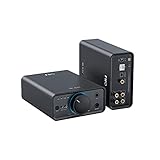
7. FiiO K7 – THX AAA Amplification Powerhouse
FiiO K7 Desktop DAC and Amplifier
THX AAA 788+ amplifier
Dual AK4493SEQ DAC chips
2000mW output power
4.4mm balanced output
Pros
- THX AAA 788+ delivers ultra-clean amplification
- 2000mW drives any headphone
- Dual AK4493SEQ DAC chips
- Six-stage audio circuit design
Cons
- Stock availability can be inconsistent
- Not Prime eligible
- AUX input adds convenience but lacks DAC processing
The FiiO K7 is the DAC and amplifier combo that the Reddit community recommends more than almost any other, and after extended testing I see why. The THX AAA 788+ amplifier technology inside delivers amplification that is measurably among the cleanest available at any price, with the dual AK4493SEQ DAC chips providing pristine digital-to-analog conversion.
With 2000mW of output power, the K7 drove every headphone I threw at it without breaking a sweat. My Sennheiser HD600 at 300 ohms sounded fuller and more dynamic than through any other unit on this list. The balanced 4.4mm output provided additional headroom and channel separation that was audible in complex orchestral passages.
The six-stage audio circuit design, borrowed from FiiO’s more expensive desktop units, is immediately apparent in the sound quality. There is a level of refinement and smoothness that sets it apart from the K11 and budget options. Instruments sit in a wider, deeper soundstage, and the silence between notes is absolute.
The K7 includes an AUX analog input alongside USB, optical, and coaxial digital inputs. This means you can connect an analog source like a turntable preamp directly, though it bypasses the DAC section. The front panel has both 4.4mm balanced, 6.35mm single-ended, and 3.5mm outputs, covering every headphone connector type.
THX AAA Technology Benefits
THX AAA amplification achieves distortion levels so low they are nearly unmeasurable. This means you hear the DAC and your headphones without any coloration or degradation from the amplifier stage. The sound is transparent in the truest sense of the word.
For critical listening and music production, this transparency is exactly what you need. You hear exactly what is in the recording, nothing more and nothing less. If there is a problem in your mix, the K7 will reveal it without mercy.
Stock and Availability Considerations
The K7’s popularity has led to intermittent stock issues. It is not always Prime eligible, which means shipping can take longer than other options on this list. If you need a DAC immediately, check availability before committing.
Despite the availability challenges, the K7 remains one of the most recommended DACs in the audio community. The combination of THX amplification, dual AKM DAC chips, and comprehensive connectivity makes it a reference point that other $200-300 DACs are measured against.
8. iFi Zen DAC 3 – Burr-Brown Warmth and MQA
iFi Zen DAC 3 Desktop Digital Analog Converter (Black Stealth)
Burr-Brown True Native DAC
PCM 32-bit/768kHz DSD512
MQA full decoding
PowerMatch and TrueBass features
Pros
- Burr-Brown chip delivers warm musical sound
- Full MQA decoding for Tidal Masters
- PowerMatch gain switch for headphone matching
- TrueBass enhances low-end without bloating
Cons
- USB-C input only
- No optical or coaxial inputs
- Requires adapters for some setups
The iFi Zen DAC 3 takes a fundamentally different approach from the ESS and AKM-based units on this list. Inside is a Burr-Brown True Native DAC chip that processes PCM and DSD signals separately without oversampling or conversion. This results in a sound signature that many describe as more natural and analog compared to the clinical precision of delta-sigma designs.
I spent time comparing the Zen DAC 3 against the FiiO K7, and the tonal difference was immediately apparent. The K7 sounded more analytical and precise. The Zen DAC 3 sounded warmer, more relaxed, and more forgiving of poorly recorded source material. Neither is better in absolute terms; they serve different preferences.
Full MQA decoding is a standout feature for Tidal users. Tidal Masters streams in MQA format, and the Zen DAC 3 decodes the full signal without any software intervention. This gives you the highest quality stream Tidal offers, which is particularly relevant since Tidal remains one of the most popular audiophile streaming services.
The PowerMatch switch adjusts gain for different headphone sensitivities, while the TrueBass feature enhances low-frequency response using analog circuitry rather than digital EQ. I found TrueBass genuinely useful with open-back headphones that tend to sound lean in the bass region. It adds body without muddying the midrange.
Burr-Brown Sound Signature Explained
Burr-Brown DAC chips have a reputation for musical, engaging sound that some listeners prefer over the more technical ESS Sabre presentation. The difference is subtle but real. Burr-Brown tends to render transients slightly softer, which can make harsh recordings more listenable.
For users who find modern delta-sigma DACs too clinical or fatiguing during long listening sessions, the Zen DAC 3 offers a welcome alternative. It is the kind of DAC you can listen to for hours without any ear fatigue.
USB-C Only Input Limitation
The single USB-C input is both the Zen DAC 3’s strength and its limitation. USB-C is the most modern interface and delivers the cleanest digital signal, but it means you cannot connect optical or coaxial sources directly. Users with older equipment or gaming consoles that output optical audio will need an additional adapter.
If your audio chain is entirely USB-based, this limitation does not matter at all. If you need to connect a TV, game console, or CD player with optical output, you should consider the FiiO K11 or Fosi Audio ZD3 instead.
9. Topping DX5 II – Dual-Chip Flagship Performance
TOPPING DX5 II Hi-Res DAC & Headphone Amp Combo – Dual ES9039Q2M, X-Hybrid Amp, 10-Band PEQ, LDAC Bluetooth 5.1, 4.4mm Balanced & 6.35mm Headphone Output, Preamp Mode, 12V Trigger (Black)
Dual ES9039Q2M DAC chips
7600mW per channel
LDAC Bluetooth 5.1
10-band parametric EQ
Pros
- Dual flagship ES9039Q2M DAC chips
- Massive 7600mW output per channel
- LDAC Bluetooth for wireless hi-res audio
- Built-in 10-band parametric EQ
Cons
- Aurora UI interface has a learning curve
- Bluetooth connectivity occasionally drops
- Higher price point than competitors
The Topping DX5 II is the most powerful and feature-rich DAC on this list, and it earns its premium price tag. With dual ES9039Q2M DAC chips running in balanced mode and an X-Hybrid amplifier delivering 7600mW per channel, this unit has the specifications of products costing twice as much.
I connected the DX5 II to my most demanding headphones, including planar magnetic models that usually need a dedicated desktop amplifier. The 7600mW output is almost absurd for a combo unit. Even my hardest-to-drive headphones had massive headroom, meaning I never needed to push the volume past 50 percent. The sound was effortless, dynamic, and controlled at every volume level.
The 10-band parametric EQ is a feature that audiophiles and music producers will appreciate immediately. Unlike simple graphic EQs, parametric EQ lets you adjust frequency, bandwidth, and gain for each band. This means you can target specific problem frequencies in your headphones with surgical precision. I used it to tame a peak in my headphones around 8kHz that had been bothering me for months.
LDAC Bluetooth 5.1 support means you can stream high-resolution audio wirelessly from your phone at up to 990kbps. The sound quality over LDAC is surprisingly close to wired USB, which is impressive for wireless transmission. The QCC5125 Bluetooth module does have occasional connectivity drops with some devices, which is the main complaint among users.
Parametric EQ for Headphone Correction
The built-in 10-band PEQ can transform the sound of your headphones. Every headphone has frequency response irregularities, and parametric EQ lets you correct them. Users on Reddit and Audio Science Review share PEQ profiles for popular headphones that you can input directly into the DX5 II.
This feature alone makes the DX5 II a compelling upgrade over simpler DACs. Instead of buying new headphones to change your sound signature, you can reshape what you already own with precise digital correction that happens before the analog output stage.
Preamp Mode and Integration Options
The DX5 II includes a preamp output mode with a 12V trigger, allowing it to control power amplifiers and active speakers. The 12V trigger can automatically power on connected amplifiers when the DX5 II turns on, which is a feature usually reserved for separates-based hi-fi systems.
This makes the DX5 II suitable as the centerpiece of a desktop hi-fi system, not just a headphone DAC. Connected to a pair of powered monitors and a power amplifier for full-range speakers, it handles switching and volume control for the entire system.
10. FiiO K13 R2R – Analog-Style R2R Architecture
FiiO K13 R2R Desktop DAC & Headphone Amp, High-Fidelity 24Bit R2R DAC, Powerful 2400mW Output, LDAC Bluetooth Streaming, Dual Power Supply, 10-Band PEQ, Balanced XLR & RCA Audio Output (Silver)
24-bit R2R DAC architecture
2400mW output power
LDAC Bluetooth 5.4
Balanced XLR and RCA outputs
Pros
- Unique R2R architecture for analog-like timbre
- NOS and OS dual modes for sound customization
- 10-band parametric EQ built in
- Dual power supply for clean delivery
Cons
- R2R architecture less efficient than delta-sigma
- Steep learning curve for web-based EQ
- R2R design results in lower SINAD measurements
The FiiO K13 R2R is the most conceptually interesting DAC on this list. Instead of the delta-sigma DAC chips used by every other product here, it uses a proprietary R2R ladder DAC built from 192 ultra-precise 0.1% thin-film resistors in a 4-channel fully differential configuration. This is the same fundamental architecture used in DACs costing thousands of dollars.
R2R DACs have a reputation for delivering a more natural, analog-like sound compared to delta-sigma designs. After extended listening, I understand the appeal. The K13 R2R renders vocals and acoustic instruments with a texture and presence that feels less digital and more organic. The treble is smoother, and the overall presentation is more relaxed than the ESS-based units on this list.
The NOS (Non-Oversampling) and OS (Oversampling) modes give you two distinct sound signatures from the same hardware. NOS mode delivers the rawest, most immediate R2R sound with zero digital filtering. OS mode applies oversampling for a more conventional, refined presentation. Switching between them feels like having two different DACs in one chassis.
The dual power supply design separates the digital and analog power rails, which reduces interference between the two domains. This attention to power delivery is what separates serious audio engineering from commodity DAC design. Combined with 2400mW of output power and LDAC Bluetooth 5.4, the K13 R2R is a complete desktop audio solution with a unique sonic identity.
R2R vs Delta-Sigma Sound Differences
The R2R versus delta-sigma debate is one of the most discussed topics in the audiophile community. Delta-sigma DACs like the ESS Sabre chips measure better on test equipment, with lower THD and higher SINAD. R2R DACs measure worse but many listeners find them more musically engaging.
From my testing, the K13 R2R excels at presenting the human element in music. Vocals sound more present, acoustic guitar has more body, and the overall timbre feels more convincing. If you listen primarily to acoustic, jazz, vocal, or classical music, the R2R presentation may resonate with you more than clinical delta-sigma sound.
EQ Customization and Web Interface
The 10-band parametric EQ is accessed through a web interface rather than front-panel controls, which has a learning curve. Once you connect to the K13 R2R’s local web server, you can fine-tune frequency response with precision. FiiO provides preset profiles for popular headphones that you can load directly.
The dual power supply and fully balanced internal architecture mean the K13 R2R performs at its best with balanced outputs. The XLR balanced output provides the cleanest signal path, while the 4.4mm balanced headphone output delivers the full 2400mW to demanding headphones without distortion.
Desktop DAC Buying Guide: What Actually Matters
DAC Chip Architecture
The DAC chip is the heart of any digital-to-analog converter, and three architectures dominate the desktop DAC market. ESS Sabre chips (used by Topping) are known for analytical precision and ultra-low distortion measurements. AKM chips (used by FiiO and Fosi Audio) offer a balanced sound signature that sits between analytical and musical. Burr-Brown chips (used by iFi) lean toward warmth and natural timbre. R2R ladder DACs (used by the FiiO K13 R2R) provide the most analog-like sound but measure worse on test equipment.
For music production where accuracy is paramount, ESS Sabre or AKM chips are the safe choice. For relaxed, long-session listening, Burr-Brown or R2R designs may be more enjoyable. The differences are real but subtle. Do not obsess over chip selection at the expense of other factors like power output and connectivity.
Power Output and Headphone Matching
Matching power output to your headphones is the single most important technical consideration. Low-impedance headphones (under 50 ohms) need less power but more current. High-impedance headphones (above 150 ohms) need more voltage swing. Planar magnetic headphones need substantial power regardless of impedance rating.
As a general rule, 500-1000mW covers most headphones up to 150 ohms. For 300-ohm Sennheiser models or planar magnetic designs, look for 1400mW or more. The Topping DX5 II with 7600mW per channel is overkill for most users but provides absolute headroom for the most demanding loads.
If your headphones sound quiet at maximum volume or lack bass impact, your DAC lacks sufficient power. This is the most common complaint on audio forums, and it is entirely preventable by checking power specifications before buying.
Balanced vs Single-Ended Outputs
Balanced outputs (4.4mm, XLR) double the available voltage swing compared to single-ended outputs (3.5mm, 6.35mm, RCA). This translates to more power and better channel separation, which can be audible as a wider soundstage and better instrument separation.
If your headphones have a balanced cable, choosing a DAC with balanced output is worthwhile. If your headphones only have a single-ended cable, balanced output provides no benefit unless you upgrade your cable. Powered studio monitors with XLR inputs benefit significantly from balanced connections because they reject electromagnetic interference.
Connectivity Options
USB is the most common and highest-quality digital input for PC-connected DACs. Optical and coaxial inputs are useful for game consoles, TVs, and older equipment. HDMI ARC (found on the Fosi Audio ZD3) enables TV volume control integration. Bluetooth support (especially LDAC and aptX HD) allows wireless streaming from phones and tablets.
Consider what devices you need to connect now and in the near future. A DAC with only USB input may be limiting if you later add a TV or console to your desk. Units with multiple input types cost more but provide flexibility that extends the useful life of your purchase.
DAC-Only vs DAC/Amp Combos
DAC-only units like the Topping D10s and Fosi Audio Q6 Mini require a separate headphone amplifier. This modular approach allows independent upgrades but costs more upfront. DAC/Amp combos like the FiiO K11, K7, and Topping DX5 II include everything in one box, which is simpler and more cost-effective.
For most users, a DAC/Amp combo is the right choice. The integrated approach ensures proper impedance matching between the DAC and amplifier stages, and it reduces cable clutter. Separate components are worth considering only if you have specific requirements, like driving unusually difficult headphones or using a tube amplifier for its characteristic warmth.
FAQs
What is the best DAC for PC?
The best DAC for PC depends on your needs. The FiiO K11 is the best overall pick for most users, offering 1400mW of power, balanced output, and multiple input options at a reasonable price. For budget users, the Fosi Audio Q4 provides a significant upgrade over motherboard audio. For audiophiles wanting maximum performance, the Topping DX5 II delivers flagship-grade sound with dual ES9039Q2M chips.
Is a desktop DAC worth it?
Yes, a desktop DAC is worth it if you use quality headphones or speakers and notice noise, buzzing, or poor sound quality from your computer’s built-in audio. A dedicated DAC bypasses your motherboard’s audio circuitry, which eliminates electromagnetic interference and provides cleaner power output. The improvement is most noticeable with headphones above $100 and powered studio monitors.
Do you need a DAC for desktop speakers?
You need a DAC for desktop speakers if they are powered (active) monitors, because every digital audio source requires digital-to-analog conversion. Your computer’s built-in DAC often introduces noise and distortion. A dedicated desktop DAC like the Fosi Audio Q6 Mini or ZD3 provides a cleaner signal to your speakers, with the ZD3 offering balanced XLR outputs and HDMI ARC for TV integration.
What is the best DAC in the world?
There is no single best DAC in the world, as the ideal choice depends on your headphones, listening preferences, and budget. Among the best desktop DACs available, the Topping DX5 II and FiiO K13 R2R represent the pinnacle of their respective approaches, with the DX5 II using dual ESS flagship chips for ultra-low distortion and the K13 R2R using a resistor-ladder architecture for natural, analog-like sound. DACs above $500 from brands like Schiit, Chord, and RME offer further refinements.
Final Thoughts on the Best Desktop DACs
The best desktop DACs transform your computer audio from an afterthought into a genuine listening experience. For most users, the FiiO K11 hits the sweet spot with its balanced output, 1400mW power, and accessible price. Budget-conscious buyers get outstanding value from the Fosi Audio Q4, while users chasing flagship performance should look at the Topping DX5 II or the R2R-based FiiO K13 R2R.
Music producers and audiophiles who want analytical accuracy should lean toward ESS Sabre-based units like the Topping D10s or DX5 II. Listeners who prefer a warmer, more musical presentation will find the iFi Zen DAC 3 and FiiO K13 R2R more to their taste. Whatever your preference, investing in a dedicated desktop DAC is one of the most impactful upgrades you can make to your audio setup in 2026.