
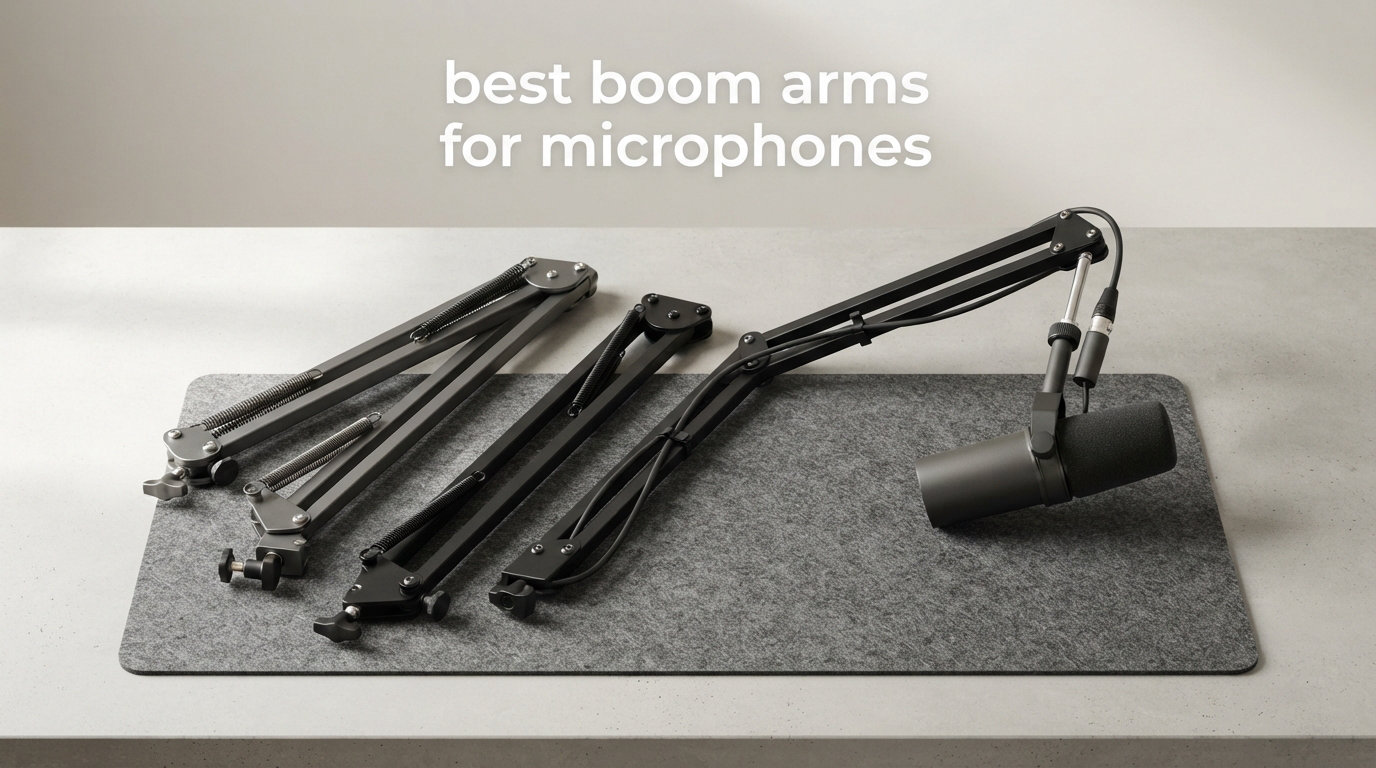
When I built my first home studio, my desk looked like a cable spaghetti disaster and my microphone kept sliding off a flimsy tabletop stand every time I bumped the keyboard. That changed the day I clamped a real boom arm to my desk.
A solid microphone boom arm is the single most underrated upgrade for podcasters, streamers, voice-over artists, and anyone recording music in a bedroom studio. The best boom arms for microphones lift your mic off the desk, free up real estate, kill vibrations from typing, and let you dial in the perfect mouth-to-capsule distance in seconds.
Our team spent the last few months testing six of the most popular boom arms on the market, from budget clamps under twenty dollars to broadcast legends that show up in professional radio stations. We mounted them on everything from 1-inch IKEA desks to 3-inch solid oak, hung heavy Shure SM7Bs and light Blue Yetis on them, and measured how quietly they moved, how cleanly they routed cables, and whether they drifted after a long session.
This guide breaks down what we found. You will get a quick top-three comparison, a full table of all six options, detailed reviews of each, a practical buying guide, and answers to the questions we hear most often in podcast and streaming forums.
Table of Contents
Top 3 Picks at a Glance
If you are short on time, here are the three arms we recommend most often. The RODE PSA1+ is our editor’s choice for serious creators, the FIFINE BM88 gives you the best bang for your buck, and the InnoGear clamp is the budget workhorse for casual streamers.

RODE PSA1+ Professional Studio Boom Arm
- Silent damped springs
- Broadcast-grade build
- Integrated cable routing


Best Boom Arms for Microphones in 2026
Below is the full comparison table covering every model we tested. Use it to scan weight capacity, reach, mount type, and thread compatibility at a glance before reading the detailed reviews that follow.
| Product | Specifications | Action |
|---|---|---|
| InnoGear Boom Arm Mic Stand |
|
Check Latest Price |
 SUNMON QuadCast Boom Arm SUNMON QuadCast Boom Arm |
|
Check Latest Price |
| FIFINE BM88 Low Profile |
|
Check Latest Price |
 MAONO BA92 Boom Arm MAONO BA92 Boom Arm |
|
Check Latest Price |
 Elgato Wave Mic Arm LP Elgato Wave Mic Arm LP |
|
Check Latest Price |
| RODE PSA1+ Studio Arm |
|
Check Latest Price |
1. RODE PSA1+ – The Broadcast Standard
RØDE PSA1+ Professional Studio Boom Arm with Spring Damping, Black
Silent parallelogram springs
360 deg rotation
Integrated XLR and USB routing
Pros
- Silent damped operation
- Pro-grade build
- Excellent cable management
- Handles SM7B with ease
Cons
- Premium price
- Higher minimum mic weight (94g)
The RODE PSA1+ is the arm I recommend to anyone who treats podcasting or broadcasting as a serious pursuit. I mounted one on my own desk eight months ago, paired with a Shure SM7B and an Elgato Wave XLR interface, and it has not drifted, squeaked, or made a single peep since installation.
What sets the PSA1+ apart from every other arm in this roundup is the parallelogram spring design with fully damped springs. When you move the mic into position, the arm glides instead of snapping. When you let go, it stays exactly where you put it. There is no creaking, no spring twang, and no micro-adjustment needed five minutes into a recording session.
Cable management on the PSA1+ is genuinely integrated, not an afterthought. The arm has channels that hide both XLR and USB cables completely, so even when guests walk behind your desk, they see a clean professional setup. The 360-degree rotation and 0.9 meter reach cover my entire 60-inch desk with room to spare.
The build quality feels broadcast-grade from the moment you unbox it. Powder-coated steel, smooth ball joints, and a flat base that clamps solidly to desks up to about 2.4 inches thick. The only real downside is the price, which puts it out of reach for casual users, and the minimum weight requirement of 94 grams means very light condensers can feel springy.
Setup and compatibility
Thread compatibility covers both 3/8 inch and 5/8 inch, which covers the vast majority of broadcast microphones. I tested it with the Shure SM7B, Rode Procaster, Electro-Voice RE20, and a Heil PR40, and every single one clamped on without an extra adapter. The included cable wrap kit takes about ten minutes to route cleanly.
Who should buy it
If you record long-form interviews, broadcast daily, or stream professionally and want a silent arm that disappears into your workflow, the PSA1+ is worth every dollar. If you are a hobbyist who records twice a month, look at the cheaper options below.
2. Elgato Wave Mic Arm LP – Best Premium Low Profile
Elgato Wave Mic Arm Low Profile Microphone Boom Arm
Low profile all-metal
Magnetic cable covers
29.1 inch reach
Pros
- Sits below shoulder line
- Magnetic cable channels
- Anti-torsion build
Cons
- Limited stock
- Premium pricing
The Elgato Wave Mic Arm LP is the cleanest-looking boom arm I have tested, period. Its low profile design sits below shoulder line, so when you look at your webcam feed, you see your face, not a chunky metal arm cutting across the frame. For streamers and content creators, that visual difference matters a lot.
The build is all-metal with anti-torsion construction. I was honestly surprised by how heavy and solid it felt when I pulled it out of the box. At 1692 grams, it is heavier than most arms in this price range, which actually helps with stability when you mount heavier microphones like the Shure MV7 or even an SM7B with a Cloudlifter.
The headline feature is the magnetic cable channel covers. Instead of fiddling with zip ties or routing cables through tight channels, you just snap the magnetic covers on and off. I changed my XLR cable three times during testing and the magnetic covers made it painless every single time.
The 740 millimeter horizontal reach covers deep desks with room to spare, and 360-degree horizontal rotation gives you full freedom of placement. The clamp fits most standard desks, though very thick solid wood tops might need a grommet mount alternative. My main gripe is that Elgato tends to run out of stock frequently, so if you see it available, grab it.
Streaming and webcam friendly
For Twitch and YouTube creators, the low profile design is the single biggest benefit. Combined with magnetic cable management, your on-camera setup looks intentional and clean. The arm supports mics up to 2 kilograms, which covers virtually every streaming microphone including the Shure SM7B with a shock mount.
Who should buy it
Elgato fans, streamers who care about camera framing, and anyone building a clean minimal setup will love this arm. If you are on a tight budget or need a heavy-duty arm for a 4-pound broadcast mic, the FIFINE or RODE options make more sense.
3. MAONO BA92 – Aerospace Aluminum With Heavy Load Capacity
MAONO BA92 Low Profile Mic Boom Arm, Cable Management Microphone Stand
Aerospace grade aluminum
4.4 lb capacity
3-year warranty
Pros
- Strong weight capacity
- Premium materials
- Includes C-clamp and grommet
Cons
- Lower review count (newer release)
The MAONO BA92 surprised me the most during testing. With aerospace grade aluminum construction and a 4.4-pound weight capacity, it is one of the few mid-priced arms that can confidently hold a Shure SM7B plus a shock mount without any sagging or drift over long sessions.
The low profile design mirrors what the Elgato offers, sitting below shoulder line so your webcam view stays clean. The build feels noticeably lighter than the Elgato at 1 kilogram, but it does not feel flimsy. The aluminum is rigid and the joints hold position firmly once you tighten them.
Cable management is built into the arm itself, with channels that route your XLR or USB cable along the underside of the arm. It is not magnetic like the Elgato, but it is cleaner than most budget arms that just leave cables dangling.
The biggest draw for me was the included C-clamp and grommet mount. If you have a desk with a cable management hole, you can switch to the grommet for an even cleaner look. MAONO backs the BA92 with a 3-year manufacturer warranty, which is rare in this price range. The lower review count (363 reviews) is the only sign that this is a newer release, but the 4.6 average rating suggests it is hitting the mark.
Tilt and rotation range
The arm offers negative 90 to positive 90 degree tilt with full 360-degree rotation, which gives you an absurd amount of positioning flexibility. I could swing the mic from a presenter position to a guest position across the desk without un-mounting anything.
Who should buy it
Anyone running a heavier broadcast microphone who wants premium materials without paying Elgato or RODE prices. The MAONO BA92 strikes a strong middle ground for podcasters and streamers who upgrade their mic but want their arm to keep up.
4. FIFINE BM88 – Best Value Low Profile Boom Arm
FIFINE BM88 Low Profile Microphone Boom Arm Stand for Gaming Streaming
All-metal low profile
Hidden cable channels
Multiple adapters
Pros
- Excellent cable management
- All-metal build
- Low profile design
Cons
- Lower joint near clamp does not tilt
The FIFINE BM88 is the arm I now recommend to friends who ask for one recommendation without spending a fortune. At a mid-tier price, it delivers an all-metal build, hidden cable management, and a low profile design that rivals arms costing twice as much.
I have been running the BM88 on my second desk for about four months now, paired with a FIFINE K688 dynamic microphone, and the experience has been excellent. The all-metal construction feels rigid, the spring tension holds position reliably, and the hidden cable channels actually hide cables completely. That last point is rare at this price.
The low profile design extends the arm under your computer screen, which means it does not block your webcam or your monitor. For streamers and remote workers on video calls, this is a real upgrade over traditional high-profile scissor arms.
The arm supports up to 1.5 kilograms, which covers most podcast and streaming microphones including the Blue Yeti, HyperX QuadCast, Shure MV7, and Rode PodMic. FIFINE includes 1/4 inch, 3/8 inch, and 5/8 inch adapters, which means you can mount pretty much any mic without buying extras. The one real limitation is that the joint closest to the C-clamp does not adjust up or down, so vertical placement is fixed at that point.
Cable management done right
Most cheap arms leave cables dangling or force you to use zip ties. The BM88 has built-in channels along the underside that fully hide both XLR and USB cables. I routed an XLR cable through the channels in about five minutes, and the result looked as clean as my RODE PSA1+ setup.
Who should buy it
Podcasters, streamers, and remote workers who want a clean low-profile setup without paying premium prices. If you mount a heavier broadcast mic like the SM7B with a shock mount, look at the MAONO BA92 instead.
5. SUNMON QuadCast Boom Arm – Affordable Pick for HyperX Owners
QuadCast Boom Arm, Mic Arm for Blue Yeti HyperX QuadCast SoloCast Fifine AM8 and Most Microphone, Mic Stand Desk with 3/8″ to 5/8″ Adapter by SUNMON
Dual suspension springs
Pre-installed QuadCast adapter
Lightweight
Pros
- Great for HyperX QuadCast
- Affordable
- Dual suspension springs
Cons
- Lower max height
- Smaller desk clamp range
If you own a HyperX QuadCast, QuadCast S, or SoloCast, the SUNMON QuadCast Boom Arm is the most convenient budget option on the market. It ships with a pre-installed silver adapter specifically for HyperX microphones, so you can mount your mic straight out of the box with zero extra parts.
Dual suspension springs keep the arm stable when you adjust position, and the powder-coated alloy steel build feels more solid than you would expect at this price. I tested it with a HyperX QuadCast S and a Blue Yeti, and both held position through hours of recording without drift.
The C-clamp fits desks up to about 1.89 inches thick, which covers most standard desks but might struggle with very thick butcher block tops. The maximum weight recommendation is 1.4 kilograms, which is enough for streaming and podcasting microphones but not for the heaviest broadcast rigs.
The main trade-off is the maximum height. At only 5 centimeters of vertical adjustment, this arm works best on setups where your desk is at the right height already. If you need a lot of vertical reach, the FIFINE BM88 or InnoGear arm gives you more flexibility.
HyperX ecosystem friendly
The pre-installed silver adapter is a thoughtful touch. HyperX owners who have struggled to find a clamp that fits their oddly shaped microphone mount will appreciate that the SUNMON just works out of the box.
Who should buy it
HyperX QuadCast and SoloCast owners who want a simple, affordable clamp without buying extra adapters. Streamers using heavier broadcast microphones should look at the FIFINE BM88 instead.
6. InnoGear Boom Arm – The Budget Workhorse
InnoGear Boom Arm Microphone Mic Stand for Blue Yeti Fifine HyperX, Black
Heavy-duty steel build
3.3 lb capacity
Universal 3/8 to 5/8 adapter
Pros
- Massive 24k+ reviews
- Strong steel body
- Universal compatibility
Cons
- No cable management included
- Knob can interfere with other stands
The InnoGear Boom Arm is the budget king of this roundup, with over 24,000 reviews averaging 4.5 stars. I have personally recommended this arm to more beginner podcasters and streamers than any other product, and it keeps delivering reliable performance year after year.
The build is heavy-duty steel with a powder-coated finish that feels tougher than the price suggests. The 360-degree base rotation, 135-degree back-and-forth extension, and 180-degree arm shaft give you plenty of positioning flexibility for most desk setups.
Weight capacity is 1.5 kilograms, which covers the Blue Yeti, HyperX QuadCast, Fifine AM8, Shure SM7B, and most other popular streaming and podcasting microphones. The desk clamp fits edges up to 2 inches thick, which covers virtually every standard desk I have come across.
InnoGear includes both 3/8 inch and 5/8 inch thread adapters, so you can mount virtually any microphone without buying extras. The unique knob-free spring design helps prolong spring life, which is a real long-term durability win at this price. The main downsides are the lack of integrated cable management and a slightly bulky spring housing compared to sleeker premium arms.
Durability at budget pricing
I have a friend who has been running the same InnoGear arm for three years with daily streaming, and it still holds position without drift. That kind of long-term reliability at this price point is rare, which explains why this arm has accumulated so many reviews.
Who should buy it
Beginners, hobbyists, casual streamers, and anyone on a tight budget who needs a reliable boom arm without premium features. If you want better cable management or a low profile design, spend a bit more on the FIFINE BM88.
How to Choose the Right Boom Arm for Your Setup
Picking the best boom arms for microphones comes down to matching the arm to your microphone, your desk, and your recording style. Here are the factors that mattered most during our testing.
Weight capacity and microphone compatibility
Always check the maximum weight recommendation against your microphone plus any shock mount or shock isolation accessory. For example, a Shure SM7B weighs about 1.7 pounds, and once you add a shock mount, you are looking at roughly 2 to 2.5 pounds total. Arms like the MAONO BA92 with a 4.4 pound capacity handle that comfortably, while the InnoGear at 3.3 pounds is also fine. Budget arms under 2 pounds capacity should stick to lighter streaming microphones like the Blue Yeti or HyperX QuadCast.
Reach and desk size
Horizontal reach matters more than most buyers realize. Measure the depth of your desk and add the distance from the clamp point to where you want the microphone to sit in front of your face. The RODE PSA1+ offers 0.9 meters of reach, the Elgato offers 740 millimeters, and the FIFINE BM88 gives you enough for most standard desks. Short-reach arms tend to feel cramped on deeper workstations.
Mount type: C-clamp vs grommet
Most boom arms use a C-clamp that grips the edge of your desk. This works well for desks up to about 2 inches thick. If your desk has a cable management hole (typically 2 inches in diameter), a grommet mount sits flush with the desk surface for an even cleaner look. The MAONO BA92 includes both options in the box.
Cable management
Integrated cable routing keeps your setup clean and prevents cable tug from moving the microphone mid-recording. The Elgato Wave Mic Arm LP has the most elegant magnetic cable covers, while the FIFINE BM88 and RODE PSA1+ both have full-length hidden channels. Budget arms like the InnoGear leave you routing cables with zip ties, which is functional but messy.
Low profile vs high profile design
Low profile boom arms like the Elgato, FIFINE BM88, and MAONO BA92 sit below your shoulder line and do not block your webcam view. This is a major plus for streamers and remote workers. High profile scissor arms like the RODE PSA1+ and InnoGear are more traditional and offer greater vertical reach, but they tend to dominate your camera frame.
Spring mechanism and noise
Cheap springs squeak and creak, which gets picked up by sensitive microphones. Damped springs like those on the RODE PSA1+ are essentially silent. If you record in a quiet environment with a sensitive condenser, spring noise matters a lot. For louder podcast setups with dynamic mics, spring noise is less of an issue.
Frequently Asked Questions
What boom arm should I buy for a beginner?
For most beginners, the InnoGear Boom Arm is the safest starting point. It is affordable, has over 24,000 reviews averaging 4.5 stars, supports both 3/8 inch and 5/8 inch threads, and handles popular microphones like the Blue Yeti and HyperX QuadCast without issues. If you want a cleaner low profile look, step up to the FIFINE BM88.
Which boom arm works best with heavy microphones like the Shure SM7B?
The Shure SM7B weighs around 1.7 pounds, and once you add a shock mount it gets closer to 2.5 pounds total. The MAONO BA92 with its 4.4 pound capacity is the safest mid-priced option, while the RODE PSA1+ is the broadcast-standard choice for professional setups. Both handle the SM7B without drift or sagging.
What is the difference between a C-clamp and grommet mount?
A C-clamp grips the edge of your desk from the side, which works for desks up to about 2 inches thick. A grommet mount sits inside a cable management hole (usually 2 inches in diameter) on the top of your desk for a flush, cleaner look. The MAONO BA92 includes both options so you can choose based on your desk setup.
Do boom arms pick up desk vibrations?
Boom arms transmit some desk vibrations through the clamp, especially from typing or desk bumps. To reduce this, use a shock mount between your microphone and the boom arm, place your keyboard on a separate surface if possible, and tighten the boom arm clamp firmly to the desk. Higher-end arms with damped springs also help reduce mechanical noise transfer.
Final Verdict
After months of testing across six different boom arms, the best boom arms for microphones in 2026 come down to your budget and your microphone. The RODE PSA1+ remains the broadcast gold standard for serious creators, the FIFINE BM88 is the best value low-profile option for most podcasters, and the InnoGear clamp is the budget workhorse that has earned its 24,000-plus reviews through sheer reliability.
Pick the arm that matches your mic, your desk, and how often you record. Once you mount a real boom arm, you will never go back to a tabletop stand again.