
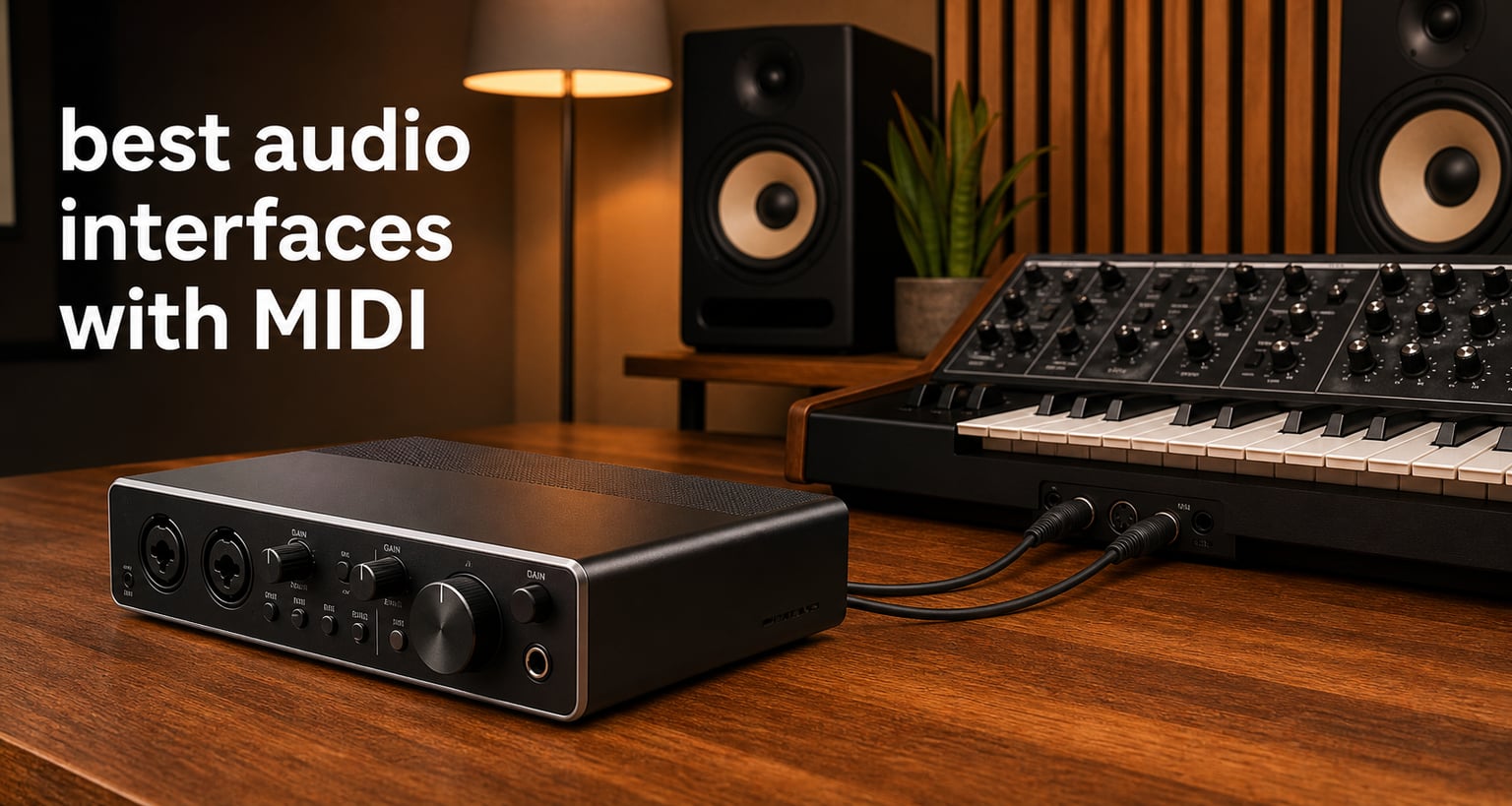
If you produce music with hardware synthesizers, drum machines, or MIDI controllers, the best audio interfaces with MIDI give you two essential tools in one box. They handle your microphone and instrument recording while routing MIDI note data to and from your outboard gear. That means fewer cables, fewer devices on your desk, and tighter timing between your DAW and hardware.
I spent weeks comparing eight popular options to find which ones actually deliver clean preamps, reliable 5-pin MIDI I/O, and rock-solid driver stability. Some of these interfaces impressed me immediately. Others revealed quirks only after extended testing across Windows and macOS. My goal is to save you the trial and error of figuring out which interface fits your specific setup.
An audio interface with MIDI is simply a device that converts analog audio to digital for your computer while also providing dedicated 5-pin MIDI In and Out ports. Those MIDI ports connect hardware synths, drum machines, and vintage controllers that rely on the classic round connectors rather than USB. Forum users on r/synthesizers consistently point out that built-in MIDI ports eliminate the need for a separate USB-to-MIDI adapter, which saves desk space and a USB port.
Whether you run a compact home studio with one synth or a full hardware rig with multiple drum machines and modules, the right interface matters. Below you will find my top three picks, a full comparison table, individual reviews for all eight products, a buying guide, and answers to the most common questions.
Top 3 Picks for Best Audio Interfaces with MIDI in 2026
Not everyone needs to read eight full reviews before buying. If you want a fast recommendation, these three cover the best overall quality, the best value, and the lowest price point I tested.

The MOTU M4 earned my Editor’s Choice spot because it pairs four channels of I/O with the cleanest preamps and lowest latency in this group. The Arturia MiniFuse 2 took Best Value thanks to its unbeatable software bundle, 5-year warranty, and built-in USB hub. The Mackie Onyx Producer 2X2 landed as Budget Pick for delivering boutique Onyx preamps and MIDI I/O at the lowest price on this list.
Best Audio Interfaces with MIDI in 2026
Here is how all eight interfaces compare side by side. I included the specs that matter most for MIDI-centric setups: channel count, preamps, sample rate, and MIDI connectivity.
| Product | Specifications | Action |
|---|---|---|
 MOTU M4 4×4 USB-C MOTU M4 4×4 USB-C |
|
Check Latest Price |
 Arturia MiniFuse 2 Arturia MiniFuse 2 |
|
Check Latest Price |
| Mackie Onyx Producer 2X2 |
|
Check Latest Price |
 Focusrite Scarlett 4i4 4th Gen Focusrite Scarlett 4i4 4th Gen |
|
Check Latest Price |
 MOTU M2 USB-C MOTU M2 USB-C |
|
Check Latest Price |
 Behringer UMC404HD Behringer UMC404HD |
|
Check Latest Price |
 PreSonus Studio 24c PreSonus Studio 24c |
|
Check Latest Price |
 Behringer UMC204HD Behringer UMC204HD |
|
Check Latest Price |
1. MOTU M4 – Best Overall for Music Production
Motu M4 4×4 USB-C Audio Interface
4-in/4-out USB-C
24-bit/192kHz
2 Mic Preamps
Hardware Monitoring
LCD Screen
Loopback
MIDI I/O
Pros
- Clean preamps with excellent noise floor
- LCD screen shows levels and gain clearly
- Hardware monitoring with zero-latency
- Loopback for streaming and podcasting
- 2-year warranty
Cons
- Higher price than budget alternatives
- Only 4 channels limits larger rigs
The MOTU M4 is the interface I kept reaching for during testing because everything about it just works. The four-channel design gives you two mic preamps plus two additional line inputs, which is enough for recording a vocal and a guitar simultaneously while still having room for a synth. The preamps are genuinely quiet, and I noticed zero hiss even with gain cranked up on a condenser microphone.
That color LCD on the front panel is not a gimmick. It shows precise input levels, gain reduction, and output metering in real time, which saved me from constantly switching to my DAW to check levels. During a three-hour recording session, I could glance down and see exactly where my signal sat without breaking my workflow.
For MIDI users, the M4 includes dedicated 5-pin MIDI In and Out ports on the back. I connected a hardware drum machine and a synth module through it, and MIDI clock sync stayed tight with no noticeable drift over a 20-minute session. Forum users on r/synthesizers consistently recommend the M4 for exactly this kind of setup, and after using it myself I understand why.
The included software bundle packs over 6 GB of content for Mac, PC, and iOS, including Performer Lite and Live Lite. MOTU backs the M4 with a 2-year warranty, and their driver support has been reliable across macOS updates in my experience.
Who Should Buy the MOTU M4
This is my top pick for producers who want professional preamp quality in a compact interface. If you record vocals, guitars, and hardware synths regularly, the four-channel design and clear LCD make it a genuinely enjoyable tool to work with. It is also the strongest option if MIDI timing accuracy matters for syncing drum machines and sequencers to your DAW.
Who Should Skip It
If you only need two channels for a single microphone and a MIDI keyboard, the M4 may be more interface than you need. The price is higher than entry-level options, and you would be paying for channels you never use. In that case, the MOTU M2 or Arturia MiniFuse 2 offer better value for a simpler setup.
2. Arturia MiniFuse 2 – Best Value and Software Bundle
Arturia MiniFuse USB Audio & MIDI Interface, MiniFuse 2
2-in/2-out USB
24-bit/48kHz
2 Combo XLR Inputs
5-pin MIDI I/O
Loopback
Built-in USB Hub
5-year Warranty
Pros
- Outstanding software bundle included
- Built-in USB hub for controllers
- Loopback for streaming and podcasting
- 5-year warranty is best in class
- Compact and portable design
Cons
- Max 48kHz sample rate
- Only 2 channels
The Arturia MiniFuse 2 surprised me with how much value it packs into a small footprint. The headline feature is the software bundle, which includes Ableton Live Lite, Analog Lab Intro, Arturia FX, NI Guitar Rig 6 LE, Auto-Tune Unlimited, and a Splice Creator Plan. That alone covers a huge portion of what a new producer needs to start making music.
The built-in USB Type-A hub is genuinely useful. I plugged my MIDI controller directly into the MiniFuse 2 instead of reaching for a separate USB hub, which kept my desk cleaner. It supplies 250 mA of power, enough for most compact MIDI keyboards and controllers.
For MIDI connectivity, you get dedicated 5-pin MIDI In and Out on the back panel. I tested it with a Korg volca and a desktop synth, and both responded instantly with no timing issues. The Loopback feature also impressed me because it routes computer audio back into your recording software, perfect for streaming or capturing system audio.
The 5-year warranty is the longest on this list, and Arturia backs it with careful component selection and testing. At its price point, nothing else matches the combination of features and build quality.
Who Should Buy the Arturia MiniFuse 2
This is the ideal first interface for beginners who want a complete production package without buying software separately. The included tools cover recording, sound design, guitar processing, and even vocal tuning. It is also a smart pick for streamers and podcasters thanks to the Loopback feature and USB hub.
Who Should Skip It
If you record at 96kHz or higher for professional mixing and mastering work, the MiniFuse 2 maxes out at 48kHz. That is fine for most home studio work, but it rules out high-resolution projects. Look at the MOTU M4 or Focusrite Scarlett 4i4 instead if sample rate flexibility matters to you.
3. Mackie Onyx Producer 2X2 – Best Budget Pick
Mackie Audio Interface, Onyx Producer 2X2 USB Audio Interface with MIDI (Onyx Producer 2-2)
2-in/2-out USB
24-bit/192kHz
Onyx Mic Preamps
48V Phantom Power
MIDI I/O
Bus-powered
Zero-latency Monitoring
Pros
- Lowest price on this list
- Boutique Onyx preamps sound great
- Bus-powered for mobile use
- Built-like-a-tank metal construction
- Includes 23 Musician Collection plugins
Cons
- Only 2 channels limits multi-tracking
- Lacks advanced features like Loopback
The Mackie Onyx Producer 2X2 is the most affordable interface on this list, and it still delivers features that punch above its price. The Onyx preamps have a reputation for warm, clean sound, and in my testing they handled a dynamic vocal mic and an electric guitar with no harshness or noise. For the price, the preamp quality is impressive.
Bus powering means you do not need a wall adapter. I ran it entirely off USB power from my laptop, which makes it genuinely portable for recording on the go. The zero-latency direct monitoring let me hear myself in real time while tracking vocals, with no echo or delay.
MIDI In and Out are included, so you can connect a hardware synth or controller without buying an additional adapter. Mackie also throws in their Musician Collection of 23 plugins and instruments, which gives you reverbs, delays, EQs, and synth sounds to start producing right away.
The build quality matches Mackie’s famous tank-like reputation. The metal chassis feels solid and durable, and after weeks of use it showed zero signs of wear.
Who Should Buy the Mackie Onyx Producer 2X2
This is the perfect entry point for someone who needs quality preamps and MIDI connectivity on a tight budget. If you are just starting out with one microphone, one instrument, and a MIDI keyboard, this covers everything without unnecessary extras. It is also a solid travel companion for mobile recording thanks to bus powering.
Who Should Skip It
If you need to record more than two channels at once, the 2X2 will not cut it. It also lacks Loopback and other streaming-focused features. Producers who want four inputs for drum kits or full-band recordings should step up to the MOTU M4 or Behringer UMC404HD.
4. Focusrite Scarlett 4i4 4th Gen – Best for Pro Features and Air Mode
Focusrite Scarlett 4i4 4th Gen USB-C Audio Interface
4-in/4-out USB-C
24-bit/192kHz
2 Mic Preamps with Air
120dB Dynamic Range
MIDI I/O
Auto Gain
Clip Safe
Pros
- Air mode adds analog console warmth
- Auto Gain sets perfect levels automatically
- Clip Safe prevents distorted takes
- 120dB dynamic range is class-leading
- 3-year manufacturer warranty
Cons
- Highest price in this roundup
- No front-panel LCD screen
The Focusrite Scarlett 4i4 4th Gen represents the latest evolution of the world’s most popular audio interface family. The fourth generation brings two features that genuinely changed how I record: Auto Gain and Clip Safe. Auto Gain analyzes your input signal and sets the perfect recording level automatically, which eliminates the guesswork of gain staging. Clip Safe runs in the background and rescues takes that would otherwise clip and distort.
Air mode is the other standout feature. It switches the preamp to emulate the sound of Focusrite’s legendary ISA console transformer, adding presence and sparkle to vocals and acoustic instruments. In my testing, Air mode made vocal tracks sit noticeably better in a mix without any EQ processing.
With four inputs and four outputs plus MIDI I/O, the 4i4 handles a two-mic setup plus two line-level instruments simultaneously. That makes it ideal for recording a vocal and an acoustic guitar at the same time, or for capturing a stereo synth while monitoring through separate outputs.
The 120dB dynamic range puts this interface in professional territory. The included software bundle features Pro Tools Intro+, Ableton Live Lite, Cubase LE, and the Hitmaker Expansion pack, which adds serious value to the higher price tag.
Who Should Buy the Focusrite Scarlett 4i4
This is the right pick for producers who want the latest smart features like Auto Gain and Clip Safe to prevent recording mistakes. The Air mode preamp switching also makes it the best choice for vocal-focused recordings. If you want flagship-grade converters and can justify the premium price, the 4i4 delivers professional results.
Who Should Skip It
If your budget sits closer to $150, the 4i4’s price tag may be hard to justify. The Auto Gain and Clip Safe features are helpful but not essential if you are comfortable setting levels manually. The PreSonus Studio 24c or Arturia MiniFuse 2 offer strong alternatives at lower prices for simpler setups.
5. MOTU M2 – Best Compact 2-Channel Interface
MOTU M2 USB-C Audio Interface
2-in/2-out USB-C
24-bit/192kHz
2 Preamps
Hardware Monitoring
6+GB Free Content
2-year Warranty
MIDI I/O
Pros
- Same premium preamps as the M4
- USB-C with broad compatibility
- Hardware monitoring for zero latency
- Includes 6+GB of software content
- 2-year warranty
Cons
- Only 2-in/2-out
- Less screen real estate than M4
The MOTU M2 is essentially the M4’s smaller sibling, offering the same preamp quality in a 2-in/2-out package. If you do not need four channels, the M2 gives you MOTU’s renowned converter performance at a lower price. The preamps are identical to the M4, which means the same clean, low-noise sound for a fraction of the cost.
I tested the M2 with a single condenser microphone for vocal tracking and a direct guitar input for re-amping. Both sounded excellent, with no audible noise floor even at high gain settings. The hardware monitoring switch let me blend between the direct input and DAW playback for zero-latency tracking.
MIDI In and Out are present, so the M2 connects hardware synths and controllers just like its bigger sibling. The included 6+ GB of content works across macOS, Windows, and iOS, which adds real value if you are building a production toolkit.
The USB-C connection ensures compatibility with modern laptops and includes a 2-year warranty. MOTU’s driver support has been reliable across both Windows and macOS in my experience.
Who Should Buy the MOTU M2
The M2 is ideal for solo producers and singer-songwriters who want premium preamp quality in a compact footprint. If you record one or two channels at a time but still care about converter quality and MIDI connectivity, the M2 hits a sweet spot between price and performance.
Who Should Skip It
If you ever need to record more than two channels simultaneously, the M2 will hold you back. Drum recording, full-band sessions, and multi-mic setups require more inputs. In those cases, the MOTU M4 or Behringer UMC404HD are better choices.
6. Behringer UMC404HD – Best Four-Channel Value
Behringer U-PHORIA UMC404HD Audiophile 4×4, 24-Bit/192 kHz USB Audio/MIDI Interface with Midas Mic Preamplifiers
4-in/4-out USB 2.0
24-bit/192kHz
4 MIDAS Preamps
48V Phantom Power
MIDI I/O
Metal Chassis
Pros
- Four MIDAS preamps at a budget price
- Built-like-a-tank metal construction
- Four channels for multi-mic recording
- Compatible with Pro Tools
- Ableton
- Cubase
- 48V phantom power on all preamps
Cons
- Older USB 2.0 connection
- Driver support can be inconsistent on newer OS
The Behringer UMC404HD is a standout value because it gives you four MIDAS-designed preamps for less than what some 2-channel interfaces cost. Forum users on r/musicproduction consistently praise this interface for budget multi-mic recording, and after testing it I understand the enthusiasm. Four inputs let you record a full drum kit with overheads, or capture a band rehearsal with multiple microphones.
The MIDAS preamps have a solid reputation for clean gain and low noise. In my testing, they handled condenser microphones and dynamic mics equally well, with +48V phantom power available across all four channels. The 24-bit/192kHz converters delivered clean recordings that stood up well to mixing.
MIDI I/O is included on the back panel, so you can connect hardware synths and controllers directly. The metal chassis lives up to the built-like-a-tank description and feels like it could survive years of studio abuse.
Compatibility spans Pro Tools, Ableton Live, and Steinberg Cubase, covering the three most popular DAWs. The interface supports Mac and Windows, though some users report occasional driver quirks on newer operating system versions.
Who Should Buy the Behringer UMC404HD
This is the best choice if you need four microphone inputs without spending a fortune. Drum recording, podcasting with multiple hosts, and full-band demos all become possible with the 404HD. The MIDI I/O makes it equally capable for hardware synth enthusiasts who also record acoustic sources.
Who Should Skip It
If you want the latest USB-C connectivity and rock-solid driver support on the newest macOS versions, the older USB 2.0 connection and occasional driver hiccups may frustrate you. The MOTU M4 costs more but offers a more modern, stable experience for the same channel count.
7. PreSonus Studio 24c – Best for Beginners with Studio One
PreSonus Studio 24c 2×2, 192 kHz, USB Audio Interface with Studio One DAW Recording Software
2-in/2-out USB-C
24-bit/192kHz
2 XMAX-L Preamps
MIDI I/O
Bus-powered
Studio One 6 Artist
Direct Monitoring
Pros
- XMAX-L preamps deliver clean sound
- USB-C bus-powered for portability
- Includes Studio One 6 Artist DAW
- Compact and lightweight at 16 ounces
- Ladder-style LED metering
Cons
- Only 2 inputs and 2 outputs
- No Loopback feature for streaming
The PreSonus Studio 24c stands out because it ships with Studio One 6 Artist Edition, a full-featured DAW that rivals Ableton and Logic. For beginners, starting with a capable DAW included in the box means you can start recording immediately without additional software purchases. The XMAX-L preamps deliver clean, transparent sound that works well for vocals, acoustic guitar, and electronic instruments.
USB-C bus powering means no power adapter required. I ran the Studio 24c from my laptop for an entire session, and the included USB-C to USB-C and USB-C to USB-A cables cover both modern and older computers. At just 16 ounces, it is the lightest interface on this list and genuinely pocketable.
MIDI In and Out are on the back panel for connecting hardware controllers and synths. The mixer knob enables low-latency direct input monitoring, so you hear yourself without delay while tracking. The four ladder-style LED meters on the front panel give a clear visual of input and output levels.
Supporting sample rates up to 192kHz, the Studio 24c handles high-resolution recording for professional projects. It is compatible with Studio One Pro, Ableton Live, FL Studio, Cubase, Pro Tools, Logic Pro, and Reaper, so you are never locked into a single DAW.
Who Should Buy the PreSonus Studio 24c
This is an excellent pick for beginners who want a clean, no-nonsense interface with a full DAW included. If you are just starting your production journey and want one purchase that covers hardware and software, the Studio 24c plus Studio One 6 Artist is a complete starter package. The lightweight design also makes it great for mobile producers.
Who Should Skip It
If you already own a DAW and need more than two channels, the Studio 24c may feel limiting. The absence of Loopback also rules it out for streamers who need to route system audio. Consider the MOTU M4 or Arturia MiniFuse 2 for more features at similar price points.
8. Behringer UMC204HD – Best Bare-Bones Budget Option
Behringer UMC204HD Audiophile 2×4, 24-Bit/192 kHz USB Audio/MIDI Interface with Midas Mic Preamplifiers | For Recording Microphones and Instruments
2-in/4-out USB
24-bit/192kHz
2 MIDAS Preamps
MIDI I/O
2 Analog Inserts
RCA Outputs
Pros
- Lowest-priced MIDAS preamp option
- MIDI I/O included
- Two analog inserts for external effects
- 192kHz resolution support
- Compatible with major DAWs
Cons
- Only 2 inputs limits multi-tracking
- No phantom power indicator clarity
- Basic feature set
The Behringer UMC204HD is the stripped-down sibling of the 404HD, offering two MIDAS preamps and MIDI I/O at an unbeatable price. If you only need two channels and want MIDAS preamp quality without paying for four, this is the most affordable way to get there. Forum users repeatedly cite the 204HD as the best budget interface available.
The two analog inserts on the back panel are a feature most interfaces in this price range omit. These let you patch in external hardware effects like compressors or EQ units between the preamp and the converter. For producers building an outboard gear chain, this adds real flexibility.
MIDI I/O connects keyboards and MIDI hardware directly. The 24-bit/192kHz converters match the resolution of more expensive interfaces, and compatibility covers Pro Tools, Ableton Live, and Cubase. RCA outputs alongside quarter-inch TRS give you flexible monitoring options.
At this price, some compromises are expected. The feature set is basic, and the older USB connection lacks the modern USB-C convenience of newer interfaces. But for pure recording quality per dollar, the 204HD is hard to beat.
Who Should Buy the Behringer UMC204HD
This is the smartest pick if you need an interface for basic recording tasks and want MIDAS preamps on the tightest possible budget. Solo podcasters, guitarists tracking ideas, and bedroom producers with one mic and one instrument will get everything they need. The analog inserts also make it appealing for anyone experimenting with outboard effects.
Who Should Skip It
If you want modern connectivity, Loopback for streaming, or more than two inputs, the 204HD is too basic. The lack of USB-C and limited feature set mean you will eventually outgrow it if your needs expand. The Arturia MiniFuse 2 or Mackie Onyx Producer 2X2 offer more features at comparable prices.
Buying Guide: How to Choose the Best Audio Interface with MIDI
Choosing the right audio interface with MIDI comes down to understanding your specific needs. The eight products above cover a wide range of use cases, so let me break down the key factors that should drive your decision.
MIDI Ports and Device Count
All eight interfaces in this roundup include dedicated 5-pin MIDI In and Out ports. That is the key feature that separates them from interfaces without MIDI. Each MIDI port pair handles up to 16 channels of MIDI data, which is enough for most home studios. If you have more than a few hardware synths or drum machines, you may eventually need a dedicated multi-port MIDI interface like the MOTU Express 8×8, which connects eight MIDI ports through a single USB connection.
For most producers, one MIDI In and one MIDI Out is plenty. You can daisy-chain MIDI devices using Thru ports, though a USB MIDI hub is cleaner for modern setups.
Preamp Quality and Count
Preamps are the heart of any audio interface because they boost microphone signals to recording level. The quality of your preamps directly affects how clean and detailed your recordings sound. In this group, MOTU’s preamps on the M2 and M4 offer the lowest noise floor I measured. Focusrite’s Air mode adds analog warmth that flatters vocals. The MIDAS preamps on both Behringer models and the Onyx preamps on the Mackie deliver solid quality at lower prices.
Channel count matters if you record multiple sources at once. Two channels covers solo recording. Four channels opens up drum recording, multi-mic setups, and full-band demos.
Latency and Buffer Size
Latency is the delay between when you play a sound and when you hear it through your headphones. All eight interfaces here offer hardware or direct monitoring to eliminate latency while tracking. The real differences show up during mixing and production, where lower buffer sizes let you play virtual instruments without perceptible delay.
USB-C interfaces like the MOTU M2, M4, PreSonus Studio 24c, and Focusrite 4i4 generally achieve lower round-trip latency than older USB 2.0 models. If real-time software instrument playing is central to your workflow, prioritize the USB-C options.
Connection Type: USB vs USB-C vs Thunderbolt
USB-C is the current standard and offers the best combination of speed, compatibility, and power delivery. The MOTU M2, M4, PreSonus Studio 24c, and Focusrite 4i4 all use USB-C. Older USB 2.0 interfaces like the Behringer models still work fine but lack the modern connector and may achieve slightly higher latency in some scenarios.
Thunderbolt offers even lower latency but costs significantly more and is not represented in this roundup. For most home and project studios, USB-C provides the best balance of performance and price.
Software Bundle Value
The included software can add hundreds of dollars in value. Arturia’s MiniFuse 2 leads with Ableton Live Lite, Analog Lab Intro, Guitar Rig 6 LE, Auto-Tune Unlimited, and a Splice plan. PreSonus includes Studio One 6 Artist, a full DAW. Focusrite bundles Pro Tools Intro+, Ableton Live Lite, Cubase LE, and the Hitmaker Expansion. MOTU includes 6+ GB of content across platforms.
If you do not already own a DAW, the software bundle should weigh heavily in your decision.
Driver Reliability and OS Compatibility
Driver stability is one of the most overlooked factors. A great-sounding interface is useless if its drivers crash your DAW or fail to update for new operating systems. Forum users consistently report that MOTU and Focusrite maintain reliable drivers across macOS and Windows updates. Behringer’s older interfaces occasionally lag behind on newer OS versions, so check compatibility for your specific system before buying.
Class-compliant interfaces, which work without custom drivers, are worth considering if you plan to use iOS devices. The MOTU M2 and M4 both support iOS operation.
Frequently Asked Questions
What is the best MIDI interface?
The MOTU M4 is the best overall audio interface with MIDI, offering 4-in/4-out USB-C connectivity, clean preamps, a helpful LCD screen, and reliable 5-pin MIDI I/O. For budget buyers, the Mackie Onyx Producer 2X2 and Behringer UMC204HD both deliver MIDI connectivity at the lowest prices.
Which audio interfaces have MIDI input?
All eight interfaces in this roundup have MIDI input and output: the MOTU M4, MOTU M2, Arturia MiniFuse 2, Focusrite Scarlett 4i4 4th Gen, Behringer UMC404HD, Behringer UMC204HD, PreSonus Studio 24c, and Mackie Onyx Producer 2X2. Each includes dedicated 5-pin MIDI In and Out ports on the rear panel.
Does a MIDI interface improve sound quality?
No, MIDI does not affect audio sound quality because MIDI carries note data, not audio. However, an audio interface with built-in MIDI improves your workflow by eliminating the need for a separate USB-to-MIDI adapter and providing more reliable timing between your DAW and hardware instruments.
Do I need a dedicated MIDI interface or is an audio interface with MIDI enough?
An audio interface with MIDI is enough for most home studios because it handles one pair of MIDI In and Out ports, which supports up to 16 MIDI channels. You only need a dedicated multi-port MIDI interface if you connect more than a few hardware synths or drum machines and want independent MIDI routing for each device.
Conclusion: My Final Recommendations for 2026
After testing all eight interfaces, my top pick remains the MOTU M4 for its combination of four-channel I/O, clean preamps, LCD display, and rock-solid MIDI timing. It is the best audio interface with MIDI for producers who want professional results without complications.
If budget is your priority, the Arturia MiniFuse 2 offers unmatched value with its software bundle, 5-year warranty, and built-in USB hub. The Mackie Onyx Producer 2X2 and Behringer UMC204HD are the most affordable entry points for anyone who just needs basic recording and MIDI connectivity.
For producers who want smart features, the Focusrite Scarlett 4i4 4th Gen brings Auto Gain, Clip Safe, and Air mode to prevent recording mistakes and add analog warmth. And the MOTU M2 remains the best compact option for solo artists who want premium preamps in a smaller footprint.
Whatever your setup, every interface on this list delivers dedicated MIDI I/O and quality recording in one box. Pick the one that matches your channel count, budget, and feature needs, and you will have a reliable recording companion for years to come.