
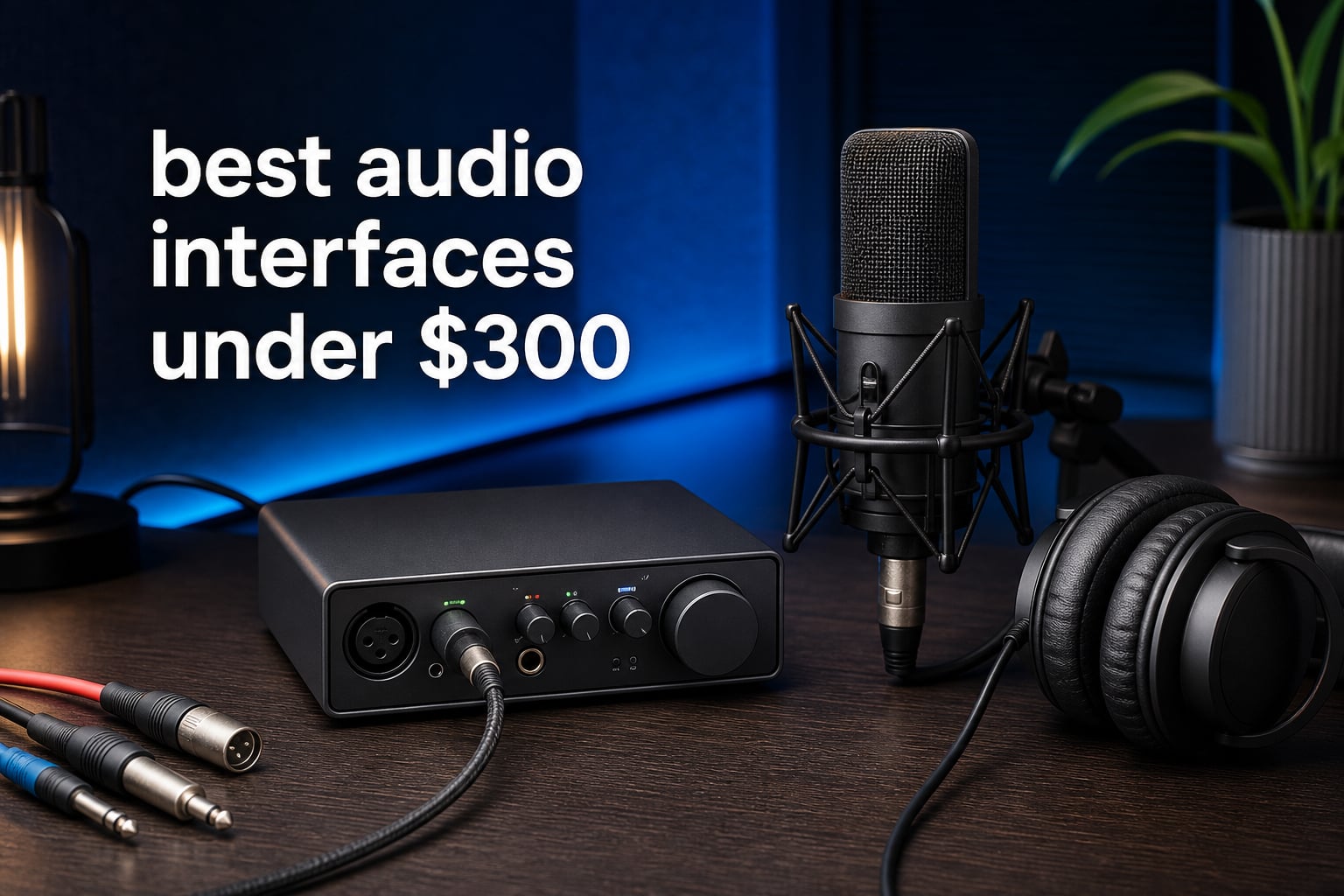
The best audio interfaces under $300 are the ones that match your recording job, not the ones with the longest feature list. For a two-person recording desk with two headphone listeners and more output routing, I would start with the Solid State Logic SSL 2+ MKII; for a first vocal-and-guitar setup, the Focusrite Scarlett 2i2 4th Gen is the simpler recommendation.
An audio interface converts a microphone or instrument’s analog signal into digital audio your computer can record, then turns your session back into sound for headphones or monitors. It also supplies the mic gain, phantom power, physical controls, and direct monitoring that a computer headphone socket does not provide.
We reviewed all 10 supplied interfaces around the jobs people actually describe: solo vocal recording, guitar direct input, a two-mic session, podcasting, and streaming. If you are setting up your home recording studio, selecting inputs and monitoring first will save more frustration than chasing headline specifications.
This guide keeps the distinction clear between a full two-input home studio interface, a one-mic USB adapter, and a streaming mixer. The listed ratings, connections, conversion formats, software, and stated limits below come from the available product data; where that data does not state a drawback, I say so instead of guessing.
Table of Contents
The top 3 picks are the SSL 2+ MKII, Scarlett 2i2, and MAONO PS22 Lite
The SSL 2+ MKII is my broadest pick because it combines two SSL preamps, two discrete headphone outputs, four balanced DC-coupled outputs, loopback, and MIDI. The Scarlett makes level setting less intimidating with Auto Gain and Clip Safe, while the PS22 Lite brings a starter-friendly XLR path, routing software, loopback, and direct monitoring to a compact unit.

These 10 audio interfaces make the shortlist in 2026
Use this overview as a fast way to narrow the field. A two-input unit is the sensible baseline for vocals plus guitar or two microphones, while a single-XLR design suits a one-host desk; routing, loopback, MIDI, extra outputs, and onboard DSP decide the rest.
| Product | Specifications | Action |
|---|---|---|
| Solid State Logic SSL 2+ MKII |
|
View Details |
 MAONO P2 Hybrid MAONO P2 Hybrid |
|
View Details |
 Shure MVX2U Shure MVX2U |
|
View Details |
 Focusrite Scarlett 2i2 4th Gen Focusrite Scarlett 2i2 4th Gen |
|
View Details |
 MAONO PS22 Lite MAONO PS22 Lite |
|
View Details |
 Zoom AMS-24 Zoom AMS-24 |
|
View Details |
 Yamaha URX22C Yamaha URX22C |
|
View Details |
 Synido Solo Synido Solo |
|
View Details |
 Elgato Wave XLR MK.2 Elgato Wave XLR MK.2 |
|
View Details |
 BOMGE 22M BOMGE 22M |
|
View Details |
1. The Solid State Logic SSL 2+ MKII is the most complete two-person studio pick
Solid State Logic 2 MKII Plus USB-C Audio Interface 2×4
32-bit/192 kHz
2 SSL preamps
4 balanced outs
Pros
- Dual headphone outputs
- Legacy 4K enhancement
- MIDI I/O
- Loopback
Cons
- Two mic preamps
- No customer drawbacks supplied
I would choose the SSL 2+ MKII when the desk needs to do more than capture one voice. Its two XLR preamps, two line/Hi-Z inputs, two discrete headphone outputs, and four balanced DC-coupled TRS outputs give a small music production interface unusually flexible routing without adding a separate headphone splitter.
Its 32-bit/192 kHz AD/DA converters and zero-latency monitoring make the specification set strong for a home studio interface. The Legacy 4K analog enhancement is a deliberate tonal option, not a replacement for good mic placement, so I would treat it as a useful flavor switch during vocals or direct guitar tracking.
SSL also lists stereo loopback, high-pass filters, 48V phantom power, and five-pin DIN MIDI I/O. That combination matters if your sessions include a hardware controller, a pair of monitor feeds, or computer audio that must be folded into a stream.
The supplied review data gives it a 4.8 rating from 358 reviews and does not identify a customer drawback. The practical constraint I can verify is the two-mic-preamp layout, so a band tracking several microphones at once should look for more simultaneous mic inputs.
It fits creators who need two headphone listeners and several outputs
For a singer and engineer sharing a session, two discrete headphone outputs are much more useful than a single jack and an adapter. Four balanced outputs also make this a natural fit for monitor routing or gear that benefits from DC-coupled outputs.
It asks you to confirm that two microphone inputs are enough
The SSL 2+ MKII is not a multichannel drum-recording interface because it has two SSL mic preamps. I would buy it for a polished two-source room, not for a setup that already needs many microphones at the same time.
2. The Focusrite Scarlett 2i2 4th Gen is the easiest choice for new recordists
Focusrite Scarlett 2i2 4th Gen 2×2 USB Audio Interface Bundle with 2 H&A 6′ XLR Cables
69dB gain
120dB range
Air Mode
Auto Gain
Pros
- Clip Safe protection
- Dynamic Gain Halos
- Loopback
- Two XLR cables
Cons
- Two inputs
- No customer drawbacks supplied
The Scarlett 2i2 4th Gen earns its place because the feature set removes several early recording mistakes. Focusrite lists 69 dB of preamp gain, Auto Gain after 10 seconds of playback, Clip Safe protection, and Dynamic Gain Halos, which gives a beginner clear feedback while setting a vocal or instrument level.
There are Hi-Z instrument and line inputs, a custom headphone amp with its own level control, loopback, and a stated 120 dB dynamic range. Air Mode adds presence and harmonic drive, making it a choice for someone who wants a quick alternate character without changing the basic recording chain.
This particular listing includes two 6-foot XLR cables, which makes the bundle more immediately usable for a two-microphone or vocal-and-guitar starting point. The Easy Start tool is also part of the listed feature set, so setup support is a real reason to consider it rather than an assumed benefit.
Forum discussions commonly describe the Scarlett line as a reliable route from beginner to intermediate sessions, though users also flag limited instrument-input headroom as something to watch. I would set levels conservatively with louder guitar pickups and let Clip Safe work as backup rather than relying on it as a recording habit.
It makes gain staging clearer for a first vocal or guitar recording
Auto Gain, Clip Safe, and visible gain halos put practical level control in front of the user. Those tools are especially helpful when you are still learning the difference between a healthy input level and a clipped take.
It remains a two-input interface rather than a band-tracking solution
Two inputs cover a vocalist with guitar, two speakers, or a stereo source, but not a full multi-mic drum kit. Choose the Scarlett 2i2 for focused sessions where you want a clean, repeatable workflow.
3. The Yamaha URX22C is the choice for DSP monitoring and MIDI
Yamaha 2-in/2-out USB-C Audio/MIDI Interface with 32-bit/192kHz Support, 2 combo Inputs, DSP-Powered Mixing/Effects, Steinberg Software Suite, Black URX22C
32-bit/192 kHz
D-PRE preamps
DSP effects
MIDI I/O
Pros
- Class-A D-PRE preamps
- REV-X reverb
- Hi-Z input
- Metal housing
Cons
- Two analog inputs
- No customer drawbacks supplied
The Yamaha URX22C combines two XLR/TRS combo inputs with Class-A D-PRE mic preamps, one Hi-Z input, MIDI I/O, and 32-bit integer/192 kHz support. I see it as the music-first choice for a player who wants to record a microphone and guitar while keeping a MIDI keyboard in the same compact setup.
Its distinctive feature is latency-free DSP-powered monitoring with REV-X reverb, Channel Strip, and Guitar Amp Classics. That is useful when a performer needs a more finished sound in the headphones without printing an effect into the recorded track.
Yamaha lists Cubase AI, Steinberg Plus, and the dspMixFx application as included software. The full-metal housing and cross-platform compatibility for Windows, macOS, and iOS round out a unit that appears designed to move between a desk and a mobile recording spot.
The supplied review data is limited to 14 reviews, although its average rating is 4.4. I would weigh the feature set more heavily than that small review sample, especially if MIDI and monitored DSP effects are specific needs rather than nice extras.
It gives performers monitored effects without committing them to the recording
DSP monitoring is useful when a singer wants reverb confidence or a guitarist wants an amp-like headphone sound. The listed effect set makes the URX22C more than a plain conversion box in that specific workflow.
It works best when MIDI belongs in the same small recording rig
MIDI I/O is a meaningful practical advantage for a keyboard, controller, or external sound module. If you do not need MIDI or onboard monitored effects, a simpler two-input layout may be easier to compare.
4. The MAONO P2 is the most flexible pick for computer-and-phone podcasting
MAONO P2 Hybrid USB Audio Interface Dual XLR for PC Phone iPad Guitar
Dual XLR
56dB gain
Dual USB
24-bit/192kHz
Pros
- Phone and computer connection
- ASIO support
- Routing software
- Loopback
Cons
- Two channels
- No customer drawbacks supplied
The MAONO P2 is built around hybrid connectivity: its dual USB ports support a computer and phone or iPad connection at the same time. That immediately makes sense for a podcasting interface where a remote guest, mobile source, or short-form stream is part of the routine.
Its two XLR preamps provide 56 dB of gain, with a listed -130 dB EIN noise figure, 24-bit/192 kHz recording, direct monitoring, and ASIO support. Independent mute controls are a simple but welcome detail when two hosts need quick control during a live recording.
ProStudio 2 routing software, Stream Mode, and built-in loopback are the workflow pieces that separate this from a basic two-channel USB audio interface. The aluminum-alloy housing and 15-degree tilt are listed physical details that may make an always-on desktop setup more comfortable to operate.
It holds a 4.8 rating from 41 supplied reviews, which is encouraging but a much smaller sample than several entries here. I would assess the P2 chiefly on whether its unusual dual-device routing solves a real source-management problem in your show.
It handles a show that needs a computer and mobile device connected together
Most straightforward recording interfaces center on one computer connection. The P2’s listed dual USB design is the stronger choice when your session has to bring in a phone or iPad as a simultaneous source.
It still limits the session to two recording channels
Two channels are enough for two presenters or a voice-and-instrument setup. A larger panel of microphones would need an interface designed for more simultaneous preamps.
5. The Elgato Wave XLR MK.2 is the focused one-microphone streaming desk
Elgato Wave XLR MK.2 USB Audio Interface and DSP Mixer
80dB gain
Voice effects
Wave Link
24-bit/48 kHz
Pros
- 80dB XLR gain
- Onboard effects
- Touch mute
- Stream Deck support
Cons
- Newer OS required
- Streaming-focused design
The Wave XLR MK.2 is not trying to be a conventional two-mic home studio interface. It is a one-XLR USB interface and DSP mixer aimed directly at a broadcaster who wants microphone gain, software control, effects, and a tactile mute action in one place.
Elgato lists 80 dB of gain, ultra-low-latency monitoring, a 24-bit/48 kHz audio format, and onboard voice enhancer, compressor, and EQ effects. That much gain is relevant to a low-output XLR microphone because it reduces the need to add another gain device to the signal path.
The Wave FX Processor combines DSP effects and VST plug-ins in one signal chain, while the Wave Link app handles audio control. The touch control has customizable LED feedback, and Stream Deck compatibility makes this a natural match for an existing Elgato control workflow.
Compatibility needs a careful check: the supplied specifications list Windows 11 or higher and macOS 14.2 or higher, with Wave Link requiring Windows 11 or an Apple Silicon Mac. That stated system requirement matters more here than it does on a simple class-compliant interface.
It gives one-host streams a useful gain and processing control center
For a voice-only desk, onboard voice processing and an 80 dB gain figure directly address two daily tasks: getting enough level and shaping the monitored voice. The touch mute control is also easier to reach than a software-only mute button.
It is not the right shape for recording two microphones together
This is a single-XLR product, so it is best for one host rather than a two-person interview. Musicians who need two physical sources should favor a two-input interface from the comparison instead.
6. The Zoom AMS-24 switches cleanly between music recording and streaming
Zoom AMS-24 USB Audio Interface for Musicians & Podcasters with 2 Inputs, 4 Outputs, Loopback, Direct Monitoring & Bus Power for PC, Mac, iOS & Android
2 inputs
2 headphones
Music/Streaming switch
Loopback
Pros
- Two headphone outputs
- Hardware switches
- Direct monitoring
- Mobile compatibility
Cons
- 48 kHz maximum
- Two inputs
The Zoom AMS-24 makes its purpose obvious through a physical Music/Streaming switch. In Music mode it sends individual tracks to the DAW and offers two independent headphone mixes, while Streaming mode combines inputs into one feed for stream software.
The hardware includes two XLR/TRS inputs, one of which works with guitar, two headphone outputs, two main TRS outputs, loopback, and direct monitoring. I like the fact that the critical mode changes live on the hardware rather than being hidden several menus deep.
It is compatible with PC, Mac, iOS, and Android devices, and the listing names common DAWs and streaming platforms. Bus power support supports a compact setup, whether that is a laptop songwriting session or a live broadcast desk.
Its stated maximum sample rate is 48 kHz, which is a real limitation compared with several 192 kHz entries in this list. That does not disqualify it for voice, streaming, or standard music sessions, but I would choose it for its routing modes rather than format headroom.
It lets a creator change from separate tracks to one stream feed quickly
The dedicated switch is the AMS-24’s decision-making feature. It suits a creator who records music one day and routes a consolidated feed to streaming software the next.
It makes most sense when 48 kHz meets your project requirements
Many voice and video workflows work at 48 kHz, and this model explicitly supports that rate. If your production plan specifically calls for higher-rate capture, select one of the 192 kHz interfaces instead.
7. The Shure MVX2U is the compact path from one XLR microphone to USB
Shure MVX2U XLR-to-USB Audio Interface with Headphone Jack
Single XLR
60dB gain
48V power
Headphone monitor
Pros
- Auto Level Mode
- Zero-latency monitoring
- Compact body
- MOTIV app
Cons
- One channel
- 48 kHz maximum
The Shure MVX2U is a compact XLR-to-USB interface rather than a desktop box with multiple combo inputs. That narrow format is useful when one good XLR microphone is all you need for voiceover, a solo stream, or a portable spoken-word recording rig.
It provides up to 60 dB of gain, 48V phantom power, zero-latency monitoring through a 3.5 mm headphone connection, and a USB-C cable. Shure also lists Auto Level Mode for quick streaming setup and compatibility with professional microphones such as the SM7B.
The ShurePlus MOTIV Desktop App is part of its stated software support, and the body offers dual mounting options. At 100 grams and just 3.35 inches long, it is much easier to place at the end of a boom arm or close to a microphone than a conventional desk interface.
The maximum sample rate is 48 kHz and the unit has one channel, so I would not present it as a substitute for a two-source recorder. Its 4.6 rating from 743 reviews is the largest review count among the selected products, giving this focused design a larger user sample.
It keeps a one-mic recording chain small and easy to place
A compact adapter with headphone monitoring makes sense when a laptop and one XLR mic are the whole rig. The included USB-C cable and dual mounting options reinforce that space-saving use case.
It leaves no room for a second microphone or instrument input
One channel is a hard boundary, not a setting you can change later. Choose the MVX2U for one excellent source, and choose a two-input interface for interviews or voice-and-guitar recording.
8. The MAONO PS22 Lite is the starter interface with routing and ASIO support
MAONO PS22 Lite USB Audio Interface for PC for Guitar & Vocals Streaming
XLR preamp
24-bit/192 kHz
ASIO
Loopback
Pros
- 56dB preamp
- 48V phantom power
- Routing software
- Direct monitoring
Cons
- One XLR input
- No customer drawbacks supplied
The MAONO PS22 Lite supplies the essentials for a basic audio interface for recording: an XLR input with 56 dB of preamp gain, 48V phantom power, 24-bit/192 kHz recording, a direct-monitoring switch, and a dynamic light ring that indicates input status.
What makes it more capable than a bare converter is ProStudio routing software with virtual channels, ASIO driver support, and loopback. Those are practical tools for someone learning a DAW while also sending computer audio into a live stream or tutorial recording.
The specifications list compatibility with major DAWs including Pro Tools, Ableton Live, Cubase, Studio One, Logic Pro, Nuendo, Reaper, Audacity, and Adobe Audition. It also lists plug-and-play compatibility across Mac, Windows, and iPad, which is useful if your recording computer changes.
The supplied data gives it a 4.4 rating from 475 reviews and no specific customer con. I would keep the recommendation focused on single-source work because the listed XLR preamp is a single-input path, even though the interface is identified as two-channel.
It covers the learning features that help a new creator move beyond a headset mic
Phantom power, direct monitoring, a visible input ring, loopback, and routing software address common first-studio tasks. The ASIO driver support also speaks directly to users who need low-latency output on a compatible Windows recording setup.
It is best when your session centers on one microphone or instrument
The XLR preamp is the key recording input described for this model. A creator planning two microphones at once should select an interface with two clearly listed XLR or combo inputs.
9. The Synido Solo is the basic portable option with three monitoring modes
USB C Audio Interface for Recording Music, Streaming, Podcasting, Silver
24-bit/48 kHz
XLR/line input
48V power
3 monitor modes
Pros
- Stereo Mix USB modes
- LED level indicators
- Portable body
- Plug and play
Cons
- 48 kHz maximum
- 30-day warranty
The Synido Solo is a compact USB-C two-channel interface for straightforward recording, streaming, or podcasting. Its XLR interface supports 6.35 mm and XLR microphones, and it includes a 48V phantom-power switch for condenser-mic use.
The three monitoring modes—Stereo, Mix, and USB—are its clearest workflow feature. LED level indicators use green, orange, and red states, giving a visual check before a recording clips, while the separate control areas keep the physical layout uncomplicated.
It records at 24-bit/48 kHz and supports Windows, Mac, Android, iPhone, and iPad according to the supplied specifications. The package data lists a 3.5 mm-to-6.35 mm adapter and USB-C-to-USB-A data cable, which may reduce the number of extras needed for a basic connection.
I would be deliberate about its 30-day warranty and 48 kHz maximum, both stated in the data. The 4.2 rating from 160 reviews indicates generally positive feedback, but those limits make it a simple portable choice rather than a long-term feature-heavy studio centerpiece.
It gives basic recording setups a direct choice of monitoring behavior
Stereo, Mix, and USB monitoring options are helpful when you need to hear a different balance of microphone and computer audio. That is a useful physical control for a first recording or streaming desk.
It requires comfort with a short stated warranty and 48 kHz capture
The 30-day warranty is a concrete consideration, and 48 kHz is the stated ceiling. I would check both against your expected use before treating its compact portability as the deciding factor.
10. The BOMGE 22M is the basic two-combo-input choice for simple desktop recording
BOMGE mini 2 Channel USB Audio Interface for Recording, Streaming and Podcasting, with XLR/48V Phantom Power,Studio Quality Audio Interface for Guitarist, Vocalist, Podcaster or Producer
2 combo inputs
48V power
RCA jacks
Direct monitor
Pros
- Two inputs
- Phantom power
- RCA connections
- Plug and play
Cons
- 48 kHz resolution
- Basic feature set
The BOMGE 22M has a plainly practical layout: two combo XLR/mic/line inputs, phantom power, a 1/4-inch headphone output, stereo 1/4-inch outputs, two independent RCA stereo jacks, and a USB/Direct switch for zero-latency monitoring.
Those RCA jacks distinguish it from many minimal interfaces because the listing specifically calls out connections to PA speakers, monitors, and amplifiers. I would consider it for a small fixed desk where those legacy-style connections are already part of the playback chain.
It is plug and play with no driver installation listed, and the supplied software list includes Ableton, Auria Pro, FL Studio, GarageBand, Live Lite, and Pro Tools First. The unit’s portable size and two-in/two-out format make the channel allocation easy to understand for a basic singer-songwriter or podcast setup.
The trade-offs are stated directly in the product data: 48 kHz resolution and a basic feature set. Its 4.1 rating from 566 reviews shows substantial interest, but I would pick it for the physical I/O arrangement and simplicity, not advanced DSP or high-resolution format needs.
It offers two combo inputs and RCA connections for an uncomplicated desk
Two physical combo inputs let you connect two simple sources, while the RCA jacks may fit existing playback gear. The USB/Direct switch gives a clear route to direct monitoring without a complicated control panel.
It is a fit for basic tasks rather than advanced routing or high-rate recording
The listed feature set does not include loopback, DSP processing, or a rate above 48 kHz. If those are central to your project, the more fully featured options above make a better technical match.
The right audio interface comes down to inputs, gain, monitoring, and software
Start with the number of sources you need to record at the same moment. One XLR channel works for a solo voice; two inputs cover a voice plus guitar, a stereo source, or two people; more microphones require an interface with more mic preamps than any two-input choice in this guide provides.
Choose one input for a fixed one-host voice chain, such as the Shure MVX2U or Elgato Wave XLR MK.2.
Choose two inputs for a vocalist and instrument, a two-host podcast, or a pair of microphones, such as the SSL, Focusrite, Yamaha, MAONO P2, Zoom, or BOMGE.
Choose explicit extra routing only when you will use it: dual headphones, multiple balanced outputs, MIDI, loopback, or a phone connection are workflow features, not automatic upgrades.
Next, check gain and phantom power against the microphone you own. Phantom power is the 48V supply used by many condenser microphones, while gain amplifies the low electrical signal leaving a microphone; the interface must list the connection and power you need before any other feature matters.
Direct or zero-latency monitoring lets you hear yourself from the interface rather than after the computer processes the signal. For spoken-word work, that prevents the distracting delayed voice in headphones; for guitar and vocals, it helps the performer play in time even when a DAW project is busy.
On Windows, I would check the manufacturer’s current driver and operating-system support before setting up a recording day. Forum users repeatedly describe driver reliability as a deal-breaker, and the product data here shows meaningful differences: MAONO lists ASIO support, while Elgato specifies a newer Windows or macOS requirement.
USB-C describes the connector and can carry data and power for these compact interfaces; it does not, by itself, tell you the number of inputs or the monitoring quality. Thunderbolt is a different high-bandwidth connection standard, but you do not need it merely because an interface has a USB-C-shaped port; match the connection your computer and chosen interface actually list.
Software should be the final tie-breaker. Yamaha includes Cubase AI and DSP tools, SSL includes the SSL Production Pack, MAONO provides ProStudio routing on the P2 and PS22 Lite, Shure supports the MOTIV app, and Elgato centers its controls on Wave Link.
Once the interface is chosen, keep the first session modest: one microphone, headphones, a sensible input level, and direct monitoring. Our guide to setting up your home recording studio shows how a low-latency signal path supports a production workflow after the hardware connection is working.
The answers below resolve the common audio-interface buying questions
What is the best audio interface under $300 for home recording?
The Solid State Logic SSL 2+ MKII is the broadest home-recording pick in this group because it lists two SSL mic preamps, two headphone outputs, four balanced outputs, loopback, MIDI I/O, and 32-bit/192 kHz conversion. Choose the Focusrite Scarlett 2i2 4th Gen instead if Auto Gain and Clip Safe make more sense for your first vocal-and-guitar setup.
What audio interface do most professionals recommend for beginners?
The Focusrite Scarlett 2i2 is commonly recommended by users as a dependable beginner-to-intermediate path, and the selected 4th Gen listing adds 69 dB gain, Air Mode, Auto Gain, Clip Safe, and loopback. It is best for creators who need two inputs and guidance while setting levels.
Is Focusrite Scarlett or Audient better for home studios?
The supplied product list includes the Focusrite Scarlett 2i2 but not an Audient model, so this guide cannot make a direct product-data comparison. Choose the Scarlett 2i2 when its listed two inputs, 69 dB gain, Air Mode, Auto Gain, and Clip Safe fit your workflow; compare an Audient’s current input count, gain, monitoring, software, driver support, and connection details before deciding.
What is the difference between USB-C and Thunderbolt audio interfaces?
USB-C is a connector format used by compact interfaces for data and often power, while Thunderbolt is a separate high-bandwidth connection standard. A USB-C interface can be fully suitable for home recording, but check your computer compatibility, the manufacturer’s driver support, and the listed inputs and monitoring features rather than choosing by connector shape alone.
How many inputs do I need for a home recording setup?
One input is enough for a single voice or instrument at a time. Two inputs are the flexible baseline for voice plus guitar, two people, or a stereo source; choose more mic preamps only when you must record more microphones simultaneously, such as a multi-mic drum setup or a full band.
The best choice is the interface that fits your next recording session
For the widest two-person home-studio routing, choose the SSL 2+ MKII; for a reassuring first recording interface, choose the Scarlett 2i2; for one-mic streaming, look to Elgato or Shure. The best audio interfaces under $300 in 2026 are not interchangeable, so pick the input count and monitoring workflow you will use on day one.