
The best audio interfaces for podcasting solve a simple but important problem: they get an XLR microphone into a computer or recorder cleanly, with headphone monitoring and level control you can reach while talking. For a solo show, that may mean one quiet preamp and one headphone jack; for an interview, it means two mic inputs; for a produced show, routing and recording options become part of the decision.
An audio interface converts the analog signal from a microphone into digital audio for recording software. It also supplies preamp gain, and many models provide +48V phantom power for condenser microphones; a typical USB microphone already contains those parts, so it normally connects directly to the computer instead.
I assessed the ten products here from their supplied specifications, feature lists, and customer-feedback summaries rather than treating every interface as the same. The list includes conventional USB interfaces, compact XLR-to-USB adapters, and mixer-style podcast tools because each can be the right podcast recording interface for a different format.
My short advice is straightforward: buy for the show you are making now, then leave room only for the growth you can realistically see. Clear source audio still matters more than elaborate processing, so a quiet room, sensible mic placement, and stable speaking distance will improve an episode even with a modest interface.
The top 3 picks answer the needs of most podcast creators in September 2026
The Focusrite Scarlett 2i2 4th Gen is my broad two-person recommendation because it pairs two low-noise preamps with Auto Gain, Clip Safe, loopback, and 24-bit/192 kHz conversion. The MAONO P2 is the flexible pick for a creator who works between a computer and mobile device, while the MAONO PS22 Lite covers a basic one-mic desk setup with XLR, 48V power, direct monitoring, and routing software.
These are not interchangeable picks. A two-input model keeps local interviews simple, whereas the single-input choices below make more sense for a host recording alone or using remote guests through software.
The best audio interfaces for podcasting in 2026 compare clearly at a glance
The comparison below puts every model in this guide in one place. “Two inputs” means a more natural fit for two local microphones, not a claim that the unit can record a larger panel without additional equipment or an expansion path.
| Product | Specifications | Action |
|---|---|---|
 MAONO P2 Hybrid USB Interface MAONO P2 Hybrid USB Interface |
|
Check Latest Price |
 Focusrite Scarlett 2i2 4th Gen Focusrite Scarlett 2i2 4th Gen |
|
Check Latest Price |
 Focusrite Scarlett Solo 4th Gen Focusrite Scarlett Solo 4th Gen |
|
Check Latest Price |
 Shure MVX2U Gen 2 Shure MVX2U Gen 2 |
|
Check Latest Price |
 Focusrite Scarlett 16i16 4th Gen Focusrite Scarlett 16i16 4th Gen |
|
Check Latest Price |
 MAONO PS22 Lite MAONO PS22 Lite |
|
Check Latest Price |
 Yamaha URX22C Yamaha URX22C |
|
Check Latest Price |
 MAONO MaonoCaster E2 Gen 2 MAONO MaonoCaster E2 Gen 2 |
|
Check Latest Price |
 Elgato Wave XLR MK.2 Elgato Wave XLR MK.2 |
|
Check Latest Price |
 Mackie DLZ Creator XS Mackie DLZ Creator XS |
|
Check Latest Price |
1. The MAONO P2 is the hybrid choice for computer and mobile recording
MAONO P2 Hybrid USB Audio Interface Dual XLR for PC Phone iPad Guitar
Dual XLR
56dB gain
24-bit/192kHz
Pros
- Computer and mobile connections
- 56dB gain
- Loopback
- Low-latency monitoring
Cons
- Two channels only
- May need a separate USB cable
The MAONO P2 makes its case with hybrid connectivity: its supplied feature data states that it can connect to a computer and phone or iPad at the same time. That is useful when a host wants the main recording on a computer but needs mobile audio in the workflow without constantly swapping cables.
Its two XLR inputs and 56 dB of gain make this a more capable option than a basic one-mic interface. The listed 24-bit/192 kHz specification, built-in loopback, mute controls, and low-latency monitoring cover the functions I would want for a live-streaming podcast desk.
The P2 suits two-host hybrid setups
I would put the P2 in front of a two-host show that alternates between a laptop and a phone or tablet. Its data lists Android, ChromeOS, Windows, iOS, and macOS compatibility, which gives a mixed-device creator more flexibility than a desktop-only workflow.
Customer feedback is limited to 41 reviews, though the supplied summary reports a 4.8 rating and praise for build quality, hybrid connection options, and audio performance. That is encouraging, but I would weigh that smaller feedback pool less heavily than models with thousands of reviews.
The P2 is limited when a show needs more than two microphones
Two channels are enough for co-hosts or a host and an in-room guest. They are not enough for a three- or four-person panel recorded locally, so do not buy it expecting a simple expansion into a larger roundtable.
The compact aluminum housing and 15-degree tilt are desk-friendly details, but the important limitation is capacity. Choose it for its hybrid workflow and two XLR sources, not as an all-purpose studio hub.
2. The Focusrite Scarlett 2i2 4th Gen is the balanced two-mic interface
Focusrite Scarlett 2i2 4th Gen USB-C Audio Interface
Two preamps
120dB range
Auto Gain
Pros
- Two low-noise preamps
- Auto Gain
- Clip Safe
- Air mode
Cons
- Two inputs only
- Not an entry-level choice
The Scarlett 2i2 4th Gen is the clearest conventional interface choice for a host-and-guest recording because it has two ultra-low-noise mic preamps and two instrument or line inputs. Its 120 dB dynamic range and 24-bit/192 kHz converters are serious recording credentials, but the everyday attraction is less technical: both people get their own mic input.
Focusrite’s Auto Gain and Clip Safe functions address a common spoken-word problem, where a quiet answer becomes a loud laugh without warning. Air mode is also available when a creator wants added presence and harmonic drive from the interface itself.
The 2i2 works best for a recurring two-person podcast
I would choose this model when two local voices are the normal format and recording happens into a computer. The included loopback function can also help route computer audio for a livestream or remote call, provided the recording software is set up correctly.
Its supplied customer summary is the strongest volume signal in this group: 2,542 reviews at a 4.6 rating, with repeated praise for the preamps, Air mode, and Auto Gain. That does not make it faultless, but it makes the feature set easier to trust for a long-running show.
The 2i2 stops at two active mic inputs
A two-mic interface is not a panel recorder. If a third or fourth person will often be in the room, use a device designed for more simultaneous microphones or record extra guests another way.
The model includes a USB-A-to-C cable and supports Mac, Windows, and iOS according to the supplied details. Check the computer’s ports and your recording app before setup, rather than assuming a cable alone solves compatibility.
3. The Focusrite Scarlett Solo 4th Gen is the focused solo-podcast interface
Focusrite Scarlett Solo 4th Gen USB-C Audio Interface
One preamp
120dB range
USB-C powered
Pros
- Compact USB-C power
- 120dB range
- Air mode
- Loopback
Cons
- One mic preamp
- No MIDI I/O
The Scarlett Solo 4th Gen is built around one microphone preamp, which is exactly what a solo narrator, voice-over host, or remote-interview host needs. It offers the same stated 120 dB dynamic range and 24-bit/192 kHz recording quality found in the two-input Scarlett, in a smaller USB-C bus-powered form.
The second front input is a Hi-Z instrument input rather than another mic preamp. That is handy for a creator who also records guitar, but it does not turn the Solo into a two-XLR podcast interface.
The Solo fits a portable one-host recording routine
I would pick the Solo when the show is normally one person at a laptop and any guest is remote. Loopback is included for computer audio, and the compact body is easier to keep in a travel kit than a mixer-style unit.
The supplied feedback profile is extensive: 2,570 reviews at a 4.6 rating. Review insights cite the studio-quality sound, improved Air mode, and software bundle, while the three-year manufacturer warranty is an added practical point for a first serious interface.
The Solo cannot record two XLR microphones at once
This limitation should decide the purchase. A local co-host or guest needs a separate microphone preamp, and the Solo has only one, regardless of the available instrument input.
It supports Mac, Windows, and iOS in the provided data and includes a USB A-to-C cable. For a solo podcast, that is a clean, low-clutter path; for regular face-to-face conversations, move up to a two-preamp option.
4. The Shure MVX2U Gen 2 is the smallest XLR-to-USB-C podcast path
Shure MVX2U Gen 2 XLR-to-USB-C Audio Interface
XLR to USB-C
60dB gain
Onboard DSP
Pros
- Very portable
- Auto Level
- Real-Time Denoiser
- 48V power
Cons
- One channel only
- Two-year warranty
The Shure MVX2U Gen 2 is different from a desktop interface: it is a single-channel XLR-to-USB-C adapter with processing built in. It supplies up to +60 dB of clean gain, 48V phantom power, and a direct route from an XLR microphone to a computer, smartphone, or tablet.
Its onboard tools include Auto Level Mode, Real-Time Denoiser, and Digital Popper Stopper. Those tools can make a travel setup less dependent on post-production, but they do not replace careful mic position or a quiet recording space.
The MVX2U is right for one mobile XLR microphone
I would select this for a field interview, a compact home setup, or a creator using one XLR mic with a phone or tablet. Apple MFi certification and MOTIV app compatibility are particularly relevant for an Apple-based mobile workflow.
The provided customer summary covers 743 reviews at a 4.6 rating and calls out the Auto Level, noise reduction, and pop control. It is one of the few choices here that puts this amount of processing beside the microphone connection rather than on a larger desktop box.
The MVX2U is not a shared recording interface
There is only one channel, so it cannot capture a host and local guest on separate XLR microphones. It also has a two-year limited warranty, while several Focusrite models in this list carry a stated three-year warranty.
Think of it as a high-function XLR-to-USB-C bridge rather than a mini mixer. That distinction keeps expectations realistic and makes the choice easy for a single-mic setup.
5. The Focusrite Scarlett 16i16 4th Gen is the expansion-ready studio interface
Focusrite Scarlett 16i16 4th Gen USB-C Audio Interface
16 in and out
69dB gain
ADAT and MIDI
Pros
- Extensive I/O
- 69dB preamps
- ADAT expansion
- Auto Gain
Cons
- External power required
- Larger desktop footprint
The Scarlett 16i16 4th Gen is for a podcast that is becoming a broader production room. Its name reflects 16 inputs and 16 outputs, with two remote-controllable microphone preamps, two Hi-Z inputs, six line inputs, ADAT, S/PDIF, and MIDI I/O.
Importantly, it still has only two mic preamps built in. The extra capacity is valuable because ADAT can support later expansion with compatible external hardware, while the listed 69 dB of preamp gain, 122 dB dynamic range, Auto Gain, Clip Safe, and Air mode make the core recording chain strong.
The 16i16 serves a podcast studio with an upgrade plan
I would choose this where a solo or two-person show also produces music, video voice-over, or more complex routed content. The added line connections, MIDI, and digital I/O make sense only when those connections will actually be used.
There are 247 supplied customer reviews at a 4.5 rating, with praise focused on connectivity, converters, and Air mode. That is a smaller review base than the Scarlett Solo and 2i2, but enough to show feedback beyond a brand-new listing.
The 16i16 requires a desk and a reason for extra connections
This unit is externally powered and larger than the bus-powered Scarlett models. It is a poor match for a grab-and-go one-mic podcast, even though its overall technical capacity is much greater.
Do not confuse 16-in/16-out with sixteen built-in XLR mic preamps. For an immediate four-mic recording, confirm the required expansion hardware and routing plan before choosing this path.
6. The MAONO PS22 Lite is the straightforward single-XLR starter interface
MAONO PS22 Lite USB Audio Interface for PC for Guitar & Vocals Streaming
One XLR
56dB gain
48V power
Pros
- 56dB preamp gain
- 48V phantom power
- Loopback
- Direct monitoring
Cons
- Driver setup may be needed
- Small control area
The MAONO PS22 Lite gives a solo creator the fundamentals: one XLR input, up to 56 dB of preamp gain, 48V phantom power, 24-bit/192 kHz recording, and a direct-monitoring switch. It also has a dedicated instrument input for creators who split their time between spoken word and music.
ProStudio Routing Software adds virtual channels and loopbacks, while ASIO compatibility is intended for low-latency output. These are useful tools for a podcast that records a remote guest or streams computer audio, though software routing takes patience the first time through.
The PS22 Lite covers the essential solo XLR workflow
I would put this on a small desk for a one-person show that needs an XLR mic, headphones, and a computer. The supplied compatibility list includes Android, ChromeOS, Windows, iOS, and macOS, which is unusually broad on paper for a compact interface.
The customer summary reports 475 reviews and a 4.4 rating, with praise for recording quality, phantom power, and general ease of use. The same summary notes that some users need to select the correct driver in their DAW, so plan time for software setup.
The PS22 Lite does not simplify a complex show
The small format and one XLR input are advantages only when the workflow stays simple. A local guest, multiple headphone mixes, or a panel show will reach its limits quickly.
Its 106 dB dynamic range and 56 dB gain are meaningful published specifications, but no interface can rescue a microphone placed too far away in a reflective room. Treat acoustic control as part of the entry-level setup from the start.
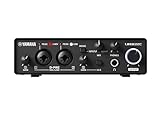
7. The Yamaha URX22C is the DSP-monitoring two-input interface
Yamaha 2-in/2-out USB-C Audio/MIDI Interface with 32-bit/192kHz Support, 2 combo Inputs, DSP-Powered Mixing/Effects, Steinberg Software Suite, Black URX22C
Two combo inputs
32-bit/192kHz
DSP monitoring
Pros
- Class-A D-PRE preamps
- DSP monitoring
- MIDI I/O
- Metal housing
Cons
- Few reviews
- Effects may be unnecessary for speech
The Yamaha URX22C has two XLR/TRS combo inputs with Class-A D-PRE microphone preamps, +48V phantom power, and a 32-bit integer/192 kHz specification. In podcast terms, that means it can take two microphones and offers the expected connection quality for a home studio.
Its distinguishing feature is DSP-powered, latency-free monitoring with REV-X reverb, Channel Strip, and Guitar Amp Classics effects. Spoken-word creators will likely care more about monitoring without delay and the channel strip than about reverb or guitar processing.
The URX22C works for hosts who also record music
I would choose the URX22C when a two-microphone podcast shares a workspace with songwriting or instrument recording. MIDI I/O, a Hi-Z guitar input, two TRS main outputs, and the bundled Cubase AI and Steinberg Plus software give it a broader music-production angle.
Its full-metal housing is another useful desk or travel detail. The provided feedback is only 14 reviews at a 4.4 rating, though, so the customer signal is much less settled than it is for the Focusrite two-input model.
The URX22C makes less sense for processing-free speech-only recording
If the job is simply two dynamic microphones into a computer, its effects suite may add complexity without giving the episode a better result. A clean spoken-word chain often needs less processing, not more.
The listed operating systems are Windows, macOS, and iOS. Confirm the software workflow and drivers before a recording day, especially if the show uses a less common platform.
8. The MAONO MaonoCaster E2 Gen 2 is the portable podcast mixer-style option
MAONO E2 Gen2 Podcast Equipment Bundle Audio Interface Mixer
Dual XLR
60dB gain
Battery and Bluetooth
Pros
- Two XLR inputs
- Bluetooth
- Sound buttons
- Built-in battery
Cons
- 48kHz maximum
- No phone power delivery
The MaonoCaster E2 Gen 2 is a multi-function device rather than a plain USB interface. It combines dual XLR combo inputs and 60 dB gain preamps with Bluetooth, an AUX input, loopback, one-touch mute, eight customizable sound-effect buttons, and a built-in battery rated for up to eight hours.
That layout favors a show that wants hands-on live controls for music cues, effects, and streaming. Its maximum sample rate is 48 kHz, which is not a drawback for a podcast intended for 48 kHz production, but it is lower than the 192 kHz maximum listed for several conventional interfaces here.
The E2 Gen 2 fits portable live podcast production
I would choose it for two hosts recording away from a full studio, or for a show that wants Bluetooth audio and sound triggers at the desk. The built-in battery and multiple connection types make it more self-contained than a typical computer-dependent interface.
The supplied review summary includes 289 reviews at a 4.3 rating. Feedback highlights the dual XLR inputs, sound-effect buttons, and battery, while also recognizing the sample-rate limit.
The E2 Gen 2 asks the host to manage more controls
Buttons, effects, and presets can be useful in a live show, but they also create more ways to distract from the conversation. Record a few test episodes and decide which controls earn a permanent place in the routine.
This device lists Bluetooth and USB plus 3.5 mm audio, but it does not provide phone charging or power delivery according to the supplied cons. Bring the right cables and power plan for a mobile session.
9. The Elgato Wave XLR MK.2 is the high-gain streaming-focused one-mic interface
Elgato Wave XLR MK.2 USB Audio Interface and DSP Mixer
80dB gain
DSP voice effects
Touch mute
Pros
- 80dB gain
- Voice processing
- Touch mute
- Stream Deck support
Cons
- One XLR input
- Newer OS required
The Elgato Wave XLR MK.2 is designed around one XLR microphone, high gain, and software-driven creator controls. Its listed 80 dB of gain is the highest stated figure in this group, and it has a headphone amplifier, ultra-low-latency monitoring, touch mute, and LED level feedback.
The onboard voice enhancer, compressor, and EQ, plus Wave FX Processor support for DSP effects and VST plugins, create a polished live-streaming toolkit. For a podcast, the best use is usually restrained processing that keeps the voice natural and consistent.
The Wave XLR MK.2 is built for a solo host who streams
I would choose this for a host who records a podcast and also streams from a computer. Wave Link routing and Stream Deck compatibility can put mute, source control, and processing close at hand during a live session.
The supplied customer profile shows 107 reviews and a 4.2 rating. Praise centers on the gain, DSP effects, and Elgato integration, while the rating distribution is more varied than for some of the conventional interfaces above.
The Wave XLR MK.2 requires a modern compatible computer
The listed system requirement is Windows 11 or later, or macOS 14.2 or later on an Apple Silicon Mac. That is an important check before choosing it for an older computer, even if its feature set is attractive.
It is also a one-mic solution. A co-host in the same room requires a second recording path, so this is best viewed as a solo broadcast tool rather than a general interview interface.
10. The Mackie DLZ Creator XS is the guided mixer for produced two-mic shows
Mackie DLZ Creator XS Adaptive Digital Mixer for Podcasting
7 inch touchscreen
AutoMix
SD recording
Pros
- Guided setup modes
- AutoMix
- SD recording
- Trigger pads
Cons
- Bulkier setup
- Pro mode has a learning curve
The Mackie DLZ Creator XS is an adaptive digital mixer with a 7-inch touchscreen, designed for podcasting, streaming, and video work. It has three operating modes—Easy, Enhanced, and Pro—so a host can begin with guided choices and take more manual control later.
For recording, its data lists an XLR input, Bluetooth, USB-C connection to PC or Mac, multitrack recording through USB-C or NDI, SD card recording, six customizable trigger pads, and sample banks. Mix Agent setup guidance and AutoMix for up to two microphones are the features that make it distinctly podcast-oriented.
The DLZ Creator XS helps a produced two-mic show run live
I would select it for a host who wants screen-based control, sound triggers, local recording options, and assistance with a two-microphone conversation. AutoMix can be useful when speakers overlap or when the host needs to focus on the discussion instead of riding levels.
The supplied summary reflects 129 reviews at a 4.0 rating, with praise for the user modes, Mix Agent, AutoMix, and recording flexibility. That profile suggests checking the workflow carefully rather than buying solely for the touchscreen.
The DLZ Creator XS is more involved than a simple USB interface
Its larger footprint and Pro-mode learning curve make it a poor fit for a creator who only needs one microphone into a laptop. The gain in hands-on control comes with more menus, controls, and setup decisions.
It can handle up to two microphones with AutoMix, not an open-ended panel. The supplied details also state that condenser microphones require 48V phantom power, so match the microphone type to the channel setup before recording.
The right podcast interface starts with your microphone count and workflow
Choose the number of simultaneous microphone inputs before comparing conversion specs or effects. A solo narrator needs one XLR preamp; a local host-and-guest show needs two; a recurring panel needs four or more mic paths, whether those are built in or supplied by compatible expansion hardware.
Do not count line inputs, instrument inputs, or outputs as extra microphone preamps. They can be useful connections, but the signal path for an XLR microphone is the number that decides how many people can speak into their own microphones at once.
A dynamic microphone needs sufficient clean gain
Dynamic microphones often need more gain than condenser models, especially when the speaker is not very close to the mic. The supplied figures here range from 56 dB on the MAONO P2 and PS22 Lite, to 60 dB on the Shure MVX2U and MaonoCaster E2, 69 dB on the Scarlett 16i16, and 80 dB on the Elgato Wave XLR MK.2.
More gain does not automatically mean better audio, but it can give a quieter dynamic mic enough level without relying on an extra inline booster. Listen for noise at your normal speaking volume, not just at an exaggerated soundcheck volume.
A condenser microphone needs phantom power when its design calls for it
Phantom power is usually marked +48V. It powers compatible condenser microphones through the XLR cable; it is not a universal “better sound” button and should be enabled only when the microphone requires it.
The MAONO PS22 Lite, Shure MVX2U Gen 2, Yamaha URX22C, and MAONO P2 data specifically list 48V support or phantom power. Check your microphone manual and avoid treating a switch setting as a substitute for understanding the mic type.
Direct monitoring prevents distracting headphone delay
Direct or low-latency monitoring lets you hear your voice without the delayed echo that can occur when audio travels into the computer and back. The P2, PS22 Lite, Yamaha URX22C, and Elgato Wave XLR MK.2 each list monitoring features, though the implementation varies.
For an interview, set monitoring before the guest arrives. A comfortable headphone level and a quick check for computer-audio bleed will prevent more problems than a late attempt to repair the recording.
A mixer-style device adds live control but adds setup decisions
Conventional interfaces such as the Scarlett 2i2 focus on getting clean inputs into a computer. Mixer-style products such as the MaonoCaster E2 Gen 2 and DLZ Creator XS add pads, Bluetooth, effects, screen controls, or recorder functions for a more active live workflow.
I would use a standard interface for edited interviews and a mixer-style unit when live cues, local recording, or tactile control are central to the format. Neither category compensates for bad source audio, and the simpler unit is often easier to learn.
A quiet room improves every interface choice
Interfaces determine how the microphone signal is amplified and converted; they cannot remove every reflection from a bare room. Put the microphone close to the speaker, reduce hard reflective surfaces where possible, turn off nearby noise sources, and use headphones while monitoring.
That practical work often makes a larger change to a podcast than moving from one 24-bit/192 kHz interface to another. For spoken word, a clean, close, consistent voice is the target.
A USB microphone connects directly rather than through an interface
A USB microphone contains its own preamp and digital conversion, so it generally connects directly to a computer. Plugging it into an XLR interface is neither necessary nor normally possible without changing the connection method entirely.
An interface becomes useful when you want an XLR microphone, more than one mic, hardware monitoring, phantom power, routing, or an upgradeable studio path. That is the real dividing line for a new podcaster.
These FAQ answers settle the most common podcast-interface questions
What is the best audio interface for podcasts?
The Focusrite Scarlett 2i2 4th Gen is the broadest choice for a two-person computer-based podcast because it has two low-noise mic preamps, Auto Gain, Clip Safe, loopback, and 24-bit/192 kHz conversion. A solo host may prefer the Scarlett Solo, Shure MVX2U Gen 2, MAONO PS22 Lite, or Elgato Wave XLR MK.2, while a live produced show may need a mixer-style unit.
Do I need an audio interface for a podcast?
You need an audio interface when using an XLR microphone with a computer, adding more than one microphone, needing phantom power for a compatible condenser microphone, or wanting hardware monitoring and routing. A USB microphone already has conversion and a preamp inside, so it usually connects directly to the computer instead.
How many inputs do I need for a podcast?
Use one microphone input for a solo host, two inputs for a host and local guest, and four or more mic paths for a panel. Count actual microphone preamps, not instrument, line, or output connections, because those do not add separate XLR microphone capacity.
What’s the difference between audio interfaces and podcast mixers?
A conventional audio interface focuses on clean microphone preamps, conversion, monitoring, and computer recording. A podcast mixer adds hands-on production controls such as sound pads, Bluetooth, screen controls, effects, AutoMix, or onboard SD recording; it is useful for live workflows but can be more complicated to operate.
What sample rate should I use for podcast recording?
Use 48 kHz when your editing and video workflow calls for it, as it is a common production setting. Many interfaces in this guide can record at 192 kHz, but higher capability does not improve poor mic technique or a noisy room; match the project setting across recording and editing.
The best choice is the interface that matches the way you record
For most two-person computer-based shows, I would start with the Focusrite Scarlett 2i2 4th Gen. The Scarlett Solo and MAONO PS22 Lite are better aligned with a one-mic desk, the Shure MVX2U Gen 2 is compelling for compact mobile XLR recording, and the MAONO P2 adds hybrid computer-and-mobile flexibility.
The best audio interfaces for podcasting in 2026 are not won by the highest specification alone. Pick the mic count, monitoring method, computer compatibility, and level of live control your show needs, then spend the first session getting the microphone placement and room as quiet as possible.