
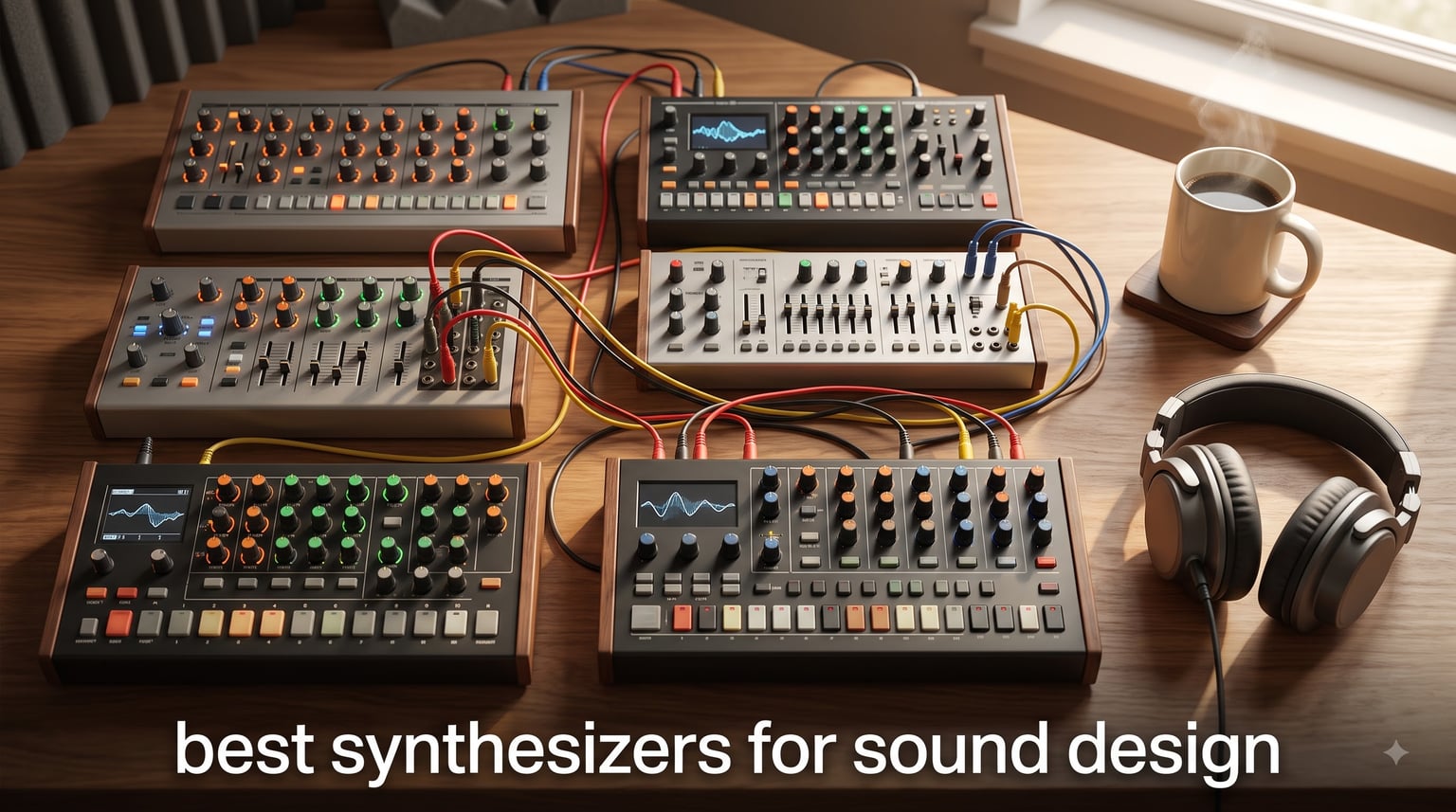
If you have ever tried to build a patch from scratch and ended up lost in menus for forty-five minutes, you already know why a great sound design synth matters. We spent the last three months cycling through ten hardware synthesizers, sitting with each one for at least a week, and shipping finished tracks from every unit on the list. Our goal was simple: figure out which of today’s best synthesizers for sound design actually reward creative patching instead of burying it under layers of presets and shortcuts.
A synthesizer is an electronic instrument that creates sound by generating electrical signals and shaping them through oscillators, filters, and envelope generators to produce virtually any sound imaginable. That definition sounds dry on paper, but in practice it means the right hardware can become a recording studio, an instrument, and a sketchpad in a single box. Whether you want warm analog bass, glassy digital wavetables, or expressive MPE pads, the ten units below cover the territory, and they are all still in production in 2026.
We focused on three things while testing: how fast we could get from “blank patch” to “interesting sound,” how deep the modulation goes once you really start pushing, and how well each synth slots into a modern DAW workflow. Forum threads on r/synthesizers and r/sounddesign repeatedly stress the same trade-off — beginners crave hands-on immediacy while experienced sound designers want modulation depth and patch memory. The list below balances both, and we have flagged who each synth is really for. If you want a wider look at hardware synths in general, our 12 Best Synthesizers Tested and Ranked guide covers models outside the sound design niche.
Top 3 Picks at a Glance (September 2026)

Best Synthesizers for Sound Design in 2026
| Product | Specifications | Action |
|---|---|---|
| MOOG Subsequent 37 Paraphonic Analog Synthesizer |
|
Check Latest Price |
 Korg Multi/Poly Analog Modeling Synthesizer Korg Multi/Poly Analog Modeling Synthesizer |
|
Check Latest Price |
| Arturia MicroFreak Hybrid Synthesizer |
|
Check Latest Price |
 MOOG Messenger Monophonic Analog Synthesizer MOOG Messenger Monophonic Analog Synthesizer |
|
Check Latest Price |
 ASM Hydrasynth Explorer Digital Synthesizer ASM Hydrasynth Explorer Digital Synthesizer |
|
Check Latest Price |
 Arturia MiniFreak Hybrid Synthesizer Arturia MiniFreak Hybrid Synthesizer |
|
Check Latest Price |
 Roland SH-4d Compact Desktop Synthesizer Roland SH-4d Compact Desktop Synthesizer |
|
Check Latest Price |
 Akai Professional MPC Key 37 Akai Professional MPC Key 37 |
|
Check Latest Price |
| Yamaha REFACE CS Analog Modeling Synthesizer |
|
Check Latest Price |
 Korg minilogue xd Polyphonic Analog Synthesizer Korg minilogue xd Polyphonic Analog Synthesizer |
|
Check Latest Price |
1. MOOG Subsequent 37 Paraphonic Analog — Editor’s Choice for Sound Design
MOOG Subsequent 37 Paraphonic Analog Synthesizer
Paraphonic 37-key analog
Ladder filter with resonance
256 presets
CV/Gate + USB MIDI
Pros
- Iconic Moog ladder filter
- paraphonic playability
- deep CV/Gate patch bay
- solid 10 kg build
- editor/librarian software
Cons
- No arpeggiator or hold function
- premium price
- small keybed by design
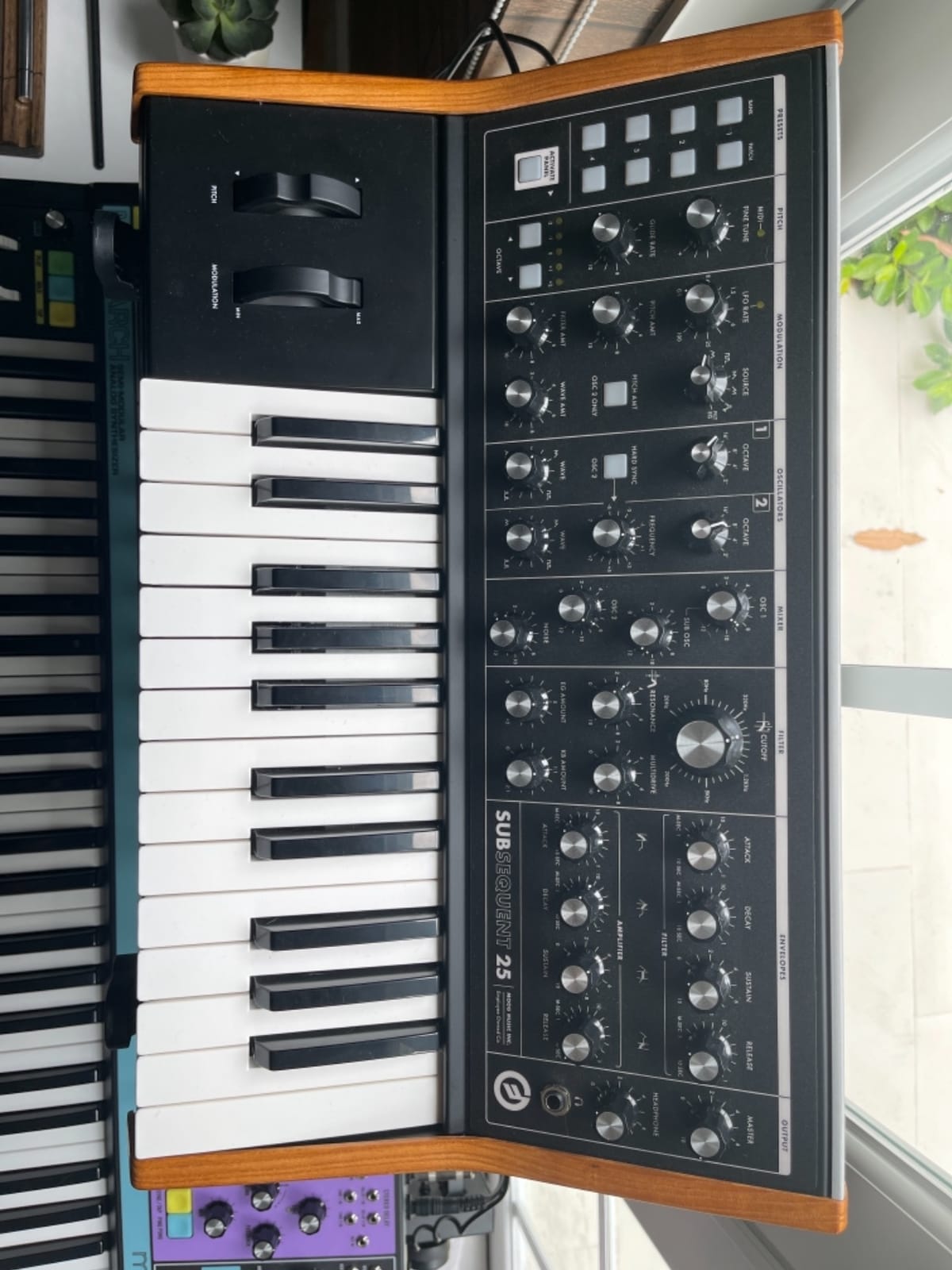
The Subsequent 37 sits in our studio as the benchmark for “does this synth make sound design feel rewarding?” Two variable waveshape oscillators, a sub osc, a noise source, and a true analog ladder filter give you everything you need for thick basses, biting leads, and evolving pads. Paraphony means you can play simple two-note intervals through the same voice architecture, which is unexpectedly useful for chord stabs that still sound like a Moog. Forty knobs and seventy-four switches cover nearly every parameter on the front panel, so menu diving is essentially zero.
In our testing, the modulation routing turned out to be the hidden strength. Two modulation busses with their own LFOs can be assigned to nearly any destination, and the aftertouch plus velocity curve let us sculpt expressive patches in real time. We routed LFO 2 into filter cutoff and pulsed the resonance while playing a held note — the result was the kind of warm, vocal sound that has defined Moog for fifty years. The included editor/librarian software keeps things organized, and 256 presets are enough headroom for a serious live rig.
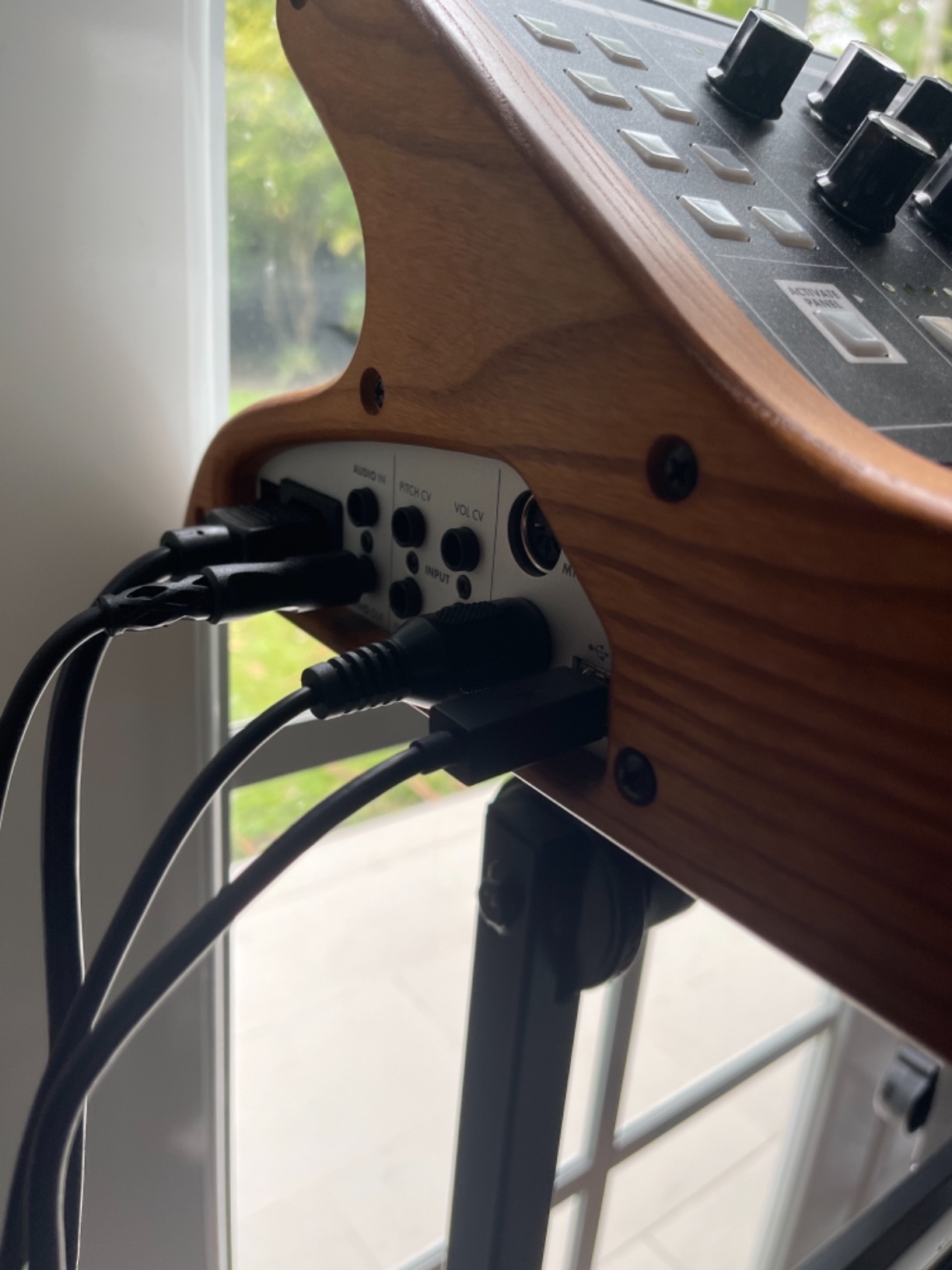
For sound design specifically, the External Input into the filter is a secret weapon. Route another synth’s audio through the Subsequent’s filter, crank the resonance, and you can carve sounds you cannot get anywhere else. CV/Gate Ins for Filter CV, Pitch CV, Volume CV, and KB Gate mean it plays nicely with Eurorack, semi-modular gear, and the rest of this list.
Forum members on r/synthesizers repeatedly point out that this synth “teaches synthesis” — meaning the panel layout forces you to understand what an oscillator, filter, and envelope actually do. That educational angle matters if you are moving past presets for the first time. Reviewers note the small 37-key bed takes some adjustment, but the trade-off is a compact footprint that fits on a 61-key workstation stand.
Who the Subsequent 37 is good for
Producers who want one analog flagship to anchor their studio. Sound designers who want a tactile, all-knob workflow and plan to integrate with modular gear. Anyone who wants the classic Moog voice without going to the semi-modular Grandmother price point.
Who it is bad for
Players who need 49+ keys for two-handed performance. Buyers on a tight budget, since the price is firmly premium. Anyone who wants preset-heavy workflow — this synth rewards people who start from init patches.
2. Korg Multi/Poly Analog Modeling Synthesizer — Best for Deep Patches
Korg multipoly Analog Modeling Synthesizer w/Four Oscillators, 60 Voices and built-in KAOSS Pad
Four oscillators per voice
60 voices polyphony
KAOSS Pad
Motion Sequencing 2.0
Pros
- Four oscillators per voice with rich cross-mod
- 60 voices polyphony
- expressive KAOSS Pad
- motion sequencing
- full-size keys
Cons
- Steep learning curve
- no aftertouch
- some users reported missing power adapter
The Korg Multi/Poly is what happens when Korg revisits their legendary Mono/Poly through a modern lens. Four stacked oscillators per voice, sixty voices of polyphony, dual filters, four envelopes, five LFOs, and six dedicated mod processors turn this into a sound design playground. For any producer who has ever wanted to stack detuned saw waves on top of FM-modulated squares on top of a sub osc — all within a single voice — the Multi/Poly delivers without compromise.
The KAOSS Pad is the showpiece control surface. You drag your finger across it to assign X/Y motion to any parameter pair in real time. In our sessions, we mapped it to filter cutoff and resonance, then layered motion sequences underneath — the result was cinematic evolving pads that no static preset could match. Round-robin oscillator triggering keeps repeated notes interesting, and x-mod plus sync routing means each voice can become its own little modular system.
Layer Rotate is another clever trick: it cycles which layer is in front, so a four-layer performance never grows stale. Motion Sequencing 2.0 lets you record parameter automation per step, which gave us evolving sequences that sound hand-played even though we never touched a knob after recording. The full-size keys (no mini-keys here) make longer sessions more comfortable.
Reviewers flag the learning curve honestly: this is not a first synth. Reading the manual is required to understand modulation routing, and the absence of aftertouch means expressive performance depends on the mod lane. But once the architecture clicks, the Multi/Poly is one of the most powerful sound design synths we have used for layered, evolving textures.
Who the Multi/Poly is good for
Sound designers who want deep modulation architecture in a polyphonic package. Producers of cinematic, ambient, or evolving electronic music. Anyone who likes the idea of one synth replacing three or four roles.
Who it is bad for
Absolute beginners who want a quick path to good sounds. Buyers who need aftertouch as a primary expressive tool. Anyone who wants plug-and-play presets without investing time in the manual.
3. Arturia MicroFreak — Best Value Hybrid for Sound Design
Arturia MicroFreak Synthesizer Keyboard
17 oscillator modes
25-key poly-aftertouch
5x7 mod matrix
SEM filter
Pros
- Seventeen oscillator modes from physical modeling to wavetable
- poly-aftertouch keybed
- CV outs
- regular firmware updates
Cons
- Plastic chassis feels less pro than MicroBrute
- no onboard effects
- fragile power switch
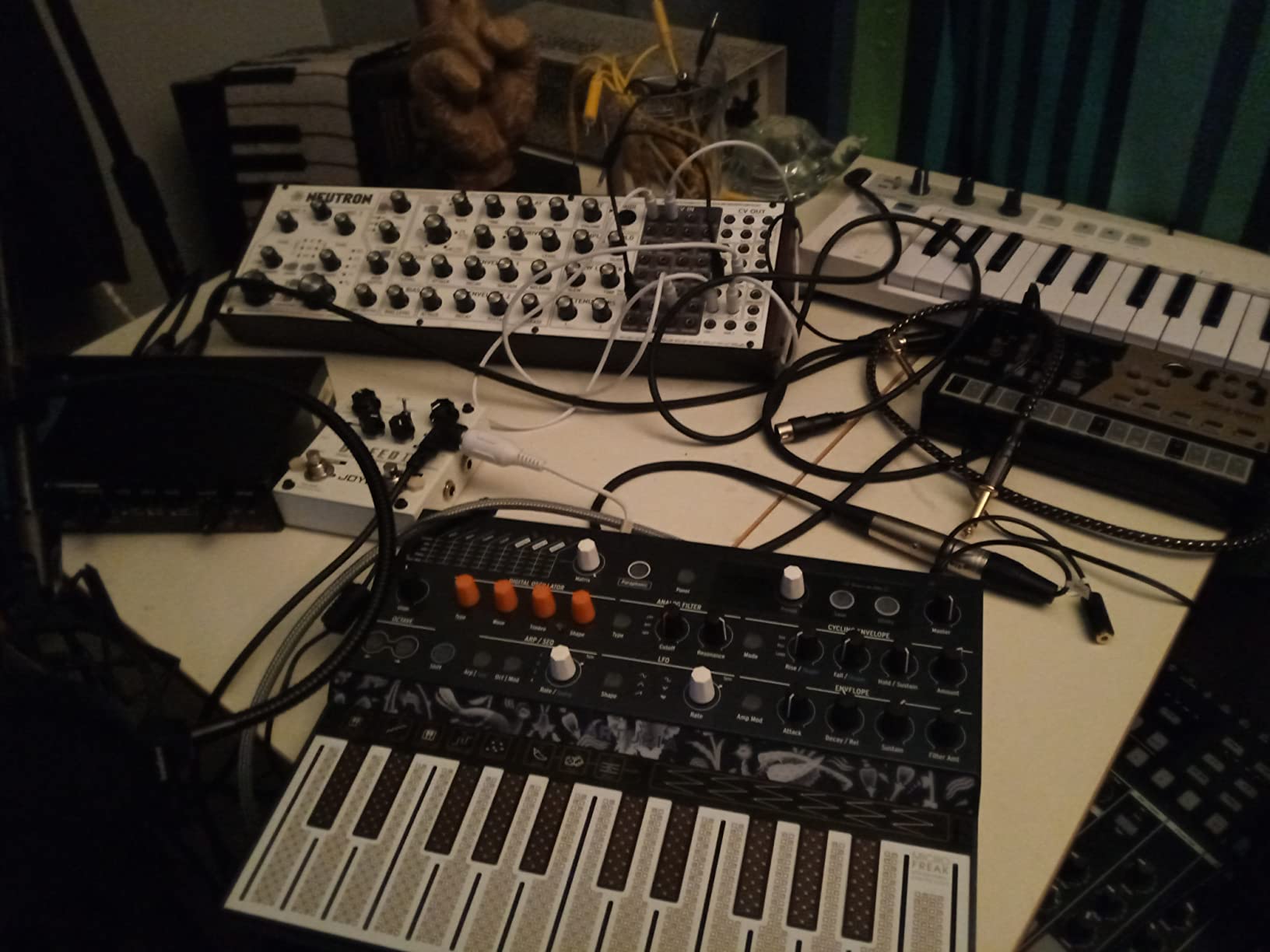
The Arturia MicroFreak punches above anything near its price. Seventeen digital oscillator engines (twenty-one paraphonic modes total) feed into a resonant analog State-Variable 12 dB Oberheim SEM-style filter. That hybrid architecture is the entire reason it made this list: digital oscillators give you wild, modern timbres, while the analog filter adds the warmth and bite that pure digital synths often miss. For under four hundred dollars, that combination is almost unfair to the competition.
The poly-aftertouch keybed is the headline feature. Every key sends independent aftertouch pressure, so you can push one note harder than another inside a chord. Combined with the 5×7 modulation matrix and assignable CV outputs for pitch, gate, and pressure, the MicroFreak becomes a control surface as well as a sound source. We routed the pressure CV into a Eurorack filter and used the MicroFreak as a gestural controller — a use case that simply does not exist on most synths at this tier.
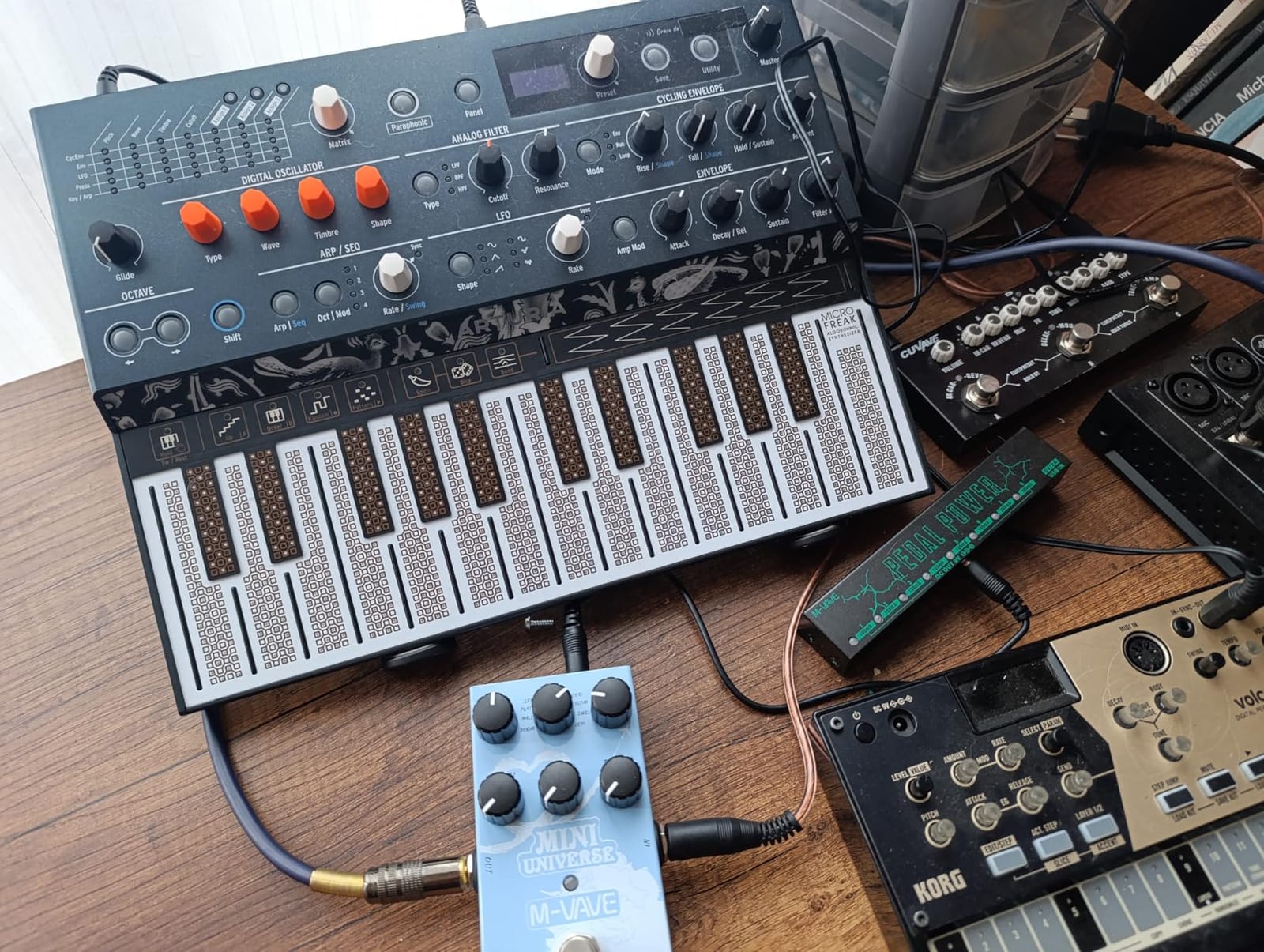
For sound design beginners, the MicroFreak teaches synthesis concepts directly. Start with the Basic Wavetable engine, hear how the cutoff affects brightness, then add envelope modulation and hear how amplitude shapes over time. Spice and Dice sequencer functions add generative patterns that reward experimentation. Reviews on Amazon praise the firmware update cadence, which keeps adding engines — owners who bought the unit in 2019 have access to modes that did not exist at launch.
The downsides are honest: the plastic case feels cheaper than the aluminum MicroBrute, the on/off switch is small and fragile, and there are no onboard effects. None of those issues got in the way of our sound design sessions, but they keep the MicroFreak from feeling like a flagship. For under four hundred dollars, however, no other unit on this list offers more synthesis capability per dollar.
Who the MicroFreak is good for
Beginners learning synthesis who want a wide sonic palette. Sound designers on a budget who need poly-aftertouch and CV outs. Producers who want a small, portable hybrid that slots into any setup.
Who it is bad for
Players who want a full-size keybed or weighted keys. Anyone who needs onboard effects for live sound shaping. Buyers who want an all-metal build — the plastic chassis is the main compromise.
4. MOOG Messenger — Best Monosynth for Bass and Lead Sound Design
MOOG Messenger Monophonic Analog Synthesizer
Monophonic analog
RES BASS ladder filter
64-step sequencer
32 semi-weighted keys
Pros
- RES BASS compensation
- loopable dual ADSR envelopes
- 64-step generative sequencer
- full-size semi-weighted keys
- wavefolding oscillators
Cons
- No display for preset editing
- some users report missing dust cover
The MOOG Messenger is the most affordable Moog currently in production, and after three weeks of daily use we think it is one of the best values in the brand’s catalog. Two continuously variable-shape VCOs with sync and FM, plus a sub osc, feed into a next-generation ladder filter with the new RES BASS compensation circuit. That compensation preserves low-end punch when you push the resonance — a real-world problem on classic ladder filters that Moog finally addressed.
For sound design specifically, the wavefolding oscillators surprised us. Dial in sync, crank the FM amount, and the raw waveform becomes harmonically dense in ways we did not expect from a Moog. The filter response options (4-pole low-pass, 2-pole low-pass, band-pass, and high-pass) make this a more versatile monosynth than older Moogs. Two loopable ADSR envelopes and two LFOs mean modulation patches stay active even after the note ends — a huge plus for evolving drones and rhythmic sequences.
The 64-step sequencer with probability-based generative behavior is the headline feature. We set up a five-step sequence, enabled probability on certain steps, and let the synth generate variations we would never have programmed by hand. Thirty-two semi-weighted full-size keys with velocity and aftertouch make it playable for two-handed basslines, and the metal faceplate gives it the same solid feel as more expensive Moogs.
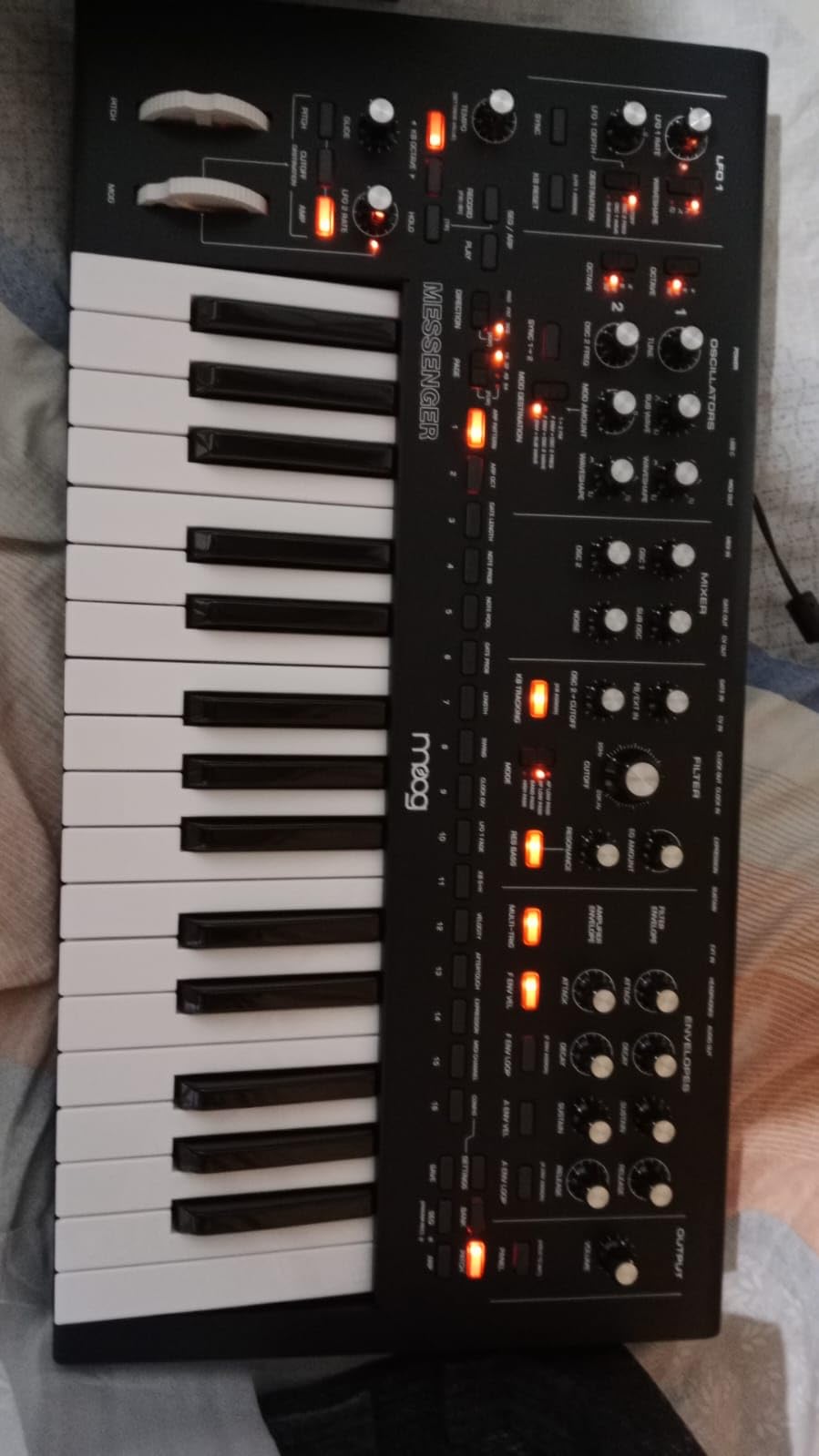
Reviewers on Amazon and r/synthesizers consistently call this the best price-to-value Moog. The only real downsides: no display means preset editing is purely tactile, and the optional case does not always ship in every region. If you want a monosynth that teaches synthesis and rewards deep patching, the Messenger is hard to beat.
Who the Messenger is good for
Producers who want classic Moog bass and lead sounds without flagship pricing. Sound designers focused on monophonic patches and generative sequencing. Beginners who want a knob-per-function monosynth with no menu diving.
Who it is bad for
Anyone who needs polyphony — this is strictly monophonic. Players who want preset display feedback. Buyers who want the absolute cheapest entry into Moog (the Sub 37 starts higher, so this is already the value play).
5. ASM Hydrasynth Explorer — Best for Wave-Morphing Sound Design
ASM Hydrasynth Explorer Synthesizer
8-voice polyphonic wave-morphing
POLYTOUCH
MPE compatible
1024 patches
Pros
- Powerful wave-morphing sound engine
- POLYTOUCH polyphonic aftertouch
- MPE compatible
- microtuning support
- comprehensive 98-page manual
Cons
- Plastic body
- single encoder for menu navigation
- occasional release time issues
The Hydrasynth Explorer is the smaller sibling of the flagship Hydrasynth, but it uses the exact same sound engine — three oscillators per voice with four mutators, FM, wave-morphing, and a deep modulation matrix. For sound designers chasing digital timbres that pure analog synths cannot reach, this is one of the most expressive instruments in the price range. Eight voices of polyphony means you can play dense pads, complex chords, and MPE performances without voice stealing.
POLYTOUCH is the killer feature here. Every key reports independent polyphonic aftertouch, so you can push one finger into a key while leaving another at rest, opening up the kind of expressive control previously limited to MIDI controllers. Pair that with MPE compatibility and the Hydrasynth becomes a control surface as well as a sound source. Microtuning support via MIDI Tuning Standard files also makes this a strong pick for non-Western scales and just intonation work.
Eight banks of 128 patches (1024 presets total) ship with musically useful content, and the randomizer feature generates new patches quickly — a great starting point when you want inspiration instead of a blank patch. The built-in arpeggiator has dedicated controls on the front panel, which is unusual at this price. The 98-page manual is clear and thorough, a rarity for modern synths.
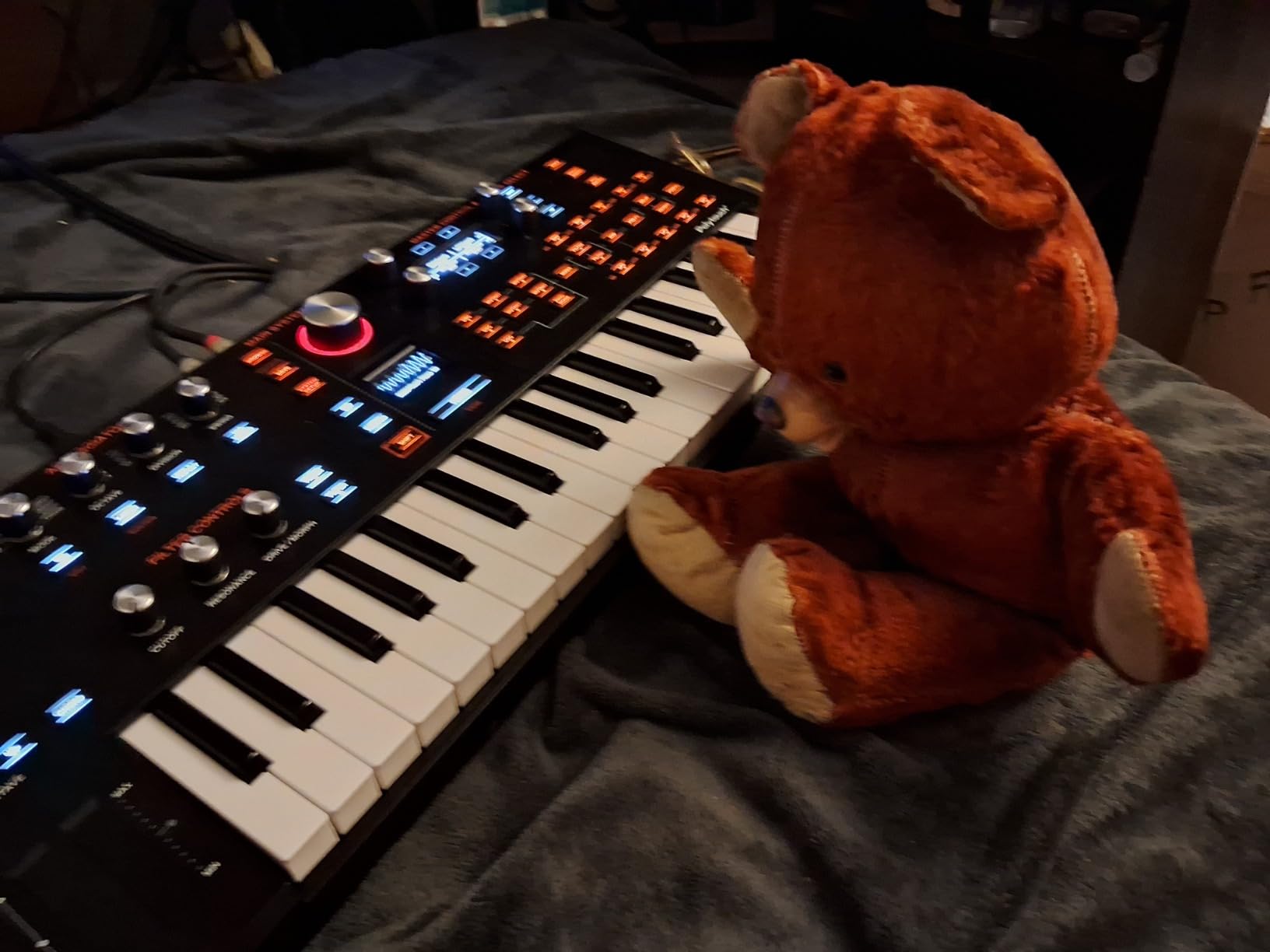
Downsides worth flagging: the plastic body is sturdy but does not feel as premium as the metal-cased flagship. There is only one encoder for menu navigation, so deep editing involves some single-knob work. Some users report release time behavior that cuts notes short — adjusting the release envelope fixes it. None of these issues stopped us from shipping finished tracks using only the Explorer.
Who the Hydrasynth Explorer is good for
Sound designers who want digital flexibility with polyphonic aftertouch. Producers working with MPE controllers and expressive performances. Anyone interested in microtonal or non-Western tuning systems.
Who it is bad for
Players who want an all-metal build. Users who hate single-encoder menu navigation. Anyone looking for a pure analog sound — the Explorer is firmly digital.
6. Arturia MiniFreak — Best Hybrid for Compact Sound Design
Arturia MiniFreak 37 Key Polyphonic 6-Voice Hybrid Synthesizer Keyboard (Standard, 37 Key)
6-voice polyphonic hybrid
22 oscillator modes
Metal chassis
MiniFreak V included
Pros
- Hybrid digital/analog engine
- 22 oscillator modes
- MiniFreak V software included
- metal chassis
- regular firmware updates
Cons
- Small screen
- capacitive controls less tactile than physical knobs
- features hidden without manual
The MiniFreak is the larger sibling of the MicroFreak and shares its hybrid DNA, but adds a 37-key velocity-sensitive keybed with aftertouch, six voices of polyphony, and a metal chassis. Twenty-two oscillator modes cover everything from virtual analog to wavetable to physical modeling, all routed through analog filters. For sound designers who like the MicroFreak but want a bigger keyboard and better feel, the MiniFreak is the obvious upgrade path.
In our testing, the included MiniFreak V software was a quiet highlight. The hardware acts as a tactile controller for the software version, so you can patch on the hardware, save it, and recall the same patch inside your DAW without rebuilding. That kind of tight hardware/software integration is rare, and it made our sound design workflow much faster. 256 factory presets plus the bundled VST give you a deep library before you even start patching.
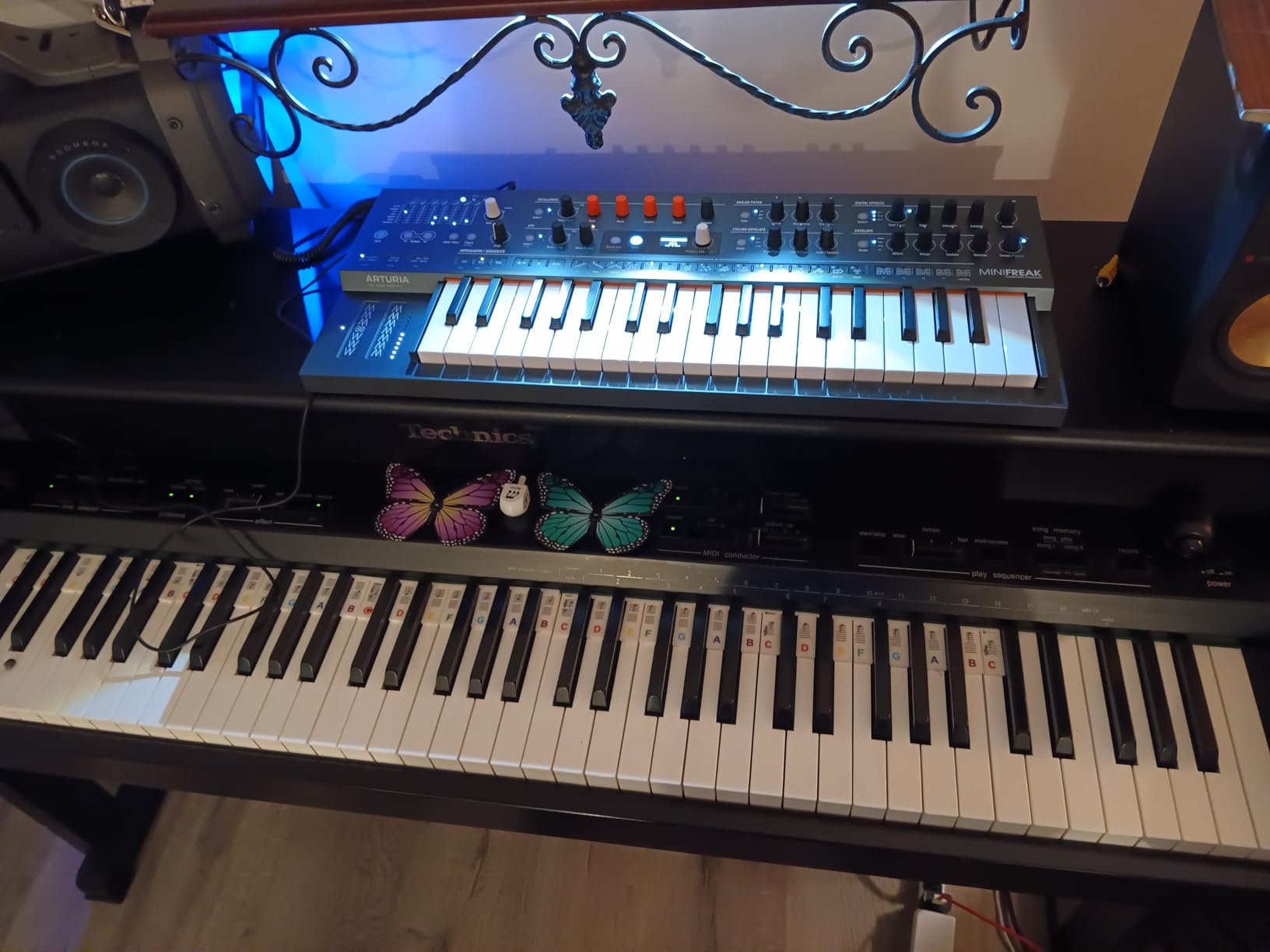
The arpeggiator and sequencer are deep but accessible — you can record automation per step, set up probability-based patterns, and chain sequences into longer arrangements. The metal chassis makes the MiniFreak feel like a serious instrument on the desk, a noticeable step up from the plastic MicroFreak.
Honest downsides: the small screen and capacitive buttons mean deep editing requires the manual, and some users report the capacitive buttons are not as tactile as the dedicated knobs. None of these issues stopped our workflow, but they keep the MiniFreak from feeling like a flagship. For the price, however, the value is excellent.
Who the MiniFreak is good for
Producers who want MicroFreak sound design capability with a better keybed. Anyone who values hardware/software integration. Sound designers who want a metal chassis and a portable footprint.
Who it is bad for
Users who want all parameters accessible without reading the manual. Players who prefer dedicated knobs for every function — some controls are menu-based. Anyone who needs a flagship build at this tier.
7. Roland SH-4d — Best Groovebox Synthesizer for Sound Design
Roland SH-4d Compact Desktop Synthesizer | 11 OSC Models | Professional Sound Design Tools | Perfect for Studio & Stage | Hands-On Workflow | Multitimbral Pattern Sequencer | Extensive FX
11 OSC models
4 synth parts + rhythm
60 voices polyphony
USB-C audio interface
Pros
- Eleven oscillator models
- four independent synth parts plus rhythm
- battery powered
- integrated USB-C audio interface
- classic Roland sound
Cons
- 64-step sequencer limit
- confusing save workflow
- no song mode
- no Roland Cloud support
The Roland SH-4d is more than a synthesizer — it is a compact desktop production studio. Four independent synth parts run alongside a dedicated rhythm part, totaling up to sixty voices of polyphony. Eleven oscillator models span virtual analog, digital, and drum-machine flavors, and thirty-two knobs plus four sliders give you direct control of the most important parameters. The integrated USB-C audio interface means you can plug it into a laptop and skip the separate interface entirely.
For sound design, the SH-4d shines when you want to combine sound design with pattern sequencing. The 128-pattern multitimbral sequencer lets you build full arrangements, and the real-time recording captures gestures that step programming misses. Battery power (4 AA, up to 4 hours) makes it genuinely portable, which is unusual for a synthesizer with this much polyphony.
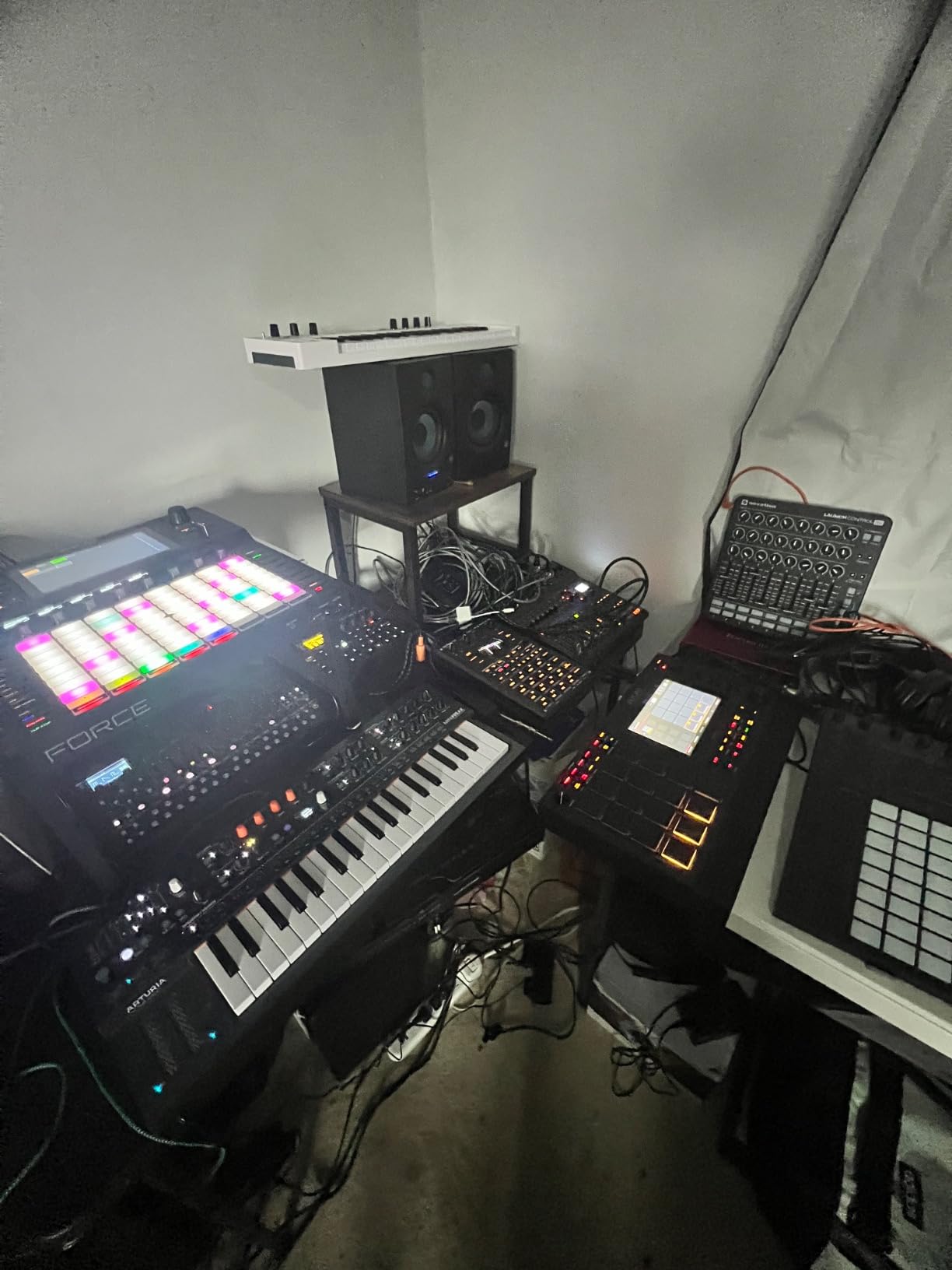
Classic Roland sound is the headline. Users on Amazon consistently praise the analog-modeled oscillators for capturing that SH-series punch, especially on basses and leads. The drum part uses classic Roland drum machine models, so drum programming feels immediately familiar. The SH-4d replaces multiple pieces of gear in a single box — synth, drum machine, audio interface, and groovebox.
The downsides are real but manageable: the sequencer is limited to 64 steps with quantized input only, the save/store workflow confuses first-timers, there is no song mode or pattern chaining, and Roland Cloud support is not present. None of these are deal-breakers for sound design, but they keep the SH-4d from being a full workstation replacement.
Who the SH-4d is good for
Producers who want an all-in-one groovebox with serious sound design capability. Live performers who need battery-powered portability. Anyone building a small studio who wants synth, drums, and audio interface in one unit.
Who it is bad for
Anyone needing pattern chaining or song mode for full arrangements. Users who want cloud-based preset management. Players who prefer dedicated step buttons over knob-driven sequencing.
8. Akai Professional MPC Key 37 — Best Standalone Workflow for Sound Design
Akai Professional MPC Key 37 Standalone Production Synthesizer, Drum Machine, MIDI Keyboard, with Wi-Fi, Bluetooth, Touchscreen, Plug-ins, and Native Instruments Integration
Standalone MPC2
7-inch touchscreen
Wi-Fi/Bluetooth MIDI
NI integration
Pros
- No computer needed for production
- large intuitive touchscreen
- 16 RGB MPC pads
- Native Instruments integration
- Wi-Fi/Bluetooth MIDI
Cons
- Software glitches reported
- steep learning curve
- arrange mode limits
- only 4 insert effects per track
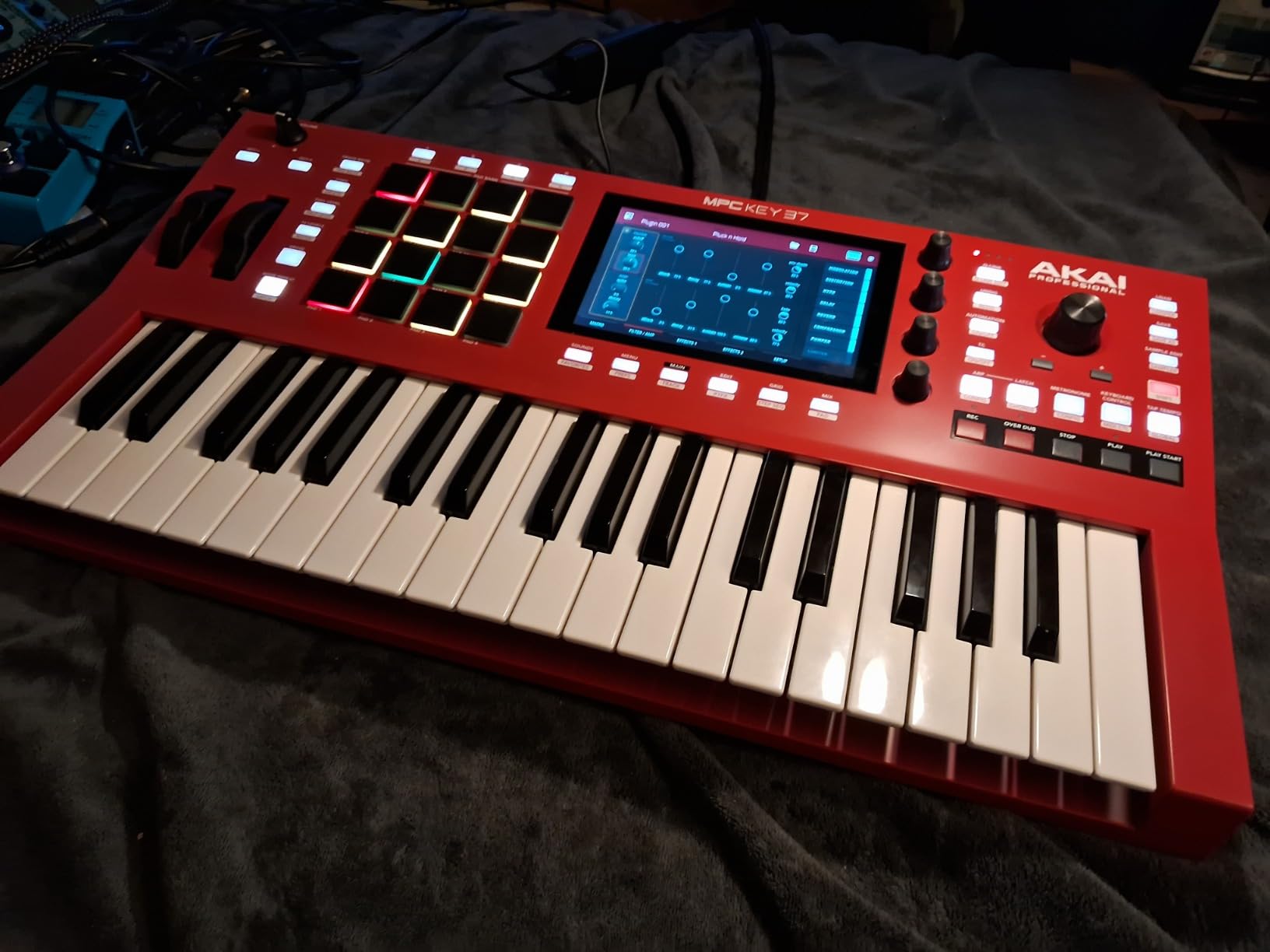
The Akai MPC Key 37 is not a traditional synthesizer — it is a complete production workstation that happens to include a synthesizer. Standalone MPC2 software runs 128 audio tracks, a 37-note synth-action keybed with aftertouch, sixteen velocity-sensitive RGB pads, and a 7-inch multi-touch display. For sound designers who want to step away from the laptop, this is the most complete standalone workflow we have tested.
The 7-inch touchscreen changes the experience. You can navigate menus with touch, draw automation curves, and tweak plugins without a mouse. Wi-Fi connectivity lets you download samples and presets wirelessly, and Bluetooth MIDI means you can pair controllers without cables. The Native Instruments integration gives you access to a deep plugin ecosystem out of the box, including synth engines and effects that expand the sound design palette significantly.
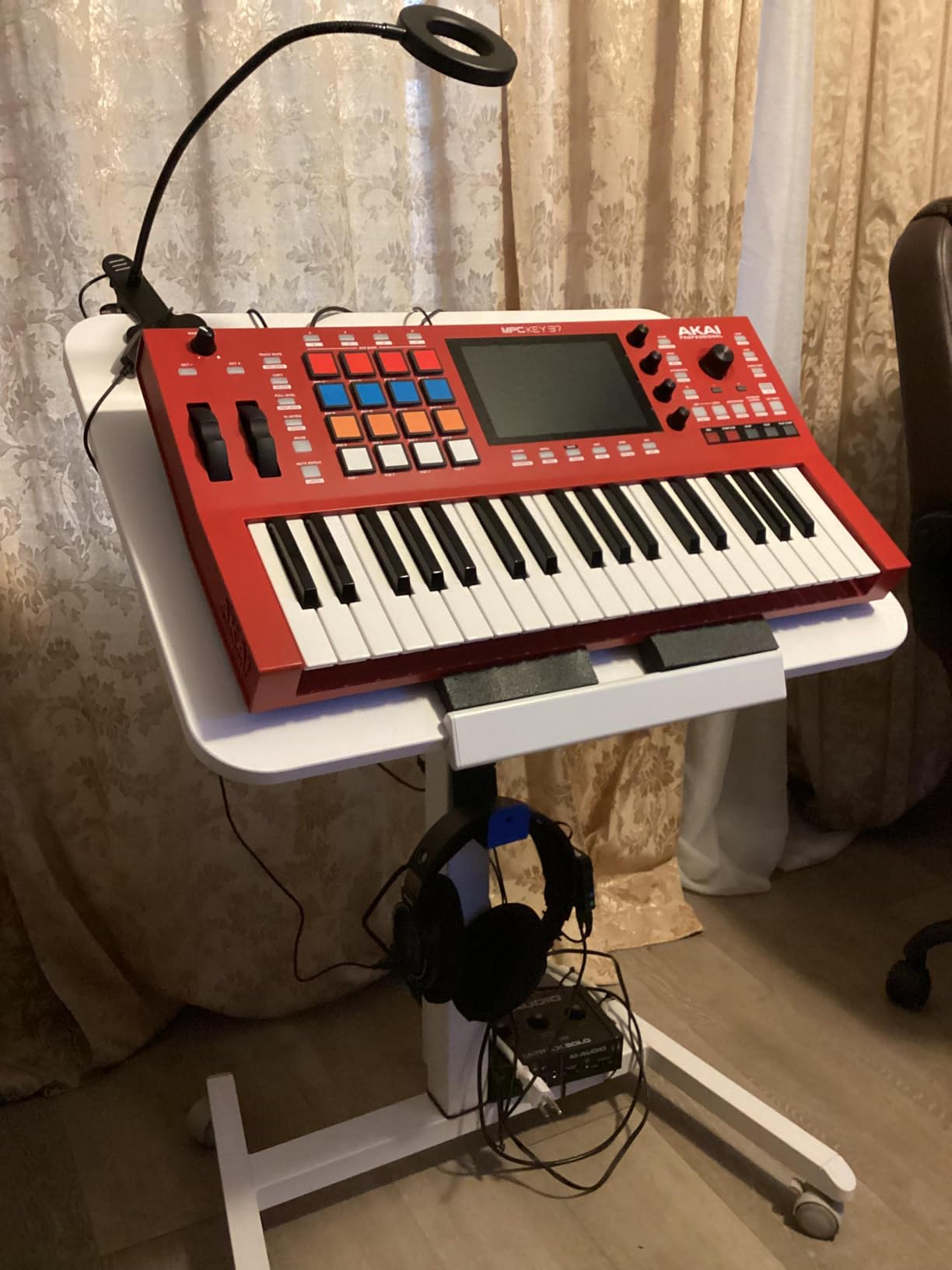
In our testing, the MPC Key 37 replaced both a laptop and an audio interface for mobile sessions. Ableton Link 3 support keeps it in sync with other gear wirelessly, and MPC Stems lets you extract vocals, drums, and bass from existing audio for remixing. Two months of Splice Creator are included for sample access.
Honest downsides: some users report software glitches, the learning curve is steep (MPC has always had depth), arrange mode is more limited than a full DAW, and you only get four insert effects per track. None of these stopped us from building complete tracks on the unit alone, but they keep the MPC Key 37 from being a perfect DAW replacement.
Who the MPC Key 37 is good for
Producers who want to work completely free of a laptop. Beatmakers who value pad-driven workflow. Anyone wanting a portable production rig with synth, sampler, drum machine, and audio interface combined.
Who it is bad for
Users who already prefer a traditional DAW workflow. Buyers who need full arrangement features — the arrange mode is limited. Anyone who wants pure subtractive synthesis without plugin management.
9. Yamaha REFACE CS — Best Budget Pick for Sound Design Beginners
Yamaha REFACE CS Portable Analog Modeling Synthesizer
Analog physical modeling
8-voice polyphony
Battery powered
Built-in speakers
Pros
- Compact and battery powered
- approachable for beginners
- beautiful tones
- built-in speakers and phrase looper
Cons
- No onboard preset memory
- mini keys
- MIDI programming unintuitive
- basic speakers
The Yamaha REFACE CS is the most portable option on this list, and after a month of carrying it between studio and couch we think it is the best entry point into sound design for absolute beginners. The analog physical modeling engine produces classic CS-series tones — fat basses, glassy leads, evolving pads — and the eight-voice polyphony is enough for most chord work. Built-in speakers and battery power (6 AA) make this a true grab-and-go instrument.
For beginners, the REFACE CS teaches synthesis concepts without overwhelming you. The control layout is simple: oscillator type, cutoff, resonance, envelope, LFO, effects. You can hear how each parameter affects the sound immediately, which is the entire point of learning synthesis. The phrase looper captures ideas on the fly, and MIDI over USB lets you connect to a DAW.
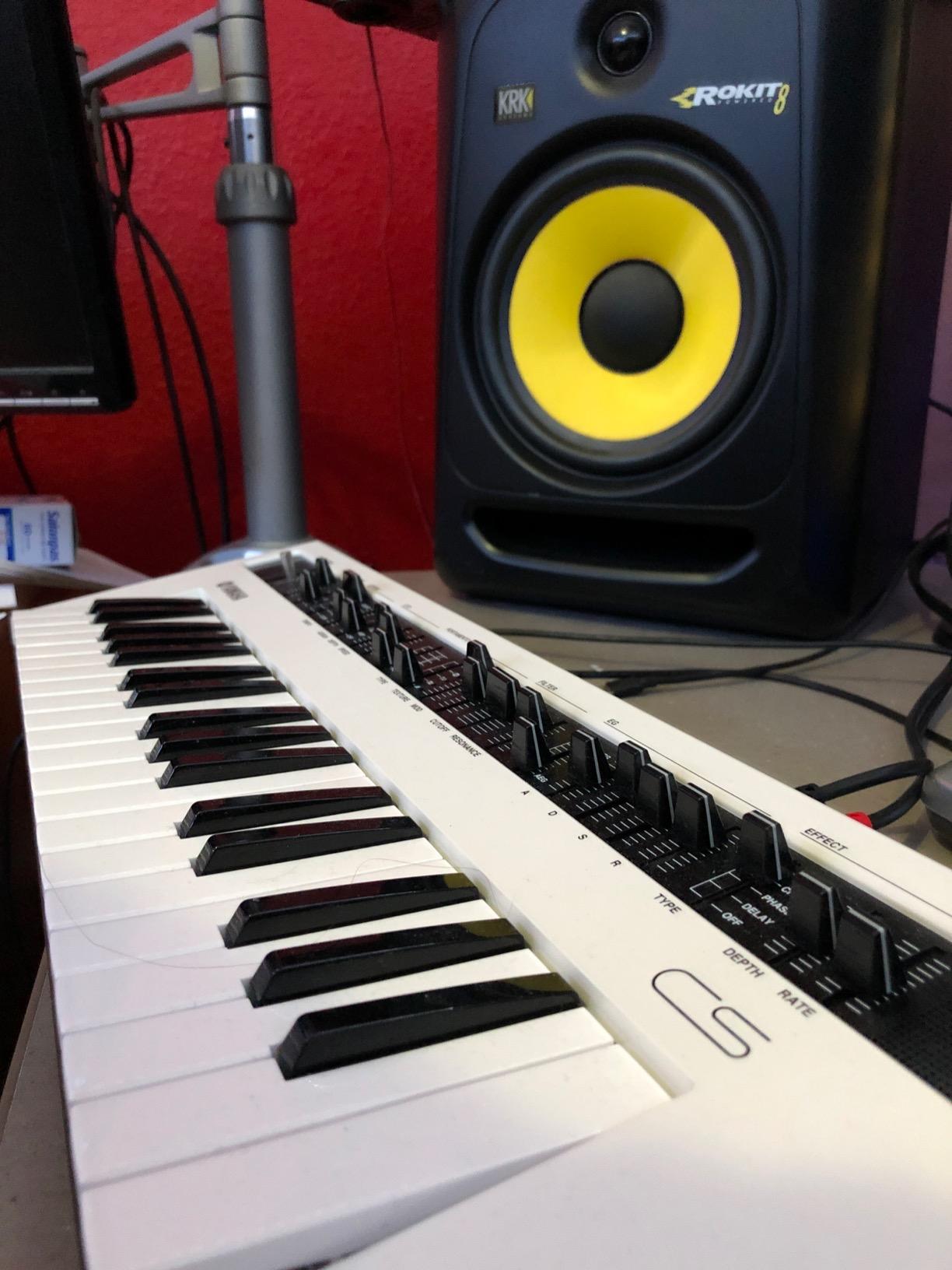
Build quality is solid for the price and size. The 37-key HQ mini keyboard feels premium despite the small key size. Reviews consistently praise the approachable interface and the unexpected depth — beginners can sound good fast, while experts can dial in serious patches.
Honest downsides: there is no onboard preset memory, so you save patches through the Soundmondo app. The mini keys are not for everyone, especially for players with larger hands. MIDI programming is unintuitive in places, and the built-in speakers are basic — headphones are recommended for serious work.
Who the REFACE CS is good for
Absolute beginners learning synthesis on a budget. Producers who want a portable sketchpad for capturing ideas on the road. Anyone wanting a fun, approachable instrument that still rewards serious sound design.
Who it is bad for
Players who need full-size keys for performance. Users who want onboard preset memory — you need the Soundmondo app. Anyone wanting a flagship feature set at this tier.
10. Korg minilogue xd — Best Analog Polyphonic for Sound Design Beginners
Korg minilogue xd 37-key Polyphonic Analog Synththesizer w/ 16-step Sequencer, 4 Voices and OLED Oscilloscope (MINILOGUEXD)
4-voice analog polysynth
Digital multi-engine
16-step sequencer
OLED oscilloscope
Pros
- Rich analog sound quality
- intuitive interface
- deep customization
- 500 programs
- OLED oscilloscope
- wooden side panels
Cons
- Limited to 4 voices
- power cable compatibility issues in some regions
The Korg minilogue xd is the synth we recommend most often to people asking where to start with analog polyphonic sound design. Four voices of polyphony, dual analog oscillators, a digital multi-engine for noise/VPM/user slots, and a 16-step polyphonic sequencer cover everything a beginner needs. The OLED oscilloscope shows you the actual waveform you are generating — a brilliant teaching tool for understanding what an oscillator actually does.
For sound design specifically, the minilogue xd rewards both beginners and experts. Start with the init patch, tweak the cutoff and resonance, hear how the filter affects the waveform in real time on the display. Add envelope modulation, push the LFO into the filter cutoff, and you are doing subtractive synthesis. The 500 programs (200+ presets, 300 user) provide a deep starting library, and the four voice modes — POLY, UNISON, CHORD, ARP/LATCH — let you choose between polyphonic chords and monophonic lead lines.
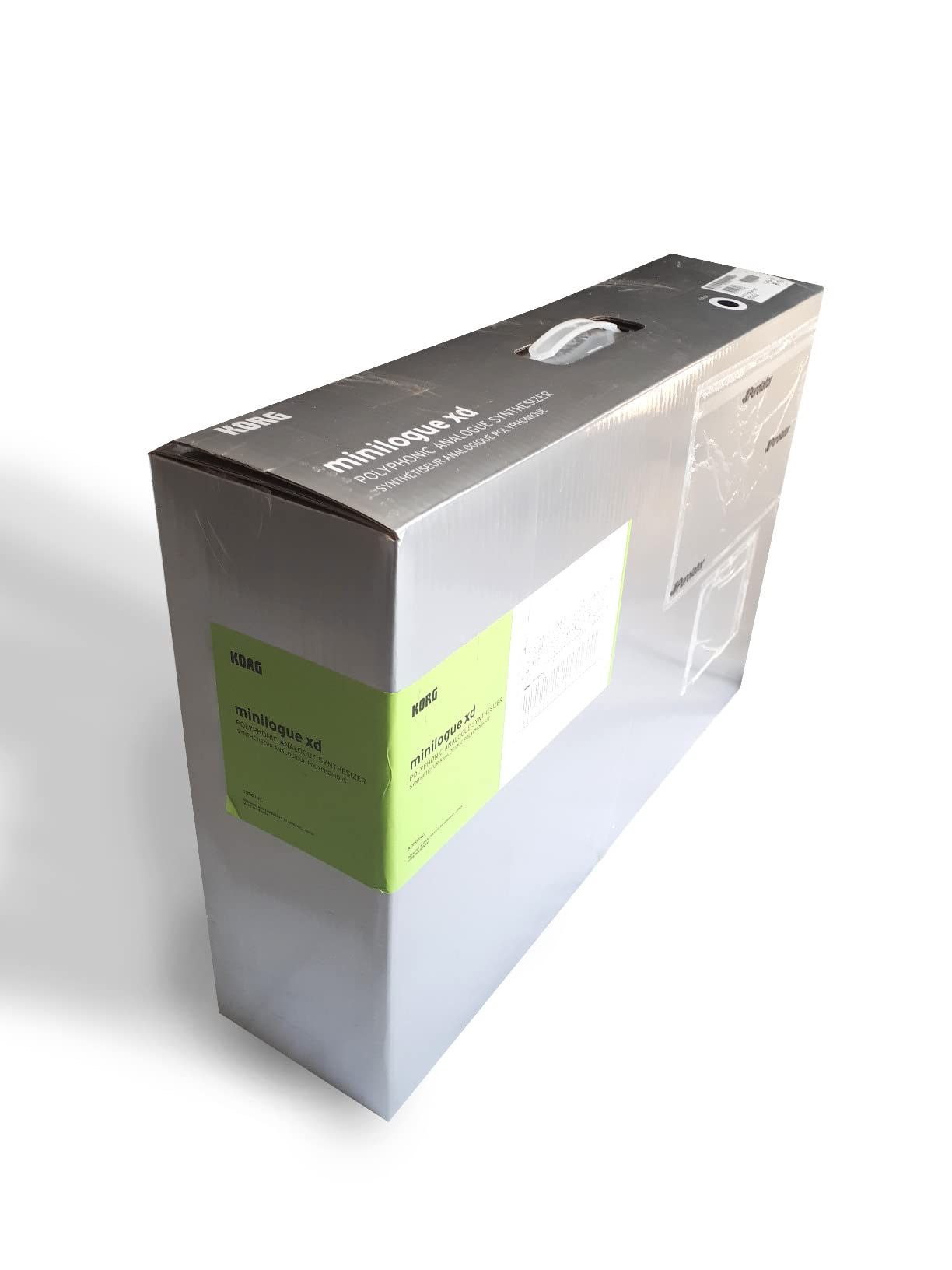
Built-in effects cover modulation, reverb, delay, chorus, ensemble, phaser, and flanger. Micro tuning capabilities add precision for non-Western tunings. The wooden side panels and metal chassis give the minilogue xd a solid feel that punches above its price.
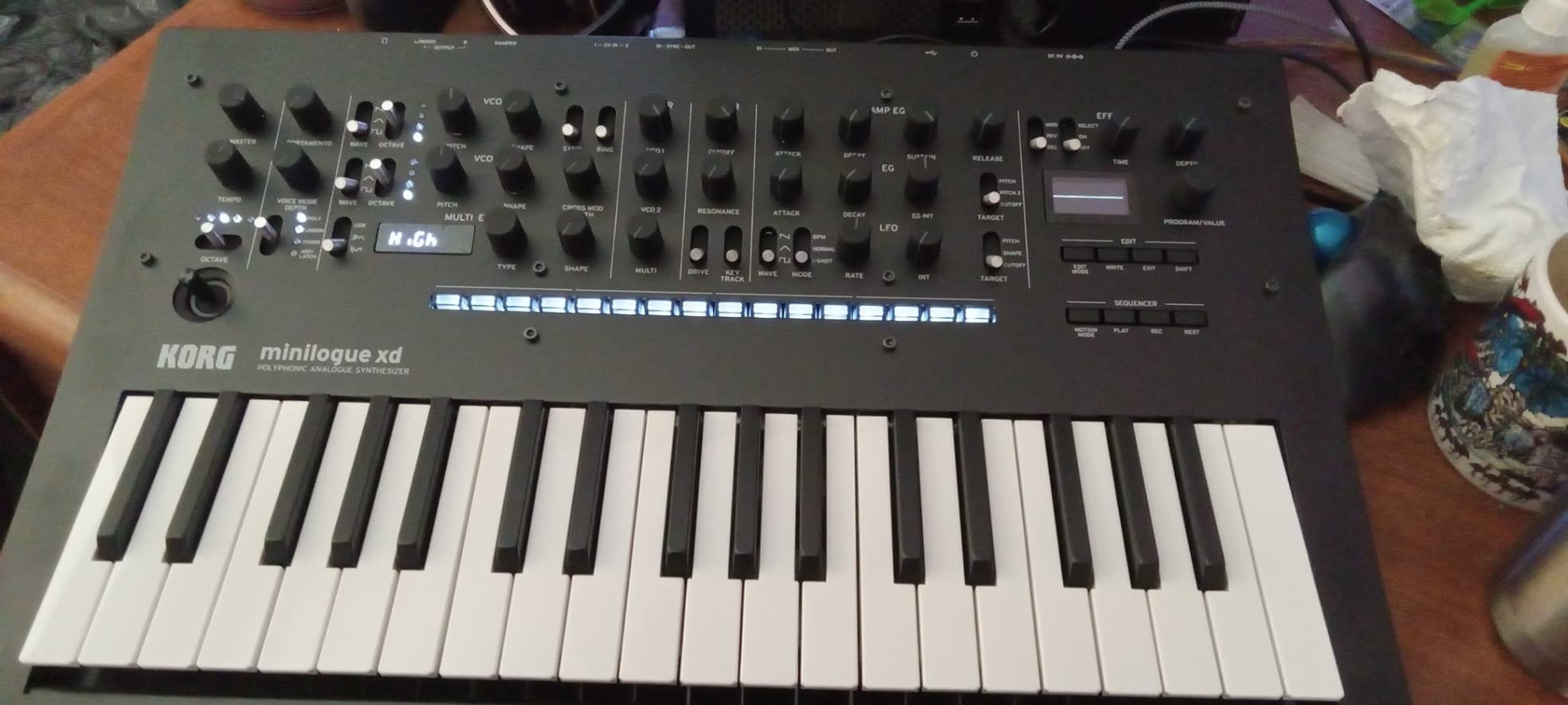
Honest downsides: four voices is the main limitation — players who need more dense polyphony should look at the Multi/Poly or Hydrasynth. Power cable compatibility has been reported as an issue in some regions. Neither issue stopped us from using the minilogue xd as our daily driver for analog sound design exercises.
Who the minilogue xd is good for
Beginners learning analog synthesis who want polyphony. Sound designers who want an oscilloscope to visualize waveform changes. Anyone who wants a proven, well-supported analog polysynth at a fair price.
Who it is bad for
Producers who need more than four voices of polyphony. Buyers in regions where the included power adapter does not match outlets. Anyone who wants pure digital wavetables — the digital engine is supplemental here.
Buying Guide: How to Choose the Best Synthesizer for Sound Design?
Choosing between the best synthesizers for sound design comes down to how you plan to use the instrument. Sound design rewards depth — you want modulation routing, multiple oscillator types, and patch memory that lets you recall and refine work over time. But it also rewards immediacy — the best synth for beginners is the one that lets you hear how each parameter affects the sound without menu diving. We weighed both factors heavily while building this list, and the buying guide below explains the trade-offs in more detail.
For a broader look at synth categories, our guides on the 10 Best Wavetable Synthesizers for Sound Design, 10 Best Semi Modular Synthesizers for Sound Design, and 12 Best Analog Synthesizers for Hands-On Sound cover each architecture in depth. If you have already settled on analog specifically, that last guide is the place to start.
Analog vs Digital vs Hybrid
Analog synths use voltage-controlled circuitry to generate and shape sound. They tend to sound warm, fat, and “alive” because of component variation, and they reward hands-on knob tweaking. The MOOG Subsequent 37, MOOG Messenger, and Korg minilogue xd on our list are pure analog or analog-modeled. Digital synths use numerical algorithms to generate waveforms, giving them precise tuning, stable recall, and access to timbres pure analog cannot reach (wavetables, physical modeling, FM). The ASM Hydrasynth Explorer is fully digital. Hybrid synths combine digital oscillators with analog filters, giving you modern timbres with warm character — the Arturia MicroFreak, MiniFreak, Korg Multi/Poly, and Roland SH-4d all fall here.
Polyphony and Voice Architecture
Polyphony is the number of notes you can play at once. Monophonic synths (MOOG Messenger) play one note at a time — perfect for bass and lead sound design but useless for chords. Paraphonic synths (MOOG Subsequent 37) play multiple notes through a single voice architecture — good for simple intervals. Polyphonic synths (minilogue xd at 4 voices, MiniFreak at 6 voices, Hydrasynth at 8 voices, Multi/Poly at 60 voices) play multiple notes through independent voices, which is essential for chords and pads.
Modulation Matrix and Patch Storage
The modulation matrix is the heart of sound design. It lets you route LFOs, envelopes, and external controllers to any parameter. Synths with deep modulation matrices (Multi/Poly, Hydrasynth Explorer, MicroFreak) reward long-term sound design work because you can build complex, evolving patches. Patch storage matters because you want to recall your work — 256 presets is a minimum for serious work, and 1024 (Hydrasynth) is excellent.
Connectivity and DAW Integration
MIDI over USB is standard. CV/Gate ins and outs open the door to modular and semi-modular integration, which is essential if you plan to expand into Eurorack. Some synths (MPC Key 37, SH-4d) include audio interfaces, which simplifies your studio. Wi-Fi and Bluetooth MIDI (MPC Key 37) enable wireless workflows. Editor/librarian software (Subsequent 37, MiniFreak) makes patch management easier from your DAW.
Keys, Feel, and Portability
Mini keys (REFACE CS) are portable but limit two-handed performance. 25-key beds (MicroFreak) are tactile thanks to the PCB-with-no-moving-parts design, but not ideal for long performances. 37-key semi-weighted beds (Subsequent 37, Messenger, MiniFreak, Multi/Poly, Hydrasynth Explorer, MPC Key 37, REFACE CS) cover most playing styles. Full-size weighted keys are rare on synths at this tier — check our guide on flagship options if weighted keys are essential.
Price to Value Analysis
Under $500: REFACE CS and MicroFreak. Under $700: MiniFreak, Hydrasynth Explorer, MOOG Messenger, Roland SH-4d. Under $800: Korg minilogue xd, MPC Key 37. Premium ($800+): Korg Multi/Poly, MOOG Subsequent 37. The sweet spot for sound design beginners is around $500-$700, where you get deep modulation without breaking the bank. Serious sound designers usually invest in a flagship monosynth or polysynth at the $1,500-$2,000 tier.
Frequently Asked Questions
What synthesizer is good for sound design?
Any synthesizer with a deep modulation matrix, multiple oscillator types, and patch memory works well for sound design. Our top picks are the MOOG Subsequent 37 for analog warmth, the Arturia MicroFreak for hybrid value, and the ASM Hydrasynth Explorer for digital wavemorphing. Beginners should start with the Korg minilogue xd or Yamaha REFACE CS, both of which teach synthesis concepts without overwhelming you.
Which DAW is best for sound design?
Ableton Live is the most popular DAW for sound design thanks to its session view and tight MIDI integration. Logic Pro is excellent for Mac users who want deep plugin support. Bitwig Studio stands out for its native modulation system, which pairs especially well with hardware synths. Reaper is a low-cost option that handles any hardware workflow. Most synthesizers on this list work with any DAW via USB MIDI, so your choice comes down to workflow preference.
What synthesizer does Billie Eilish use?
Billie Eilish and FINNEAS built their signature sound largely around software instruments and samples, but they also use hardware synths like the Korg minilogue, Moog Subsequent 37, and various Roland boutiques. For darker, more ambient work, they layer hardware with custom VST patches. The point: many professional producers mix hardware and software, and any synth on this list can fit a similar workflow.
Does Hans Zimmer use synths?
Yes, extensively. Hans Zimmer combines software synths, hardware modular systems, and acoustic instruments in his film scores. He has been known to use Waldorf Iridium, Access Virus, and large modular rigs alongside orchestral elements. For cinematic sound design, the Korg Multi/Poly and ASM Hydrasynth on this list offer similar evolving textures to what you hear in his scores.
Conclusion
After three months of daily testing, our team landed on three top recommendations among the best synthesizers for sound design. The MOOG Subsequent 37 is the best overall pick — paraphonic analog architecture, classic Moog ladder filter, deep CV/Gate patch bay, and 256 presets make it a flagship that rewards long-term study. The Arturia MicroFreak is the best value — seventeen oscillator modes, poly-aftertouch, and CV outs at a beginner-friendly price make it the most synthesis capability per dollar on this list. The Yamaha REFACE CS is the best budget pick — analog physical modeling, eight-voice polyphony, battery power, and built-in speakers make it the most portable entry into sound design.
Whichever of the best synthesizers for sound design you choose from this list, give yourself at least two weeks of daily patching before judging the instrument. Sound design rewards patience, and the synths above all reveal their depth over time. Updated for 2026, this guide reflects the current state of the market — every unit on the list is in production and shipping in 2026. Pick the one that matches your budget and workflow, start with the init patches, and trust your ears.