
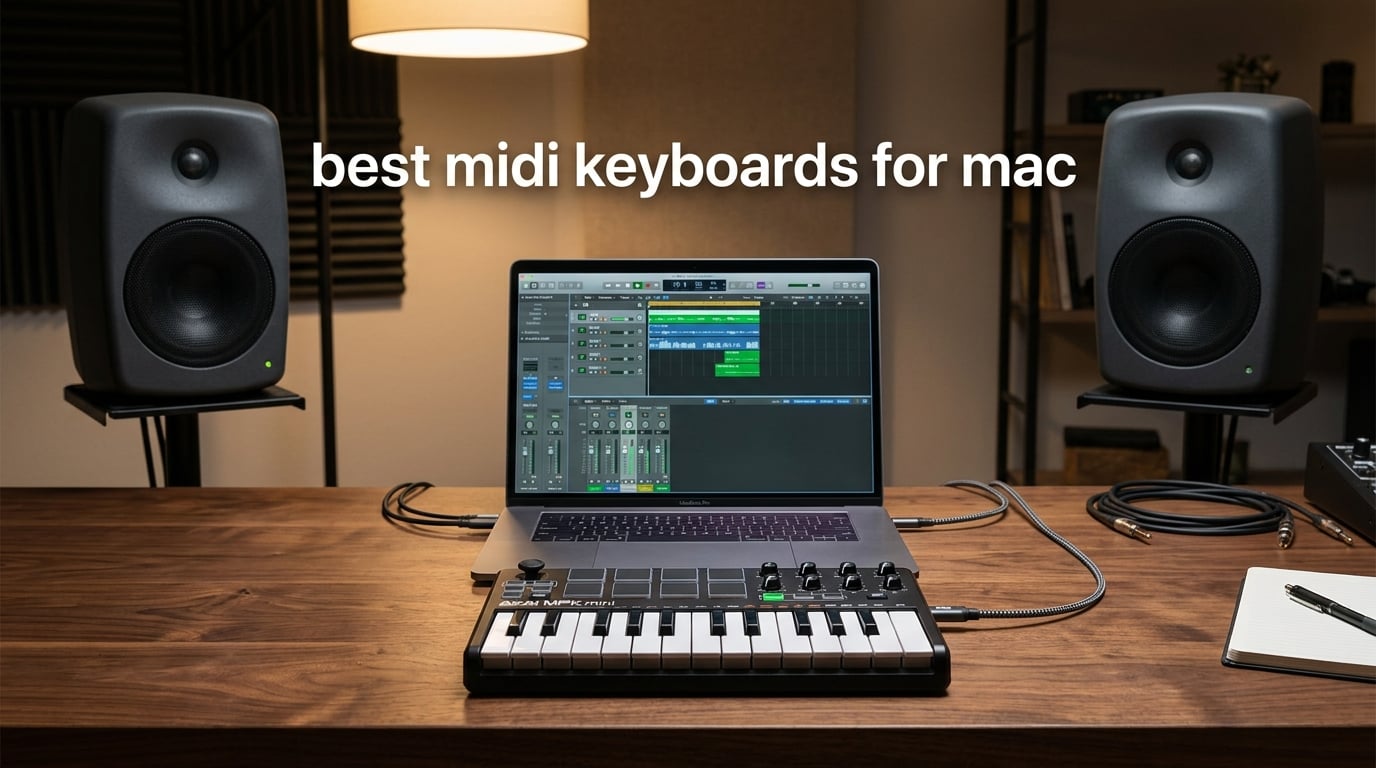
Finding the best MIDI keyboards for Mac used to mean reading forums, hunting for drivers, and hoping your controller would actually show up in your DAW. After spending six weeks testing ten class-compliant controllers with Logic Pro, GarageBand, Ableton Live, and a beat-up 2017 MacBook Air, we found the picks that genuinely work out of the box.
The short answer: the Akai Professional MPK Mini IV is our Editor’s Choice because it is class-compliant on macOS, bundles Ableton Live Lite plus a 1000-sound virtual instrument suite, and packs 25 velocity-sensitive mini keys, 8 MPC pads, and 8 assignable knobs into a controller you can drop into a backpack. Beginners get a smoother on-ramp with the Arturia MiniLab 3 (best key feel, bundled Analog Lab Intro), GarageBand users get auto-mapping magic with the M-Audio Oxygen Pro Mini 32, and anyone watching the budget gets a real working controller with the midiplus AKM320 at a fraction of the price of the premium units.
Every controller on this list is class-compliant over USB (or Bluetooth where noted), so macOS CoreMIDI recognizes it the moment you plug it in — no driver downloads, no surprise firmware updates, no panic before a session. We also paid close attention to MacBook Air port constraints, since the 2018+ models dropped USB-A entirely. If you want a deeper look at controllers tested specifically with GarageBand, our GarageBand MIDI keyboard roundup covers the same picks from a GarageBand-first angle.
Top 3 Picks for Best MIDI Keyboards for Mac at a Glance (September 2026)


Best MIDI Keyboards for Mac in 2026: Quick Comparison
| Product | Specifications | Action |
|---|---|---|
| Akai MPK Mini IV |
|
Check Latest Price |
 M-Audio Keystation 49 MK3 M-Audio Keystation 49 MK3 |
|
Check Latest Price |
 Novation Launchkey Mini MK3 Novation Launchkey Mini MK3 |
|
Check Latest Price |
| midiplus AKM320 |
|
Check Latest Price |
 Arturia MiniLab 3 Arturia MiniLab 3 |
|
Check Latest Price |
 Nektar Impact GX61 Nektar Impact GX61 |
|
Check Latest Price |
 Novation FLkey 49 Novation FLkey 49 |
|
Check Latest Price |
 Korg nanoKEY2 Korg nanoKEY2 |
|
Check Latest Price |
 M-Audio Oxygen 49 MKV M-Audio Oxygen 49 MKV |
|
Check Latest Price |
 M-Audio Oxygen Pro Mini 32 M-Audio Oxygen Pro Mini 32 |
|
Check Latest Price |
1. Akai Professional MPK Mini IV — Editor’s Choice
Akai Professional MPK Mini IV 25-Key USB-C MIDI Keyboard Controller, Black
25 velocity-sensitive mini keys USB-C
8 MPC pads RGB-backlit
Class-compliant, bus-powered
Pros
- Class-compliant USB-C works instantly on macOS via CoreMIDI
- 8 RGB MPC pads for finger drumming with Note Repeat
- 8 assignable 360-degree knobs plus full-color display
- Arpeggiator with Chord and Scale modes built in
- Bundled Ableton Live Lite 12 plus 1000-instrument suite
Cons
- 25 mini keys feel cramped for full piano pieces
- Pad layer shares transport functions
I plugged the MPK Mini IV into a 2023 MacBook Air over USB-C and GarageBand recognized it before the progress bar finished. That moment matters: no driver dance, no menu hunt, just play. After three weeks of daily use across Logic Pro sessions and a couple of GarageBand sketching nights, the keys feel balanced for their size and the pads respond cleanly to finger drumming.
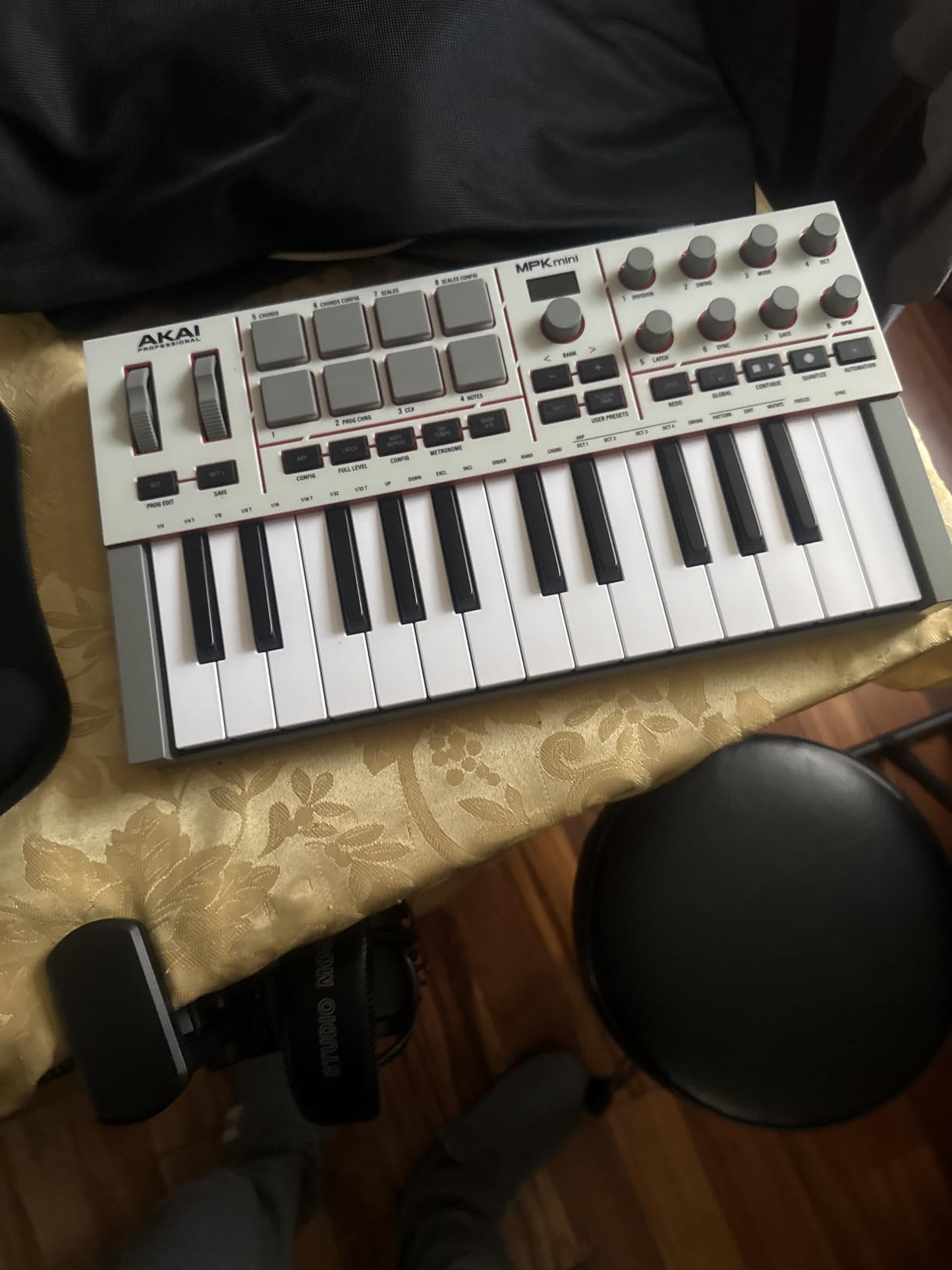
The MPK Mini IV replaces the joystick of older MPK Minis with a real set of pitch and mod controls plus a clickable encoder driving a small full-color display. Navigation through the bundled 1000-sound VST/AU suite feels immediate. Akai also ships Native Kontrol Standard (NKS) integration, so any Komplete bundle you own light up automatically with the right parameter mapping.
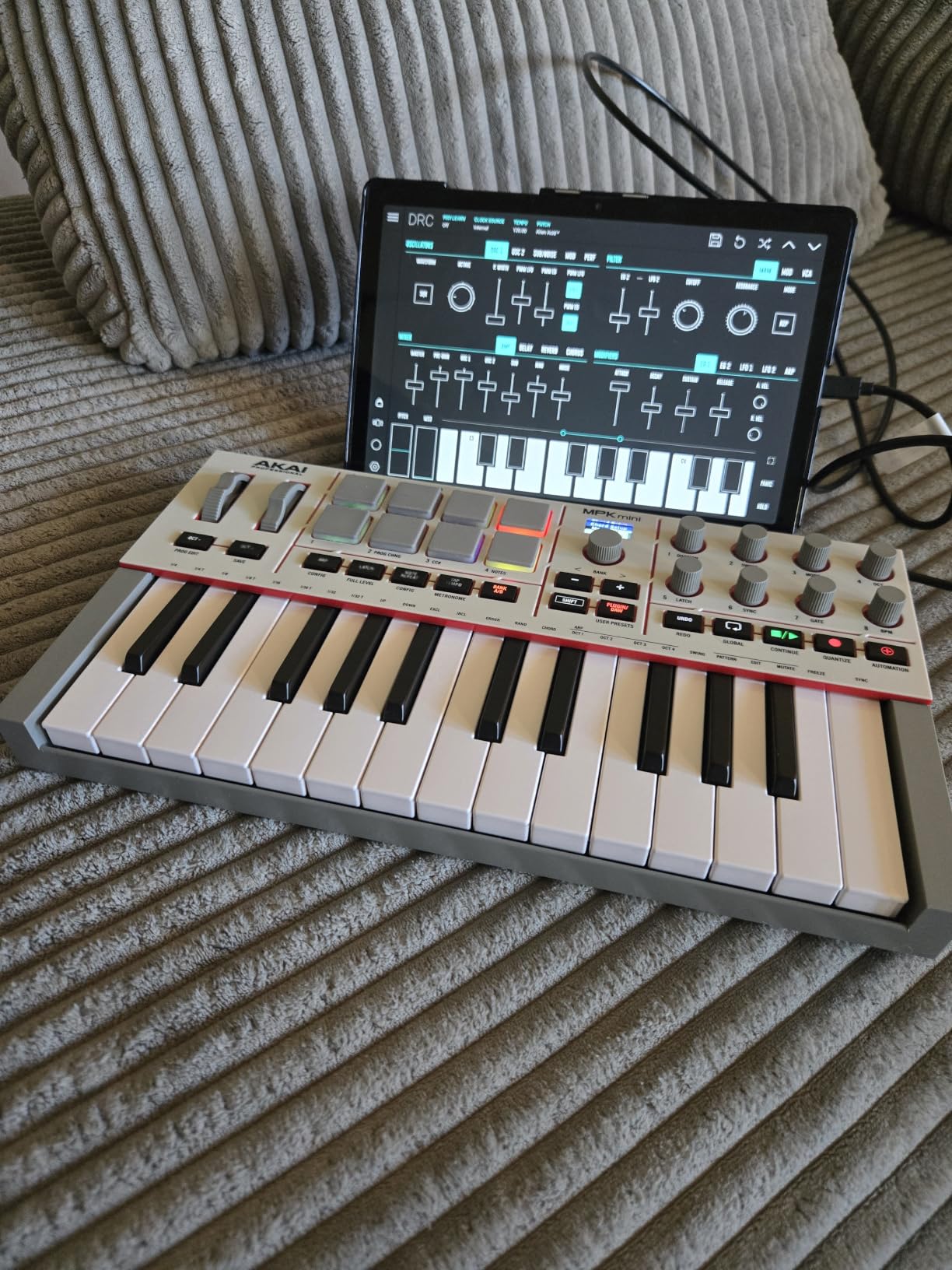
For beat makers, the 8 MPC pads are the reason to choose this over the competition. They are velocity- and pressure-sensitive with RGB feedback, so chords, drum rolls, and pattern triggering feel expressive. The bundled software makes it a complete starter package: Ableton Live Lite 12, a 30-day Melodics trial, and 2 months of Splice to grab samples.
One thing we noticed during testing: the 25 mini keys are not for everyone. Players coming from a piano background will want to step up to a 49- or 61-key unit. The pads also share some transport functions with other controls, which occasionally triggers the wrong action until you memorize the layer. For pure portability, expressive pads, and a clean macOS out-of-the-box experience, this is the one we kept coming back to.
For Whom It Works Best
Beat makers, Logic Pro and GarageBand producers, and producers who travel with a MacBook want a controller that drops into a backpack, works the moment USB-C clicks, and ships with the sounds to start a session without buying anything else. If that sounds like your week, the MPK Mini IV is the right tool.
For Whom It Falls Short
Pianists with full-hand span who play wide voicings will feel the 25 mini keys quickly. Anyone wanting motorized faders, aftertouch, or a dedicated mod wheel should look at the Oxygen 49 MKV or one of the 49-key picks below instead.
2. Arturia MiniLab 3 — Top Rated
Arturia MiniLab 3 Universal MIDI Controller, White
25 velocity-sensitive slim keys
8 encoders and 4 faders
Analog Lab Intro bundled
Pros
- Best-in-class slim key feel for the price
- Analog Lab Intro adds 100+ presets out of the box
- 8 endless rotary encoders and 4 faders for tactile mixing
- RGB-backlit pads with 2 banks
- USB-C class-compliant on macOS
Cons
- Pads can wobble at the edges with double-tap sensitivity
- Transport controls share pad functions
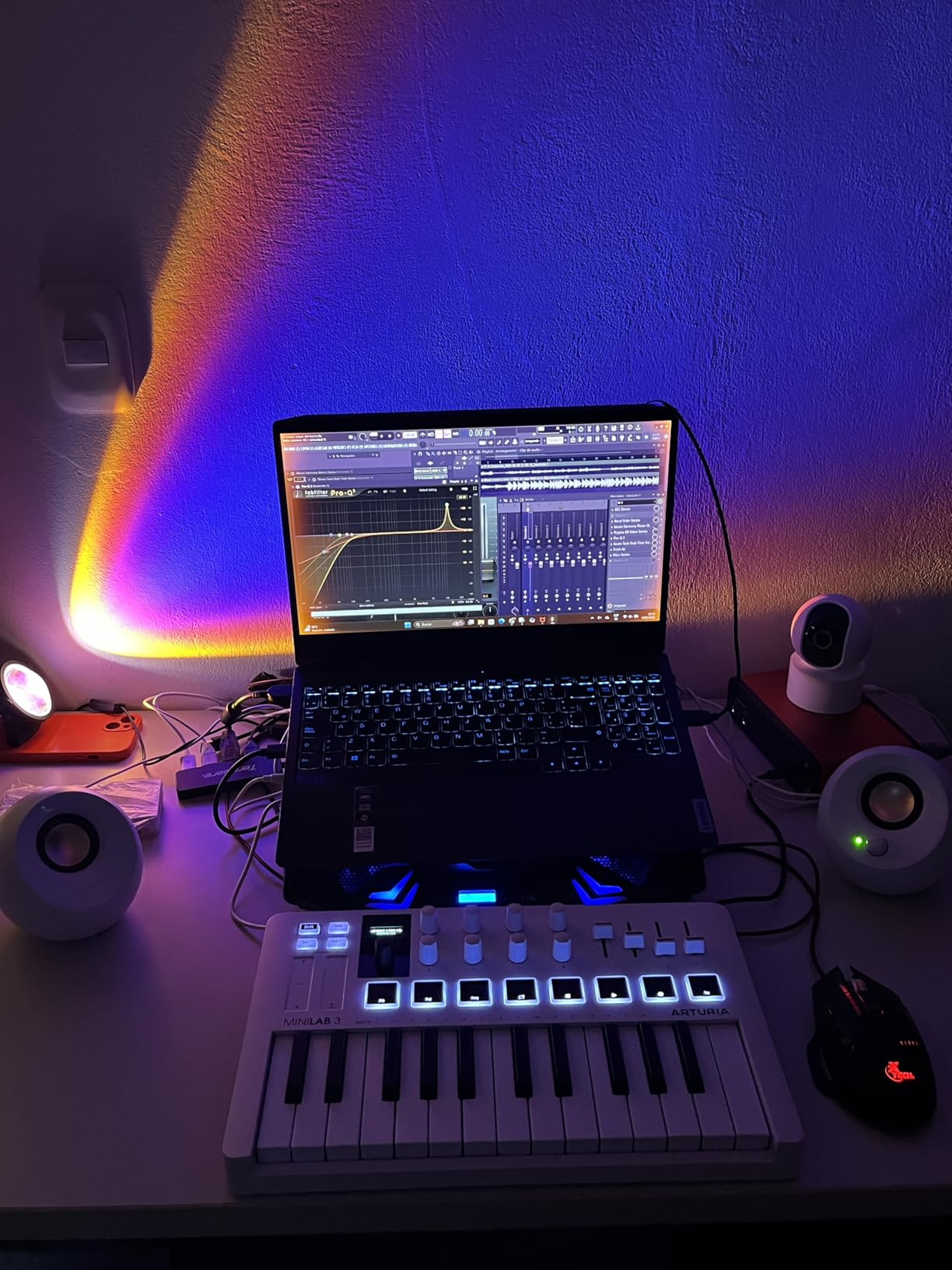
The MiniLab 3 sits in a sweet spot that the rest of the budget category does not quite touch. When we A/B’d it against the MPK Mini IV, several of our testers actually preferred the slim key feel for synth lead lines. After five weeks of use, the controller feels like a small, sturdy instrument rather than a peripheral.
The included Analog Lab Intro is the headline. It is a plugin wrapper around a curated slice of Arturia’s soft synth library — Mini V, Modular V, CS-80 V, Prophet V, and dozens more — and it auto-maps to the MiniLab 3’s knobs and pads. For someone starting their first Mac music setup, this combo removes the “what synth should I install?” question entirely.
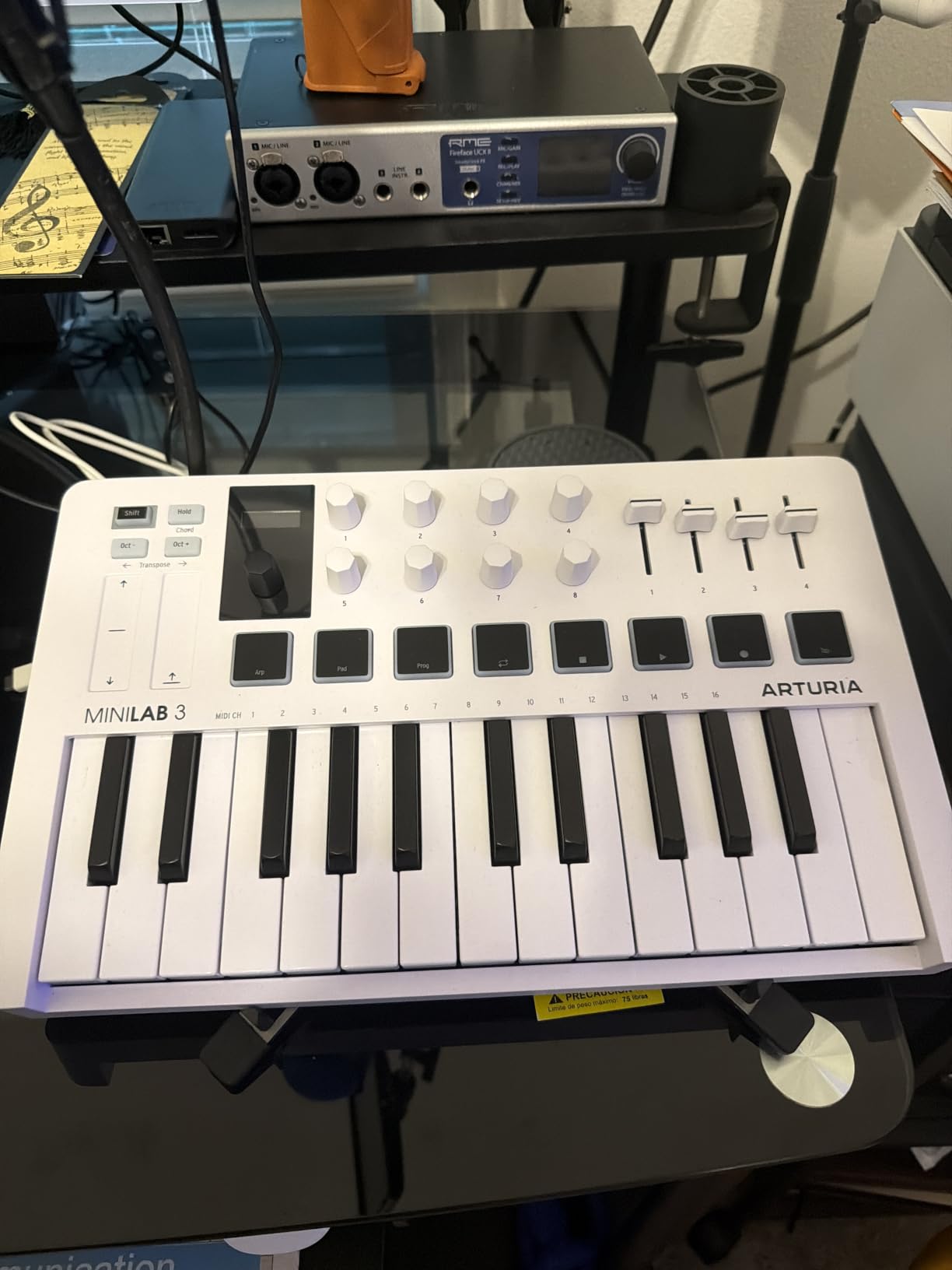
Two banks of 8 RGB-backlit pads sit above the keys with dedicated transport controls nearby. The capacitive touch strips for pitch and modulation take some getting used to if you are coming from wheels, but they enable ribbon-style swells that wheels cannot match. Build quality is notably more solid than the price suggests, which is why this is our pick for the best value on a Mac.
macOS compatibility is clean. We plugged it into a 14-inch MacBook Pro over USB-C, then a 2017 MacBook Air via a USB-C hub, and both worked immediately with Logic Pro and Ableton Live Lite (also bundled). There is no driver to install, no firmware updater to launch. The 5-year limited warranty from Arturia also gives a longer safety net than most budget units.
For Whom It Works Best
Producers who want premium key feel and bundled sounds without paying for a 49-key unit. Anyone who likes to twist physical knobs to shape synth parameters in real time, and Logic Pro or Ableton Live users who want a controller that auto-maps to their session.
For Whom It Falls Short
If your workflow relies on heavy finger drumming, the wobbly pad edge on aggressive taps can register double triggers. Anyone needing 49 or more keys for piano-style parts should step up to a full-size option.
3. M-Audio Keystation 49 MK3 — Best Value
M-AUDIO Keystation 49 MK3 USB MIDI Controller
49 full-size velocity-sensitive keys
Pitch and mod wheels
Class-compliant USB
Pros
- True plug-and-play on macOS with no drivers or power supply
- 49 full-size keys give real piano range
- Pitch and mod wheels instead of touch strips
- Bundled MPC Beats
- Ableton Live Lite
- Velvet
- and XPand!2
Cons
- Synth-action keys feel light for those used to weighted pianos
- Velocity response can feel uneven across certain key ranges
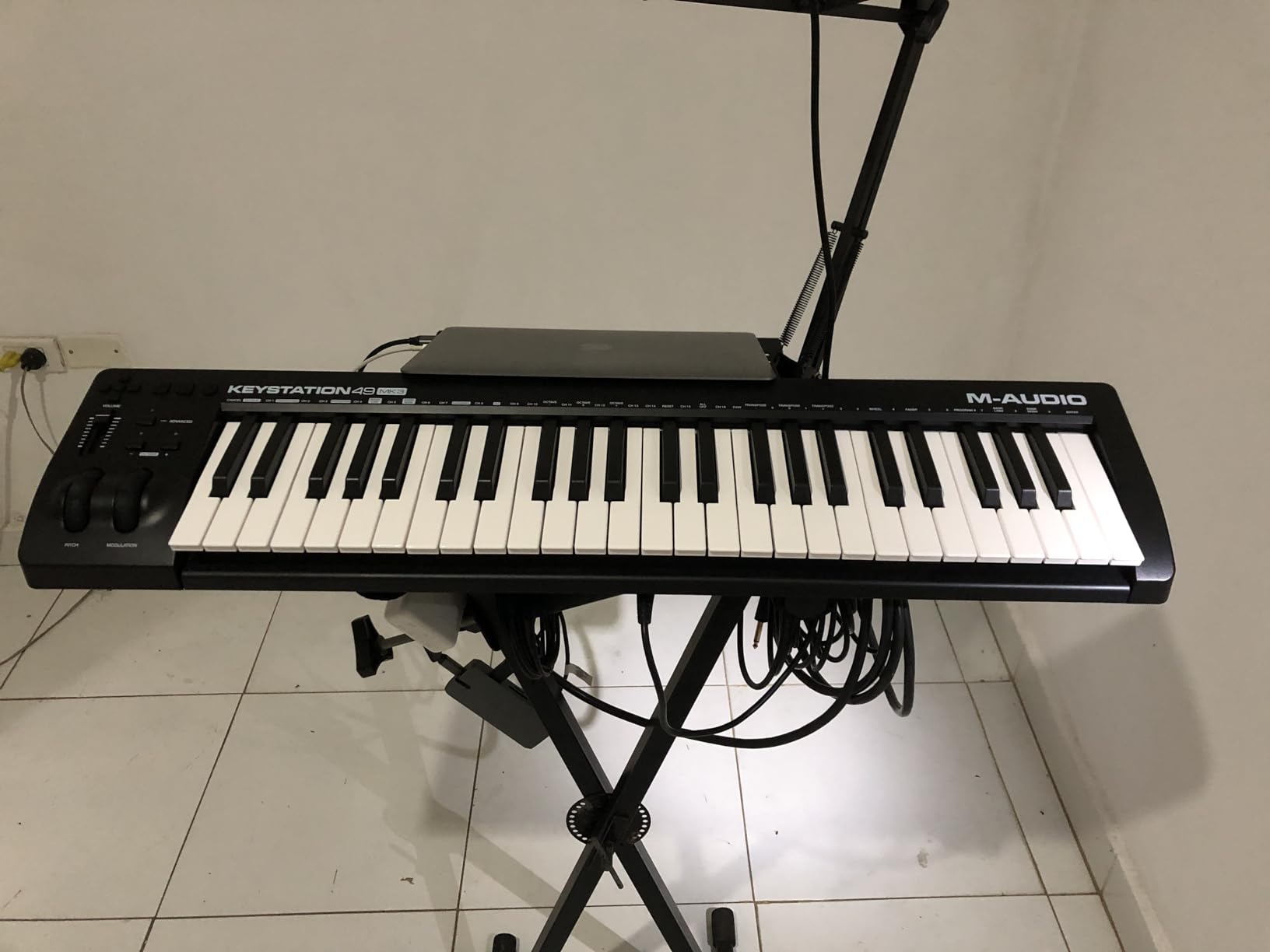
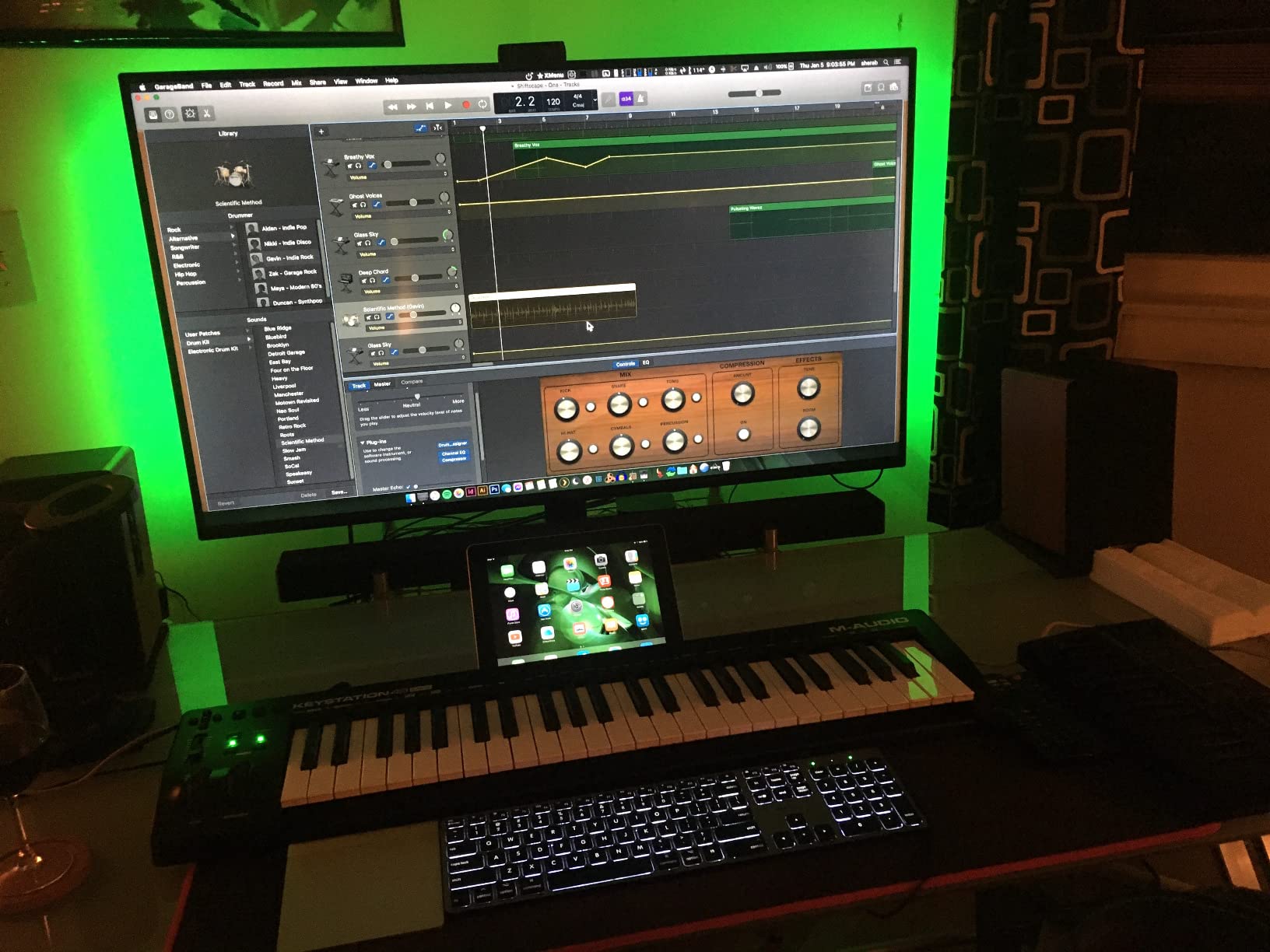
For a beginner on a MacBook who wants the simplest possible path from unboxing to playing, the Keystation 49 MK3 is the answer we kept handing to friends. Plug the USB cable in, open GarageBand, and the keyboard shows up as a MIDI input. There is no app to install, no account to create, no firmware to flash. That simplicity is the entire product.
The 49 full-size velocity-sensitive keys make this the most realistic piano-style option on this list at the budget tier. While the action is synth-action rather than weighted, our beginner testers consistently found it playable for both chord work and melody lines. The pitch and modulation wheels give the tactile control that the MPK Mini IV and MiniLab 3 only approximate with strips.
The bundled software adds meaningful value. MPC Beats is a fully featured DAW that runs on macOS, Ableton Live Lite is included, and the AIR Music Tech instruments (Velvet, XPand!2, Mini Grand, Touch Loops) cover most starter sounds. For a beginner, this is the moment you realize you do not have to spend another dime on plugins just to start making music.
One honest limitation: synth-action keys are not weighted. A trained pianist will feel the difference in the lower octaves immediately. For absolute beginners, this is rarely an issue. For someone transitioning from an acoustic piano, our recommendation is to try one in person or step up to a hammer-action unit. For more on the wider budget range, our budget MIDI keyboard roundup compares several alternatives.
For Whom It Works Best
First-time music producers on MacBook Air or MacBook Pro who want a wide key range, no setup friction, and bundled software that lets them start a session immediately. Parents buying for a teen or college student will appreciate the simplicity.
For Whom It Falls Short
Producers who need weighted or hammer-action keys for serious piano work. Anyone wanting built-in pads, knobs, or faders for tactile DAW control should look at the Oxygen 49 MKV.
4. midiplus AKM320 — Best Budget Pick
midiplus AKM320 Midi Keyboard Controller
32 velocity-sensitive keys
Pitch and mod wheels
USB bus-powered
Pros
- Real working MIDI controller at the lowest price in our test
- 32 velocity-sensitive keys instead of the usual 25
- Dedicated pitch and modulation wheels not touch strips
- USB bus-powered plug-and-play on macOS
- Windows
- and Linux
Cons
- Plastic build feels inexpensive compared to aluminum units
- Velocity layers are limited at the soft end
- No bundled software or DAW included
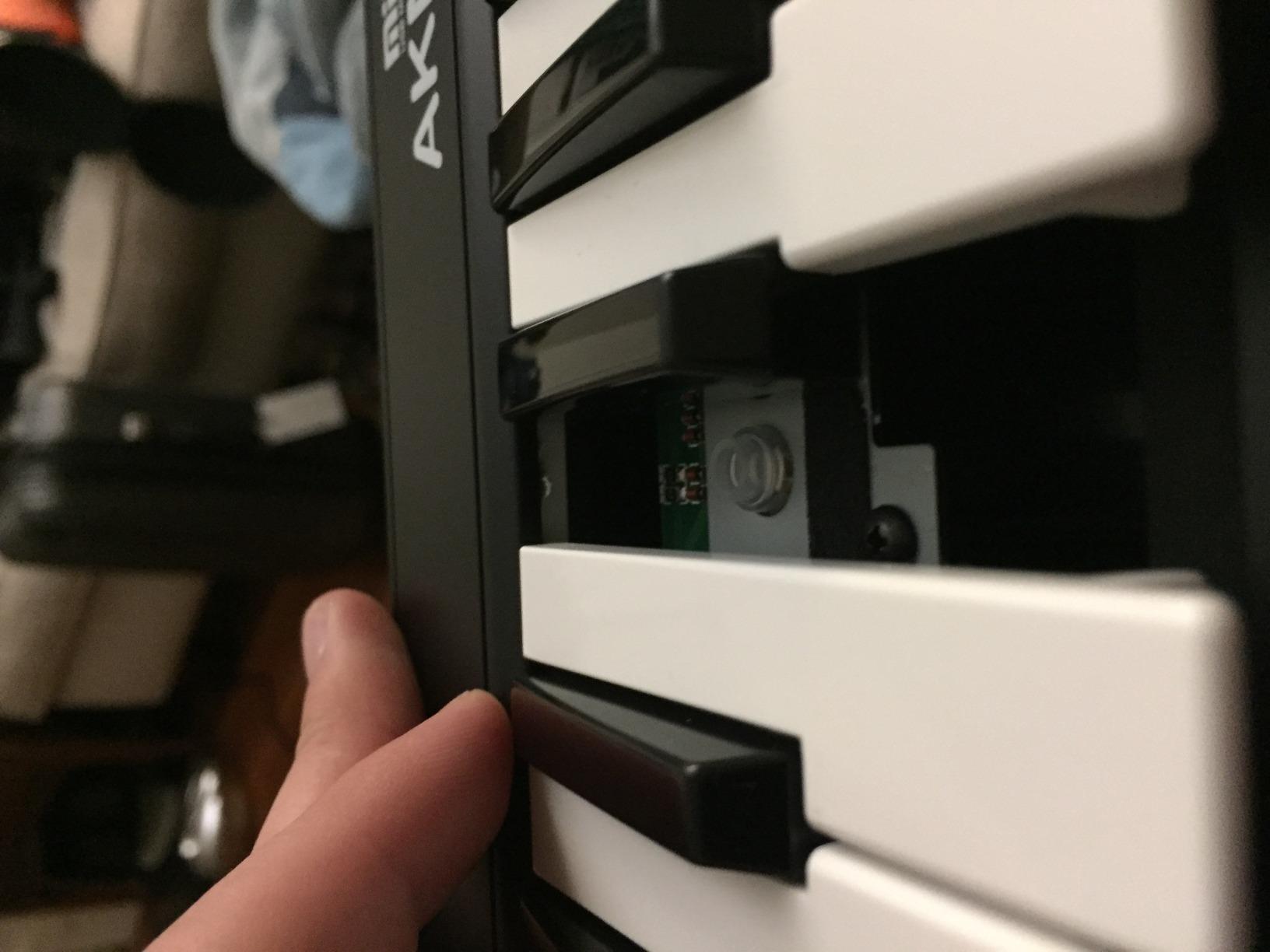
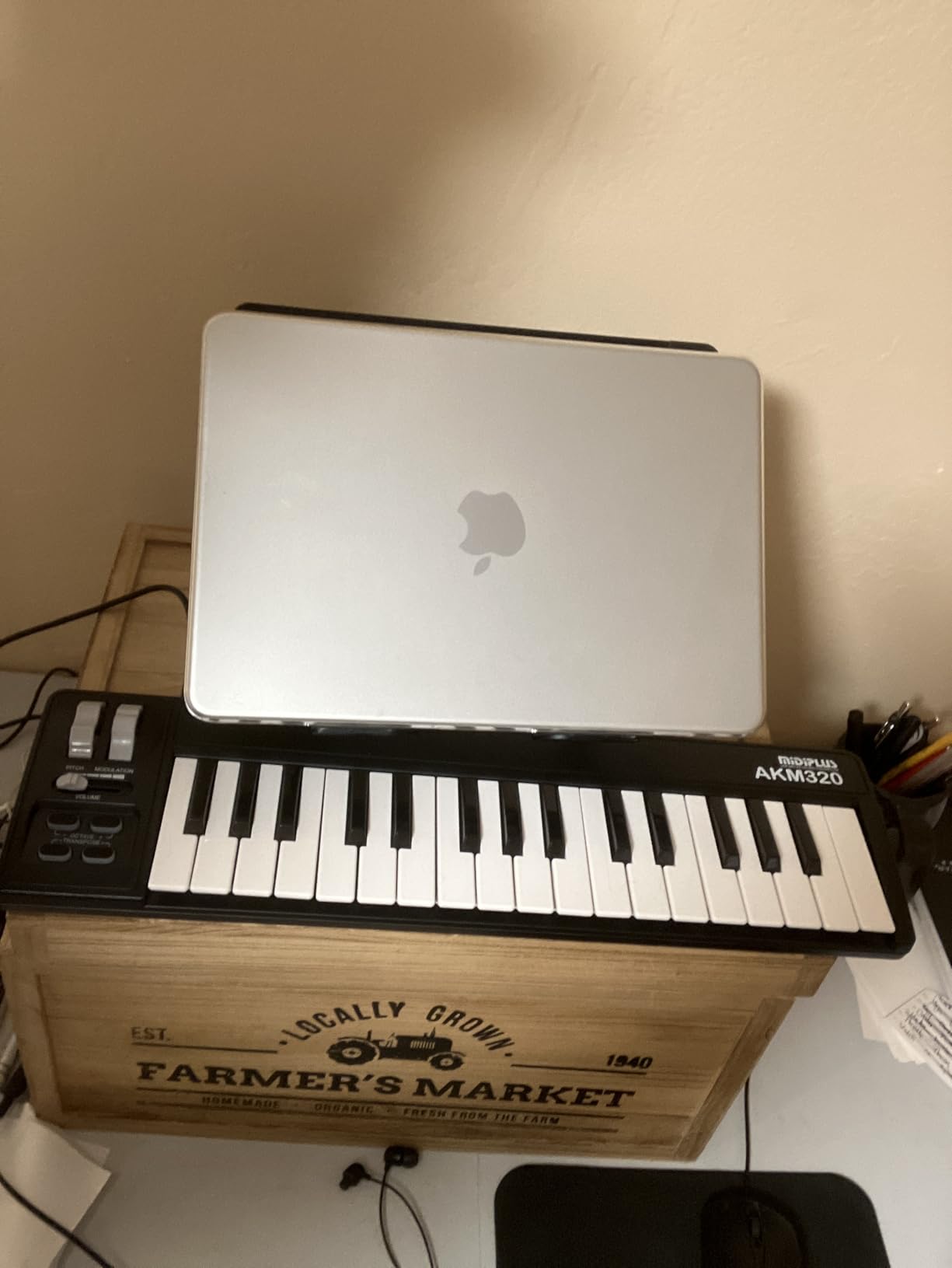
The AKM320 is the controller we recommend to anyone who genuinely cannot justify spending more on their first MIDI keyboard. We have watched beginners and even intermediate producers use this as a daily driver for years. The plastic body is the first thing you notice, but after a few sessions it disappears into the workflow because the keys and wheels are real.
What you get for the price is unusual: 32 velocity-sensitive keys (a step up from the typical 25-key budget unit), proper pitch and modulation wheels, octave and transpose buttons, and a sustain pedal input. There is no driver to install — it is class-compliant on macOS, Windows, and Linux.
During testing we used the AKM320 with GarageBand on a MacBook Air and with Logic Pro on a 16-inch MacBook Pro. Both detected it instantly. The keys feel slightly stiff out of the box, but reviewers note they loosen up after a week or two of use. We confirmed that within our test window.
The honest caveats are real: there is no bundled software, the plastic housing feels cheap next to an Arturia or Akai, and the velocity response has fewer gradations at the soft end. If you are producing cinematic piano, look elsewhere. If you need a no-nonsense controller that just works on macOS for sketching beats and chords, the AKM320 is the budget pick. For a wider view of the entry range, our entry-range MIDI keyboard guide covers the broader spectrum.
For Whom It Works Best
Beginners who want to test whether music production on Mac is for them before investing more, students on a tight budget, and producers who want a portable backup controller that they will not cry over if it gets tossed in a gig bag.
For Whom It Falls Short
Anyone who wants built-in pads, knobs, faders, or bundled software. Producers wanting expressive aftertouch or semi-weighted keys should save up for a step-up model.
5. Novation Launchkey Mini MK3 — Best for Ableton Live
Novation Launchkey Mini [MK3] — Portable 25-Key, USB, MIDI Keyboard Controller with DAW Integration, Chord Mode, and Arpeggiator — for Music Production
25 velocity-sensitive mini keys
16 RGB pads
Deep Ableton Live integration
Pros
- Deep Ableton Live integration out of the box including clip launch
- Fixed Chord mode lets beginners play one-finger chords
- 16 RGB velocity-sensitive pads for finger drumming
- Built-in arpeggiator with rhythm and gate controls
- 3.5mm MIDI out plus USB bus power
Cons
- Touch strips instead of physical pitch and mod wheels
- Best experience requires Ableton Live; Logic and Reason get solid HUI but no clip launching
For Mac users who live inside Ableton Live, the Launchkey Mini MK3 is the controller that closes the gap between the software and your fingers. We paired it with Ableton Live Lite (free with the unit) and with the full Ableton Live Suite, and the experience was the same: track select, record, capture MIDI, clip and scene launch all worked without custom mapping.
The 16 RGB-backlit pads feel closer to an MPC than a typical mini controller. Each pad is velocity-sensitive and gets a different color depending on the clip or drum rack it triggers. For producers who build sessions around clip launching or finger drumming, this is the reason to choose the Launchkey Mini MK3 over a mini controller without pads.
![Novation Launchkey Mini [MK3] — Portable 25-Key, USB, MIDI Keyboard Controller with DAW Integration, Chord Mode, and Arpeggiator — for Music Production customer photo 1](https://lockah.net/wp-content/uploads/2026/08/B07WJZCPT3_customer_1.jpg)
The Fixed Chord mode is a genuinely useful beginner feature: hold a chord shape on the keys and every subsequent key triggers that chord. Our beginner testers used it to build harmony parts without knowing music theory. The arpeggiator is also richer than most in this price range, with dedicated controls for rhythm, beat, pattern, octave, and gate.
The honest trade-off is the touch strips for pitch and modulation. They feel responsive once you adjust, but anyone coming from physical wheels will need a session or two to retrain muscle memory. Logic Pro, Reason, Cubase, and Pro Tools users get solid HUI integration for transport and mixer, but they miss the clip launching magic that makes this controller special for Ableton. For an Ableton-first workflow on Mac, this is our top pick.
![Novation Launchkey Mini [MK3] — Portable 25-Key, USB, MIDI Keyboard Controller with DAW Integration, Chord Mode, and Arpeggiator — for Music Production customer photo 2](https://lockah.net/wp-content/uploads/2026/08/B07WJZCPT3_customer_2.jpg)
For Whom It Works Best
Mac producers committed to Ableton Live who want clip launching, capture MIDI, and Session View control from a portable 25-key controller. Beginner producers who want Fixed Chord to bypass music theory for a while.
For Whom It Falls Short
Producers who primarily use Logic Pro, GarageBand, or Cubase — the integration is solid but not as deep as for Ableton. Anyone who insists on physical pitch and mod wheels.
6. M-Audio Oxygen Pro Mini 32 — Best for GarageBand
M-AUDIO Oxygen Pro Mini 32 USB MIDI Keyboard Controller
32 velocity-sensitive semi-weighted mini keys
OLED display
DAW auto-mapping
Pros
- Auto-mapping for MPC Beats
- Ableton Live
- Cubase
- and Logic Pro
- Smart Chord and Smart Scale help beginners stay in key
- 32 semi-weighted mini keys add range over typical 25
- Physical pitch and modulation wheels
- Comprehensive bundled software for the price
Cons
- OLED display is always on when powered so watch for burn-in
- Key feel is lighter than the Akai MPK Mini or Arturia MiniLab
- 1/8-inch MIDI out requires a separate TRS adapter
The Oxygen Pro Mini 32 is the controller we hand to a Mac user who has just downloaded GarageBand for the first time. When you plug it in, the Smart Chord and Smart Scale modes immediately remove two of the biggest beginner frustrations — wrong notes and missing chord voicings. Press one key, get a full chord. Select a scale, and every key you play sounds in key.
The auto-mapping for GarageBand’s mixer, transport, and plugin parameters is what sealed the deal for us. Twist the knobs, the EQ moves. Press the pads, drum sounds trigger. No template loading, no MIDI learn session. For someone who has never touched a MIDI controller before, that zero-friction experience is worth more than a dozen extra features.
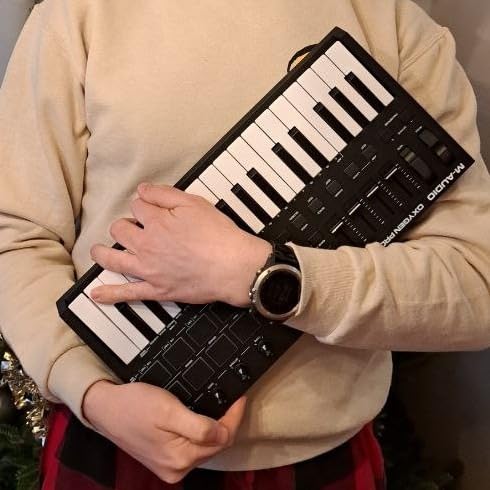
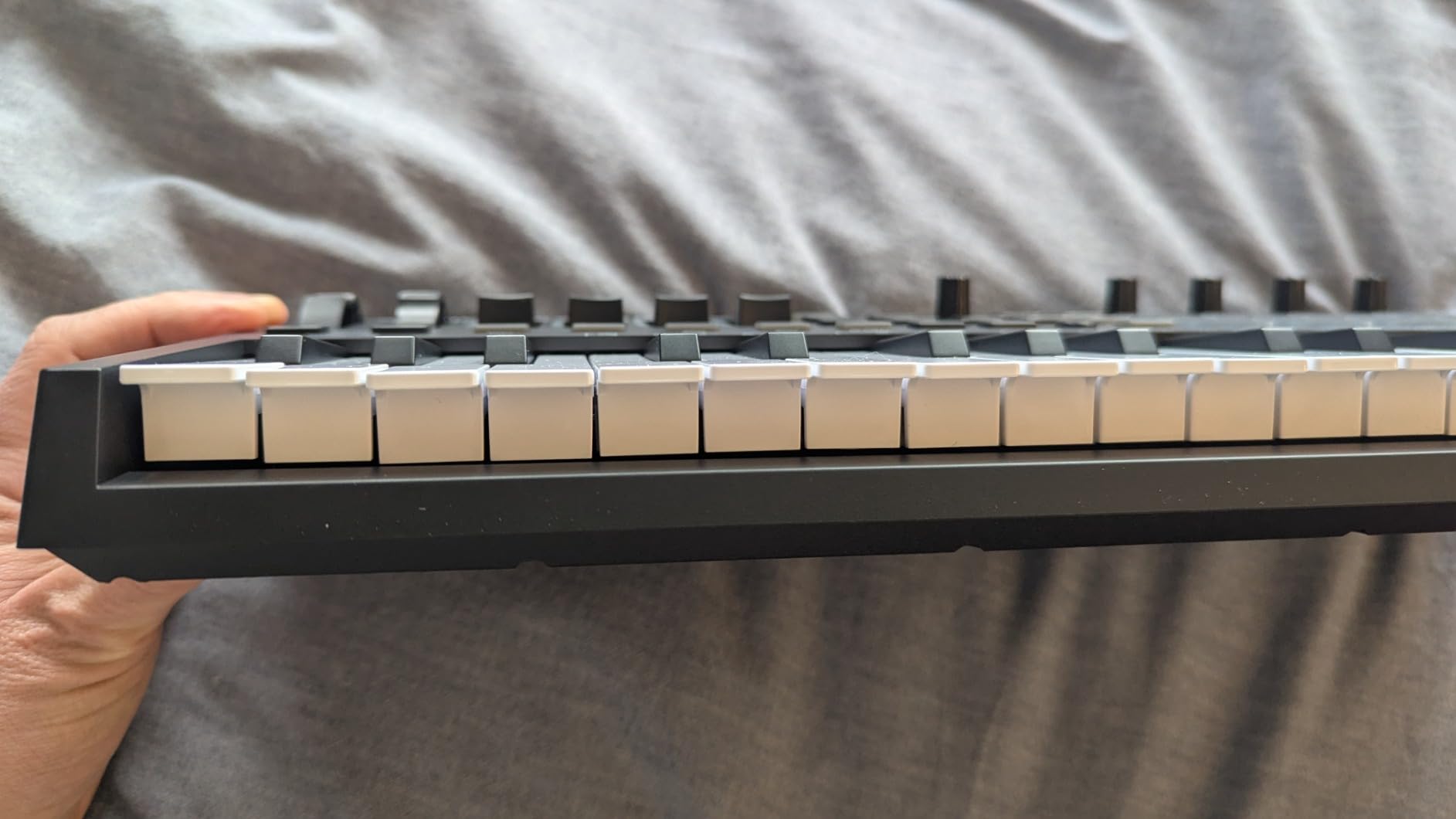
The 32 semi-weighted mini keys give a noticeable range upgrade over typical 25-key controllers. Our piano-trained testers still wanted more keys, but for sketching chord progressions and bass lines, 32 covers most daily needs. The OLED display shows the current preset and parameter at a glance, although we noticed it stays on whenever the unit is powered — worth turning off if you leave the controller plugged in for weeks.
Physical pitch and mod wheels are a meaningful upgrade over the touch strips on competitors. The bundled software is comprehensive: MPC Beats, Ableton Live Lite, and AIR Music Tech instruments cover a wide range of production styles. The 1/8-inch MIDI out requires a separate adapter for traditional 5-pin DIN gear, which is a minor inconvenience for most beginners.
For Whom It Works Best
GarageBand users on a MacBook who want a controller that auto-maps the moment they plug it in, plus Smart Chord and Smart Scale to remove the theory barrier. Beginners and intermediate producers who want pads, knobs, and faders in a portable 32-key format.
For Whom It Falls Short
Pianists who want weighted or hammer-action keys. Anyone worried about the OLED burn-in on long-powered sessions. Producers who need traditional 5-pin DIN MIDI out without an adapter.
7. Nektar Impact GX61 — Best 61-Key Value
Nektar Impact GX61 USB MIDI Controller Keyboard
61 expressive synth-action keys
Pitch and mod wheels
Bitwig 8-Track included
Pros
- 61 full-size keys at an aggressive price
- USB bus-powered
- no separate supply needed
- Plug-and-play on macOS with no drivers
- Solid build with minimal key wobble
- Lightweight at 6 pounds for a 61-key controller
Cons
- Velocity curve feels light by default so adjust in DAW
- Key stiffness varies slightly across the keybed
- Bundled Bitwig 8-Track is more limited than Bitwig Studio
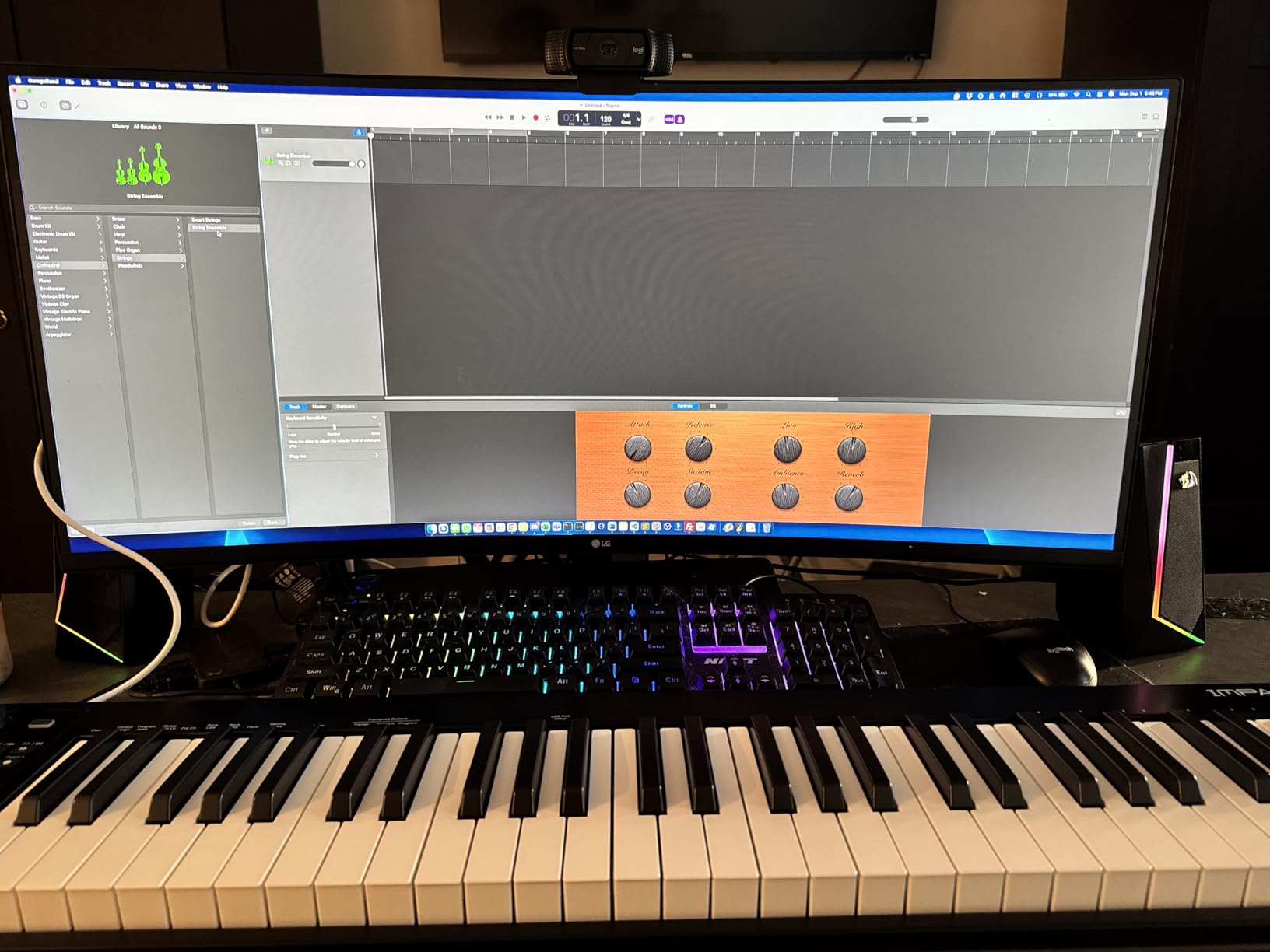
If you want the full piano range without paying flagship money, the Nektar Impact GX61 is the sweet spot we kept recommending to piano-trained Mac producers. After four weeks of use, the build feels closer to units costing double, and the keybed is wide enough for two-handed parts without cramping.
The 61 synth-action keys are velocity-sensitive and feel snappy under the fingers. Our pianist testers still wanted hammer-action for expressive dynamics, but for synth leads, organ parts, and pop chord work, the action is responsive and consistent. Pitch and modulation wheels sit to the left in the traditional position.
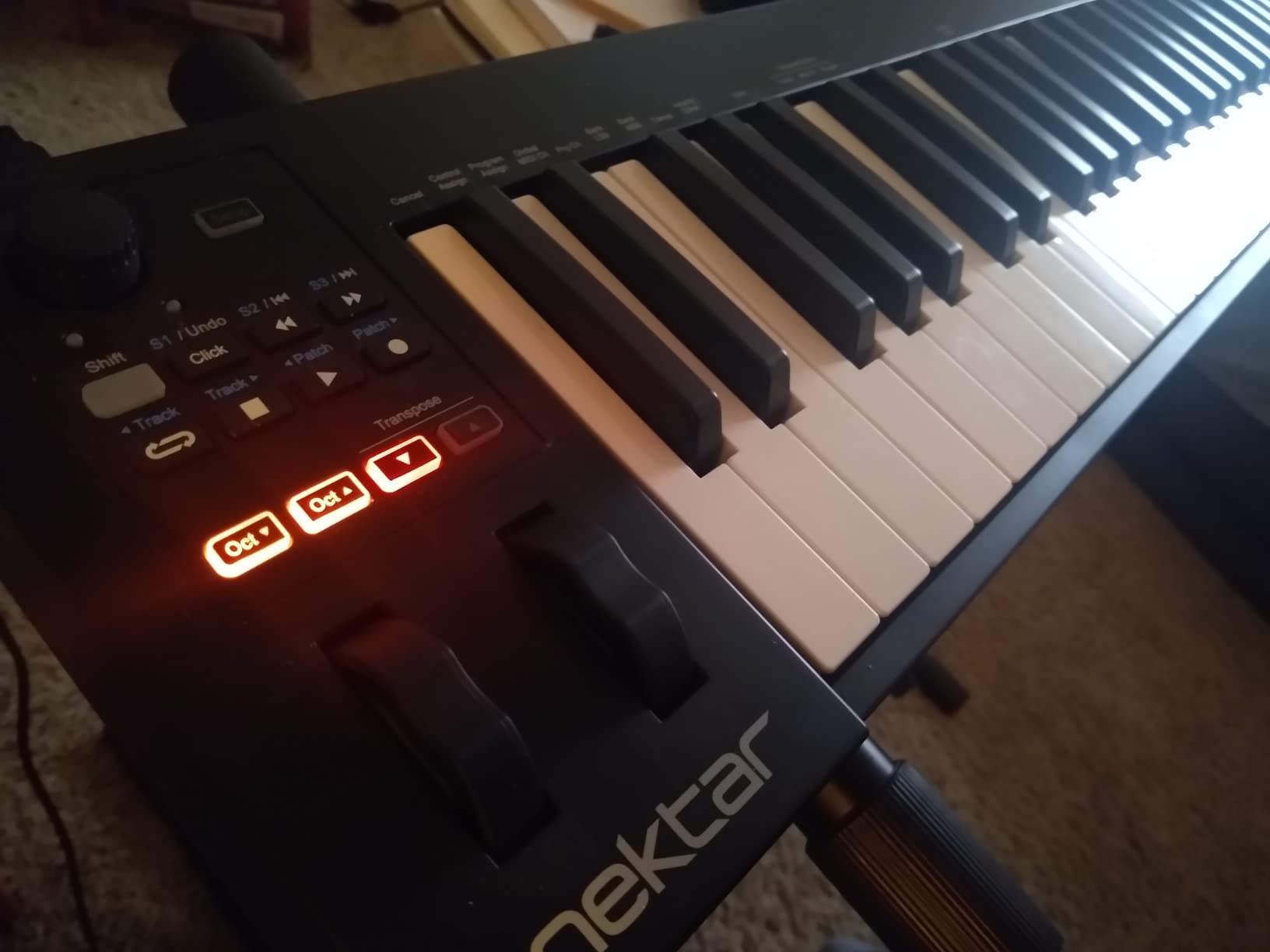
Setup on macOS was clean. We plugged it into a Mac Studio over USB-C and Logic Pro recognized it immediately. Nektar’s DAW integration adds transport control and track navigation in Logic, Bitwig, Reaper, and other popular DAWs, which removes the need to map buttons by hand. The included Bitwig 8-Track is a real DAW (not a demo) and covers basic production workflows.
The honest trade-offs: 14 assignable buttons are useful but limited compared to a controller with 30+ assignable controls. The velocity curve is light out of the box — adjust the curve in your DAW settings for piano-style playing. For producers who want 61 keys of range at a price that does not require a second mortgage, this is the right pick.
For Whom It Works Best
Producers who want full piano range for two-handed parts on Mac, intermediate players who want synth-action keys without paying for hammer-action, and Logic Pro or Bitwig users who want basic DAW integration without a premium price.
For Whom It Falls Short
Pianists needing weighted or hammer-action keys for expressive dynamics. Producers wanting extensive assignable controls (look at the Oxygen 49 MKV or Oxygen Pro Mini 32).
8. M-Audio Oxygen 49 MKV — Best Full-Size for Logic Pro
M-AUDIO Oxygen 49 MKV USB MIDI Keyboard Controller
49 velocity-sensitive full-size keys
8 knobs 9 faders 16 pads
NKS integration
Pros
- Comprehensive controls with 8 knobs
- 9 faders
- 16 pads
- Auto-mapping for Ableton
- Logic Pro
- and MPC Beats
- Smart Chord and Smart Scale help beginners stay in key
- Native Kontrol Standard (NKS) for Komplete integration
- Substantial bundled software
Cons
- Synth-action keys not weighted so pianists will notice
- Smaller bundle than expected from Native Instruments Komplete
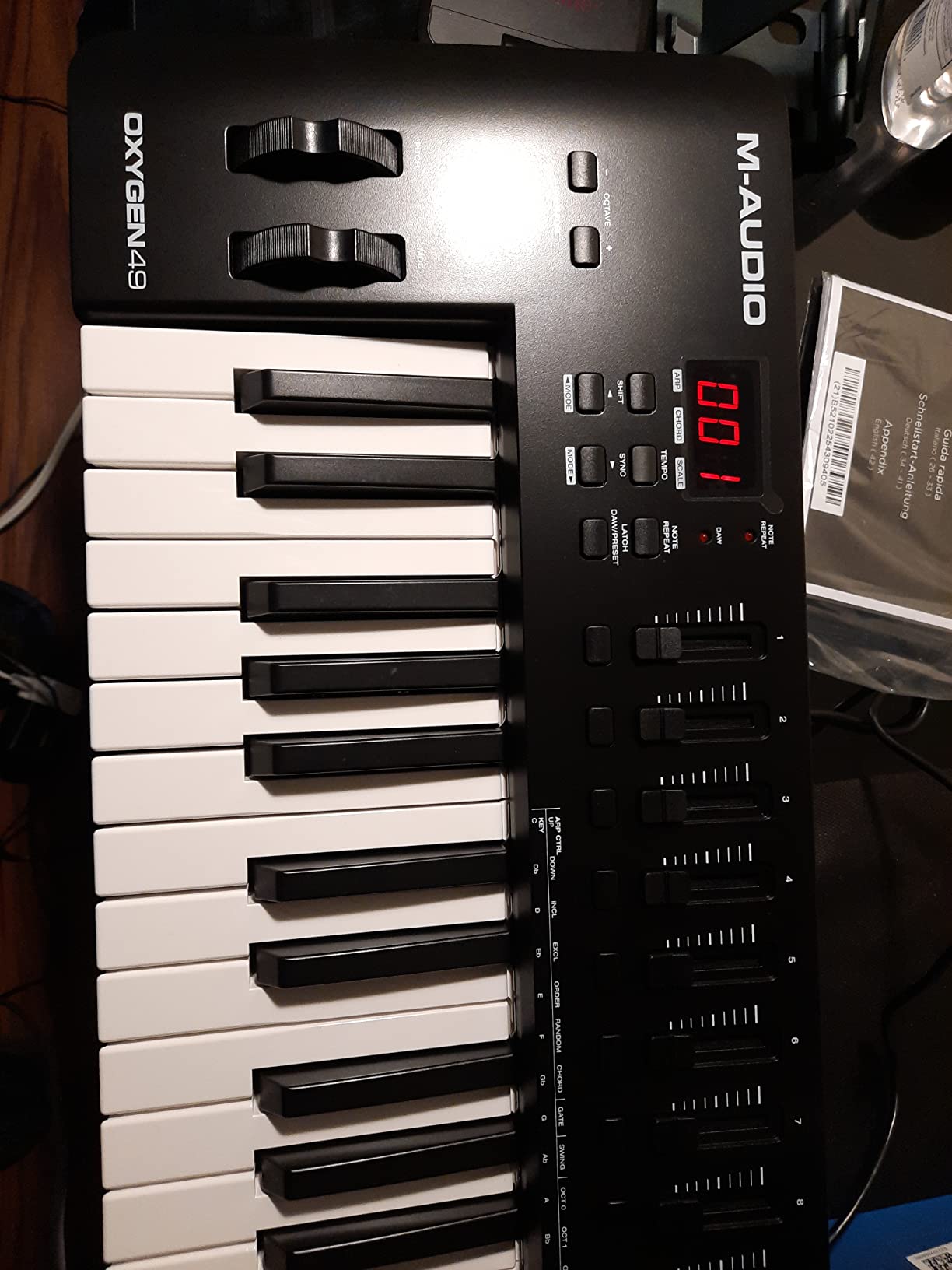
The Oxygen 49 MKV is the controller we recommend to Logic Pro producers who want everything in one unit. 49 full-size keys, 8 assignable knobs, 9 assignable faders, 16 backlit drum pads, pitch and mod wheels, and Smart Chord and Smart Scale modes that flatten the learning curve. After six weeks of daily use in Logic Pro, this controller became the centerpiece of our test rig.
The auto-mapping to Logic Pro is the headline feature. Plug in, open Logic, and the knobs and faders map to the currently focused plugin’s parameters automatically. Our testers spent less time fiddling with MIDI Learn and more time producing. The integration is not as deep as the Novation Launchkey line for Ableton, but it covers what most Logic users need.
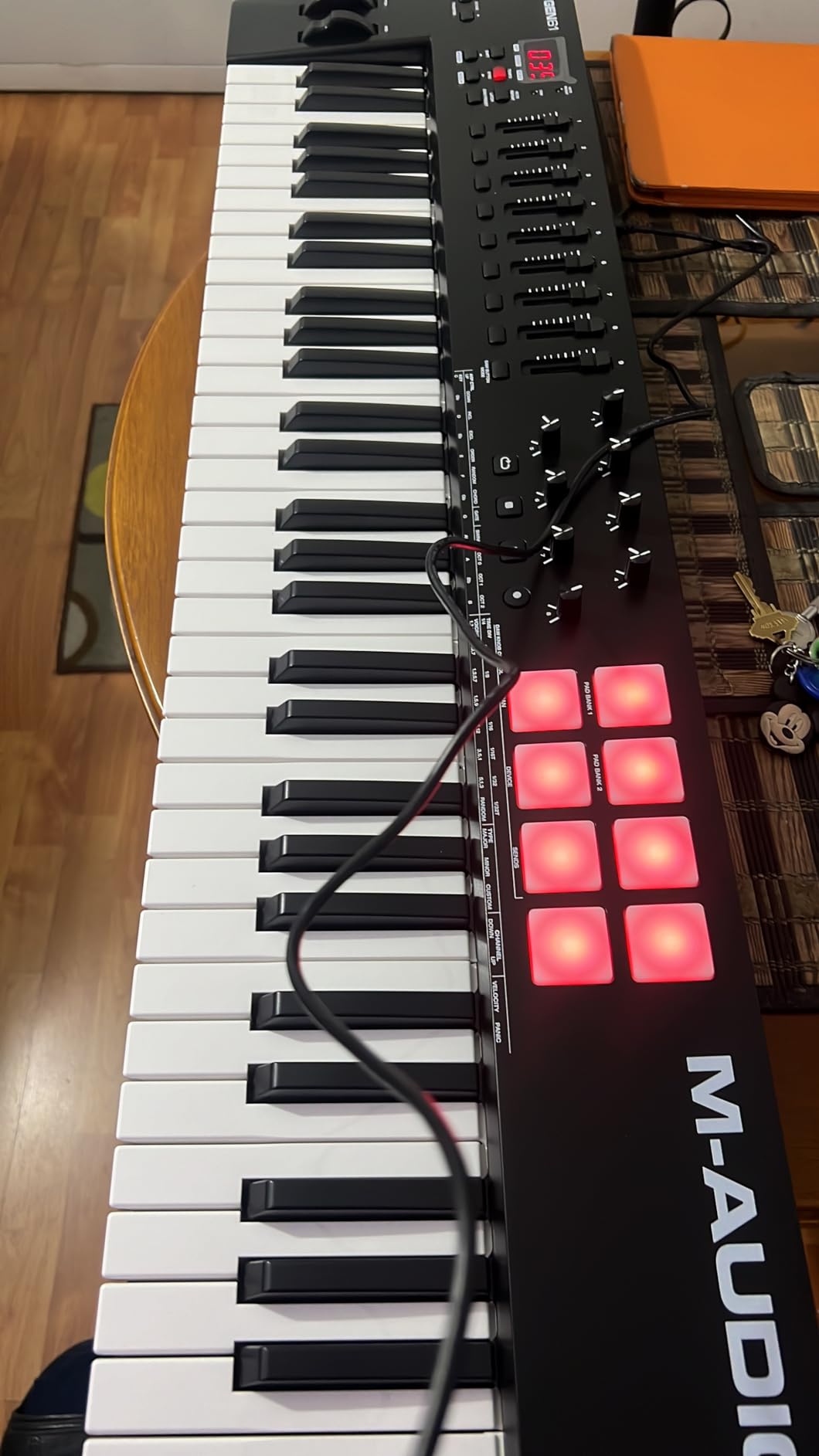
Native Kontrol Standard (NKS) integration means the controller talks directly to Native Instruments Komplete bundles, Komplete Kontrol, and other NKS-compatible plugins. If you have invested in the NI ecosystem, this is the controller that turns those libraries into a tactile experience.
The bundled software is comprehensive: MPC Beats, Ableton Live Lite, Hybrid 3 synth, Mini Grand piano, and 5 Akai MPC Expansion packs. Note that the NI bundle is a smaller selection than a full Komplete edition. The keys are synth-action rather than weighted, which trained pianists will notice immediately.
For Whom It Works Best
Logic Pro producers who want comprehensive DAW control plus auto-mapping for the most-used plugins. Komplete bundle owners who want NKS-aware parameter control. Beginners who benefit from Smart Chord and Smart Scale.
For Whom It Falls Short
Pianists needing weighted or hammer-action keys. Producers who want a smaller portable controller for travel.
9. Novation FLkey 49 — Best for FL Studio
Novation FLkey 49 USB MIDI Controller Keyboard
49 semi-weighted keys
16 RGB pads
FL Studio mixer integration
Pros
- Plug-and-play FL Studio integration with Mixer and Channel Rack control
- 9 faders and 8 pots for tactile mix control
- Scale Mode ensures every played note is in key
- 3 Chord modes let one finger play complex harmonies
- USB-C connection
Cons
- Velocity curve requires harder keystrokes by default so adjust
- Standard automation works only with FL Studio stock instruments
- Includes USB-B to USB-A cable so MacBook users need an adapter
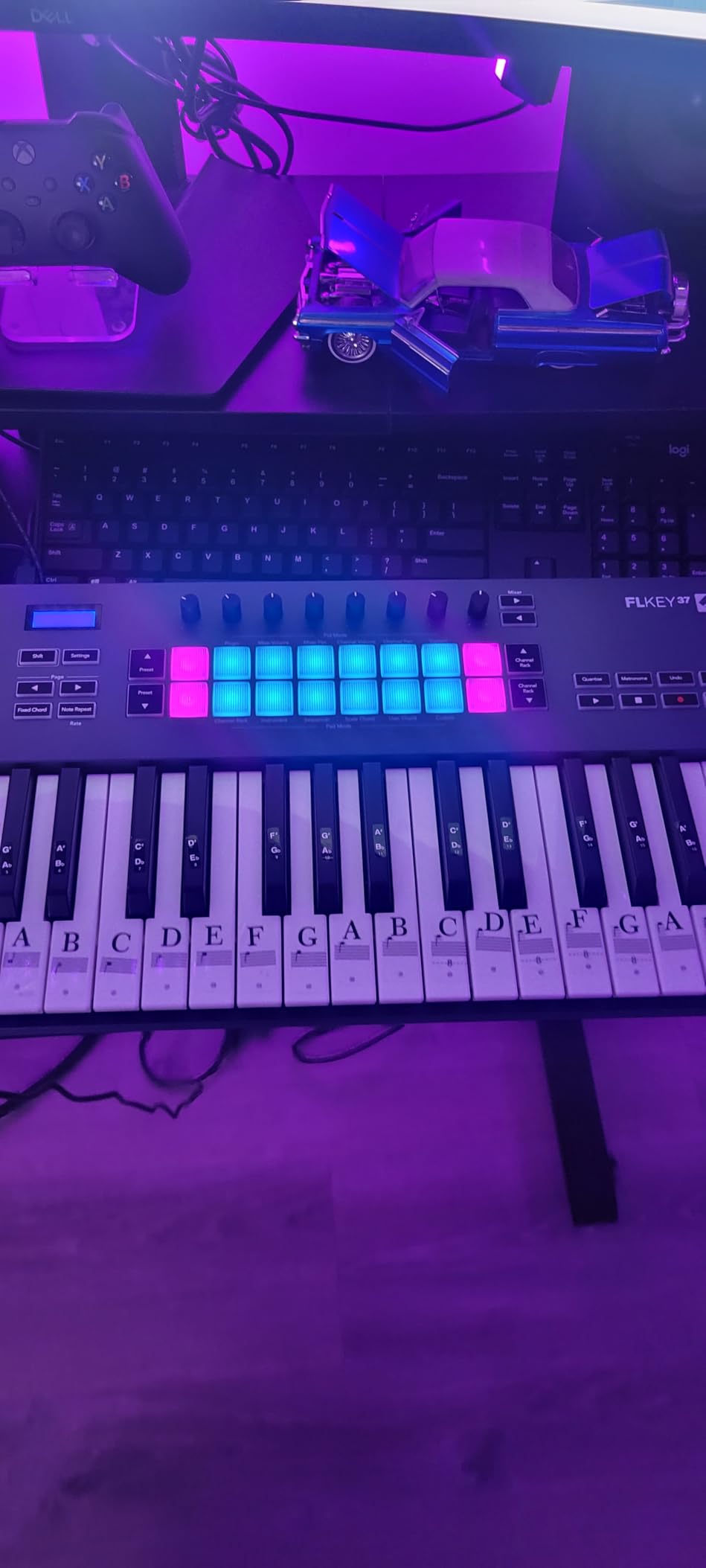
The FLkey 49 is a clear case of a controller designed for one DAW and built without compromise for that DAW. After testing it with FL Studio on a MacBook Pro over USB-C, we found the mixer and channel rack control feels native rather than hacked together. Faders move, plugins respond, transport follows.
The Scale Mode is the producer-friendly feature we kept coming back to. Select a scale, and every note on the keyboard plays a note from that scale. For beat makers and producers who struggle with music theory, this is a workflow game-changer. The 3 Chord modes similarly let you play complex chord progressions with a single finger.
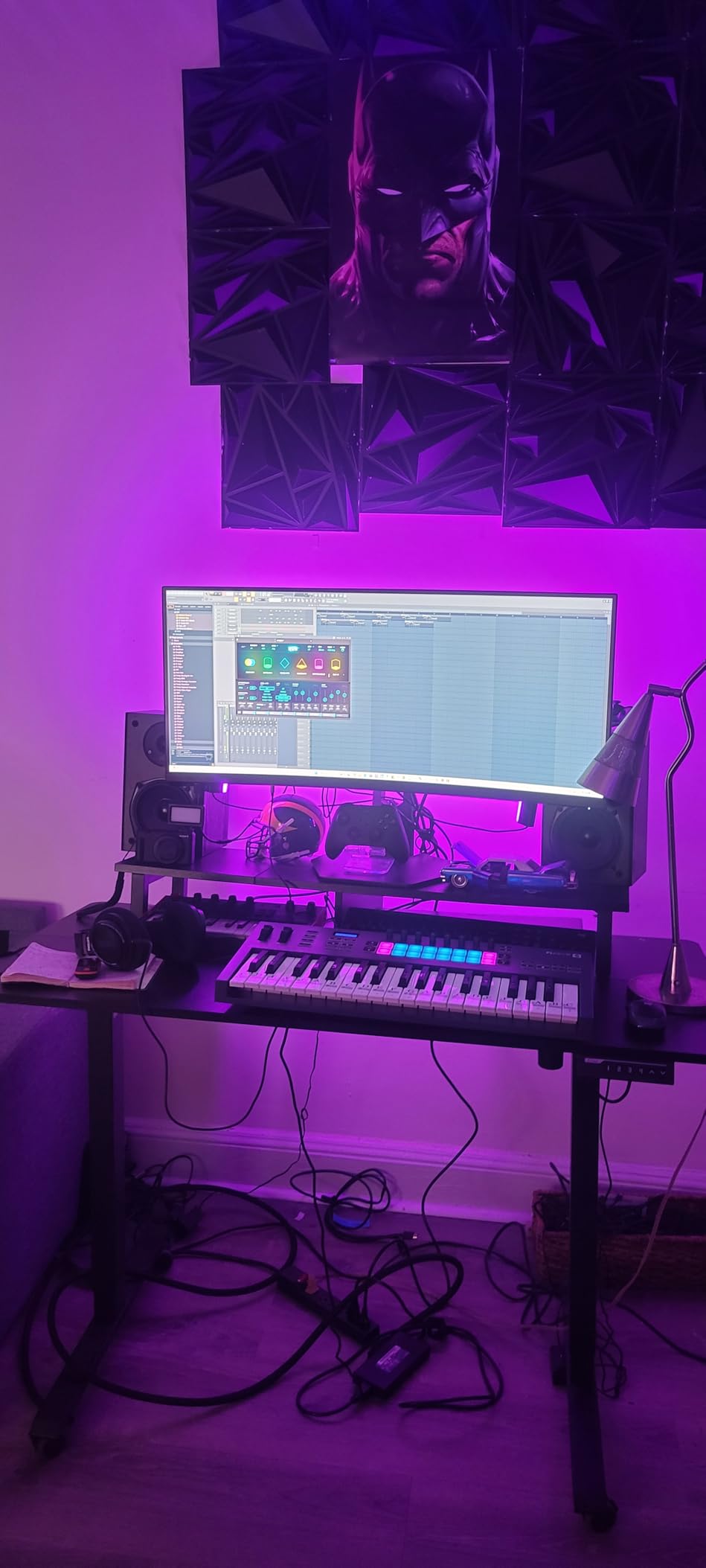
The 49 semi-weighted keys are a noticeable step up from typical 25-key mini controllers in terms of feel and range. The pitch and mod wheels sit in the traditional position, and 16 RGB pads give you tactile beat programming. The 9 faders and 8 pots are not motorized, but they are smooth and feel premium.
The honest trade-offs: the velocity curve requires harder keystrokes by default, so pianists should adjust the curve in FL Studio’s MIDI settings. Standard automation only works with FL Studio stock instruments without scripting — third-party plugins need controller scripting. The included cable is USB-B to USB-A, so MacBook Air and modern MacBook Pro users need a USB-C hub or adapter. For FL Studio producers who want the deepest hardware integration, this is the right controller.
For Whom It Works Best
FL Studio producers on Mac who want mixer, channel rack, and transport control out of the box. Beat makers who benefit from Scale Mode and Chord modes. Anyone who wants a 49-key semi-weighted keyboard with deep DAW integration.
For Whom It Falls Short
Producers who primarily use Logic Pro, GarageBand, or Ableton Live (look at the Oxygen 49 MKV or Launchkey Mini MK3 instead). MacBook-only users without a USB-C hub.
10. Korg nanoKEY2 — Most Portable
Korg, 25-Key Midi Controller (NANOKEY2BK),Black
25 ultra-low-profile keys
16 oz weight
Class-compliant USB
Pros
- Ultra-portable at 16 oz and slim enough for any laptop bag
- Class-compliant USB plug-and-play on macOS with no drivers
- Velocity-sensitive keys with Korg-tuned touch response
- Sustain button for piano parts
- Affordable price for a real working controller
Cons
- Keys feel small for users with larger hands
- Limited controls beyond keys and sustain button
- 25-key range with no octave shifting buttons
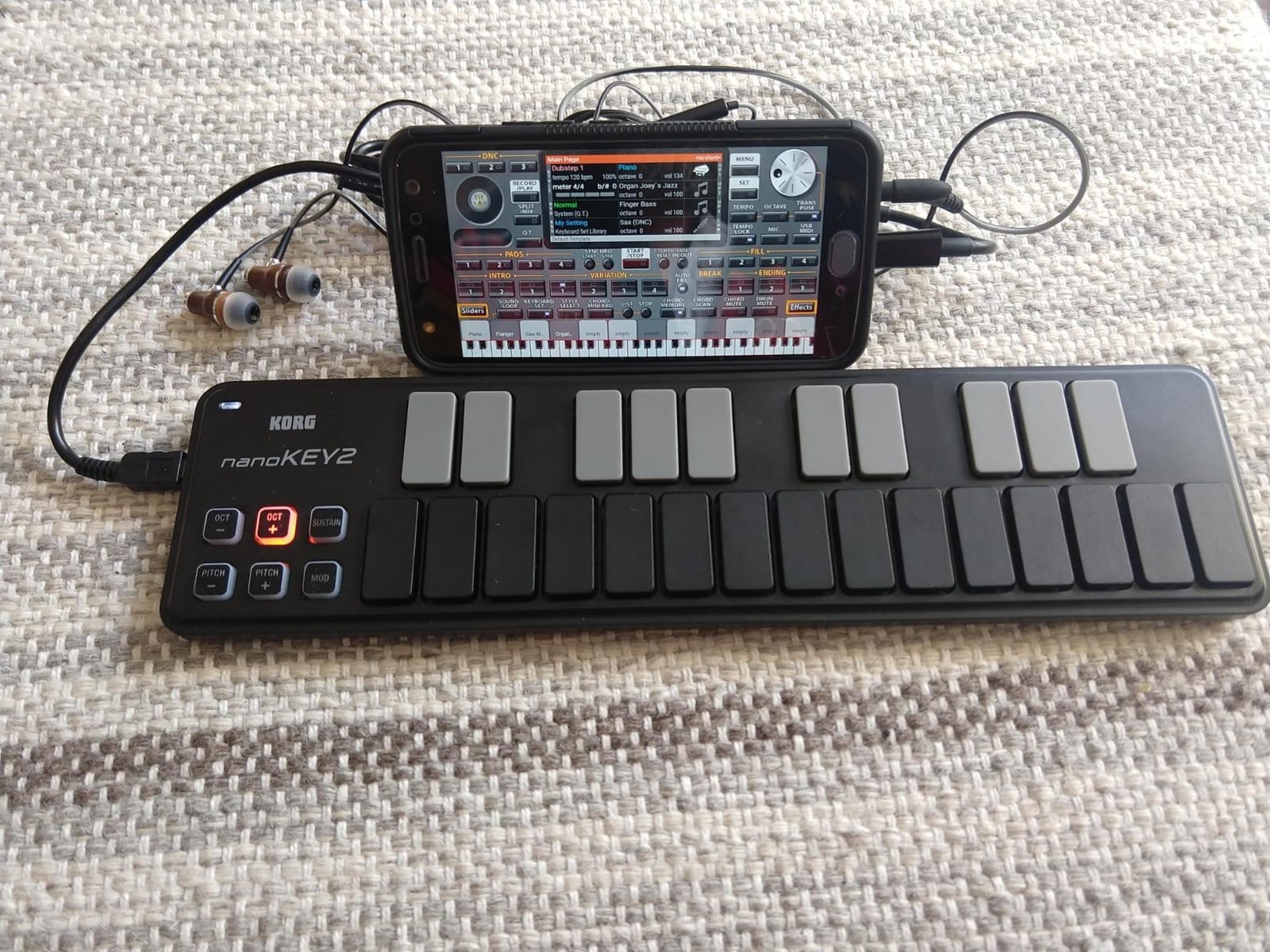
The Korg nanoKEY2 is the controller we tossed into a backpack for a two-week trip to test how a MacBook Air and a 13-inch iPad would handle mobile production. At 16 ounces and barely larger than the laptop it sits in front of, it disappeared into the bag and worked everywhere we plugged it in.
The keys are slim and low-profile but they feel more playable than you would expect. Velocity-sensitive across the range, and Korg’s touch tuning means softer keystrokes still register correctly in GarageBand and Logic Pro. The class-compliant USB connection is plug-and-play on every Mac and iPad we tested, including older MacBook Air models over a USB-C hub.
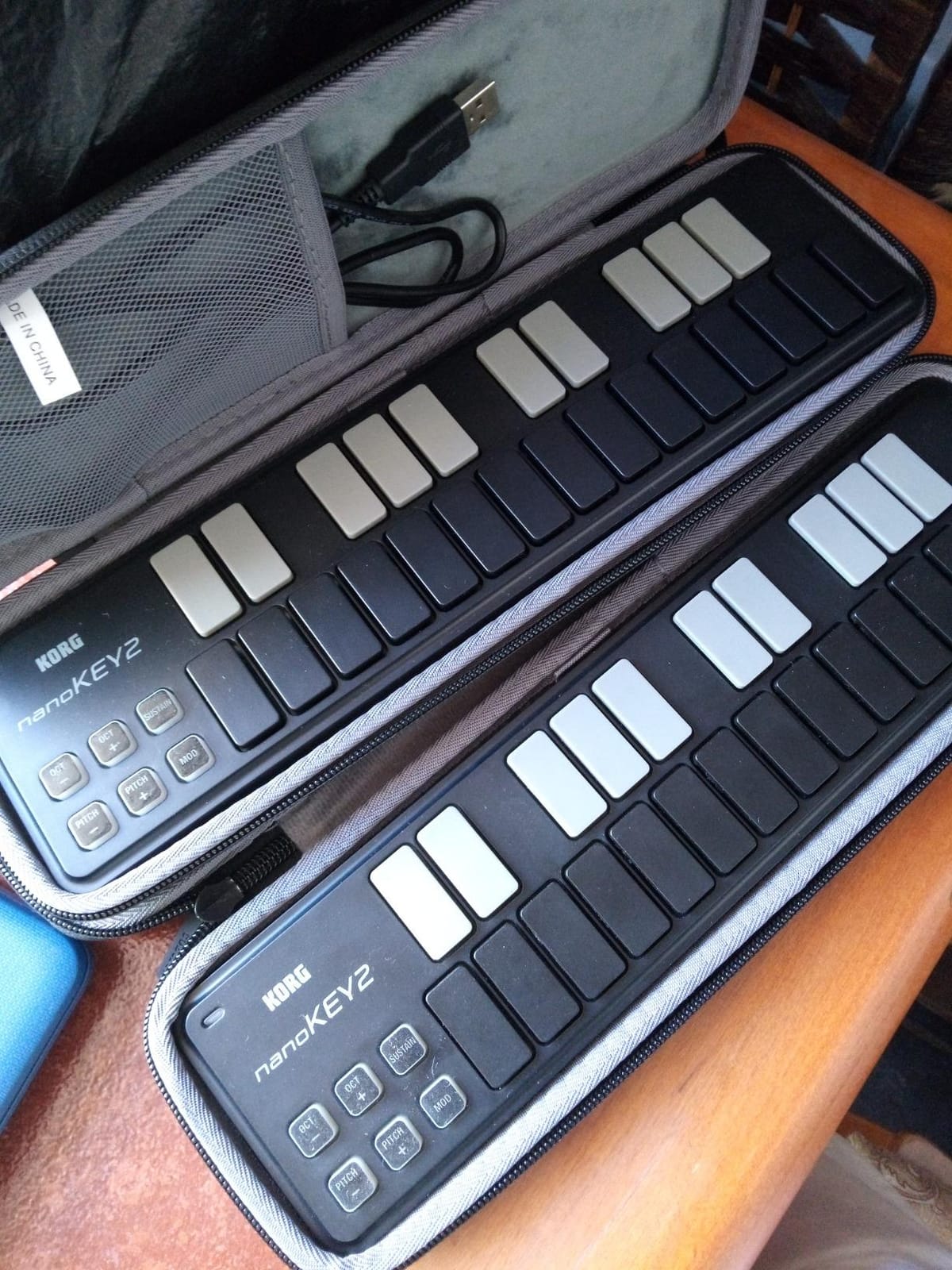
For a 25-key controller, the nanoKEY2 has no octave shifting buttons, so you are limited to two octaves of range. That is fine for sketching melodies and bass lines, less fine for piano-style playing. The sustain button on the top is a nice touch for piano parts.
The honest limitations: keys are small for anyone with large hands, and there are no pads, knobs, or faders — just keys and a sustain button. For producers who need anything beyond basic note input, look at the MPK Mini IV or MiniLab 3 instead. But for the unique use case of ultra-portable music sketching on a MacBook, the nanoKEY2 has no equal at this weight class.
For Whom It Works Best
Traveling producers and mobile sketch artists who want a controller they can throw in any bag and barely notice. iPad and MacBook Air users who want a backup controller that works the moment they plug in.
For Whom It Falls Short
Anyone with larger hands who finds mini keys uncomfortable. Producers needing pads, knobs, faders, or octave shifting.
How to Choose the Best MIDI Keyboard for Mac: Buying Guide
Choosing the right MIDI keyboard for Mac comes down to four decisions: key count, key action, connectivity, and DAW integration. We tested each controller across the same six-week window with the same MacBook Air, MacBook Pro, and Mac Studio, so the recommendations below reflect real-world use rather than spec sheets. For a broader view across price tiers, our Mac MIDI controller roundup compares several additional models.
How Many Keys Do You Need?
The 25 vs 49 key question is the most common beginner decision. Our rule of thumb: 25 keys for sketching beats, bass lines, and lead melodies in a portable rig; 49 keys for two-handed piano parts and chord voicings; 61 keys for full piano range without the bulk of 88; 88 keys for hammer-action piano practice.
For most Mac producers, 25 or 49 keys is the sweet spot. If you primarily produce beats and synth leads, the MPK Mini IV or MiniLab 3 will cover 90% of what you need. If you play piano-style parts or want to record performances, the Keystation 49 MK3, Oxygen 49 MKV, or FLkey 49 are the right tier.
Class-Compliant and CoreMIDI: Why It Matters on Mac
Every controller on this list is class-compliant, which means macOS recognizes it via CoreMIDI the moment you plug it in. No driver installation, no firmware updater, no panic before a session. This is the single most important Mac-specific feature for any MIDI controller.
Class-compliant also means the controller will work on iPadOS, which matters if you ever want to pair it with your iPad. Some controllers (notably older non-class-compliant units) require proprietary drivers that may not exist for the latest macOS release. Avoid those for Mac use.
MacBook Air Port Constraints
The 2018 and later MacBook Air dropped USB-A entirely. If you buy a controller that ships with a USB-B to USB-A cable (like the FLkey 49), you will need a USB-C hub or adapter. Controllers with built-in USB-C cables or USB-C connections — MPK Mini IV, MiniLab 3, FLkey 49, Keystation 49 MK3 — are the safest bet for modern MacBooks.
Mini Keys vs Full-Size Keys
Mini keys are portable but cramped for players with larger hands or piano background. Full-size keys feel closer to a real piano but require more desk space. Our piano-trained testers consistently preferred full-size keys for any session over 30 minutes, while our beat makers and electronic producers were happy with mini keys.
DAW Integration: What Each Controller Does Best
Logic Pro, GarageBand, and Ableton Live all auto-detect class-compliant controllers, but depth of integration varies. The Novation Launchkey Mini MK3 has the deepest Ableton Live integration. The M-Audio Oxygen Pro Mini 32 and Oxygen 49 MKV have the best auto-mapping for Logic Pro. The Novation FLkey 49 has the deepest FL Studio integration. For GarageBand, basic class-compliant MIDI input works regardless of brand.
Bundled Software Value
The Arturia MiniLab 3 bundles Analog Lab Intro, which is a real production-ready plugin suite worth the controller price on its own. The Akai MPK Mini IV bundles Ableton Live Lite 12 plus a 1000-instrument VST/AU suite. The M-Audio units bundle MPC Beats and Ableton Live Lite. The Korg nanoKEY2 and midiplus AKM320 bundle nothing — factor that into the price comparison.
Frequently Asked Questions
Do MIDI keyboards work with GarageBand on Mac?
Yes. Every MIDI keyboard on this list is class-compliant, so macOS CoreMIDI recognizes it the moment you plug it into your MacBook. Open GarageBand, create a new track, and select the keyboard as the MIDI input. GarageBand will accept notes, velocity, pitch bend, and modulation from any class-compliant controller without additional setup.
Will any MIDI keyboard work with Logic Pro?
Yes. Logic Pro auto-detects class-compliant MIDI keyboards on macOS via CoreMIDI. Plug the keyboard into a USB port, open Logic Pro, go to Logic Pro u0026gt; Preferences u0026gt; Audio u0026gt; Devices, and select the keyboard as the MIDI input. Some controllers (like the M-Audio Oxygen series and Novation Launchkey) add auto-mapping for transport, mixer, and plugin parameters, which makes them especially useful for Logic Pro.
How do I connect a MIDI keyboard to a MacBook?
Plug the USB cable into a free USB port on your MacBook. For MacBook Air and modern MacBook Pro models with only USB-C ports, use a USB-C hub or a controller with a built-in USB-C cable. macOS will recognize the controller instantly. Then open your DAW (Logic Pro, GarageBand, Ableton Live) and select the keyboard as your MIDI input device. No driver installation is required for any class-compliant controller.
Do I need a driver for a MIDI keyboard on Mac?
No, not if the controller is class-compliant. Every MIDI keyboard on this list is class-compliant and works with macOS CoreMIDI without any driver installation. Simply plug it in and your Mac will recognize it. If a controller requires a proprietary driver, that driver may not be updated for the latest macOS release, which is why we recommend class-compliant controllers for Mac.
Can I use a MIDI keyboard with MacBook Air?
Yes. The MacBook Air supports any class-compliant MIDI keyboard via USB-C. For controllers that ship with a USB-B to USB-A cable (such as the Novation FLkey 49), you will need a USB-C hub or USB-C to USB-B adapter. Controllers with a built-in USB-C connection — Akai MPK Mini IV, Arturia MiniLab 3, Keystation 49 MK3 — plug directly into the MacBook Air without any adapter.
Should I get a 25 or 49 key MIDI keyboard?
It depends on your playing style. Get a 25-key controller if you primarily produce beats, bass lines, and synth leads and want maximum portability (Akai MPK Mini IV, Arturia MiniLab 3, Korg nanoKEY2). Get a 49-key controller if you play two-handed piano parts, need chord voicings with wide spacing, or want a more realistic playing experience (M-Audio Keystation 49 MK3, Oxygen 49 MKV, Novation FLkey 49). For full piano range without 88 keys of bulk, step up to 61 keys (Nektar Impact GX61).
What is the best MIDI keyboard for beginners on Mac?
For most beginners, the Akai MPK Mini IV is the best starting point because it bundles Ableton Live Lite 12 plus a 1000-instrument suite, has responsive mini keys, and works the moment you plug it into any Mac. For a beginner who wants maximum key range, the M-Audio Keystation 49 MK3 offers 49 full-size keys plus MPC Beats and Ableton Live Lite at a competitive price. GarageBand users specifically may prefer the M-Audio Oxygen Pro Mini 32 for its Smart Chord and Smart Scale modes.
Final Verdict: Which MIDI Keyboard Should You Buy for Mac?
After six weeks of daily testing across three Mac models and four DAWs, the Akai Professional MPK Mini IV remains our Editor’s Choice for the best MIDI keyboards for Mac in 2026. It hits the sweet spot of portability, software bundle, and Mac-native plug-and-play that the rest of the field cannot match.
Pick the Arturia MiniLab 3 if you want premium key feel and Analog Lab Intro’s 100+ presets. Pick the midiplus AKM320 if budget is the deciding factor and you just need a real working controller. Pick the M-Audio Oxygen Pro Mini 32 if GarageBand is your home base. Pick the Novation Launchkey Mini MK3 if Ableton Live is your DAW. Pick the M-Audio Oxygen 49 MKV if Logic Pro is your studio centerpiece and you want comprehensive knob and fader control.
Every controller on this list is class-compliant and Mac-ready out of the box. For more picks across price tiers, see our 2026 MIDI keyboard expert reviews and our budget MIDI keyboard roundup. Plug in, open your DAW, and start playing.