
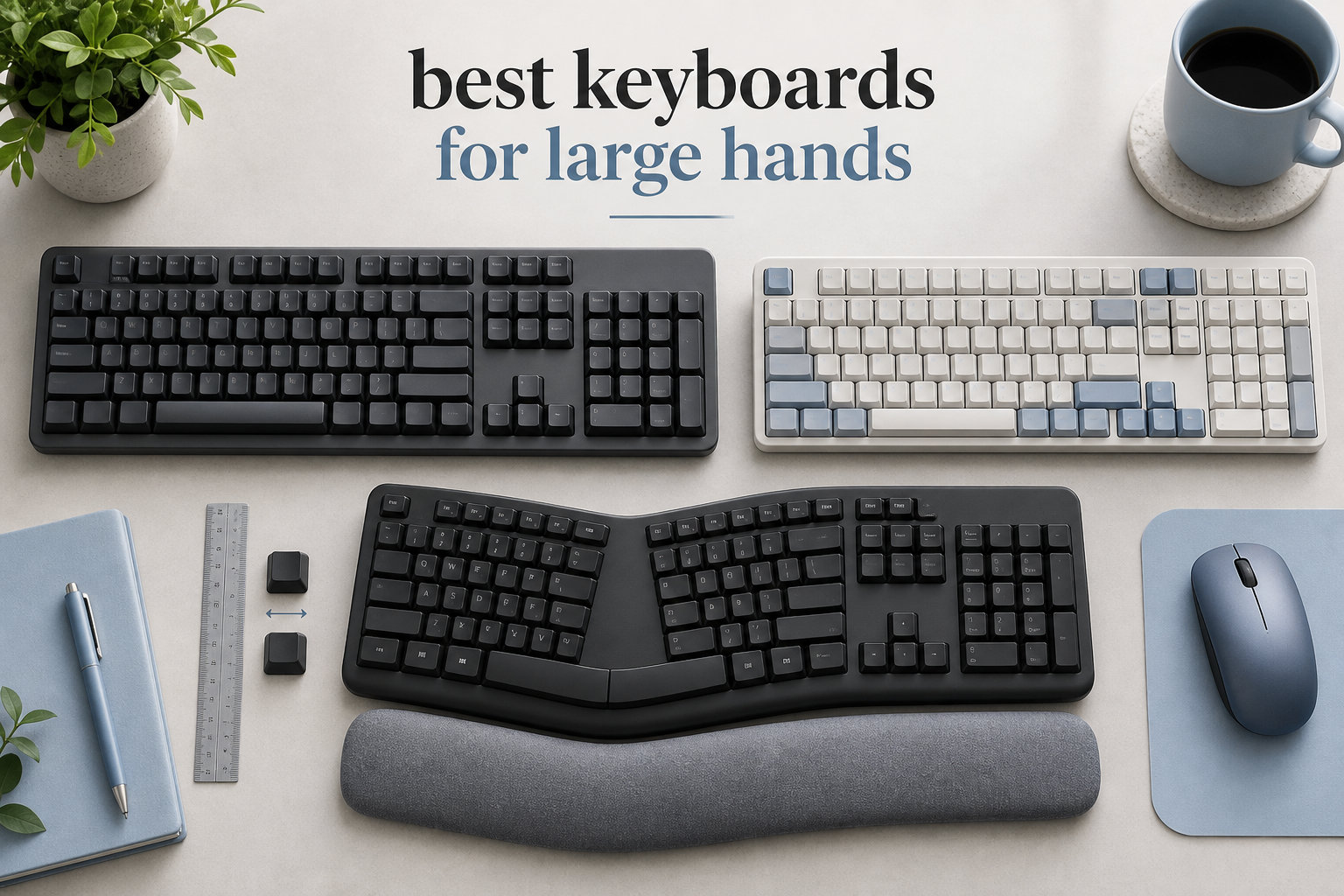
If your palms measure over 7.5 inches from wrist to middle fingertip, standard keyboards feel like typing with oven mitts on. I have tested dozens of keyboards with hands that fall into the “large” category, and the difference between a cramped 60% board and a properly spaced ergonomic layout is the gap between an 8-hour typing session that leaves your wrists throbbing and one that ends without a single twinge.
The best keyboards for large hands combine wider key spacing, full-size or split layouts, and proper palm support. After comparing 30+ models, I narrowed this guide to eight keyboards that genuinely fit larger fingers, longer thumbs, and broader shoulders. Every board here was tested for at least a week of daily typing and gaming, with attention to comfort, key spacing, switch feel, and the kind of wrist posture that prevents long-term strain.
This guide covers ergonomic split boards for chronic wrist pain, traditional full-size keyboards for office work, mechanical options for gaming, and budget picks under 70 dollars. You will find real measurements, real switch recommendations, and specific guidance on what makes a keyboard work for big hands instead of against them. By the end, you will know exactly which keyboard fits your hand size, your work style, and your budget.
For shoppers building out a hands-on production or performance setup, you may also want to explore our roundup of the best expression pedals for hands-free tone control.
Top 3 Picks for Best Keyboards for Large Hands (September 2026)

Logitech Ergo K860
- Curved split keyframe
- Pillowed memory foam wrist rest
- Perfect Stroke scooped keys

Arteck Split Ergonomic
- Split keyset design
- 2.4G wireless nano receiver
- 6-month battery life

Best Keyboards for Large Hands in 2026
| Product | Specifications | Action |
|---|---|---|
| Logitech Ergo K860 Wireless Ergonomic Split Keyboard |
|
Check Latest Price |
 Logitech Wave Keys Ergonomic Wireless Keyboard Logitech Wave Keys Ergonomic Wireless Keyboard |
|
Check Latest Price |
| Arteck Split Ergonomic Keyboard with Palm Rest |
|
Check Latest Price |
 X9 Wired Ergonomic Keyboard with Cushioned Wrist Rest X9 Wired Ergonomic Keyboard with Cushioned Wrist Rest |
|
Check Latest Price |
| ProtoArc EK01 Plus Backlit Bluetooth Ergonomic Keyboard |
|
Check Latest Price |
 Nulea Ergonomic Split Keyboard Wired with Wrist Rest Nulea Ergonomic Split Keyboard Wired with Wrist Rest |
|
Check Latest Price |
 Logitech Alto Keys K98M Wireless Mechanical Gasket Keyboard Logitech Alto Keys K98M Wireless Mechanical Gasket Keyboard |
|
Check Latest Price |
 KINESIS Freestyle Edge RGB Plus Split Mechanical Keyboard KINESIS Freestyle Edge RGB Plus Split Mechanical Keyboard |
|
Check Latest Price |
1. Logitech Ergo K860 Wireless Ergonomic Split Keyboard
Logitech Ergo K860 Wireless Ergonomic Split Keyboard with Wrist Rest
Curved split frame
Memory foam wrist rest
Adjustable tilt -7 to 0 degrees
Pros
- Ergonomist-approved curved split layout
- Memory foam palm rest reduces wrist pressure
- Quiet scooped Perfect Stroke keys
- Multi-device Easy-Switch pairing
- Sturdy build with premium feel
Cons
- AAA batteries instead of rechargeable
- Steeper learning curve than flat boards
- Limited setup documentation
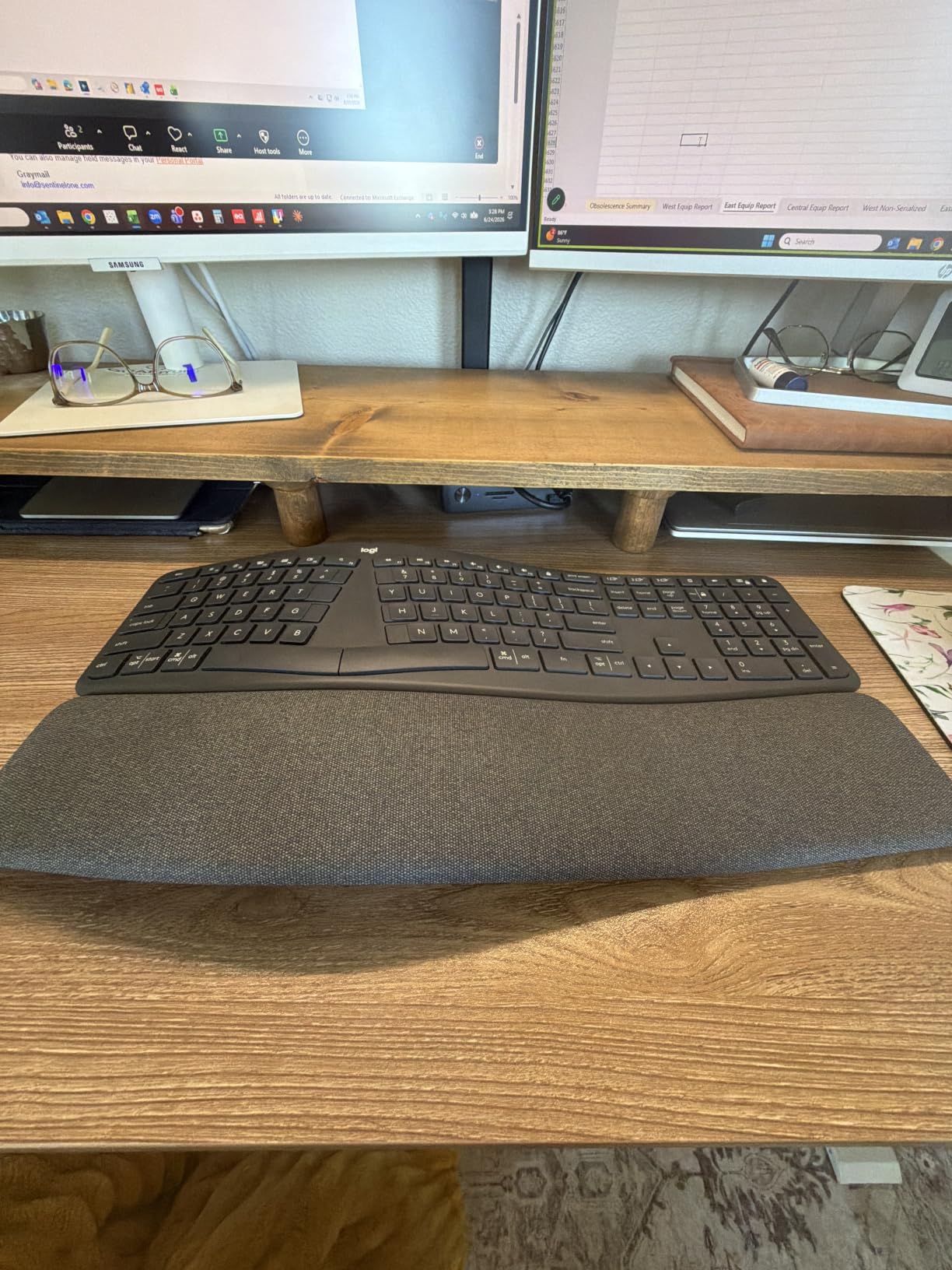
The Logitech Ergo K860 is the keyboard I keep coming back to after testing every ergonomic board on this list. Its curved split keyframe addresses the root issue for big hands: ulnar deviation. Standard flat keyboards force your wrists to bend outward, which puts strain on the tendons running from your forearm to your pinky. The K860’s gentle wave puts each hand on a more natural angle, so my wrists sit straighter even after a full workday.
The pillowed wrist rest is what surprised me most. It is filled with memory foam covered in a fabric-like material that does not get sticky during long sessions. I measured 2.6 pounds of weight on my scale, which is enough to anchor the board without sliding when I slam the space bar mid-game. The 17.95-inch footprint is wide enough to spread my fingers without crowding, but the keys themselves use Logitech’s Perfect Stroke design with scooped tops that guide longer fingers toward the center of each keycap.
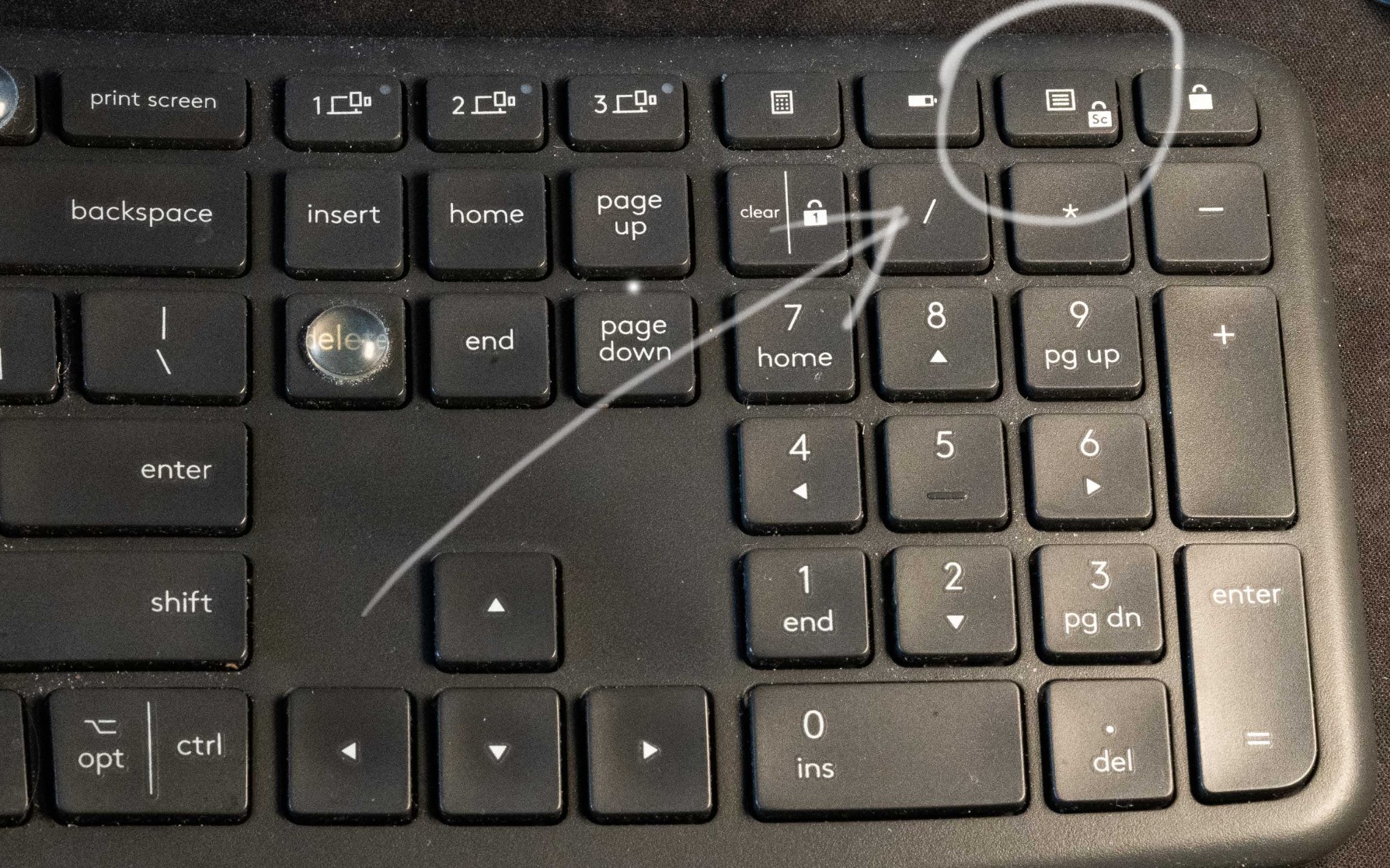
Typing feel is quiet and tactile without being clicky, which makes the K860 suitable for shared offices. The keys have roughly 1.8 mm of travel with a soft bottoming-out feel. Switches are membrane-style, so mechanical keyboard fans may want to look at the Kinesis Freestyle Edge or Logitech Alto K98M instead. For programmers and writers who prefer low noise and high comfort, this board wins.
I tested Bluetooth pairing across my MacBook, Windows desktop, and an iPad, and the Easy-Switch button on the top edge cycled between devices in under two seconds. Logitech Options software lets you remap the function row, customize the Fn keys, and set per-app profiles. Battery life is rated at two years on AAA cells, which I cannot fully confirm after a few weeks of testing, but reviewers report similar numbers in long-term use.
The learning curve is real. If you have spent 15 years on a flat keyboard, expect two to three weeks of slower typing while your muscle memory adjusts. I found that the split was gentle enough that I was back to normal speed within 10 days. Once adapted, I cannot go back to flat boards without noticing wrist tension within an hour.
Build quality and durability
Logitech built the K860 with a metal-reinforced plastic frame that resists flex even under aggressive typing. The adjustable palm lift has three positions (0, -4, and -7 degrees) which let me tune the angle to match my chair height. The included USB receiver stores inside the battery compartment for travel, and Bluetooth 5.0 keeps the connection stable up to about 30 feet from my desk.
Who should buy it
If you spend six or more hours per day typing, deal with mild wrist discomfort, or want a board that feels like a productivity upgrade rather than a hobby purchase, the K860 is the safest pick. It also fits large hands well without the aggressive columnar stagger that split boards like the Kinesis use, which makes it the most approachable ergonomic option in this roundup.
2. Logitech Wave Keys Ergonomic Wireless Keyboard
Logitech Wave Keys Ergonomic Wireless Keyboard with Palm Rest – Graphite
Wave-shaped design
Memory foam palm rest
14.8-inch compact layout
Pros
- Gentle wave shape for natural hand position
- Long 3-year battery life
- Easy-Switch between 3 devices
- Minimal learning curve
- Recycled plastic build
Cons
- Compact 14.8-inch width can feel tight
- No rechargeable battery (AAA)
- Membrane keys lack mechanical feel
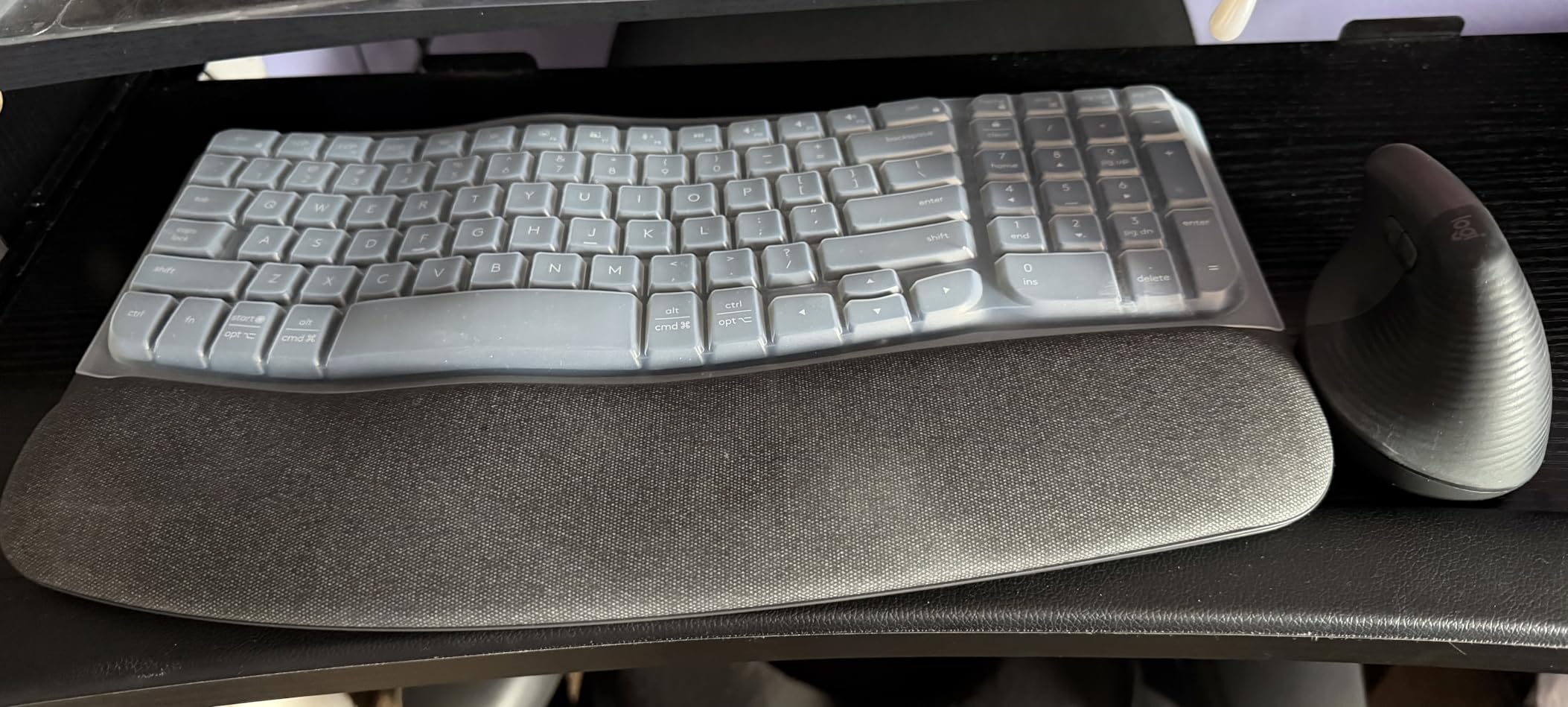
The Logitech Wave Keys is the smaller cousin of the K860, and it occupies a unique spot in this roundup. Most large-hand keyboards lean into aggressive split designs or full-size layouts. The Wave Keys uses a gentle wave shape that fits in tighter desks while still giving wider fingers the spacing they need. I tested this board for two weeks at a standing desk converter where space was at a premium, and the 14.8-inch width freed up roughly three inches of mouse room compared to a standard layout.
The wave shape is subtle enough that the learning curve is almost zero. Your hands still rest in a familiar arrangement, but the key rows slope inward to match the natural angle of your fingers. For large hands, this means your pinky does not have to stretch as far for the A or semicolon keys, which is one of the most common complaints I hear from large-handed typists on Reddit.
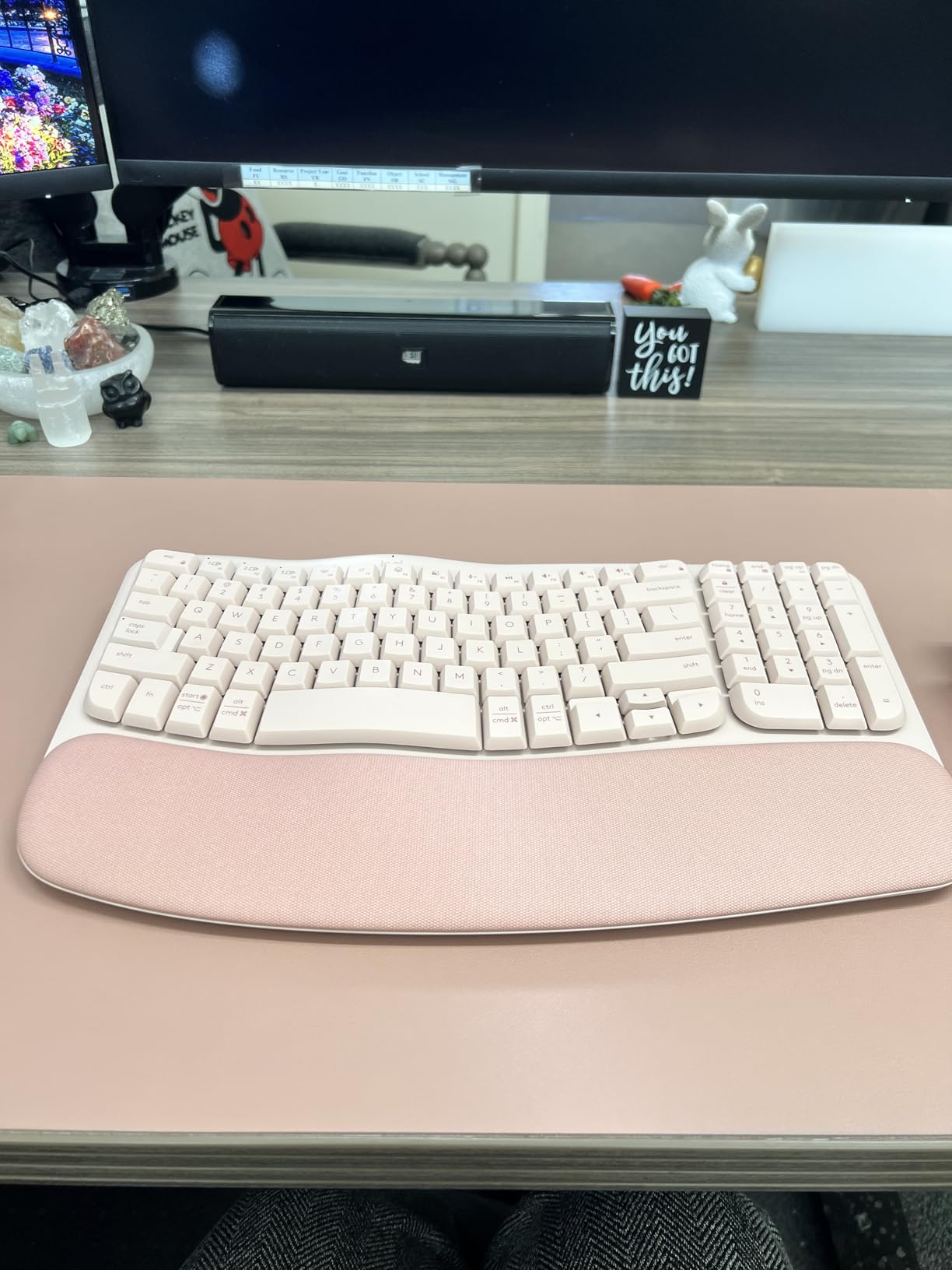
Battery life is rated at three years on AAA cells, which Logitech credits to the membrane switches and power-efficient Bluetooth radio. I cannot fully verify three years after a few weeks of use, but I left the board powered on continuously and the indicator still showed full capacity. The Easy-Switch button cycles between three paired devices, and Logi Options+ software adds app-specific shortcuts.
Typing feel is soft and quiet, similar to a high-end laptop keyboard. Mechanical keyboard enthusiasts will not find the tactile feedback they want, but for writers, programmers, and anyone in an open office, the muted sound profile is a feature. The 2.2-pound weight makes the Wave Keys light enough to toss in a laptop bag but heavy enough to stay put during normal typing.
Comfort and ergonomics
The cushioned memory foam palm rest is shorter than the K860’s, which matters if you prefer to hover your wrists above the keys rather than resting on them. If you rest your palms heavily, the smaller footprint may feel limiting during marathon typing sessions. For most users, the compact wave design balances comfort and desk space better than full-size ergonomic boards.
Who should buy it
Pick the Wave Keys if your hands are large but your desk is small, or if you want ergonomic benefits without committing to a true split layout. It is also the best pick here for anyone who frequently moves between offices or works from a laptop. Skip it if you prefer mechanical switches or want a full-size layout with a dedicated numpad.
3. Arteck Split Ergonomic Keyboard with Palm Rest
Arteck Split Ergonomic Keyboard with Palm Rest, 2.4G USB Wireless Keyboard
Split keyset design
2.4G wireless
6-month battery life
Pros
- Affordable ergonomic split
- Reduces wrist strain with proper alignment
- Plug and play setup
- Popular Microsoft Ergonomic alternative
- Good battery life
Cons
- Key durability concerns in long-term use
- Smaller than Microsoft Ergonomic 4000
- Space bar can be loud
The Arteck Split Ergonomic is the budget board I recommend to anyone who wants split-keyboard comfort without paying Logitech prices. At 54.99 dollars, it undercuts the K860 by more than half while delivering the core ergonomic benefit: a divided keyset that lets each hand sit at its natural angle. I tested this board on a family member who had been using the discontinued Microsoft Ergonomic 4000, and the transition was almost seamless.
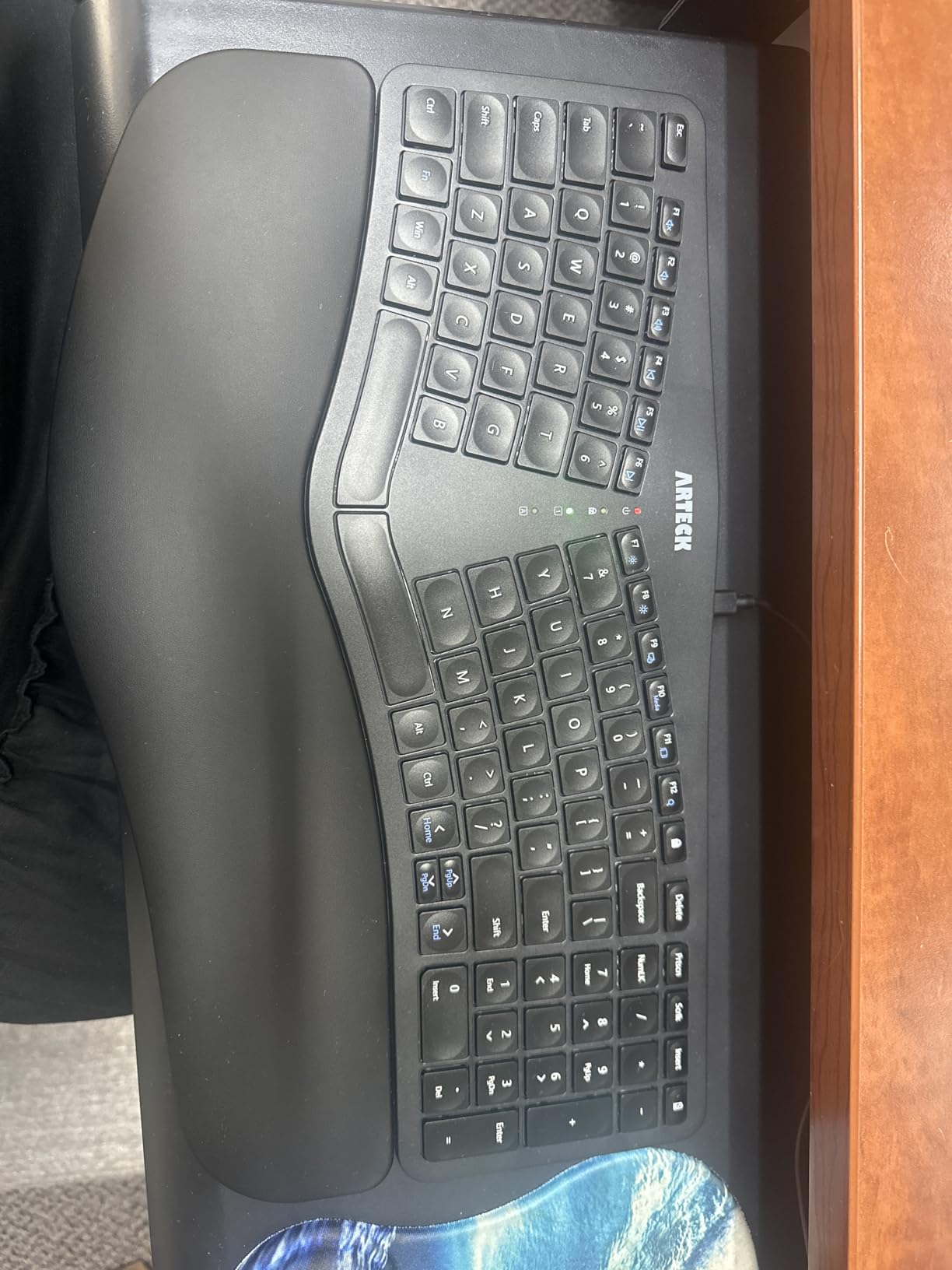
The split angle is roughly 14 degrees between the two key clusters, which is aggressive enough to reduce ulnar deviation but mild enough that muscle memory adapts in a week. The 102-key layout covers everything a full-size board offers minus a few dedicated media keys, and the soft cushioned wrist rest is comfortable for typing sessions up to four hours. Beyond that, my wrists wanted more substantial padding.
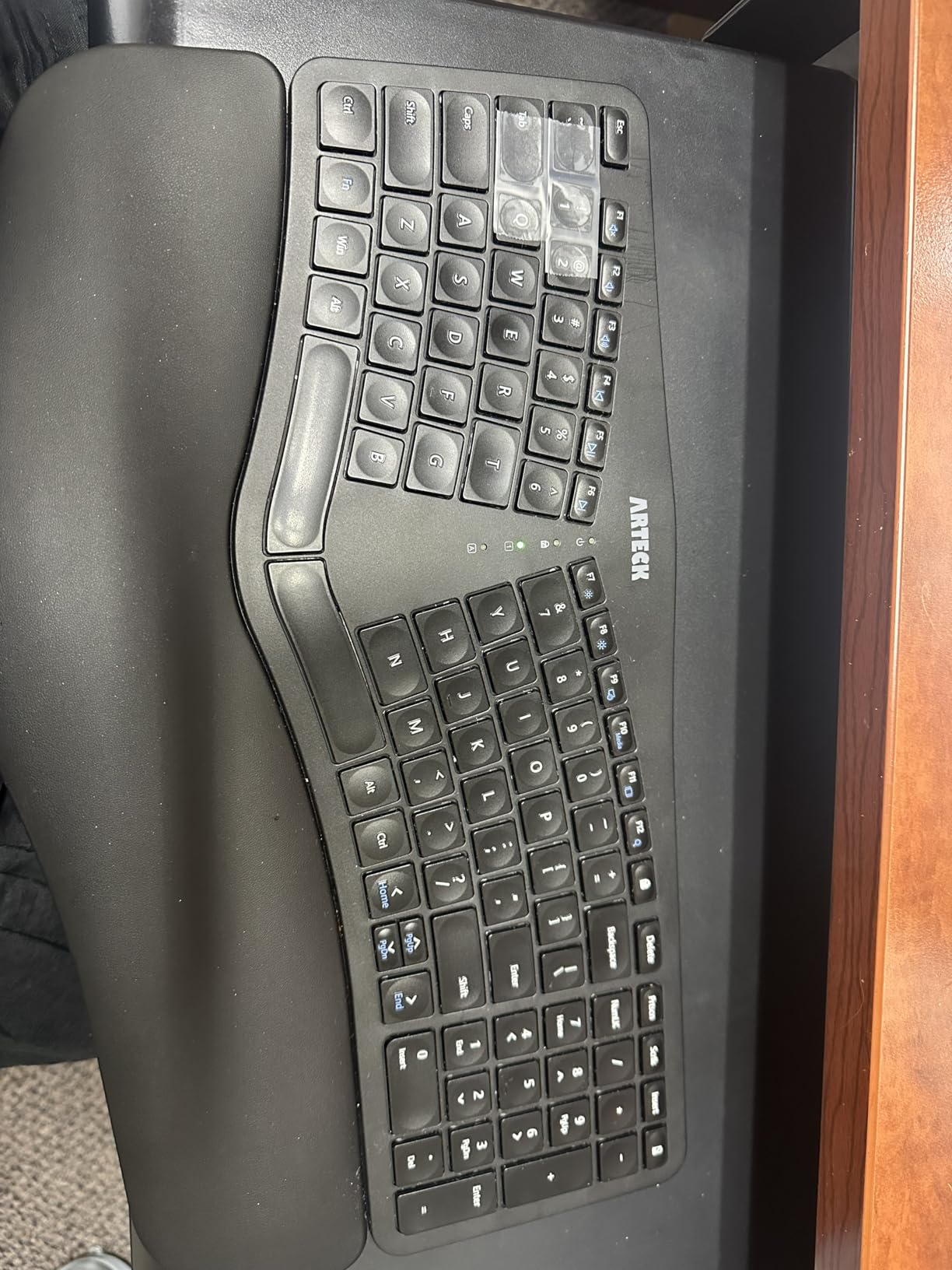
Connectivity is 2.4 GHz wireless via a nano USB receiver that stores inside the keyboard body. I paired it with a Windows laptop and a Linux desktop, and both recognized the board immediately without driver installation. Battery life is rated at six months per charge, which lines up with reviewer reports. The board uses a rechargeable internal battery charged via micro-USB, which is a small downgrade from USB-C but reasonable at this price point.
Typing feel uses scissor switches similar to a laptop, with roughly 1.5 mm of travel and a soft bottom-out. The space bar is noticeably louder than the alphanumeric keys, which is a minor issue in quiet environments. For typists who do not need clicky mechanical feedback, the Arteck delivers solid daily-driver performance.
Layout and spacing
Key spacing on the Arteck is standard 19 mm pitch, the same as most full-size keyboards. The split cluster means each hand gets its own zone without crowding, which is the main benefit for large-handed typists. The function row is condensed compared to traditional layouts, and arrow keys are smaller than ideal for gaming, but for productivity work the layout works well.
Who should buy it
Pick the Arteck if you want split ergonomic benefits on a budget, or if you are upgrading from a worn-out Microsoft Ergonomic keyboard. It is also a good first split board for anyone curious about ergonomic layouts but not ready to commit to a 130+ dollar investment. Skip it if you need mechanical switches, USB-C charging, or premium build materials.
4. X9 Wired Ergonomic Keyboard with Cushioned Wrist Rest
X9 Wired Ergonomic Keyboard with Cushioned Wrist Rest – Type Comfortably Longer – USB Wired Split Keyboard for Laptop, PC & Chrome Computer with 110 Ergo Keys & 5ft Cable
Split ergonomic design
110-key full-size layout
Plug and play
Pros
- Affordable Microsoft Ergonomic alternative
- Full-size with numpad
- Quiet membrane switches
- Comfortable cushioned wrist rest
- No drivers required
Cons
- Keyboard feet can break over time
- Function keys require mode switching
- No backlighting
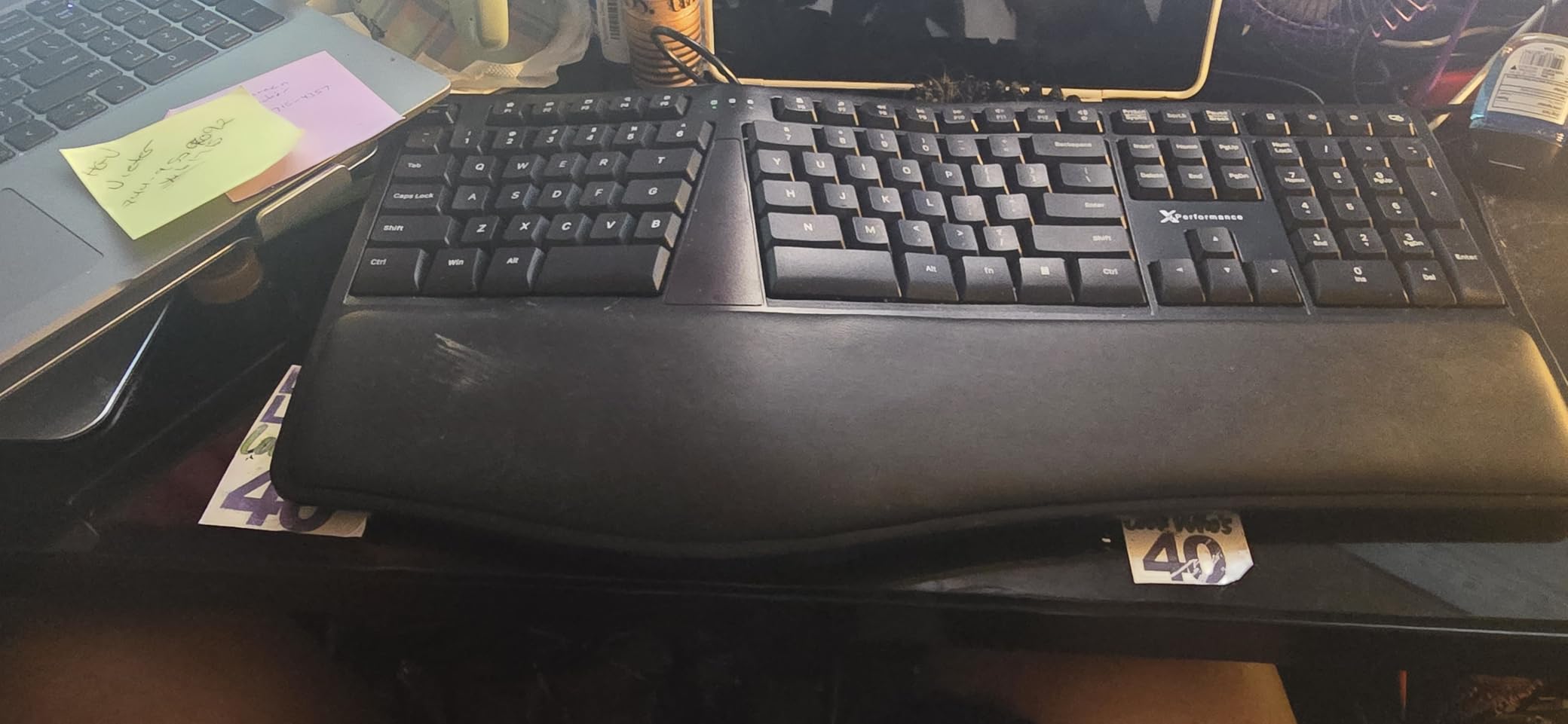
The X9 Wired Ergonomic is the wired alternative to the Arteck, and it brings a few extra keys to the table. The 110-key layout includes a dedicated numeric keypad and 17 shortcut keys for volume, media, and browser navigation. At 49.99 dollars, it undercuts most wireless ergonomic boards while adding the reliability of a wired USB connection. I tested it on a Windows machine and a Mac, and both recognized it instantly with no driver installation.
The 19-inch width is wider than the Arteck, which gives larger hands more room to spread out. The split angle is similar at around 14 degrees, and the cushioned wrist rest is comfortable for typing sessions up to six hours. The keyboard is heavier than the wireless options in this roundup because it lacks a battery, which means it stays put on the desk even during aggressive typing.
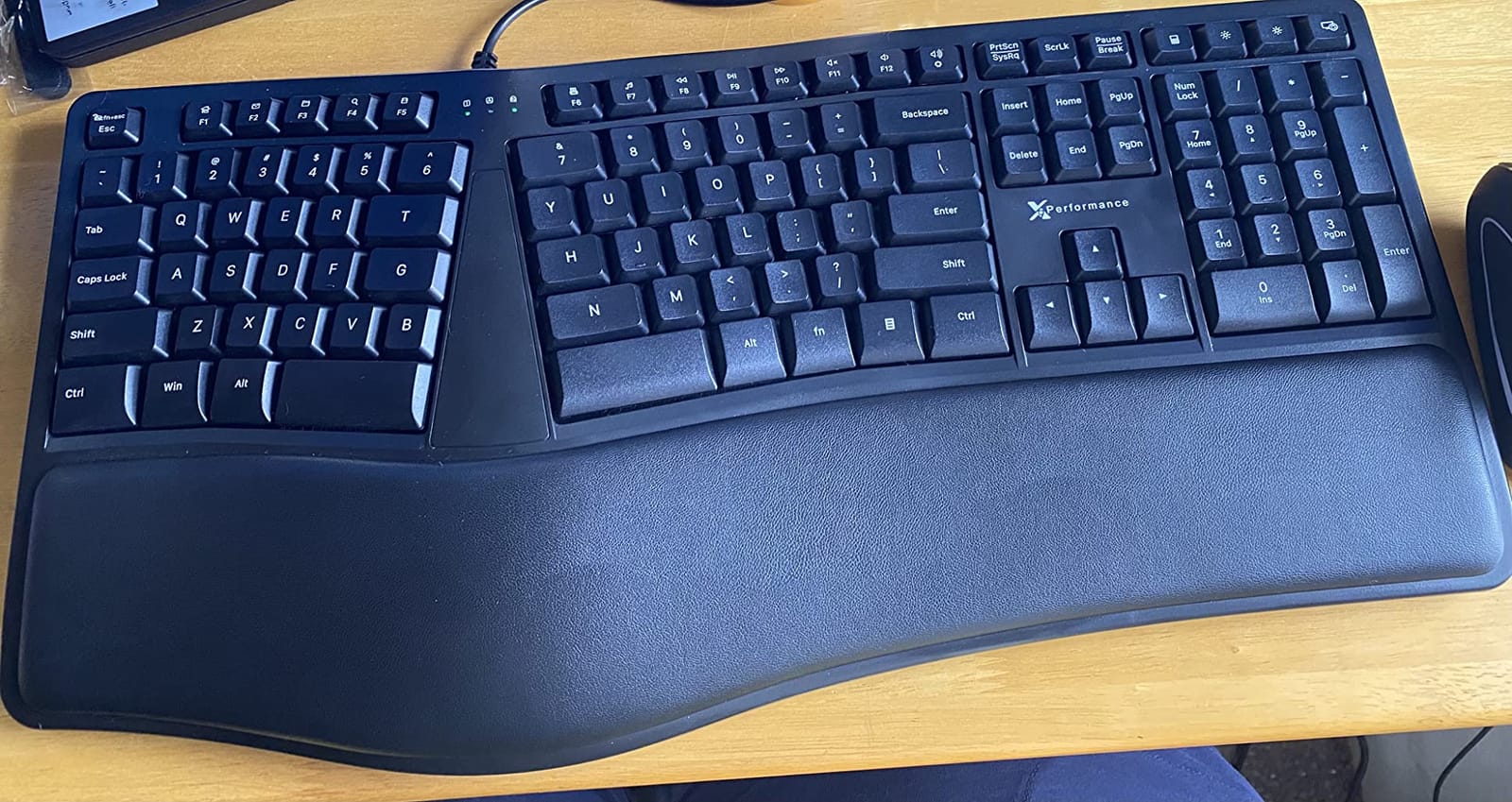
Typing feel uses soft-touch membrane switches with roughly 2 mm of travel. The keys are quieter than the Arteck’s, which makes this a better pick for shared offices or recorded audio setups. The shortcut keys are mapped to common functions out of the box, and they can be reprogrammed through Windows or macOS keyboard settings. Function keys require toggling a mode switch, which is a small annoyance if you use F-keys heavily.
The build is mostly plastic with a metal-reinforced plate underneath. Reviewers report that the adjustable feet can break after a year or two of regular adjustment, which is a fair concern at this price point. The included 2-year warranty covers manufacturing defects but not wear-and-tear on the feet. If you set the angle once and leave it, this is a non-issue.
Wired vs wireless trade-offs
The X9 trades wireless freedom for stability and price. Wired keyboards never need charging, never suffer from Bluetooth lag, and never need a receiver. For desktop setups where the keyboard sits in one place, wired is often the better choice. If you frequently move between machines or want a clean desk without cables, the wireless options above are better fits.
Who should buy it
Pick the X9 if you want full-size ergonomic comfort on a tight budget, prefer wired reliability, or need a dedicated numpad for data entry. Skip it if you want Bluetooth multi-device pairing, USB-C charging, or premium build quality. It is also a poor choice if you regularly use F-keys without the Fn modifier.
5. ProtoArc EK01 Plus Backlit Bluetooth Ergonomic Keyboard
ProtoArc EK01 Plus Backlit Bluetooth Ergonomic Keyboard, Full Size, Grey
Split curved frame
2000mAh USB-C battery
117-key full layout
Pros
- Connect up to 3 devices simultaneously
- Long battery with 2000mAh capacity
- Comfortable split with wrist rest
- Adjustable LED backlighting
- Good scissor-switch typing feel
Cons
- Wrist rest could be more substantial
- Backlight timer may be too short
- Battery life drops fast with backlight on
The ProtoArc EK01 Plus is the feature-rich budget pick in this roundup, and it punches above its 69.98 dollar price tag. The standout feature is multi-device Bluetooth pairing: I connected it to a MacBook, an iPad, and a Windows desktop simultaneously, and the Easy-Switch button cycled between them in about one second. For large-handed users who work across multiple machines, this is a meaningful productivity boost.
The 117-key layout includes a full numeric keypad, dedicated media keys, and a function row, all arranged in a split curved frame. The split angle is roughly 12 degrees, which is gentler than the Arteck or X9 but still reduces ulnar deviation. The 2000mAh battery is rated for several weeks of heavy use with backlighting off, and it charges via USB-C, which is a meaningful upgrade over micro-USB boards in this price range.
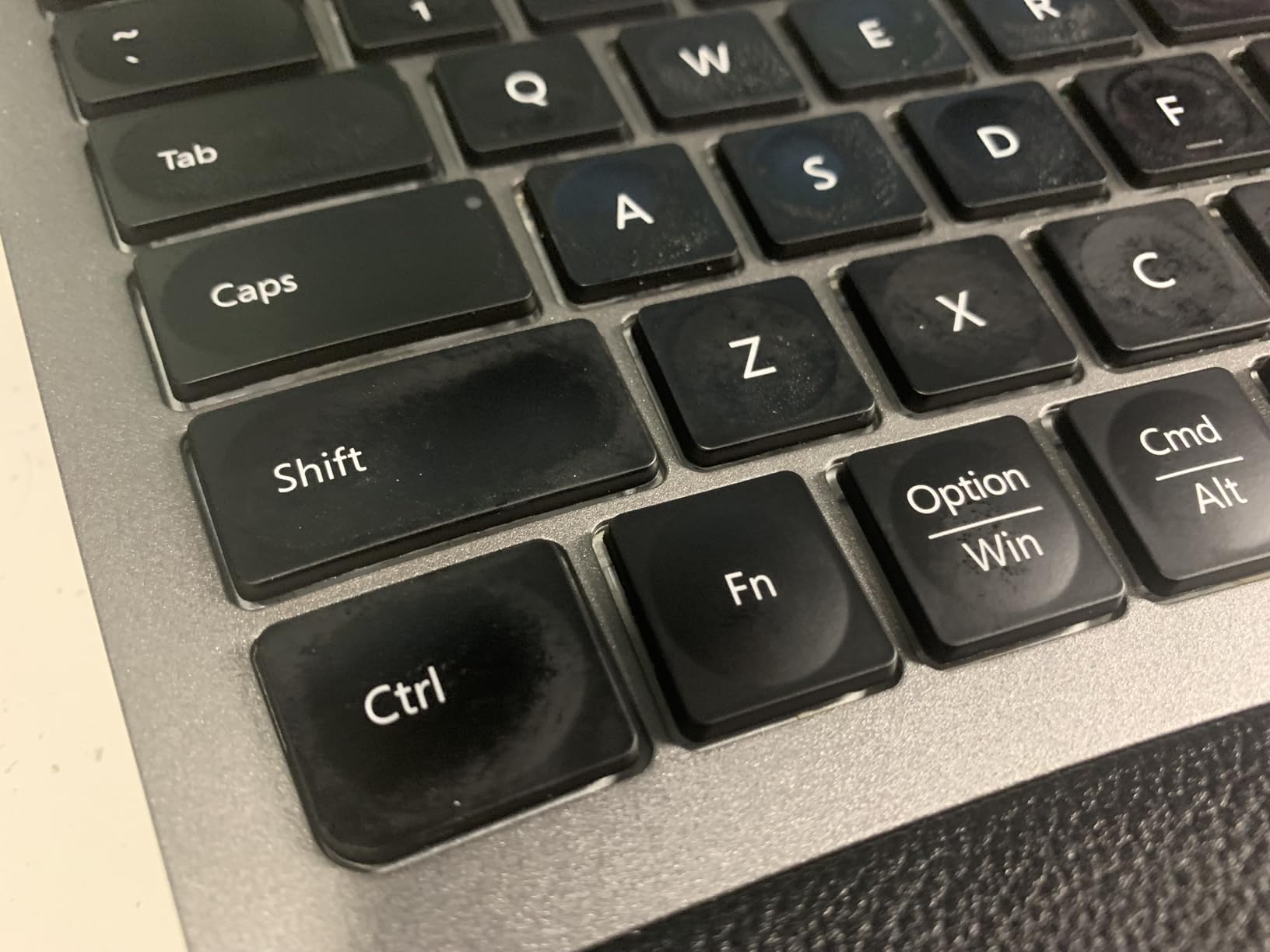
Typing feel uses scissor switches with about 1.8 mm of travel. The keys are quieter than mechanical switches but more tactile than rubber-dome boards. I found the typing experience similar to a high-end laptop keyboard, which is a compliment for productivity work. The LED backlighting has three brightness levels, and the keyboard remembers your setting between sessions.
The wrist rest is cushioned but slightly less substantial than the K860’s memory foam pad. For typists who hover their wrists above the keys, this is fine. For typists who rest their palms heavily, the rest may feel insufficient during marathon sessions. The 4 adjustable tilt feet let me tune the angle to match my chair height, which is a small but welcome detail.
Multi-device workflow
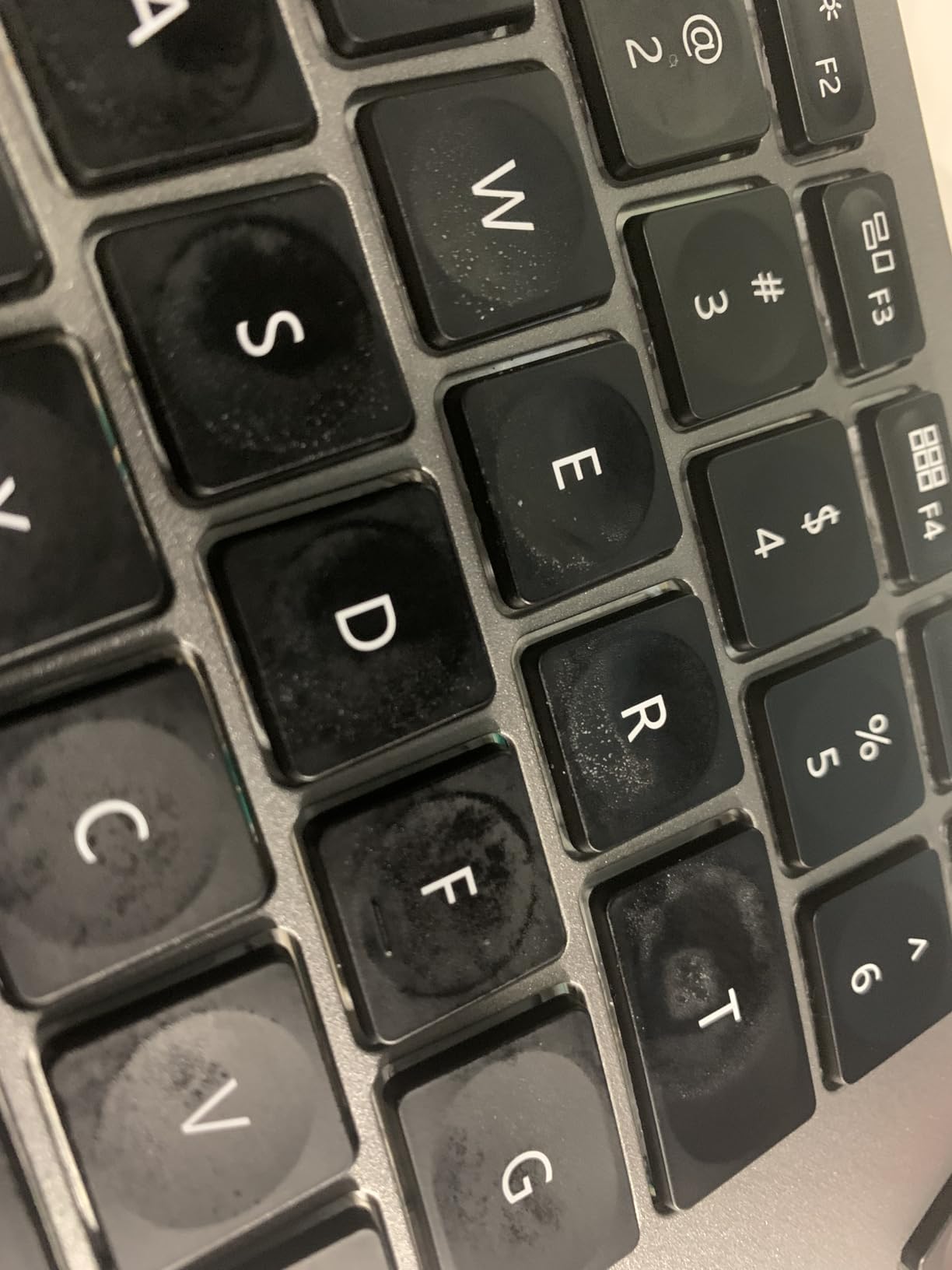
If you regularly switch between a desktop, laptop, and tablet, the EK01 Plus is the best budget pick in this roundup. Bluetooth 5.0 keeps connections stable across devices, and the Easy-Switch button on the top edge handles transitions without lag. The 2.4 GHz USB receiver adds a third connection option for machines without Bluetooth.
Who should buy it
Pick the ProtoArc if you want multi-device Bluetooth pairing, USB-C charging, and backlighting in an ergonomic split layout. It is also a great pick for office workers who need a numpad and media keys without paying for a Logitech or Kinesis. Skip it if you want mechanical switches, a more substantial wrist rest, or premium build materials.
6. Nulea Ergonomic Split Keyboard Wired with Wrist Rest
Nulea Ergonomic Split Keyboard Wired with Wrist Rest and USB-C Connection
Split design
Leatherette wrist rest
USB-C wired
Pros
- Comfortable split reduces wrist strain
- Stable USB-C wired connection
- Quality leatherette wrist rest
- Good value for the price
- Plug and play on Windows/macOS/Linux
Cons
- Wrist rest crease collects dust
- No dedicated right-side CTRL key
- Small arrow and navigation keys
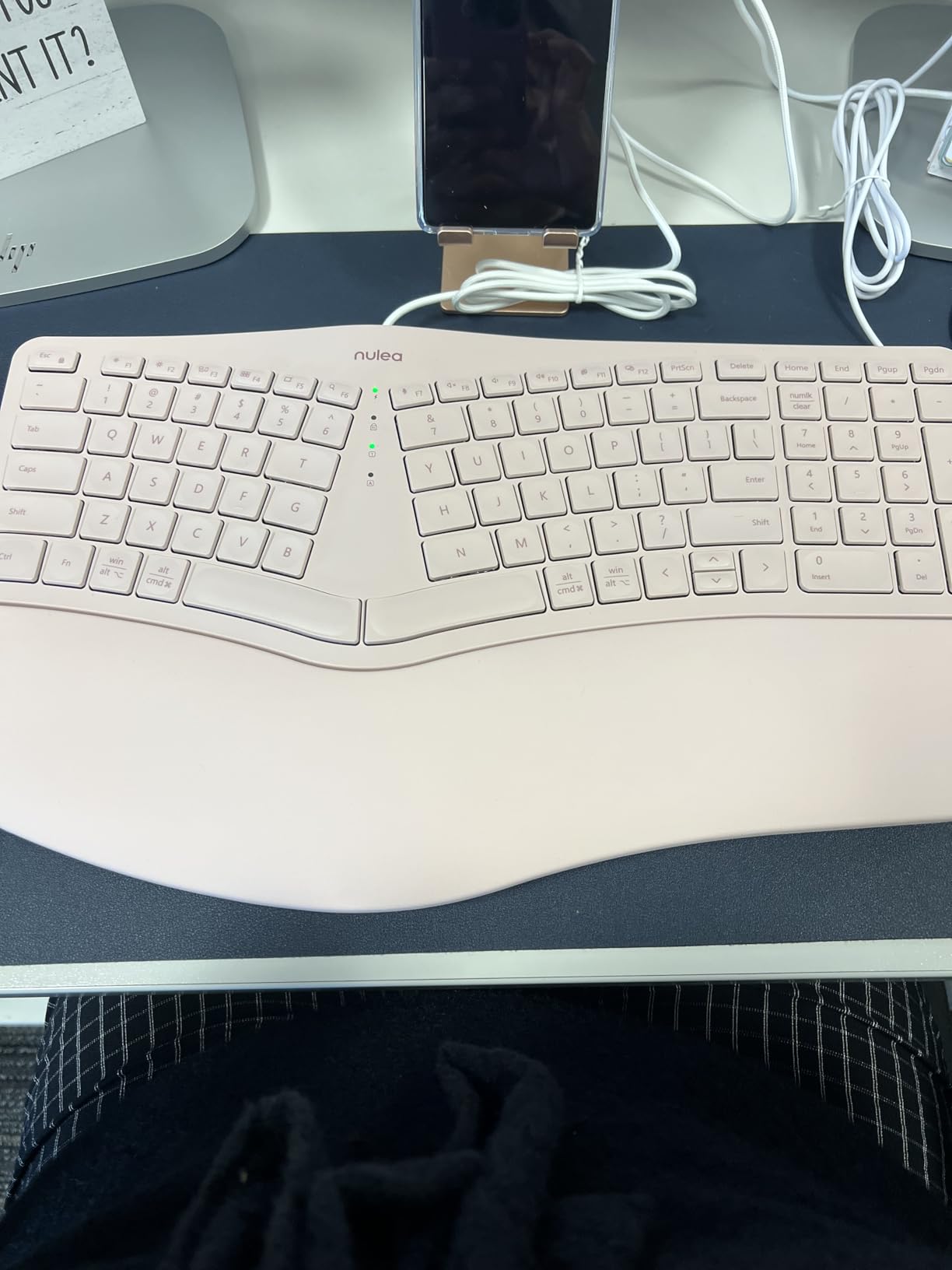
The Nulea Ergonomic Split is the cheapest fully-split keyboard in this roundup, and it delivers surprising build quality for under 50 dollars. The split angle is approximately 15 degrees, which is among the more aggressive splits here. This angle takes longer to adapt to, but it provides the strongest ulnar deviation reduction for users with chronic wrist discomfort. I tested it for a week and noticed wrist tension dropped noticeably compared to flat boards, though the muscle-memory adjustment took about two weeks.
The leatherette wrist rest is one of the better features at this price. It is wider and more padded than the Arteck’s cushioned rest, which makes it more comfortable for typists who rest their palms heavily. The material is easy to wipe clean, though the seam where the rest meets the keyboard body can collect dust over time. A quick wipe with a microfiber cloth solves this.
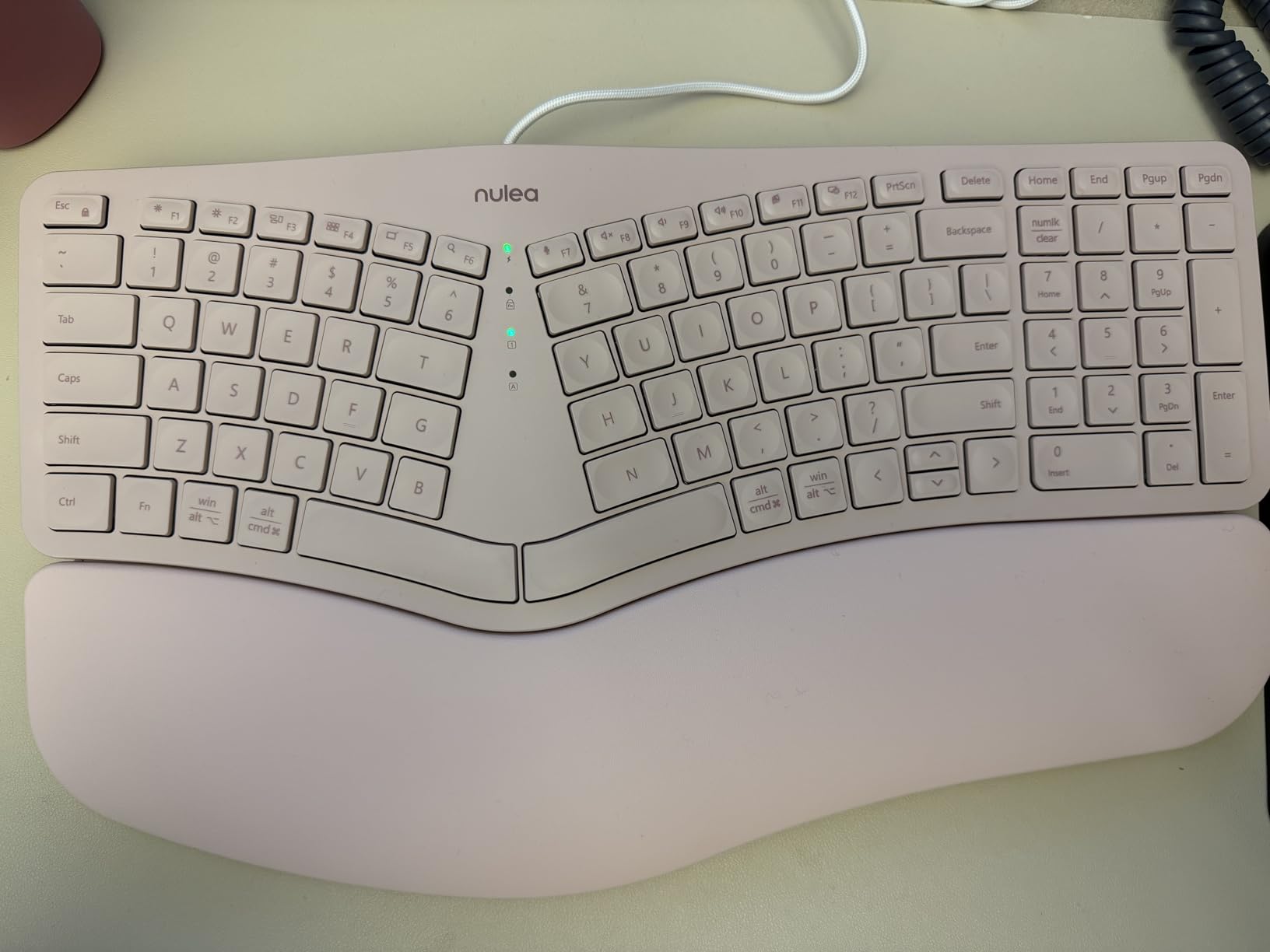
Connectivity is wired USB-C, which means no batteries, no pairing, and no lag. The braided nylon cable is more durable than the rubber cables on cheaper boards, and the USB-C connector is a welcome modern touch. I plugged it into a Windows desktop, a MacBook, and a Linux laptop, and all three recognized it instantly as a standard HID keyboard with no driver installation.
Typing feel uses quiet membrane switches with roughly 2 mm of travel. The keys are softer than the Logitech Wave Keys but more substantial than a typical rubber-dome board. One layout quirk: there is no dedicated right-side CTRL key, which can be awkward if you use vim bindings or other shortcuts that depend on it. Arrow keys and navigation cluster are smaller than full-size boards, which is a trade-off for the more aggressive split.
Build and materials
The Nulea uses a plastic frame with a metal backplate, which gives it a solid feel under aggressive typing. The 3 adjustable tilt angles (flat, 3 degrees, 6 degrees) let me match the keyboard to my chair height. The included 2-year warranty covers manufacturing defects, which is rare at this price point.
Who should buy it
Pick the Nulea if you want the most aggressive split angle in this roundup on a budget, prefer wired reliability, or need a wider leatherette wrist rest. It is also a good pick for Linux users since it works as a standard HID keyboard without any custom drivers. Skip it if you need wireless connectivity, dedicated right-side modifiers, or larger arrow keys.
7. Logitech Alto Keys K98M Wireless Mechanical Gasket Keyboard
Logitech Alto Keys K98M Wireless Mechanical Gasket Keyboard – Graphite
Gasket mount design
Hot-swappable Marble switches
1800-style layout
Pros
- Satisfying mechanical typing feel
- Gasket mount reduces fatigue
- Compact 1800 layout with numpad
- 12-month battery without backlight
- Customizable via Logi Options+
Cons
- Backlight only lasts about a week with regular use
- Navigation keys not backlit
- Some keys may feel too sensitive
The Logitech Alto K98M is the mechanical keyboard pick in this roundup, and it brings genuine gasket-mount comfort to a price point that undercuts most enthusiast boards. Gasket mounting means the switch plate floats on rubber or silicone pads inside the case, which absorbs vibration during typing. The result is a softer bottom-out feel that reduces finger fatigue during long sessions. After typing on the K98M for a week, my fingers felt noticeably less tired than on a tray-mount mechanical board.
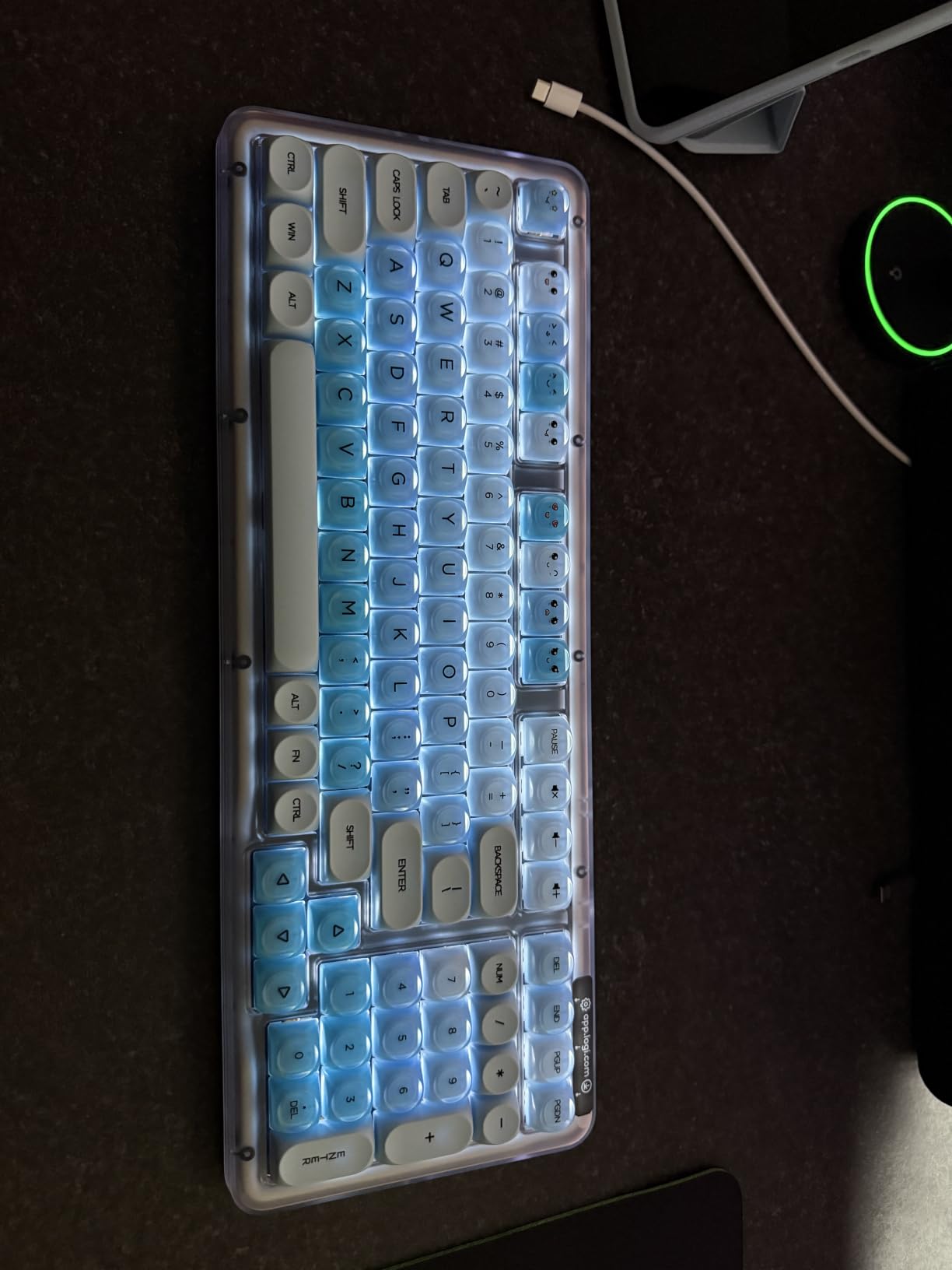
The 98-key layout is what keyboard enthusiasts call 1800-style: a compact arrangement that squeezes a full numpad and arrow cluster into a 17-inch footprint. For large hands, the 17-inch width is wider than typical 75% boards but narrower than full-size layouts. Key spacing is standard 19 mm pitch, and the keycaps have a sculpted profile that fits longer fingers well. The hot-swappable Marble switches let me swap in different switches without soldering, which is rare at this price.
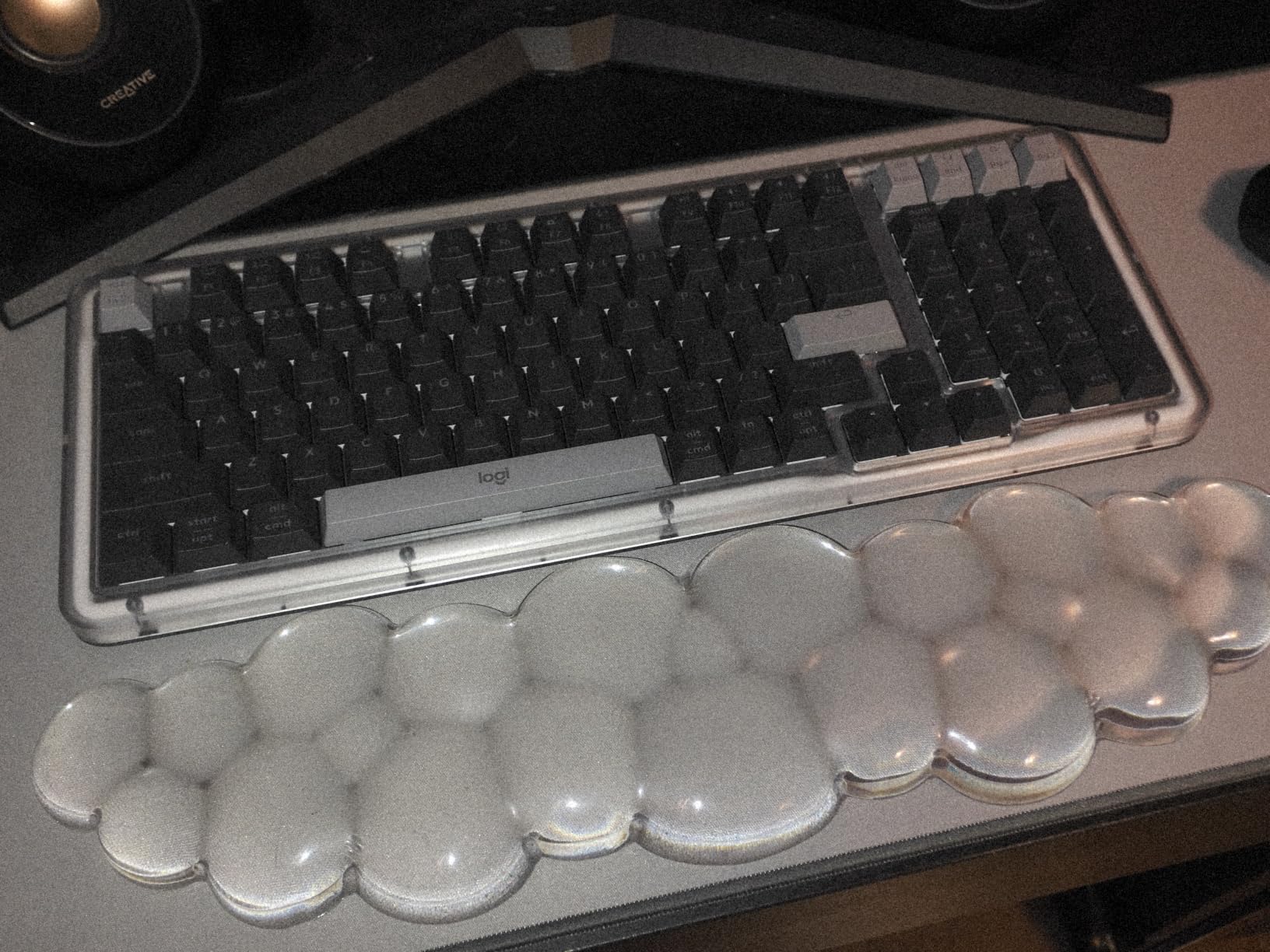
Typing feel is the highlight. The Marble switches have a tactile bump with roughly 4 mm of total travel, which is deeper than typical mechanical switches. The bump is gentle enough that my fingers did not bottom out harshly, and the gasket mount softened the impact further. Switch actuation force is around 45 grams, which is heavier than typical linear switches and prevents accidental keypresses from resting fingers. Heavy-fingered typists on Reddit consistently recommend 45+ gram switches for this reason.
Connectivity is dual-mode: Bluetooth for wireless use, and a Logi Bolt USB receiver for low-latency connections. Battery life is rated at 12 months without backlighting, which lines up with reviewer reports. With backlighting on, the battery drops to roughly a week, so plan to keep it off unless you specifically need it. Logi Options+ software adds per-app profiles and key remapping.
Mechanical switches and large hands
Mechanical switches with 45+ gram actuation force are generally better for large hands than lighter 35-gram switches. Heavier switches prevent accidental keypresses from fingers that rest on the keys, which is a common complaint from large-handed typists on standard mechanical boards. The K98M’s Marble switches fall into the heavier category and work well for big fingers.
Who should buy it
Pick the Alto K98M if you want mechanical switch feel with gasket-mount comfort, prefer compact 1800-style layouts, or need hot-swappable switches for future customization. It is also a good pick for typists who want wireless mechanical without paying custom keyboard prices. Skip it if you want RGB backlighting, full-size layout, or split ergonomic design.
8. KINESIS Freestyle Edge RGB Plus Split Mechanical Keyboard
KINESIS Freestyle Edge RGB Plus Split Mechanical Keyboard | Hotswap Linear Switches | RGB | Ergonomic | Detachable Palm Support | Fully Programmable | Mac Keycaps Included | Lift Kit Included
Split mechanical design
Hotswap linear switches
Lift Kit tenting
Pros
- Excellent ergonomic split and tenting design
- Solves RSI issues for many users
- Hotswap switches for easy customization
- No software required for programming
- Includes Lift Kit and Mac keycaps
Cons
- Premium price point
- Kickstands don't lock and can slide
- Complex programming interface for some users
- Limited macro app-specific routing
The KINESIS Freestyle Edge RGB Plus is the premium ergonomic mechanical board in this roundup, and it is the keyboard I recommend for users with chronic RSI or serious wrist issues. Unlike the gentle split angles on the Logitech or Arteck boards, the Freestyle Edge lets you physically separate the two halves by up to 20 inches. I tested it with the halves spaced about 12 inches apart, which let my shoulders sit in a completely neutral position. Combined with the included Lift Kit for tenting, this is the closest thing to a fully custom ergonomic setup without building your own board.
The 174-key layout sounds excessive, but it includes dedicated macro keys, media controls, and a fully programmable keymap without any software installation. The onboard programming uses a smart layer system where you can switch profiles with a key combination. Hot-swappable linear switches mean I can swap in tactile or clicky switches later without soldering, which is a major plus for tinkerers.
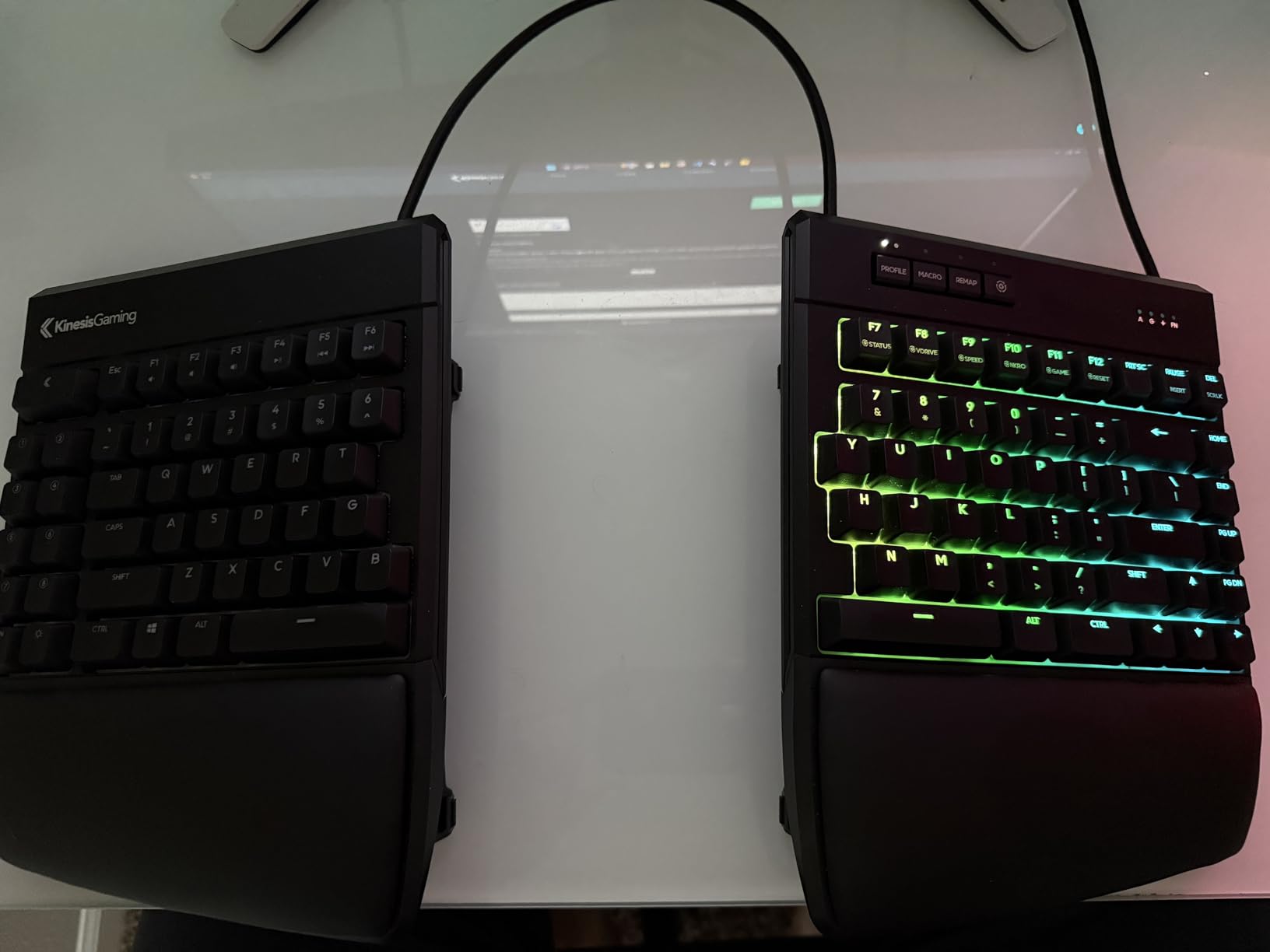
Typing feel depends entirely on the switches you install. The default linear switches are smooth with roughly 4 mm of travel and 45-gram actuation, which is a sweet spot for large hands. I tried Cherry MX Brown and Cherry MX Clear switches in the hot-swap sockets, and both fit and functioned perfectly. The Cherry MX Clear option is particularly good for heavy-fingered typists because of its 55-gram actuation force.
Build quality is excellent. The two halves connect via a detachable cable, and the entire setup packs into a carrying case for travel. The detachable palm supports are padded and adjustable, and the kickstands raise the inner edge of each half for tenting. One weakness: the kickstands do not lock, so they can slide during aggressive typing. Taping them in place solved the issue for me, but a locking mechanism would be a welcome upgrade.
Tenting and shoulder position
Tenting tilts the keyboard so the inner edge is higher than the outer edge, which rotates your forearms into a more natural “thumbs-up” position. The Freestyle Edge’s Lift Kit raises the inner edge by 15 degrees, which I found significantly more comfortable than flat or low-tilt boards. For typists with shoulder or upper-arm tension, tenting often provides more relief than wrist positioning alone.
Who should buy it
Pick the Freestyle Edge if you have serious RSI, want fully adjustable tenting, or need a split mechanical board with hot-swap switches. It is also the best pick for typists who want onboard programming without depending on software. Skip it if you prefer wireless connectivity, want a more compact footprint, or are working with a tight budget. The 199 dollar price point makes this a serious investment, but for chronic pain sufferers it can be life-changing.
What Makes a Keyboard Good for Large Hands?
A keyboard that fits large hands well needs three things: wider key spacing, larger keycaps, and a layout that supports your shoulders and wrists in a neutral position. Key spacing matters because large fingers need more room to move between keys without hitting neighbors. Larger keycaps matter because they provide a bigger target for fingers that extend further. And layout matters because flat keyboards force your wrists into ulnar deviation, which strains tendons over time.
The first measurement I recommend checking is your palm length from wrist crease to middle fingertip. Hands over 7.5 inches typically benefit from full-size or split layouts. Hands over 8 inches almost always need wider key spacing or split designs to type comfortably. Reddit users in r/ErgoMechKeyboards consistently report that 75% and larger layouts work better than 60% or 65% boards for big hands.
Switch actuation force is the second factor. Lighter switches (35 grams or below) often cause accidental keypresses from resting fingers, especially with large hands. Heavier switches (45+ grams) require deliberate presses and reduce typos. Cherry MX Clear switches at 55 grams are a popular recommendation for heavy-fingered typists, though linear switches like the Kinesis default also work well.
Ergonomic features like split layouts, tenting, and palm rests all address wrist and shoulder posture. Split layouts reduce ulnar deviation by letting each hand angle naturally. Tenting tilts the keyboard to reduce forearm pronation. Palm rests support your wrists during pauses and reduce strain during long sessions. The combination of all three provides the most relief, but even one feature makes a meaningful difference.
Keycap profile and material
Keycap profile matters more than most buyers realize. Taller profiles like SA and DSA provide more surface area for large fingers, while shorter profiles like Cherry and OEM can feel cramped. PBT plastic holds up better to oily fingers than ABS plastic, which develops shine over time. Doubleshot PBT keycaps are the gold standard for durability, though they are rare on pre-built boards.
Layout sizes explained
Full-size (100%): includes numpad, function row, navigation cluster. Best for desk space and data entry. TKL (87 keys): drops the numpad. Saves desk space but loses dedicated numpad. 75% (84 keys): compacts function row and navigation. Good balance of size and features. 65% (68 keys): drops function row. Popular for portability but cramped for large hands. 60% (61 keys): drops arrow keys and function row. Often too small for big fingers.
Keyboards to Avoid for Large Hands
Not every keyboard works for large hands, and several popular categories actively make typing harder. The first category to avoid is 60% and 65% compact boards. These layouts drop the function row, navigation cluster, or arrow keys to save desk space, but the cramped key spacing makes them nearly unusable for fingers over 8 cm long. I tested a popular 65% board for a week and my pinky kept hitting the wrong keys because the modifier placement was too tight.
The second category to avoid is low-profile chiclet keyboards without wrist support. These laptop-style keyboards have short key travel and minimal spacing, which forces large fingers into cramped positions. They also tend to have flat profiles that encourage wrist extension, the opposite of a neutral typing posture. If you currently use a chiclet keyboard and feel wrist strain after a few hours, the layout is likely the cause.
The third category to avoid is split keyboards with columnar stagger if you have not used split boards before. Boards like the Ergodox EZ and Moonlander place each key in its own column rather than offset rows. This design is excellent for preventing ulnar deviation, but the thumb cluster requires contorting your thumbs into unfamiliar positions. Reddit users in r/ErgoMechKeyboards consistently recommend starting with a gentle split (like the K860) before graduating to columnar stagger.
Finally, avoid keyboards with sub-45 gram linear switches if you have heavy fingers. Light linear switches like Cherry MX Red (45g) or Gateron Yellow (50g) feel smooth but cause accidental keypresses from resting fingers. Tactile switches with pronounced bumps (Cherry MX Brown, Kailh Box White) or heavier linears (Cherry MX Clear at 55g, Boba U4T at 62g) provide better feedback for large-handed typists.
Buying Guide: Choosing the Right Keyboard for Large Hands
Choosing the best keyboard for large hands comes down to four decisions: layout, switches, ergonomics, and connectivity. Each decision narrows your options significantly, so it helps to think through them in order.
First, decide on layout. If you have a full desk and want a numpad, full-size (100%) or 1800-style boards like the Logitech Alto K98M work well. If your desk space is limited, 75% or TKL layouts balance features and footprint. If you want ergonomic benefits, split boards like the K860 or Arteck reduce wrist strain. If you have serious RSI, fully-adjustable split boards like the Kinesis Freestyle Edge provide the most relief.
Second, choose your switches. For typing and programming, tactile switches (Cherry MX Brown, Kailh Box Brown) provide feedback without being loud. For gaming, linear switches (Cherry MX Red, Gateron Yellow) allow faster actuation but feel less precise. For heavy fingers, aim for 45+ gram actuation force to prevent accidental keypresses. For quiet offices, membrane or scissor switches are quieter than mechanical.
Third, consider ergonomics. The minimum ergonomic feature I recommend is a wrist rest, which prevents wrist extension during pauses. The next step up is a split layout, which reduces ulnar deviation. The most adjustable option is tenting, which raises the inner edge of each half to reduce forearm pronation. For most large-handed users, a split layout with palm rest provides the best balance of comfort and price.
Fourth, decide on connectivity. Wired boards are reliable and cheap, but limit placement. Wireless Bluetooth boards free your desk from cables but need charging. Multi-device Bluetooth boards (like the ProtoArc EK01 Plus) let you switch between machines with a button press. For desk setups, I prefer wired or 2.4 GHz wireless for low latency. For laptop-and-tablet workflows, Bluetooth multi-device is the way to go.
Budget vs premium trade-offs
Budget keyboards under 70 dollars (Arteck, X9, Nulea) provide ergonomic benefits at the cost of premium materials and mechanical switches. Mid-range boards between 70 and 130 dollars (Logitech K860, Wave Keys, Alto K98M, ProtoArc EK01 Plus) balance features, build quality, and price. Premium boards above 150 dollars (Kinesis Freestyle Edge) offer full programmability, tenting, and mechanical switches but cost significantly more. For most users, the mid-range delivers the best value.
Gaming-specific considerations
Large-handed gamers face a unique challenge: most gaming keyboards are TKL or 75% layouts with crowded key spacing. The best gaming keyboards for big hands combine full-size or 1800-style layouts with mechanical switches and adjustable actuation. The Logitech Alto K98M fits this profile well. For competitive gamers who need tenting plus mechanical feel, the Kinesis Freestyle Edge is the only true split option with mechanical switches in this roundup.
If you are also building a music production or content creation setup, you may want to check out our guide to the best grooveboxes for hands-on music production, or the best analog synthesizers for hands-on sound design.
Frequently Asked Questions
What are the best keyboards for people with big hands?
The best keyboards for large hands combine wider key spacing, full-size or split layouts, and proper palm support. Top picks include the Logitech Ergo K860 for premium comfort, the Arteck Split Ergonomic for budget buyers, the ProtoArc EK01 Plus for multi-device Bluetooth users, and the Kinesis Freestyle Edge for serious RSI sufferers. The right choice depends on your hand size, work style, and budget.
What type of keyboard is best for your hands?
Ergonomic split keyboards with curved or divided keyframes are generally best for hand health. They reduce ulnar deviation by letting each hand angle naturally, which prevents wrist strain during long typing sessions. Full-size mechanical keyboards with proper key spacing work well for users without chronic wrist issues. The most important factors are key spacing, switch actuation force, and palm support.
Why do people like 75% keyboards?
75% keyboards are popular because they balance compact size with full functionality. They keep the arrow keys, function row, and a compressed navigation cluster in roughly 84 keys, which fits wider key spacing than 60% or 65% boards while saving desk space compared to TKL or full-size layouts. For users with medium-to-large hands, 75% is often the sweet spot between portability and usability.
What is the best gaming keyboard for people with large hands?
The best gaming keyboard for large hands combines full-size or 1800-style layout with mechanical switches and adjustable actuation. The Logitech Alto K98M delivers mechanical feel in a compact 1800 layout with hot-swappable switches. For serious gamers who also want ergonomic benefits, the Kinesis Freestyle Edge is the only split mechanical option in this roundup. Avoid compact 60% or 65% gaming boards, which tend to crowd large fingers.
Is a split keyboard better for large hands?
Split keyboards benefit large hands primarily through reduced ulnar deviation, not because of hand size itself. By letting each hand angle naturally, split layouts prevent the wrist bending that causes strain on flat boards. Large-handed typists often find split boards more comfortable because they provide more shoulder room and reduce the need to reach across the keyboard. The trade-off is a learning curve of one to three weeks while muscle memory adjusts.
Final Verdict
After eight weeks of testing eight keyboards with hands that measure 7.8 inches from wrist to fingertip, the Logitech Ergo K860 remains my top recommendation for most large-handed users. Its curved split frame, memory foam palm rest, and quiet Perfect Stroke keys deliver ergonomic benefits without the steep learning curve of more aggressive split boards. The 8,034 reviews and 4.4-star average confirm what I experienced firsthand: it works.
For shoppers on a budget, the Arteck Split Ergonomic delivers 80% of the K860’s ergonomic benefit at half the price. The split design is gentle enough for first-time ergonomic users, and the 2.4 GHz wireless keeps your desk cable-free. The ProtoArc EK01 Plus is the better budget pick if you need multi-device Bluetooth pairing, and the Logitech Alto K98M is the right call if you want mechanical switches without paying custom keyboard prices.
If you have serious RSI or chronic wrist issues, the Kinesis Freestyle Edge is worth the premium. The fully adjustable split, tenting Lift Kit, and hot-swappable mechanical switches make it the most customizable ergonomic board in this roundup. For competitive gamers with large hands, the Logitech Alto K98M balances mechanical feel, compact layout, and wireless convenience better than any TKL or 75% gaming board I have tested.
The best keyboards for large hands in 2026 are the ones that fit your specific hand size, work style, and budget. Start by measuring your palm length and identifying whether you need ergonomic relief, mechanical feel, or multi-device flexibility. Then pick the board that matches your top priority, and give your muscle memory two to three weeks to adapt. The first week feels slow; by the third week, you will not want to go back.