
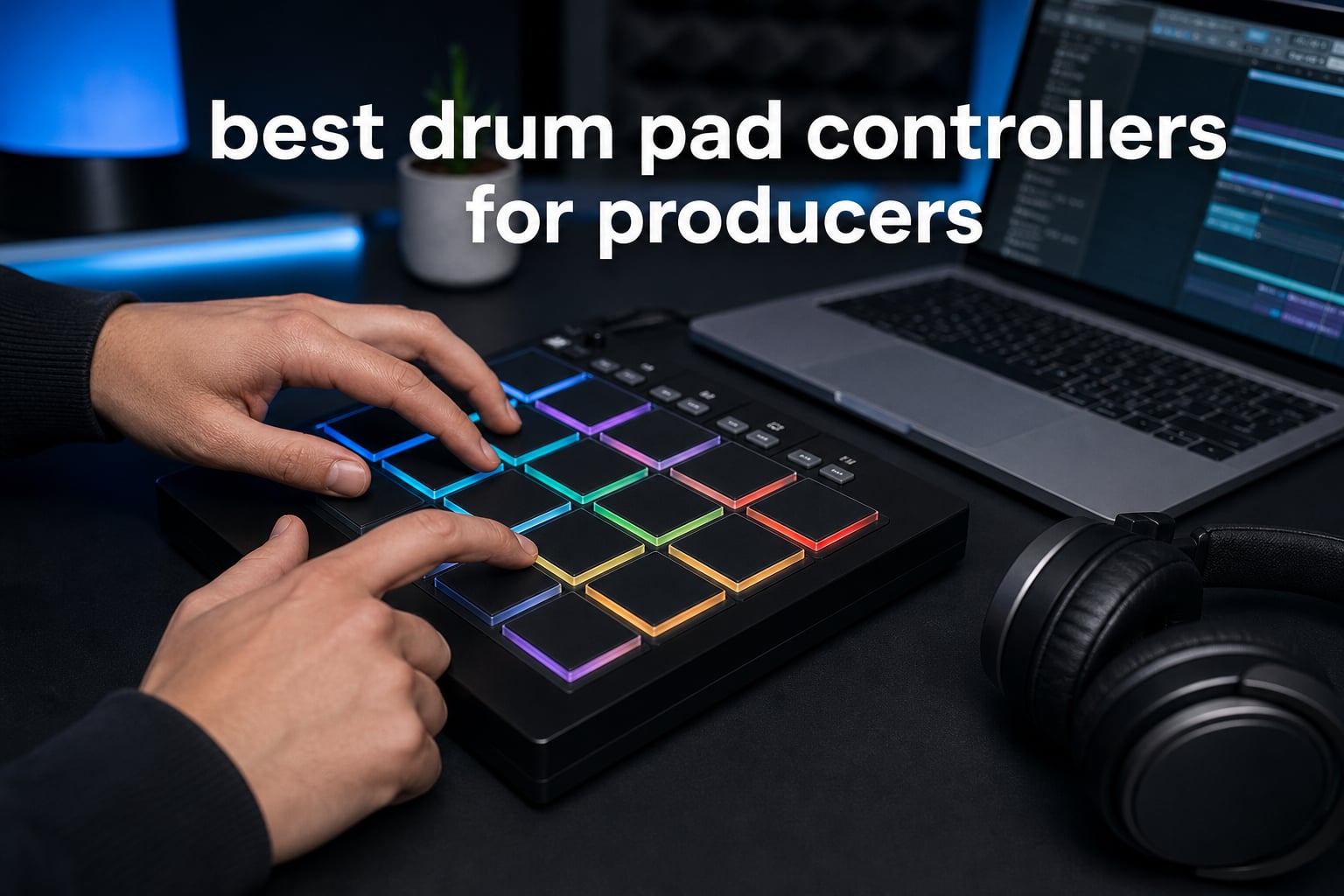
The best drum pad controllers for producers turn a drum rack, sampler, or clip view into an instrument you can play rather than a grid you program with a mouse. In 2026, the right choice depends less on brand and more on your layout, pad response, DAW, and whether you work at a desk or away from one.
A drum pad controller is a MIDI-enabled device with pressure-sensitive pads that sends notes and control data to software or external MIDI gear. It normally needs a DAW, app, virtual instrument, sampler, or connected module to make sound.
That is the useful difference between a MIDI controller pad and an electronic drum instrument. A controller is an input device for sample triggering, beat-making, clip launching, and parameter control; an electronic drum product can include its own sounds or sound module.
We compared the published pad features, connection options, included software, stated compatibility, and customer-rating data for all eight selected models. I give extra weight to review sample size because a strong score from a few buyers is encouraging, but it tells us less about long-term consistency.
The top three picks answer the most common producer workflows in September 2026
The ESI Xjam is my all-round pick for expressive finger drumming and multi-device work. The Akai APC Mini MK2 is the clear answer for Ableton clip launching, while the Lefiko JP-01 suits a very small wireless setup.
For a quick decision, choose the Xjam when touch expression is your priority, the APC Mini MK2 when your sessions are organized around Ableton clips, and the Lefiko when portable Bluetooth MIDI is central. The full comparison shows where the other five controllers make more sense.
These eight drum pad controllers cover studio, stage, and mobile production
The overview lists the functions stated in the supplied product data. “Works with” should be read as MIDI compatibility, not a promise that every pad, knob, color, or transport button will be pre-mapped in every DAW.
| Product | Specifications | Action |
|---|---|---|
 ESI Xjam ESI Xjam |
|
View on Amazon |
 Akai APC Mini MK2 Akai APC Mini MK2 |
|
View on Amazon |
 Lefiko JP-01 Lefiko JP-01 |
|
View on Amazon |
 HXW EMP16 HXW EMP16 |
|
View on Amazon |
 Synido TempoPAD C16 Synido TempoPAD C16 |
|
View on Amazon |
 Donner DPD-16 Donner DPD-16 |
|
View on Amazon |
 Synido TempoPAD P16 Synido TempoPAD P16 |
|
View on Amazon |
 M-VAVE K5 M-VAVE K5 |
|
View on Amazon |
1. The ESI Xjam is the strongest choice for expressive mobile finger drumming
Xjam Mobile Studio MIDI Pad Controller – Apple-style ultra-thin aluminum frame, velocity-sensitive, polyphonic aftertouch, plug & play on iPad, iPhone, Mac, PC
16 pads
Polyphonic aftertouch
18 knobs
Pros
- Polyphonic aftertouch
- 18 assignable knobs
- Wide platform support
- 48 scene presets
Cons
- No built-in battery
- 130-review sample
I would start with the ESI Xjam if pad expression is the deciding issue. Its 16 velocity-sensitive pads support polyphonic aftertouch, so pressure after the initial hit can carry extra expression on more than one pad at a time.
The published 14.4-ounce weight and ultra-thin aluminum frame point to a controller made for moving between a desk, laptop, tablet, and rehearsal space. Tricolor LEDs, 48 programmable scenes, and 18 assignable knobs add far more control than a bare 16-pad surface.
The Xjam also lists a footswitch input, mini-TRS MIDI output, USB-C, note repeat, and a full-level function. I would use it for drums first, then map its knobs to filters, effects, or synth parameters when a track needs hands-on movement.
The Xjam fits producers who want expression and control in one compact unit
Forum conversations about pad controllers repeatedly return to mushy or unresponsive pads. The Xjam directly addresses that concern with adjustable sensitivity and polyphonic aftertouch, though the physical feel of a pad is still personal and worth checking with your own drum sounds.
Its compatibility listing covers macOS, iOS, Windows, Android, Linux, and Chrome OS. That is unusually broad, and it makes the Xjam a good candidate when a producer works across more than one computer or mobile platform.
The Xjam requires USB power and accepts a smaller feedback sample
The Xjam has no built-in battery, so mobile work still needs USB-C power from a host or power source. Its supplied data reports a 4.4 rating from 130 reviews, which is useful evidence but not as deep as the rating pool for the Akai.
Bitwig Studio 8-Track, Cubasis LE, and WaveLab LE are included, giving a new owner useful software paths. For a hardware rig, remember that the MIDI output uses mini-TRS rather than full-size MIDI sockets.
2. The Akai APC Mini MK2 is the clear choice for Ableton clip launching
Akai Professional APC Mini MK2 USB MIDI Pad Controller
64 RGB pads
9 faders
Ableton Live Lite
Pros
- 8x8 RGB grid
- 9 faders
- Ableton mapping
- USB powered
Cons
- Best with Ableton
- No mobile support listed
The APC Mini MK2 solves a different problem from a classic 16-pad finger-drumming controller. Its 64 RGB pads form an 8×8 matrix for launching clips and scenes in Ableton Live, offering a visual view of an arrangement rather than one drum rack at a time.
For an Ableton producer, the stated pre-mapping for Live 11.2.7 and newer removes much manual assignment. Drum and Note modes provide direct routes to Drum Rack and melodic notes, while Smart Scale View supports musical note selection.
Nine faders are the other reason I would choose it for performance work. Eight are assignable and one is a master, leaving enough physical controls for mixer moves without forcing pads to carry every role.
The APC Mini MK2 fits projects organized around clips and scenes
An 8×8 grid is useful for electronic music, looping, and stage performance because it shows many triggers at once. It is not automatically better for classic finger drumming, where a compact 4×4 layout can make kicks, snares, hats, and samples easier to reach by habit.
Akai includes Ableton Live Lite plus Hybrid 3, Mini Grand, and Velvet virtual instruments. That package gives a new producer a direct way to create sound and learn the controller’s intended workflow.
The APC Mini MK2 is less natural outside an Ableton-centered setup
It can work as a general MIDI controller, but its full function is centered on Ableton Live. Someone working mainly in FL Studio, Logic, or a tablet app should expect to map controls or choose a controller with more neutral published support.
The unit is USB powered and listed for Mac and Windows, with no iOS or Android support stated. It is only 1.2 inches deep, though its 810-gram body and 8×8 layout make it a broader desk surface than a small 16-pad device.
3. The Lefiko JP-01 is the compact wireless pick for small mobile setups
Mini Wireless MIDI Controller Pad for Beat Making & DJ Performance, 16 RGB Velocity Pads with Aftertouch, Bluetooth & USB MIDI, PC/Mobile App Customizable for Studio, Live & Mobile Music Production
16 RGB pads
Aftertouch
Bluetooth MIDI
Pros
- 15-hour battery
- Bluetooth and USB
- Aftertouch
- Three pad banks
Cons
- Only 25 reviews
- Battery time varies
The Lefiko JP-01 is the smallest, simplest route here to a wireless pad workflow. It combines 16 RGB velocity-sensitive pads and aftertouch with Bluetooth MIDI and USB MIDI, so I would consider it for a laptop, phone, tablet, or very compact desktop.
Its published battery claim is up to 15 hours with ECO mode, and three pad banks expand 16 physical pads to up to 48 assignments. That gives one compact device room for drums, notes, samples, and DAW commands.
The supplied software and mobile app can change pad mapping, MIDI commands, velocity curves, and lighting. That editing depth is useful for a small unit because different sessions may need different pad layouts.
The JP-01 fits producers who move between computers and mobile devices
The compatibility list includes Windows, macOS, iOS, Android, HarmonyOS, DAWs, synths, and loop software. I would still verify the exact app’s Bluetooth MIDI support, but the published platform range is broad for a miniature controller.
I like the combination of a rechargeable battery and a wired fallback. Bluetooth reduces cable clutter for sketching, while USB MIDI is the sensible route when a fixed studio setup or direct physical connection is preferred.
The JP-01 needs a cautious read because its review pool is small
The supplied data reports a 4.7 rating from 25 reviews, including 79 percent five-star feedback. That is a positive signal, but I would not treat it as the same level of reliability evidence as a controller with more than a thousand ratings.
The listed silicone construction and missing stated dimensions or weight may matter to producers who want metal construction or a known travel profile. Choose the Xjam, HXW, or Synido C16 when more physical controls or direct MIDI routing matter more than miniaturization.
4. The HXW EMP16 is the feature-heavy pick for hands-on MIDI routing
HXW EMP16 MIDI Pad Controller Beat Maker Machine With Bluetooth
16 pads
OLED display
MIDI In and Out
Pros
- OLED screen
- MIDI I/O
- Four faders
- Bluetooth MIDI
Cons
- 4.3 rating
- Connectivity reports
The HXW EMP16 packs a large set of controls into a 16-pad format. Its RGB pads sit beside an OLED display, four faders, five assignable buttons, four endless rotary knobs, standard MIDI input and output, and USB MIDI.
Four banks provide up to 64 pad assignments, while three velocity curves and crosstalk protection are intended to make repeat hits more predictable. It also lists aftertouch, full-level and half-level modes, note repeat, swing, gate, sequencing, clock sync, transport, and tap tempo.
I would examine this controller when a laptop is only one part of the rig. Its screen and direct MIDI connections are useful when you want to control external equipment without using an editor window for every small change.
The EMP16 works when hardware MIDI and visible settings matter
The OLED display gives immediate feedback on settings, an advantage over controllers that require a computer screen to confirm a bank or assignment. Its included 1/8-inch-to-MIDI adapter supports the listed MIDI connections, so cable routing is worth checking in a tight desk space.
Bluetooth 5.0 is listed for iOS use without drivers, wires, or an OTG adapter. That is convenient for quick mobile ideas, but I would use USB when a stable physical connection is available for a recording session.
The EMP16 requires realistic expectations about support evidence
The supplied data gives the EMP16 a 4.3 rating across 117 reviews. Review notes praise the OLED display and expanded controls, but mention occasional connectivity quirks, a useful warning for people who plan to rely on wireless connection every day.
Its warranty is stated as 360 days, and optional battery operation requires two AA batteries. The rich control set brings a learning curve, which suits someone willing to map faders and knobs rather than a buyer who wants only a basic drum input.
5. The Synido TempoPAD C16 is the best fit for onboard sequencing and external gear
Synido TempoPAD C16 Wireless MIDI Pad Controller, Beat Maker Machine Pad
16 pads
16-step sequencer
MIDI Thru
Pros
- Onboard sequencer
- MIDI In Out Thru
- Rechargeable battery
- Two-year warranty
Cons
- Heavier body
- 40-review sample
The Synido TempoPAD C16 is for a producer who wants more than a pad bank. It has 16 RGB velocity-sensitive pads, eight endless rotary knobs, 12 assignable buttons, Bluetooth and USB MIDI, plus MIDI In, Out, and Thru for an external-gear setup.
Its 16-track, 16-step onboard sequencer is the feature that separates it from the basic controllers here. The published controls also include note repeat, aftertouch, tempo functions, and three quick-switch modes called Keyboard, Custom, and Dark.
I would see it as a controller that can hold part of a performance workflow on the hardware itself. The listing says parameters can be adjusted directly on the device without a computer, though a sound source or DAW is still needed for audio.
The TempoPAD C16 fits studios where several MIDI devices need to connect
MIDI Thru is useful when a signal route extends beyond one device, and the combination of MIDI In, Out, and Thru makes the C16 more prepared for a synth, drum machine, or MIDI chain than USB-only products. That depth matters only if external hardware is part of your process.
A rechargeable battery plus Bluetooth and USB gives a choice between portable operation and wired work. Its listing supports Windows, iOS, Mac, and Android, with a long stated DAW list that includes Ableton Live, FL Studio, Logic Pro, Pro Tools, Cubase, and Studio One.
The TempoPAD C16 is less attractive for an ultralight travel bag
At a stated 1.74 kilograms, it is the heaviest product in this group. Its larger control set explains that weight, but a producer carrying only a tablet and headphones may find the Xjam or Lefiko easier to take along.
The data reports a 4.2 rating from 40 reviews and notes mixed feedback around connection or software learning. Its two-year limited warranty is the longest stated among these eight controllers, which is helpful beside its smaller review sample.
6. The Donner DPD-16 is the beginner-friendly USB controller with learning extras
Donner MIDI Pad Beat Maker Machine Professional, Drum Machine with 16 Beat Pads, 2 Assignable Fader & Knobs and Music Production Software, USB MIDI Controller with 40 Courses, STARRYPAD
16 pads
48 assignments
Note Repeat
Pros
- Adjustable velocity
- Tap Tempo
- MIDI I/O
- Learning software
Cons
- No built-in sound
- Separate iPhone adapter needed
The Donner DPD-16 stays close to the familiar 4×4 drum-pad format while adding useful controls for learning production. Its 16 soft silicone backlit pads have three banks for 48 assignments, and its velocity curves can be adjusted as your playing becomes more controlled.
It also includes two faders, two knobs, three buttons, a shift layer, tap tempo, note repeat, MIDI input and output, and class-compliant USB-C. Those are practical features for programming drums by hand and moving gradually into simple sound and effect control.
The supplied bundle includes Melodics courses and Cubase LE. I would call that a meaningful beginner advantage because a new producer gets a practice path and recording software rather than only a blank controller to configure.
The DPD-16 fits beginners learning finger drumming and basic MIDI control
Its soft silicone pads, colorful backlighting, and adjustable velocity response support practice without an intimidating wall of controls. Note repeat and tap tempo are especially useful for taking a simple rhythmic idea and building a repeatable pattern.
The controller is listed for Android, iOS, Mac, and Windows. It is class-compliant over USB-C, while iPhone and iPad use requires a separate Apple Lightning adapter where relevant.
The DPD-16 remains a controller rather than a self-contained drum machine
It does not produce sound by itself, a common first-purchase confusion. Plan to pair its pads with a DAW, app, sampler, virtual instrument, or external MIDI hardware that can receive and play MIDI notes.
The data lists a 4.0 rating from 413 reviews, with 62 percent five-star feedback. That is a broader sample than several compact alternatives, although the editor software is described as limited to pad customization.
7. The Synido TempoPAD P16 is the easy carry-case option for general DAW work
Synido MIDI Pad Controller for Music Producers Musicians with 16 RGB Pads
16 pads
48 assignments
Carry case
Pros
- Carry case
- Four knobs
- USB-C plug and play
- Wide DAW support
Cons
- Short warranty
- One pad-light limitation
The Synido TempoPAD P16 is a straightforward 16-pad controller with a practical extra: it includes a carry case. It combines 16 velocity-sensitive RGB silicone pads, three banks for 48 assignments, four assignable knobs, USB-C, and a MIDI output cable.
Its stated 8.42 by 6.18 by 1.18-inch body and rubberized bottom point to a portable controller that can stay put on a desk. RGB customization through software lets you create visual zones for kicks, snares, samples, or assigned commands.
I would put this model in the running for someone who moves between home, class, rehearsal, and studio sessions. The layout is not overfilled, and plug-and-play USB-C is a good match for a controller that may connect to different machines often.
The TempoPAD P16 fits simple DAW-based production across common platforms
Its product data lists Android, Mac, Windows, and iOS support, along with major DAWs including Ableton Live, FL Studio, Logic Pro, Pro Tools, Cubase, Studio One, Reason, GarageBand, and Reaper. Controller assignments can still vary by DAW template.
Four knobs give more direct parameter access than a pad-only controller. The three banks can keep drums on one layer, melodic samples on another, and DAW functions on a third without increasing the controller’s physical footprint.
The TempoPAD P16 has a short warranty and a reported mode limitation
The supplied review notes identify a pad-light issue for pad 14 in Keyboard Mode. That does not prove a playing issue in every mode, but anyone who depends on color feedback for note layouts should check it early.
It has a 4.0 rating from 186 reviews, and its stated warranty is 30 days. The included carry case adds real portability, while the short warranty is a reason to inspect pads, knobs, and connections promptly.
8. The M-VAVE K5 is the wireless 16-pad option with the most knob control
M-VAVE Wireless MIDI Controller Pads, Bluetooth Portable USB MIDI Controller with 16 Drum Pads, 8 Assignable Knobs, Note Repeat, Full Level Buttons, Rechargeable battery (Black Pad)
16 pads
8 knobs
16-hour battery
Pros
- Eight knobs
- Aftertouch
- 16-hour battery
- Bluetooth MIDI
Cons
- 3.9 rating
- 50-review sample
The M-VAVE K5 combines 16 RGB velocity-sensitive pads with aftertouch and eight assignable 360-degree rotary encoders. That is a knob-heavy configuration for a compact wireless pad controller and gives producers more immediate parameter access than smaller pad-only designs.
It lists Bluetooth MIDI, USB-C, a 3.5-millimeter MIDI output, note repeat, full-level controls, and a claimed 16-hour rechargeable battery. The backlit silicone buttons are described as quiet, which may matter in a shared room or late-night writing session.
I would look at the K5 when cable-free use needs more than basic pad triggering. The eight knobs can take filter, envelope, send, or plugin assignments after mapping, while MIDI output expands its use beyond a computer or mobile app.
The K5 fits portable workflows where parameter control matters as much as pads
Eight rotary encoders are a genuine differentiator in this group. A producer can map controls to a sampler and instrument, then keep pads free for playing instead of reaching for a mouse between every take.
The listing names Ableton Live, FL Studio, Cubase, Logic Pro, Bitwig, Reason, Studio One, and GarageBand for iOS. Bluetooth supports mobile sketching, while USB-C remains available when a direct wired connection is preferred.
The K5 calls for a careful consistency check before it becomes a main controller
The supplied data records a 3.9 rating from 50 reviews, lower than the other selections in this guide. Buyers praise the wireless design, battery claim, and knob count, but the limited sample does not provide the same long-term confidence as a widely reviewed model.
Like every MIDI pad controller here, the K5 needs a DAW or other sound source for audio. Battery duration can vary with use, so I would keep a USB-C cable in the bag even if wireless use is the main plan.
Choose a drum pad controller by pad response, layout, connection, and workflow
There is no universal winner because a producer who plays drum patterns with both hands needs something different from an Ableton performer launching scenes. Start with the job the controller needs to do, then narrow the choice with these practical checks.
Pad sensitivity is the first decision because it changes every performance
Velocity sensitivity measures how a controller turns a soft or hard strike into MIDI velocity. Good control of that range makes accents, ghost notes, and dynamic drum parts easier to perform than a fixed-volume trigger.
Aftertouch adds a second layer: pressure after the strike can send another MIDI message for an effect, filter, or expression assignment. The Xjam offers polyphonic aftertouch, while several others list aftertouch; it helps only when the chosen instrument and mapping respond to it.
Community discussion often warns that pads can feel mushy, stiff, or uneven. Specifications identify velocity curves and crosstalk protection, but they cannot settle personal preference, so play your normal drum sounds during a return-window check if you can.
A 4×4 layout favors drum patterns while an 8×8 grid favors clips
A 16-pad 4×4 grid is the familiar arrangement for finger drumming, one-shots, and a compact Drum Rack. It keeps kicks, snares, hats, percussion, and samples under both hands in a repeatable pattern.
An 8×8 grid like the APC Mini MK2 shows far more triggers at once. It is strong for Ableton clip launching, scale layouts, and visual organization, but it can feel less immediate when the only goal is a classic 16-pad drum layout.
Pad banks are the compromise on 4×4 devices. Lefiko, HXW, Donner, and Synido models here list three or four banks, letting one physical grid call up 48 or 64 assigned functions without a larger surface.
DAW mapping and device support decide how much setup comes before music
Check each controller’s published platform support against the computer, phone, tablet, and DAW you actually use. The APC Mini MK2 is purpose-built around Ableton, while the Xjam, Lefiko, and several others publish much wider mobile or multi-platform support.
“Works with” often means the controller can send MIDI, not that every pad, knob, transport button, or LED color is already mapped. A ready DAW template makes a controller feel immediate; manual MIDI learn can be fine for an experienced producer but frustrating for a first setup.
Bluetooth MIDI is helpful for cable-free writing, especially with phones and tablets. I would keep USB as the fallback for timing-sensitive recording because it is a direct physical connection and removes a wireless pairing step.
External MIDI ports matter when hardware is part of the studio
USB-only controllers suit a computer-centered desk. If you want to trigger a synthesizer or join a hardware chain, look for MIDI output; for more involved routing, the HXW EMP16 and Synido TempoPAD C16 add MIDI input and output options.
Connector format also matters. The Xjam has mini-TRS MIDI output, the M-VAVE K5 has a 3.5-millimeter MIDI output, and some products include an adapter or cable, all of which can affect what you connect next.
Controller-only operation means a sound source belongs in the plan
These are MIDI controllers, not standalone instruments with an onboard sound library described in their data. Pair one with a DAW, virtual instrument, sampler app, or external module, then map pads to the sounds you want to play.
Beginners should favor a simple 16-pad layout, class-compliant connection, and included learning or software resources. Established producers may get more from aftertouch, extra encoders, direct MIDI ports, pad banks, and an onboard sequencer.
These FAQ answers explain the main drum pad controller decisions
What should I look for in a MIDI controller for beginners?
Look for a simple 16-pad layout, velocity-sensitive pads, class-compliant USB connection, clear DAW support, and included learning or software resources. A controller does not make sound alone, so plan to use a DAW, app, virtual instrument, or external sound source.
What’s the difference between a MIDI controller pad and a drum pad controller?
A MIDI controller pad sends notes, velocity, and control data to software or external hardware. A drum pad controller is a MIDI controller designed around playable pads for triggering drum sounds, samples, clips, and other performance functions; neither term means it includes its own sounds.
What is the best MIDI pad controller for finger drumming?
The ESI Xjam is the strongest fit in this guide for expressive finger drumming because it combines 16 velocity-sensitive pads with polyphonic aftertouch, adjustable sensitivity, note repeat, and a compact aluminum body. The best physical pad feel is personal, so test its response with your usual drum sounds when possible.
How do I choose a pad controller for music production?
Choose by workflow first: use a 4×4 layout for compact finger drumming, an 8×8 grid for Ableton clip launching, and MIDI ports for external gear. Then check pad sensitivity, aftertouch, DAW mapping, platform support, battery needs, and whether Bluetooth or USB better suits your recording setup.
The ESI Xjam is the best all-round pick when expressive pads are the priority
For the best drum pad controllers for producers, I would choose the ESI Xjam when expressive 4×4 performance and wide device support matter most. Choose the Akai APC Mini MK2 instead for an Ableton-centered 8×8 clip workflow, or the Lefiko JP-01 for the smallest wireless option.
Every controller here needs a musical role before it earns desk space: playing samples, launching clips, controlling a DAW, or connecting hardware. Match the pad layout and connection type to that role, then use 2026 to make more beats with less mouse work.