
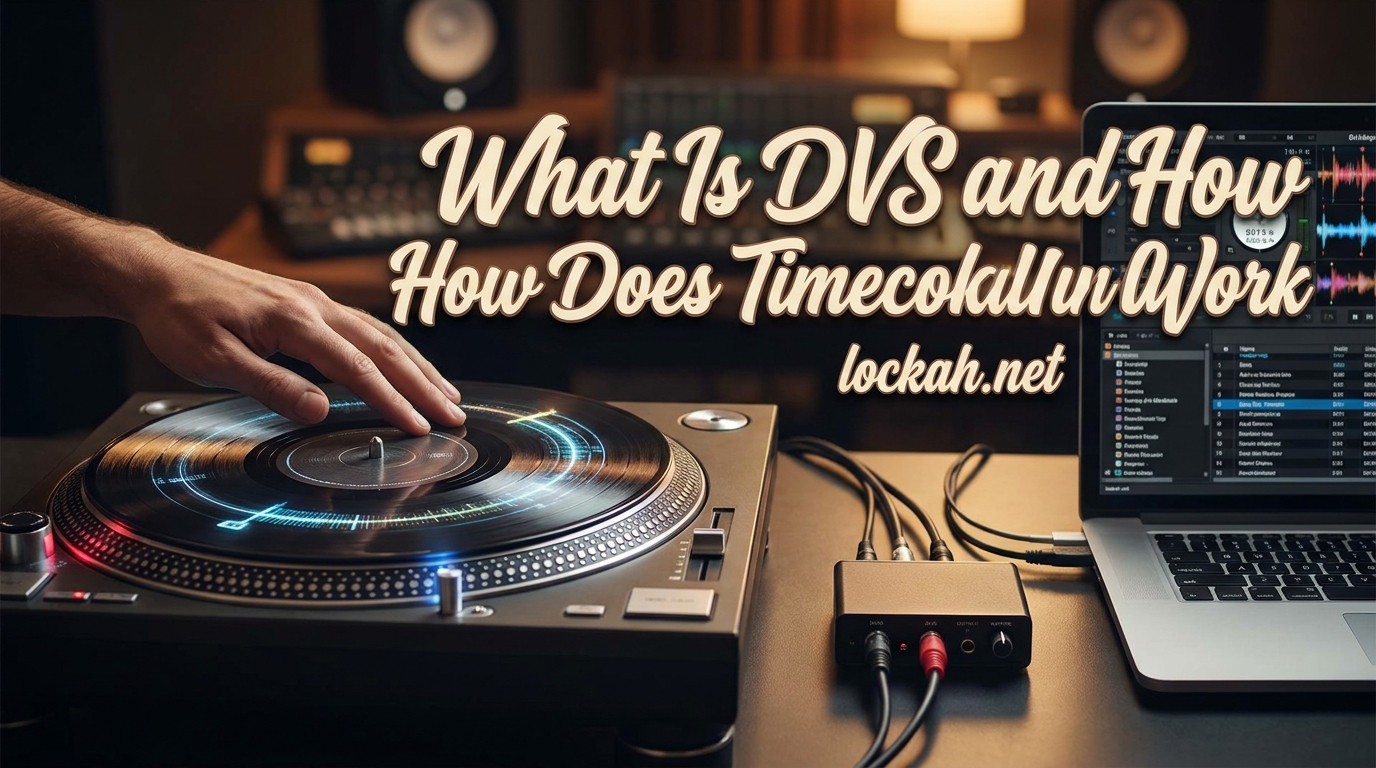
Have you ever watched a DJ spin vinyl records and wondered how they’re controlling digital music files? That is the magic of DVS – Digital Vinyl Systems – and it has transformed how DJs work since the early 2000s.
I remember the first time I saw a DJ scratching what looked like a regular record, but the sound coming out was clearly a digital track. It felt like witchcraft. The turntable was spinning, the needle was on the record, but something invisible was bridging the gap between analog hardware and digital audio files.
In this guide, I will explain exactly what is DVS and how does timecode vinyl work. Whether you are a beginner DJ curious about the technology, a vinyl enthusiast considering the digital transition, or simply someone fascinated by the intersection of analog and digital audio, you will get clear answers here. We will cover everything from the basic concept to the technical signal processing that makes it all possible.
Table of Contents
What Is a Digital Vinyl System (DVS)?
A Digital Vinyl System (DVS) is a technology that allows DJs to control digital audio files on a computer using traditional turntables or CDJ players as the interface. Think of it as a translator that converts the physical movements of vinyl manipulation into digital commands that control playback of MP3s, WAVs, or other digital audio files.
The beauty of DVS lies in its ability to preserve the tactile, hands-on experience of vinyl DJing while unlocking the convenience of digital music libraries. You get to keep that intimate connection with the music – the feel of the record under your fingers, the visual feedback of the spinning platter, the precise control of the tonearm – but you are no longer limited to the records you physically own.
The first mainstream DVS was Final Scratch, developed by a collaboration between Native Instruments and Stanton in 2001. Before that, DJs had to choose between the feel of vinyl and the convenience of digital files. DVS eliminated that compromise entirely.
How DVS Bridges Analog and Digital Worlds?
Here is the simplest way to understand what happens in a DVS setup. When you place a special record called timecode vinyl on your turntable and start spinning it, the turntable does what turntables always do – it generates an audio signal from the grooves. But instead of music, that signal contains a special control code.
An audio interface captures that signal and sends it to DJ software running on your computer. The software decodes the signal to determine exactly how fast the record is spinning and in which direction. It then applies those same movements to your digital audio file. When you scratch forward, the digital track scratches forward. When you slow the record down, the digital track slows down. The turntable becomes a controller for your digital music.
The output – what your audience hears – comes from the computer, not the record itself. The timecode vinyl is essentially a very sophisticated controller disguised as a vinyl record.
What Is Timecode Vinyl?
Timecode vinyl is a specially manufactured vinyl record that contains a continuous control signal instead of music. If you were to play timecode vinyl through regular speakers, you would hear a constant tone – typically around 1000 Hz – that sounds somewhat like a test signal or a dial tone. It is not music, and it is not meant to be listened to directly.
These records look almost identical to regular vinyl. They have grooves, labels, and the familiar black (or sometimes colored) appearance. Some manufacturers add position markers or visual guides to help with scratching and cueing. But inside those grooves is a precise, repeating signal pattern that the DJ software recognizes.
Popular timecode vinyl options include Serato Control Vinyl, Traktor Scratch Vinyl, and Rekordbox Control Vinyl. While the basic principle is the same across brands, the specific signal patterns are proprietary and incompatible between systems. You cannot use Serato timecode vinyl with Traktor software or vice versa.
Timecode CDs work on the same principle for DJs who prefer CDJ players over turntables. The CD contains the same type of control signal, and the CDJ sends that signal to the computer instead of playing audio directly.
How Does Timecode Vinyl Actually Work?
Now we get to the fascinating technical part. Understanding how timecode vinyl works requires looking at what is actually happening at the signal level. Do not worry – I will break this down into digestible pieces.
The Timecode Signal: What Your Computer Actually Hears
When your turntable cartridge reads the timecode vinyl, it picks up a continuous audio tone. The most common frequency used is 1000 Hz – one thousand cycles per second. This is not arbitrary. It is high enough to capture rapid movements accurately but low enough to be reliably transmitted through standard audio equipment.
The signal is not just a simple sine wave, though. It is carefully constructed to contain position information. Each moment of the signal corresponds to a specific location on the record. As the record spins, the software tracks where it is in the signal pattern, which tells it exactly where on the virtual record the playback position should be.
Here is where it gets clever. The software counts how many cycles of the signal occur each second. Since we know the base frequency is 1000 Hz, if the software counts 1200 cycles in one second, it knows the record is playing at 1.2x speed. If it counts 500 cycles, the record is playing at half speed. This is how DVS detects playback velocity with remarkable precision.
Detecting Speed and Direction
Speed detection alone is not enough. The software also needs to know which direction the record is spinning. This is where the stereo signal comes into play. Timecode vinyl uses both left and right channels, but they are slightly phase-shifted relative to each other.
Imagine two waves that look identical but one is slightly ahead of the other. When the record spins forward, the left channel signal leads the right channel. When you spin the record backward, the right channel leads the left. By comparing which channel is ahead, the software instantly knows the direction of rotation.
This phase relationship is detected using something called zero crossing detection. The software monitors when each signal crosses from positive to negative voltage (the zero point). By timing these crossings between channels, it calculates the phase difference and determines direction.
The result is that the software knows within milliseconds exactly how fast you are spinning the record and in which direction. It applies those same parameters to your digital audio file, creating the illusion that the digital file is physically on the turntable.
From Signal to Sound: The Complete Signal Flow
Let us walk through the complete signal path to see how everything connects. When you drop the needle on timecode vinyl, the turntable generates a low-level phono signal from the cartridge. This signal travels through RCA cables to an audio interface.
The audio interface has a critical component called a phono preamp. Timecode signals are recorded at phono level, just like regular vinyl, so they need amplification and equalization before the computer can process them. The interface converts the analog signal to digital data through an analog-to-digital converter.
That digital signal flows via USB to your computer, where the DJ software receives it. The software runs its detection algorithms – counting cycles, checking phase, determining position – thousands of times per second. Based on this analysis, it adjusts the playback parameters of your loaded digital track.
The software then sends the audio output to your audio interface, which converts it back to analog and sends it to your mixer and then to your speakers. The entire round trip happens in mere milliseconds. Modern DVS systems achieve latency low enough that the delay is imperceptible to human ears.
What Do You Need for a DVS Setup?
Setting up a DVS system requires several components working together. While it might seem complex at first, each piece has a specific purpose, and many DJs already own some of the required hardware.
Turntables: What Makes a Deck Suitable for DVS?
Not every turntable works well for DVS. You need a direct-drive turntable with adjustable pitch control. Belt-drive turntables are generally unsuitable because they lack the torque and consistent speed needed for accurate timecode tracking. The pitch fader allows you to adjust the base speed, which the DVS software will track and compensate for.
Industry standards like the Technics SL-1200MK series, Pioneer PLX-1000, and Audio-Technica AT-LP1240 are all excellent choices. These decks have strong motors, stable speed, and precise pitch controls. You will also need a suitable cartridge and stylus – the Shure M44-7 was historically popular for DVS, though modern alternatives from Ortofon and others work well too.
The key specification to look for is wow and flutter – the variation in speed. Lower numbers mean more stable playback, which translates to more accurate timecode tracking. Professional DJ turntables typically have wow and flutter below 0.15%, which is excellent for DVS.
Audio Interface: The Bridge Between Worlds
The audio interface is perhaps the most critical component of a DVS setup. This device converts the analog timecode signal from your turntables into digital data your computer can understand. Quality matters here – a poor interface can introduce latency, noise, or tracking errors.
DVS-specific interfaces include the Serato SL4, Traktor Scratch A6/A10, and various third-party options. Many modern DJ mixers also have built-in audio interfaces with DVS support – the Pioneer DJM-900NXS2, Allen & Heath Xone:96, and Rane Seventy-Two all include this functionality.
When choosing an interface, consider the number of channels you need. A basic setup requires two channels (one per turntable), but having four channels allows for more flexible routing and potential future expansion. Look for interfaces with low latency specifications – under 10ms is ideal for responsive scratching.
The Three Types of DVS Hardware Setups
There are three main approaches to DVS hardware, each with its own advantages.
Standalone Audio Interface: This is the traditional approach. You connect your turntables to a dedicated DVS interface, which connects to your computer via USB. The interface outputs audio to your mixer. This offers the most flexibility – you can use any mixer you like and upgrade components independently.
DVS-Enabled Mixer: Modern DJ mixers often include built-in audio interfaces with DVS support. You connect turntables directly to the mixer, and the mixer handles both the DVS signal processing and audio mixing. This simplifies cable management and reduces the number of devices in your setup. The trade-off is less flexibility – you are locked into that mixer’s specific DVS implementation.
DVS-Enabled Controller: Some DJ controllers include DVS inputs alongside their built-in jog wheels and controls. This hybrid approach lets you use DVS with turntables while also having the convenience of a controller. It is particularly popular for mobile DJs who might encounter different setups at different venues.
Regardless of which approach you choose, you will also need timecode vinyl or CDs specific to your software, a computer capable of running DJ software, and of course the software license itself.
Understanding DVS Modes: Absolute vs Relative (2026)
Once your hardware is connected, you will need to understand DVS operating modes. This is where many beginners get confused, but the concepts are actually straightforward once explained clearly.
Absolute Mode: The True Vinyl Experience
Absolute mode, sometimes called “vinyl mode,” treats your digital track exactly like a real vinyl record. The software tracks the physical position of the needle on the timecode vinyl and maps it to a corresponding position in your digital file.
Drop the needle at the beginning of the timecode record, and playback starts at the beginning of your track. Lift the needle and place it halfway through the record, and playback jumps to the middle of the track. This is perfect for traditional vinyl techniques like needle dropping – placing the needle precisely where you want to start playing.
Absolute mode is what you want for authentic vinyl feel. When you stop the record, the music stops. When you spin back, the track spins back. It behaves exactly like the digital file is etched into the vinyl itself. Most scratch DJs prefer absolute mode because it replicates the experience of scratching real vinyl.
The downside is that you are limited to the length of your timecode vinyl. A standard 12-inch record gives you about 10-15 minutes of control time per side. For longer tracks, you will need to flip the record or use the software’s internal looping features.
Relative Mode: Freedom to Move
Relative mode works differently. Instead of tracking absolute position, it only tracks movement. The software cares about how fast and in what direction the record is spinning, but not where the needle sits on the record.
This has some major advantages. You can lift the needle and place it anywhere on the record without affecting playback. The track continues playing uninterrupted. You can also use the entire record surface to control a single track regardless of its length – a 3-minute track or a 60-minute mix both work fine on one side of timecode vinyl.
Relative mode is popular for club DJs doing long blends. You do not need to worry about running out of timecode surface during a set. It is also useful if your timecode vinyl is worn or damaged in spots – just move the needle to a clean section and keep going.
The trade-off is that you lose some authentic vinyl behaviors. Needle dropping does not work the same way since the software is not tracking position. Stopping the record stops playback, but starting from a different position does not jump to a different part of the track.
Most DVS software also includes an Internal mode, which disables DVS control entirely and lets the software play tracks using its own internal playback engine. This is useful when you want to use software features without timecode control.
Popular DVS Software Options
Your choice of software shapes your DVS experience significantly. Each platform has its own approach, feature set, and timecode format. Here is how the major options compare.
Serato DJ Pro with DVS: Serato is arguably the most popular DVS platform, especially in North America. It is known for rock-solid stability and intuitive workflow. The DVS expansion pack adds timecode support to the core software. Serato’s timecode is widely regarded as highly accurate and responsive, making it a favorite among scratch DJs. The software integrates well with a vast range of hardware.
Native Instruments Traktor Scratch Pro: Traktor has deep roots in DVS – Native Instruments was one of the original developers of Final Scratch. Traktor offers extensive customization options and powerful looping and remixing features. Its timecode protocol is different from Serato’s, requiring Traktor-specific control vinyl. Traktor is particularly popular in Europe and among DJs who want deep control over their setup.
Pioneer DJ Rekordbox DVS: Rekordbox has become the club standard in many venues worldwide, partly because Pioneer dominates club installations. The DVS functionality is built into the core software rather than being a separate purchase. Rekordbox’s tight integration with Pioneer hardware makes it an obvious choice if you play on club-standard CDJs and mixers. The timecode is reliable, though some scratch DJs find it slightly less responsive than Serato.
Mixxx: For those who want to experiment without financial commitment, Mixxx is a free, open-source DJ software with DVS support. It supports multiple timecode formats including Serato and Traktor vinyl. While it lacks some polish of commercial software, the core DVS functionality works well, and the price is unbeatable.
Virtual DJ: Virtual DJ offers DVS support with its own timecode format, though it can also work with other timecode vinyl. It is known for innovative features and broad hardware compatibility. Some DJs appreciate its video mixing capabilities alongside audio DVS.
When choosing software, consider what your local clubs use, what your friends use (for file sharing and collaboration), and which interface you prefer. Hardware compatibility is crucial – check that your audio interface works with your chosen software before purchasing.
The Pros and Cons of Using DVS
Like any technology, DVS has advantages and disadvantages. Understanding these helps you decide if it is the right choice for your DJing style.
Advantages:
The tactile feel is the biggest draw. Controlling digital files with real turntables offers a connection that controllers cannot match. The physical feedback of the spinning platter, the resistance of the vinyl, the precise cueing – these elements matter deeply to many DJs.
Access to digital music libraries while maintaining vinyl technique is transformative. You can scratch with tracks that only exist as digital files. You can play edits, remixes, and tracks that were never pressed to vinyl. Your collection becomes virtually unlimited.
Club compatibility is another major advantage. Most professional clubs have turntables installed. Showing up with a laptop, interface, and timecode vinyl lets you use the house gear rather than bringing your own controller.
Many DJs find DVS improves their beatmatching skills. The visual and tactile feedback of turntables provides more information than jog wheels, helping you develop precise timing and pitch control.
Disadvantages:
Cost is significant. Quality turntables, a DVS interface, software licenses, and timecode vinyl represent a substantial investment. Even entry-level setups run several hundred dollars, and professional configurations can cost thousands.
Complexity is higher than controllers. More components mean more potential points of failure, more cables to manage, and more settings to configure. Troubleshooting DVS issues requires understanding signal flow and calibration.
Portability suffers compared to all-in-one controllers. Turntables are heavy and fragile. Transporting a DVS setup to gigs requires more care and space than throwing a controller in a backpack.
Maintenance is ongoing. Timecode vinyl wears out and needs replacement. Cartridges need periodic changing. Turntables require calibration and upkeep. These costs and tasks add up over time.
Latency, while minimal in modern systems, is never zero. Some DJs report feeling a slight difference in response compared to real vinyl, though whether this is perceptible varies by individual.
Ultimately, DVS suits DJs who value the vinyl experience but want digital convenience. If you are passionate about turntablism, scratch regularly, or play in clubs with installed turntables, DVS is likely worth the investment. If portability and simplicity matter more, modern DJ controllers offer excellent alternatives.
Troubleshooting Common DVS Issues
Even well-configured DVS setups occasionally have problems. Here is how to address the most common issues.
Timecode Vinyl Wear: Timecode vinyl is more durable than music vinyl because you are not listening to the grooves, but it still wears with use. Heavy scratching causes faster wear than mixing. Signs of worn timecode include tracking errors, sudden jumps in position, or the software losing connection to the deck.
Inspect your timecode vinyl regularly for visible scratches or damage. Clean it with appropriate vinyl cleaning solution and a microfiber cloth. When wear becomes noticeable, replace the vinyl – it is cheaper than dealing with failed performances.
Calibration Issues: DVS software needs proper calibration to track accurately. If your software shows poor signal quality or tracking errors, run the calibration wizard. This process measures the input levels and noise floor to optimize detection.
Ensure your turntable is properly grounded to reduce hum. Check that your cartridge is aligned correctly and the tracking force is set appropriately. Even small misalignments can affect timecode tracking.
Latency Problems: If you notice a delay between moving the record and hearing the response, your latency buffer might be set too high. Reduce the buffer size in your software or audio interface settings. Be careful – too low and you will get audio dropouts.
Close unnecessary applications on your computer to free up processing power. USB audio interfaces generally perform better when connected directly to the computer rather than through hubs.
Signal Dropout: If the software intermittently loses tracking, check your cable connections first. Loose RCA cables are a common culprit. Try different cables to rule out cable failure.
Electrical interference can also cause dropouts. Keep power cables away from audio cables. If your setup includes fluorescent lights or other electrical equipment, try turning them off to see if interference is the issue.
Skipping and Jumping: Needle skip on timecode vinyl causes the software to jump position. Unlike music vinyl where a skip just causes a sound glitch, a timecode skip can send your playback to a completely different part of the track.
Ensure your turntable is on a stable, level surface. Vibration isolation helps tremendously – turntable isolation mats or platforms can prevent skips from foot traffic or bass vibrations. Check that your tonearm is properly balanced and the anti-skate is set correctly.
Software Not Detecting Timecode: If the software shows no input signal, verify your audio interface is selected as the input device in software settings. Check that the correct input channels are assigned to each deck. Ensure your turntable is actually outputting signal – you can test this by temporarily connecting it to a line input on your mixer.
Frequently Asked Questions
How does timecode vinyl work?
Timecode vinyl works by containing a special control signal instead of music. When played on a turntable, this signal is converted to digital data by an audio interface. The DJ software analyzes the signal to detect how fast and in what direction the record is spinning, then applies those same movements to your digital audio files. The signal is typically a 1000 Hz tone with phase-shifted stereo channels to detect direction.
Is DVS the same as timecode?
DVS and timecode are related but not the same. DVS (Digital Vinyl System) refers to the complete technology including software, hardware, and the method of controlling digital audio. Timecode specifically refers to the control signal encoded on the vinyl records or CDs used within a DVS. Timecode is one component of a DVS setup.
What is a DVS vinyl?
DVS vinyl, also called timecode vinyl or control vinyl, is a special vinyl record containing a control signal rather than music. When played through a DVS system, it allows you to control digital audio files on your computer using traditional turntables. Popular options include Serato Control Vinyl, Traktor Scratch Vinyl, and Rekordbox Control Vinyl.
Can you scratch with DVS?
Yes, DVS is excellent for scratching. Many professional turntablists use DVS exclusively because it provides the tactile feel of real vinyl while giving access to digital samples and scratch tools. The timecode signal responds accurately to rapid movements, allowing precise scratch techniques. Absolute mode provides the most authentic scratching experience.
Is DVS worth it in 2026?
DVS remains worth it in 2026 for DJs who value the tactile feel of turntables and need access to digital music libraries. It is particularly valuable for scratch DJs, club DJs working with installed turntables, and vinyl enthusiasts transitioning to digital. However, modern DJ controllers offer excellent alternatives if portability and simplicity are priorities.
What do I need to start with DVS?
To start with DVS, you need turntables with pitch control, an audio interface with DVS support (or a DVS-enabled mixer), timecode vinyl matching your software, a computer, and DVS software (Serato, Traktor, Rekordbox, etc.). You will also need RCA cables and a proper phono cartridge.
How long does timecode vinyl last?
Timecode vinyl lasts significantly longer than music vinyl because you are not listening to the grooves, but it does wear with use. With regular use, expect 1-3 years before replacement. Heavy scratching causes faster wear than mixing. Signs of worn timecode include tracking errors and position jumps in the software.
What is the difference between absolute and relative mode?
Absolute mode tracks the exact position of the needle on the record, behaving like real vinyl with needle drops and position-based playback. Relative mode only tracks movement and direction, ignoring needle position. This allows uninterrupted playback when lifting and replacing the needle, making it ideal for long mixes.
Conclusion
So what is DVS and how does timecode vinyl work? At its core, DVS is a technology that lets you control digital music with the tactile feel of vinyl. Timecode vinyl contains a special signal – not music – that tells your computer exactly how you are manipulating the record. The software translates those physical movements into digital commands, giving you the best of both worlds.
We have covered the technical details of how the 1000 Hz timecode signal works, the hardware you need to get started, the different operating modes, and the major software options available. We have also looked at the real-world advantages and disadvantages, plus practical troubleshooting for when things go wrong.
If you are considering DVS, my recommendation is to try before you buy if possible. Many DJ stores have demo setups, and experienced DVS users are usually happy to share their setups. Start with one of the major platforms – Serato, Traktor, or Rekordbox – depending on what fits your style and local scene.
The technology has matured tremendously since those early Final Scratch days. Modern DVS systems are stable, responsive, and widely supported. Whether you are a scratch DJ wanting access to digital samples, a club DJ working with installed turntables, or simply someone who loves the feel of vinyl, DVS offers a compelling way to bridge analog tradition with digital convenience.