
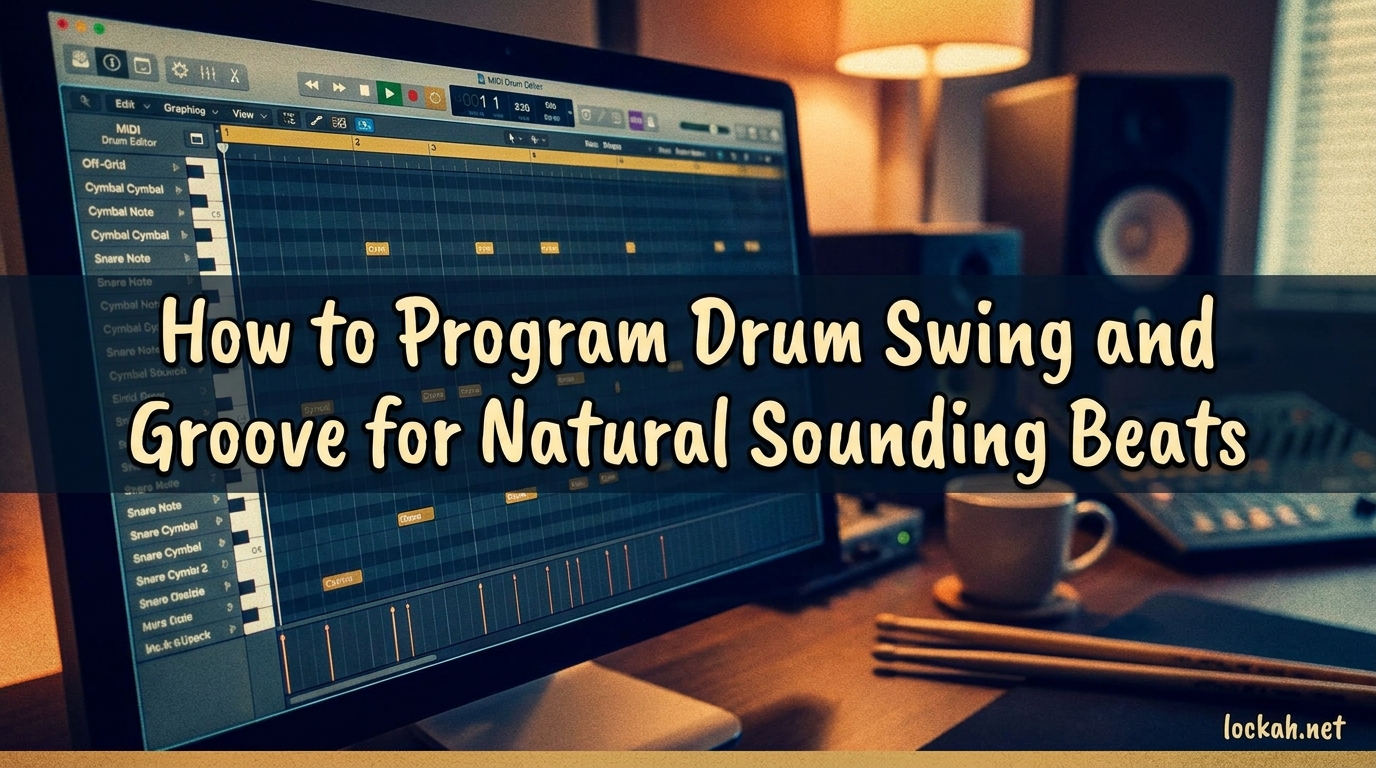
I have spent years programming drums that sounded lifeless and robotic until I figured out the secrets of swing and groove. Learning how to program drum swing and groove for natural sounding beats transformed my productions from stiff and mechanical to tracks that actually make people want to move. If your programmed drums feel like they are missing something, you are not alone. Most producers struggle with this exact problem, and the solution is simpler than you might think.
In this guide, I will walk you through the techniques that professional beat makers use to breathe life into their drum programming. You will learn about swing settings, groove templates, velocity variation, ghost notes, and the elusive pocket that separates amateur beats from professional tracks. By the end, you will have a complete toolkit for creating drum patterns that feel human and organic.
Table of Contents
What Are Drum Swing and Groove?
Drum swing is a timing offset that delays specific beats, usually the off-beats or backbeats, to create a laid-back, bouncy feel. When you apply swing, every second note in a subdivision gets shifted slightly later. This creates that signature shuffled feel you hear in hip-hop, funk, and jazz. The swing percentage in your DAW controls exactly how much that second note gets delayed.
Groove refers to the overall rhythmic feel and pocket of a beat. It encompasses not just timing, but also dynamics, accent patterns, and the interaction between different drum elements. A beat with good groove feels cohesive and infectious. The groove is what makes you nod your head without thinking about it. While swing is a specific timing technique, groove is the bigger picture of how all the rhythmic elements work together.
The pocket is where the magic happens. When drummers talk about playing “in the pocket,” they mean finding that sweet spot where the rhythm feels perfectly settled. In programming terms, this often means placing certain hits slightly behind the beat. A snare that lands a few milliseconds late can create a relaxed, heavy feel that sits beautifully in a mix. The pocket is not about being perfectly on the grid. It is about intentional timing choices that serve the music.
Understanding Quantization and Timing Basics (2026)
Quantization snaps your MIDI notes to the nearest grid subdivision. Your DAW might offer grid settings like 1/4, 1/8, 1/16, or 1/32 notes. When you quantize at 100%, every note locks perfectly to the grid. This creates that robotic sound that screams programmed drums. The key to natural sounding beats is knowing when to quantize strictly and when to leave things loose.
I rarely quantize above 80% strength. At 80%, notes move most of the way to the grid but retain some of their original timing variation. For some genres, I quantize only certain elements. Kick drums might get strict quantization to anchor the beat, while hi-hats stay loose and flowing. This selective approach keeps the foundation solid while preserving the human feel in the details.
Timing subdivisions matter enormously. Eighth notes create a straightforward feel, while sixteenth notes allow for more complex patterns. Triplets introduce a swung, rolling feel that works beautifully in shuffles and hip-hop. Understanding these subdivisions helps you choose the right grid for your genre. House music typically uses straight sixteenths, while funk might lean on sixteenth-note triplets for that classic swung feel.
How to Program Drum Swing in Your DAW?
Programming drum swing starts with your DAW’s swing or groove control. Most DAWs represent swing as a percentage from 0 to 100%. At 0%, you get straight timing with no swing. At 100%, the second note of each pair lands exactly on the third subdivision, creating a triplet feel. Most musical applications fall somewhere between 50% and 70%.
In Ableton Live, you will find the Swing control in the Groove Pool or as a clip parameter. Drag a groove template onto your clip, then adjust the Global Groove Amount to taste. Logic Pro users can access swing in the Piano Roll’s Quantize menu, choosing options like 1/8 Swing or 1/16 Swing with various percentages. FL Studio offers the Swing slider in the Channel Settings, which affects all steps in the step sequencer.
MPC-style swing works differently than DAW swing. Classic MPCs apply swing by delaying specific steps in the sequence, typically the even-numbered steps. This creates a distinct feel that many producers love for hip-hop. Some DAWs and plugins now offer MPC-style swing modes that replicate this behavior. If you are programming boom-bap or classic hip-hop, try these MPC emulations for authentic results.
Genre-specific swing settings vary widely. Hip-hop often uses 54% to 62% swing for that laid-back head-nod feel. Funk and disco might push to 66% or higher for maximum bounce. House music typically stays below 20% swing or uses none at all. Jazz and fusion can go anywhere from 50% to 75% depending on the subgenre. These are starting points, not rules. Your ears should make the final decision.
Using Groove Templates for Natural Feel
Groove templates are preset timing and velocity patterns that you can apply to your MIDI clips. They extract the timing feel from classic drum machines, famous recordings, or programmed patterns. When you apply a groove template, your notes shift to match the template’s timing variations. This instantly adds human feel without manual programming.
Ableton Live has an extensive Groove Pool with templates extracted from classic drum machines and vinyl loops. You can audition grooves in real-time and adjust the Global Amount to control how strongly they affect your clip. Logic Pro offers similar functionality with its Groove Track feature and MIDI Transform presets. Most major DAWs include some form of groove template system.
Creating custom groove templates takes your workflow further. Record yourself tapping a beat on MIDI pads or keys, even if the timing is imperfect. Extract the timing from this performance and save it as a template. Now you have your own personal groove feel that you can apply to any programmed beat. This technique bridges the gap between rigid programming and live performance.
Popular groove templates include MPC 60 templates for that gritty hip-hop feel, SP-1200 grooves for classic crunch, and vinyl-extracted templates for authentic swing. Acid house grooves work wonders for electronic music. Jazz and Latin templates add sophisticated rhythmic feels. I keep a folder of favorite vinyl loops just for extracting groove templates. The timing feel from a great drummer beats randomization every time.
Humanizing Your Beats With Micro-Timing
Micro-timing refers to small timing variations that occur in live drumming. Real drummers never hit perfectly on the grid. There are microscopic variations in timing that our ears interpret as human and organic. Programming these variations manually or using humanization features makes a massive difference in how natural your drums sound.
Pushing and pulling beats is a core micro-timing technique. Pushing means playing slightly ahead of the beat, creating urgency and energy. Pulling means laying back behind the beat, creating a relaxed, heavy feel. Different elements can push or pull independently. A kick drum might sit right on the beat while the snare pulls back slightly. This tension between elements creates groove.
The behind-the-beat feel is crucial for many genres. In hip-hop and R&B, the snare often lands a few milliseconds after the theoretical beat position. This creates that relaxed, heavy pocket. Try delaying your snare by 10 to 20 milliseconds. It sounds subtle in isolation but transforms the feel of the entire beat. Bass lines can also benefit from sitting slightly behind the kick drum.
Randomization settings in your DAW can help with micro-timing. Most DAWs offer randomization for note start times and velocities. Use timing randomization conservatively, around 5 to 15 milliseconds, to avoid chaos. Velocity randomization can be more aggressive, around 10 to 20%. The key is subtle variation that mimics human inconsistency without sounding sloppy.
Velocity Variation for Dynamic Sound
MIDI velocity ranges from 0 to 127, representing how hard a virtual drum is hit. Real drummers vary their hit strength constantly. A drummer playing a hi-hat pattern naturally accents certain hits and plays others softly. This dynamic variation is essential for natural sounding drums. Programming every note at the same velocity creates that dreaded machine-gun effect.
The 80/20 rule in drumming states that approximately 80% of hits should be at moderate velocity, while 20% get stronger accents. This creates a natural dynamic flow. For a standard hi-hat pattern, keep most hits around 80 to 90 velocity, with accents on the downbeats or backbeats at 100 to 110. Ghost notes on the snare might sit around 40 to 60 velocity. This distribution mimics how real drummers actually play.
Programming realistic velocity curves takes practice. Watch for repeating patterns that sound mechanical. If every fourth hi-hat hit has the same accent, it sounds programmed. Vary your accent patterns throughout the song. Use velocity to create crescendos and decrescendos. Build energy by gradually increasing velocities leading into a chorus. These curves add musicality that static programming cannot achieve.
Accent patterns define the feel of a beat. A funk beat might accent the 2 and 4 heavily while keeping everything else moderate. A disco beat accents every off-beat hi-hat. Jazz drumming uses complex accent patterns that follow the comping of other instruments. When programming, think about which hits absolutely must stand out and which should support the groove quietly.
Ghost Notes: The Secret to Human Groove
Ghost notes are extremely quiet snare or tom hits that fill in the spaces between main beats. They are barely audible but essential for the feel of funk, soul, and hip-hop drumming. A drummer like Clyde Stubblefield or Zigaboo Modeliste built entire grooves around ghost note patterns. Without them, programmed drums sound empty and two-dimensional.
Programming ghost notes on the snare requires careful attention to velocity. Ghost notes should sit much lower than your backbeat snares. I typically program ghost notes between 30 and 50 velocity while main snare hits sit at 100 or above. This 2-to-1 ratio or greater creates the right dynamic relationship. The ghost notes should feel like they are coming from another room, present but subtle.
Placement of ghost notes matters as much as velocity. In a standard funk beat, ghost notes often fall on the a-of-1 and a-of-3, filling the gaps between kick and snare. Experiment with sixteenth-note placements to find what works for your track. Some beats benefit from sparse ghosting, while others need busy sixteenth-note rolls. Listen to your favorite drummers and transcribe their ghost note patterns.
When to use ghost notes depends on genre and feel. Funk and soul absolutely require them. Hip-hop often uses ghost notes to add bounce to programmed beats. Jazz drumming uses ghosted snare and bass drum extensively. Electronic genres might skip ghost notes for a cleaner sound. The key is making a conscious choice rather than omitting them by default.
Genre-Specific Swing Patterns
Hip-hop swing settings vary by subgenre but generally fall in the 54% to 62% range. Boom-bap beats often use classic MPC swing around 58% to 60%. Trap typically uses less swing, around 40% to 50%, keeping the hi-hats tight and rolling. Lo-fi hip-hop benefits from heavier swing, sometimes 65% or more, for that relaxed, dusty feel. The key is matching your swing to the overall vibe of the track.
Funk and soul grooves demand substantial swing. Classic funk often sits at 60% to 70% swing with heavy ghost note programming. The kick drum might follow a complex pattern while the snare provides a solid backbeat. Hi-hats typically play sixteenth notes with alternating velocities creating a flowing, rolling feel. The interplay between these elements creates the funk pocket.
House and electronic patterns generally use minimal swing. Four-on-the-floor kick patterns work best with straight timing. Some subgenres like UK garage or broken beat use significant swing, but traditional house stays tight. Where house gets its groove is through sidechain compression and rhythmic filter movements rather than timing variation. The drums themselves usually stay quantized.
Jazz and fusion timing is complex and fluid. Jazz drummers rarely play with consistent swing percentages, instead varying their timing constantly. When programming jazz, consider using extracted groove templates from actual jazz recordings. Latin patterns introduce clave-based timing that works on a completely different rhythmic grid. Bossa nova and samba have their own swing feels that do not translate to simple percentage settings.
Advanced Techniques for Professional Results
Parametric swing goes beyond simple percentage controls. Some advanced drum machines and plugins let you apply different swing amounts to different subdivisions. You might have heavy swing on eighth notes but straight sixteenths. This creates complex, layered feels that simple global swing cannot achieve. Experiment with tools that offer per-step or per-instrument swing control.
The bass-drum interplay is where grooves truly come alive. When the bass and drums lock together with complementary timing, the result is magical. Try offsetting your bass line slightly from your kick drum. If the kick sits on the grid, push the bass 5 to 10 milliseconds late. This creates a subtle flam effect that adds weight and depth. The opposite works too, with an early bass anticipating the kick.
Avoiding the machine-gun effect requires velocity and sample variation. When the same sample plays repeatedly at the same velocity, it sounds robotic. Use round-robin sampling if your drum plugin supports it, cycling through slightly different samples for each hit. Vary velocities dramatically between hits. Consider layering multiple samples and blending them differently for each note. These techniques break up the mechanical repetition.
Tempo automation can add life to programmed beats. Real drummers naturally speed up slightly during fills and relax during verses. Programming subtle tempo changes, even just 1 or 2 BPM, can make programmed drums feel more human. Some producers record their beat at multiple tempos and crossfade between them. This extreme approach works well for capturing that live feel.
How to Program Drum Swing and Groove: Putting It All Together
Learning how to program drum swing and groove for natural sounding beats is about combining multiple techniques rather than relying on any single approach. Start with a solid foundation of well-chosen samples. Apply appropriate quantization, usually around 80% strength. Add swing that matches your genre, typically 50% to 65% for most applications. Program velocity variations following the 80/20 rule.
Next, add micro-timing through manual adjustment or groove templates. Push your snare slightly behind the beat. Add ghost notes at low velocities to fill rhythmic gaps. Use randomization conservatively to introduce human variation. Consider the interplay between drums and bass. Each of these steps adds another layer of humanity to your programmed beats.
The final key is experimentation and critical listening. Compare your programmed beats to recordings of great drummers. Analyze what makes their timing feel good. Steal their timing by extracting groove templates from their performances. Over time, you will develop an intuition for what makes drums groove. Your beats will stop sounding programmed and start sounding like music.
Frequently Asked Questions
How to make programmed drums sound more natural?
Use a combination of techniques: apply 50-65% swing appropriate for your genre, vary velocities following the 80/20 rule, add ghost notes at low volumes, use groove templates extracted from live recordings, quantize at 80% strength rather than 100%, and introduce micro-timing by pushing or pulling certain elements slightly behind or ahead of the beat.
What is the 80/20 rule in drumming?
The 80/20 rule states that approximately 80% of drum hits should be played at moderate velocity while 20% receive stronger accents. This creates a natural dynamic flow that mimics how real drummers play. For example, keep most hi-hat hits around 80-90 velocity with accents on downbeats at 100-110 velocity.
What does swing percentage actually do?
Swing percentage controls how much the second note of each pair gets delayed. At 0% swing, notes play straight and evenly. At 100% swing, the second note lands on the third subdivision of a triplet. Most musical applications use 50-70% swing, which creates a subtle shuffle feel without sounding like triplets.
Should I quantize live drum recordings?
Quantize live drums conservatively if at all. Use 50-80% quantization strength to preserve the natural feel while correcting major timing issues. Completely quantizing live drums removes the human feel that makes them special. For drum replacement or layering, quantize the MIDI triggers but leave the original audio unquantized.
How do I avoid the machine-gun effect?
The machine-gun effect happens when the same drum sample repeats identically. Avoid it by varying velocities significantly between hits, using round-robin sampling to cycle through different samples, layering multiple samples with different tunings, adding subtle timing variations, and using different samples for left and right hand hits when appropriate.
Conclusion
Mastering how to program drum swing and groove for natural sounding beats transforms your productions from amateur to professional. The techniques in this guide work together to create drums that breathe and move. Start with swing settings that match your genre. Add velocity variation following the 80/20 rule. Use micro-timing and groove templates to introduce human feel. Program ghost notes to add depth and complexity.
Remember that these are tools, not rules. The best programmed drums serve the song. Sometimes a tight, quantized beat works better than a swung one. The key is making conscious choices about timing and feel rather than accepting defaults. Experiment with different approaches. Study your favorite producers and drummers. Most importantly, trust your ears. When the drums groove, you will feel it.
Now open your DAW and start programming. Apply one technique at a time and listen to the difference. Build your beats layer by layer, adding swing, velocity, and timing variation. Before long, you will have developed your own approach to creating natural sounding programmed drums. The robot drums are dead. Long live the groove.