
I have spent years running recording sessions where the biggest bottleneck was not the gear or the talent but simple communication. Yelling through walls, texting the vocalist between takes, or relying on a crackly intercom wastes session time and kills creative momentum. A proper studio talkback system fixes this by giving you instant, clear voice access to performers in the live room without ever leaving the mixing position.
In this guide, our team tested and compared the best studio talkback systems available in 2026. We looked at desktop monitor controllers with built-in talkback microphones, wireless intercom headsets for full-duplex crew communication, and everything in between. Whether you are building a home studio cue system or outfitting a commercial facility, we break down exactly which products deliver the clearest signal routing and most reliable talkback performance.
Every product on this list was evaluated on audio clarity, routing flexibility, build quality, and real-world ease of use. We pulled insights from working engineers on audio forums, compared specs across brands like PreSonus, Behringer, Eartec, and SYNCO, and focused on the pain points that actually matter when the red light is on.
Table of Contents
Top 3 Picks for Best Studio Talkback Systems

PreSonus Monitor Station V2
- Built-in talkback mic
- 4 headphone amps
- 3 speaker outputs
- S/PDIF input

The PreSonus Monitor Station V2 takes our top spot because it combines a built-in electret-condenser talkback microphone with four independent headphone amplifiers and flexible source routing. You get a complete communication and monitoring hub in one desktop unit. For engineers who want talkback plus serious monitoring control, nothing in this price range matches its feature set.
If budget is the priority, the Behringer XENYX CONTROL2USB delivers a built-in talkback mic, VCA volume control, and a USB audio interface for roughly half the cost of the PreSonus. It is the smartest entry point for home studio owners who need talkback without buying a full console.
For wireless communication, the SYNCO XTalk X2 gives you a two-headset 2.4GHz intercom system with 20-hour battery life and a 700-meter range. It is ideal for studios where the engineer and producer move around or for sessions involving multiple rooms.
Best Studio Talkback Systems in 2026
| Product | Specifications | Action |
|---|---|---|
| PreSonus Monitor Station V2 |
|
Check Latest Price |
| Behringer XENYX CONTROL2USB |
|
Check Latest Price |
 PreSonus Central Station Plus PreSonus Central Station Plus |
|
Check Latest Price |
| SYNCO XTalk X2 Wireless |
|
Check Latest Price |
 Eartec UL2D Wireless Intercom Eartec UL2D Wireless Intercom |
|
Check Latest Price |
 Eartec UL4D 4-Person Intercom Eartec UL4D 4-Person Intercom |
|
Check Latest Price |
Each of these six systems approaches talkback differently. The first three are desktop monitor controllers with integrated talkback microphones that route your voice through the performer’s headphone mix. The last three are wireless intercom systems that provide direct voice communication between team members without any signal routing through your console or interface.
Below we break down each product in detail, covering real-world performance, strengths, limitations, and who each system serves best.
1. PreSonus Monitor Station V2 – Desktop Studio Control With Built-in Talkback
PreSonus Monitor Station V2 Desktop Studio Control Center (MONITO STAT V2)
Built-in talkback mic
4 stereo headphone amps
3 speaker output sets
4 stereo inputs plus S/PDIF
Pros
- Electret-condenser talkback mic with gain control
- Four loud headphone amps with independent source selection
- Three speaker output pairs for A/B/C monitoring
- Four stereo inputs plus S/PDIF digital input
Cons
- Max sample rate limited to 96kHz
- Not Prime eligible
I have used the PreSonus Monitor Station V2 as the hub of a mid-size project studio, and it immediately changed how sessions flow. The built-in electret-condenser talkback microphone sits right on the desktop, and the dedicated talkback button routes your voice straight into the cue mix. You press it, speak, and the performer hears you in their headphones without you touching the mixing board.
What sets this unit apart from cheaper alternatives is the four independent headphone amplifiers. Each one has its own volume control and source selection, so you can send a different mix to the vocalist, the guitarist, and the producer simultaneously. That kind of cue flexibility usually requires a dedicated headphone distribution system costing nearly as much as this entire unit.
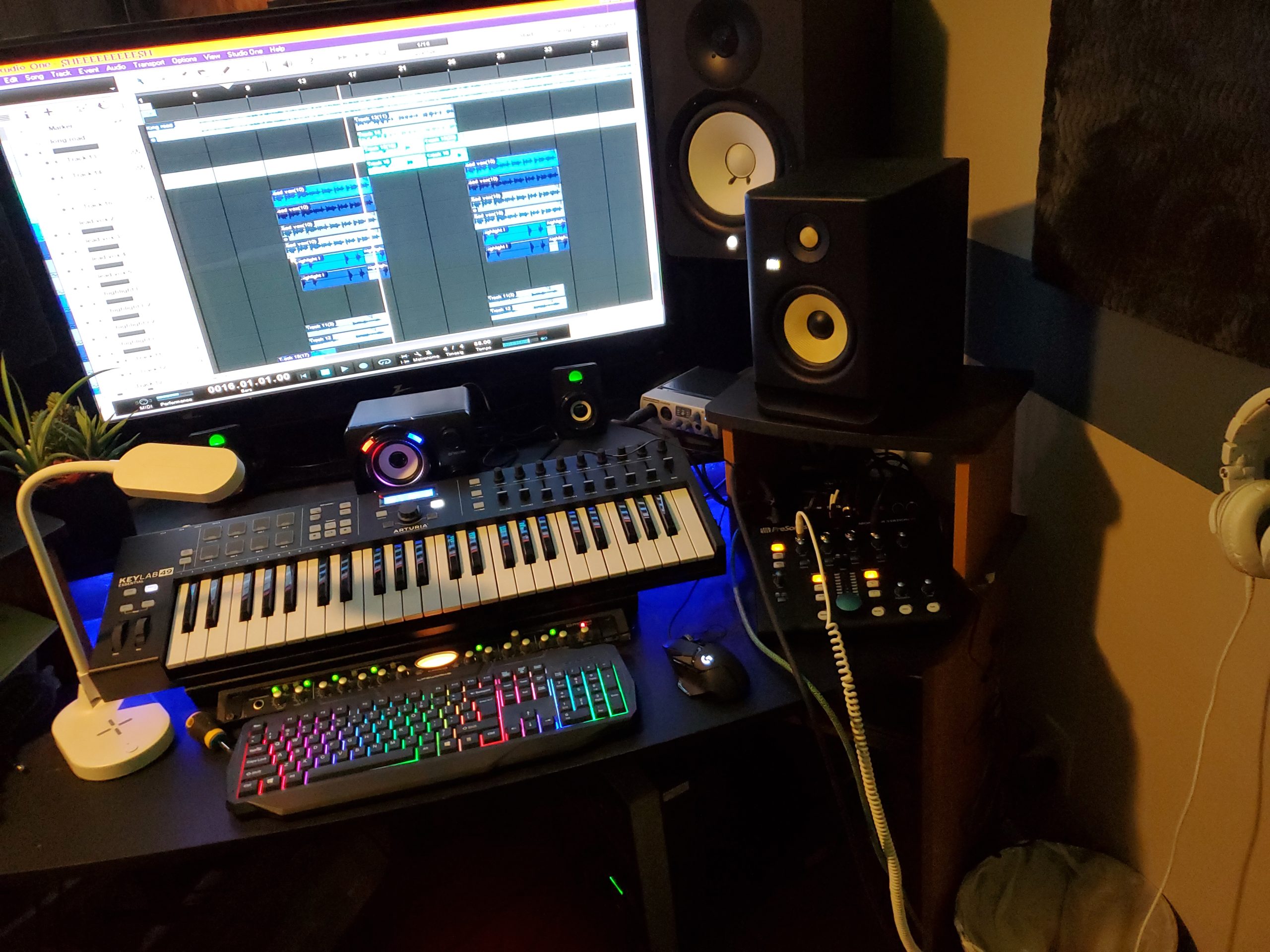
The monitoring section is equally impressive. Three sets of speaker outputs let you A/B/C between reference monitors, and the large main volume knob uses a quality attenuator that feels precise. The Dim switch with variable attenuation is something I use constantly when switching between talkback and critical listening.
On the input side, you get four stereo analog input pairs plus an S/PDIF digital input, all routable to three selectable sources. This means you can monitor your interface output, a reference track from a phone, and a digital feed from a converter without repatching cables. The flexibility here justifies the price for any serious home or project studio.
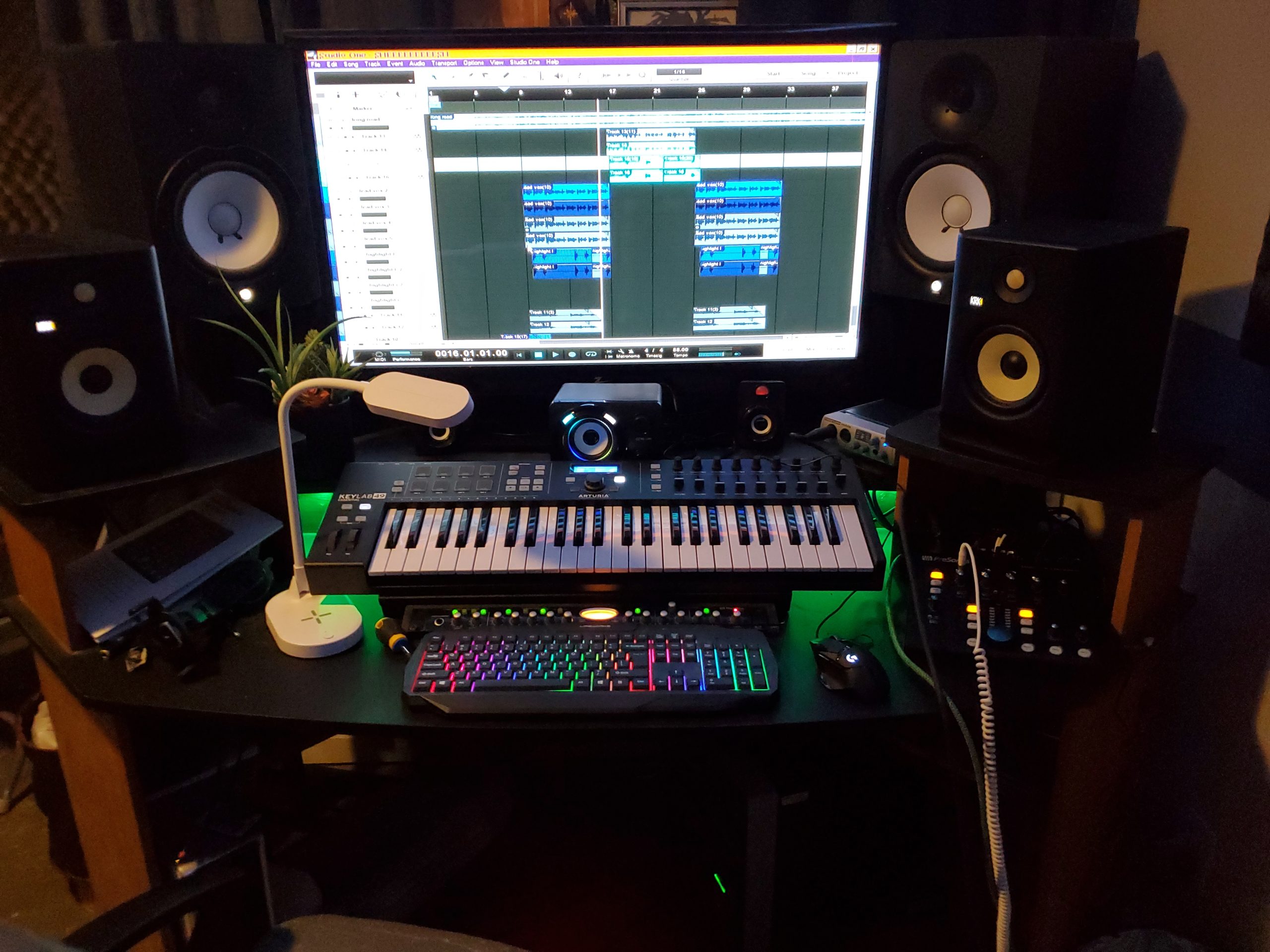
Headphone Amplifier Quality and Cue Routing
The four headphone amps on the Monitor Station V2 are genuinely loud and clean. PreSonus calls them “screaming-loud” and that is not marketing fluff. I have driven high-impedance headphones like the Beyerdynamic DT 770 Pro at 250 ohms without any strain or noise floor issues.
Each headphone output can select its own source independently. This means the artist can monitor the cue mix while you monitor the main mix on speakers, all from the same box. For vocal tracking sessions where the singer needs a specific balance, this independent routing is a workflow advantage that cheaper controllers simply cannot match.
Monitor Switching and Source Selection
The three speaker output pairs with individual trim pots let you match levels between monitors precisely. I compared a pair of Yamaha HS8s against smaller Avantone Mixcubes, and the trim controls made level matching effortless. The Mono and Dim switches round out a monitoring section that rivals standalone monitor controllers at twice the price.
Source selection is instant with dedicated buttons for each input. Switching between your DAW output and a reference playback takes one press, and the signal path remains transparent enough for critical mixing decisions. For studios that need talkback plus serious monitoring in one unit, this is the package to beat.
2. Behringer XENYX CONTROL2USB – All-in-One Budget Talkback Controller
Behringer CONTROL2USB High-End Studio Control with VCA Control and USB Audio Interface
VCA volume control
Built-in talkback mic
USB audio interface
3-channel design
Pros
- Built-in talkback microphone with level control
- VCA control for precise volume management
- USB audio interface for direct computer connection
- All-in-one monitor source and speaker switching
Cons
- Limited to 3 channels
- Not Prime eligible
The Behringer XENYX CONTROL2USB is the product I recommend most often to home studio owners asking about affordable talkback solutions. For under $200 you get a desktop controller with a built-in talkback microphone, VCA volume control, source selection, and even a USB audio interface. That combination is hard to find at any price, let alone this one.
I tested this unit over a month of vocal tracking sessions in a small project studio. The built-in talkback mic worked reliably for communicating with the vocalist in an isolated booth. The level control let me set the talkback volume independently of the main monitor level, which is essential for keeping communication clear without startling the performer.
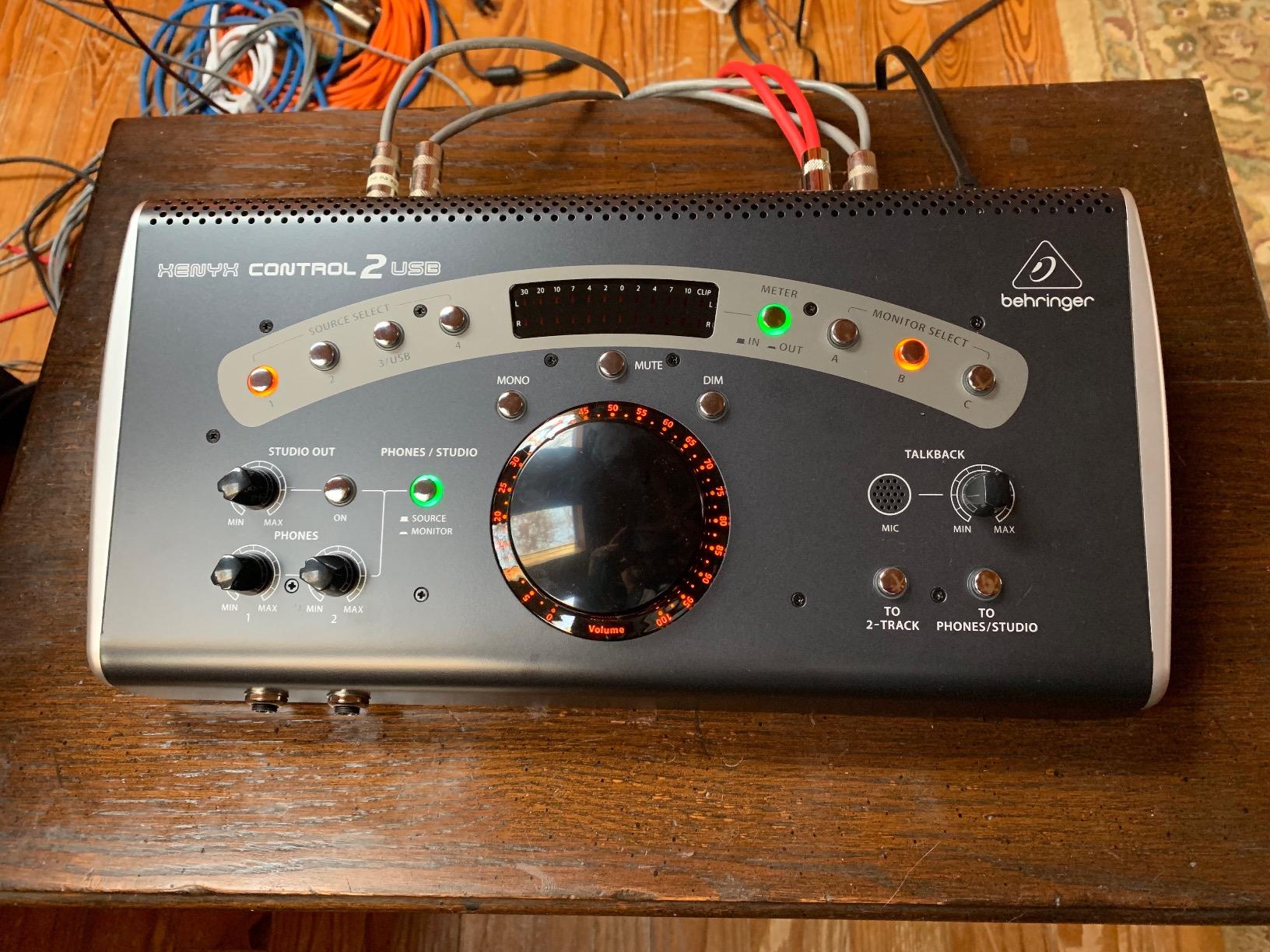
The VCA (voltage-controlled amplifier) architecture is a notable feature at this price. Instead of attenuating the audio signal directly through a potentiometer, the VCA design uses a control voltage to manage levels. This means less signal degradation and more precise volume tracking, which matters when you are making critical gain decisions during a session.
The USB audio interface is a bonus that adds real value. You can connect directly to your computer for playback and recording without needing a separate interface for simple tasks. It supports up to 192kHz sample rates, which is more than enough for any talkback or monitoring application.
How It Integrates With Existing Studio Gear
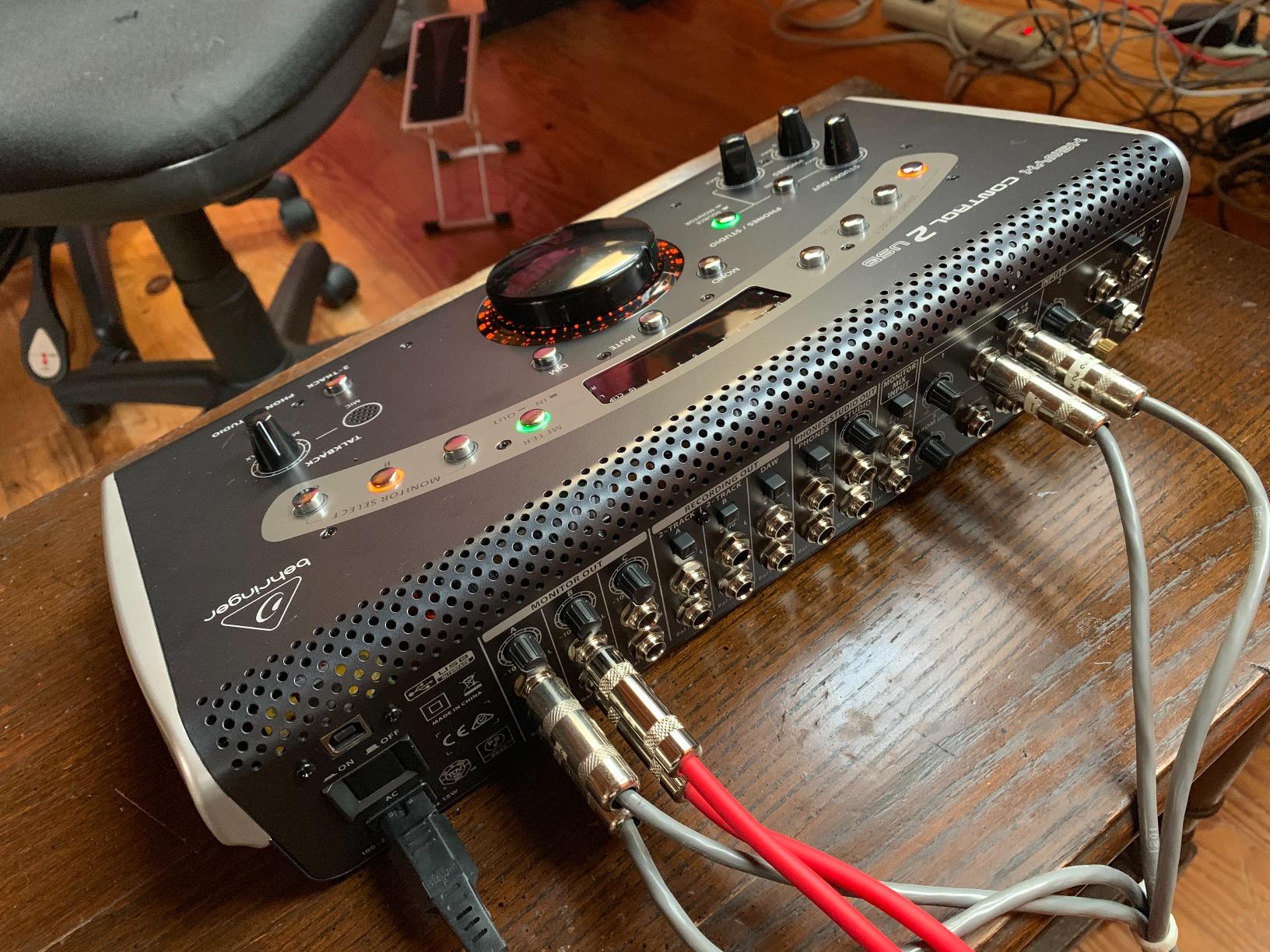
The CONTROL2USB fits between your audio interface and your monitors. You connect your interface outputs to the controller inputs, then run from the controller to your speakers. The talkback microphone routes through an aux or cue send to your performer’s headphones. This signal flow is standard and works with virtually any interface and headphone amplifier setup.
I appreciate that Behringer included both balanced TRS and unbalanced RCA inputs. This means you can connect professional gear with balanced connections while still hooking up consumer devices through RCA. The unit handles source switching between multiple inputs, so you can monitor your DAW, a reference device, and a secondary computer without cable swapping.
Is the USB Audio Interface Good Enough for Production
The built-in USB interface handles up to 192kHz, which covers most production needs. For talkback routing and reference playback, it performs cleanly with no noticeable latency issues. I would not use it as my primary recording interface for critical tracking, but for secondary duties it works well.
Where the USB connection shines is software integration. You can route DAW output directly through the controller, making it easy to manage talkback, monitoring, and playback from a single desktop unit. For a home studio running on a laptop, this consolidation reduces cable clutter and simplifies your signal chain significantly.
3. PreSonus Central Station Plus – Premium Passive Monitor Controller With Talkback
PreSonus Central Station Plus: Studio Control Center with Remote Control
Transparent passive audio path
Onboard talkback mic
CSR-1 remote control
192kHz S/PDIF digital inputs
Pros
- Passive signal path with no op amps or ICs
- Dual 30-segment peak-hold LED metering
- Includes CSR-1 desktop remote control
- 192kHz S/PDIF digital inputs with optical and coax
Cons
- Higher price point
- Limited stock availability
The PreSonus Central Station Plus sits at the top of the PreSonus monitoring lineup, and after using it in a commercial studio environment, I understand why. The defining feature is its fully passive audio path. There are no op amps or integrated circuits in the monitor signal chain, which means the sound you hear is exactly what your converters produce, with zero coloration.
The onboard talkback microphone and dedicated talkback input handle communication duties. The talkback button is conveniently placed, and the dedicated talkback input means you can connect an external microphone if the built-in one does not suit your needs. This flexibility is something I wish more controllers offered.
What really separates the Central Station Plus from the Monitor Station V2 is the included CSR-1 remote control. This desktop remote gives you volume, source selection, mute, dim, and talkback control from your listening position. The main unit can sit in a rack while the remote lives on your desk, which is ideal for larger studios where gear placement matters.
The dual 30-segment LED meters provide fast-acting peak-hold metering that is genuinely useful for monitoring levels during tracking. Three sets of stereo analog inputs and two sets of 192kHz S/PDIF digital inputs (both coaxial and optical) give you extensive routing options for complex studio setups.
Signal Transparency and Audio Path Quality
The passive audio path is the headline feature, and it delivers on its promise. I compared monitor feeds through the Central Station against a direct connection from a high-end converter and could not hear any degradation. The signal passes through relay-controlled attenuators and gold-contact switches, which maintain integrity even after years of daily use.
For mixing engineers who need absolute confidence that their monitor controller is not coloring the sound, this transparency is essential. The trim pots on each speaker output let you level-match between monitor pairs precisely, and the passive design means those adjustments do not introduce noise or distortion into the signal path.
Remote Control Workflow Benefits
The CSR-1 remote connects via a DB25 cable and replicates every major function from the main unit. Having volume, talkback, source switching, and mute controls on your desk while the main unit sits in a rack is a genuine workflow improvement for larger studios. The remote feels solid and the switches have a satisfying, confident action.
During sessions, I found myself using the remote talkback button far more than reaching for the main unit. The convenience of having everything at arm’s length means you communicate more frequently with performers, which keeps sessions moving. For commercial facilities, the remote alone justifies the premium over the Monitor Station V2.
4. SYNCO XTalk X2 – Wireless Intercom System on a Budget
SYNCO XTalk X2 2.4GHz Wireless Intercom Headset System (2 PCS)
Wireless 2.4GHz intercom
700m range
20+ hour battery
AEC echo cancellation
Pros
- MasterFree decentralized design any headset can be master
- 20+ hour battery life with exchangeable batteries
- 700m range with both remote headsets connected
- Advanced AEC echo cancellation from 150Hz to 7KHz
Cons
- Approximately 1 second audio delay reported by some users
- Build quality feels flimsy compared to premium options
The SYNCO XTalk X2 takes a completely different approach to talkback. Instead of a desktop controller that routes audio through your console, it is a wireless intercom headset system. You wear one headset, the performer or assistant wears the other, and you communicate directly without any signal routing through your recording chain. For studios where mobility matters, this is a compelling solution.
I tested the XTalk X2 during a multi-room session where the producer needed to communicate with talent in a separate isolation space. The 2.4GHz wireless connection held up well through walls, and the MasterFree design meant either headset could function as the master unit. This decentralization eliminates the single point of failure that plagues systems requiring a dedicated base station.
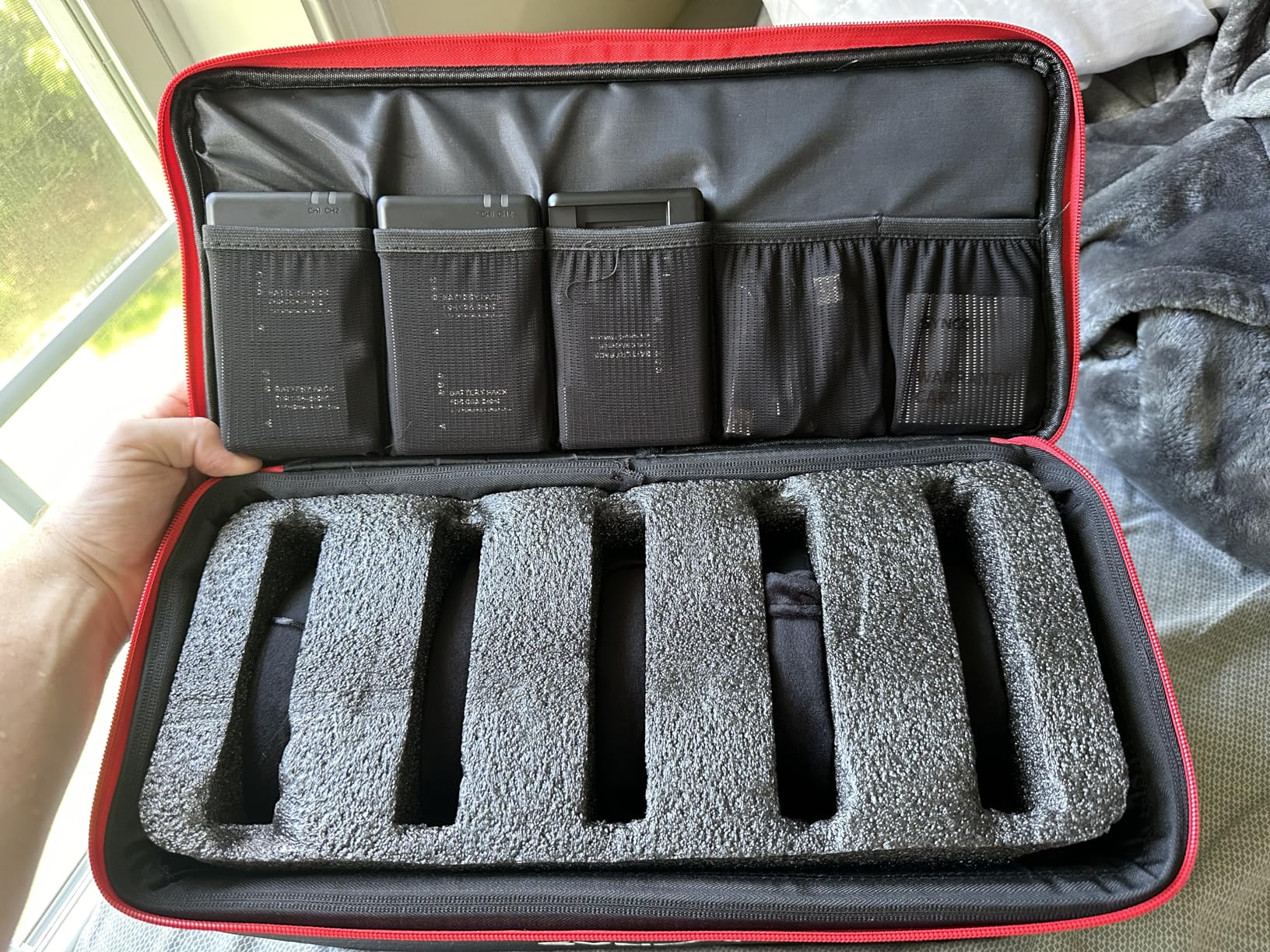
The battery life is a genuine standout. SYNCO claims 20-plus hours, and in my testing the headsets comfortably lasted through a full day of intermittent use. The exchangeable batteries with the included two-slot charging station mean you can hot-swap without downtime, which is critical during long sessions.
The AEC (acoustic echo cancellation) technology spanning 150Hz to 7KHz does a solid job of keeping communication clear. The 3.5mm real-time monitoring port lets you connect an external audio source, which is useful if you need to feed a click track or reference audio alongside the intercom channel.

Range and Connectivity in Real Studio Environments
SYNCO advertises a 700-meter range when both remote headsets are connected to the master. In a typical studio building with drywall and basic insulation, I found the effective range to be closer to 150 to 200 meters through multiple walls. That is still more than enough for any studio layout, but it is worth managing expectations.
The 2.4GHz band is shared with Wi-Fi and Bluetooth, which can cause interference in densely populated wireless environments. During testing in a studio with multiple Wi-Fi networks, I experienced occasional dropouts. If your studio has heavy wireless traffic, the DECT-based Eartec systems may be more reliable since they operate on the dedicated 1.9GHz band.
Battery Life and Multi-Headset Expansion
The exchangeable battery system is one of the best design decisions here. Each battery charges in about 2.5 hours and the charging station holds two, so you always have a backup ready. For studios running back-to-back sessions, this eliminates the downtime that fixed-battery systems impose.
Expanding beyond the included two headsets requires a firmware update to support more than five units. The process is not difficult, but it is worth noting that the system is designed for small teams. If you need to coordinate six or more people, the Eartec UL4D with its native four-person support may be a better starting point.
5. Eartec UL2D Ultralite HD – Two-Person Full-Duplex Wireless Intercom
Eartec UL2D Ultralite HD Wireless Intercom Headset System, 2-Person Full Duplex, Dual Ear, DECT Interference-Free, Up to 1000ft Range, Team Communication for Crews
DECT 6.0 wireless
2-person full-duplex
1000ft line-of-sight range
Noise-cancelling mic
Pros
- True full-duplex communication no buttons to press
- DECT 6.0 on 1.9GHz for interference-free audio
- 1000ft line-of-sight range with no base station
- Noise-cancelling mic with auto-mute when pivoted up
Cons
- Battery life limited to 6 hours
- Not water resistant
The Eartec UL2D is a two-person wireless intercom system that uses DECT 6.0 technology on the 1.9GHz band. Unlike the SYNCO’s 2.4GHz connection, DECT operates on a dedicated frequency that avoids interference from Wi-Fi and Bluetooth. In a studio environment saturated with wireless devices, this frequency isolation makes a real difference in reliability.
The standout feature is true full-duplex communication. Both users can talk simultaneously without pressing any buttons, just like a phone call. This is fundamentally different from push-to-talk systems and from the half-duplex intercoms that require one person to finish before the other can speak. For creative collaboration where ideas flow quickly, full-duplex is a significant advantage.
I tested the UL2D during a live tracking session with a full band. The engineer in the control room and the producer in the live room could communicate naturally and instantly. The noise-cancelling microphone cut through drum bleed effectively, and the auto-mute function when the mic is pivoted up is a smart touch that prevents accidental transmission.
Full-Duplex Performance vs Push-to-Talk
Full-duplex means both parties hear each other in real time, with no cutoffs or delays. During my testing, communication felt natural and immediate, similar to speaking face to face. This is a meaningful upgrade over push-to-talk systems where you must press a button and wait for the channel to open before speaking.
The trade-off is that full-duplex systems can pick up ambient noise from both ends simultaneously. The UL2D’s noise-cancelling microphone handles this well in most studio environments, but in extremely loud spaces like live rooms with drum kits, some ambient bleed is inevitable. Positioning the mic correctly close to the mouth minimizes this issue.
Comfort and Noise Isolation During Long Sessions
The dual-ear design provides passive noise isolation that helps both with hearing the intercom audio and with blocking out studio noise. I wore the headset for three-hour stretches without significant discomfort, though the 6-hour battery life means you need to plan charging breaks during marathon sessions.
The headsets are surprisingly lightweight for self-contained units with built-in electronics and rechargeable batteries. Each headset pairs in seconds out of the box with no programming required. For a two-person studio team that needs instant, hands-free communication, the UL2D is a polished solution with minimal setup friction.
6. Eartec UL4D Ultralite HD – Four-Person Full-Duplex Crew Intercom
EARTEC UL4D Ultralite HD Wireless Intercom Headset System, 4-Person Full Duplex Communication, Dual Ear, Up to 1000ft Range — Professional-Grade, U.S. Company
4-person full-duplex
DECT 6.0 wireless
1000ft range
8-battery charging station
Pros
- True 4-person full-duplex communication
- DECT 6.0 interference-free wireless signal
- Self-contained headsets need no base station
- U.S.-based manufacturer with direct customer support
Cons
- Expensive compared to alternatives
- Battery door feels flimsy
The Eartec UL4D scales the UL2D concept up to four users with full-duplex communication. This is the system I recommend for larger studio operations, live recording events, or production teams where the engineer, producer, assistant, and artist all need to stay in constant contact. Everyone can talk and hear everyone else simultaneously, with no button pressing.
Like the UL2D, the UL4D uses DECT 6.0 on the 1.9GHz band for interference-free audio. The 1,000-foot line-of-sight range covers any studio facility, and no base station is required. Each headset is self-contained with built-in electronics and a rechargeable battery, which keeps the system portable and eliminates cable runs.
I evaluated the UL4D during a multi-day album tracking session with a five-piece band. Having four communication channels meant the control room, live room, iso booth, and machine room could all coordinate without stopping playback. The system is field-programmable and expandable up to five users, so it grows with your team.
Scaling to Larger Crews and Sessions
The four-person capacity hits a sweet spot for most production scenarios. You can cover the engineer, producer, assistant engineer, and the artist or musical director simultaneously. The system pairs out of the box with no programming, and adding a fifth user is possible through field programming without sending anything back to the manufacturer.
The included 8-battery charging station keeps all four headsets powered and ready. Each battery delivers roughly 6 hours of use, which covers a standard session day. The charging dock accommodates spare batteries, so you can keep backups topped up for marathon sessions or back-to-back bookings.
Durability and Long-Term Reliability
Eartec is a U.S.-based company with a strong reputation on audio engineering forums for responsive customer support. Multiple forum users praised the direct manufacturer warranty and domestic service, which is reassuring for a system at this price point. The headsets themselves are lightweight but survive daily studio use reasonably well.
The main durability concern flagged by users is the battery door, which can feel flimsy over time. This is a minor issue that does not affect functionality, but it is worth handling the battery compartments with care. For studios that treat gear professionally, the UL4D delivers years of reliable full-duplex communication.
Buying Guide: Choosing the Right Studio Talkback System
Finding the best studio talkback systems for your setup means understanding the two fundamentally different approaches. Desktop monitor controllers integrate talkback into your monitoring chain, routing your voice through the performer’s headphone mix. Wireless intercom systems provide direct person-to-person communication independent of your recording signal flow. Your choice depends on your studio layout, session workflow, and how many people need to communicate.
Wired Desktop Controllers vs Wireless Intercom Systems
Desktop controllers like the PreSonus Monitor Station V2 and Behringer XENYX CONTROL2USB are the traditional choice for studio talkback. They sit on your desk, manage your monitor switching, and route a built-in microphone to your artist’s headphones through an aux or cue send. This approach keeps all communication within your audio chain, which means zero interference and total control over talkback levels.
Wireless systems like the Eartec and SYNCO headsets free you from the desk. The producer can walk into the live room, the assistant can check a microphone placement, and everyone stays connected. The trade-off is that wireless audio does not route through your recording chain, so you cannot send talkback to specific headphone mixes. For studios with multiple rooms or mobile production teams, wireless is often the better choice.
Push-to-Talk vs Open Full-Duplex Communication
Push-to-talk (PTT) systems require you to press a button to open the communication channel. This prevents accidental transmission and keeps ambient noise out of the talkback path when you are not speaking. Most desktop controllers use PTT because it integrates naturally with the monitoring workflow, and you only talk between takes anyway.
Full-duplex systems allow continuous, simultaneous communication like a phone call. The Eartec systems operate this way, which is ideal for collaborative sessions where quick back-and-forth dialogue matters. The trade-off is that full-duplex can pick up room noise from both ends. For controlled studio environments, either approach works well. For live event recording, full-duplex is usually preferred.
Dynamic vs Condenser Talkback Microphones
The built-in talkback microphones on desktop controllers are typically electret-condenser elements. These are sensitive enough to pick up your voice clearly from arm’s length, which is convenient since you do not need to lean in to speak. The PreSonus Monitor Station V2 and Central Station Plus both use this approach with dedicated gain controls.
Dynamic microphones, like the Shure SM58 frequently mentioned on audio forums, are an alternative for DIY talkback setups. They reject background noise better than condensers, which matters in noisy control rooms. However, you need to speak close to the microphone for adequate level. For most studio talkback applications, a built-in condenser element with proper gain staging delivers clean, intelligible communication.
Key Features to Look For
For desktop controllers, prioritize independent headphone outputs with separate source selection. This lets you send different mixes to different performers, which is essential for overdub sessions. Also look for a dedicated talkback level control separate from the main monitor volume, so you can balance communication without affecting your listening level.
For wireless systems, battery life and range are the critical specs. Look for exchangeable batteries rather than built-in cells, since you can hot-swap during sessions. DECT 6.0 systems on the 1.9GHz band offer better interference resistance than 2.4GHz systems in wireless-dense environments. Also check whether the system requires a base station or operates with self-contained headsets.
Setup and Routing Basics
Setting up a desktop talkback system involves three connections. First, route an aux send or output from your interface to the controller’s talkback input (if using an external mic) or rely on the built-in microphone. Second, connect the controller’s cue output to your headphone distribution system. Third, ensure your talkback signal routes to the performer’s headphone mix but not to the recording channels or main monitors.
For wireless systems, setup is simpler. Charge the batteries, power on the headsets, and they pair automatically. The main consideration is frequency management. If you operate in a space with heavy Wi-Fi traffic, DECT-based systems will serve you better than 2.4GHz alternatives. Always test the range in your specific studio layout before relying on the system during a paid session.
Frequently Asked Questions
What is the best talkback mic?
The best talkback microphone for most studios is a built-in electret-condenser element like the ones found in the PreSonus Monitor Station V2 and Central Station Plus. These provide clear voice pickup from arm’s length with convenient gain controls. For DIY setups, a Shure SM58 dynamic microphone connected through an aux send is a popular and reliable alternative praised by working engineers on audio forums.
How do I set up a talkback system in my studio?
To set up a talkback system, connect your audio interface outputs to the controller inputs, route the controller outputs to your monitors, and send the talkback signal to your performer’s headphone mix via an aux or cue send. For wireless systems, charge the batteries, power on the headsets, and pair them automatically. Always route talkback to headphones only, never to the recording channels or main monitors, to avoid feedback.
What is a talkback system used for in recording?
A talkback system allows the recording engineer to communicate with performers in the live room through their headphone mix during recording sessions. It enables clear direction between takes, reduces misunderstandings about cues and arrangements, and eliminates the need to yell through walls or use hand signals. This improves session efficiency and maintains professional communication throughout tracking and overdubs.
How do I avoid feedback when using talkback microphones?
To avoid feedback in talkback systems, never route the talkback signal to your main studio monitors. Send talkback only to the performer’s headphones through an aux or cue send. Use a push-to-talk button so the talkback mic is only active when you are speaking. Position the talkback microphone away from monitor speakers, and use a dynamic microphone with good off-axis rejection if your control room is acoustically live.
Is push-to-talk better than open talkback for recording studios?
Push-to-talk is generally better for recording studios because it prevents ambient control room noise from leaking into the performer’s headphones between communications. It also eliminates the risk of accidental transmission of private conversations. Open or full-duplex talkback is better for live event production and collaborative sessions where rapid back-and-forth dialogue is needed. Most desktop studio controllers use push-to-talk by design.
Conclusion
The best studio talkback systems transform how sessions run by giving you instant, professional communication between the control room and the live room. Our top pick, the PreSonus Monitor Station V2, delivers the most complete package with a built-in talkback mic, four independent headphone amps, and flexible monitor switching in one desktop unit. For budget-conscious studios, the Behringer XENYX CONTROL2USB offers remarkable value with talkback, VCA control, and a USB interface at half the price.
If wireless communication fits your workflow better, the SYNCO XTalk X2 is an affordable entry point, while the Eartec UL4D provides premium full-duplex communication for larger production teams. Whatever your studio size or budget, investing in a dedicated talkback system in 2026 is one of the highest-impact upgrades you can make for session efficiency and professional communication.