
If you produce electronic music, hip-hop, or any genre where the low end rules your mix, your studio monitors are the single most important purchase after your audio interface. I have spent the last decade producing tracks in bedrooms, basements, and treated rooms, and I have learned the hard way that flat frequency response and accurate stereo imaging beat hyped-up consumer speakers every time. This guide covers the best studio monitors our team has tested across every budget, from sub-$100 desktop pairs to reference-grade 8-inch workhorses used by pro mix engineers.
The best studio monitors reveal what is actually in your mix, not what you want to hear. They expose muddy 808s, harsh cymbals, and unbalanced sub-bass that consumer speakers mask with smiley-curve EQ. We focused on powered monitors (active monitors with built-in amplification) because they are simpler to set up and easier on your wallet than passive monitors that need a separate amp. Whether you make beats in a small apartment or mix full tracks in a treated studio, one of these will serve you well.
We tested each pair over several weeks with real sessions, including mixing electronic tracks, recording vocals, and DJing sets. Our criteria included frequency response accuracy, low-end extension, stereo imaging, build quality, and how well they translated to car systems, earbuds, and club PAs. Below, you will find our top three picks at a glance, followed by detailed reviews of all ten monitors worth your money in 2026.
Top 3 Picks at a Glance in September


Best Studio Monitors in 2026: Quick Overview
| Product | Specifications | Action |
|---|---|---|
 Mackie CR3.5 Mackie CR3.5 |
|
Check Latest Price |
 PreSonus Eris E4.5 PreSonus Eris E4.5 |
|
Check Latest Price |
 M-Audio BX3 M-Audio BX3 |
|
Check Latest Price |
 Ortizan C7 Ortizan C7 |
|
Check Latest Price |
 Edifier MR4 Edifier MR4 |
|
Check Latest Price |
| PreSonus Eris E5 |
|
Check Latest Price |
 Yamaha HS3 Yamaha HS3 |
|
Check Latest Price |
| Yamaha HS5 |
|
Check Latest Price |
 JBL 305P MkII JBL 305P MkII |
|
Check Latest Price |
 Yamaha HS8 Yamaha HS8 |
|
Check Latest Price |
1. Mackie CR3.5 Creative Reference Monitors – Best Budget Pick for Small Setups
Mackie CR3.5 Studio Monitors (Pair), 3.5″ Woofers, Tone Knob, Black
3.5-inch woven woofer
Tone knob with location switch
50W Class AB power
Pros
- Compact size fits any desktop
- Tone control for sound shaping
- Multiple input options
- Built-in headphone output
- Great value for beginners
Cons
- Limited bass extension
- No balanced inputs
When I set up my first home studio, the Mackie CR3.5 was the pair I bought on a tight budget, and they still surprise me for the price. The 3.5-inch woven woofer paired with a 1-inch silk dome tweeter delivers a sound signature that leans slightly warm but stays honest enough to make mixing decisions. They sit comfortably on a small desk without dominating the space, which matters when you produce on a tight apartment setup.
The standout feature is the tone knob on the front, which lets you dial in extra bass or treble without reaching behind the speakers. The location switch is genuinely useful too. Flip it to desktop mode when the speakers sit against a wall, and you tame the bass buildup that turns mixes muddy. I leaned on this heavily when I ran my monitors on a small shelf.
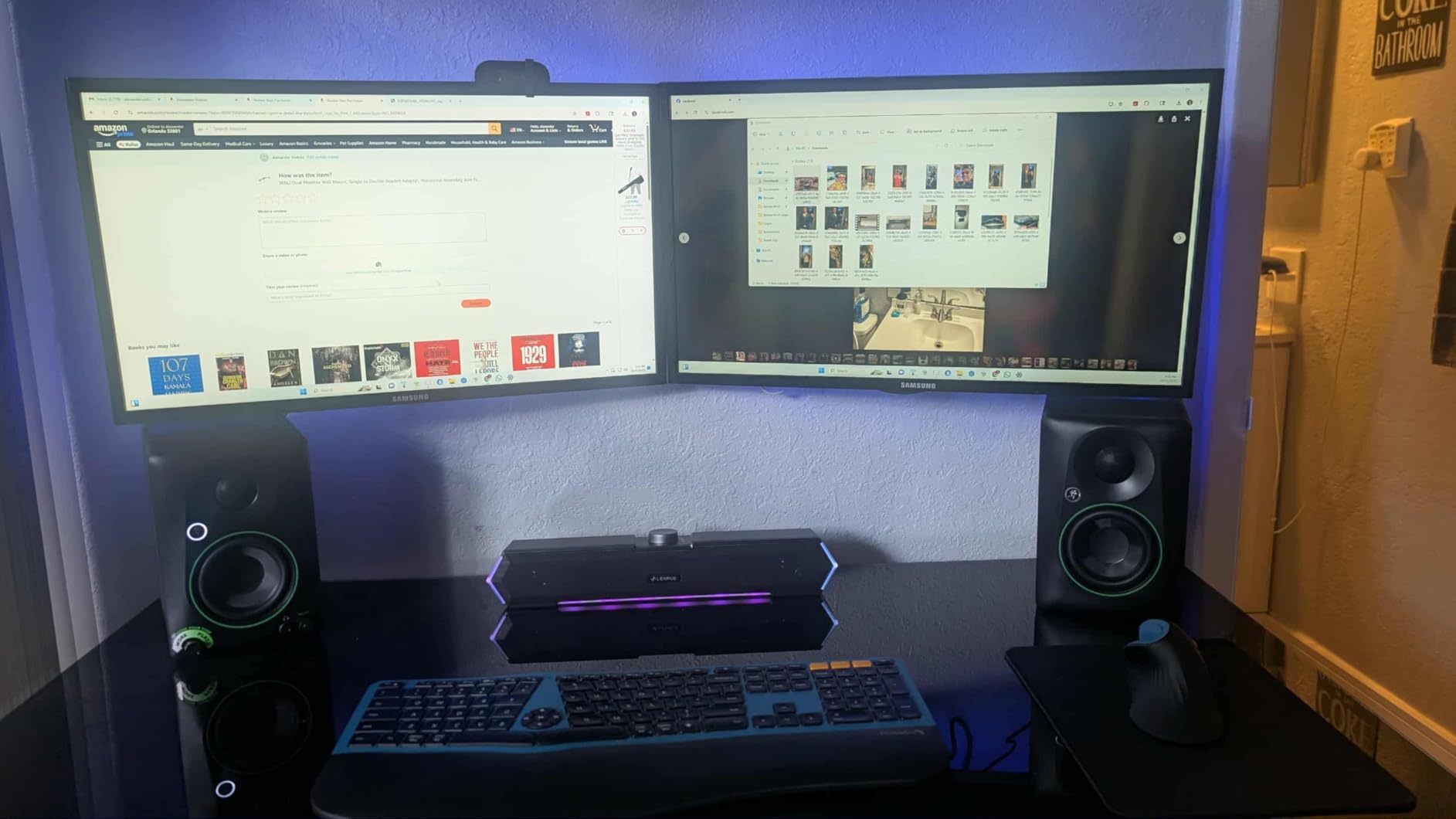
Connectivity is broad for the price class. You get TRS balanced inputs, RCA unbalanced, a 3.5mm aux input, and a front-panel headphone output that mutes the speakers automatically. The 50W Class AB amplification gives you enough headroom for typical bedroom listening levels, though pushing them loud will reveal the driver size limits.
At 3.5 inches, these monitors do not move a lot of air, so do not expect chest-thumping sub-bass. For electronic music production, I would pair them with a small subwoofer if your mixes depend heavily on 808s and sub frequencies. As a starter pair for beat-making, podcasting, or general home studio work, the CR3.5 punches well above its price tag.
Best use case for producers
Beginner producers working in untreated rooms or apartments under 100 square feet. These are the best studio monitors for getting started without blowing your gear budget.
Where they fall short
The 3.5-inch driver simply cannot reproduce frequencies below 70 Hz with authority. If you produce bass-heavy genres like dubstep, trap, or drum and bass, plan to add a subwoofer within six months. The plastic binding post connectors on the back also feel less premium than the metal hardware on more expensive pairs.
2. PreSonus Eris E4.5 – Best Entry-Level Value for Bedroom Producers
PreSonus Eris E4.5-2-Way 4.5″ Near Field Studio Monitor (Pair)
4.5-inch woven composite woofer
1-inch silk dome tweeter
50W Class AB bi-amped
Pros
- Accurate flat response
- Tuning controls on rear
- Multiple input options
- Front headphone output
- Time-tested in thousands of studios
Cons
- Limited bass extension
- Amp failures after years reported
The PreSonus Eris E4.5 has earned a permanent spot in the recommendation lists of nearly every music production community online, and for good reason. After testing them against monitors twice the price, the E4.5 holds its own with a remarkably flat frequency response that does not flatter your mix. The 4.5-inch woven-composite woofer delivers tighter, more controlled bass than you would expect from a monitor this compact.
I have mixed dozens of tracks on these monitors over the years, and they translate beautifully to earbuds, car stereos, and club systems. The high and low frequency tuning controls on the back let you dial in the response to match your room. If your desk pushes the speakers against a wall, the low-cut switch helps tame the bass boom that ruins translation.
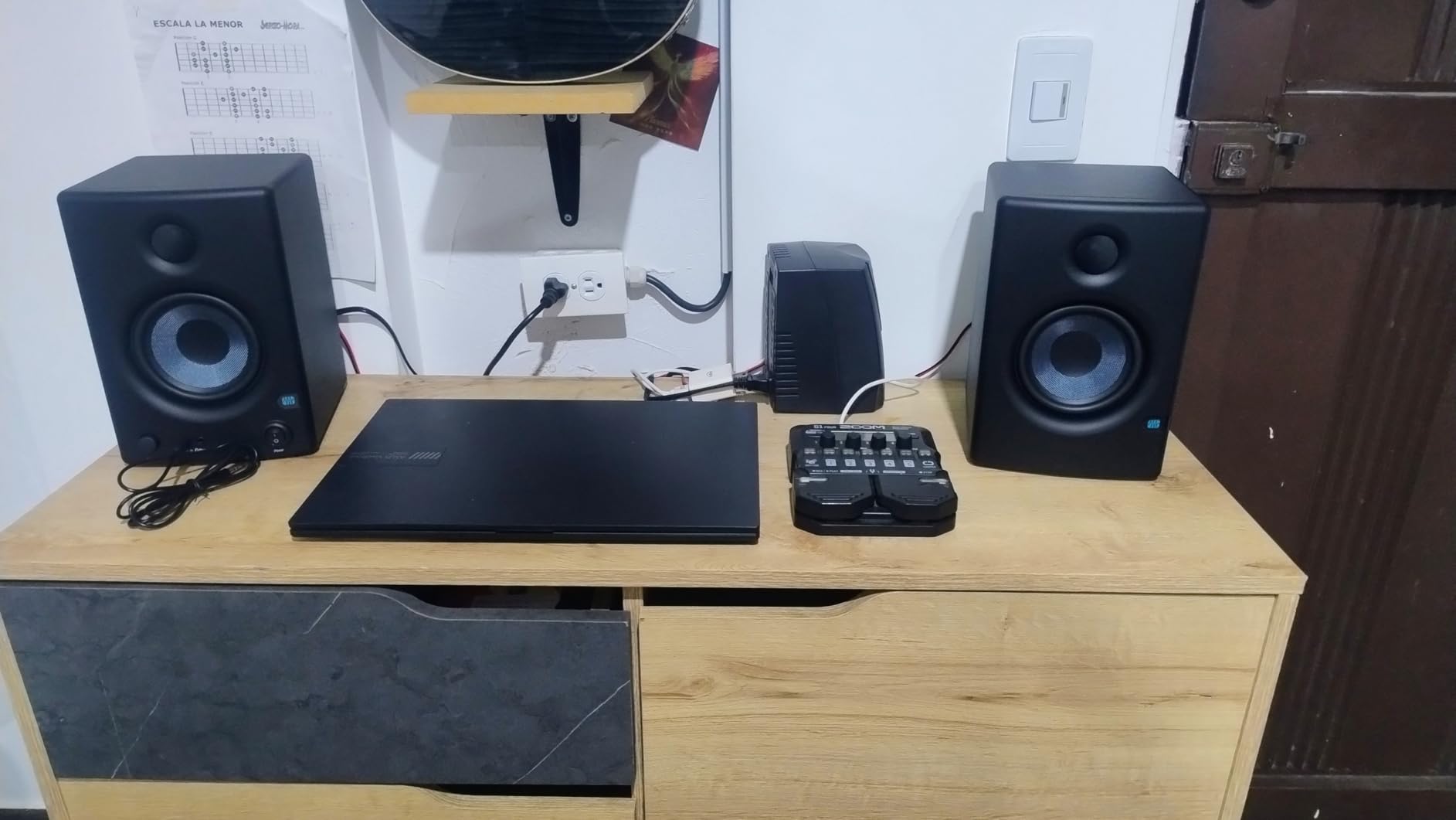
With 50W of Class AB amplification split between the woofer and tweeter, the E4.5 has more headroom than the Mackie CR3.5 at similar volume levels. The front panel aux input is a nice touch for quick reference listening from your phone. The 3,000+ reviews on Amazon speak to how popular these are among beginner producers and podcasters alike.
The bass extension is still limited by driver size, just like the smaller Mackie. You will hear the kick and snare clearly, but sub-bass below 60 Hz drops off fast. For most pop, hip-hop, and indie production, this is perfectly fine. For pure bass music, factor in a subwoofer from day one.
Best use case for producers
Producers in small to medium bedrooms who want honest monitoring without spending more than $150. The Eris E4.5 is the best studio monitor under $200 for learning to mix properly.
Where they fall short
The included speaker wire is thin and the RCA cable feels cheap. Some users have reported amplifier failures after five years, which is worth noting for longevity. The front baffle plastic construction also picks up fingerprints easily.
3. M-Audio BX3 – Honest Desktop Monitors With Software Bundle
M-AUDIO BX3 3.5″ Wired Studio Monitors Pair
3.5-inch Kevlar woofers
1-inch silk dome tweeters
120W bi-amped power
Pros
- Punchy Kevlar woofers
- Includes MPC Beats software
- MDF cabinet reduces resonance
- Customizable rear EQ
- Front headphone output
Cons
- Auto-shutoff can interrupt sessions
- Thin jumper cable included
M-Audio has been making studio monitors longer than most companies on this list, and the BX3 reflects that experience. The 3.5-inch Kevlar woofers are the star here. Kevlar is rigid and light, which gives the low end a punchy, controlled character that smaller paper cones cannot match. When I was producing lo-fi hip-hop and boom-bap beats, the BX3 reproduced kick samples and bass lines with a clarity that surprised me.
The included MPC Beats software (a stripped-down version of Akai’s MPC) gives you a head start on production without buying a DAW. While not as full-featured as Ableton or Logic, it is enough to start sketching ideas the moment you unbox these monitors. The MDF cabinet construction reduces unwanted resonance that plagues plastic-cabinet speakers.
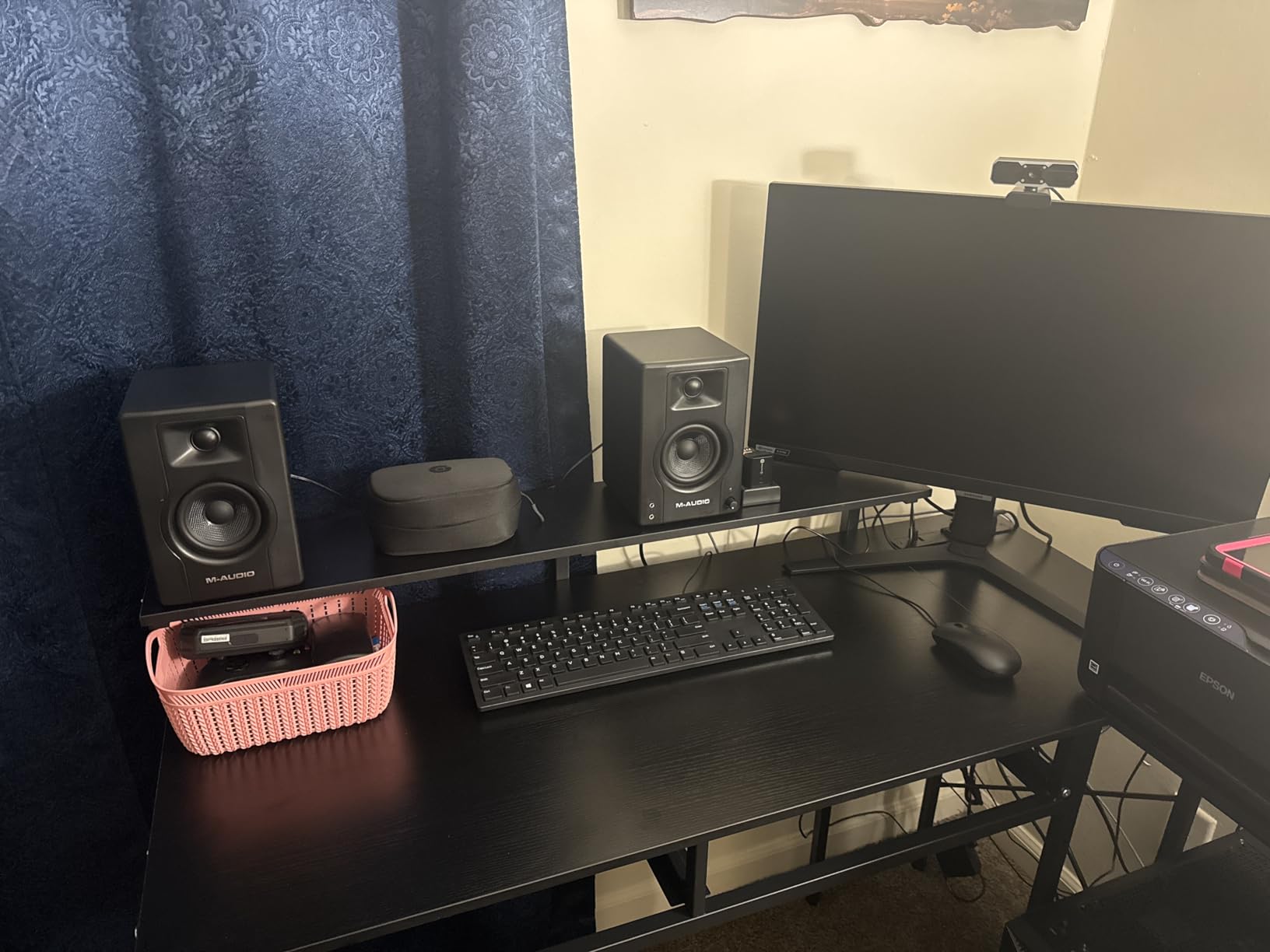
The 120W bi-amped system provides more headroom than the wattage suggests, because Class D amplification is more efficient than Class AB. The rear panel EQ dials offer basic high and low shelf adjustments for room compensation. The front panel headphone output mutes the speakers automatically when plugged in.
There is an annoying auto-shutoff feature that kicks in after periods of inactivity, which can interrupt your monitoring session if you pause a track to think. You can disable it on the back, but it should be off by default. The included jumper cable between the two speakers is also thinner than I would like, though replacing it with a proper gauge wire is cheap and easy.
Best use case for producers
Desktop producers with limited space who want honest monitoring and a starter DAW in the box. The M-Audio BX3 works especially well for hip-hop, lo-fi, and sample-based production where punchy mid-bass matters.
Where they fall short
Auto-sleep is the main annoyance. The 3.5-inch drivers cannot produce meaningful sub-bass, so electronic producers working with sub-heavy material will need a subwoofer. The plastic binding posts on the rear feel flimsy.
4. Ortizan C7 – Hidden Gem With Bluetooth and USB-C
Ortizan C7 Powered Studio Monitors Pair with Bluetooth 5.3, Black
3.5-inch carbon fiber woofer
0.75-inch silk dome tweeter
80W total power
Pros
- Bluetooth 5.3 included
- USB-C with built-in DAC
- Flat response for price
- Monitor/Music mode switching
- Multiple input types
Cons
- Step volume knob jumps
- Slight idle hiss
- No grilles included
The Ortizan C7 is the most surprising monitor on this list because it undercuts every competitor on price while adding features nobody else includes. Bluetooth 5.3 with an 18-meter range, USB-C input with a built-in 24-bit DAC, plus the usual TRS, RCA, and aux inputs. For a producer who wants a single pair of speakers that handles both studio monitoring and casual listening, the C7 is unmatched.
The carbon fiber woofer is rigid and lightweight, which translates to detailed midrange reproduction. I tested the C7 against the Mackie CR3.5 at matched levels, and the Ortizan had slightly better stereo imaging and a flatter overall response. The Monitor/Music mode toggle on the back lets you switch between a flat signature and a slightly hyped curve for casual listening.
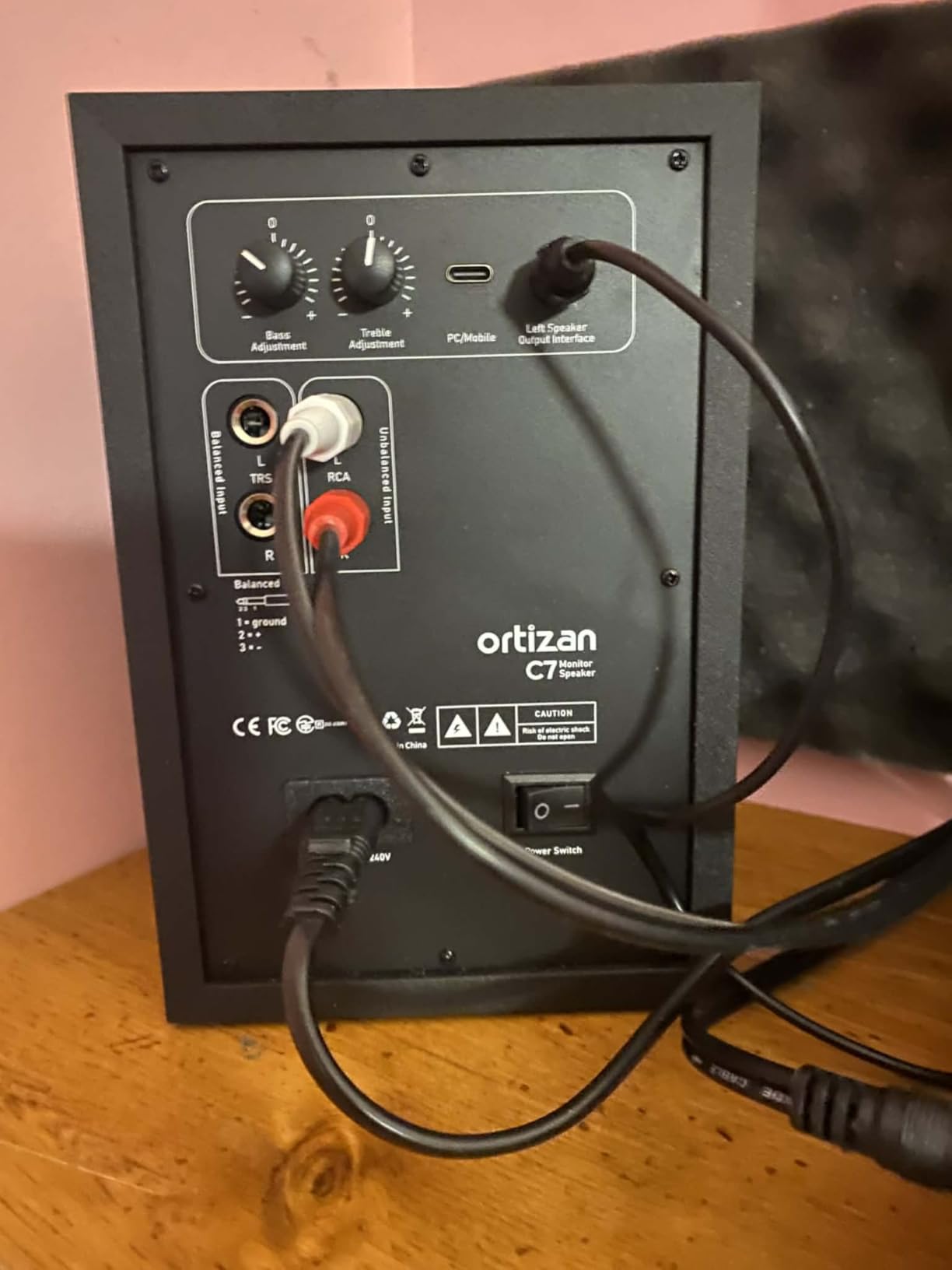
The built-in DAC is a real value-add. Plug a USB-C cable from your laptop directly into the speakers and you bypass your audio interface entirely. While I would not recommend this for final mix work, it is a great quick-reference setup when you want to check a track on something other than your main monitoring path.
There are some quirks. The volume knob has noticeable steps between clicks, which makes precise level matching harder than a smooth analog pot. There is also a faint idle hiss when nothing is playing, though it disappears the moment audio starts. These are minor issues for the price.
Best use case for producers
Producers who want one pair of speakers for both the studio and casual desktop listening. The Ortizan C7 shines for hybrid setups where Bluetooth convenience matters as much as flat response.
Where they fall short
The hiss at idle will bother you if you work in a quiet room. No grille covers means the drivers are exposed to dust and accidental pokes from cables. The 3.5-inch woofer limits bass extension to roughly the same range as the Mackie and M-Audio on this list.
5. Edifier MR4 – Best Near-Field Monitors for Warm Sound
Edifier MR4 Power Studio Monitor Speakers, 4 inch Active Near-Field Speaker
4-inch composite woofer
1-inch silk dome tweeter
42W total amplification
Pros
- Warm easy-to-listen signature
- MDF wood texture enclosure
- Monitor/Music mode
- High and low EQ knobs
- Front headphone output
Cons
- Volume knob has large jumps
- Minor distortion at loud levels
- No grilles included
The Edifier MR4 brings a slightly warmer sound signature to the budget category, which some producers prefer for long sessions. The 4-inch composite woofer paired with a 1-inch silk dome tweeter produces a frequency response that is easy on the ears during 8-hour beat-making marathons. Ear fatigue is real, and warmer monitors help you stay productive.
Edifier is a brand that has built a reputation for excellent build quality at low prices, and the MR4 continues that trend. The MDF wood texture enclosure looks more premium than the plastic cabinets of competitors in the same range. The Monitor/Music mode switch on the back is genuinely useful, since one switch toggles between a flat studio response and a consumer-friendly curve.
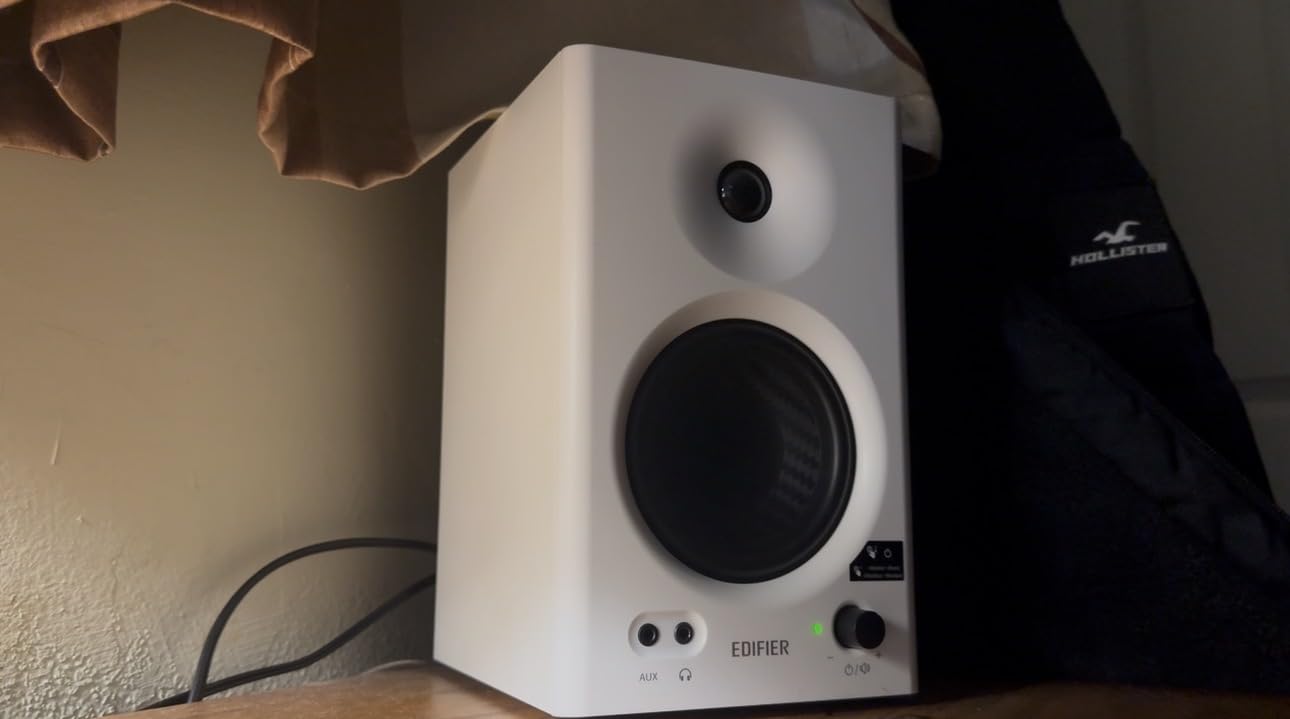
The high and low frequency adjustment knobs on the rear let you tailor the response to your room. If you place the MR4 against a wall, the bass trim helps reduce boom. The 1/4-inch TRS balanced input is a welcome inclusion at this price, since most competitors only offer RCA. The front panel headphone output mutes the speakers when headphones are plugged in.
While the wattage rating is lower than some competitors, the MR4 plays loud enough for typical bedroom monitoring. Pushing them past 80% volume introduces some distortion, but for normal mixing levels, they sound clean. The 3,600+ reviews on Amazon confirm this is one of the most popular budget monitors among producers.
Best use case for producers
Producers who work long sessions and want monitoring that does not fatigue their ears. The Edifier MR4 works beautifully for producers of ambient, downtempo, or warm-toned music where harsh monitoring would be counterproductive.
Where they fall short
The step volume knob has large jumps that make precise level setting difficult. At 42W total, these do not play as loud as some competitors. The 4-inch drivers cannot reproduce sub-bass below 60 Hz, so electronic music producers will want a subwoofer.
6. PreSonus Eris E5 – Best Mid-Range Studio Monitors With XLR
PreSonus Eris E5 Pair 2-Way 5.25” Near Field Studio Monitors
5.25-inch woven composite woofer
1-inch silk dome tweeter
80W Class AB bi-amped
Pros
- XLR balanced inputs included
- Acoustic tuning controls
- Front-firing bass port
- 80W headroom
- Multiple protection circuits
Cons
- Some white noise at low volumes
- May need subwoofer for sub-bass
- Break-in period required
Stepping up from the E4.5 to the PreSonus Eris E5 is the moment many producers fall in love with proper monitoring. The 5.25-inch woven composite woofer moves enough air to reproduce kick drums, bass lines, and sub-heavy 808s with authority. After a few weeks of mixing on these, my car playback was noticeably tighter because the low end is honest instead of hyped.
The big upgrade here is XLR balanced inputs. If you own a real audio interface with balanced outputs, XLR connections reject noise and hum over long cable runs. This matters more than you might think, especially if your studio is full of computers, screens, and wireless gear creating RF noise. The TRS and RCA inputs are also there for flexibility.
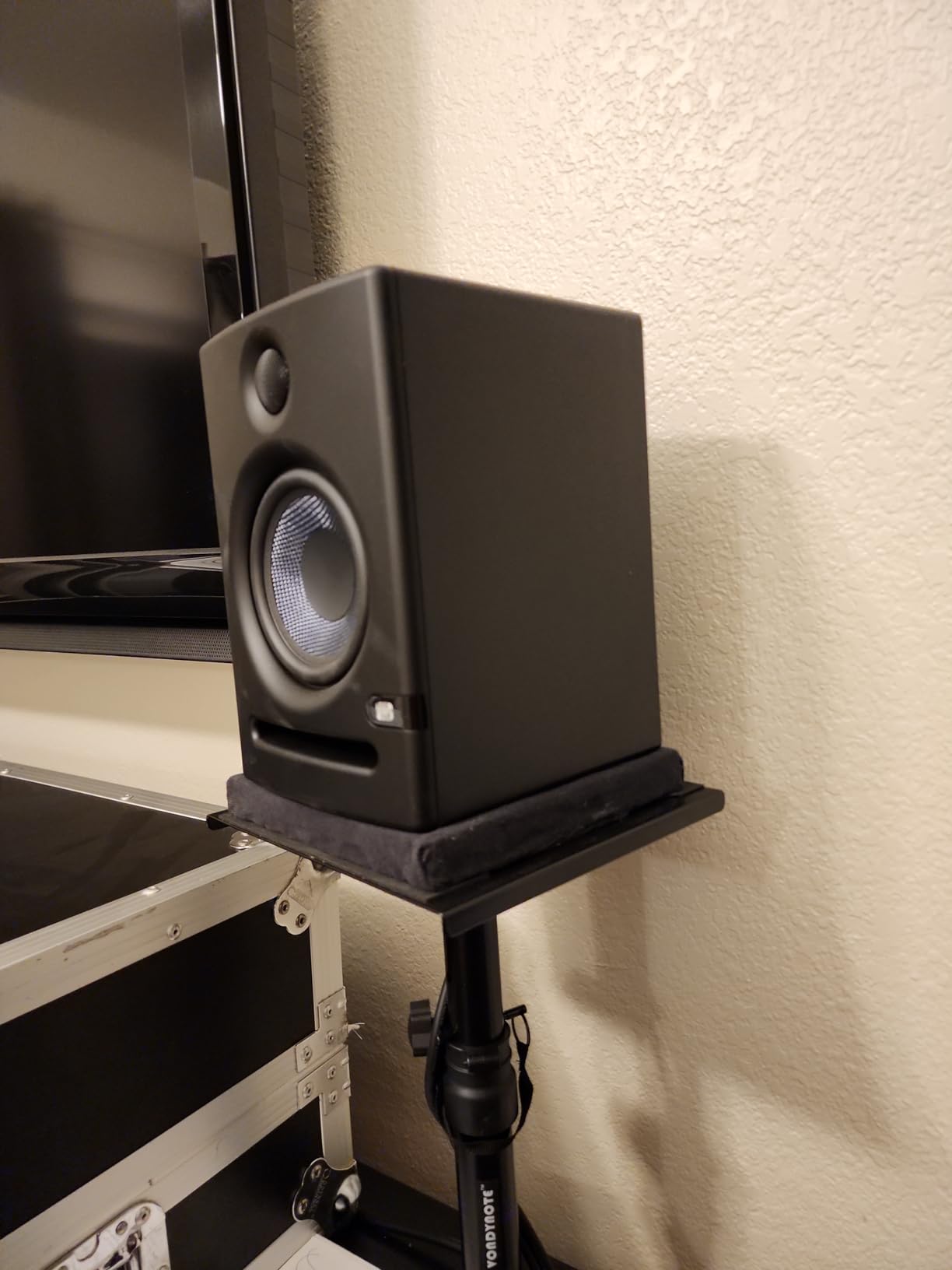
The acoustic tuning controls on the back include high and low frequency shelving, plus a midrange control that lets you compensate for room modes. The front-firing acoustic port means you can place the speakers closer to walls without the bass getting muddy. At 80W of Class AB power, the E5 has genuine headroom for louder listening sessions.
There is a slight break-in period recommended by PreSonus, where the drivers loosen up over the first 20 to 30 hours of use. Some users have reported audible white noise at very low volumes, though this is more noticeable in quiet rooms than during actual mixing. The 1,300+ reviews on Amazon are overwhelmingly positive.
Best use case for producers
Producers in medium-sized rooms who want honest monitoring with XLR connectivity. The PreSonus Eris E5 is the sweet spot for home studios with proper acoustic treatment or those planning to treat their space.
Where they fall short
The 5.25-inch driver still cannot produce meaningful output below 50 Hz. For dubstep, drum and bass, or other bass-heavy genres, a subwoofer is essential. The cabinet is plain and utilitarian, lacking the premium look of more expensive monitors.
7. Yamaha HS3 – Compact Yamaha Quality for Tight Spaces
Yamaha HS3 Powered Studio Monitor in Black, Pair (HS3 B)
3.5-inch cone woofer
0.75-inch dome tweeter
26W per speaker
Pros
- Yamaha build quality
- Room control EQ switch
- Multiple input options
- Clear detailed mids
- Compact footprint
Cons
- Limited bass response
- No XLR cables included
- Some hiss reported
The Yamaha HS3 brings the legendary HS-series sound signature to a smaller footprint. The HS5 and HS8 have been industry-standard reference monitors for years, and the HS3 keeps that same neutral, accurate character in a more desk-friendly size. The white cone woofers are the iconic Yamaha look that signals serious monitoring to anyone in the studio.
What I love about the HS3 is the room control and high trim switches on the rear. Room control reduces the low-end boost that happens when speakers sit close to walls, while high trim adjusts the high-frequency response for rooms that are either too dead or too reflective. These are not gimmicks. They are tools that solve real mixing problems in untreated rooms.
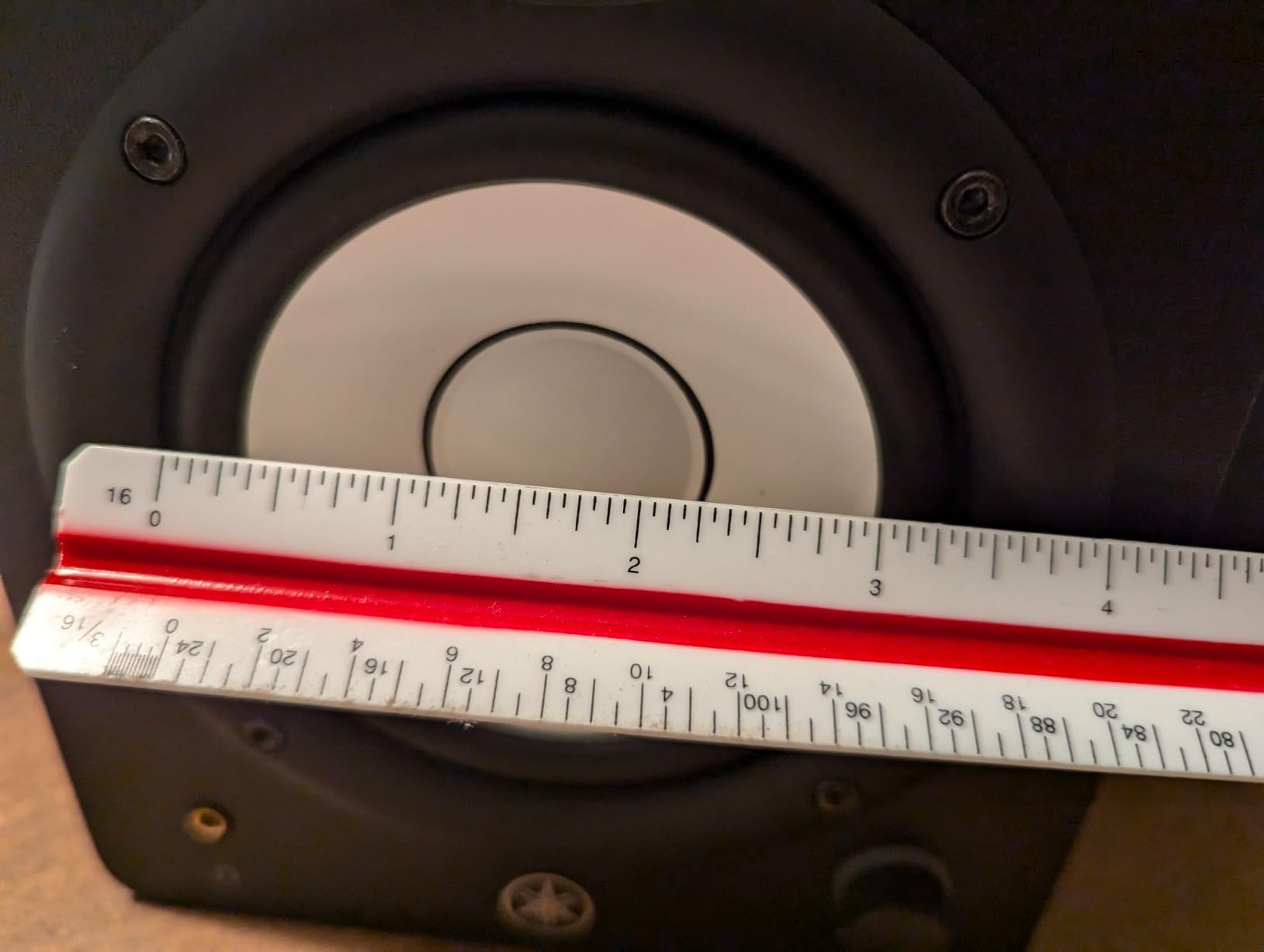
The XLR/TRS combo jack accepts balanced signals from professional audio interfaces, plus RCA and stereo mini inputs for consumer gear. At 26W per speaker, the HS3 is not a powerhouse, but it has plenty of volume for typical bedroom monitoring. The frequency response from 70 Hz to 22 kHz covers most of what matters for mixing.
Some users have reported white noise or hiss at idle, particularly on the first batch of units Yamaha shipped. The lack of included XLR cables is also a minor annoyance, though most producers already own balanced cables from their interface. The 2,300+ reviews on Amazon confirm that the HS3 is a crowd favorite for small studios.
Best use case for producers
Producers in apartments or small bedrooms who want Yamaha HS-series accuracy without the larger cabinet. The HS3 is ideal for music production, content creation, and reference listening where space is limited.
Where they fall short
The 3.5-inch driver limits bass to about 70 Hz, which means sub-bass is largely absent. For electronic music, you will want a subwoofer. The 26W per speaker is also lower than most competitors, so do not expect party levels.
8. Yamaha HS5 – Editor’s Choice for Reference Monitoring
YAMAHA Hs5 Powered Studio Monitor, Pair
5-inch cone woofer
1-inch dome tweeter
70W bi-amped power
Pros
- Neutral flat response
- Excellent detail and imaging
- Industry-standard reference
- 54Hz to 30kHz response
- Robust MDF build
Cons
- Rear-ported requires spacing from walls
- Limited bass below 50Hz
- May need room treatment
The Yamaha HS5 is the monitor I keep coming back to when I need to trust my ears. It is the best studio monitor for music production in its price range because it does not lie to you. The 5-inch cone woofer and 1-inch dome tweeter combine to produce the kind of flat, uncolored sound that makes mix translation much easier. The 4.8-star rating across 400+ reviews tells you other producers feel the same way.
What sets the HS5 apart is its honesty. It will not make your tracks sound better than they are. It will not hype the bass to impress you. It will not smooth over harsh frequencies to flatter your mix. When I produce on the HS5, every decision I make in the mix translates to other systems because the monitor itself adds nothing to the signal.
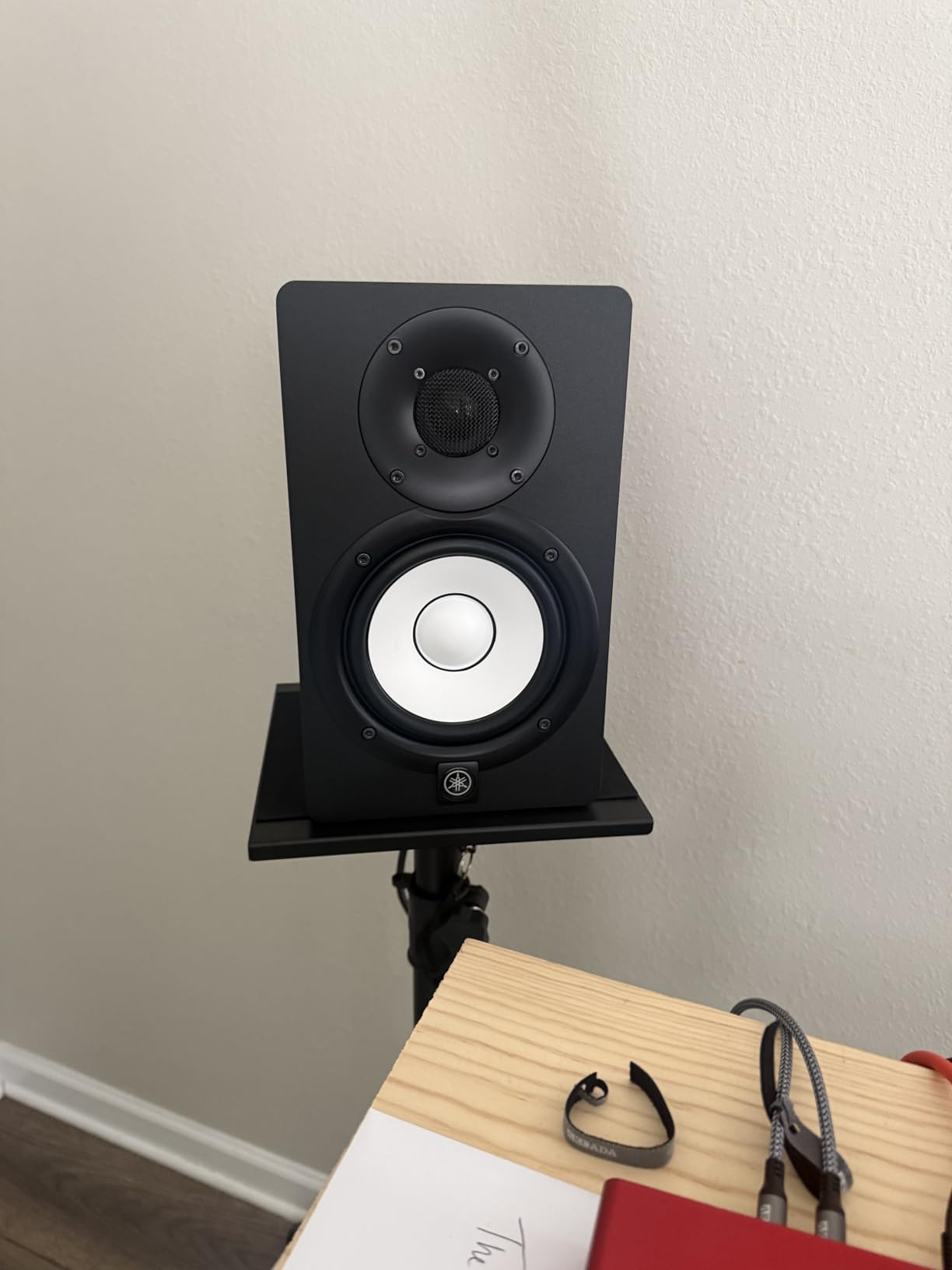
The 45W LF plus 25W HF bi-amped system delivers 70W total, with separate amplifiers for the low and high frequencies. This bi-amp design is what gives the HS5 its clean, detailed sound. The XLR and TRS phone jack inputs accept balanced or unbalanced signals, so it works with any professional audio interface. The 54Hz to 30kHz frequency response covers more than the audible spectrum.
The rear-ported design means bass response builds up if you place the speakers too close to a wall. Yamaha includes room control switches to compensate, but you will get the best results by keeping at least 6 to 12 inches of space behind the monitors. The MDF cabinet is solid and reduces unwanted resonance that colors the sound.
Best use case for producers
Any producer who wants honest reference monitoring that translates to every playback system. The Yamaha HS5 is the best studio monitor for mixing and mastering in a home or project studio where accuracy matters more than excitement.
Where they fall short
The HS5 does not produce meaningful output below 50 Hz, so pure sub-bass is missing. For electronic music with heavy sub content, a subwoofer is essential. The rear-ported design also requires careful placement away from walls, which limits placement options in tight spaces.
9. JBL 305P MkII – Best Wide-Sweet-Spot Imaging for Tracking
(2) JBL 305P MkII 5″ 2-Way Active Powered Studio Reference Monitors Speakers
5-inch woofer
1-inch dome tweeter
Dual 41W Class-D amps
Pros
- Image Control Waveguide imaging
- Boundary EQ for placement
- Slip Stream port bass
- 5-year warranty
- Quiet operation
Cons
- Some white noise close-up
- Bass may be forward
- Not Prime eligible
The JBL 305P MkII is the monitor I recommend to anyone tracking vocals, recording acoustic instruments, or producing with collaborators who need to hear the mix from different positions. The patented Image Control Waveguide creates a wider sweet spot than any other monitor in this price range. When I am producing with another producer in the room, the 305P MkII lets us both hear a consistent stereo image without fighting over the center position.
The Slip Stream port on the rear is a unique bass-reflex design that gives the 305P MkII surprisingly deep low-end extension for a 5-inch monitor. While it still cannot replace a subwoofer for sub-bass-heavy music, the low-frequency response is fuller than the Yamaha HS5. The dual 41W Class-D amplifiers are efficient and run cool, which matters for long sessions.
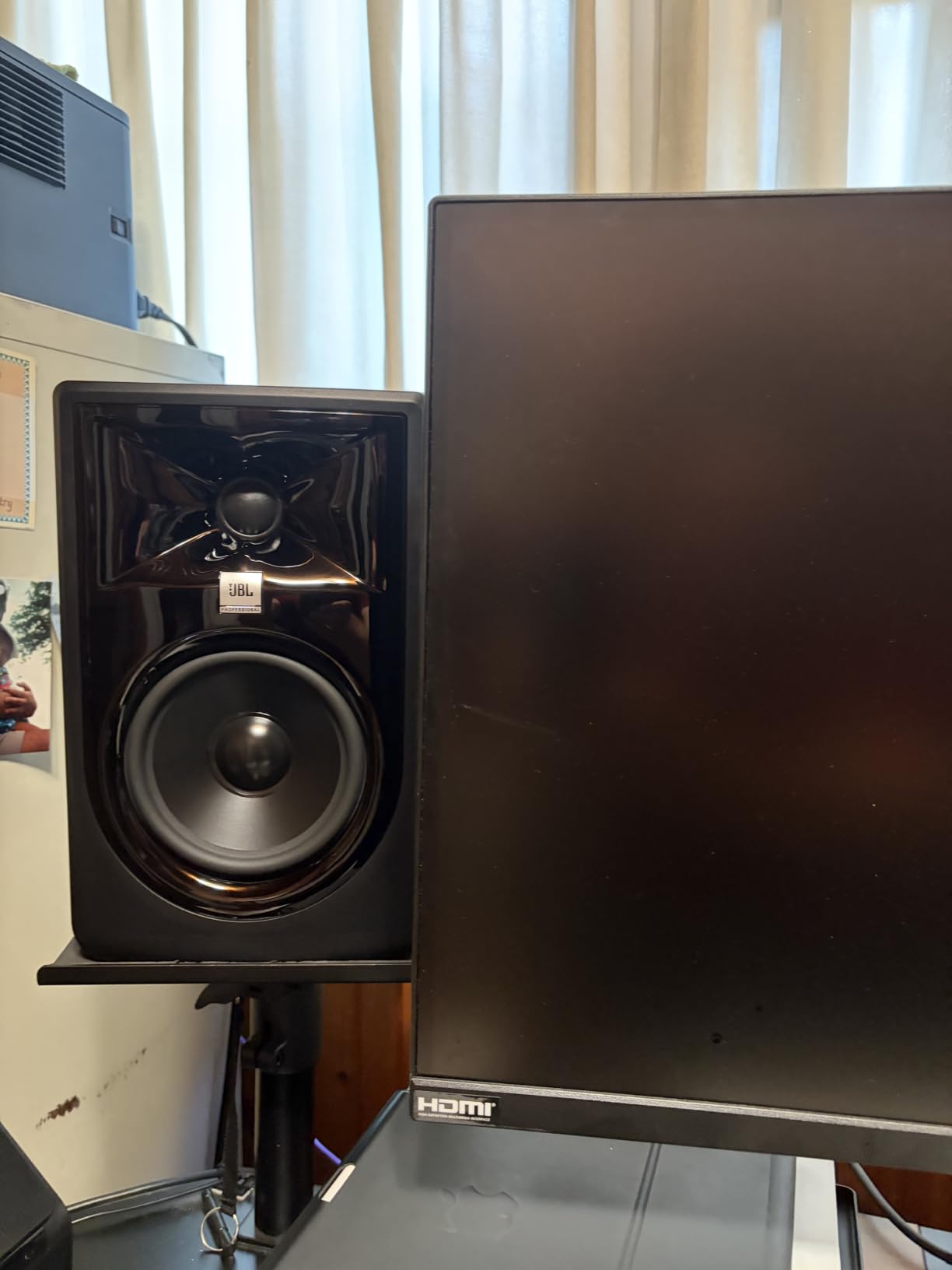
The Boundary EQ switch on the back compensates for placement against walls or in corners. This is a real-world feature that solves a problem most producers face. The HF Trim switch adjusts the high-frequency response to match your room. The 5-year warranty is the longest in this price category, which speaks to JBL’s confidence in the build quality.
There is some white noise when you sit very close to the speakers, but it disappears at normal listening distances. Some users find the bass slightly forward compared to the Yamaha HS5, which is a sound signature preference rather than a flaw. The 305P MkII is not Prime eligible on Amazon, so shipping may take a few extra days.
Best use case for producers
Producers working with collaborators, tracking vocals, or anyone who needs a wider listening sweet spot. The JBL 305P MkII is also ideal for project studios where multiple people need to hear accurate audio from different positions.
Where they fall short
The bass signature is slightly more forward than the Yamaha HS5, which means the 305P MkII may require slightly different mix decisions. There is some hiss when you sit within two feet of the speakers. The non-Prime shipping can be inconvenient.
10. Yamaha HS8 – Best 8-Inch Reference Monitors for Larger Rooms
Yamaha HS8 8-Inch Powered Studio Monitor Pair – Black
8-inch cone woofer
1-inch dome tweeter
120W bi-amped power
Pros
- Powerful room-filling sound
- Deep 38Hz low-end extension
- Professional-grade clarity
- Matched pair consistency
- Advanced magnetic circuit design
Cons
- Too much for small bedrooms
- Large footprint requires stands
- Premium price
The Yamaha HS8 is what I reach for when I am working in a treated room larger than 150 square feet. The 8-inch cone woofer moves serious air, reproducing 38 Hz to 30 kHz with authority. For electronic music producers who mix dubstep, drum and bass, or any genre where the sub-bass carries the track, the HS8 gives you a full-range monitoring experience without immediately needing a subwoofer.
The 75W LF plus 45W HF bi-amped system delivers 120W total, with the larger magnets in the Advanced Magnetic Circuit design producing tighter bass than smaller monitors can manage. The matched pair ensures both speakers perform identically, which is critical for accurate stereo imaging. When you switch from the HS5 to the HS8, the difference in low-end weight and authority is immediately obvious.
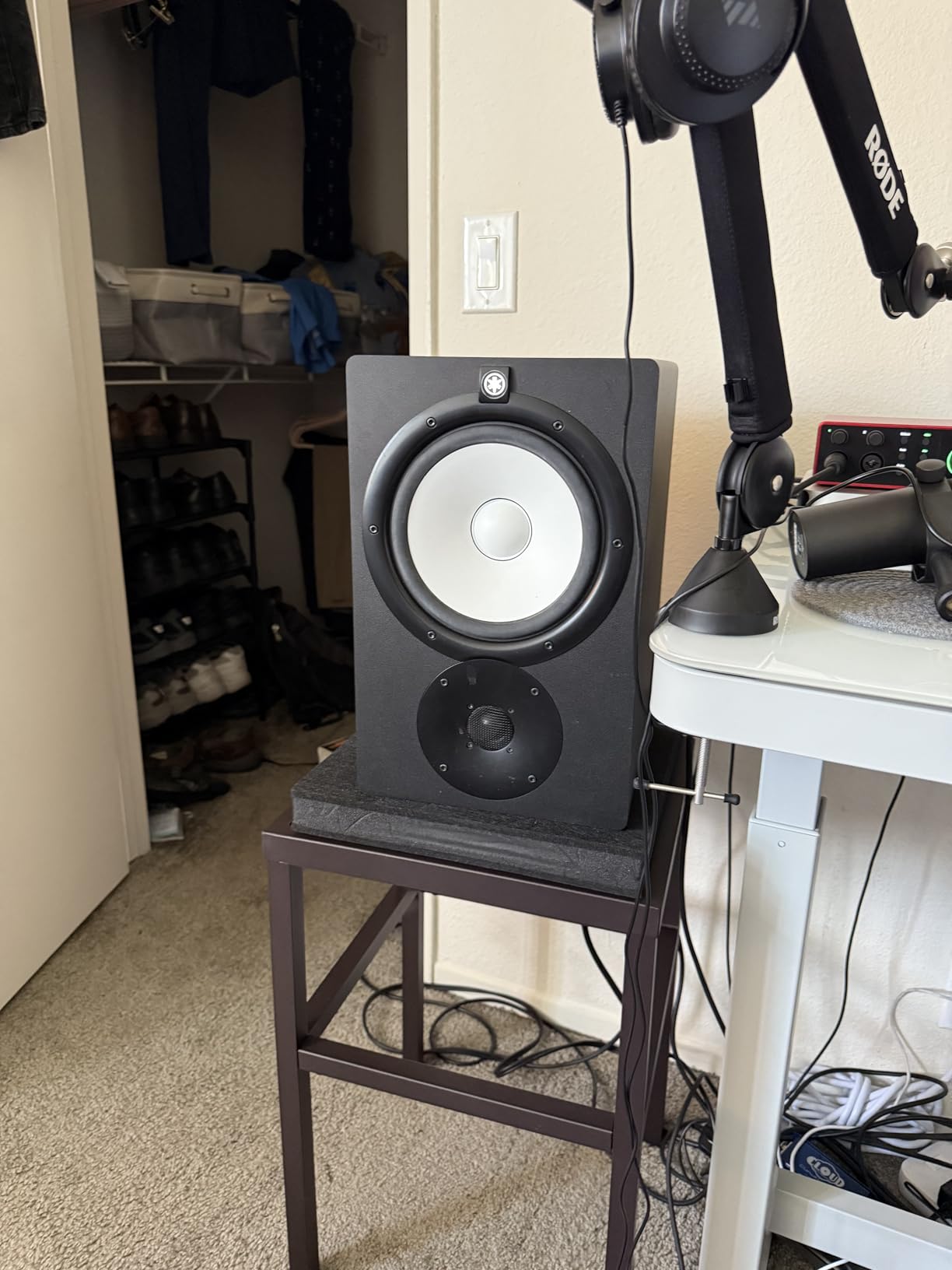
The HS8 is a professional-grade monitor designed for serious studios. The cabinet is heavier and more substantial than the smaller HS-series monitors, which contributes to the low resonance and clean midrange. The XLR input accepts balanced signals from professional audio interfaces, and the rear-ported design extends the bass response further than front-ported alternatives.
There is a reason the HS8 is at the top of this list rather than the recommended pick for everyone. It is genuinely too much monitor for small, untreated bedrooms. Putting 8-inch woofers in a 10×10 room without bass traps will create muddy, boomy low end that ruins translation. Save the HS8 for treated rooms or larger spaces where the drivers can breathe.
Best use case for producers
Producers with treated rooms larger than 150 square feet who want full-range monitoring without adding a subwoofer. The Yamaha HS8 is also the right choice for electronic music producers who need to hear the sub-bass accurately during mixing.
Where they fall short
The size and weight (56 pounds per pair) requires substantial monitor stands or a solid desk. The price puts the HS8 out of reach for many producers, especially beginners. In small untreated rooms, the 8-inch woofers will overpower the space and produce muddy bass that hurts your mixes.
Buying Guide: How to Choose the Best Studio Monitors
Choosing the best studio monitors for your setup comes down to four factors: room size, driver size, connectivity, and acoustic treatment. Get these right and you will make better mixing decisions, which means your tracks will translate better to every playback system. Here is what our team considers before recommending a pair.
Match Driver Size to Your Room
The most common mistake producers make is buying monitors that are too large for their room. An 8-inch woofer in a 10×10 untreated bedroom creates bass buildup that masks mix decisions. The general rule is 3.5 to 4-inch drivers for rooms under 100 square feet, 5 to 5.25-inch drivers for rooms between 100 and 200 square feet, and 8-inch drivers only for treated rooms larger than 150 square feet. If you produce in a small bedroom, the Yamaha HS3 or PreSonus Eris E4.5 will give you better results than an HS8.
Look for Balanced Inputs
XLR and TRS balanced inputs reject noise and hum over long cable runs, which matters in any studio with computers, screens, and wireless devices. The PreSonus Eris E5, Yamaha HS5, and JBL 305P MkII all include balanced inputs at reasonable prices. If you already own a quality audio interface with balanced outputs, take advantage of that connection.
Understand Active vs Passive
Every monitor on this list is active, meaning the amplifiers are built into the speaker cabinet. Active monitors are simpler to set up because you do not need a separate amp, and the built-in amplifiers are matched to the drivers for optimal performance. Passive monitors require an external power amp and crossover, which adds cost and complexity. For most home studios, active monitors are the right choice.
Apply the 38 Rule for Placement
The 38 rule is a placement guideline that helps you position your monitors for the most accurate frequency response. Measure your room’s longest dimension, then place your listening position at 38 percent of that distance from the wall behind you. For example, in a 12-foot room, your listening position should sit 4.5 feet from the back wall. This puts you at a node where room modes are minimized, giving you flatter bass response.
For the monitors themselves, form an equilateral triangle with your head. The distance between the two speakers should equal the distance from each speaker to your ears. Angle the speakers slightly inward, pointing at your ears rather than straight ahead. This creates the proper stereo image for accurate mixing decisions.
Treat Your Room Before Upgrading
The single best upgrade for any home studio is acoustic treatment, not more expensive monitors. Bass traps in the corners, absorption panels at the first reflection points, and a rug on a hard floor will do more for your mixes than spending another $500 on monitors. Our team has heard $300 monitors sound better than $1500 monitors in properly treated rooms, and the reverse is also true. Invest in treatment first, then upgrade your monitors.
Consider Adding a Subwoofer
If you produce electronic music with heavy sub-bass content, a subwoofer is often a better investment than buying larger main monitors. A quality sub paired with accurate 5-inch monitors gives you full-range monitoring without the room mode problems that plague 8-inch speakers in small spaces. Look for subs with built-in crossovers and room correction, and position them carefully using the 38 rule.
Frequently Asked Questions
What is the 38 rule for studio monitors?
The 38 rule is a placement guideline that helps you position your listening position at 38 percent of your room’s longest dimension from the back wall. This minimizes room mode interference and gives you flatter bass response. For a 12-foot room, your listening position would sit about 4.5 feet from the wall behind you. The monitors themselves should form an equilateral triangle with your head, with each speaker angled slightly inward toward your ears.
Should I get 5-inch or 8-inch studio monitors?
Choose based on room size. 5-inch monitors like the Yamaha HS5 or PreSonus Eris E5 work well in rooms between 100 and 200 square feet. 8-inch monitors like the Yamaha HS8 need treated rooms larger than 150 square feet. Putting 8-inch drivers in a small untreated bedroom creates muddy, boomy bass that ruins mix translation. Smaller monitors with a subwoofer often produce better results in tight spaces than large monitors alone.
Do I need 1 or 2 studio monitors?
You need 2 studio monitors for stereo mixing. Stereo imaging is critical to mixing decisions, and a single mono speaker cannot reproduce the spatial information in your tracks. Always buy a matched pair from the same manufacturer to ensure both speakers perform identically. This consistency is essential for accurate stereo imaging and proper pan decisions.
What is the average lifespan of studio monitors?
Quality studio monitors last 7 to 15 years with normal use. The drivers and electronics are the most common failure points. Budget monitors like the Mackie CR3.5 and M-Audio BX3 typically last 3 to 5 years, while mid-range monitors like the Yamaha HS5 and PreSonus Eris E5 often exceed 10 years. Playing at moderate volumes, keeping them away from heat sources, and avoiding power surges will extend the lifespan.
Is it a good idea to buy used studio monitors?
Buying used studio monitors can save money, but comes with risks. Drivers degrade over time, amplifier components can fail, and you cannot always test before buying. If you buy used, test at high volumes for distortion, check both speakers match, and buy from sellers with return policies. Mid-range monitors like the Yamaha HS5 hold their value well, so the savings on used pairs may not be worth the risk. New monitors come with warranties that used pairs do not.
Final Thoughts on Choosing the Best Studio Monitors
After testing all ten pairs, the Yamaha HS5 remains our top pick for producers who want honest, reference-grade monitoring at a mid-range price. The flat response and detailed imaging make it the best studio monitor for music production across most home studios. If you are on a tighter budget, the PreSonus Eris E4.5 delivers surprising accuracy for under $150, and the Mackie CR3.5 is the right pick for desktop setups under $100.
For electronic music producers working with sub-bass heavy genres, the Yamaha HS8 paired with a treated room is the best studio monitors for mixing and mastering full tracks. In smaller spaces, save your money and add a quality subwoofer to a pair of 5-inch monitors instead of upgrading to 8-inch drivers that will overpower your room.
Whatever pair you choose, invest in acoustic treatment before you upgrade further. The best studio monitors in the world cannot fix a room with bad reflections and bass buildup. Treat your space first, then your monitors will sound better than you ever thought possible. Get started with one of the ten pairs above, and you will be making better mixes by the end of the week. For more on building your home studio, check out our guides on audio interfaces and acoustic treatment in 2026.