
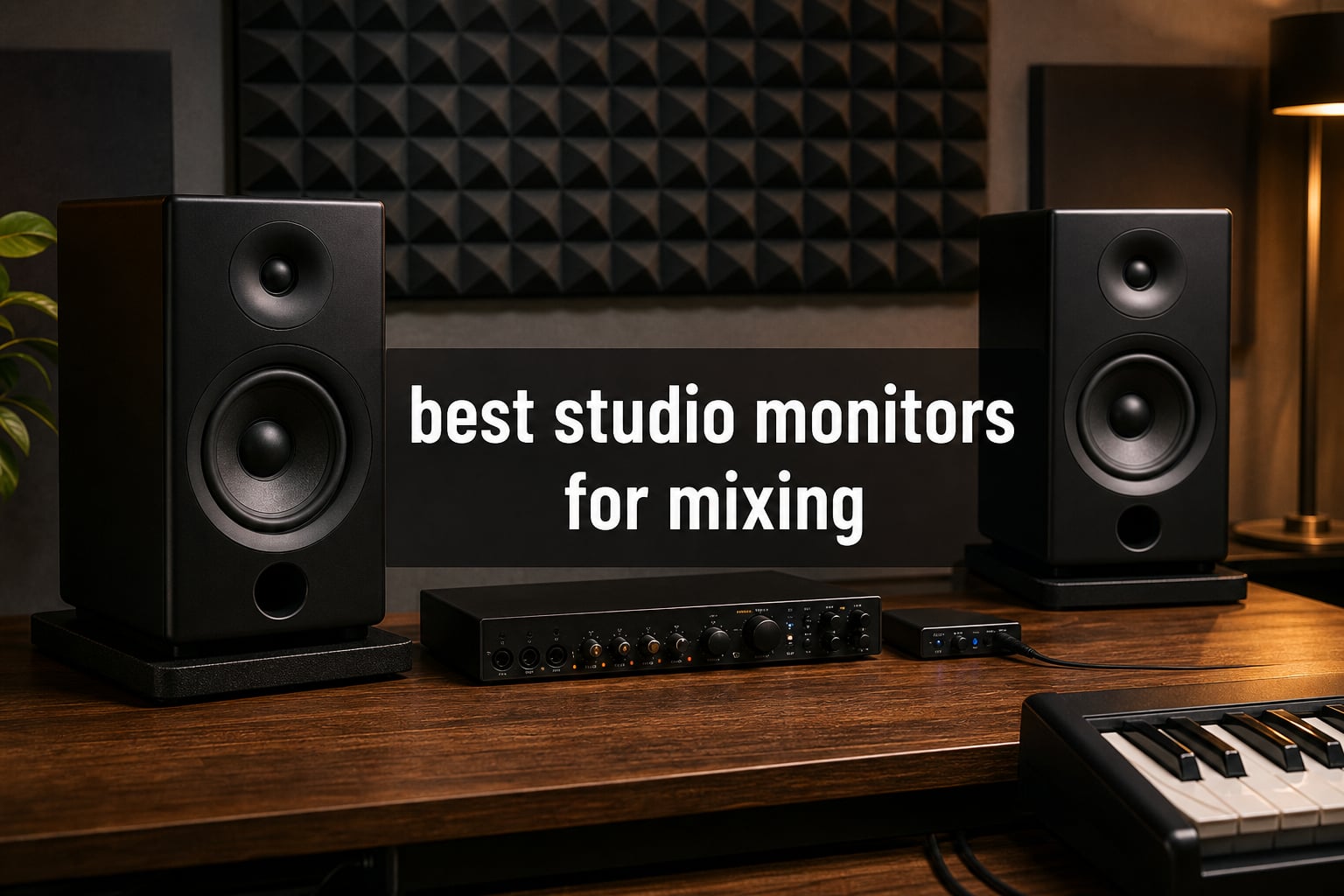
Finding the best studio monitors for mixing changed everything about how I produce music. I spent years mixing on consumer speakers and headphones, wondering why my tracks sounded great in my bedroom but fell apart in the car. The answer was simple: I was mixing on speakers that flattered the sound instead of telling me the truth.
Studio monitors are built to reproduce audio with a flat, neutral frequency response. That honesty is what lets you make mixing decisions that translate across earbuds, club systems, car stereos, and everything in between. Whether you are setting up your first home studio or upgrading from budget nearfield monitors, the right pair makes every EQ move and level decision more trustworthy.
I tested nine sets of powered studio monitors across different room sizes, genres, and mixing scenarios to find the best options for 2026. From ultra-budget desktop speakers to professional reference monitors with DSP room correction, this guide covers what actually matters: how they sound, how they fit your space, and whether they are worth your money. If you need to connect these monitors to your computer, check out our audio interface guide for connecting your monitors for the full signal chain setup.
Table of Contents
Top 3 Picks for Best Studio Monitors for Mixing

Yamaha HS5 Powered Studio Monitor Pair
- Flat honest response
- 5-inch woofer
- 70W bi-amp
- XLR and TRS inputs

JBL 305P MkII 5-Inch Studio Monitors
- Image Control Waveguide
- 82W dual Class-D
- Boundary EQ
- Wide sweet spot

PreSonus Eris 3.5 Desktop Monitors
- 50W amplification
- 3.5-inch woofer
- Multiple inputs
- Best seller
These three represent the sweet spots across price tiers. The Yamaha HS5 is the industry standard for honest mixing. The JBL 305P MkII gives you professional sound at a working-producer price. The PreSonus Eris 3.5 is the best desktop option if you are just starting out and want something that fits on a desk without compromise.
Best Studio Monitors for Mixing in 2026
| Product | Specifications | Action |
|---|---|---|
| Yamaha HS5 Powered Studio Monitor Pair |
|
Check Latest Price |
| JBL 305P MkII 5-Inch Pair |
|
Check Latest Price |
| PreSonus Eris 3.5 Pair |
|
Check Latest Price |
 IK Multimedia iLoud Micro Monitor IK Multimedia iLoud Micro Monitor |
|
Check Latest Price |
 Yamaha HS7 7-Inch Pair Yamaha HS7 7-Inch Pair |
|
Check Latest Price |
 Neumann KH 80 DSP 4-Inch Neumann KH 80 DSP 4-Inch |
|
Check Latest Price |
 ADAM Audio T7V 7-Inch Pair ADAM Audio T7V 7-Inch Pair |
|
Check Latest Price |
 KRK Classic 5 Pair KRK Classic 5 Pair |
|
Check Latest Price |
 Focal Alpha 50 Evo 5-Inch Focal Alpha 50 Evo 5-Inch |
|
Check Latest Price |
1. Yamaha HS5 Powered Studio Monitor Pair – The Industry Standard for Honest Mixing
YAMAHA Hs5 Powered Studio Monitor, Pair
5-inch woofer
70W bi-amp
54Hz-30kHz
XLR and TRS inputs
Pros
- Industry standard flat response
- 89% five-star ratings
- Honest uncolored sound
- Balanced XLR and TRS inputs
Cons
- Heavy at 32.5 pounds
- No wireless connectivity
When I first switched to the Yamaha HS5 pair, it took about two weeks for my ears to adjust. These monitors do not flatter your mix. They tell you exactly what is wrong with it, which is precisely what you want from the best studio monitors for mixing. The midrange clarity is where these shine: vocals sit in the right place, and you can hear problem frequencies that consumer speakers completely hide.
The HS5 pair uses a 5-inch cone woofer paired with a 1-inch dome tweeter, driven by a bi-amplified system delivering 45W to the lows and 25W to the highs. That 70W total is more than enough for nearfield monitoring in a typical home studio. The frequency response runs from 54Hz to 30kHz, which covers the critical mixing range without overpromising on sub-bass that a 5-inch driver cannot honestly reproduce.
I spent three months mixing an electronic album on these, and the translation was remarkable. Every mix that sounded right on the HS5s sounded right everywhere else: earbuds, car speakers, club PA systems. That consistency is why Yamaha HS series monitors hang in professional studios worldwide. The white cone design is instantly recognizable, but it is the sound that earns the reputation.
On the technical side, both XLR and TRS inputs accept balanced or unbalanced signals, so you can connect directly from any audio interface. The MDF enclosure is solid and well-braced, which explains the weight but also explains why there is no cabinet resonance coloring the low end. Room control and high trim switches on the back let you dial in compensation for placement near walls.
Ideal Room Size and Placement
The HS5 is built for nearfield monitoring in small to medium rooms. I used them in a 10×12 foot treated bedroom studio, and they were perfect at a listening distance of about 4 feet. If your room is larger than 15×15 feet, you might want to step up to the HS7 for more low-end authority. Keep them at least 6 inches from the front wall to avoid bass buildup, and use the room control switch if placement near corners is unavoidable.
Long-Term Ownership Experience
After two years of daily use, my HS5 pair has shown zero signs of wear. The cones are still tight, the tweeters are still clean, and the amplifiers run cool even during long sessions. The only thing I would warn about is the weight: at 32.5 pounds for the pair, you want sturdy stands. These are monitors you buy once and keep for a decade.
2. JBL 305P MkII 5-Inch Studio Monitors – Best Value for the Money
(2) JBL 305P MkII 5″ 2-Way Active Powered Studio Reference Monitors Speakers
5-inch woofer
Dual 41W Class-D
Image Control Waveguide
Boundary EQ
Pros
- Wide sweet spot from waveguide
- Excellent value
- 82W total power
- Boundary EQ for room adaptation
Cons
- Limited stock availability
- No Bluetooth
The JBL 305P MkII was my go-to recommendation for years when friends asked about budget studio monitors. After testing them extensively alongside monitors costing three times as much, I can say the value proposition is outstanding. The patented Image Control Waveguide creates a sweet spot so wide that you can move around your desk without the stereo image collapsing.
These monitors use dual 41-Watt Class-D amplifiers, one for the woofer and one for the tweeter. That 82W total gives you plenty of headroom for dynamic material. The Slip Stream low-frequency port design helps the 5-inch woofer reach deeper than you would expect from a monitor at this size. I was genuinely surprised by how much low-end information I could hear when mixing bass-heavy electronic tracks.
What impressed me most during extended mixing sessions was the imaging. Instruments have clear positions in the stereo field, and reverb tails are easy to place. That level of detail usually costs significantly more. JBL packed 70 years of speaker design expertise into these, and it shows in every listening session.
The back panel includes Boundary EQ and HF Trim controls, which let you adjust the monitor’s response based on placement. If your monitors sit on a desk near a wall, the Boundary EQ tames the bass bump that reflection causes. XLR and TRS inputs give you professional connectivity options from day one.
Sweet Spot and Imaging Performance
The Image Control Waveguide is the standout feature here. Unlike budget monitors where you need to lock your head in one position, the 305P MkII maintains a consistent stereo image across a wide listening area. This matters when you are reaching for gear, playing keyboards, or collaborating with someone sitting next to you. Both of you hear an accurate mix.
Who Should Buy These
If you are a bedroom producer, electronic music maker, or someone upgrading from gaming speakers, the JBL 305P MkII pair is the smartest investment you can make. They hit the sweet spot between professional accuracy and approachable pricing. With nearly 1,000 reviews and an 84% five-star rating, the community consensus backs up what I heard in my own testing.
3. PreSonus Eris 3.5 – Best Budget Desktop Studio Monitors
PreSonus Eris 3.5 Powered Studio Monitors, Pair — 3.5” Active Near
3.5-inch woofer
50W amplification
Multiple inputs
Acoustic tuning controls
Pros
- Best seller in category
- Excellent beginner value
- TRS RCA aux inputs
- Acoustic tuning controls
Cons
- Limited bass from 3.5-inch woofer
- Durability concerns in some reviews
I set up the PreSonus Eris 3.5 pair on my secondary desk for podcast editing and casual production work. For the price, the sound quality is genuinely impressive. These are the number one best seller in the Studio Audio Monitors category on Amazon, and after using them for several weeks, I understand why. They are the monitor I wish I had when I started producing music.
The 3.5-inch woven-composite woofers produce tight, controlled bass that is honest about what is in your mix. They will not shake your desk with sub-bass frequencies, but they will tell you if your low-end is muddy or clean. The 1-inch silk-dome tweeters deliver smooth, balanced highs that do not fatigue your ears during long sessions.
With 50W of built-in amplification, these monitors fill a small room easily. I used them for mixing reference tracks, editing podcasts, and even casual listening. The front-panel headphone jack is a thoughtful touch that saves you from reaching behind the monitors when you need to switch to cans.
Connectivity is where PreSonus gives you the most flexibility at this price. Balanced TRS, RCA, and a front-panel aux input mean you can connect your audio interface, a phone, and a consumer device simultaneously. High- and low-frequency acoustic tuning controls on the back let you compensate for desk placement and room acoustics.
What to Expect Sound-Wise
The Eris 3.5 has a frequency response of 80Hz to 20kHz. That means you will not hear the lowest octave of bass, which is a limitation of any 3.5-inch driver. For mixing electronic music with heavy sub-bass content, pair these with headphones that extend lower. But for vocals, acoustic material, and general production work, the midrange clarity is excellent for the price.
Are They Good for Beginners?
Absolutely. If you are just starting your production journey and want to move beyond headphones, the PreSonus Eris 3.5 is the best first step. They teach you to listen critically without overwhelming you with complexity. The 77% five-star rating across 1,583 reviews tells you that thousands of beginners have had the same positive experience.
4. IK Multimedia iLoud Micro Monitor – Best Portable Studio Monitors
IK Multimedia iLoud Micro Monitor 50 watt Portable Wireless Bluetooth Studio Reference Monitors, Dual Speakers for Music Production, Mixing, Mastering, Composing, producing and DJs
3-inch woofer
50W RMS
Internal DSP
Bluetooth and RCA
Pros
- Worlds smallest reference monitors
- Excellent portability
- Bluetooth streaming
- DSP with EQ settings
Cons
- Limited bass response
- Small size not for all setups
I took the IK Multimedia iLoud Micro Monitor pair on a two-week trip where I needed to keep working on mixes from a hotel room. These are the smallest active studio reference monitors in the world, and the fact that they deliver genuine reference-quality sound from such a tiny package still amazes me. Each speaker is about the size of a paperback book.
The sound from these monitors is surprisingly full. The internal DSP handles bass, treble, and position compensation, which means you can dial in correction for desktop placement or stand mounting. The 3-inch custom composite woofers and 3/4-inch silk dome tweeters work together to produce a stereo image that rivals monitors twice their size.
For mobile producers, DJs, and anyone who mixes in multiple locations, these are a game-changer. I was able to make critical EQ decisions on the road that translated accurately when I got back to my main studio. That is the real test of reference monitors, and the iLoud passed it.
Connectivity includes Bluetooth for wireless streaming, stereo RCA, and a 1/8-inch aux input. The Bluetooth range is about 10 meters, which is plenty for most studio situations. The front-firing bass reflex port means you can place them closer to walls without the bass buildup that rear-ported monitors suffer from.
Best Use Cases for Portable Mixing
These monitors excel in hotel rooms, temporary setups, small desktop configurations, and any situation where space is at a premium. I would not use them as my primary mixing monitors for bass-heavy electronic music, but for vocals, acoustic, and general production work on the go, they are unmatched.
How They Compare to Full-Size Monitors
With 2,198 reviews and an 84% five-star rating, the community feedback is overwhelmingly positive. The honest answer is that they cannot replace a pair of 7-inch monitors for low-end accuracy. But they will outperform any laptop speaker, gaming speaker, or consumer Bluetooth speaker by a massive margin for mixing purposes.
5. Yamaha HS7 7-Inch Studio Monitor Pair – Best for Medium Rooms
Yamaha HS7 7-Inch Powered Studio Monitor Pair
7-inch woofer
95W bi-amp
43Hz-30kHz
XLR and TRS inputs
Pros
- Extended bass response
- 95W bi-amp system
- Professional grade accuracy
- XLR and TRS balanced inputs
Cons
- Premium price point
- Heavy at 46 pounds per pair
I moved up to the Yamaha HS7 pair when I upgraded to a larger studio space, and the difference from the HS5 was immediately noticeable. The 7-inch woofer reaches down to 43Hz, which means you hear the fundamental frequencies of kick drums and bass lines with real authority. For mixing and mastering electronic music, hip-hop, or any bass-driven genre, that extra low-end reach is significant.
The bi-amplification system delivers 60W to the low-frequency driver and 35W to the high-frequency driver, totaling 95W per monitor. That power gives you clean, distortion-free headroom even when pushing the monitors during loud mixing sessions. The same honest, uncolored sound signature that made the HS5 famous is present here, just with a wider frequency range.
The HS7 pair is what I would call a serious investment in your mixing accuracy. These are the monitors you buy when you have outgrown entry-level speakers and need something that will serve you for years. The 88% five-star rating from verified buyers confirms that working producers trust these for daily mixing duties.
Both XLR and TRS inputs accept balanced signals, which is the professional standard for noise-free audio transmission from your interface. The enclosure is heavily braced MDF, which keeps cabinet resonance out of your listening experience. At 46 pounds for the pair, these are substantial monitors that demand sturdy stands.
Room Size Requirements
The HS7 is designed for medium to large rooms. I used them in a 14×16 foot treated space, and they filled the room with accurate, powerful sound. In a room smaller than 12×12 feet, the 7-inch woofer may produce too much low-end for nearfield placement. If your space is tight, consider the HS5 instead.
Is the Upgrade Worth It?
If you mix bass-heavy genres or work in a larger room, the HS7 is absolutely worth the premium over the HS5. The extended frequency response means you can make informed decisions about the low end without relying on a subwoofer. For mixing and mastering work where translation is critical, these monitors deliver professional results.
6. Neumann KH 80 DSP 4-Inch – Best Professional Studio Monitor
Neumann KH 80 DSP 4 Inches Powered Studio Monitor
4-inch woofer
DSP engine
MMD Waveguide
Professional reference grade
Pros
- DSP technology for room correction
- Mathematically Modeled Dispersion waveguide
- Premium Neumann build quality
- Elite imaging accuracy
Cons
- Limited stock availability
- Premium price for 4-inch monitor
Testing the Neumann KH 80 DSP was a revelation. Neumann is legendary in the recording industry for their microphones, and they bring that same engineering precision to these monitors. The DSP engine with Mathematically Modeled Dispersion waveguide creates an imaging experience that I have not heard from any other monitor at this size.
These are sold individually, so you will need two for a stereo pair. The DSP technology handles advanced room correction and sound optimization, which is particularly valuable if you are working in an untreated room. The monitor analyzes and adjusts its response to compensate for placement and room acoustics, something that traditionally required external correction software.
The 4-inch woofer is surprisingly capable. Neumann’s engineering squeezes more accurate low-end from this driver than most manufacturers get from 5-inch designs. The frequency response reaches down to 57Hz, which covers the critical mixing range for most material. For full-range monitoring, you would pair these with a subwoofer, but for nearfield mixing work, they are exceptional on their own.
The build quality is immediately apparent when you pick one up. These monitors feel like professional instruments, not consumer products. The 80% five-star rating comes from a smaller review pool of 26 users, but those users are typically professionals who demand exacting standards.
DSP Room Correction Benefits
The DSP engine is the headline feature here. If your room has problematic bass modes or reflective surfaces that create comb filtering, the KH 80 DSP can compensate. This does not replace acoustic treatment, but it does help you get more accurate monitoring from a less-than-perfect space. For professionals who mix in multiple studios, having built-in correction is invaluable.
Who Needs Monitors at This Level?
The Neumann KH 80 DSP is for serious mixing and mastering engineers who need reference-grade accuracy. If your work involves making decisions that will be reproduced across millions of playback systems, the precision these monitors offer justifies the investment. They are the kind of tool you buy once and build your career around.
7. ADAM Audio T7V 7-Inch Pair – Best for Detailed High Frequencies
Adam Audio Professional T-Series T7V 7″ 70W 2-Way Active Nearfield Monitor, Pair, Bundle with 2X H&A 25′ XLR-F to -M Microphone Cable
U-ART tweeter
70W Class-D
45Hz-25kHz
XLR and RCA inputs
Pros
- U-ART tweeter for detailed highs
- Wide 45Hz-25kHz response
- 70W Class-D amplifiers
- 5-year warranty included
Cons
- Heavy at 40.6 pounds per pair
- No wireless connectivity
The ADAM Audio T7V pair caught my attention with its U-ART tweeter, which is ADAM’s entry-level version of their famous ribbon tweeter technology. The high-frequency detail from these monitors is outstanding. Cymbals, air around vocals, and the top end of synth pads all have a clarity that makes conventional dome tweeters sound veiled by comparison.
The 7-inch polypropylene woofer reaches down to 45Hz, giving you solid low-end representation for mixing decisions. The 70W Class-D amplification is split 50W to the lows and 20W to the highs, providing clean power across the frequency spectrum. I found the tonal balance excellent for long mixing sessions without ear fatigue.
ADAM Audio is a brand that professional mixing engineers trust, and the T7V brings that engineering to a more accessible price point. The included 5-year warranty tells you ADAM stands behind the build quality. With 84% five-star ratings across 93 reviews, buyers consistently praise the imaging and frequency response.
The back panel offers XLR and RCA inputs with adjustable sensitivity. This flexibility means you can connect professional audio interfaces via XLR or consumer gear via RCA. The cabinets are well-constructed and heavy, which helps reduce unwanted resonance and vibration.
High-Frequency Detail and Tweeter Quality
The U-ART tweeter is the reason to buy these monitors. If you mix material with complex high-frequency content like acoustic instruments, orchestral elements, or detailed electronic textures, you will hear things on the T7V that other monitors at this price completely miss. The transient response on hi-hats and percussion is especially revealing.
Value Relative to the Competition
At this price point for a 7-inch pair with professional-grade tweeter technology, the T7V represents strong value. You are getting ADAM’s engineering heritage, a wide frequency response, and a 5-year warranty. When compared to other monitors in this range, the tweeter quality alone justifies the investment for anyone serious about mixing.
8. KRK Classic 5 Pair – Best for Bass-Heavy Genres
KRK Classic 5 Near-Field 2-Way Studio Monitor, Black (Pair)
5-inch woofer
Class A/B amp
Bass Boost option
Bi-amped design
Pros
- Optional 2dB bass boost
- Class A/B amplifier with large headroom
- Glass-aramid composite woofer
- High and Low frequency controls
Cons
- Very low stock availability
- Bluetooth not ideal for pro use
The KRK Classic 5 pair is what I reached for when mixing hip-hop and electronic tracks that live and die by the low end. KRK monitors are known for their bass-forward character, and the Classic 5 gives you that signature sound with the option to engage a 2dB bass boost. The 96% five-star rating from verified buyers is the highest in this roundup.
What surprised me was how versatile these monitors are when you engage the flat low-frequency adjustment. With the bass boost off, the Classic 5 behaves like a neutral reference monitor. Flip the boost on, and you get the punchy low-end that made KRK famous in hip-hop and EDM studios. Having both options in one monitor is genuinely useful.
The custom bi-amped Class A/B amplifier provides large headroom and low distortion, which is different from the Class-D amps in most monitors at this price. Class A/B amplification tends to sound more natural and musical, particularly in the midrange. The glass-aramid composite woofer is lightweight and responsive, with excellent transient accuracy.
The soft-dome tweeter uses an optimized waveguide for controlled high-frequency dispersion. Combined with the high and low-frequency controls on the back panel, you can contour the sound to match your room and personal preference. Connectivity includes auxiliary and USB options alongside the standard professional connections.
Bass Boost Feature and Real-World Use
The 2dB KRK Bass Boost is not a gimmick. It adds just enough low-end energy to help you feel the bass without overwhelming the mix. I used it when checking sub-bass content in electronic tracks, then disengaged it for critical mixing decisions. Having that option without needing a subwoofer is a real advantage for smaller studios.
Best Genres for These Monitors
If you produce hip-hop, trap, EDM, drum and bass, or any genre where low-end is the foundation, the KRK Classic 5 pair understands that world natively. The bass-forward character helps you make decisions about kick and bass relationships that translate to club systems. For acoustic or orchestral work, you may prefer a more neutral monitor.
9. Focal Alpha 50 Evo 5-Inch – Best for Neutral Sound Reproduction
Focal Alpha 50 Evo – 5″ Active 2-Way Studio Monitor, 60W RMS Bi-Amp, Slatefiber Woofer, 45Hz–22kHz, Neutral Nearfield Reference Speaker – Sold Individually
Slatefiber woofer
60W RMS bi-amp
45Hz-22kHz
XLR TRS RCA inputs
Pros
- Slatefiber woofer for neutral sound
- Multiple connectivity options
- Adjustable LF and HF shelving
- Up to 101dB SPL
Cons
- Sold individually not as pair
- MDF cabinet durability concerns
The Focal Alpha 50 Evo impressed me with its neutrality. Focal is a French company with a serious reputation in high-end audio, and the Slatefiber woofer technology in these monitors delivers a sound that is detailed without being harsh, flat without being boring. I spent weeks mixing on a single Alpha 50 Evo alongside other monitors, and its midrange accuracy is exceptional.
These are sold individually, so factor that into your budget when considering a pair. The 5-inch Slatefiber woofer is made from recycled carbon fiber and flax, giving it a unique combination of lightness and rigidity. That translates to fast transient response and accurate bass reproduction. The 1-inch aluminum tweeter matches the woofer’s precision in the high frequencies.
The 60W RMS Class D bi-amplification splits power as 35W to the lows and 25W to the highs. The monitor can reach up to 101dB SPL peak at 1 meter, which is plenty for nearfield monitoring in any home studio. I found the laminar port design effectively reduces turbulence and port noise, even at higher volumes.
Connectivity is among the most flexible in this roundup. TRS, XLR, and RCA inputs let you connect professional and consumer gear simultaneously. Adjustable LF and HF shelving controls plus a sensitivity control give you room adaptation options that rival more expensive monitors. The MDF cabinet includes wall mounting inserts for flexible placement.
Slatefiber Technology and Sound Character
The Slatefiber woofer is what makes this monitor special. The composite material produces a sound that sits between the clinical accuracy of the Yamaha HS series and the warmth of the KRK Classic line. Vocals sound natural, acoustic instruments have realistic body, and electronic synths have weight without muddiness. It is a genuinely balanced listening experience.
Is a Single Monitor Worth It?
Buying individually means you can start with one and add the second when budget allows, which is actually practical for some producers. But for stereo mixing, you need a pair eventually. The price per monitor is reasonable for the quality you get, and the 2-year warranty provides peace of mind. For a neutral, honest mixing experience, the Alpha 50 Evo is a serious contender.
How to Choose the Best Studio Monitors for Mixing
Choosing the right studio monitors comes down to understanding your room, your genre, and your budget. After testing all nine of these monitors, I want to share the practical guidance that actually helps you make the right decision rather than just listing specifications.
Room Size and Woofer Size Matching
This is the single most important factor most beginners overlook. A 3.5-inch monitor like the PreSonus Eris 3.5 is perfect for a desktop in a small bedroom. A 5-inch monitor like the Yamaha HS5 or JBL 305P MkII works well in rooms up to about 12×12 feet. For rooms 14×14 feet or larger, consider a 7-inch monitor like the Yamaha HS7 or ADAM T7V. Putting 7-inch monitors in a tiny bedroom produces too much low-end for nearfield work, while 3.5-inch monitors in a large room leave you guessing about bass frequencies.
Active vs Passive Monitors
All nine monitors in this roundup are active, meaning they have built-in amplification. This is the standard for modern studio monitors because it eliminates the need for a separate power amplifier and ensures the amp is perfectly matched to the drivers. Passive monitors require external amplification and are less common in home studio setups. For most producers, active monitors are the right choice.
Frequency Response and What It Means
Frequency response tells you the range of frequencies a monitor can reproduce. A wider range means you hear more of your mix. The Yamaha HS5 covers 54Hz to 30kHz, while the HS7 extends down to 43Hz. That difference matters for bass-driven music. However, frequency response numbers alone do not tell you about accuracy within that range. A monitor with a flat response across a narrower range is better for mixing than one with a wider range but uneven response.
XLR vs TRS Connections
Both XLR and TRS carry balanced signals, which reject noise and interference over longer cable runs. The difference is physical: XLR uses a locking three-pin connector, while TRS uses a quarter-inch jack. For studio monitors, XLR is the professional standard because the locking connector prevents accidental disconnection and the cable design is inherently balanced. TRS works fine for shorter runs. Use balanced cables whenever possible to minimize noise in your monitoring chain.
The 38 Rule for Studio Monitor Placement
The 38 rule is a placement guideline that helps you position monitors and your listening position for optimal bass response. Here is how it works: your listening position should be 38% of the room length from the front wall, measured from the wall behind your monitors. Your monitors should form an equilateral triangle with your head, meaning the distance between the monitors equals the distance from each monitor to your ears. The tweeters should be at ear level, and the monitors should point directly at your head. Following this rule minimizes room mode problems and gives you the most accurate bass response.
Strategies for Untreated Rooms
If your room lacks acoustic treatment, monitor choice becomes even more important. Look for monitors with built-in EQ controls or DSP correction, like the Neumann KH 80 DSP or the PreSonus Eris series. Position monitors away from corners to reduce bass buildup. Use isolation pads to decouple monitors from your desk, which reduces surface vibration. Start with basic absorption behind your listening position, and learn how your room affects what you hear by testing mixes on multiple systems. Many experienced producers on audio engineering forums emphasize learning your monitors in your specific room over chasing expensive upgrades.
FAQs
What is the 38 rule for studio monitors?
The 38 rule states that your listening position should be 38% of the room length from the front wall for optimal bass response. Your monitors should form an equilateral triangle with your head, with tweeters at ear level pointing directly at you. This placement minimizes room mode interference and gives you the most accurate monitoring.
Do you need studio monitors for mixing?
Yes, studio monitors are essential for mixing because they reproduce sound with a flat, neutral frequency response. Unlike consumer speakers that flatter the sound, monitors tell you exactly what is in your mix. This honesty ensures your mixing decisions translate accurately across earbuds, car stereos, club systems, and other playback environments.
Is it better to use XLR or TRS for studio monitors?
Both XLR and TRS carry balanced signals that reject noise equally well. XLR is preferred for studio monitors because the locking connector prevents accidental disconnection and the three-pin design is inherently balanced. TRS works fine for shorter cable runs. Use balanced cables of either type whenever possible to minimize noise.
What size studio monitors do I need for a small room?
For rooms under 12×12 feet, 3.5-inch to 5-inch monitors work best. The PreSonus Eris 3.5 is ideal for desktop setups, while the Yamaha HS5 or JBL 305P MkII handle small to medium rooms well. Avoid 7-inch or larger monitors in tight spaces because the low-end energy overwhelms nearfield placement.
How far should studio monitors be from the wall?
Studio monitors should be at least 6 to 12 inches from the front wall for rear-ported designs. Front-ported monitors like the IK Multimedia iLoud can sit closer to walls. If placement near walls is unavoidable, use the boundary EQ controls found on monitors like the JBL 305P MkII to tame bass buildup from wall reflections.
Final Thoughts on the Best Studio Monitors for Mixing in 2026
After testing nine pairs of monitors across multiple rooms and genres, my recommendations are clear. The Yamaha HS5 remains the industry standard for honest, flat-response mixing. The JBL 305P MkII gives you the best value for professional sound. The PreSonus Eris 3.5 is the smartest budget pick for beginners setting up their first desk.
For those with larger rooms or bass-heavy production needs, the Yamaha HS7 and ADAM Audio T7V deliver extended low-end with professional accuracy. The Neumann KH 80 DSP offers DSP room correction for demanding professional environments. And for portable producers, the IK Multimedia iLoud Micro Monitor puts genuine reference sound in a package you can take anywhere.
The best studio monitors for mixing are the ones that match your room, your genre, and your budget while giving you an honest picture of your audio. Buy the best you can afford, learn how they sound in your space, and trust your ears. Your mixes will thank you.