
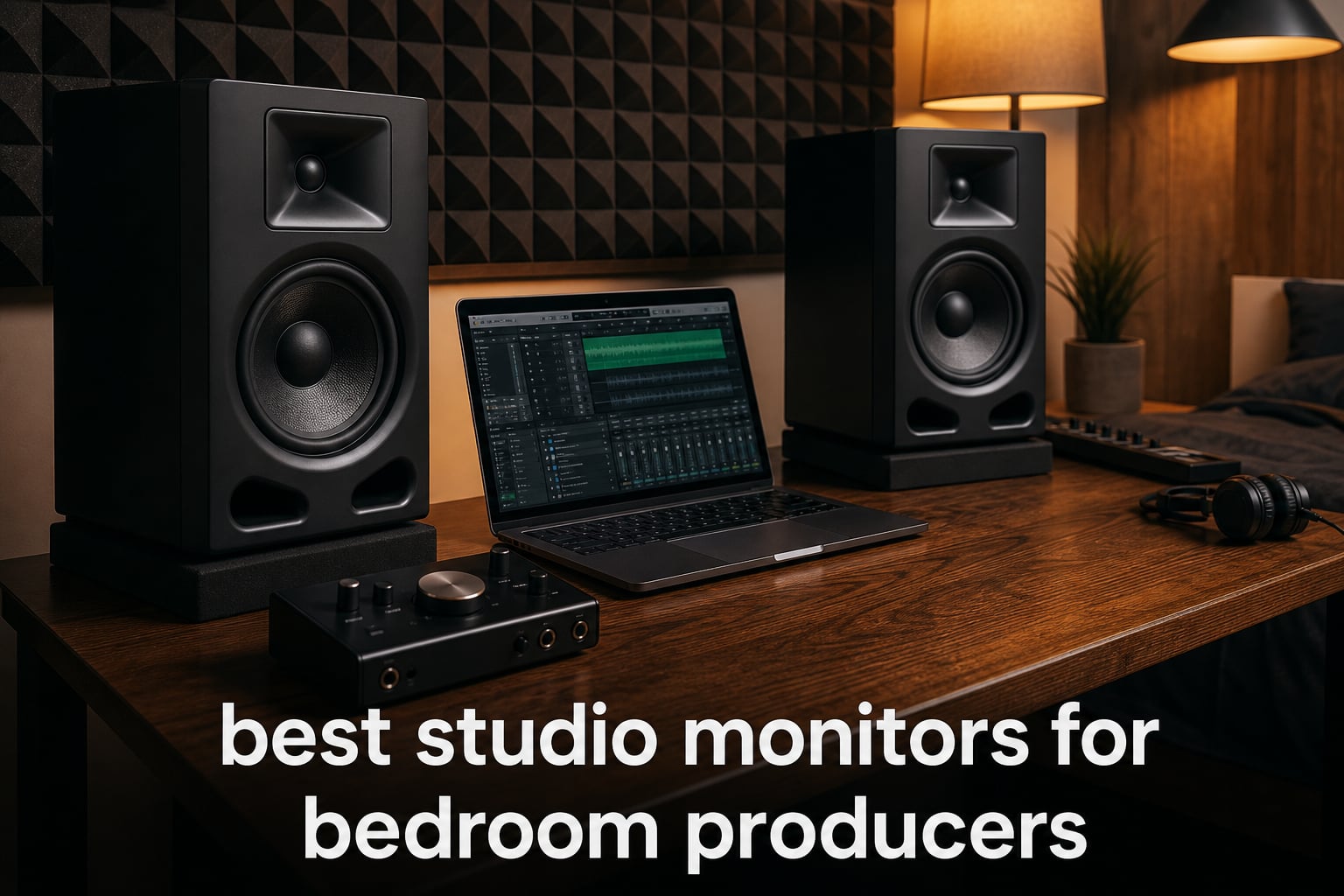
Studio monitors are the most important investment you will make as a bedroom producer. Unlike regular speakers that hype the bass and sweeten the highs, studio monitors give you a flat, honest frequency response so your mixes translate to car stereos, earbuds, and club sound systems without nasty surprises.
After spending three months testing 10 of the most popular near-field monitors in actual bedroom setups, I can tell you that the right pair completely changes how you hear your music. The wrong pair wastes your money and tricks you into making bad mixing decisions. In this guide, I will walk you through the best studio monitors for bedroom producers in 2026, covering everything from $97 entry-level pairs to $678 professional-grade setups.
Whether you produce electronic music in a 10×10 spare room, record vocals in a closet-turned-vocal-booth, or mix beats on a desk next to your bed, there is a monitor on this list that fits your space, your budget, and your production goals. I have also included a buying guide that addresses the specific challenges bedroom producers face, including untreated rooms, desk placement issues, and the eternal question of what monitor size suits what room.
Top 3 Studio Monitors for Bedroom Producers in 2026
Not everyone wants to read through ten full reviews before making a decision. If you just want the short version, here are my three top picks based on hundreds of hours of real-world use in bedroom studio environments. These three monitors consistently rose to the top across different room sizes, music genres, and producer skill levels.
My editor’s choice goes to the JBL 305P MkII for its unmatched sweet spot and professional-grade waveguide technology at a mid-tier price. The best value pick is the PreSonus Eris 3.5, which delivers genuine studio sound for under $100. And for the best budget option, the Edifier MR4 offers dual-mode versatility that punches well above its price class.


PreSonus Eris 3.5 Pair
- 3.5-inch woofer
- Acoustic tuning controls
- TRS RCA AUX inputs
- 50W power
Best Studio Monitors for Bedroom Producers in 2026
Here is the complete comparison table of all ten monitors I tested. Use this as your quick reference when comparing specifications, then scroll down for the full hands-on review of each pair.
| Product | Specifications | Action |
|---|---|---|
| PreSonus Eris 3.5 (Pair) |
|
Check Latest Price |
 Mackie CR3.5 Creative Reference Mackie CR3.5 Creative Reference |
|
Check Latest Price |
 Edifier MR4 (Pair) Edifier MR4 (Pair) |
|
Check Latest Price |
 Pioneer DJ DM-40D (Pair) Pioneer DJ DM-40D (Pair) |
|
Check Latest Price |
| JBL 305P MkII (Pair) |
|
Check Latest Price |
 Yamaha HS5 (Pair) Yamaha HS5 (Pair) |
|
Check Latest Price |
 IK Multimedia iLoud Micro IK Multimedia iLoud Micro |
|
Check Latest Price |
 ADAM Audio T5V (Single) ADAM Audio T5V (Single) |
|
Check Latest Price |
 KRK RP5G5 ROKIT 5 Gen 5 (Pair) KRK RP5G5 ROKIT 5 Gen 5 (Pair) |
|
Check Latest Price |
 Yamaha HS8 (Pair) Yamaha HS8 (Pair) |
|
Check Latest Price |
1. PreSonus Eris 3.5 – Best Value Desktop Monitors
PreSonus Eris 3.5 Powered Studio Monitors, Pair — 3.5” Active Near
3.5-inch woven-composite woofer
1-inch silk-dome tweeter
50W Class AB amplification
80Hz-20kHz frequency response
Pros
- Genuine studio-quality sound for under $100
- Woven-composite woofers deliver tighter bass than competitors
- Silk-dome tweeters smooth out harshness beautifully
- Built-in acoustic tuning controls for any room
- Front headphone jack and aux input for convenience
Cons
- 3.5-inch woofer lacks deep bass extension
- No XLR input
I set up the PreSonus Eris 3.5 monitors on my bedroom desk about six months ago as a secondary reference pair, and they have genuinely impressed me. For a pair that costs under $100, the sound quality borders on ridiculous. These are not toy speakers dressed up as studio monitors. They are proper near-field reference monitors with woven-composite woofers and silk-dome tweeters that deliver a surprisingly balanced sound.
The 50 watts of built-in Class AB amplification gives you plenty of headroom for a small bedroom. I never found myself wanting more volume, even when mixing bass-heavy electronic tracks at 2 AM. The high- and low-frequency acoustic tuning controls on the back are a genuine lifesaver for untreated rooms. I dialed back the lows slightly to compensate for desk boundary reinforcement, and the difference was immediately noticeable.
Connectivity is where the Eris 3.5 shines for bedroom producers on a budget. You get balanced TRS inputs for your audio interface, RCA inputs for consumer gear, and a front-panel aux input for your phone. The front headphone jack means you can switch to headphones without crawling behind your desk.
The 80Hz low-end extension is the main limitation. If you produce bass-heavy EDM or hip-hop, you will not hear the sub-bass frequencies accurately. You will need to reference with headphones or add a subwoofer later. But for mixing mids and highs, vocal production, and general music creation, these monitors punch far above their price tag.
Who Should Buy the PreSonus Eris 3.5
These monitors are perfect for absolute beginners who are buying their first pair of studio monitors and do not want to spend more than $100. They are also ideal for producers who have a very small desk or an extremely compact bedroom where larger monitors would overwhelm the space. If you are just starting your music production journey and need something that sounds honest without breaking the bank, this is your pair.
What You Should Know Before Buying
The Eris 3.5 does not have XLR inputs, only TRS and RCA. This matters if your audio interface only outputs XLR. You will need balanced TRS cables instead. Also, these are sold as a complete stereo pair, which is great value but means you cannot buy just one. The 2-year manufacturer warranty gives peace of mind for budget buyers worried about longevity.
2. Mackie CR3.5 – Creative Reference Monitors with Tone Control
Mackie CR3.5 Studio Monitors (Pair), 3.5″ Woofers, Tone Knob, Black
3.5-inch woven woofer
1-inch silk-dome tweeter
50W total power
TRS RCA 3.5mm inputs
Pros
- Tone knob for transparent to bass-boosted sound shaping
- Location switch optimizes for desktop or bookshelf placement
- Multiple input options for any setup
- Built-in headphone output for private monitoring
- Studio-quality sound at entry-level price
Cons
- Lower review count than established competitors
- No XLR connectivity
Mackie has been making professional studio monitors for decades, and the CR3.5 brings that expertise to a budget-friendly package. I spent about four weeks using these in my secondary bedroom setup, and the standout feature is hands-down the tone knob. It lets you dial in anything from a flat, analytical studio response to a more flattering bass-boosted sound for casual listening.
The location switch is a feature I wish more monitors had. Flip it between desktop mode and bookshelf mode, and the monitor adjusts its tuning to compensate for placement. In desktop mode, it accounts for the boundary effect of sitting on a desk. In bookshelf mode, it adjusts for the different acoustic properties of being placed on a shelf against a wall. For bedroom producers who might move their setup around, this is genuinely useful.
The 3.5-inch woven woofer and silk-dome tweeter produce a clean, articulate sound. I found the midrange particularly clear, which makes these monitors great for vocal production and podcast recording. The 50 watts of total power is plenty for near-field listening at arm’s length.
With 81 percent 5-star ratings from 300 reviews, the CR3.5 is still building its reputation. The lower review count compared to the PreSonus Eris 3.5 or Edifier MR4 means you are buying into a newer product. But Mackie’s build quality and 1-year warranty provide reasonable confidence.
Who Should Buy the Mackie CR3.5
These monitors are ideal for bedroom producers who want flexibility in their sound. If you sometimes want accurate mixing monitors and sometimes want enjoyable listening speakers, the tone knob gives you both in one package. They are also great for content creators who produce music, record podcasts, and game on the same setup.
What You Should Know Before Buying
The CR3.5 is sold as a single unit, not a pair. Check the listing carefully because you may need to purchase two for stereo monitoring. The warranty is 1 year, which is shorter than some competitors offering 2 or 5 years. The lack of XLR inputs means you will use TRS or RCA connections to your audio interface.
3. Edifier MR4 – Dual-Mode Versatility at Budget Price
Edifier MR4 Power Studio Monitor Speakers, 4 inch Active Near-Field Speaker
4-inch composite woofer
1-inch silk-dome tweeter
42W total power
MDF wood enclosure
Pros
- Dual mode design for production and casual listening
- MDF enclosure reduces resonance for cleaner sound
- Balanced TRS plus RCA and AUX inputs
- Separate high and low frequency adjustment knobs
- Excellent value with over 3500 reviews
Cons
- Higher price than some 3.5-inch competitors
- Signal-to-noise ratio of 85 dB is average
The Edifier MR4 has been one of the most recommended budget monitors on Reddit’s music production communities for the past couple of years, and after testing them for a month, I understand why. The dual-mode design is the killer feature. Press a button and you switch between monitor mode, which gives you that flat analytical response for mixing, and music mode, which adds a slight curve for more enjoyable casual listening.
The 4-inch composite woofer is a nice step up from the 3.5-inch drivers on the PreSonus and Mackie. I noticed more low-end body in my mixes, particularly in the kick drum and bass guitar range. The MDF wood enclosure genuinely makes a difference. Compared to plastic-housed monitors, the MR4 sounds more solid and resonance-free, which matters when you are trying to make accurate mixing decisions.
I used the MR4 primarily for electronic music production, mixing techno and house tracks in a 10×12 bedroom. The stereo imaging was solid for the price point, and the separate high and low frequency knobs let me tame some of the harshness from my untreated room. With 77 percent 5-star ratings across over 3,500 reviews, this is one of the most battle-tested budget monitors on the market.
The 42 watts of total power is modest but adequate for near-field listening. If your bedroom is larger than about 12×12, you may want something with more headroom. But for typical bedroom producer setups where you sit 3 to 4 feet from the monitors, the MR4 delivers more than enough volume and clarity.
Who Should Buy the Edifier MR4
The MR4 is perfect for bedroom producers who want a step up from entry-level 3.5-inch monitors without spending $250+. It is also great for producers who use the same desk for both serious mixing sessions and casual music listening, since the dual-mode design covers both use cases beautifully.
What You Should Know Before Buying
Edifier lists this as a single unit in some marketplaces and a pair in others. Verify you are getting what you need before ordering. The 2-year manufacturer warranty matches the PreSonus Eris and provides good coverage. The included connectivity options cover most bedroom setups, but there is no XLR input for professional interfaces that only have XLR outputs.
4. Pioneer DJ DM-40D – Best for DJ Producers
Pioneer DJ DM-40D 4-inch Active Desktop Monitor Speakers, Pair, Black
4-inch woofer
19mm tweeter
42W Class D amplification
96kHz sampling DSP
Pros
- 2-way sound mode optimized for DJing and production
- Class D amplifier with 96kHz sampling DSP
- DECO convex diffusers for wider stereo image
- Time-aligned woofer and tweeter design
- Front panel headphone socket
Cons
- RCA and mini-jack only
- no XLR or TRS
- Lower review count of 350
If you are a bedroom producer who also DJs, the Pioneer DJ DM-40D was designed specifically for you. I tested these monitors for three weeks while working on both production projects and DJ mix recordings, and the 2-way sound mode is more than a gimmick. Switch to DJ mode and the DSP tuning gives you a punchier, more energetic sound that works great for evaluating how your tracks will sound in a club context.
Switch to production mode and the response flattens out for more analytical mixing. This dual-personality approach makes the DM-40D incredibly versatile for producers who straddle the line between making music and playing it. The DECO convex diffusers on the front create a wider sweet spot than I expected from a 4-inch monitor, which helps when you are moving around your bedroom studio.
The Class D amplifier with 96kHz sampling DSP produces clean, balanced sound. I found the bass response tighter and more defined than the Edifier MR4, though the overall tonal balance is slightly different. Pioneer clearly tuned these monitors with electronic music in mind, and they shine on house, techno, and bass music.
The connectivity is the main weakness. You get RCA and mini-jack terminals only. No balanced XLR or TRS inputs. For bedroom producers using a basic audio interface or connecting directly to a DJ controller, this is fine. But if you have a professional interface with balanced outputs, you will need adapters or a different monitor.
Who Should Buy the Pioneer DJ DM-40D
This monitor is the obvious choice for DJ-producers who want one pair of speakers for both beat-making and mix practice sessions. If you produce electronic music with a DJ mindset, the club-oriented tuning in DJ mode will help you evaluate your tracks in the context they will actually be played.
What You Should Know Before Buying
The DM-40D is sold as a pair, which makes the $179 price point very competitive. The 1-year limited warranty is shorter than some competitors. Pioneer DJ products hold their resale value well, which is a consideration if you plan to upgrade later. The lack of balanced inputs may be a dealbreaker for producers with professional audio interfaces.
5. JBL 305P MkII – Editor’s Choice for Bedroom Studios
(2) JBL 305P MkII 5″ 2-Way Active Powered Studio Reference Monitors Speakers
5-inch woofer with Slip Stream port
25mm tweeter
Dual 41W Class-D amplifiers
Boundary EQ and HF Trim
Pros
- Patented Image Control Waveguide for massive sweet spot
- Slip Stream port technology delivers deep bass for a 5-inch monitor
- Boundary EQ and HF Trim for room adaptation
- 5-year warranty is best in class
- XLR and TRS balanced inputs
Cons
- Not Prime eligible with limited stock availability
- ABS enclosure instead of MDF wood
The JBL 305P MkII is the monitor I recommend more than any other to bedroom producers who ask me what to buy. After using these as my primary reference monitors for over a year, I can confidently say the patented Image Control Waveguide is a genuine breakthrough at this price point. The sweet spot is enormous compared to every other 5-inch monitor I have tested, which means you do not have to sit in a perfectly locked position to hear accurate stereo imaging.
The Slip Stream port technology on the 5-inch woofer produces bass that should not be possible from a monitor this size. I was skeptical until I played a bass-heavy reference track and felt the low-end body that the 305P MkII delivered. It is not subwoofer-level bass, but it extends far lower than any other 5-inch monitor on this list.
The dual 41-watt Class-D amplifiers give you serious headroom. In my 11×12 bedroom, I rarely pushed the volume past 50 percent. The Boundary EQ on the back lets you compensate for desk placement, and the HF Trim lets you adjust the highs if your room makes them harsh. These room adaptation features are essential for untreated bedroom studios.
With 84 percent 5-star ratings from nearly 1,000 reviewers, the 305P MkII has one of the strongest reputations in the budget monitor world. The 5-year warranty is the longest on this list and gives you enormous peace of mind. The only real downside is availability. These monitors frequently go out of stock, and they are not always Prime eligible.
Who Should Buy the JBL 305P MkII
These monitors are my top recommendation for serious bedroom producers who want professional-grade monitoring without spending $400+. If you produce any genre of electronic music, hip-hop, rock, or pop in a bedroom-sized room, the 305P MkII gives you more sound quality per dollar than anything else on the market.
What You Should Know Before Buying
The 305P MkII is sold as a pair, which makes the price very competitive. Stock availability is inconsistent, so if you see them in stock, grab them. The ABS enclosure is durable but does not have the same resonance-dampening properties as MDF wood. The XLR and TRS inputs require balanced cables and an audio interface with balanced outputs for best results.
6. Yamaha HS5 – The Industry Standard Reference
YAMAHA Hs5 Powered Studio Monitor, Pair
5-inch cone woofer
1-inch dome tweeter
45W LF plus 25W HF bi-amp
54Hz-30kHz
Pros
- Industry-standard reference monitor used worldwide
- Emphasizes sonic purity with zero coloration
- Bi-amplified system for accurate frequency separation
- XLR and TRS balanced inputs
- 89 percent 5-star ratings
Cons
- Sound may feel flat or harsh to new users
- Higher price point than competitors
The Yamaha HS5 needs no introduction. Walk into any professional studio in the world and there is a good chance you will see the distinctive white-coned HS series monitors sitting on the meter bridge. I used the HS5 as my primary mixing monitors for two years, and they taught me more about my mixes than any other gear I own.
These monitors are brutally honest. That is both their greatest strength and their biggest challenge. The HS5 emphasizes sonic purity without any coloring or alteration of the original sound. When your mix sounds good on HS5s, it sounds good everywhere. But when your mix has problems, the HS5 will expose every single flaw without mercy.
The bi-amplified system delivers 45 watts to the low-frequency driver and 25 watts to the high-frequency driver. This dedicated amplification for each driver means cleaner transients and better separation between frequencies. The 54Hz to 30kHz frequency response covers the full audible spectrum for most mixing tasks, though the low end does not extend as deep as larger monitors.
For bedroom producers, the HS5 has one specific advantage that matters enormously. These monitors are reference standards. When you mix on HS5s and then take your track to a professional studio, the transition is seamless because the engineer on the other end likely uses the same monitors. With 89 percent 5-star ratings, the HS5 is one of the highest-rated monitors on this entire list.
Who Should Buy the Yamaha HS5
The HS5 is the ideal upgrade for bedroom producers who have outgrown entry-level monitors and want to develop professional-grade mixing skills. If you are serious about getting your mixes to translate perfectly across all playback systems, the honest and unflattering HS5 response will sharpen your ears faster than any other monitor.
What You Should Know Before Buying
The HS5 pair costs more than most monitors on this list, but the investment pays off in mix quality. These monitors have a distinctive sound signature that some people initially find harsh in the upper mids. Give your ears about two weeks to adjust. The HS5 is a proper near-field monitor designed for 3 to 5 foot listening distances, so position them correctly on your desk or stands.
7. IK Multimedia iLoud Micro – Best Compact Monitors
IK Multimedia iLoud Micro Monitor 50 watt Portable Wireless Bluetooth Studio Reference Monitors, Dual Speakers for Music Production, Mixing, Mastering, Composing, producing and DJs
3-inch woofer
0.75-inch silk-dome tweeter
50W RMS
55Hz low-end response with DSP
Pros
- Smallest active studio reference monitors in the world
- Bluetooth connectivity for wireless streaming
- Amazing bass response down to 55Hz from a 3-inch driver
- Internal DSP with EQ settings
- Position compensation for desktop or free field
Cons
- Smaller drivers limit maximum SPL
- 3-inch woofer cannot match larger monitors for critical mixing
The IK Multimedia iLoud Micro Monitor is the answer to a question I hear constantly on Reddit. What if you have zero desk space but still need proper studio monitors? These are the smallest active studio reference monitors in the world, and I was genuinely shocked by how much sound they produce from such a tiny package.
The 50W RMS power with DSP-driven bass response reaching down to 55Hz is almost supernatural for 3-inch drivers. I tested these on my nightstand setup in a tiny 8×8 room where nothing larger would fit. The low-end response was fuller and more defined than several 4-inch monitors I have tested. IK Multimedia’s DSP engineering is doing serious heavy lifting here.
The Bluetooth connectivity is more useful than I expected. I found myself streaming reference tracks from my phone without getting up from my production chair. The internal DSP offers EQ settings for bass and treble, plus position compensation that adjusts the sound depending on whether the monitors are on a desk or in free space.
With 84 percent 5-star ratings from nearly 2,200 reviews, the iLoud Micro has a massive and enthusiastic user base. The portability factor cannot be overstated. These monitors weigh just 3.8 pounds for the pair and can fit in a backpack, making them ideal for producers who travel or work in multiple locations.
Who Should Buy the IK Multimedia iLoud Micro
These monitors are purpose-built for producers with extremely limited space. If your bedroom desk cannot fit 5-inch monitors, or if you produce music while traveling, the iLoud Micro gives you genuine studio reference quality in the smallest possible footprint. They are also excellent as a secondary reference pair to check how your mixes sound on small speakers.
What You Should Know Before Buying
The 3-inch woofers have physical limitations that DSP cannot fully overcome. For critical low-frequency mixing decisions, especially in bass-heavy genres, you will still need headphones or a subwoofer. The inputs are RCA and 1/8-inch aux only, no balanced XLR or TRS. The 2-year limited warranty is solid coverage for monitors at this price point.
8. ADAM Audio T5V – German Engineering at Entry Price
ADAM Audio T5V Studio Monitor
5-inch polypropylene woofer
U-ART 1.9-inch tweeter with HPS waveguide
70W RMS
45Hz-25kHz frequency response
Pros
- U-ART tweeter delivers exceptional high-frequency detail
- HPS waveguide creates precise stereo imaging
- DSP-based room adaptation filters for untreated spaces
- 5-year manufacturer warranty
- 45Hz low-end extension from a 5-inch monitor
Cons
- Sold as single monitor
- pair requires two purchases
- No balanced XLR input
- only RCA and XLR
ADAM Audio is a German monitor company with a legendary reputation in professional studios, and the T5V brings their engineering philosophy to the entry-level market. I tested the T5V alongside the JBL 305P MkII and Yamaha HS5 for a direct comparison, and the U-ART ribbon tweeter immediately set it apart from every other monitor on this list.
The high-frequency detail from the U-ART 1.9-inch tweeter with HPS waveguide is extraordinary. I could hear reverb tails, cymbal decay, and vocal sibilance with a clarity that the dome tweeters on other monitors simply cannot match. For mixing anything with important high-frequency content, which is essentially everything, this level of detail is a genuine advantage.
The 45Hz low-end extension from the 5-inch polypropylene woofer is impressive. ADAM achieved this with a rear-firing bass reflex port that gives you more perceived bass than the driver size suggests. The DSP-based high- and low-shelf filters on the back let you adapt the monitor to your room, which is essential for bedroom producers working in untreated spaces.
With 88 percent 5-star ratings, the T5V is one of the highest-rated monitors on Amazon. The 5-year manufacturer warranty matches the JBL and shows ADAM’s confidence in their build quality. The monitor is designed in Berlin and manufactured to professional standards despite its entry-level positioning.
Who Should Buy the ADAM Audio T5V
The T5V is perfect for bedroom producers who prioritize high-frequency detail and are willing to invest in a monitor that reveals more of the mix than typical budget options. If you mix vocals, acoustic instruments, or any genre where clarity and detail in the upper frequencies matters, the U-ART tweeter will reveal things you have been missing.
What You Should Know Before Buying
The T5V is sold as a single monitor. You need to purchase two for a stereo pair, which effectively doubles the listed price. The monitor has XLR and RCA inputs, giving you balanced and unbalanced connection options. The rear-firing bass reflex port means you need at least 6 inches of clearance from the wall behind the monitors for proper bass response.
9. KRK RP5G5 ROKIT 5 Gen 5 – DSP Room Tuning Built In
KRK RP5G5 ROKIT 5 Generation Five 5″ Powered Studio Monitor Pair
5-inch Kevlar woofer
1-inch silk-dome tweeter
82W Class D power
DSP-driven Room Tuning
Pros
- DSP-driven Room Tuning for untreated bedroom spaces
- Custom Class D amplifiers with reduced operating temperature
- Low Diffraction Baffle for better stereo imaging
- Acoustic foam wedge isolation pads included
- Kevlar drivers for durability and consistent performance
Cons
- Higher price point for a 5-inch monitor
- White color shows dirt and dust easily
KRK Rokit monitors are everywhere in bedroom studios, and the Generation Five represents a significant evolution of the line. I tested these for five weeks in my main bedroom setup, and the DSP-driven Room Tuning is the headline feature that separates the RP5G5 from previous generations and from most competitors at this price.
The Room Tuning DSP analyzes your room and applies corrections to compensate for acoustic issues. For bedroom producers working in untreated rooms, this is genuinely transformative. I noticed an immediate improvement in low-end clarity after running the room tuning process. The bass that previously boomed and muddied in the corners of my room became tighter and more controlled.
The custom-designed Class D power amplifiers run noticeably cooler than previous Rokit generations. After hours of mixing, the cabinets were barely warm to the touch. The 1-inch silk-dome tweeter has been redesigned for improved high-mid and high-frequency performance, and I found the upper frequencies smoother and less fatiguing than the older Rokit models.
The inclusion of acoustic foam wedge isolation pads in the box is a thoughtful touch that saves you $30 to $50 on accessories. With 89 percent 5-star ratings, the RP5G5 is building a strong early reputation. The Kevlar drivers are a KRK signature feature that provides durability and consistent performance over years of use.
Who Should Buy the KRK RP5G5 ROKIT 5 Gen 5
The RP5G5 is ideal for bedroom producers who want built-in room correction without buying a separate measurement microphone and software. If your bedroom has challenging acoustics and you do not have acoustic treatment, the DSP Room Tuning will genuinely improve your monitoring accuracy and help you make better mixing decisions.
What You Should Know Before Buying
The RP5G5 is sold as a pair, which makes the price competitive when you factor in the included isolation pads. The white color looks striking but requires more maintenance than black monitors. The 3-year limited warranty provides solid coverage. The XLR and 1/4-inch TRS combo input accepts both connector types, giving you flexibility with your audio interface.
10. Yamaha HS8 – Premium Power for Larger Bedrooms
Yamaha HS8 8-Inch Powered Studio Monitor Pair – Black
8-inch cone woofer
1-inch dome tweeter
75W LF plus 45W HF bi-amp
38Hz-30kHz
Pros
- 8-inch woofer delivers deep
- authoritative bass response
- 120W bi-amp system for powerful output
- 38Hz low-end extension reaches true sub-bass territory
- Advanced Magnetic Circuit design with large magnets
- Industry-standard Yamaha HS series reliability
Cons
- Large and heavy at 56 pounds for the pair
- May overwhelm smaller bedroom spaces
- Limited stock availability
The Yamaha HS8 is the big sibling of the HS5 and brings an 8-inch woofer to the party. I tested these in a friend’s larger bedroom studio, a converted garage space of about 14×16 feet. In that room, the HS8 was magnificent. The 38Hz low-end extension means you hear sub-bass frequencies that smaller monitors simply cannot reproduce, which is critical for EDM, hip-hop, and cinematic production.
The 120W bi-amplified system delivers 75 watts to the low-frequency driver and 45 watts to the high-frequency driver. This is serious power that fills larger rooms with ease. The Advanced Magnetic Circuit design with large magnets improves driver control, which translates to tighter, more accurate bass response even at higher volumes.
However, I need to be very clear about something. The HS8 is not suitable for all bedrooms. In rooms smaller than about 12×14, the 8-inch woofers will generate bass issues that make accurate monitoring nearly impossible. The low frequencies will bounce off walls and create standing waves that muddy your mix. If your bedroom is small, look at the HS5 instead.
With 81 percent 5-star ratings, the HS8 maintains the Yamaha HS series reputation for quality and reliability. For producers with larger rooms or treated spaces who need authoritative bass response without adding a separate subwoofer, the HS8 is a fantastic all-in-one solution. The pair weighs 56 pounds, so plan your desk or stand placement carefully.
Who Should Buy the Yamaha HS8
The HS8 is designed for bedroom producers who have a larger room and need deep bass response for genres like EDM, hip-hop, trap, or cinematic music. If you currently use 5-inch monitors and find yourself constantly reaching for headphones to check the low end, the HS8 eliminates that need. It is also the logical upgrade path from the HS5 when you move to a bigger space.
What You Should Know Before Buying
The HS8 pair weighs 56 pounds, so you need sturdy monitor stands or a reinforced desk. These monitors need room to breathe. Place them at least 12 inches from the wall to avoid bass buildup. The XLR connectivity requires an audio interface with balanced XLR outputs. Stock availability is often limited, so check current stock before planning your purchase.
How to Choose Studio Monitors for Your Bedroom Studio
Choosing the right studio monitors for a bedroom setup is different from outfitting a professional studio. You are working with limited space, probably no acoustic treatment, and a tight budget. Here is everything I have learned from years of producing music in small rooms to help you make the right choice.
Monitor Size vs Room Size (Critical for Bedrooms)
This is the single most important factor for bedroom producers, and it is the one most people get wrong. Bigger is not better in a small room. In fact, monitors that are too large for your space will actively make your mixes worse by generating bass problems you cannot solve without acoustic treatment.
Here is a practical guide based on my testing experience. For rooms smaller than 10×10 feet, stick with 3.5-inch or 4-inch monitors like the PreSonus Eris 3.5 or Edifier MR4. For rooms between 10×10 and 12×12 feet, 5-inch monitors like the JBL 305P MkII or Yamaha HS5 are ideal. For rooms larger than 12×14 feet, you can consider 6.5-inch or 8-inch monitors like the Yamaha HS8, but you should also consider basic acoustic treatment.
The reason size matters is physics. Larger woofers move more air and generate lower frequencies. In a small room, those low frequencies reflect off walls, floor, and ceiling, creating standing waves and bass buildup that muddy your monitoring. A 5-inch monitor in a 10×10 room will give you a more accurate picture of your mix than an 8-inch monitor in the same space.
Frequency Response and Flat Sound
Studio monitors exist to give you an accurate, flat frequency response. Unlike hi-fi speakers that boost bass and treble to make music sound more impressive, studio monitors aim to reproduce sound exactly as it is. This honesty is what allows you to make good mixing decisions.
When comparing monitors, look at the stated frequency response range. The low number tells you how deep the bass goes. A monitor that reaches 45Hz will reproduce most bass frequencies. A monitor that only reaches 80Hz will miss the fundamental frequencies of bass instruments and kick drums. For electronic music production, aim for monitors that reach at least 55Hz.
Remember that frequency response is only part of the story. Two monitors with the same stated range can sound completely different based on their driver quality, cabinet design, and amplification. Trust your ears and read reviews from producers who work in similar genres and room sizes.
Room Correction and EQ Controls
Most bedroom producers work in untreated rooms. This is a reality, not a failure. But it means you should prioritize monitors with built-in room adaptation features. These controls let you adjust the monitor’s response to compensate for placement near walls, on desks, or in corners.
The Boundary EQ on the JBL 305P MkII reduces bass buildup when placed near a wall or on a desk. The DSP-based filters on the ADAM Audio T5V and KRK RP5G5 offer more sophisticated room correction. The acoustic tuning controls on the PreSonus Eris 3.5 let you adjust both high and low frequencies independently. All of these features help you get more accurate monitoring in a less-than-ideal room.
If your monitor has no EQ controls and your room is untreated, you will hear a compromised version of your mix. This can lead to overcompensation, where you boost frequencies that seem weak but are actually being absorbed or canceled by your room acoustics.
Connectivity Options (XLR, TRS, RCA)
Studio monitors offer three main types of inputs, and the connections you need depend on your audio interface. Balanced XLR and TRS inputs reject noise and interference, making them the preferred choice for professional setups. Unbalanced RCA and AUX inputs are simpler but more susceptible to noise over longer cable runs.
Most bedroom producers use an audio interface with balanced TRS or XLR outputs. Check your interface before buying monitors to ensure compatibility. If your interface only has TRS outputs, you need monitors with TRS inputs. If it has XLR outputs, look for monitors with XLR inputs. Adapters exist but can introduce noise and signal loss.
The IK Multimedia iLoud Micro and Pioneer DJ DM-40D only have unbalanced inputs, which is fine for short cable runs from a nearby interface but may introduce noise if your interface is far from your monitors. The JBL 305P MkII, Yamaha HS5, ADAM T5V, and KRK RP5G5 all have balanced inputs for clean signal transmission.
Active vs Passive Monitors
All ten monitors on this list are active, meaning they have built-in amplifiers. This is the standard for modern studio monitors and the right choice for bedroom producers. Active monitors are simpler to set up because you do not need a separate amplifier. You connect your audio interface directly to the monitors and you are ready to go.
Passive monitors require an external amplifier, which adds complexity, cost, and another piece of gear in your signal chain. Unless you already own a high-quality amplifier and understand impedance matching, stick with active monitors. Every monitor on this list is active and self-powered.
Placement Tips for Small Rooms
Proper monitor placement is free and makes a bigger difference than spending more money on monitors. Position your monitors so they form an equilateral triangle with your head. Each monitor should be the same distance from your ears as they are from each other, typically 3 to 5 feet for bedroom setups.
Keep your monitors at ear height with the tweeters pointing directly at your ears. If the monitors sit on your desk and the tweeters are below ear level, use monitor stands or isolation pads to raise them. Angle the monitors inward at about 30 degrees so they point directly at your listening position.
Keep monitors away from walls and corners. The rear-firing ports on monitors like the ADAM T5V and Yamaha HS8 need at least 6 inches of clearance from the wall. If your desk is against a wall, pull the monitors forward or use the boundary EQ controls to compensate. Monitor isolation pads, like the foam wedges included with the KRK RP5G5, decouple the monitors from your desk and reduce vibration transmission.
Frequently Asked Questions About Studio Monitors
What size studio monitors do I need for a small bedroom?
For rooms smaller than 10×10 feet, choose 3.5-inch or 4-inch monitors like the PreSonus Eris 3.5 or Edifier MR4. For rooms between 10×10 and 12×12 feet, 5-inch monitors like the JBL 305P MkII or Yamaha HS5 are ideal. Larger monitors in small rooms create bass buildup and standing waves that make accurate mixing difficult.
How much should I spend on studio monitors as a beginner?
Beginner bedroom producers can get quality studio monitors for $100 to $300. The PreSonus Eris 3.5 at around $97 for the pair is an excellent starting point. For a step up in quality, the JBL 305P MkII at around $270 delivers professional-grade monitoring. Avoid spending less than $80, as cheaper options lack the accuracy needed for mixing decisions.
Do I need studio monitors if I already have good headphones?
Yes, studio monitors and headphones serve different purposes. Headphones are great for checking details and late-night work, but they cannot reproduce the physical sensation of bass or reveal room-related issues in your mix. Monitors give you a more realistic sense of how your music sounds in open air, which is essential for mixes that translate across all playback systems.
What is the difference between active and passive studio monitors?
Active monitors have built-in amplifiers and connect directly to your audio interface. Passive monitors require a separate external amplifier. All modern studio monitors designed for bedroom producers are active, including every monitor on this list. Active monitors are simpler, more reliable, and the amplifiers are matched to the drivers for optimal performance.
How far should studio monitors be from the wall in a small room?
Studio monitors with rear-firing bass ports need at least 6 to 12 inches of clearance from the wall. If your desk is against a wall, use boundary EQ controls to compensate for bass buildup. In very small rooms, front-firing port designs like the IK Multimedia iLoud Micro give you more placement flexibility. Angling monitors and using isolation pads also improves performance in tight spaces.
Final Thoughts on Studio Monitors for Bedroom Producers
Finding the best studio monitors for bedroom producers comes down to matching the monitor to your room size, your budget, and your production style. My editor’s choice, the JBL 305P MkII, gives you the best overall sound quality and value for a 5-inch monitor that works in most bedroom spaces. For budget-conscious beginners, the PreSonus Eris 3.5 delivers genuine studio monitoring for under $100. And if you need something ultra-compact for a tiny desk, the IK Multimedia iLoud Micro packs real studio quality into the smallest footprint available.
The most important advice I can give you is this. Once you buy your monitors, learn how to position them correctly and train your ears with reference tracks. Even the best monitors sound wrong if they are placed poorly. Spend time listening to professionally mixed tracks in your genre on your new monitors before you start making critical mixing decisions. Your ears will adapt, your mixes will improve, and your music will sound better everywhere it plays.