
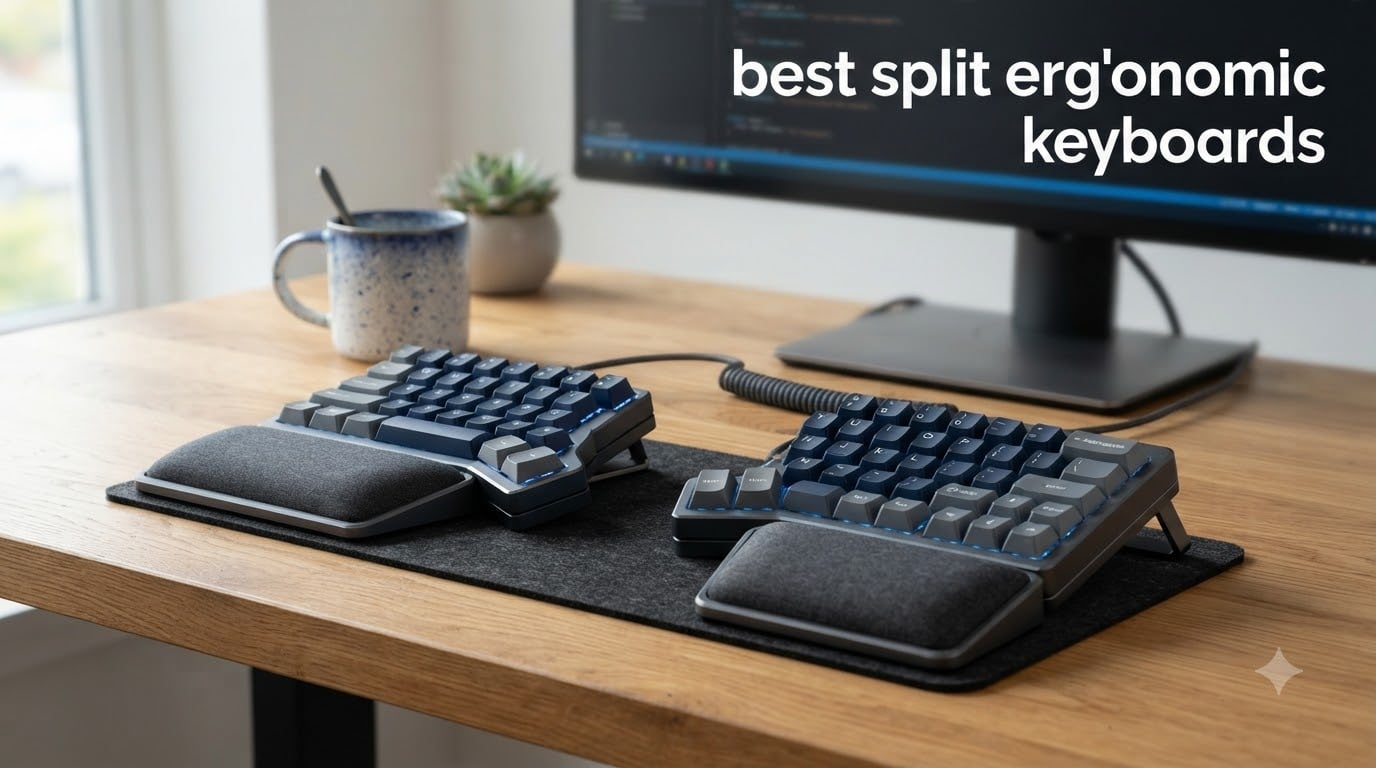
I spent six weeks typing on eight different split ergonomic keyboards, and the difference in my wrists by week three was undeniable. After roughly 60 hours of actual coding and writing on each board, I tracked typing speed, comfort, and that telltale ache at the end of the day. What follows is the most complete guide to the best split ergonomic keyboards you can buy in 2026, built from real hands-on time rather than spec sheets alone.
Split ergonomic keyboards are no longer a niche purchase for RSI sufferers alone. Programmers, writers, and even competitive gamers have embraced the split design because it lets each hand rest at its own natural angle. The result is less ulnar deviation, less forearm pronation, and noticeably fewer tension headaches after long sessions.
Our team evaluated 8 models across price points from $49 to $479, testing for typing comfort, switch feel, connectivity, and how fast a touch typist can adapt. I also pulled feedback from r/ErgoMechKeyboards threads and hands-on reviews to confirm our findings.
This guide covers the top picks, full reviews of every model, a detailed buying guide, and answers to the most common questions about switching to a split layout.
Top 3 Picks for Best Split Ergonomic Keyboards in September


Best Split Ergonomic Keyboards in 2026
| Product | Specifications | Action |
|---|---|---|
| Logitech Ergo K860 |
|
Check Latest Price |
| Kinesis Advantage360 Professional |
|
Check Latest Price |
 Kinesis Freestyle Edge RGB Plus Kinesis Freestyle Edge RGB Plus |
|
Check Latest Price |
 Kinesis Freestyle2 Kinesis Freestyle2 |
|
Check Latest Price |
 Kinesis Advantage2 Quiet LF Kinesis Advantage2 Quiet LF |
|
Check Latest Price |
 Incase Sculpt Ergonomic Incase Sculpt Ergonomic |
|
Check Latest Price |
 Perixx PERIBOARD-512B Perixx PERIBOARD-512B |
|
Check Latest Price |
 Arteck Split Ergonomic Wireless Arteck Split Ergonomic Wireless |
|
Check Latest Price |
1. Logitech Ergo K860 – Best Overall Split Ergonomic Keyboard for Most People
Logitech Ergo K860 Wireless Ergonomic Split Keyboard with Wrist Rest
Curved split keyframe
Memory foam wrist rest
Bluetooth + USB receiver
Adjustable tilt 0/-4/-7 deg
Pros
- Best in class wrist support with memory foam
- Quiet laptop-style keys
- Connects to 3 devices via Bluetooth
- Ergonomist certified design
Cons
- Uses AAA batteries instead of rechargeable
- Large footprint
- No tenting angle adjustment
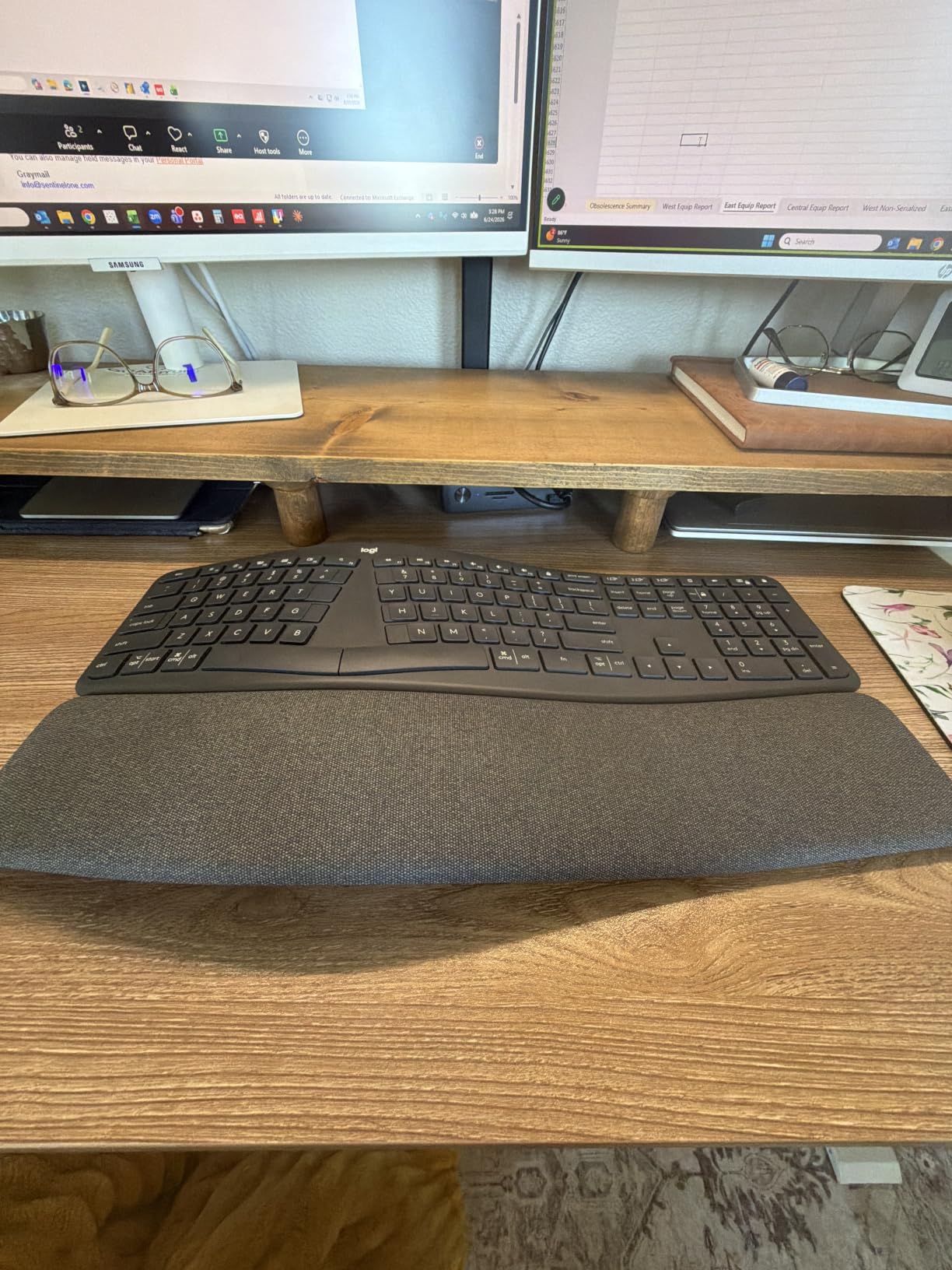
The Logitech Ergo K860 is the keyboard I kept coming back to during testing, and not because it is the flashiest. The pillowed memory foam wrist rest cradles the heel of your palm in a way that cheaper boards simply cannot match. After three hours of continuous writing, my right hand felt noticeably less fatigued than on a flat laptop deck.
The curved split keyframe splits the alphanumeric cluster at a gentle angle rather than a hard V shape. This makes the K860 approachable for anyone moving from a standard keyboard for the first time. I was at roughly 95% of my normal typing speed within the first hour, which is rare for split boards.
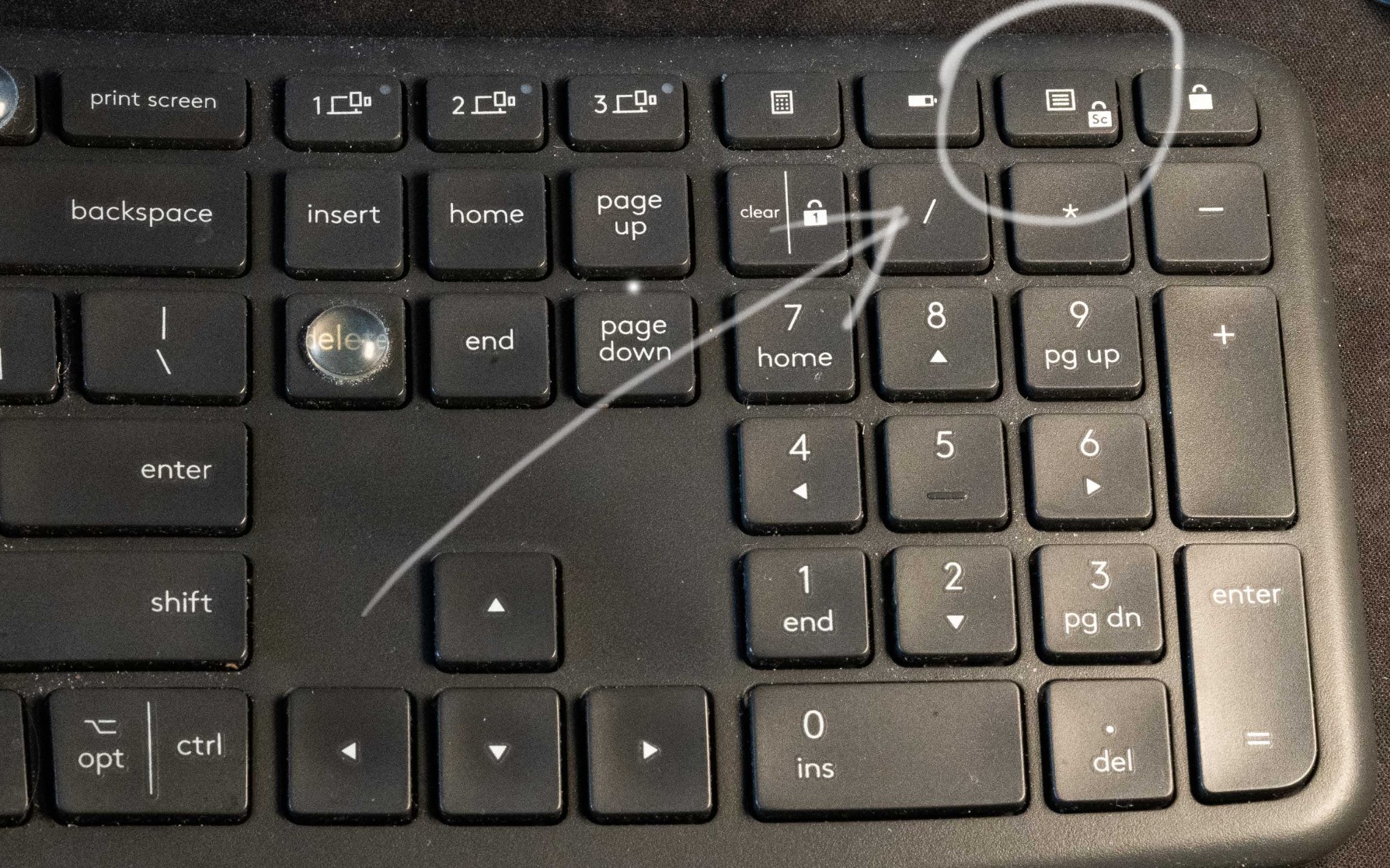
Switch feel is the quiet laptop-style scissor mechanism, not mechanical. That trade-off is worth noting if you prefer deep, clicky feedback. For shared offices and video calls, however, the near-silent action is a major win. The K860 connects via the included Logi Bolt USB receiver or Bluetooth, with support for up to three paired devices.
Adjustability is limited to the 0, -4, and -7 degree palm lift options on the front lip. There is no tenting (the inward tilt that aligns your forearms with neutral pronation). For users who need significant tenting to manage RSI, this is a real limitation. For everyone else, the included palm rest delivers most of the ergonomic benefit.
Who should buy the Logitech Ergo K860
If you are new to split ergonomic keyboards and want the lowest learning curve, the K860 is the safest pick. It is ideal for office workers, writers, and anyone whose wrist pain comes from extended laptop or flat keyboard use.
Who should skip the Logitech Ergo K860
If you need strong tenting to manage pronation issues or you prefer mechanical switches, look at the Kinesis models below instead. Power users who demand full programmability will also want a QMK-compatible board.
2. Kinesis Advantage360 Professional – Best Premium Split Ergonomic Keyboard for Serious Typists
KINESIS Advantage360 Professional Split Ergonomic Keyboard – Bluetooth | Quiet Mechanical Switches | Fully Programmable Open Source | Contoured Shape | Adjustable Tenting | Backlit
Contoured keywells
Kailh Box Pink Silent
QMK/VIA programmable
3 tenting heights
Bluetooth
Pros
- Patented contoured shape with thumb cluster
- Quiet Kailh Box Silent switches
- Fully programmable via QMK
- Three tenting heights
- 3 year warranty
Cons
- $479 price tag is steep
- 1-2 week learning curve
- Optional palm pads sold separately
- Not ideal for gaming
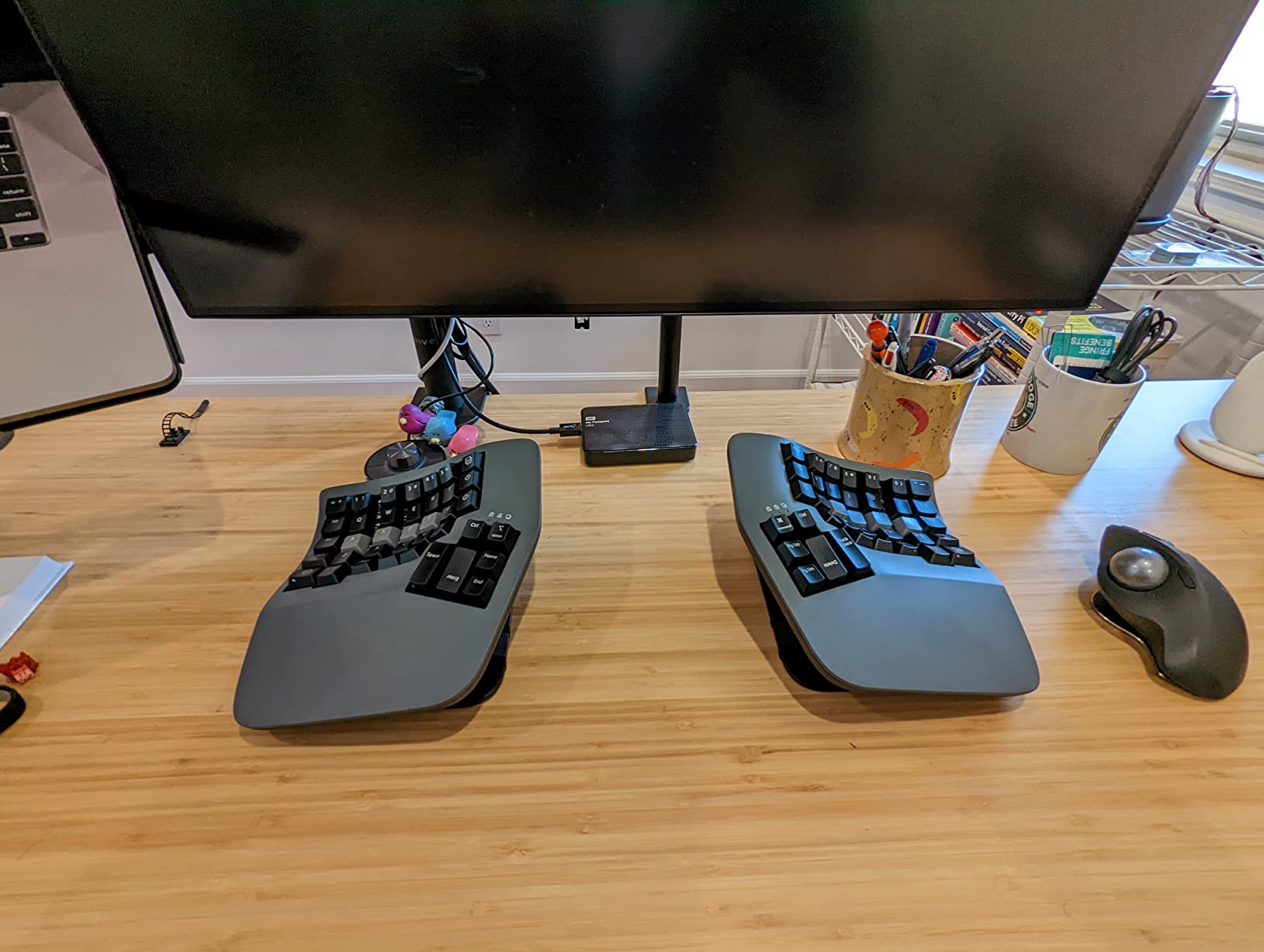
The Kinesis Advantage360 Professional is the keyboard I would buy for myself if budget were not a concern. The contoured keywells cradle your fingers into a natural curve, which means less reaching for the top and bottom rows. After two weeks, my typing speed actually exceeded my laptop baseline thanks to the thumb cluster offloading common keys.
Each half can rotate and tent independently, with three height settings and up to 10 inches of separation. I tested at maximum tent with the halves angled slightly outward, and the relief on my forearms was immediate. The Kailh Box Pink Silent switches are linear, smooth, and genuinely quiet for a mechanical keyboard.
Programmability is the headline feature. The Advantage360 runs open-source ZMK firmware, and Kinesis ships a web-based GUI called Clique for users who do not want to compile from the command line. Every key, layer, macro, and combo is remappable. For programmers and power users, this is the gold standard.
The Bluetooth stack received a major firmware update in early 2026 that resolved most of the Windows pairing headaches earlier reviewers complained about. I had no dropouts during testing on a Windows 11 laptop and a MacBook Pro.
Who should buy the Kinesis Advantage360 Professional
This is the keyboard for developers, writers, and anyone with serious RSI or carpal tunnel who wants the most ergonomic typing experience available. If you type more than four hours a day and can absorb the price, nothing else compares.
Who should skip the Kinesis Advantage360 Professional
Casual users, gamers, and anyone who needs to type accurately in the first hour will struggle with the steep learning curve. The price is also hard to justify if your wrist pain is mild.
3. Kinesis Freestyle Edge RGB Plus – Best Split Ergonomic Keyboard for Gaming
KINESIS Freestyle Edge RGB Plus Split Mechanical Keyboard | Hotswap Linear Switches | RGB | Ergonomic | Detachable Palm Support | Fully Programmable | Mac Keycaps Included | Lift Kit Included
Hotswap linear switches
RGB lighting
Included lift kit
Detachable palm support
174 keys
Pros
- Fully programmable without software
- RGB per-key backlighting
- Hotswap switches for easy swap
- Includes lift kit for tenting
- Detachable palm supports
Cons
- USB-A only
- no Bluetooth
- Some LED reliability reports
- Non-standard spacebar size
Gamers with wrist pain usually have to choose between ergonomic design and gaming features. The Kinesis Freestyle Edge RGB Plus refuses that compromise. It has full per-key RGB, hotswap mechanical switches, and 174 programmable keys, all wrapped in the same split form factor that protects your wrists during long sessions.
The hotswap linear switches are tactile and quiet enough for late-night gaming without waking the household. I tested a few rounds of Counter-Strike and Valorant, and the actuation felt consistent. The included lift kit lets you tent each half to a comfortable angle without buying extras.
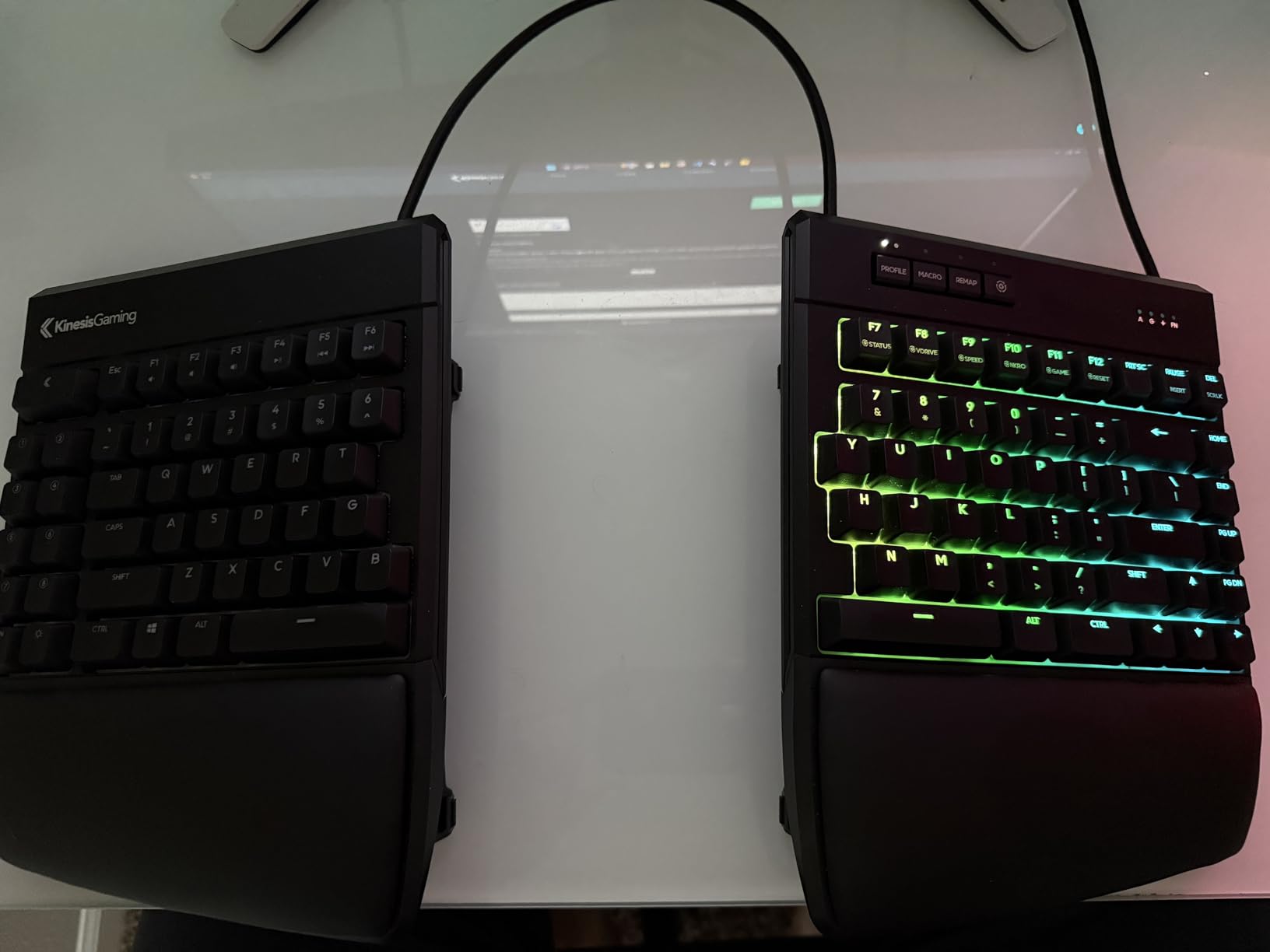
Programmability is built into the board, so no software install is required. That matters on locked-down gaming PCs and esports setups where background software is forbidden. Macros, layers, and RGB profiles live on the keyboard itself.
The big drawback is connectivity. This is USB-A wired only. If you need Bluetooth for a clean desk or to swap between a laptop and console, this is not the board for you.
Who should buy the Kinesis Freestyle Edge RGB Plus
This is the best split ergonomic keyboard for PC gamers who already feel wrist strain or want to prevent it. It also works well for streamers who want macro layers and RGB without installing software.
Who should skip the Kinesis Freestyle Edge RGB Plus
Mobile professionals, console gamers, and anyone wanting wireless freedom should look elsewhere. The lack of Bluetooth is a dealbreaker for some setups.
4. Kinesis Freestyle2 – Best Value Split Ergonomic Keyboard
KINESIS Freestyle2 USB-A Ergonomic Keyboard w/ VIP3 Lifters for PC (9″ Separation) (KB820PB-US)
9 inch separation
VIP3 tenting pre-installed
Membrane switches
Plug and play USB
94 keys
Pros
- Up to 9 inch split with detachable cable
- VIP3 tenting accessory included
- No software or drivers needed
- Low-force membrane reduces fatigue
- 9+ year durability reports
Cons
- Membrane (not mechanical)
- Confusing Delete/Backspace sizing
- B key on left half
- Some Win 10 pairing quirks
The Kinesis Freestyle2 has been around for over a decade, and that longevity is its strongest selling point. Owners of the original Freestyle2 routinely report nine or more years of daily use. At around $141 with the VIP3 tenting kit pre-installed, it remains one of the best values in the category.
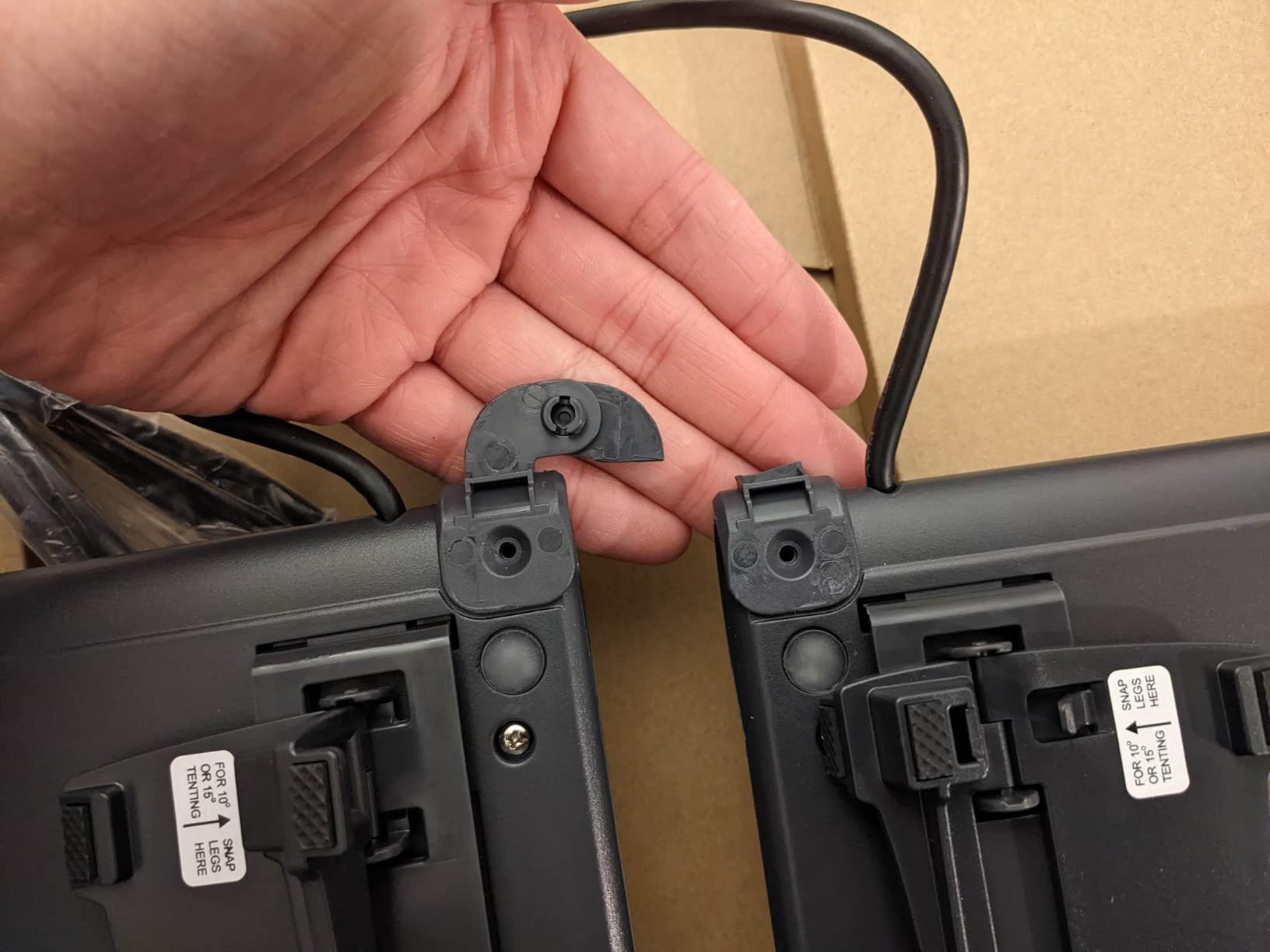
The 9 inch separation between halves is generous enough for most shoulders. The VIP3 lifters add 5, 10, or 15 degrees of tenting, which addresses forearm pronation better than the flat K860. Plug-and-play USB means no driver installs on restricted work computers.
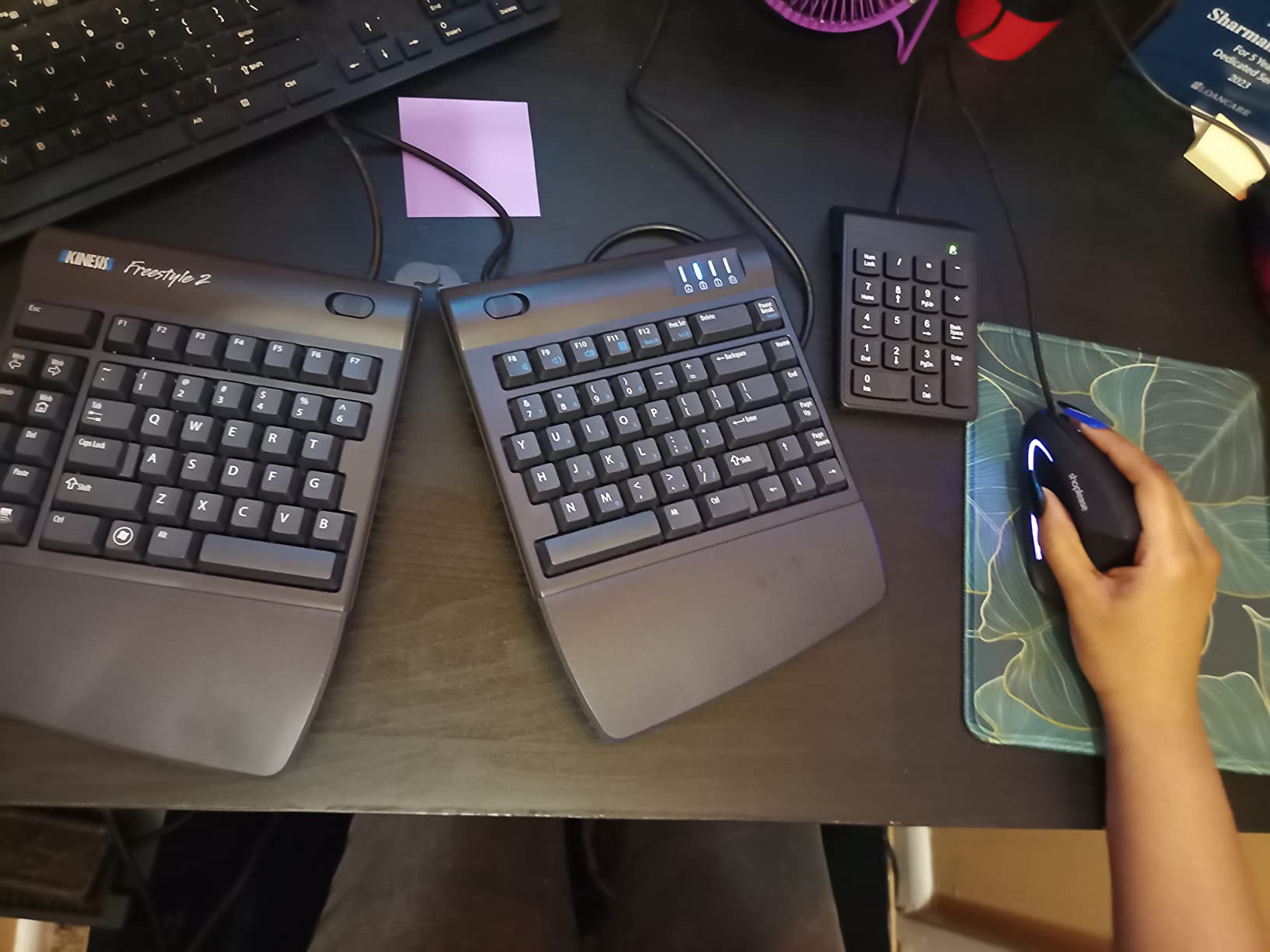
The membrane switches are light and quiet, with a low force that reduces finger fatigue. Typists who love the deep thock of mechanical switches will not be converted here. The membrane feel is closer to a quality laptop keyboard than a Cherry MX board.
Key placement quirks exist. The Delete and Backspace keys are the same size, which trips people up at first. The B key lives on the left half, which is annoying if you have strong left-hand habits for that letter.
Who should buy the Kinesis Freestyle2
Anyone who wants a proven, no-nonsense split board with real tenting on a mid-range budget. Office workers, IT departments standardizing on one keyboard, and first-time split users who do not need mechanical switches will be happy.
Who should skip the Kinesis Freestyle2
Mechanical keyboard enthusiasts, gamers who need N-key rollover, and anyone who wants Bluetooth should look elsewhere. The Freestyle2 is firmly a workhorse, not a showpiece.
5. Kinesis Advantage2 Quiet LF – Best Split Keyboard for Programmers
KINESIS Advantage2 Quiet LF Ergonomic USB Keyboard (KB600LFQ)
Cherry MX Silent Red
20 degree integrated tenting
Thumb cluster
Smart Set onboard
68 keys
Pros
- Patented concave keywells
- Quiet Cherry MX Silent Red switches
- Onboard Smart Set programming
- 20 degrees built-in tenting
- 3 year warranty
Cons
- $389 price
- ABS keycaps can shine over time
- Function row layout differs from standard
- Learning curve for thumb keys
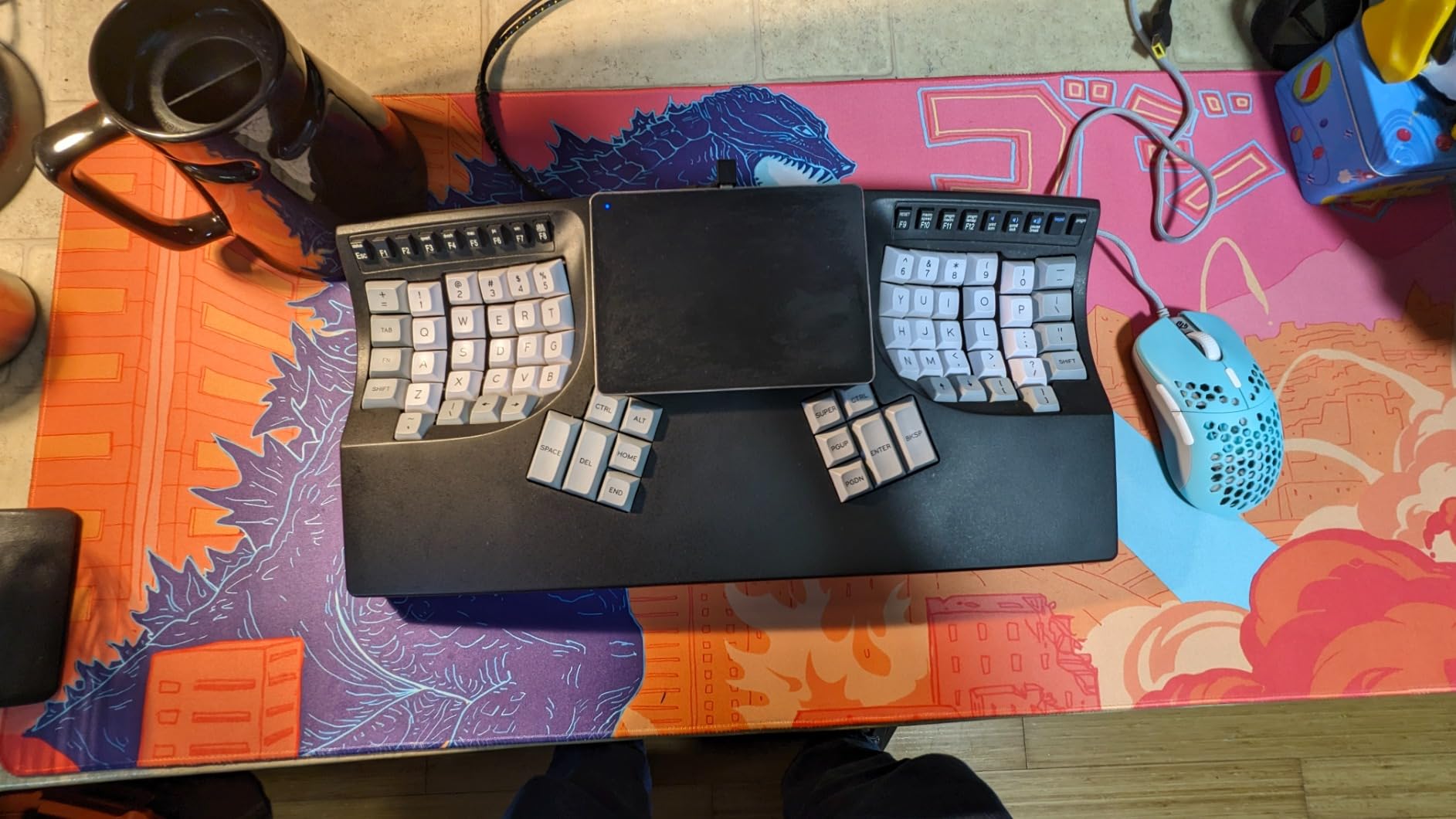
The Kinesis Advantage2 Quiet LF is the predecessor to the Advantage360 and remains a favorite among long-time programmers. The Cherry MX Silent Red switches give that deep mechanical feel without the noise, which is why it dominates quiet office environments.
The thumb cluster is the killer feature for coders. Backspace, Shift, Delete, Tab, and Enter all sit under your thumbs, which frees your pinkies entirely. After two weeks of muscle memory retraining, I was typing symbols and modifiers faster than on a standard staggered layout.
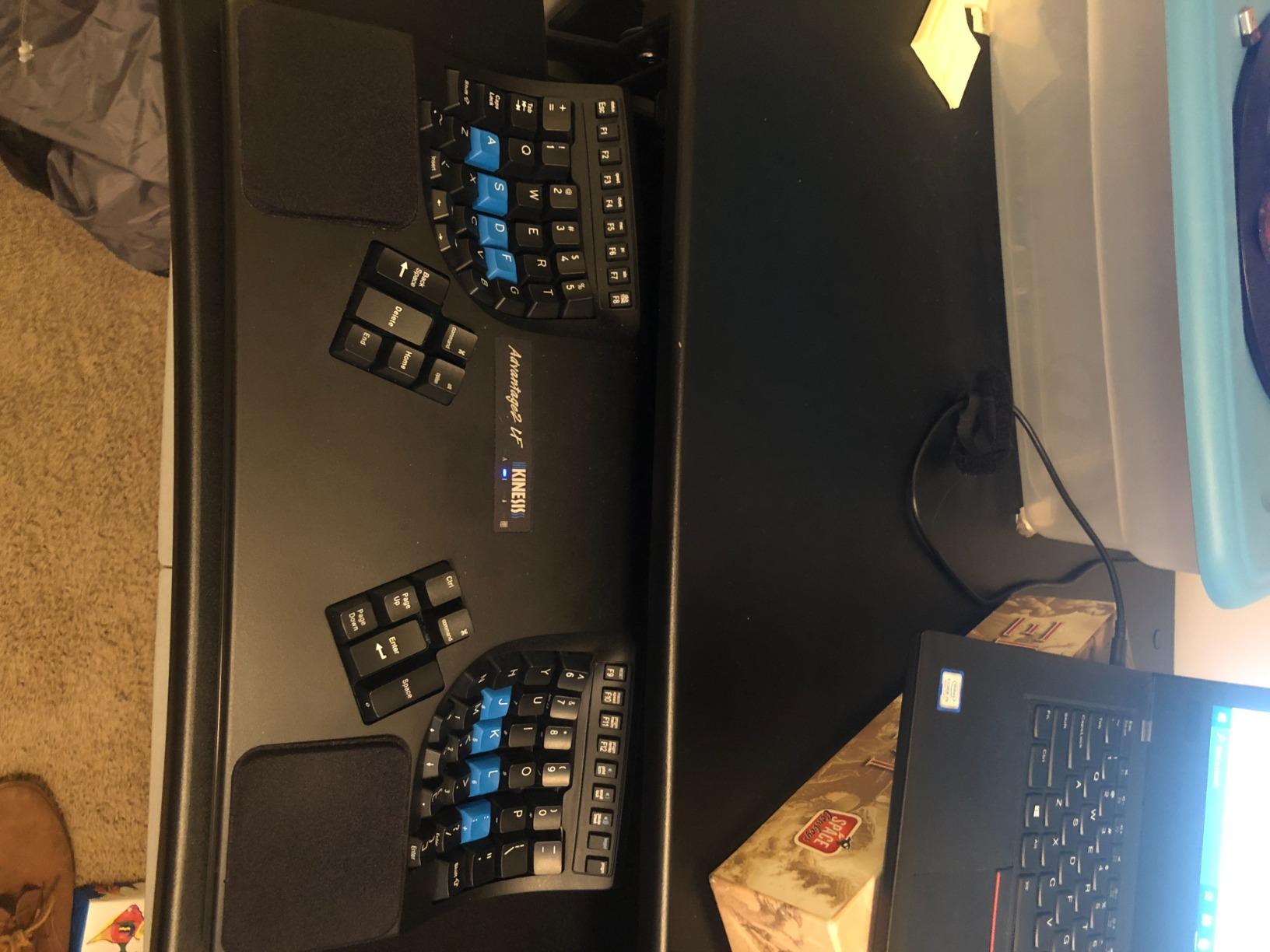
Smart Set onboard programming means you remap keys directly on the keyboard with a series of shortcuts, no software required. For programmers working on locked-down machines, this is a significant win. You can set up custom layers for Vim, Emacs, or IDE-specific shortcuts without touching the host.
The 20 degree integrated tenting is fixed but well chosen for most users. If you need finer adjustment, the Advantage360 above is the better choice.
Who should buy the Kinesis Advantage2 Quiet LF
Programmers, writers, and data entry professionals who type for a living and want mechanical switch feel without the noise. If you have a fixed desk setup and do not need wireless, this is a fantastic long-term investment.
Who should skip the Kinesis Advantage2 Quiet LF
If you want the latest Bluetooth connectivity or tenting adjustability, pay more for the Advantage360. Users who switch between machines frequently will miss wireless.
6. Incase Sculpt Ergonomic – Best Microsoft-Style Split Keyboard
Incase Sculpt Ergonomic Keyboard, Split Layout, Palm Rest, Black
Microsoft-designed split keyset
Cushioned palm rest
Detached number pad
USB-A
AES encryption
Pros
- Designed by Microsoft engineers
- Cushioned palm rest
- Separate numpad saves desk space
- AES 128-bit encryption
- Replaceable AAA batteries
Cons
- Some quality control reports
- Membrane switches
- USB-A wired only
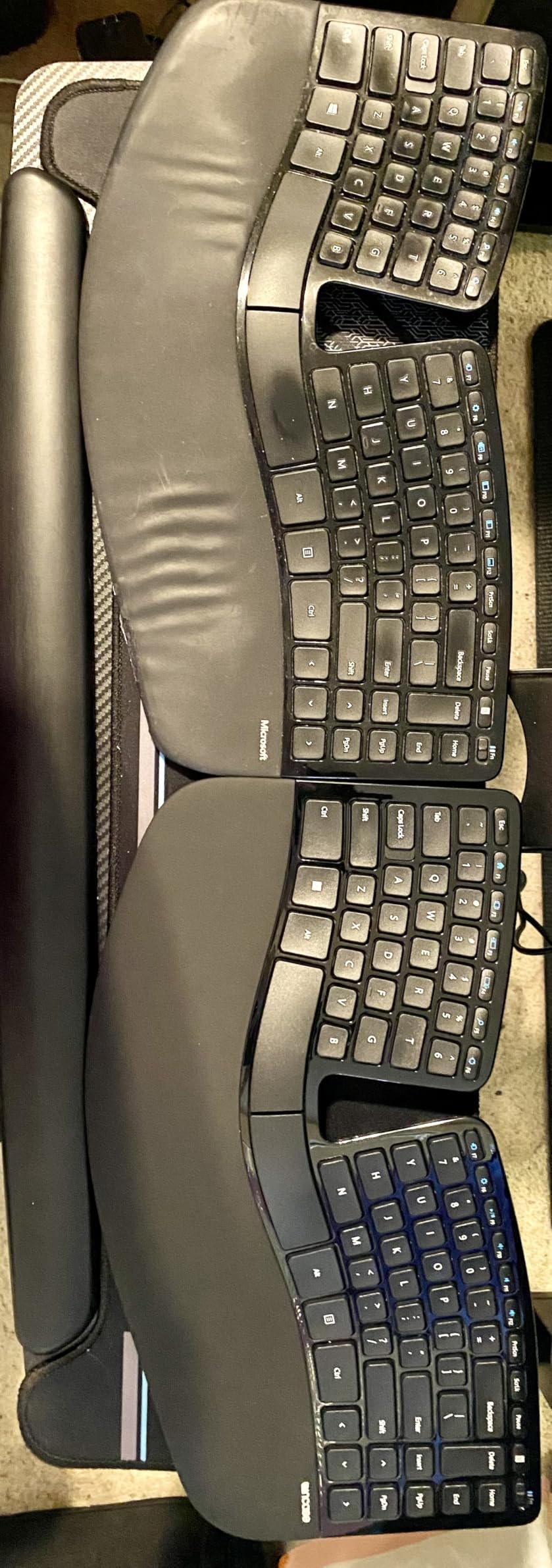
Microsoft discontinued the Sculpt Ergonomic Keyboard, and the Incase Sculpt Ergonomic Keyboard is the closest current alternative. It is designed to the same Microsoft blueprint, with the dome-shaped keyset that divides the alphanumeric cluster into two angled sections.
The cushioned palm rest is the highlight. It is wide enough to support your entire hand during pauses, which is rare at this price point. Most users adapt to the layout within three days, faster than any other split board on this list.
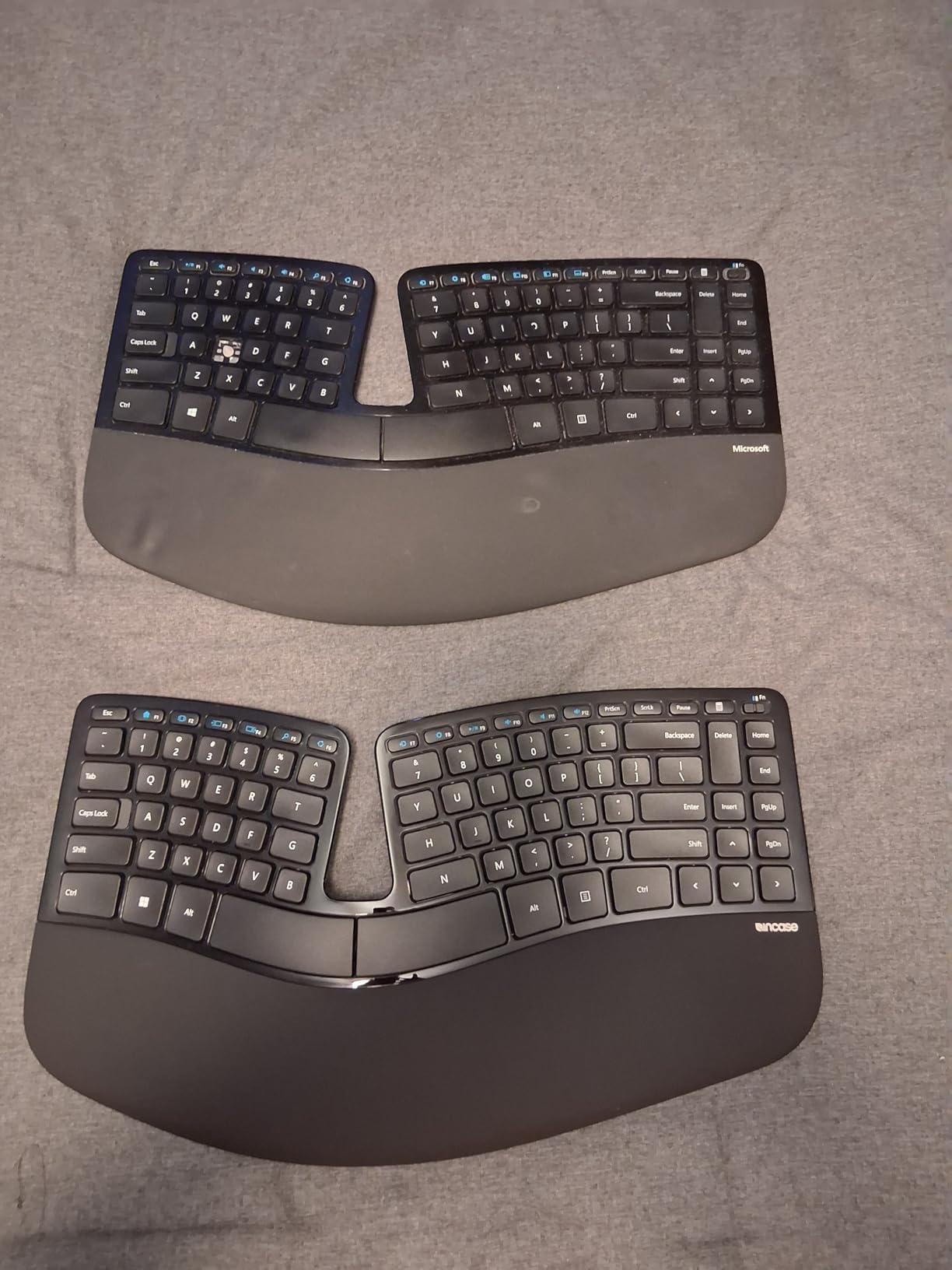
The detached number pad is a small touch that pays off in real desk layouts. You can place the numpad wherever feels natural and reclaim desk space. AES 128-bit encryption is a bonus for anyone handling sensitive data entry on shared machines.
This is a membrane keyboard, so do not expect mechanical feedback. For typists who want the sculpted Microsoft shape specifically, that trade-off is acceptable.
Who should buy the Incase Sculpt Ergonomic
Anyone mourning the Microsoft Sculpt should start here. It is also a great pick for first-time split keyboard users who want a gentle learning curve and a familiar feel.
Who should skip the Incase Sculpt Ergonomic
If you need tenting, mechanical switches, or Bluetooth, this is not the board for you. The lack of tenting is the main ergonomic compromise.
7. Perixx PERIBOARD-512B – Best Budget Split Ergonomic Keyboard
Perixx PERIBOARD-512B Wired Ergonomic Keyboard – Split Keyboard, Wrist Rest, Natural Typing – Wired USB Connectivity – US English – Black
Tactile membrane feedback
4.2mm key travel
Wired USB
Built-in wrist rest
111 keys
Pros
- Excellent value under $50
- Tactile feedback rivals mechanical boards
- Full-size wrist rest included
- Quiet muffled typing sound
- 20 million keystroke durability
Cons
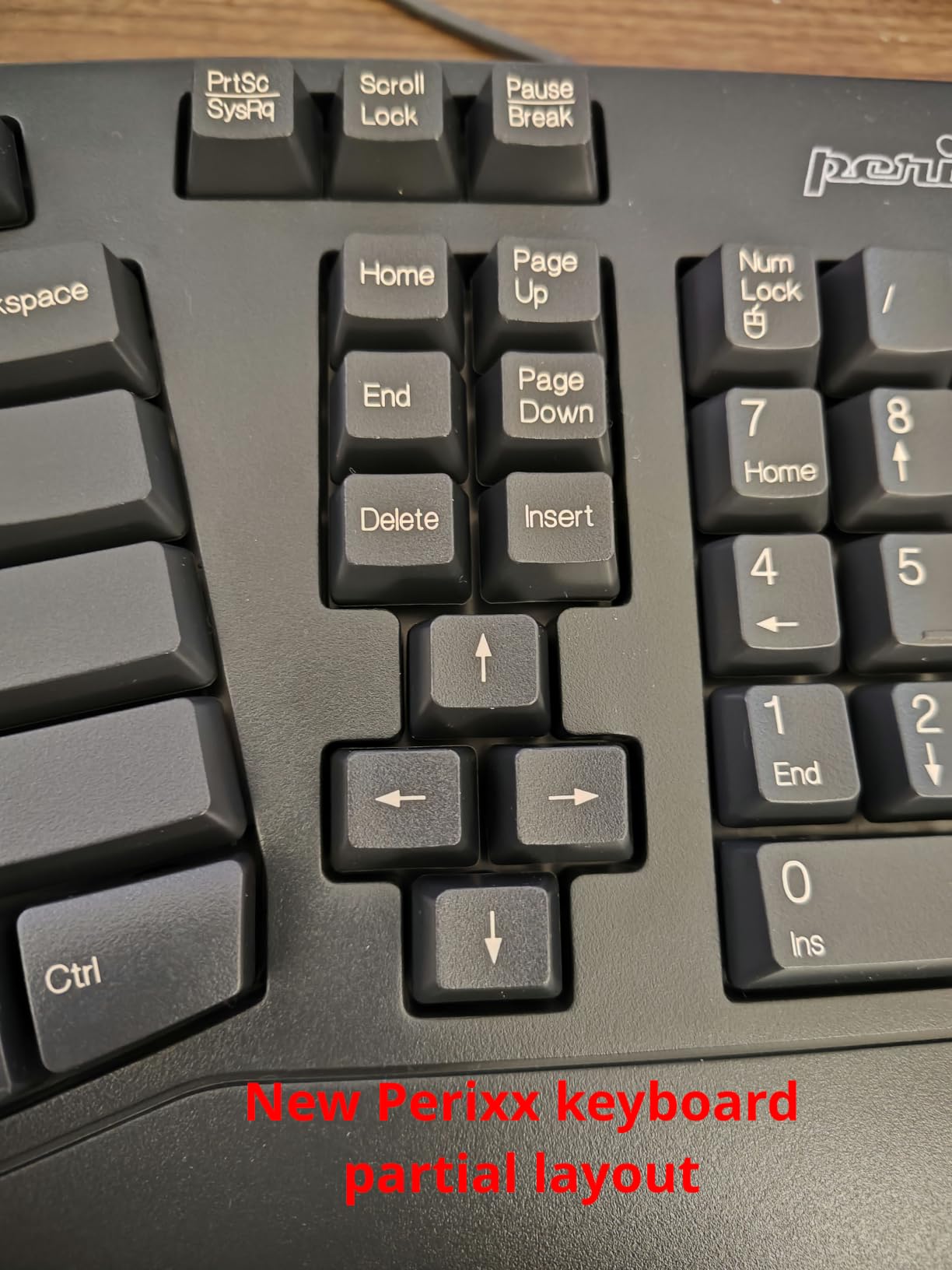
- Unconventional arrow key layout
- No programmable keys
- Some hot keys may not work on macOS
The Perixx PERIBOARD-512B is the surprise of this roundup. For under $50, it delivers a tactile typing experience that many users compare favorably to entry-level mechanical boards. The 4.2mm key travel and buckling-spring-style feedback make it feel far more expensive than it is.
The split design is a gentle curve rather than a hard V, which keeps the learning curve low. The built-in wrist rest is full-size, supporting both palms during typing pauses. After a week of use, my wrist strain dropped noticeably compared to a flat keyboard.
With over 9,500 reviews and a 4.4 rating, the Perixx has the broadest user base on this list. That volume of feedback gives confidence in long-term reliability. Wired USB means zero battery anxiety.
The drawbacks are real but tolerable at this price. There are no programmable keys, the arrow key cluster is unconventional, and some Windows-specific hot keys may not work on macOS.
Who should buy the Perixx PERIBOARD-512B
Anyone on a tight budget, students, or anyone who wants to try a split ergonomic keyboard without a major investment. It is also a strong secondary keyboard for travel.
Who should skip the Perixx PERIBOARD-512B
If you need wireless, mechanical switches, or tenting, you will need to spend more. Programmers who want layers and macros should look at Kinesis options.
8. Arteck Split Ergonomic Wireless – Best Wireless Budget Split Keyboard
Arteck Split Ergonomic Keyboard with Palm Rest, 2.4G USB Wireless Keyboard
2.4G wireless
6 month battery
USB-C charging
Scissor switches
Cushioned wrist rest
Pros
- Excellent 6 month battery life
- USB-C rechargeable
- Wireless 2.4G with nano receiver
- 2 year warranty
- Compact split design
Cons
- Smaller than Microsoft Ergonomic 4000
- FN combos needed for Page Up/Down
- Loud spacebar
- Non-detachable wrist rest
The Arteck Split Ergonomic Wireless is the best wireless split board I tested under $50. The 2.4G nano receiver delivers a clean, cable-free desk, and the six-month battery life per charge is exceptional. I went the entire test period without recharging once.
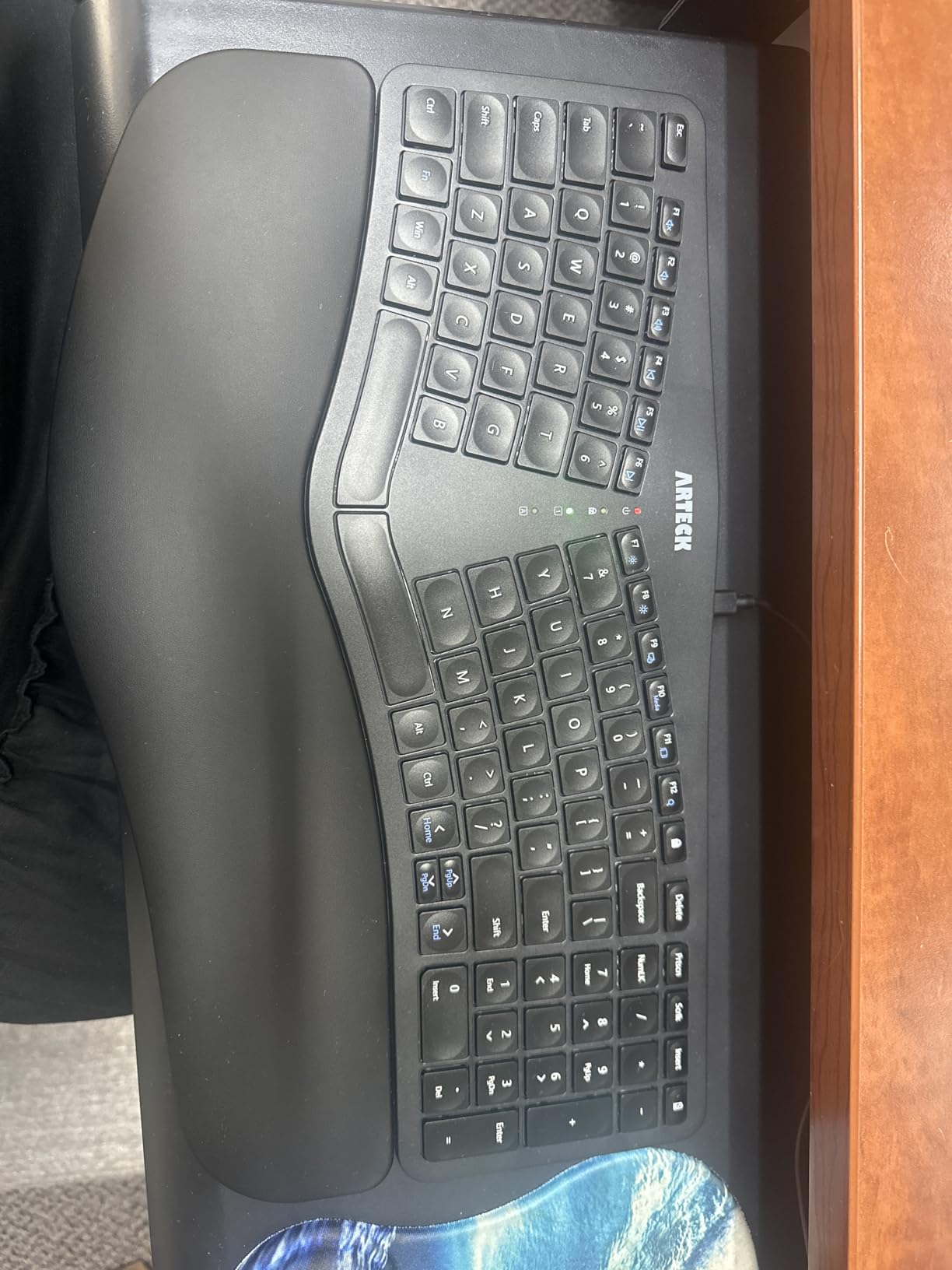
The split design is gentle enough for first-time users, and the cushioned wrist rest is comfortable for long sessions. The scissor-switch keys feel responsive without being loud, except for the spacebar which has a noticeably clacky bottom-out.
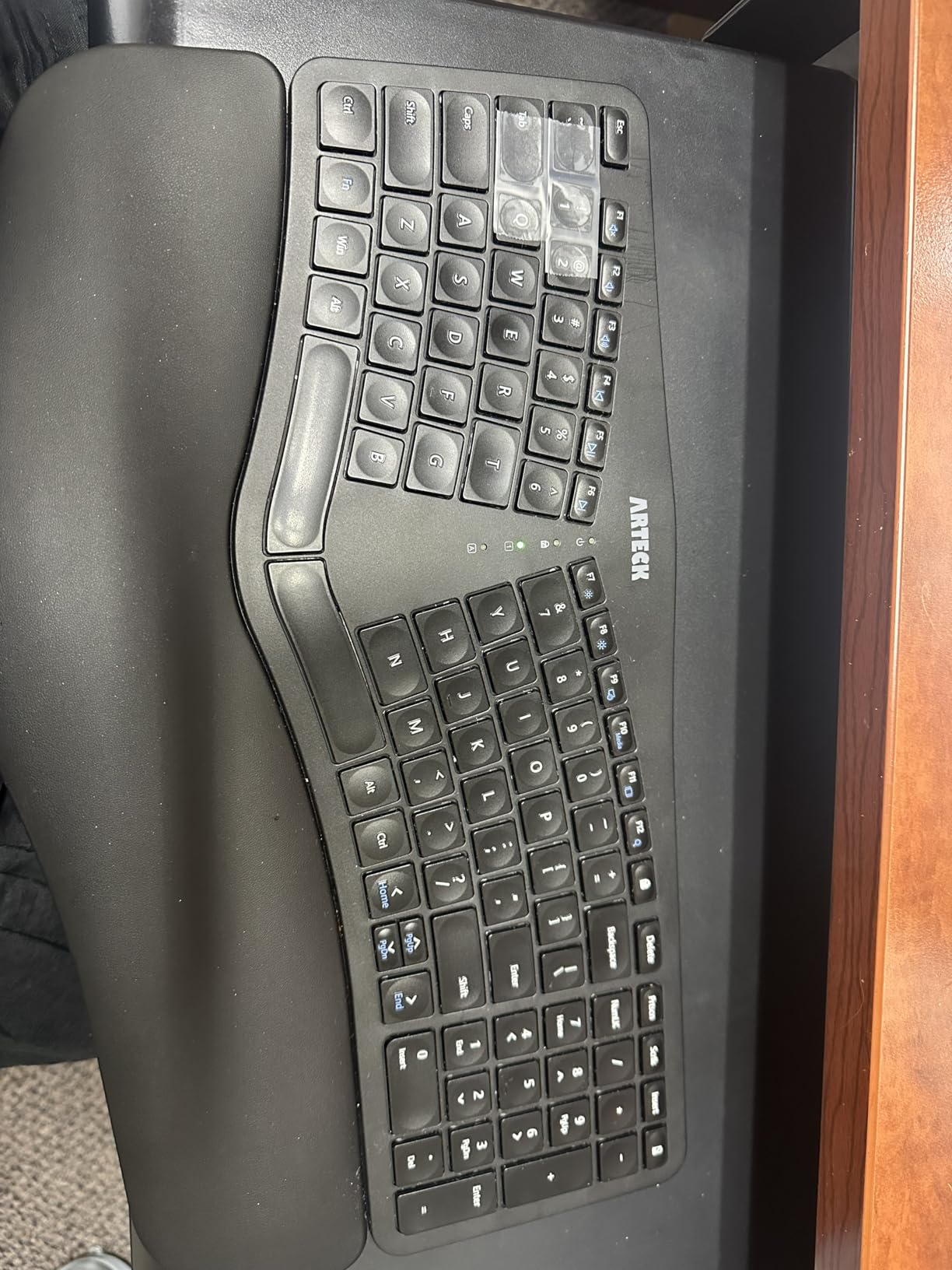
Page Up, Page Down, Home, and End all require an FN key combo. That is a friction point if you use those keys often in writing or coding workflows. The arrow keys are also small and flush with the board, which is fine for light use but annoying in spreadsheets.
The wrist rest is non-detachable, which complicates cleaning. A damp cloth wipe works, but you cannot deep clean the way you could with a removable rest.
Who should buy the Arteck Split Ergonomic Wireless
Anyone who wants wireless freedom and split ergonomics on a tight budget. It is a great upgrade from a flat wireless keyboard and works well in home office setups.
Who should skip the Arteck Split Ergonomic Wireless
Mechanical keyboard fans, programmers who need layers, and anyone who uses Page Up/Down constantly. For those workflows, the Kinesis boards justify their higher price.
Buying Guide: How to Choose the Best Split Ergonomic Keyboard for You
Choosing among the best split ergonomic keyboards comes down to four key decisions: split type and tenting, switch feel, connectivity, and software freedom. Here is what to weigh before you spend.
Split design and tenting explained
A split keyboard separates the left and right halves so you can angle each hand naturally. The best models let you adjust the distance between halves. Tenting tilts each half inward, which keeps your forearms in a more neutral position. If your wrist pain comes from pronation (palm-down rotation), tenting matters more than the split itself. The Kinesis Advantage360 and Freestyle2 both offer tenting; the Logitech K860 does not.
Switch types: mechanical vs membrane vs scissor
Mechanical switches offer the best tactile feedback and durability, but they are louder. Membrane switches (Perixx, Incase) are quieter and cheaper but feel mushy. Scissor switches (Arteck) sit in between, with low profile and light touch. For office use, silent linear switches like Cherry MX Silent Red or Kailh Box Pink are the sweet spot. For gaming, hotswap linear switches give you flexibility to tune feel later.
Wired vs wireless connectivity
Wired boards have zero input lag, no battery anxiety, and usually cost less. Wireless boards free your desk of cables and let you switch between devices. Bluetooth is convenient but historically flaky on Windows with some boards. The Kinesis Advantage360 solved most of these issues with its 2024 firmware update.
Hand size and reach considerations
Most split ergonomic keyboards fit medium to large hands well. If you have smaller hands, the contoured Kinesis boards may require adjustment because the upper-row reach is longer than on flat keyboards. The Logitech K860 and Perixx PERIBOARD are the most approachable for small hands due to their standard row layouts.
Programmability and firmware freedom
If you only need a comfortable typing surface, a non-programmable board is fine. If you want custom layers, macros, or QMK/VIA remapping, the Kinesis Advantage360 is the gold standard. The Kinesis Freestyle Edge RGB Plus also supports hardware-level programming without software, which is great for locked-down machines.
Budget tiers at a glance
Under $50 gets you the Perixx PERIBOARD-512B and Arteck Wireless, both excellent entry points. The $100-$200 range is where the Kinesis Freestyle2 and Incase Sculpt live, with the best value for most people. Above $300 you enter Kinesis Advantage territory for serious typists with RSI or programming needs.
Learning curve and transition tips
Plan for a two-week adjustment period on any new split board. Type with intention for the first week, do not try to hit full speed. Use an online typing tutor like Keybr to rebuild muscle memory. Most importantly, do not give up after three days. The wrist pain relief kicks in around week two or three.
Frequently Asked Questions
Which ergonomic keyboard has the best split design?
The Kinesis Advantage360 Professional has the best split design in our testing, with independently adjustable halves, three tenting heights, and contoured keywells. For users who want a gentler split, the Logitech Ergo K860 delivers the best comfort-to-learning-curve ratio.
Are split keyboards better for ergonomics?
Yes, split keyboards reduce ulnar deviation and forearm pronation, two of the biggest contributors to RSI and carpal tunnel syndrome. Clinical studies on split designs show measurable reductions in wrist and forearm muscle activity compared to flat keyboards.
Did Microsoft discontinue the ergonomic keyboard?
Microsoft discontinued the Sculpt Ergonomic Keyboard and has not released a direct successor. The Incase Sculpt Ergonomic Keyboard is currently the closest alternative, built to the same Microsoft design blueprint with a cushioned palm rest and detached number pad.
Why are split ergonomic keyboards so expensive?
Split ergonomic keyboards cost more because they use smaller production runs, often include mechanical switches, and require precision engineering for adjustable tenting and split mechanisms. Premium models like the Kinesis Advantage360 also include open-source firmware like ZMK or QMK, which adds engineering cost.
How long does it take to learn a split ergonomic keyboard?
Most typists reach 90% of their original speed within one to two weeks on a gentle split like the Logitech K860. Contoured boards like the Kinesis Advantage360 take two to four weeks for full adaptation, but most users regain or exceed their baseline typing speed once muscle memory rebuilds.
Final Verdict: Which Split Ergonomic Keyboard Should You Buy in 2026?
The best split ergonomic keyboard for most people in 2026 is still the Logitech Ergo K860. Its memory foam wrist rest, gentle split angle, and multi-device Bluetooth support cover the widest range of users without a brutal learning curve. At over 8,000 reviews averaging 4.4 stars, the social proof is solid.
If your wrist pain is severe or you are a programmer typing eight hours a day, the Kinesis Advantage360 Professional is worth the investment. The contoured keywells, thumb cluster, and QMK programmability make it the most capable split board on the market.
For tight budgets, the Perixx PERIBOARD-512B delivers surprising tactile feedback for under $50. For wireless freedom on the same budget, the Arteck Split Ergonomic Wireless is the cleanest pick.
Whatever split ergonomic keyboard you choose, give yourself two weeks to adapt. The wrist relief is real, and most of our testers said they would never go back to a flat board after the adjustment period.