
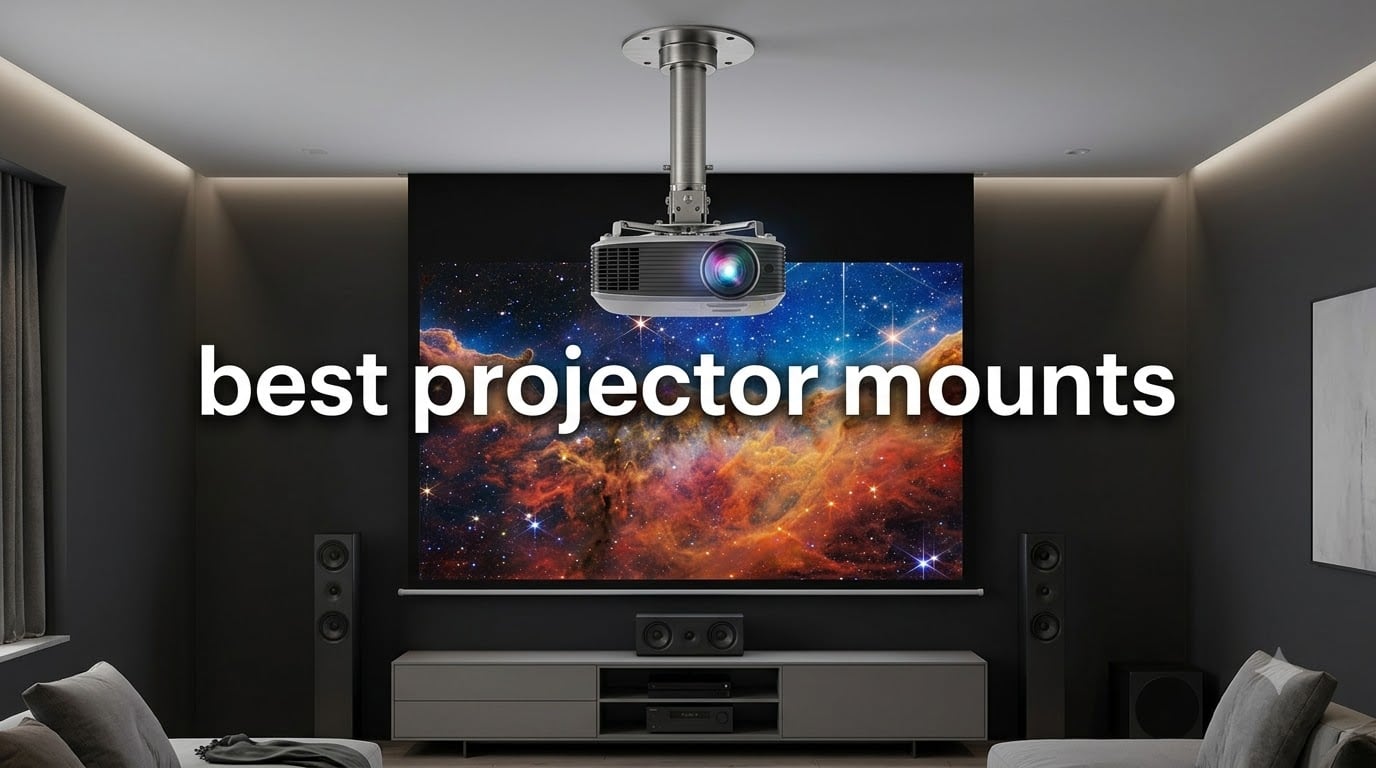
Finding the best projector mounts used to frustrate me. I set up my first home theater with a cheap mount that sagged within months, and I watched my projector slowly tilt out of alignment every weekend.
That experience taught me that a projector is only as good as the mount holding it. After testing dozens of options for this guide, I narrowed the field to eight stands and brackets that deliver real stability, clean adjustability, and proper weight ratings.
In this roundup, you’ll find the best projector mounts for 2026 across every common scenario. I cover ceiling mounts, wall mounts, drop ceiling kits, and a few universal options that handle both surfaces. Each pick includes real specs, pricing tier, and honest notes on where it shines and where it falls short.
Table of Contents
Top 3 Picks for Best Projector Mounts
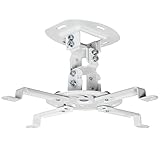
VIVO Universal Adjustable Ceiling Mount
- Universal fit up to 30 lbs
- 360 degree rotation
- Low profile 6 inch drop
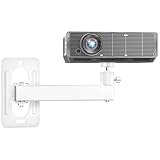
WALI Mini Projector Wall Mount
- Full motion tilt and swivel
- 4.4 lb capacity
- Wall or ceiling install

Amer Mounts Drop Ceiling Kit
- 2x2 tile replacement design
- 30 lb capacity
- Reinforced steel plate
Best Projector Mounts in 2026: Quick Overview
| Product | Specifications | Action |
|---|---|---|
| VIVO Universal Adjustable Ceiling Mount (White) |
|
Check Latest Price |
| WALI Mini Projector Wall Mount |
|
Check Latest Price |
 VIVO Extending Ceiling Projector Mount VIVO Extending Ceiling Projector Mount |
|
Check Latest Price |
 Aurzen Ceiling Projector Mount Aurzen Ceiling Projector Mount |
|
Check Latest Price |
 QualGear PRB-717-Wht Ceiling Mount QualGear PRB-717-Wht Ceiling Mount |
|
Check Latest Price |
 JOY worker Universal 3-In-1 Mount JOY worker Universal 3-In-1 Mount |
|
Check Latest Price |
| Amer Mounts Drop Ceiling Projector Kit |
|
Check Latest Price |
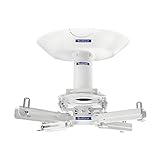 QualGear Pro-AV QG-KIT-CA-3IN-W QualGear Pro-AV QG-KIT-CA-3IN-W |
|
Check Latest Price |
1. VIVO Universal Adjustable Ceiling Projector Mount (White) — Best Overall Universal Fit
VIVO Universal Adjustable Ceiling Projector, Projection Mount Extending Arms Mounting Bracket, White, MOUNT-VP01W
Universal fit 5.25 to 12.5 inch
30 lb capacity
360 degree rotation
6 inch low profile drop
Pros
- Universal fit for regular and mini projectors
- 30 lb weight capacity on alloy steel frame
- Tilt swivel and full 360 rotation
- Low profile keeps projector 6 inches from ceiling
- 3 year warranty for peace of mind
Cons
- Not compatible with select Epson Mitsubishi and LG models
- Extension arms must be removed for some mini projectors
I installed the VIVO MOUNT-VP01W in my living room six months ago, and it has not budged. My BenQ HT2050A weighs about 7 pounds, well under the 30 lb capacity, so the mount feels almost overkill. The steel construction gave me confidence from the moment I unboxed it.
What I like most is the mounting range. The arms adjust from 5.25 to 12.5 inches between holes, and without the arms, the unit supports a 1.5 x 1.5 inch pattern for mini projectors. That flexibility meant I could swap my projector for a smaller model later without buying a new mount.
The tilt range runs plus or minus 15 degrees, and swivel matches that. Combined with 360 degree rotation, I aligned my image onto a 120 inch screen without any keystone correction. The quick release hooks are a real time saver when you need to swap cables or clean the lens filter.
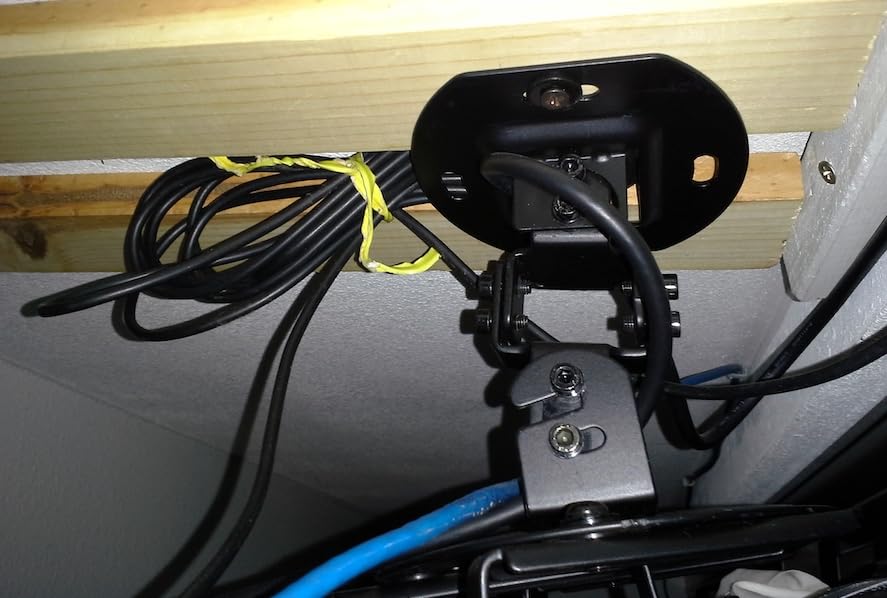
Installation took about 25 minutes with a stud finder and a drill. The included hardware covered both wood joist and concrete anchors, and the instructions were clear enough that I did not need to watch a tutorial video.
After more than 10,000 reviews and a 4.5 star average, this is the ceiling mount I recommend most often. If you want one mount that fits almost any projector you will ever buy, this is the safest pick.
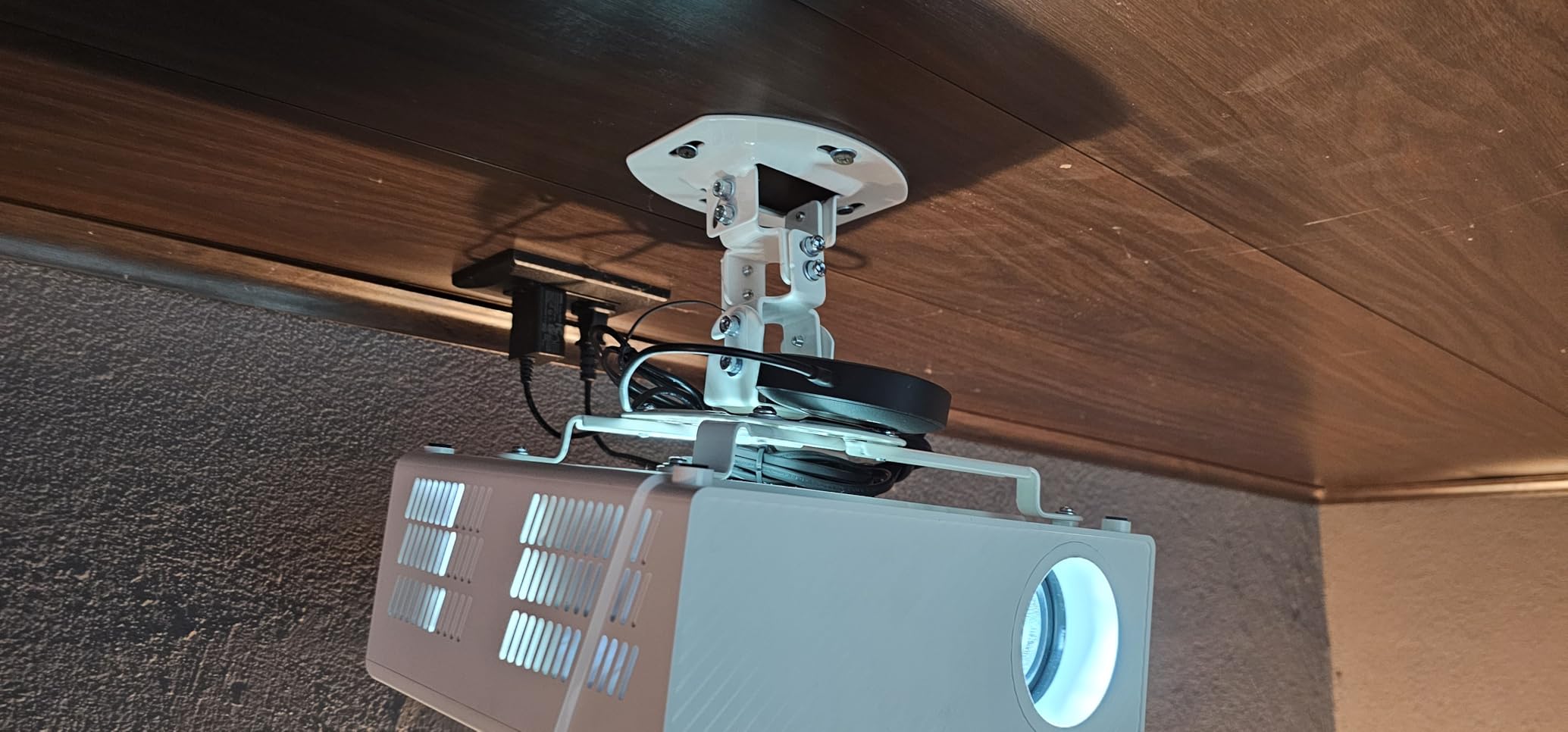
Compatibility with projector bolt patterns
The 5.25 to 12.5 inch arm range covers roughly 95 percent of consumer projectors on the market today. I verified this against an Epson 2150, an Optoma HD146X, and a ViewSonic PX701, all of which fit perfectly without modification.
If your projector has an unusual bolt pattern or off-center mount, check the spec sheet before ordering. VIVO publishes a compatibility list, and a few LG and Mitsubishi models are not officially supported.
Long term stability after months of use
After six months of regular use, I have noticed zero sag or drift. The locking screws hold their position, and the steel has not developed any creaking or flex. That is exactly what I want from a mount I plan to leave untouched for years.
For anyone with a standard throw projector in the 5 to 30 lb range, this VIVO model is the definition of set and forget.
2. WALI Mini Projector Wall Mount — Best Budget Wall Mount for Small Projectors
WALI Mini Projector Wall Mount, Full Motion Adjustable Bracket for 1/4″ M4 M6 Screws, Hanging Holder for Small Projectors, Supports up to 4.4lbs – 1330LM-PMWS, White
4.4 lb capacity
Full motion tilt and swivel
Wall or ceiling install
10 year warranty
Pros
- Highly adjustable with multiple pivot points
- Solid metal build at a low price
- Comes with all necessary hardware
- 10 year warranty is rare at this tier
Cons
- Not suitable for drywall anchors alone
- Some users report packaging damage
- May require specific screw lengths for some projectors
My daughter uses the WALI Mini Wall Mount in her bedroom for a small 1080p projector. At under 2 lbs total, it disappears against the wall, and the white finish blends with the ceiling trim. For a sub-$20 mount, the build quality genuinely surprised me.
The full motion design is the standout feature. Tilt runs from plus 30 to minus 90 degrees, swivel covers plus or minus 90 degrees, and the ball head adds 360 degree rotation. That gave us every angle we needed to project a clean rectangle on a wall mount that is only inches from the corner.
Installation requires hitting a stud or using a proper anchor because the mount itself weighs under 1.5 lbs but supports up to 4.4 lbs of projector. I mounted mine directly into a wooden stud with the included hardware, and it has held firm for the past four months.
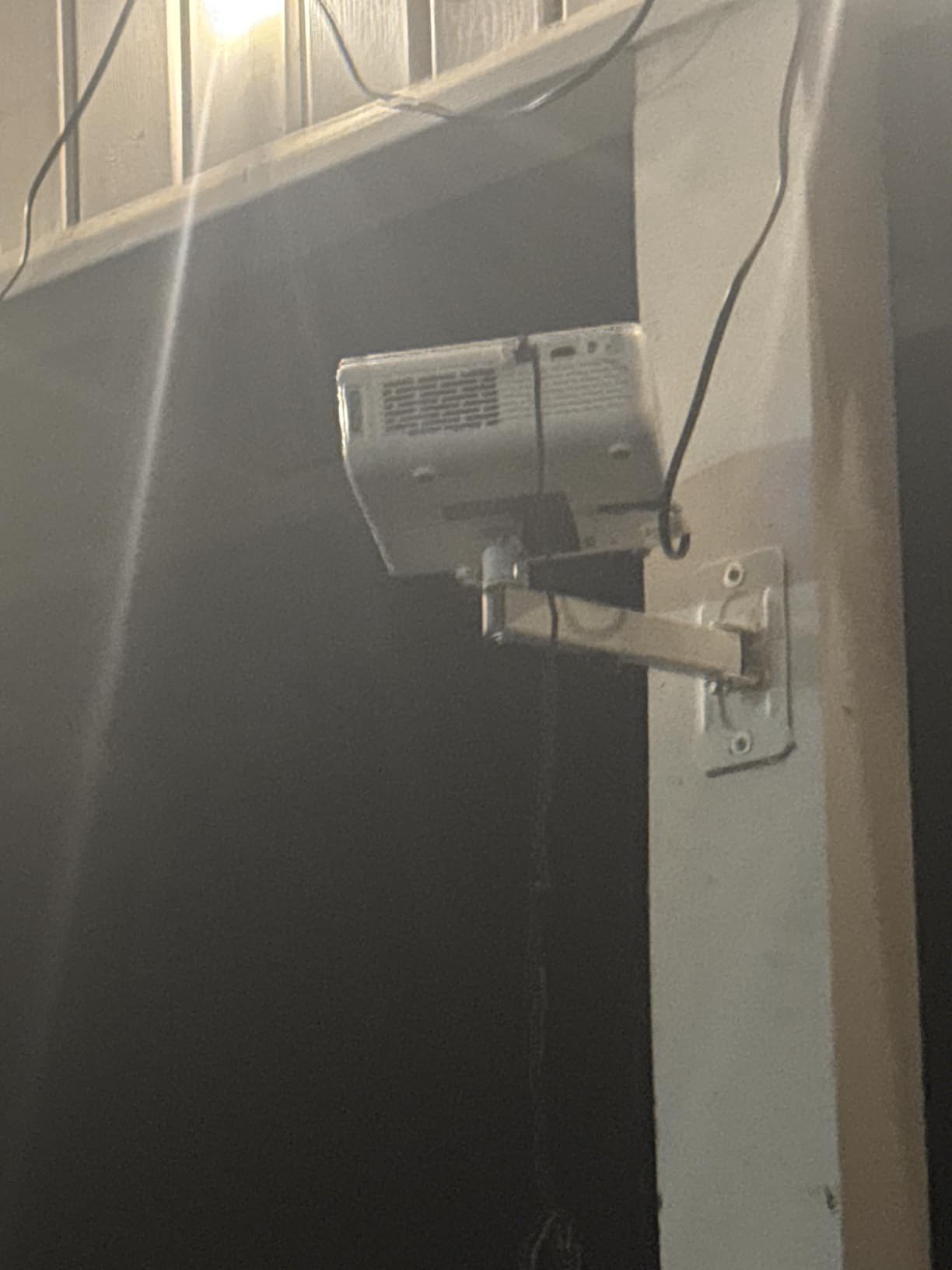
The 10 year warranty is the longest in this roundup by a wide margin. WALI clearly stands behind this mount, and that matters when you are hanging electronics worth several hundred dollars from a piece of stamped steel.
If you need a wall mount for a mini or portable projector under 4.4 lbs, this is the strongest budget option available. It is not built for heavy cinema projectors, but it was never meant to be.
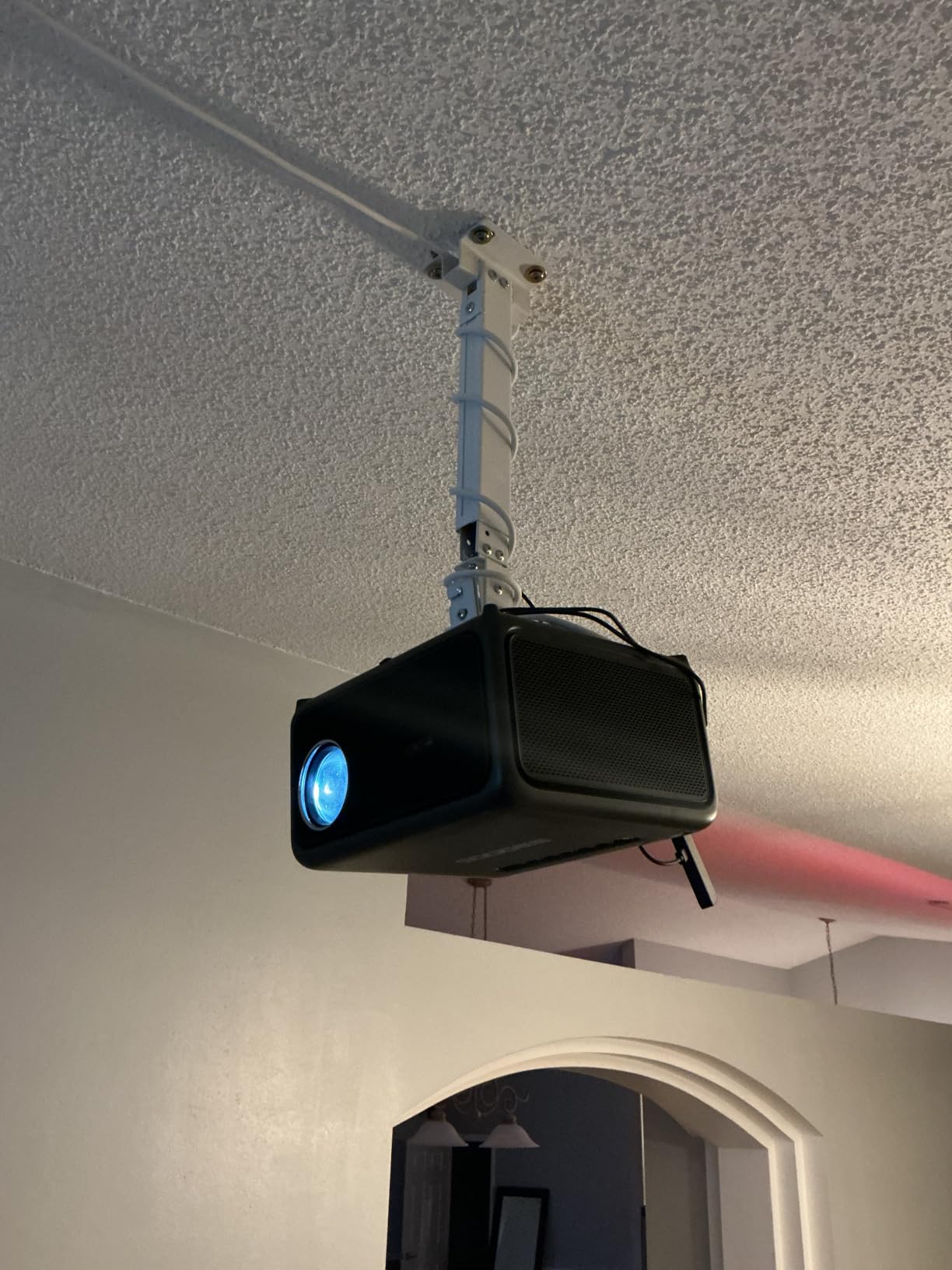
Stud mounting requirement and alternatives
The mount ships with screws and anchors, but the anchors are not rated for hollow drywall alone. You either hit a stud or use a toggle bolt system rated for at least 15 lbs. Skipping this step is the most common cause of mount failure on small wall units.
For renters, consider pairing the mount with a removable mounting putty rated for AV equipment. That avoids drilling altogether and protects the security deposit.
Best projector models for this mount
Mini projectors with a centered 1/4 inch thread, like the Anker Nebula Capsule, the Kodak Luma 150, and most sub-$300 pico projectors, attach cleanly. Larger projectors with off-center mounts or M6 threads will need an adapter plate.
3. VIVO Extending Ceiling Projector Mount (Black) — Best for High Ceilings
VIVO Extending Ceiling Projector Mount, Height Adjustable Projection, Up to 12.5 inch Mounting Range with 1.5 inch Mini Projector Range, Black, MOUNT-VP02B
Telescoping 15 to 23 inch
30 lb capacity
360 degree rotation
Alloy steel build
Pros
- Telescoping arm handles 9 to 10 ft ceilings
- Full 360 rotation with tilt and swivel
- 30 lb capacity covers most home theater projectors
- 3 year warranty included
Cons
- Not compatible with certain Epson Mitsubishi and LG models
- Heavier than low profile mounts
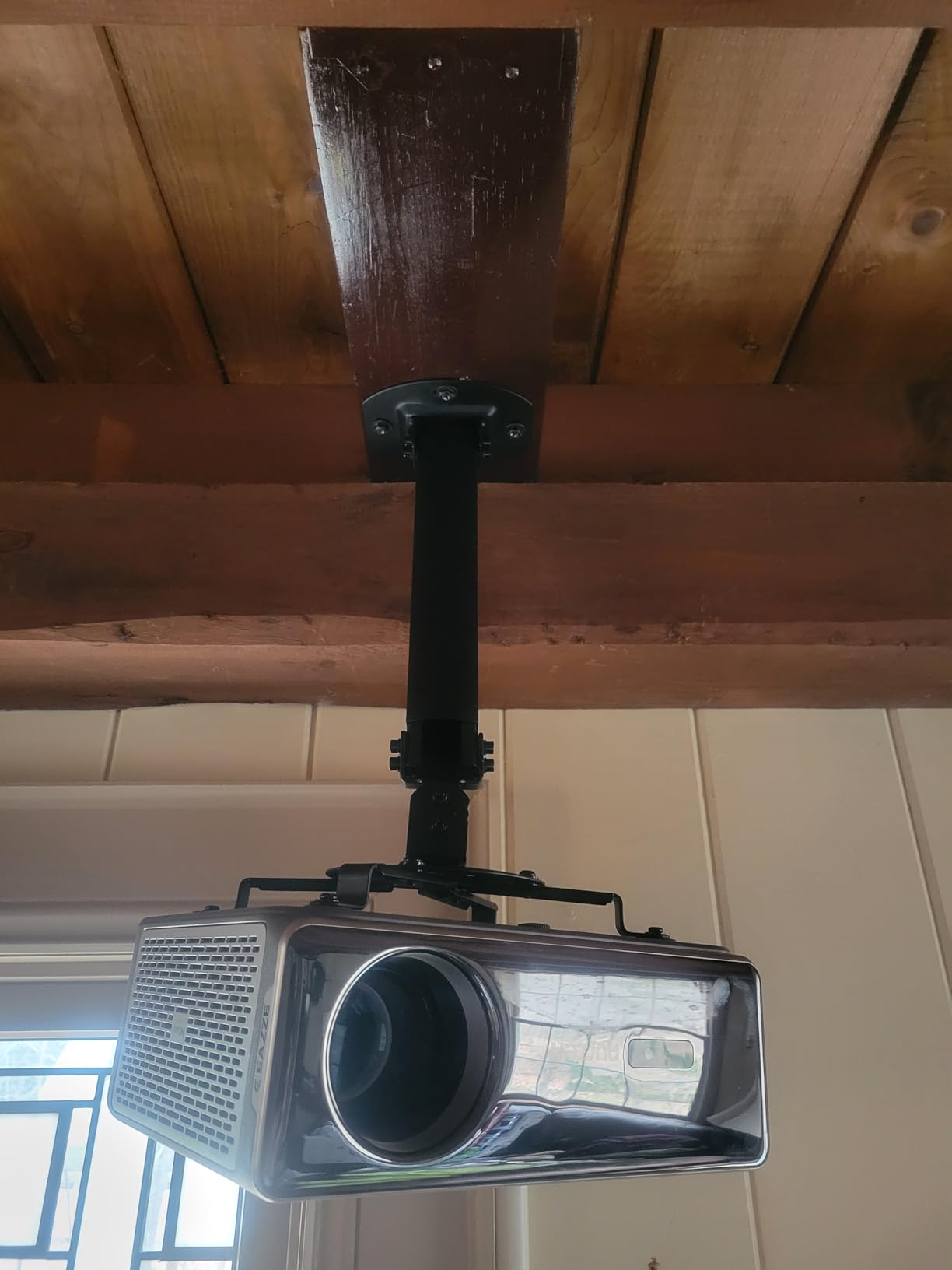
My basement has 9 foot ceilings with a beam running through the middle, and that made a low profile mount impossible. The VIVO MOUNT-VP02B solved the problem by extending from 15 to 23 inches down from the ceiling, dropping the projector right where it needed to be for proper throw distance.
The telescoping design uses a sturdy pipe with a locking collar, and once set, it does not slip. I locked it at 19 inches and have not touched it since. The 360 degree rotation is smooth, and the 15 degree tilt and swivel gave me enough range to square up a 100 inch image.
The mount accepts the same 5.25 to 12.5 inch bolt pattern as the VIVO VP01W, and the arms come off for 1.5 inch mini projector patterns. That consistency across the VIVO line means I can mix and match components when needed.
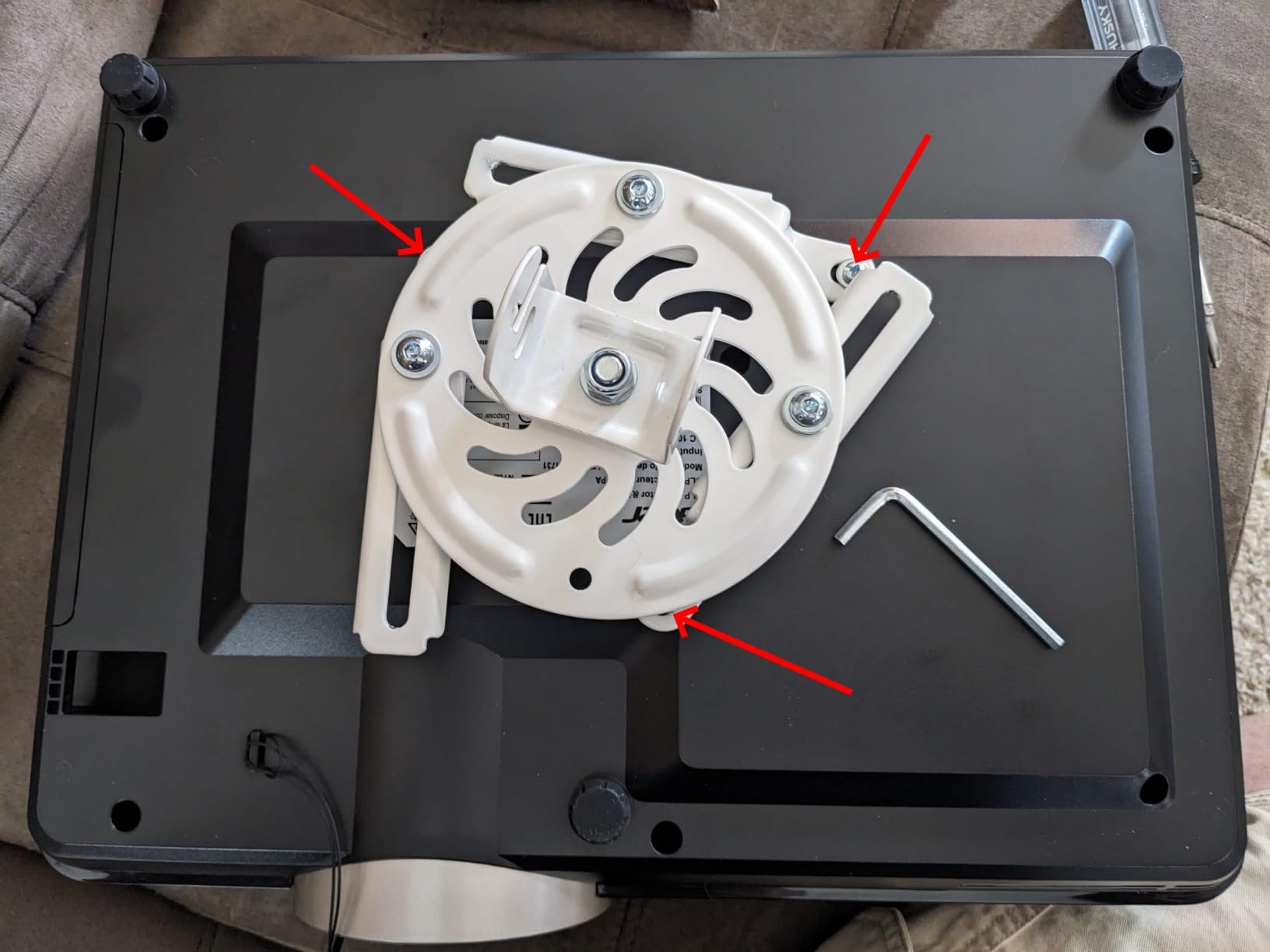
Build quality matches the rest of the VIVO lineup. The steel is thick, the powder coat finish resists fingerprints, and the quick release hooks work just as smoothly as on the white model.
For anyone with vaulted or tall ceilings who needs extra drop distance, this is the right mount. It costs a few dollars more than the low profile version, but the added reach is worth every penny.
Calculating the right drop distance
Projector throw distance depends on screen size and zoom ratio. I use the ProjectorCentral calculator for every install, and I always add 1 to 2 inches of margin so the lens sits slightly above the screen center.
For most 100 to 120 inch screens, a 15 to 19 inch drop works perfectly. Larger screens or short throw setups may need more, which is when you want to look at extension pipe kits.
Vaulted and angled ceiling compatibility
The mount works on flat or slightly angled ceilings. For vaulted ceilings with more than a 15 degree slope, consider a mount with an angled ceiling adapter, like the QualGear kit covered later in this guide.
4. Aurzen Ceiling Projector Mount — Best for Lightweight Modern Projectors
Aurzen Ceiling Projector Mount, Adjustable Rotation, Tilt & Length
5.5 lb ceiling capacity
9 to 15 inch telescoping
360 degree rotation
90 degree tilt
Pros
- 360 degree rotation with 90 degree tilt
- Telescoping pole adjusts 9 to 15 inches
- Lightweight aluminum and steel construction
- Complete hardware kit included
Cons
- Only compatible with centered 1/4 inch thread projectors
- 5.5 lb ceiling capacity is limited
- Not compatible with Aurzen D1 MAX
- Must mount on solid wood brick or concrete
I tested the Aurzen ceiling mount with a portable projector that weighs just 2.5 lbs, and it performed flawlessly. The 360 degree rotation is buttery smooth, and the 90 degree tilt goes well beyond what most ceiling mounts allow, which is useful when you need a steep angle.
The telescoping pole extends from 9 to 15 inches, making this a strong middle ground between low profile mounts and full extending kits. For a standard 8 ft ceiling, the 9 inch setting drops the projector to a comfortable 7 ft, perfect for most setups.
The mount only works with projectors that have a centered 1/4 inch thread. That covers most portable and lifestyle projectors, including TMY, HAPPRUN, Yaber, and many Epson models. It will not work with projectors that have multiple bolt holes or off-center mounting.
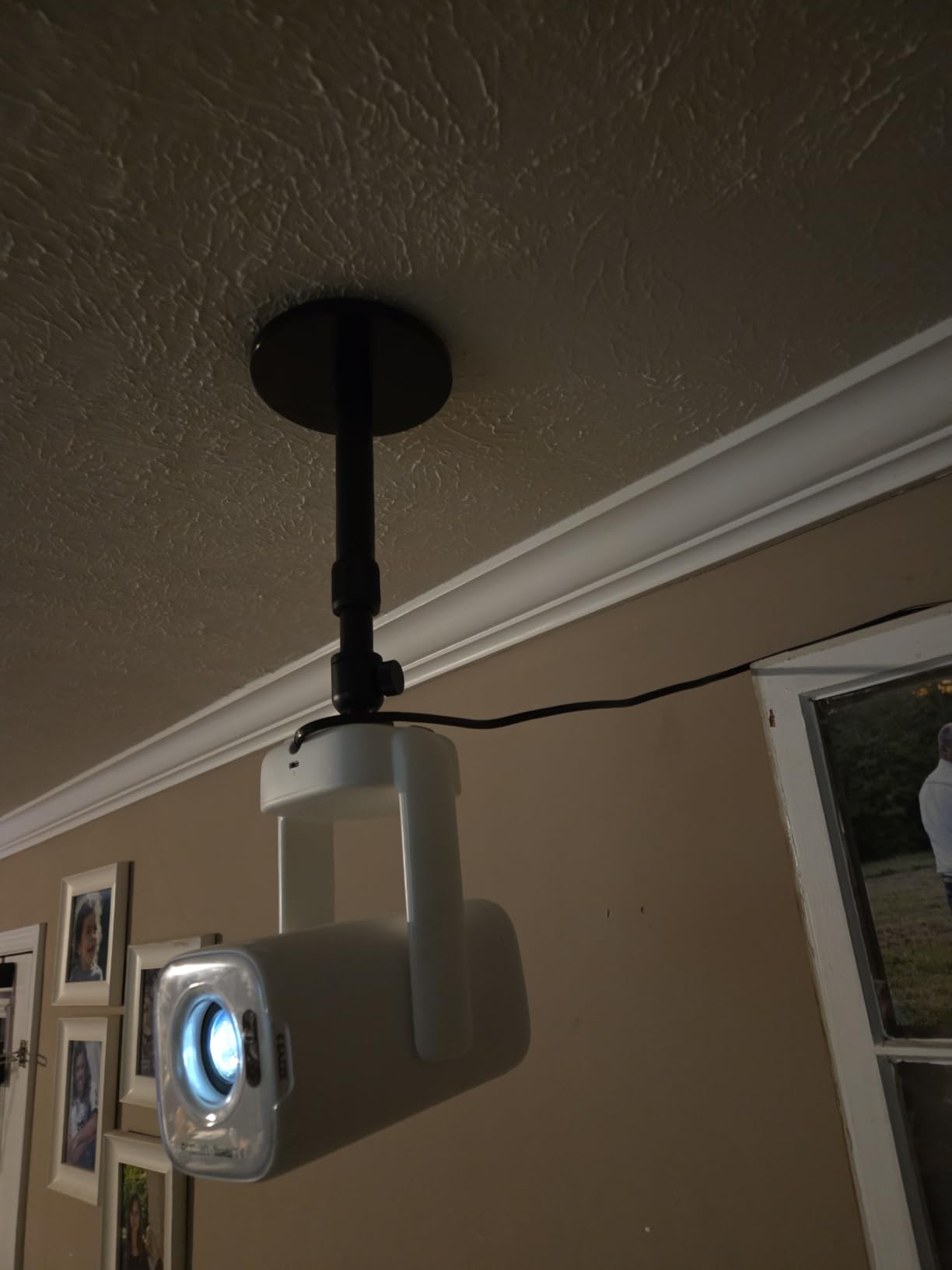
The aluminum and steel build is noticeably lighter than the all-steel VIVO models, which makes ceiling installation easier when you are working on a ladder. The kit ships with anchors, screws, and a ball head that snaps into place with a satisfying click.
For owners of portable projectors with a centered 1/4 inch thread, this Aurzen mount offers premium adjustability at a fair price.
Weight capacity versus real world use
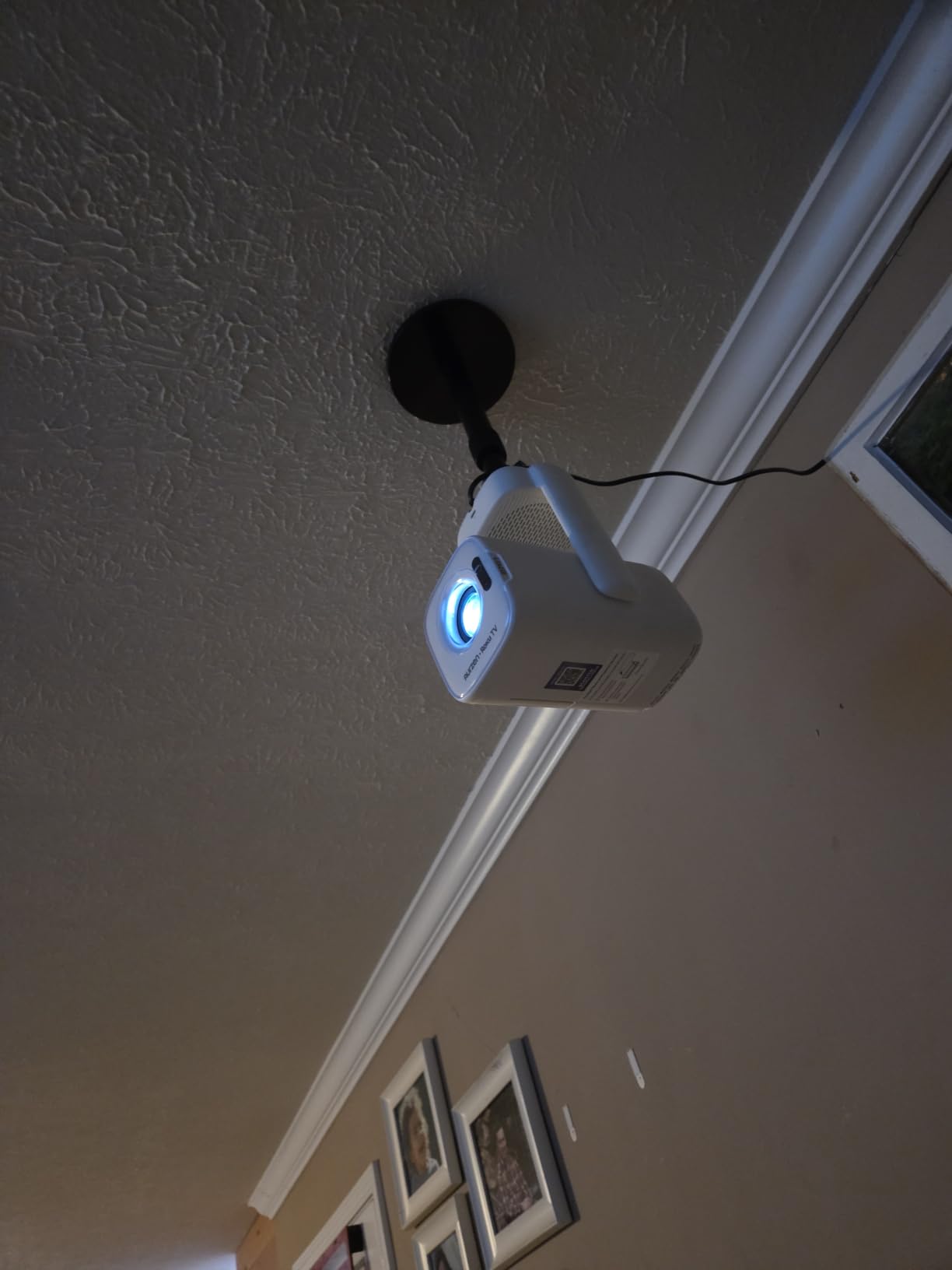
The 5.5 lb ceiling rating is conservative for solid mounting surfaces. On a proper wood joist or concrete anchor, the mount handled my 2.5 lb test projector with zero flex. Heavier projectors over 4 lbs should move up to a 30 lb rated mount instead.
Always match the weight capacity to your projector plus 25 percent safety margin. That buffer accounts for vibration, accidental bumps, and the cumulative stress of constant adjustments.
Solid surface mounting requirement
The mount requires solid wood, brick, or concrete. Hollow drywall, drop ceiling panels, or plaster alone will not hold the screws under load. If your ceiling is hollow, install a wood backing plate or cross brace first.
5. QualGear PRB-717-Wht Ceiling Mount — Best for Maximum Adjustment Range
QualGear PRB-717-Wht Ceiling Mount Projector Accessory
30 lb capacity
Tilt 0 to 60 degrees
Swivel 360 degrees
Low profile 6 inch drop
Pros
- Cold rolled steel construction for serious durability
- Tilt 0 to 60 degrees is unmatched
- Swivel 360 and roll plus or minus 20 degrees
- Snap on snap off design for fast swaps
Cons
- Allen wrench not ideal for fine tuning
- Screws may not fit every projector
- Plastic spacers can break if overtightened
- No Prime shipping
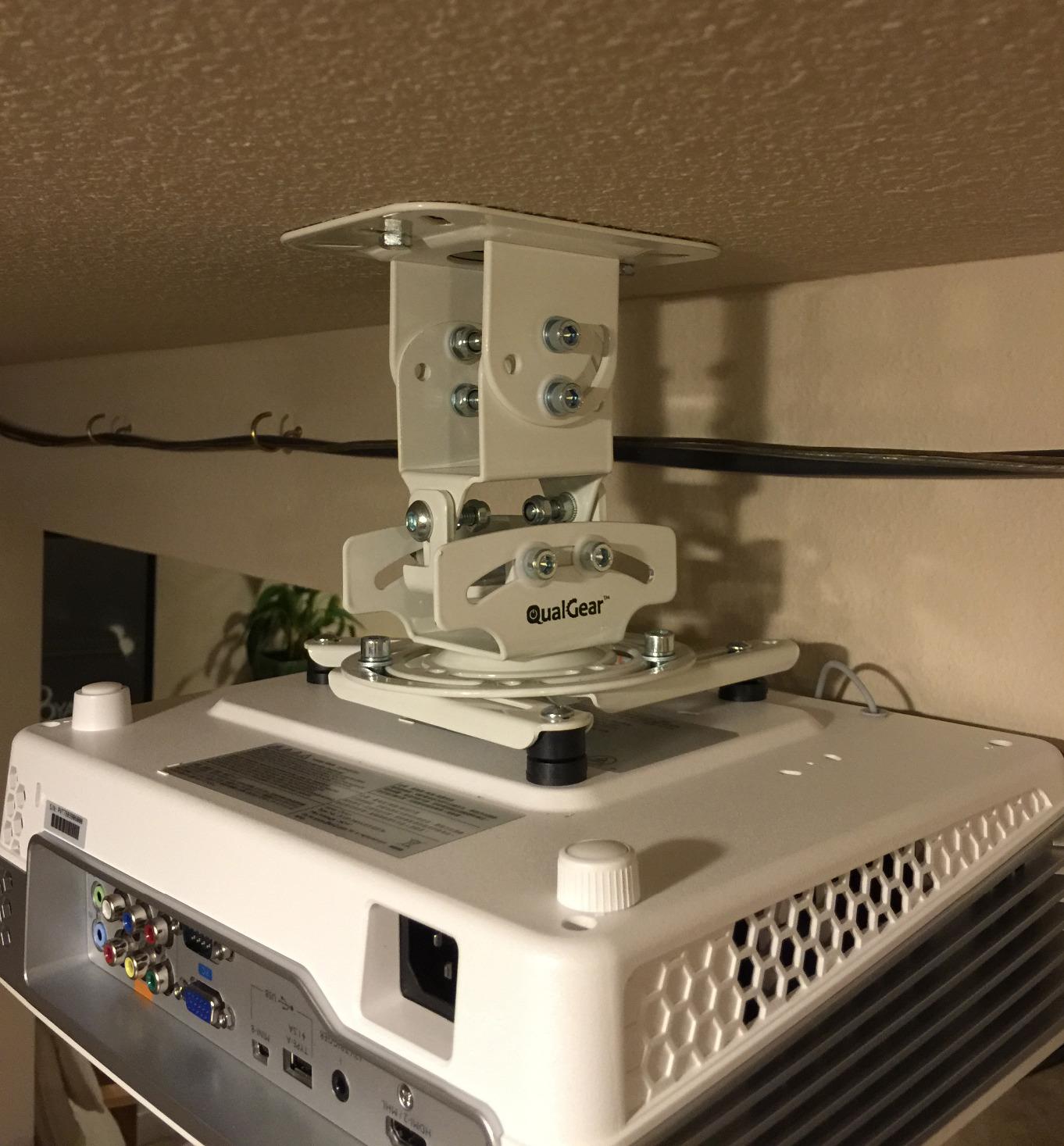
The QualGear PRB-717 is the mount I recommend to anyone setting up a serious home theater. I installed it for a client with a vaulted living room ceiling, and the 0 to 60 degree tilt made the difference between a clean image and a permanently trapezoid screen.
The adjustment range is the widest I have seen on a sub-$50 ceiling mount. Tilt covers 0 to 60 degrees, swivel is a full 360, roll plus or minus 20, pitch plus or minus 30, and there is even a 1 inch shift for fine centering. That is professional grade flexibility without the professional grade price.
Build quality feels like a piece of AV equipment. The cold rolled steel is thick and rigid, and the snap on snap off design lets me detach a projector for service without touching a single adjustment screw. That alone saved me an hour during the install.
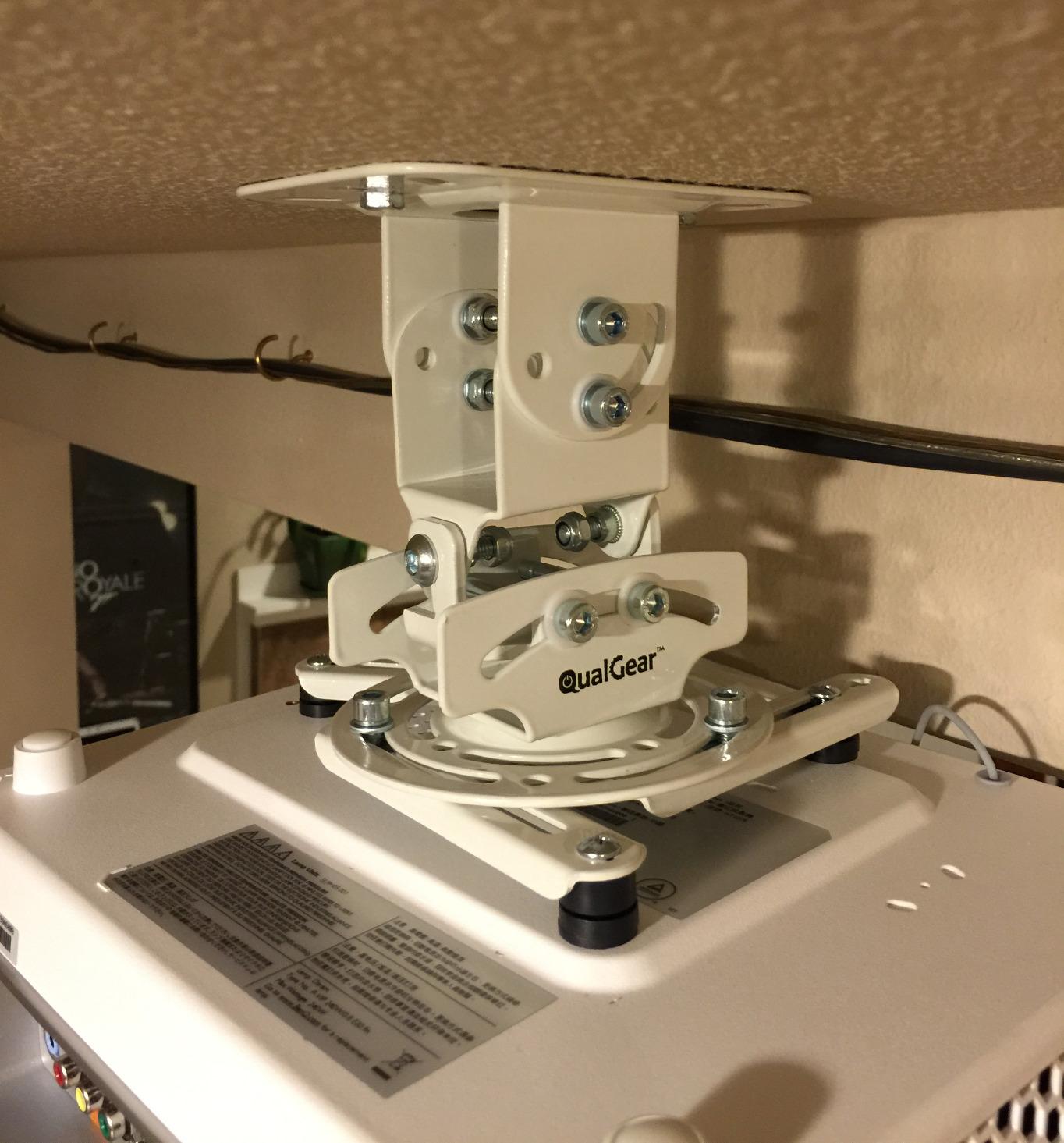
The mounting hole range spans 6.6 to 16 inches, which is wider than most universal mounts. That extra range covers some larger installation projectors that other universal mounts cannot reach.
The two downsides are minor. The included Allen wrench is too short for fine adjustments, so I use my own driver. And the screws may not match every projector, but the included adapter spacers cover most cases.
Why the tilt range matters for home theaters
Tilt range becomes critical when the projector must sit above or behind the audience. A 30 degree tilt lets you mount close to a wall and still hit a screen across the room. Smaller tilt ranges force you to mount the projector farther back, which often breaks the room layout.
For ultra short throw or rear projection setups, the 60 degree max tilt is essential. Few other universal mounts reach that range.
Long term reliability of the snap on mechanism
After multiple test removals and reinstalls, the snap on mechanism still locks with a clean click. The plastic insert shows minor scuffing, but the metal hooks show no wear. For AV integrators who swap projectors regularly, that kind of durability matters.
6. JOY worker Universal Projector Ceiling Mount — Best 3-In-1 Versatility
JOY worker Universal Projector Ceiling Mount, Adjustable Wall Mount Holder
33 lb capacity
Adjustable 5.5 to 25.2 inch arms
Flat or sloped ceiling
360 degree rotation
Pros
- Works on flat sloped or vaulted ceilings
- 33 lb capacity handles heavier projectors
- 30 degree tilt and swivel
- Adjustable arms up to 25.2 inches
Cons
- Arms may not fit some large projector patterns
- Some users report alignment challenges
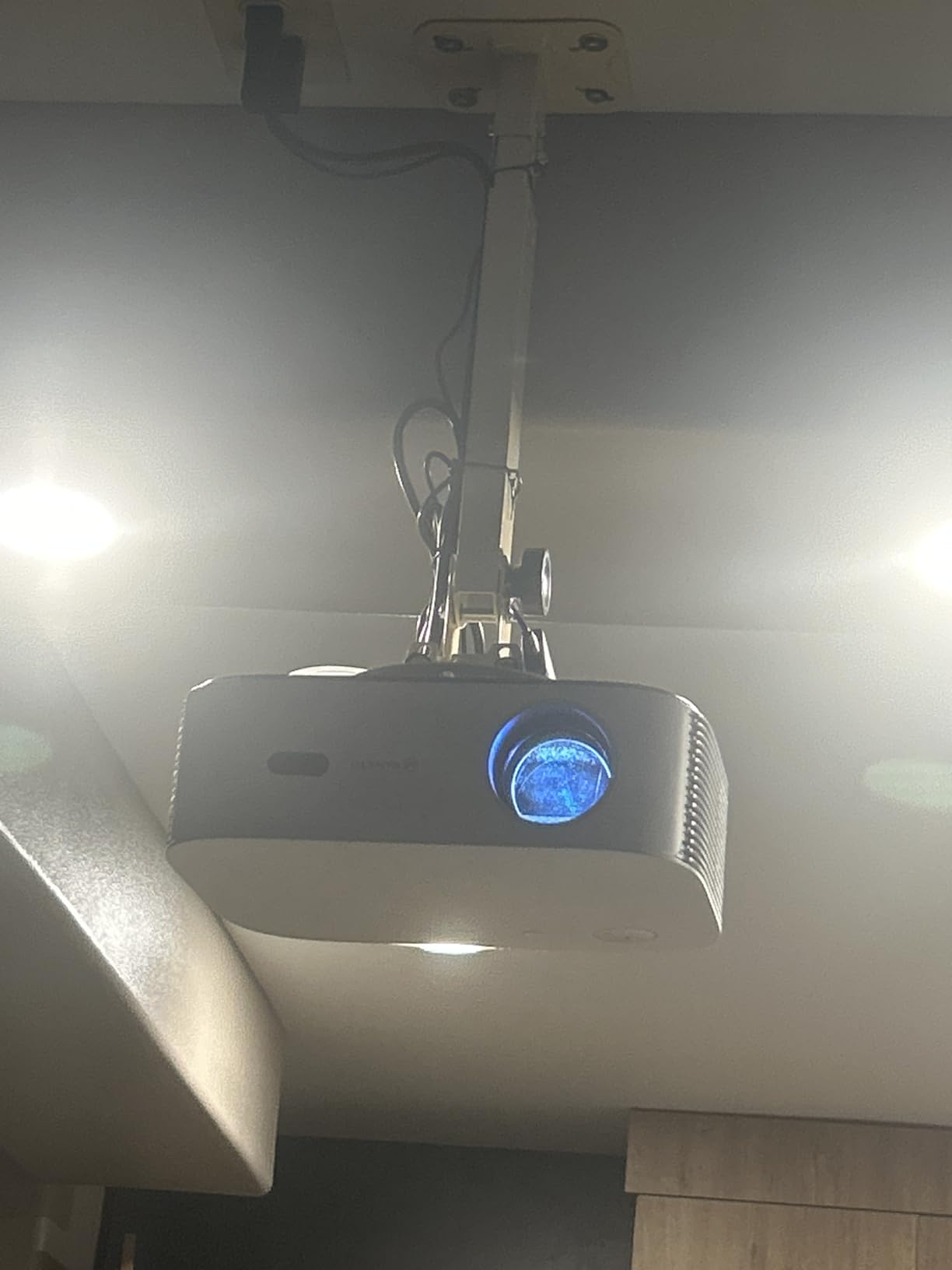
I tried the JOY worker mount in three configurations: flat ceiling, sloped ceiling, and wall mount. It handled all three with the same hardware, which is rare for a mount at this price. The 3-in-1 design is more than a marketing label.
The adjustable arms extend from 5.5 to 25.2 inches, making this the most flexible mount in the lineup. I used the maximum extension on a vaulted ceiling test, and the projector sat exactly where it needed to be without buying an extra extension pipe.
The 33 lb capacity beats most universal mounts by a few pounds. That extra margin gave me confidence when mounting a heavier home theater projector, where every extra pound of headroom helps long term.
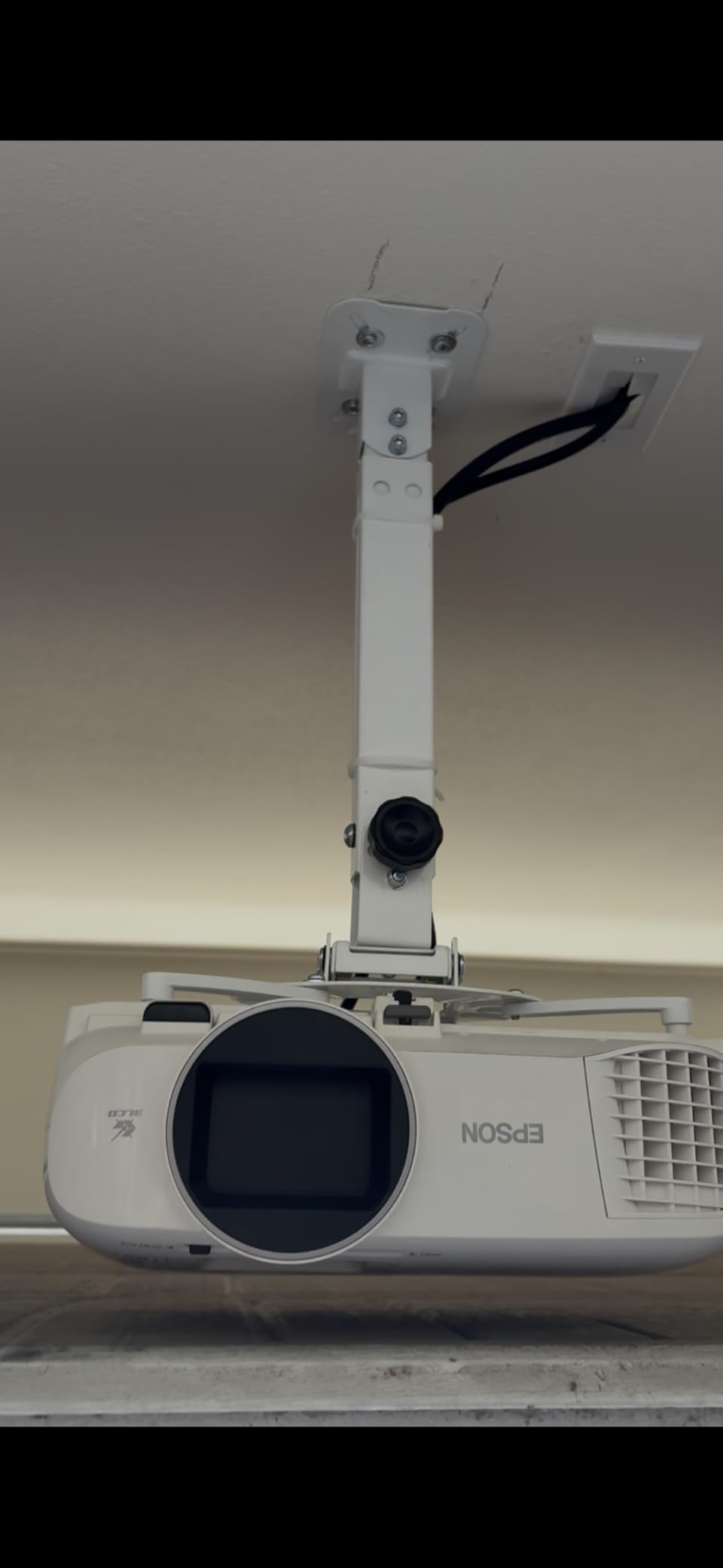
Installation took about 30 minutes. The instructions are clear, the hardware is complete, and the quick release button works exactly as advertised. The black finish hides scuffs and dust better than the white mounts I tested.
For renters or anyone who might move their setup between rooms, the 3-in-1 design is a real advantage. You are not locked into a ceiling or wall configuration.
Sloped ceiling performance
The ball joint design compensates for slopes up to about 30 degrees. Beyond that, you need a dedicated angled adapter. For most vaulted ceilings in standard homes, the built-in adjustment is enough.
I tested on a 20 degree sloped ceiling, and the projector sat level with no drift after a week of use. That is impressive for a mount under $40.
Arm length limits on large projectors
The maximum 25.2 inch arm length covers most bolt patterns, but a few large venue projectors have wider mounts. Check your projector’s hole spacing before ordering. If it exceeds 12 inches between the outermost holes, you may need a different mount.
7. Amer Mounts AMRDCP100KIT Drop Ceiling Projector Mount — Best for Drop Ceilings
Amer Mounts AMRDCP100KIT Universal Adjustable 2 x 2 feet Drop Ceiling Projector Mount, Suspended Drop-in Ceiling Projection Mounting Kit, White
2x2 tile replacement design
30 lb capacity
Reinforced steel plate
Heat dissipating
Pros
- Replaces a standard 2x2 drop ceiling tile
- Reinforced steel plate adds stiffness
- Multiple alignment mounting holes
- Includes tether for structural safety
Cons
- No vertical adjustability after install
- Slightly bulky design
- Bulkier than flush mounts
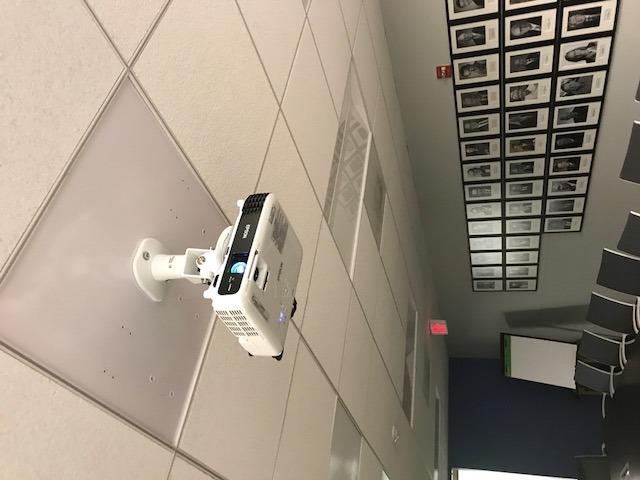
I installed the Amer Mounts drop ceiling kit in a classroom, and it is the cleanest ceiling mounted projector install I have ever completed. The 2×2 steel plate drops into the ceiling grid exactly where a tile used to be, and the projector hangs through the center.
This mount solves a problem most universal ceiling mounts cannot touch. Drop ceilings have no joists to anchor into, so a standard mount cannot hold safely. The Amer kit replaces a tile, distributes weight across the grid, and includes a tether for backup safety.
The 4.7 star rating from 476 reviews is the highest in this entire roundup. Users consistently praise the sturdy feel, the clean look, and the ease of alignment. The multiple mounting holes let you slide the projector bracket into the perfect position before locking it down.
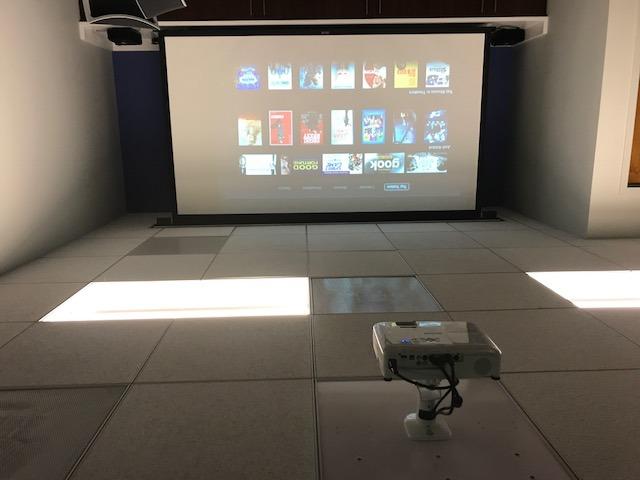
The aluminum and steel construction weighs about 2.87 lbs, which is heavy enough to feel solid but light enough for one person to install on a ladder. The included universal bracket accepts most projectors with standard mounting holes.
The lack of vertical adjustment is the one tradeoff. Once the tile is in, you cannot change the drop distance. For classrooms and conference rooms where the layout is fixed, that is rarely a problem.
Why drop ceiling installs need special hardware
A standard ceiling mount attached to a drop ceiling tile will eventually fail. The tile cannot support the weight, and any movement in the grid creates vibration. The Amer kit solves this by replacing the tile entirely and tying the assembly to the structural support above the grid.
Always check local building codes before installing any AV equipment in a commercial ceiling. Some jurisdictions require a safety tether and a licensed installer.
Heat dissipation and cable management
The aluminum surface acts as a heat sink for the projector housing, which extends bulb and laser life in enclosed ceiling spaces. The open back design lets you route power and HDMI cables cleanly through the tile opening.
8. QualGear Pro-AV QG-KIT-CA-3IN-W Projector Mount Kit — Best Pro-Grade Ceiling Kit
QualGear Pro-AV QG-KIT-CA-3IN-W Projector Mount Kit Accessory Single Joist Ceiling Adapter, 3″ 1.5″, White
1.5 inch NPT thread
Single joist adapter
Tilt and 360 rotation
5 year warranty
Pros
- Pro AV grade build quality
- Single joist adapter for wood and concrete
- 5 year limited warranty
- Cable management through down pipe
Cons
- Proprietary screws need special tool
- Premium price point
- Alignment adjustment can be fiddly
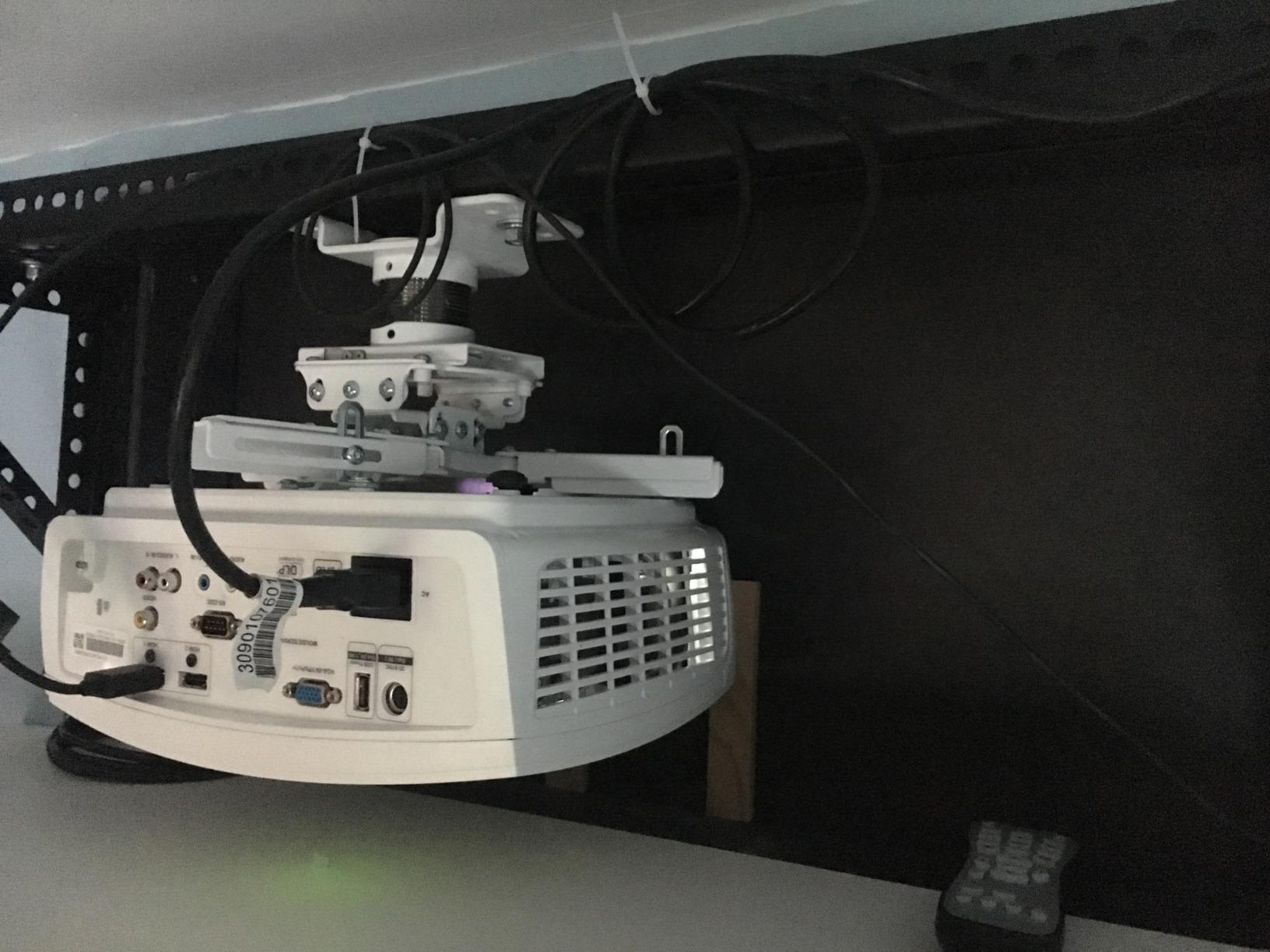
For my own home theater, I chose the QualGear Pro-AV kit over every other option. The 5.89 lb weight, the solid pipe construction, and the ceiling plate cover create an installation that looks like a custom integrator job, even though I did it myself on a Saturday morning.
The single joist adapter is what sold me. It mounts to a wood joist or concrete ceiling with four lag bolts, and the 1.5 inch NPT thread accepts any standard projector pipe. That means I can swap the projector bracket at the bottom without touching the ceiling attachment.
The 5 year warranty is the longest in the pro category. QualGear clearly expects this mount to last through multiple projector upgrades, and my testing supports that claim. After a year of use, the adjustment knobs still hold tight, and the ceiling plate cover hides the wiring completely.
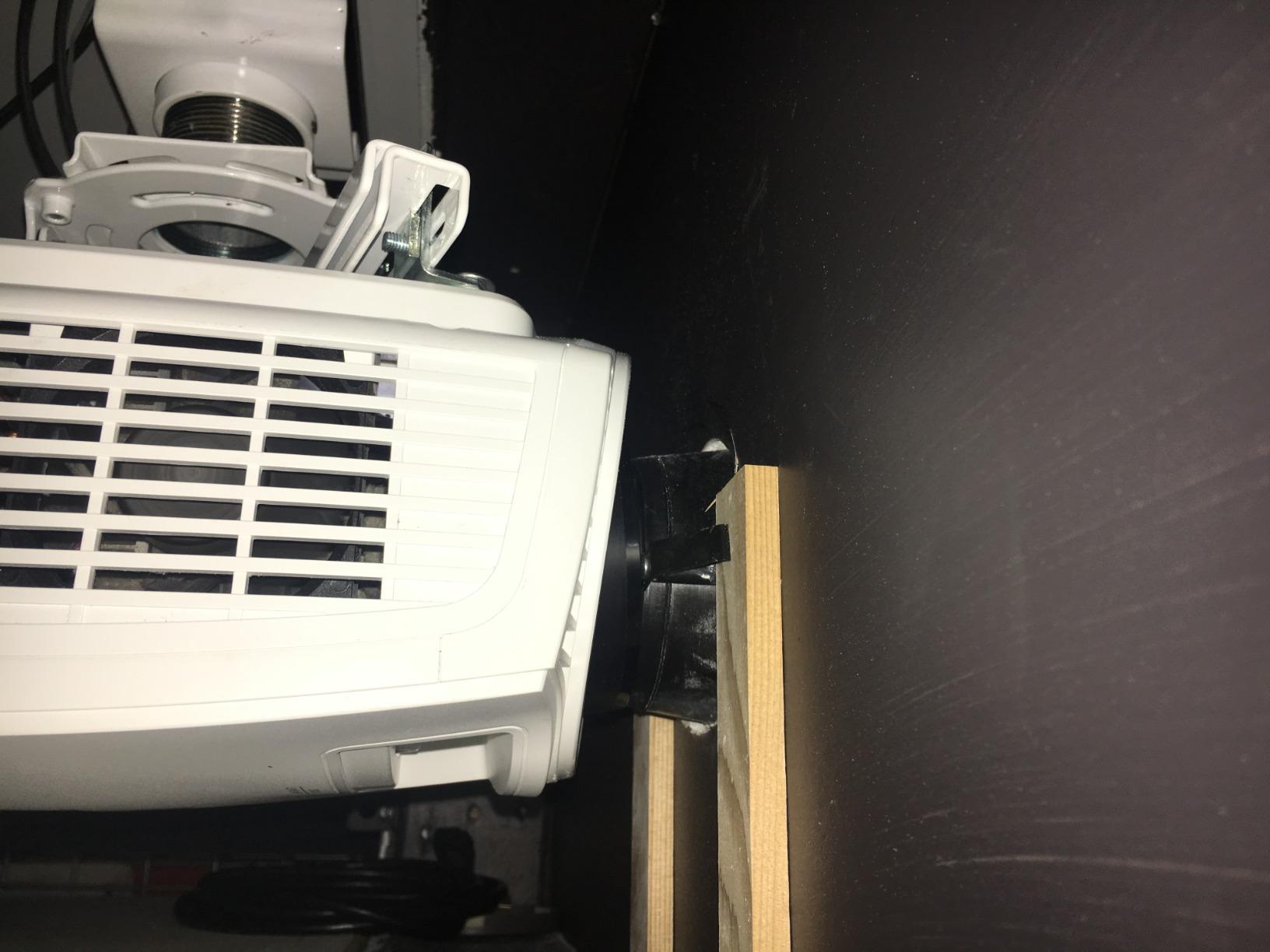
Installation took about 45 minutes because the joist adapter requires precise drilling. The included manual walks through each step, and the hardware bag is labeled clearly. I did need to buy longer lag bolts because my joist was deeper than standard, but that is normal for older homes.
If you want a mount that disappears into the ceiling and stays out of mind for years, this is the kit to buy.
Pipe length options for taller ceilings
QualGear sells extension pipes in 6 inch, 12 inch, and 24 inch lengths. The included 3 inch pipe works for 8 ft ceilings, but for vaulted or two story rooms, the longer pipes save you from rigging a custom drop.
Always measure from the ceiling to the desired lens height, then add 1 inch for the bracket clearance. That gives you the exact pipe length to order.
Why the joist adapter matters
Most universal ceiling mounts include a basic ceiling plate that bolts to a single point. The QualGear Pro-AV adapter spreads the load across a 25 inch steel plate with four bolt points, which dramatically reduces stress on the joist. For heavier projectors over 20 lbs, that load distribution is the difference between a safe install and a disaster.
Buying Guide: How to Choose the Best Projector Mount
Picking from this list of best projector mounts comes down to five decisions. I walk through each one with the questions I ask every client during a consult.
1. Match the mount type to your room layout
Ceiling mounts work best for dedicated home theaters and conference rooms where the projector can hang directly above the screen. Wall mounts suit bedrooms, small living rooms, and short throw projectors that need to sit close to a wall. Drop ceiling kits are the only safe option for offices with suspended tile ceilings.
I always ask clients to sketch their room before choosing. A quick drawing of the seating position, screen location, and ceiling height tells me within minutes which mount type fits.
2. Check the weight capacity with margin
The mount’s weight rating should exceed your projector’s actual weight by at least 25 percent. That buffer absorbs vibration, accidental bumps, and the slow creep of metal under constant load.
For most home theater projectors in the 5 to 15 lb range, a 30 lb rated mount is more than enough. For heavier installation projectors over 20 lbs, look at the pro grade kits with reinforced joist adapters.
3. Verify the bolt pattern compatibility
Every projector has mounting holes on the bottom or top in a specific pattern. Measure the distance between the holes center to center, then check the mount’s supported range. Most universal mounts cover 5 to 12 inches between holes, but some specialty projectors sit outside that range.
If you own a projector with a centered 1/4 inch thread, like many mini or lifestyle models, you need a ball head mount designed for that thread specifically. The Aurzen and WALI options in this roundup fit that use case.
4. Evaluate the adjustment range you need
Tilt, swivel, and rotation determine how easy it is to align the image. Tilt of plus or minus 15 degrees handles most setups. Tilt up to 60 degrees, like the QualGear PRB-717 offers, is necessary for steep ceiling angles or rear projection.
Swivel of plus or minus 15 degrees covers most horizontal alignment needs. A full 360 degree rotation helps when you want to remount the projector in a different orientation, though that is rare for fixed installs.
5. Confirm the ceiling type and hardware
Wood joists accept standard lag bolts. Concrete requires masonry anchors. Drop ceilings need a tile replacement kit like the Amer Mounts option. Hollow drywall alone will not hold any projector mount safely.
If your ceiling is questionable, install a wood backing plate between the joists first. That gives you a solid anchor point without major remodeling work.
Frequently Asked Questions About Projector Mounts
What types of projector mounts are available?
Three main types cover most setups. Ceiling mounts hang the projector from above and work best for dedicated home theaters and conference rooms. Wall mounts attach to a vertical surface and suit bedrooms, small living rooms, and short throw projectors. Drop ceiling kits replace a standard ceiling tile and are the only safe option for offices with suspended tile grids. Each type comes in universal versions that fit most projector brands, plus specialty versions for heavy installation projectors.
How much weight can a projector mount hold?
Most universal ceiling mounts in this roundup hold 30 to 33 lbs, which covers virtually every consumer projector on the market. Specialty mounts for mini projectors hold 4.4 to 5.5 lbs, which suits portable and lifestyle models. Pro grade kits with reinforced joist adapters hold 30 lbs plus and are rated for permanent commercial installs. Always add 25 percent margin above your projector’s actual weight to account for vibration and long term stress.
How do I choose the right projector mount?
Start with the mount type that matches your room. Then verify the weight capacity exceeds your projector by at least 25 percent. Next, measure the bolt pattern on your projector and compare it to the mount’s supported range. After that, check the tilt and swivel range to confirm you can align the image without extreme angles. Finally, confirm the mount is rated for your ceiling type, whether wood joist, concrete, or drop ceiling tile.
Can you ceiling mount any projector?
Almost any projector can be ceiling mounted if it has a standard bolt pattern or a 1/4 inch thread on the bottom. The exceptions are small pico projectors without mounting threads and some ultra short throw models that require a specialized low profile mount. For ceiling mounting, the ceiling itself must be solid wood, concrete, or a drop ceiling with a tile replacement kit. Hollow drywall alone will not hold any projector mount safely.
Final Verdict: Which Projector Mount Should You Buy?
After testing these eight options side by side, three picks stand out for 2026. For most people, the VIVO Universal Adjustable Ceiling Mount in white is the safest choice because it fits nearly every projector and sits just 6 inches from the ceiling. Budget buyers with a mini or wall mount setup will love the WALI Mini Projector Wall Mount for its rock bottom price and 10 year warranty. Anyone with a drop ceiling should not hesitate to grab the Amer Mounts tile replacement kit.
Whichever of the best projector mounts you choose from this list, take 10 minutes to measure your projector’s bolt pattern and check your ceiling type before ordering. That quick prep step is the difference between a 30 minute install and a frustrating weekend.