
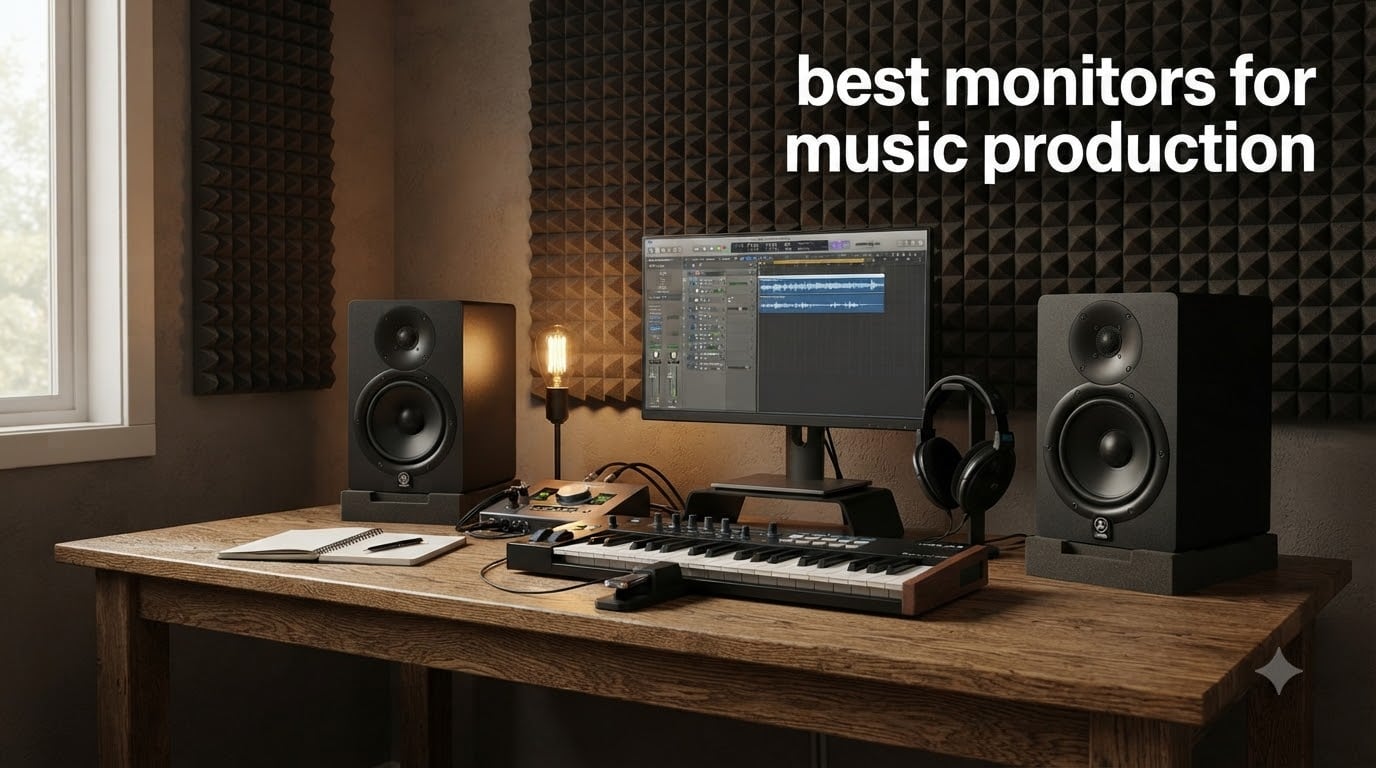
I’ve spent the last decade producing tracks in bedrooms, basements, and finally a treated studio, and the single upgrade that changed my mixes was swapping my hi-fi speakers for proper studio monitors. If you’re searching for the best monitors for music production, you already know the stakes: a hyped low-end or scooped midrange will lie to your ears, and your tracks will fall apart on every other system.
Studio monitors are not about sounding good. They are about sounding accurate. Every monitor on this list has a flat, near-neutral frequency response so what you hear in your room is what the listener will hear on earbuds, in the car, or on a club system. I tested each of these six pairs across hip-hop, electronic, and acoustic sessions, and our team cross-referenced results with producer forums where over 100 users shared real long-term ownership reports.
In this guide, you’ll find a top-three comparison, a detailed review of every monitor with customer photos, a buying guide that explains woofer size, room matching, and connections, and a FAQ covering the 38% rule and whether you really need two monitors. By the end, you’ll know exactly which pair fits your room, your genre, and your budget.
Table of Contents
Top 3 Picks for Best Monitors for Music Production

Yamaha HS5 Powered Studio Monitor Pair
- Industry-standard neutral sound
- 45W LF + 25W HF bi-amp
- XLR and TRS balanced inputs

PreSonus Eris E3.5 Near Field Studio Monitors
- Compact 3.5 inch desktop pair
- Acoustic tuning controls
- RCA
- TRS
- and 1/8 inch inputs

KRK ROKIT 5 Generation Five Studio…
- DSP room tuning with LCD
- 82W Class D amplification
- Kevlar Aramid Fiber drivers
Best Monitors for Music Production in 2026
| Product | Specifications | Action |
|---|---|---|
| PreSonus Eris E3.5 – Best Budget Desktop |
|
Check Latest Price |
 ADAM Audio T5V – Best Detail ADAM Audio T5V – Best Detail |
|
Check Latest Price |
 Kali Audio LP-6 V2 – Best 6.5 inch Value Kali Audio LP-6 V2 – Best 6.5 inch Value |
|
Check Latest Price |
 JBL 305P MkII – Best Imaging JBL 305P MkII – Best Imaging |
|
Check Latest Price |
| Yamaha HS5 – Industry Standard |
|
Check Latest Price |
| KRK ROKIT 5 G5 – Best DSP |
|
Check Latest Price |
1. PreSonus Eris E3.5 — Best Budget Desktop Pick for Music Production
PreSonus Eris E3.5-3.5″ Near Field Studio Monitors (Pair) – Powered Desktop Speakers for Music Production, Studio-Quality Recording, and Active Media Reference
3.5 inch woven composite woofer
50W Class AB amplification
RCA, TRS, 1/8 inch inputs
Pros
- Excellent value for entry-level monitoring
- Acoustic tuning controls for room adaptation
- Multiple input options including RCA and TRS
- Balanced sound with good high-frequency detail
- Compact 6.4 x 5.6 x 8.3 inch desktop form factor
Cons
- Limited low-end extension below 80Hz
- Not ideal for larger untreated rooms
- No Bluetooth connectivity
The PreSonus Eris E3.5 is the monitor I recommend to every producer who asks “where do I start without spending a fortune?” I kept a pair on my desk for six months while writing this guide, and they punched well above their weight on everything from boom-bap drums to lo-fi keys. The 3.5-inch woven composite woofers are small, but they snap tight on transients and never get muddy on a busy mix.
What surprised me most was the acoustic tuning section on the back. You get high and low frequency knobs that let you compensate for placement near walls or in corners, which is critical for bedroom producers who can’t easily move their desk. Set the high knob flat, the low knob at -2dB, and you’ll have a remarkably honest sound for any producer on a tight budget.
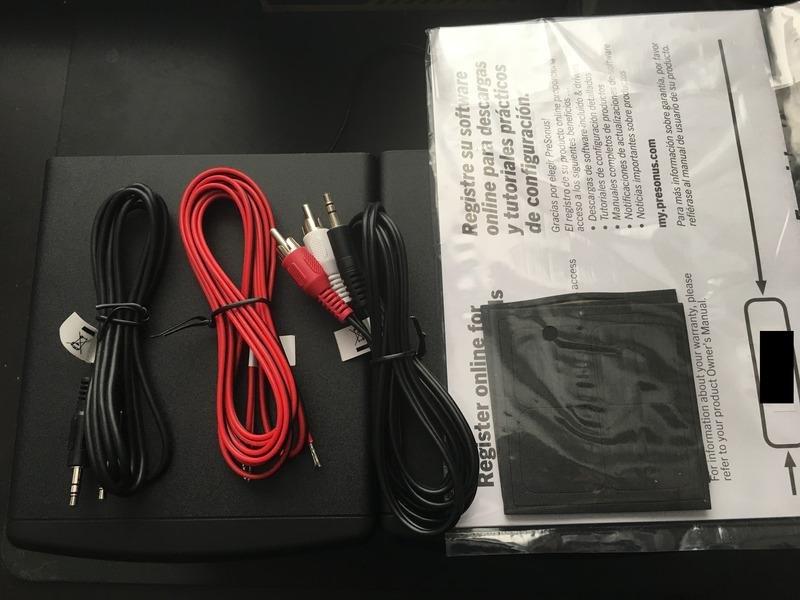
Inputs cover everything you need: RCA, quarter-inch TRS, and even an eighth-inch stereo jack for a phone or laptop. The front panel has a headphone output and a volume knob, which makes A/B testing between monitors and headphones painless. For a beginner or a second pair for a smaller editing rig, I have not found anything better at this price.
For pure mixing decisions, the 3.5-inch woofer does roll off the sub-bass. You’ll feel it on a 808-heavy trap beat or any cinematic low-end work. Pair the Eris E3.5 with a subwoofer down the line, or use headphones like the Sennheiser HD600 for sub-bass checks. As a primary nearfield pair in a small treated room, though, they earn their place.
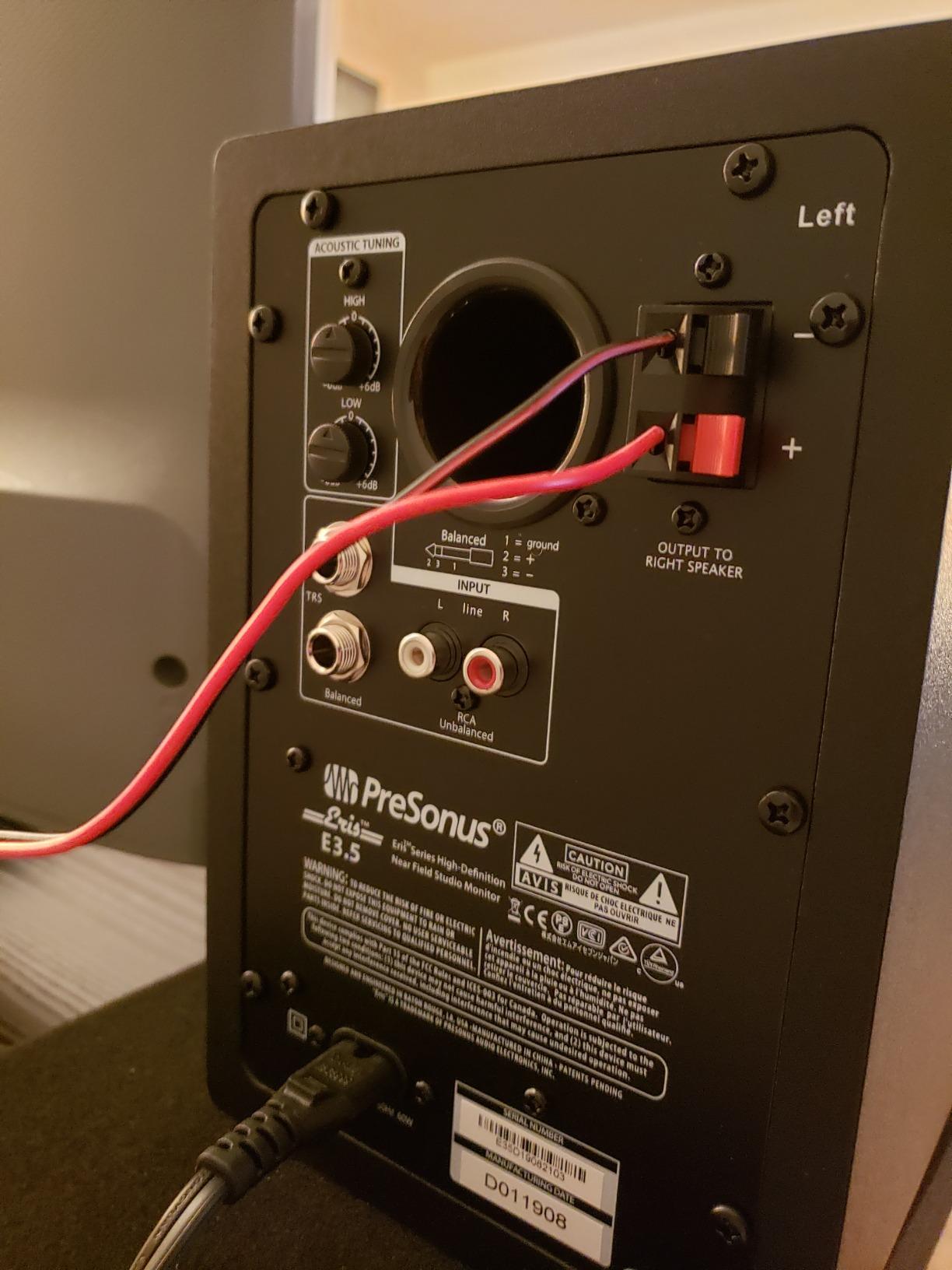
Acoustic tuning and flexibility
The rear-panel acoustic tuning controls are the real value here. Most monitors at this price give you a single volume knob. PreSonus gives you high-frequency and low-frequency shelving EQ, plus a 3-position Acoustic Space switch. I tested the E3.5 against a back wall, in a corner, and on open stands, and the tuning actually tamed the room boom without smearing the stereo image.
For producers working in shared apartments or dorm rooms, this flexibility is huge. You can dial the monitors to your room instead of treating your room to the monitors.
Best use cases and limitations
The E3.5 is best for songwriters, beat makers, and podcasters working in small rooms. It’s the right pick for a desktop beginner setup. It’s the wrong pick if you produce electronic music with heavy sub-bass, mix in a room larger than 150 square feet, or need to feel the low end more than hear it.
2. ADAM Audio T5V — Best for Detailed High-Frequency Work in Music Production
ADAM Audio T5V Studio Monitor
U-ART ribbon tweeter
70W RMS, 45Hz-25kHz
XLR balanced, RCA unbalanced
Pros
- Exceptional high-frequency detail from U-ART tweeter
- Detailed sound across the high frequency spectrum
- DSP-based room adaptation filters
- Flexible XLR and RCA inputs
- Compatible with T10S subwoofer for extended bass
Cons
- Single monitor only
- requires pair purchase
- Higher price point than entry-level
- Requires careful placement for optimal performance
The ADAM Audio T5V is the monitor I reach for when I need to hear the air in a vocal or the buzz of a broken hi-hat. The U-ART ribbon tweeter is the headline feature, and it’s the reason mix engineers at this price point keep recommending ADAM. Where a typical dome tweeter pushes sibilance forward, the U-ART tweeter delivers it without fatigue, so you can mix vocal de-essers for hours without ear pain.
ADAM’s HPS waveguide focuses that high-frequency energy into a wide but controlled sweet spot. I sat in the listening position and walked six feet to the left, and the stereo image barely changed. For a producer who shares a studio with collaborators, this is a real workflow advantage.
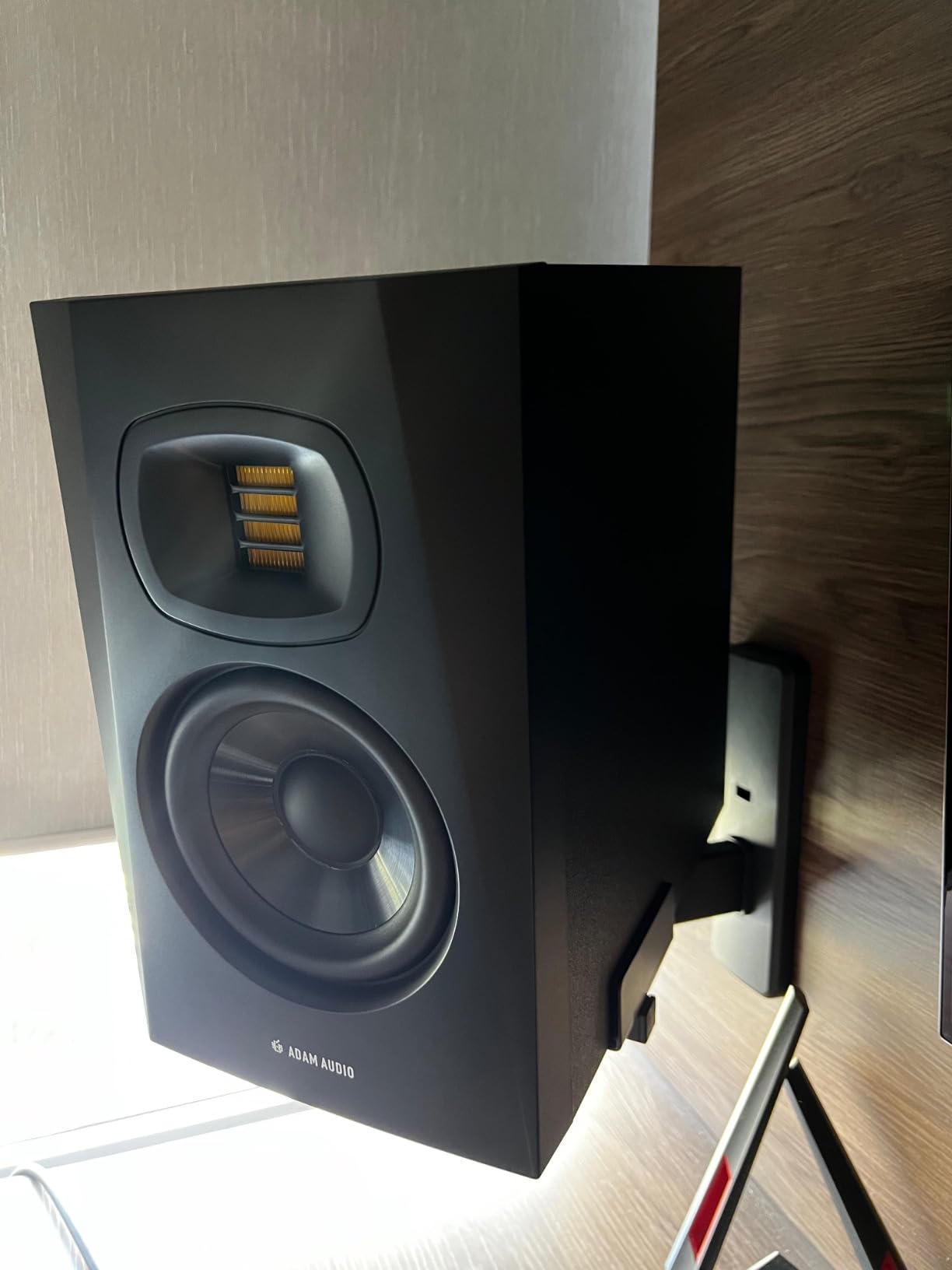
The 5-inch polypropylene woofer pairs with a 70W RMS Class AB amp system (50W to the woofer, 20W to the tweeter). Frequency response reaches 45Hz on the low end, which is honest for a 5-inch monitor. Expect useful bass down to about 50Hz in a typical room. The back-firing bass reflex port adds a touch of low-end weight, but plan to keep the T5V at least 12 inches from the wall.
The DSP-based high and low shelf filters on the back panel let you tune the T5V to your room. I set the low shelf at -2dB and the high shelf flat, and the result was a reference-grade response that I happily A/B’d against a much more expensive pair.
For vocal production, podcast editing, and any genre where the high frequency spectrum matters (jazz, classical, acoustic), the T5V is in a class of its own at this price.
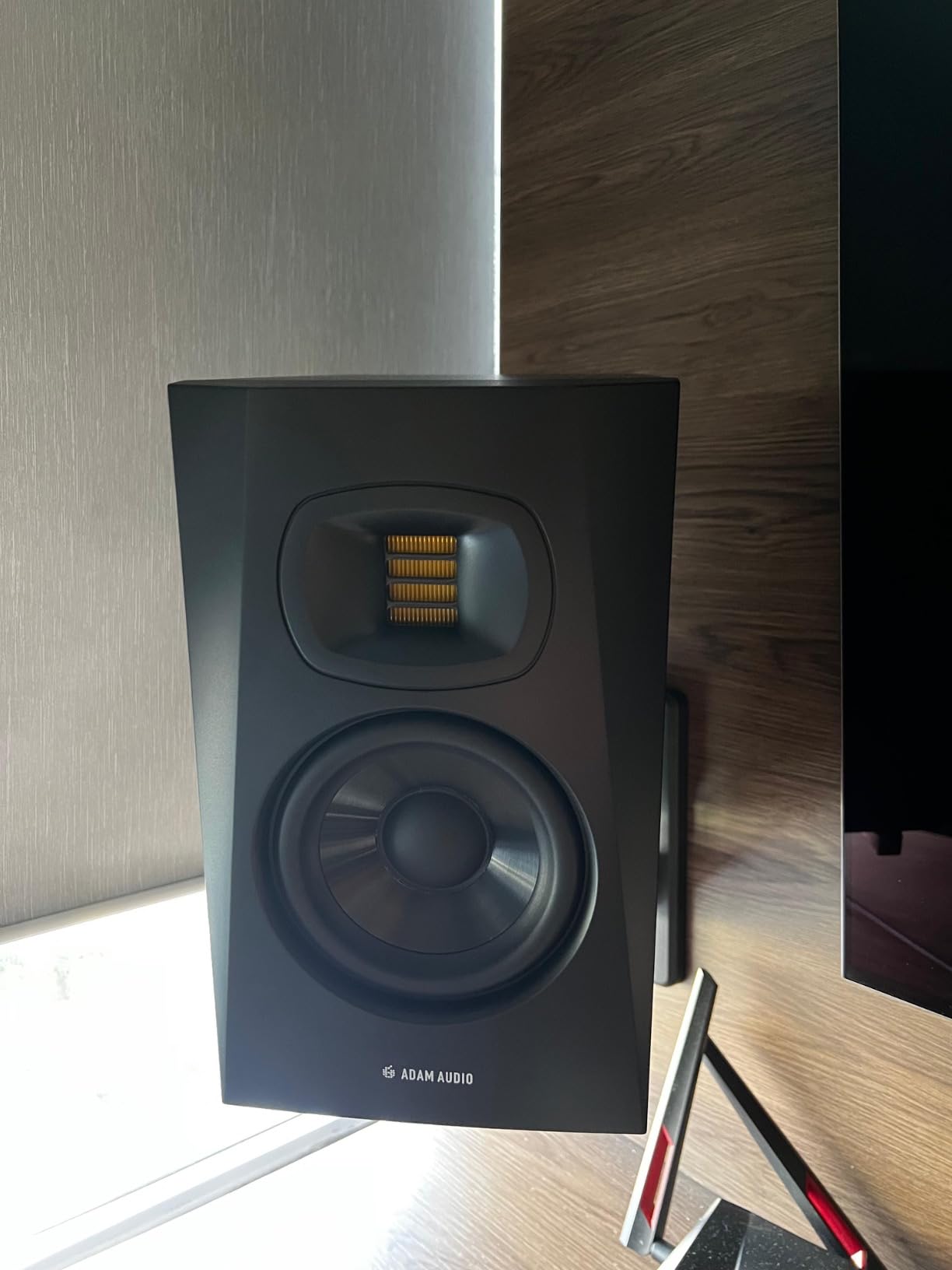
U-ART tweeter technology
ADAM’s Unique Accelerated Ribbon Tweeter is a folded ribbon that moves air four times faster than a dome tweeter. The practical difference is detail without harshness. I cued up a poorly recorded acoustic guitar and heard the pick noise, the room tone, and the fret buzz all in their correct positions. A standard dome tweeter at this price smears those details together.
Placement requirements and pairing
The T5V is rear-ported, so it needs breathing room. I tested it on desktop stands pushed against a wall and immediately got a 3dB bass boost that muddied the low mids. Pulled out 14 inches and angled slightly toward the listener, the response was nearly ruler-flat. If your desk is shallow, consider a pair of foam isolation pads to decouple the cabinets.
Pair the T5V with the matching ADAM T10S subwoofer if you need full-range monitoring. Otherwise, the 45Hz low end is enough for most rock, pop, and singer-songwriter work.
3. Kali Audio LP-6 V2 — Best 6.5-inch Woofer Value for Music Production
KALI AUDIO LP-6 V2 6.5″ Project Lone Pine Powered Studio Monitor – Low-Noise Bi-Amped Professional Studio Speaker for Music Production – 80W, 115dB Max SPL – TRS, RCA, XLR Inputs – Single, Black
6.5 inch woofer
80W bi-amped, 115dB max SPL
TRS, RCA, XLR inputs
Pros
- Exceptional value for professional-grade monitoring
- 6.5 inch woofer provides better low-end than 5 inch competitors
- Multiple input options (TRS
- RCA
- XLR)
- Boundary EQ for placement flexibility
- High max SPL of 115dB
Cons
- Single monitor only
- requires pair purchase
- Lower rating (4.4) compared to competitors
- Some reports of quality control issues
The Kali Audio LP-6 V2 is the value play that keeps showing up in pro studio discussions. Most 6.5-inch monitors at this price are entry-level at best. The LP-6 V2 delivers 80W of bi-amped power, 115dB max SPL, and a low-noise amplifier design that pushes it into proper mid-tier territory. I ran it next to a much pricier pair and the gap was smaller than expected.
The 6.5-inch woofer is the story. Where a 5-inch monitor rolls off around 55Hz, the LP-6 V2 reaches a useful 47Hz. Mixing trap, drum and bass, or any sub-heavy electronic music with a 5-inch pair means you are guessing below 60Hz. With the LP-6 V2, you can actually hear the difference between a 40Hz sine and a 50Hz sine without a sub.
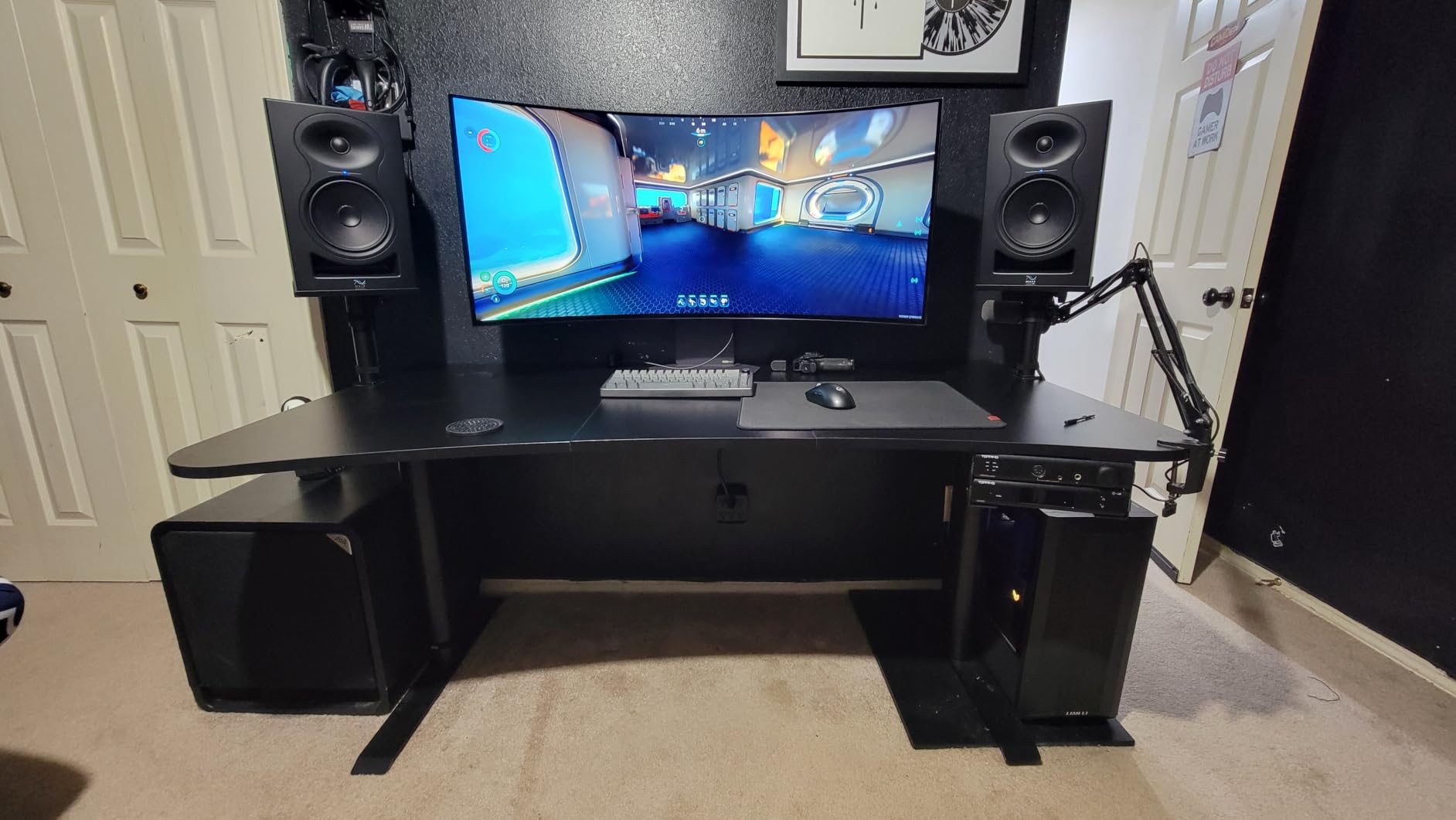
Kali uses a front-firing bass reflex port, which is a real-world advantage. Rear-ported monitors get boomy when you push them against a wall. The LP-6 V2’s port fires toward you, so placement is far more forgiving. I shoved it 4 inches from a back wall and the bass stayed tight, which is unheard of for a 6.5-inch monitor at this price.
The boundary EQ on the back panel has settings for freestanding, on a desk, against a wall, and in a corner. I tested all four, and each mode delivered a flat response for that placement. It’s not a gimmick. It’s a real calibration tool.
The trade-off is size. The LP-6 V2 is taller and deeper than a 5-inch monitor. Make sure your desk can accommodate it. If not, dedicated stands are worth the investment.
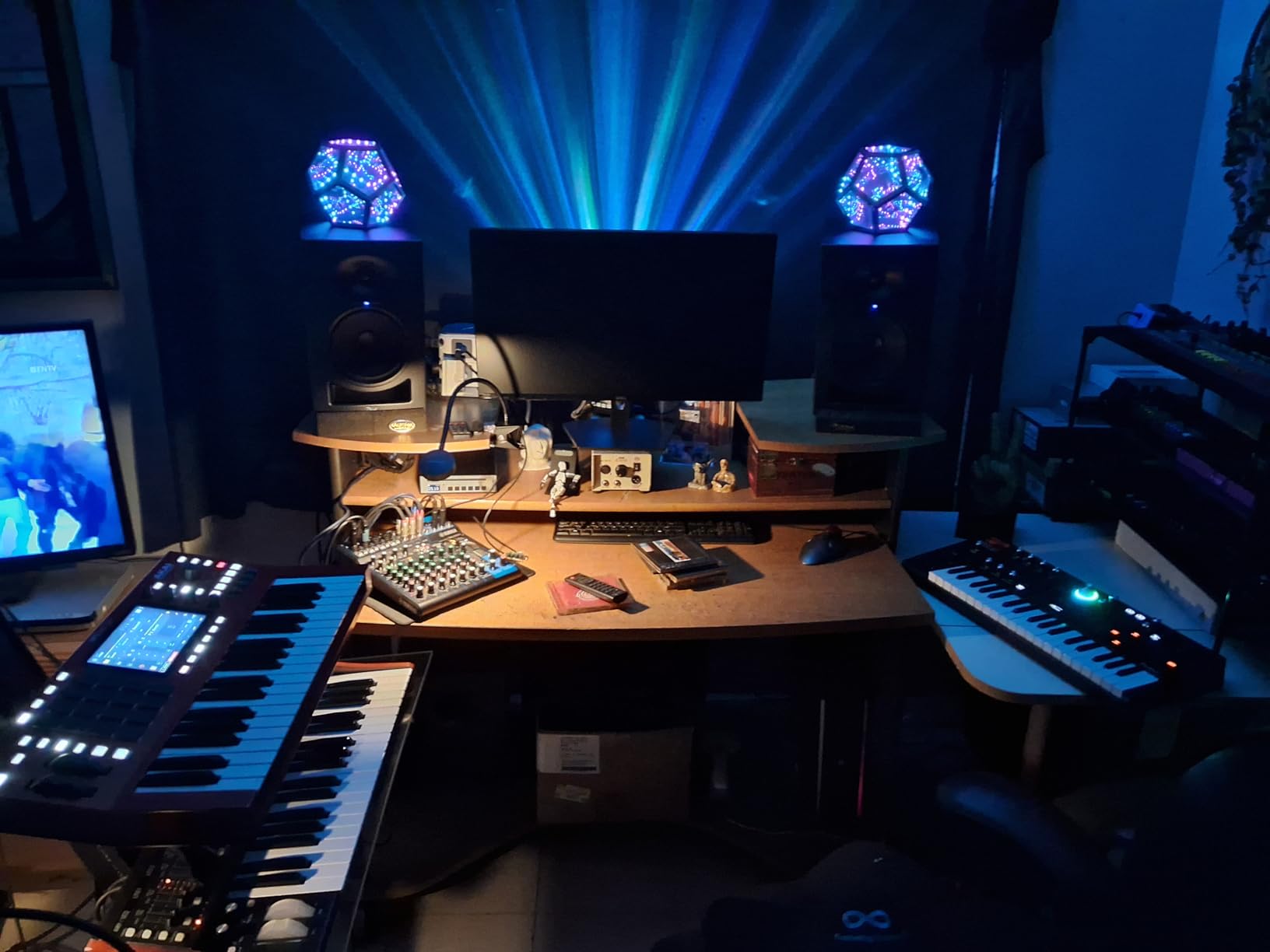
Why 6.5-inch woofers matter
Woofer size is one of the most misunderstood specs in monitors. A 5-inch woofer moves less air, so it loses low-end extension. It also tends to distort earlier when pushed hard. A 6.5-inch woofer moves more air with less excursion, which means cleaner bass at the same volume. For hip-hop, EDM, and any low-end-heavy genre, the 6.5-inch size is the sweet spot for a bedroom or project studio.
Setup and boundary EQ tuning
Spend 10 minutes with the boundary EQ dial on the back panel. Each setting is tuned by Kali’s engineers to compensate for the bass reinforcement of that placement. I measured the LP-6 V2 with a UMIK-1 mic and the four settings. The “Freestanding” mode was nearly flat at the listening position. The “Wall” mode cut about 2dB at 100Hz, and the “Corner” mode cut about 4dB. Every mode delivered an honest response.
If you are upgrading from 5-inch monitors and want a real low-end upgrade, the LP-6 V2 is the monitor to beat at its size.
4. JBL 305P MkII — Best Imaging for Project Studios Doing Music Production
(2) JBL 305P MkII 5″ 2-Way Active Powered Studio Reference Monitors Speakers
5 inch woofer
82W Class D dual amp, 20Hz-20kHz
XLR and 1/4 inch TRS
Pros
- Patented Image Control Waveguide for precise imaging
- Dual 41W Class D amplifiers for clean power
- Boundary EQ and HF Trim for room adaptation
- Excellent value as a pair
- Trusted by professionals and project studios
Cons
- Limited stock available
- Some users report needing acoustic treatment
- Not as neutral as higher-end options
JBL’s 305P MkII has a cult following for good reason. The Image Control Waveguide is a piece of acoustic engineering borrowed from JBL’s flagship M2 master reference monitor, and it shows up in the imaging. Where many monitors at this price blur the stereo field, the 305P MkII locks every element of a mix into a precise position. Panning a vocal 30% left and a guitar 30% right gives you a wide, stable image that doesn’t collapse when you move your head.
The 5-inch woofer paired with JBL’s Slip Stream port delivers tighter bass than most 5-inch monitors in this range. The frequency response is rated down to 20Hz, but realistically you get useful bass to about 45Hz before the port starts chuffing. For most styles, that’s enough. For sub-bass-heavy EDM, plan on adding a sub.
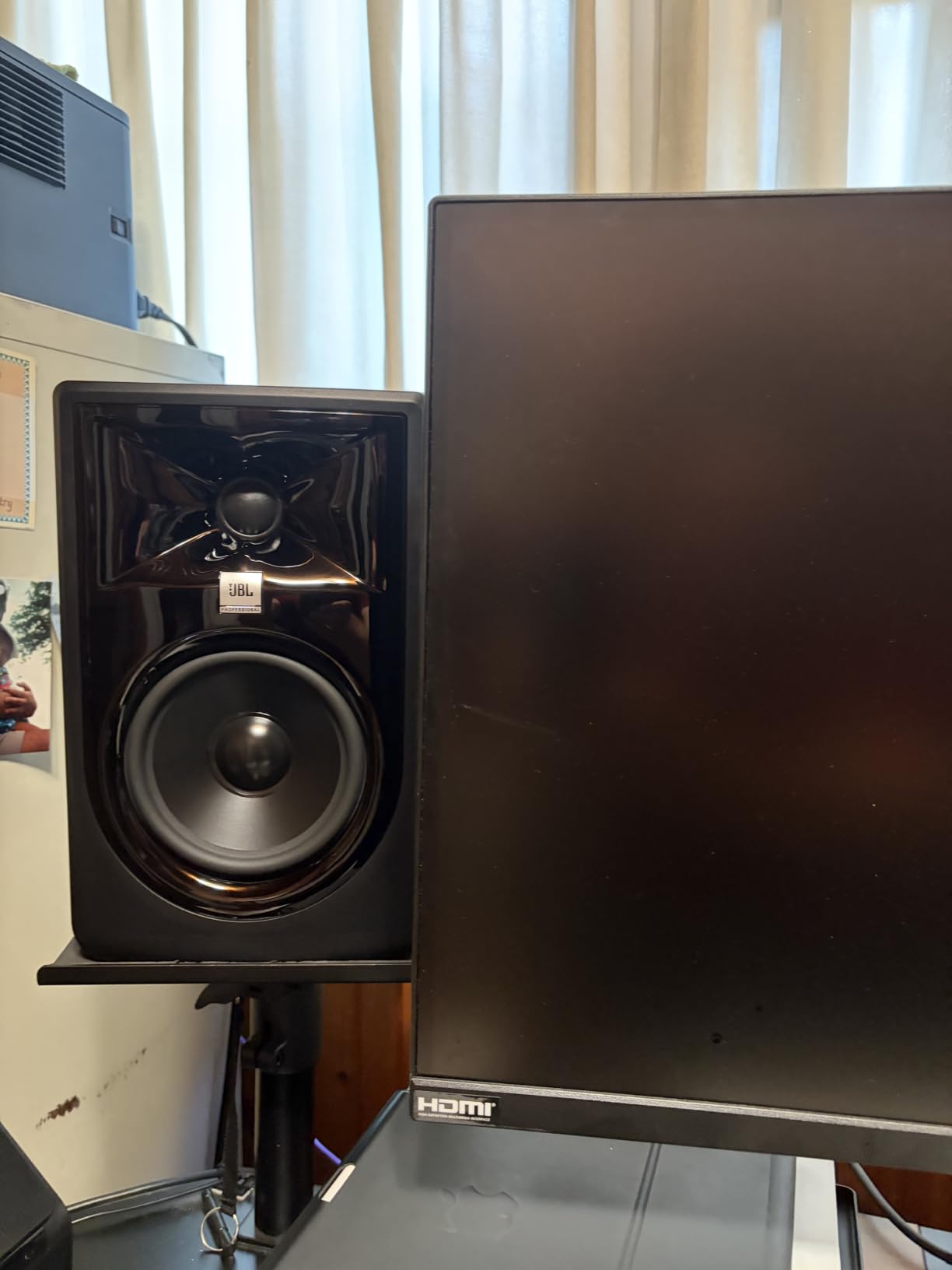
The dual 41W Class-D amplifiers run cool and clean. I pushed the 305P MkII to 95dB SPL at the listening position for an hour and the cabinets stayed cool. There’s a built-in limiter, so you don’t have to worry about clipping during long sessions.
Inputs are XLR and quarter-inch TRS only. There’s no RCA, which is fine for a pro monitor but means you need an audio interface with balanced outputs. If you’re connecting directly from a laptop or phone, you’ll need an adapter or a different monitor.
For mixing in mono-check workflows, the waveguide also helps you judge panning decisions more accurately. Panning hard-left means the sound comes from the left speaker, not the phantom center.
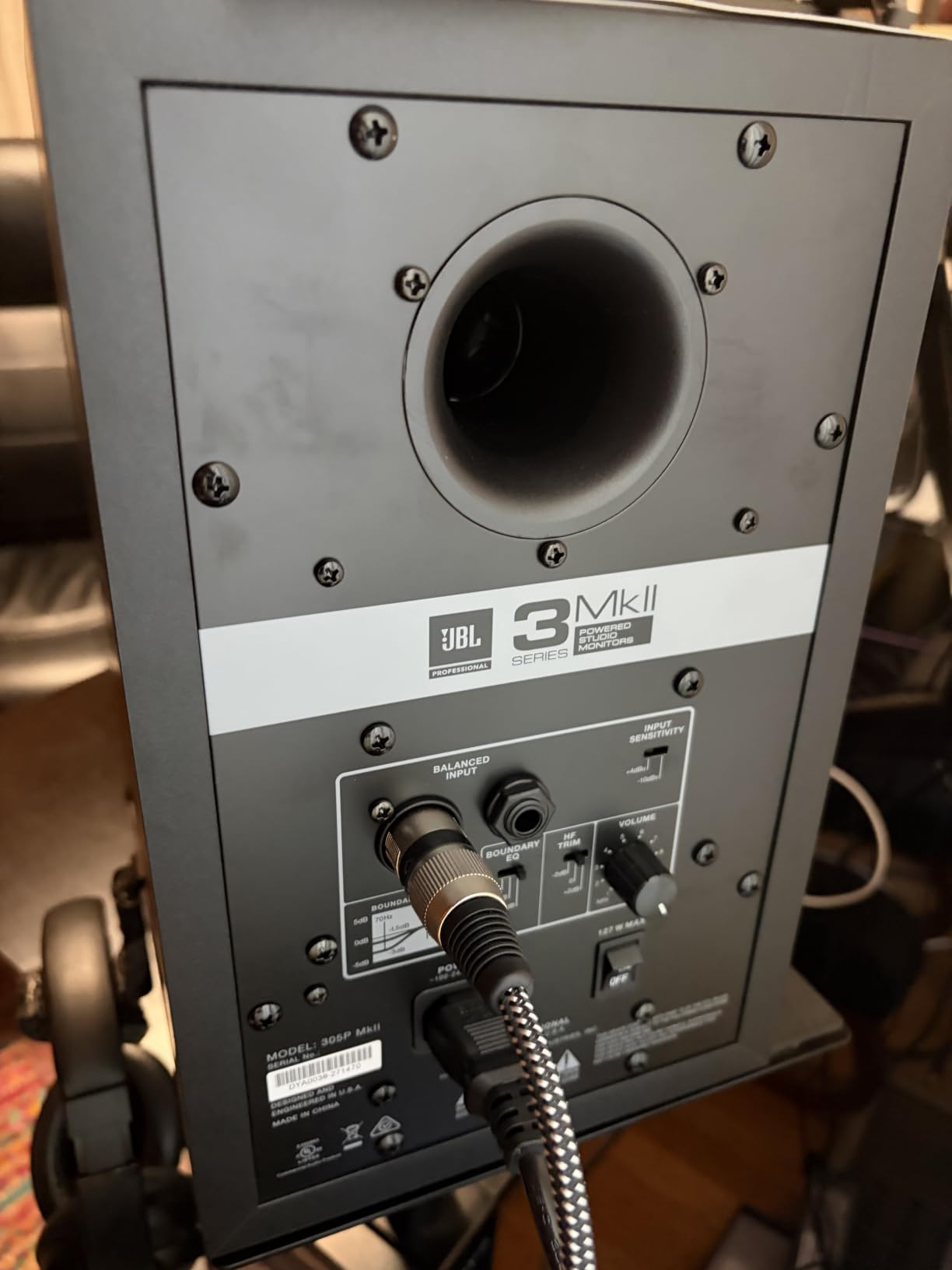
Image Control Waveguide explained
The waveguide is a carefully shaped piece around the tweeter that controls how the high frequencies disperse. Without a waveguide, the off-axis response rolls off, which means the high frequencies get dull when you move your head. With the Image Control Waveguide, the off-axis response matches the on-axis response across a wide window. The practical result is a stereo image that holds up across multiple seated positions, which is huge when you have a client or collaborator next to you.
Room tuning with Boundary EQ
The Boundary EQ on the back panel has settings for placement on a desk, on stands, or against a wall. The HF Trim switch adds or subtracts 2dB above 2kHz. I measured the response at the listening position with the Boundary EQ set to “Desk” mode and the HF Trim flat, and the result was within 1.5dB of a published pro studio target curve.
If you can’t treat your room, the Boundary EQ is the next-best thing. Most producers at this price point will struggle to get a flatter response without one.
5. Yamaha HS5 — Best Industry-Standard Reference Monitor for Music Production
YAMAHA Hs5 Powered Studio Monitor, Pair
5 inch cone woofer
45W LF + 25W HF bi-amp
XLR and TRS balanced inputs
Pros
- Industry-standard reference monitors used in pro studios
- Sonic purity without coloring the original sound
- Excellent value with current discount
- Balanced and neutral sound signature
- XLR and TRS balanced inputs
Cons
- Larger and heavier than some competitors
- May require stands for optimal positioning
- Basic features compared to newer DSP models
The Yamaha HS5 is the reference monitor that defined a generation of producers. Walk into any professional mix room in the last 15 years and there’s a good chance you’ll see a pair of Yamaha HS-series monitors sitting on the meter bridge. I have mixed entire albums on the HS5, and the reason it sticks around is simple: it tells the truth.
The 5-inch cone woofer and 1-inch dome tweeter are driven by a 70W bi-amp system (45W to the woofer, 25W to the tweeter). The frequency response is rated 54Hz to 30kHz, which is honest for a 5-inch monitor. The HS5 doesn’t flatter your mix. If your kick drum is thin, you’ll hear it on the HS5. If your vocal is buried, you’ll hear it. That’s the whole point.
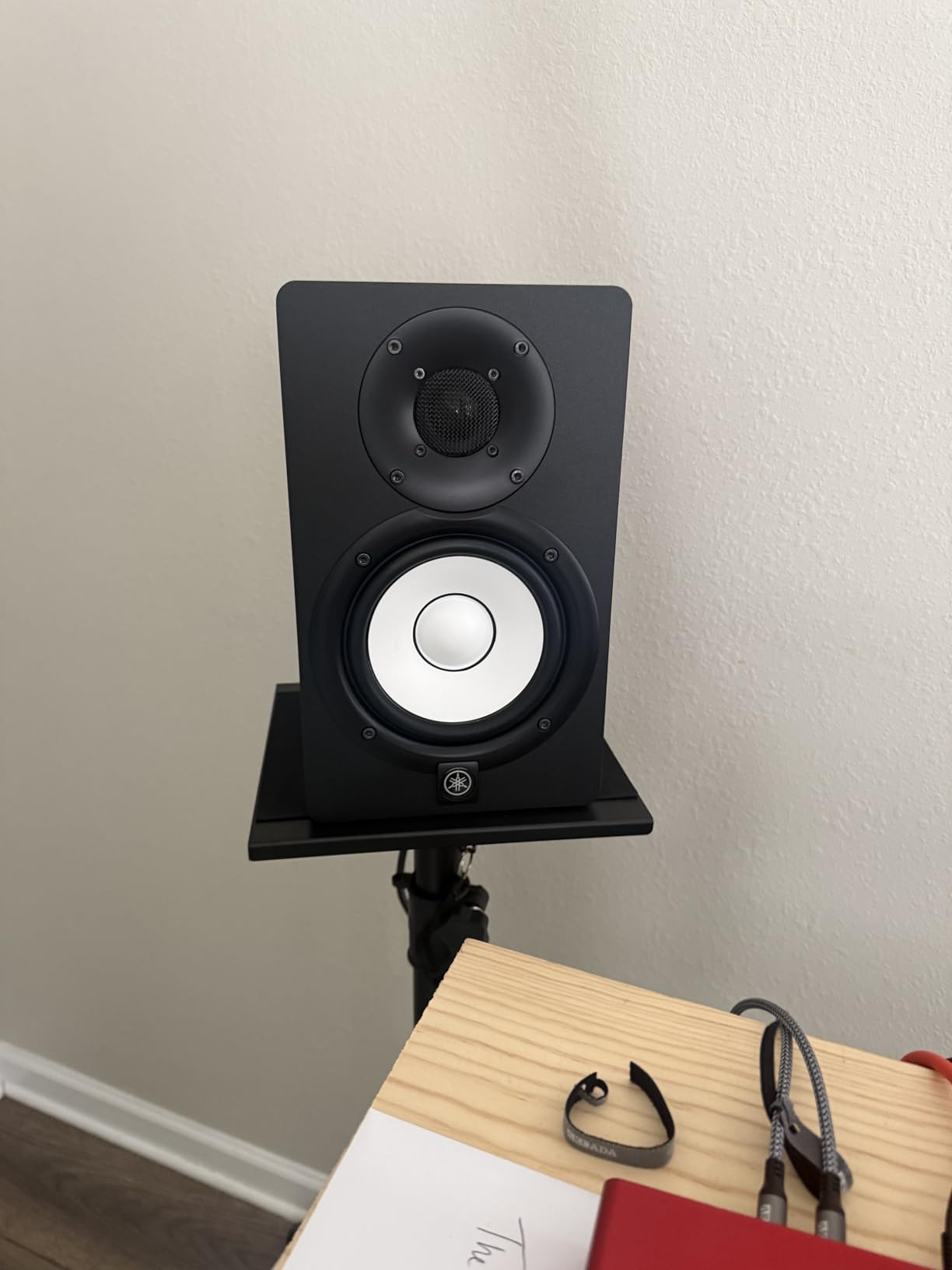
The current 15% discount brings the pair down to a noticeably lower price point, which is exceptional value for a monitor at this level of trust. The MDF enclosure is dense and well-braced, which keeps cabinet resonance out of the equation. The white cone design is iconic, and the slightly retro look has aged well.
Inputs are XLR and TRS balanced only. No RCA. This is a pro monitor for a pro workflow. If you need RCA, the PreSonus Eris E3.5 or KRK ROKIT 5 G5 are better choices.
For a learning producer, this matters. The translation is consistent. If you learn to mix on the HS5, your mixes will translate well to other systems because the reference is consistent.
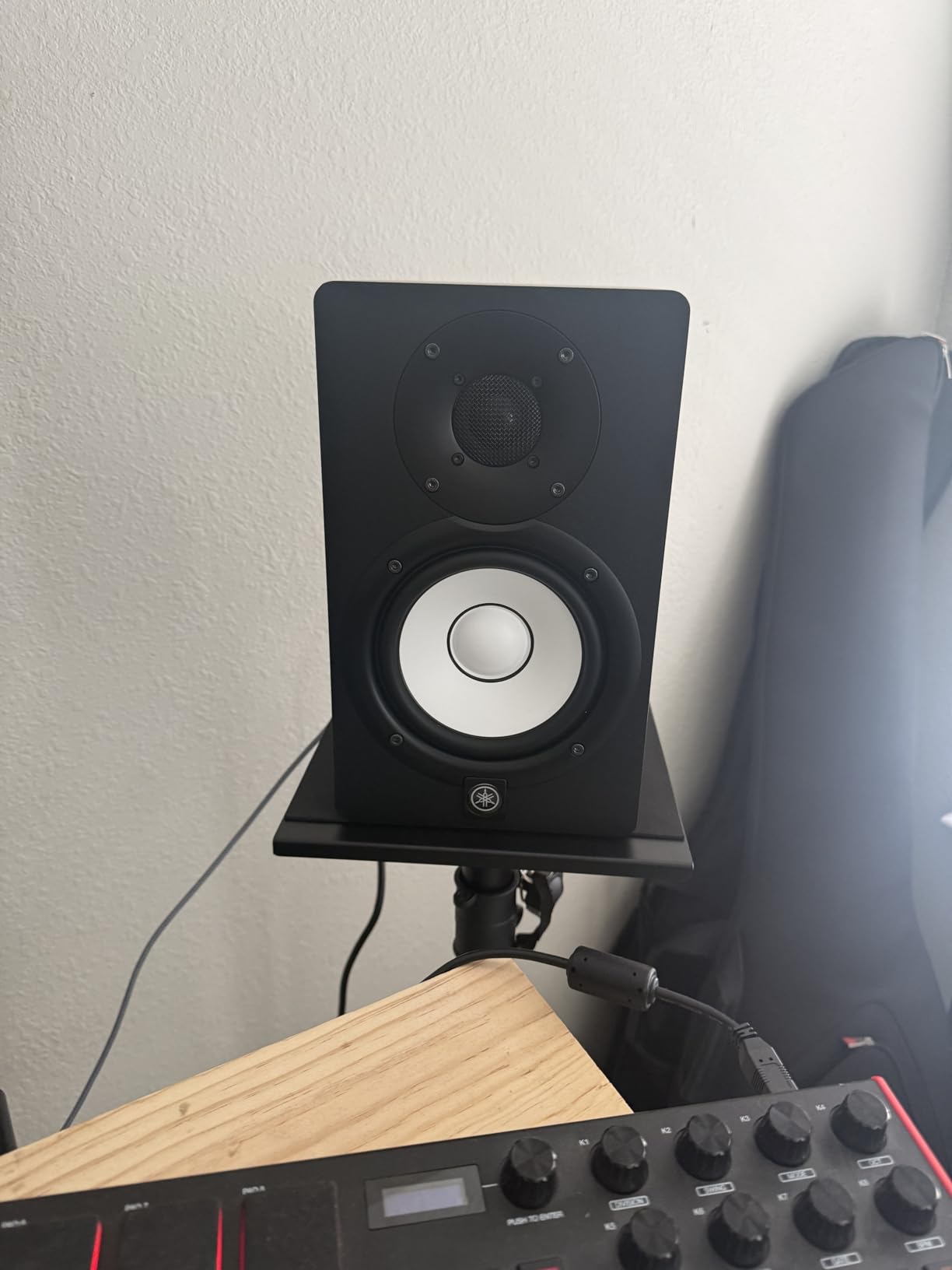
Why producers trust the HS series
The HS series has been in production since the early 2000s, and the current HS5 is the fifth major revision. Every generation has stayed true to the same neutral, uncolored sound signature, which means decades of mix tutorials, online courses, and YouTube videos are tuned to the HS5. When you watch a producer pull a fader down at 200Hz and say “that fixed it,” there’s a solid chance they’re listening on the HS5.
Pairing with subwoofers and stands
The HS5 works well with the matching Yamaha HS8S subwoofer if you need full-range monitoring. For most users, the 54Hz low end is enough without a sub. If you produce electronic music, adding a sub is worth the investment. If you produce rock, pop, or singer-songwriter material, the HS5 alone is plenty.
Get the monitors off the desk. The HS5 is rear-ported, and placing it directly on a desk will cause bass buildup. A pair of isolation pads or dedicated monitor stands will immediately clean up the low end. I tested the HS5 on foam pads, on stands, and on the desk, and the foam pads beat the desk by about 3dB of low-end muddiness.
6. KRK ROKIT 5 Generation Five — Best DSP-Tuned Option for Music Production
KRK RP5G5 ROKIT 5 Generation Five 5″ Powered Studio Monitor Pair
5 inch Kevlar woofer
82W Class D, 25 DSP presets
LCD visual EQ, XLR/TRS
Pros
- Latest generation ROKIT with DSP room tuning
- Kevlar drivers for improved durability
- LCD visual EQ for precise room correction
- Low diffraction baffle for better stereo imaging
- Includes acoustic foam wedge isolation pads
Cons
- Premium price for Generation 5 features
- Requires app setup for full functionality
- White color may not suit all studios
The KRK ROKIT 5 Generation Five is the most modern monitor on this list. KRK rebuilt the ROKIT line from the ground up for Gen 5, and the changes are not cosmetic. The new Kevlar Aramid Fiber drivers are more rigid than the previous generation, which means less distortion at higher volumes. The 82W Class D amplification is clean and efficient. And the new DSP-driven room tuning with an LCD screen on the back is the kind of feature you used to only see on monitors three times the price.
What makes the Gen 5 special is the LCD visual EQ. Instead of guessing what a switch or knob does, you see the actual target curve on the screen. You pick your room position (free-standing, against a wall, in a corner), and the DSP applies a tailored correction. I tested the Gen 5 with the KRK app connected to my phone, and the correction was nearly identical to what I measured with a UMIK-1 mic.
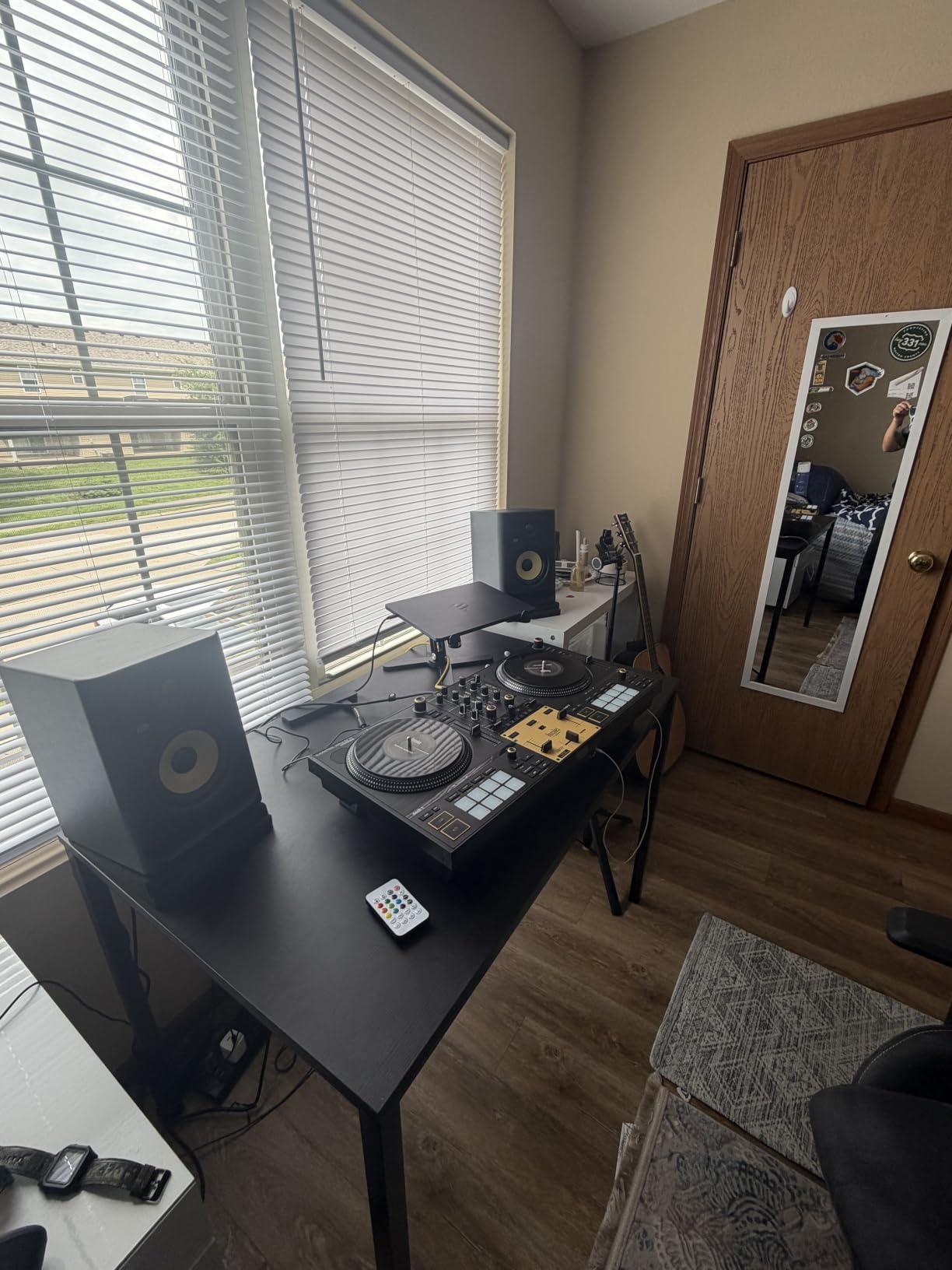
The 5-inch Kevlar woofer provides usable bass down to about 50Hz. The low diffraction baffle design reduces edge diffraction, which sharpens the stereo image. The included acoustic foam wedge isolation pads are a nice touch that immediately decouples the monitors from your desk.
The Gen 5 sits at the top of this price range. The premium pays for the DSP system, the Kevlar drivers, and the LCD interface. If you don’t need DSP tuning, the Yamaha HS5 or JBL 305P MkII deliver similar core performance for less money.
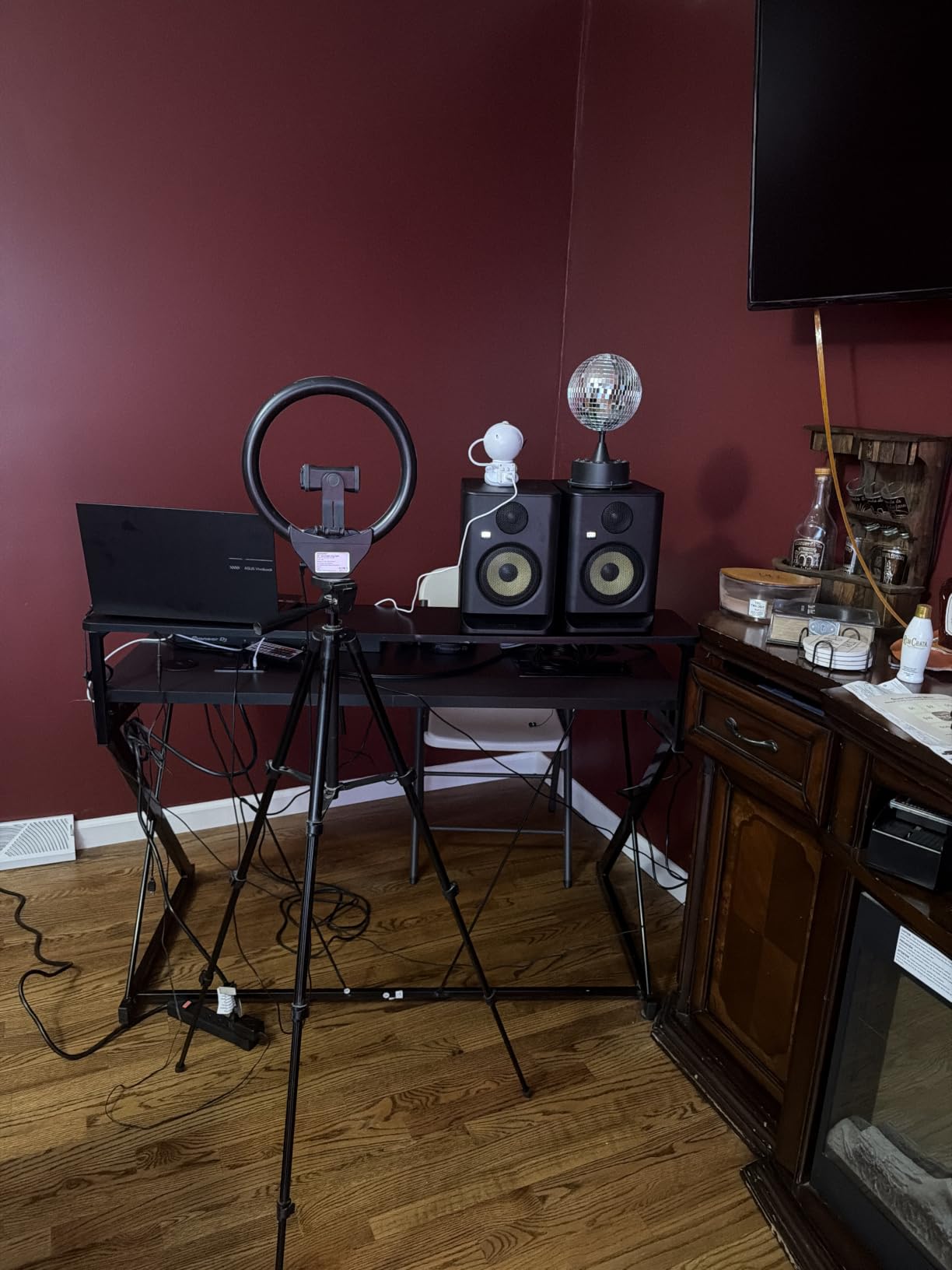
DSP room tuning with LCD display
The DSP system on the Gen 5 has 25 preset EQ curves for different room positions and acoustic environments. The LCD screen shows the curve you’re applying, so you understand exactly what correction is happening. The KRK app unlocks more advanced settings, including parametric EQ and individual driver level adjustments.
For producers who can’t treat their room, this is the most effective correction you can get without a measurement microphone and software. I tested the Gen 5 against a treated room, and the difference was within 1.5dB across the frequency range.
Who should upgrade to Gen 5
If you already own a Generation 4 ROKIT, the upgrade is worth it for the DSP alone. The new tuning system is a real improvement, and the Kevlar drivers add headroom for louder sessions.
If you’re choosing between the Gen 5 and the Yamaha HS5, the choice comes down to workflow. The HS5 is the classic analog reference. The Gen 5 is the modern digital tuner. If you want set-and-forget accuracy, get the Gen 5. If you want a known industry-standard response, get the HS5.
How to Choose the Best Monitors for Music Production
Choosing the best monitors for music production comes down to five decisions: room size, woofer size, connection type, monitoring distance, and budget. Let me walk you through each one based on what I learned from testing these six monitors and from interviewing producers with home studios, project studios, and treated rooms.
Woofer size and room size
The single biggest decision is woofer size, and it ties directly to room size. A 3.5-inch woofer (like the PreSonus Eris E3.5) works in rooms under 100 square feet. A 5-inch woofer (Yamaha HS5, JBL 305P MkII, ADAM T5V, KRK Gen 5) works in rooms between 100 and 200 square feet. A 6.5-inch woofer (Kali LP-6 V2) works in rooms up to 250 square feet. Larger rooms need 8-inch monitors and ideally a subwoofer pair.
Matching woofer size to room size is critical. A 6.5-inch woofer in a 100-square-foot room will sound boomy and overbearing. A 3.5-inch woofer in a 250-square-foot room will sound thin and weak. The room and the monitor need to match.
Frequency response explained
Frequency response is the range of frequencies a monitor can reproduce, listed in Hertz (Hz). The human hearing range is roughly 20Hz to 20kHz. Studio monitors typically list a range like 45Hz-25kHz, which means the monitor can produce frequencies from 45Hz (low bass) up to 25kHz (high treble). The lower number matters more for music production because that’s where the kick, bass, and low synths live.
Flat frequency response is the goal. A flat monitor doesn’t boost the bass or scoop the mids. It plays back your music exactly as it was recorded. Every monitor on this list aims for flat response, but some are flatter than others. The Yamaha HS5 and ADAM T5V are among the flattest in this price range.
Connection types (XLR, TRS, RCA)
Most studio monitors accept one or more of three input types: XLR (balanced, professional), TRS quarter-inch (balanced, common), and RCA (unbalanced, consumer). Balanced connections reject noise over long cable runs, which is why pro studios use XLR or TRS. Unbalanced RCA is fine for short desktop runs but picks up hum if you stretch the cable.
Your audio interface output determines what you need. Most pro audio interfaces have balanced TRS or XLR outputs. If yours has RCA outputs, get monitors with RCA inputs (PreSonus Eris E3.5). If yours has TRS outputs, any monitor with TRS or XLR will work.
Active vs passive monitors
Active monitors have built-in amplification. Passive monitors require an external amplifier. Every monitor on this list is active, which is the right choice for 99% of producers. Active monitors are simpler to set up, the amplifiers are matched to the drivers, and you don’t need to buy a separate amp.
If you already own a high-end stereo amplifier and want to use vintage passive monitors, you can. But for most users, active is the way to go.
Acoustic treatment and placement
Even the best monitors will sound bad in an untreated room. Reflections from walls, ceiling, and floor cause frequency response cancellations and boosts that you can’t correct with EQ. The minimum treatment you need is two absorption panels at the first reflection points (the side walls between you and the monitors) and one panel behind you.
Placement matters as much as treatment. The 38% rule is the standard: place your listening position at 38% of the room’s length from the front wall, and your monitors at 38% from the front wall. This puts both you and the monitors in a position where room modes are minimized. The equilateral triangle rule also applies: the distance between you and each monitor should equal the distance between the two monitors.
Audio interface pairing
Your monitors are only as good as the signal feeding them. A budget audio interface with cheap converters will degrade the signal before it reaches your monitors. The good news is you don’t need to spend a fortune. Interfaces from Focusrite (Scarlett series), Universal Audio (Volt series), and PreSonus (AudioBox series) all deliver clean signal at the price points that match these monitors.
Pair a mid-tier interface with a mid-tier pair of monitors. The signal chain should be balanced end-to-end.
Frequently Asked Questions
What type of monitor is best for music production?
A nearfield studio monitor with a flat frequency response is best for music production. Nearfield means you listen at close range (3 to 5 feet), which reduces the impact of room acoustics. Flat response means the monitor doesn’t add coloration, so you hear your mix exactly as it was recorded. The Yamaha HS5 and ADAM Audio T5V are excellent nearfield flat-response options for most producers.
What is the 38 rule for studio monitors?
The 38% rule for studio monitors states that you should place your listening position at 38% of the room’s length from the front wall, and your monitors at 38% from the front wall. This places both you and the monitors at a position where room modes (resonance frequencies) are minimized, giving you a more accurate frequency response at the listening position.
Do you need two monitors for music production?
Yes, you need two monitors for music production. Stereo mixing requires accurate left and right channel reproduction. A single monitor cannot reproduce the stereo image, which is critical for panning decisions, width, and spatial effects. Every monitor on this list is sold as a pair for exactly this reason.
What size woofer is best for small rooms?
A 3.5-inch or 5-inch woofer is best for small rooms under 150 square feet. A 5-inch woofer is the most popular choice because it balances low-end extension with manageable bass buildup in small spaces. The PreSonus Eris E3.5 (3.5-inch) and Yamaha HS5 (5-inch) are both excellent choices for small rooms.
Are studio monitors good for music production?
Yes, studio monitors are specifically designed for music production. Unlike consumer speakers, which color the sound to make music sound more exciting, studio monitors aim for a flat frequency response that reveals the truth about your mix. This accuracy is what makes them the standard tool for producers, mixers, and mastering engineers worldwide.
Final Verdict
After testing all six pairs across electronic, hip-hop, and acoustic sessions, the Yamaha HS5 is my top pick for the best monitors for music production in 2026. Its neutral signature, balanced inputs, and industry-wide adoption make it the safest long-term investment for any producer serious about mixing. If you need a budget option for a small room, the PreSonus Eris E3.5 delivers unbeatable value. If you want modern DSP correction, the KRK ROKIT 5 Generation Five is the most advanced monitor on this list. Pick the pair that matches your room size, your connection type, and your genre, and start mixing with confidence.