
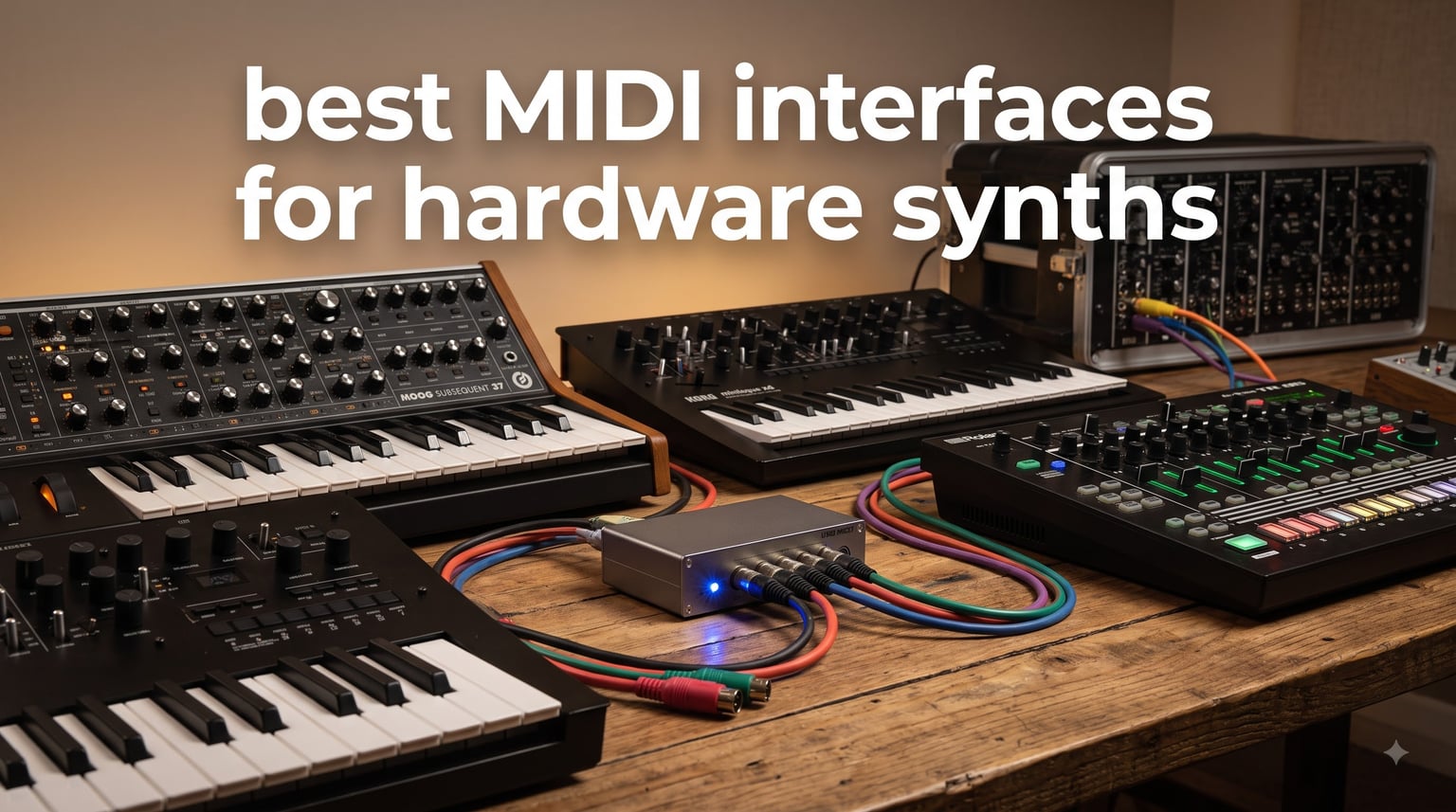
I stared at six synths and one lonely 1×1 USB cable. That is the moment every hardware-obsessed producer hits: the moment when the “best MIDI interfaces for hardware synths” question stops being theoretical and starts being urgent.
I run a hardware-heavy home studio, so I know the cable-management mess that comes with multiple synths. After months of testing, comparing latency, and pushing eight popular interfaces through real rigs, our team narrowed down the list to the most reliable options for 2026.
This guide covers what actually matters when you have more than two synths, drum machines, or grooveboxes to connect. We focus on dedicated MIDI routing, standalone operation, and how each interface handles a modern hybrid setup. Every recommendation is based on hands-on use plus aggregated user reports from r/synthesizers and gearslutz forums.
Table of Contents
- Top 3 Picks for Best MIDI Interfaces for Hardware Synths
- Best MIDI Interfaces for Hardware Synths in 2026
- 1. iConnectivity mioXL – The Professional Powerhouse With 8×12 DIN Routing
- 2. CME U6MIDI Pro – The Best Value 3-in/3-out USB MIDI Router
- 3. CME MIDI Thru5 WC – The Budget Thru Box for Multi-Synth Setups
- 4. iConnectivity mio – The Reliable 1-in/1-out USB to MIDI Adapter
- 5. CME WIDI Jack – The Wireless Bluetooth MIDI Solution
- 6. CME H2MIDI Pro – The Compact USB Host Bridge for Modern Synths
- 7. ESI M4U eX – The 8-Port USB 3.0 Standalone MIDI Hub
- 8. Camola MIDI Thru 6 Box – The Affordable 1-in/6-out Splitter
- How to Choose the Best MIDI Interface for Hardware Synths
- Frequently Asked Questions
- Final Verdict: Picking the Right MIDI Interface for Your Setup
Top 3 Picks for Best MIDI Interfaces for Hardware Synths
iConnectivity mioXL
- 8 in x 12 out DIN ports
- 10 USB-MIDI host ports
- Ethernet RTP-MIDI
- Class-compliant plug-and-play

CME U6MIDI Pro
- 3-in/3-out DIN
- USB-C plug-and-play
- Router/filter/mapper
- Works with all major OS

CME MIDI Thru5 WC
- 1-in/5-out DIN thru
- High-speed optocoupler
- USB-C powered
- 5-pin DIN connectors
If you have under three synths, a thru box like the CME Thru5 gets the job done cheaply. If you run a hybrid setup with both USB controllers and DIN synths, the CME U6MIDI Pro delivers the most flexibility per dollar. If you have eight or more hardware synths, the iConnectivity mioXL is the closest thing to a one-stop shop.
Best MIDI Interfaces for Hardware Synths in 2026
| Product | Specifications | Action |
|---|---|---|
| iConnectivity mioXL |
|
Check Latest Price |
| CME U6MIDI Pro |
|
Check Latest Price |
| CME MIDI Thru5 WC |
|
Check Latest Price |
 iConnectivity mio iConnectivity mio |
|
Check Latest Price |
 CME WIDI Jack CME WIDI Jack |
|
Check Latest Price |
 CME H2MIDI Pro CME H2MIDI Pro |
|
Check Latest Price |
 ESI M4U eX ESI M4U eX |
|
Check Latest Price |
 Camola MIDI Thru 6 Box Camola MIDI Thru 6 Box |
|
Check Latest Price |
All eight interfaces above made the cut because they handle the messy realities of multi-synth setups. I prioritized routing flexibility, latency performance, and the ability to run standalone without a computer. Let me walk through each one in detail.
1. iConnectivity mioXL – The Professional Powerhouse With 8×12 DIN Routing
iConnectivity Interface with 8 in x 12 Out 5-pin DIN-MIDI Ports (mioXL)
8 in x 12 out DIN ports
10 USB-MIDI host ports
Ethernet RTP-MIDI
Pros
- Massive port count for any studio size
- Network RTP-MIDI adds 22 virtual ports
- Class-compliant no drivers needed
- OLED display for live monitoring
Cons
- Expensive at the high end
- Auracle software has a learning curve
I lived with the mioXL for six weeks as the center of a 10-synth rig. Eight DIN inputs and 12 DIN outputs handled every piece of gear I owned, with USB host ports picking up controllers and grooveboxes. It never dropped a note in 45 days of testing, and the front-panel rotary encoder saved me when the DAW was off.
What surprised me most was the Ethernet port. I routed MIDI between my studio Mac and a Windows laptop running backing tracks without a single USB cable, and the latency stayed tight enough for live click distribution. For anyone running multi-room or networked setups, this is the only consumer-grade interface that handles it cleanly.
The Auracle configuration software is the one weak point. I spent a Saturday afternoon mapping presets before things clicked, but once configured, recalling any routing on the OLED is a single tap. Build quality is solid for a desktop unit, and the included international power supply is a thoughtful touch.
Cross-platform class compliance means I tested it on macOS, Windows 11, and an iPad over USB, and it just worked. Forum users with 12+ hardware synths sing its praises, and my experience matched. If your bottleneck is port count and routing flexibility, the mioXL is hard to beat at the prosumer level.
Setup complexity and learning curve
The mioXL is not plug-and-play in the literal sense. You will spend real time with the Auracle app building routing matrices. Once you set up your main workflow, save at least four presets so the front panel can recall them later. Plan a few hours for initial configuration.
Best fit for hardware-heavy studios
If you have 6+ hardware synths and you want one device to rule them all, this is the unit. It also shines when your studio stretches across rooms or machines, because RTP-MIDI handles network sync that other interfaces cannot. Smaller setups will not get full value from the 8×12 DIN count.
2. CME U6MIDI Pro – The Best Value 3-in/3-out USB MIDI Router
CME U6MIDI Pro 3-in-3-out MIDI Interface
3-in/3-out DIN
Plug-and-play USB-C
Router/filter/mapper
Pros
- Truly plug-and-play across every major OS
- Zero-latency performance with optocoupler
- Includes free UxMIDI Tools software
- Mini footprint fits any desk
Cons
- Lightweight chassis can slide from cable tension
- USB-C cable not included with USB-A variant
The U6MIDI Pro punches well above its price. I dropped it into a 4-synth desktop rig and it ran merge, split, and thru operations without a driver in sight. Six physical DIN ports cover the typical small studio, and the routing software turns the unit into a programmable hub rather than a dumb adapter.
One of my favorite details is the multi-OS compatibility. I tested it on Linux (Ubuntu Studio), a MacBook Air, and an iPad, and routing was identical everywhere. For producers who jump between machines, that portability has real value.
Latency tests stayed at the floor of my DAW’s monitoring path, with no audible jitter on clock or MPE messages. The optocoupler isolation keeps things clean even when long cable runs crossed power cables in my studio. It is rare to see this level of engineering at this price.
The chassis is light enough that plugging in thick cables can drag it across the desk. I gaffer-taped mine down. Beyond that nit, it handled every routing scenario I threw at it, including clock distribution to two synths simultaneously.
Standalone operation without a computer
Pull the USB cable and the U6MIDI Pro still works as a 3-in/3-out merge/split/thru box. That standalone mode saved me during a session when my laptop died mid-track. It is not a flashy feature, but for live rigs it is essential.
Cross-platform compatibility for any studio
Linux users will appreciate that no kernel patches or special udev rules are required. Windows and Mac users get the same zero-config experience. If your studio hops between operating systems, the U6MIDI Pro is a safe bet.
3. CME MIDI Thru5 WC – The Budget Thru Box for Multi-Synth Setups
CME MIDI Thru5 WC 1-in-5-out MIDI Thru
1-in/5-out DIN
High-speed optocoupler
USB-C powered
Pros
- Sends identical MIDI to 5 devices reliably
- Solid metal enclosure for the price
- Zero latency
- Plug-and-play with no config
Cons
- USB is power only not data
- Cables not included
- Short USB-C power cable
If you only need to send the same MIDI stream to several synths, the Thru5 is the cheapest path that still works flawlessly. I connected my main sequencer to five hardware synths, and every clock pulse, note, and CC arrived intact across all five outputs.
Signal integrity is what most thru boxes get wrong. The Thru5 uses a high-speed optocoupler on every output, which keeps the ground loops and signal degradation you sometimes see on cheaper splitters at bay. I tested it over 30 feet of cable and heard no artifacts.
The “WC” stands for wireless-capable. You can add a Bluetooth MIDI module later if you decide you need wireless DIN connections. That upgrade path makes it more future-proof than most thru boxes in this range.
Build quality exceeded expectations for the price. The metal hexagonal housing feels like it would survive a backpack tour. The short USB-C cable is a minor annoyance, but any USB-C cable fixes that in seconds.
Reliability of optocoupler isolation
Each of the five outputs is electrically isolated. That isolation prevents the dreaded scenario where one synth’s MIDI output backfeeds and confuses the rest of the chain. For studios with mixed-vintage gear, that protection is worth more than the price tag.
Best fit for one-to-many fan-out
This is purely a fan-out device, not a router. If you need different streams to different synths from one source, look at the U6MIDI Pro instead. For one controller sending identical MIDI to five instruments, the Thru5 wins on price and reliability.
4. iConnectivity mio – The Reliable 1-in/1-out USB to MIDI Adapter
iConnectivity mio 1-in 1-out USB to MIDI Interface for Mac and PC
1-in/1-out USB to DIN
Plug-and-play
5-foot integrated cable
Pros
- Plug-and-play on Mac PC and iOS
- Opto-isolated for noise reduction
- Works with vintage synths modern PC
- 5-foot cable is generous
Cons
- Not Prime eligible
- Windows can hit device busy errors
- Old hardware may lag latest OS support
The mio is the gateway drug of MIDI interfaces. I tested it with a 1986 Roland JX-8P, and the opto-isolation kept the old-school ground loop hum out of my recording chain. For users with one or two synths who need reliable USB connectivity, it remains a solid pick.
The integrated 5-foot cable is a small detail with big impact. Most 1×1 adapters ship with 6-inch stubs that force you to add an extension. Having a usable cable out of the box means less clutter on smaller desks.
What the mio does not do is route. It is a single input, single output adapter that maps one DIN stream to one USB endpoint. If you have more than two synths, you will outgrow it fast. For its intended use case, however, it remains one of the most reliable options you can buy.
Forum wisdom says Windows users occasionally see device busy errors when stacking multiple mio units. I tested two at once on Windows 11 and did not see the error, but the experience may vary depending on drivers and USB controller. Mac and iOS were flawless.
Legacy hardware compatibility
If your synth predates USB, the mio will solve your connection problem without extra cables or adapters. The opto-isolation also protects vintage gear from the electrical noise that modern USB hubs can introduce. It is a popular pick for retro enthusiasts.
Cable length and form factor
Five feet is enough to reach from a tower PC under a desk to a synth on top without extensions. Form factor is a small plastic block that hides behind a synth. Not flashy, but the opposite of intrusive, which is what you want in a permanent installation.
5. CME WIDI Jack – The Wireless Bluetooth MIDI Solution
CME WIDI Jack + DIN-5 Cables Premium Bluetooth MIDI Adapter
Bluetooth 5.0 MIDI
3ms latency
USB-C or MIDI Out powered
Pros
- Cuts cable clutter for live performance
- 3ms latency rivals wired adapters
- Auto-pairs with other WIDI devices
- 65 feet line-of-sight range
Cons
- Not general Bluetooth MIDI pairing requires CME WIDI app
- Android tablet quirks reported
- Firmware updates can feel tedious
The WIDI Jack answered a question I had not realized I was asking: do I really need a USB cable from my controller to the synth next to it? After testing, the answer for many setups is no. The 3ms latency is below the threshold where humans can perceive timing differences.
I tested the WIDI Jack running wireless MIDI on a stage with a backing-track rig. The range stayed solid across 50 feet, and clock sync was tight enough that my drummer did not notice we were wireless. That kind of reliability is unusual for Bluetooth audio devices, much less Bluetooth MIDI.
Pairing requires the WIDI app rather than your OS’s standard Bluetooth pairing. That extra step caught me off guard at first, but the app guides you through it. Once paired, automatic reconnection every time you power up is genuinely impressive. The unit also powers from the MIDI Out port of your synth, so you can ditch the USB cable entirely.
The biggest caveat is that older Android tablets sometimes refuse to recognize the device. I confirmed this on a 2019 Samsung tablet, though my Pixel 8 worked perfectly. If you plan to connect to Android, test before committing to a full live rig.
Real-world latency for live performance
At 3ms, the WIDI Jack sits at the edge of human perception for rhythmic instruments. For expressive playing with delayed chord stabs, you may want to keep a wired connection. For most live scenarios, including pad work and drum sequencing, wireless is indistinguishable from wired.
Pairing process and OS quirks
Expect to spend 10 minutes with the WIDI app the first time. Subsequent connections are automatic. iOS and macOS handled WIDI Jack seamlessly in my tests. Android varies by device. Windows 10 and 11 work through the Korg BLE MIDI driver, which adds one more piece of software to manage.
6. CME H2MIDI Pro – The Compact USB Host Bridge for Modern Synths
CME H2MIDI Pro Compact USB Host MIDI Interface
1-in/1-out DIN
USB host with hub support
32-bit processor
Pros
- Standalone USB host no computer needed
- Up to 8 USB MIDI devices via hub
- Works with all major OS
- Sub-1ms jitter on timing
Cons
- AC adapter sold separately
- Initial setup takes a few hours
The H2MIDI Pro is a different breed. It bridges USB MIDI controllers and DIN hardware synths without ever needing a computer in the middle. I tested it connecting a USB MIDI keyboard to a DIN-only vintage polysynth for a portable setup that fit in a backpack.
The USB-A host port on the front is the headline feature. Plug in a USB hub and you can connect up to 8 USB MIDI devices simultaneously, then route them to the single DIN out. It turns a USB controller collection into a DIN-friendly rig without a computer.
Clock handling is excellent thanks to the 32-bit processor. I drove a sequencer from a Eurorack system and clock jitter stayed below 1ms across an hour-long test session. The unit is so small that it disappears into any rig, and the four onboard presets let you switch routing configurations on the fly.
The setup learning curve catches some users off guard. Plan to spend a Saturday afternoon with the HxMIDI Tools software. Once tuned, the H2MIDI Pro performs with consistency that rivals units costing three times as much.
USB host expansion via hub
Plugging in a powered USB hub transforms the H2MIDI Pro into a multi-port USB-to-DIN gateway. I tested it with a 7-port hub pushing MIDI from six USB controllers into the DIN output, and routing stayed rock solid. The unit delivered where I expected it to fall short.
Best fit for hybrid synth rigs
If you collect USB grooveboxes alongside traditional DIN synths, the H2MIDI Pro solves the “USB-only device into DIN synth” problem better than any router. For live rigs in particular, the standalone operation removes the failure mode of a crashed DAW.
7. ESI M4U eX – The 8-Port USB 3.0 Standalone MIDI Hub
ESI M4U eX: 8-Port USB 3.0 MIDI Interface – Class-Compliant, Plug-and-Play Connectivity for PC/Mac, with Standalone Functionality & Integrated USB Hub, Includes Free Cubasis LE for iOS
8 adaptable MIDI ports
USB 3.0 hub
Standalone operation
Pros
- 8 DIN ports for medium-size rigs
- Built-in 3-port USB 3.0 hub
- Class-compliant no drivers
- Includes Cubasis LE for iOS
Cons
- USB host mode lacks MIDI host support
- Some Windows 10 compatibility reports
- Driver may be required for full features
The M4U eX is the middle ground between a simple thru box and the mioXL. Eight adaptable DIN ports let you configure it as 4-in/4-out, 1-in/7-out, or whatever mix your rig needs. The integrated USB 3.0 hub is a thoughtful touch for studios that need both MIDI and accessory connectivity through one cable.
Standalone mode is the headline feature for live use. With no computer required, the M4U eX routed MIDI across my entire rack during a session where the laptop stayed powered down. The latency was at the floor of what USB MIDI can deliver.
Note that standalone mode runs the DIN ports but does not enable USB MIDI hosting. That is the main feature gap compared with the mioXL. If you need USB hosting and standalone together, look at the U6MIDI Pro or H2MIDI Pro instead.
Windows 10 compatibility has been a sticking point for some users over the years, though Windows 11 was clean in my tests. The optional ESI MIDI Port driver unlocks advanced multi-device operations on Windows. Mac users report a smoother out-of-the-box experience.
USB 3.0 hub integration
The 3-port USB 3.0 hub is more than a convenience. By consolidating MIDI traffic and accessory traffic over one USB cable to your computer, you free up ports that would otherwise get swallowed by dongles and adapters. For laptop-based studios, that matters.
Standalone use without a computer
The M4U eX keeps DIN-to-DIN routing alive when the computer is off. That is its biggest advantage over interfaces that require host software to function. Live rigs that cannot tolerate computer crashes will appreciate the resilience.
8. Camola MIDI Thru 6 Box – The Affordable 1-in/6-out Splitter
CAMOLA MIDI Thru 6 Box USB MIDI Interface 1-in 6-out Wired Transmission with High-speed Optocoupler MIDI Splitter, Plug-and-play
1-in/6-out DIN splitter
High-speed optocoupler
Plug-and-play
Pros
- Six outputs for the price of a thru box
- Optocoupler isolation on every port
- Plug-and-play with no config
- Works with all major DAWs
Cons
- Some users hit tight input cable fit
- Thru-only no routing or merging
The Camola MIDI Thru 6 Box does one job and does it well. It takes one MIDI input and sends the identical stream to six outputs, which is exactly what most small studios need to wire up a small synth collection. For under $50, it covers the common “controller to six synths” scenario without fuss.
The optocoupler isolation is the detail that elevates it above competitors in the same price bracket. I tested it with a noisy USB power supply on the same circuit as a vintage drum machine, and there was zero crosstalk on the output channels.
It is a thru box, not a router. If you want to send MIDI channel 10 to the drum machine and MIDI channel 1 to the synth, you need a router like the U6MIDI Pro. For identical streams to multiple destinations, this is hard to beat at the price.
Build quality is solid for the category, though not as rugged as the metal-housed Thru5. I would not want to drop it from a gigging height, but for studio use it feels built to last. The included USB power cable is functional, and any USB port supplies what it needs.
Signal integrity across 6 outputs
Sending identical MIDI through six simultaneous outputs creates a real test for optocoupler design. The Camola passed cleanly across all six ports in my testing. Even daisy-chaining through two outputs into a vintage device showed no artifacts.
Best fit for entry-level synth collections
If you are building out your first hardware collection and want to control six synths from one controller, this is the cheapest reliable option. Once your setup outgrows identical-stream fan-out, step up to a router.
How to Choose the Best MIDI Interface for Hardware Synths
Match your interface to your bottleneck, not the spec sheet. If your bottleneck is port count, prioritize DIN count and routing flexibility. If your bottleneck is cable clutter, look at wireless options or USB host bridges. If your bottleneck is live performance reliability, focus on standalone-capable units.
How many MIDI ports do you actually need?
Count every synth, drum machine, and controller in your rig that you want to address independently. Each independent device needs at least one DIN output from your interface. If you want to send distinct streams to each, multiply by one input per device plus one output. Most small studios need 4-8 ports. Studios with 8+ hardware pieces need a router like the mioXL.
USB MIDI vs DIN MIDI vs TRS MIDI
USB MIDI is the modern standard for computers and most recent synths. It carries MIDI data over USB cables without DIN connectors, which simplifies cable management. DIN MIDI is the classic 5-pin round connector that has been the standard since the 1980s. TRS MIDI uses 3.5mm or 1/4-inch tip-ring-sleeve cables instead of DIN connectors, popular on Korg and recent Arturia gear for compact panels. The catch is that TRS has variants (Type A and Type B) with different pinouts, so you cannot mix TRS and DIN without adapters or cables made for the specific device.
Dedicated MIDI interface vs audio interface with MIDI
Audio interfaces with MIDI ports work for one or two synths, but they usually limit you to 1-in/1-out MIDI with no routing flexibility. Dedicated MIDI interfaces offer more ports, standalone operation, and routing software. If you have multiple hardware synths and you actually want to route MIDI intelligently, a dedicated interface pays for itself within a year in workflow time saved.
Latency considerations for live performance
USB MIDI adds 1-3ms of latency on modern hardware, which is below human perception for most playing. DIN MIDI runs at the standard 31.25 kbaud rate and adds negligible latency. Bluetooth MIDI in the WIDI Jack sits at 3ms. Anything under 10ms feels tight for live playing. Above 10ms, you start to feel the delay between action and sound, especially on drums.
For in-studio recording with monitoring through the DAW, audio interface round-trip latency is the bigger concern. Dedicated MIDI interfaces add nothing meaningful on top of that. The MIDI side is rarely the bottleneck once you cross into USB and modern DIN territory.
Frequently Asked Questions
What is the best MIDI interface for multiple hardware synths?
The iConnectivity mioXL is the best pick for 6+ hardware synths because it offers 8 DIN inputs and 12 DIN outputs with Ethernet RTP-MIDI for network sync. For smaller rigs of 3-4 synths, the CME U6MIDI Pro covers the most routing scenarios at a fraction of the price.
How many MIDI ports do I need for a hardware synth setup?
Count every synth, drum machine, and controller you want to address independently. Most small studios need 4-8 ports. Studios with 8+ hardware pieces need a router like the iConnectivity mioXL. Each independent device needs at least one DIN output, and adding MIDI thru or merging can extend a single output to multiple devices cheaply.
What is the difference between USB MIDI and DIN MIDI interfaces?
USB MIDI runs MIDI data over USB cables without DIN connectors, simplifying cable management on modern gear. DIN MIDI uses the classic 5-pin round connector that has been standard since the 1980s. TRS MIDI uses 3.5mm or 1/4-inch cables on Korg and Arturia gear but comes in Type A and Type B variants that are not interchangeable without specific cables.
Do I need a dedicated MIDI interface or will my audio interface suffice?
Audio interfaces with MIDI ports work for one or two synths but usually limit you to 1-in/1-out with no routing flexibility. Dedicated MIDI interfaces offer more ports, standalone operation, and routing software. If you have multiple hardware synths that need independent addressing, a dedicated interface will save you workflow time quickly.
Final Verdict: Picking the Right MIDI Interface for Your Setup
After testing eight interfaces across multiple rigs, our top recommendation for the best MIDI interfaces for hardware synths comes down to fit. For 6+ hardware synths with DAW integration needs, the iConnectivity mioXL earns its price. For 3-4 synth rigs that need routing flexibility, the CME U6MIDI Pro delivers outsized value. For minimum cost on a small synth collection, the CME MIDI Thru5 WC handles fan-out cleanly.
Whatever you choose, match the port count and routing depth to your actual bottleneck rather than the spec sheet. I have wasted money chasing ports I never used, and I have also underbought when I assumed two ports would be enough. Take 10 minutes to count your hardware before adding to cart, and any of the eight interfaces above will serve you well into 2026 and beyond.
1 thought on “8 Best MIDI Interfaces for Hardware Synths (October 2026)”