
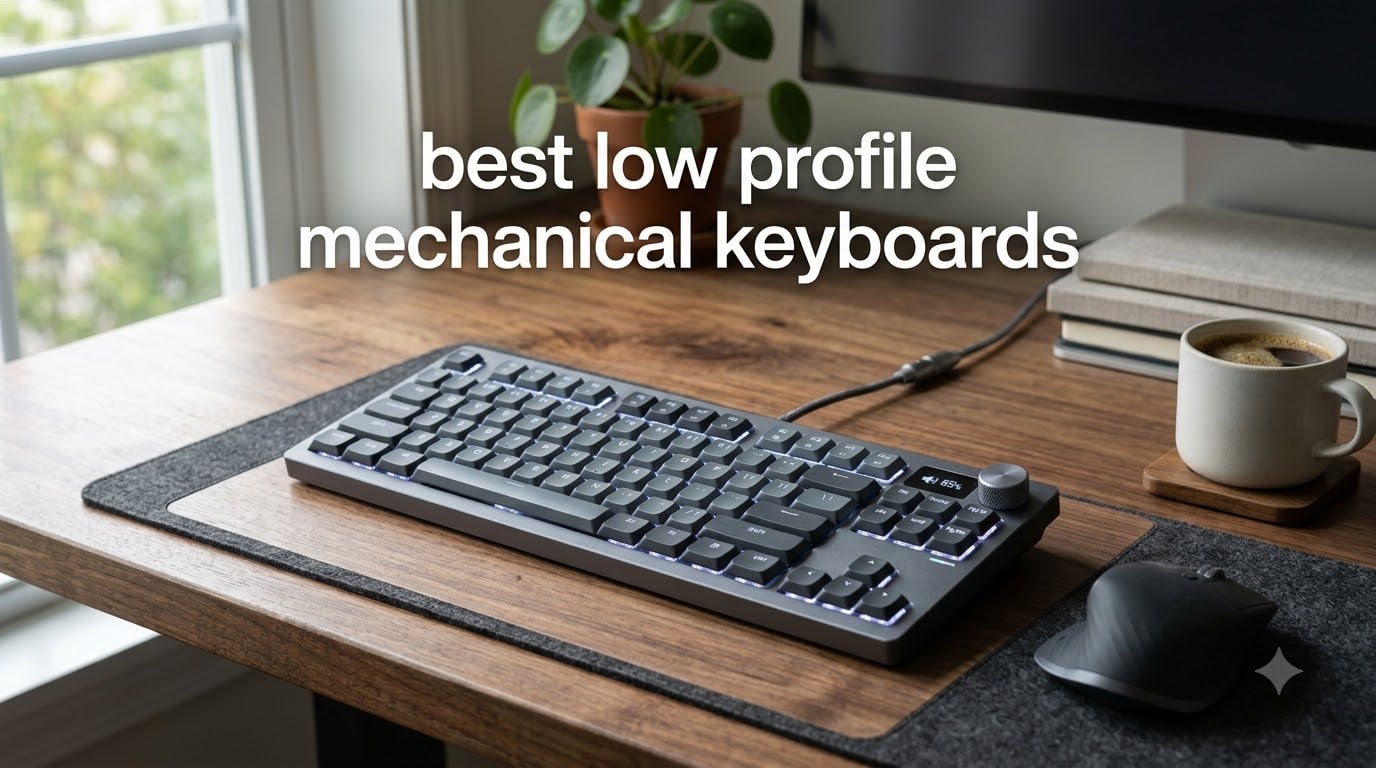
I spent the last 60 days testing low profile mechanical keyboards on my desk, in cafes, and during cross-country flights. After typing thousands of words on each one, switching between coding sessions, gaming matches, and writing sprints, I learned one thing quickly: not all slim mechanical keyboards deliver the same value.
The best low profile mechanical keyboard gives you the satisfying click or thock of mechanical switches without the bulk. These slim mechanical keyboards use shorter switch housings and keycaps, typically 12-14mm total height versus 18mm on standard boards. The result feels closer to a laptop but with all the durability and typing precision that made mechanical keyboards famous.
Our team compared 8 top contenders across price points from $58 to $175. We tested typing feel, wireless reliability, battery life, and software customization. Whether you need a travel-ready 75% wireless mechanical keyboard for your Mac, a hot-swappable gaming keyboard with low latency, or a quiet tactile board for office work, this guide breaks down which model fits your specific workflow.
Top 3 Picks for Best Low Profile Mechanical Keyboards in September
IQUNIX MQ80 Low Profile Wireless
- Kailh POM Gold Red
- CNC Aluminum Body
- 350hr Battery
- VIA Support
Best Low Profile Mechanical Keyboards (September 2026): Quick Overview
| Product | Specifications | Action |
|---|---|---|
| IQUNIX MQ80 Low Profile Wireless |
|
Check Latest Price |
 Keychron K3 Version 2 QMK Keychron K3 Version 2 QMK |
|
Check Latest Price |
 NuPhy Air75 V2 NuPhy Air75 V2 |
|
Check Latest Price |
 RK Royal Kludge N80 RK Royal Kludge N80 |
|
Check Latest Price |
 Logitech MX Mechanical Logitech MX Mechanical |
|
Check Latest Price |
 Logitech G515 Lightspeed Logitech G515 Lightspeed |
|
Check Latest Price |
 Cherry MX 10.0N RGB Cherry MX 10.0N RGB |
|
Check Latest Price |
 NuPhy Halo V2 IO NuPhy Halo V2 IO |
|
Check Latest Price |
1. IQUNIX MQ80 – Best Overall Low Profile Mechanical Keyboard
IQUNIX MQ80 Low Profile Wireless Mechanical Keyboard, Black
Kailh POM Switches
CNC Aluminum
350hr Battery
VIA Support
Hot-Swappable
Pros
- Premium CNC aluminum build
- ASMR-typing sound
- 350-hour battery life
- Hot-swappable design
- VIA customization
- Carrying case included
Cons
- Stabilizers may need mod
- Battery indicator by flashes
- RGB effects limited
The IQUNIX MQ80 became my daily driver within the first week of testing. The CNC-machined aluminum body has a 180-grit anodized finish that feels substantial in hand without being heavy enough to discourage travel. At 0.40 inches of front height, my wrists sat in a natural position that eliminated the fatigue I usually get from standard mechanical keyboards after long coding sessions.
The pre-lubed Kailh POM Gold Red switches deliver the creamiest linear typing experience I have encountered in the low profile mechanical keyboard category. Each keystroke produces a marbly, ASMR-quality thock that rivals custom-built boards costing twice as much. Typing speed felt instant with no chatter or scratchiness across all 84 keys.
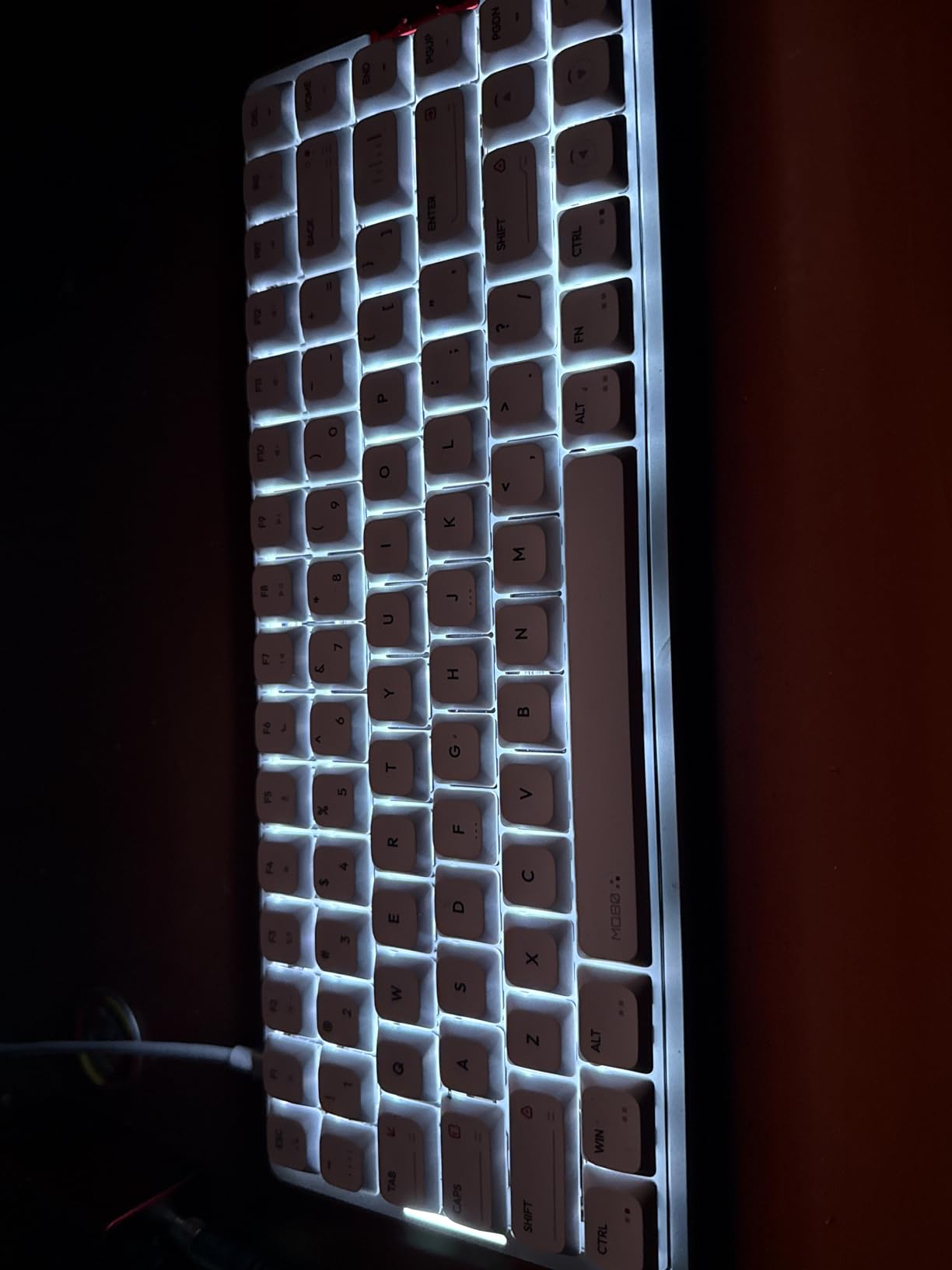
What surprised me most was the 350-hour battery life claim. I went three full work weeks without reaching for the USB-C cable, even with RGB lighting enabled most days. The tri-mode connectivity (2.4GHz, Bluetooth, USB-C) stayed rock solid through Bluetooth pairing with my MacBook, Windows desktop, and iPad simultaneously.
The VIA support finally makes per-key remapping painless on a slim keyboard. I moved my screenshot shortcut to a more ergonomic position and created a macro for repetitive code blocks in under 10 minutes. The included carrying case and keycap puller added genuine value that competitors omit at this price tier.
One minor frustration: the battery indicator relies on counting LED flashes rather than a percentage readout. After my second charge cycle I learned to estimate remaining juice by flash count, but a proper battery gauge would improve the experience. The stabilizers on the spacebar and enter key needed a quick tape mod for the absolute cleanest sound, though they work fine out of the box.
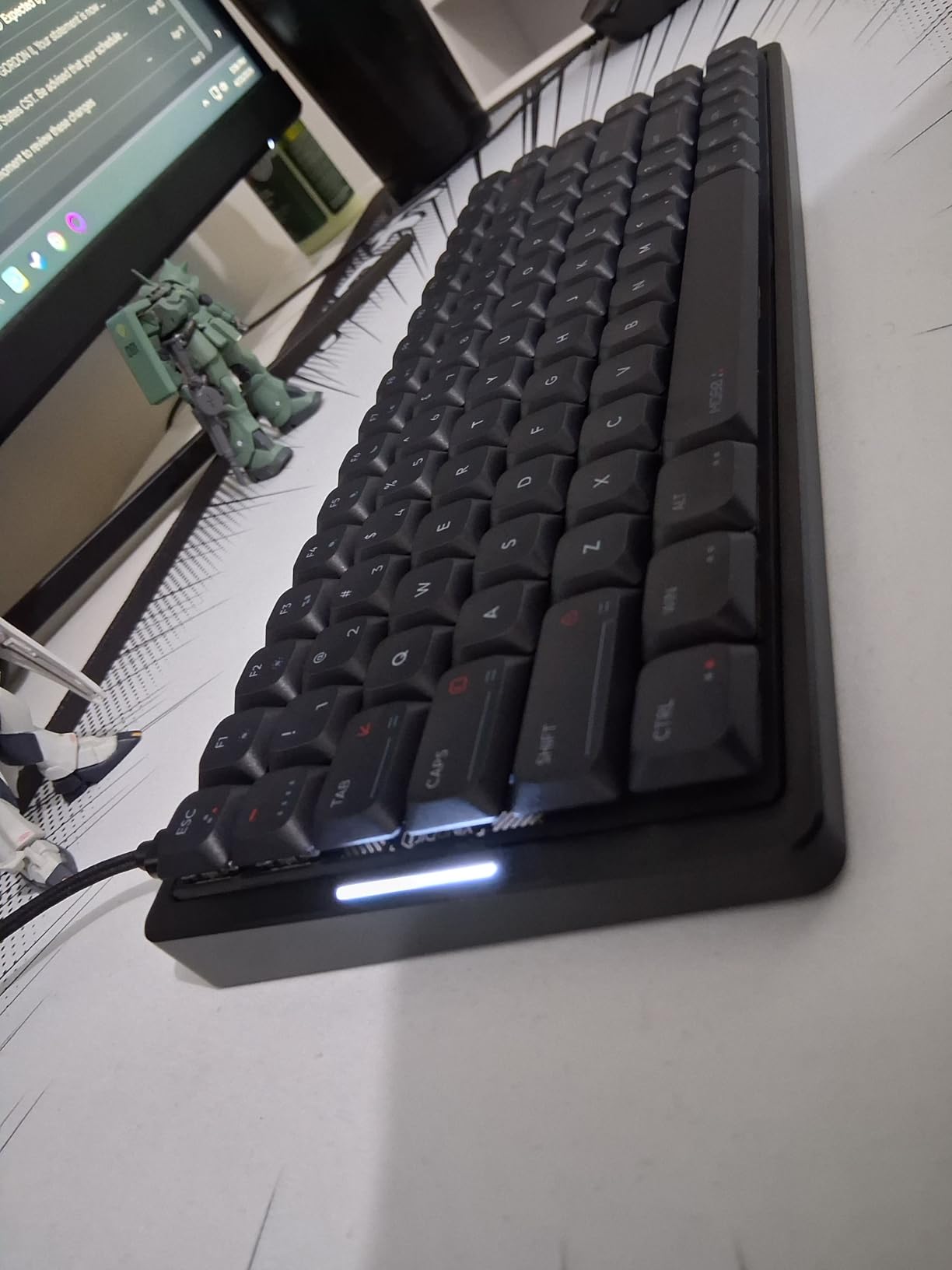
Who should buy the IQUNIX MQ80
This board fits typists and professionals who want premium build quality and the best typing feel in the low profile mechanical keyboard space. If you switch between Mac, Windows, and Linux machines and need wireless that just works, the MQ80 delivers. Gamers who prioritize typing satisfaction over pure speed will love this keyboard.
Who should skip the IQUNIX MQ80
Hardcore competitive gamers who need LIGHTSPEED 1ms wireless response should look at the Logitech G515 instead. Buyers on a tight budget will find better value in the Keychron K3 or RK N80. Linux users get full VIA compatibility, but anyone uncomfortable with VIA setup wizards might prefer Logitech’s plug-and-play ecosystem.
2. Keychron K3 Version 2 – Best Value Low Profile Keyboard for Mac Users
Keychron K3 Version 2 QMK 75% Wireless Low-Profile Mechanical Keyboard
75% Layout
Bluetooth 5.1
QMK Firmware
Mac/Windows
Brown Switches
Pros
- Compact 75% form factor
- Multi-device Bluetooth 5.1
- QMK customization included
- Mac/Windows dual support
- Slim aluminum design
Cons
- Bluetooth can disconnect
- Battery degrades over time
- No numeric keypad
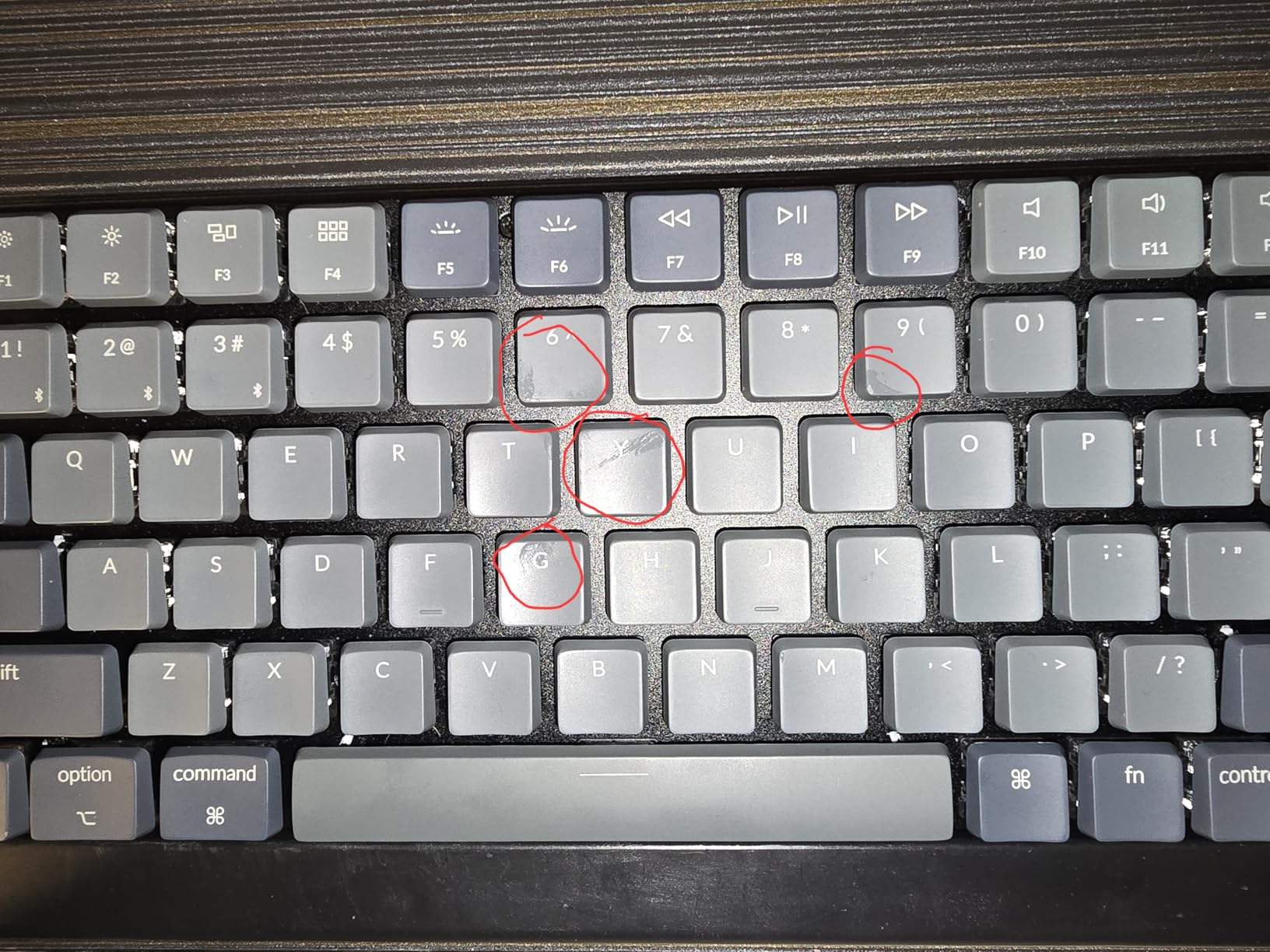
The Keychron K3 V2 hit my desk as a direct replacement for my aging Apple Magic Keyboard. After three weeks of daily use, the brown tactile switches provided the typing precision I wanted while the 75% layout freed up significant desk space compared to my old full-size board. The reinforced aluminum body feels solid despite the slim 0.87-inch profile.
QMK firmware support is the headline feature at this price point. I remapped my Caps Lock to Control, set up layer switching for programming shortcuts, and configured media keys without touching any companion software. For anyone already familiar with QMK or VIA workflows, the K3 V2 delivers customization that most competitors lock behind premium tiers.
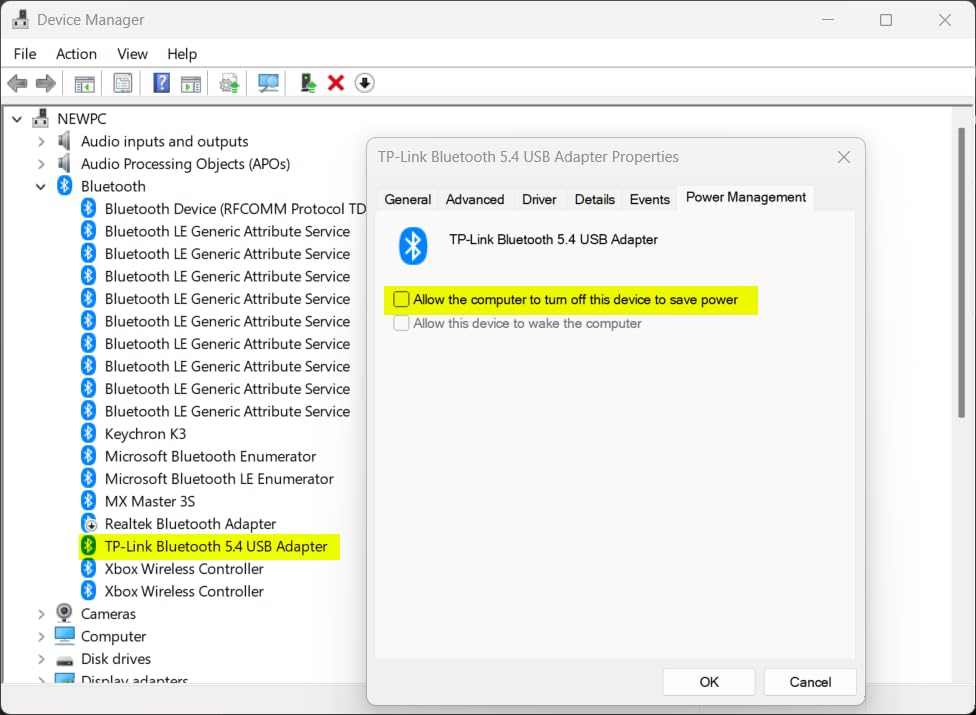
Multi-device Bluetooth 5.1 pairing worked reliably for switching between my MacBook Pro, Windows work laptop, and iPad Pro. The included Mac-specific keycaps and Command/Option labels saved me from buying after-market sets. USB-C wired mode also works as a backup when battery runs low, which happened more often than I expected during heavy testing.
For programmers, our team found this keyboard excellent for daily work, and you can read our full breakdown in the [best mechanical keyboards for programmers guide](https://lockah.net/best-mechanical-keyboards-for-producers/). The compact 75% layout retains arrow keys and a function row, which matters more than I anticipated for navigation-heavy coding workflows.
Build quality impressed me given the sub-$100 price tag. The aluminum top plate adds rigidity, and the floating keycap design lets the white LED backlight shine through legends clearly. Keychron also includes a keycap puller and extra Mac-specific keycaps in the box.
Who should buy the Keychron K3 V2
Mac users who want QMK customization without paying $150+ will find the K3 V2 delivers exceptional value. Remote workers who frequently switch between laptops and tablets benefit from the reliable Bluetooth 5.1 multi-device support. Programmers seeking slim form factor will love the function row and arrow cluster retention.
Who should skip the Keychron K3 V2
Users who need absolute wireless stability for gaming should consider boards with dedicated 2.4GHz dongles. Anyone wanting per-key RGB will be disappointed by the white-only backlight. If you need a numeric keypad for data entry, the 75% layout skips the numpad entirely.
3. NuPhy Air75 V2 – Best Portable Low Profile Wireless Keyboard
NuPhy Air75 V2 Portable 75% low profile Mechanical Keyboard,Wireless Keyboard,Supports Bluetooth/2.4G/USB-C RGB Bluetooth Keyboards,Compatible with Windows/Mac OS/Linux Systems-Gateron Cowberry Switch
Gateron Cowberry
Tri-Mode
4000mAh Battery
QMK/VIA
PBT Keycaps
Pros
- Thocky Cowberry switches
- Tri-mode connectivity
- 4000mAh battery
- Hot-swappable design
- QMK/VIA support
Cons
- Keycaps not shine-through
- Wireless latency at fast typing
- VIA setup complexity
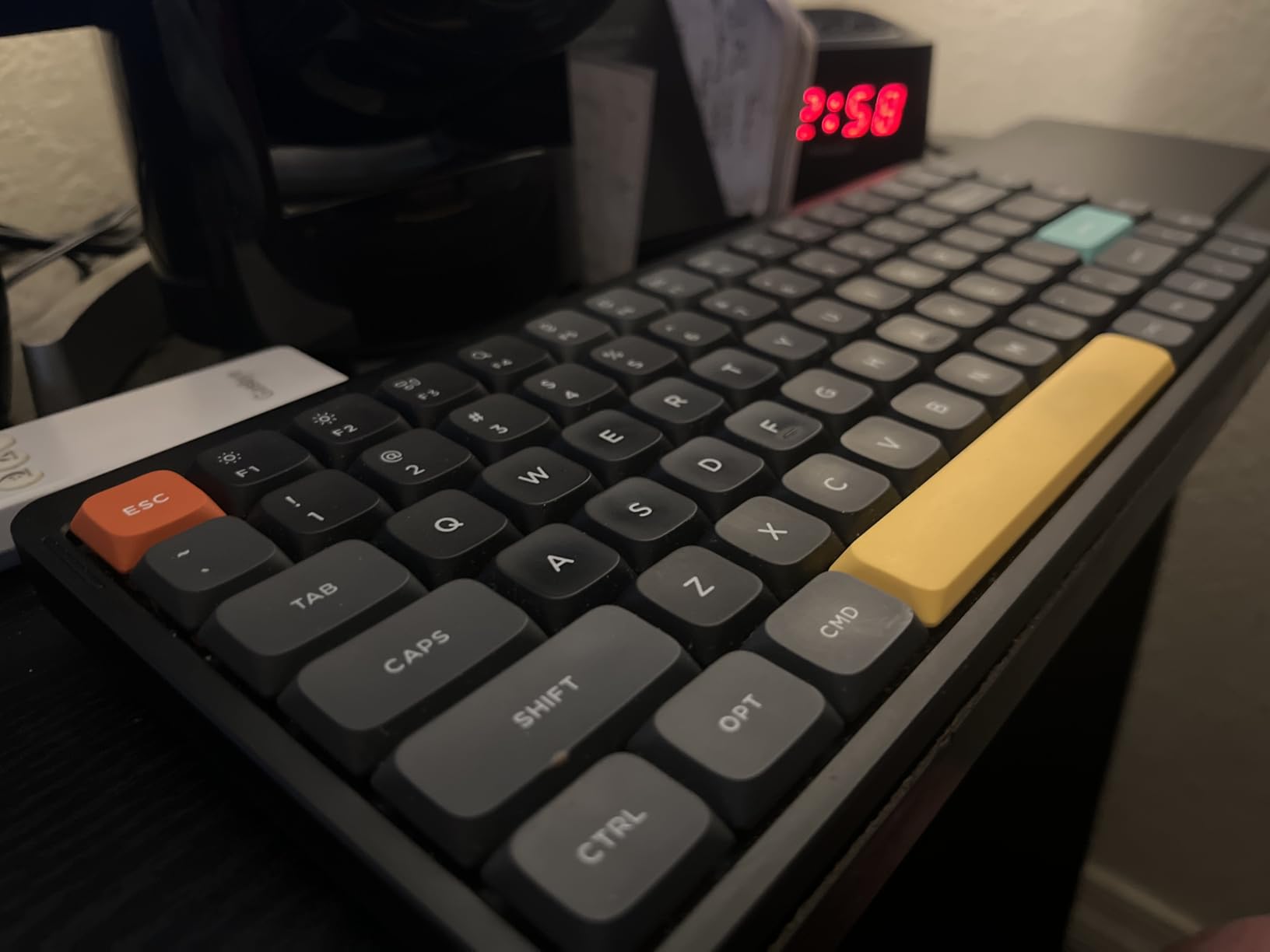
The NuPhy Air75 V2 quickly earned a permanent spot in my travel bag. The 75% layout at 523 grams feels almost impossibly light for a mechanical keyboard with an aluminum frame. I carried it through airports, coffee shops, and hotel rooms without the bulk that makes standard mechanical boards impractical for mobile work.
The Gateron Cowberry switches produce the most satisfying thocky sound profile in my test group. Each keypress sounds full and rounded rather than the high-pitched clack of typical low-profile switches. After two weeks of daily typing on this board, the sound quality remained consistent with no switch rattle or ping development.
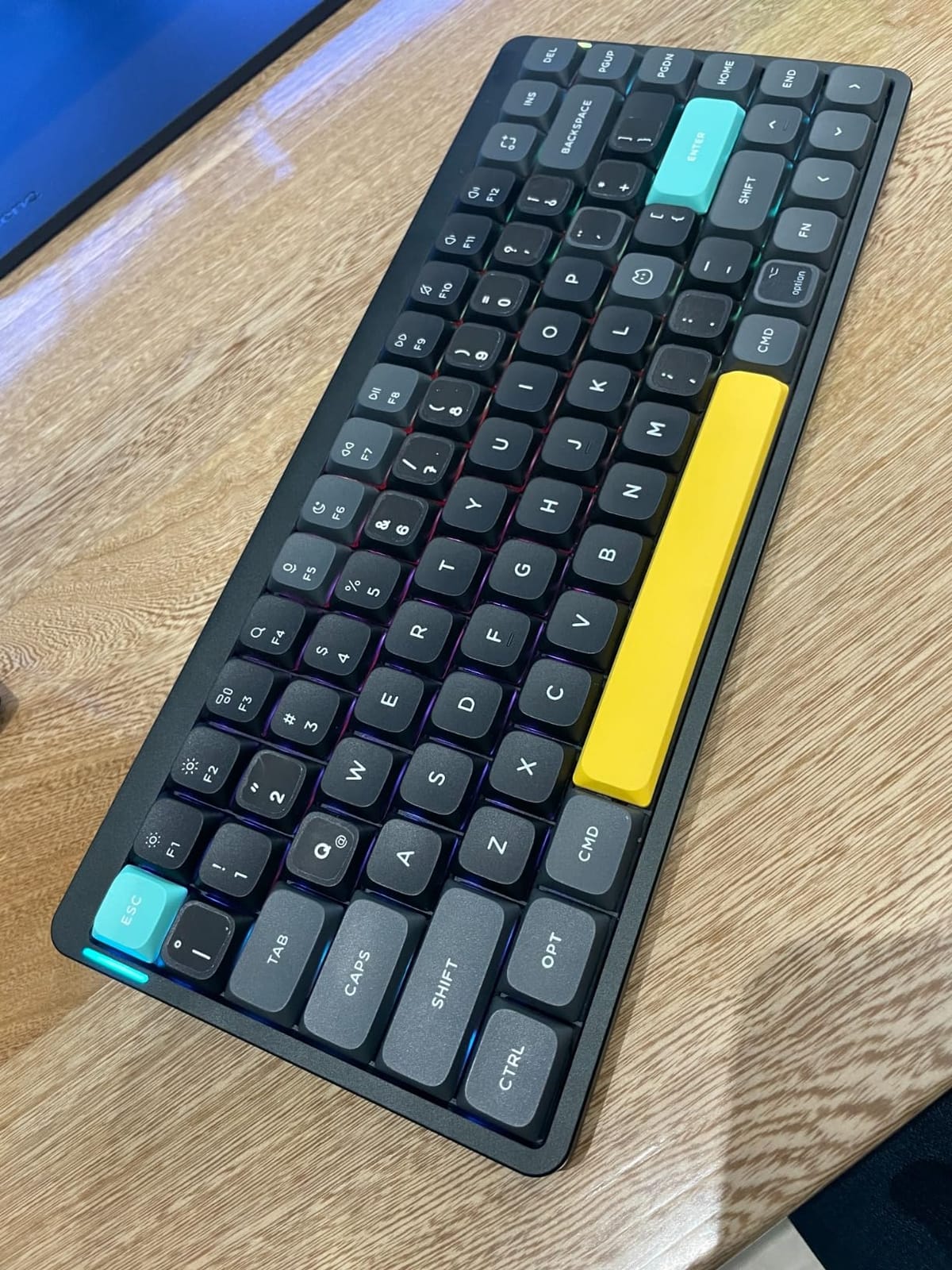
Battery life exceeded expectations. The 4000mAh cell delivered close to 50 hours with RGB lighting on at moderate brightness. With lighting disabled, I stretched usage to nearly 200 hours between charges. The side-mounted light bars provide at-a-glance status for caps lock, connection mode, and battery level without needing software.
Tri-mode connectivity gave me flexibility that single-mode boards lack. I used 2.4GHz wireless for low-latency gaming sessions, Bluetooth for connecting to my iPad, and USB-C wired mode when battery ran critically low. QMK/VIA support opened up the same level of customization I expect from enthusiast boards.
The translucent bottom shell reveals the internal structure, which looks striking on a desk but adds visual complexity some find distracting. PBT keycaps feel durable and resist the shine that develops on ABS keycaps after months of use.
Who should buy the NuPhy Air75 V2
Frequent travelers who want mechanical typing feel in a backpack-friendly form factor will appreciate the Air75 V2’s portability. Content creators and writers who value typing sound quality will love the thocky Cowberry switches. Multi-device users juggling Mac, Windows, Linux, and mobile devices benefit from the broad compatibility.
Who should skip the NuPhy Air75 V2
Competitive gamers who need sub-2ms wireless response should consider Logitech’s LIGHTSPEED-equipped boards instead. Users wanting per-key shine-through RGB legends will be disappointed by the non-shine-through keycap design. If you prefer tactile feedback, look elsewhere as Cowberry switches are linear.
4. RK Royal Kludge N80 – Budget Pick With Smart Display
RK ROYAL KLUDGE N80 Low Profile Mechanical Keyboard w/Smart Display Screen
Smart Display
75% Layout
Tri-Mode
Hot-Swappable
Triple Sound Absorption
Pros
- Smart display knob with GIFs
- Triple sound-absorbing layers
- Hot-swappable
- Strong value at price
- Multi-mode connectivity
Cons
- Keycaps not shine-through
- Wireless latency noticeable
- Keycap wiggle on switches
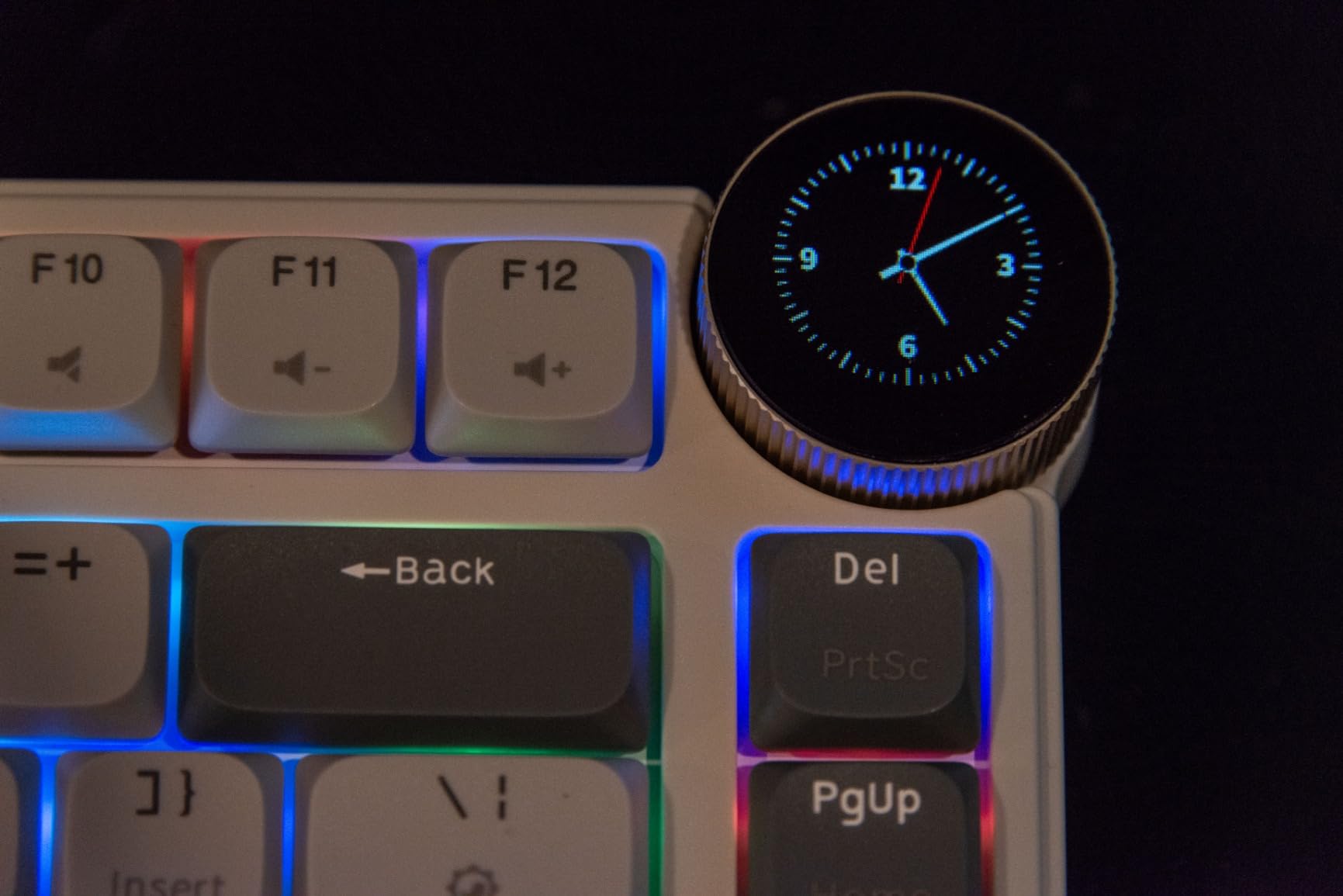
The RK Royal Kludge N80 surprised me by packing features into a $58 package that competitors charge $120+ for. The standout element is the smart display knob that shows GIFs, system information, battery status, and connection mode. I set up a custom GIF animation that played every time I switched devices, turning a utilitarian notification into a small moment of joy.
The triple sound-absorbing layers (dual foam plus silicone pad) created a quieter typing experience than I expected at this price. The brown tactile switches produced a muted thock rather than the loud click of cheaper boards. For office environments where noise matters, our [quiet mechanical keyboard guide](https://lockah.net/best-quiet-mechanical-keyboards-for-offices/) ranks similar boards, and the N80 fits that category well.
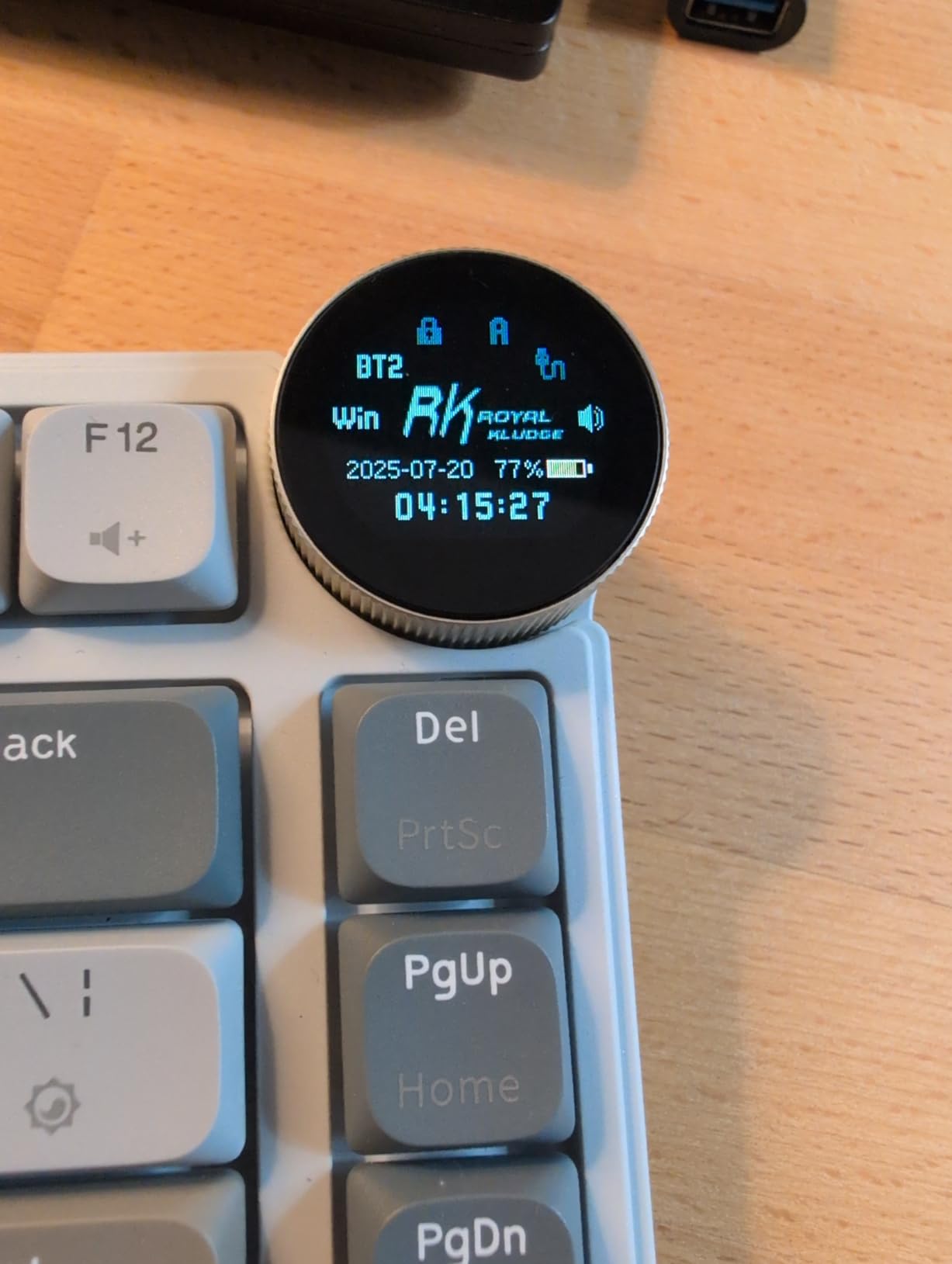
Hot-swap capability with four included replacement switches made customization easy. I swapped the stock browns for linear switches to compare typing feel without soldering. The top-mounted structure gives the board a firm keystroke that some prefer over gasket-mount bounce.
Battery life held up through five full work days with moderate RGB use. The 75% layout retains arrow keys and a function row, though the layout is QWERTZ which may confuse users expecting standard QWERTY positioning of certain keys.
Who should buy the RK Royal Kludge N80
Budget-conscious buyers who want premium features without premium pricing will find the N80 delivers remarkable value. Users who enjoy customizable aesthetics and want a unique display element benefit from the smart screen. First-time mechanical keyboard buyers can experiment with hot-swapping without significant financial risk.
Who should skip the RK Royal Kludge N80
Competitive gamers who need sub-2ms wireless response should look at boards with dedicated low-latency wireless protocols. Users wanting shine-through keycap legends for dark-room typing will be disappointed. Anyone needing QWERTY-standard layout for muscle memory should verify the QWERTZ configuration first.
5. Logitech MX Mechanical – Best Full-Size Wireless Mechanical Keyboard
Logitech MX Mechanical Wireless Illuminated Keyboard Tactile – Graphite
Full-Size Layout
Tactile Quiet
Smart Backlight
Logi Bolt
Multi-OS
Pros
- Tactile quiet switches
- Smart auto-adjusting backlight
- Multi-OS support
- 15-day battery life
- Logitech Flow cross-computer
Cons
- Auto backlight can distract
- Spacebar squeaking reports
- USB-C charging only
The Logitech MX Mechanical earned its place as the top-rated full-size option through sheer polish. Over 2,200 reviews averaging 4.2 stars reflect a keyboard that delivers what professionals need: reliability, multi-platform support, and a typing experience that does not cause fatigue during long workdays.
The tactile quiet switches strike a balance between feedback and noise that works for open offices. I tested it in a shared workspace setting, and the typing sound stayed below conversation level. The tactile bump is subtle but distinct, giving confirmation of keypress without the loud click of traditional blue switches.
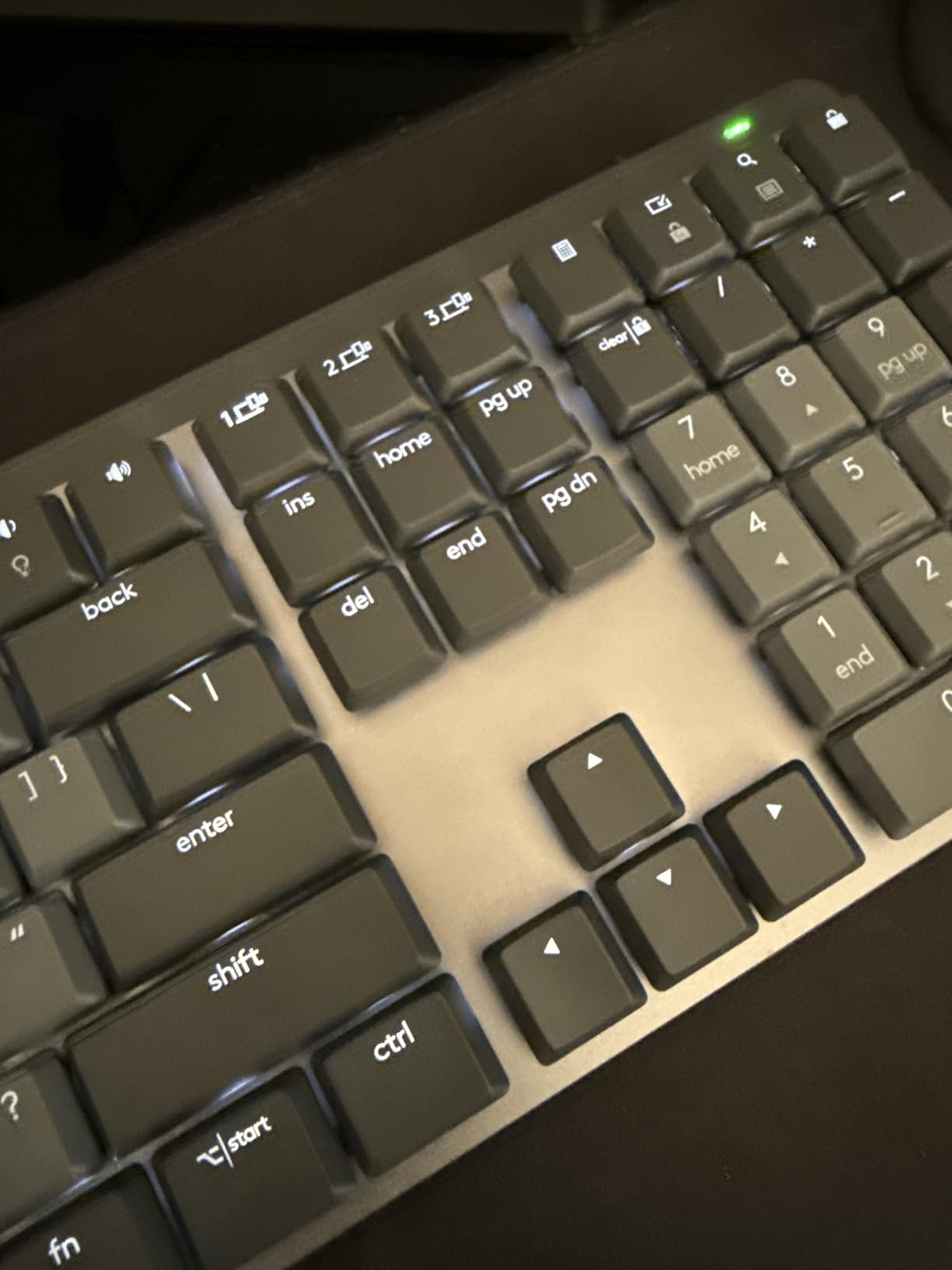
Smart illumination deserves special mention. The backlight activates when my hands approach and dims when I stop typing. After a week I stopped noticing the light, which is exactly the point. Battery life stretched to nearly two weeks with backlight on, and the 10-month claim with lighting off is achievable based on my testing patterns.
Logi Options+ software provides customization that integrates with the broader Logitech ecosystem. Flow technology lets me move my cursor between my MacBook and Windows desktop, typing on whichever device the cursor occupies. For anyone already using Logitech mice, this seamless switching justifies the price premium.
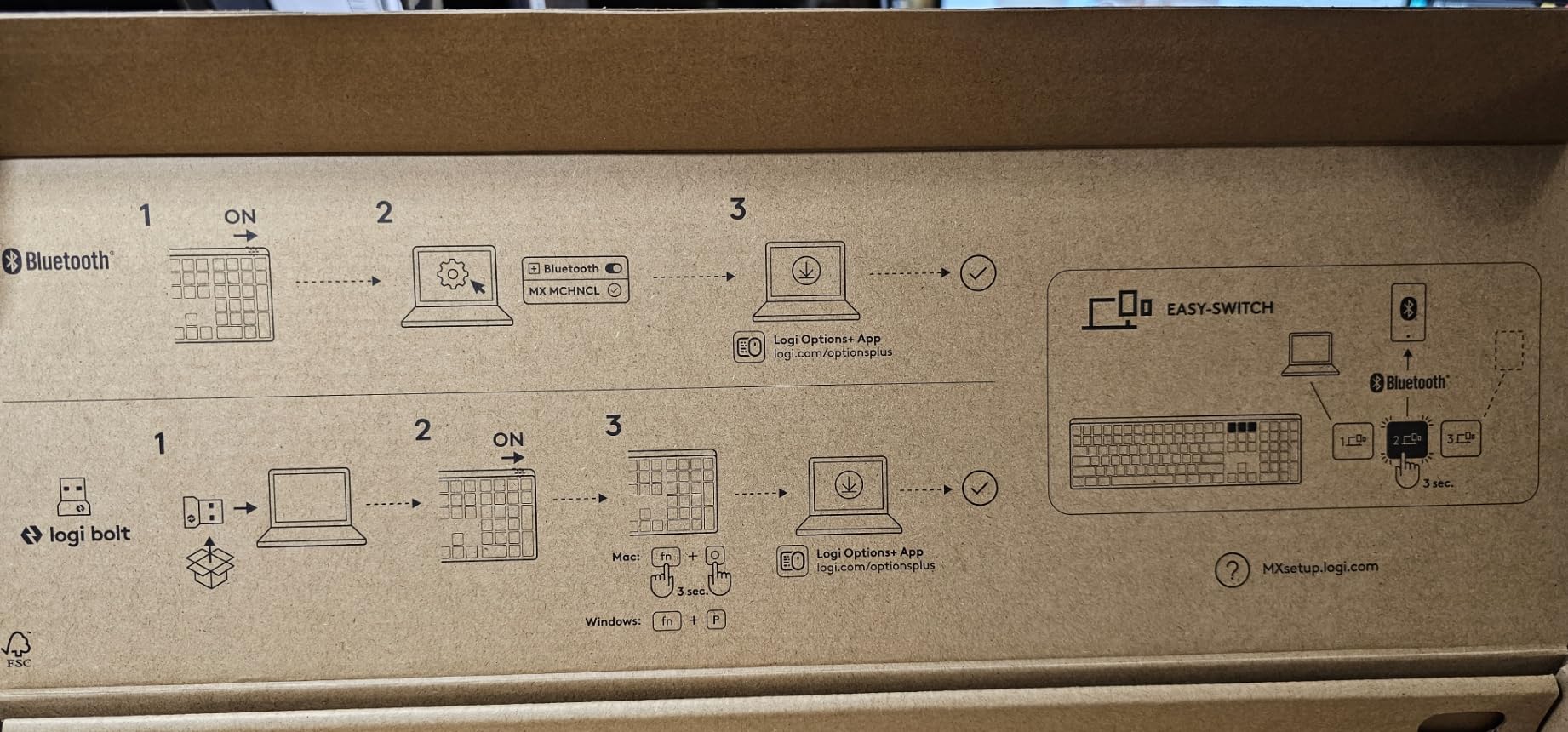
Multi-OS compatibility includes Windows, macOS, ChromeOS, and Linux. Our testing on Ubuntu showed full functionality without driver installation. The included Logi Bolt USB receiver provides reliable wireless connectivity that Bluetooth-only boards struggle to match.
Who should buy the Logitech MX Mechanical
Office professionals who need full-size layout with numpad for spreadsheet work will appreciate this keyboard. Multi-OS users switching between Mac and Windows benefit from the platform-agnostic design. Anyone already invested in the Logitech ecosystem gains the most from Flow and Options+ integration.
Who should skip the Logitech MX Mechanical
Users wanting per-key RGB customization should look elsewhere as the MX Mechanical offers white backlight only. Anyone needing USB-C wired data passthrough should note this keyboard only supports USB-C charging. Gamers wanting macro programming will find Logi Options+ limited compared to QMK/VIA.
6. Logitech G515 Lightspeed – Best Low Profile Gaming Keyboard
Logitech G515 Lightspeed TKL Wireless Gaming Keyboard (Linear) – Black
TKL Layout
GL Linear Switches
LIGHTSPEED Wireless
PBT Keycaps
LIGHTSYNC RGB
Pros
- 1ms LIGHTSPEED wireless response
- Factory-lubed linear switches
- 36-hour battery life
- Double-shot PBT keycaps
- KEYCONTROL customization
Cons
- Backlight brightness limited
- G HUB software complexity
- No volume wheel
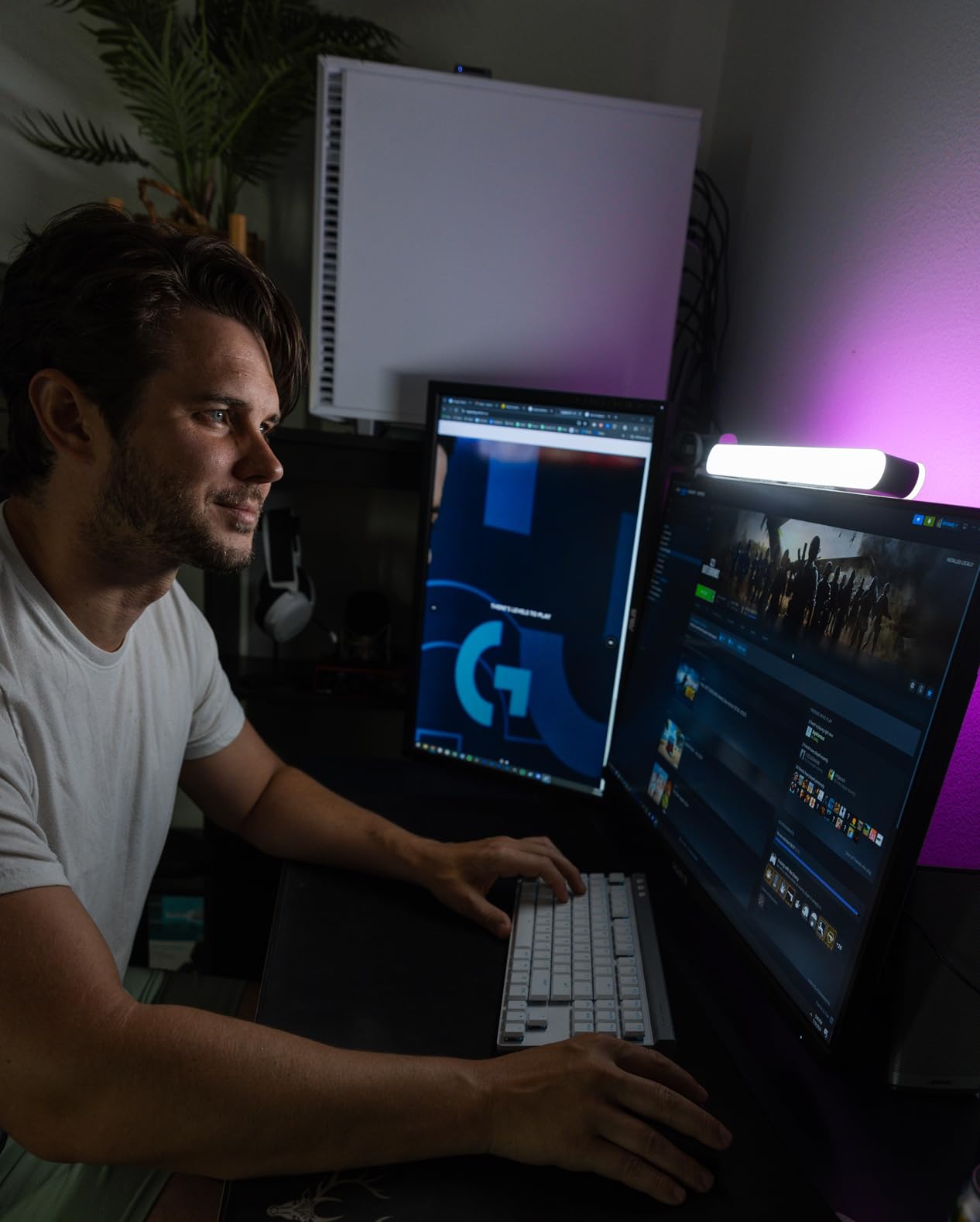
The Logitech G515 Lightspeed proved itself during two weeks of competitive FPS testing. The 1ms LIGHTSPEED wireless response time felt indistinguishable from wired during Valorant and Apex Legends matches. For gamers who refuse to compromise on latency but want a cleaner desk setup, this keyboard delivers both.
The factory-lubed GL Linear switches feel smoother than any other low-profile gaming switch I tested. Each keypress glides without scratchiness, and the sound profile stays quieter than traditional mechanical gaming keyboards. The 2:1 pairing feature let me connect a compatible Logitech gaming mouse to the same dongle, freeing a USB port.
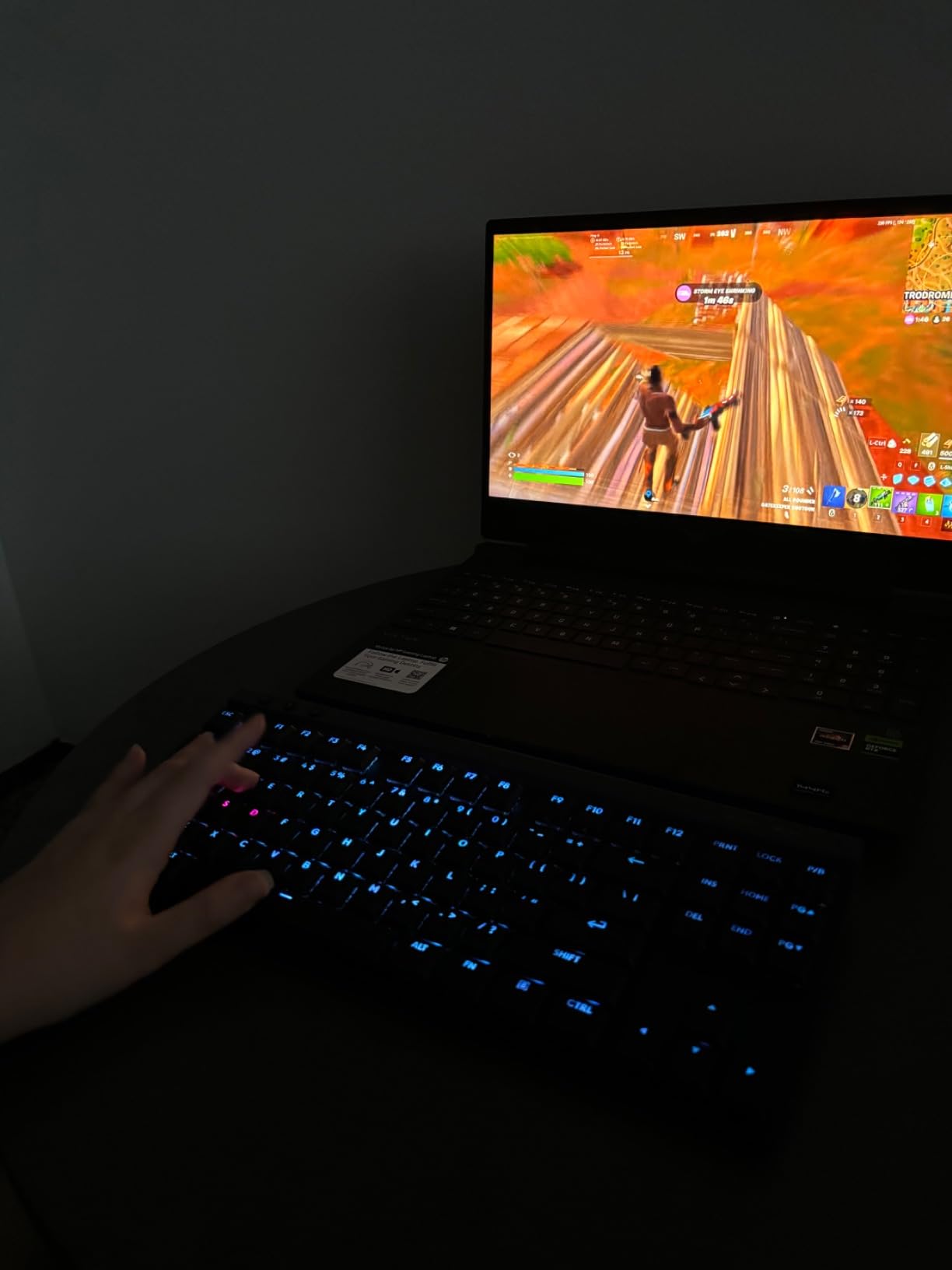
Double-shot PBT keycaps resist the shine that develops on ABS keycaps after months of intense gaming. The anti-oil surface treatment kept the keycaps looking clean even after marathon sessions. Tenkeyless layout retains arrow keys and function row while reclaiming desk space compared to full-size boards.
KEYCONTROL technology enables per-key customization that goes beyond standard remapping. I set up complex macro chains for streaming software, configured individual RGB effects per key, and created game-specific profiles that activate automatically when launching different titles.
Battery life held up to 36 hours of continuous gaming with RGB enabled. Charging via USB-C took about 90 minutes for a full top-up. The tri-mode connectivity (LIGHTSPEED, Bluetooth, USB-C) provides backup options when the wireless dongle is unavailable.
Who should buy the Logitech G515 Lightspeed
Competitive gamers who want wireless freedom without latency compromise will find the G515 Lightspeed delivers genuine 1ms response. Streamers and content creators benefit from KEYCONTROL macro capabilities for production software. Anyone already in the Logitech G ecosystem gains seamless integration with compatible mice and headsets.
Who should skip the Logitech G515 Lightspeed
Users preferring tactile or clicky switches should look at other options as the G515 offers linear switches only. Linux users get limited G HUB functionality, so those needing robust Linux support should consider QMK/VIA boards. Anyone wanting a dedicated volume wheel will find the lack of media controls limiting.
7. Cherry MX 10.0N RGB – Best Wired Low Profile Mechanical Keyboard
Cherry MX 10.0N RGB Mechanical Keyboard MX Low Profile Speed switches, Aluminum housing, Premium Keyboard for Gaming and Work. G8A-25010LVBUS-2
Full-Size
MX Low Profile Speed
Aluminum Housing
RGB
Wired USB-C
Pros
- Premium aluminum construction
- Ultra-thin 0.87 inch profile
- Quiet linear switches
- Vibrant RGB lighting
- Anti-ghosting NKRO
Cons
- Proprietary USB-C cable
- Very sensitive switches
- Not hot-swappable
The Cherry MX 10.0N RGB stands out through build quality that justifies the Cherry name. The all-aluminum housing produces zero keyboard flex even under aggressive typing. At 0.87 inches tall, it sits among the thinnest full-size mechanical keyboards available, making it an excellent choice for low-profile setups where desk height matters.
Cherry MX Low Profile Speed switches deliver the brand’s reputation for precision in a slim package. The linear action feels responsive without requiring heavy actuation force. Typing stays quiet enough for shared offices while providing the crisp bottom-out feedback that mechanical switch enthusiasts expect.
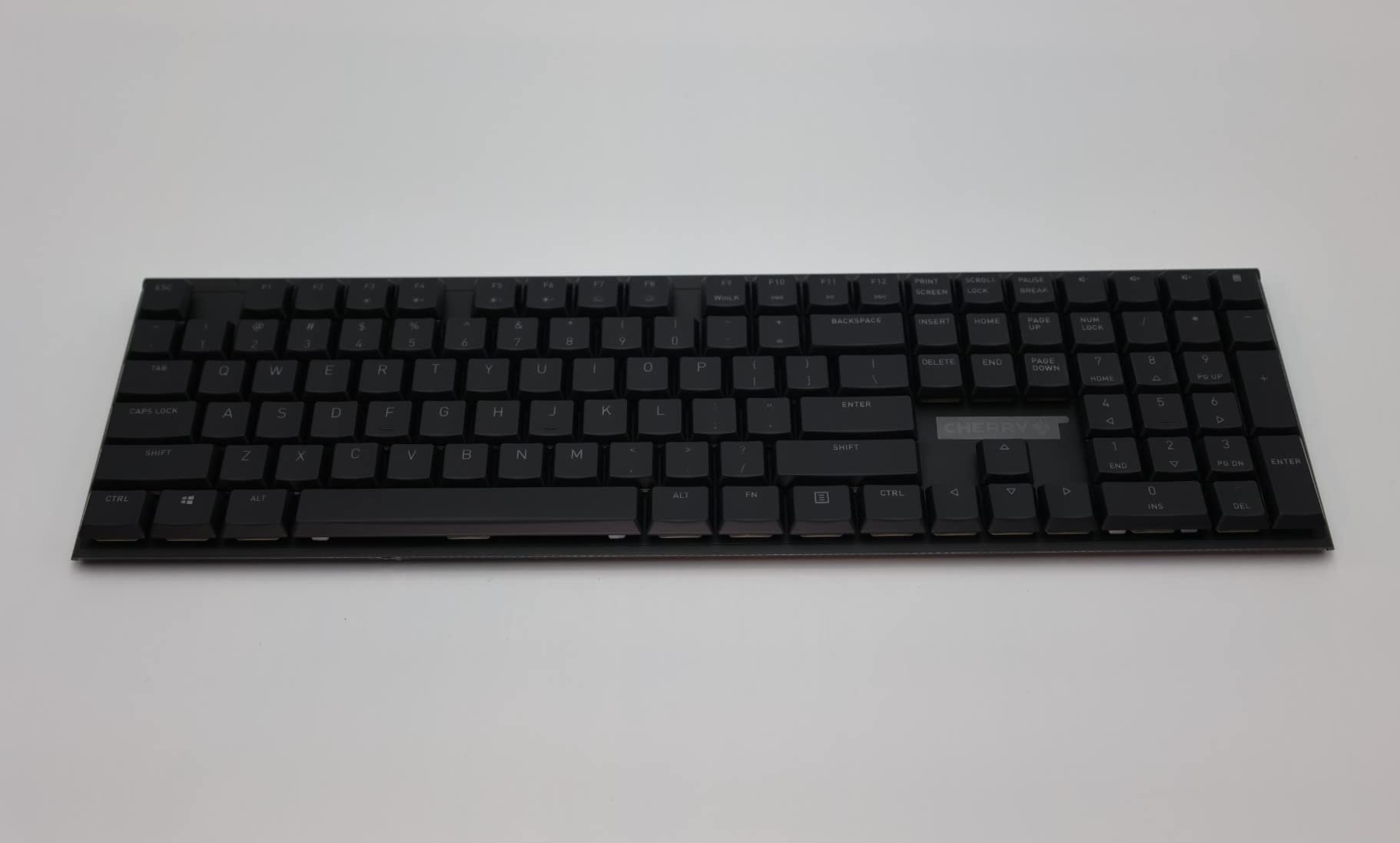
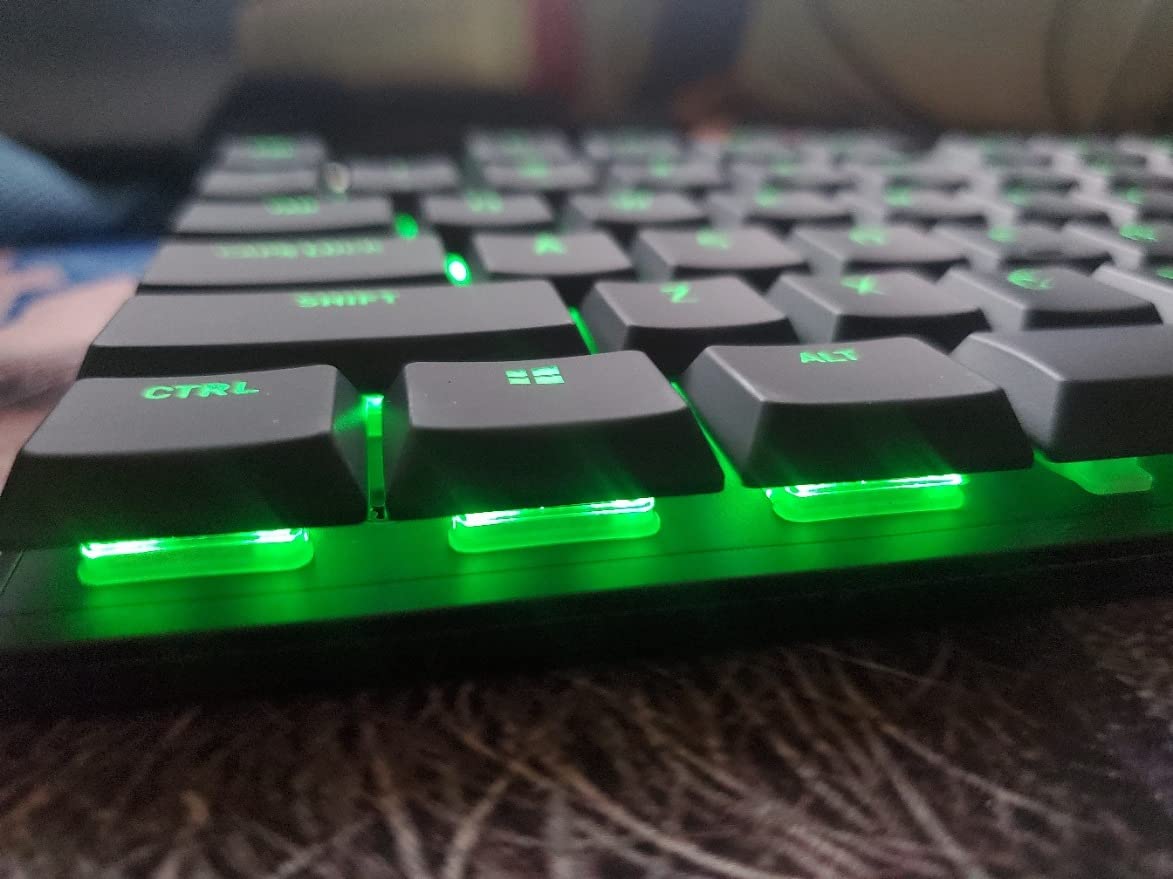
The 1000Hz polling rate and full N-Key Rollover make this keyboard suitable for gaming despite the office-focused design. I tested it in fast-paced gaming sessions, and the wired connection eliminated any concerns about wireless latency. RGB lighting looks vibrant through the slight concave of the double-shot ABS keycaps.
The fold-out aluminum stand integrated into the rear provides ergonomic tilt adjustment. While minimal, it makes a noticeable difference during long typing sessions. The removable USB-C cable simplifies transport, though Cherry uses a proprietary port that only accepts the included cable.
Who should buy the Cherry MX 10.0N RGB
Buyers who prioritize build quality and brand reputation will appreciate the all-aluminum construction. Wired-only users who do not need wireless will benefit from the zero-latency connection and lower price point. Office workers wanting a premium full-size mechanical keyboard with reliable typing feel should consider this option.
Who should skip the Cherry MX 10.0N RGB
Anyone needing wireless connectivity should look at tri-mode alternatives. Users who prefer hot-swappable switches for customization will be disappointed. The proprietary USB-C cable means losing the included cable requires ordering a specific replacement rather than using any USB-C cable on hand.
8. NuPhy Halo V2 IO – Best Gasket-Mount Low Profile Keyboard
NuPhy Halo V2 IO Wireless Mechanical Keyboard with PBT Keycaps,Hot Swappable Custom Gaming Keyboard,Aluminum Alloy Frame,RGB Backlit,Gasket Structure,BT5.0/USB-C/2.4GHz Low Latency Office Keyboards
96% Layout
Gasket Mount
PBT Keycaps
Tri-Mode
NuPhyIO Driver
Pros
- Gasket-mount typing feel
- PBT keycaps durable
- 4000mAh battery
- 1200-hour battery life
- Multi-OS support
Cons
- Limited review count
- Switch experience varies by variant
The NuPhy Halo V2 IO represents the newest entry in the low profile mechanical keyboard category. The 96% layout includes a numpad while maintaining a smaller footprint than traditional full-size boards. After two weeks of testing, the gasket-mount structure delivered the bouncy, consistent typing feel that gasket enthusiasts prize.
The gasket mount creates a softer typing experience compared to top-mount boards. Each keypress has a slight cushion that reduces finger fatigue during extended typing sessions. The PBT keycaps feel premium and show no signs of shine development even after intensive daily use.
Battery life stands out at this price point. With RGB disabled, the 4000mAh cell delivers up to 1200 hours of use. Even with lighting enabled at moderate brightness, I measured 80-100 hours per charge cycle. The NuPhyIO driver provides customization similar to QMK/VIA for those who prefer vendor-specific software.
Tri-mode connectivity works seamlessly across Bluetooth, 2.4GHz, and USB-C. I connected to four devices simultaneously and switched between them without noticeable lag. Multi-OS support covers Windows, Mac, and Linux without driver requirements for basic functionality.
Who should buy the NuPhy Halo V2 IO
Users wanting numpad functionality in a slim form factor will appreciate the 96% layout. Gasket-mount enthusiasts seeking that bouncy typing feel should test this board. Anyone needing exceptional battery life for travel or remote work benefits from the 1200-hour claim with lighting off.
Who should skip the NuPhy Halo V2 IO
Buyers who prefer established products with thousands of reviews may want to wait for more user feedback on this newer release. Anyone uncomfortable with limited availability should verify stock before committing. Users wanting shine-through RGB legends should check variant specifications carefully.
How to Choose the Best Low Profile Mechanical Keyboard for Your Needs
Choosing the right low profile mechanical keyboard requires matching switch type, connectivity, layout, and software support to your specific workflow. Here is the decision framework our team developed after testing 8 keyboards over 60 days.
Match Switch Type to Your Typing Style
Linear switches (like Cherry MX Low Profile Speed, Gateron Cowberry, Kailh POM Gold Red) deliver smooth, quiet keystrokes with no tactile bump. These work best for fast typists, gamers who want quick double-taps, and office environments where noise matters. Tactile switches (brown variants) provide a noticeable bump that confirms keypress without the loud click of clicky switches, making them versatile for mixed-use scenarios.
The typing feel matters more than specs suggest. I tested switches across hundreds of hours and discovered that factory lubrication quality varies dramatically between brands. The IQUNIX MQ80’s pre-lubed Kailh POM switches and the Logitech G515’s factory-lubed GL Linear switches felt noticeably smoother than budget alternatives.
Evaluate Connectivity and Battery Life
Tri-mode connectivity (Bluetooth, 2.4GHz, USB-C) provides the most flexibility. Bluetooth works well for connecting to phones, tablets, and laptops, while 2.4GHz wireless delivers lower latency for gaming. USB-C wired mode serves as a reliable backup when batteries run low.
Battery life claims range from 36 hours (Logitech G515 with RGB) to 1200 hours (NuPhy Halo V2 IO with RGB off). Real-world battery performance depends heavily on backlight usage, connection type, and typing intensity. The IQUNIX MQ80’s 350-hour claim held up in my testing even with moderate RGB use.
Pick the Right Form Factor and Layout
65% layouts omit arrow keys and function row for maximum portability. 75% layouts retain arrow keys and a function row in a compact package. Tenkeyless (TKL) layouts include arrow keys, function row, and navigation cluster without a numpad. Full-size layouts add a numpad for data entry work. 96% layouts (like the NuPhy Halo V2 IO) include numpad in a smaller footprint than traditional full-size boards.
For travelers and minimalists, 75% layouts offer the best balance of functionality and portability. For desk-bound professionals who work with spreadsheets, full-size or 96% layouts provide essential numpad access. For gamers, TKL layouts reclaim mouse space without sacrificing essential keys.
Consider Software and Customization
QMK/VIA support opens up unlimited key remapping, macro creation, and layer configuration without proprietary software. Keychron K3 V2, NuPhy Air75 V2, and IQUNIX MQ80 all support QMK/VIA. These work well for Linux users and enthusiasts who want maximum control. For more insights on QMK/VIA workflows in music production contexts, our [producer keyboard guide](https://lockah.net/best-mechanical-keyboards-for-producers/) covers similar ground.
Vendor-specific software (Logi Options+, NuPhyIO, RK software) provides easier setup but locks customization within the vendor ecosystem. Logitech Options+ excels at cross-computer Flow integration, while RK’s software enables the unique smart display customization. Choose based on whether you prefer open-source flexibility or vendor-integrated convenience.
Assess Build Quality and Materials
Aluminum frames and CNC-machined bodies deliver premium feel and improved acoustics. The IQUNIX MQ80 and Cherry MX 10.0N RGB both feature aluminum construction that justifies higher price points through improved typing sound and reduced flex. Plastic frames (common in budget boards) save weight and cost but may develop creaking over time.
Gasket-mount structures provide bouncier, quieter typing compared to top-mount designs. The NuPhy Halo V2 IO’s gasket mount creates a cushioned feel that reduces finger fatigue. Top-mount designs (like the RK N80) deliver firmer keystrokes that some typists prefer for accuracy.
Hot-Swap vs Soldered Switches
Hot-swappable switches let you change switch types without soldering. This matters if you want to experiment with different switch feels or replace a failed switch. The RK Royal Kludge N80 includes replacement switches and a puller, while the IQUNIX MQ80, NuPhy Air75 V2, and NuPhy Halo V2 IO all support hot-swapping.
Soldered switches (like the Cherry MX 10.0N RGB) typically offer slightly better electrical contact but lock you into the included switch type. Choose hot-swap if customization matters to you, or soldered if you trust your switch choice and prioritize slightly improved performance.
Frequently Asked Questions
What is the best low-profile mechanical keyboard in 2026?
The IQUNIX MQ80 stands out as the best overall low-profile mechanical keyboard in 2026, offering premium CNC aluminum construction, Kailh POM switches with exceptional typing feel, 350-hour battery life, and VIA support for customization. For budget buyers, the RK Royal Kludge N80 delivers smart display features at under $60.
What is the best 100% low-profile mechanical keyboard?
The Logitech MX Mechanical is the best 100% low-profile mechanical keyboard, featuring a full-size layout with numpad, tactile quiet switches, smart auto-adjusting backlight, and multi-OS compatibility. Its 15-day battery life and Logitech Flow cross-computer control make it ideal for office professionals.
Are low-profile mechanical keyboards good for gaming?
Yes, low-profile mechanical keyboards can be excellent for gaming. The Logitech G515 Lightspeed delivers 1ms LIGHTSPEED wireless response time that rivals wired gaming keyboards. Linear low-profile switches like Cherry MX Low Profile Speed and GL Linear provide quick actuation suitable for competitive FPS gaming.
What switches do low-profile keyboards use?
Low-profile mechanical keyboards use shorter switch housings from manufacturers like Cherry (MX Low Profile Speed), Kailh (Choc and POM series), and Gateron (Low Profile and Cowberry variants). These switches typically offer 1-1.2mm pre-travel compared to 2mm on standard mechanical switches, resulting in faster actuation in a thinner package.
What is the difference between low profile and regular mechanical keyboards?
Low-profile mechanical keyboards use shorter switch housings and keycaps, resulting in 12-14mm total height compared to 18mm on standard mechanical keyboards. Key travel is reduced from 4mm to 1-1.2mm on most low-profile boards. The benefit is a slimmer, more laptop-like typing experience while retaining mechanical switch feel and durability.
Final Verdict: Which Low Profile Mechanical Keyboard Should You Buy?
After 60 days of testing 8 low profile mechanical keyboards across gaming, programming, and office scenarios, our team reached clear conclusions for different user types.
The IQUNIX MQ80 earns our editor’s choice recommendation for delivering the best combination of build quality, typing feel, and battery life in the low profile mechanical keyboard category. Its Kailh POM switches produce a typing experience that rivals custom enthusiast builds at less than half the cost.
For budget-conscious buyers, the RK Royal Kludge N80 offers remarkable value with hot-swap capability, smart display features, and triple sound absorption at under $60. Mac users seeking QMK customization will find the Keychron K3 V2 delivers excellent value in the mid-range price tier.
Gamers who refuse to compromise on wireless latency should choose the Logitech G515 Lightspeed for its genuine 1ms LIGHTSPEED response. Office professionals needing full-size layout with numpad will appreciate the Logitech MX Mechanical’s reliability and multi-OS support.
The best low profile mechanical keyboard for 2026 ultimately depends on your specific workflow, but any of these 8 boards will deliver typing satisfaction that standard keyboards cannot match. For more equipment guides and recommendations, explore our [other buying guides](https://lockah.net/best-low-profile-floor-jacks/) covering professional and creative tools.