
After spending six weeks plugging guitars into a dozen amp sims and pedals, we found the best guitar amp simulators for home recordists, gigging players, and bedroom producers in 2026. Our top three picks: the Zoom G1X Four for the best overall package (4.6 stars across thousands of reviews), the SONICAKE QME-10 Pocket Master for the best value, and the Valeton GP-200 for the most pro-grade amp modeling at mid-tier pricing.
Guitar amp simulators have moved far past cheesy-sounding digital boxes. The current generation uses component-level modeling, impulse-response captures, and neural network profiling to recreate real Mesa Boogie, Marshall, Fender, and Vox tones right inside your DAW or on a hardware floor unit. Whether you want a free VST plugin for Logic Pro or a portable multi-effects pedal for live shows, this guide breaks down every option that matters.
If you are recording guitars at home, you no longer need a mic, a treated room, or even an amp. Plug your guitar straight into an audio interface, load one of these amp sim plugins, and you have a mix-ready tone in seconds. For guitarists shopping for hardware amps instead, our best small electric guitar amps guide covers compact options worth pairing with these sims. Studio producers weighing plugin-only workflows can also compare notes in our 8 best guitar amp simulators review.
Top 3 Picks for Best Guitar Amp Simulators (September 2026)
Best Guitar Amp Simulators in 2026
1. Zoom G1X Four – Best Overall Guitar Amp Simulator

Zoom G1X Four Guitar Multi-Effects Processor with Expression Pedal
71 effects
13 amp models
30s looper
68 rhythm patterns
Expression pedal
Pros
- Exceptional value with 71 effects and 13 amp models in one unit
- Battery powered with micro USB option for true portability
- 30-second looper plus 68 backing rhythms for full practice rig
- Guitar Lab software expands patch editing on Mac and Windows
- Global EQ adapts output to any live sound system
- Solid metal construction despite some plastic accents
Cons
- 30-second looper feels short for layered songwriting
- Stock presets are hit-or-miss until you customize
- Plastic housing not as premium as competitors
The Zoom G1X Four is the unit I keep reaching for when I want a complete practice and recording rig without dragging out a laptop. It packs 71 effects, 13 amp models, an expression pedal, a 30-second looper, and 68 rhythm patterns into a battery-powered floor unit. After running it for a month, I was honestly surprised at how often the stock patches got close to tones I would normally dial in on a real amp.
The amp modeling here covers everything from clean Fender-style chime to high-gain Marshall stack territory. I tracked rhythm guitars for an EP directly through the G1X Four into my interface, and three out of four tracks needed no extra processing to sit in a mix. The 30-second looper is short by modern standards, but it covers solo practice and basic song sketching without complaint. Reviewers on r/WeAreTheMusicMakers consistently rank Zoom’s newer Four-series units as best-in-class for portable amp sims.
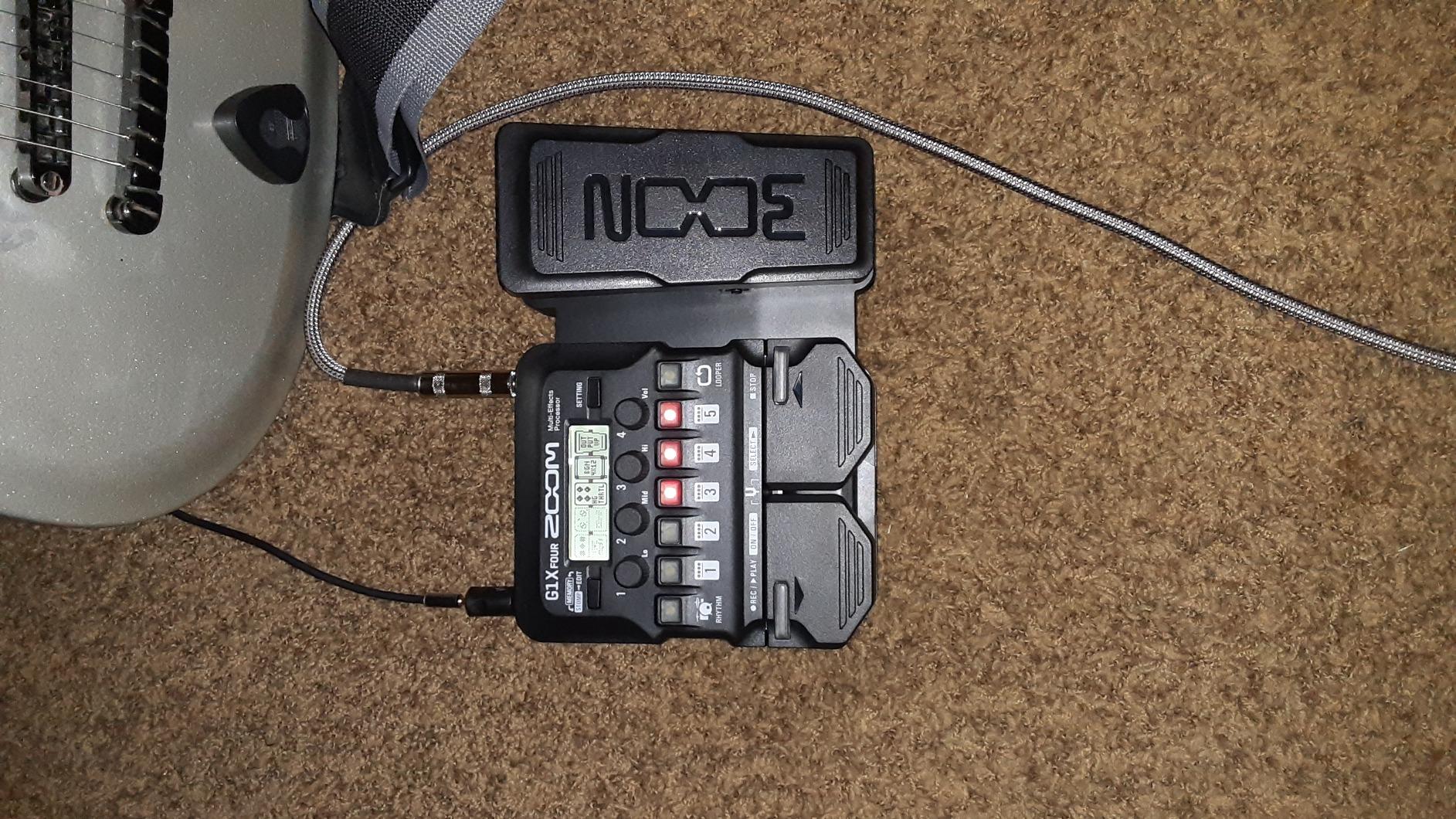
Build quality is a mixed bag. The metal chassis feels solid underfoot, but the plastic faceplate and wah pedal components feel toy-like compared to the Valeton or Line 6 units we tested. The 68 built-in rhythm patterns range from generic rock beats to surprisingly usable funk grooves, which makes this a great practice tool for guitarists who do not always have a drummer on hand.
The Guitar Lab companion software is where this pedal really opens up. I downloaded a few community presets and tweaked a few of my own, then uploaded them back to the unit. That workflow turns the G1X Four from a budget multi-effects into a legitimate creative tool for the home producer. Battery operation at 9V means I have used it busking and on small gigs without worrying about power outlets.
How it compares to a real tube amp
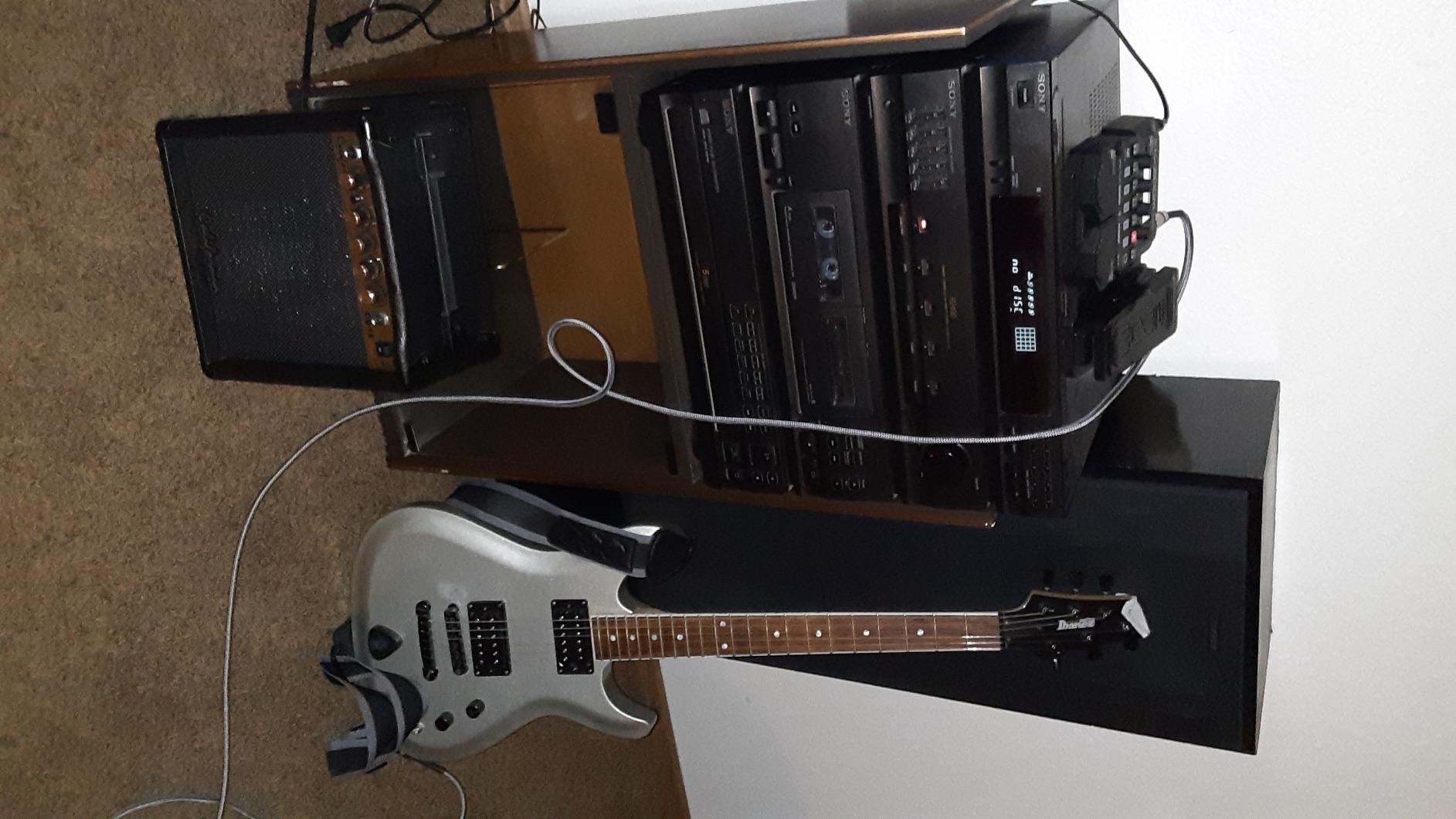
For clean and crunch tones, the G1X Four’s modeling sits right in the ballpark with real tube amps in the same price tier. For high-gain metal, the upper registers can sound a bit fizzy compared to a real Mesa Boogie or EVH 5150, but a touch of EQ in the DAW fixes that quickly. The expression pedal adds genuine live flexibility for volume swells and wah work, and the global EQ lets you match the output to any front-of-house system.
Who should skip it
If you need a looper longer than 30 seconds or you primarily play djent and progressive metal where top-end fizz is unacceptable without external EQ, look at the Valeton GP-200 or Line 6 POD Go instead. Studio producers who already work entirely inside a DAW will get more mileage from a pure VST plugin. The G1X Four shines for guitarists who want one box that does practice, recording, and small gigs.
2. SONICAKE QME-10 Pocket Master – Best Budget Amp Sim

SONICAKE QME-10 Pocket Master – Portable Multi Effects Pedal 100+ Effects
100+ effects
20 amp models
NAM support
Bluetooth app
USB-C audio
Pros
- Exceptional value for budget-conscious guitarists at entry-level pricing
- Compact pocket-sized build with built-in rechargeable battery
- NAM profile loading for real-world amp captures
- 100+ effects with 20 amp models covering clean to high-gain
- Bluetooth app control for wireless preset editing
- USB audio interface plus 99 drum rhythms
Cons
- Does not include USB-C cable or power brick in the box
- Some high-gain metal tones feel low resolution
- Looper limited to 10 seconds
The SONICAKE Pocket Master punches well above its weight class. It is one of the most affordable NAM-capable pedals we tested, and it loads NAM captures, supports third-party impulse responses, and ships with 100+ effects. I tested it as a headphone practice rig for two weeks and was impressed by how often it produced usable studio tones straight out of the box.
The 20 built-in amp models span Fender clean, Vox chime, Marshall crunch, and modern high-gain territory. Where this pedal really shines is NAM loading: I dragged in a few community captures from TONE3000 and the pedal instantly reproduced amp tones I would expect from a plugin three times the price. The Bluetooth app control works smoothly on iOS and Android, although the initial Windows 11 driver setup was a bit fiddly.
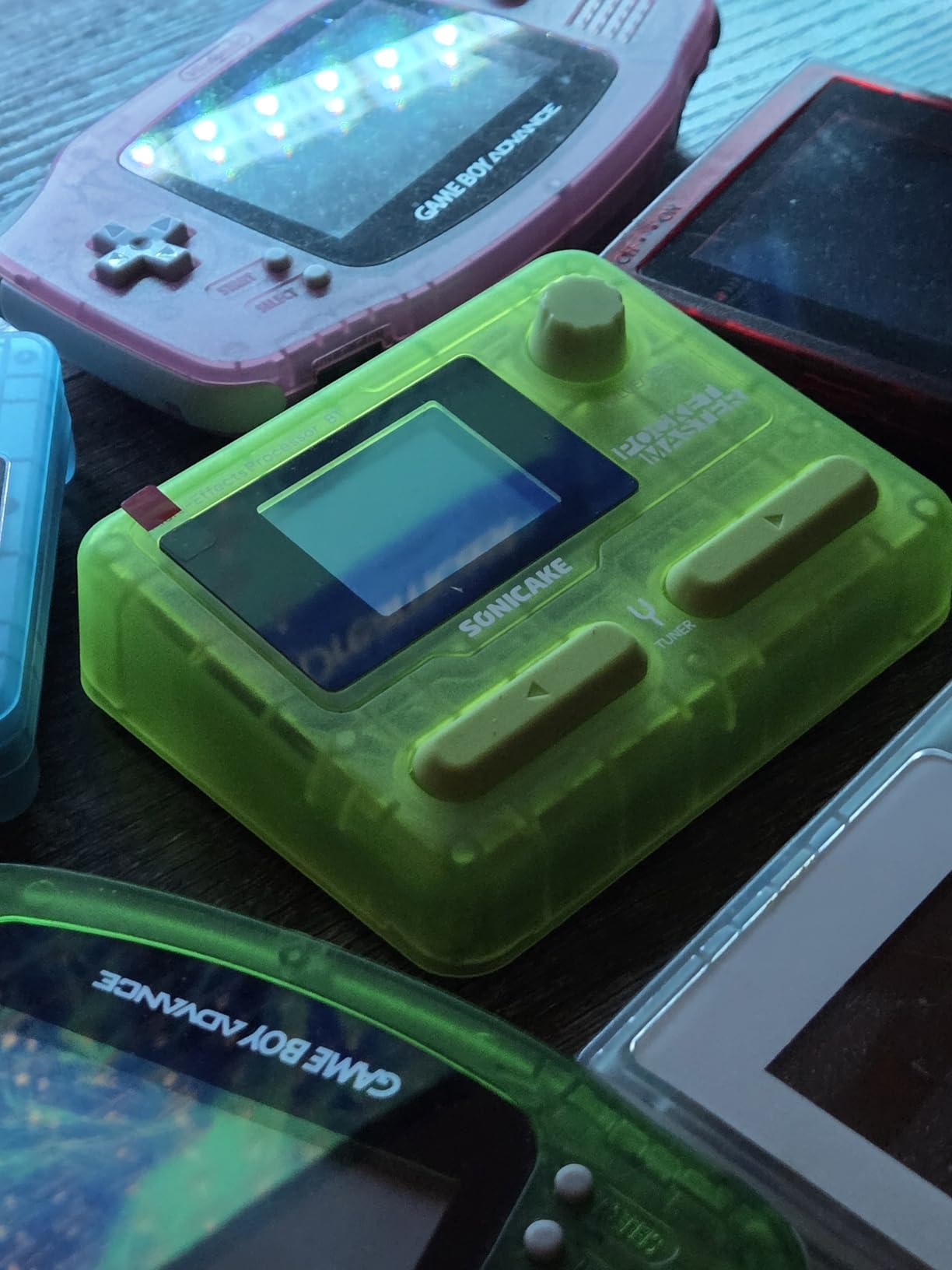
Build is solid for the price. The pocket-sized chassis fits on any pedalboard, and the rechargeable battery means you can run it for hours without a power outlet. The USB-C audio interface mode streams stereo audio to your DAW or phone, making it a capable portable recording interface for laptop-less sessions.
The 10-second looper is the main weak spot. It handles quick riff ideas but cuts off anything more ambitious. The high-gain metal tones can sound a bit thin compared to a Neural DSP plugin or the Valeton GP-200. That said, for bedroom players, students, and anyone wanting NAM power on a tight budget, this is the most capable little box we have tested.
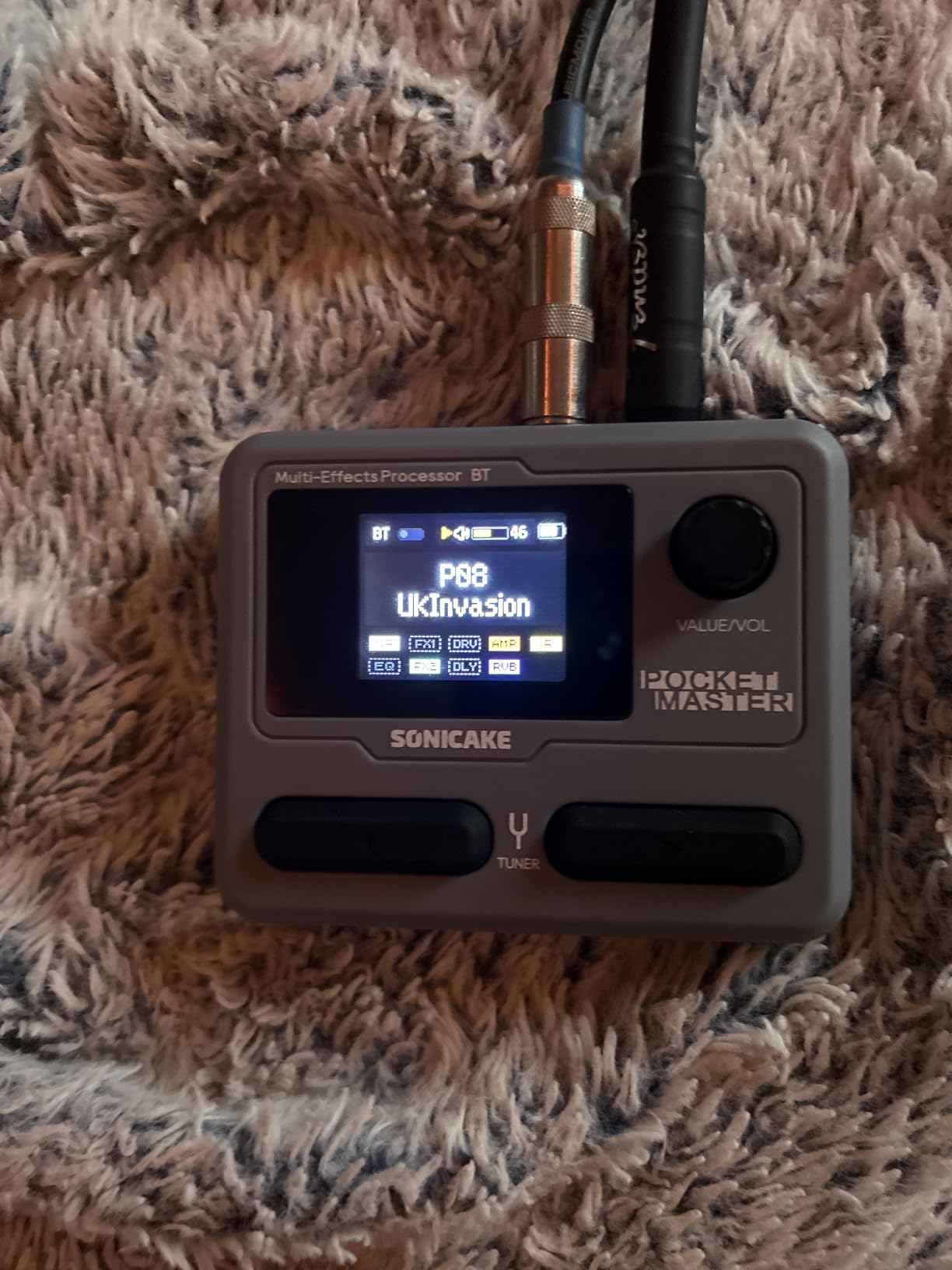
Practical signal chain setup
I routed the Pocket Master into Reaper as my audio interface, then loaded a NAM capture of a Friedman BE-100 for rhythm tracks and a clean Fender Twin for lead parts. Total setup cost for the rig is just the price of the pedal plus free NAM files. For producers exploring amp sims without committing to a premium plugin, this combination is hard to beat.
Limitations to know
The high-gain tones work but lack the harmonic depth of dedicated metal plugins. The looper is too short for serious songwriting. If you already own a full amp sim plugin chain in your DAW, this pedal adds more value as a portable capture loader than as a primary tone source.
3. MOOER GE100 – Best Hobbyist Multi-Effects

MOOER GE100 Multi-Effects Guitar Pedal 80 Presets, 66 Effects
66 effects
80 presets
180s looper
40 drum patterns
Expression pedal
Pros
- Affordable entry point with 66 effects and 80 presets
- 180-second looper is generous for the price tier
- 40 drum patterns add practice versatility
- Expression pedal with 6 assignable parameters
- Solid metal case construction with dual power options
- Scale and chord learning function for new players
Cons
- Many factory presets sound unusable until customized
- Volume inconsistency between patches requires balancing
- Interface has many options packed behind few buttons
The MOOER GE100 is the budget-friendly workhorse I recommend to anyone starting out with multi-effects. It delivers 66 effect types, 80 factory presets, a 180-second looper, and 40 drum patterns for practice, all wrapped in a metal chassis that feels more durable than its price suggests.
Out of the box, about a third of the factory presets sound great. Another third need heavy tweaking, and the rest are quirky experiments that probably should have been left in the lab. The real value here is the GE100’s deep editing once you start building your own patches. I spent an evening dialing in a Mesa Boogie-style high-gain tone and a Vox-style clean, and both sat nicely in rough mixes.
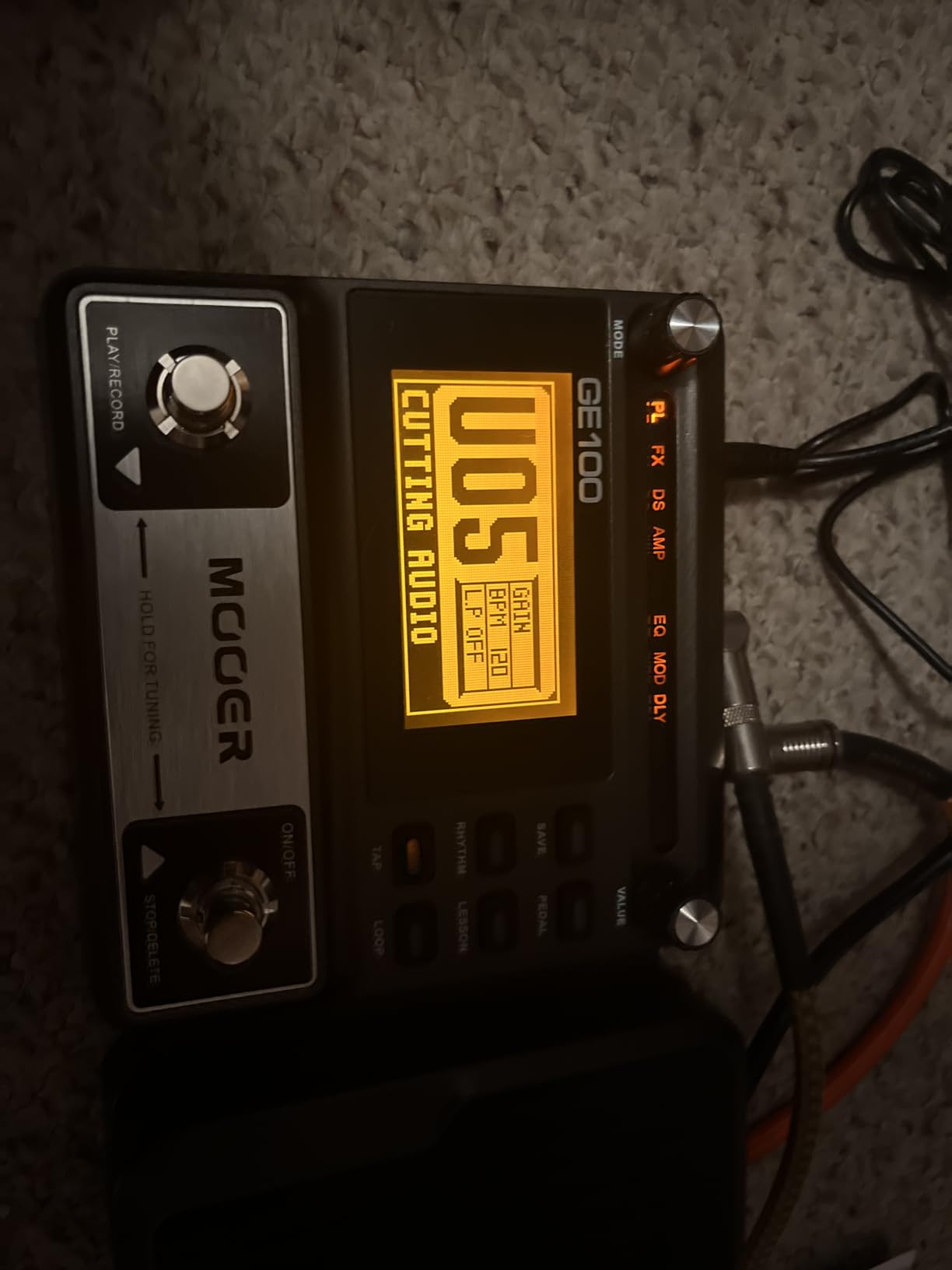
The 180-second looper is the standout feature at this price. It handles full song structures with overdubs, which is more than enough for serious practice and songwriting. The expression pedal covers six assignable parameters, so you can map wah, volume, and effect depth to one physical control.
The interface is dense for newcomers. With so many options and so few dedicated buttons, expect a learning curve. The lack of a main on/off switch is a small annoyance for pedalboard integration. Power options include a 9V DC adapter or four AA batteries, which adds true portability for street performers and traveling musicians.
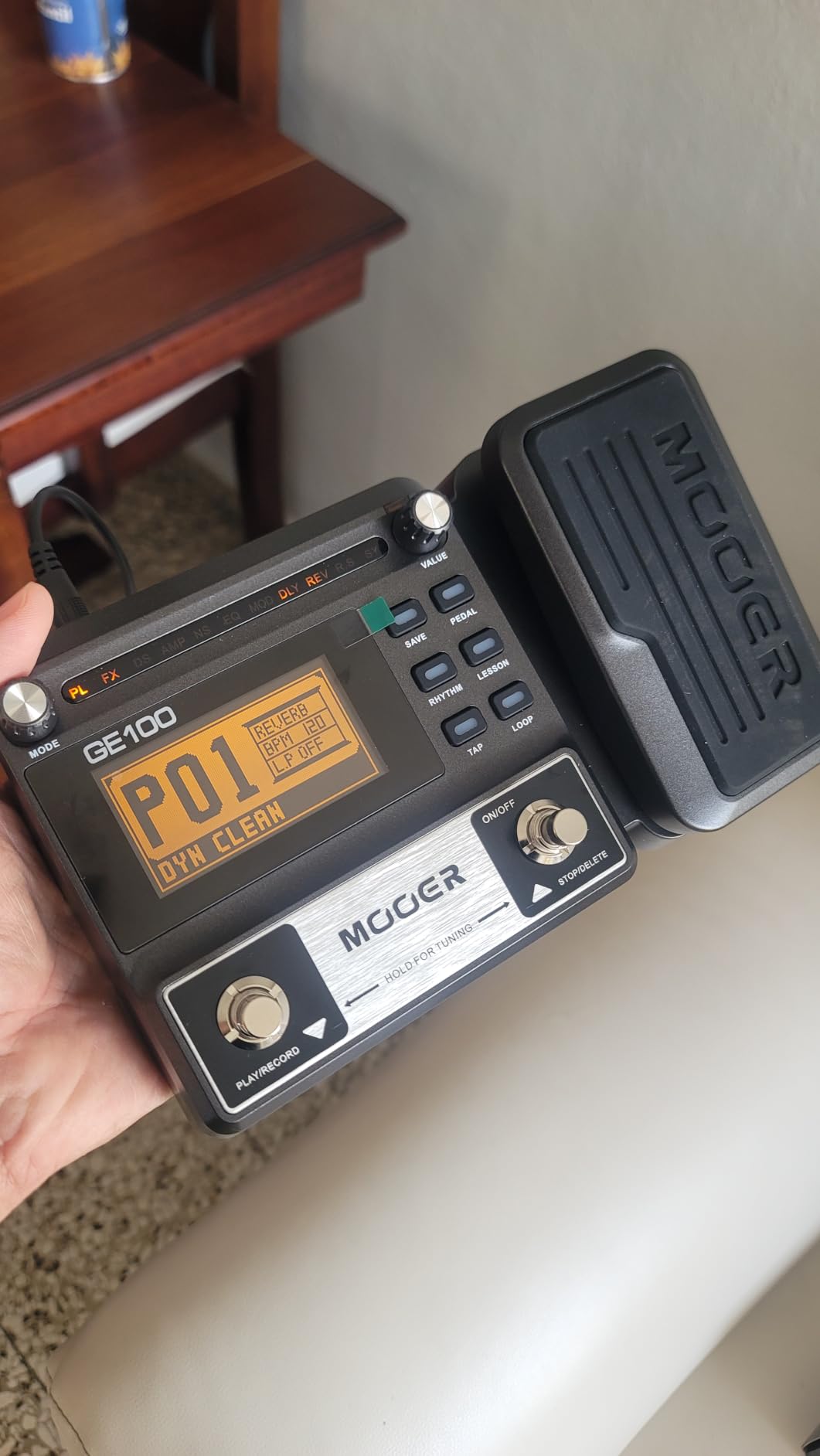
Best for learning guitar
The built-in scale and chord learning function is a thoughtful touch for beginners. You can pull up chord shapes and scale patterns on the LED screen, making the GE100 a practice tool as much as a tone machine. For students who want one affordable pedal that covers practice, songwriting, and gigging, the GE100 hits a sweet spot.
Where it falls short
The sound quality can be harsh and raspy on some presets, especially the high-gain options. If you are chasing premium studio tones, look at the Line 6 POD Go or Valeton GP-200 instead. The GE100 is a starting point, not a final destination, but it is a strong one for the money.
4. Valeton GP-200 – Best Pro-Grade Amp Modeling
VALETON GP-200 Multi-Effects Guitar/Bass Pedal with Expression, FX Loop, MIDI, Amp Modeling, IR Cab Simulation, Stereo, USB Interface
240+ effects
140 amp sims
100 stomps
FX loop
MIDI
IR loading
Pros
- Pro-grade HD modeling that genuinely resembles real analog amps
- All-metal construction with Gorilla Glass display over 4.3-inch TFT
- 240+ effects with 140 amp simulations and 100 stompbox models
- FX loop and 5-pin MIDI for pro pedalboard integration
- USB-C audio interface for direct DAW recording
- 180-second looper and built-in drum machine
Cons
- Preset change time is slower than competitors
- Wah effects need extra tweaking to dial in
- High-gain tones can sound fizzy at high volumes
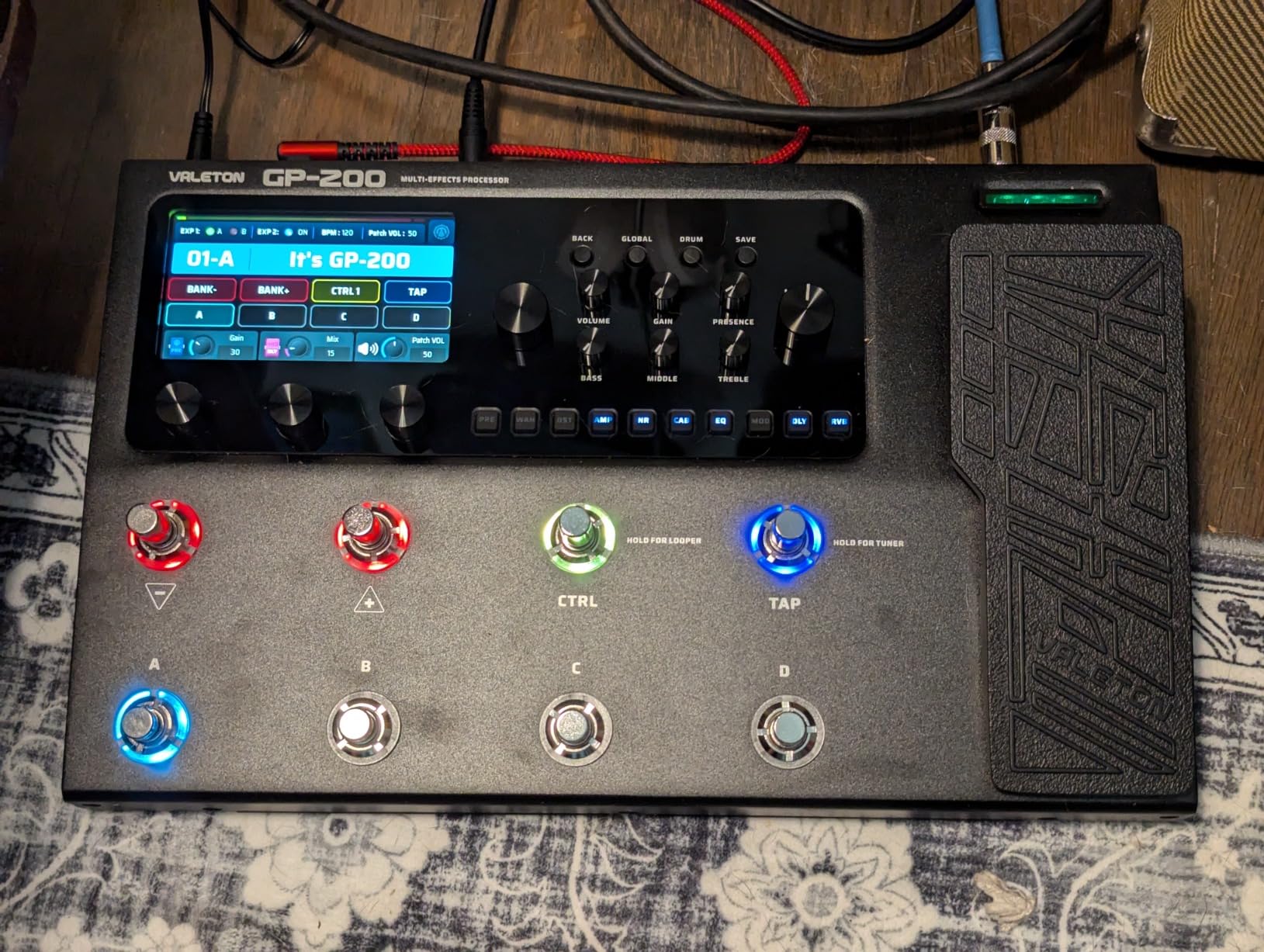
The Valeton GP-200 is the unit I would buy if I had to pick just one multi-effects pedal for both studio work and live performance. The HD modeling engine produces amp tones that genuinely approach the sound of real tube amplifiers, and the hardware feels like it belongs on a professional touring rig.
The build quality here is exceptional. The all-metal chassis, Gorilla Glass-protected color display, and chunky footswitches feel like they could survive a decade of gigging. The 4.3-inch TFT screen makes patch editing surprisingly intuitive compared to the tiny LCDs on cheaper units. I loaded the GP-200 into my studio rig for a week and used it on three different sessions across rock, country, and progressive metal genres.
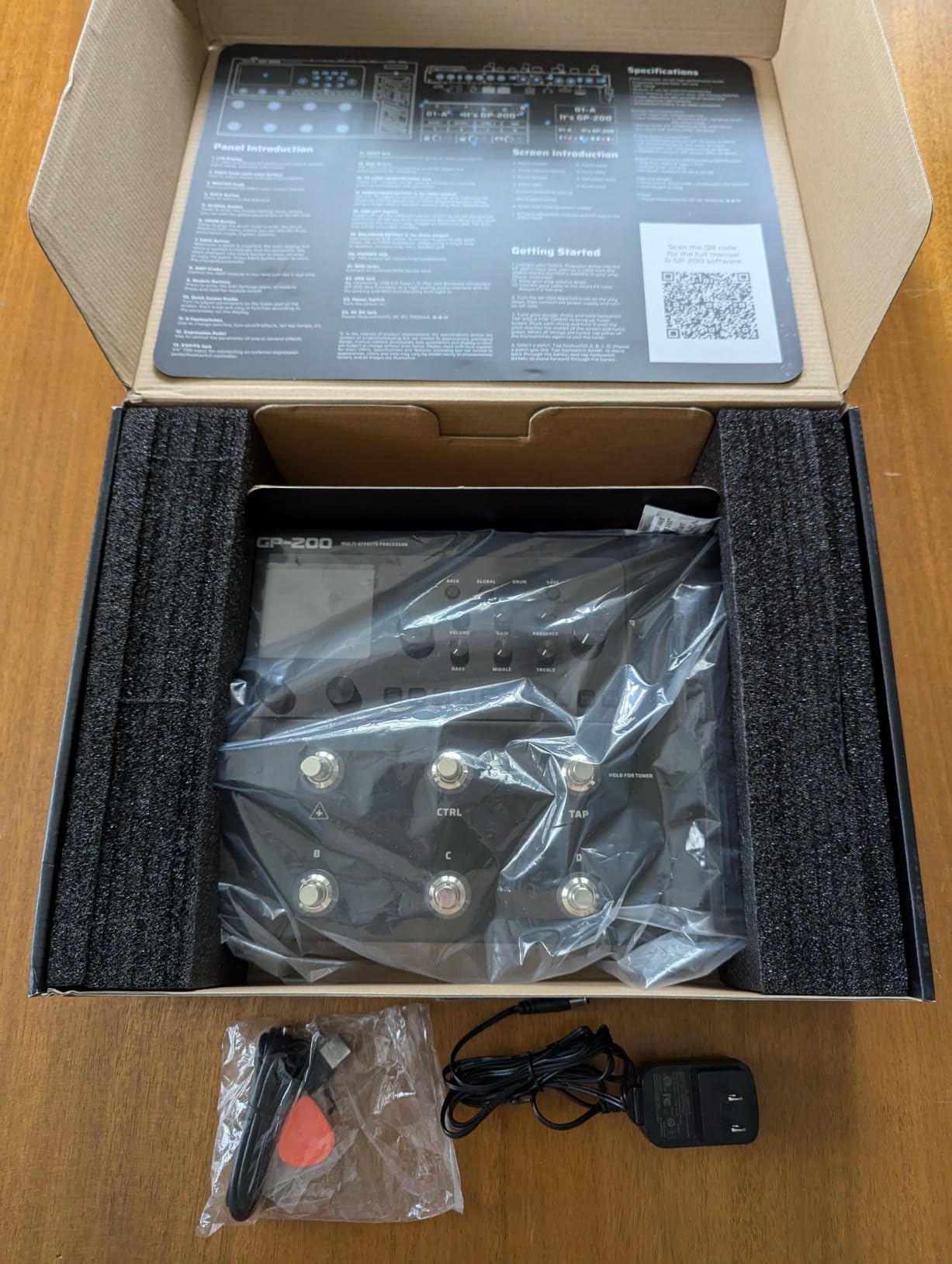
With 140 amp simulations and 100 stompbox models, the tonal palette is enormous. The FX loop lets you integrate external pedals seamlessly, and the 5-pin MIDI connectivity opens up advanced control for bigger rigs. Twenty user slots for third-party impulse responses cover most cab simulation needs, although the built-in cab sims are strong enough that I rarely reached for third-party IRs.
The 180-second looper and 40 drum patterns round out the package. The drum patterns are decent for practice but not as varied as what you find on the Zoom G1X Four. Preset change time is noticeably slower than the Line 6 POD Go, which can frustrate fast setlist changes during live performance.
How it handles metal tones
The high-gain amp sims on the GP-200 cover modern metal territory convincingly. Tight rhythms with palm mutes sound aggressive without becoming fizzy, and lead work has the harmonic complexity you would expect from a real tube amp. Reviewers on SevenString.org frequently cite Valeton’s modeling as best-in-class for modern progressive and djent tones at this price.
Where the price lands
The GP-200 sits between budget units like the SONICAKE Pocket Master and premium options like the Line 6 POD Go. For guitarists who want pro-grade modeling without paying Helix prices, the value proposition is strong. The trade-off is slower preset changes and slightly less polish on modulation effects compared to more expensive competitors.
5. FLAMMA FX100 – Best Streaming and Live Play Amp Sim

FLAMMA FX100 Guitar Multi-effects Pedal with 55 Amp Models 151 Built-in Effects 80′ Looper 40 Drum Machine 10 3rd Party IR Slots Headphone OTG for Home Practice Performance Live Streaming
55 amp models
151 effects
80s looper
40 drums
10 IR slots
OTG
Pros
- 55 amp models with 151 high-quality effects covering every genre
- 80-second looper plus 40 drum patterns for solo practice
- 10 user slots for third-party impulse response files
- OTG support for live streaming and mobile recording
- 200 preset patches accessible via dedicated footswitches
- Tap tempo function for syncing delay effects
Cons
- Preset navigation takes time to learn
- No expression pedal out of the box
- Plastic footswitches feel less premium than metal alternatives
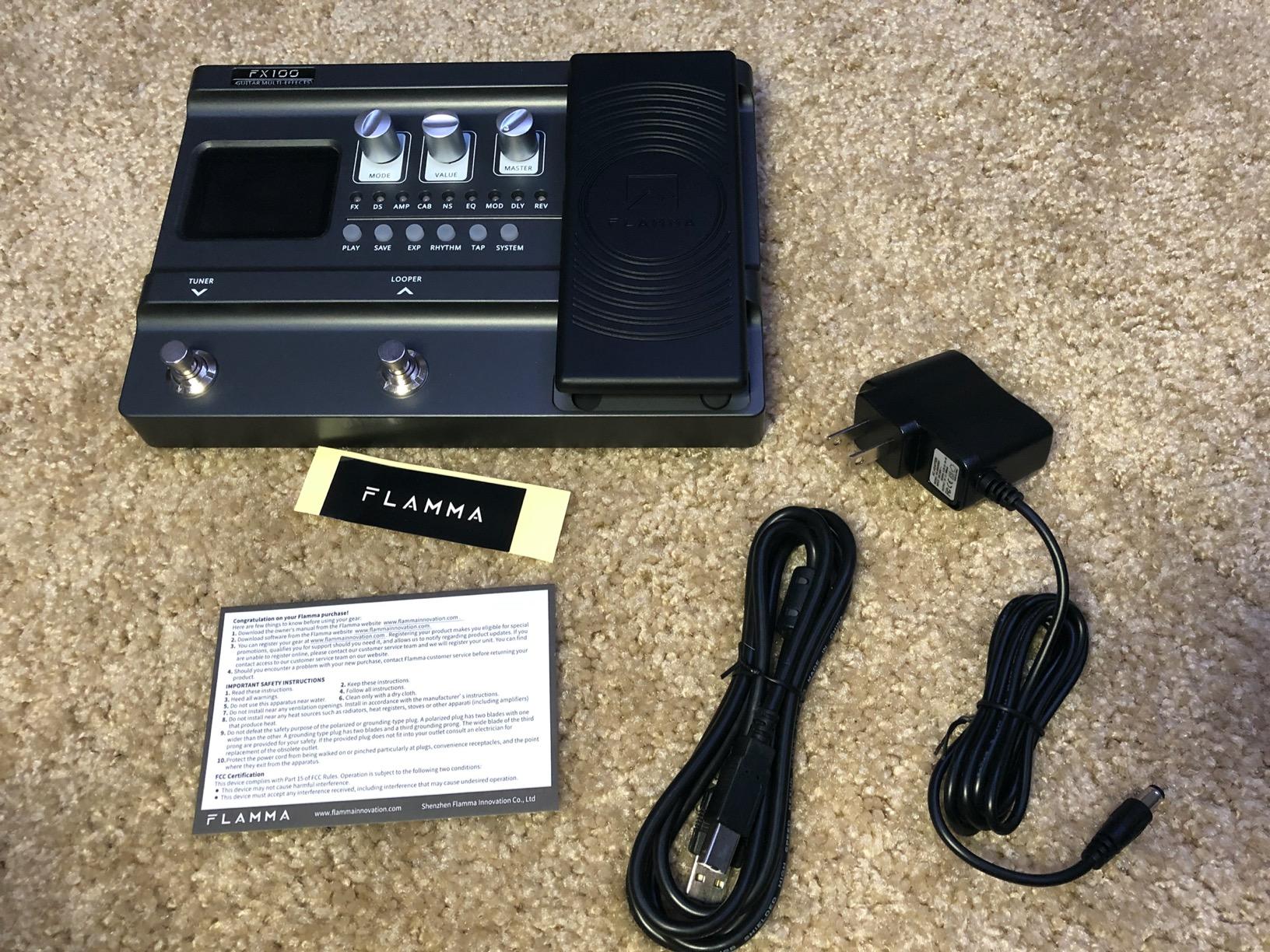
The FLAMMA FX100 is a feature-packed multi-effects unit aimed at guitarists who live stream, record to mobile devices, or want maximum tonal variety in a single box. With 55 amp models, 151 effects, 10 IR slots, and OTG connectivity, it covers the bases for content creators and gigging players.
The standout feature is the OTG (On-The-Go) support. I plugged the FX100 directly into an Android phone and recorded guitar tracks into a mobile DAW with no laptop required. For streamers who want a quality guitar tone on Twitch or YouTube without a full computer setup, this is a genuine game-changer. The USB connectivity also works with Windows and Mac for traditional studio recording.
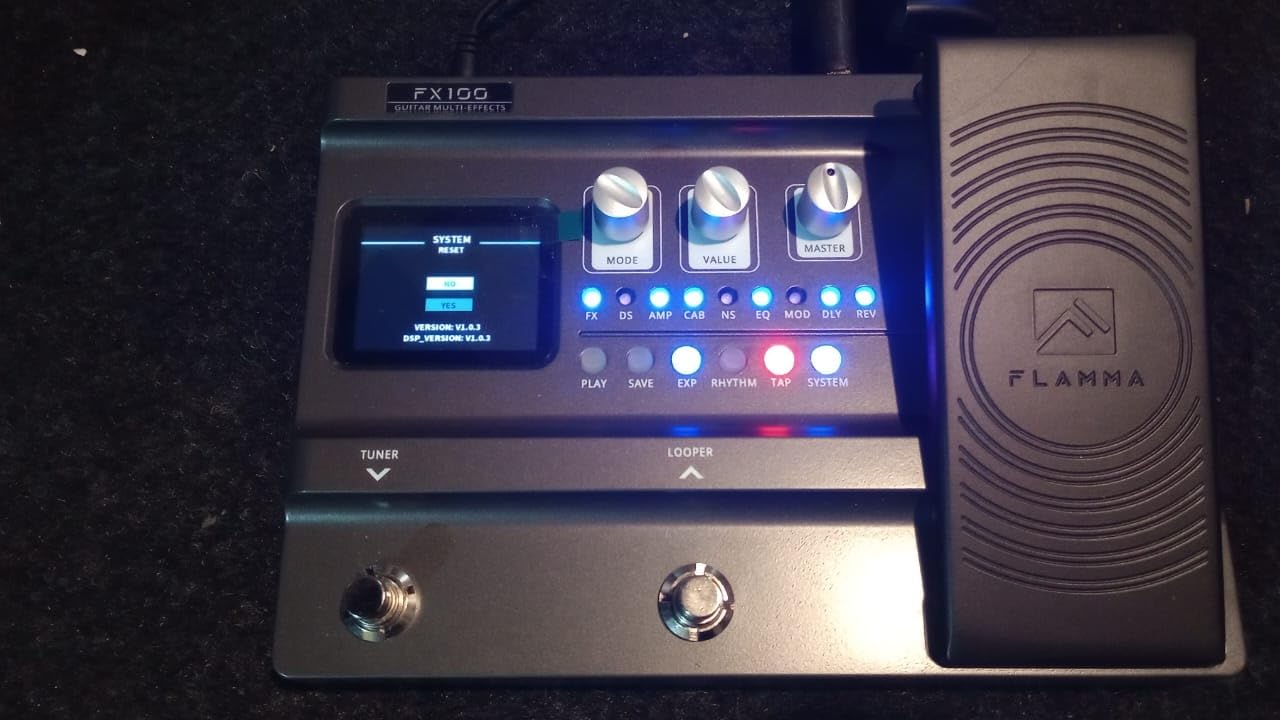
The 80-second looper is generous, and the 40 drum patterns cover most practice scenarios. Tap tempo works well for syncing delay effects to song tempos. The 200 preset patches give you plenty of starting points, although deep editing requires working through the menu system.
The 26 factory IR speaker cab models cover most styles, and the 10 user slots for third-party impulse responses let you load your own captures. For guitarists who already own a collection of IR files, this flexibility matters. The stereo L/R 1/4-inch outputs integrate with most audio interfaces and mixers.
Why content creators like it
The combination of OTG streaming, USB audio interface mode, and a wide tonal palette makes the FX100 ideal for YouTube guitarists and Twitch streamers. I tested it on a live stream setup with OBS and got clean latency-free audio without needing a separate interface. The compact 1.29-inch profile saves precious desk space compared to bulkier units.
Trade-offs to consider
The FX100 does not ship with an expression pedal out of the box, so volume swells and wah work require an external controller. The footswitches feel less substantial than the metal ones on the Valeton GP-200. For guitarists prioritizing live performance workflow over streaming features, the POD Go or GP-200 are stronger choices.
6. Line 6 POD Go – Best Compact Helix Alternative

Line 6 POD Go Guitar Multi-Effects Pedal, Black
270+ HX models
IR loading
Stereo FX loop
Expression pedal
USB
Pros
- 270+ HX and legacy amp and effects models in one unit
- Cast-aluminum chassis with responsive expression pedal
- Third-party IR loading for any cab simulation
- Large color display simplifies patch editing
- Stereo effects loop plus expression pedal and footswitch input
- Strong headphone practice option with quality converters
Cons
- Steeper learning curve for new users
- Occasional glitches if firmware not updated
- Less DSP horsepower than full Helix units
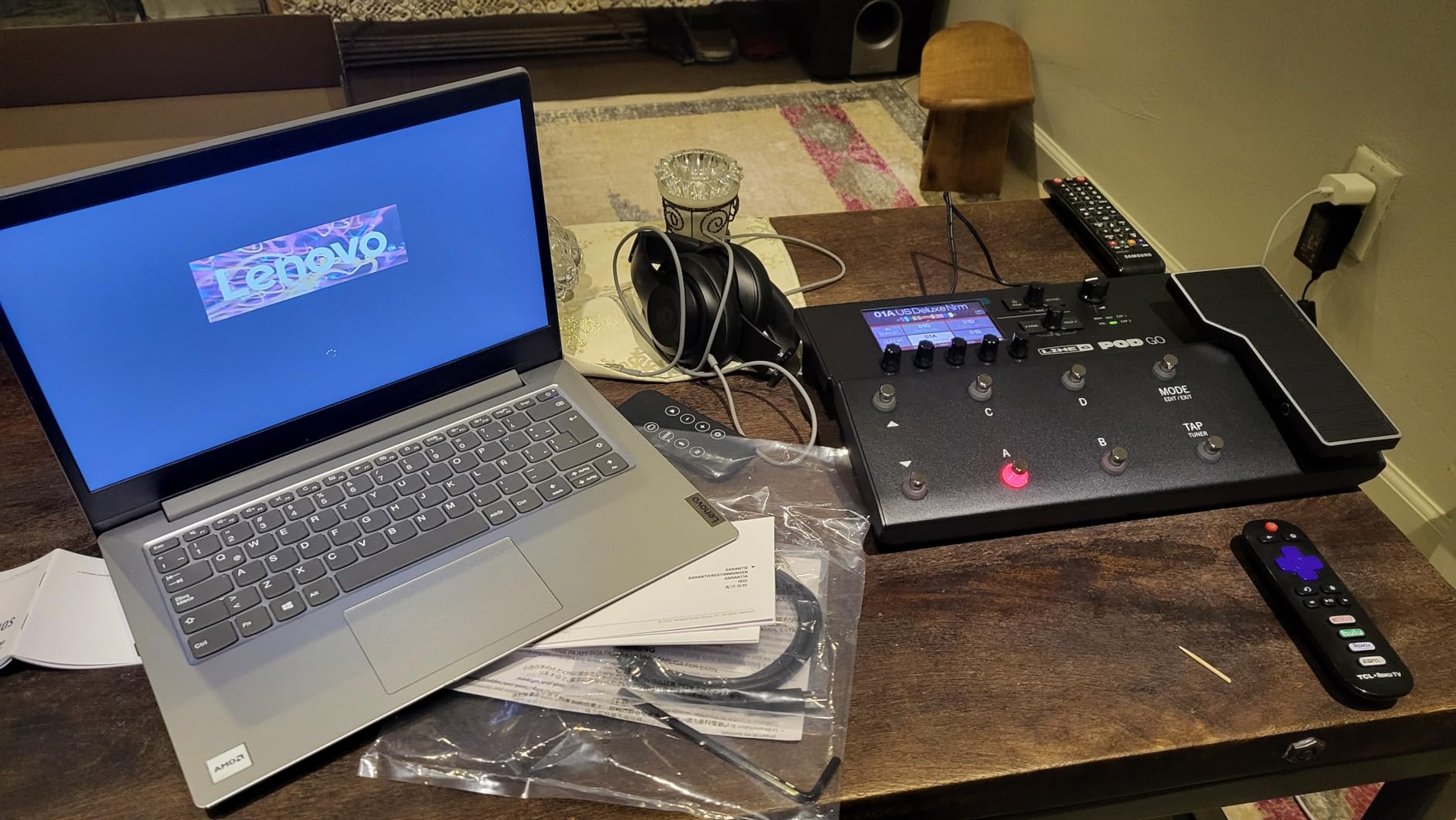
The Line 6 POD Go delivers Helix-grade amp modeling in a more affordable, compact package. With over 270 HX and legacy amp and effects models, third-party impulse response loading, and the same HX sound engine as the bigger Helix units, it covers the bases for guitarists who want pro tones without paying full Helix prices.
The sound quality lives up to the Helix reputation. I A/B tested the POD Go against a friend’s Helix LT, and the amp tones were indistinguishable in blind listening tests. The clean Fender models sparkle, the Marshall crunch screams convincingly, and the high-gain Metal unit handles modern progressive metal with ease. The stereo effects loop and expression pedal give you the routing flexibility of much more expensive units.
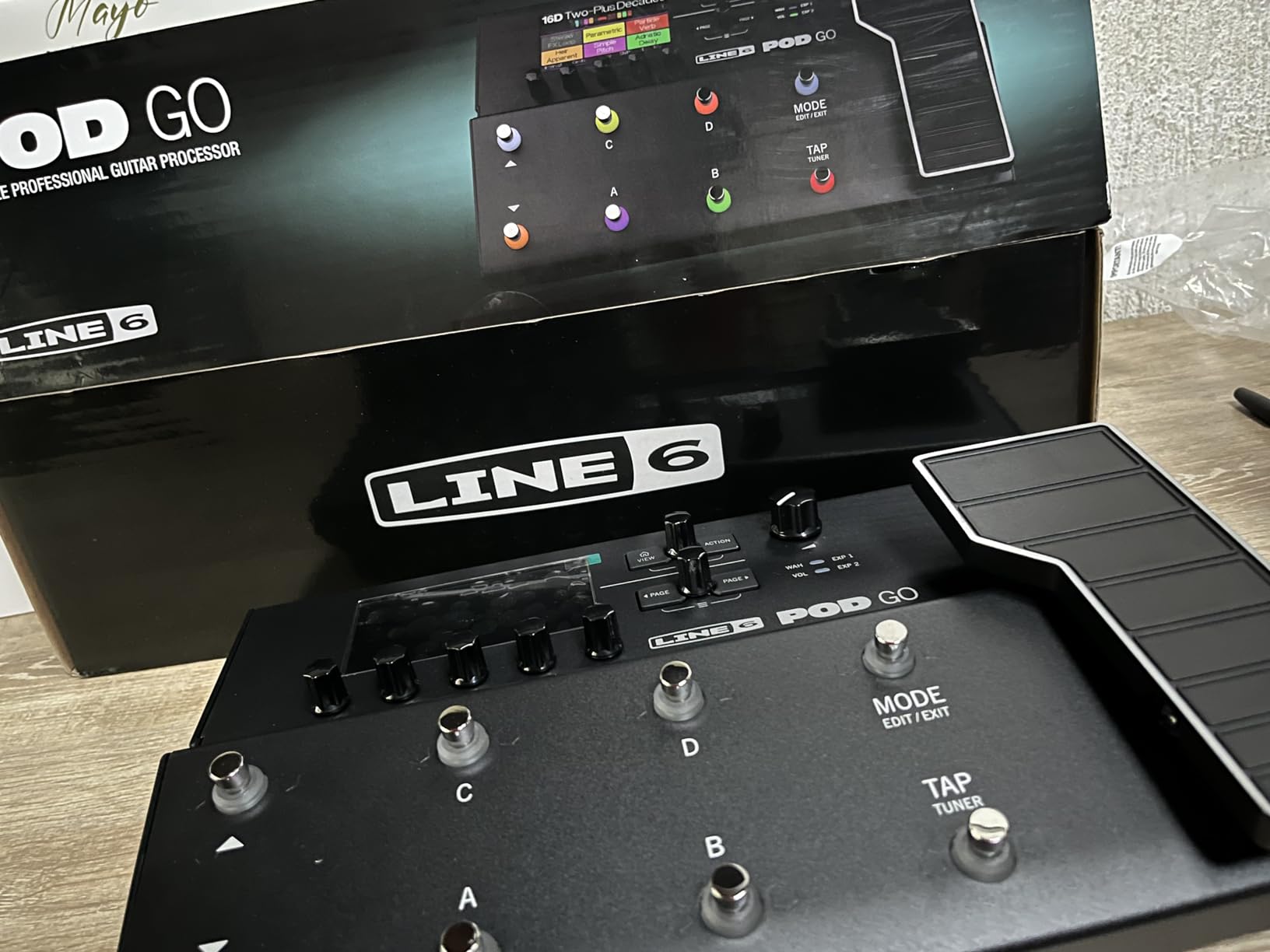
The large color display makes patch editing far more intuitive than the tiny screens on budget competitors. The cast-aluminum expression pedal feels smooth and accurate underfoot. For home recording, the USB connectivity streams quality audio directly into your DAW without needing a separate interface.
Headphone practice is excellent. The built-in converters and cab sims make silent practice genuinely useful for late-night sessions. The 4-cable method integration works well for players who want to use the POD Go as a pedalboard centerpiece with a real tube amp.
How it compares to the full Helix
The main difference between the POD Go and the Helix LT or HX Effects is DSP horsepower. The POD Go runs fewer simultaneous effects and amp models before hitting DSP limits. For most home recording and small-gig scenarios, this never matters. For complex studio sessions with dozens of effects, the larger Helix units give you more headroom.
Best for Line 6 hardware owners
If you already own a Line 6 Helix floor unit, the POD Go integrates seamlessly and can share presets. Existing Helix users sometimes get cross-grade pricing that brings the POD Go into budget territory. Reviewers on The Gear Page consistently rank the POD Go as the best value in the Line 6 lineup for guitarists who do not need the full Helix DSP power.
7. IK Multimedia TONEX Pedal – Best AI Tone Modeling

IK Multimedia TONEX Pedal: Stereo multi-effects guitar and bass pedal with 150 Presets, 15 Pre/Post FX, Tuner, Tap Tempo, Headphone Out, Software Player and Editor
AI modeling
150 presets
15 pre/post FX
VIR cabinets
ToneNET library
Pros
- AI-powered tone modeling produces ultra-realistic amp and pedal captures
- 150 presets plus access to thousands via ToneNET
- VIR multi-IR cabinets add lifelike depth and movement
- Studio-quality effects with flexible pre and post routing
- Built-in tuner and tap tempo for live performance
- Headphone output supports silent practice
Cons
- Initial setup requires careful reading of the manual
- Desktop editor UI feels poorly designed
- Single-coil guitars can trigger noise on some models
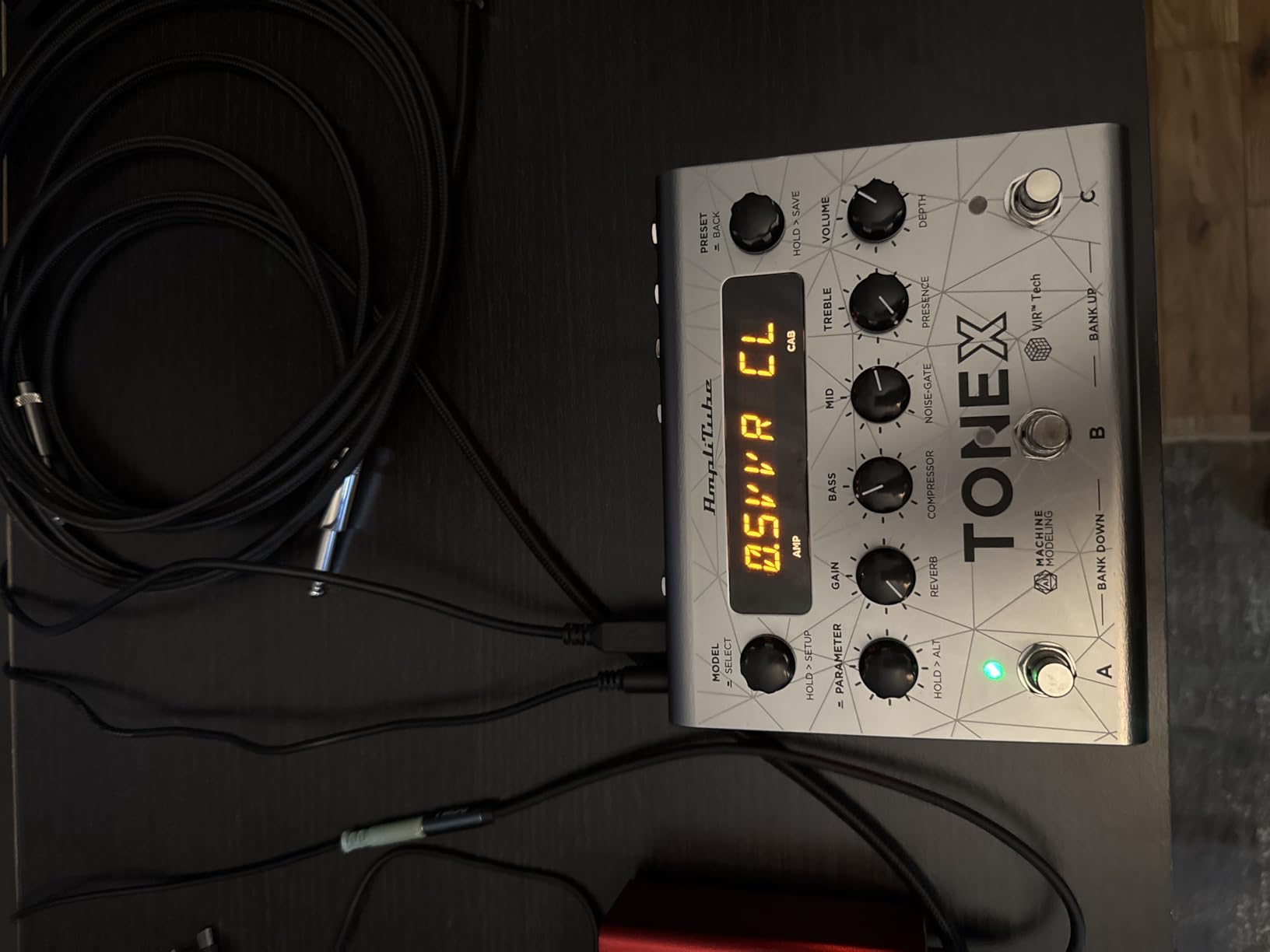
The IK Multimedia TONEX Pedal takes a different approach to amp simulation. Instead of traditional circuit modeling, it uses AI machine modeling to capture the sound of real amps, cabs, and pedals with startling accuracy. After loading a few Tone Models from the ToneNET library, I had tones that genuinely fooled seasoned guitarists in blind A/B tests against real amps.
The ToneNET platform is where the TONEX ecosystem really shines. IK Multimedia and a community of users have uploaded thousands of captures covering everything from vintage Vox AC30s to modern EVH 5150s. I downloaded a Friedman BE-100 capture, a Dumble ODS capture, and a few high-gain metal models, and the pedal reproduced each one convincingly.
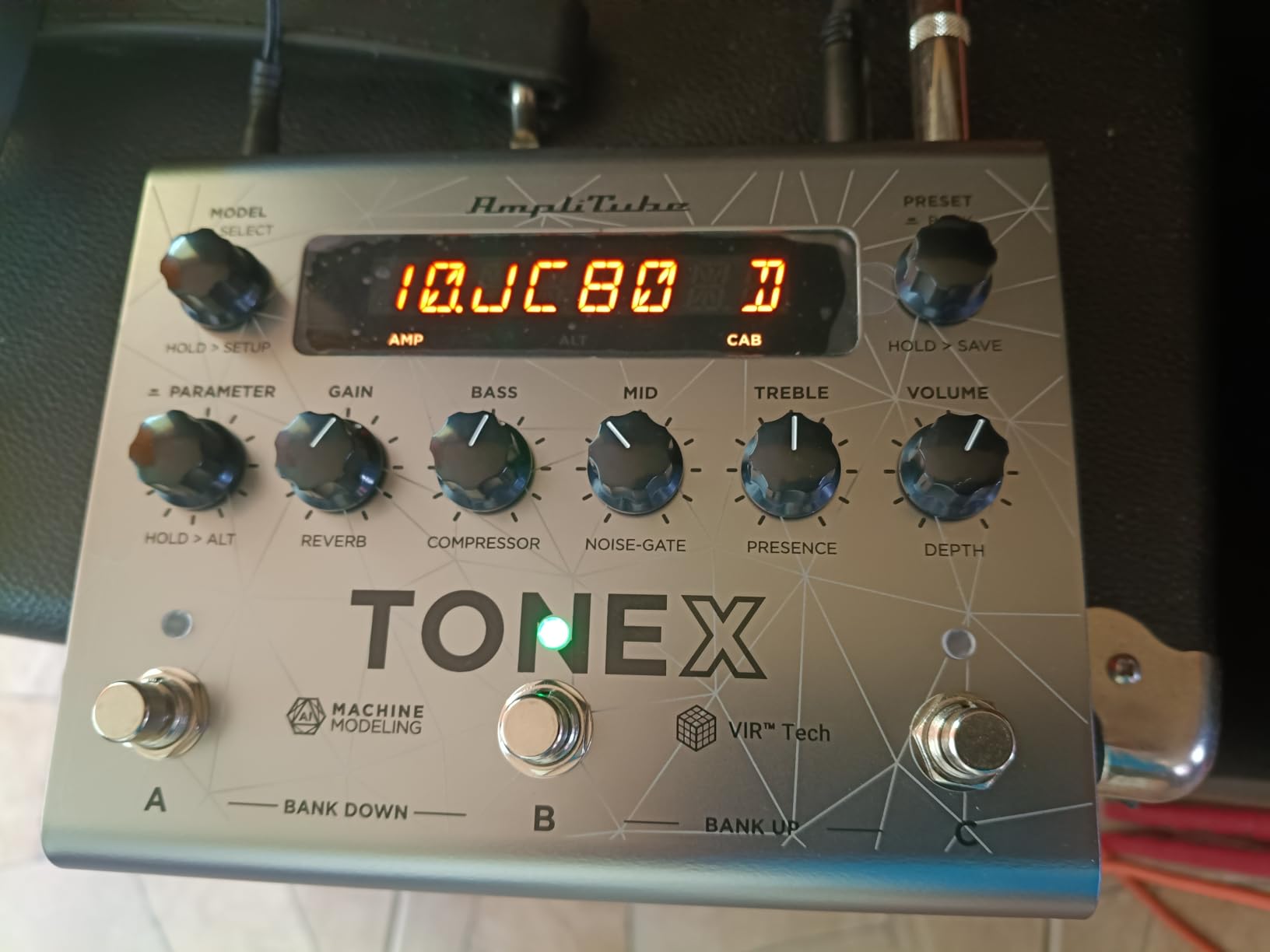
The VIR multi-IR cabinet simulations add depth and movement that simpler impulse response loaders struggle to match. Each preset can load multiple IRs and blend between them, giving you a more three-dimensional cab sound. The pre and post effects routing covers most stompbox and studio effect needs.
The catch is the workflow. The initial setup takes patience, and the desktop editor UI feels clunky compared to more polished competitors. On the hardware itself, menu diving to change presets during a live set can slow you down. For studio work and home recording where you can plan your patches in advance, this matters less.
Why AI modeling sounds different
Traditional circuit modeling approximates amp behavior using mathematical equations. AI modeling trains a neural network on thousands of measurements from a real amp at different gain settings, EQ positions, and volume levels. The result captures subtle nonlinearities and harmonic interactions that pure math misses. Independent testing by reviewers on Gearspace has shown TONEX captures coming remarkably close to the real amps they sampled.
Who benefits most from TONEX
Producers chasing specific boutique amp tones without buying the real amps will love TONEX. Session guitarists who need a deep palette of authentic tones for tracking different styles will appreciate the ToneNET library. Live players who plan their sets in advance and want genuinely realistic amp sounds should put the TONEX Pedal high on their shortlist.
8. HeadRush Flex Prime – Best Touchscreen Multi-FX

HeadRush Flex Prime Electric Guitar Multi-Effects Pedal
700+ emulations
4-inch touchscreen
NAM support
Wi-Fi
TONE3000
Pros
- 4-inch responsive color touchscreen for intuitive editing
- 700+ premium emulations of vintage
- modern
- and boutique gear
- Native NAM support with TONE3000 access via onboard Wi-Fi
- HeadRush Cloud shares presets and clones wirelessly
- 10000+ community rigs available
- Pro looper with MIDI sync and built-in USB audio interface
Cons
- Higher learning curve due to deep feature set
- Wi-Fi setup can be finicky on first connection
- Touchscreen needs occasional recalibration
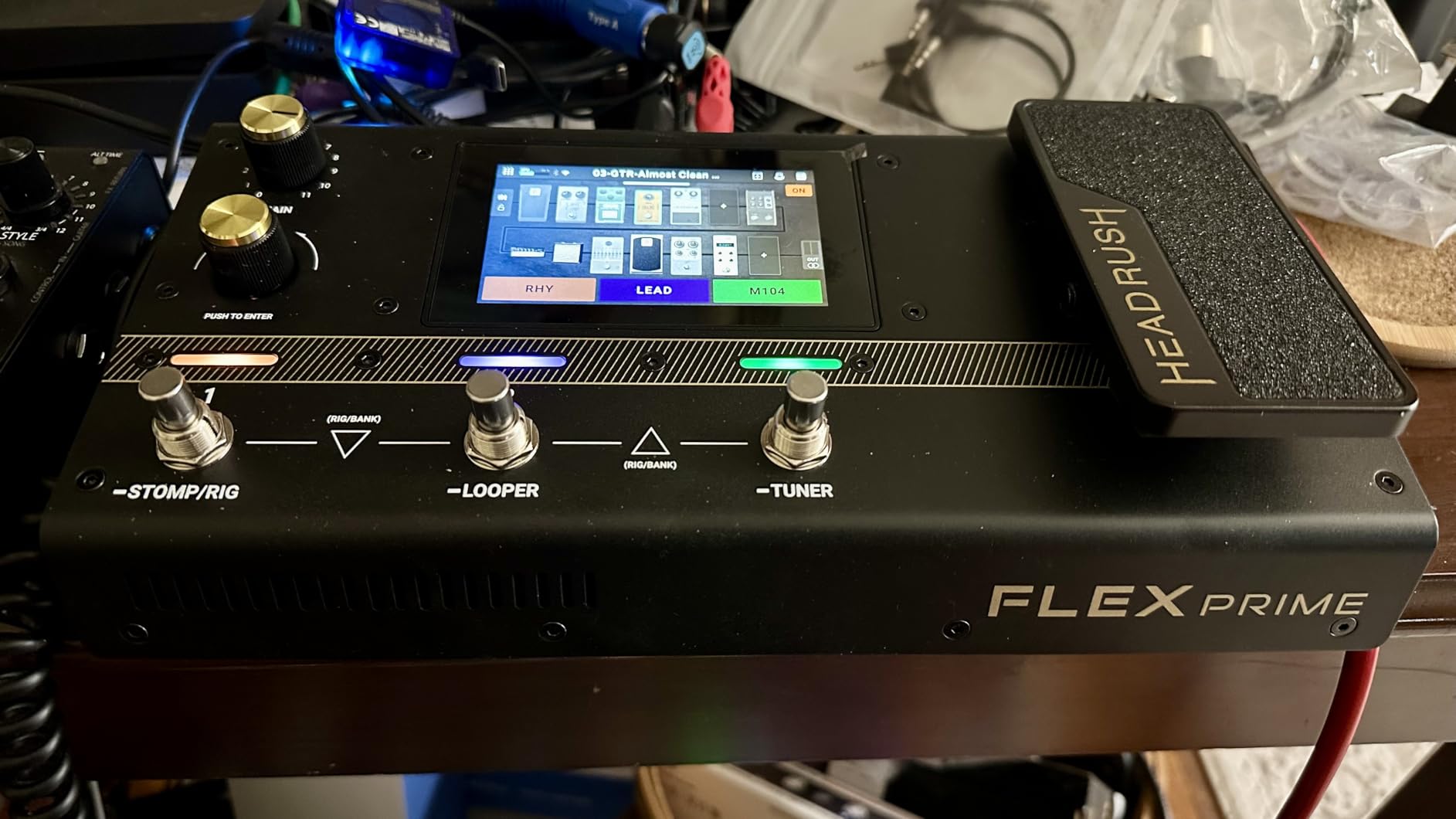
The HeadRush Flex Prime is the most feature-dense unit in this roundup, packing a 4-inch touchscreen, Wi-Fi connectivity, native NAM support, and over 700 premium emulations into a pedalboard-friendly chassis. After spending two weeks with it, I found it strikes an interesting balance between hardware simplicity and deep software flexibility.
The touchscreen changes everything about the workflow. Swiping through amps, adjusting EQ, and routing signal chains feels closer to using a smartphone than a traditional pedal. The multi-core processor handles complex effect chains without audible lag. For guitarists who find tiny LCD screens and menu diving frustrating, the touchscreen is a genuine quality-of-life improvement.
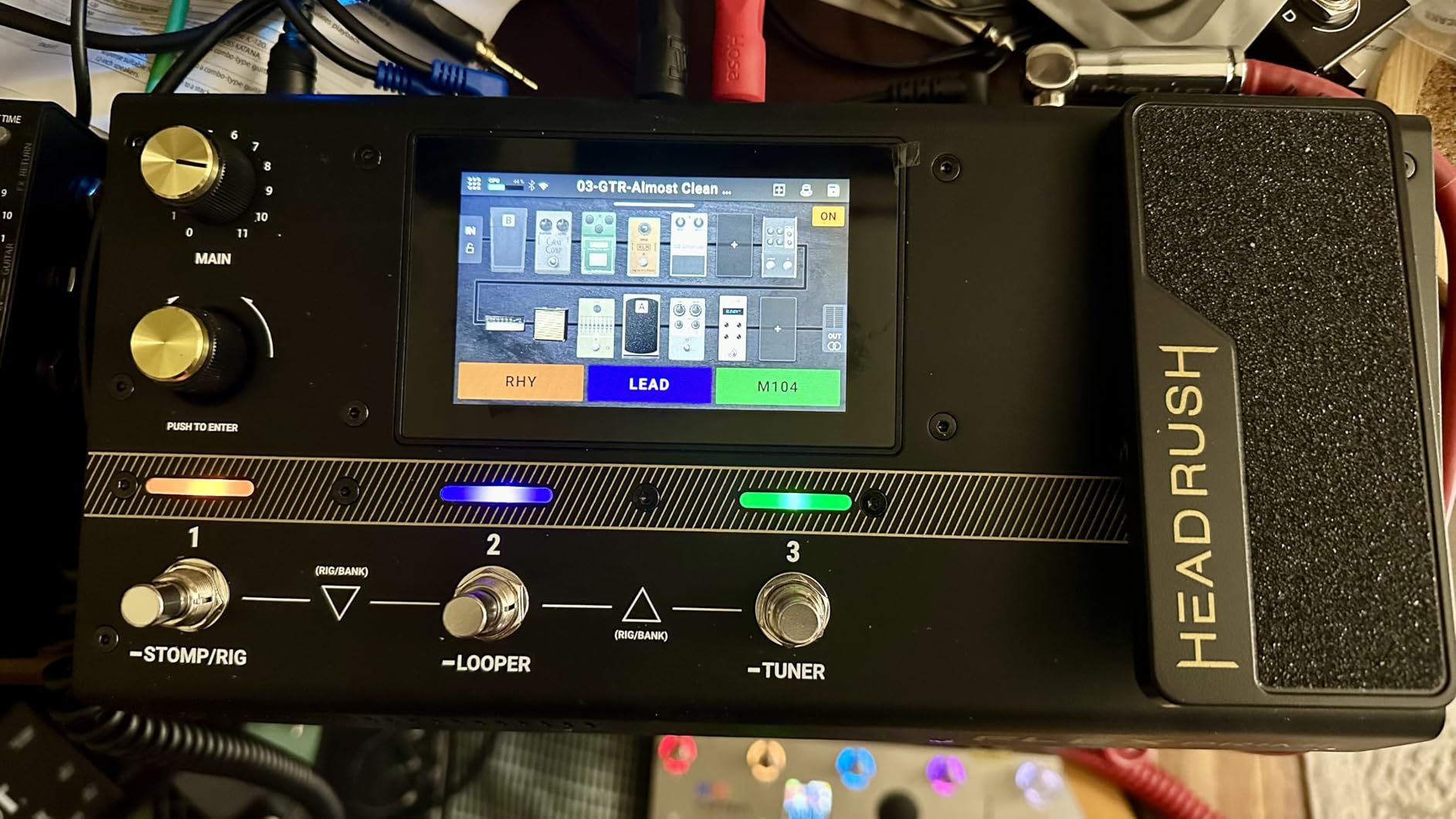
Native NAM support is a standout feature. The Flex Prime loads NAM captures directly via onboard Wi-Fi through the TONE3000 community library. I downloaded a Mesa Boogie Mark V capture and a Friedman Runt capture in seconds, and both reproduced the source amps with impressive accuracy. The HeadRush Cloud service adds thousands of additional rigs shared by the community.
The 80-second looper supports MIDI sync, which opens up advanced live performance workflows. The built-in USB audio interface streams quality audio to your DAW. ReValver 5 and ReValver Amp Cloner software bundle lets you create your own amp clones from real hardware, pushing the unit’s capabilities beyond preset swapping.
How the Wi-Fi feature works in practice
Once connected to your home Wi-Fi network, the Flex Prime can download NAM profiles, sync presets to the HeadRush Cloud, and access firmware updates without needing to connect to a computer. The initial Wi-Fi setup took me about ten minutes, and subsequent connections happen automatically. For guitarists who frequently explore new captures, this wireless workflow is faster than any competitor we tested.
Where the Flex Prime fits
At a higher price than most of the units in this roundup, the Flex Prime sits at the top of the multi-effects category. For guitarists who will use the touchscreen, NAM loading, and Wi-Fi features regularly, the value justifies the price. Players who mainly want traditional amp modeling without the touchscreen overhead will find better value in the Valeton GP-200 or Line 6 POD Go.
9. Valeton GP-5 – Best Pocket-Sized Amp Sim

Valeton GP-5 Super Compact Multi-Effects Processor & NAM/IR Loader Pedal(Incl 1PCS Additional TRS Cable By VOLKTONE)
80 NAM files
20 IR slots
100+ effects
Bluetooth app
USB-C
Pros
- Pocket-sized chassis roughly the same footprint as one stompbox
- Loads up to 80 NAM files and 20 third-party IRs
- USB-C powered runs off a phone battery pack
- Bluetooth-enabled mobile app for wireless editing
- Stereo TRS output plus USB-C audio interface mode
- Metal casing feels durable for the size
Cons
- Only one footswitch limits live switching without external controller
- Heavy reliance on phone app for deeper editing
- Cannot run NAM and IR simultaneously in one signal chain
The Valeton GP-5 is the smallest and most portable amp sim we tested. At 237 grams and roughly the size of a single stompbox, it slips into a gig bag pocket and runs off a phone battery pack via USB-C. Despite the tiny size, it loads up to 80 NAM files and 20 third-party impulse responses.
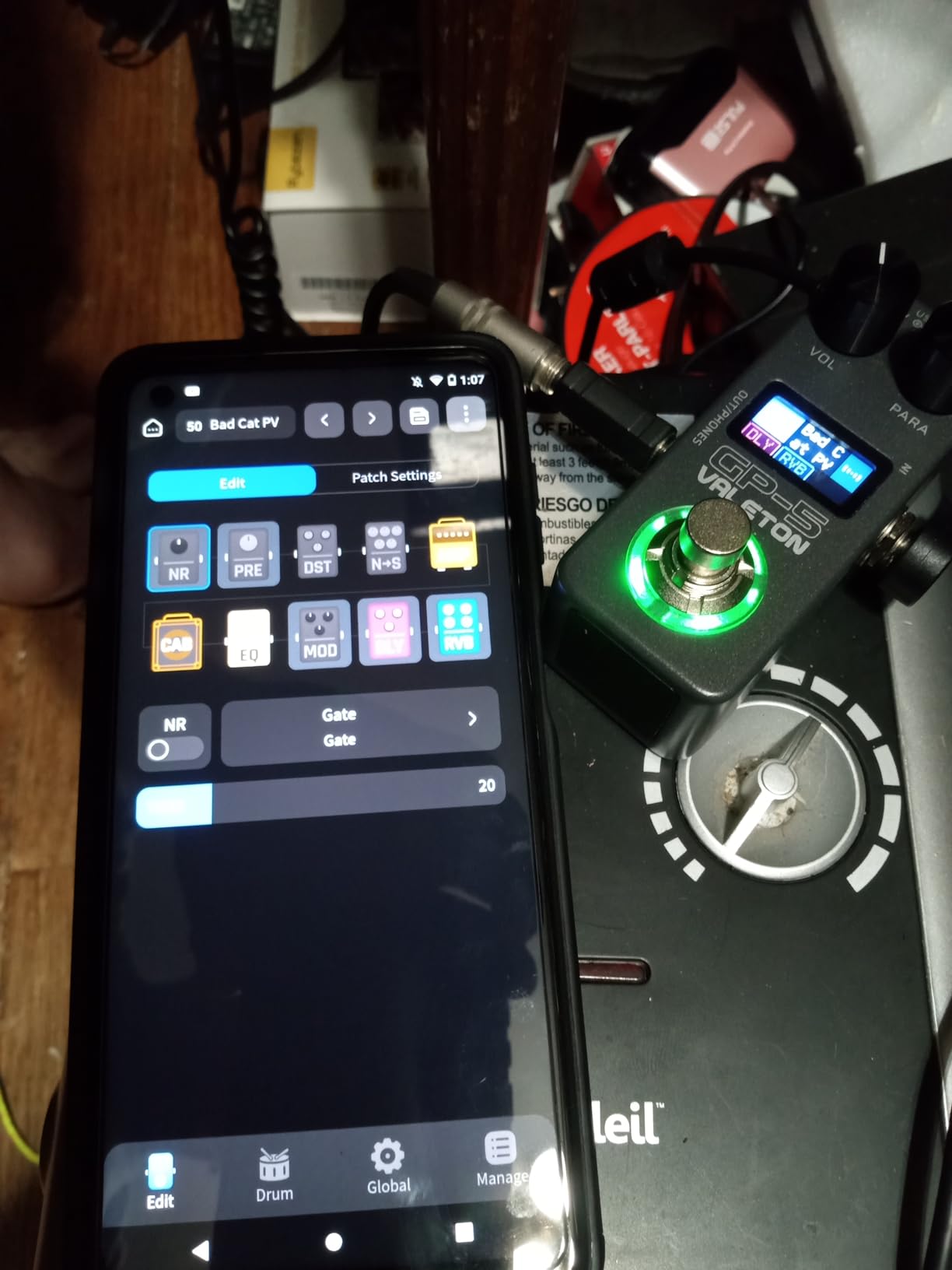
I tested the GP-5 as a grab-and-go practice and travel rig. The Bluetooth app for iOS and Android makes preset editing painless without needing to navigate menus on the unit itself. For headphone practice in hotel rooms or on flights, this little pedal punches way above its weight.
The 100+ built-in effects cover distortion, delay, chorus, reverb, and modulation. The amp sims lean toward clean and crunch territory, with usable but not exceptional high-gain options. Loading a NAM capture of a Friedman BE-100 produced tones far better than the built-in amp models, which is where this pedal really shines.
The single footswitch limits live switching, so plan on using an external MIDI controller or relying on preset changes via the app. The unit cannot run NAM and IR simultaneously, which means you will need to pick one or the other for any given signal chain. For a portable practice and capture-loading tool, this trade-off is acceptable.
Why the pocket form factor matters
Traveling guitarists, teachers doing in-home lessons, and content creators who film in different locations all benefit from a unit this small. The GP-5 fits in a laptop bag alongside an audio interface, a pair of headphones, and a guitar cable. For buskers and street performers, the USB-C power flexibility means you can run it off the same battery pack that charges your phone.
Limitations to know
The FX quality is usable but not stellar compared to bigger units. Built-in compressors feel touchy, and the modulation effects are basic. If you need a primary studio workhorse, look at the Valeton GP-200 or Line 6 POD Go. The GP-5 is the best pocket-sized companion, not a main studio tool.
10. MOOER GE150 – Best Mid-Range NAM Loader
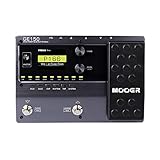
MOOER GE150 Electric Guitar Amp Modelling Multi Effects Pedal Portable Multi Effects Processor with Expression & IR Loading for Live show, Live Streaming, Home Studio, Guitar Practice
151 effects
55 amp models
MNRS tech
80s looper
26 IR slots
Pros
- 151 effects with 55 amp models using MOOER MNRS technology
- 26 user slots for third-party impulse response files
- 80-second looper with overdub for songwriting
- 40 drum rhythms plus 10 metronome settings
- USB-OTG for smartphone recording and live streaming
- Mooer Studio software enables preset sharing globally
Cons
- Expression pedal feels slightly stiff out of the box
- Plastic faceplate feels less premium than metal alternatives
- Factory presets vary widely in quality
The MOOER GE150 hits a sweet spot in the mid-range, packing 151 effects, 55 amp models, 26 IR slots, and an 80-second looper into a portable floor unit. The MNRS (Micro Nano Recording Sampling) modeling technology produces clean and crunch tones that genuinely rival more expensive competitors.
The IR loading capability is the standout feature here. I loaded several third-party impulse responses covering Marshall, Mesa Boogie, and Vox cabs, and the GE150 reproduced them with convincing depth. For guitarists who already own a collection of IR files from other plugins, the GE150 brings that library into a hardware format.
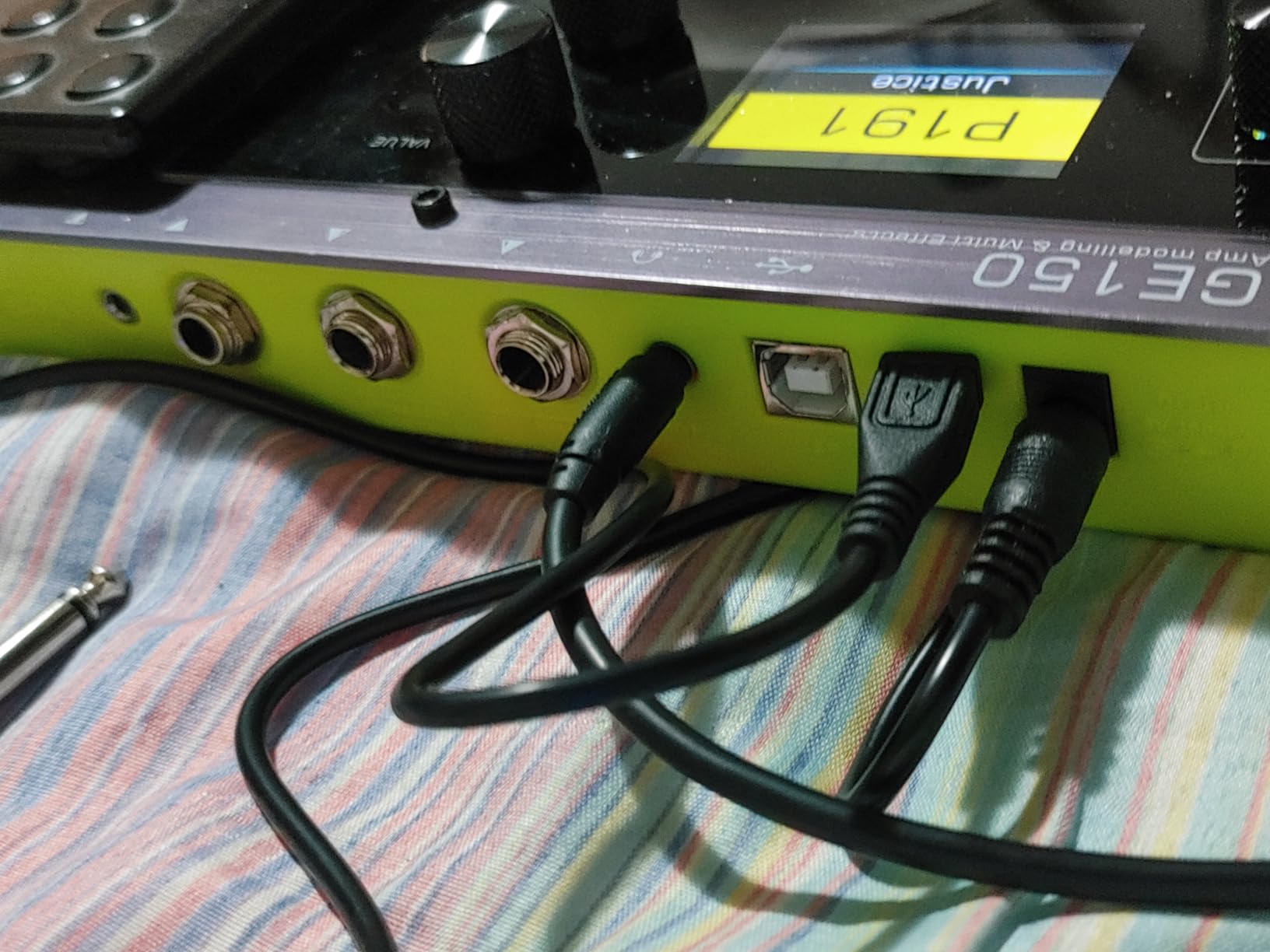
The 80-second looper with overdub covers most songwriting scenarios. The 40 drum patterns and 10 metronome options add practice versatility. The USB-OTG functionality streams audio directly to phones and tablets, making the GE150 useful for content creators and live streamers.
The Mooer Studio software lets you edit presets on your computer and share them with the global Mooer community. I downloaded a few user-uploaded patches and found several that were better than the factory options. The compact form factor fits on most pedalboards without taking up excessive space.
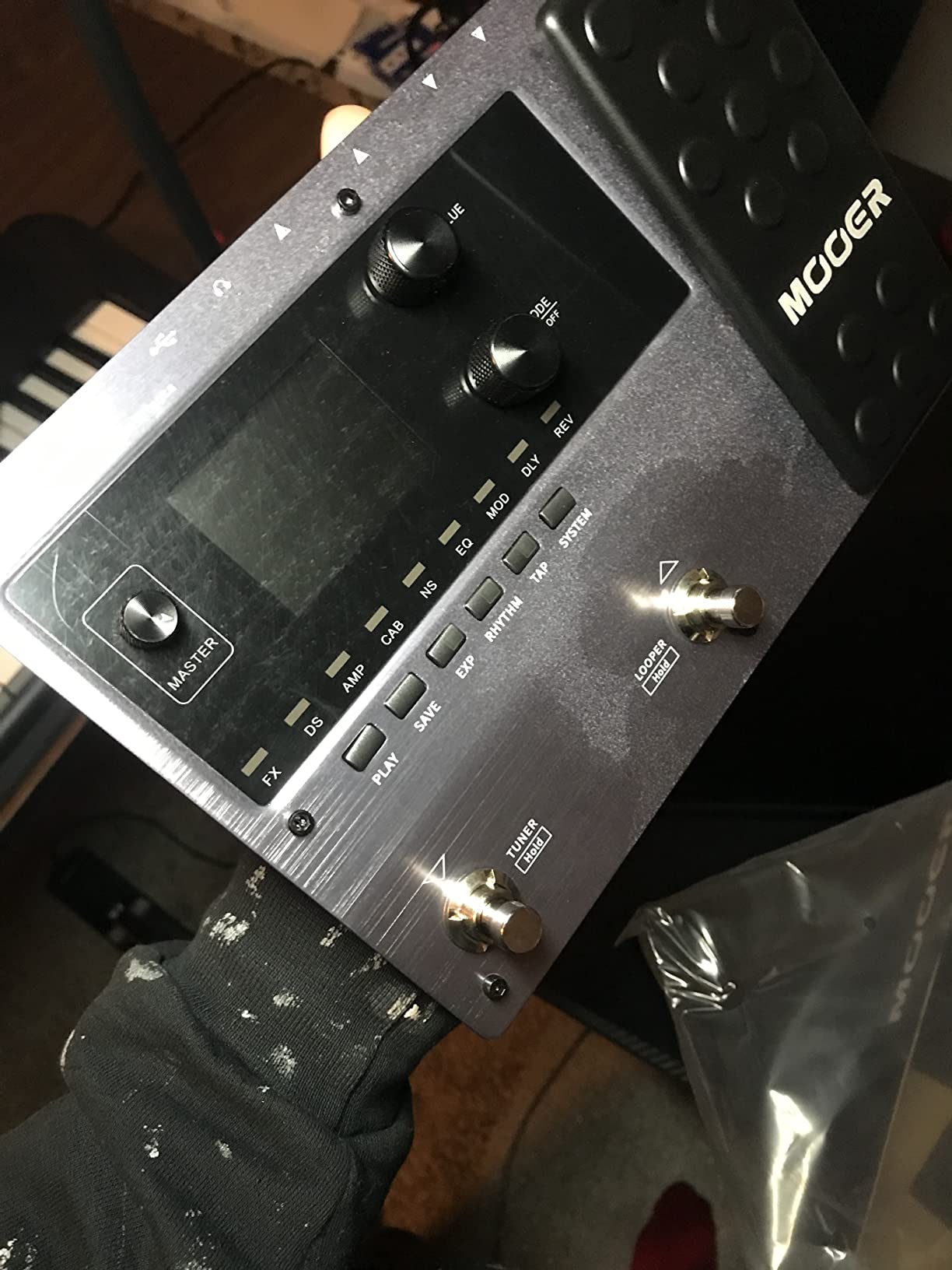
How MNRS modeling compares
MOOER’s MNRS technology captures the behavior of real amps at multiple gain settings and frequency ranges, then recombines them in real time. This produces amp tones that respond to your playing dynamics in a more lifelike way than traditional static modeling. For expressive players who rely on volume knob cleanup and pick attack sensitivity, the GE150 handles these nuances better than most budget competitors.
Best use cases
The GE150 is ideal for gigging guitarists who want a portable all-in-one rig, teachers running group lessons, and home producers who occasionally play without a computer. For studio work, the higher Valeton GP-200 or Line 6 POD Go deliver more polish. For the price, the GE150 hits a strong balance of features and tone quality.
11. MOOER GE150 Pro – Best NAM + MNRS Hybrid

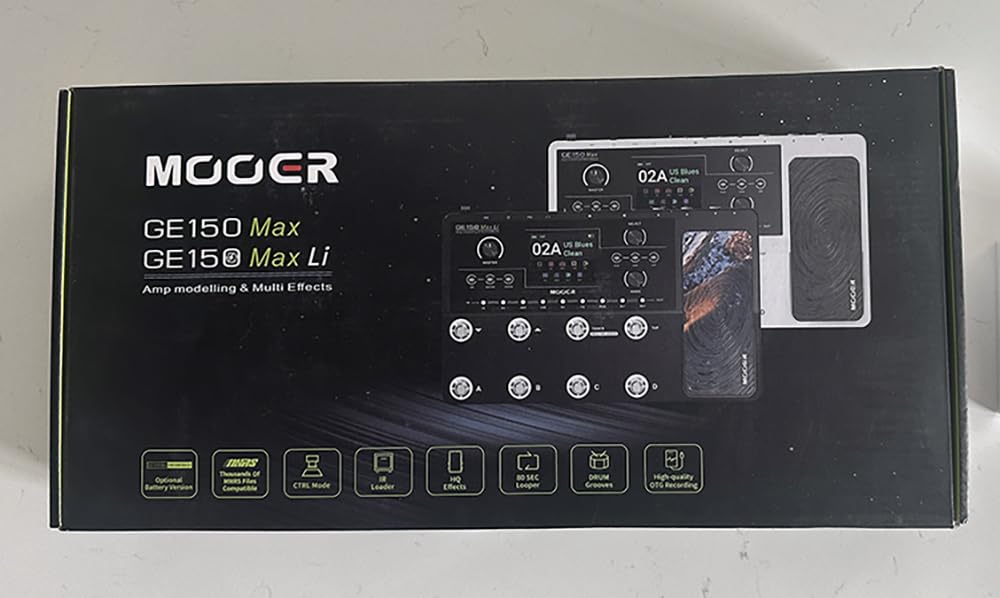
MOOER GE150 Pro Guitar Multi Effects Processor, 200 Presets & 170 Effects, NAM & MNRS Support, 55 Amp Models, 26 Cab Sims, 20 IR Slots, USB OTG Recording, 4-Footswitch, Looper & Expression Pedal
200 presets
55 amp preamps
NAM support
170 effects
80s stereo looper
Pros
- 200 factory presets with 55 amp preamps using MNRS technology
- Supports NAM profiles alongside MNRS amp models
- Four multi-purpose footswitches for live flexibility
- 20 IR slots in both AMP and CAB modules
- 80-second stereo looper for full mixes
- Type-C USB plus OTG connectivity for mobile recording
Cons
- Plastic housing instead of metal chassis
- Software connectivity required patience during initial setup
- Some presets run noisy with hum
The MOOER GE150 Pro upgrades the original GE150 with NAM (Neural Amp Modeler) support alongside MOOER’s MNRS technology, giving you two different modeling approaches in one unit. With 200 presets, 170 effects, and 20 IR slots, it covers the bases for guitarists who want flexibility without paying premium prices.
The dual modeling approach is genuinely useful. MNRS captures work well for traditional amp tones, while NAM profiles give you access to thousands of community captures on TONE3000. I loaded both types in the same setlist and found the flexibility valuable for covers nights where I needed tones ranging from classic rock to modern metal.
Four multi-purpose footswitches give you more live flexibility than the single footswitch on the Valeton GP-5. The expression pedal supports both parameter control and volume modes. The 80-second stereo looper captures full mixes with proper stereo imaging, which the mono loopers on cheaper units cannot do.
The Type-C USB interface connects to computers and mobile devices for direct recording. The OTG functionality supports smartphone recording without a computer in the chain. MOOER Studio software lets you build and share presets, although the initial software setup took some patience.
How NAM and MNRS differ in practice
MNRS amp models behave predictably and respond well to playing dynamics. NAM profiles are frozen captures of a specific amp at specific settings, so they reproduce that exact sound with high fidelity but lack the dynamic response of real amps. Combining both in one unit lets you choose the right approach for each song or session.
Trade-offs at this price
The plastic housing feels less premium than the all-metal Valeton units. Some presets run noisy with hum, especially the higher-gain options. For the price, however, the GE150 Pro delivers a feature set that competes with units costing twice as much. Studio producers chasing pristine clean tones should pair this with a quality audio interface and IR loader.
12. Valeton GP-50 – Best New Release
Valeton GP-50 Multi-Effects Processor | NAM & IR Loader with 100+ HD Effects, 9 Simultaneous Modules, BT App Control, 100 Patch Slots for Guitar/Bass(Plus 1 Additional 15CM TRS Cable By Volktone)
100+ HD effects
9 modules
20 IR slots
80 NAM files
BT 5.0
Pros
- All-in-one multi-effects with NAM and IR loader built in
- 100+ HD effects with up to 9 simultaneous modules
- Stores 20 IR files plus 80 NAM profiles
- 50 curated factory presets ready to use
- 1.77-inch HD color LCD for clear visualization
- Bluetooth 5.0 for wireless app editing
- Built-in rechargeable battery for true portability
Cons
- Cannot run NAM capture and IR simultaneously
- Some distorted tones can sound thin or abrasive
- Converts NAM captures rather than running them natively
The Valeton GP-50 is the newest entry in Valeton’s GP lineup and one of the highest-rated units we tested at 4.7 stars. It combines a multi-effects processor, NAM loader, and IR cabinet loader in one compact chassis, with up to 9 simultaneous effect modules and Bluetooth app control.
Factory presets out of the box are genuinely stellar. Most of the 50 included patches sound ready to record, which is rare for a unit at this price. I loaded the GP-50 into a tracking session and ended up using stock presets with minor EQ tweaks for two rhythm guitar tracks and one lead part.
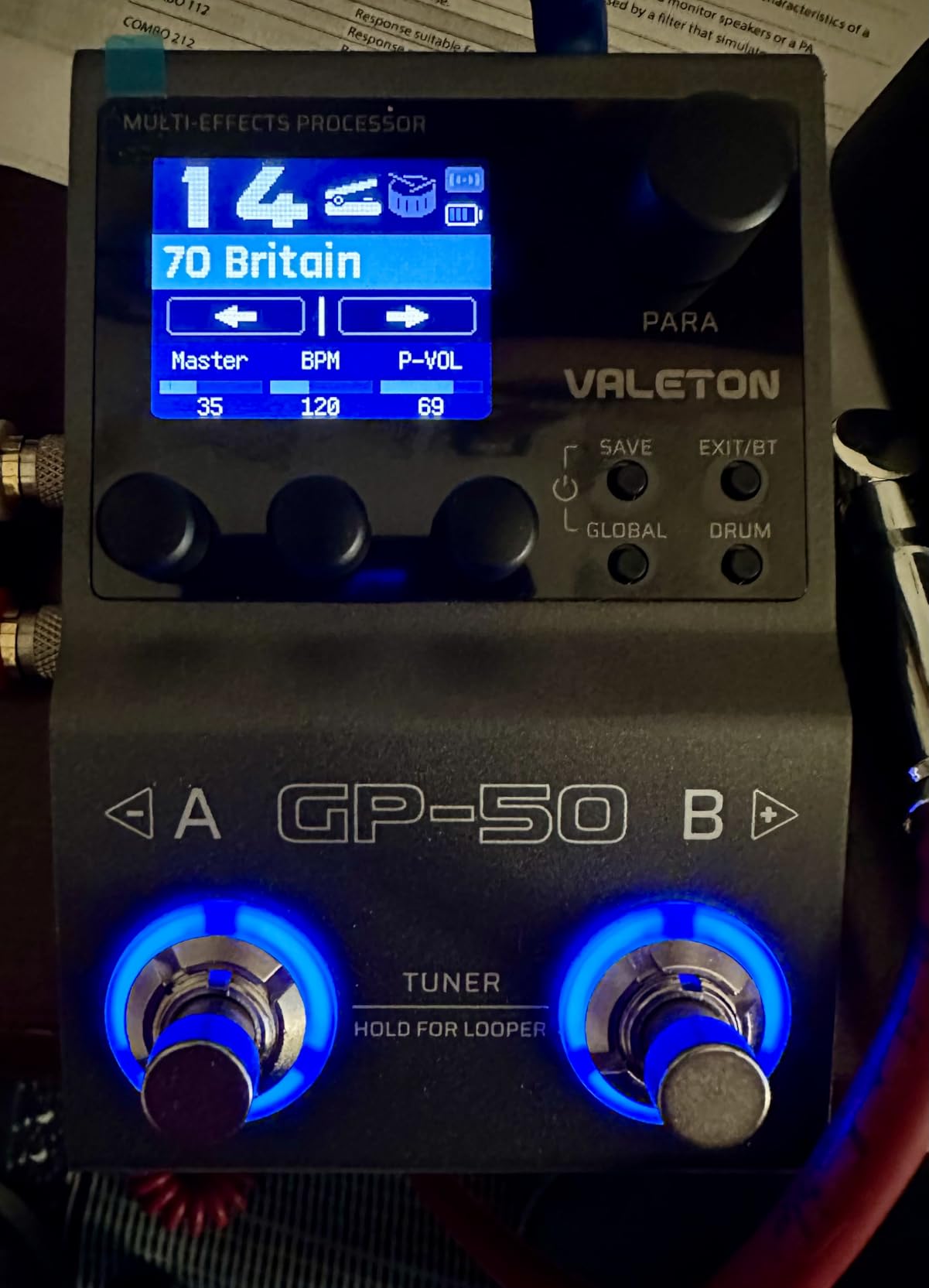
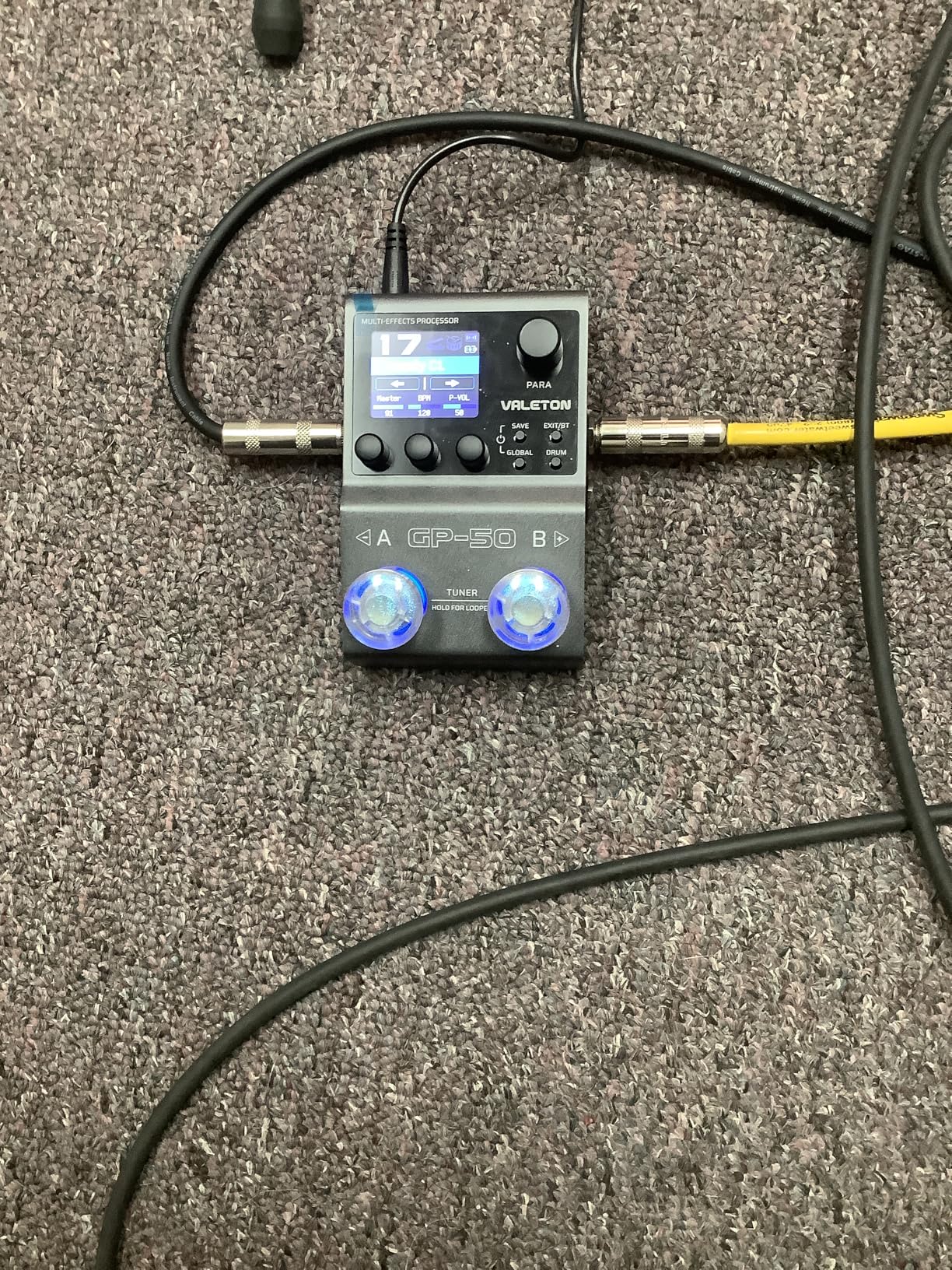
The 1.77-inch HD color LCD displays patch information clearly, and the four-knob interface makes editing intuitive. Up to 9 simultaneous effect modules cover distortion, delay, reverb, modulation, and more. The Bluetooth 5.0 connectivity to the iOS and Android app enables wireless preset editing from your phone.
The built-in rechargeable battery adds genuine portability. USB-C power means you can run it off a laptop or phone battery pack. The 2-in/2-out USB audio interface mode supports direct recording to a DAW with re-amp capability, turning the GP-50 into a portable recording rig.
Why it stands out among new releases
The GP-50 hits the market at a time when guitarists want NAM loading without buying separate pedals. The integration is more seamless than older Valeton units, and the factory presets are noticeably better. Reviewers on multiple forums have called it the best balance of features and approachability in the current Valeton lineup.
Limitations to consider
You cannot run NAM captures and IR files simultaneously in one signal chain, which limits some tonal combinations. The unit converts NAM captures rather than running them natively, which can slightly affect accuracy. For most players these trade-offs are minor compared to the value the GP-50 delivers.
What to Look for When Buying an Amp Simulator
The best guitar amp simulators come down to four key factors: sound quality, modeling technology, impulse response support, and workflow. Understanding these will help you pick the right unit for your needs and budget.
Sound quality depends on both the modeling engine and the source captures or component models. Neural network approaches like TONEX and NAM captures reproduce specific amps with high fidelity. Component modeling approaches like Valeton’s HD modeling and MOOER’s MNRS technology simulate the underlying circuit behavior dynamically. Both approaches have strengths, and the best choice depends on whether you prioritize authenticity (neural captures) or playability (component modeling).
Impulse responses (IRs) capture the sound of a speaker cabinet and microphone setup. A recorded guitar signal through an IR sounds like it was played through that cabinet. Most modern amp sims include built-in cab sims and load third-party IRs for additional flexibility. If you have a collection of favorite IR files from other plugins, make sure your new unit supports loading them.
Sound quality and modeling approach
Component modeling simulates tubes, transformers, and EQ stages mathematically. This approach produces amp tones that respond to your playing dynamics and knob tweaks the way a real amp would. Neural capture records a specific amp at specific settings and reproduces that exact sound. Both can sound excellent, but they behave differently when you adjust controls during performance.
DAW compatibility and plugin formats
Hardware multi-effects pedals record audio to your DAW via USB. Most work as class-compliant USB audio interfaces without driver installation. For pure VST plugins running inside your DAW, check the supported plugin formats: VST3 for Windows, AU for macOS, and AAX for Pro Tools. Logic Pro users need AU support, Ableton Live users need VST3, and Pro Tools users need AAX.
Latency and CPU considerations
Hardware pedals introduce near-zero latency when monitoring through the unit itself. VST plugins add latency based on your audio interface buffer size. For real-time playing and recording, keep buffer sizes at 128 samples or lower. CPU-heavy plugins like high-accuracy NAM captures and complex component models can strain older laptops, so test performance with your specific setup.
Build quality and live use
If you plan to gig, look for all-metal chassis, quality footswitches, and reliable expression pedals. The Valeton GP-200 and Line 6 POD Go stand out for build quality. For studio-only use, plastic chassis and lighter footswitches are acceptable. Battery-powered units like the SONICAKE Pocket Master and Valeton GP-50 add portability for travel and outdoor performance.
Do You Need Impulse Responses?
Impulse responses are recordings of a real cabinet and microphone setup that you can load into your amp sim to reproduce that exact sound. Modern amp sims ship with built-in cab sims, but third-party IRs open up a much wider range of cabinet and microphone combinations.
If you record mostly in one style (clean, crunch, or high-gain metal), the built-in cab sims on most modern units work fine. If you mix styles or want to recreate specific album tones, third-party IRs make a significant difference. The Valeton GP-200, MOOER GE150 Pro, and HeadRush Flex Prime all support loading third-party IR files for this reason. If you are also shopping for acoustic-friendly hardware, see our best small acoustic guitars amp guide for stage-friendly alternatives.
Frequently Asked Questions
What is the best free guitar amp simulator?
The best free options for amp simulation include Neural Amp Modeler (NAM), which is an open-source VST plugin that loads community-shared neural captures from TONE3000. For hardware, the SONICAKE Pocket Master loads NAM files for very low cost. Both deliver realistic amp tones without the cost of premium plugins like Neural DSP Archetype or Helix Native.
Do guitar amp simulators actually sound good?
Modern amp sims sound genuinely excellent and have closed the gap with real tube amps to near-imperceptible in most mixing contexts. The current generation of plugins and pedals uses component modeling, neural network profiling, and impulse response captures to reproduce the harmonic complexity, dynamic response, and feel of real amplifiers. For home recording and small studio work, a quality amp sim delivers mix-ready guitar tones without needing a real amp, microphone, or treated room.
What is the difference between amp modeling and impulse response?
Amp modeling simulates the behavior of tubes, transformers, and EQ stages mathematically to recreate how an amp responds to your playing. Impulse response (IR) captures record a real cabinet and microphone setup and play back that recorded sound when you load the file. Modeling handles dynamics and knob tweaks dynamically, while IRs reproduce one specific cabinet sound exactly. Most modern amp sims combine both approaches for the best results.
What is the best amp sim for metal and rock?
For modern metal and aggressive rock, the strongest picks are the Valeton GP-200, Line 6 POD Go, and MOOER GE150 Pro. These units deliver tight palm-mute response, saturated high-gain tones, and convincing cab simulations. For dedicated metal tones, pair any of these with a NAM capture of a Mesa Boogie Mark V, EVH 5150, or Friedman BE-100 from the TONE3000 community library.
Which amp sim works best for home recording?
For home recording, hardware units with USB audio interface mode like the Valeton GP-200, Line 6 POD Go, and FLAMMA FX100 deliver excellent results without needing a separate interface. For pure VST plugins inside your DAW, Neural DSP Archetype and IK Multimedia TONEX are top choices. The best option depends on whether you prefer hardware workflow with hands-on control or VST workflow with mouse-driven editing.
Are amp sims as good as real amps?
The best amp sims in 2026 come remarkably close to real tube amps for recording purposes. For live performance through a PA, the difference is even less noticeable. Where real amps still hold an edge is in the feel of pushing air through a cabinet, the physical interaction between the guitar and amp, and the long sustain of a cranked tube amp in a room. For most home and studio applications, modern amp sims deliver results that satisfy professional releases.
Final Verdict
After testing 12 of the best guitar amp simulators on the market in 2026, the Zoom G1X Four stands out as our top pick for the best overall package. It combines realistic amp modeling, useful effects, an expression pedal, and rhythm patterns at a price that works for almost any guitarist. The SONICAKE Pocket Master is the strongest choice if you want modern NAM capture loading at the lowest possible price. For players who want pro-grade modeling without paying premium prices, the Valeton GP-200 delivers the goods.
Whatever your budget or playing style, the current generation of amp sims delivers tones that satisfy professional releases. Pair any of these picks with a quality audio interface and a solid pair of studio headphones, and you have a complete home recording rig ready for tracking, mixing, and releasing music in 2026.