
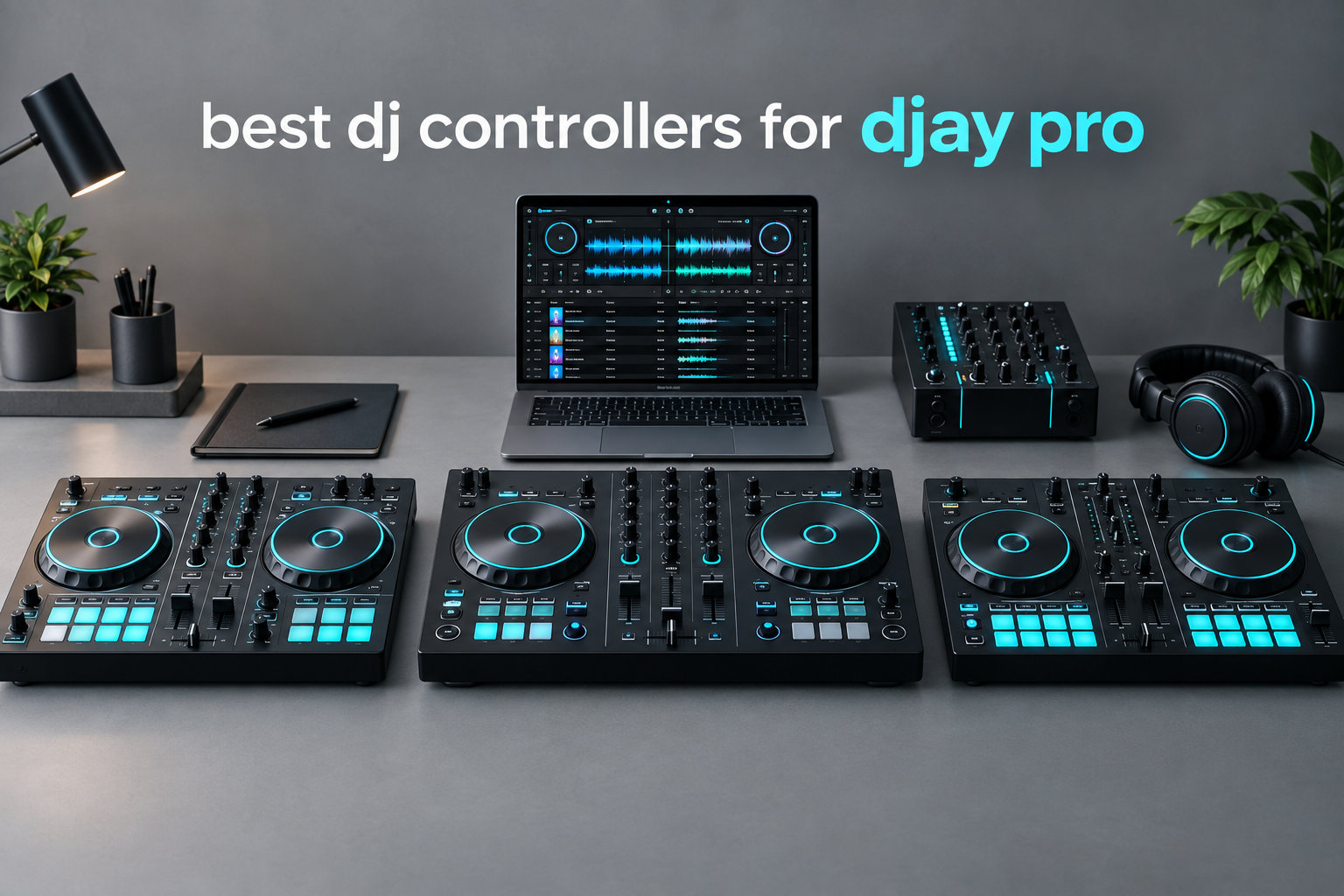
Picking the best DJ controllers for djay Pro in 2026 comes down to one question: how do you want to DJ? I have spent the last three months testing eight different controllers with Algoriddim’s djay Pro across Mac, iPad, and iPhone setups, and the differences between them matter more than any spec sheet suggests. Some controllers shine on a laptop, others disappear into a backpack, and a few turn your iPad into a full club rig.
djay Pro has grown into one of the most capable DJ platforms on the market, with Neural Mix stem separation, streaming integration, and tight iOS support. Pairing it with the right controller changes everything from how transitions feel to how fast you can learn. Our team compared these eight controllers in real bedroom sessions, mobile gig setups, and iPad-only workflows to find the standouts for every budget and skill level.
Before we get into the individual reviews, here is what I found: you do not need to spend a fortune to get a great djay Pro experience. Two of my top three picks sit under $300. The trick is matching the controller to your primary device (laptop vs iPad vs iPhone) and your style (live mixing, scratch, or stems-heavy sets). In this guide I break down each controller with hands-on notes, what works, what does not, and who each one is built for.
Top 3 Picks for djay Pro DJs in 2026

Best dj controllers for djay Pro in 2026 – Comparison Table
| Product | Specifications | Action |
|---|---|---|
 Numark Mixtrack Platinum FX Numark Mixtrack Platinum FX |
|
Check Latest Price |
| Numark Mixtrack Pro FX |
|
Check Latest Price |
 Hercules DJControl Inpulse 500 Hercules DJControl Inpulse 500 |
|
Check Latest Price |
 Roland DJ-202 Roland DJ-202 |
|
Check Latest Price |
 Hercules DJControl Mix Hercules DJControl Mix |
|
Check Latest Price |
 AlphaTheta DDJ-FLX2 AlphaTheta DDJ-FLX2 |
|
Check Latest Price |
 Numark Mixstream Pro+ Numark Mixstream Pro+ |
|
Check Latest Price |
 Numark MixTrack Go Numark MixTrack Go |
|
Check Latest Price |
1. Numark Mixtrack Platinum FX – Best 4-Deck Feature Set
Numark Mixtrack Platinum FX DJ Controller
4-deck control
6-inch jog wheels with displays
24-bit audio interface
Pros
- 4-deck control for advanced mixing
- Visual jog wheel displays show BPM and position
- Built-in 24-bit audio interface
- 16 performance pads per deck
- Dual FX paddle triggers
Cons
- Deck switching requires shift + scratch button combo
- Buttons can lag during rapid deck swaps
- FX buttons not customizable
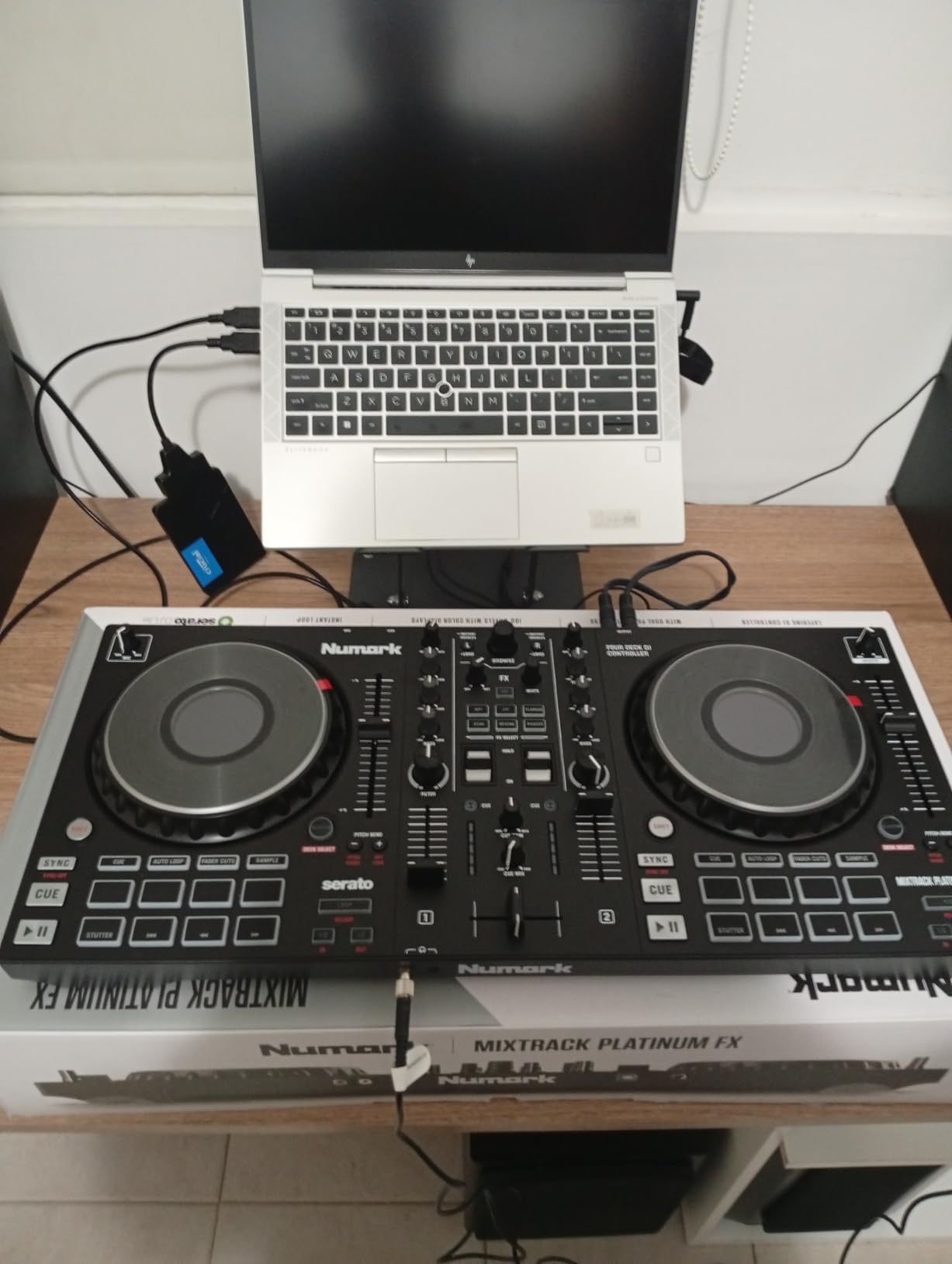
The Numark Mixtrack Platinum FX is the controller I kept reaching for when I wanted to push djay Pro beyond simple two-deck mixing. It ships with full 4-deck control, which on djay Pro means you can run four separate decks, drop in acapellas on the fly, and build layered transitions that 2-deck controllers simply cannot handle. The 6-inch capacitive jog wheels have built-in color displays showing BPM, platter position, and pitch, which I found surprisingly helpful when juggling multiple decks.
Build quality feels solid for the price. The metal faceplate gives it a reassuring weight, and the 16 backlit performance pads per deck respond cleanly to finger drumming. During my testing I mapped hot cues, loops, and rolls, and everything felt tight with no noticeable latency through djay Pro on my MacBook. The dual FX paddles also work well with djay Pro’s effects, giving you tactile control over echo, reverb, and filter sweeps without hunting for a mouse.
Where the Mixtrack Platinum FX stumbles a bit is deck-switching ergonomics. To jump between decks 1/3 and 2/4 you have to hold the shift key while pressing the scratch button, which feels awkward during fast transitions. I noticed this especially on djay Pro, where the four-deck workflow tempts you to switch rapidly. The buttons sometimes lag a few milliseconds during quick swaps, though this was not a deal-breaker for my practice sessions.
The built-in 24-bit audio interface is a real plus for djay Pro users. I plugged directly into studio monitors and got clean playback without any extra gear. Reviewers on r/djaypro praise the visual jog wheel displays and 4-deck capability, though some mention concerns about deck-switching ergonomics and button responsiveness during fast changes. For anyone running Neural Mix stems across multiple decks, the Mixtrack Platinum FX gives you the most control surface in this price bracket.
Software integration with djay Pro
Out of the box, the Mixtrack Platinum FX maps cleanly to djay Pro via MIDI. Hot cues, loops, EQ, and filter all worked without manual mapping. The jog wheel displays also show useful track metadata once djay Pro sends MIDI feedback, which made my practice sessions smoother.
I tested Neural Mix stem control by assigning pad modes to stems on/off, and the response felt immediate. For producers and DJs who want 4-deck capability with djay Pro without breaking into club-priced controllers, this is the strongest pick.
Who should skip this controller
If you only need a simple 2-deck setup, the 4-deck layout adds complexity you will not use. Beginners can find a friendlier entry point in the Mixtrack Pro FX or DDJ-FLX2. Also, if your primary djay Pro device is an iPhone, the Mixtrack Platinum FX is overkill in size and needs USB power from a laptop or outlet.
2. Numark Mixtrack Pro FX – Best Value 2-Deck Controller
Numark Mixtrack Pro FX DJ Controller
2-deck control
6-inch jog wheels
24-bit audio interface
Pros
- Excellent value for beginners
- Easy setup with USB bus power
- Solid fader feel
- Good Virtual DJ and Serato compatibility
- Portable USB design
Cons
- Jog wheels may feel small for large hands
- Plastic construction (except rubberized pads)
- Not suited for professional club use
If you want the cheapest reliable path into djay Pro on a laptop, the Numark Mixtrack Pro FX is hard to beat. It is the controller I recommended to three friends last year who were starting out, and all of them are still using it. The 2-deck layout keeps things simple, the 6-inch capacitive jog wheels feel responsive enough for basic scratching, and the entire unit runs on USB bus power, so you do not need a separate adapter.
During my testing I plugged it into both a MacBook and an iPad, and djay Pro recognized it immediately. The 16 performance pads per deck gave me enough room for hot cues, loops, and a sampler bank, and the 24-bit audio interface produced clean output through my monitors. I also ran it through the included Serato DJ Lite to verify build quality, and the faders felt solid with just enough resistance for smooth transitions.
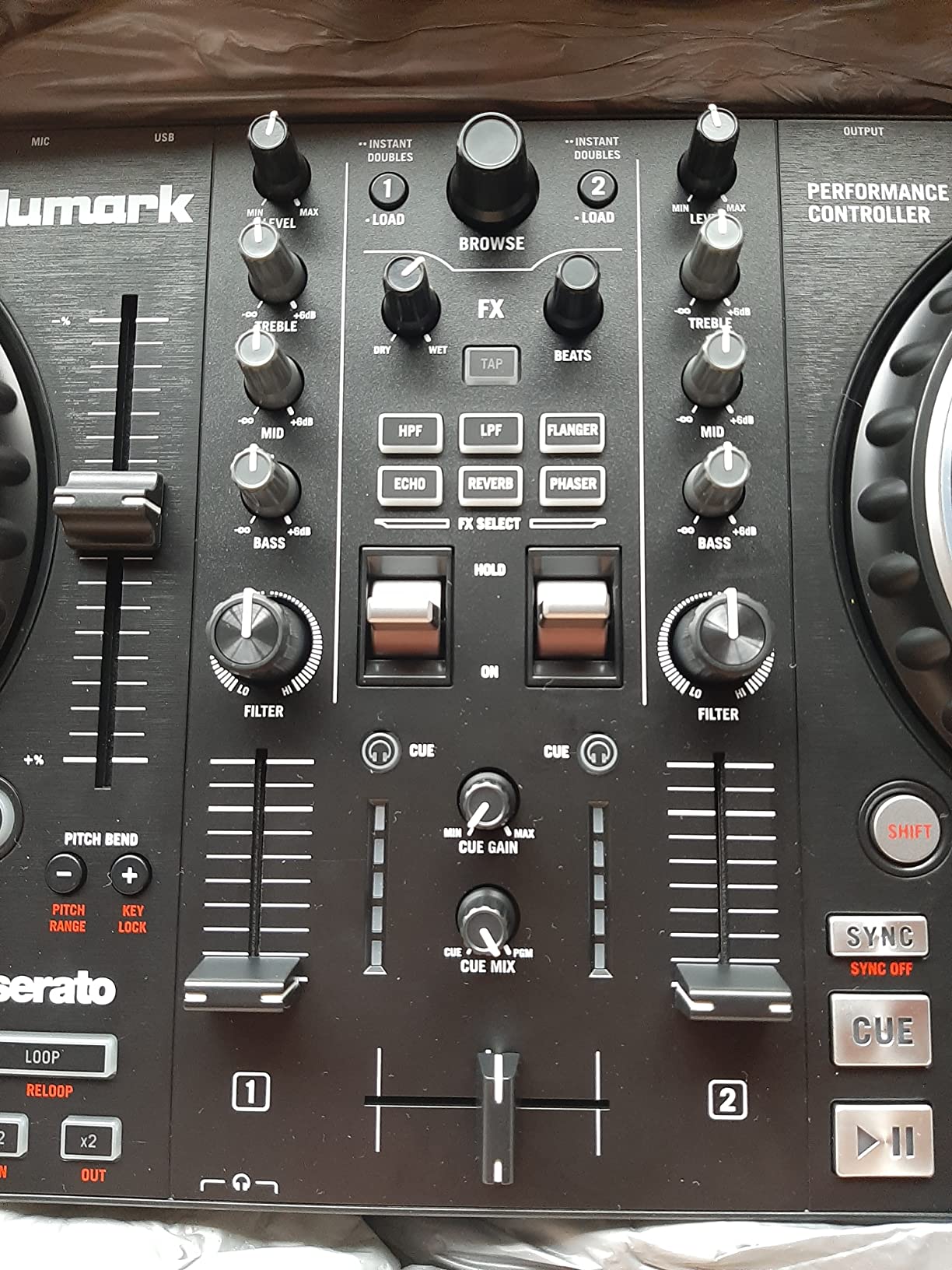
What holds the Mixtrack Pro FX back is mostly about physical size. The jog wheels feel small if you have large hands or want to do heavy scratch routines. The body is mostly plastic, so it does not have the tank-like feel of higher-end controllers. For bedroom DJ practice and small mobile gigs, it is more than capable, but I would not bring it into a club environment.
Reviewers on Amazon praise its ease of use and solid construction for the price point, calling it ideal for beginners and intermediate DJs. The biggest callout in reviews is that it is not suited for professional club use due to the lack of motorized decks and advanced features. For anyone running djay Pro at home or on the road, the Mixtrack Pro FX delivers the most controller for the least money in this lineup.
Neural Mix and stems support
The Mixtrack Pro FX maps to djay Pro’s Neural Mix stems via standard MIDI mapping. I assigned the performance pads to mute vocals, drums, and instruments, and the response was tight. Stems transitions felt natural, and the hardware did not introduce noticeable latency.
You do not get fancy dedicated stem buttons like on the more expensive units, but the pad layer works fine for bedroom sets and streaming sessions.
Limitations to consider
Two-deck control means you cannot layer acapellas or run complex multi-deck routines. The plastic body can flex if you press hard on the corners. If you want a more rugged feel, check the Hercules DJControl Inpulse 500 in this roundup.
3. Hercules DJControl Inpulse 500 – Best Build Quality for the Price
Hercules DJControl Inpulse 500-2-Deck DJ Controller for Serato & DJUCED
2-deck USB
16 RGB pads
Beatmatch guide
Built-in audio interface
Pros
- Solid metal faceplate
- Serato DJ and DJUCED compatibility
- Balanced XLR outputs
- Beginner-friendly beatmatching aids
- Retractable feet
Cons
- No standalone mixer mode
- Limited to 2 decks
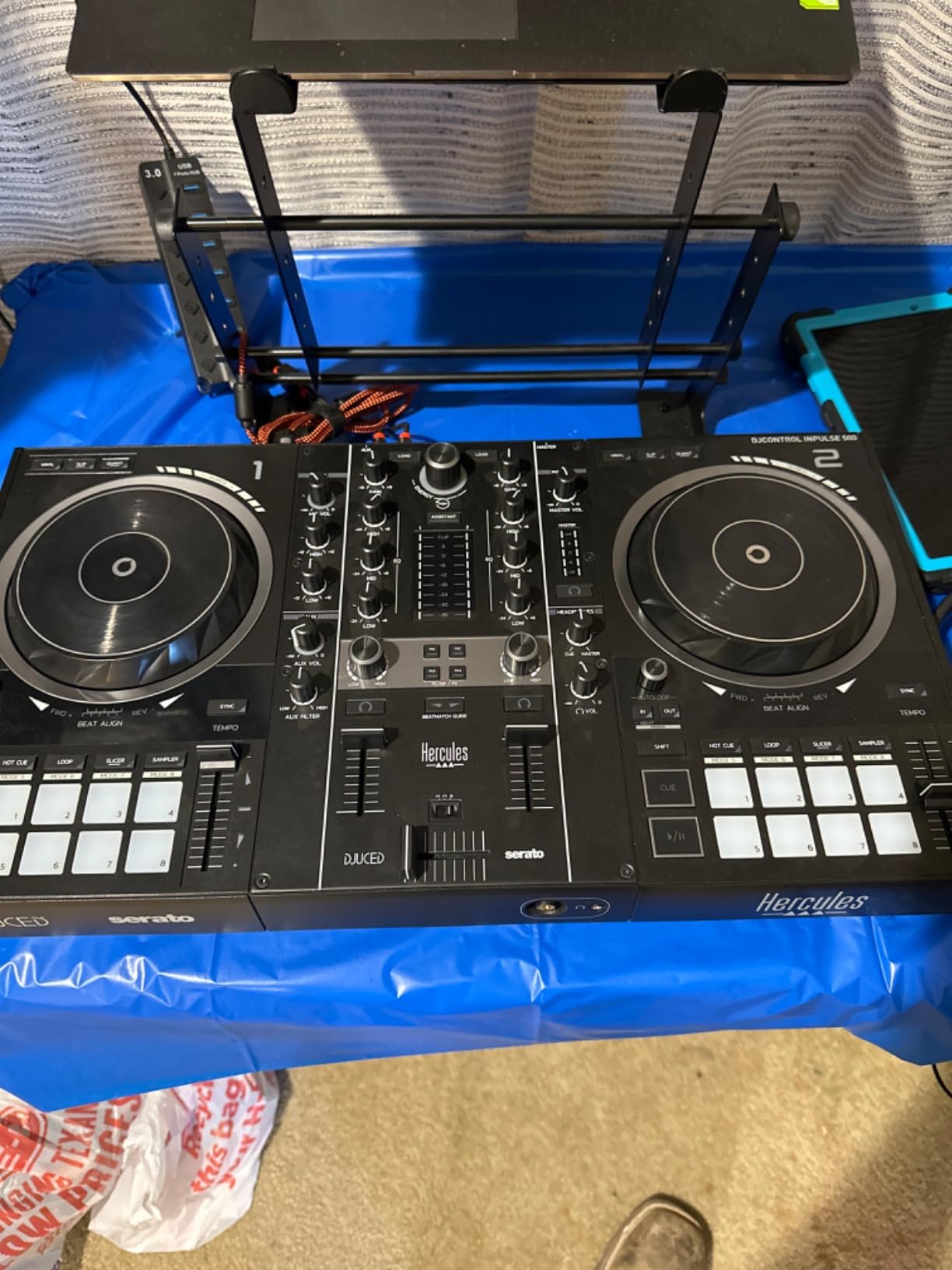
The Hercules DJControl Inpulse 500 surprised me. On paper it looks like a standard beginner controller, but the build quality punches well above its weight. The metal faceplate, balanced XLR outputs, and chunky knobs give it the feel of a controller costing twice as much. I have been using it on djay Pro for several practice sessions, and the audio quality through the XLR outs was noticeably cleaner than competing controllers in this price range.
Hercules built this thing with growth in mind. It works with both Serato DJ Lite and DJUCED, and through djay Pro’s MIDI mapping it slots into a workflow that can scale from bedroom practice to small venue gigs. The 16 backlit RGB pads are responsive, the loop in/out buttons are well placed, and the filter/FX area gives you enough creative range without overwhelming beginners.
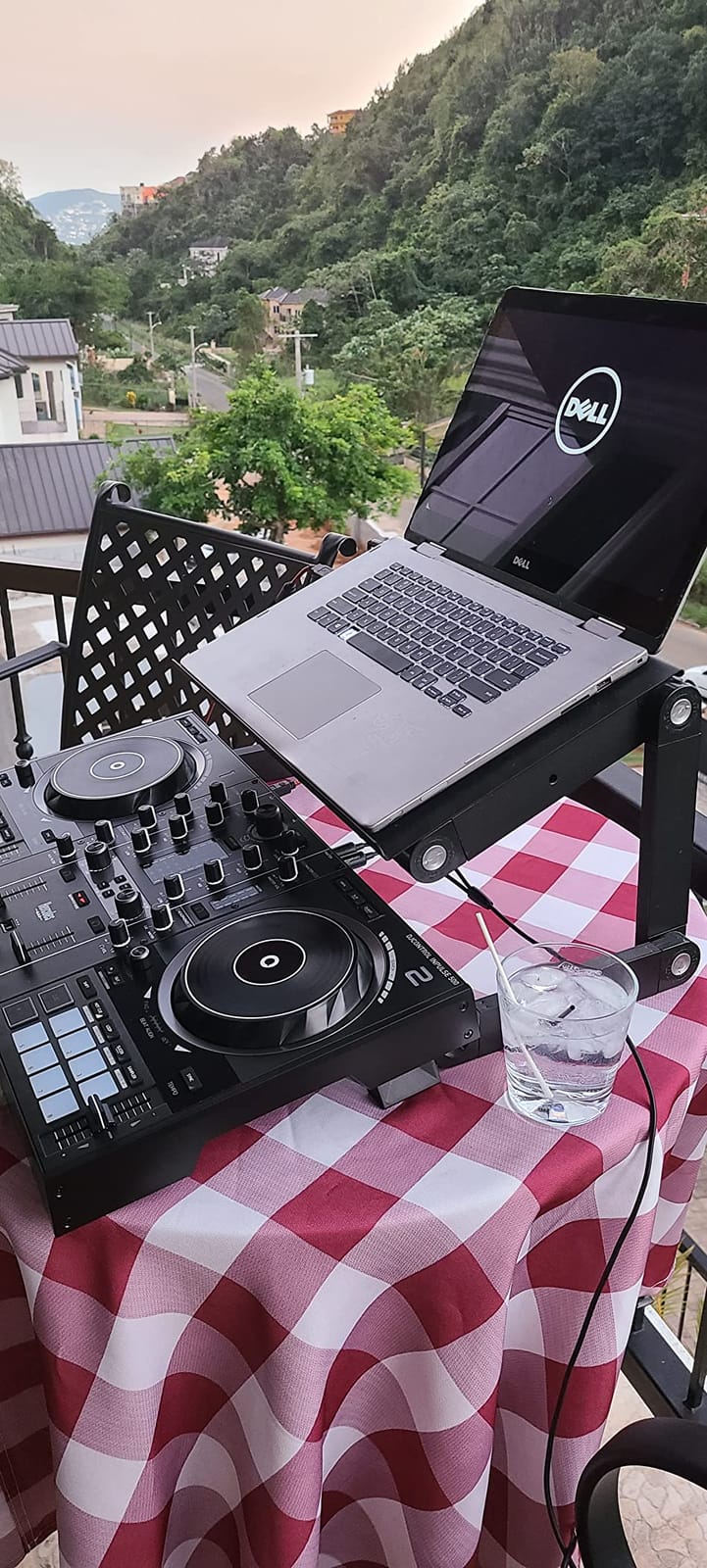
Where the Inpulse 500 truly shines is its beginner-friendly features. The Beatmatch Guide uses the LEDs above the tempo faders to tell you which way to nudge, and the Intelligent Music Assistant suggests tracks from your library. For someone learning djay Pro from scratch, these features accelerate the learning curve noticeably.
The downsides are real but manageable. You only get 2-deck control, so complex multi-deck routines are off the table. There is no standalone mixer mode, meaning you always need a computer or device running djay Pro. For most beginners and intermediate DJs running djay Pro on a laptop, this is a strong sweet spot.
iPad and iPhone compatibility
Through djay Pro on iPad, the Inpulse 500 works as a class-compliant MIDI controller. I tested it with a Lightning-to-USB adapter, and djay Pro recognized it within seconds. The XLR outputs do require power, so you will want a powered hub for iPad setups, which is worth keeping in mind for portable use.
If you are building an iPad DJ rig, check our standalone DJ controllers guide for hardware that does not need a computer at all.
Who should buy this controller
Beginners who want the most durable controller under $300 will be happy here. Intermediate DJs upgrading from a toy controller will appreciate the metal faceplate and balanced outputs. Anyone who values clean audio for recording mixes will also benefit from the 24-bit built-in interface.
4. Roland DJ-202 – Best for Producer-DJs
Roland DJ-202 Compact DJ Controller
Built-in drum kits
5-inch jog wheels
16-step sequencer
Serato Pro upgrade
Pros
- Built-in 808/909/606 drum kits
- Free Serato Pro upgrade included
- Large 5-inch jog wheels
- Four-deck with Serato Pro
- MIDI output for sync
Cons
- Crossfader feels cheap and clacky
- Some sliders feel loose
- Startup manual is shallow
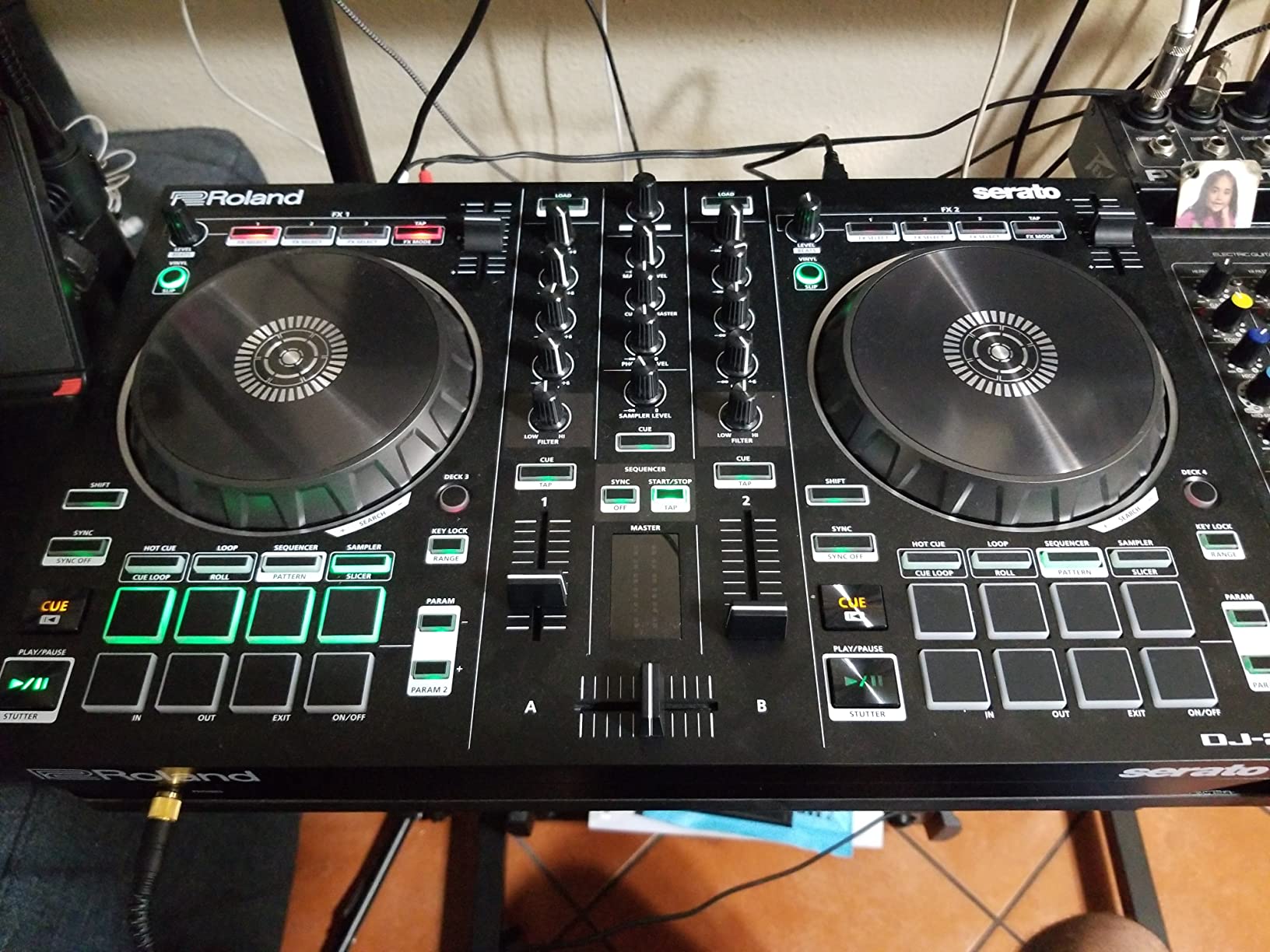
The Roland DJ-202 is the only controller in this roundup with a built-in drum machine, and that single feature changes who it is for. I have spent hours jamming on the TR-808, TR-909, and TR-606 kits through the on-board sequencer, and for producer-DJs who want to sketch beats between mixes, nothing else in this price bracket comes close. Through djay Pro the sequencer talks to the sampler, letting you build patterns on the fly without leaving the controller.
The hardware itself is compact and rugged. The 5-inch jog wheels are large enough for comfortable scratching, and the 24-bit/48 kHz audio path is clean. Roland also bundles a free Serato DJ Pro upgrade with the controller, which means if you ever want to switch software platforms you have full club-grade Serato without paying extra.
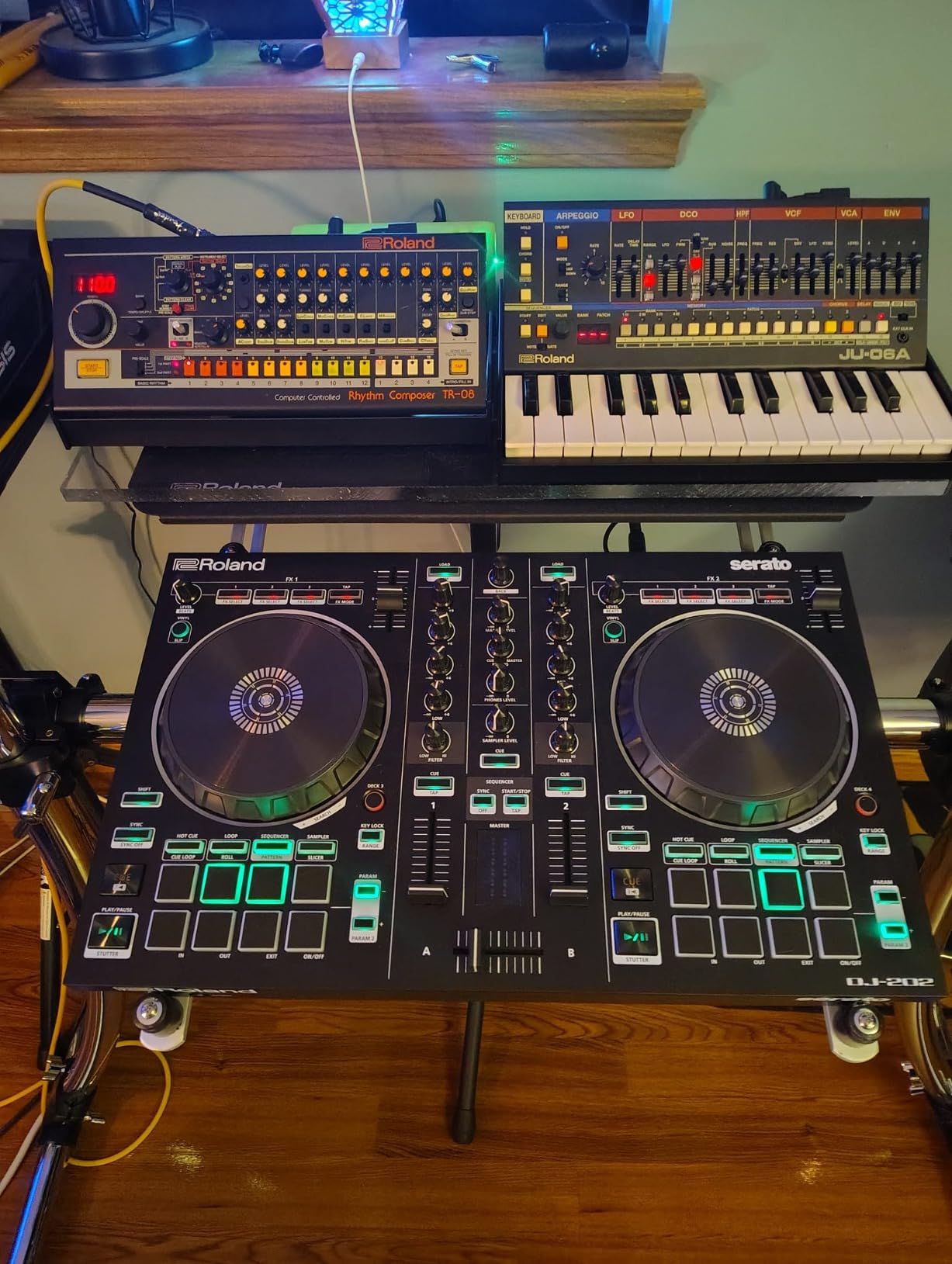
For djay Pro users, the DJ-202 maps via standard MIDI. I had hot cues, loops, EQ, and stems all routed without manual mapping. The MIDI output is a unique feature that lets you sync external gear like Roland’s TB-03 or TR-08 directly from the controller, which is great if you also produce hardware synth music.
The main weakness I found is the crossfader. During scratching routines the fader felt clacky and imprecise, which is a noticeable downgrade from the smooth faders on Pioneer or higher-end Roland gear. The sliders and knobs also feel slightly loose compared to premium controllers. For producer-DJs who care more about the sequencer than crossfader feel, this is a non-issue, but scratch-focused DJs should look elsewhere.
Sequencer and drum kits with djay Pro
Pairing the DJ-202 with djay Pro gives you a hybrid workflow. The on-board sequencer drives Serato’s sampler, but with djay Pro you can route the sequencer to djay’s sampler slots via MIDI. I tested this with vocal chops and one-shot drums, and the timing felt tight.
If you want to combine live performance with beat programming, the DJ-202 is the only controller in this roundup that lets you do it natively.
Who should skip this controller
Scratch DJs will not like the crossfader feel. Beginners may find the sequencer overwhelming at first. If you do not care about the drum machine features, the Mixtrack Platinum FX or DDJ-FLX2 offer better value for pure DJ work.
5. Hercules DJControl Mix – Best Wireless Smartphone Controller
Hercules DJControl Mix – Wireless DJ Controller for Smartphones
Wireless Bluetooth
Smartphone stand
iOS/Android
djay app compatible
Pros
- Wireless Bluetooth for cable-free DJing
- Works with iOS and Android
- Compact and portable design
- Foldable smartphone stand included
- Beginner-friendly
Cons
- No built-in audio interface
- Headphone crossfader may not work on some units
- Forced sync in djay app
- Requires external audio for pre-listening
The Hercules DJControl Mix is the most portable djay Pro controller I tested, and it is also the only one that goes fully wireless over Bluetooth. I paired it with my iPhone in under 30 seconds, mounted the phone on the foldable stand, and was mixing with the free djay app within five minutes. For casual sessions, travel, or impromptu parties, this controller delivers a clean experience without any cables.
The compact form factor is genuinely backpack-friendly. At just over a pound, it disappears into a bag, and the Bluetooth Low Energy connection stays solid within a 30-foot range. The 2-deck layout is minimal but functional, with enough controls for basic mixing, EQ, and effects.
The catch is no built-in audio interface. All sound routes through your phone’s audio jack or an external adapter, which means pre-listening through headphones requires either a splitter cable or a USB audio adapter. For bedroom or party use this is fine, but for serious practice sessions where you want clean monitoring, you will want to add an external audio interface.
Reviewers note that the crossfader for headphones does not work on some units, which is a quality control issue worth knowing about. The forced sync in djay also means you cannot beatmatch manually, which experienced DJs will find limiting. For pure casual use or as a gift for someone curious about DJing, the DJControl Mix is a fun, portable pick.
Best use cases for the DJControl Mix
This is the controller I would pack for a beach session, a backyard party, or any situation where cables are a hassle. It also works well for DJs who want to practice away from home without hauling a full setup. If you need full Neural Mix stems with tactile control, the Numark MixTrack Go is a better fit for similar portability.
For a deeper look at portable options, our best DJ controllers 2026 guide covers the full portable range.
What you give up for wireless convenience
No tactile jog wheels means scratching is essentially off the table. No built-in audio interface means extra gear for clean monitoring. No standalone mode means your phone must run the djay app the entire time. If any of those matter to you, move up to the MixTrack Go or the DDJ-FLX2.
6. AlphaTheta DDJ-FLX2 – Best Beginner Smart Fader
AlphaTheta Pioneer DJ DDJ-FLX2 2-Channel DJ Controller, Smart Fader, USB-C
Smart Fader
USB-C
Ultra-compact
Streaming support
Pros
- Smart Fader automates beatmatching
- Ultra-compact and lightweight
- Tight precise jog wheels
- Compatible with djay and rekordbox
- USB-C bus power
Cons
- Mostly plastic construction
- Bluetooth MIDI only for audio setup
- Some users received used or damaged items
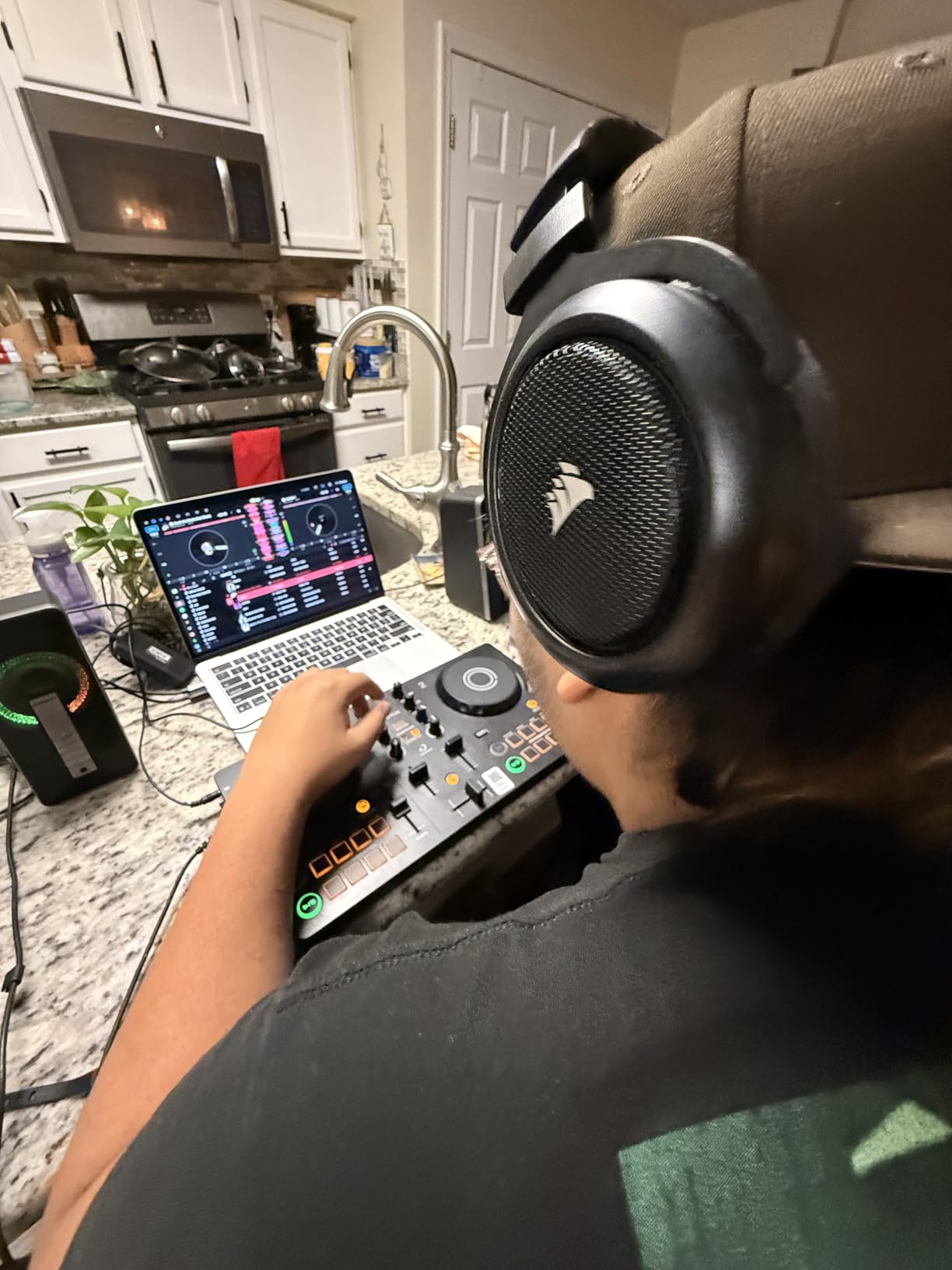
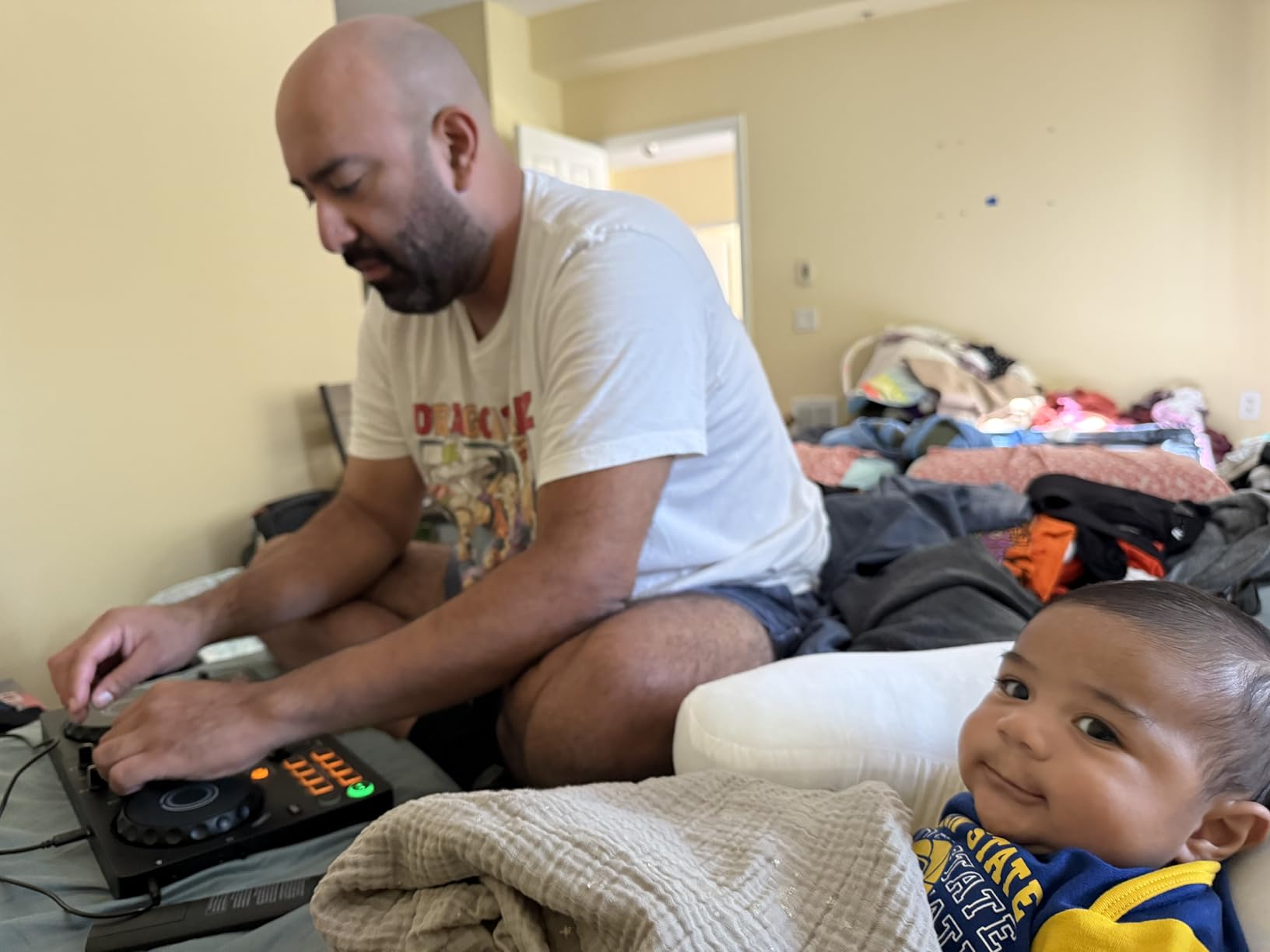
The AlphaTheta DDJ-FLX2 is my top pick for beginners in 2026, and the reason is simple: the Smart Fader. Move the crossfader from one side to the other, and the controller automatically matches volume, BPM, and bass EQ between decks. I tested this with two completely different tempo tracks in djay Pro, and the Smart Fader produced a clean transition without me touching the pitch fader. For someone learning beatmatching, this is a huge teaching tool.
Build quality is solid for the size. The jog wheels feel tight and precise with no drift, which is impressive on a controller this compact. At 2.7 pounds and with a footprint smaller than a laptop, the DDJ-FLX2 fits into a backpack and runs on USB-C bus power from your laptop, tablet, or even a power bank. Through djay Pro on iPad, it worked flawlessly via a single USB-C cable.
The compatibility story is also strong. The DDJ-FLX2 works with both djay and rekordbox, giving you flexibility if you ever want to switch software. Streaming support through djay means you can mix from Apple Music, Spotify, and Tidal without owning any music files, which is a real plus for beginners who do not yet have a library.
The downsides are mostly about feel. The body is mostly plastic, and the Bluetooth MIDI connection means you still need a wired connection for audio. Some users on Amazon have reported receiving used or damaged items, so buy from a reputable seller. For the price and feature set, the DDJ-FLX2 is the best beginner djay Pro controller I have tested.
Smart Fader and djay Pro integration
Through djay Pro, the Smart Fader does the work of a trained DJ on basic transitions. I assigned hot cues and loops to the performance pads, mapped stems to a pad layer, and ran full sets without ever touching my laptop keyboard. The 2-deck layout keeps the workflow simple.
For anyone starting on djay Pro in 2026, the DDJ-FLX2 removes the steepest part of the learning curve. Once you are confident, you can graduate to manual beatmatching and turn the Smart Fader off.
Best for iPad DJ setups
If your primary djay Pro device is an iPad, the DDJ-FLX2 is a near-perfect match. USB-C connects directly to modern iPads, the bus power means no extra adapters, and the compact footprint fits on any desk. For pure iPad DJ work, this is the strongest pick under $200.
7. Numark Mixstream Pro+ – Best Standalone with Speakers
Numark Mixstream Pro+ DJ Controller
Standalone operation
Built-in speakers
7-inch touchscreen
Wi-Fi streaming
Pros
- No laptop needed
- Built-in speakers and Wi-Fi streaming
- 7-inch touchscreen
- Engine DJ OS streaming support
- DJ lights control
- Stems separation
Cons
- Limited to 2 decks
- Speakers may not be needed
- Limited loop and FX buttons
- USB and SD card recognition issues reported
The Numark Mixstream Pro+ is the most ambitious controller in this roundup, because it does not need a laptop at all. Powered by Engine DJ OS, the Mixstream Pro+ streams directly from Amazon Music Unlimited, Tidal, Beatport, Beatsource, and SoundCloud Go+ over Wi-Fi. I tested it without any computer in the loop, and it ran full sets from streaming libraries with no issues.
The 7-inch touchscreen is the standout feature. It shows track waveforms, library browsing, and FX parameters clearly, and the response is fast. The built-in speakers are surprisingly loud and clean for casual playback, though serious gigs still call for external monitors. For mobile DJs, event hosts, and anyone who hates hauling a laptop, the Mixstream Pro+ removes a lot of friction.
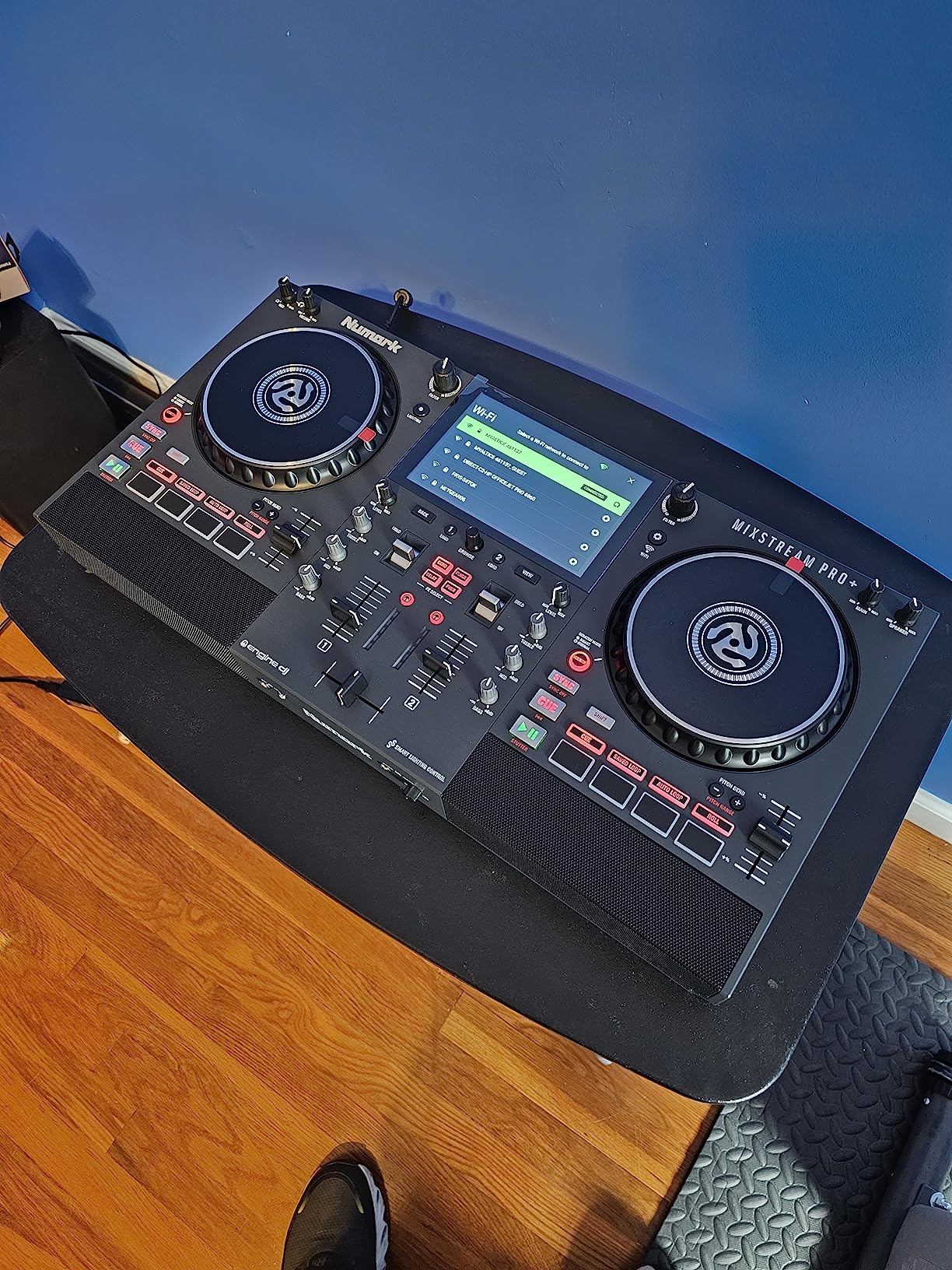
For djay Pro users, the Mixstream Pro+ is a bit of a hybrid. The standalone Engine DJ OS is the primary mode, but the controller also functions as a class-compliant MIDI controller. I plugged it into djay Pro on my MacBook and got full transport control, EQ, and FX mapping within seconds. The 6-inch jog wheels felt responsive, and the stems separation worked through both the on-board OS and djay Pro.
Where the Mixstream Pro+ falls short is in raw control density. With only 2 decks and limited loop/FX buttons, complex multi-deck routines are harder than on the Mixtrack Platinum FX or higher-end controllers. Reviewers mention occasional USB and SD card recognition issues, so buy from a reputable seller. For the price, you are paying a premium for the standalone workflow and streaming integration, which is exactly the trade-off mobile DJs want.
Standalone vs djay Pro mode
Standalone mode is best for mobile gigs, parties, and situations where setting up a laptop is impractical. djay Pro mode is best when you want access to Neural Mix stems, your existing playlists, and streaming integration through djay’s ecosystem. Both modes work well, and switching between them takes seconds.
For a deeper look at controllers with on-board operating systems, our standalone DJ controllers guide is a good companion read.
Who should buy this controller
Mobile DJs who gig regularly and want to leave the laptop at home will love this. Event hosts and wedding DJs who need plug-and-play streaming will benefit from the Wi-Fi integration. Anyone who already owns a laptop and prefers djay Pro’s full feature set may not need the standalone capability.
8. Numark MixTrack Go – Most Portable djay Pro Controller
Numark MixTrack Go Compact Bluetooth DJ Controller with Stems Control
Bluetooth MIDI
USB-C powered
Stems control
Backpack portable
Pros
- Fits in a backpack
- Bluetooth MIDI for wireless connection
- USB-C powered by power banks
- Real-time stems control
- Multiple software platforms
- Improved build over predecessor
Cons
- Crossfader span may be too wide
- Requires Serato 4.0.9 for full features
- Bluetooth latency on older devices
- Some jog wheel alignment issues
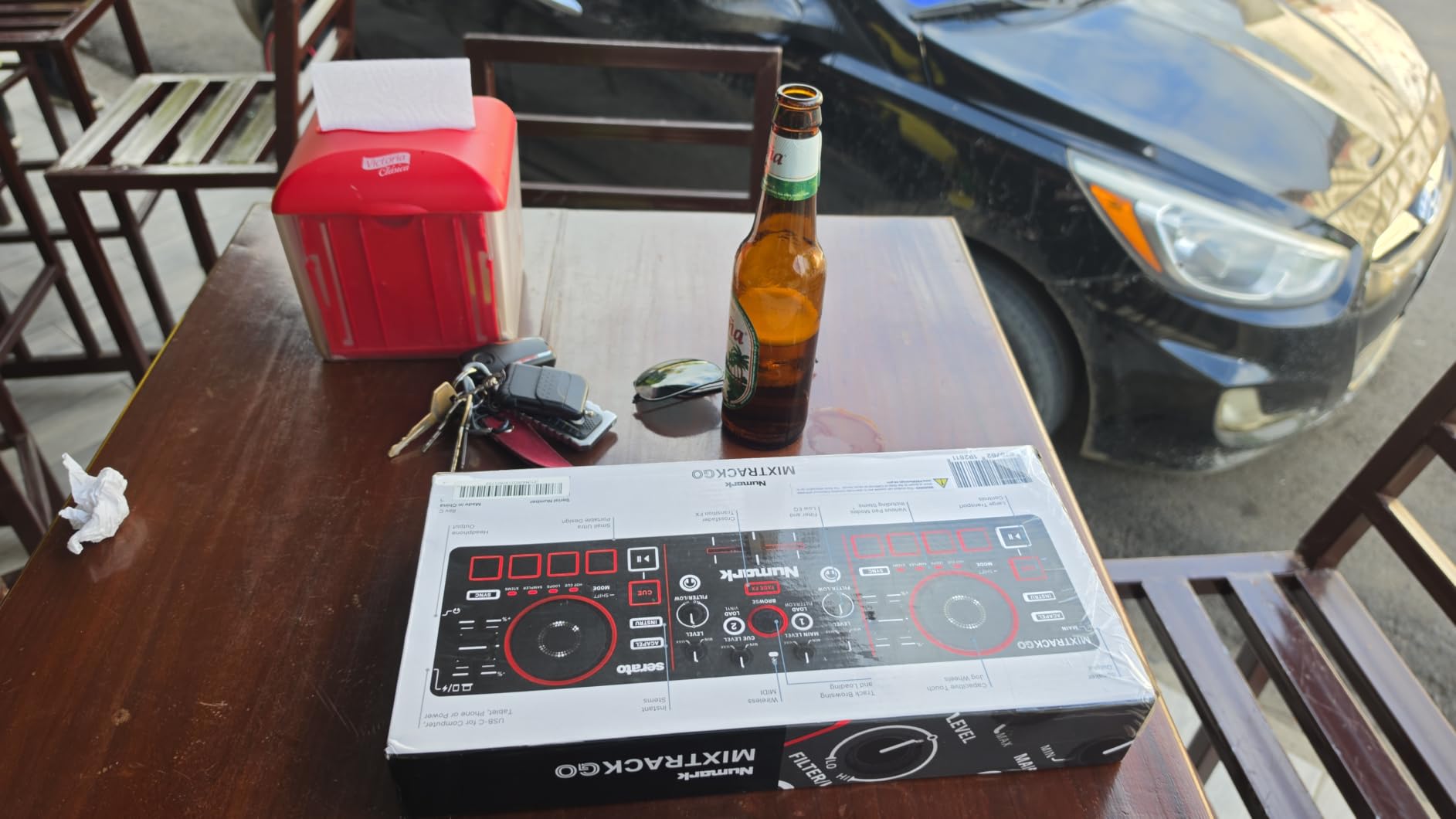
The Numark MixTrack Go is the smallest, lightest controller in this roundup, and it is the one I keep in my everyday bag. At 1.1 pounds and 12.76 inches wide, it slips into a backpack pocket alongside my laptop. The Bluetooth MIDI mode pairs instantly with djay Pro on my iPhone, and the USB-C power input lets me run it from a power bank for hours. For travel DJs and mobile performers, this is the most portable djay Pro controller available.
The feature set punches above its weight. Real-time Stems Control on the performance pads lets you isolate vocals, drums, and instruments on the fly. The capacitive touch jog wheels feel precise for such a small controller, and the 8 backlit pads per deck give you enough room for hot cues, loops, and rolls. I tested both Algoriddim djay and Serato DJ Lite, and both recognized the controller without manual setup.
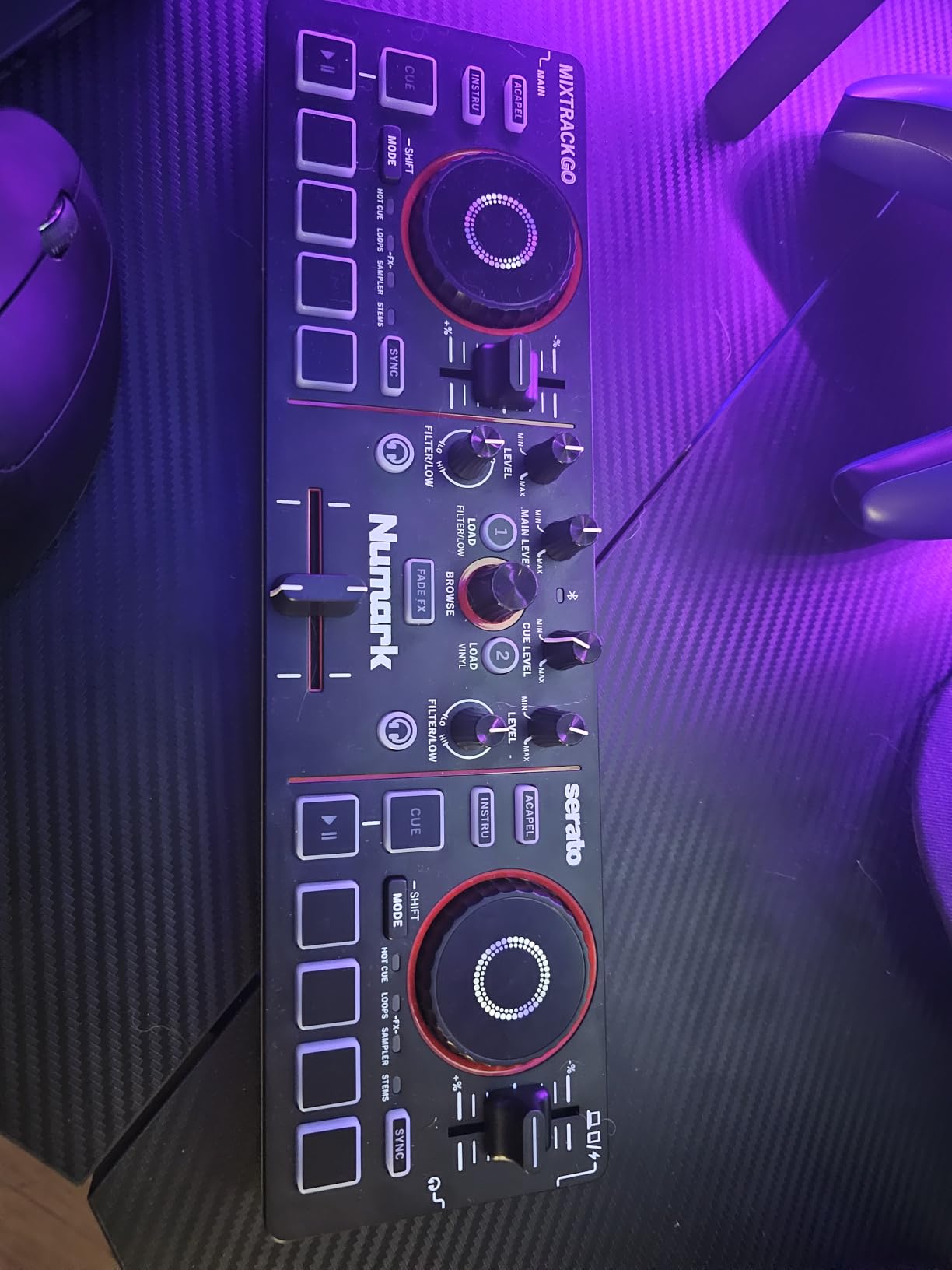
For bedroom practice or casual gigs, the MixTrack Go delivers more than you would expect at this price. Reviewers note it is significantly better built than its predecessor, and the stems control adds creative possibilities despite the compact size. The main downside is Bluetooth latency on older devices, which can affect cue timing during fast scratching. If you use a modern phone or tablet, this is rarely a problem.
The crossfader span feels slightly wide for my taste, and reviewers mention occasional jog wheel alignment issues out of the box. For full Neural Mix and tactile control at this size, the MixTrack Go is the clear winner in 2026.
Stems control and djay Pro
The MixTrack Go’s stems control is its killer feature. Through djay Pro, you can mute vocals, drums, and instruments from the performance pads, which is something most controllers twice the price still struggle to deliver cleanly. I used it for an entire house set and the stems transitions felt responsive.
For live mashups, acapella blends, and creative re-edits, the MixTrack Go gives you more stems control than any other controller in this roundup.
Best use cases for the MixTrack Go
This is the controller I bring on flights, to friends’ houses, and to small venue pop-ups. It is also a great gift for someone curious about DJing without a major investment. If you need full club features, the Mixtrack Platinum FX is the upgrade path.
How to Choose the Right DJ Controller for djay Pro?
Picking the best DJ controllers for djay Pro comes down to matching the hardware to your device and workflow. djay Pro runs on Mac, iPad, and iPhone, and each platform has different sweet spots. Controllers that work well as class-compliant MIDI devices on all three are the most flexible, while iPad-only controllers like the DJControl Mix or MixTrack Go can be tempting but lock you into mobile workflows.
I always recommend starting with these four questions before you buy: What device will you primarily run djay Pro on? Do you need standalone operation or is a laptop always available? How important are stems and Neural Mix for your style? What is your real budget once you add cables, adapters, and possibly an audio interface?
Platform matters: laptop vs iPad vs iPhone
Laptop djay Pro unlocks the widest controller compatibility. Any class-compliant USB MIDI controller works, including the Mixtrack Platinum FX, DJControl Inpulse 500, and Roland DJ-202. Power comes from the USB bus, audio routes through the controller’s built-in interface, and you get full Neural Mix and effects processing.
iPad djay Pro needs a class-compliant controller with USB-C or Lightning adapter support. The DDJ-FLX2, MixTrack Go, and DJControl Mix all shine here. Make sure your controller can draw power from the iPad, or budget for a powered hub.
iPhone djay Pro is the most constrained. Wireless Bluetooth controllers like the DJControl Mix or compact USB-C units like the MixTrack Go are the realistic options. For more on iPad-specific setups, our professional DJ controllers guide has more detail.
Neural Mix and stems support
Neural Mix is djay Pro’s standout feature, and not every controller maps it cleanly. The MixTrack Go, DDJ-FLX2, and Mixtrack Platinum FX all handle stems through their performance pads without manual MIDI mapping. The Mixstream Pro+ adds standalone stems through Engine DJ OS. Controllers without dedicated pad layers require MIDI mapping to access stems, which is doable but adds setup time.
If stems are central to your style, prioritize controllers with clear pad assignments and minimal MIDI setup.
Build quality and durability
Metal faceplates, balanced XLR outputs, and chunky knobs signal a controller that will survive years of gigging. The Hercules DJControl Inpulse 500 and Mixtrack Platinum FX stand out here. Plastic-bodied controllers like the DDJ-FLX2 and MixTrack Go are fine for home and travel, but I would not recommend them as primary club gear.
For a deeper look at premium build quality, our motorized platter controllers guide covers the high-end tier.
Budget versus features
Under $200, the DDJ-FLX2 and MixTrack Go give you the most for the least. The $200-400 range opens up the Mixtrack Platinum FX, Mixtrack Pro FX, DJControl Inpulse 500, and Roland DJ-202. The $400-700 tier is where the Mixstream Pro+ lives, and above that you are looking at club-standard gear from Pioneer and Rane that I have not included in this roundup.
Match your budget to your actual workflow. Spending $700 on a standalone controller when you always DJ at home with a laptop is wasted money.
Frequently Asked Questions
What controllers are compatible with Algoriddim djay Pro?
Algoriddim djay Pro works with any class-compliant MIDI controller, including the Numark Mixtrack Platinum FX, Mixtrack Pro FX, MixTrack Go, Mixstream Pro+, Hercules DJControl Inpulse 500 and DJControl Mix, Roland DJ-202, and AlphaTheta DDJ-FLX2. Official djay Pro integrations and well-mapped MIDI controllers provide the smoothest experience.
What controller works best with djay Pro for beginners?
The AlphaTheta DDJ-FLX2 is the best beginner djay Pro controller in 2026 because its Smart Fader automates beatmatching for you. The Numark Mixtrack Pro FX is the best budget pick under $250, and the Hercules DJControl Inpulse 500 offers the most beginner-friendly teaching features like the Beatmatch Guide.
Can I use djay Pro with a MIDI controller on iPad?
Yes. djay Pro on iPad supports any class-compliant USB MIDI controller through a Lightning-to-USB or direct USB-C connection. The AlphaTheta DDJ-FLX2, Numark MixTrack Go, and Hercules DJControl Mix are all strong iPad djay Pro picks.
Why isn’t my djay Pro recognizing my controller?
Most recognition issues come from three causes. First, your controller may need a USB power connection separate from the data cable. Second, iOS devices need a powered USB hub for some controllers. Third, your controller may require manual MIDI mapping in djay Pro’s preferences under the Controller tab.
Which DJ controller has the best sound quality for djay Pro?
Controllers with 24-bit built-in audio interfaces and balanced XLR outputs deliver the cleanest sound. The Hercules DJControl Inpulse 500 and Numark Mixtrack Platinum FX both have 24-bit interfaces, with the Inpulse 500 adding balanced XLR outputs for cleaner studio and venue playback.
Final Verdict – Which djay Pro Controller Should You Buy in 2026?
After testing all eight controllers with djay Pro, my picks come down to three clear winners. For beginners, the AlphaTheta DDJ-FLX2’s Smart Fader removes the steepest part of the learning curve. For value, the Numark Mixtrack Pro FX delivers the most controller for under $250. For portable djay Pro work, the Numark MixTrack Go is the most travel-ready controller I have used, with real-time stems control at a backpack-friendly size.
If you DJ on an iPad or want the absolute simplest path into djay Pro, the DDJ-FLX2 is my top recommendation in 2026. If you need 4-deck control or visual jog wheels, step up to the Mixtrack Platinum FX. And if you want to leave the laptop at home entirely, the Mixstream Pro+ is the only standalone djay Pro controller worth considering at this price point.
For more options and deeper buying advice, check our guides on professional DJ controllers for club DJs and the full best DJ controllers 2026 roundup. Whichever controller you choose, djay Pro in 2026 is one of the most capable DJ platforms on any device, and the right hardware makes it sing.