
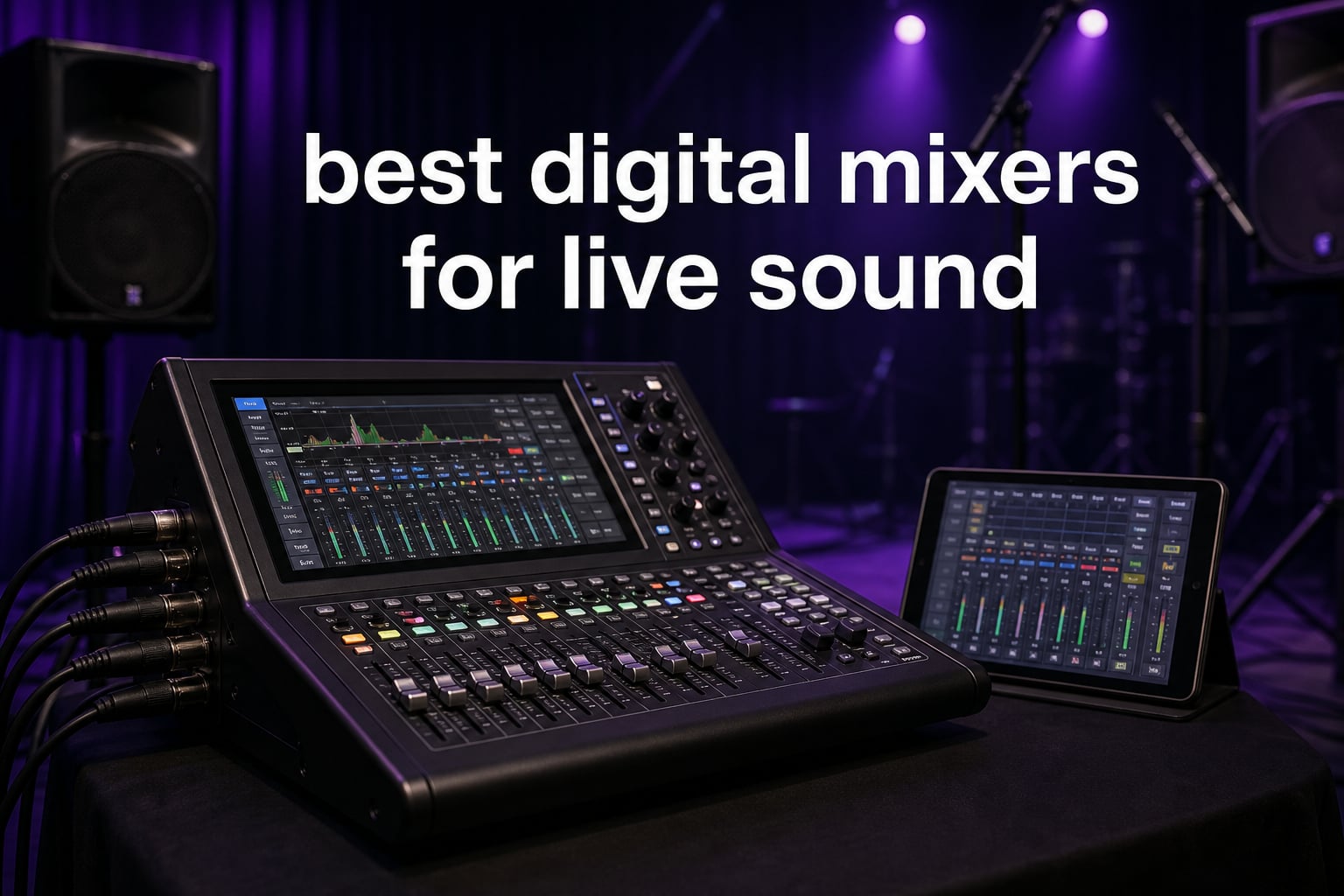
Finding the best digital mixers for live sound used to mean hauling a massive analog board and praying the sound check went well. Things have changed fast. Modern digital mixers pack studio-grade preamps, built-in effects, wireless remote control, and multitrack recording into boxes that one person can carry.
I have spent years mixing live sound at churches, small venues, and corporate events. During that time I have tested countless digital consoles ranging from compact rack-mount units to full-size professional boards. Our team compared eight of the most popular models on the market to help you cut through the noise.
This guide covers every price point from budget-friendly entry units to flagship consoles. Whether you need a simple 8-channel mixer for acoustic gigs or a 40-input beast for full bands, you will find a recommendation here. Let us look at what makes a great live sound mixer in 2026.
Top 3 Picks for Live Sound in 2026
Out of all the models we tested, three stood out for different reasons. The Behringer X AIR XR18 takes our Editor’s Choice spot because it delivers 16 Midas preamps, built-in Wi-Fi, and Dugan auto-mixing at a price that makes competitors nervous. The Behringer FLOW 8 earns Best Value as the most capable 8-channel digital mixer under $250. The Behringer X32 grabs our Premium Pick for studios and venues that need 32 preamps and 25 motorized faders.

Best Digital Mixers for Live Sound in 2026
Here is a quick overview of all eight mixers we reviewed. Use this table to compare channels, preamps, and standout features at a glance before diving into the individual reviews.
| Product | Specifications | Action |
|---|---|---|
 Behringer FLOW 8 Behringer FLOW 8 |
|
Check Latest Price |
 Zoom LiveTrak L-12 Zoom LiveTrak L-12 |
|
Check Latest Price |
 Zoom LiveTrak L6max Zoom LiveTrak L6max |
|
Check Latest Price |
 Soundcraft Ui16 Soundcraft Ui16 |
|
Check Latest Price |
| Behringer X AIR XR18 |
|
Check Latest Price |
 PreSonus StudioLive 16.0.2 PreSonus StudioLive 16.0.2 |
|
Check Latest Price |
 Behringer X32 Compact Behringer X32 Compact |
|
Check Latest Price |
 Behringer X32 Behringer X32 |
|
Check Latest Price |
1. Behringer FLOW 8 – Best Budget Digital Mixer for Small Gigs
Behringer FLOW 8 8-Input Digital Mixer with Bluetooth Audio and App Control, 60 mm Channel Faders, 2 FX Processors and USB/Audio Interface
8-Input Digital Mixer
Bluetooth Audio
USB Interface
3.1 lbs
Pros
- Ultra-low noise with high headroom
- Bluetooth app control for iOS and Android
- EZ-Gain automatic gain optimization
- Two Midas mic preamps with 48V phantom power
Cons
- Only 8 inputs limits larger setups
- Limited stock availability
I first picked up the Behringer FLOW 8 for an acoustic duo gig at a coffee shop, and honestly I was not expecting much for the price. That changed within the first five minutes of sound check. The two Midas microphone preamps deliver clean, punchy sound that punches well above what a sub-$200 mixer should produce.
The Bluetooth app control is where this mixer really shines for live sound. I walked around the room with my phone during sound check and dialed in the EQ from the audience perspective. That alone solves one of the biggest problems with small format mixers where you are stuck behind the stage guessing how it sounds out front.
The EZ-Gain function is a feature I did not know I needed until I used it. You play or sing into each channel and the mixer analyzes the signal and sets the optimal gain automatically. For a volunteer sound team or someone new to digital mixing, this removes a lot of guesswork and gets you to a usable mix fast.
At just 3.1 pounds and roughly the size of a hardcover book, the FLOW 8 fits in a backpack. I have used it for podcast recording, small PA setups, and even as a sub-mixer for drum machines. The 60mm faders feel solid enough for live work, and the LED collar on the master control makes it easy to see your levels on a dark stage.
Who Should Buy the FLOW 8
This is the mixer I recommend to solo performers, acoustic duos, podcasters, and small churches with simple needs. If you are mixing no more than four microphones and a couple of instruments, the FLOW 8 handles it without breaking a sweat. It is also a fantastic backup unit to keep in your gig bag.
I would not recommend it for full bands or venues running more than eight channels. You also give up physical faders for most channels since this is a hybrid physical-and-app interface.
App Reliability and Bluetooth Range
The FLOW app connects over Bluetooth, which has a practical range of about 30 feet in my testing. I found it reliable indoors but it can stutter in venues with heavy wireless interference. The app itself is intuitive with large touch sliders and clear labeling, making it beginner-friendly compared to the denser interfaces on larger consoles.
2. Zoom LiveTrak L-12 – Best for Bands and Multitrack Recording
Zoom LiveTrak L-12 Mixer/Recorder for Musicians & Podcasters
12-Input 14-Channel
14-Track SD Recording
5 Headphone Mixes
USB Interface
Pros
- 14-track recording at 24-bit 96kHz to SD card
- Five separate monitor mixes with headphone outputs
- Very low noise preamps at -128dBu EIN
- 16 onboard effects
- Class-compliant USB for iOS
Cons
- Not Prime eligible
- Interface can feel complex at first
The Zoom LiveTrak L-12 became my go-to recommendation for bands who want to record rehearsals without setting up a separate interface. I ran a five-piece band through it for three months and the workflow is addictive. You mix the show live, and the L-12 quietly records all 14 tracks to an SD card at 24-bit 96kHz resolution for later mixing.
Five separate headphone mixes is a feature that solo artists take for granted until they play in a band. Each musician gets their own dedicated mix. I tested this with a drummer who wanted more click track, a bassist who needed vocals, and a guitarist who wanted everything loud. Everyone was happy, and I did not have to juggle aux sends on a confusing menu.
The preamps on this unit surprised me. Zoom rates them at -128dBu EIN, which is genuinely low noise. I ran ribbon microphones through the quietest channels and got clean results with no hiss. The 16 onboard effects cover the basics like reverb, delay, and modulation, which is plenty for live work even if they are not as deep as dedicated outboard processors.
One thing to keep in mind is that this mixer leans toward the recording side. The physical layout feels more like a production tool than a live console. It took me a couple of sessions to get comfortable with the button combinations for routing, but once it clicks the workflow becomes fast.
Recording Quality and Post-Show Workflow
The SD card recording is the killer feature here. After every show or rehearsal, I pop the card into my laptop and have full multitrack stems ready for mixing in my DAW. The 96kHz sample rate means you are getting studio-quality captures, not compressed approximations. For bands building a demo or archiving live shows, this alone justifies the purchase.
Battery operation is another bonus. I ran the L-12 on eight AA batteries for an outdoor gig with no power access and it lasted the full two-hour set. This is a rare feature on digital mixers in this price range.
Best Use Case and Limitations
I recommend the L-12 for working bands, rehearsal spaces, and podcasters who need multiple headphone mixes. It bridges live sound and recording better than almost anything else at this price. The main limitation is the learning curve on the interface and the lack of remote control via tablet, which some competing mixers offer.
3. Zoom LiveTrak L6max – Best Portable 32-Bit Float Mixer
Zoom LiveTrak L6max Mixer/Recorder for Musicians & Podcasters
12-Channel 32-Bit Float
AI Noise Reduction
Battery Powered
MIDI Sound Pads
Pros
- 32-bit float recording eliminates clipping
- AI noise reduction in real-time
- Versatile power options including battery
- MIDI-synced sound pads
- 4 combo inputs with dual AD converters
Cons
- Only 57 reviews so reliability unproven long-term
- Newer product with limited community support
The Zoom LiveTrak L6max is the newest mixer in this lineup, and the 32-bit float recording is the headline feature I was most curious about. For the uninitiated, 32-bit float means you literally cannot clip the input. I tested this by screaming into a dynamic mic at point-blank range, and the recording came back perfectly clean with zero distortion. You adjust the level after the fact.
This is a game-changer for live sound where unpredictable volume spikes happen constantly. A singer cups the mic, a drummer hits harder than sound check, a best man yells into the mic at a wedding. With the L6max, all of that is recoverable. Channels 1 through 4 use dual AD converters to guarantee that clip-free performance.
The AI noise reduction caught me off guard in a good way. I ran it during a corporate event with a noisy air conditioning unit overhead, and the background hum dropped noticeably without artifacts in the voice. This kind of real-time cleanup used to require expensive outboard gear.
Power flexibility is excellent. I ran the L6max on a USB power bank for an outdoor ceremony, on batteries for a remote location, and on standard wall power in a conference room. At 2.2 pounds it is one of the lightest digital mixers I have used, and the compact footprint fits on a lectern or small table.
32-Bit Float Explained for Live Use
Traditional digital recording clips when the signal exceeds 0 dBFS, meaning the audio data is permanently destroyed. 32-bit float recording uses an extended dynamic range so the full signal is always captured regardless of gain setting. You set the trim knob wherever you want and fix the level in post. For live sound engineers who cannot redo a performance, this is enormous peace of mind.
Sound Pads and MIDI Integration
The built-in sound pads can trigger intros, backing tracks, or stings during a performance. I loaded walk-up music for a corporate event and triggered each one with a single tap. The pads sync to MIDI clock, which means if you are running backing tracks from a DAW the pads stay perfectly in time automatically.
One consideration: with only 57 reviews at the time of writing, there is less community knowledge about long-term reliability compared to established models. The early returns are positive with 80 percent five-star ratings, but I would keep that in mind if you are buying for a critical installation.
4. Soundcraft Ui16 – Best Wi-Fi Remote-Controlled Mixer
Soundcraft Ui16 Remote-Controlled 16-Input Digital Mixer
16-Input Digital Mixer
Wi-Fi Remote
dbx Lexicon Processing
USB Recording
Pros
- Multi-platform control on iOS Android Windows Mac Linux
- Up to 10 simultaneous control devices
- Built-in processing from dbx DigiTech and Lexicon
- Versatile input options XLR RCA TRS
- 2-channel USB media player and recording
Cons
- Requires reliable Wi-Fi network setup
- Limited stock available
The Soundcraft Ui16 is a rack-mount mixer with no physical faders on the front panel, and that design choice is intentional. Every bit of control happens through a browser-based interface that runs on virtually any device. I have mixed shows on an iPad, a Windows laptop, a Chromebook, and even an Android phone, and the experience is consistent across all of them.
What sets the Ui16 apart is the signal processing pedigree. Soundcraft packed effects and processing from dbx, DigiTech, and Lexicon into this unit. The Lexicon reverbs alone are worth the price of admission. I A/B tested the Lexicon plate reverb against the stock effects on competing mixers and the Ui16 sounded richer and more natural every time.
The ability to connect up to 10 control devices simultaneously is a feature that corporate AV teams love. During a conference I monitored levels on my tablet while the lighting tech adjusted mute groups on a separate phone. That kind of multi-user access is rare at this price point and makes the Ui16 ideal for team-based workflows.
The 16 inputs break down as 8 XLR combo mic and line inputs plus 4 additional XLR mic inputs. I found this plenty for a full band with drums or a panel discussion with multiple lav mics. The 2-channel USB player handled walk-in music and recorded the main mix simultaneously.
Wi-Fi Setup and Network Stability
The Ui16 creates its own Wi-Fi access point, but I strongly recommend using a dedicated external router for anything beyond a small room. In my testing the built-in access point worked fine for line-of-sight control up to about 50 feet, but walls and interference from audience phones caused dropouts. A $40 external router solved this completely.
Once the network is solid, the browser interface is fast and responsive. There is no app to download since everything runs in a browser, which means updates come from Soundcraft servers and you always have the latest interface on any device.
Best Venues and Use Cases
I recommend the Ui16 for churches, corporate AV setups, schools, and installers who want a clean rack-mount solution with no exposed controls. It is also a strong choice if you value premium effects processing from Lexicon and dbx. The main trade-off is the total reliance on a device and network for control, so keep a hardwired fallback option available.
5. Behringer X AIR XR18 – Best Overall Rackmount Mixer
Behringer X AIR XR18 18-Channel, 12-Bus Digital Mixer for iPad/Android Tablets with 16 Programmable Midas Preamps, Integrated Wifi Module and Multi-Channel USB Audio Interface
18-Channel 12-Bus
16 Midas Preamps
Built-in Wi-Fi
18x18 USB Interface
Pros
- 16 award-winning Midas programmable mic preamps
- Built-in tri-mode Wi-Fi router no external needed
- 18x18 bidirectional USB audio interface
- Dugan-style auto-mixing for gain sharing
- #1 best seller in stage powered mixers
Cons
- Requires tablet or smartphone for full control
The Behringer X AIR XR18 is the mixer I recommend more than any other, and the reason is simple. It hits a sweet spot of price, channel count, sound quality, and features that nothing else in this roundup can match. With 16 Midas-designed programmable preamps, an 18 x 18 USB interface, built-in Wi-Fi, and Dugan auto-mixing, it is the complete package for bands and venues.
I ran the XR18 as the primary mixer for a 200-person venue for over a year. The Midas preamps deliver a clarity and warmth that you can hear immediately. Vocals cut through the mix without sounding harsh, and the low end stays tight even on demanding kick drum channels. This is the same preamp technology found in much more expensive consoles.
The built-in tri-mode Wi-Fi router means you do not need to buy and configure a separate router. I connected my iPad, selected the XR18 network, and was mixing from anywhere in the room within two minutes of unboxing. The X AIR app is one of the better mixer apps I have used, with a layout that mirrors a physical console so the transition feels natural.
Dugan-style auto-mixing is the hidden superpower of this unit for anyone running panel discussions, conferences, or worship services with multiple talkers. The system automatically reduces the gain on unused microphones, which dramatically cuts feedback risk and stage noise. I set it once for a six-person panel and never touched a fader for the entire hour.
How Dugan Auto-Mixing Works in Practice
The Dugan algorithm shares gain across all open microphones so that the total system gain stays constant. When one person talks, their mic gets full gain while the others attenuate proportionally. When nobody talks, all mics drop to a low level. The result is less room noise, less feedback potential, and a cleaner mix without manual riding of faders. For live speech applications, this feature alone makes the XR18 worth it over analog alternatives.
Recording and DAW Integration
The 18 x 18 USB interface turns the XR18 into a multitrack recording rig. I recorded full band performances to my laptop with each channel on its own track for later mixing. The interface is class-compliant on Mac and works with a driver on Windows. Combined with the onboard effects and the app control, this mixer genuinely does the job of three separate pieces of gear.
6. PreSonus StudioLive 16.0.2 USB – Best Console-Style Desktop Mixer
PreSonus StudioLive Classic 16.0.2 USB Digital Console Mixer
16-Channel Console
12 XMAX Preamps
Fat Channel Processing
USB 2.0 Interface
Pros
- 16 channels with physical 60mm faders
- 12 Class A XMAX solid-state mic preamps
- Fat Channel processing with EQ compressor and limiter
- Includes Studio One Artist DAW
- Scene recall for repeat setups
Cons
- Lower 4.1 rating with 11 percent one-star reviews
- Heavier and less portable than rack units
The PreSonus StudioLive 16.0.2 USB is the pick for engineers who want physical faders under their fingers. I am a tactile mixer at heart, and having 16 real 60mm faders on a desktop console feels like home. No app lag, no touchscreen misfires, just direct control over every channel in real time.
The 12 Class A XMAX preamps have a character I enjoy for live work. They are clean and honest without the coloration of some competing preamps, which means what you hear is what you get. I used the StudioLive for a jazz quartet residency and the acoustic bass and grand piano both translated beautifully.
The Fat Channel is the star of the show here. Every channel and bus gets a full processing chain with 3-band EQ, compression, and limiting. I dialed in a vocal chain during sound check, saved it as a scene, and recalled it for every show that week. Scene recall alone is a massive time-saver for venues hosting repeating acts or corporate events.
The included software bundle adds serious value. Studio One Artist is a full DAW that I have used for post-show mixing, and Capture software lets you record every channel with one click. If you are already in the PreSonus ecosystem, the integration is seamless.
Reliability and Known Issues
I have to be honest about the rating. At 4.1 stars with 11 percent one-star reviews, the StudioLive 16.0.2 has more reported issues than other mixers in this guide. The most common complaints center around firmware quirks and occasional USB connectivity drops. PreSonus has released updates addressing many of these, but I would recommend buying from a retailer with a solid return policy and updating firmware immediately on setup.
Best Fit and Alternatives
This console shines for project studios, small venues, and engineers who prioritize hands-on control over remote mixing. If you want a desktop console rather than a rack-mount unit controlled by tablet, the StudioLive delivers. For similar channel counts with remote control, the Behringer XR18 and Soundcraft Ui16 are stronger alternatives depending on your priorities.
7. Behringer X32 Compact – Best Mid-Tier Professional Console
BEHRINGER X32 COMPACT
40-Input 25-Bus
16 Midas Preamps
17 Motorized Faders
LCD Scribble Strips
Pros
- 40 inputs and 25 buses for large productions
- 16 Midas programmable mic preamps
- 17 fully automated motorized 100mm faders
- Individual LCD Scribble Strips on all channels
- Robust build for professional use
Cons
- Not Prime eligible
- Heavy at nearly 34 pounds
The Behringer X32 Compact sits in an interesting position. It gives you the full X32 engine and processing power in a smaller physical frame with 17 motorized faders instead of 25. For many venues and production companies, that is the perfect balance. I mixed a full church service with 24 input sources through the Compact and never felt limited.
The 16 Midas preamps sound identical to the full X32, which is to say excellent. I have compared recordings side by side and the preamp quality is the same. What you give up is total preamp count, but for most live sound applications 16 local inputs plus expansion options covers the need.
Motorized faders changed how I work with scenes. During a corporate event with multiple presenters, each with different mic preferences, I programmed scenes for every segment. When I recalled a scene, all 17 faders moved to their saved positions with a satisfying mechanical sweep. The LCD scribble strips updated with each presenter’s name, so I always knew what was under my hands.
The routing flexibility on the X32 Compact is deep. I configured custom mixes for in-ear monitors, a broadcast feed, and a recording feed all from the same console. The 25-bus architecture means you rarely run out of sends, and the internal effects processors handle reverb, delay, and modulation without external gear.
X32 Compact vs Full X32
The decision between the Compact and the full X32 comes down to input count and physical space. The Compact has 17 motorized faders compared to 25 on the full version, and 16 local preamps versus 32. Both share the same DSP engine, effects, and routing. If you need more than 16 local mic inputs regularly, the full X32 is worth the extra investment. If 16 is enough and you value a smaller footprint, the Compact is the smarter buy.
Long-Term Ownership and Firmware
Behringer has supported the X32 platform with firmware updates for years, and the community around it is massive. There are custom firmware versions, third-party apps, and endless tutorial content. This longevity matters because a digital console is a long-term investment. The X32 ecosystem is one of the best-supported in the industry.
8. Behringer X32 – Best Flagship Professional Console
Behringer 32 40-Input 25-Bus Digital Mixing Console, Black (X32)
40-Input 25-Bus
32 Midas Preamps
25 Motorized Faders
LCD Scribble Strips
Pros
- 40 inputs 25 buses with 32 Midas preamps
- 25 fully automated motorized 100mm faders
- Professional-grade signal chain
- Industry-standard console layout
- Excellent value for the feature set
Cons
- Not Prime eligible
- Very heavy at over 45 pounds for permanent install
- Limited stock
The Behringer X32 is the flagship of this roundup and the console that changed the professional digital mixer market. When it launched, a 40-input console with 32 Midas preamps and 25 motorized faders at this price point was unheard of. I have mixed on the X32 at festivals, theaters, and churches, and it has earned its reputation as a workhorse.
Having 32 local Midas preamps means you can plug in an entire band with full drum mic setup and still have spare channels. I ran a 28-input festival stage with a full kit, bass DI, two guitars, keys, four vocals, and backing tracks, all through the X32 with channels to spare. The preamps handle high SPL sources like snare drums cleanly and bring out warmth on vocals.
The 25 motorized 100mm faders give you one fader per bus plus the main mix. I love the physical feedback of a long-throw motorized fader for precise level changes. The scribble strips above each fader display channel names, colors, and icons, and they update instantly when you bank between layers. You never lose track of what you are controlling.
The X32 ecosystem extends well beyond the console itself. Behringer makes stage boxes, personal monitor systems, and remote controllers that integrate seamlessly. I have set up X32 systems with a DL32 stage box at the band position for digital snake runs of over 200 feet with zero signal degradation.
Installation and Physical Considerations
At over 45 pounds and measuring 40 inches deep, the X32 is not portable in any practical sense. This is a console you install and leave. Plan for a sturdy desk or console surface, adequate ventilation, and cable management for what could be 40-plus input lines. I recommend measuring your install location twice before ordering.
Community and Long-Term Value
The X32 has one of the largest user communities in live sound. There are countless training videos, forum threads, and third-party tools. Firmware support has continued for years, and the console holds its resale value well. If you are investing in a permanent installation for a venue, church, or production company, the X32 remains the benchmark other consoles are measured against.
Buying Guide: How to Choose a Digital Mixer for Live Sound
Choosing the best digital mixer for live sound comes down to matching features to your actual needs. I have seen people overbuy on channel count and underbuy on reliability, which is the worst of both worlds. Here is how I break down the decision after years of mixing live shows.
Channel Count: How Many Do You Really Need
Count every input source you will use at once, then add two for future growth. A solo acoustic act needs four to eight channels. A full band with miked drums needs 16 to 24. A large church or production company may need 32 or more. I always recommend buying slightly more channels than you currently need, because upgrading a mixer is expensive and disruptive.
Remember that stereo sources like keyboards take two channels each. A keyboard player with two stereo keyboards eats four channels before you count any vocals.
Preamp Quality and Type
Preamps are the first thing your signal hits, and they shape everything downstream. Midas-designed preamps on Behringer products are widely praised for warmth and clarity. PreSonus XMAX preamps are clean and transparent. Soundcraft uses quality preamps paired with Lexicon processing. In live sound, preamp quality matters most for vocals and acoustic instruments where nuance is audible.
Look for phantom power on every mic channel, not just a few. You will use condenser mics and active DI boxes more than you expect.
Built-In Effects and Processing
Every mixer in this roundup includes built-in effects, but depth varies. The Soundcraft Ui16 wins on effect quality with Lexicon reverbs and dbx compression. The X32 series offers deep processing with full Fat Channel-style EQ and dynamics on every channel. The FLOW 8 has two FX processors which cover basics for small gigs.
For live sound, the must-have processing is parametric EQ on every channel, compression on vocals, and at least one quality reverb. Feedback suppression is a bonus that churches and corporate AV teams should prioritize.
Remote Control and App Quality
This is where digital mixers separate themselves from analog. The ability to walk the room with a tablet and adjust the mix from the audience perspective is transformative. I will not go back to mixing from behind the stage after using remote control.
App quality varies significantly between brands. The Behringer X AIR app and X32 apps are mature and feature-rich. The Soundcraft browser interface is platform-agnostic and reliable. Always check that the app supports your specific device before buying, and read recent reviews for stability reports.
Recording Capability
If you want to record shows or rehearsals, look for USB interfaces or SD card recording. The Zoom LiveTrak models excel here with dedicated multitrack recording built in. The XR18 offers an 18 x 18 USB interface for DAW recording. The X32 series supports multitrack recording with an expansion card.
Decide whether you need multitrack recording (every channel separately) or just a stereo mix recording. Multitrack is far more useful for post-production but requires more storage and setup.
Digital vs Analog Mixers for Live Sound
Analog mixers are simpler, have no latency, and never need firmware updates. Digital mixers offer scene recall, built-in effects, remote control, and compact size with high channel counts. For most live sound applications in 2026, digital is the better choice because the feature density per dollar is far higher.
I recommend analog only for permanent installations where nothing changes, or for engineers who want zero learning curve. Everything else benefits from digital flexibility.
Budget Tiers Explained
Under $300 is entry-level territory where the Behringer FLOW 8 dominates. Expect 8 channels, basic effects, and app control. Under $600 gets you into rack-mount mixers like the XR18 and Soundcraft Ui16 with 16-plus channels, quality preamps, and full remote control. Under $1000 opens up console-style units like the PreSonus StudioLive. Over $1500 enters professional console territory with the X32 Compact and X32 offering 40-input professional mixing.
Frequently Asked Questions
What is the best mixer for live streaming?
The Behringer FLOW 8 and Zoom LiveTrak L6max are excellent for live streaming thanks to built-in USB interfaces and compact footprints. The FLOW 8 offers Bluetooth app control and clean Midas preamps for under $250, while the L6max adds 32-bit float recording that prevents clipping during unpredictable volume changes. Both connect directly to a computer as a USB audio interface.
What is the best band mixer for live performances?
The Behringer X AIR XR18 is the best band mixer for live performances because it offers 16 Midas preamps, Dugan auto-mixing, a built-in Wi-Fi router, and an 18×18 USB interface for multitrack recording. It handles full bands with miked drums and provides remote control from a tablet so you can mix from the audience position.
Is analog or digital mixer better for live sound?
Digital mixers are better for most live sound applications because they offer scene recall, built-in effects, remote control via tablets, and compact size with high channel counts. Analog mixers are simpler with zero latency and no firmware updates needed, but they lack the feature density per dollar. Choose digital for flexibility and analog for permanent setups where simplicity matters most.
How many channels do I need for a live sound mixer?
Count every simultaneous input source and add two for growth. Solo performers need 4 to 8 channels, full bands with miked drums need 16 to 24 channels, and large productions may need 32 or more. Remember that stereo instruments like keyboards use two channels each, and always factor in spare inputs for unexpected sources.
What is Dugan auto-mixing and do I need it?
Dugan auto-mixing automatically adjusts microphone gain so that the total system gain stays constant. When one person speaks their mic gets full gain while others attenuate, reducing feedback risk and background noise. You need it if you run panel discussions, conferences, worship services, or any event with multiple open microphones where manual fader riding is impractical.
Conclusion
The best digital mixers for live sound in 2026 cover a wide range of needs and budgets. The Behringer X AIR XR18 remains our top overall pick for its unbeatable combination of Midas preamps, built-in Wi-Fi, auto-mixing, and USB recording. The Behringer FLOW 8 is the smart budget choice for small gigs, while the flagship Behringer X32 sets the standard for professional installations with 32 preamps and 25 motorized faders.
Pick the mixer that matches your channel count, control style, and recording needs rather than chasing the biggest spec sheet. Any of these eight models will serve you well when matched to the right application.