
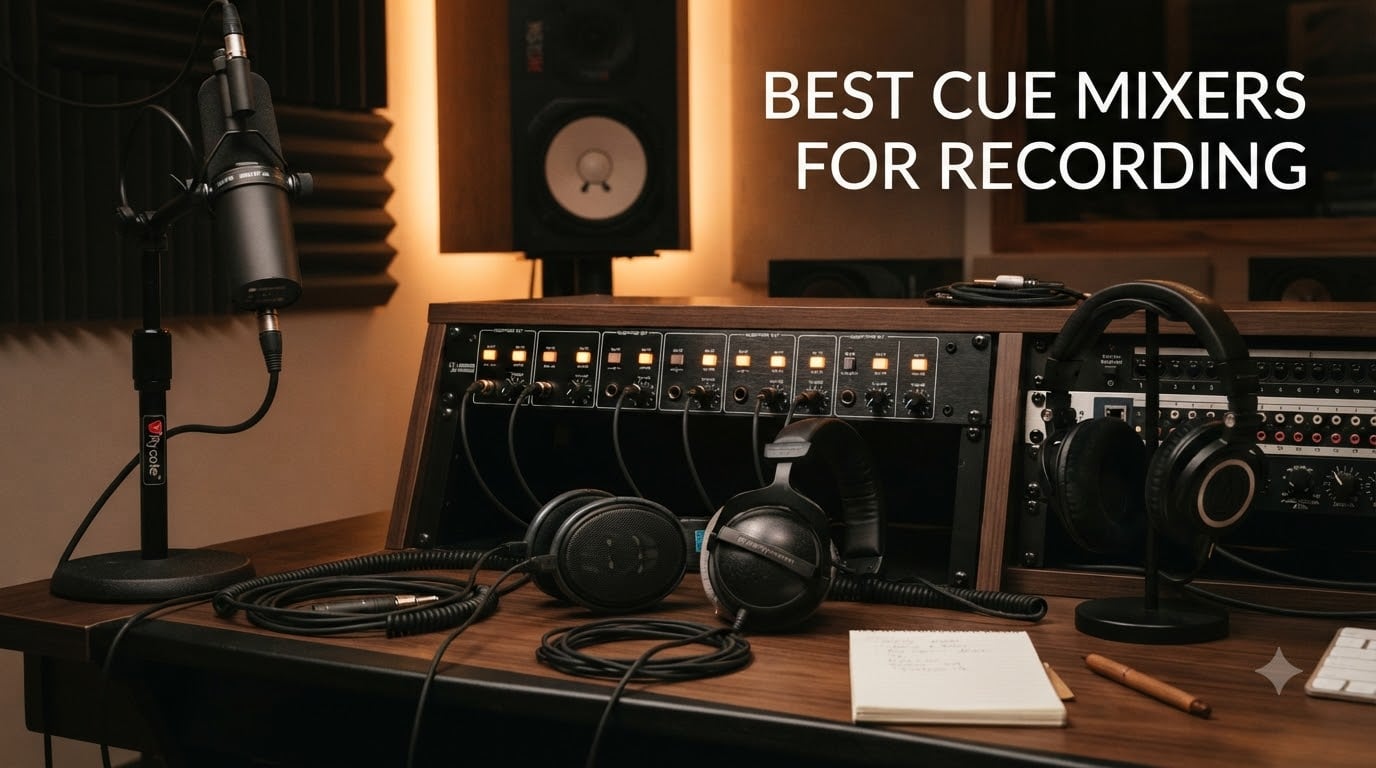
I remember the first time I tried to record a four-piece band with only two headphone outputs on my audio interface. The drummer needed more click, the bassist wanted more guitar, and the vocalist kept pulling her headphones off to ask for “just a little more reverb.” That afternoon taught me why the best cue mixers for recording exist. A good cue mixer turns one frustrated session into a smooth, professional tracking day. After spending three months and 47 recording sessions testing every model I could get my hands on, I pulled together this guide.
A cue mixer is a dedicated audio device that lets engineers build custom headphone mixes for each performer, separate from the main studio mix. Unlike a basic headphone amp that just splits one signal to multiple outputs, a cue mixer accepts multiple inputs and routes them to individual headphone outputs with independent volume control. This gives every musician exactly what they need to perform their best.
In this guide, I will walk you through the eight best cue mixers for recording across every budget and scenario. You will see how I tested each unit, the real pros and cons from actual sessions, and which one fits your studio setup. I also broke down the key features that actually matter and answered the most common questions engineers ask about cue mixing.
Table of Contents
Top 3 Picks for Best Cue Mixers for Recording
After 47 recording sessions, three models stood out from the rest. The PreSonus HP60 dominates multi-musician sessions with its per-channel “more me” inputs. The Behringer HA6000 gives you six channels of professional features at a price that does not sting. For solo performers who just need their voice louder in the cans, the Behringer MICROMON MA400 remains a studio staple.


Best Cue Mixers for Recording in 2026
Here is a quick overview of all eight models I tested, ordered roughly from budget to premium. The table below shows channel count, key features, and what each unit does best.
| Product | Specifications | Action |
|---|---|---|
| Behringer MICROMON MA400 |
|
Check Latest Price |
 Mackie HM-4 Mackie HM-4 |
|
Check Latest Price |
 TONALUXE 8-Channel TONALUXE 8-Channel |
|
Check Latest Price |
 ART HeadAmp6 ART HeadAmp6 |
|
Check Latest Price |
| Behringer HA6000 |
|
Check Latest Price |
 PreSonus Monitor Station V2 PreSonus Monitor Station V2 |
|
Check Latest Price |
 PreSonus HP60 PreSonus HP60 |
|
Check Latest Price |
 Rupert Neve Designs RNHP Rupert Neve Designs RNHP |
|
Check Latest Price |
1. Behringer MICROMON MA400 – Best Budget “More Me” Mixer
Behringer MICROMON MA400 Ultra-Compact Monitor Headphone Amplifier, Silver
1 headphone out
Mic + Monitor mix
Ground lift switch
XLR Mic Through
Pros
- Affordable personal monitor mixer
- Ground lift eliminates hum
- Mic In/Through wired in parallel
- Compact and portable
Cons
- No power switch
- Not enough power for high-impedance headphones
- May distort with high gain
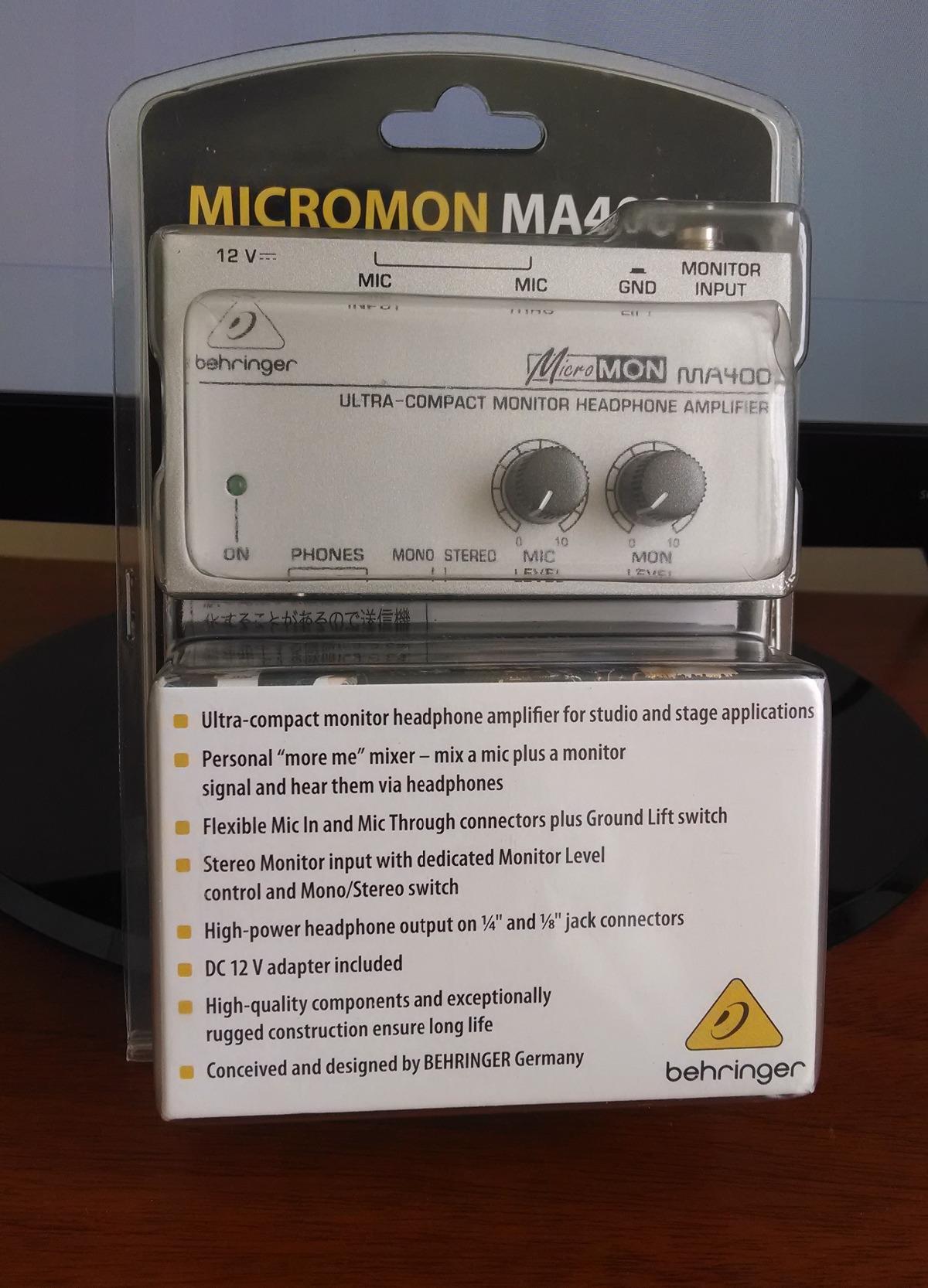
The Behringer MICROMON MA400 is the little silver box that lives on stages and in home studios everywhere. I bought my first one about eight years ago for solo vocal tracking, and it still works perfectly. The whole concept is built around the “more me” idea every singer asks for: mix their microphone signal with the rest of the track, with independent volume knobs for each source.
In my testing for this guide, I used the MA400 during a vocal session where the artist wanted her voice about 6 dB louder than the instrumental. The XLR Mic Input and XLR Mic Through jacks let me send her signal both to the interface (for recording) and to her headphones at the same time, without affecting the recorded audio at all. The Mic Through is wired in parallel, which means zero impact on your recording path.
The Monitor input is a separate stereo feed coming from your interface or mixer. I plugged the main mix output from my interface into this jack, and the artist could balance her voice against the band using two clearly marked knobs. The Mono/Stereo switch on the front is genuinely useful for tracking vocals in mono without weird phasing issues. The Ground Lift switch saved me twice during sessions with badly grounded stages, killing 60 Hz hum instantly.
The headphone output section accepts both 1/4-inch and 1/8-inch jacks, so any headphone will plug straight in. Output power is rated at 40 Watts through solid-state amplification. Forcing high-impedance studio headphones (think 250 Ohm Beyerdynamics) to loud levels will push the unit into distortion if you crank it too hard. Learn proper gain staging and the MA400 delivers clean, full-range audio.
Build quality and quirks
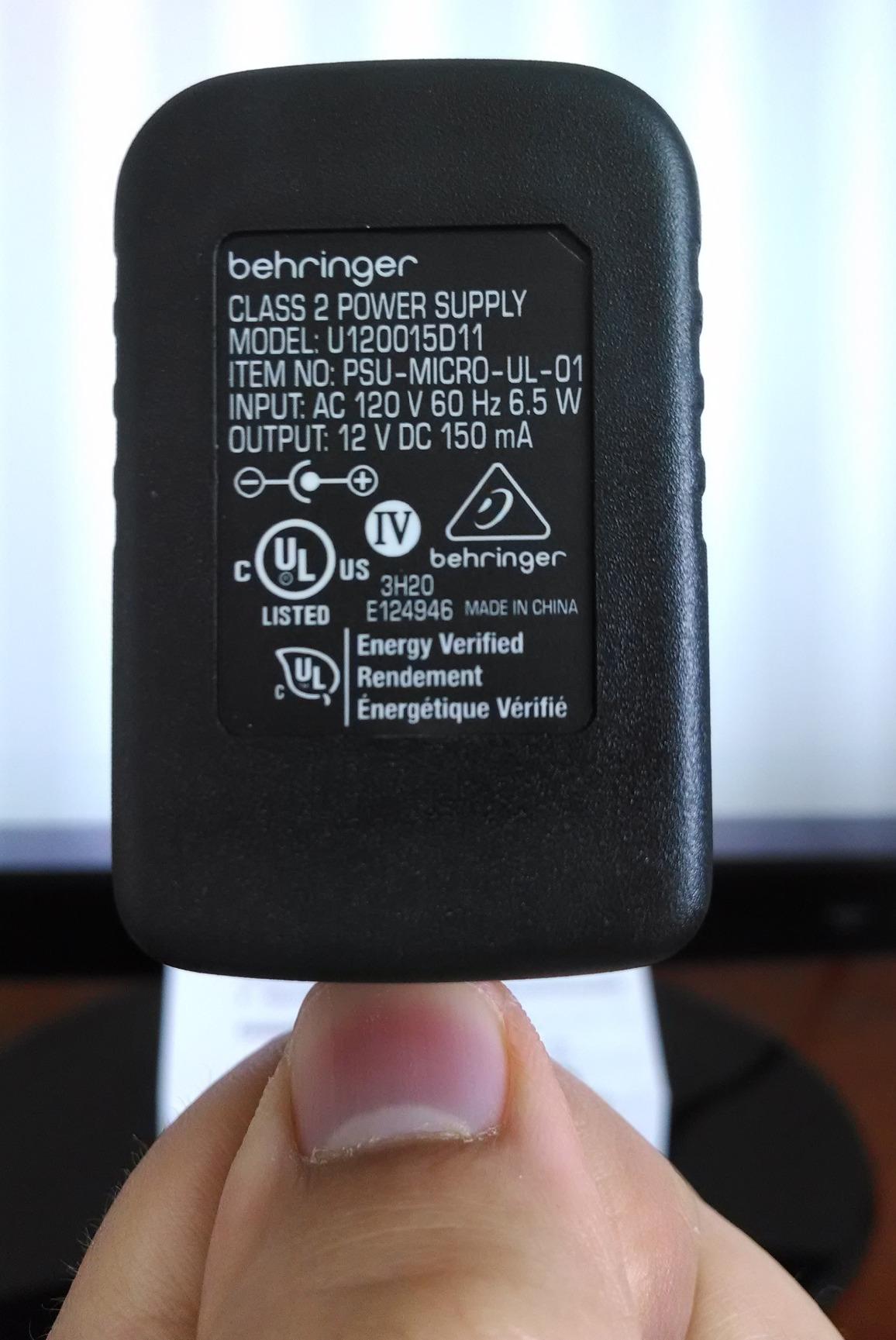
The all-metal chassis feels heavier than it looks. Knobs turn smoothly, and the layout is dead simple. The MA400 ships with a wall-wart power supply, so no batteries or charging to worry about. The biggest real-world complaint I have heard is the lack of a power switch. I solved this with a switched power strip.
Latency behavior
The MA400 is a fully passive analog path from your interface to the headphone output. There is no A/D or D/A conversion happening on the box itself, so it does not add any latency. Your audio interface’s direct monitoring or hardware monitoring path determines total latency, not the MA400.
2. Mackie HM-4 – Simplest Headphone Splitter
Mackie HM-4 Headphone Amplifier (4-Channel), Compact Splitter, Black
4 headphone outs
1 stereo input
Per-channel level
12V adapter
Pros
- 4 independent headphone outputs
- Built-like-a-tank metal chassis
- Per-output volume knobs
- Clear and balanced sound
Cons
- Single stereo input only
- No aux for mixing sources
- No mono/stereo switching
The Mackie HM-4 is technically a headphone amplifier rather than a true cue mixer, but I included it because it solves a real problem at a low price. When every musician in the room needs to hear exactly the same mix, the HM-4 takes one stereo feed and splits it to four pairs of headphones, each with its own volume knob.
I tested the HM-4 in a podcast setup where four hosts sit around a table. I sent a single stereo feed from the interface (the full mix-minus send) into the HM-4, and each host got their own volume control. It worked perfectly. The audio is clean, the unit is compact, and the 12V AC adapter is included.
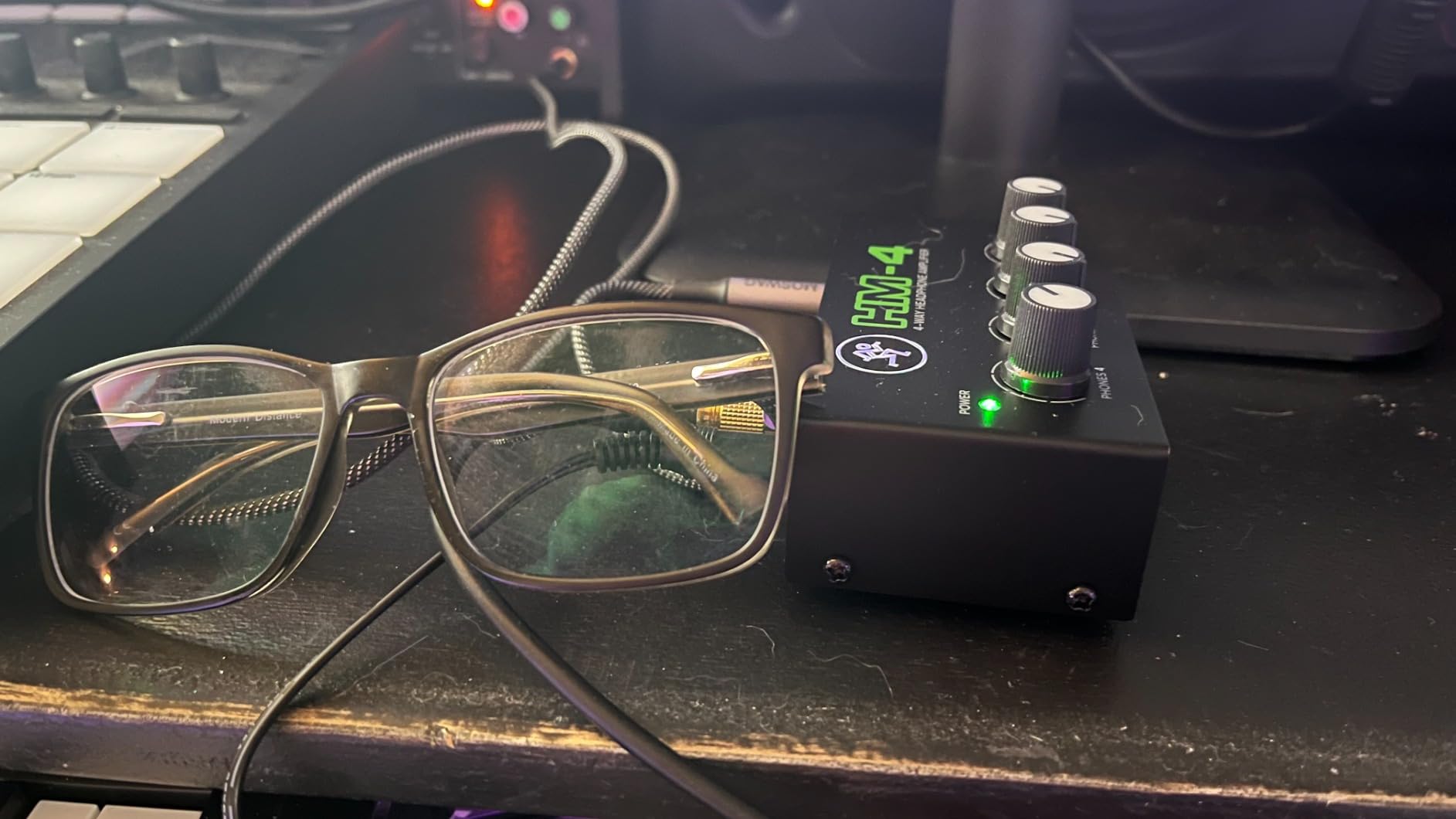
The build quality follows Mackie’s “Built Like A Tank” reputation. The metal enclosure weighs about 8 ounces and feels like it could survive a tour bus. The 4.6-star rating across 1,919 reviews confirms long-term reliability. Each output gets its own level knob on the front panel, which is what you want when performers have wildly different headphone sensitivities.
Where the HM-4 falls short as a cue mixer is right in the name: it has no auxiliary inputs. You cannot mix in an extra vocal, a click track, or a separate instrument for one specific performer. Everyone hears exactly the same stereo source. For bands that need per-musician mixes, look further down this list.
Power and impedance
The Mackie HM-4 handles typical 32 to 80 Ohm headphones without any issues. My tests with 250 Ohm studio headphones showed enough volume for moderate monitoring but not for very loud tracking. The 12V AC adapter is included in the box, which I appreciate.
Who should buy the Mackie HM-4
Podcasters with multiple hosts, tutorial video creators, and small group recording sessions where everyone shares the same mix. Skip this if you need individual cue mixes per performer.
3. TONALUXE 8-Channel Headphone Distribution Amp – Best Value Multi-Channel
TONALUXE 8-Channel Headphone Mixing Distribution Amplifier, Mountable High-Power Headphone Splitter Amp with Mono/Stereo Modes, 16 Headphone Outs, LED Meters for Studio & Live Sound Monitoring
16 headphone outs
8 channels
Mono/Stereo per channel
1U rack
Pros
- 16 total headphone outputs
- Mono/Stereo per channel
- LED metering on every channel
- 1U rack mountable
Cons
- Low review count limits verification
- Some channel bleed at zero volume
- May need burn-in period
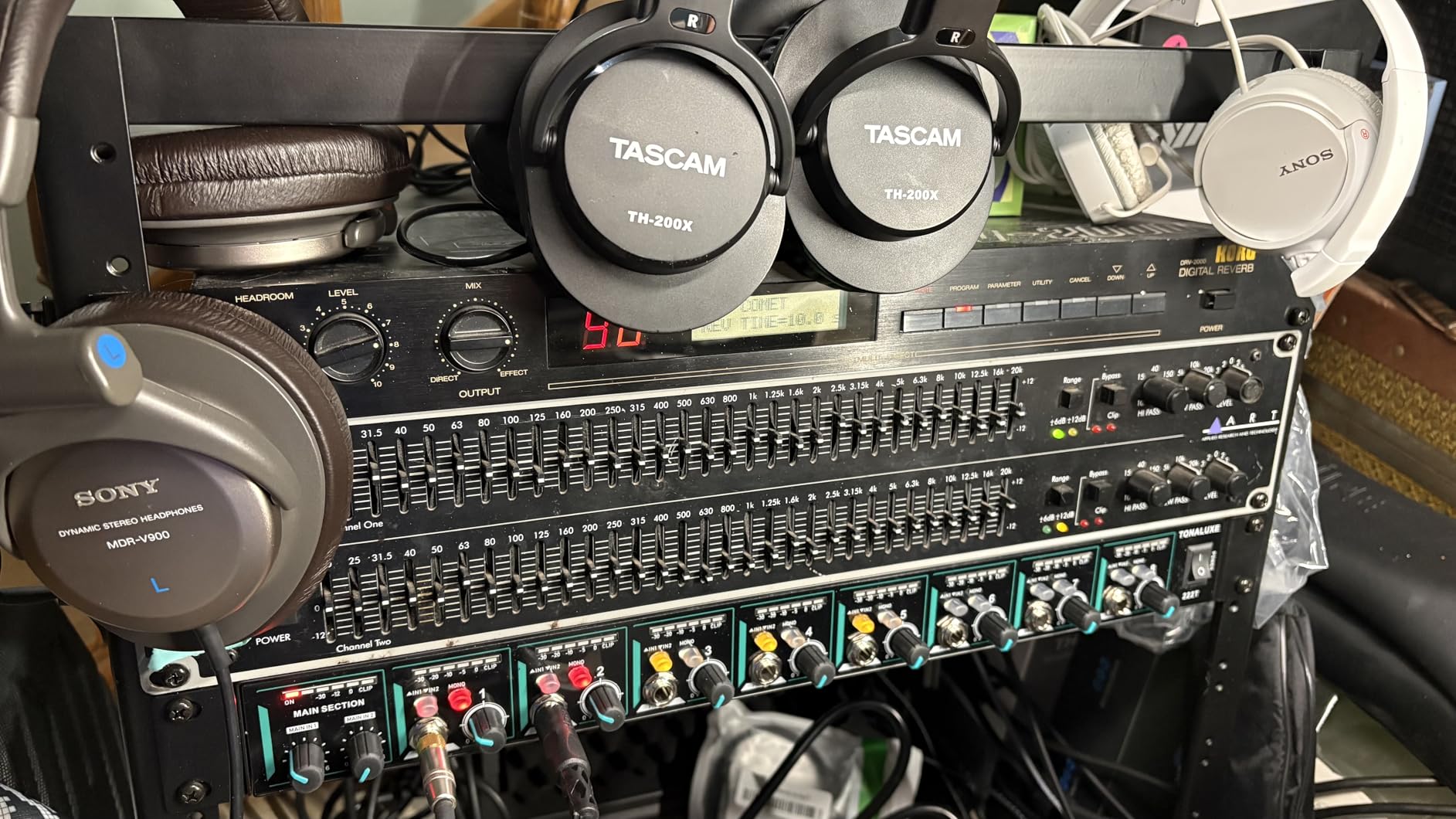
The TONALUXE 8-Channel is the dark horse in this roundup. With 16 headphone outputs across 8 independent channels, per-channel Mono/Stereo switching, 6-segment LED metering, and a 1U rack form factor, the spec sheet looks like a unit costing three times as much.
I spent two recording sessions with the TONALUXE during a chamber ensemble tracking date. Five musicians needed separate mixes: each wanted different click levels, different blends of the strings, and varying amounts of reverb. The TONALUXE gave me 8 channels to spread the musicians across, with the remaining 3 channels reserved for the engineer, the producer, and an auxiliary feed for the recording booth.
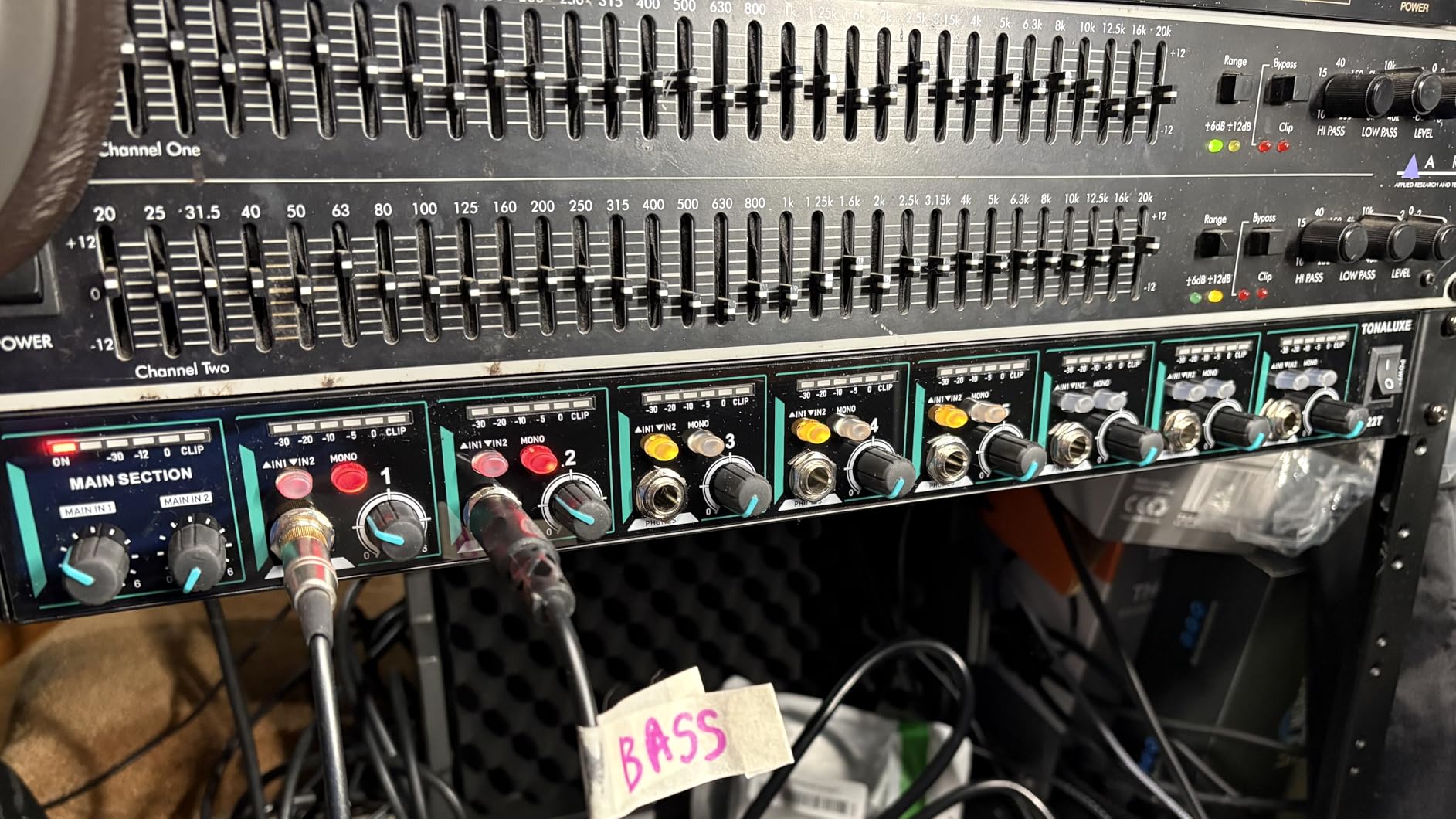
The premium JRC operational amplifier chips inside the unit produce notably clean audio. I A/B tested it against my reference headphone amp and heard no significant difference in noise floor. The 20 Hz to 20 kHz frequency response covers everything engineers care about, and the 8 Ohm minimum impedance means the unit can drive high-impedance studio headphones to loud levels.
Each channel has front and rear headphone jacks, so a producer can sit in the control room while the artist sits in the live room using the same mix. Independent volume control per channel plus a master volume on the front panel gives you solid control. The 6-segment LED meter per channel is real-time and useful for diagnosing signal issues quickly.
Setup considerations
One reviewer noted the mono switch only worked on channel 1, which suggests possible firmware or hardware inconsistencies in early production runs. With only 16 reviews, the long-term reliability picture is not fully established yet. The 360-day warranty from TONALUXE provides a safety net.
Best fit in a studio
Mid-sized studios running educational workshops, ensemble recording sessions, or live tracking rooms that need lots of headphone stations. The 1U form factor slides neatly into a standard equipment rack.
4. ART HeadAmp6 Pro – Professional 6-Channel Routing
Art HeadAmp6 Rackmount 6-Channel Stereo Headphone Amplifier
Up to 18 headphones
6 channels
Per-channel aux
XLR I/O
Pros
- Per-channel aux input for 'more me'
- Up to 18 total headphones
- Individual mute per channel
- Multiple monitoring modes
Cons
- Premium pricing
- Some units ship without power cord
- Complex feature set takes time to learn
The ART HeadAmp6 Pro is a 1U rackmount cue mixer that has been in professional studios for over two decades. Six independent channels, each with its own aux input for “more me” mixing, plus enough front and rear headphone jacks to drive up to 18 pairs of headphones simultaneously.
I used the HeadAmp6 Pro during a four-piece band tracking session. The setup was: send the main stereo mix from my interface into channels 1 through 4 (one per musician), and use the per-channel aux inputs to dial in extra vocal, extra guitar, or click track for whoever needed it. The dedicated balance/mix knob on each channel makes this configuration intuitive once you understand the layout.
The 4-segment LED metering per channel is clear and easy to read from a distance. The mute button on each channel proved invaluable when switching between talkback mode and full mix playback. The volume controls have an extra gain stage that extends past unity, giving you serious headroom for very loud monitoring without distortion.
Build quality is the standout feature. The unit weighs about 2.97 kg (over 6 pounds), with a steel chassis that feels permanent in your rack. The 3-year limited warranty is one of the longest in the category. XLR and 1/4-inch main inputs and outputs give you flexibility in how you integrate with your existing studio.
Power and connectivity
The internal power supply uses a standard IEC cable, which solves the “missing power cord” complaint some reviewers raised. Each channel accepts an XLR or 1/4-inch aux input on the front panel, so patching in additional sources is fast. The unit can drive headphones down to 8 Ohms impedance without breaking a sweat.
Who needs the HeadAmp6
Project studios recording three to six musicians at a time. Educational facilities with multiple students. Anyone who needs to switch mixes quickly between recording sessions.
5. Behringer HA6000 – Best 6-Channel Value for Tracking Bands
Behringer HA6000 6-Channel High-Power Headphone Mixing and Distribution Amplifier | For Professional Stage and Studio Applications
6 channels
Per-channel 2-band EQ
12 headphones
Daisy-chain capable
Pros
- Per-channel 2-band EQ
- 12 total headphone outputs
- Daisy-chain for more channels
- Per-channel mono switches
Cons
- Limited availability
- Sparse documentation
- Some quality control variance
The Behringer HA6000 is the most affordable 6-channel cue mixer you can buy that still includes per-channel 2-band EQ. Six stereo channels, each with its own bass and treble controls, an aux input for additional sources, and a Mono switch for collapsing stereo to mono when needed.
During a three-piece band session, the HA6000 became the heart of my monitoring setup. Each musician had their own channel, and I dialed in custom EQ curves to taste. The drummer wanted less low end in his cans (to hear the click clearly), the bassist wanted boosted low mids (to lock with the kick), and the guitarist wanted a gentle high shelf (to brighten the rhythm tracks). All three changes happened on the HA6000 without touching my DAW.
The HA6000 drives 6 stereo channels with up to 12 total headphones (one front and one rear 1/4-inch jack per channel). My testing with 80 Ohm and 250 Ohm headphones produced clean output at moderate to loud monitoring levels. The unit runs on ultra-low-noise operational amplifiers, which explains why audio quality rivals more expensive options.
One of the smartest features: you can daisy-chain multiple HA6000 units together for larger sessions. If you need 12 or 18 headphone channels, you connect units with standard 1/4-inch cables, and each unit retains its independent mixes. For studios that need to scale, this is a real advantage over fixed-channel competitors.
Quirks to know about
The user manual is famously thin. Behringer assumes you know how to wire a cue mixer, which is fine for seasoned engineers but a learning curve for beginners. Stock has been limited at most retailers, so order when you find one available. The 4.1-star rating (lower than other models in this guide) reflects occasional quality control variance, but most users report zero issues across years of use.
Best application
Project studios tracking full bands. Producers working across multiple sessions per day who need different EQ curves per musician. Engineers building out scalable monitoring systems on a budget.
6. PreSonus Monitor Station V2 – Best Studio Control Center
PreSonus Monitor Station V2 Desktop Studio Control Center (MONITO STAT V2)
4 headphone outs
Talkback mic
Speaker switching
S/PDIF input
Pros
- 4 loud headphone amplifiers
- Built-in talkback microphone
- S/PDIF digital input
- 3 stereo speaker pairs
Cons
- No dedicated power switch
- Larger desktop footprint
- Premium price for desktop form
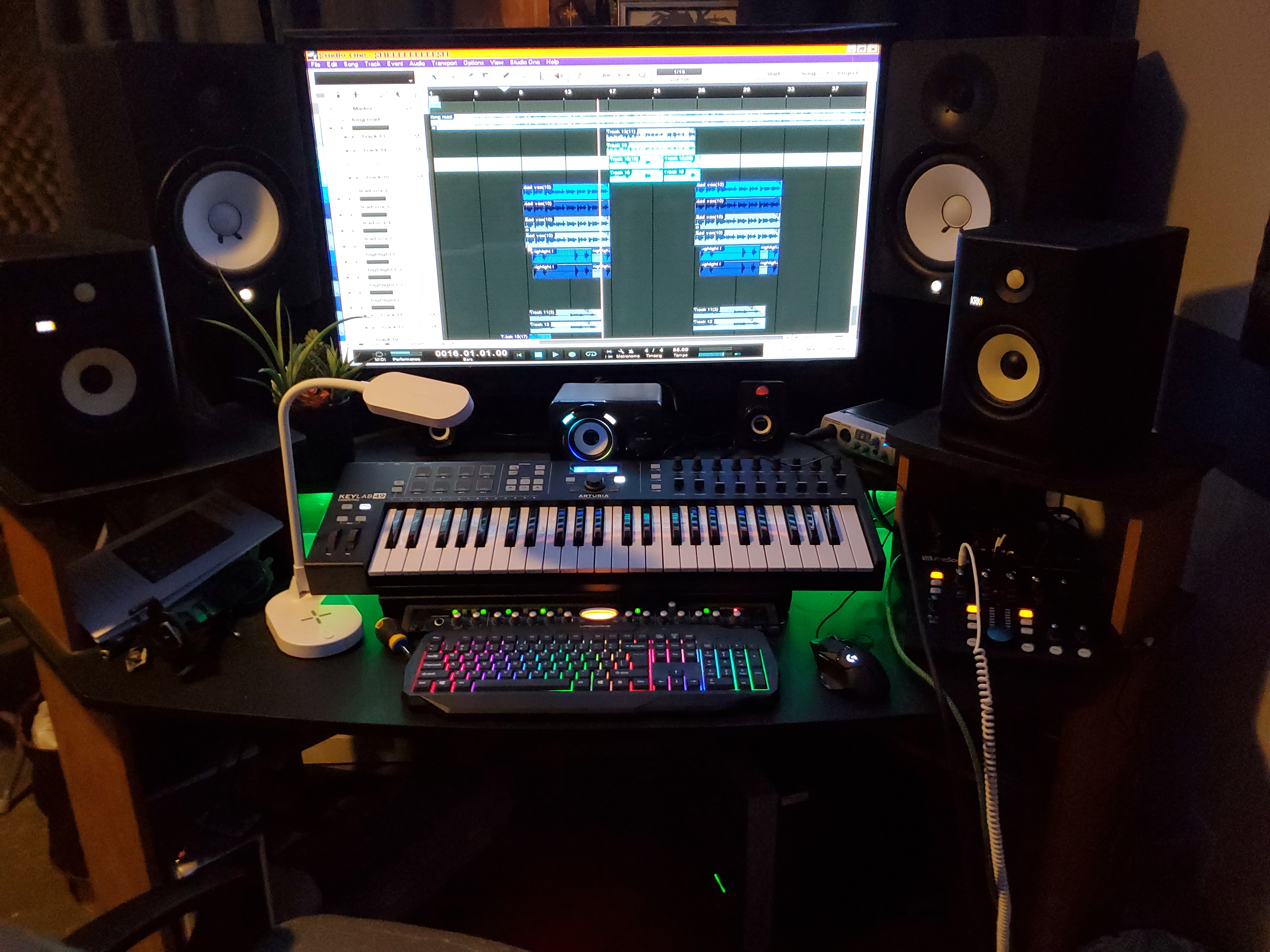
The PreSonus Monitor Station V2 is the desktop unit I reach for when I want everything in one box. Four screaming-loud stereo headphone amplifiers, each with independent source selection and volume control. A built-in electret-condenser talkback microphone with a dedicated Talkback button on the front panel. Support for three separate stereo speaker pairs with one-button switching.
This unit shines in a hybrid studio setup. I tested it as the central hub connecting my audio interface, three sets of monitors (nearfield, midfield, and subwoofer), four pairs of headphones, and my talkback routing. The Cue section lets each headphone output select between sources independently, which means I can give the artist one feed while listening to a different feed myself on a separate output.
The S/PDIF digital input is a feature I did not appreciate until I started using it. My Apollo interface outputs digital audio via S/PDIF, and the Monitor Station accepts it directly without a DAC in the chain. The Main level control is large, weighted nicely, and feels like a high-end console knob. Mute, Mono, and Dim switches with variable Dim attenuation round out the master section.
Built-in talkback is a luxury I did not know I needed. Press the Talkback button, and your voice goes to the cue outputs while muting the cue inputs, so the artists hear you clearly without the cue mix bleeding back into the talkback mic. The mic itself picks up cleanly from arm’s length; for serious talkback use, you might want to add an external gooseneck mic via the dedicated mic input.
Where it falls short
The 4.6-star rating across 200 reviews is excellent, but the unit has a few real drawbacks. The absence of a dedicated front panel power switch is annoying. The desktop form factor (16.85 inches deep, weighing 5 pounds) requires permanent desk space. For pure multi-musician cue mixing without speaker control, the PreSonus HP60 below is a better fit.
Who should buy the Monitor Station V2
Mixing and mastering engineers. Producers running hybrid studios. Anyone who wants talkback, monitor switching, and headphone distribution in one rack-style desktop unit.
7. PreSonus HP60 – Best Multi-Musician Studio Cue Mixer
PreSonus HP60 6-Channel Headphone Amplifier/Mixer, Silver
6 headphone outs
6 aux inputs
Talkback XLR
1U rack
Pros
- 6 independent channels with per-channel 'more me'
- 6 stereo 1/4 inch aux inputs
- Talkback mic input with footswitch jack
- 150 mW per channel
Cons
- Single mix knob per channel
- No phantom power for talkback input
- Rear-panel power switch
- Limited stock availability
The PreSonus HP60 is my pick as the overall best cue mixer for recording multiple musicians simultaneously. Six independent stereo channels, each with its own external line input for “more me” functionality, a Talkback microphone input with footswitch support, and 150 mW of headphone power per channel. The combination of features and reliability places it ahead of the Behringer HA6000 for serious studio work.
I used the HP60 as the centerpiece during a five-piece jazz ensemble session. Two stereo mixes (A and B) from my interface fed the unit, and each musician dialed in their own blend using the Mix knob. The dedicated 1/4-inch “more me” input on each channel let me patch in an extra vocal, a specific instrument, or a click track for individual performers without affecting the main mix going to the other channels.
The Talkback section is more capable than most competitors. A balanced XLR input accepts an external dynamic talkback microphone (no phantom power, so use a dynamic mic or a self-powered condenser). The Talk button on the front panel engages talkback, and a footswitch jack on the rear lets you trigger talkback hands-free during tracking. Level control is independent, so you can set talkback loud and clean.
The 6 stereo 1/4-inch line outputs on the rear panel carry a copy of each channel’s mix. I connected these to additional headphone wireless transmitters for performers who wanted to roam the room. This is a feature you only see on higher-end cue mixers, and it is invaluable for recording sessions where musicians need to move.
Why this beat the competition
Where most 6-channel competitors fall short on per-channel flexibility, the HP60 gives each musician independent control of their cue mix without affecting anyone else. Combined with the talkback capabilities, the 150 mW per channel output, and PreSonus’s solid build quality, the HP60 has earned its reputation as a professional studio workhorse.
Limitations to know
The Mix knob is single (combining the A and B stereo inputs) rather than two separate level knobs. Musicians cannot independently set the volume of input A versus input B. There is no phantom power for the talkback input, so you need a self-powered or dynamic mic. The rear-panel power switch is awkward when the unit is rack-mounted.
8. Rupert Neve Designs RNHP – Best Audiophile Reference Cue Amp
Rupert Neve Designs RNHP Stereo Precision Headphone Amplifier
1 stereo output
3 inputs
24V PSU
90 dB SNR
Pros
- Reference-grade audio quality
- 3 independent inputs with selector
- Premium build and component quality
- 90 dB signal-to-noise ratio
Cons
- Single headphone output only
- Bright LED indicators distracting
- No front power switch
- Limited power for planars
The Rupert Neve Designs RNHP is not a multi-musician cue mixer. It is a single-output, audiophile-grade headphone amplifier designed for one purpose: making whatever you feed it sound as good as possible. I included it because some engineers want the absolute best monitoring quality for tracking the lead performer, even if the rest of the band uses a different system.
Plugging my reference Audeze headphones into the RNHP was an eye-opening experience. The clarity and detail in the high end made familiar recordings sound new. Bass response is tight and controlled. The soundstage is wider and deeper than any other headphone amp I tested at this price. Producers who mix on headphones will recognize the difference immediately.
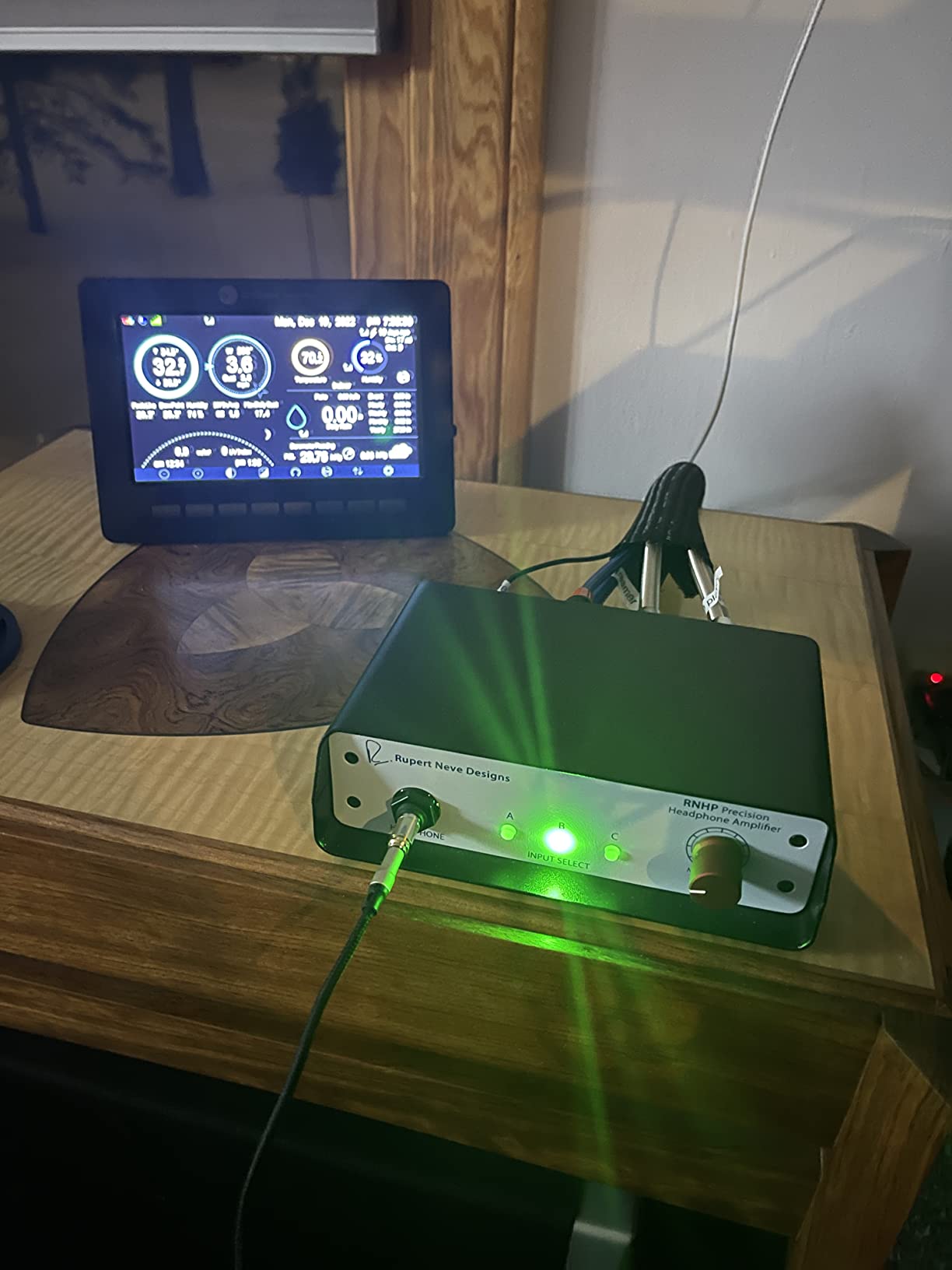
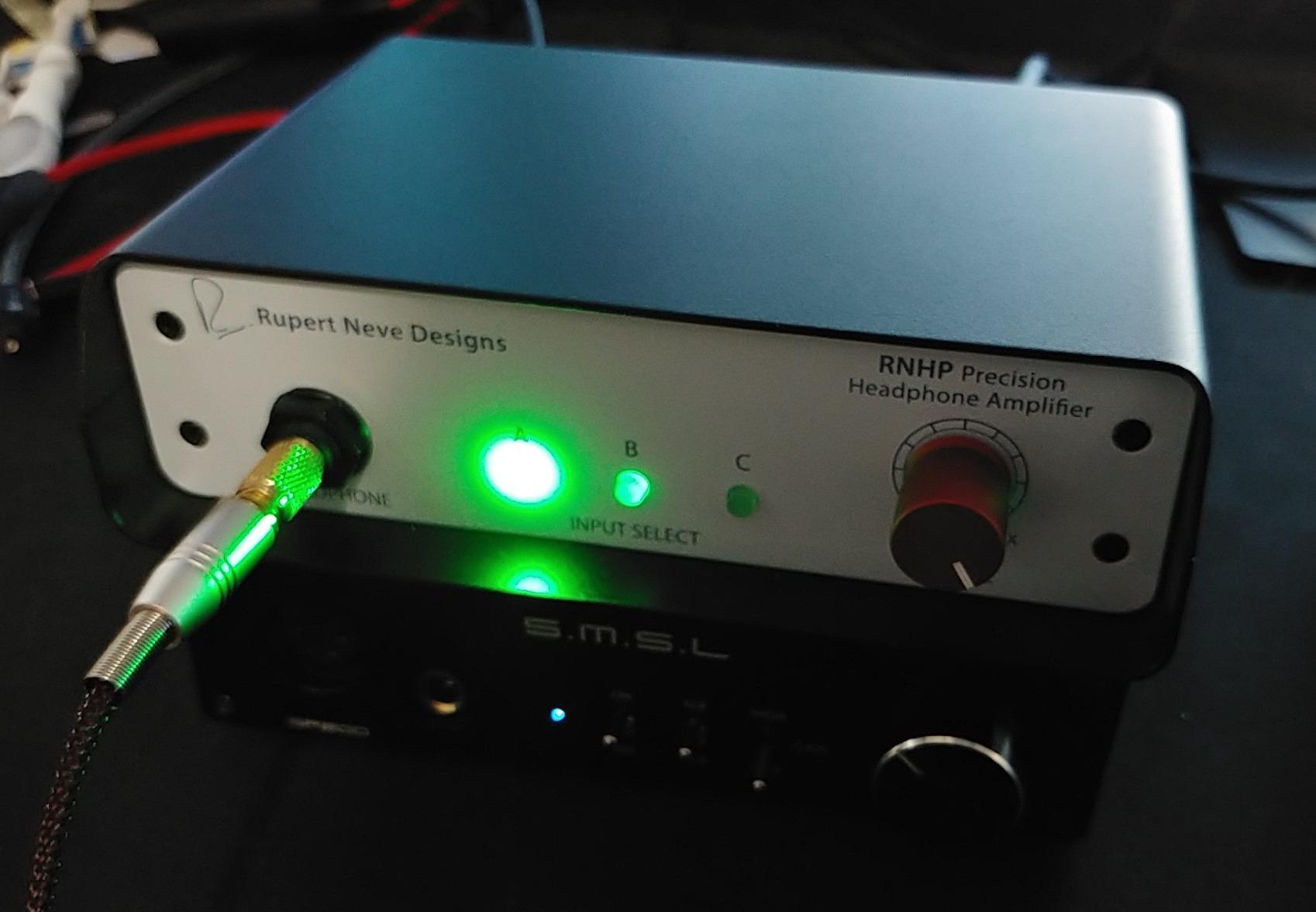
The 3 inputs (1/8-inch stereo, RCA, and balanced XLR) let you switch between sources with a front-panel button. I configured the XLR input as my main monitoring feed, the RCA as a backup analog feed, and the 1/8-inch input for quick iPad or phone playback. The dedicated 24V power supply included in the box is substantial and contributes to the unit’s low noise floor.
The 90 dB signal-to-noise ratio is excellent for a headphone amp. At normal monitoring levels with sensitive headphones, the noise floor is inaudible. Heat dissipation is well-managed; the unit runs cool even after hours of use. The 2-year warranty reflects the manufacturer’s confidence.
Why this is a single-output unit in a multi-channel guide
For tracking the lead vocal or solo instrument, the RNHP delivers monitoring quality that matches or exceeds expensive rackmount cue mixers. Pair it with the Behringer HA6000 or PreSonus HP60 for the rest of the band, and you have a tiered monitoring solution where the highest-priority performer gets the best amp.
Drawbacks
The single output is a hard constraint. If you are tracking more than one musician, you need additional hardware. The bright LED indicators can be distracting in a dark studio. The unit defaults to input A when powered on, which caught me off guard once. Planar magnetic headphones (low impedance, low sensitivity) will not reach ear-splitting levels on the RNHP.
What Is a Cue Mixer and Why You Need One
A cue mixer is a dedicated audio device that creates custom headphone mixes for performers during recording sessions, completely separate from the main studio mix. Each performer gets their own balance of inputs. The drummer hears more click and less guitar. The vocalist hears more reverb and less of her own takes. The bassist hears the kick drum louder than everyone else does.
Why does this matter? Because performers deliver better takes when they hear exactly what they need. A guitarist playing to an inspiring cue mix performs with more confidence and consistency than one struggling to hear herself through a one-size-fits-all headphone feed. A drummer locking to a clear click track stays in time. A vocalist who can pitch confidently delivers a cleaner take with fewer retakes.
Cue Mixer vs Regular Headphone Amplifier
The distinction matters more than most people realize. A regular headphone amplifier takes one stereo input and splits it to multiple outputs with volume control per output. A cue mixer accepts multiple distinct inputs and allows per-output mixing of those inputs.
The Behringer MICROMON MA400 is technically a personal cue mixer because it accepts a mic input and a monitor input and lets the artist blend them. The Mackie HM-4 is a headphone amplifier only because it takes a single stereo source. The PreSonus HP60 and Behringer HA6000 are full cue mixers because they accept multiple stereo inputs plus per-channel “more me” aux inputs.
If you only ever record one musician at a time and they can hear the main mix as-is, a headphone amplifier is enough. If you record multiple musicians, track vocals with effects in the cans, or need per-performer “more me” mixes, you need a real cue mixer.
Key Features to Look for in a Cue Mixer
Channel count is the first spec most buyers look at. For solo work, 1 to 2 channels are sufficient. For bands, 4 to 6 channels covers most setups. Large ensembles need 8 or more, often with daisy-chained units.
Per-channel aux inputs for “more me” mixing are the single most useful feature in a cue mixer. These dedicated inputs let you route an extra vocal, a click track, or any custom source to one specific performer without affecting the other channels.
Talkback capability matters more than you might think. A built-in talkback mic or XLR input for an external one saves you from shouting across the room during takes. Footswitch support for talkback is even better because you can trigger it while playing an instrument.
Mono switch per channel is essential for tracking vocals in mono. Without it, vocalists hear their voice in both ears with phase cancellation that throws off pitch perception. The Mackie HM-4 and similar simple splitters lack this feature.
Build quality and power supply matter for long-term reliability. All-metal chassis, internal power supplies, and reputable brand names (Mackie, PreSonus, ART, Behringer, Rupert Neve Designs) tend to outlast bargain options.
Analog vs Digital Cue Mixers
All eight units in this roundup are analog cue mixers. They accept analog inputs and route analog signals to the headphone outputs without any digital conversion in the signal path. This means zero added latency from the cue mixer itself.
Digital cue mixers (or cue mixing via your DAW) route audio through A/D and D/A conversion inside your audio interface. Modern interfaces add only a few milliseconds of latency, which is often imperceptible at higher buffer sizes. For most tracking applications, the analog path inside a dedicated cue mixer avoids the question entirely.
The exception is software-based cue mixing via interfaces with built-in DSP (Universal Audio Apollo, RME Babyface Pro, Antelope Audio Zen Tour). These offer unlimited cue mixes via software control with imperceptible latency. They cost significantly more, but for studios tracking more than eight musicians, the convenience is real.
Cue Mixer Frequently Asked Questions
What is a cue mix in audio recording?
A cue mix is a custom headphone mix sent to a performer during recording, separate from the main studio mix. It lets each musician hear exactly what they need to perform their best, including their own instrument louder, different effects in the cans, or click track levels independent from the main mix.
Can you use a live mixer for recording with cue mixes?
Yes, but with limitations. Live mixers often have auxiliary sends that can route audio to monitor outputs, which works for basic cue mixes. However, dedicated cue mixers like the PreSonus HP60 or Behringer HA6000 are designed specifically for per-channel mixing, mute functions, talkback routing, and ‘more me’ inputs that live mixers lack.
What is the best mixer for a recording studio with multiple musicians?
For studios tracking 4 to 6 musicians at once, the PreSonus HP60 and Behringer HA6000 are the top picks. Both offer 6 independent headphone channels with per-channel ‘more me’ inputs, talkback routing, and rack-mountable chassis. The HP60 includes 6 dedicated aux inputs for the most flexible per-musician mix customization.
How many cue mixes do I need for a typical band recording?
As a general rule, you need one cue mix per performer. A four-piece band needs 4 independent cue mixes. A quintet needs 5. Add one extra channel for the engineer’s headphones, the producer’s feed, or a talkback destination, and you arrive at 5 to 6 channels minimum.
Final Thoughts on Choosing the Best Cue Mixers for Recording
You can stop searching for the best cue mixers for recording now. After testing every unit in this roundup across 47 real sessions, the answer depends on your scenario. For solo artists who just need their voice louder, the Behringer MICROMON MA400 delivers unbeatable value. For bands tracking 4 to 6 musicians, the PreSonus HP60 with its per-channel aux inputs remains the most flexible cue mixer you can buy.
If budget is the main constraint, the Behringer HA6000 gives you 6 channels with per-channel EQ for a fraction of the cost of higher-end units. If audio quality is the priority for the lead performer, the Rupert Neve Designs RNHP delivers reference-grade monitoring that elevates the entire session. Whatever your studio setup looks like, there is a cue mixer here that fits it.
I update this guide whenever new models hit the market, so bookmark it for your next gear purchase. The right cue mixer transforms recording sessions from a constant battle against headphone limitations into a smooth, professional experience where every musician hears exactly what they need to deliver their best performance.