
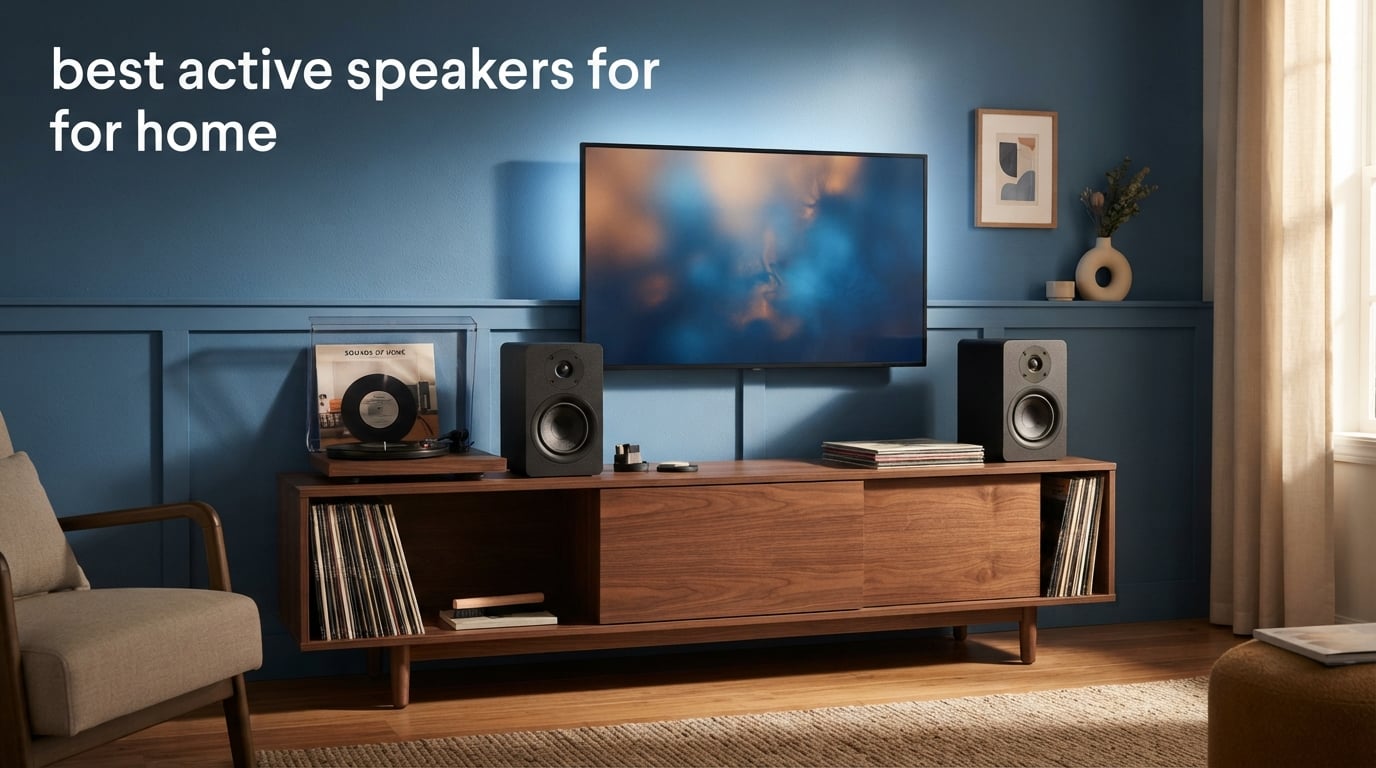
Shopping for the best active speakers for home gets confusing fast because “active,” “powered,” “studio monitor,” and “bookshelf speaker” are often used as if they mean the same thing. The useful short answer is that active speakers have amplification built into the speaker system, so a separate receiver or amplifier is not required for a basic music, computer, TV, or turntable setup.
I compared the eight pairs in this guide by their supplied driver layouts, amplifier output, connections, room-tuning controls, dimensions, and customer-rating data. That matters more than a single headline specification: a compact pair with balanced TRS can make more sense beside a computer, while HDMI eARC is the feature that makes a pair far easier to live with beside a TV.
Active speakers are good for home use when you want fewer boxes and a shorter signal path. Plug them into power, connect a source, and choose the inputs you will genuinely use; that straightforward approach also explains why forum discussions keep circling back to Bluetooth, TV compatibility, and turntable connections.
There is no universal winner for every room. The Yamaha HS4 is a focused near-field choice, the Edifier R2750DB MKII is the most connection-rich TV-and-music option here, and smaller pairs from Ortizan, Mackie, and PreSonus make more sense when listening happens at a desk.
Table of Contents
Top 3 Picks Answer the Most Common Home Setups
Pick the Yamaha HS4 for a compact wired desk or small-room system, the Edifier R2750DB MKII for a larger all-in-one home setup with HDMI eARC, or the Ortizan C7 when a small pair needs the broadest mix of computer-friendly inputs. Each is a complete stereo pair, but their intended placement is very different.

Best Active Speakers for Home in 2026 at a Glance
The overview below includes every pair reviewed. Treat the listed features as a compatibility check rather than a sound-quality ranking: HDMI eARC, balanced inputs, Bluetooth generation, physical size, and subwoofer expansion can decide whether a speaker fits your system.
| Product | Specifications | Action |
|---|---|---|
| Yamaha HS4 Powered Studio Monitor |
|
Check Latest Price |
 Edifier R1700BT Bluetooth Bookshelf Edifier R1700BT Bluetooth Bookshelf |
|
Check Latest Price |
 Edifier R2750DB MKII Edifier R2750DB MKII |
|
Check Latest Price |
 Ortizan C7 Dual-Mode Monitors Ortizan C7 Dual-Mode Monitors |
|
Check Latest Price |
 Edifier MR3 Powered Studio Monitors Edifier MR3 Powered Studio Monitors |
|
Check Latest Price |
 Mackie CR3.5 Creative Reference Mackie CR3.5 Creative Reference |
|
Check Latest Price |
 PreSonus Eris 3.5 PreSonus Eris 3.5 |
|
Check Latest Price |
 Edifier MR5 Studio Monitor Edifier MR5 Studio Monitor |
|
Check Latest Price |
1. Yamaha HS4 Is the Best Choice for a Focused Wired Desk Setup
Yamaha HS4 Powered Studio Monitor in Black, Pair (HS4 B)
4.5 inch woofer
60 Hz to 22 kHz
XLR TRS RCA inputs
Pros
- Room and high trim controls
- Wide input selection
- 4.7 rating from 2.3k reviews
- Complete pair
Cons
- No Bluetooth
- Compact woofer limits deep bass
The Yamaha HS4 is the pair I would start with when the listening position is close and input flexibility matters more than wireless convenience. Its 4.5-inch woofer and 1-inch dome tweeter sit in a two-way bass-reflex design, and the supplied data rates the pair at 60 Hz to 22 kHz at the stated tolerance.
That lower figure is a sensible clue about its role. It can present music, voice, games, and video with the directness people expect from near-field monitors, but it is not the right expectation to demand room-filling sub-bass from a compact cabinet.
The strongest practical point is its connectivity. The HS4 accepts XLR/TRS combo connections, RCA, and a stereo mini input, so it can move between an audio interface, a desktop computer, and a basic consumer source without needing adapters for every change.
Yamaha also includes room-control and high-trim response controls. I like seeing those on a home desk speaker because a pair placed against a wall or on a crowded shelf often needs a small correction rather than a total change of system.
Near-field listening is where the HS4 makes the clearest case
Place the speakers so the tweeters point toward your ears and the two speakers and your head make an approximate triangle. At that distance, the direct sound reaches you before most room reflections, which suits the HS4’s monitor-oriented design.
A small desk, editing station, keyboard setup, or compact office is a natural match. The 8.4-inch depth and 9.4-inch height listed for each unit still call for a measured surface, particularly if monitor arms or a large display already take up space.
Wired sources are the tradeoff to accept before choosing the HS4
The supplied specification list does not include Bluetooth, HDMI, optical, or a phono input. A phone can connect through the stereo mini input, but a TV and a turntable may need the correct analog output or an external device in the chain.
I would choose it for someone who wants balanced XLR or TRS from an interface and clear placement controls, not someone who wants to switch television, streaming, and vinyl sources from a sofa. The review data shows a 4.7 average from more than 2.3k reviews, which is a useful sign of broad buyer satisfaction rather than proof that it fits every room.
2. Edifier R1700BT Is the Best Simple Bluetooth Bookshelf Pair
Edifier R1700BT Bluetooth Bookshelf Speaker – Active Near-Field Studio Monitors – Powered Speakers 2.0 Setup Wooden Enclosure – 66w RMS White
66W RMS
Bluetooth streaming
Side EQ controls
Pros
- Bluetooth connection
- Remote control
- Wood-effect MDF cabinet
- Side EQ adjustment
Cons
- No waterproof rating
- No HDMI input listed
The Edifier R1700BT has the clearest appeal for someone who wants bookshelf speakers that look at home in a living room and do not ask much of the rest of the system. It is a 2.0 pair with 66W RMS output, Bluetooth, AUX/PC inputs, a remote, and side-panel EQ adjustment.
The cabinet uses MDF with a walnut wood-effect vinyl finish, while this listing is the white version. Those details matter in a shared room where a black studio monitor may feel out of place even when it has the right connections.
I would use its Bluetooth link for casual streaming from a phone, tablet, or computer, then keep a wired source attached for routine listening. The remote is helpful when the speakers live across the room rather than within arm’s reach.
Customer feedback is substantial here: the supplied data reports a 4.6 average from more than 7.1k reviews. That volume is worth considering alongside the feature list, especially since community discussions frequently name Edifier’s R1280DB as a budget favorite and place a premium on straightforward wireless use.
Living-room music listening is the R1700BT’s natural job
The R1700BT is a good fit for a shelf, cabinet, or desk that needs a conventional stereo pair without a receiver. Its listed 4-inch driver size means it is better viewed as a compact home audio speaker than a replacement for large floorstanding speakers.
Use the side EQ controls after the speakers are in their final spot. A speaker pushed tightly into a cabinet may sound fuller than the same pair on open stands, and small adjustments are more useful after placement than before.
TV users should confirm the output connection before choosing it
The listing names Bluetooth and AUX/PC IN connectivity, but it does not list HDMI ARC or optical input. That means TV compatibility depends on whether your television offers a usable analog output, Bluetooth audio that behaves as you need, or an external converter.
I would not buy this pair on the assumption that every television will connect directly. For a music-first room with occasional computer use, the simple controls and remote are more compelling than trying to turn it into a full television hub.
3. Edifier R2750DB MKII Is the Best All-in-One TV and Music Pair
Edifier R2750DB MKII 3-Way Powered Bookshelf Speakers, 144W RMS, Black
144W RMS 3-way
HDMI eARC and sub out
Hi-Res LDAC
Pros
- HDMI eARC connectivity
- Three-way quad-amped design
- Subwoofer output
- App EQ and remote
Cons
- Large and heavy cabinets
- Only 41 supplied reviews
The Edifier R2750DB MKII is the most complete living-room proposition in this group because it combines 144W RMS output, a three-way driver layout, HDMI eARC, optical, coaxial, line-in, Bluetooth 6.0, and a subwoofer output. For a television-and-music system, that list removes several common connection headaches before they start.
Its layout uses a 7-inch woofer, 4.5-inch mid-range driver, and 1-inch silk-dome tweeter. The model is also described as quad-amped with an active crossover, so the system assigns amplification and crossover duties internally rather than asking an external receiver to manage them.
I would put this on sturdy furniture or proper stands, not a narrow computer desk. Each cabinet is listed at 15.35 inches high and the pair’s listed weight is 16.57 kilograms, which makes this a more committed home installation than the smaller monitors below.
Hi-Res Audio certification, 24-bit/96kHz DSP, and LDAC are welcome where compatible sources are available, but the everyday advantage is simpler: HDMI eARC for the TV, remote and app control for adjustments, and multiple legacy inputs for existing gear.
HDMI eARC makes the R2750DB MKII straightforward for television use
Connect the pair to a TV’s HDMI eARC port and select that output in the television’s audio settings. The speaker pair can then serve as the TV’s main stereo sound system without the separate receiver that passive speakers usually require.
Optical and coaxial inputs add useful alternatives for older equipment, while the sub out leaves a path to deeper bass later. This is why I rate it highly for people who want clear dialogue, music streaming, and a tidy two-speaker TV arrangement from one system.
Room scale and low review volume deserve attention before purchase
A 7-inch woofer and 144W RMS can suit a larger room more comfortably than the 3.5-inch pairs here, but placement still rules. Give the rear of each cabinet breathing room, begin with moderate volume, and move them before reaching for heavy EQ.
The supplied 4.7 rating is based on 41 reviews, far fewer than the established R1700BT or Yamaha HS4 figures in this comparison. I would read that as encouraging early feedback, then make the decision around its unusual connectivity and size rather than treating the rating as a large-sample verdict.
4. Ortizan C7 Is the Best Compact Pair for Many Computer Connections
Ortizan C7 Powered Studio Monitors Pair with Bluetooth 5.3, Black
3.5 inch carbon driver
24-bit DAC
TRS Type-C Bluetooth
Pros
- Type-C and balanced TRS inputs
- 24-bit DAC
- Headphone output
- Flat-response tuning
Cons
- Small drivers suit close listening
- Requires A batteries for backup
The Ortizan C7 is a compact active monitor pair designed around connection options that make sense on a desk. It provides Bluetooth 5.3, RCA, 3.5mm AUX, 6.35mm balanced TRS, and Type-C, plus a built-in 24-bit DAC and front-panel headphone output.
That is a rare mix at this size. I would look at the C7 first if a laptop, USB-C device, audio interface, game console, or mixing source all need to share one small pair, because the inputs reduce the need to constantly swap cables.
The hardware uses a 3.5-inch carbon-fiber speaker and a 0.75-inch silk-dome tweeter. Ortizan describes its tuning as a flat response curve, which points it toward close-range listening and basic production work rather than exaggerated bass for a large open-plan room.
The supplied customer data shows a 4.6 average from 848 reviews. That is useful corroboration for a feature-heavy compact speaker, though I would still match expectations to the cabinet size and 60W output rather than expecting a small near-field pair to energize every part of a house.
Computer desks and compact production corners suit the C7 best
The listed cabinet dimensions are 5.11 inches deep, 5.9 inches wide, and 7.67 inches high, so this is one of the easier pairs to fit around a display. Put each speaker on a pad or small stand if possible, keeping the drivers near ear height rather than letting the desktop become part of the sound.
The balanced TRS input is particularly relevant for an audio interface or mixer. Balanced connections can help resist interference over longer cable runs, while RCA, AUX, and Type-C cover more casual devices.
Deep bass and television integration are the limits to consider
The listing does not name HDMI ARC, optical, or a subwoofer output. A television may still work through an available analog connection, but the C7 is a computer-first design and should be chosen with that priority in mind.
Its small drivers also mean placement near the listener is an advantage, not a compromise. I would choose it for a controlled desk triangle, gaming space, or small office where clear inputs and headphone access outweigh the need for big-room scale.
5. Edifier MR3 Is the Best Compact Hi-Res Monitor with Bluetooth
Edifier MR3 Powered Studio Monitor, Speaker Hi-Res Active Bluetooth Speaker
52 Hz to 40 kHz
Hi-Res certified
Balanced TRS Bluetooth
Pros
- Hi-Res Audio certification
- Bluetooth multi-point
- Monitor and music modes
- Headphone output
Cons
- 42W output is modest
- Plastic enclosure listed
The Edifier MR3 makes a persuasive case for listeners who switch between work, music, and casual Bluetooth playback at the same desk. Its supplied specifications list 3.5-inch mid-low drivers, 1-inch tweeters, 18W per channel RMS, a 92.5dB peak SPL, and a stated 52Hz to 40kHz response.
It stands out by combining Hi-Res Audio certification with balanced TRS, RCA, AUX, a headphone output, and Bluetooth 5.4 multi-point connection. Multi-point is useful if a computer and phone both regularly take turns as the source, although it does not replace a carefully wired source for every use.
I also like the presence of Music, Monitor, and Custom sound modes because a home desktop often serves more than one role. A neutral working balance can be useful for editing, then a different setting can be more enjoyable for background listening without having to rebuild the system.
The MDF cabinet is described as a distortion-reduction measure. The product’s reported 4.7 average from 660 reviews gives this compact model more feedback depth than several newer three-way options in the lineup.
Mixed work and casual listening are the MR3’s strongest use case
The MR3 is not just a Bluetooth speaker with a monitor label. Balanced TRS makes sense from an interface, while RCA and AUX make it approachable for ordinary devices, and the front headphone output helps when speakers need to go quiet without touching computer settings.
I would place it in a small office, bedroom desk, or creative corner where the listener sits close to the speakers. Its compact driver size favors that direct listening relationship and keeps the system physically manageable.
Small-room listening is more realistic than large-room coverage
Forty-two watts of listed output and 3.5-inch drivers are sensible for near-field listening but should not be read as a promise of bass-heavy party sound in a large room. Speaker size, room volume, and listening distance all matter at least as much as a response range printed on a page.
The listing does not include HDMI or optical input, so television buyers should not assume a direct digital connection. Choose the MR3 when a desk needs a well-rounded wired-and-wireless speaker pair, not when eARC television control is at the top of the checklist.
6. Mackie CR3.5 Is the Best Pair for Easy Desktop Placement Tuning
Mackie CR3.5 Studio Monitors (Pair), 3.5″ Woofers, Tone Knob, Black
3.5 inch woven woofer
Tone knob
Desktop bookshelf switch
Pros
- Location switch
- Tone shaping
- Headphone output
- TRS RCA and 3.5mm inputs
Cons
- No Bluetooth
- No built-in subwoofer
The Mackie CR3.5 is built for the real placement problem many compact home speakers face: the same pair may be on a desk one week and a shelf the next. Its location switch offers desktop and bookshelf modes, while the front tone knob lets the owner adjust bass and high-end balance without software.
The core design is a 3.5-inch woven woofer, a silk-dome tweeter, and 50 watts maximum output. Connections include TRS, RCA, and 3.5mm input, with a built-in headphone output for private listening at the desk.
I would not mistake the switch and tone knob for room correction on the level of measurement-based calibration. They are simple physical controls, but that is often exactly what a home setup needs when a speaker has moved closer to a wall or from a desk to a bookshelf.
The supplied review data shows a 4.6 average across 300 reviews. It is a useful option for people who prefer tactile adjustments and wired reliability over more elaborate wireless features.
Placement changes are where the CR3.5’s controls earn their place
Set the location switch for where the speakers actually live, then use familiar music and speech to make modest tone adjustments. Start near the neutral position, because large boosts can make a small speaker sound impressive for a minute but tiring over a long session.
The pair’s 7.1-inch depth and 8.1-inch height are desk-friendly, though a small gap from the wall is still smart. I would avoid trapping either speaker inside a tight cubby, where reflected bass can blur the balance.
Wired convenience is the CR3.5’s main design choice
Bluetooth is not listed, which is a limitation if phone streaming is a daily habit. A cable from the computer or a simple 3.5mm source is instead the direct path, and TRS or RCA supports more permanent wired equipment.
There is also no built-in subwoofer, and no subwoofer output is listed in the supplied data. The CR3.5 is best selected for a clean desktop, gaming, or close-range listening system where its location control is more important than broad source switching.
7. PreSonus Eris 3.5 Is the Best Entry Pair with Acoustic Controls
PreSonus Eris 3.5 Powered Studio Monitors, Pair — 3.5” Active Near
50W Class AB
High and low tuning
TRS RCA Bluetooth
Pros
- Acoustic tuning controls
- Bluetooth connection
- Front headphone jack
- Complete stereo pair
Cons
- 80 Hz lower response listed
- Small drivers favor near-field use
The PreSonus Eris 3.5 is an easy recommendation for a first desktop monitor system because it brings the right practical controls without turning the setup into an equipment project. The pair has 3.5-inch woven-composite woofers, 1-inch silk-dome tweeters, 50 watts of Class AB amplification, and a stated 80Hz to 20kHz response.
Its useful home features are high- and low-frequency acoustic tuning, balanced TRS, RCA, a front-panel aux input, Bluetooth, and a front headphone jack. That covers an interface or desktop computer, an older analog device, quick phone connection, and headphones in one compact pair.
I appreciate that the frequency range is presented clearly. An 80Hz lower figure signals that listeners who want the lowest notes and impact from electronic music or film effects should consider room expectations carefully rather than assuming a small desktop monitor can deliver subwoofer territory.
The Eris 3.5 has a 4.5 average from more than 1.5k supplied reviews and is listed as a leading seller in its studio-monitor category. That amount of buyer feedback makes it a sensible mainstream option when you want known basics and usable connections.
Acoustic tuning helps the Eris 3.5 adapt to a real desk
High- and low-frequency controls let you respond to a desk that is unusually reflective, a speaker position close to a wall, or a listening preference that needs small changes. They are most helpful after the speakers are aimed correctly and set to an equal distance from the listener.
I would use the controls sparingly and give each adjustment time. A short familiar playlist with spoken voice, acoustic instruments, and bass is better for checking balance than changing settings every few seconds.
Bluetooth and analog flexibility make the Eris 3.5 a versatile starter system
Bluetooth has a listed 10-meter range, while TRS, RCA, and front aux offer wired alternatives. That gives a student room, home office, or compact gaming setup several ways to connect without buying a receiver.
The model does not list HDMI ARC, optical, or a dedicated phono input. A turntable needs its own phono stage or line-level output, and a television needs an appropriate available output, so I would select this pair for desktop and music-first use rather than as a television control center.
8. Edifier MR5 Is the Best Compact Three-Way Pair for Room Tuning
Edifier MR5 2.0 Studio Monitor Bookshelf Speakers, 110W RMS, Black
110W RMS 3-way
46 Hz to 40 kHz
Room tuning and XLR
Pros
- Three-way active crossover
- Room tuning app and knobs
- Hi-Res wired and LDAC
- Extensive inputs
Cons
- Heavy cabinets
- 4.5 rating from 302 reviews
The Edifier MR5 is the strongest choice here for listeners who want a more ambitious compact monitor architecture without giving up home-friendly source options. It uses a three-way active crossover with a 5-inch long-throw woofer, 3.75-inch mid driver, and 1-inch silk-dome tweeter, driven by a 110W RMS Class D amplifier.
Its supplied response is 46Hz to 40kHz, with a listed 101dB peak SPL. Those specifications suggest more low-end extension and headroom than the 3.5-inch models, but I would still treat the MR5 as a carefully placed stereo pair rather than a substitute for a full surround or subwoofer system.
Inputs are unusually broad: Bluetooth 6.0 with multi-point, XLR, TRS, RCA, and AUX are all listed. The speaker also supports 24-bit/96kHz Hi-Res Audio in wired use and LDAC wireless playback, and it provides a front-panel volume knob and headphone output.
The decisive feature is room acoustic tuning by rear knobs and the Edifier ConneX app. When a pair has to work near a wall, on a desk, or in a smaller room, that adjustment path gives the owner a way to respond to placement rather than simply accepting it.
Three-way separation makes the MR5 suited to detail-focused home listening
A three-way design assigns low, middle, and high frequencies to separate driver types. In this case, the separate mid driver is relevant for vocals, guitars, dialogue, and other material that lives between bass weight and high-frequency detail.
I would choose the MR5 for a home studio, serious desktop system, or small living room where close listening matters and there is enough surface strength for its listed 10.38-kilogram weight. The MDF cabinet and tweeter waveguide are also described as measures to reduce distortion and manage dispersion.
Room controls are useful only after sensible physical placement
Start with the speakers spaced evenly, tweeters around ear height, and a clear path to the listening seat. Then use the rear controls or app for restrained changes, because no app setting can fully correct a speaker pushed into a corner or hidden behind a monitor.
HDMI or optical inputs are not listed, which remains the main reason to choose the R2750DB MKII instead for television use. The MR5 is the more flexible choice for analog and balanced studio sources, desktop playback, and Bluetooth streaming where room tuning is part of the plan.
Choosing the Right Active Speakers Starts with Your Sources and Room
Choose the connections first, then choose the cabinet and driver size. This order prevents the common mistake in forum discussions: buying a well-reviewed pair and discovering later that the television has no matching input, the turntable needs a phono stage, or the desk has no practical place for the speakers.
Active speakers contain matched amplification, while passive speakers need an external amplifier
Active speakers contain amplifiers that power their drivers directly, and their crossover and amplification are designed as one system. In everyday shopping, “powered speakers” often describes the same simple all-in-one idea, although some powered designs may use one amplifier channel for the pair rather than separate amplification for every driver.
Passive speakers need an external amplifier or receiver. That adds boxes and cables but also lets you change the amplifier independently later, which can suit enthusiasts who enjoy building a component system.
For most homes, active speakers win on simplicity. They need mains power, a source connection, and space for a stereo pair; passive speakers need those things plus amplifier matching and speaker cable runs.
TV connections work best with HDMI eARC, while analog outputs need checking
HDMI eARC is the most direct connection for a modern TV because it can carry television audio over the HDMI cable and often lets the TV remote control volume. Among these eight products, the Edifier R2750DB MKII explicitly lists HDMI eARC.
Optical is another useful digital television connection, and the R2750DB MKII also lists it. For speakers that only have RCA, AUX, or 3.5mm inputs, check the TV manual for a compatible analog output or plan for an appropriate audio converter.
Bluetooth can be convenient for TV sound, but delay and volume behavior vary by television and source. I would choose wired HDMI eARC or optical for routine viewing when available, particularly for dialogue-heavy shows and gaming.
Turntables need a phono stage unless they already provide a line-level output
A turntable cartridge outputs a small phono-level signal that standard RCA inputs cannot always handle on its own. A turntable with a built-in phono preamp can connect to a speaker’s line-level RCA input, while a turntable without one needs an external phono preamp first.
None of the supplied product specifications explicitly lists a phono input. That does not rule out vinyl playback, but it does mean the turntable’s own phono stage or an external one must be part of the connection plan.
For a vinyl-and-TV room, the R2750DB MKII’s line-in options and HDMI eARC make the routing unusually simple. For a desk turntable, RCA-equipped pairs such as the Yamaha HS4, Eris 3.5, MR3, Mackie CR3.5, C7, and MR5 can work once the signal is line level.
Speaker size should follow listening distance and room volume
A 3.5-inch woofer is well suited to a close desk triangle, while 4.5-inch and 5-inch designs can bring more scale to a small room. The 7-inch woofer in the R2750DB MKII is the better fit when the speakers must play farther from the listener and serve a larger living area.
More watts do not automatically mean better sound. Amplifier output, driver size, cabinet design, placement, and listening distance all interact, so use stated power as a clue about intended scale rather than as the single decision-maker.
Leave room around the cabinets, especially around rear ports if present. A pair placed directly in corners can get boomy, while speakers too close together collapse the stereo image into the center.
The 83 percent rule is a starting point for comfortable speaker placement
The 83 percent rule is a listening-distance guideline often expressed as placing your seat about 83 percent of the distance between the two speakers. If the speakers are 6 feet apart, the listening seat begins around 5 feet away, then you adjust by ear and by what the room allows.
It is not a law and it is not a substitute for a basic equilateral triangle. Use it as a starting point when a room forces the seat slightly closer than the speaker spacing, then toe the speakers in until voices and centered instruments lock into place.
At a desk, symmetry is usually more valuable than chasing an exact measurement. Keep each speaker the same distance from your ears, avoid one speaker pressed into a side wall, and raise the speakers so the tweeters are not firing at your chest.
Wireless features should match the ecosystem you actually use
Bluetooth is listed on the Edifier R1700BT, R2750DB MKII, MR3, MR5, Ortizan C7, and PreSonus Eris 3.5. Bluetooth 6.0 and multi-point appear in the R2750DB MKII and MR5 listings, while the MR3 has Bluetooth 5.4 multi-point.
Do not assume Bluetooth means AirPlay, Chromecast, voice-assistant control, or multi-room support. Those functions are not stated in the supplied data, so buyers who need them should verify the exact streaming ecosystem before choosing a pair.
For a stable desktop source, balanced XLR or TRS is often a stronger priority than wireless. Yamaha HS4, Ortizan C7, Edifier MR3, Mackie CR3.5, PreSonus Eris 3.5, and Edifier MR5 all list professional-style balanced connections in some form.
Answers to Common Active Speaker Questions
Are active speakers good for home use?
Yes. Active speakers are good for home use because their amplification is built in, so they can connect directly to sources without a separate receiver. Choose a pair with the right inputs for your TV, turntable, computer, or streaming device, and match driver size to the room and listening distance.
What are the best active speakers?
The best choice depends on the setup. The Yamaha HS4 suits a wired near-field desk, the Edifier R2750DB MKII suits TV and music systems with HDMI eARC, and the Ortizan C7 suits compact desks with Type-C and balanced TRS. Compare inputs and placement needs before choosing.
What is the 83% rule for speakers?
The 83% rule is a starting placement guide: sit about 83 percent of the distance between the two speakers away from them. With speakers 6 feet apart, start about 5 feet away, then make small adjustments for toe-in, wall distance, and room layout.
Which home speaker has the best sound quality?
Sound quality depends on room, source, placement, and listening distance. In this group, the Edifier MR5 has a three-way active design and room tuning, while the Edifier R2750DB MKII adds a larger three-way layout and HDMI eARC. The better choice is the one that fits your sources and room.
The Best Active Speakers for Home Are the Pair That Fits Your Actual Setup
The Yamaha HS4 remains my pick for a wired desk, the Edifier R2750DB MKII is the clear choice for a TV-centered stereo system, and the Edifier MR5 is the more detailed compact option for listeners who want three-way design and room controls. The best active speakers for home in 2026 are not the ones with the longest feature list; they are the pair whose inputs, size, and placement match how you listen every day.
Before choosing, measure the surface, confirm the outputs on your TV or turntable, and decide whether Bluetooth is a convenience or a requirement. That small check will do more for long-term satisfaction than buying a pair based on a single specification.