
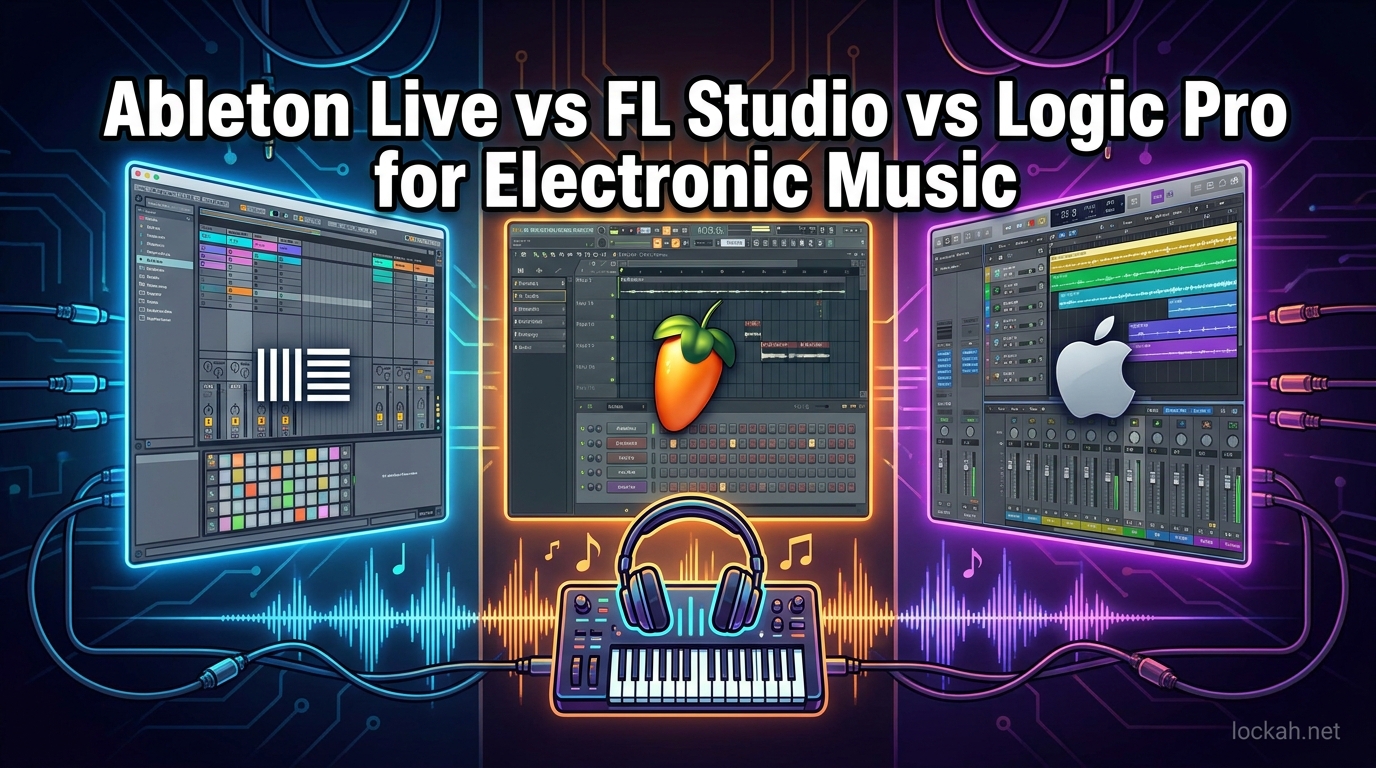
Choosing a digital audio workstation (DAW) for electronic music production feels like standing at a crossroads with three equally compelling paths. I spent the last six months testing Ableton Live, FL Studio, and Logic Pro on real projects-from techno tracks to hip-hop beats-to understand which software truly delivers for electronic music producers in 2026.
The truth is, all three DAWs can produce professional-quality electronic music. The difference lies in workflow philosophy, unique features, and how each program aligns with your creative process. Some producers swear by Ableton’s Session View for improvisation. Others cannot leave FL Studio’s pattern-based workflow behind. Mac users often find Logic Pro’s integration and stock plugins impossible to beat.
In this guide, you will learn exactly how each DAW approaches electronic music production, which genres each excels at, real pricing including long-term costs, and specific recommendations based on your experience level and musical goals.
Ableton Live vs FL Studio vs Logic Pro: At A Glance (2026)
Before diving into detailed analysis, here is a quick comparison of how these three DAWs stack up across key factors for electronic music production.
| Feature | Ableton Live 12 | FL Studio | Logic Pro 11 |
|---|---|---|---|
| Best For | Live performance, EDM, sound design | Beat making, hip-hop, beginners | Mac users, recording, film scoring |
| Workflow Style | Session/Arrangement dual view | Pattern-based channel rack | Traditional linear timeline |
| Starting Price | $99 (Intro) / $439 (Standard) | $99 (Fruity) / $199 (Producer) | $199 (one-time purchase) |
| Updates | Paid upgrades (every 2-3 years) | Lifetime free updates | Free updates (Mac only) |
| Platforms | Windows, Mac | Windows, Mac | Mac only |
| AI Features | Roar, MIDI generation | AI mastering, pattern generation | Session Players, stem separation |
| Learning Curve | Moderate | Gentle | Moderate |
| Live Performance | Excellent (industry standard) | Good (performance mode) | Fair (Live Loops added) |
Quick Verdict: Choose Ableton Live if you perform live or prioritize sound design and audio manipulation. Choose FL Studio if you make beats, want lifetime updates, or prefer a beginner-friendly pattern workflow. Choose Logic Pro if you are a Mac user who values premium stock plugins and one-time pricing.
What Is Ableton Live?
Ableton Live began in 2001 as a tool for live electronic music performance, which explains its unique dual-view design. Unlike traditional DAWs built around linear recording, Ableton introduced Session View-a grid-based interface where musical ideas exist as independent clips that can be triggered, looped, and combined in real time.
This clip-based approach transformed how electronic producers work. You can sketch eight different drum patterns, four basslines, and twelve synth ideas, then trigger combinations live to find arrangements that work. When inspiration strikes, you capture the performance into Arrangement View for fine-tuning.
For electronic music specifically, Ableton Live dominates the EDM and live performance space. Deadmau5, Skrillex, and Disclosure all rely on Ableton for both studio production and stage shows. The software’s warping engine remains unmatched for tempo-matching loops and creating complex time-stretching effects essential to modern electronic genres.
Key Features for Electronic Music
Session View enables non-linear composition perfect for electronic genres built on loops and variations. Producers can test combinations instantly without committing to a timeline.
Max for Live integrates Cycling 74’s visual programming environment directly into Ableton. This opens unlimited sound design possibilities through custom devices. Electronic producers use Max for Live to build unique synthesizers, effects, and MIDI processors unavailable anywhere else.
Warping and Time-Stretching allow real-time tempo manipulation without quality loss. The Complex Pro algorithm handles polyphonic material better than competitors, making it ideal for glitchy electronic effects and vocal processing.
Roar (added in Live 12) brings intelligent distortion and coloration with three saturation stages and internal routing. This fills a gap for aggressive electronic sounds without third-party plugins.
Ableton Live Pricing 2026
Ableton offers three editions at different price points. Intro costs $99 but limits you to 16 tracks and fewer instruments. Standard at $439 removes track limits and includes most instruments and effects. Suite at $749 adds Max for Live, additional synths like Operator and Wavetable, and comprehensive sample libraries.
Upgrades work differently than FL Studio. Ableton releases major versions every 2-3 years, and upgrades cost roughly 30-40% of full price. Over ten years, Ableton Standard users typically spend $600-700 total including one upgrade cycle.
What Is FL Studio?
FL Studio started in 1997 as FruityLoops, a simple drum machine program that evolved into a full digital audio workstation. Image-Line’s creation maintains its pattern-based DNA while growing into professional software used by Metro Boomin, Avicii, and Martin Garrix.
The pattern workflow defines FL Studio’s identity. Rather than recording linear tracks, you build patterns containing note data for different instruments. The Channel Rack holds your sound sources-samplers, synths, effects-each receiving pattern data independently. This modular approach feels like programming a drum machine expanded to full song production.
For electronic music, FL Studio dominates hip-hop and trap production but works equally well for house, techno, and EDM. The step sequencer makes building drum patterns intuitive, while the Piano Roll remains arguably the best MIDI editor among all DAWs for drawing complex melodies and chord progressions.
Key Features for Electronic Music
The Channel Rack and Step Sequencer provide immediate beat creation. Load a kick, snare, hi-hat, and clap into the rack, then click steps in the sequencer to build patterns in seconds. This speed makes FL Studio ideal for producers who want ideas captured fast.
The Piano Roll offers advanced features like chord stamping, arpeggiation tools, and scale highlighting that speed up melody writing. The slide and portamento controls for 808s created the signature glide effects defining modern trap music.
Flex provides real-time pitch-shifting and time-stretching comparable to Ableton’s warping. Combined with NewTime for slicing and NewTone for pitch correction, FL Studio handles audio manipulation without external tools.
Lifetime Free Updates represent FL Studio’s most compelling value proposition. Purchase any edition once and receive every future update forever. Users who bought Fruity Edition in 2010 run the 2026 version with all modern features at no extra cost.
FL Studio Pricing 2026
Four editions exist with clear upgrade paths. Fruity Edition at $99 provides full workflow but excludes audio recording and some advanced plugins. Producer Edition at $199 adds audio recording, Edison audio editor, and additional instruments. Signature Bundle at $299 includes more synths and effects. All Plugins Edition at $499 contains every Image-Line plugin including Sytrus, Harmor, and gross Beat.
The lifetime update policy means your initial purchase represents your total lifetime investment. Over ten years, FL Studio costs half or less compared to competitors requiring paid upgrades.
What Is Logic Pro?
Logic Pro began as Notator Logic in the 1980s, eventually becoming Apple’s flagship professional DAW exclusively for Mac. The software combines comprehensive recording capabilities with electronic production tools, serving producers like Calvin Harris, Disclosure, and numerous film composers.
Logic Pro follows a traditional linear timeline workflow but incorporates modern features for electronic music. The latest Logic Pro 11 introduces significant AI-powered tools that shift its position in the electronic music landscape. Session Players generate automatic bass and keyboard parts. Stem Splitter extracts individual elements from mixed audio files. These features reduce setup time and accelerate creative workflows.
For electronic producers using Mac computers, Logic Pro offers unmatched value. The stock plugin collection includes professional-grade synthesizers, samplers, and effects that would cost hundreds as third-party purchases. The integration with Apple Silicon processors delivers exceptional performance for complex projects.
Key Features for Electronic Music
Session Players use AI to generate intelligent bass and keyboard accompaniments based on your chord progressions. For electronic producers, this speeds up sketching song foundations before replacing AI parts with custom sounds.
Stem Splitter separates mixed audio into drums, bass, vocals, and other instruments using machine learning. Remixers and mashup artists extract acapellas or drum breaks from finished tracks without source files.
ChromaGlow adds sophisticated saturation modeled after premium hardware. The different coloration styles suit electronic genres from warm analog house to aggressive industrial techno.
Live Loops brings Ableton-style clip launching to Logic Pro. While less developed than Session View, it enables improvisation and live performance without switching DAWs.
Alchemy remains one of the most powerful software synthesizers included with any DAW. This hybrid sampler-synthesis engine creates everything from realistic instruments to evolving electronic textures.
Logic Pro Pricing 2026
Logic Pro costs $199 as a one-time purchase through the Mac App Store. All updates arrive free, meaning the initial purchase covers you indefinitely. Over ten years, Logic Pro costs significantly less than Ableton while offering comparable professional capabilities.
The catch is Mac exclusivity. Windows users cannot access Logic Pro regardless of preference. Mac users gain additional value through seamless integration with GarageBand projects, Apple Loops library, and ecosystem features like iPad Remote.
Workflow Comparison: Session vs Pattern vs Linear (2026)
Understanding workflow differences helps identify which DAW matches your creative style. Each program embodies a distinct philosophy about how music should be created.
Ableton Live: The Performance Workspace
Ableton’s Session View treats musical ideas as modular building blocks. Create a drum loop, bassline, and synth chord progression as separate clips. Trigger any combination to audition arrangements instantly. This non-linear approach suits electronic music built on repetition and variation.
When you discover combinations that work, record the trigger pattern into Arrangement View. Now you are working linearly, fine-tuning automation and adding transitions. The dual-view system bridges improvisation and detailed editing.
Electronic producers benefit from this flexibility. Build a techno track by testing different drum variations against your main synth sequence. Try multiple bassline options against a house groove without stopping playback. The workflow encourages experimentation that often sparks creative breakthroughs.
FL Studio: The Pattern Constructor
FL Studio organizes music through patterns assigned to instruments in the Channel Rack. Pattern 1 might contain a drum beat. Pattern 2 adds a bassline. Pattern 3 introduces chords. The Playlist arranges these patterns into song structure through simple placement and repetition.
This approach mirrors how drum machines and early sequencers worked, making it intuitive for beat-driven music. Hip-hop producers particularly appreciate building drum variations as separate patterns, then triggering them through the song.
The Piano Roll depth distinguishes FL Studio for melodic work. Advanced quantization options, slide notes for 808 glides, and chord generation tools speed up complex programming. Many producers compose entirely in the Piano Roll before touching audio recording.
Logic Pro: The Linear Professional
Logic Pro follows traditional recording studio workflow. Tracks run horizontally across the timeline. Regions contain audio or MIDI data arranged sequentially. This linear approach suits producers who think in song sections and clear arrangement structures.
Recent updates add non-linear options through Live Loops, but the core identity remains linear. Electronic producers coming from hardware sequencers or traditional recording find this familiar. Those wanting improvisation switch to Live Loops mode or use Logic for post-production after sketching elsewhere.
Stock Plugins and Instruments Comparison
Built-in sound sources significantly impact electronic music production. While third-party plugins expand any DAW, stock options determine your starting capability and ongoing costs.
Ableton Live: Quality Over Quantity
Ableton’s instrument selection focuses on deep, flexible tools rather than extensive libraries. Wavetable delivers modern wavetable synthesis with intuitive modulation. Operator provides FM synthesis for classic digital sounds. Sampler handles multisampling with advanced modulation.
Audio effects distinguish Ableton for electronic work. The reverb and delay algorithms create spacious, modern sounds. Dynamic processors like Glue Compressor model analog behavior. MIDI effects enable creative note manipulation before sound generation.
Suite owners gain Max for Live instruments adding granular synthesis, spectral processing, and experimental tools. These unique sound design options justify Suite pricing for serious electronic producers.
FL Studio: Comprehensive Coverage
FL Studio includes more stock instruments than competitors. Sytrus provides FM, subtractive, and additive synthesis. Harmor performs image-based additive resynthesis unique among stock tools. Gross Beat creates stutter and time-based effects essential to electronic genres.
Effects cover all standard needs plus creative options. Maximus multiband maximizer competes with premium third-party mastering tools. Parametric EQ 2 includes real-time spectral analysis. The extensive effect library reduces immediate need for external purchases.
Higher editions add more plugins, but even Producer Edition provides sufficient tools for complete electronic productions without additional spending.
Logic Pro: Premium Everything
Logic Pro arguably offers the best stock plugin collection of any DAW. Alchemy alone provides multiple synthesis types, sampling, and extensive modulation. Sculpture models physical instruments for unique acoustic-electronic hybrid sounds. Retro Synth covers classic analog and digital emulations.
Effects match professional hardware. ChromaVerb provides multiple reverb algorithms. Space Designer convolution reverb uses real acoustic spaces. The Channel EQ includes real-time frequency analysis. For electronic producers, every tool needed for production and mastering exists within Logic.
This comprehensiveness means new producers can delay third-party plugin purchases significantly longer than with other DAWs, offsetting the initial cost difference.
AI Integration Comparison 2026
Artificial intelligence features increasingly influence DAW selection. All three programs now incorporate machine learning, but approaches differ significantly.
Ableton Live 12 introduces AI-powered MIDI generation and intelligent audio processing. The software can suggest chord progressions, generate variations on existing patterns, and process audio with context-aware algorithms. Roar uses machine learning for intelligent saturation decisions.
FL Studio implements AI through pattern generation and mastering assistance. The software suggests drum patterns based on genre analysis and provides AI-assisted mastering through integration with cloud services. Image-Line continues expanding these features through regular free updates.
Logic Pro 11 leads in comprehensive AI integration. Session Players generate complete instrumental performances from chord charts. Stem Splitter uses machine learning to unmix finished recordings. These tools specifically benefit electronic producers working with samples and creating remixes.
For producers prioritizing AI assistance, Logic Pro currently offers the most integrated experience. Ableton provides stronger creative AI for generation, while FL Studio focuses on workflow acceleration through intelligent suggestions.
Genre-Specific Recommendations
Electronic music encompasses diverse subgenres with different production priorities. Each DAW excels in specific areas.
Best DAW for EDM and Festival Music
Ableton Live dominates EDM production for good reason. The Session View workflow suits building festival-ready tracks through loop combination and variation. Warping handles vocal chops and sample manipulation that defines modern EDM. Integration with Ableton Push hardware creates tactile production experiences.
Professional EDM producers predominantly choose Ableton. The ecosystem of tutorials, templates, and artist resources centers on Ableton workflows. If your goal is mainstage-ready electronic music, Ableton Live provides the most direct path.
Best DAW for Techno and House
Techno and house production benefit from loop-based workflows common to all three DAWs. Ableton excels for live performance integration often part of DJ-producer careers. FL Studio handles the repetitive drum programming defining four-on-the-floor genres efficiently.
Logic Pro suits producers incorporating analog hardware, as its MIDI implementation and external instrument handling work seamlessly with drum machines and synthesizers common in techno production.
Consider Ableton if you perform live. Choose FL Studio for pure studio production efficiency. Select Logic Pro if you integrate external hardware extensively.
Best DAW for Hip-Hop and Trap
FL Studio owns hip-hop production culture. The pattern-based workflow mirrors how drum machines shaped the genre. The Piano Roll’s slide note feature created the signature 808 glide defining modern trap. Metro Boomin, 808 Mafia, and countless hip-hop producers build hits in FL Studio.
The speed of beat creation in FL Studio outpaces competitors for this genre. Load a drum kit, program patterns in the step sequencer, draw a melody in the Piano Roll, and arrange in the Playlist within minutes. This rapid workflow suits the high-volume production pace common in hip-hop.
While Ableton and Logic can produce hip-hop, FL Studio’s cultural presence and workflow optimization make it the clear choice for beat makers.
Best DAW for Beginners
FL Studio offers the gentlest learning curve for electronic music newcomers. The pattern-based workflow feels immediate-you see results clicking in the step sequencer without understanding complex recording concepts. Extensive free tutorials and a helpful community reduce frustration.
Logic Pro provides excellent value for Mac-owning beginners. The comprehensive stock plugins mean less additional spending. The interface follows familiar Mac design patterns. GarageBand graduates transition naturally into Logic’s expanded feature set.
Ableton Live challenges beginners more than alternatives. The Session View concept requires mental adjustment from traditional software. However, producers committed to live performance or specific electronic genres may accept the steeper learning curve for long-term benefits.
Pricing and Value Analysis 2026
Understanding true costs beyond sticker prices helps informed decisions. Here is the complete pricing breakdown including long-term ownership.
| DAW | Entry Price | Professional Tier | 10-Year Cost | Update Policy |
|---|---|---|---|---|
| Ableton Live | $99 (Intro) | $439 (Standard) | $600-700 | Paid upgrades |
| FL Studio | $99 (Fruity) | $199 (Producer) | $199 | Lifetime free |
| Logic Pro | $199 (Full) | $199 (Full) | $199 | Free updates |
FL Studio delivers unmatched long-term value through lifetime updates. A Producer Edition purchase in 2026 provides all updates through 2036 and beyond at no additional cost. This policy saves hundreds compared to competitors requiring paid upgrades.
Logic Pro offers exceptional immediate value for Mac users. The $199 purchase includes professional features competitors charge significantly more for. Free updates maintain this value over time.
Ableton Live costs more initially and over time. Upgrade cycles every 2-3 years add substantial expense. However, for producers prioritizing Session View, Max for Live, or specific workflows, the cost represents necessary investment rather than optional spending.
Platform Compatibility and Performance
Your computer platform influences DAW choice significantly, particularly with Logic Pro’s Mac exclusivity.
Ableton Live and FL Studio both support Windows and Mac equally. Cross-platform projects transfer between operating systems seamlessly. This flexibility benefits producers using multiple computers or collaborating across platforms.
Logic Pro requires macOS. Windows users cannot access Logic Pro regardless of preference. Mac users gain additional benefits through Apple Silicon optimization, delivering exceptional performance on M1, M2, and M3 processors.
CPU efficiency varies by project type. FL Studio generally handles large track counts efficiently through its mixer architecture. Ableton’s warping and time-stretching consume more resources but deliver superior audio quality. Logic Pro optimizes exceptionally well for Apple Silicon Macs, often outperforming alternatives on equivalent hardware.
Ableton Live vs FL Studio vs Logic Pro: Which Should You Choose?
After testing all three DAWs extensively across multiple electronic music projects, here are my specific recommendations for different producer profiles.
Choose Ableton Live If:
You perform live or plan to. Session View remains unmatched for stage use. You prioritize sound design and audio manipulation in your productions. The warping engine and Max for Live integration matter for your creative goals. You work primarily in EDM, techno, or experimental electronic genres. Budget allows for higher initial investment and upgrade costs.
Choose FL Studio If:
You produce hip-hop, trap, or beat-driven electronic music. The pattern workflow matches how you think about rhythm. You want maximum value with lifetime updates. Budget considerations matter-you want professional capabilities at lowest long-term cost. You prefer gentle learning curves and immediate results. The Piano Roll’s advanced features appeal to your melodic writing style.
Choose Logic Pro If:
You own a Mac and prefer ecosystem integration. Premium stock plugins reduce your need for third-party purchases. You value AI features like Session Players and Stem Splitter. You work across genres including electronic, recording, and composition. One-time pricing with free updates appeals to your purchasing preferences. You occasionally perform live but prioritize studio production.
Frequently Asked Questions
Is Ableton Live better than Logic Pro for electronic music?
Ableton Live generally suits electronic music better than Logic Pro due to Session View for improvisation, superior warping and time-stretching, and Max for Live integration. However, Logic Pro’s AI features and stock plugins make it excellent for Mac users. The best choice depends on whether you prioritize live performance workflow (Ableton) or comprehensive production tools (Logic Pro).
Is FL or Ableton better for electronic music?
Ableton excels for EDM and live performance with its Session View and audio manipulation tools. FL Studio dominates hip-hop and trap production through its pattern workflow and superior Piano Roll. For pure electronic music production, Ableton offers more specialized features, while FL Studio provides better value with lifetime updates. Genre focus should guide your decision.
What is the best DAW for making electronic music?
The best DAW for electronic music depends on your specific needs. Ableton Live leads for EDM and live performance. FL Studio excels for beat-making and hip-hop. Logic Pro offers unmatched value for Mac users. All three produce professional results. Your workflow preference, budget, and platform determine the optimal choice rather than absolute superiority.
Is Logic Pro better than FL Studio and Ableton?
Logic Pro is not objectively better than FL Studio or Ableton, but it excels in specific areas. It offers superior stock plugins, AI-powered Session Players, and the best value for Mac users. However, Ableton’s Session View and FL Studio’s pattern workflow suit electronic music production differently. Logic Pro’s Mac exclusivity also limits accessibility compared to cross-platform alternatives.
Which DAW do professional electronic music producers use?
Professional electronic producers use all three DAWs depending on genre and workflow. EDM artists like Deadmau5 and Skrillex predominantly use Ableton Live. Hip-hop producers including Metro Boomin favor FL Studio. Artists like Calvin Harris and Disclosure work in Logic Pro. Many professionals use multiple DAWs for different project phases. The common factor is mastery of chosen tools rather than specific software selection.
Can I make professional music with FL Studio?
Yes, FL Studio produces professional-quality music used in chart-topping releases. Metro Boomin, Avicii, Martin Garrix, and countless successful artists created hits in FL Studio. The software includes professional mixing, mastering, and export capabilities matching any competitor. Workflow preferences, not capability limitations, should determine DAW selection. FL Studio’s pattern-based approach suits many electronic genres exceptionally well.
Final Verdict: Ableton Live vs FL Studio vs Logic Pro for Electronic Music
After six months of real project testing, the answer to which DAW wins depends entirely on your specific situation. Ableton Live vs FL Studio vs Logic Pro for electronic music is not a competition with one winner-it is a selection process matching tools to creators.
Choose Ableton Live if you prioritize live performance, EDM production, or sound design experimentation. The Session View workflow and Max for Live integration justify the higher cost for dedicated electronic producers. Accept that you will pay more over time through upgrades.
Choose FL Studio if you make hip-hop, want lifetime value, or prefer pattern-based workflows. The software delivers professional capabilities at unmatched long-term pricing. The Piano Roll and step sequencer remain best-in-class for beat creation.
Choose Logic Pro if you are a Mac user wanting premium stock plugins and AI assistance. The $199 price with free updates represents exceptional value. Session Players and Stem Splitter accelerate workflows specifically useful for electronic production.
All three DAWs offer trial versions. Download each, spend a week creating music, and trust your experience over any recommendation. The best DAW is the one that disappears during creative flow, leaving only you and your music.