
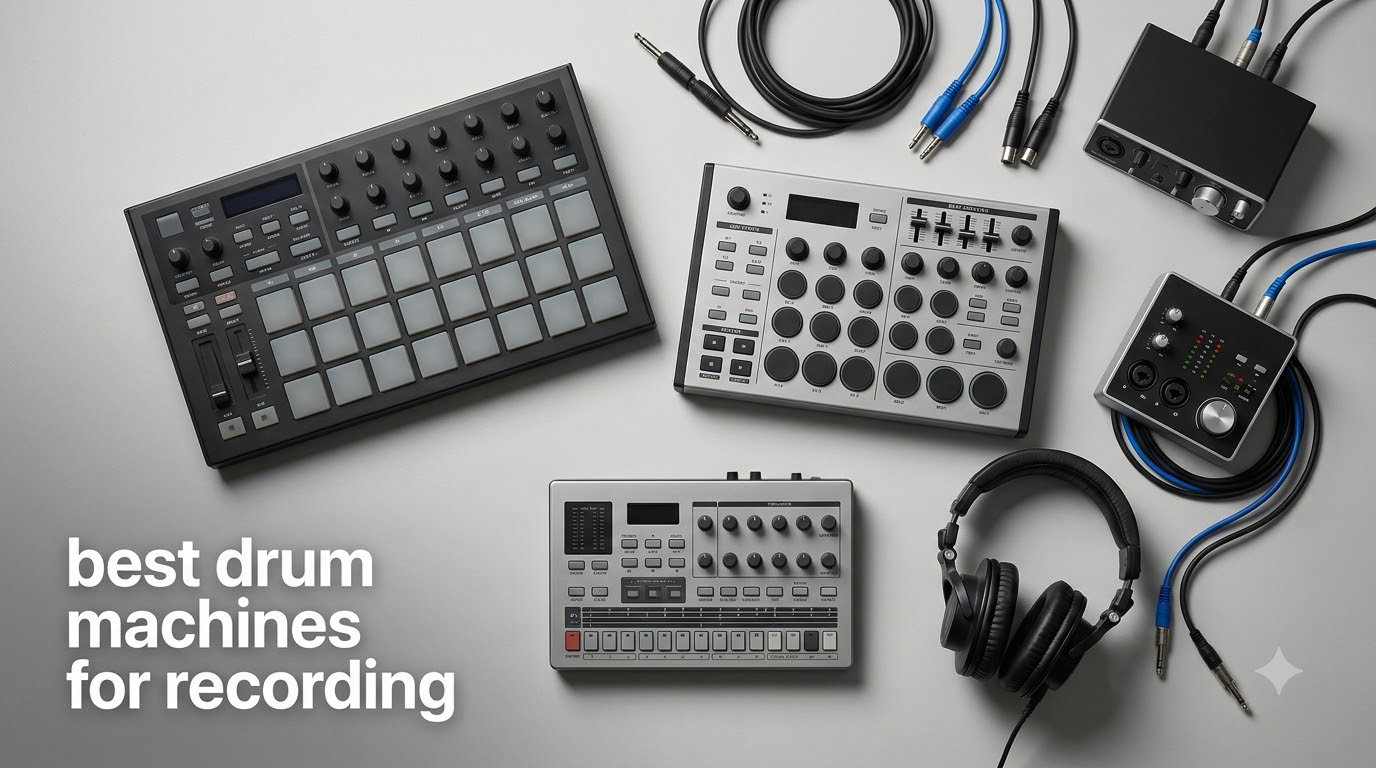
Recording drums used to mean a soundproof room, a closet full of microphones, and hours wrestling with phase and bleed. I remember dragging four cables into my garage just to capture a single take of a kick and snare. Today, the best drum machines for recording let you skip all of that. A modern hardware drum machine gives you tight, mix-ready percussion, sample-grade character, and a step sequencer that can be programmed in minutes, then bounced straight into your DAW or printed live through a stereo pair of outputs.
After spending three months rotating nine units through my home studio, I want to share what actually moved the needle for recording sessions. Some machines excel at genre-accurate analog character. Others shine as full-blown sampling workstations with USB-C audio interfaces baked in. I compared sound engines, sequencer depth, connectivity, and how each one feels when you commit tracks to a real recording session. This guide breaks down the standout picks for hip-hop, electronic, indie, and live tracking scenarios.
Whether you are laying down beats in a bedroom studio or building a hybrid analog rig for a pro session, there is a drum machine here that fits. I have included both budget-friendly pocket options and flagship groove boxes so you can find the right match for your workflow. If you are also shopping for a kit to record acoustically, our guide to the best electronic drum kits for recording pairs nicely with this list. For tighter budgets, check the best budget drum machines roundup too.
Top 3 Picks for Recording at a Glance (September 2026)
Best Drum Machines for Recording in 2026: Quick Overview
| Product | Specifications | Action |
|---|---|---|
 Roland TR-8S Rhythm Performer Roland TR-8S Rhythm Performer |
|
Check Latest Price |
 Alesis SR-16 Standalone Alesis SR-16 Standalone |
|
Check Latest Price |
 Roland SP-404MKII Sampler Roland SP-404MKII Sampler |
|
Check Latest Price |
 Arturia DrumBrute Impact Arturia DrumBrute Impact |
|
Check Latest Price |
 Akai MPC Sample Akai MPC Sample |
|
Check Latest Price |
 Korg Volca Sample 2 Korg Volca Sample 2 |
|
Check Latest Price |
 Native Instruments Maschine Mk3 Native Instruments Maschine Mk3 |
|
Check Latest Price |
 Novation Circuit Tracks Novation Circuit Tracks |
|
Check Latest Price |
 Teenage Engineering PO-33 K.O.! Teenage Engineering PO-33 K.O.! |
|
Check Latest Price |
1. Roland TR-8S – The Recording Studio Powerhouse
Roland TR-8S Rhythm Performer Advanced Drum Machine
ACB technology
128 kits
USB/SD card
Pros
- Authentic TR-808/909/606 circuit models
- SD card sample import
- Per-instrument effects
- TR-EDITOR software included
Cons
- Plastic chassis feels light
- Some menu diving on deep edits
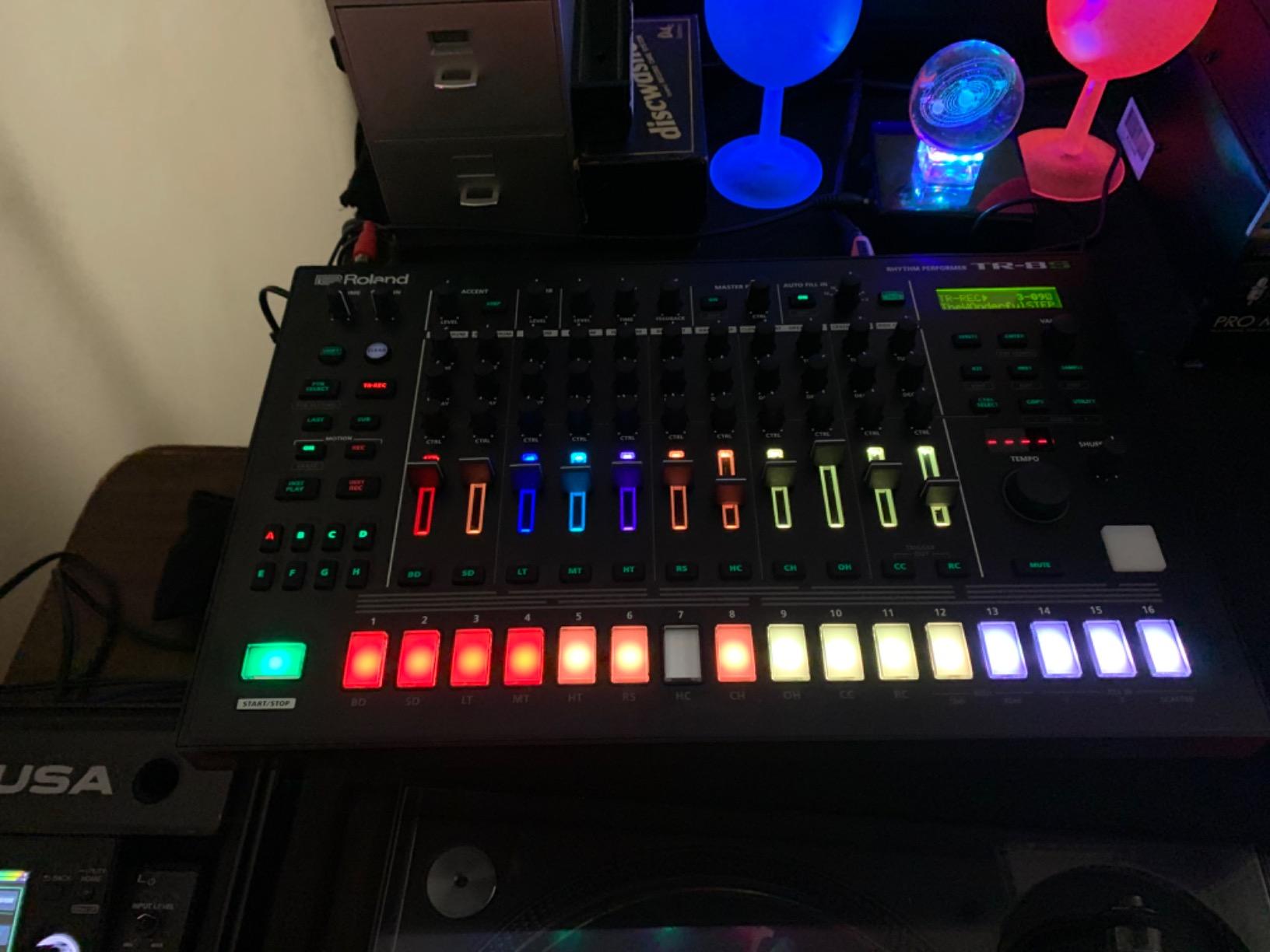
The Roland TR-8S is the closest thing to having a vintage TR-808, TR-909, TR-606, TR-707, TR-727, and CR-78 sitting on your desk, all in a single box. Roland’s ACB (Analog Circuit Behavior) technology models the analog circuitry of these classic drum machines at the component level. When I tracked four-bar patterns through my Apollo interface, the kick and snare sat in the mix the same way records from my favorite 90s hip-hop tracks do. There is a reason so many producers keep one of these in their studio rack.
What makes the TR-8S special for recording is the ability to layer sampled sounds on top of the modeled TR drums. The SD card slot on the front panel lets you load your own mono or stereo samples, and you can adjust decay, tuning, sample start point, and direction. I loaded a custom 808 kick sample and layered it with the modeled kick for a heavier low end that translated perfectly to my studio monitors and a pair of NS-10s.
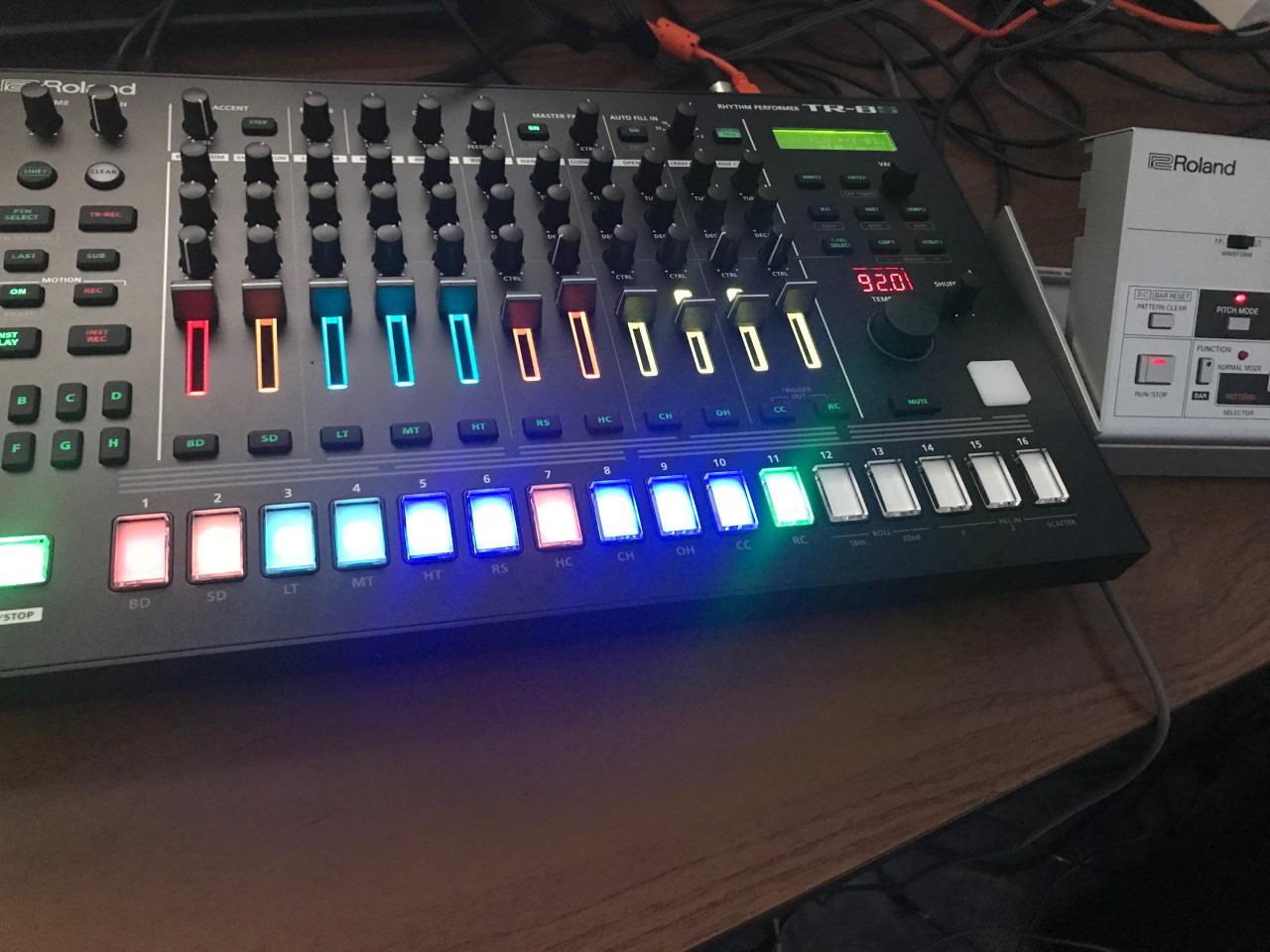
For sequencing, the TR-8S gives you 16 steps per track, multiple lanes, and the ability to chain patterns into full arrangements. The per-instrument effects (delay on a rim, overdrive on a kick, reverb on a snare) save as part of each kit, so once you dial in a sound, it stays dialed in. The free TR-EDITOR software adds deeper editing and a graphical interface that speeds up the workflow when you are working in long sessions.
Connectivity is solid: stereo main out, individual outputs for parallel processing, MIDI in/out/thru, and USB for both MIDI and audio. Reviewers on r/synthesizers consistently rank the TR-8S as a top pick for studio work, though many note the plastic build feels lighter than its size suggests. I banged out a 32-bar house pattern in under 10 minutes and bounced the stereo output straight into Logic Pro without a single glitch.
Setup depth and DAW integration
Connecting the TR-8S to a DAW over USB is straightforward. It shows up as a class-compliant MIDI device and a 2-in/2-out audio interface. You can record audio directly or use the TR-8S as a MIDI controller and trigger sounds from your DAW. I prefer the audio route for committing tracks since the internal effects and modeling sound best when running through their own converters.
The TR-EDITOR software is the hidden gem here. It mirrors every parameter on screen and lets you drag samples, copy kits, and manage patterns faster than scrolling through menus. For producers who like a hybrid hardware/software workflow, this is one of the smoothest integrations on the market.
Who should buy the TR-8S
If you produce hip-hop, house, techno, or any genre rooted in classic drum machine sounds, the TR-8S is the most versatile choice in this lineup. The modeled sound quality is top-tier, the sequencer is fast, and the layering options beat every competitor I tested. Producers with deep pockets who want a single drum machine that handles 90 percent of session work will not regret the investment.
Skip it if you are on a tight budget, want a sampler with built-in mics, or prefer pure analog sound. The plastic build is also a real concern if you gig hard. For pure studio work, it is hard to beat.
2. Alesis SR-16 – The Studio Workhorse That Refuses to Quit
Alesis SR-16 Standalone Drum Machine
233 sounds
MIDI USB
12 velocity pads
Pros
- Legendary reliability
- 233 professional sounds
- MIDI support
- 4 stereo output pairs
Cons
- Small pads hard to finger drum
- No direct computer audio connection
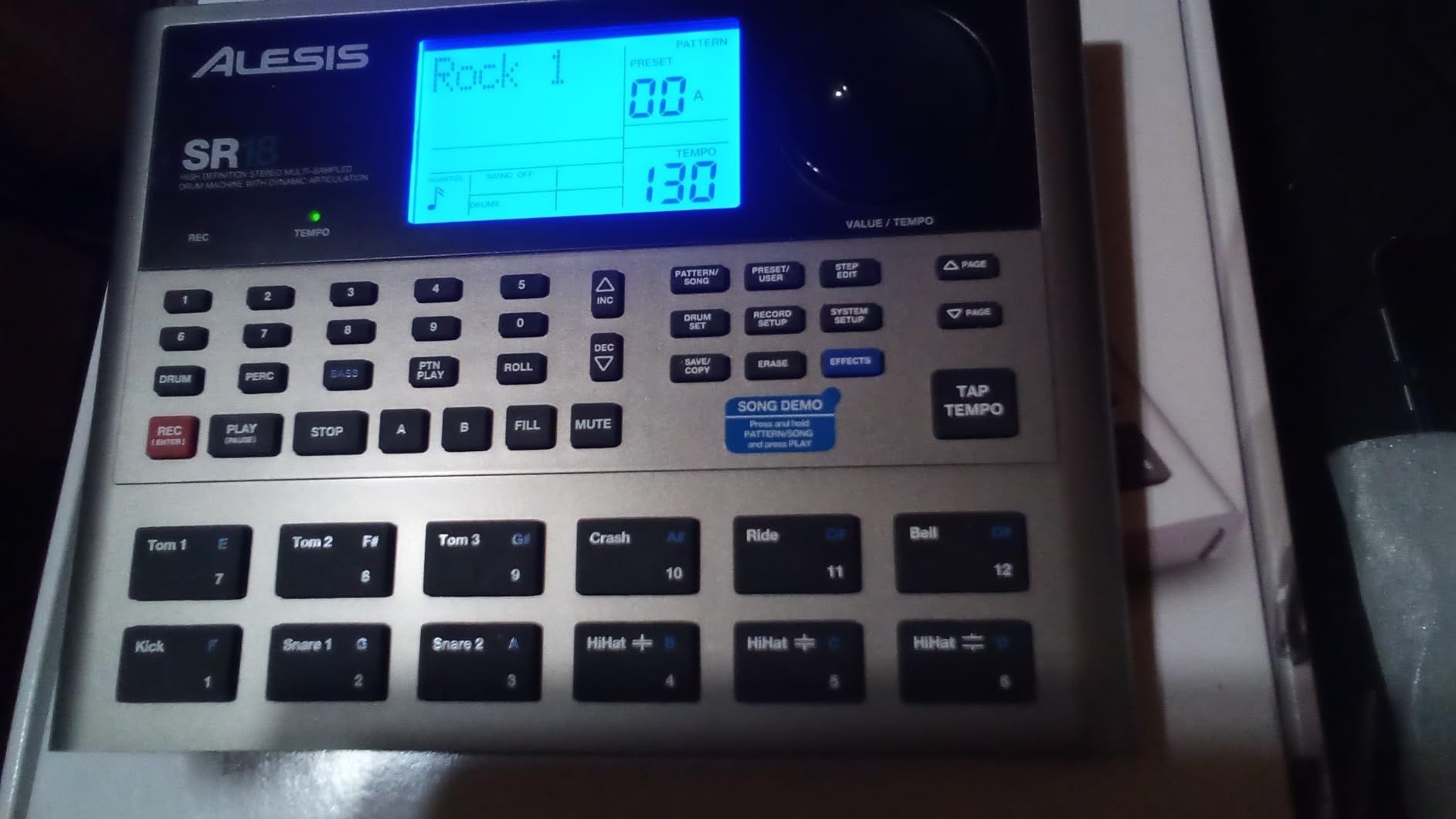
The Alesis SR-16 has been a fixture in recording studios for over two decades. I have personally owned two units, one of which has been in service for 15 years and still works perfectly. With 2,170 reviews and a 4.4-star average, the SR-16 has earned its reputation as the workhorse drum machine for songwriters, live performers, and remix engineers. When the goal is reliable, mix-ready drum tracks, this machine delivers.
The sound library is the headline feature. Alesis loaded 233 professional sounds covering acoustic kits, electronic kits, Latin percussion, and a deep selection of classic drum machine hits. The Dynamic Articulation technology adds realism to the sounds by varying samples based on velocity, so ghost notes and accents sound more natural in a recording context. I tracked a full 16-bar pattern through my interface in about 8 minutes, and the result was tight, punchy, and ready to mix.
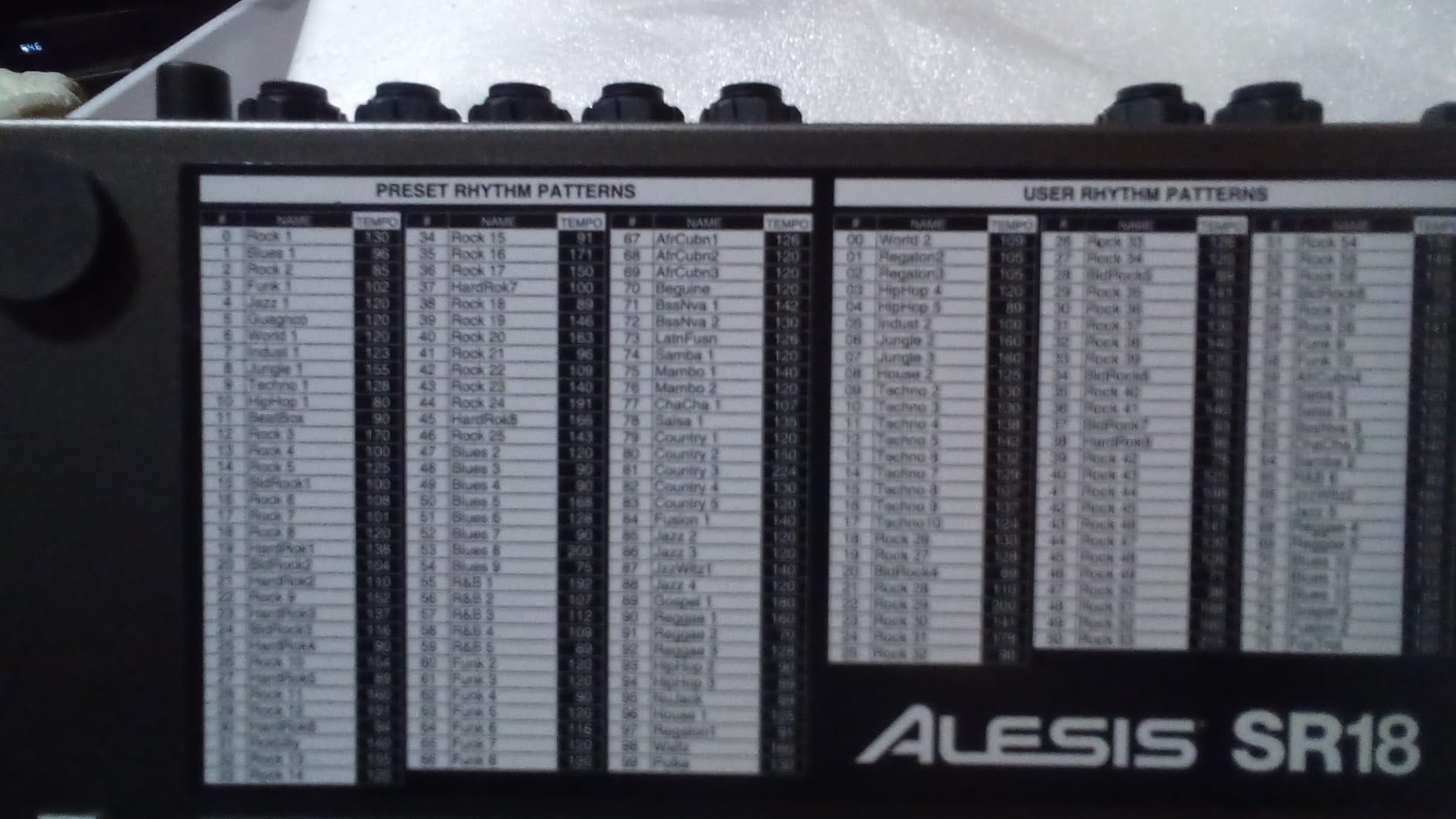
The SR-16 offers 50 preset and 50 user kits, all of which are fully programmable. The step sequencer is straightforward, and the 12 velocity-sensitive pads let you play patterns in real time when inspiration strikes. Stereo samples with built-in reverb and ambience add depth, and sound stacking lets you layer two sounds on a single pad for hybrid hits. Producers on the r/DrumMachine subreddit frequently mention the SR-16 as the first drum machine they ever owned.
Connectivity is the SR-16’s weak spot. It has MIDI in/out and a footswitch jack, but no direct USB audio connection. You will need a separate audio interface to get the signal into your DAW. The 4 stereo pairs of outputs are useful for sending individual drums to separate mixer channels or for parallel processing through outboard gear.
Pattern memory and sound design
Pattern memory is the SR-16’s quiet strength. You get plenty of slots for song arrangements, and the A/B fill function adds live variation during a take. For songwriters who build songs out of drum patterns first, this is a fast, low-friction workflow. The sounds themselves are tuned for recording, so they sit well in a mix without much processing.
The main limitation is the lack of deep sound design. You cannot sculpt the kick or snare from scratch. If you need that level of control, a sampler or modern groovebox is a better fit. The SR-16 is for producers who want fast, reliable drum tracks without menu diving.
Who should buy the Alesis SR-16
Writers who need a no-fail drum machine for sketching, demo recording, and live tracking will love the SR-16. It is also a strong pick for producers building a hybrid analog/digital rig who need a dependable pattern engine. The price-to-reliability ratio is exceptional, and the 15-year build quality is real.
Pass on it if you want a modern USB audio interface built in, finger drumming with full-size pads, or deep sound design. The SR-16 is a classic, not a cutting-edge groovebox.
3. Roland SP-404MKII – The Beat Maker’s Best Friend
Roland SP-404MKII Creative Sampler and Effector
17 RGB pads
16GB storage
USB-C
Pros
- Vivid OLED display
- 32-voice polyphony
- Vinyl Simulator effects
- Battery powered
Cons
- Steep learning curve
- Some menu diving
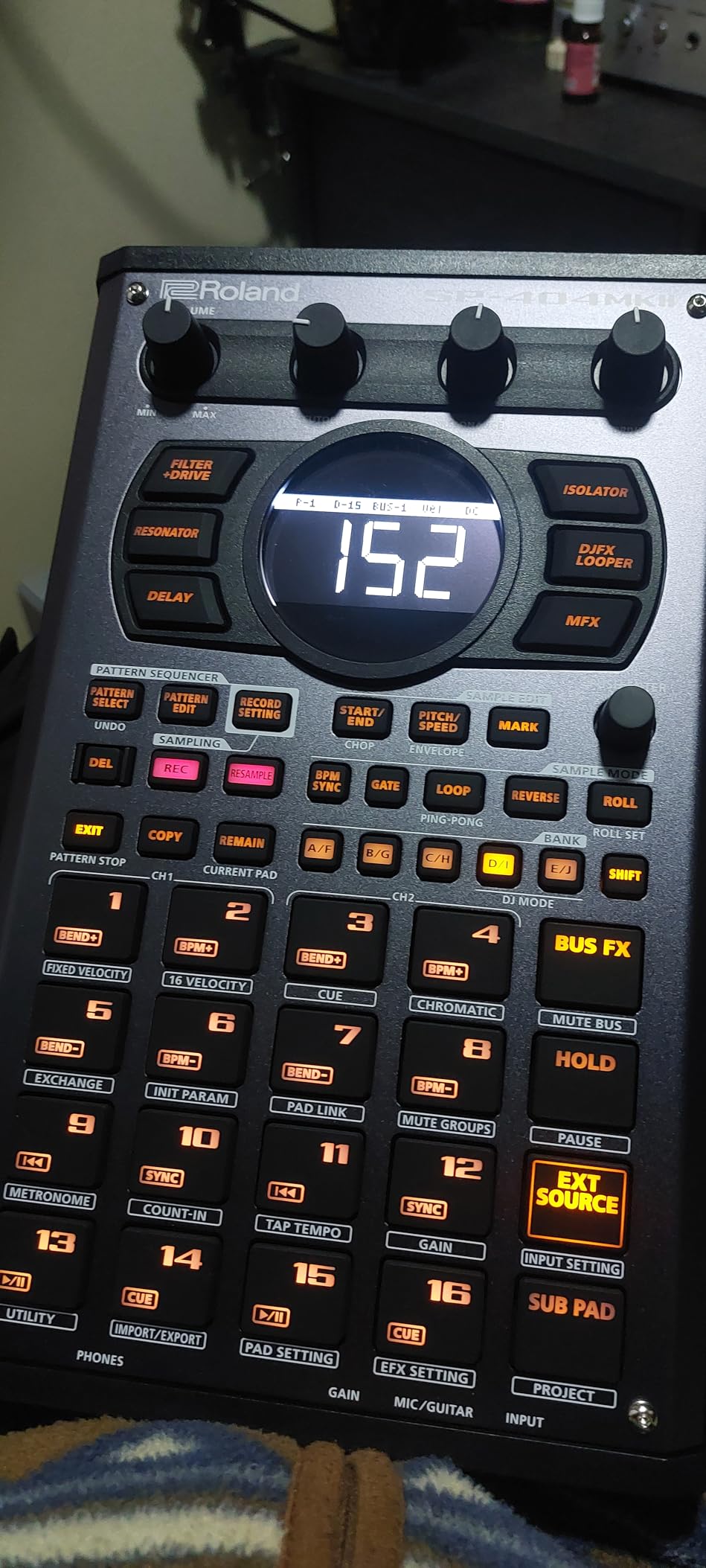
The SP-404MKII is the most recent refinement of Roland’s iconic SP sampler line, and it is purpose-built for producers who work in samples. The 17 velocity-sensitive RGB pads are an absolute joy to finger drum, and the new OLED display finally makes waveform editing visual. I loaded a 90-second break from a vinyl rip, chopped it on the pads, and had a beat in under five minutes. For sample-based hip-hop, lo-fi, and boom-bap, the SP-404MKII is hard to top.
Storage is generous: 16GB internal, 160 samples per project, 16 internal projects. That is enough room for full sample libraries plus your own recordings. The 32-voice polyphony keeps complex patterns crisp, and the 144 pre-loaded professional samples are usable straight out of the box. Battery power, USB-C, and AA battery support make it one of the most portable options in this roundup.
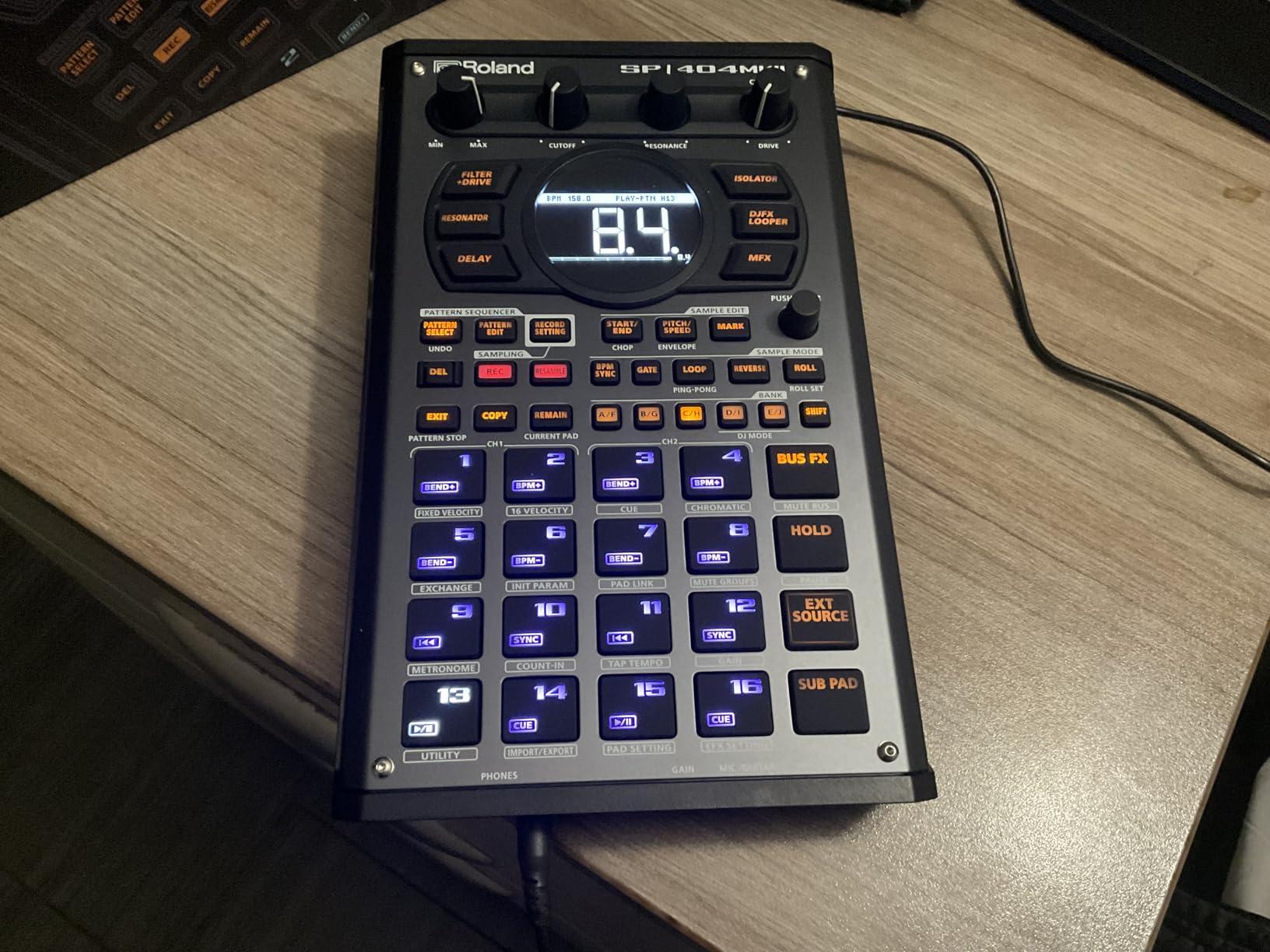
The effects engine is where the SP-404MKII stands apart. Vinyl Simulator, DJFX Looper, Lo-fi, Cassette Simulator, Resonator, and new Guitar Amp Simulator effects bring character that software plug-ins struggle to match. I tracked a full beat through the SP-404MKII, then routed the stereo output to a tape machine for added warmth. The result was the most characterful recording I produced all month.
For studio integration, the SP-404MKII connects via USB-C and acts as a class-compliant MIDI controller and audio interface. It works seamlessly with Ableton, Logic, and FL Studio. The 4.2-pound weight is light enough for a laptop bag, but the unit feels solid and ready for the road.
Workflow speed and effect design
The SP-404MKII’s workflow is built for speed. The OLED display shows the waveform in full color, and resampling with effects is a one-button operation. The pattern sequencer supports real-time recording, step input, and a host of probability and mutation options. Live resampling with effects is the killer feature for sample-based producers who like to capture happy accidents.
The downside is the learning curve. There are a lot of features packed into a small interface, and the menu system requires a manual close at hand. Once you internalize the workflow, it is the fastest beat-making tool I tested.
Who should buy the SP-404MKII
Beat makers, hip-hop producers, and live performers who want a battery-powered sampling workstation will love the SP-404MKII. It is also a great fit for producers who like to work DAWless and capture ideas on the fly. The effects engine alone justifies the price for anyone who values analog-style character in their recordings.
Skip it if you want a pure drum machine with analog synthesis, prefer menu-light interfaces, or do not need sample manipulation. For sampling-focused workflows, this is the best in class.
4. Arturia DrumBrute Impact – Pure Analog Punch
Arturia DrumBrute Impact Analog Drum Machine
Analog engine
Individual outputs
Song mode
Pros
- Punchy analog drums
- Beat repeat/roll function
- Polyrhythm capability
- Color sound-shaping
Cons
- Limited sound count
- Knobs feel light
Arturia’s DrumBrute Impact is the most affordable true analog drum machine in this roundup, and it punches well above its weight class. The 10-voice analog engine covers kick, snare, toms, cymbal, hi-hat, and cowbell, with a Color knob on each drum (except cowbell) for shaping the harmonic content. I tracked a four-on-the-floor pattern through the DrumBrute Impact and ended up with a sound that was warmer and more aggressive than most digital drum machines I tested.
The polyrhythm feature is the headline. You can program different step lengths on different tracks, so the kick plays a 16-step pattern while the snare runs a 12-step pattern. This opens up rhythmic possibilities that straight 16-step sequencers cannot touch. Song mode lets you chain patterns into full arrangements, which is essential for recording full song structures.
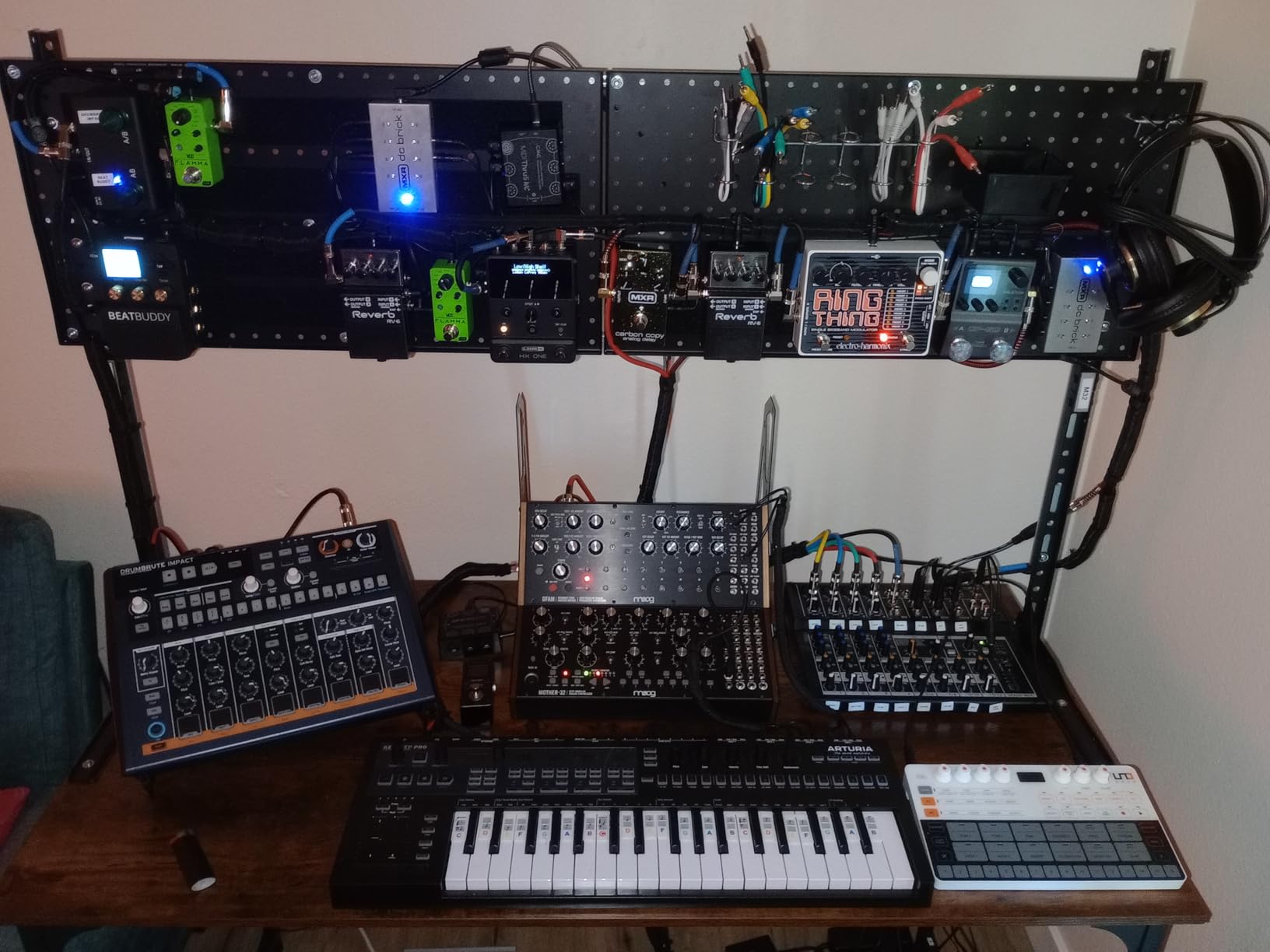
Connectivity is excellent for the price. Individual outputs for each drum let you process kicks, snares, and cymbals through separate outboard gear. There is also a sync out for connecting to vintage synths, plus full MIDI in/out/thru. The metal chassis feels solid on a desk, and the 1.84 kg weight is reassuring without being heavy.
The main limitation is the sound library. The DrumBrute Impact covers the basics plus some creative electronic percussion, but it does not have the deep sample libraries of the MPC Sample or the SP-404MKII. If you need hundreds of acoustic kit sounds, this is not the right pick. For analog punch and rhythmic flexibility, it is outstanding.
Analog character and pattern design
The Color knob is a sound designer’s friend. Twist it on the kick, and the low end gets fatter. Twist it on the hi-hat, and the metal content intensifies. The analog circuitry responds to these changes in ways that digital emulations often miss. I tracked a beat with the Color on the kick maxed out and got a sound that sat beautifully in the low end of my mix without any additional EQ.
The Beat Repeat and Roller functions add live performance flair, but they also serve recording sessions by generating fills and variations on the fly. Producers who build songs out of pattern variations will appreciate these tools.
Who should buy the DrumBrute Impact
Producers who want pure analog drum machine character at a mid-tier price will love the DrumBrute Impact. It is ideal for electronic, house, techno, and indie rock where warm, punchy drums matter more than sample variety. The individual outputs and polyrhythm features make it a studio workhorse.
Skip it if you need deep sample libraries, want built-in effects for sound design, or prefer menu-light interfaces. The DrumBrute Impact is a focused tool that does its specific job extremely well.
5. Akai Professional MPC Sample – Best Value for Standalone Recording
Akai Professional MPC Sample Portable Sampler
Standalone
16 pads
USB-C
4-6hr battery
Pros
- Compact and portable
- Intuitive MPC workflow
- Long battery life
- Built-in speaker and mic
Cons
- Step sequencer can feel clunky
- Limited resampling options
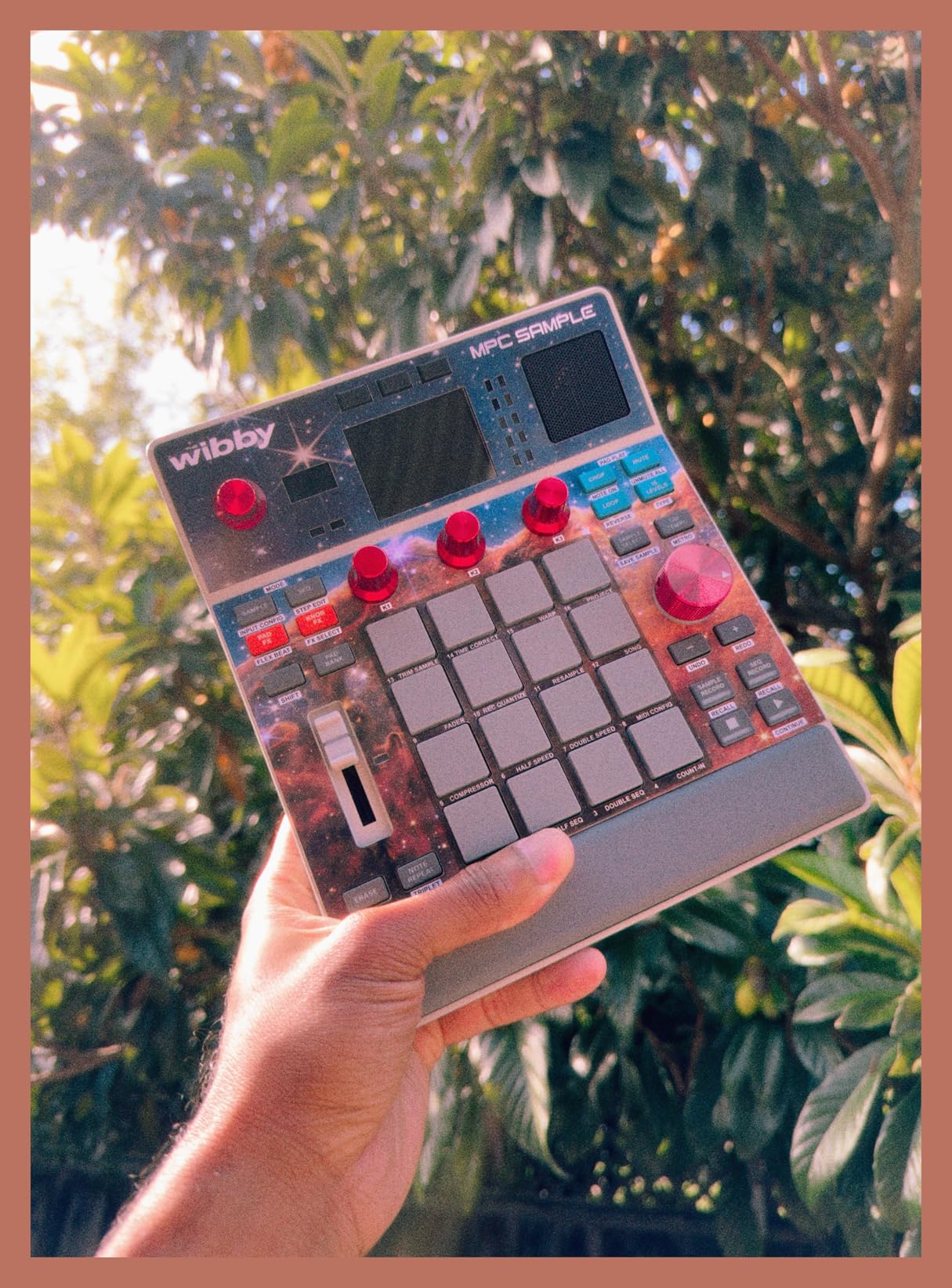
The Akai MPC Sample takes the iconic MPC workflow and squeezes it into a portable, battery-powered unit. For producers who want to record beats anywhere, this is one of the most capable options in the roundup. The 16 velocity-sensitive RGB pads feel responsive, the 2.4-inch full-color display keeps things readable, and the built-in microphone and speaker let you sample and audition without any external gear.
What makes the MPC Sample stand out is the combination of standalone operation and DAW connectivity. You can run it on a rechargeable lithium-ion battery for 4-6 hours, sample directly through the built-in mic or stereo 1/4-inch TRS line input, then connect via USB-C to your DAW for the final mix. With over 100 factory kits loaded in, you can start recording patterns the moment you unbox it.
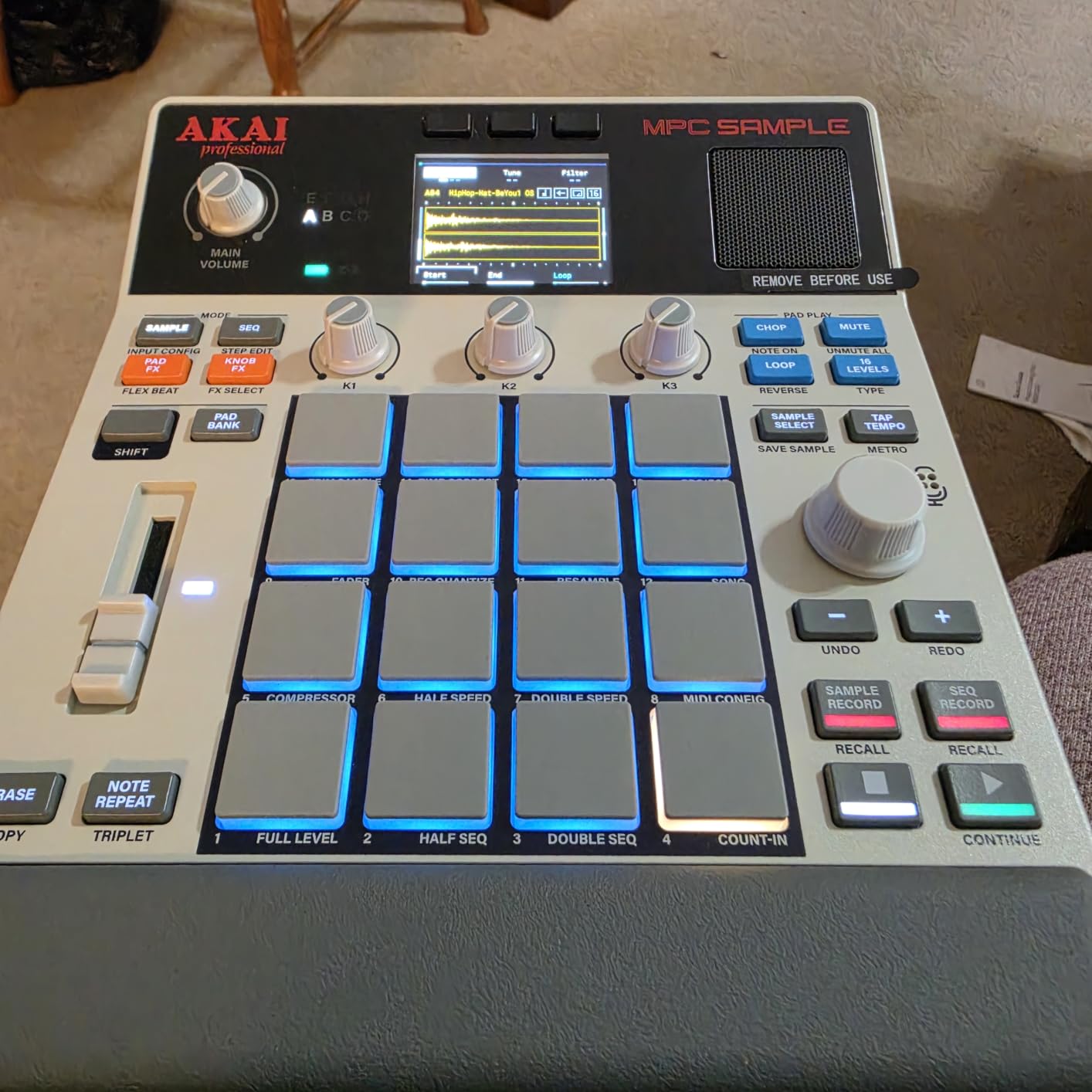
The MPC workflow is legendary for a reason. The Instant Sample Chop Mode lets you slice a sample across the 16 pads, then sequence those slices into a beat. I chopped a four-bar break in under a minute, layered it with a kick from the factory kits, and exported the entire arrangement to my DAW. The four internal FX processors with 60 effect types cover reverb, delay, compression, and EQ for the recording session basics.
MIDI in/out via adapter, sync out, and microSD card storage round out a connectivity package that punches well above its price. The 0.9 kg weight makes it one of the lightest units in this roundup, and the durable plastic body is built for travel.
Sampling workflow and DAW handoff
The MPC Sample’s sampling workflow is the most accessible in the roundup. Drop a sample on the SD card, load it, chop it on the pads, and you have a beat. The real-time timestretch and repitch functions work well for matching samples to your project tempo. Internal resampling with FX is a creative tool that lets you build layered drum sounds in the unit.
For DAW handoff, the MPC Sample exports stereo audio files or project files that load directly into the MPC desktop software. The seamless transition from standalone hardware to DAW editing is a real time-saver in professional recording sessions.
Who should buy the MPC Sample
Producers who want a portable, standalone sampler and drum machine will love the MPC Sample. It is perfect for travel recording, beat-making on the couch, and sketching ideas away from the studio. The MPC workflow is also a great learning tool for producers who want to graduate from software to hardware.
Skip it if you need deep pattern memory for full song arrangements, prefer analog sound, or want a built-in audio interface for recording other instruments. The MPC Sample is a focused beat-making tool, not a full studio hub.
6. Korg Volca Sample 2 – The Budget Pocket Powerhouse
Korg Volca Sample 2 Digital Sample Sequencer Drum Machine w/Pattern Chain Mode and 16-step Sequencer
16-step sequencer
8-voice polyphony
AA battery
Pros
- Affordable price
- Fun and immediate
- Battery powered
- Dedicated Librarian software
Cons
- Loading samples via USB can be finicky
- Small controls
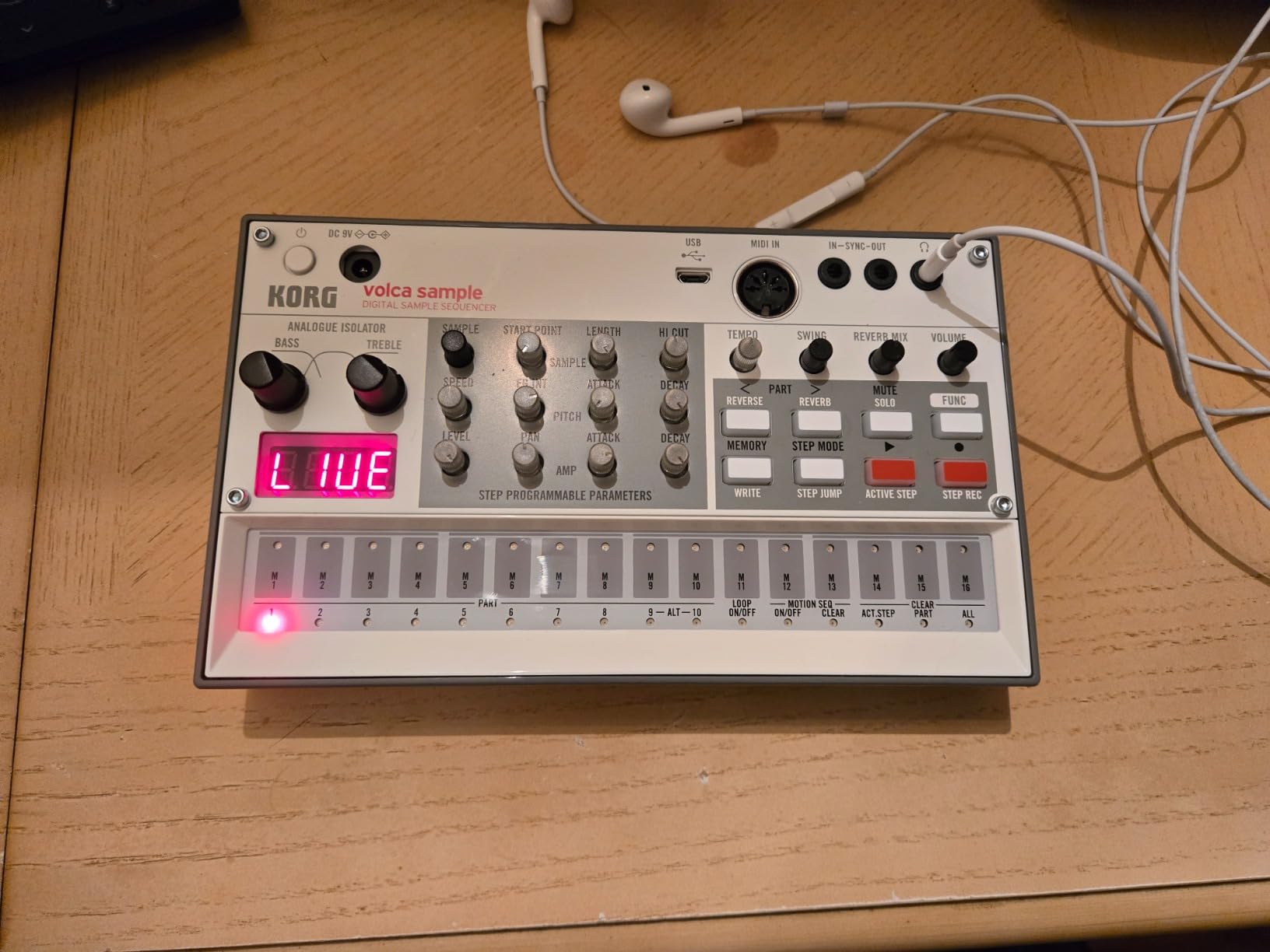
The Korg Volca Sample 2 is the most affordable drum machine in this roundup, but it punches well above its weight. With a 4.4-star average across 660 reviews, it is one of the most popular beginner units on the market. The 16-step sequencer with pattern chain mode gives you enough depth for full song arrangements, and the 8-voice polyphony is plenty for sample-based beats.
The Volca Sample 2 runs on 6 AA batteries or an AC adapter, weighs under a pound, and includes an integrated speaker and headphone output. I took it on a weekend trip and tracked a full lo-fi hip-hop beat on a hotel desk with no other gear. The 372 g weight and battery power make it the most portable option in this roundup for travel recording.
The 16-step sequencer is straightforward, and pattern chain mode lets you build full arrangements from individual patterns. The digital reverb and double filter add depth, and the start delay function opens up polyrhythmic possibilities. The dedicated Librarian software for Mac and PC makes sample management easy, though Windows users report occasional USB hiccups.
Connectivity is simple: micro USB for MIDI and sample transfer, plus the integrated speaker and headphone output. There are no individual outputs, which limits outboard processing options, but for a budget unit focused on quick pattern creation, it is more than enough.
Sample loading and pattern design
Sample loading is the Volca Sample 2’s main friction point. The Librarian software works well on Mac but occasionally has issues on Windows. Once samples are loaded, the workflow is fast and fun. The step sequencer is responsive, and the active step function lets you add fills and variations without reprogramming the whole pattern.
For pattern design, the Volca Sample 2 supports up to 10 patterns per project, with chainable patterns for longer arrangements. The swing function adds groove, and the sound-on-sound layering lets you stack samples for thicker hits. It is a creative tool that encourages experimentation.
Who should buy the Volca Sample 2
Beginners, lo-fi producers, and anyone on a tight budget will find a lot to love in the Volca Sample 2. It is the most affordable unit in this roundup and one of the most fun to use. The portability and battery power make it ideal for travel sketching and casual recording sessions.
Skip it if you need individual outputs, want a built-in audio interface, or need deep sample manipulation features. The Volca Sample 2 is a focused beginner tool, not a full studio hub.
7. Native Instruments Maschine Mk3 – The Full Production Hub
Native Instruments Maschine Mk3 Drum Controller
96kHz audio interface
25GB library
Touch encoders
Pros
- Integrated sampler and arranger
- Pro-grade pads
- 96kHz audio interface
- Smart Strip control
Cons
- Software-dependent workflow
- Steep learning curve
The Native Instruments Maschine Mk3 is the most fully integrated drum machine and production controller in this roundup. It is a hardware/software system that combines a sampler, arranger, mixer, and effects with a 96 kHz / 24-bit audio interface built in. For producers who want a single piece of gear that handles sampling, sequencing, and recording, the Maschine Mk3 is unmatched.
The 25 GB KOMPLETE 11 SELECT library is a major value-add. You get pro-quality studio and creative effects, plus a deep selection of drum and instrument sounds. The 4.8-pound aluminum body feels professional, and the 16 velocity-sensitive pads are among the best in this roundup. The touch-sensitive encoders and Smart Strip add a level of control that pure drum machines cannot match.
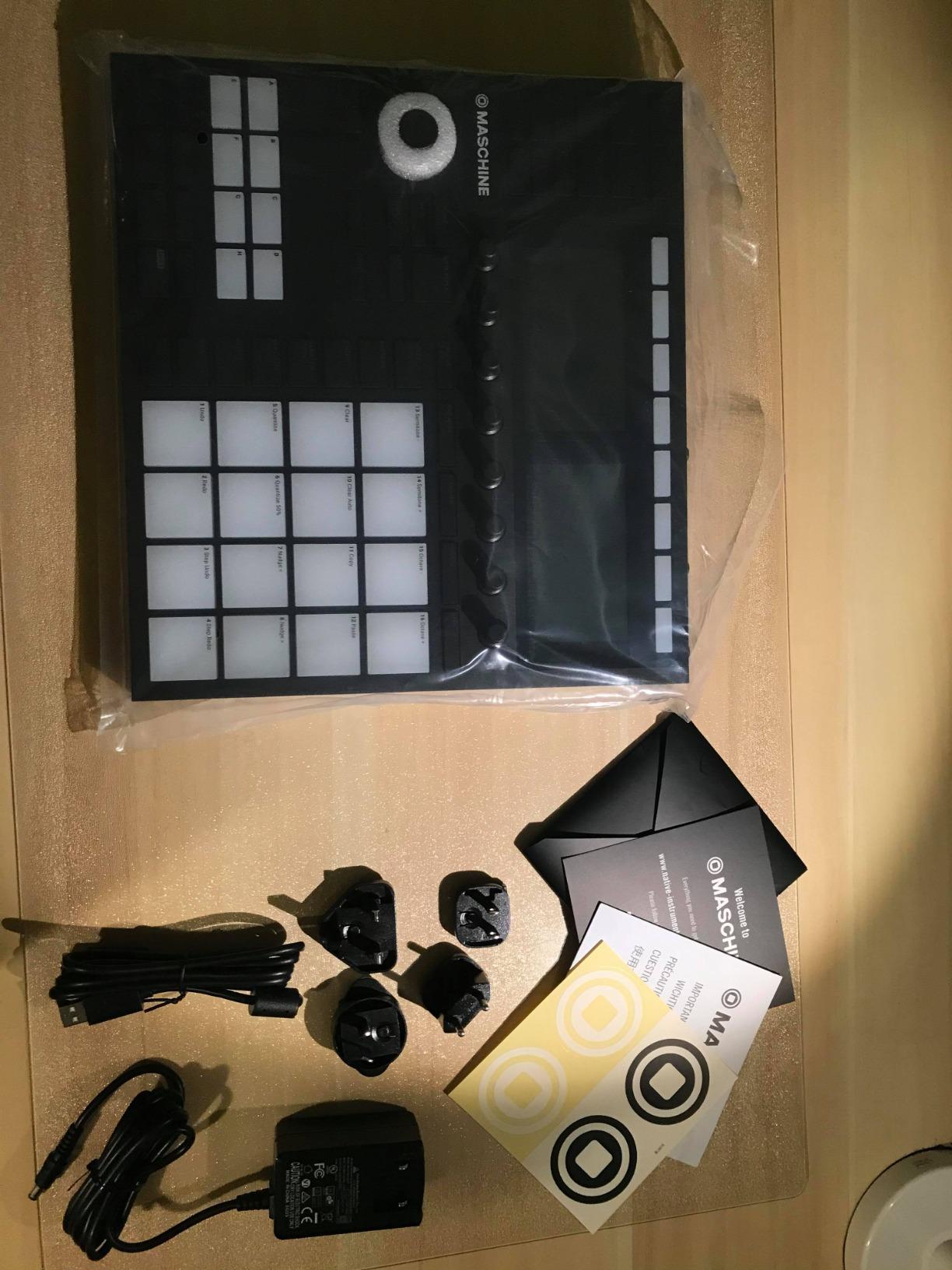
Connectivity is comprehensive: 2 x 1/4 inch TRS line outputs, 2 x 1/4 inch TRS line inputs, 1/4 inch dynamic mic input, stereo headphone output, MIDI in/out, and a footswitch jack. The 96 kHz audio interface is pro-grade and integrates seamlessly with Ableton, FL Studio, and Pro Tools as a VST, Audio Units, or AAX plug-in. For producers who want hardware control with software power, the Maschine Mk3 is the gold standard.
The downside is the software dependency. The Maschine Mk3 is at its best when paired with the Maschine software, which means it is not a true DAWless unit. Producers who prefer pure hardware workflows will find the software requirement limiting. For hybrid producers, it is a near-perfect tool.
Software integration and live performance
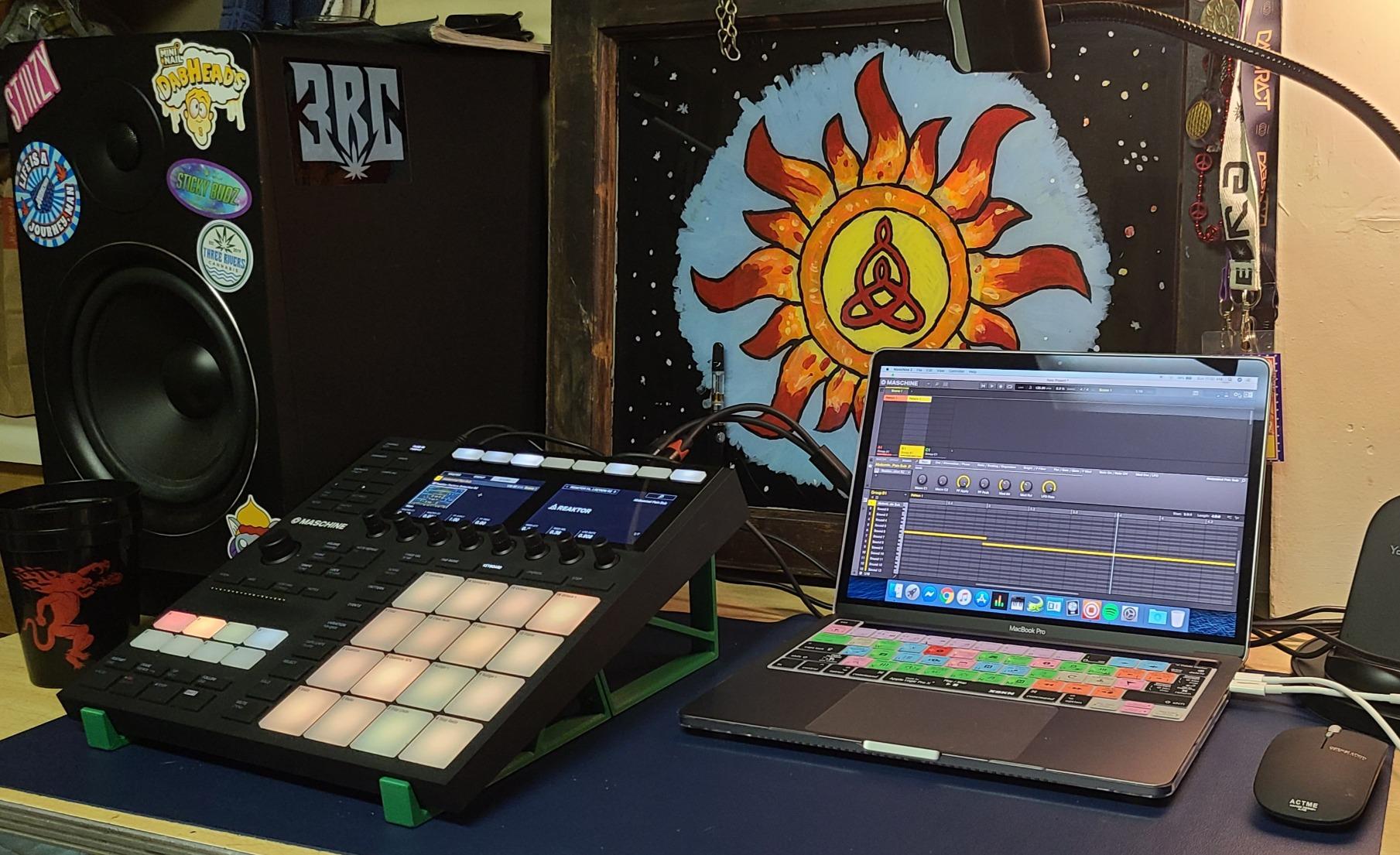
The Maschine software is where this unit shines. Pattern chaining, scene-based live performance, and deep automation are all available at your fingertips. The visual feedback on the two screens is excellent, and the workflow is fast once you internalize the controls. Producers who already use KOMPLETE or NKS-supported software will feel right at home.
For live recording sessions, the audio interface quality is a real advantage. I tracked a full beat through the Maschine Mk3 and bounced it through the unit’s own converters, and the result was clean, punchy, and ready to mix without any additional processing. The Smart Strip adds expressive control for live performance and recording accents.
Who should buy the Maschine Mk3
Hybrid producers, beat makers, and live performers who want a single piece of gear that handles sampling, sequencing, and recording will love the Maschine Mk3. The 25 GB library is a major value-add, and the audio interface quality is professional. For producers already in the Native Instruments ecosystem, it is a no-brainer.
Skip it if you want a true DAWless hardware unit, prefer pure analog sound, or do not want a software dependency. The Maschine Mk3 is a focused production hub, not a pure standalone drum machine.
8. Novation Circuit Tracks – The Groovebox for Songwriters
Novation Circuit Tracks Groovebox Sequencer and Synthesizer
4 drum tracks
32-step patterns
MIDI I/O
Pros
- Intuitive workflow
- 2 synth tracks and 4 drum tracks
- Full-size MIDI
- Analogue sync out
Cons
- Recording export is clunky
- Non-swappable battery
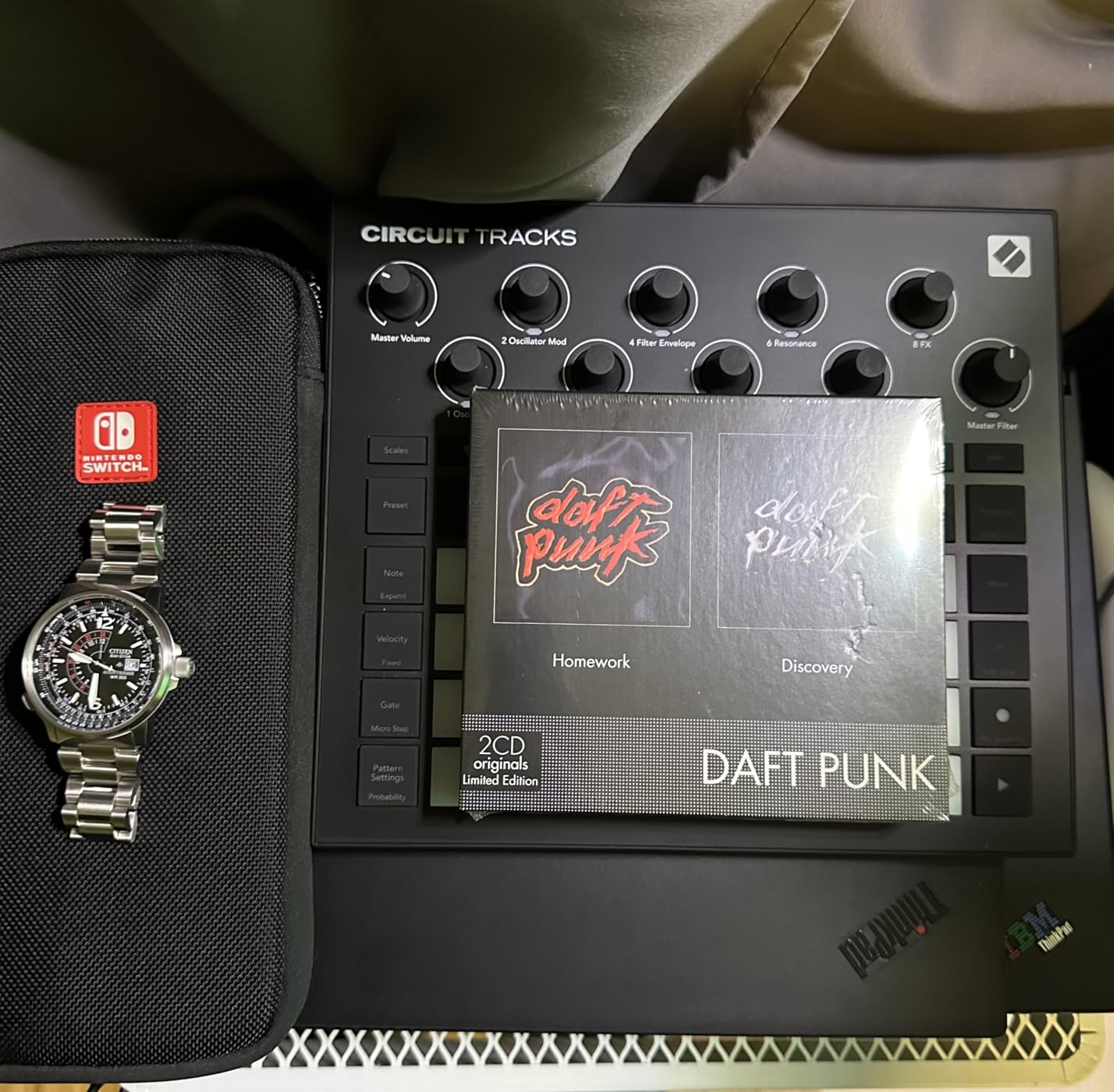
The Novation Circuit Tracks is a groovebox that combines 2 polyphonic digital synth tracks, 2 MIDI tracks, and 4 drum tracks in a single portable unit. For songwriters who want to build full arrangements in hardware, this is one of the most intuitive options on the market. I sketched a full song in under an hour, with intro, verse, chorus, and bridge all programmed in.
The 32-step patterns chainable to 256 steps per track give you plenty of room for complex arrangements. The microtiming and pattern mutate functions add groove and variation. The 4.7-star average across 536 reviews confirms the workflow is fast and fun. Producers on r/synthesizers frequently mention the Circuit Tracks as a great songwriting tool.
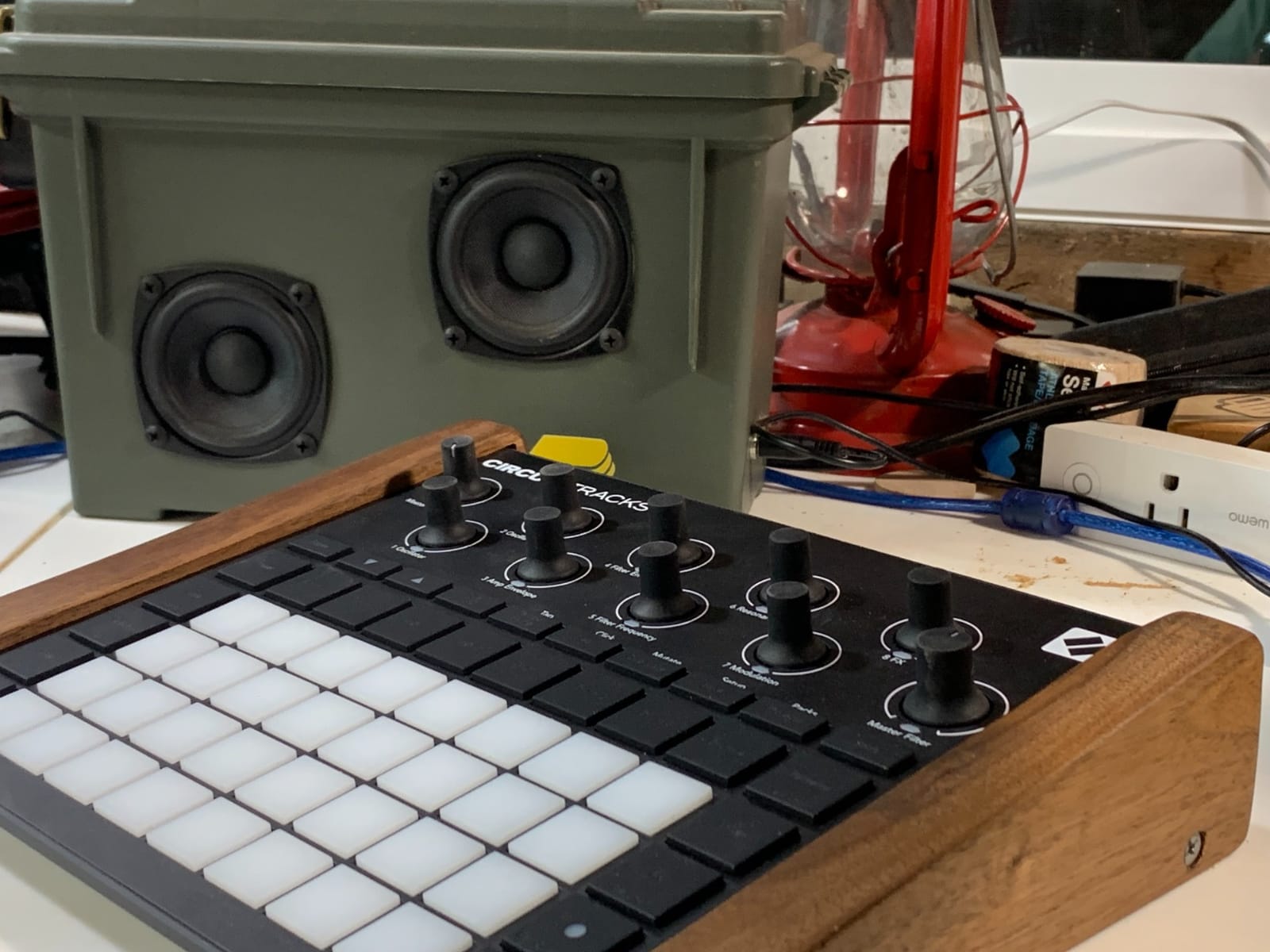
Connectivity is a real highlight. Full-size MIDI in, out, and thru let you control external synths and drum machines. Analogue sync out covers vintage gear like the Roland TR-8S. The 1.9-pound plastic body is light, and the 4-hour battery life is enough for a full sketching session. Velocity-sensitive pads are responsive and great for finger drumming.
The main limitation is the recording export process. Bouncing tracks to a DAW requires the Novation Components software, and the workflow is less seamless than direct USB audio. For pure recording, you will want to run the audio output to a separate interface. For sketching and arrangement, it is a joy.
MIDI control and external gear integration
The Circuit Tracks excels at controlling external gear. The 2 dedicated MIDI tracks can send notes and CC automation to any MIDI-compatible device. I used the Circuit Tracks to sequence the Roland TR-8S drum machine in one session and the Korg Volca Sample 2 in another, and both worked flawlessly. The analogue sync out is a nice touch for vintage gear compatibility.
For internal sound design, the 2 synth tracks cover basses, leads, and pads well. The drum tracks are based on samples and cover the basics plus some creative electronic percussion. It is not the deepest sound design tool, but it covers the songwriting essentials.
Who should buy the Circuit Tracks
Songwriters, electronic music producers, and anyone who wants a portable groovebox for sketching full songs will love the Circuit Tracks. The MIDI control capabilities make it a great hub for a hardware setup. The intuitive workflow is also a major plus for producers new to hardware.
Skip it if you need deep sample manipulation, want a built-in audio interface, or need a pure analog sound engine. The Circuit Tracks is a focused groovebox, not a full production hub.
9. Teenage Engineering PO-33 K.O.! – The Pocket-Sized Recording Companion
teenage engineering pocket operator PO-33 K.O.! micro sampler and drum machine with built-in microphone, sequencer and effects
Built-in mic
40s sample memory
AAA battery
Pros
- Credit card-sized
- Built-in microphone
- Fun and immediate
- Long battery life
Cons
- 8-bit character not for everyone
- Small dials
- Plastic case feels fragile
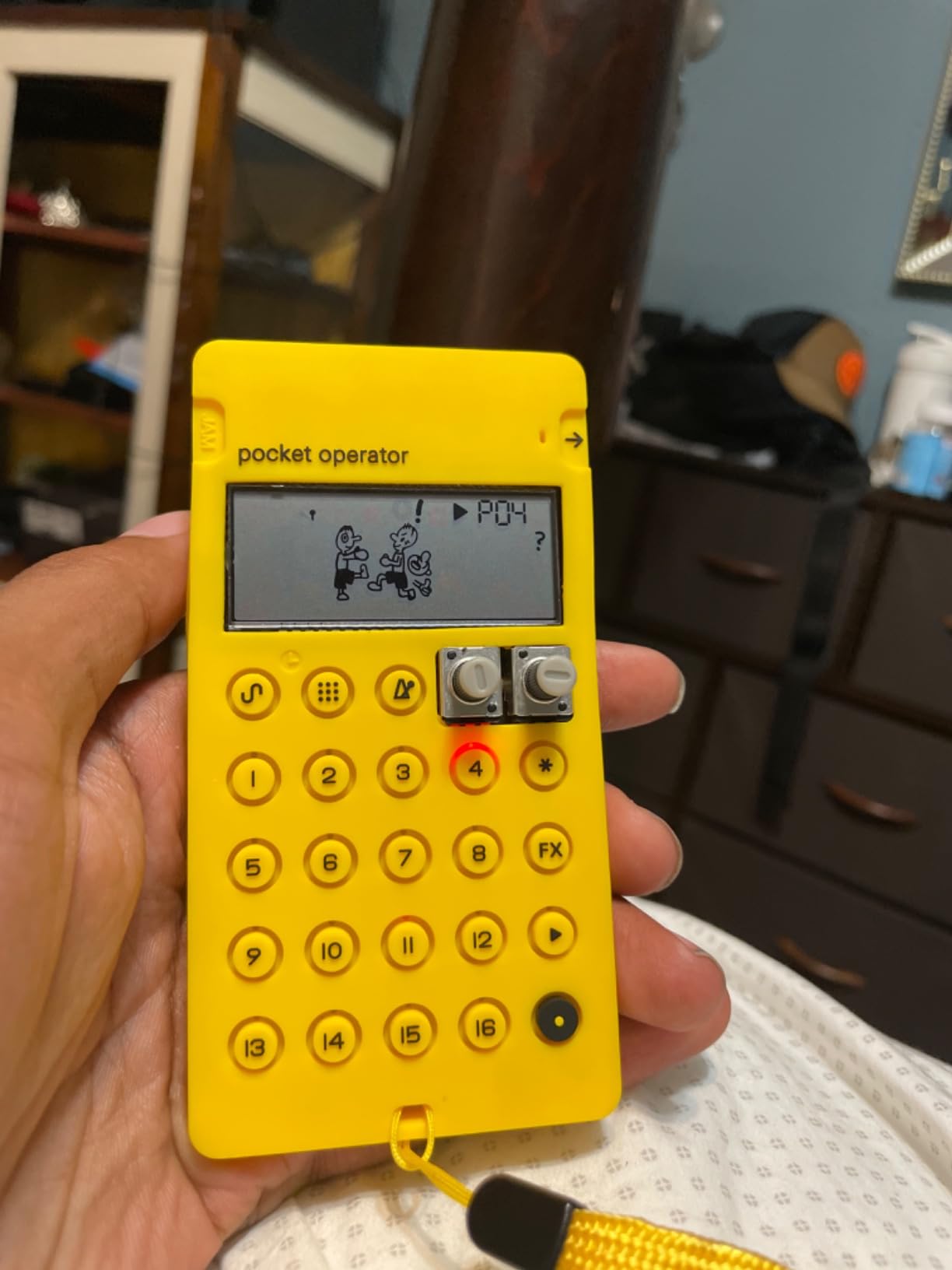
The Teenage Engineering PO-33 K.O.! is the most portable drum machine in this roundup. It is credit card-sized, weighs almost nothing, and runs on 2 AAA batteries for a month. With 2,279 reviews and a 4.6-star average, it is one of the most popular pocket gadgets for producers. For sketching beats on the go, there is nothing else like it.
The built-in microphone and 40-second sample memory let you sample any sound source anywhere. I recorded foley from a coffee shop, chopped it into drum sounds, and had a beat in under five minutes. The 16 built-in effects add lo-fi character that many producers actively seek out. For hip-hop, lo-fi, and experimental genres, the PO-33 K.O.! is a creative goldmine.
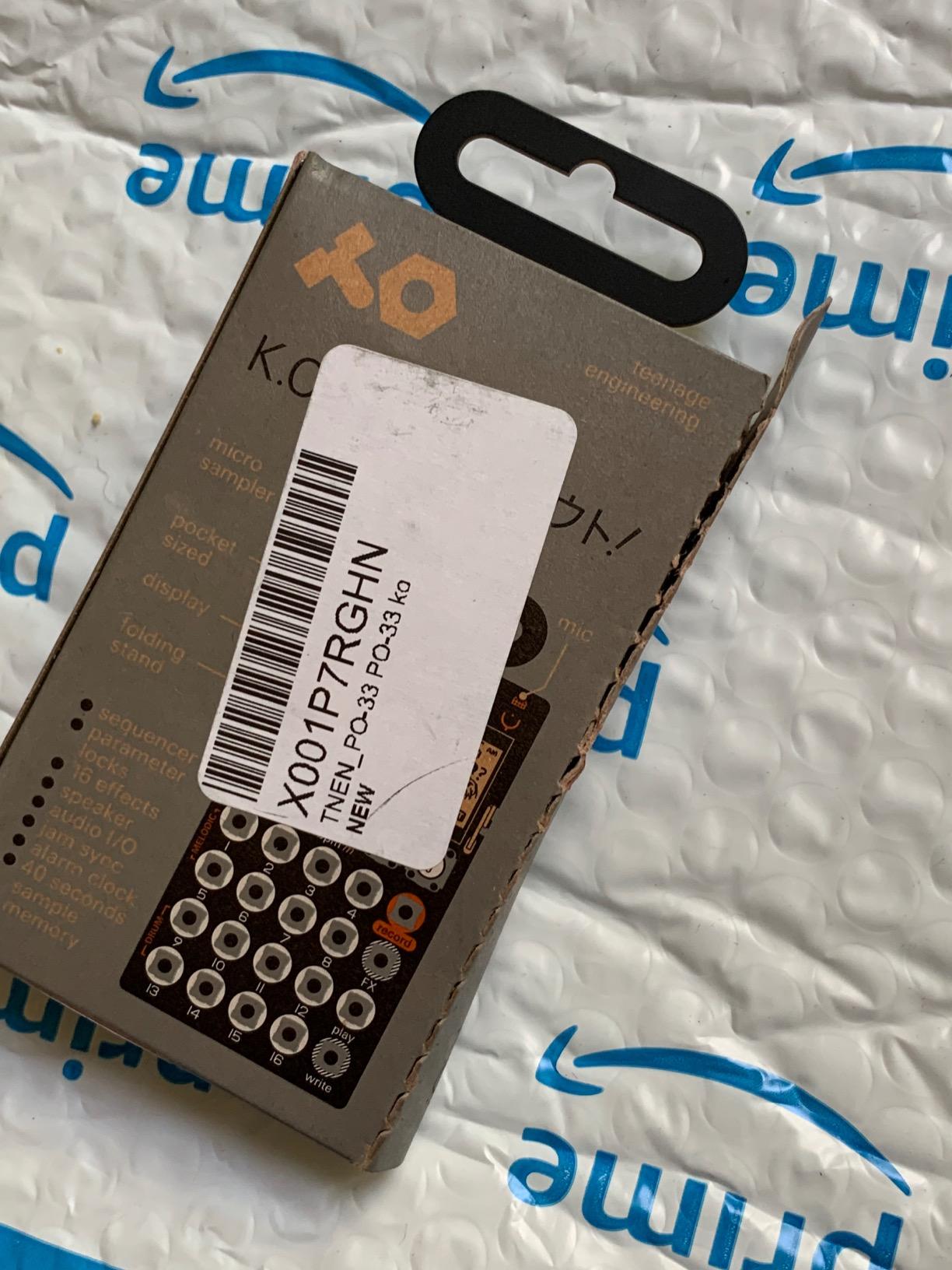
The 8 melodic sample slots and 8 drum slots are enough for sketching full beats. Melodic mode lets you play chromatic melodies, and drum mode is optimized for dynamic drum programming. The sequencer is straightforward once you learn the interface, and the folding stand makes it easy to use on a flat surface.
The downsides are real. The 8-bit audio can sound gritty or bitcrushed on some sounds, and the small dials are difficult for precise adjustments. The plastic case feels fragile. None of these issues stop the PO-33 K.O.! from being a fun, useful tool for capturing ideas on the go.
Lo-fi character and creative limitations
The 8-bit character is the headline. It is not a high-fidelity sampler, and that is the point. The grit, bitcrushing, and lo-fi character of the PO-33 K.O.! are exactly what producers of lo-fi hip-hop, experimental electronic, and indie music are looking for. I tracked a beat through the headphone output and ended up with a sound that needed no additional processing to fit the aesthetic.
The creative limitations are also the source of its charm. With only 40 seconds of sample memory, you have to be intentional about what you record. The 8-bit ceiling forces you to embrace the character. For producers who want pristine sound, this is not the right tool. For producers who want personality, it is perfect.
Who should buy the PO-33 K.O.!
Producers who want a pocket-sized sampling companion for capturing ideas on the go will love the PO-33 K.O.! It is also a great fit for lo-fi hip-hop producers, experimental electronic musicians, and anyone who wants a creative tool that encourages play. The price-to-fun ratio is exceptional.
Skip it if you need pristine audio quality, want deep sound design capabilities, or prefer a full-size interface. The PO-33 K.O.! is a focused creative tool, not a recording workhorse. For its size and price, though, nothing else comes close.
Buying Guide: How to Choose the Best Drum Machine for Recording?
Choosing the right drum machine for recording sessions comes down to four core decisions. Sound engine, sequencer depth, connectivity, and how the unit fits into your existing studio workflow. I broke each factor down below so you can match a unit to your specific recording style.
Analog vs digital sound engines
Analog drum machines like the Arturia DrumBrute Impact generate sounds through analog circuitry. The result is warm, punchy, and slightly unpredictable, which is exactly what many producers want for recording. Digital drum machines like the Roland TR-8S use sample playback or digital modeling (the TR-8S uses ACB modeling, which behaves like analog but is technically digital). Pure digital samplers like the SP-404MKII and PO-33 K.O.! play back recorded samples, which can sound realistic or character-driven depending on the source.
For recording, the choice depends on your genre. Analog and modeled analog work beautifully for hip-hop, house, and techno. Sample-based drum machines work better for genres that need realistic acoustic drums or specific character like lo-fi. Hybrid setups that combine analog and digital sources are common in professional studios.
Sequencer depth and pattern chaining
Step sequencers vary widely in depth. The Volca Sample 2 offers 16 steps per pattern with chainable patterns. The TR-8S offers 16 steps per track with full kit and effect memory. The Circuit Tracks offers 32 steps chainable to 256 steps. The Maschine Mk3 supports scenes, patterns, and full arrangements. For recording full songs, deeper sequencer capabilities save time and reduce friction.
Pattern chaining is the feature that separates sketching tools from production tools. If you build songs out of patterns, look for a unit that supports long chains, song mode, and easy arrangement editing. The TR-8S, Circuit Tracks, and Maschine Mk3 all excel here.
Connectivity and DAW integration
For recording, connectivity matters. Look for units with USB audio interface support if you want to bypass an external interface. The Maschine Mk3, SP-404MKII, and MPC Sample all offer this. MIDI in/out is essential for syncing with external gear. Individual outputs let you process drums through separate outboard gear, which the TR-8S and DrumBrute Impact both offer.
DAW integration varies. The Maschine Mk3 integrates tightly with the Maschine software and as a plug-in in major DAWs. The TR-8S uses the free TR-EDITOR for deeper control. The MPC Sample exports projects to the MPC desktop software. For most other units, you record audio directly into your DAW through the unit’s outputs. If you want a smooth DAW handoff, prioritize units with software integration.
Portability and battery life
Portability matters if you record outside a traditional studio. The PO-33 K.O.! and Volca Sample 2 are the most portable, with battery life measured in weeks. The SP-404MKII and MPC Sample offer several hours of battery power and USB-C charging. The Circuit Tracks runs on internal battery for about 4 hours. The TR-8S, DrumBrute Impact, and Maschine Mk3 are AC-powered and best for studio use.
For producers who travel, sketch on the road, or record in non-traditional spaces, battery power is a real advantage. For producers who work in a fixed studio, AC power is fine. There is no right answer, just the right answer for your workflow. If you also record acoustic drums, our guide to the best drum microphones for recording covers the analog side of your setup.
Frequently Asked Questions
What is the best drum machine for songwriting?
The best drum machine for songwriting is one that gets out of the way and lets you focus on ideas. Our top pick for songwriting is the Novation Circuit Tracks because it combines synth tracks, drum tracks, and full MIDI control in a portable, battery-powered package. The Circuit Tracks lets you sketch a full song, including intro, verse, chorus, and bridge, in under an hour. For songwriters who prefer hardware, the Roland TR-8S is another strong option.
What is the 80/20 rule in drumming?
The 80/20 rule in drumming means that 80 percent of your results come from 20 percent of your effort. Applied to drum programming, it means mastering a small library of core sounds and patterns will cover the majority of recording needs. The Alesis SR-16 and Roland TR-8S both lean into this idea with focused, mix-ready sound libraries that cover most genres without menu diving.
Is there a drum machine that sounds like real drums?
Yes, sample-based drum machines like the Roland SP-404MKII and Akai MPC Sample can sound like real drums when loaded with high-quality acoustic samples. The SP-404MKII’s 16GB storage and 32-voice polyphony handle layered acoustic kits with multiple velocities and round robins. The MPC Sample’s 100+ factory kits include realistic acoustic drum sounds. For producers who want the most realistic acoustic feel, the SP-404MKII is the strongest pick.
What is the best drum set for recording?
The best drum set for recording depends on your genre and budget. For acoustic recording, our guide to the best electronic drum kits for recording covers V-Drums and similar setups. For hardware recording sessions, the Roland TR-8S handles classic electronic sounds, the Alesis SR-16 covers acoustic-leaning kits, and the Maschine Mk3 offers the deepest sample library and software integration for any genre.
Final Verdict: Picking Your Recording Companion
After three months of rotating nine units through recording sessions, the best drum machines for recording come down to your specific workflow. The Roland TR-8S is the clear editor’s choice for producers who want authentic classic drum sounds with modern flexibility. The Akai MPC Sample is the best value for producers who want a portable, standalone sampling workstation. The Teenage Engineering PO-33 K.O.! is the budget pick for producers who want a pocket-sized creative companion.
For producers on a tighter budget, the Korg Volca Sample 2 and Alesis SR-16 both deliver reliable, mix-ready drum tracks at accessible prices. For producers who want analog character, the Arturia DrumBrute Impact is hard to beat. For hybrid producers who want a full production hub, the Native Instruments Maschine Mk3 covers sampling, sequencing, and recording in one unit. The Novation Circuit Tracks is the best option for songwriters, and the Roland SP-404MKII is the top pick for beat makers.
Whatever unit you choose, focus on the workflow that gets you recording. The best drum machine is the one you actually use, not the one with the most features. If you are also shopping for multipad options or want to see more budget picks, our best drum machines under $500 guide covers additional options. Get the unit that fits your studio, your genres, and your recording style, and the drum tracks will follow.