
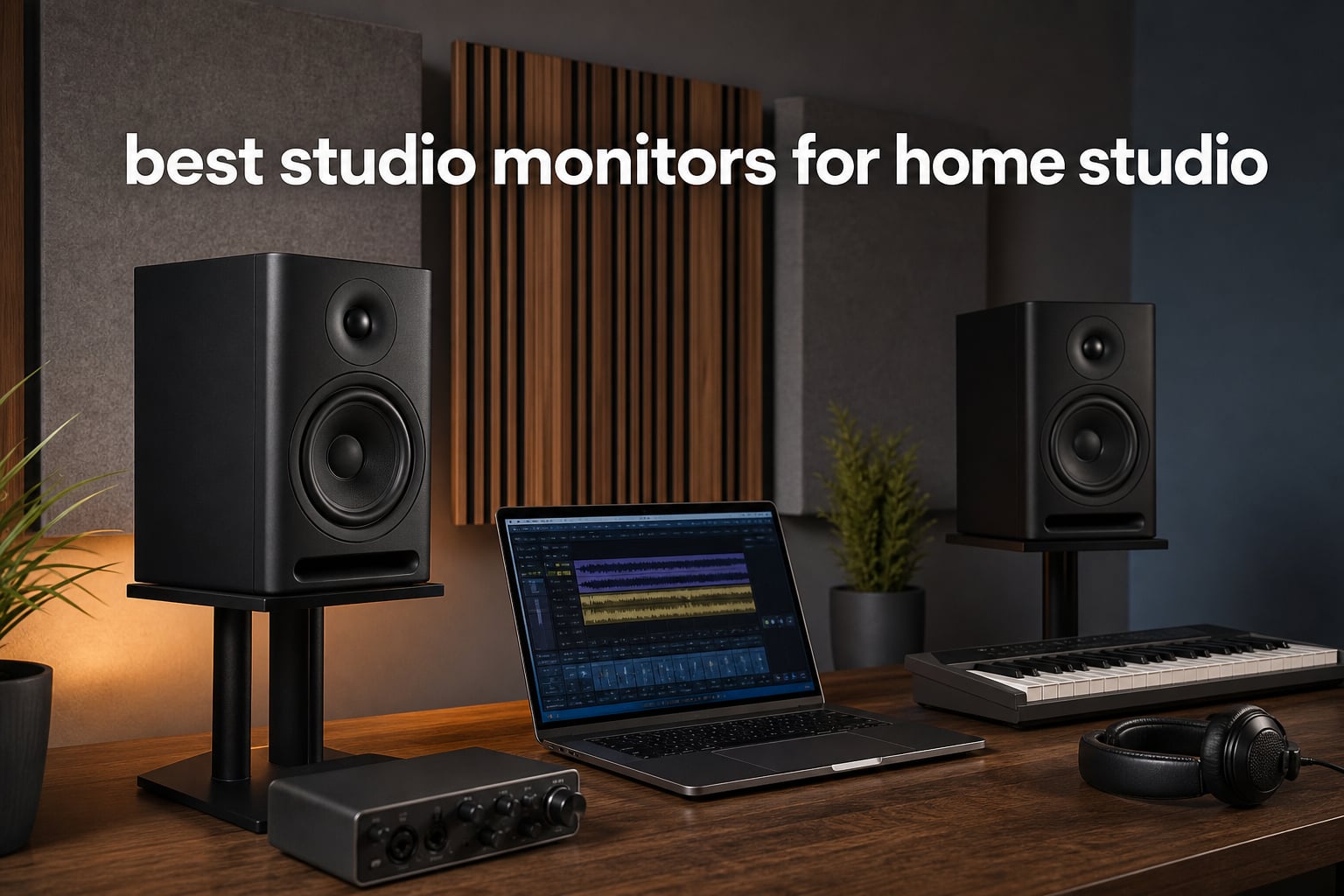
Finding the best studio monitors for home studio work is less about chasing the biggest woofer and more about hearing decisions honestly. A monitor is a purpose-built speaker for mixing, editing, production, podcast work, and DJ preparation; it should show you problems in a recording rather than flattering every track.
I start with the desk, the listening distance, and the room before I focus on a specification. In a small bedroom with bare walls, giant speakers can make low frequencies harder to judge, while a compact pair placed well can give a clearer working reference.
Every option here is an active, powered speaker system from the verified product set. I compared its listed drivers, connection options, output, tuning controls, published frequency information where supplied, and customer-rating context, then matched those facts to common home-studio jobs.
The short version is simple: choose a speaker that fits your space, connect it with a balanced output when possible, and spend time placing it. Community discussions repeatedly make the same point: room treatment and monitor position can affect mix decisions as much as moving to a more ambitious speaker.
Table of Contents
The top three picks cover compact mixing, flexible production, and a beginner desk
The Yamaha HS4 is the focused compact choice for a creator who needs room-control options and broad wired inputs. Edifier MR5 offers the most fully specified driver system and connection list here, while PreSonus Eris 3.5 keeps the entry desk setup straightforward with tuning controls and a front headphone jack.


These studio monitors for a home studio make comparison easier in 2026
The comparison below keeps all 12 verified choices in one place. Driver size and inputs are practical starting points, but they do not replace correct level matching, careful placement, and repeated listening on familiar material.
| Product | Specifications | Action |
|---|---|---|
| Yamaha HS4 |
|
View Details |
 Edifier MR3 Edifier MR3 |
|
View Details |
 KRK Kreate 5 KRK Kreate 5 |
|
View Details |
 Ortizan C7 Ortizan C7 |
|
View Details |
 ADAM Audio D3V ADAM Audio D3V |
|
View Details |
 Pioneer DJ DM-40D Pioneer DJ DM-40D |
|
View Details |
 Mackie CR3.5 Mackie CR3.5 |
|
View Details |
| PreSonus Eris 3.5 |
|
View Details |
 Edifier MR5 Edifier MR5 |
|
View Details |
 Pioneer DJ DM-50D-BT Pioneer DJ DM-50D-BT |
|
View Details |
 M-AUDIO BX5BT M-AUDIO BX5BT |
|
View Details |
 M-AUDIO Forty Eighty M-AUDIO Forty Eighty |
|
View Details |
Yamaha HS4 is the compact reference choice — 1
Yamaha HS4 Powered Studio Monitor in Black, Pair (HS4 B)
4.5 inch woofer
60 Hz to 22 kHz
XLR TRS RCA inputs
Pros
- Room control and high trim
- Multiple wired inputs
- Compact two-way design
- Included cables and pads
Cons
- Modest low-end extension
- External power required
The HS4 makes sense when desk space is tight but you still want a monitor-style layout rather than a general computer speaker. Its verified two-way arrangement combines a 4.5-inch cone woofer with a 1-inch dome tweeter, and Yamaha lists a 60 Hz to 22 kHz response at minus 10 dB.
I like that the input panel covers a compact interface, a computer, and consumer sources without adapters becoming the whole project. The pair accepts XLR/TRS combo, RCA, and stereo mini connections, while room-control and high-trim controls give you a basic way to react to placement.
There is no reason to expect a 4.5-inch woofer to reproduce the deepest sub-bass with the authority of a larger cabinet. For electronic music, I would use the HS4 to make balance and midrange decisions, then check very low material on headphones or another known playback system.
The HS4 works best at a short, desk-based listening distance
Place the tweeters close to ear height and keep the pair roughly as far apart as each speaker is from your head. This nearfield triangle reduces how much room reflection reaches you before the direct sound.
The supplied anti-slip pads are useful for getting started, but stands or isolation pads that raise the monitors to ear level can make a bigger difference than a tiny tilt adjustment. Leave some breathing room around the bass-reflex enclosure instead of pushing it hard into a corner.
The HS4 needs a low-end checking habit for bass-heavy work
The listed 60 Hz lower figure is a boundary, not a promise that every kick and sub will be equally easy to judge. Use reference tracks you know and compare your mix at low volume as well as normal working volume.
Its 4.7 rating from more than 2.3k reviews is substantial customer context, but the right fit still depends on room size and source connections. This is a sensible candidate for compact music production monitors where cables and basic response controls matter.
Edifier MR3 is the flexible compact desktop choice — 2
Edifier MR3 Powered Studio Monitor, Speaker Hi-Res Active Bluetooth Speaker
3.5 inch drivers
52 Hz to 40 kHz
TRS RCA AUX Bluetooth
Pros
- Balanced TRS input
- Headphone output
- Monitor and custom modes
- App EQ control
Cons
- Small drivers
- Plastic enclosure
The MR3 is a compact active-speaker pair with a notably varied connection set for a desktop. Verified details include balanced TRS, RCA, AUX, a front headphone output, Bluetooth 5.4 multi-point connection, and a listed flat response from 52 Hz to 40 kHz.
Its 3.5-inch mid-low drivers and 1-inch tweeters suit close-range listening rather than filling a large room. The listed 18 watts RMS per channel and 92.5 dB peak SPL point toward a personal production, editing, or computer-audio setup.
The monitor, music, and custom modes make the MR3 more adaptable than a fixed-response desktop pair. For mix work, I would begin in Monitor mode with Bluetooth out of the signal path, then use wired balanced TRS from an interface if that output is available.
The MR3 suits a creator who switches between work and casual listening
Bluetooth multi-point and the headphone socket make daily computer use easier, while the balanced input gives this pair a more production-friendly route than basic consumer speakers. The MDF cabinet is also listed as a way to reduce distortion.
That flexibility should not blur the task: use the same wired connection and the same monitor mode when making mix decisions. Switch modes later if you want to hear how a production feels away from the reference setting.
The MR3 needs a careful volume limit on a crowded desktop
Small monitors can sound impressive when pushed, but monitoring fatigue can make vocal brightness and percussion harder to judge. Start quietly enough to converse over the music, then briefly raise the level only to check energy and low-end balance.
The 4.7 rating across 660 reviews supports its popularity, while the modest driver size remains the important limitation. It is better suited to a close seat than a living-room distance.
KRK Kreate 5 is the simple five-inch Bluetooth option — 3
KRK Kreate 5 Powered Studio Monitor
5 inch woofer
1 inch textile tweeter
Bluetooth and wired inputs
Pros
- Five inch glass aramid woofer
- Textile dome tweeter
- Bluetooth streaming
- Multiple inputs
Cons
- Limited published technical figures
- Small review sample
The Kreate 5 moves to a 5-inch Glass Aramid woofer, which is a practical middle ground for many small-room desks. It pairs that woofer with a 1-inch textile dome tweeter and lists a woven glass-fiber composite woofer construction.
Bluetooth is useful for reference-track playback from a phone, and the product listing also confirms multiple audio inputs. The available verified details do not state a frequency range, amplifier output, or a precise input inventory, so I would not fill in those gaps with assumptions.
For someone building a simple beat-making or songwriting workspace, the basic driver arrangement is its clearest attraction. A five-inch woofer may give more physical mid-bass presence than the 3.5-inch options here, yet placement still decides whether that bass stays readable.
The Kreate 5 fits a small room with room behind the desk
Give the speakers a symmetrical position and avoid placing one on a shelf while the other is open to the room. A mismatched boundary around each cabinet will distort the stereo field before software or speaker settings can help.
Measure from each tweeter to your listening position rather than relying on the desk shape. Equal distances create the basic triangle that makes panning and center information easier to evaluate.
The Kreate 5 calls for extra listening before a purchase decision
The 4.7 rating is strong, but it comes from 52 reviews, far fewer than several alternatives in this list. That does not disqualify it; it simply means the score has less broad customer context.
Ask whether Bluetooth is a convenience feature or a required part of your workflow. For actual recording and mixing, keep your main connection wired to avoid wireless latency and codec changes.
Ortizan C7 is the connectivity-first budget desk option — 4
Ortizan C7 Powered Studio Monitors Pair with Bluetooth 5.3, Black
3.5 inch woofer
24-bit USB DAC
TRS RCA AUX Bluetooth
Pros
- Built-in 24-bit DAC
- Balanced TRS input
- USB and Bluetooth
- Front headphone output
Cons
- Small woofer
- Surround mode listing
The Ortizan C7 packs several connection paths into a physically compact pair: RCA, Bluetooth 5.3, 3.5 mm AUX, 6.35 mm balanced TRS, and Type-C are all listed. Its internal 24-bit DAC makes USB connection particularly relevant for a computer-only desk.
The driver layout is a 3.5-inch carbon-fiber speaker with a 0.75-inch silk-dome tweeter, joined by an electronic two-way crossover. This is the kind of compact format I would reserve for close nearfield listening, not a large untreated room.
One data point deserves attention: the product details list a surround audio output mode even though this is a two-channel pair. Treat the confirmed balanced TRS input and flat-response claim as the useful monitoring features, but verify the modes in the manual before relying on a particular setting.
The C7 helps a computer-based setup avoid extra adapters
A USB connection can simplify a desktop that has no external interface yet, while balanced TRS gives you a route to upgrade later. The front-panel headphone output also helps when you move from editing speakers to tracking headphones.
Use the same volume reference every session. A reliable knob position or interface output setting makes changes in your mix easier to hear than constantly changing the loudness.
The C7 needs modest expectations for low-frequency mixing
A 3.5-inch woofer cannot move as much air as a five- or eight-inch design. That is not a flaw if your priority is a small footprint, but it means translating kick and bass choices on other systems is part of the process.
The C7 has a 4.6 rating from 848 reviews, a useful amount of user feedback for a compact speaker. Its stated 18-meter Bluetooth range is convenient, but a wired path remains the more consistent choice for production.
ADAM Audio D3V is the premium USB-C desktop reference — 5
ADAM Audio D3V Active Desktop Studio Monitor Speakers – White
D-ART ribbon tweeter
USB-C and balanced inputs
45 Hz low end
Pros
- USB-C direct connection
- Ribbon tweeter
- DSP adjustment switches
- Angled detachable stands
- Front headphone socket
Cons
- 3.5 inch woofers
- Small desktop format
The D3V is built around a desktop-first feature set, starting with direct USB-C connection and two balanced quarter-inch TRS inputs. It uses 3.5-inch aluminum woofers, dual-sided passive radiators, and a 1.5-inch D-ART ribbon tweeter rather than a conventional dome design.
ADAM lists 80-watt amplifiers per driver and a 45 Hz low-end figure. That specification, plus DSP-powered acoustical-adjustment switches, explains why this pair is worth considering when the desk itself is your main production position.
The included detachable stands angle the speakers 15 degrees, and the underside has a 3/8-inch microphone-stand thread. Those are practical positioning aids, not shortcuts around a poor room, but they can help direct the tweeters to your ears without stacking books under the cabinets.
The D3V is strongest when USB-C convenience matters every day
Direct USB-C is useful for a laptop producer who wants a tidy signal path, while balanced inputs allow a conventional interface later. The front volume control and headphone socket keep routine desk changes within reach.
For mixing, I would choose one connection as the permanent reference path and treat the other as a convenience option. Changing source gain or operating-system volume between sessions can make tonal comparisons misleading.
The D3V belongs close to the listener despite its listed bass extension
The passive radiators and 45 Hz figure suggest meaningful extension for a compact cabinet, but they do not turn a 3.5-inch speaker into a large-room monitor. Keep the listening triangle short and judge deep bass at sensible levels.
The 4.6 rating from 352 reviews gives a reasonable early read on customer experience. This pair is especially relevant for a producer who wants physical placement aids and USB-C without giving up balanced analog inputs.
Pioneer DJ DM-40D is the compact DJ-and-production switcher — 6
Pioneer DJ DM-40D 4-inch Active Desktop Monitor Speakers, Pair, Black
4 inch woofer
DJ and production modes
96 kHz DSP
Pros
- Two DSP sound modes
- Front headphone socket
- Time-aligned drivers
- RCA and mini-jack connection
Cons
- Four inch woofer
- No balanced input listed
The DM-40D is explicitly designed around two roles: DJing and music production. Its switch activates DSP settings for the selected mode, while the Class D amplifier uses 96 kHz sampling DSP and the cabinets use DECO convex diffusers for high frequencies.
The listed time alignment between woofer and tweeter is intended to keep sound frequencies clear. With 4-inch drivers, it sits in the compact desktop category, which is a better match for a controller, laptop, and small room than for an expansive control room.
I see this pair as a task-specific choice rather than a general answer for every kind of mixing. The mode switch is useful for moving from set preparation to production, but I would keep production work in its designated mode so mix references remain comparable.
The DM-40D matches a DJ controller with simple wired connections
RCA and mini-jack terminals are easy to connect to common DJ controllers and mixers, and the headphone socket is on the front panel. That keeps the physical setup approachable for someone beginning to practice transitions and prepare playlists.
Before recording or mixing with an interface, check the interface outputs against the available connections. The verified listing does not identify a balanced XLR or TRS monitor input, so plan your cabling around its stated RCA and mini-jack options.
The DM-40D needs a separate reference check for detailed mixes
DSP modes can be helpful, yet the safest workflow is to check a finished production on more than one known system. Listen for vocal level, low-end weight, and stereo effects at low volume rather than relying only on a louder DJ-style check.
This system holds a 4.6 rating from 350 reviews. It is a credible compact option when the DJ/production switch is central to your work, not merely an extra feature.
Mackie CR3.5 is the adjustable small-desk reference — 7
Mackie CR3.5 Studio Monitors (Pair), 3.5″ Woofers, Tone Knob, Black
3.5 inch woven woofer
Tone knob
Desktop bookshelf switch
Pros
- Tone control
- Location switch
- TRS and RCA inputs
- Headphone output
Cons
- Small woofer
- No Bluetooth
The CR3.5 brings two unusually direct adjustments to a compact pair: a tone knob and a location switch for desktop or bookshelf placement. Its hardware includes 3.5-inch woven woofers, silk-dome tweeters, TRS and RCA connectivity, and a built-in headphone output.
The tone knob can move the sound from a more transparent response toward boosted bass and high-end sparkle. That is helpful for general listening, but I would mark a consistent reference position for music production rather than changing it whenever a track feels dull.
The location switch is more meaningful for a home-studio desk than it first appears. A speaker placed on a desktop interacts with a large reflective surface at close range, so a desktop-specific mode can be useful when you cannot get the cabinets onto stands.
The CR3.5 provides useful controls for a dual-use desk
Its connection list covers computer and interface duties without making the speaker feel like a one-purpose monitor. The front headphone output is also convenient when you need to switch from editing to private listening.
Use balanced TRS when your interface provides it, then set the tone knob only after you have made the room and position as symmetrical as possible. EQ cannot fully correct a speaker wedged into an uneven corner.
The CR3.5 requires close-range expectations
The 3.5-inch woofer is well matched to a small desktop, but it is not intended to deliver full-scale low-frequency output into a large room. Put your ears close enough that the direct sound is stronger than the room sound.
The 4.6 rating from 300 reviews supports the appeal of its controls and compact format. It is a good candidate where a location switch is more useful than sheer cabinet size.
PreSonus Eris 3.5 is the approachable beginner reference pair — 8
PreSonus Eris 3.5 Powered Studio Monitors, Pair — 3.5” Active Near
3.5 inch woofers
50 watts built in
TRS RCA and aux
Pros
- High and low tuning controls
- 50 watt amplification
- Balanced TRS input
- Front headphone jack
Cons
- 80 Hz lower response
- No XLR inputs
The Eris 3.5 is an easy recommendation for a first desk because it combines 50 watts of built-in amplification, acoustic-tuning controls, and familiar inputs. The pair uses 3.5-inch woven-composite woofers and 1-inch silk-dome tweeters, with a listed 80 Hz to 20 kHz response.
Balanced TRS, RCA, and a front-panel auxiliary input cover an interface, a turntable preamp, or a computer source, and the front headphone jack is practical. The lack of XLR is not a problem if your interface has TRS outputs, but it is worth knowing before you order cables.
For the best studio monitors for home studio beginners, I value a repeatable learning setup more than an intimidating spec sheet. These controls let you hear how a placement or tone adjustment changes a mix, which is a useful education even when you later move to a larger pair.
The Eris 3.5 is best for learning a consistent monitoring routine
Pick a starting position for the high- and low-frequency tuning controls and write it down. Then use familiar songs, a few unfinished projects, and low-volume checks to learn what the monitors tell you.
Do not use the controls to chase a dramatic sound. Their best role is a small correction after the speakers are positioned in a symmetrical triangle and away from the immediate edge of the desk.
The Eris 3.5 needs external low-end translation checks
The listed 80 Hz lower limit tells you that sub-bass decisions need another reference. Check a bass-heavy project on quality headphones, a car system, or a trusted larger speaker after making the primary balance decisions here.
The 4.5 rating from over 1.5k reviews gives this pair the broadest customer base among the very small monitors in this list. It is a practical first step for home recording, video editing, streaming, and everyday listening.
Edifier MR5 is the fully connected three-way production choice — 9
Edifier MR5 2.0 Studio Monitor Bookshelf Speakers, 110W RMS, Black
Three-way active system
46 Hz to 40 kHz
XLR TRS RCA AUX
Pros
- Dedicated mid driver
- XLR and TRS inputs
- 110W RMS
- Room tuning controls
- Bluetooth multi-point
Cons
- Large desktop footprint
- Bookshelf speaker classification
The MR5 is the most elaborately specified speaker system in this selection. Its three-way active crossover assigns a 5-inch long-throw woofer, 3.75-inch mid driver, and 1-inch silk-dome tweeter to different parts of the range, with a listed 46 Hz to 40 kHz response.
It also offers 110 watts RMS, a listed 101 dB peak SPL, physical room-tuning knobs, app adjustment, and XLR, TRS, RCA, AUX, and Bluetooth 6.0 connectivity. The MDF cabinets are specified to reduce distortion and resonance.
A dedicated mid driver is attractive for vocal, synth, guitar, and dialogue work because those sources live in the midrange, though no specification removes the need to listen and compare. I would select a wired XLR or TRS connection from an interface for core mixing and reserve Bluetooth for casual playback.
The MR5 suits a serious desk with room for larger cabinets
The 11-inch-deep cabinets and five-inch woofer need more physical room than a tiny computer pair. A wider desk or stands beside the desk will make it easier to form the correct listening triangle without crowding the rear wall.
Its many input choices are practical if one workspace handles a computer, interface, DJ source, and phone. Keep only one source active when setting a reference level so you do not confuse source output differences with speaker response.
The MR5 benefits from deliberate room-tuning changes
Start with neutral physical and app settings, then make one small adjustment at a time after several sessions. A big boost or cut can disguise a placement issue, especially when a speaker is close to a wall.
The 4.5 rating from 302 reviews is positive but more limited than the long-running models. The verified three-way design and extensive balanced connectivity make it a standout for creators who need a flexible central monitor pair.
Pioneer DJ DM-50D-BT is the fuller DJ desktop option — 10
Pioneer DJ DM-50D-BT 5-inch Active Monitor Speakers, Bluetooth, Pair
5 inch woofer
DJ and production DSP
Bluetooth connection
Pros
- Five inch woofer
- Two DSP sound modes
- Bluetooth streaming
- Time-aligned drivers
Cons
- No balanced input listed
- Large cabinet dimensions
The DM-50D-BT extends Pioneer DJ’s two-mode concept with 5-inch drivers and Bluetooth connectivity. Like the smaller DM-40D, it uses a Class D amplifier with 96 kHz sampling DSP, DECO convex diffusers, and time alignment between the woofer and tweeter.
The added woofer size can be useful for a producer or DJ who wants a fuller desktop presentation, but it also asks for more space. The listed cabinet dimensions are substantial for a desk, so measure the available width and depth before treating it like a compact accessory.
Bluetooth is practical for pulling up a reference track quickly, while the primary production connection should remain wired through the listed RCA and mini-jack terminals. The product information does not identify balanced monitor inputs, which matters if your interface workflow requires XLR or TRS.
The DM-50D-BT fits DJ practice with broader low-mid presence
A five-inch woofer can make beatmatching practice and bass-line auditioning feel more substantial at the desk than a 3.5-inch pair. It is still wise to work at moderate volume, since a small untreated room can exaggerate bass long before the monitors reach their limits.
Use the DJ mode for performance preparation and the production mode for project decisions. Keeping this division consistent gives you a better chance of learning what each mode does to your familiar tracks.
The DM-50D-BT needs a cable plan for interface use
RCA is common on controllers and consumer sources, but a professional interface may require appropriate adapter cables. Keep left and right channels correctly assigned, and avoid daisy-chaining several adapters if you can make one clean connection.
The 4.5 rating from 191 reviews indicates a favorable customer response. This is the better Pioneer DJ fit for a user who specifically wants Bluetooth and a five-inch driver, not a replacement for a fully balanced studio-monitor setup.
M-AUDIO BX5BT is the app-controlled five-inch reference — 11
M-AUDIO BX5BT 5″ Desktop Studio Monitors Pair
5 inch Kevlar woofer
240W bi-amplified
DSP and five-band EQ
Pros
- DSP reference modes
- Five-band app EQ
- TRS inputs
- Kevlar woofer
- Bluetooth range
Cons
- No XLR input listed
- Five inch driver limits deep bass
The BX5BT combines a 5-inch Kevlar woofer, 1-inch silk-dome tweeter with waveguide, and 240 watts of bi-amplified power. Its DSP crossover offers FLAT, HYPE, and CUSTOM modes, while the M-Audio Studio Control app supplies five-band EQ and custom presets.
This is a distinctly modern approach to powered monitors: Bluetooth 5.0, stated low latency, and a claimed 100-foot range sit beside TRS inputs and trim controls. The Burr-Brown analog-to-digital converters are also part of the verified feature list.
I would begin in FLAT mode, establish speaker position, then use only modest EQ adjustments if the room forces one. HYPE mode has a practical role as a consumer-style check, but it should not become the setting you use to make every balance decision.
The BX5BT gives a producer repeatable control presets
Custom presets can be useful when the same speakers move between a desk and a different room, provided you label them clearly. They are also helpful for returning to a known baseline after testing a change.
Do not create a separate preset for every song. A monitor reference works when it stays consistent enough that you learn its habits across many sessions.
The BX5BT works best with an interface that offers TRS outputs
The confirmed TRS inputs and trim controls make an interface a natural partner. Use balanced TRS cables where possible, set speaker trim conservatively, and control daily listening level from the interface or monitor controller.
The 4.4 rating comes from more than 1.4k reviews, which is strong customer context even though it is lower than some models above. Its main draw is the combination of five-inch drivers, DSP modes, and app-based adjustment.
M-AUDIO Forty Eighty is the large-woofer small-room caution choice — 12
M-AUDIO Forty Eighty 8″ Studio Monitor Speaker
8 inch Kevlar woofer
150W bi-amplified
XLR TRS and DSP
Pros
- Eight inch woofer
- XLR and TRS inputs
- FLAT and HYPE modes
- Five-band app EQ
- Bluetooth TWS
Cons
- Large cabinet for small rooms
- Limited review sample
The Forty Eighty is the largest driver design here, centered on an 8-inch Kevlar woofer and 150 watts of bi-amplified power. It also includes Burr-Brown conversion, DSP processing, Bluetooth 5.3 TWS, app-based five-band EQ, and both XLR and TRS analog inputs.
For a room with enough space and acoustic control, the larger woofer may be relevant for producers who want more direct low-frequency information. For a typical small bedroom, it calls for restraint: a larger monitor can excite more room modes and make bass decisions less reliable if the space is untreated.
The FLAT and HYPE modes give you a reference setting and an alternate consumer-style listening check. Keep the actual mix work in FLAT, then use HYPE only as one of several translation checks after the core mix is finished.
The Forty Eighty needs a room that can accommodate an eight-inch monitor
The listed dimensions are 11.5 inches deep, 10 inches wide, and 15 inches high, so this is not a discreet desktop pair. Plan for sturdy stands, equal wall spacing, and a listening position far enough away for the drivers to integrate.
Start lower in volume than you think you need. If the bass seems enormous at the chair, walk around the room; large changes from one spot to another indicate the room is contributing heavily to what you hear.
The Forty Eighty gives balanced studios the most connection headroom
Having both XLR and TRS analog inputs makes it easier to connect different interfaces and monitor controllers with balanced cabling. Bluetooth TWS is convenient for playback, but not the path I would choose for critical recording or timing-sensitive production.
The 4.0 rating from 57 reviews is the lowest and one of the smallest samples in this set, so I would weigh that context carefully. Its capabilities are most relevant when room size, placement, and acoustic treatment are already part of the plan.
The right monitor size starts with your room and listening distance
For a compact desk, 3.5- and 4-inch monitors are usually easier to place at a close nearfield distance. They do not make deep bass disappear; they simply reduce the urge to fill a small room with more low-frequency energy than the room can handle.
Five-inch monitors are a common middle point when you can place the speakers on stands or a wider desk and sit a little farther away. Eight-inch models need materially more room around them and more attention to treatment, symmetry, and listening position.
Frequency-response numbers are useful only when you notice the conditions attached to them. A lower figure tells you where the published response reaches, but it does not predict how that bass will behave in your own room or whether it will translate to earbuds and cars.
The 38 percent rule places the listening position away from the strongest room buildup
The 38 percent rule says to begin with your ears about 38 percent of the room length from the front wall, measured along the long axis of the room. It is a starting position intended to avoid the worst of several lengthwise standing-wave points, not an exact law for every room.
From there, move the chair in small increments while playing familiar bass material. Choose the position where the bass changes least from note to note, then set the monitors in a symmetrical triangle and refine their wall distance.
The sweet spot is an equal-sided triangle with tweeters aimed at your ears
Create the sweet spot by placing the left and right monitors the same distance apart as each one is from your head. Put the tweeters at ear height, angle the cabinets toward your listening position, and sit at the triangle’s third point.
Keep the speakers equally distant from their side walls when possible. That symmetry helps stereo imaging, while unequal boundary reflections can pull a centered vocal or snare toward one side.
Balanced connections give a home studio a cleaner and more predictable signal path
XLR and TRS are both balanced connection types when the equipment supports balanced operation, so neither is automatically better for studio monitors. XLR is a locking three-pin connector, while TRS uses a quarter-inch tip-ring-sleeve plug; choose the connector that matches the balanced outputs on your interface and the balanced inputs on the monitor.
Balanced cabling rejects noise picked up along the cable, which matters around computers, power supplies, and longer cable runs. RCA and 3.5 mm connections can work well for short runs, but they are usually unbalanced and need more care around interference.
Set up the signal path in a simple order: interface outputs to monitors, speaker levels at a sensible fixed setting, then daily volume from the interface. Do not plug or unplug powered monitor cables with the volume turned up, because sudden transients can surprise both you and the speakers.
Basic room treatment improves monitoring before another feature does
Community advice is consistent here: a poor room can make a capable monitor sound confusing. Start with free changes by moving the desk out of a corner, keeping both monitors in similar surroundings, and avoiding a bare wall directly behind your head.
For a modest DIY approach, put thick broadband absorption at the first reflection points on the side walls and use a thick rug if the floor is hard. Thick mineral-wool or fiberglass panels in safe, properly framed construction work very differently from thin decorative foam, which mostly affects higher frequencies.
Low frequencies are the hardest part to control in a small room. Do not expect thin material to solve bass buildup; test speaker and chair placement first, then add substantial corner treatment if the room and budget allow it.
A beginner setup needs four pieces beyond the monitor pair
First, use an audio interface with balanced monitor outputs if you can. Second, buy the correct pair of balanced cables for the interface and monitor inputs; do not assume every cable type is interchangeable.
Third, get the speakers to ear height with stands, desk stands, or isolation pads, then form the equal-sided listening triangle. Fourth, keep a small set of familiar reference tracks that include clear vocals, controlled bass, acoustic elements, and wide stereo material.
Finally, learn your speakers instead of constantly searching for a perfect setting. Make a short mix, listen on headphones, a car system, and ordinary speakers, write down what changes, and use those notes in the next session.
The common studio-monitor questions have direct answers
What is the 38 rule for studio monitors?
The 38 percent rule is a starting placement method: put your listening position about 38 percent of the room length away from the front wall. It can reduce severe lengthwise room-mode problems, but you should still move the chair slightly and listen for the most even bass response.
What is the sweet spot for studio monitors?
The sweet spot is the point where you and the two monitors form an equal-sided triangle. Put tweeters at ear level, angle each speaker toward your head, and keep both speakers equally distant from nearby side walls when possible.
Is it better to use XLR or TRS for studio monitors?
Neither connector is inherently better when both devices support balanced operation. XLR uses a locking three-pin plug and TRS uses a quarter-inch tip-ring-sleeve plug; choose the balanced connector that directly matches your audio interface outputs and your monitor inputs.
What is the best brand of studio monitors?
There is no single best brand for every home studio. Choose based on verified driver size, room fit, available inputs, adjustment controls, and the kind of work you do; Yamaha, ADAM Audio, PreSonus, Edifier, Pioneer DJ, Mackie, KRK, and M-AUDIO each offer different strengths in this selection.
The best choice is the monitor that fits your room and working method
For a compact, connection-flexible reference setup, the Yamaha HS4 is the clearest starting point. The Edifier MR5 is compelling where you want a three-way active design with XLR and TRS inputs, while the PreSonus Eris 3.5 provides a friendly route into nearfield listening and basic acoustic adjustment.
The best studio monitors for home studio work in 2026 will still sound only as dependable as their position allows. Choose a pair that fits the desk, make a careful triangle, use a wired balanced connection when available, and learn the result through repeated translation checks.