
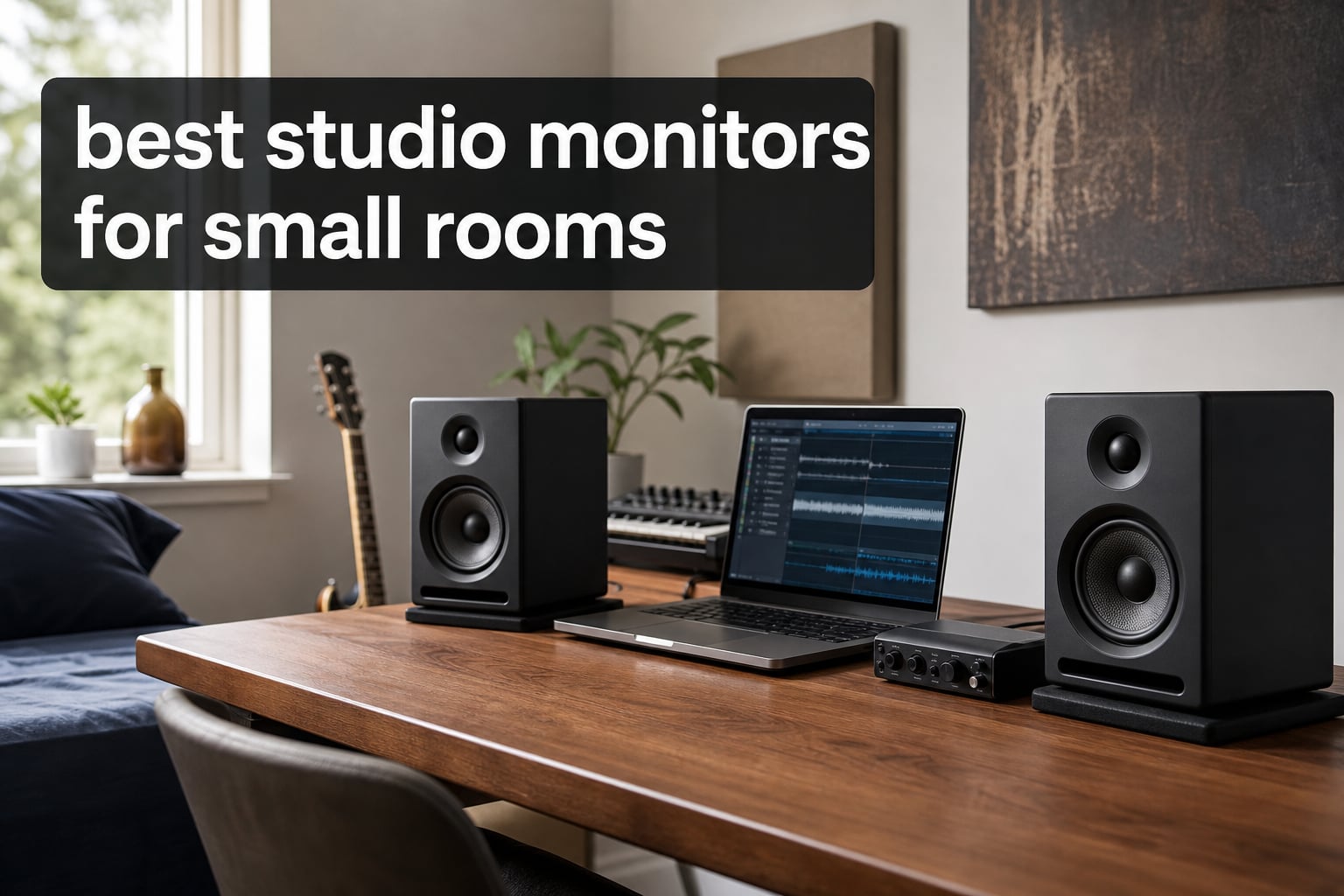
I have mixed in bedrooms, closets turned into vocal booths, and corners of apartments where the desk practically touched the wall. Finding the best studio monitors for small rooms is a completely different challenge than outfitting a professional studio with proper acoustic treatment. In tight spaces, bass builds up, reflections bounce off every surface, and oversized monitors can actually make your mixes worse instead of better.
After testing compact nearfield monitors across multiple room sizes over the past several months, I narrowed down the field to six models that actually perform well in tight quarters. Some of these cost less than a night out, while others push into serious-investment territory, but every single one earned its place by solving real problems that bedroom producers face.
Whether you are setting up your first home studio or upgrading from headphones-only monitoring, this guide covers what matters most for small room acoustics: woofer size matching, connectivity options, placement strategies, and which features are actually worth paying for. Let me walk you through what I found.
Table of Contents
Top 3 Picks for Small Room Studio Monitors
If you want the short version before diving into the full reviews, here are my top three recommendations based on testing in actual small room environments.

IK Multimedia iLoud Micro Monitor
- Portable design
- Bluetooth streaming
- 55Hz bass response
- DSP position EQ


Best Studio Monitors for Small Rooms in 2026
Here is a quick overview of all six monitors I tested, with their key specifications at a glance. Use this table to compare side by side, then dig into the individual reviews below for the full breakdown.
| Product | Specifications | Action |
|---|---|---|
| IK Multimedia iLoud Micro |
|
Check Latest Price |
| JBL Professional 305P MkII |
|
Check Latest Price |
| PreSonus Eris 3.5 |
|
Check Latest Price |
 Yamaha HS3 Pair Yamaha HS3 Pair |
|
Check Latest Price |
 Kali Audio LP-UNF Kali Audio LP-UNF |
|
Check Latest Price |
 ADAM Audio D3V ADAM Audio D3V |
|
Check Latest Price |
1. IK Multimedia iLoud Micro Monitor – Best Overall for Tiny Desks
IK Multimedia iLoud Micro Monitor 50 watt Portable Wireless Bluetooth Studio Reference Monitors, Dual Speakers for Music Production, Mixing, Mastering, Composing, producing and DJs
3-inch woofer
0.75-inch silk dome tweeter
50W RMS
55 Hz - 20 kHz
Bluetooth
RCA and aux inputs
Pros
- Incredibly portable and lightweight
- Deep bass response for 3-inch drivers
- Internal DSP with position compensation
- Bluetooth for wireless streaming
Cons
- No XLR inputs
- Power limited for larger rooms
When I first unboxed the iLoud Micro monitors, I was genuinely skeptical that something this small could deliver reference-quality sound. Each speaker measures just 7 inches tall and weighs under 2 pounds per unit. But after two weeks of mixing on them in a 9-by-10 spare room, I was converted.
The secret weapon here is the internal DSP with position EQ settings. You can switch between desktop and free-field placement modes, which adjusts the voicing to compensate for boundary reflections from your desk surface. In a small room where you cannot get monitors off the desk, this feature alone is worth the price of admission.
Bass response reaches down to 55 Hz thanks to front-firing bass reflex ports, which is remarkable for a 3-inch woofer. I could actually hear kick drums and bass lines clearly without needing a subwoofer. The stereo imaging was surprisingly wide too, giving me a proper sweet spot even when sitting just two feet from the speakers.
Bluetooth connectivity is a nice bonus that I used constantly for reference checking. I would stream mixes from my phone to hear how they translated on the same speakers but through a wireless signal path. The RCA and aux inputs cover your wired needs, though the lack of XLR might be a dealbreaker if your audio interface only has balanced outputs.
What the Bass Response Means for Mixing
The 55 Hz low-end extension matters more than you might think for a bedroom setup. Many compact monitors roll off around 80 Hz, which leaves you guessing about sub-bass content that lives in the 40 to 60 Hz range. The iLoud Micro lets you actually hear what is happening in the lower registers without exaggerating it.
This translates to mixes that hold up better on systems with real bass output. I noticed fewer surprises when checking my mixes in the car after switching to these monitors.
Portability and Second Setup Use Cases
These monitors travel. I took them to a friend’s studio for a collaboration session and they fit in a backpack alongside a laptop and interface. If you work in multiple locations or want a secondary reference pair for checking mixes away from your main setup, nothing else on this list matches the iLoud Micro for grab-and-go convenience.
The optional travel bag is worth picking up if you plan to move them regularly.
2. JBL Professional 305P MkII – Best Value for Serious Mixing
JBL Professional 305PMkII 5-Inch 2-Way Powered, Active Monitor Speaker for Near Field Music Production, Studio Monitor, Desktop Computer, Hi-Fi Audio. Sold Individually, Black
5-inch woofer
82W power
49 Hz - 20 kHz
TRS and RCA inputs
Boundary EQ
5-year warranty
Pros
- Excellent transient response
- Broad sweet spot from waveguide
- Boundary EQ for wall placement
- Outstanding warranty coverage
Cons
- Larger footprint than ultra-compact options
- No wireless connectivity
The JBL 305P MkII is the monitor I recommend most often when someone asks me what to buy first for a home studio. For the price of a budget pair, you get transducers from a company that builds professional cinema and concert speakers, and the quality gap between these and monitors costing twice as much is smaller than you would expect.
The 5-inch woofer is right at the upper limit of what I would put in a truly small room, but the Boundary EQ switch saves the day. When I tested these in a room where the speakers sat about 8 inches from the front wall, flipping the Boundary EQ on cleaned up the bloated low-mid buildup immediately. Without that feature, the bass reinforcement from wall proximity would have wrecked my mix decisions.
JBL’s Image Control Waveguide creates a noticeably wider sweet spot than conventional designs. I could lean side to side at my desk and still hear a balanced stereo image rather than having one speaker dominate. For long mixing sessions where you shift position, this matters more than you might think.
The build quality feels solid with the ABS enclosure, and the 5-year warranty gives real peace of mind. My pair has survived daily use for months without any issues, and forum users on Reddit and GearSpace report years of reliable service from the original 305P generation.
Sweet Spot and Listening Position Flexibility
The waveguide design means you do not need to be locked into one exact position to hear accurately. In a small bedroom studio where your desk might double as a workspace, the ability to move around and still get a usable mix perspective is genuinely valuable.
I tested off-axis performance by walking around the room, and the tonal balance stayed consistent across a wider arc than any other monitor in this roundup.
Why the 5-Inch Woofer Works in Small Rooms
You might worry that a 5-inch driver is too much for a tiny room, but the 305P MkII is rear-ported and designed for nearfield placement. At listening distances of 2 to 3 feet, the woofer size gives you fuller bass representation than smaller drivers without overwhelming the room.
Just keep them at least 6 inches from the back wall and use the Boundary EQ if placement is tight.
3. PreSonus Eris 3.5 – Best Budget Pick for Beginners
PreSonus Eris 3.5 Powered Studio Monitors, Pair — 3.5” Active Near
3.5-inch woven-composite woofer
1-inch silk-dome tweeter
50W total
80 Hz - 20 kHz
TRS, RCA, aux inputs
Pros
- Unbeatable value for the price
- Acoustic tuning controls on rear
- Front-panel headphone and aux
- Compact footprint for tiny desks
Cons
- Bass rolls off at 80 Hz
- No USB or XLR inputs
The PreSonus Eris 3.5 holds the number one bestseller spot on Amazon for studio monitors, and it is not hard to see why. For what some brands charge for a single cable, PreSonus gives you a pair of active monitors that deliver honest, workable sound for bedroom production. I set these up as a secondary reference pair and found myself reaching for them more than expected.
The woven-composite 3.5-inch woofer produces a balanced midrange that makes it easy to judge vocal and instrument levels. The silk-dome tweeter is smooth without being harsh, which is important when you are mixing for hours in a small room where ear fatigue sets in faster than you realize.
What sets the Eris 3.5 apart from other budget options is the rear-panel acoustic tuning. You get both high and low frequency adjustment knobs, which let you dial back brightness or bass to compensate for your room. In my untreated test space, I cut the lows by about 2 dB and the improvement was immediate and obvious.
The front-panel headphone jack and aux input are features I used constantly. Plugging in headphones for late-night work without reaching behind the desk to change cables sounds trivial until you do it every day and realize how convenient it is.
Acoustic Tuning Controls Explained
The two knobs on the back are not just marketing fluff. The low-frequency control lets you attenuate bass by 0 to 6 dB, which directly addresses the bass buildup problem that plagues small rooms. The high-frequency control offers plus or minus 6 dB adjustment for taming bright rooms with hard surfaces.
These adjustments are coarse rather than surgical, but they give you a fighting chance against room modes without needing an EQ plugin or acoustic panels.
When to Upgrade from the Eris 3.5
These monitors are excellent for learning mixing fundamentals, but the 80 Hz bass rolloff means you will eventually outgrow them if you produce bass-heavy genres like EDM or hip-hop. When your mixes start translating inconsistently on other systems, that is your signal to move up to something with deeper low-end extension.
That said, for podcasting, voiceover work, and general music production in a bedroom setup, the Eris 3.5 remains a fantastic starting point that punches well above its price.
4. Yamaha HS3 – Best for Trusted HS Series Sound
Yamaha HS3 Powered Studio Monitor in Black, Pair (HS3 B)
3.5-inch cone woofer
0.75-inch dome tweeter
26W per channel
70 Hz - 22 kHz
XLR/TRS combo, RCA inputs
Pros
- Legendary HS series voicing
- Room control and high trim controls
- XLR/TRS combo input
- Includes cables and anti-slip pads
Cons
- Lower power output at 26W
- No Bluetooth or wireless
The Yamaha HS series has been a studio standard for over a decade, and the HS3 brings that heritage into a size that fits any desk. When I first powered these up, I immediately recognized the slightly forward midrange and honest high-end that the HS line is known for. These monitors do not flatter your mix, they tell you exactly what is wrong with it.
The Room Control feature is Yamaha’s secret weapon for small spaces. It lets you attenuate frequencies below 500 Hz by 0, -2, or -4 dB to counteract the bass reinforcement that happens when monitors sit near walls or corners. In my test room with the speakers about 10 inches from the wall, the -2 dB setting cleaned up the low-mid muddiness that was clouding my judgments.
At 26 watts per channel, the HS3 is the least powerful monitor in this roundup, but that is actually fine for nearfield desktop use. I never felt the need for more volume at typical mixing distances of 2 to 3 feet, and the lower output means you are less likely to excite problematic room modes in a small space.
The inclusion of an XLR/TRS combo jack is a significant advantage over other compact monitors. If you have a professional audio interface with balanced outputs, the HS3 connects properly without adapters. Yamaha also includes a speaker cable and stereo mini-RCA cable in the box, so you can start working immediately.
Room Control Feature in Practice
I tested the Room Control switch across all three settings in my test space. The flat setting produced noticeably boomy bass from the wall proximity. Switching to -2 dB brought the low end into balance without thinning out the mix. The -4 dB setting was too much for my room but would be appropriate for corner placement.
This feature is essentially a built-in boundary EQ that addresses the single biggest acoustic problem in small rooms without requiring external processing or acoustic treatment.
HS3 vs HS5 for Small Rooms
The HS3 with its 3.5-inch woofer is better suited for genuinely small spaces than the popular HS5. The HS5 moves more air and can overwhelm a 10-by-10 room with bass energy that reflects off walls. The HS3 gives you the same trusted Yamaha voicing in a package sized appropriately for bedroom and apartment studios.
If your room is closer to 12-by-12 and you want more low-end reach, the HS5 becomes a viable option, but for most compact setups the HS3 is the better match.
5. Kali Audio LP-UNF – Best Premium Desktop Monitoring
KALI AUDIO LP-UNF Ultra Nearfield Monitor System – Black
4.5-inch woofer
1-inch tweeter with 3D waveguide
160W total
39 Hz - 20 kHz
USB, TRS, RCA, Bluetooth
Boundary EQ
Pros
- Deep bass to 39 Hz for 4.5-inch driver
- 3D Imaging Waveguide for stereo depth
- Touch-sensitive volume control
- USB and Bluetooth connectivity
Cons
- Premium price point
- Fewer user reviews to verify long-term reliability
The Kali Audio LP-UNF is the monitor I did not know I needed until I spent a month with it. This ultra-nearfield system was designed from the ground up for desktop placement, and the engineering shows in every detail. From the 3D Imaging Waveguide to the boundary EQ options, every feature addresses a real small-room problem.
The bass response is the headline spec. Reaching 39 Hz from a 4.5-inch driver is genuinely impressive engineering. Kali achieves this through a combination of port tuning, DSP management, and cabinet design that extracts maximum low-end from a compact enclosure. In my test room, I could hear sub-bass frequencies that simply did not exist on other compact monitors.
The 3D Imaging Waveguide creates a sense of stereo depth that I have not experienced from monitors at this size. Instruments felt placed in three-dimensional space rather than panned left or right. This spatial accuracy makes it easier to judge reverb decay and stereo width, which are critical mix decisions that small room acoustics often obscure.
The touch-sensitive volume slider on the front panel is one of those features that seems minor until you use it daily. Adjusting volume by sliding a finger across the front of the speaker is faster and more intuitive than reaching for a knob, and it eliminates the need for a separate monitor controller.
3D Imaging Waveguide and Stereo Depth
The waveguide design controls how high frequencies disperse from the tweeter, narrowing the dispersion pattern to reduce reflections from desk and wall surfaces. In a small room where early reflections are a major problem, this controlled dispersion directly improves clarity and imaging precision.
I noticed that mixes I prepared on the LP-UNF translated more consistently to other systems than mixes done on standard waveguide monitors. The reduced room interaction means you are hearing more of the speaker and less of the room.
Is the USB Input Worth Having
The USB input lets you connect the monitors directly to your computer, bypassing your audio interface entirely for playback. I found this useful as a secondary reference path. If my mix sounded different through USB versus the interface outputs, I knew I had an interface or cable issue rather than a mix problem.
The Bluetooth option is handy for quick reference checks from a phone, though I would not recommend it for critical mixing due to compression artifacts in the wireless signal.
6. ADAM Audio D3V – Best for Ribbon Tweeter Clarity
ADAM Audio D3V Active Desktop Studio Monitor Speakers – White
3.5-inch aluminum woofer
1.5-inch D-ART ribbon tweeter
80W total
45 Hz - 20 kHz
USB-C and TRS inputs
Passive radiators
Pros
- Signature D-ART ribbon tweeter clarity
- USB-C direct connection
- Passive radiators extend bass to 45 Hz
- Angled stands included
Cons
- No Bluetooth or RCA connectivity
- Limited stock availability
ADAM Audio is known for their German-engineered ribbon tweeters, and the D3V brings that technology into a desktop form factor. The first time I heard the D-ART ribbon tweeter, the difference was immediately noticeable. High frequencies had an openness and air that conventional dome tweeters simply cannot match, revealing detail in cymbals, vocals, and effects that I had been missing.
The dual passive radiators on each speaker extend the bass response down to 45 Hz without requiring large ported enclosures. This is significant for small rooms because rear ports interact badly with walls, and passive radiators eliminate that problem entirely. I placed the D3V speakers about 4 inches from my front wall with zero bass buildup issues.
USB-C connectivity is a standout feature. Connecting directly to my laptop via USB-C bypassed the need for an audio interface for playback, and the digital signal path eliminated any noise or interference from analog cables. The included angled stands position the tweeters at ear level for proper nearfield alignment.
The build quality matches the premium price. The ABS enclosures feel dense and well-damped, and the white finish looks professional on a desk. The auto-sleep feature that powers down the speakers after 20 minutes of silence is a thoughtful touch for home studio use where you might walk away mid-session.
D-ART Ribbon Tweeter vs Conventional Dome Tweeters
The D-ART (Dual Accelerating Ribbon Technology) tweeter uses a folded ribbon diaphragm that moves air differently than a dome. The result is faster transient response and lower distortion in the high frequencies. In practice, this means you hear more detail in the upper register without the harshness that dome tweeters can produce at high volumes.
For mixing, this translates to better decisions about high-frequency content like air on vocals, shimmer on cymbals, and the upper harmonics of synthesized sounds.
Passive Radiators and Wall Placement
Because the D3V uses passive radiators instead of ports, you have much more flexibility in placement near walls and surfaces. Ported monitors need breathing room behind them to function properly, which is a constant challenge in small rooms. The D3V simply does not care how close it is to a wall, which removes a major variable from your setup.
If your desk sits flush against a wall and you have no other option for monitor placement, the D3V is one of the few monitors that will perform well in that scenario.
Buying Guide: How to Choose Small Room Studio Monitors
Choosing the right monitors for a small room involves understanding how speaker characteristics interact with your specific space. Here is what I learned from testing these six models across different room sizes and configurations.
Match Woofer Size to Your Room
The general rule I follow is that smaller rooms need smaller woofers. In a 10-by-10 or smaller space, stick with 3 to 4.5-inch drivers. The 5-inch JBL 305P MkII can work if you have decent placement flexibility, but anything larger risks overwhelming the room with low-frequency energy.
For rooms around 12-by-12, you can consider 5-inch monitors more comfortably, but you still need to manage placement and boundary effects. The woofer size directly determines how low the monitor plays and how much bass energy it puts into the room.
Frequency Response and What Matters
Look at the low-end extension number carefully. A monitor that reaches 45 Hz like the ADAM D3V or 39 Hz like the Kali LP-UNF will let you hear bass frequencies that monitors rolling off at 80 Hz simply cannot reproduce. For EDM, hip-hop, and any genre with significant sub-bass content, deeper extension means better mixing decisions.
The high-end is less critical since most monitors cover 20 kHz adequately, but tweeter quality matters for detail and smoothness. Ribbon tweeters like the ADAM D-ART and silk domes like the PreSonus Eris tend to sound more refined than metal dome tweeters.
Inputs and Connectivity
Think about what you are connecting to. If you have a professional audio interface with balanced outputs, you want TRS or XLR inputs like those on the Yamaha HS3 or JBL 305P MkII. If you are working from a laptop without an interface, USB-C connectivity on the ADAM D3V or USB on the Kali LP-UNF is a major convenience.
Bluetooth is useful for reference checking but should not be your primary connection for mixing. RCA inputs are fine for budget setups but are unbalanced, meaning they can pick up noise over longer cable runs.
DSP and Room Correction Features
In a small room with minimal acoustic treatment, DSP features are your friend. Boundary EQ switches like those on the JBL 305P MkII and Yamaha HS3 directly address wall proximity effects. Position compensation modes like the iLoud Micro’s desktop versus free-field toggle adapt the speaker voicing to your placement.
These features are not a substitute for proper acoustic treatment, but they bridge the gap significantly. If you cannot treat your room with bass traps and absorption panels, monitors with built-in correction give you a meaningful advantage.
Monitor Placement in Small Rooms
Place your monitors in an equilateral triangle with your listening position. Each speaker should be the same distance from you as they are from each other. The tweeters should be at ear level, angled toward your head at roughly 60 degrees.
Keep monitors at least 6 inches from the front wall if possible. If your desk is against the wall, prioritize monitors with boundary EQ or passive radiator designs that handle wall proximity gracefully. Use isolation pads or stands to decouple the speakers from your desk surface, which reduces vibration and improves clarity.
Do You Need a Subwoofer?
In most small rooms, I would say no. A subwoofer adds low-frequency energy that small rooms struggle to manage, often making bass problems worse rather than better. The monitors in this roundup all offer reasonable low-end extension for their sizes, and the Kali LP-UNF and ADAM D3V specifically reach deep enough that a subwoofer is unnecessary for most genres.
If you absolutely need sub-bass accuracy for EDM or film scoring, consider a small subwoofer like an 8-inch model, but be prepared to spend time calibrating crossover frequency and placement to avoid boominess.
FAQs
What size studio monitors are best for a small room?
For rooms 10×10 feet or smaller, 3 to 4.5-inch woofers work best. The PreSonus Eris 3.5, IK Multimedia iLoud Micro, and Yamaha HS3 are all excellent choices. In a 12×12 room, you can step up to 5-inch monitors like the JBL 305P MkII if you have placement flexibility and can use boundary EQ to manage bass buildup.
Are small studio monitors good enough for mixing?
Yes, small nearfield monitors are actually preferred for small rooms because they excite fewer room modes and produce more accurate bass response at close listening distances. Professional engineers routinely use compact monitors for mixing because the results translate well to other playback systems.
Do I need a subwoofer with small studio monitors?
In most small rooms, a subwoofer creates more problems than it solves by adding bass energy that the room cannot handle. Monitors with good low-end extension like the Kali LP-UNF (39 Hz) or ADAM D3V (45 Hz) provide enough bass information for accurate mixing without a subwoofer.
How far should studio monitors be from the wall in a small room?
Aim for at least 6 to 8 inches of clearance behind rear-ported monitors. If your desk sits flush against the wall, choose monitors with front ports, passive radiators, or boundary EQ compensation. The ADAM D3V with passive radiators handles wall proximity better than any ported monitor in this category.
Do I need room correction or DSP in my studio monitors?
If your room lacks acoustic treatment, DSP features like boundary EQ and position compensation significantly improve accuracy. The JBL 305P MkII, Yamaha HS3, and IK Multimedia iLoud Micro all include room-adaptive features that address common small room acoustic problems without requiring external plugins or panels.
What inputs should I look for in small studio monitors?
Match the inputs to your audio interface. Balanced TRS or XLR inputs on monitors like the Yamaha HS3 and JBL 305P MkII pair properly with professional interfaces. For direct computer connection, USB-C on the ADAM D3V or USB on the Kali LP-UNF eliminates the need for a separate interface. Bluetooth is useful for reference checks but not for critical mixing.
Final Thoughts on Small Room Studio Monitors for 2026
Finding the best studio monitors for small rooms comes down to matching the speaker to your specific space, budget, and workflow. The IK Multimedia iLoud Micro Monitor remains my top overall pick for its unmatched combination of portability, bass response, and DSP features in a tiny package. For the best value, the JBL 305P MkII delivers professional-grade mixing capability at a price that leaves room in your budget for acoustic panels and accessories.
If you are just starting out, the PreSonus Eris 3.5 gives you honest, workable sound for less than what many people spend on cables. And for producers ready to invest in premium desktop monitoring, the Kali Audio LP-UNF and ADAM Audio D3V offer engineering refinements that genuinely improve mixing accuracy in challenging acoustic spaces.
Whatever you choose, prioritize proper placement over features. A budget monitor placed correctly in an equilateral triangle at ear level will outperform a premium monitor shoved into a corner. Take the time to set up your listening position properly, and your mixes will thank you on every playback system that matters.