
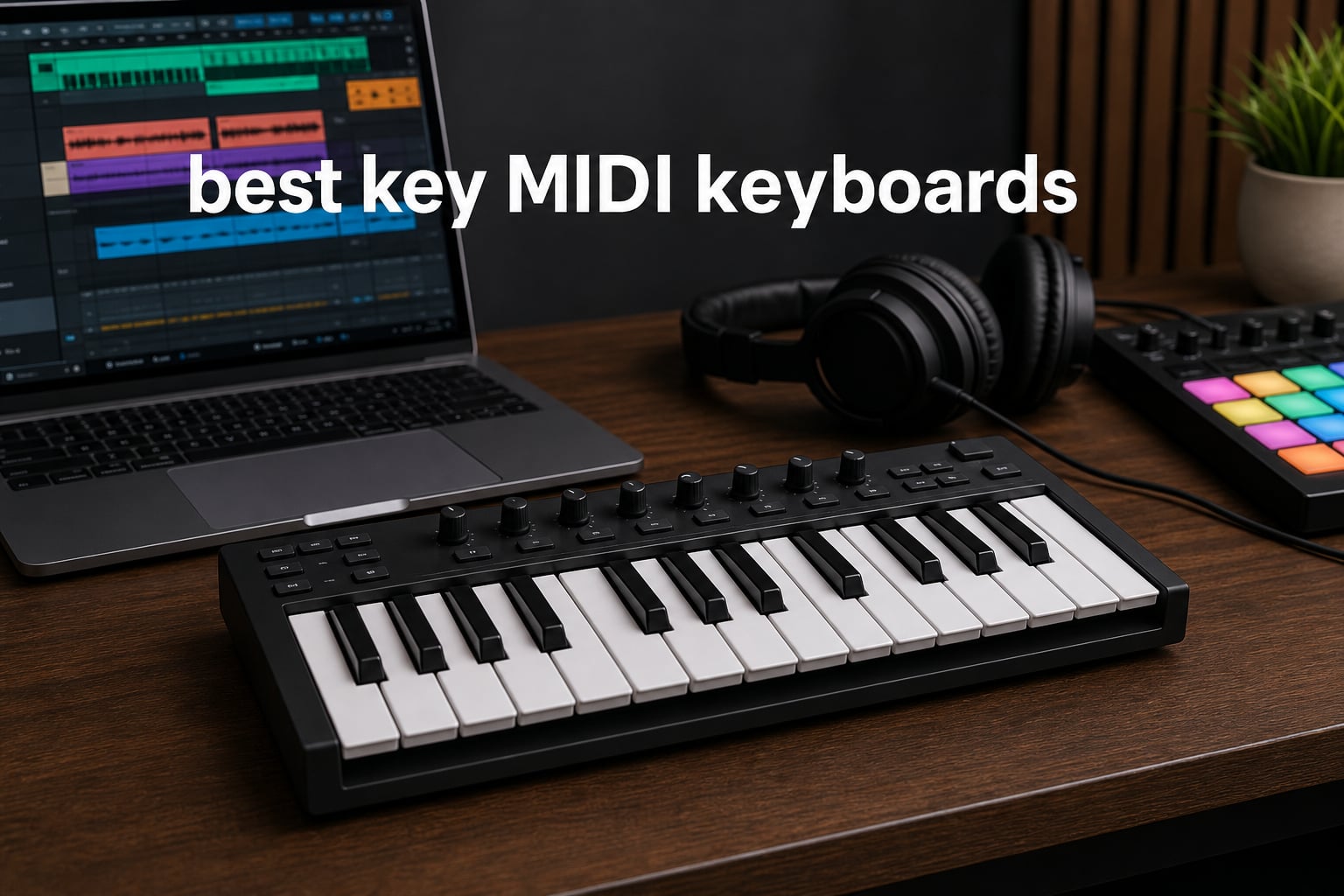
A 25-key MIDI keyboard gives you two octaves of hands-on control without taking over a desk or backpack. This guide to the best 25 key MIDI keyboards in 2026 compares 25 real controllers for beat making, portable production, Ableton sessions, FL Studio, and first DAW projects.
Twenty-five keys are enough for bass lines, hooks, chords, drum programming, and one-hand melodies, especially when octave buttons are close by. They are less comfortable for two-hand piano parts or dense arrangements, so I would choose a 49- or 61-key controller if that is the work you do most.
I sorted the choices by what their supplied specifications actually show: key format, pads, controls, connectivity, DAW support, external MIDI options, software, warranty, rating, and review volume. Mini keys save space, but forum users repeatedly point out that full-size keys and dedicated pitch and mod wheels feel more natural for piano-trained hands.
A MIDI controller does not make sound by itself; it sends note and control data to a DAW, app, or connected sound module. That distinction matters when choosing a portable MIDI controller, because a compact controller can be feature-rich while still needing software or hardware to hear anything.
Table of Contents
These are the top 3 picks for 25-key MIDI controllers
For broad music-production control, I would start with the Arturia MiniLab 3; for full-size keys and deep DAW control, the Novation Launchkey 25 MK4 is the stronger fit; and the Donner N-25 keeps the essentials simple for a first controller.
These 25-key MIDI keyboards cover every workflow in 2026
The overview below includes every controller reviewed here. Focus first on key size, then decide whether pads, knobs, transport buttons, Bluetooth, or MIDI ports are part of your normal session.
| Product | Specifications | Action |
|---|---|---|
 Novation FLkey 2 Mini 25 Novation FLkey 2 Mini 25 |
|
See Details |
 M-VAVE Wireless 25 M-VAVE Wireless 25 |
|
See Details |
 Arturia MiniLab 3 Arturia MiniLab 3 |
|
See Details |
 Novation Launchkey Mini 25 MK4 Novation Launchkey Mini 25 MK4 |
|
See Details |
 Novation Launchkey 25 MK4 Novation Launchkey 25 MK4 |
|
See Details |
 MEDIORAYS Wireless 25 MEDIORAYS Wireless 25 |
|
See Details |
 Akai MPK Mini MK3 Akai MPK Mini MK3 |
|
See Details |
 Akai LPK25 Akai LPK25 |
|
See Details |
 Akai MPK Mini IV Akai MPK Mini IV |
|
See Details |
 Akai APC Key 25 MK2 Akai APC Key 25 MK2 |
|
See Details |
 M-VAVE K5 M-VAVE K5 |
|
See Details |
 Arturia MicroLab Mk3 Arturia MicroLab Mk3 |
|
See Details |
 summina G400 summina G400 |
|
See Details |
 RockJam RJMK25 RockJam RJMK25 |
|
See Details |
 Senfot MD02T Senfot MD02T |
|
See Details |
 HXW EMK-25 White HXW EMK-25 White |
|
See Details |
 HXW EMK-25 HXW EMK-25 |
|
See Details |
 M-VAVE Mini Keytar M-VAVE Mini Keytar |
|
See Details |
 Donner N-25 Donner N-25 |
|
See Details |
 Synido TempoKey K25 Synido TempoKey K25 |
|
See Details |
1. Best for FL Studio: Novation FLkey 2 Mini 25
Novation FLkey 2 Mini 25 USB MIDI Controller Keyboard
FL Studio
16 pads
8 knobs
Arpeggiator
Pros
- FL Studio integration
- 16 velocity pads
- Scale and Chord modes
- 3-year warranty
Cons
- Mini keys
- FL Studio focus
The FLkey 2 Mini 25 is the focused choice when FL Studio is your main DAW, because its supplied feature list is built around that workflow rather than generic control mapping.
I like the practical combination of 16 velocity-sensitive pads, eight knobs, Scale mode, Chord mode, and an arpeggiator for starting patterns without opening extra panels.
The FL Studio mapping makes the main case
The controller supports FL Studio and HUI, and its eight knobs are intended for mixing and effects control.
The included six months of FL Studio Producer Edition is meaningful for someone who is beginning with that software.
The mini-key format suits compact beat desks
Its 25 synth-action mini-keys keep the unit compact, but players used to piano-width keys should try that scale before committing.
The supplied 3-year warranty is a reassuring detail in a small controller meant for frequent use.
2. Best wireless semi-weighted option: M-VAVE 25-Key Controller
M-VAVE 25 Key USB MIDI Keyboard Controller with 8 Backlit Drum Pads, Piano Keyboard Wireless Semi Weighted Professional Dynamic Keybed, 8 Knobs, Software Included
Bluetooth
8 RGB pads
8 knobs
16-hour battery
Pros
- Wireless operation
- Semi-weighted keybed
- 16-hour battery
- Mobile compatibility
Cons
- One-year warranty
- Less established brand
This M-VAVE model is one of the few supplied options that pairs Bluetooth, a rechargeable 2,000 mAh battery, pads, and knobs in a compact 25-key format.
I would put it on a tablet-oriented shortlist because the listing names Windows, Mac OS, Android, and iOS compatibility alongside common DAWs.
The battery and Bluetooth support mobile sessions
The stated battery runtime is up to 16 hours, which suits untethered sketching more than a USB-only controller does.
For timing-sensitive recording, I would still test Bluetooth behavior with the exact tablet, app, and instrument you plan to use.
The control layout gives more than basic keys
Eight RGB velocity-sensitive pads, eight assignable rotaries, and two capacitive touch bars cover drums, parameters, pitch, and modulation.
The semi-weighted dynamic keybed may appeal to players wanting more resistance than very shallow mini keys.
3. Best all-round controller: Arturia MiniLab 3
Arturia MiniLab 3 Universal MIDI Controller, White
25 slim keys
8 RGB pads
8 encoders
MIDI out
Pros
- Deep controls
- Pressure-sensitive pads
- Software bundle
- MIDI out
- 5-year warranty
Cons
- Slim keys
- PC and Mac only
The Arturia MiniLab 3 is my broadest recommendation because it combines 25 velocity-sensitive slim keys with eight pads, eight encoders, four faders, a display, an arpeggiator, and MIDI out.
Its 4.7 rating comes from more than 3.3k reviews in the supplied data, giving this choice a much larger customer sample than many compact alternatives.
The controls support hands-on arrangement work
The encoders and four faders give you physical control over instruments and mixes, while the clickable browsing knob and display help with navigation.
Two capacitive sensors handle pitch bend and modulation without adding conventional wheels to the narrow chassis.
The bundled software supports a first setup
Ableton Live Lite, Analog Lab Intro, and UVI Model D are listed in the included software, covering a DAW start point and playable sounds.
MIDI out is useful if you want this small USB MIDI keyboard to control compatible external hardware as well as software.
4. Best mini controller for multiple DAWs: Novation Launchkey Mini 25 MK4
Novation Launchkey Mini 25 MK4 USB MIDI Keyboard Controller
16 FSR pads
Poly aftertouch
Scale mode
DAW control
Pros
- Wide DAW support
- Polyphonic pad aftertouch
- Chord and Scale modes
- NKS-ready
Cons
- Mini keys
- FSR pads need adjustment
The Launchkey Mini 25 MK4 is a compact controller for producers who move between Ableton, Logic, Cubase, Reason, Reaper, and FL Studio.
I would choose it over simpler mini controllers when expressive pad performance matters, since its 16 FSR pads support velocity and polyphonic aftertouch.
The pad design opens expressive drum programming
Polyphonic aftertouch means separate pads can send pressure data independently, a notable feature in this size class.
FSR pads have a different feel from mechanical MPC-style pads, so their response is worth setting up to your playing pressure.
The playing helpers reduce wrong-note friction
Scale Mode, Chord Mode, and an arpeggiator with mutations can turn a short keyboard range into quick melodic and harmonic ideas.
NKS readiness adds another route into compatible Native Instruments software.
5. Best full-size-key controller: Novation Launchkey 25 MK4
Novation Launchkey 25 MK4 USB MIDI Keyboard Controller
Full-size keys
16 FSR pads
8 encoders
DAW control
Pros
- Full-size synth keys
- Polyphonic pad aftertouch
- 8 endless encoders
- Major DAW support
Cons
- Larger footprint
- FSR pad feel
The Launchkey 25 MK4 answers a common 25-key complaint directly: it has 25 full-size synth-action keys instead of mini keys.
I would favor it for players who want compact dimensions but find narrow keys uncomfortable for chord shapes or melodic accuracy.
The full-size keys change daily playability
Full-size synth-action keys give familiar spacing without the width of a larger controller, although the unit is less travel-friendly than a mini-key model.
That trade-off is often worthwhile for piano-trained users who value reliable finger placement.
The controller layer is unusually complete
It adds 16 velocity-sensitive FSR pads with polyphonic aftertouch and eight endless rotary encoders.
Scale, Chord, and arpeggiator modes join support for Ableton, Logic, Cubase, Reason, Reaper, and FL Studio.
6. Best simple wireless pad controller: MEDIORAYS 25-Key Wireless
25 Key Wireless MIDI Keyboard Controller Pads, Bluetooth Portable USB with 16 Drum 8 Assignable Knobs Keyboard ft (White)
Bluetooth
8 RGB pads
8 encoders
16-hour battery
Pros
- Wireless operation
- Long stated battery life
- Mobile support
- Smart chord functions
Cons
- Limited review history
- One-year warranty
The MEDIORAYS controller is a portable Bluetooth option with 25 velocity-sensitive keys, eight RGB pads, eight encoders, and two capacitive touch strips.
Its 28 supplied reviews are a far smaller sample than the established models above, so I would give the return policy and your device setup extra attention.
The mobile compatibility is the draw
The listing names Windows, Mac OS, Android, and iOS compatibility, plus support for Ableton Live, FL Studio, Cubase, Logic Pro X, and more.
That makes it relevant for a laptop or mobile DAW setup rather than a fixed studio-only desk.
The smart functions help early songwriting
Smart chord and smart sound functions can make simple harmonic ideas easier to enter from the 25-key range.
A stated 2,000 mAh battery provides up to 16 hours of playtime between charges.
7. Best-known compact beat maker: Akai MPK Mini MK3
Akai Professional MPK Mini MK3 25-Key USB MIDI Keyboard Controller, Black
25 mini keys
MPC pads
8 knobs
Arpeggiator
Pros
- MPC-style pads
- Large review base
- 8 assignable knobs
- NKS integration
Cons
- No Bluetooth
- Thumbstick controls
The Akai MPK Mini MK3 remains a familiar answer for compact beat making, with 25 velocity-sensitive mini keys, eight backlit MPC-style pads, eight knobs, and an arpeggiator.
Its supplied 30.8k review count is the largest in this roundup, which makes the 4.6 rating especially useful as a broad ownership signal.
The MPC pads fit finger-drumming workflows
Note Repeat and Full Level are the key pad features here, helping with repeated rhythmic hits and consistent fixed velocity.
The eight 360-degree knobs can be assigned to plug-in parameters for quick sound shaping.
The thumbstick is a personal preference point
Pitch and modulation use a four-way thumbstick, a space-saving design that some players find less natural than separate wheels.
The included MPC Beats, virtual instruments, sound content, and NKS integration give beginners material to explore immediately.
8. Best keys-only travel controller: Akai LPK25
Akai Professional LPK25 25-Key USB MIDI Keyboard Controller
25 synth keys
Arpeggiator
Sustain button
USB
Pros
- Very light
- Arpeggiator
- 8 preset slots
- Plug and play
Cons
- No pads
- No knobs
- No MIDI out
The Akai LPK25 strips the concept back to responsive synth keys, octave buttons, a sustain button, preset slots, and an arpeggiator.
At 0.48 kilograms in the supplied specifications, it is a practical choice when the controller must fit beside a laptop instead of becoming a production surface.
The limited layout is intentional
There are no drum pads or parameter knobs, so this model works best when you already use a mouse, another control surface, or a simple instrument-focused workflow.
Eight programmable preset slots let you retain different mappings rather than rebuilding them each time.
The sustain button helps short-keyboard phrasing
The dedicated sustain button can make two-octave playing feel less restrictive when recording held chords or melody notes.
It is USB powered and listed as plug-and-play for Mac and PC.
9. Best feature-rich Akai pick: Akai MPK Mini IV
Akai Professional MPK Mini IV 25-Key USB-C MIDI Keyboard Controller, Black
RGB pads
Color screen
MIDI out
USB-C
Pros
- Color screen
- Pressure-sensitive pads
- Full-size MIDI out
- Chord and Scale modes
Cons
- Heavier than MK3
- Mini keys
The MPK Mini IV advances the familiar Akai layout with USB-C, a full-color screen, a push-turn encoder, full-size MIDI out, and RGB pads that are velocity and pressure sensitive.
I would select it when you want a mini-key controller that can reach external MIDI gear without adding a separate interface.
The screen and encoder improve standalone navigation
The full-color display and push-turn encoder give more feedback than a controller with knobs and buttons alone.
Its arpeggiator offers Pattern, Freeze, and Mutate functions, alongside Chord and Scale modes.
The MIDI out makes it more than a laptop accessory
Full-size MIDI out provides a direct physical connection path to compatible synthesizers and sound modules.
The supplied sound package lists more than 1,000 sounds from AIR, Akai Pro, and Moog, plus Ableton Live Lite 12.
10. Best Ableton clip launcher: Akai APC Key 25 MK2
Akai Professional APC Key 25 MK2 25-Key USB MIDI Keyboard Controller
40 RGB pads
Ableton mapping
8 knobs
25 mini keys
Pros
- 40 clip pads
- Ableton pre-mapping
- 8 knobs
- Compact format
Cons
- Ableton-focused
- Pads are not velocity-sensitive
- No Bluetooth
The APC Key 25 MK2 is a different kind of controller: its 40 RGB pads are a 5-by-8 matrix for launching Ableton Live clips, not a conventional eight-pad drum bank.
I would choose it for Session View performance and arrangement control, rather than for someone whose first need is expressive finger drumming.
The 40-pad grid supports clip-based performance
Color feedback on the grid helps show clip states, and four directional buttons help move through the Ableton session.
The controller is pre-mapped for Ableton Live 11.2.7 onward and includes Ableton Live Lite.
The keys remain a compact input layer
It has 25 responsive velocity-sensitive mini keys and dedicated octave buttons for entering notes alongside the clip workflow.
The eight rotary knobs provide assignable parameter control, while the pads are not specified as velocity-sensitive drum triggers.
11. Best broadly compatible M-VAVE: M-VAVE K5
M-VAVE 25 Key USB MIDI Keyboard Controller With 8 Backlit Drum Pads, Bluetooth Semi Weighted Professional dynamic keybed 8 Knobs and Music Production,Software Included (Black)
Bluetooth
8 RGB pads
8 encoders
Smart scale
Pros
- USB and Bluetooth
- Mobile compatibility
- Smart chord and scale
- 16-hour battery
Cons
- Semi-weighted feel may vary
- Battery runtime varies
The M-VAVE K5 combines USB and Bluetooth with 25 velocity-sensitive keys, eight RGB pads, eight encoders, and two capacitive touch strips.
With 407 supplied reviews and a 4.6 rating, it has a more substantial feedback base than several other wireless alternatives here.
The device support is unusually wide
The supplied compatibility list includes Windows, Mac OS, Android, and iOS, as well as Ableton Live, FL Studio, Cubase, Logic Pro X, and GarageBand.
That range is appealing when a controller may move between a computer and a mobile device.
The scale controls help non-keyboard players
Smart chord, smart sound, and scale features can reduce the learning curve for basic performance and programming.
The 2,000 mAh battery is specified for up to 16 hours, though intensive wireless use can change real runtime.
12. Best no-frills Arturia controller: Arturia MicroLab Mk3
Arturia MicroLab Mk3 Universal MIDI Controller, White
25 slim keys
USB-C
Sustain input
Analog Lab
Pros
- MiniLab-style keybed
- Sustain input
- USB-C
- Analog Lab presets
Cons
- Few controls
- No Bluetooth
The Arturia MicroLab Mk3 is for players who care more about a good compact keybed and quick setup than pads, faders, or a dense control panel.
The supplied data says its 25 velocity-sensitive keys use the same quality keybed as the MiniLab 3, which is its strongest selling point.
The sustain input helps real keyboard technique
A sustain pedal input is valuable for held notes, chord transitions, and more piano-like phrasing on a small controller.
Pitch and mod touch strips offer expression without taking space from the 25 keys.
The included sounds make it easy to begin
It includes 500 curated presets from Analog Lab Intro plus Ableton Live Lite.
USB-C power and plug-and-play operation keep the setup simple for a laptop-based starter rig.
13. Best flexible-connection newcomer: summina G400
25-Key Wireless MIDI Controller Keyboard with RGB Pads and Control Knobs
Bluetooth
Aftertouch pads
8 encoders
Wireless MIDI
Pros
- Several connection methods
- Aftertouch pads
- Smart chord and scale
- Battery operation
Cons
- Small review base
- Limited stock
The summina G400 lists USB, Bluetooth, direct wireless, and wireless MIDI out as connection methods, a notable range for a 25-key controller.
I would see it as a feature-led alternative for a user who wants pads with velocity and aftertouch plus assignable knobs in a mobile form.
The connection options invite flexible routing
Multiple wireless and wired paths can be helpful when moving between a computer, tablet, smartphone, or MIDI-compatible software.
Compatibility should still be confirmed with the app and operating system you use, particularly for wireless MIDI routing.
The pads offer more expression than basic triggers
The eight RGB pads are listed with velocity and aftertouch, and the eight 360-degree encoders are assignable.
Smart chord and scale features give the 25 slim keys a faster route to basic harmonic ideas.
14. Best wireless controller with headphones: RockJam RJMK25
RockJam RJMK25 25 Key USB MIDI Keyboard Controller with Drum Pads
Bluetooth
8 MPC pads
8 knobs
Headphone jack
Pros
- Rechargeable battery
- Bluetooth MIDI
- Headphone jack
- Two-year warranty
Cons
- Mini keys
- Aux connection is niche
The RockJam RJMK25 adds a 3.5 mm headphone jack to its 25 mini keys, eight backlit MPC-style pads, eight knobs, USB MIDI, Bluetooth MIDI, and rechargeable battery.
Its supplied 27.8k review count gives its 4.4 rating a very broad ownership base, even though the key format remains compact.
The headphone jack supports quiet mobile practice
Because a controller itself needs software or external sound, the headphone jack is most useful in a connected mobile setup that routes audio through the device.
The listing also names macOS, Windows, and iOS compatibility.
The pad controls cover beat-first sessions
The eight backlit pads include Note Repeat, and the eight 360-degree knobs are assignable for DAW control.
A two-year manufacturer warranty is longer than the one-year coverage listed for several compact competitors.
15. Best OLED and sustain option: Senfot MD02T
Senfot 25-Key MIDI Keyboard Controller with DAW Integration, USB MIDI Keyboard Controller with Semitone transpose, ARP Auto-Accompaniment, Velocity Control, Perfect for Professional Music Production
OLED
ARP accompaniment
Sustain port
Bluetooth
Pros
- OLED feedback
- Sustain pedal port
- ARP accompaniment
- Standard keys
Cons
- No listed warranty
- Small review base
The Senfot MD02T is a feature-dense option with 25 velocity-sensitive standard keys, eight adjustable pads, eight custom controls, an OLED display, a sustain port, and Bluetooth.
I would look at it when visual feedback and basic DAW transport or track control matter more than brand familiarity.
The OLED screen makes control states easier to see
An OLED display can reduce guesswork when using transpose, velocity, arpeggiator, and control assignments on a compact panel.
Semitone transpose helps move a two-octave range into the register a part needs.
The sustain port favors melody players
The sustain pedal port gives this controller a practical advantage over models that only offer keys and pads.
The supplied listing shows no warranty, so that detail deserves attention before a long-term purchase decision.
16. Best nine-pad wireless controller: HXW EMK-25 White
HXW 25 Key USB MIDI Keyboard Controller With Bluetooth, Professional Mini Beat Maker Machine for Beginners and Producers Music Production, Software Included, EMK-25 White
9 pads
OLED
Bluetooth 5.0
Arpeggiator
Pros
- Nine pads
- OLED display
- Bluetooth 5.0
- Cubase software included
Cons
- Small keys
- AA batteries not included
The white HXW EMK-25 pairs 25 velocity-sensitive waterfall keys with nine pads, an OLED screen, an arpeggiator, USB MIDI, and Bluetooth 5.0.
That ninth pad is a small but useful distinction for someone who likes an extra trigger beyond the common eight-pad layout.
The pad set suits beat programming
The nine pads are listed with Note Repeat and aftertouch, offering both repeat performance and pressure-based expression.
The controller includes Cubase LE12 and Cubasis LE3, which is useful for computer and mobile production starts.
The power choices affect portability
It can run from USB or three AA batteries, with the batteries not included according to the supplied data.
That flexibility helps away from a computer, but it also means keeping spare batteries available for wireless sessions.
17. Best joystick-and-sustain controller: HXW EMK-25
HXW 25 Keys MIDI Keyboard Controller Beat Maker Machine With Bluetooth
9 pads
Joystick
OLED
Sustain input
Pros
- Pitch and mod joystick
- Sustain interface
- OLED display
- Bluetooth 5.0
Cons
- Batteries not included
- Lower rating
This HXW EMK-25 shares the 25 waterfall keys, nine backlit pads, OLED display, arpeggiator, and Bluetooth concept, while adding a joystick for pitch and modulation plus a sustain interface.
I would consider it when direct pitch and mod control matters more than touch strips, particularly for lead parts.
The joystick gives a different expression feel
A joystick puts pitch and modulation under one thumb, which can be convenient for compact playing positions.
Players who prefer two separate wheels should compare this control style before choosing, since feel is personal.
The sustain connection helps extend phrases
The 1/4-inch sustain interface supports pedal-based note holds that can make 25-key melodies feel less constrained.
It includes Cubase LE12 and Cubasis LE3 and is listed for PC, Mac, iOS, and Android.
18. Best keytar-style portable controller: M-VAVE 25-Key Mini Keytar
M-VAVE 25 Keys Mini Keyboard – Professional Beat Maker and Keytar for Keyboard Music Production Builtin Battery Wireless Connect Black
16 RGB pads
Bluetooth
18-hour battery
Type C
Pros
- Very light
- 16 pads
- 18-hour stated battery
- Wide DAW compatibility
Cons
- Small review base
- USB Type C only
The M-VAVE Mini Keytar is the lightest controller in this guide by supplied weight at 350 grams, with a performance-oriented format, 16 RGB pads, Bluetooth, and USB Type-C.
I would reserve it for mobile beat making and expressive keytar-style performance rather than a traditional desk keyboard feel.
The stated battery life favors travel
The built-in 2,000 mAh battery is listed for up to 18 hours, the longest stated runtime among the wireless options reviewed here.
Bluetooth and compatibility with FL Studio, Ableton, Cubase, Logic Pro X, and more support a portable workflow.
The 16 pads expand rhythmic control
Sixteen RGB velocity-sensitive pads provide twice the trigger count of an eight-pad controller in a very small format.
Two capacitive touch strips cover pitch bend and modulation while eight rotary encoders handle assignments.
19. Best beginner-first controller: Donner N-25
Donner Mini MIDI Keyboard N-25, 25 Key MIDI Controller Gifts for Beginners with Velocity-Sensitive Mini Keys Light-up Rocker Music Production Software, Small USB Controlador with 40 Teaching Courses
Mini keys
Arpeggiator
Pitch wheel
Teaching courses
Pros
- 40 teaching courses
- Pitch wheel
- Four programmable banks
- Plug and play
Cons
- Lower rating
- Small mini keys
The Donner N-25 focuses on a straightforward first-controller experience: 25 scaled-down velocity-sensitive keys, four programmable banks, arpeggiator, sustain, octave, tap tempo, and a pitch-bend wheel.
I would put it near the top for a beginner who wants to learn core controls before adding pads, encoders, and screens.
The teaching material supports early practice
The supplied package includes 40 teaching courses and music-production software, which gives a newcomer structured material alongside the hardware.
Light-up buttons can help make basic functions easier to find during first sessions.
The physical wheel may beat a touch control
A pitch-bend wheel provides a familiar physical motion for lead lines and sound effects.
The controller is plug-and-play, needs no drivers according to the listing, and works with an OTG adapter for smartphones.
20. Best connection-rich desk controller: Synido TempoKey K25
Synido 25 Key USB MIDI Keyboard Controller with 8 Drum Pads, Professional Mini Midi Keyboard with OLED Screen, Beat Maker Machine for Music Production, Black, TempoKey K25
OLED
MIDI out
Sustain input
Transport controls
Pros
- Deep key travel
- MIDI out and sustain
- OLED and encoder
- Transport controls
Cons
- Heavier form
- Lower rating
The Synido TempoKey K25 offers a substantial desktop feature list: 25 velocity-sensitive keys with 0.59-inch travel, eight RGB pads, an OLED, eight knobs, six transport buttons, MIDI out, and a sustain input.
I would choose it for a small studio where physical connections and transport controls matter more than extreme portability.
The ports support a wider hardware setup
USB-C, 1/8-inch MIDI out, and a 1/4-inch sustain pedal input give this controller options beyond computer-only USB.
A DC 5V input is specified for uninterrupted sessions, useful when the controller remains in one place.
The key travel changes the compact feel
The supplied 0.59-inch key travel and four selectable velocity curves are intended to make response more adjustable than basic shallow mini keys.
Its reinforced PC+ABS housing and UV-coated keys address the build-quality concern raised often in compact-controller discussions.
21. Best wireless external-MIDI controller: Synido TempoKey W25

25 Keys Wireless USB MIDI Keyboard Controller with Smart Chord & Scale
Wireless MIDI
MIDI in out thru
OLED
Aftertouch pads
Pros
- MIDI In Out Thru
- Pressure pads
- OLED and encoder
- Smart scale and chord
Cons
- Short stated battery time
- No built-in sound
The Synido TempoKey W25 stands out for wireless MIDI plus 1/8-inch MIDI In, Out, and Thru, a sustain input, USB-C, an OLED, and nine endless knobs across dual banks.
I would choose it for a compact rig that includes external MIDI devices as well as a laptop, phone, or tablet.
The MIDI In Out Thru ports expand routing
MIDI In, Out, and Thru allow the controller to sit within a more involved hardware chain than USB-only models can.
The 360-degree encoder can address notes, CC messages, program changes, and MIDI channels according to the supplied specifications.
The wireless design has a stated runtime limit
The rechargeable 3,000 mAh battery is listed for up to five hours of playtime from a two-hour charge.
Eight RGB pads offer velocity, pressure sensitivity, and aftertouch, while Smart Scale and Smart Chord assist early composition.
22. Best USB-C controller with TRS MIDI: Rhymo MDP25
25 Key MIDI Keyboard Controller Portable USB MIDI Controller with Arpeggiator, Velocity Sensitive Keys, Beat Maker for Beginners – Compatible with GarageBand, FL Studio, Ableton Live
USB-C
X-Y joystick
TRS MIDI
Sustain input
Pros
- USB-C power
- X-Y joystick
- TRS MIDI output
- Sustain interface
Cons
- Small review base
- No built-in sound
The Rhymo MDP25 is a USB-C-powered 25-key controller that combines an X-Y joystick, arpeggiator, loop and tap-tempo functions, a sustain interface, and 3.5 mm TRS MIDI output.
I would consider it for a creator who needs simple wired power and wants to connect a compatible external synth over TRS MIDI.
The X-Y joystick supports expressive control
The joystick is assigned to pitch bend and modulation, giving two dimensions of control from a compact hardware element.
Octave buttons offer a stated 10-octave range, so the 25 physical keys can reach bass and lead registers.
The MIDI channel settings aid hardware use
Sixteen user-selectable MIDI channels help when mapping the controller across compatible instruments and sound modules.
The supplied data lists class-compliant USB MIDI and compatibility with Mac, PC, iOS, GarageBand, FL Studio, and Ableton Live.
23. Best Bluetooth controller with aftertouch pads: DaierTek DK-SMK-25

DaierTek Midi Keyboard Controller 25 Key Portable Mini Bluetooth & USB Midi Piano with 8 Backlit Drum Pad, 8 Knobs and Music Production Software for Computer Recording, Music Production
Bluetooth
8 aftertouch pads
8 encoders
16-hour battery
Pros
- Bluetooth and USB
- Aftertouch pads
- Smart chord and scale
- Long stated battery life
Cons
- No sound alone
- Bluetooth app support varies
The DaierTek DK-SMK-25 combines Bluetooth and USB with 25 velocity-sensitive keys, eight RGB pads with aftertouch, eight encoders, a small display, and a 2,000 mAh battery.
I would see it as a mobile-production tool for someone who values a complete basic control set and works across computer and phone platforms.
The pad aftertouch adds performance detail
Aftertouch can send extra pressure information after the initial pad strike, which can be mapped to expression, filters, or other MIDI CC behavior in supporting software.
Smart chord, smart scale, and arpeggiator functions help create patterns from a short keyboard range.
The wireless claim needs app-level checking
The listing names Windows, Mac OS, Android, and iOS plus Ableton Live, FL Studio, Cubase, and GarageBand compatibility.
Bluetooth MIDI needs compatible apps and a stable device connection, so I would test the exact software path before relying on it live.
24. Best foldable travel keyboard: Korg nanoKEY Fold

Korg nanoKEY Fold – 25-Key Foldable MIDI Keyboard Controller – Black
Foldable
Membrane keys
USB-C
TRS MIDI
Pros
- Pocket-sized fold
- Quiet keys
- TRS MIDI
- Chord and split modes
Cons
- Membrane key feel
- No pads
The Korg nanoKEY Fold is the travel specialist: it folds to a pocket-sized form and weighs 190 grams according to the supplied specifications.
I would select it for silent note entry on trains, in shared rooms, or beside a phone or tablet, not for a piano-like playing experience.
The folding form makes portability the priority
Its USB-C and TRS MIDI connectivity allow it to connect to smartphones, tablets, computers, and compatible MIDI sound sources.
Foldability is a rare advantage when every inch of travel space matters.
The membrane keys change the response
The quiet membrane keyboard will feel different from spring-action or semi-weighted keys, and that is the main compromise for its portability.
Scale guides, Chord mode, arpeggiator, split mode, touch sliders, and memory slots add useful musical functions despite the sparse surface.
25. Best lesson-packed controller: Donner DMK 25 Pro

Donner USB-C MIDI Keyboard Controller, 25 Key Portable Mini MIDI Keyboard with 8 Drum Pads, OLED Display, 16 Smart Scales, Arpeggio, Replay, 4 DAW Software and 40 Teaching Courses, DMK 25 Pro Black
OLED
8 pads
16 smart scales
Transport controls
Pros
- Smart scales
- OLED display
- 40 teaching courses
- Transport controls
Cons
- No built-in sound
- Mini keys
The Donner DMK 25 Pro combines 25 mini keys, eight touch-sensitive pads, an OLED display, 16 smart scales, arpeggio, note repeat, chord functions, transport controls, and USB-C.
I would put it in front of beginners who want many guided composition tools and included learning material on one compact controller.
The smart scale system supports quick melodies
The 16 smart scales with dynamic mode can keep note choices within a selected scale, which helps new players build coherent ideas.
Arpeggio, note repeat, chord functions, and a pitch and mod touch bar create several routes to turn short phrases into parts.
The included content favors learning workflows
The supplied package includes four DAW software titles and 40 keyboard teaching courses.
Six transport controllers and four visual control wheels give it more DAW-facing hardware than a basic entry controller.
Choose a 25-key MIDI keyboard by the way you make music
Start with key size. Full-size keys on the Launchkey 25 MK4 are the best fit here for a player accustomed to piano spacing, while slim and mini keys save desk space and travel better.
Velocity sensitivity matters because it lets note volume or another assigned response change with playing force. If you want a more detailed pad performance, look for pressure sensitivity or aftertouch, such as the Launchkey Mini 25 MK4, summina G400, Synido W25, or DaierTek.
Choose pads and knobs when beat making is your priority
Eight pads and eight knobs are a common compact layout, but their jobs differ. The Akai MPK Mini MK3 centers on MPC-style drum pads, while the APC Key 25 MK2 uses 40 pads for Ableton clip launching rather than velocity-sensitive drum playing.
If you automate synth filters, effects, and mix moves, physical knobs or encoders are more useful than a keys-only controller. If you record mostly melodies into a virtual piano, key feel and a sustain input deserve more weight.
Choose DAW mapping for less setup work
A controller labeled for a particular DAW can speed up first use, but it should match your actual software. FL Studio users should look first at the FLkey 2 Mini 25, Ableton clip performers at the APC Key 25 MK2, and multi-DAW producers at either Novation Launchkey model.
Class-compliant USB MIDI is broadly useful, but named compatibility is not a guarantee that every control is automatically mapped. I would connect the controller, open the intended DAW, and confirm pads, transport, and knobs before a session matters.
Choose wired or Bluetooth MIDI for the real destination device
USB is direct, usually powers the controller, and avoids battery management. Bluetooth can make tablet and phone production more comfortable, but it needs compatible software and can behave differently across devices.
For external synthesizers, look for physical MIDI connections: the MiniLab 3 has MIDI out, the MPK Mini IV has full-size MIDI out, the Rhymo has TRS MIDI out, and the Synido W25 adds MIDI In, Out, and Thru.
Choose 25 keys when portability beats two-hand range
A 25-key controller is enough for basic melodies, bass, single-hand chords, drums, and step programming because octave buttons extend its range. It is not the most comfortable answer for two-hand piano voicings, elaborate classical parts, or playing bass and chords at once.
That limit is not a flaw; it is the reason these controllers can sit next to a computer keyboard or fit in a bag. The best MIDI keyboard for beginners is the one whose layout makes you want to open your DAW and practice regularly.
These FAQ answers settle common 25-key MIDI questions
Is 25 keys enough for a MIDI keyboard?
Yes, 25 keys are enough for bass lines, one-hand melodies, chords, drum programming, and portable music production. Octave buttons extend the range, but 25 keys are limiting for two-hand piano parts and complex arrangements.
Who makes the best MIDI keyboards?
Arturia, Novation, Akai Professional, Korg, and Donner all have options in this guide. The best brand depends on whether you need full-size keys, pads, a DAW-specific layout, wireless use, or physical MIDI ports.
How many keys are good for a MIDI keyboard?
Twenty-five keys work well for portability and basic production, 49 keys give more room for two-hand playing, and 61 keys suit broader keyboard parts. Choose based on the parts you record most and the desk or travel space you have.
What is the No. 1 best keyboard?
The Arturia MiniLab 3 is the strongest all-round pick in this list because it combines 25 velocity-sensitive slim keys, pads, encoders, faders, an arpeggiator, MIDI out, software, and a large supplied review base.
These 25-key MIDI keyboards make compact production easier
The Arturia MiniLab 3 is the strongest general choice, the Novation Launchkey 25 MK4 is the answer for full-size keys, the FLkey 2 Mini 25 fits FL Studio, and the APC Key 25 MK2 fits Ableton clip launching.
For the best 25 key MIDI keyboards in 2026, match the controller to your key preference, DAW, need for pads or knobs, and whether you want USB, Bluetooth, or hardware MIDI. Pick the one that removes friction from your own music-making routine, then spend the saved setup time playing.