
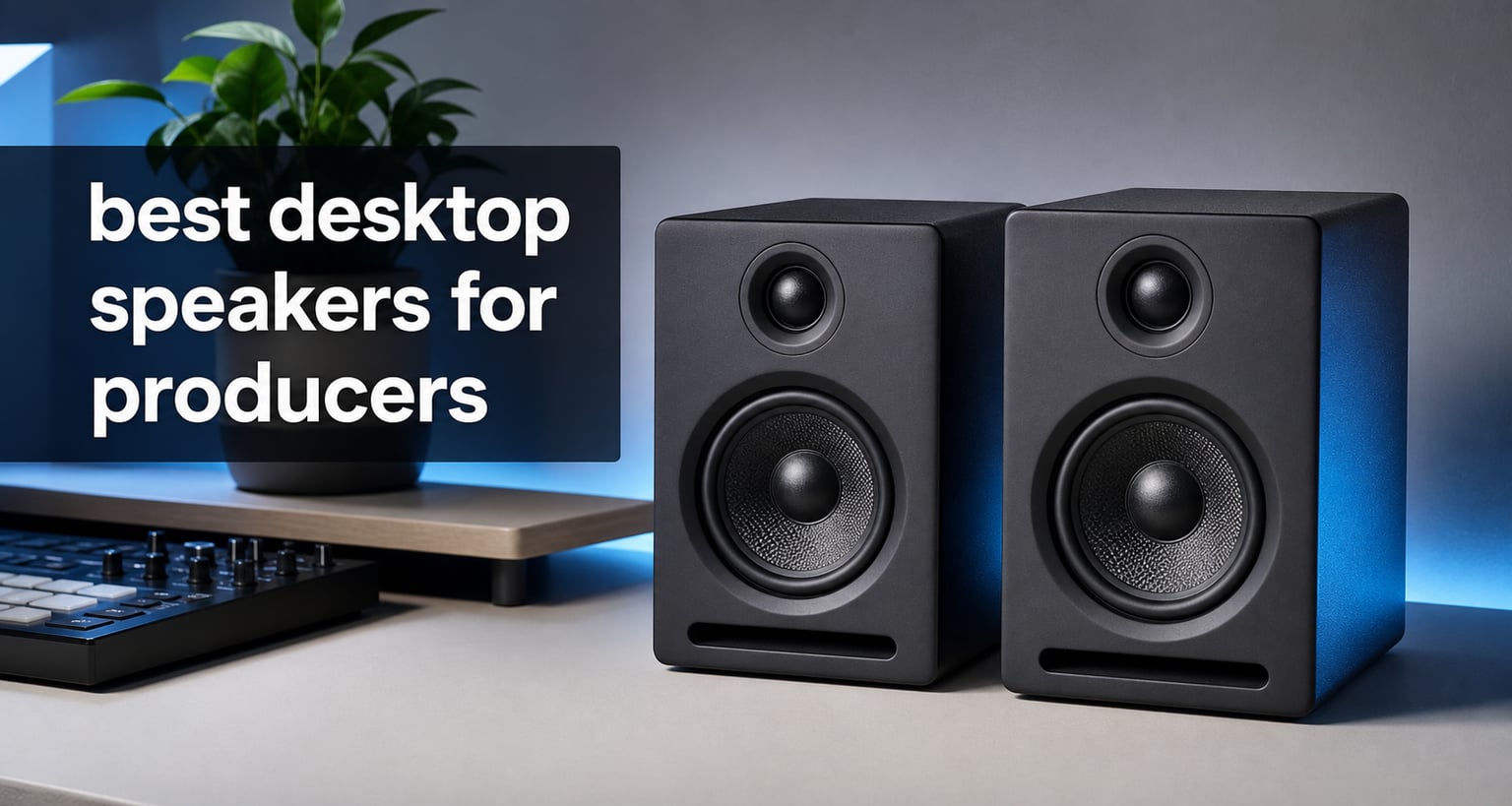
The best desktop speakers for producers are active nearfield monitors that show you what is actually in a mix, not speakers that make every track sound flattering. On a desk, that difference matters: a vocal that seems clear on colored consumer speakers can be too sharp elsewhere, while a kick that feels huge in a small room can vanish on other systems.
I approached this list as a production decision rather than a general computer-audio list. The verified specifications, inputs, room controls, power figures, and buyer feedback point to eight sensible choices for beat making, editing, podcast work, and serious home-studio mixing in 2026.
Small untreated rooms are the normal situation, not a failure of commitment. That is why this guide gives more weight to nearfield placement, practical tuning, and usable connections than to raw output; the right pair at arm’s length can tell you more than a larger pair placed badly.
Studio monitors for music production are powered speakers voiced for accuracy, so they reveal timing, balance, distortion, and frequency build-up that regular desktop speakers may soften. They are not magic room correction, but they give you a more dependable starting point for decisions that need to translate to headphones, cars, earbuds, and other playback systems.
Table of Contents
These Are Our Top 3 Picks for Desktop Production
The Edifier MR5 is my broadest recommendation when you want a compact 3-way active design, balanced inputs, and room-compensation options. The Edifier MR3 makes the stronger compact all-rounder choice when headphone listening and modern wireless convenience matter, while the Mackie CR3.5 is the simple entry point for a very small desk.
Every pick below can serve a different room and workflow. Choose the card that matches your desk depth, audio interface, and low-frequency needs, then read the full review before deciding.

These Desktop Speakers Compare Well for Producers in 2026
The quick overview collects all eight pairs in one place. Treat woofer size as a clue to bass reach and desk space rather than a scorecard: a 3.5-inch design is often easier to place close, while a 5-inch model can give you more information in the low end when the room and placement support it.
Inputs are equally important. Balanced XLR or TRS is the natural match for an audio interface, RCA and auxiliary inputs suit everyday sources, and a front headphone jack can make a one-seat workflow much less fussy.
| Product | Specifications | Action |
|---|---|---|
 Yamaha HS3 Powered Studio Monitor Pair Yamaha HS3 Powered Studio Monitor Pair |
|
Check Latest Price |
 PreSonus Eris E5 Pair PreSonus Eris E5 Pair |
|
Check Latest Price |
 Edifier MR3 Powered Monitors Edifier MR3 Powered Monitors |
|
Check Latest Price |
 Mackie CR3.5 Reference Monitors Mackie CR3.5 Reference Monitors |
|
Check Latest Price |
 Kali Audio LP-UNF Monitor System Kali Audio LP-UNF Monitor System |
|
Check Latest Price |
 PreSonus Eris 3.5 Monitors PreSonus Eris 3.5 Monitors |
|
Check Latest Price |
| Edifier MR5 Studio Monitors |
|
Check Latest Price |
 M-Audio BX5BT Monitors M-Audio BX5BT Monitors |
|
Check Latest Price |
Yamaha HS3 Is the Compact Wired-Monitoring Pick (1)
Yamaha HS3 Powered Studio Monitor in Black, Pair (HS3 B)
3.5 inch woofer
26W output
XLR TRS RCA mini
Pros
- Room control and high trim
- Multiple input types
- Includes cables and pad
- 4.7 rating
Cons
- Limited low bass
- Modest output for large rooms
The Yamaha HS3 is the sensible choice when your workspace is genuinely compact and you need to connect several sources without adapters. Its 3.5-inch cone woofer, 0.75-inch dome tweeter, and stated 70 Hz to 22 kHz response place the focus on midrange and high-frequency decisions rather than on trying to fill a room with sub-bass.
For desktop studio monitors, that restraint can be helpful. I would use the HS3 as a close listening pair for vocal edits, arrangement work, synthesis, and checking whether a mix has too much edge, then check the deepest bass on headphones or a second system.
Its connection set is unusually considerate for a small monitor pair: XLR/TRS combo, RCA, and stereo mini inputs are listed, and Yamaha includes a stereo-mini-to-RCA cable, speaker cable, and anti-slip pads. The published room-control and high-trim controls give you a modest way to react to a desk or nearby wall instead of accepting a fixed voicing.
The limitation is simple and should not be disguised. A 3.5-inch woofer and 26 watts will not give the same low-end information or headroom as the 5-inch pairs here, so producers working on bass-heavy electronic music should make regular reference checks.
The Yamaha HS3 fits the smallest desktop setups.
At 7 inches deep, 5.2 inches wide, and 8.8 inches high, each HS3 is easier to accommodate than many full-size nearfield studio monitors. It suits a narrow production desk, a bedroom workstation, or a travel-friendly writing space where speaker placement still leaves room for a keyboard and screen.
Place the pair on stands or the included pads, keep the tweeters at ear height where possible, and sit close enough that direct sound arrives before much of the room does. Those basics have more effect than turning the high trim at random.
The Yamaha HS3 works best with a bass-reference plan.
This is not the pair to buy if you expect it to tell the complete story below 70 Hz. It is a better fit for someone who will check sub and kick relationships with reliable headphones, a car reference, or another playback system before calling a mix done.
That is a normal professional habit, especially in small rooms. The 4.7 rating across 2.3k+ reviews and the reported 84% five-star share show that many buyers value the compact format and versatile connectivity, but neither number changes the physical limits of a small driver.
PreSonus Eris E5 Is the Balanced 5.25-Inch Choice (2)
PreSonus Eris E5 Pair 2-Way 5.25” Near Field Studio Monitors
5.25 inch woofer
80W Class AB
Front port
XLR TRS RCA
Pros
- Front-firing port
- Acoustic tuning controls
- 80W Class AB
- 102 dB SPL
Cons
- No Bluetooth
- No wireless option
The PreSonus Eris E5 is the pair I would put on a short list for a producer who has enough desk room for 5.25-inch drivers and wants conventional studio connections. It combines a woven composite woofer, a 1-inch ultra-low-mass silk-dome tweeter, and 80-watt Class AB bi-amplification.
The published specifications also list a 102 dB maximum continuous SPL, which suggests more working headroom than the compact 3.5-inch options. That does not mean you should monitor loudly in a small room; it means brief louder checks have less chance of feeling strained.
The front-firing acoustic port is a practical detail for a desk that has to sit near a wall. It does not make placement irrelevant, but it is friendlier to constrained furniture layouts than a rear port that fires directly toward the wall behind it.
PreSonus lists balanced XLR and 1/4-inch inputs alongside unbalanced RCA, so an interface, controller, or ordinary desktop source can all have a place. Acoustic tuning controls add a useful degree of adjustment when the room makes the low end feel heavier or the top end too forward.
The PreSonus Eris E5 gives bass decisions more context.
A 5.25-inch woofer has more area than the smaller desktop models in this roundup, and the Eris E5 is designed around solid low-end sound with minimal bass distortion. That makes it a better match for checking kick weight, bass-note timing, and low-mid buildup without immediately reaching for a subwoofer.
Do not confuse more low-end output with a perfectly accurate room response. If your chair is against a wall or your monitors are pushed into corners, room modes can still exaggerate certain notes and hide others.
The PreSonus Eris E5 favors an interface-first workflow.
With balanced inputs, this pair is especially logical beside an audio interface that has balanced monitor outputs. Use balanced cables when the source supports them, set a safe speaker level, and control everyday listening from the interface or monitor controller.
The lack of Bluetooth is not a production weakness, but it is relevant if wireless playback is part of your daily habit. The 4.6 rating from 1.3k+ reviews and reported 80% five-star share support its reputation for accurate sound and helpful tuning, while its wired focus keeps the setup straightforward.
Edifier MR3 Is the Flexible Compact All-Rounder (3)
Edifier MR3 Powered Studio Monitor, Speaker Hi-Res Active Bluetooth Speaker
52Hz to 40kHz
Balanced TRS
Bluetooth 5.4
Headphone output
Pros
- Hi-Res Audio Certified
- Balanced TRS and RCA
- App EQ options
- Headphone output
Cons
- 18W per side
- Small mid-low drivers
The Edifier MR3 stands out because it treats a desktop as both a practical work surface and a listening station. Its listed feature set combines balanced TRS, RCA, auxiliary input, a headphone output, Bluetooth 5.4 with multi-point connection, and Monitor, Music, and Custom modes.
For a producer who moves between an interface, a computer, and a phone, that flexibility is meaningful. The MR3 can be part of a mixing setup without making casual listening awkward, although wireless playback should not be your reference path for final production decisions.
Edifier specifies 3.5-inch mid-low drivers, 1-inch tweeters, 18 watts RMS per side, a 92.5 dB peak SPL, and a stated 52 Hz to 40 kHz response. The MDF cabinet is also intended to reduce distortion, while the ConneX app provides deeper EQ adjustment.
This is one of the best desktop speakers for producers who need balanced connectivity in a compact pair but do not want every session to feel like a cable-management exercise. Its 4.7 rating from 660 reviews and reported 81% five-star share are strong signals for its intended use, not proof that it replaces a larger monitor in every room.
The Edifier MR3 makes source switching less disruptive.
The front headphone output is handy when you need to move from speakers to headphones for a late-night check or a closer look at reverb tails. Balanced TRS is the important connection for an interface, while RCA and auxiliary give you room for less formal sources.
Bluetooth multi-point is best viewed as a convenience feature. It makes reference listening and everyday playback easy, but a wired connection remains the more controlled choice for timing-critical recording and mix work.
The Edifier MR3 suits close listening more than room filling.
Its modest RMS output and small mid-low drivers point toward a nearfield role. Position it close, keep levels sensible, and use the Monitor mode as the starting place rather than assuming an app preset can solve an untreated room.
The wide stated frequency range does not remove the need to learn your speakers. Make a small playlist of productions you know well, listen at modest volume, and revisit it after changing desk position or EQ settings so you can hear what the change really did.
Mackie CR3.5 Is the Simple Beginner Desktop Pick (4)
Mackie CR3.5 Studio Monitors (Pair), 3.5″ Woofers, Tone Knob, Black
3.5 inch woofer
50W
Location switch
TRS RCA 3.5mm
Pros
- Desktop location switch
- Tone control
- Headphone output
- Includes isolation pads
Cons
- Limited bass depth
- May need a subwoofer
The Mackie CR3.5 earns its place by making basic desktop setup unusually approachable. It has a 3.5-inch woven woofer, 1-inch silk-dome tweeter, 50 watts of listed power, TRS and RCA connections for an interface, a 3.5 mm input, and a built-in headphone output.
Its two most useful controls are the tone knob and location switch. Mackie says the tone knob can move the sound from a more transparent response toward boosted bass and high end, while the location switch changes between desktop and bookshelf modes.
That makes the CR3.5 a forgiving starting pair for a first production desk, gaming workstation, or hybrid creative setup. I would begin with the least flattering setting available for mix work, then change one thing at a time while comparing familiar reference tracks.
The box includes cables, foam isolation pads, and speaker wire, which lowers the setup friction for a new producer. Still, its small woofer has a real low-frequency boundary, and the product information itself suggests compatibility with the CR8SBT subwoofer for users who need more bass extension.
The Mackie CR3.5 helps new producers learn placement.
The location switch gives a direct way to hear why placement changes matter. Use desktop mode on your work surface, start with the monitors in an equal-sided triangle with your head, and avoid placing one speaker against a side wall while the other is open to the room.
Foam pads help reduce direct vibration passed into a desk, but they cannot create correct tweeter height or symmetry. Raise the speakers if you can, or angle them toward your ears rather than aiming them at your chest.
The Mackie CR3.5 fits editing and writing before bass-heavy mastering.
For beat construction, dialogue editing, songwriting, and learning balance, a compact pair with accessible controls can be more useful than an oversized monitor stuffed into the wrong place. You can make fast progress by learning how its mids and highs compare with headphones and everyday playback.
For sub-heavy electronic production or final low-end decisions, add a deliberate second reference. The 4.6 rating from 300 reviews and reported 81% five-star share suggest the controls and format are appreciated, but they do not change the limited bass extension of a 3.5-inch woofer.
Kali Audio LP-UNF Is the Ultra-Nearfield Power Pick (5)
KALI AUDIO LP-UNF Ultra Nearfield Monitor System – Black
4.5 inch woofer
160W total
Boundary EQ
USB TRS RCA
Pros
- 160W total power
- Boundary EQ
- 3D Imaging Waveguide
- USB connectivity
Cons
- Larger footprint
- Smaller review sample
The Kali Audio LP-UNF is built around the ultra-nearfield idea: put the monitors close to you and let direct sound carry more of the decision-making weight than room reflections. For a producer working very close to a screen, that design goal is relevant rather than merely technical.
Kali lists 4.5-inch powered studio monitors with 1-inch tweeters, a 3D Imaging Waveguide, boundary EQ, an MDF enclosure, 160 watts total power, and frequency response down to 39 Hz. Those figures point to more low-end reach and output than the smaller desktop pairs while retaining a nearfield purpose.
Connectivity includes Bluetooth, 1/4-inch TRS, RCA, and USB, so it can fit both an interface-led system and a computer-centered setup. The touch-sensitive volume slider can also be convenient on a desk where reaching to rear controls is annoying.
The LP-UNF is not a reason to ignore a room, but boundary EQ is especially welcome when furniture forces the speakers closer to a wall than you would choose in an empty studio. Use it as a measured correction after listening, not as a substitute for placing the pair sensibly.
The Kali Audio LP-UNF serves close-in electronic production.
The stated 39 Hz low end gives more potential information for kick and bass work, and the 3D Imaging Waveguide is intended to improve stereo imaging. That combination is attractive for producers arranging wide synths, panned percussion, or detailed spatial effects at a desk.
Keep expectations grounded by listening at a moderate level. Deep response on a specification sheet is useful, yet a room can still exaggerate low notes; compare your mixes on headphones and other systems before you make a corrective EQ move.
The Kali Audio LP-UNF needs a deliberate desk layout.
The listed dimensions are larger than the small desktop alternatives, so measure the desk and leave enough space to create a stable triangle. The monitors should not be squeezed behind a display or placed so close together that their stereo image collapses.
The 4.6 rating from 136 reviews and the reported 81% five-star share give a positive, though smaller, feedback sample than some options here. This is a feature-rich choice for a producer who will use the boundary EQ and close placement rather than simply turning up the volume.
PreSonus Eris 3.5 Is the Familiar Compact Studio Pair (6)
PreSonus Eris 3.5 Powered Studio Monitors, Pair — 3.5” Active Near
3.5 inch woofer
50W total
Acoustic tuning
TRS RCA aux
Pros
- High and low tuning
- Front headphone jack
- Multiple inputs
- Complete stereo pair
Cons
- 80Hz low-end limit
- No battery power
The PreSonus Eris 3.5 is a compact active monitor pair for producers who want classic nearfield connections and front-panel convenience. Its verified design includes 3.5-inch woven-composite woofers, 1-inch silk-dome tweeters, 25 watts per side, and a stated 80 Hz to 20 kHz response.
That 80 Hz starting point is important context. The Eris 3.5 can give clear help with balance, vocal placement, transients, and upper-bass definition, but it is not claiming to replace a larger monitor or subwoofer when you need direct information about the lowest octave.
Balanced TRS, RCA, and front-panel auxiliary inputs make it easy to connect a computer, interface, mixer, console, phone, or turntable. The front headphone jack supports a quick silent check without re-routing the whole desk.
High- and low-frequency acoustic tuning controls are the most production-focused feature. They let you react to a space, but your first move should still be location: get both speakers equally far from your listening position and clear their path to your ears.
The PreSonus Eris 3.5 makes a compact desk more workable.
Each monitor is listed at 5.5 inches deep, 6 inches wide, and 8.3 inches high, which makes this a manageable pair beside a laptop or a dual-screen workstation. It is a good physical fit when space rules out a 5-inch design but you still want balanced TRS.
Place them on stands or isolation pads where possible and keep the front edge of the speaker near the front edge of the desk. That reduces early reflections from the desk surface and helps the stereo picture feel less smeared.
The PreSonus Eris 3.5 benefits from complementary headphones.
Small monitors and headphones cover different blind spots. Use the Eris pair to hear left-right balance and how a mix occupies real air, then use headphones to inspect low bass, clicks, fades, and fine reverb details that a small room can disguise.
The 4.5 rating from 1.5k+ reviews and reported 77% five-star share suggest broad satisfaction with sound quality, versatility, and value. For production, the more useful lesson is to learn its 80 Hz to 20 kHz window well and avoid guessing below that range.
Edifier MR5 Is the Full-Featured 3-Way Choice (7)
Edifier MR5 2.0 Studio Monitor Bookshelf Speakers, 110W RMS, Black
3-way active
110W RMS
46Hz to 40kHz
XLR TRS RCA
Pros
- 3-way crossover
- Room compensation
- XLR and TRS inputs
- 110W RMS
Cons
- Heavier cabinets
- No waterproofing
The Edifier MR5 is the most complete production-focused specification package in this roundup. It uses a 3-way active crossover with a 5-inch long-throw woofer, 3.75-inch mid driver, and 1-inch silk-dome tweeter, backed by a 110-watt RMS Class D amplifier.
In plain terms, the dedicated mid driver gives the design a different job split than a standard 2-way monitor. Vocals, guitars, snares, and synth presence often live in the midrange, so a 3-way layout is relevant to producers who spend long sessions balancing dense arrangements.
Edifier lists a 46 Hz to 40 kHz response, 101 dB peak SPL, 24-bit/96 kHz wired and LDAC wireless Hi-Res Audio support, plus Bluetooth 6.0 with multi-point connection. For actual mix work, the wired XLR or TRS input is the key feature; Bluetooth is useful for casual reference playback and everyday use.
Room adjustments are available through rear high- and low-frequency knobs or the ConneX app, and the MDF cabinets are designed to reduce resonance. The MR5 also includes RCA, auxiliary, and a front 3.5 mm headphone output, which makes it unusually adaptable around a modern desktop.
The Edifier MR5 gives dense mixes more midrange focus.
The 3-way active crossover is the main reason to consider this model. If your tracks have layered vocals, distorted leads, complex percussion, or several competing synth parts, clearer division of driver duties can make it easier to judge the crowded middle of a mix.
That does not mean every mix will improve automatically. Start with the room controls neutral, set matching output levels, and listen to familiar productions before deciding whether any correction is needed.
The Edifier MR5 fits an interface-based desk with varied sources.
XLR and TRS support make this pair a natural candidate for an audio interface, while RCA and auxiliary cover consumer sources. The front headphone output adds a quick private-listening option, and the app-based room compensation offers another layer of adjustment for producers who are willing to compare changes carefully.
At 10.38 kilograms, the listed weight confirms that these are not casual travel speakers. The 4.5 rating from 302 reviews and reported 76% five-star share are encouraging, but the best reason to choose the MR5 is its verified 3-way design and broad wired connectivity.
M-Audio BX5BT Is the DSP-Controlled 5-Inch Pick (8)
M-AUDIO BX5BT 5″ Desktop Studio Monitors Pair
5 inch Kevlar woofer
240W bi-amplified
DSP modes
Bluetooth 5.0
Pros
- 240W bi-amplified power
- DSP reference modes
- 5-band app EQ
- Kevlar woofer
Cons
- TRS-only wired input
- No battery option
The M-Audio BX5BT is for the producer who wants a 5-inch monitor with DSP modes and app control rather than a fixed one-voicing approach. Its listed hardware includes 240 watts of bi-amplified power, a 5-inch Kevlar woofer, a 1-inch silk-dome tweeter with waveguide, and Burr-Brown A-D converters.
The switchable FLAT, HYPE, and CUSTOM reference modes are a clear workflow feature. FLAT is the right starting point for mixing because it gives you the least embellished reference, while HYPE can be reserved for casual listening and CUSTOM is there for intentional adjustments.
M-Audio also lists Bluetooth 5.0 with a 100-foot range, TRS inputs, rear trim controls, and the Studio Control App with 5-band EQ and custom presets. The connectivity is narrower on the wired side than a model with XLR, RCA, and auxiliary, so check that TRS matches your interface before choosing it.
Its stated response goes down to 49 Hz, giving this pair a more substantial low-end starting point than the compact 3.5-inch models. In a small room, that is useful only when you position the monitors carefully and do not mistake a room boom for bass detail.
The M-Audio BX5BT gives producers controlled DSP options.
DSP can be helpful when you know what problem you are addressing. Begin in FLAT, listen to a few references, then use the 5-band EQ or a custom preset only after identifying a repeatable issue such as a persistent brightness or low-mid buildup at the listening position.
Do not keep changing modes while you mix. A stable reference trains your ears; a constantly changing reference makes it harder to know whether the mix changed or the monitor did.
The M-Audio BX5BT rewards a powered nearfield setup.
The 240-watt bi-amplified specification suggests ample headroom, but production monitoring is about clarity at normal levels, not maximum loudness. Keep the speakers close, aim the waveguides toward your ears, and let the interface control a consistent daily listening level.
The BX5BT holds a 4.4 rating from 1.4k+ reviews, with a reported 71% five-star share. It is a good fit for music production, video editing, podcasting, and content work when its DSP tools and TRS-first wiring match the rest of your desk.
These Buying Rules Make Desktop Monitors Easier to Choose
Start with your listening distance and room, not a specification you saw in isolation. Nearfield studio monitors are meant to be heard close up, which helps reduce the share of sound contributed by walls, desk reflections, and an untreated apartment.
If you sit about an arm’s length from the speakers, compact drivers can be the right answer. If the desk is deep, the room gives you some space behind the monitors, and you need more low-end context, a 5-inch or 4.5-inch model can be the better starting point.
Studio monitors are better for production because they expose decisions.
Regular desktop speakers often aim for a fun presentation, with boosted bass or polished highs that make everyday listening pleasant. Active monitors for mixing aim for a more neutral presentation so you can hear whether your own EQ, compression, arrangement, or sound selection is creating the effect.
Neither category is morally better. A consumer speaker is fine for enjoying music, but a monitor speaker for a home studio is the better tool when you need a vocal level, kick relationship, or harsh resonance to translate beyond your desk.
Woofer size should match the desk and the room.
A 3.5-inch woofer keeps the cabinet compact and is often easier to place close to you, but it has less ability to reproduce the lowest bass. That is why models such as the Yamaha HS3, Mackie CR3.5, and PreSonus Eris 3.5 are strongest for close editing, arrangement, and learning a compact reference.
A 5-inch woofer usually gives more low-end context and headroom, as seen in the PreSonus Eris E5, Edifier MR5, and M-Audio BX5BT. It also puts more energy into the room, so an oversized pair jammed into a corner can make bass choices less reliable rather than more reliable.
Balanced inputs are the cleanest fit for an audio interface.
XLR and TRS are balanced connection types commonly used between an audio interface and active monitors. They are the first inputs to look for if you record vocals or instruments through an interface, since they make a direct, studio-style connection possible.
RCA and auxiliary inputs remain useful for a computer, controller, or secondary source. USB is convenient for computer-first workflows, and Bluetooth is useful for casual reference listening, but final critical checks should use a consistent wired path when available.
Room controls should correct a known issue, not guess at one.
Boundary EQ, high and low trim, location switches, and app-based EQ can help a pair adapt to a desk or nearby wall. They are most helpful after you place the monitors symmetrically, move the listening position, and hear the same problem across several familiar tracks.
Start at the neutral setting. If moving the monitor a short distance from the wall solves the issue, that physical change is usually more useful than a large EQ correction because it improves what reaches your ears before any electronics intervene.
The 38 rule places your listening position at a useful starting point.
The 38 rule says to place your listening position about 38 percent of the room length away from the front wall, measured along the room’s long dimension. If the front wall is the wall you face while mixing, this position is a starting point intended to avoid some of the strongest standing-wave trouble areas.
It is not a fixed law and it does not mean every desk must land at exactly one spot. Use it as a first placement, then move the chair a small amount forward or back while playing familiar bass-heavy material and notice where low notes become more even.
Once the chair is in a workable spot, create an equal-sided triangle between your head and the two tweeters. Aim each monitor inward toward your ears, keep tweeters near ear height, and try to keep the left and right speaker relationship to nearby walls similar.
Untreated rooms improve most from placement and reference habits.
Forum discussions repeatedly point to the same practical problem: many producers work in bedrooms or apartments with little acoustic treatment. You do not need to wait for a perfect room to make music, but you do need a method that does not depend on one pair of speakers alone.
Use isolation pads or stands to limit desk vibration, avoid corners where possible, and do not place your listening chair hard against a wall. If treatment becomes possible, broadband absorption at early reflection points and behind the listening position can be a sensible next step, but careful placement comes first.
Build a reference routine as well. Check a mix on your monitors, headphones, and a few ordinary playback systems; write down repeatable patterns such as too much sub-bass or harsh vocal consonants; then adjust your future decisions rather than endlessly changing monitor settings.
Moderate listening levels protect perspective and hearing.
Long loud sessions fatigue your ears and make bright or bass-heavy decisions harder to judge. Most balance work can happen at a comfortable conversational level, with occasional short louder checks to hear whether the mix falls apart when it has more energy.
Take breaks and return to a reference track after working on your own music. If the reference suddenly sounds strange, your ears may be tired, the room setup may have changed, or the monitor settings may no longer be neutral.
A short setup checklist prevents common desktop mistakes.
Put both speakers the same distance from your head, aim them toward your ears, and keep their tweeters close to ear height. Give the speakers a clear line of sight, avoid hiding one behind a display, and place them on pads or stands instead of directly on a resonant desk where possible.
Connect your interface through balanced outputs when the speakers support them, start with room controls neutral, and set a repeatable listening level. Then learn the pair with familiar songs before trusting it with a final low-end or mastering choice.
These FAQ Answers Cover Producer Speaker Basics
What speakers do music producers use?
Music producers commonly use active nearfield studio monitors because their neutral tuning and close listening distance help reveal balance, frequency, and timing problems. A practical desktop pair should match the room, connect to the audio interface, and be checked alongside reliable headphones.
What are the best sounding desktop speakers?
The best sounding desktop speakers depend on the job. For production, the Edifier MR5 offers a 3-way active design and broad inputs, the Kali LP-UNF offers ultra-nearfield features and boundary EQ, and the Edifier MR3 combines compact size with balanced TRS and a headphone output.
What is the 38 rule for studio monitors?
The 38 rule starts your listening position about 38 percent of the room length away from the front wall. It is a starting position for reducing severe room-mode issues; then form an equal triangle with the monitors and move the chair slightly while listening for more even bass.
What speakers do audiophiles use?
Audiophiles use many kinds of speakers, including active desktop speakers, passive bookshelf speakers with separate amplifiers, and larger floor-standing systems. Producers should prioritize a monitor’s placement, inputs, tuning options, and repeatable mix translation rather than pursuing a single audiophile sound signature.
The Edifier MR5 Is Our Most Complete Pick for Producers
For the best desktop speakers for producers, the Edifier MR5 is the broadest feature-led recommendation because its 3-way active design, 110-watt RMS amplification, wired XLR and TRS options, and room-adjustment tools all suit a serious desktop studio. The Kali LP-UNF is compelling for an ultra-nearfield setup with boundary EQ and deeper stated low-end reach.
If your desk is small, choose the Yamaha HS3, Mackie CR3.5, PreSonus Eris 3.5, or Edifier MR3 based on your needed inputs and how you will check bass elsewhere. In 2026, good monitor placement, a stable reference routine, and honest comparison on several systems will matter more to your mixes than chasing the largest specification.