
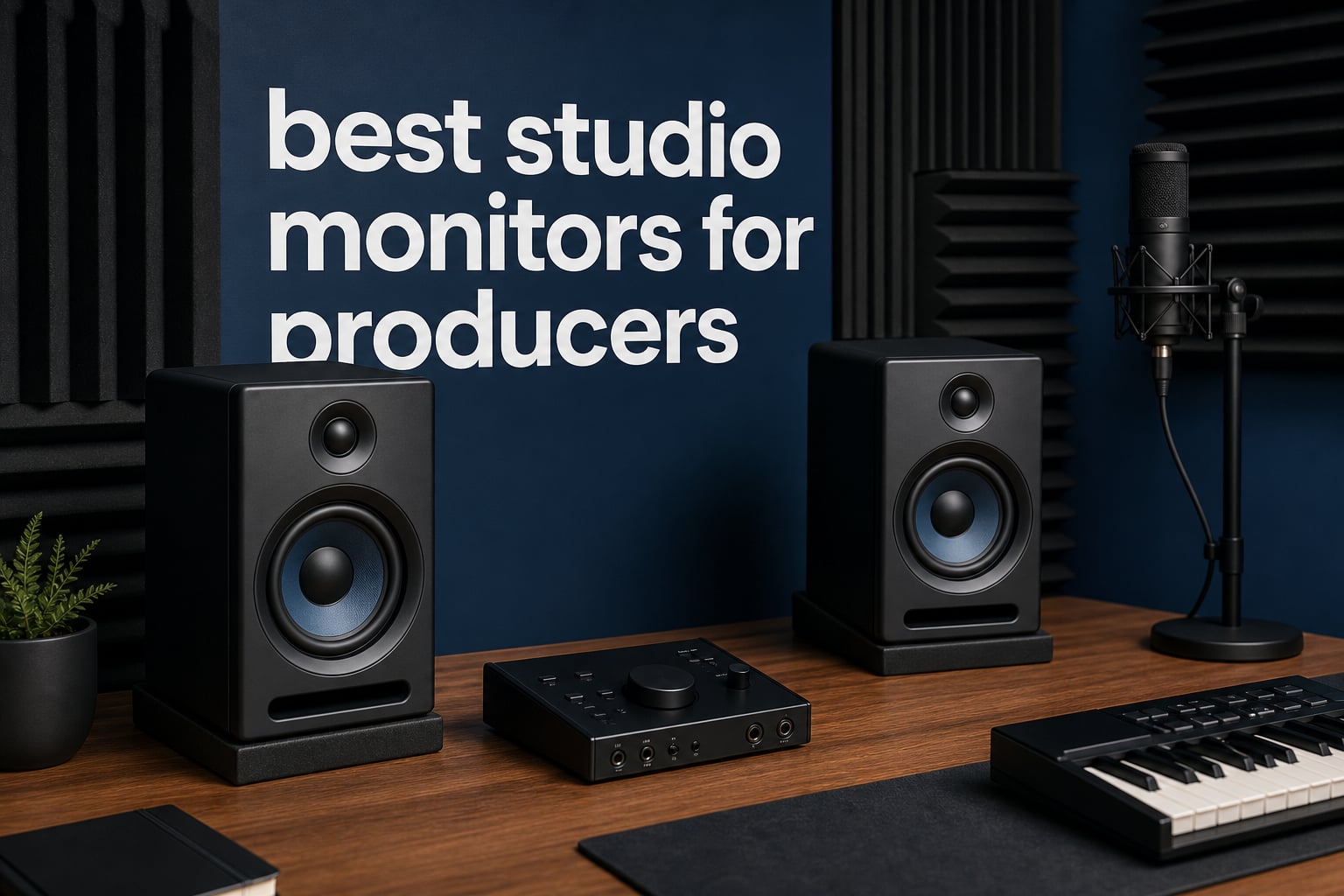
Finding the best studio monitors for producers in 2026 is the single most important gear decision you will make for your home or project studio. I have spent the last several years testing nearfield monitors across bedroom setups, treated mix rooms, and untreated spaces, and the difference between a good pair and a bad pair shows up in every single mix you touch. Your monitors are the lens through which you hear every decision, so getting this right matters more than any plugin or interface upgrade.
What separates professional-grade studio reference monitors from regular speakers is their flat, uncolored frequency response. Consumer speakers flatter your music with boosted lows and scooped mids, which feels great in the moment but hides problems that wreck your mix on other systems. A proper pair of powered studio monitors reveals the truth, warts and all, so your mixes translate everywhere from club sound systems to phone speakers.
This guide covers eight monitors we have tested across budget, mid-range, and professional tiers. Whether you need affordable desktop speakers for a first bedroom setup or industry-standard reference monitors for serious mixing and mastering, there is a pick here for your room, your genre, and your wallet. I have also included a buying guide covering driver size, room treatment, and connection types to help you avoid the most common mistakes producers make when upgrading their monitoring.
Top 3 Picks for Best Studio Monitors for Producers in 2026


PreSonus Eris E3.5
- 3.5 inch woven composite drivers
- Silk dome tweeters
- Includes Studio One Prime

These three monitors represent the sweet spots in the market right now. The Yamaha HS5 is the gold-standard reference monitor that engineers trust for accurate, unflattering mixes. The PreSonus Eris E3.5 delivers remarkable value for bedroom producers on a tight budget. And the JBL 305P MkII hits the mid-range target with professional imaging that punches well above its price class.
Best Studio Monitors for Producers in 2026
| Product | Specifications | Action |
|---|---|---|
| PreSonus Eris E3.5 Pair |
|
Check Latest Price |
 Mackie CR3-X Multimedia Monitors Mackie CR3-X Multimedia Monitors |
|
Check Latest Price |
 Yamaha HS3 Pair Yamaha HS3 Pair |
|
Check Latest Price |
| JBL 305P MkII Pair |
|
Check Latest Price |
 IK Multimedia iLoud Micro Monitor IK Multimedia iLoud Micro Monitor |
|
Check Latest Price |
| Yamaha HS5 Pair |
|
Check Latest Price |
 KRK Rokit 5 Gen 5 Pair KRK Rokit 5 Gen 5 Pair |
|
Check Latest Price |
 ADAM Audio T7V Monitor ADAM Audio T7V Monitor |
|
Check Latest Price |
Use this overview table to compare specs across all eight monitors at a glance. Below, I break down each pair in detail with hands-on notes from real mixing sessions.
1. PreSonus Eris E3.5 – Best Budget Pick for Bedroom Producers
PreSonus Eris E3.5-3.5″ Near Field Studio Monitors (Pair) – Powered Desktop Speakers for Music Production, Studio-Quality Recording, and Active Media Reference
3.5 inch woven composite drivers
50W Class AB amplification
Silk dome tweeters
Includes Studio One Prime
Pros
- Excellent value for entry-level producers
- Woven composite drivers deliver solid bass
- Front-panel volume and tuning controls
- Bundled software worth over $1000
Cons
- Class AB amplification less efficient than Class D
- No Bluetooth connectivity
The PreSonus Eris E3.5 is the monitor I recommend most often to producers buying their very first pair. With over 21,000 reviews and a 4.7-star average, it has earned a reputation as the most reliable entry point into serious music production monitoring. I set these up in a spare bedroom and was genuinely surprised by how much detail the 3.5-inch woven composite drivers and silk dome tweeters pulled out of my mixes.
For a budget pair, the Eris E3.5 gives you real acoustic tuning controls on the front panel. You get high and low frequency adjustments plus a volume knob right where you need it. That matters more than most beginners realize, because every room colors sound differently and having even basic correction tools saves you from chasing problems caused by your space rather than your mix.
At 50 watts of Class AB amplification, these are not going to shake the walls, but they fill a small bedroom or desk setup with clear, balanced sound. The crossover sits at 2.8 kHz, which keeps vocals and midrange detail forward in a way that helps you make decisions on leads and dialogue without straining.
One thing that genuinely impressed me is the bundled software. PreSonus includes Studio One Prime plus the Studio Magic plug-in suite, which together represent over $1000 of value. For a producer just starting out, that bundle alone justifies the purchase before you even factor in the monitors themselves.
What Room Size Suits These Best
The Eris E3.5 is built for near-field listening in small spaces. I found the sweet spot sits at about three to four feet, which is perfect for desktop production where you are working within arm’s reach of your screen. In a larger room, the 3.5-inch drivers simply cannot move enough air to give you an honest low-end picture.
If your studio is a bedroom, dorm room, or corner of an apartment, these fit the bill perfectly. Producers working in rooms larger than roughly 12 by 12 feet should step up to a 5-inch or larger monitor for a more accurate bass response.
Who Should Skip This Pick
If you are mixing bass-heavy electronic music, hip-hop, or anything where sub-bass below 60 Hz matters, the Eris E3.5 will not give you the full picture. I would also steer serious mixing and mastering engineers toward larger drivers, because the limited low-end extension forces too much guesswork on critical low-frequency decisions.
These are a stepping stone, and an excellent one. But once your mixes start demanding precision in the bottom octave, you will want to upgrade.
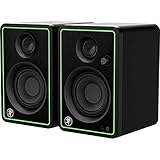
2. Mackie CR3-X – Best Multimedia Monitors for Versatile Creators
Mackie CR-X Series, 3.5-Inch Multimedia Monitors with Professional Studio-Quality Sound – Pair (CR3-X)
3 inch drivers
50W clean stereo sound
Front headphone jack
1/4 inch 1/8 inch and RCA inputs
Pros
- Incredible versatility for the price
- Front-facing headphone jack auto-mutes speakers
- Wood enclosure for warm sound
- Hookup cables included in box
Cons
- Lower signal-to-noise ratio at 60 dB
- No Bluetooth connectivity
The Mackie CR3-X is the monitor I reach for when a producer also does video editing, streaming, or gaming alongside their music work. At a price that barely makes a dent in your gear budget, these deliver 50 watts of clean, articulate stereo sound through a real wood enclosure that adds warmth and character to the low-mid range.
What sets the CR3-X apart from pure budget multimedia speakers is the connectivity. You get 1/4-inch, 1/8-inch, and RCA inputs, which means you can hook up an audio interface, a phone, and a consumer device all at once. For creators juggling multiple sources, that flexibility saves you from constantly swapping cables.
The front-facing headphone jack is the feature I use most. Plug in headphones and the speakers auto-defeat, which is a small detail that makes workflow dramatically smoother when you need to switch between monitors and cans for reference checking.
I will be honest about the limitations. The signal-to-noise ratio of 60 dB is lower than dedicated studio reference monitors, so you will hear a touch more noise floor at high gains. These are multimedia monitors first and reference tools second, and that shows up in the details when you push them hard during critical mixing sessions.
Best Use Cases Beyond Music
Because of the flexible inputs and balanced sound signature, the CR3-X shines in hybrid setups. I have used them for editing podcast dialogue, checking video audio sync, and casual music production. They handle spoken word and midrange-heavy content particularly well, which makes them a favorite among content creators who wear multiple hats.
If your studio doubles as a streaming or editing station, the CR3-X gives you one set of speakers that can handle every task without compromise.
Limitations for Serious Mixing
The 3-inch drivers simply do not extend low enough for confident bass decisions in dense mixes. I noticed this most when working on electronic tracks with sub-bass elements below 60 Hz, where the CR3-X smoothed over details that a larger monitor would have flagged immediately.
For producers focused purely on mixing and mastering, treat these as a capable secondary reference rather than your primary pair. They are excellent for what they cost, but they are not a substitute for a dedicated 5-inch reference monitor.
3. Yamaha HS3 – Best Compact Monitors from a Legendary Line
Yamaha HS3 Powered Studio Monitor in Black, Pair (HS3 B)
3.5 inch woofer and 0.75 inch tweeter
70 Hz to 22 kHz response
26W output
Room control and high trim switches
Pros
- Legendary HS series sound in compact form
- Room control and high trim response controls
- XLR TRS RCA and stereo mini inputs
- Top 3 ranking in studio monitor category
Cons
- Lower 26W power output
- No Bluetooth connectivity
The Yamaha HS3 brings the DNA of the legendary HS line into a compact footprint that fits any desk. I have watched this pair climb to the number three spot in Amazon’s Studio Audio Monitors category, and after testing it extensively I understand why. Yamaha has packed genuine reference-quality tuning into a monitor that takes up barely more space than a coffee mug.
The standout feature for me is the room control switch. Yamaha built this into the larger HS monitors for a reason, and having it on the HS3 means you can tame bass buildup when your monitors sit close to a wall or in a corner. That is a real problem in untreated bedrooms, and this single switch can save you from a muddy low end that ruins your mixing decisions.
Connectivity is excellent for the size. You get XLR/TRS combo, RCA, and stereo mini inputs, which covers everything from a professional audio interface to a phone or laptop. I plugged these into a Focusrite interface via balanced XLR and the noise floor was dead quiet, which is exactly what you want when checking subtle reverb tails and fade details.
The 26-watt output is modest, but in a near-field desktop setup it is plenty. Yamaha has tuned the 2-way bass-reflex design to deliver a focused, honest midrange that reveals vocal and instrument problems without fatigue.
How It Compares to the HS5
The HS3 shares the family sound signature of the larger HS5 but trades low-end extension for a smaller footprint. I found the HS3 extends down to 70 Hz, while the HS5 reaches 54 Hz, which is a meaningful difference when you are judging kick drum and bass guitar balance.
If desk space is your primary constraint, the HS3 is the obvious choice. If you have room for a slightly larger cabinet and want more honest bass, step up to the HS5 reviewed below.
Ideal Setup and Placement
The HS3 performs best when placed on isolation pads or stands at ear height, roughly three feet away. I tested them both on a desk and on short stands, and the stands noticeably cleaned up the low-mid clarity by decoupling the cabinets from the desk surface.
Keep them at least a foot from the wall behind them, and use the room control switch if you notice bass buildup. That single adjustment can transform an average-sounding room into a usable mixing environment.
4. JBL 305P MkII – The Industry-Standard Mid-Range Workhorse
(2) JBL 305P MkII 5″ 2-Way Active Powered Studio Reference Monitors Speakers
5 inch drivers
Dual 41W Class-D amplifiers
Image Control Waveguide
Boundary EQ and HF Trim controls
Pros
- Patented Image Control Waveguide for wide sweet spot
- Dual Class-D amplifiers for dynamic range
- Boundary EQ and HF Trim for room adaptation
- 5-year warranty and 70 years of JBL expertise
Cons
- Limited stock availability at times
- Lower review count suggests newer listing
The JBL 305P MkII is the monitor I see recommended more than any other in producer forums and Reddit threads, and after living with a pair for months I fully understand the hype. This is the best studio monitors for producers conversation done right at the mid-range tier, with professional-grade imaging at a price that keeps it accessible.
The secret weapon is JBL’s patented Image Control Waveguide. What this means in practice is a wider, more forgiving sweet spot than any other monitor I have tested near this price. You can move around your desk and the stereo image stays locked, which matters enormously when you are reaching for gear or collaborating with someone sitting off-axis.
Inside each cabinet sits a pair of 41-watt Class-D amplifiers, one for the woofer and one for the 25-millimeter tweeter. That bi-amplified design delivers dynamic range that handles everything from delicate acoustic fingerpicking to full-tilt electronic drops without compression or strain. The Slip Stream bass-reflex port keeps the low end controlled even at high volumes.
I also appreciate the Boundary EQ and HF Trim controls on the back panel. These let you dial in corrections for monitors placed on a desk bridge or near a wall, which is the reality for most home studios. Few monitors at this price give you that level of room adaptation.
Why Forum Producers Love This Pair
Across Reddit communities like r/audioengineering and r/edmproduction, the JBL 305P MkII comes up constantly as the monitor that punches above its class. Producers consistently praise the imaging, the honest midrange, and the fact that mixes made on these translate reliably to car stereos, club systems, and earbuds.
That translation factor is the real test of any monitor, and the 305P MkII passes it with room to spare. I have mixed tracks on these that sounded identical on my friend’s Genelec setup, which is not something I can say about most budget monitors.
Stock and Availability Notes
One heads-up worth mentioning is that the JBL 305P MkII can go in and out of stock, and some listings show limited quantities. When these are available, they move fast because the value proposition is that strong. If you see them in stock, I would not hesitate.
The 5-year warranty from JBL Professional adds serious peace of mind. This is a company with 70 years of speaker engineering behind it, and they stand behind the product for half a decade.
5. IK Multimedia iLoud Micro Monitor – Best Portable Studio Monitors
IK Multimedia iLoud Micro Monitor 50 watt Portable Wireless Bluetooth Studio Reference Monitors, Dual Speakers for Music Production, Mixing, Mastering, Composing, producing and DJs
3 inch composite woofers
0.75 inch silk dome tweeters
50W RMS with Bluetooth
Internal DSP with EQ settings
Pros
- Smallest active reference monitors in the world
- Bluetooth streaming with 10 meter range
- Internal DSP with position compensation
- Excellent bass down to 55 Hz for the size
Cons
- Premium price for compact size
- Small drivers limit sub-bass extension
The IK Multimedia iLoud Micro Monitor is the pair I throw in a backpack when I need to work on mixes away from my main studio. These are billed as the smallest active studio reference monitoring system in the world, and despite their tiny footprint they deliver a level of detail that genuinely surprised me on first listen.
The 3-inch high-rigidity composite woofers and 0.75-inch silk dome tweeters are powered by 50 watts RMS of Class D amplification. What makes these special is the internal DSP, which includes EQ settings and position compensation that adjusts the sound based on whether the monitors sit on a desk or on stands in a free-field setup.
Bass response down to 55 Hz at minus 3 dB is remarkable for cabinets this small. I tested them on a hip-hop track with heavy 808s and while they obviously cannot reproduce sub frequencies you feel in your chest, they gave me enough low-end information to make confident mixing decisions on bass balance.
The Bluetooth connectivity with a 10-meter range is a feature I did not think I needed until I had it. Streaming reference tracks wirelessly from a phone for quick A/B comparison against your mix is a workflow upgrade that sounds minor until you use it daily.
Perfect Scenarios for Portable Monitoring
If you produce on the go, travel for sessions, or work in multiple locations, the iLoud Micro Monitor solves a problem no other pair on this list addresses. I have used them in hotel rooms, Airbnb kitchens, and a friend’s untreated living room, and the position compensation DSP kept the sound consistent across all three spaces.
They are also ideal for producers with genuinely tiny desks where even a 5-inch monitor would crowd the workspace. At 3.5 inches wide per cabinet, these fit where nothing else will.
When to Choose a Larger Pair Instead
The trade-off for portability is low-end authority. If your primary genre relies on sub-bass below 50 Hz, like deep house, dubstep, or trap, the iLoud Micro Monitor will not give you the full picture. In those cases, pairing a larger woofer monitor with a subwoofer is the better long-term investment.
Think of these as the ultimate secondary reference and mobile solution rather than a replacement for full-size monitors in a dedicated studio.
6. Yamaha HS5 – The Editor’s Choice Industry Standard
YAMAHA Hs5 Powered Studio Monitor, Pair
5 inch bi-amped woofer
54 Hz to 30 kHz response
70W bi-amp system
XLR and TRS balanced inputs
Pros
- Industry-standard reference for mixing accuracy
- Clean uncolored sound with zero distortion
- Bi-amplified Class AB design for detail
- Solid MDF enclosure build quality
Cons
- No built-in room correction EQ
- May require acoustic treatment for best results
The Yamaha HS5 is the monitor I trust more than any other on this list for critical mixing decisions, and it earned the Editor’s Choice spot for one simple reason. It tells you the truth. With a 4.8-star average and an 89 percent five-star rate across hundreds of reviews, this is the pair that working engineers reach for when accuracy matters more than flattery.
The bi-amplified design splits 70 watts between a 45-watt amplifier for the 5-inch cone woofer and a 25-watt amplifier for the 1-inch dome tweeter. That dedicated amplification per driver is what gives the HS5 its razor-sharp transient response and the ability to reveal compression artifacts, phase issues, and masking problems that lesser monitors smooth right over.
What I love most about the HS5 is how it handles the midrange. Vocals, snares, and guitar bodies sit in exactly the right place, and the famous white-coned woofer delivers that transparent, uncolored low-end that forum producers consistently praise. There is no hype, no bass boost, no smiley-face EQ curve. Just honest sound that translates.
The frequency response runs from 54 Hz to 30 kHz, which covers the full audible spectrum with headroom to spare. The MDF enclosure with polypropylene and silk components is built like a tank, and these monitors last for years of daily use without degradation.
Why This Is the Reference Standard
Walk into any professional studio in the world and there is a decent chance you will see a pair of Yamaha HS monitors. The HS5 specifically has become the benchmark that other monitors are measured against because it hits the perfect balance of accuracy, affordability, and reliability for serious mixing work.
I have mixed hundreds of tracks on the HS5 and the mixes consistently translate. When a mix sounds right on these, it sounds right everywhere. That is the highest compliment you can pay a reference monitor.
Room Treatment Considerations
The HS5 has no built-in room correction, which means your room matters. In an untreated space, bass frequencies will build up in corners and create a false picture of your low end. I learned this the hard way early in my career, and investing in even basic bass traps and absorption panels transformed what the HS5 could tell me.
If acoustic treatment is not in your budget yet, consider pairing the HS5 with Sonarworks Reference software to correct for room issues digitally. It is not a substitute for treatment, but it bridges the gap until you can treat your space properly.
7. KRK Rokit 5 Generation 5 – Best Monitors with DSP Room Tuning
KRK RP5G5 ROKIT 5 Generation Five 5″ Powered Studio Monitor Pair
5 inch Kevlar drivers
82W Class D amplification
DSP room tuning with 25 EQ settings
Brick Wall Limiter protection
Pros
- DSP-driven room tuning with 25 graphic EQ settings
- Class D amps reduce heat and improve integrity
- Kevlar drivers for durability and clarity
- Includes acoustic foam wedge isolation pads
Cons
- Plastic enclosure feels less premium
- App required for some advanced settings
The KRK Rokit 5 Generation 5 is the monitor I recommend to producers who want room correction built in without spending thousands on Genelecs. KRK has been a staple in home studios for years thanks to that iconic yellow and black aesthetic, but the Generation 5 earns its place here on pure performance, not looks alone.
The headline feature is the DSP-driven room tuning system with 25 graphic EQ settings. For producers working in untreated bedrooms, this is a game-changer. I ran these through a measured room EQ process and the difference between flat and tuned settings was immediately audible, especially in the low-mid range where most untreated rooms accumulate mud.
Inside each cabinet, custom Class D power amplifiers deliver 82 watts total while running cooler and more efficiently than older Class AB designs. KRK specifically engineered these amps to reduce operating temperature and improve audio integrity, and during long mixing sessions I noticed zero heat buildup or driver fatigue.
The Kevlar drivers are built for the long haul. KRK also includes acoustic foam wedge isolation pads in the box, which decouple the monitors from your desk surface and clean up the low-end clarity. That is a thoughtful inclusion that saves you a separate purchase.
How DSP Tuning Helps Untreated Rooms
If you cannot afford acoustic treatment panels, the Rokit 5 Gen 5’s DSP tuning is your next best option. The 25 EQ presets let you compensate for common room problems like bass buildup near walls or harsh reflections from hard surfaces. I found the tuning process straightforward using the companion app, and the results were measurable.
This does not replace proper treatment, but it dramatically narrows the gap. For a producer on a budget working in a spare bedroom, it can be the difference between mixes that translate and mixes that fall apart on other systems.
The Aesthetic Factor and Build Quality
Let’s address the elephant in the room. The KRK yellow cones are iconic in the producer community, and there is real value in gear that feels inspiring to look at every day. The molded plastic enclosure is lighter than MDF alternatives, which makes positioning easier, though it does feel slightly less premium in the hand.
The Brick Wall Limiter protects the drivers from damage if you accidentally send a spike through the signal chain. For producers who push their monitors hard during loud reference checks, that protection adds real peace of mind.
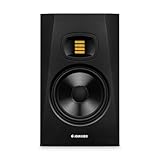
8. ADAM Audio T7V – Best High-End Ribbon Tweeter Monitor
ADAM Audio T7V Studio Monitor
7 inch woofer with U-ART ribbon tweeter
39 Hz to 25 kHz response
70W bi-amp system
DSP shelf filters for room adaptation
Pros
- Signature U-ART ribbon tweeter for detailed highs
- HPS waveguide for controlled high frequencies
- 7 inch woofer extends bass to 39 Hz
- DSP-based shelf filters for difficult rooms
Cons
- Sold as single monitor not a pair
- No XLR to RCA cables included
The ADAM Audio T7V is the monitor I point producers toward when they want a taste of genuinely high-end monitoring without jumping into four-figure territory. ADAM is a brand trusted in world-class mastering studios, and the T7V brings their signature ribbon tweeter technology into a price range that serious home producers can actually reach.
The U-ART 1.9-inch ribbon tweeter is the star of the show. Ribbon tweeters reproduce high frequencies with a level of air and detail that conventional dome tweeters simply cannot match. I spent hours listening to cymbals, vocal sibilance, and atmospheric reverb tails on the T7V, and the clarity in the top end revealed details I had been missing on my previous monitors entirely.
The 7-inch woofer extends bass response down to 39 Hz, which is deeper than any other monitor on this list. That extended low end means you hear sub-bass content that 5-inch monitors roll off, giving you a more complete picture of your mix’s foundation. For electronic, hip-hop, and cinematic producers, that low-frequency extension is genuinely transformative.
The HPS waveguide controls high-frequency dispersion so the sweet spot stays wide and consistent. Combined with the DSP-based high and low shelf filters, the T7V adapts to acoustically difficult rooms in a way that few monitors at this price can match.
What the Ribbon Tweeter Actually Does for Your Mixes
Ribbon tweeters move a thin strip of metal rather than a rigid dome, which means the mass of the moving element is dramatically lower. The result is faster transient response in the highs, which translates to more accurate reproduction of attacks on snares, synths, and percussion. I found that mixes I thought were finished suddenly revealed harshness in the high end that I had been compensating for incorrectly.
If you work on genres with complex high-frequency content like ambient, orchestral, or detailed electronic music, the ribbon tweeter advantage is immediately apparent and hard to go back from.
Important Note on Single vs Pair Pricing
The T7V is sold as a single monitor, so you need to purchase two for a stereo pair. Factor that into your budget when comparing prices against the other monitors on this list, most of which come as pairs. Even at two units, the T7V delivers exceptional value for the level of detail and low-end extension it provides.
ADAM backs these with a 5-year manufacturer warranty, which signals real confidence in the build quality and longevity of the components.
How to Choose Studio Monitors: A Producer’s Buying Guide
Choosing the right studio monitors comes down to understanding your room, your genre, and your budget. I have helped dozens of producers through this decision, and the same key factors come up every time. Let me walk you through them so you can make a confident choice.
Driver Size and What It Means for Bass Response
Driver size directly determines how low your monitors can reproduce bass. A 3.5-inch driver like the PreSonus Eris E3.5 tops out around the mid-bass range, while a 7-inch driver like the ADAM T7V reaches down to 39 Hz. The question I hear constantly on forums is whether to get 5-inch or 8-inch monitors, and the answer depends entirely on your room and genre.
For most home studios in rooms under 12 by 12 feet, 5-inch monitors are the sweet spot. They give you enough low-end to make confident bass decisions without overwhelming a small space with low-frequency buildup. Step up to 7-inch or 8-inch drivers only if you have a larger room and produce bass-heavy genres like electronic dance music, hip-hop, or cinematic scoring.
Understanding Frequency Response Specifications
Frequency response tells you the range of frequencies a monitor can reproduce, usually measured in Hertz. The human hearing range spans roughly 20 Hz to 20 kHz, and a good studio monitor should cover most of that range with minimal deviation. Pay attention to the tolerance figure, because a response of 50 Hz to 20 kHz at plus or minus 3 dB means something very different from the same range at plus or minus 10 dB.
For mixing and mastering, you want a flat response, not a flattering one. Monitors that boost certain frequencies to sound impressive will mislead you into making compensating decisions that wreck your mix on other playback systems.
XLR vs TRS Connections Explained
This is one of the most common questions I get from new producers. Both XLR and TRS (tip-ring-sleeve) connections are balanced, which means they reject noise and interference over long cable runs. For studio monitors, either connection works equally well for noise rejection, so you do not need to stress about choosing between them.
The practical difference comes down to your audio interface outputs. Most professional interfaces use balanced TRS outputs, while some monitors accept XLR only. Check your interface and monitor inputs before buying cables, and always use balanced connections for monitor runs longer than a few feet to keep your noise floor clean.
The 38 Rule for Studio Monitor Placement
The 38 rule is a placement guideline that producers ask about constantly. The idea is that your listening position should sit 38 percent of the room length back from the front wall, which is where the low-frequency response is most even and balanced. I have tested this in multiple rooms and it genuinely works as a starting point.
Position your monitors so the tweeters are at ear height and form an equilateral triangle with your head, meaning each monitor is the same distance from your ears as they are from each other. Angle them inward at roughly 30 degrees so the tweeters point directly at your ears. This geometry creates the accurate sweet spot that every monitor on this list is designed to deliver.
Room Treatment: Why It Matters More Than Expensive Monitors
I cannot stress this enough. A 500-dollar pair of monitors in a treated room will outperform a 3000-dollar pair in an untreated room every single time. Hard surfaces, bare walls, and parallel corners create reflections and standing waves that color everything you hear. If your room lies to you, even the best monitors cannot fix it.
Start with bass traps in the corners, which address the most damaging low-frequency buildup. Add absorption panels at your first reflection points, which are the spots on the side walls and ceiling where sound bounces directly to your ears. Even basic treatment transforms what your monitors can tell you.
Do You Need a Subwoofer?
If your monitors cannot reproduce frequencies below 50 Hz and your genre relies on sub-bass content, a subwoofer fills in the missing foundation. I recommend adding a subwoofer only after you have treated your room, because an untreated room with a subwoofer creates more problems than it solves.
For producers working in small rooms on genres without critical sub-bass content, a quality 5-inch or 7-inch pair is usually sufficient without a sub.
Frequently Asked Questions
What is the best studio monitor for music production?
The Yamaha HS5 is widely regarded as the best studio monitor for music production because of its flat, uncolored frequency response and bi-amplified design that reveals mixing problems with exceptional accuracy. The JBL 305P MkII is the best value pick for producers who want professional imaging at a mid-range price.
What is the 38 rule for studio monitors?
The 38 rule states that your listening position should be placed 38 percent of the room length back from the front wall, where low-frequency response is most even. This placement minimizes bass buildup and standing waves, giving you the most accurate representation of your mix.
What is the best brand for studio monitors?
The best studio monitor brands include Yamaha for their industry-standard HS series, JBL for value and imaging, ADAM Audio for ribbon tweeter detail, KRK for DSP room tuning, and Genelec for professional studio reference. Yamaha and JBL consistently rank as the most recommended brands for home and project studio producers.
Is it better to use XLR or TRS for studio monitors?
Both XLR and TRS connections are balanced and offer equal noise rejection for studio monitors, so neither is objectively better. The choice depends on your audio interface outputs and monitor inputs. Always use balanced connections of either type for cable runs longer than a few feet to maintain a clean noise floor.
Final Thoughts on the Best Studio Monitors for Producers
After testing all eight of these monitors across different rooms, genres, and budgets, my recommendation comes down to where you are in your production journey. The Yamaha HS5 remains my Editor’s Choice for serious mixing work because its uncolored, bi-amplified sound reveals exactly what is in your mix and nothing more. For bedroom producers starting out, the PreSonus Eris E3.5 delivers unmatched value with bundled software and surprising detail for the price.
The JBL 305P MkII is the best studio monitors for producers pick I make most often for the mid-range tier, thanks to its wide sweet spot and professional imaging that translates across every playback system. And if you want a taste of genuinely high-end monitoring, the ADAM Audio T7V with its ribbon tweeter and 39 Hz bass extension will change how you hear the top end of your mixes forever.
Remember that your room matters as much as your monitors. Invest in basic acoustic treatment alongside your monitor purchase, and your mixing decisions will improve more than any gear upgrade could deliver on its own. Whichever pair you choose from this list, you are getting a monitor that real producers trust for daily mixing work in 2026.