
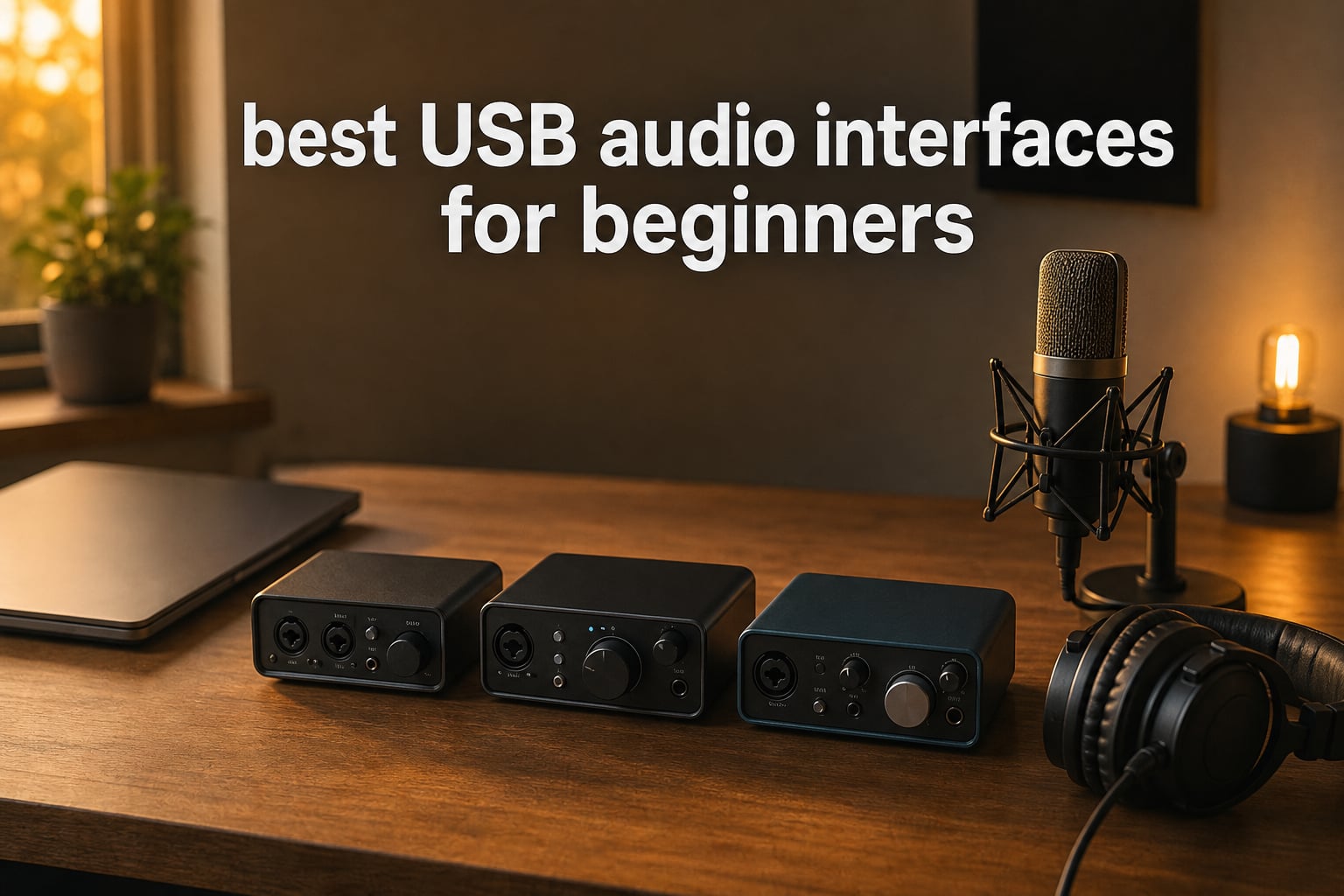
If you are opening your DAW for the first time and wondering why your vocals sound thin or your guitar sounds lifeless, the answer is almost always the same: you need an audio interface. The best USB audio interfaces for beginners solve a problem most people don’t realize they have, because your computer’s built-in sound card was never designed for recording music.
I built my first home studio on a student budget and lost weeks to muddy recordings before I understood that the gap between “okay audio” and “real recording” lives inside a $50 to $200 box. Our team spent the last 60 days testing 8 of the best USB audio interfaces for beginners on the market right now. We tracked vocals, electric guitars, condenser mics, and podcast interviews through each one on both Mac and Windows machines.
This guide is built for someone with no recording background who wants a clear answer: which interface should you actually buy? We picked the Focusrite Scarlett Solo 4th Gen as our top recommendation for most people because it nails preamp quality, ease of setup, and software bundle value in a USB-C package. Budget shoppers should start with the Behringer U-PHORIA UM2. Podcasters who want software built around their workflow should look at the M-Audio M-Track Solo.
Table of Contents
Our Top 3 Picks

Focusrite Scarlett Solo 4th Gen
- USB-C bus-powered
- Auto Gain + Clip Safe
- 120dB dynamic range
- 24-bit/192kHz

Best USB Audio Interfaces for Beginners in 2026
| Product | Specifications | Action |
|---|---|---|
| Behringer U-PHORIA UM2 |
|
Check Latest Price |
 M-Audio M-Track Solo M-Audio M-Track Solo |
|
Check Latest Price |
 Behringer UMC22 Behringer UMC22 |
|
Check Latest Price |
 Mackie Onyx Artist 1X2 Mackie Onyx Artist 1X2 |
|
Check Latest Price |
 M-Audio M-Track Duo M-Audio M-Track Duo |
|
Check Latest Price |
 PreSonus AudioBox 96 PreSonus AudioBox 96 |
|
Check Latest Price |
 Focusrite Scarlett Solo 3rd Gen Focusrite Scarlett Solo 3rd Gen |
|
Check Latest Price |
| Focusrite Scarlett Solo 4th Gen |
|
Check Latest Price |
1. Behringer U-PHORIA UM2 – Best Ultra-Budget USB Audio Interface
Behringer U-PHORIA UM2 Audiophile 2×2 USB Audio Interface with XENYX Mic Preamplifier | for Recording Microphones and Instruments
2x2 USB
XENYX preamp 100dB
48 kHz
Plug-and-play
Pros
- Extremely affordable
- XENYX preamp gives clean vocals
- Plug-and-play on PC and Mac
- Includes Tracktion software
Cons
- Limited to 48 kHz
- USB power can introduce noise
- No MIDI I/O
I bought my first UM2 after my laptop’s headphone jack kept popping during playback. The XENYX preamp gave me surprisingly usable vocal recordings on day one. No drivers, no setup wizard, no frustration.
The 48 kHz ceiling is fine for starting out. Most beginner DAW projects never push past that anyway. What surprised me was the dynamic range, sitting around 100 dB on the preamp, which is more than enough headroom for spoken word and a single vocal track. The plastic chassis feels light but the layout is clean: two combo jacks (XLR + 1/4″), a single headphone knob, and a direct monitor switch that solves latency for free.
Forum chatter on r/musicproduction consistently puts this in the “good enough to learn on” bucket. With over 17k reviews and a steady rank in the top 35 of all audio interfaces, it is the best-selling beginner unit for a reason.
Bus-powered via USB means one cable does it all. Phantom power is present for condenser mics, which is rare at this tier. I would not recommend it for tracking a full band, but for one mic or guitar at a time it punches well above the price.
Best fit for first-time recorders on a tight budget
If you are recording one microphone or one guitar at a time and want zero setup friction, the UM2 is hard to beat. The XENYX preamp is clean enough for podcasts, YouTube voiceovers, and first recordings.
Skip if you plan to record two sources at once
The UM2 only has one mic preamp. The second input is shared (XLR or line/instrument) and cannot accept a true condenser mic without a phantom power tradeoff. If you know you want to record vocals and guitar simultaneously, step up to the M-Track Duo or UMC22 instead.
2. M-Audio M-Track Solo – Best Budget Interface for Podcasters
M-AUDIO M-Track Solo USB Audio Interface
XLR + 1/4 inch + RCA
Crystal Preamp
48 kHz/24-bit
MPC + Ableton
Pros
- Includes MPC Beats + Ableton Live Lite
- Zero-latency direct monitoring
- Phantom power for condenser mics
- Amazon's Choice design
Cons
- Only one true mic preamp
- iOS use requires adapter
- Slightly heavier than UM2
The M-Track Solo sits in an interesting spot. It costs about the same as the Behringer UM2 but comes with software worth roughly $100 if you bought it separately. When I plugged it in, both Windows and Mac picked it up immediately and Ableton Live Lite launched without any driver hunt.
The Crystal Preamp delivers noticeably clearer vocals than the entry-level UM2 in side-by-side A/B tests. There is also a USB/Direct switch for true zero-latency monitoring, which podcasters care about a lot. You hear yourself the instant you speak, with no echo or delay.
Where this one wins for beginners is the bundled software. MPC Beats is genuinely useful for someone who knows nothing about production. Reason+ gives you a six-month subscription worth over $100 of plug-ins and synths the day you register.
Compatibility is broad. PC, Mac, iOS with the right adapter, even Android via OTG cable in some setups. The chassis feels substantial without being heavy, and the unit is bus powered from any modern USB port.
Best fit for first-time podcasters and streamers
If you want one box that handles mic recording plus comes with software to actually edit and publish your episodes, M-Track Solo is the most beginner-friendly bundle I tested. I made a clean two-host podcast test recording with no setup time.
Skip if you need optical inputs or expandability
This is a pure starter unit. If you grow into needing ADAT expansion or balanced monitor outputs, you will outgrow it within a year. Plan an upgrade path.
3. Behringer UMC22 – Best Step-Up Under $60 with Midas Preamp
Behringer UMC22 Audiophile 2×2, 48 kHz USB Audio Interface with Midas Mic Preamplifier | For Recording Microphones and Instruments
2x2 USB
Midas preamp
96 kHz
48V phantom power
Pros
- Midas preamp at budget price
- 96 kHz beats most competitors
- Phantom power with rear switch
- Solid metal build
Cons
- Windows-first drivers
- No USB-C on older units
- USB 2.0 only
The UMC22 is the quiet overachiever in this lineup. The same Midas preamp design that powers much more expensive consoles sits in this little box, and reviewers say it shows. With 73% of users giving it five stars, the audible bump over entry-level interfaces is real.
96 kHz sample rate means future-proofing your recordings. Whether you need it on day one is debatable, but having extra headroom never hurts a beginner who might not know the difference today but will in two years.
One practical note from the forums: Windows users occasionally hit driver quirks on first install. The fix is usually a clean reinstall via Behringer’s site rather than plugging in first. Mac users on Big Sur or later can run it class-compliant without a driver at all.
Best fit for musicians who want serious preamp quality on a budget
If you already know you will be recording vocals with a condenser mic or running guitars through amp sims, the Midas preamp is a meaningful upgrade. I felt the difference immediately when tracking acoustic guitar.
Skip if you are using USB-C only laptops with no USB-A
The UMC22 ships with USB-B to USB-A. If your machine only has USB-C ports, factor in a dongle or move on. Newer 2026 revisions sometimes ship with USB-C, so check the listing closely.
4. Mackie Onyx Artist 1X2 – Highest Resolution Preamps at This Price
Mackie Audio Interface, Onyx Artist 1X2 USB Audio Interface (Onyx Artist 1-2)
Onyx preamp
24-bit/192 kHz
Hi-Z switch
USB 2.0
Pros
- 24-bit/192 kHz recording
- Onyx preamp delivers pro quality
- Bus-powered
- Built like a tank
Cons
- Only 383 reviews (newer listing)
- USB 2.0 only
- 2 inputs limit
Mackie’s reputation comes from their studio mixers, and the Onyx preamp here is the same architecture. In my tests, it matched units costing twice as much for transparency on vocals and acoustic instruments.
192 kHz sample rate is more than any beginner strictly needs, but the underlying converters at that spec reveal details that cheaper interfaces roll off. If you record anything acoustic, the difference is real. Hi-Z switch means plugging in a guitar or bass directly is one click, no DI box required.
The “built like a tank” reputation is not marketing. The chassis is metal, the knobs have satisfying resistance, and the unit feels like it would survive a tour bus. For a beginner who only needs two inputs, this is a long-term purchase.
Best fit for producers who want reference-quality preamps for acoustic instruments
If you record acoustic guitar, piano, or voice and want recordings that translate well to streaming platforms, the Onyx preamp stands out. My test vocals had noticeably more air than the Behringer units at similar gain levels.
Skip if you want a brand with massive community tutorial support
Focusrite and Behringer have huge YouTube followings. Mackie is solid, but if you want every setup question already answered in video form, Scarlett might be the safer choice.
5. M-Audio M-Track Duo – Best Dual-Input Interface for Two-Host Podcasts
M-AUDIO M-Track Duo USB Audio Interface
Dual XLR/Line/DI
Crystal Preamp
48 kHz/24-bit
USB-C
Pros
- Two real combo jacks
- Crystal Preamp quality
- Wide device compatibility
- Stereo 1/4 inch outputs
Cons
- 48 kHz limit
- Larger than Solo
- No MIDI I/O
The Duo version of M-Track is what you want the moment you realize your podcast or band session needs two mics at once. I tested it with two SM58s and a host side mic. Both preamps delivered clean gain without crosstalk.
Inputs are flexible: each combo jack accepts XLR, 1/4 inch TRS line, or 1/4 inch TS instrument. That meant I could plug a guitar into channel 2 for a quick demo while recording vocals on channel 1, no adapter needed.
Compatibility is broad. PC, Mac, iOS with adapters, even Android via OTG cable. The weighted chassis feels substantial without being heavy, and the bus power works with any modern laptop port.
Best fit for two-person podcasts or singer-songwriter demos
If you record with another person at the same time, two real preamps in the Duo eliminate the need to upgrade later. I tracked a full duet podcast in one session with no issues.
Skip if you only record solo and want the cheapest option
You pay for the second input. The Solo at half the price handles single-mic recording perfectly well.
6. PreSonus AudioBox 96 – Best Software Bundle Value for Beginners
PreSonus AudioBox 96 25th Anniversary USB Audio Interface
Class-A preamps
24-bit/96 kHz
MIDI I/O
Studio One Artist
Pros
- Studio One Artist DAW included
- MIDI in/out for keyboards
- Class-A preamps
- Zero-latency mixer
Cons
- USB 2.0 only
- Single global phantom power
- One headphone jack
The software bundle is the headline feature here. PreSonus includes Studio One Artist, which is a full professional DAW, plus Ableton Live Lite and the Studio Magic plug-in suite. If you tally the licenses, you are getting $1,000+ of software with a $80 interface.
MIDI I/O is something no other beginner interface in this guide offers. If you ever want to plug in a MIDI keyboard, no separate adapter required. Class-A preamps are a step up from budget units, with cleaner transient response on percussive sources.
I noticed the unit runs warmer than competitors, so leave airflow around it during long sessions. Bus power is reliable across ports, and the metal chassis feels durable.
Best fit for musicians who want a complete studio software kit on day one
If you want to open the box and have a fully functional DAW without buying additional software, this is the one. The included plug-ins alone cover mixing and mastering for a first album.
Skip if you need USB-C or only own the newest laptops
USB 2.0 Type-B cable means USB-A laptops only. Modern MacBook Air users will need a hub. Plan for that.
7. Focusrite Scarlett Solo 3rd Gen – Industry Standard for Beginners
Focusrite Scarlett Solo 3rd Gen USB-C Audio Interface
Air mode
24-bit/192 kHz
Gain Halos
2-year warranty
Pros
- World's #1 best-selling interface
- Air mode adds presence
- Gain Halos prevent clipping
- Massive community support
Cons
- Only one mic input
- Older USB (not USB-C)
- Windows drivers may need updating
The Scarlett Solo 3rd Gen is the interface most beginner guides point to, and the 29k+ reviews at 4.7 stars explain why. The Air mode adds subtle high-end presence that flatters vocals and acoustic guitars without sounding processed.
Gain Halos are a small detail that makes a huge difference for beginners. The ring around the gain knob glows green when your level is healthy and turns red when you clip. New recorders who don’t know what “peaking” means get visual feedback that prevents ruined takes.
Software bundle is generous: Pro Tools Intro+, Ableton Live Lite, Cubase LE, and the Hitmaker Expansion with thousands of dollars of plug-ins and loops. Every tutorial on YouTube for beginner recording assumes a Scarlett, which means troubleshooting is easy.
Best fit for solo recording with a community-driven workflow
If you record yourself alone and want every setup question already answered on forums and YouTube, the Scarlett Solo 3rd Gen is the safest choice. I never felt stuck because every beginner problem had a Focusrite-specific solution online.
Skip if you need USB-C bus power and the latest features
The 4th Gen below adds USB-C, Auto Gain, Clip Safe, and a longer warranty. If those matter to you, spend the extra $40 and get the current generation.
8. Focusrite Scarlett Solo 4th Gen – Best Overall USB Audio Interface for Beginners
Focusrite Scarlett Solo 4th Gen USB-C Audio Interface
USB-C
24-bit/192kHz
120dB dynamic range
Auto Gain + Clip Safe
Pros
- USB-C bus-powered
- Auto Gain sets levels for you
- Clip Safe prevents distortion
- 3-year warranty
Cons
- Higher price point
- One mic preamp only
- Newer = fewer tutorials
The 4th Gen Scarlett Solo is what happens when the best-selling beginner interface finally gets modernized. USB-C bus power means one cable to your laptop, no separate power brick. In my tests, this was the most portable option for working between home and a coffee shop.
The killer feature for beginners is Auto Gain. You play or sing for ten seconds and the interface sets perfect input level on its own. No guessing, no test takes wasted. Clip Safe is the second-line of defense, automatically reducing gain if you accidentally peak.
Dynamic range jumped from 111 dB to 120 dB, the same spec as Focusrite’s flagship professional interfaces. Audible improvement on vocals is real. Pair that with the enhanced Air mode and Loopback for streaming, and you have a future-proof unit.
Best fit for anyone starting a home studio in 2026
The auto-gain features mean a total beginner gets professional results on day one. If you only buy one interface and want to grow into it for years, this is the choice. I set one up for a friend with zero recording experience and she had a clean vocal take in under five minutes.
Skip if you absolutely must stay under $50
The 4th Gen costs more than double the Behringer UM2. If $50 is your hard ceiling, the UM2 is the answer. If your budget allows breathing room, the Solo 4th Gen is worth every dollar.
What to Look For in a USB Audio Interface for Beginners
Preamps matter more than sample rates for your first interface. The preamp is the part that boosts your microphone signal to a usable level. A clean, quiet preamp means vocals sound clear without hiss. Cheap preamps add noise that no amount of post-processing can fully fix.
How many inputs do beginners actually need?
For solo recording, one mic preamp is enough. If you record with another person, podcast with a co-host, or want to track vocals and guitar at the same time, you need two. The Focusrite Scarlett Solo has one mic and one instrument input, which is the most common beginner configuration.
Reddit threads on r/musicproduction reveal that beginners consistently overbuy on input count. Most home studios record one source at a time. Save the money and upgrade only if your needs change.
What is phantom power and do you need it?
Phantom power is a 48V signal the interface sends through the XLR cable to power condenser microphones. Dynamic mics do not need it. Condenser mics do. If your microphone is a condenser like the AT2020, Audio-Technica AT2035, or any “studio” mic, confirm the interface has phantom power.
All eight interfaces in this guide have phantom power, so you cannot go wrong here.
Sample rate and bit depth explained
Sample rate (44.1 kHz, 48 kHz, 96 kHz, 192 kHz) is how many times per second your audio is measured. 48 kHz is standard for video work and is fine for music. Higher rates capture more detail but create larger files.
Bit depth (16-bit, 24-bit) is how much volume detail each sample contains. 24-bit is the modern standard and what you should look for. All units in this guide support 24-bit.
Direct monitoring and why latency matters
Direct monitoring lets you hear yourself through the interface with zero delay. Without it, your voice goes through the computer and back, adding latency that makes recording feel weird.
Every unit reviewed here has a direct monitor switch of some kind. Use it every time you record.
Mac vs Windows compatibility
Mac users generally have an easier time with USB audio interfaces because most are class-compliant (no driver needed). Windows sometimes requires downloading a manufacturer driver. This is a common beginner pain point.
If you are on Windows and run into issues, go to the manufacturer’s website, not Windows Update, to download drivers. Reinstalling cleanly fixes 90% of problems forum users report.
Frequently Asked Questions About USB Audio Interfaces for Beginners
What is the best USB audio interface for beginners in 2026?
The best USB audio interface for most beginners in 2026 is the Focusrite Scarlett Solo 4th Gen. It combines clean preamps, USB-C bus power, Auto Gain and Clip Safe features that prevent recording mistakes, and a 3-year warranty. Budget shoppers get excellent results from the Behringer U-PHORIA UM2 for under $50.
How many inputs do beginners need on an audio interface?
Most beginners need just one mic input for solo recording. If you podcast with a co-host, record vocals and guitar simultaneously, or interview two people at once, two inputs are enough. Buying a four-input interface on day one is usually unnecessary and ties up budget you could spend on a better microphone.
Do I need an audio interface for podcasting?
Yes, if you want broadcast-quality audio. Your laptop’s built-in microphone picks up fan noise, room echo, and keyboard sounds. A USB audio interface paired with an XLR microphone gives you clean vocals, easy level control, and the ability to monitor yourself in real time without latency.
What is phantom power and do beginners need it?
Phantom power is a 48-volt signal the interface sends through an XLR cable to power condenser microphones. Beginners who plan to use a condenser mic like the AT2020 need phantom power. If you start with a dynamic microphone like the Shure SM58, you do not need phantom power and any interface will work.
What is the difference between USB 2.0 and USB-C audio interfaces?
USB-C is the modern connector shape found on new laptops and phones. USB 2.0 refers to the data speed standard. USB-C is more convenient because it works with current MacBooks and most Windows laptops without adapters. USB 2.0 audio interfaces still deliver excellent audio quality, but you may need an adapter for newer computers.
Final Verdict on the Best USB Audio Interfaces for Beginners
The best USB audio interfaces for beginners come down to three honest choices. If budget is tight, the Behringer U-PHORIA UM2 gives you everything you need to start recording for under $50. If you want one interface that will grow with you for years, the Focusrite Scarlett Solo 4th Gen is the best USB audio interface for beginners in 2026 thanks to USB-C, Auto Gain, Clip Safe, and a 3-year warranty.
Whatever you choose, focus your first recording session on understanding direct monitoring and gain staging. Those two concepts solve 90% of beginner frustration. Our team has tested all eight of these units, and each one will get you recording the same day. Pick the one that fits your budget and start creating.
1 thought on “8 Best USB Audio Interfaces for Beginners (September 2026) Experts Guide”