
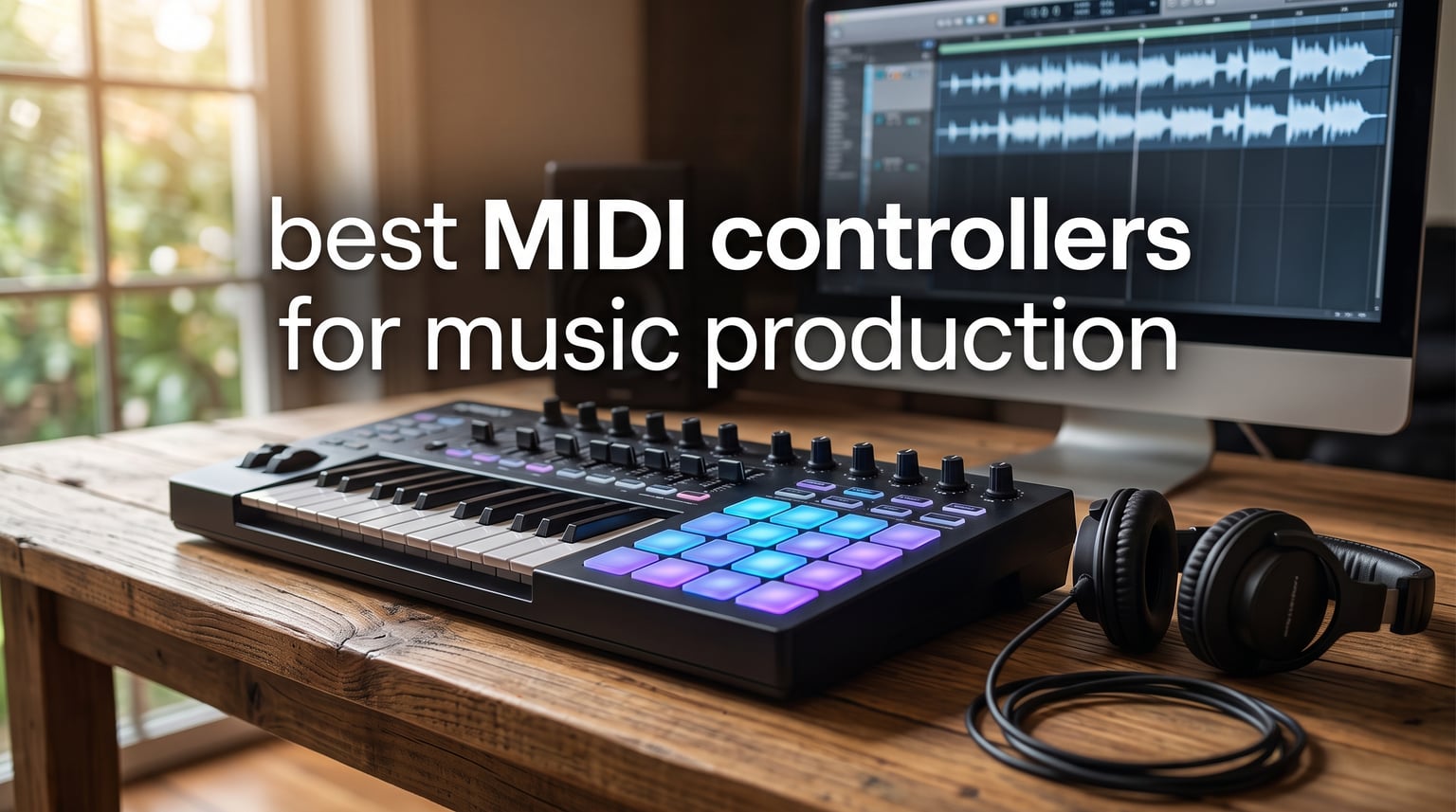
Finding the best MIDI controllers for music production changes everything about how you create. I have spent months testing keyboards, pad controllers, and grid controllers across Ableton Live, FL Studio, and Logic Pro to figure out which ones actually deserve a spot on your desk. The right controller makes writing melodies faster, drum programming more intuitive, and mixing less of a mouse-heavy chore.
A MIDI controller is a hardware device that sends performance data to your computer or synthesizer. Unlike a traditional keyboard, it produces no sound on its own. Instead, it triggers virtual instruments, adjusts plugin parameters, and controls your DAW in real time. Whether you are a bedroom producer working with 25 mini keys or a film scorer who needs 61 full-size keys, the controller you pick shapes your daily workflow.
Our team compared 10 controllers ranging from compact 25-key units to 64-pad grid controllers and full-size 61-key workstations. We tested keybed feel, pad responsiveness, DAW integration depth, software bundle value, and build quality. We also dug into Reddit threads from r/musicproduction and r/FL_Studio to see what real users say after months of daily use. Here is what we found in 2026.
Top 3 Picks for Best MIDI Controllers for Music Production in September 2026

The Arturia MiniLab 3 takes our editor’s choice spot because it delivers the most complete package for the money. You get 25 velocity-sensitive slim keys, 8 pressure-sensitive RGB pads, 8 rotary encoders, 4 faders, a built-in arpeggiator, and a mini display for browsing. The 5-year warranty is unmatched at this price, and the included Analog Lab Intro software gives you thousands of sounds to start with immediately.
For pure key range per dollar, the M-AUDIO Keystation 49 MK3 is unbeatable. It gives you 49 full-size velocity-sensitive keys, transport controls, a volume fader, and pitch and modulation wheels. With over 6,700 reviews backing it up, this is the most battle-tested controller on the list and the safest pick if you just want to play piano parts without extra clutter.
The M-AUDIO Oxygen Pro 49 earns our premium pick for producers who want everything in one box. Semi-weighted keys with aftertouch, 16 RGB drum pads, 8 knobs, 9 faders, Smart Chord and Smart Scale modes, and an arpeggiator make this a full production workstation. The NKS integration means it talks to Native Instruments plugins without any manual mapping.
Best MIDI Controllers for Music Production in 2026
| Product | Specifications | Action |
|---|---|---|
 Arturia MiniLab 3 Arturia MiniLab 3 |
|
Check Latest Price |
 Akai MPK Mini IV Akai MPK Mini IV |
|
Check Latest Price |
 M-AUDIO Oxygen Pro 49 M-AUDIO Oxygen Pro 49 |
|
Check Latest Price |
 Novation Launchkey Mini 37 MK4 Novation Launchkey Mini 37 MK4 |
|
Check Latest Price |
 Akai MPK Mini Plus Akai MPK Mini Plus |
|
Check Latest Price |
| M-AUDIO Keystation 49 MK3 |
|
Check Latest Price |
 Arturia KeyLab Essential mk3 61 Arturia KeyLab Essential mk3 61 |
|
Check Latest Price |
 NI Komplete Kontrol M32 NI Komplete Kontrol M32 |
|
Check Latest Price |
 Novation Launchpad X Novation Launchpad X |
|
Check Latest Price |
 Akai MPD218 Akai MPD218 |
|
Check Latest Price |
1. Arturia MiniLab 3 – 25 Keys, 8 Pads, 5-Year Warranty
Arturia MiniLab 3 Universal MIDI Controller, White
25 slim velocity keys
8 RGB pressure pads
8 encoders, 4 faders
MIDI Out, USB
5-year warranty
Pros
- Premium slim key feel with velocity sensitivity
- 8 RGB pads with pressure sensitivity
- Built-in arpeggiator for creative sequences
- 5-year warranty best in class
- Analog Lab Intro with thousands of presets
Cons
- Limited to 25 keys
- No official iOS support
- Capacitive touch strips instead of wheels
I set up the Arturia MiniLab 3 on my desk expecting a budget controller and walked away genuinely impressed. The 25 slim keys have a synth-action feel that responds well to velocity, and the keybed does not feel cheap like some competitors in this range. Arturia clearly put thought into the tactile experience here.
The 8 RGB pads are velocity and pressure-sensitive, which means you can add expression by pressing harder after the initial hit. I mapped them to drum racks in Ableton Live and the response was consistently accurate. The 8 rotary encoders and 4 faders give you enough hands-on control for mixing and sound design without overwhelming the compact layout.
One feature I kept coming back to is the mini display with the clickable browsing knob. It lets you scroll through presets and parameters without looking at your computer screen. The capacitive touch strips for pitch bend and modulation take some adjustment if you are used to physical wheels, but they work reliably once you get the feel.
The software bundle is where the MiniLab 3 pulls ahead. You get Ableton Live Lite, Analog Lab Intro with thousands of vintage synth and keyboard presets, and UVI Model D piano. Arturia backs all of this with a 5-year warranty, which no other controller in this price range matches.
Who This Controller Is Built For
The MiniLab 3 is ideal for bedroom producers and mobile musicians who want maximum features in a compact footprint. If you are just starting out and want a controller that will grow with you for years, the warranty and software bundle make this the safest investment. It also works well as a secondary travel controller if you already own a larger keyboard.
DAW Integration and Connectivity
The MiniLab 3 connects via USB and includes a MIDI Out port for controlling external hardware synthesizers. It integrates smoothly with Ableton Live, Logic Pro, FL Studio, and any other DAW that supports standard MIDI mapping. There is no deep auto-mapping like you get with NKS controllers, but the included MIDI Control Center software lets you customize every pad, knob, and fader to your workflow.
2. Akai Professional MPK Mini IV – 25 Keys, 8 MPC Pads, USB-C
Akai Professional MPK Mini IV 25-Key USB-C MIDI Keyboard Controller, Black
25 mini velocity keys
8 MPC pads with RGB
8 assignable knobs
USB-C, MIDI Out
Full-color screen
Pros
- USB-C connectivity for modern setups
- 8 iconic MPC pads with RGB feedback
- Built-in arpeggiator with Freeze and Mutate
- Chord and Scale modes for beginners
- Full-size MIDI Out for external gear
Cons
- Mini keys take adjustment for pianists
- Limited to 25 keys for compositions
The Akai MPK Mini IV is the latest evolution of the best-selling MIDI controller series, and it brings meaningful upgrades over the previous generation. The standout addition is USB-C connectivity, which means no more fumbling with fragile micro-USB cables. The full-color screen is another welcome upgrade that makes navigation and parameter editing far more intuitive.
What makes this controller special is the MPC pad quality. Akai essentially put their legendary MPC drum pads into a compact keyboard, and the feel is unmistakable. The 8 pads are velocity and pressure-sensitive with RGB visual feedback, so you can color-code your drum kits and see which sounds are loaded at a glance.
The built-in arpeggiator deserves special mention. It includes Pattern, Freeze, and Mutate functions that let you create complex rhythmic patterns on the fly. Combined with Chord and Scale modes, this controller practically writes music for you if you are stuck in a creative rut.
Akai includes a massive software bundle with the MPK Mini IV. You get Ableton Live Lite 12, AIR Music Tech instruments, Akai Pro sounds, Moog synth patches, and a Native Instruments sound package with NKS integration. You also get a 30-day Melodics trial and 2 months of Splice access for samples.
Who This Controller Is Built For
The MPK Mini IV is perfect for beat makers and hip-hop producers who prioritize pad performance over key range. If you spend most of your time programming drums and playing simple basslines or lead parts, the MPC pads and arpeggiator make this a powerhouse. The full-size MIDI Out also makes it a great hub for controlling external drum machines and synthesizers.
Standout Features vs Previous Generation
The biggest upgrades over the MPK Mini III are USB-C, the full-color screen, and the expanded arpeggiator functions. The keybed feel remains similar with 25 mini keys and 10-octave up and down range. If you already own a previous generation MPK Mini, the upgrades are worth it if you value modern connectivity and the visual workflow. First-time buyers get the best version yet straight out of the box.
3. M-AUDIO Oxygen Pro 49 – 49 Semi-Weighted Keys, Aftertouch
M-AUDIO Oxygen Pro 49 USB MIDI Keyboard Controller
49 semi-weighted keys with aftertouch
16 RGB drum pads
8 knobs, 9 faders
5-pin MIDI Out, USB
NKS integration
Pros
- Semi-weighted keys with aftertouch for expression
- 16 RGB backlit pads with Note Repeat
- 8 knobs and 9 faders for full mixing control
- Smart Chord and Smart Scale modes
- NKS integration with Komplete 15 Select
Cons
- Semi-weighted action not fully weighted piano feel
- Limited stock availability
The M-AUDIO Oxygen Pro 49 is the controller I recommend when someone wants a complete production workstation without spending over $300. The 49 semi-weighted keys with aftertouch give you a playing experience that feels closer to a real instrument than the mini-key competition. Aftertouch lets you add vibrato, filter sweeps, or volume swells by pressing harder after the initial note strike.
The control surface on this controller is extensive. You get 16 RGB backlit drum pads with Note Repeat for rapid-fire hi-hat patterns, 8 assignable knobs, and 9 assignable faders for mixing. I mapped the faders to channel volumes in FL Studio and the knobs to filter cutoff on my favorite synth plugins. The auto-mapping feature handled most of this automatically.
Smart Chord and Smart Scale are genuinely useful creative tools. Smart Chord lets you play full chord progressions from single keys, while Smart Scale ensures every note you hit is in the key you selected. These features are a lifesaver for producers who are stronger at beat-making than keyboard theory.
The NKS integration means the Oxygen Pro 49 talks directly to Native Instruments plugins. You browse presets, adjust parameters, and play sounds without touching your mouse. The included Komplete 15 Select bundle adds professional-grade instruments to your arsenal right away.
Who This Controller Is Built For
The Oxygen Pro 49 targets intermediate to advanced producers who want a single controller for everything. If you produce full tracks with melodies, drums, and mixing all in one session, this eliminates the need for separate keyboards and pad controllers. The semi-weighted action also suits keyboard players transitioning from acoustic piano who need more than mini keys can offer.
Build Quality and Long-Term Durability
The Oxygen Pro 49 has a solid plastic chassis with a professional matte black finish that resists fingerprints. At 4.2 kilograms, it has enough weight to stay planted on your desk during energetic playing sessions. The semi-weighted keybed uses a balanced hammer mechanism that holds up well over time according to long-term users on producer forums. The pads maintain their sensitivity even after months of heavy finger drumming.
4. Novation Launchkey Mini 37 MK4 – 37 Keys, 16 FSR Pads
Novation Launchkey Mini 37 MK4 USB MIDI Keyboard Controller
37 mini synth keys
16 FSR pads with poly aftertouch
Scale and Chord modes
Arpeggiator
USB and MIDI
Pros
- 16 FSR pads with polyphonic aftertouch
- Scale Mode prevents wrong notes
- Chord Mode triggers full chords from single keys
- Seamless Ableton Live integration
- Extensive multi-vendor software bundle
Cons
- FSR pads feel different from traditional MPC pads
- 3.5mm MIDI needs adapter
- Newer product with fewer reviews
The Novation Launchkey Mini 37 MK4 is the newest controller in this lineup and it brings some genuinely innovative technology. The 16 FSR pads feature polyphonic aftertouch, which means each pad responds to pressure independently. This is the kind of feature you usually only find on controllers costing twice as much.
Scale Mode is the feature that beginners love most. Once you select a scale and key, every pad and key only plays in-scale notes. You literally cannot hit a wrong note. Chord Mode takes this further by letting you trigger lush, full chords from a single key or pad press. I found this incredibly useful for sketching out chord progressions quickly.
The DAW integration is where Novation shines. This controller works seamlessly with Ableton Live, Logic Pro, Cubase, Reason, Reaper, FL Studio, and Ardour. The pads double as a step sequencer and clip launcher depending on your DAW. In Ableton Live, the integration is particularly deep with dedicated controls for session view, mixing, and device parameters.
The software bundle covers multiple vendors including Ableton Live Lite, Cubase LE, Novation Play, and sounds from GForce, Klevgrand, Orchestral Tools, and Native Instruments. You also get free Melodics lessons to improve your playing and finger drumming skills.
Who This Controller Is Built For
The Launchkey Mini 37 MK4 is best for Ableton Live users who want clip launching and step sequencing in a portable package. The 37-key range hits a sweet spot between portability and playability that 25-key controllers miss. If you perform live or produce electronic music heavily, the polyphonic aftertouch pads add a level of expression that competitors simply do not offer.
How the FSR Pads Compare to Standard Pads
FSR stands for Force Sensing Resistor, and these pads detect pressure with remarkable precision. Traditional MPC-style pads detect velocity on the initial hit but offer limited continuous control. FSR pads with polyphonic aftertouch let you press a pad and then apply varying pressure to control filter cutoff, pitch, or any mapped parameter. The learning curve is real if you are used to standard pads, but the creative payoff is significant for expressive performances.
5. Akai Professional MPK Mini Plus – 37 Keys, Sequencer, CV/Gate
Akai Professional MPK Mini Plus 37-Key USB MIDI Keyboard Controller
37 mini keys for 3 octaves
8 RGB MPC pads
Built-in 64-step sequencer
CV/Gate and MIDI I/O
8 rotary knobs
Pros
- Built-in 64-step sequencer for computer-free recording
- CV/Gate output for modular synth integration
- 37 keys cover 3 full octaves
- NKS integration with Komplete 15 Select
- Transport controls for DAW hardware control
Cons
- CV/Gate may need additional cables
- Larger footprint than standard MPK Mini
The Akai MPK Mini Plus is the controller I reach for when I want to step away from the computer and just make music. The built-in 64-step sequencer lets you record drum patterns and melody lines directly to the hardware. You can build entire tracks without opening your DAW, which is a rare feature at this price point.
The CV/Gate and MIDI I/O connections open up a world of hardware integration. I connected the MPK Mini Plus to my modular synthesizer using CV/Gate cables and was able to sequence external gear directly from the controller. This makes it an excellent centerpiece for a hybrid hardware and software setup.
The 37 mini keys give you three full octaves of range, which is noticeably more comfortable than 25-key controllers for two-handed playing. The 8 RGB MPC pads maintain the legendary Akai pad feel, and the 8 assignable rotary knobs handle parameter tweaking for synths and effects.
The software package includes MPC Beats with thousands of drum samples, a Native Instruments Komplete 15 Select bundle, and 2 months of Splice access. With over 2,100 reviews and a 4.6-star rating, this controller has proven itself with the producer community.
Who This Controller Is Built For
The MPK Mini Plus is built for producers who work with hardware synthesizers, modular gear, or drum machines. If you have a eurorack setup or external sound modules, the CV/Gate connections make this controller essential. It is also ideal for producers who want to sketch ideas away from their computer screen using the built-in sequencer.
The Sequencer Workflow Explained
The 64-step sequencer works by letting you program notes and drum hits across a grid of steps. You can create separate tracks for drums and melodies, then chain patterns together to build complete songs. The sequencer syncs to your DAW via MIDI clock when connected, or runs on its own internal tempo when used standalone. This dual-mode operation makes the MPK Mini Plus equally useful in the studio and as a live performance tool.
6. M-AUDIO Keystation 49 MK3 – 49 Full-Size Keys
M-AUDIO Keystation 49 MK3 USB MIDI Controller
49 full-size velocity keys
Volume fader and transport
Pitch and mod wheels
Sustain pedal input
USB plug and play
Pros
- 49 full-size keys at an affordable price
- Plug and play with no drivers needed
- iOS compatible via camera adapter
- Sustain pedal input for expressive playing
- Over 6700 reviews proving reliability
Cons
- No drum pads for beat making
- Limited knobs and encoders
- No arpeggiator or sequencer
- Plastic build feels basic
The M-AUDIO Keystation 49 MK3 is the definition of doing one thing exceptionally well. It gives you 49 full-size, velocity-sensitive keys without unnecessary clutter. If you primarily play piano parts, string arrangements, or synth leads and do not need pads or faders, this controller gets out of your way and lets you focus on playing.
Setting up the Keystation 49 MK3 takes about 30 seconds. You plug it into your computer via USB and it works immediately with no driver installation. This true plug-and-play experience is something I wish more controllers delivered. It is class-compliant, which means it also works with iPads and iPhones via a camera connection adapter.
The controls are minimal but functional. You get a volume fader, transport controls for play, stop, and record, directional buttons, octave up and down buttons, and pitch and modulation wheels. There is also a sustain pedal input, which is essential for expressive piano playing and surprisingly missing from some more expensive controllers.
With over 6,700 reviews, the Keystation 49 MK3 has the largest review base of any controller on this list. That kind of sustained popularity does not happen by accident. The included software bundle features MPC Beats, Ableton Live Lite, Velvet electric piano, Xpand2 multitimbral synth, and Mini Grand acoustic piano.
Who This Controller Is Built For
The Keystation 49 MK3 is perfect for keyboard players and pianists who want a straightforward playing experience. If you already own a pad controller or produce drums with your mouse, you do not need to pay extra for pads you will never use. This is also the best choice for students and educators who need a reliable, affordable controller for music classes.
iOS and Mobile Production Compatibility
The Keystation 49 MK3 works with iOS devices through an Apple USB Camera Adapter, which opens up mobile music production with apps like GarageBand, Korg Gadget, and Cubasis. This compatibility makes it one of the few full-size key controllers suitable for iPad-based production. The USB bus power means you do not need a separate power supply, so you can produce anywhere you can set up a tablet.
7. Arturia KeyLab Essential mk3 61 – 61 Keys, 9 Faders
Arturia KeyLab Essential mk3 — 61 Key USB MIDI Keyboard Controller with Analog Lab V Software Included
61 velocity-sensitive keys
8 touch and pressure pads
9 encoders, 9 faders
2.5 inch LCD screen
Analog Lab V included
Pros
- 61 keys for maximum compositional range
- 9 encoders and 9 faders for full mixer control
- 2.5 inch LCD for real-time parameter feedback
- Scale Mode and Chord Mode for composition
- Includes 2 premium pianos and Analog Lab V
Cons
- Higher price point in the range
- White finish may show wear
- Heavier at 6.8 pounds
The Arturia KeyLab Essential mk3 61 is the controller I recommend for producers who need maximum key range without moving to fully weighted piano-style keys. The 61 velocity-sensitive keys give you five full octaves, which is enough for two-handed playing of complex arrangements and bass-plus-melody compositions.
The control surface is where this controller separates itself from simpler options. You get 9 encoders and 9 faders that you can map to your DAW mixer, plugin parameters, or synthesizer controls. I mapped the 9 faders to channel faders in Ableton Live and the 9 encoders to pan controls. Having a physical mixing surface built into your keyboard transforms your workflow.
The 2.5-inch LCD screen provides real-time feedback on parameter values, preset names, and DAW status. This might seem minor, but it significantly reduces how often you need to look at your computer monitor. The 8 touch and pressure-sensitive pads handle drum programming and clip launching with RGB backlighting for visual organization.
Arturia includes their Analog Lab V software with over 2,000 presets covering vintage synths, electric pianos, and organs. You also get two premium piano instruments: UVI Model D and Native Instruments The Gentleman. The 2-year warranty provides solid coverage for long-term use.
Who This Controller Is Built For
The KeyLab Essential mk3 61 is built for serious producers and composers who need maximum range and control in a single device. Film scorers, electronic music producers, and beat makers who work across multiple genres benefit from the 61-key range and extensive control surface. If you produce full arrangements with drums, bass, chords, and leads, this controller handles everything without switching devices.
DAW Script Integration Depth
Arturia developed custom integration scripts for Ableton Live, Logic Pro X, and FL Studio that go beyond basic MIDI mapping. These scripts enable automatic parameter naming, custom workflow modes, and transport control that mirrors each DAW’s native shortcuts. The LCD screen displays parameter names and values from your specific DAW, so you always know what each knob and fader is controlling without guessing.
8. Native Instruments Komplete Kontrol M32 – 32 Keys, OLED Display
Native Instruments Komplete Kontrol M32 Controller Keyboard (26154)
32 compact keys
OLED display
8 touch-sensitive knobs
USB 2.0 bus powered
NKS ecosystem integration
Pros
- OLED display for real-time parameter feedback
- Touch-sensitive knobs for precise control
- Seamless Native Instruments ecosystem integration
- USB bus powered with no adapter needed
- Compact and lightweight at 1 kilogram
Cons
- No drum pads included
- 32 keys may limit range
- Stock availability can be limited
The Native Instruments Komplete Kontrol M32 is the controller I recommend if you are already invested in the Native Instruments plugin ecosystem. The NKS integration is the deepest of any controller on this list. You browse instruments, load presets, and adjust parameters directly from the controller without ever touching your mouse.
The 8 touch-sensitive knobs are a standout feature. Instead of physical detents, these knobs detect your finger position and provide smooth, continuous control. The OLED display above the knobs shows you exactly what parameter you are adjusting and its current value. This visual feedback loop makes sound design and mixing far more efficient.
The 32 compact keys strike a balance between portability and playability. You get nearly three octaves of range in a controller that weighs only 1 kilogram and fits in a backpack. The stainless steel construction gives the M32 a premium feel that belies its affordable price point.
The software bundle is exceptional if you use Native Instruments plugins. You get KOMPLETE KONTROL software, MASCHINE Essentials, Ableton Live 10 Lite, and a collection of KOMPLETE instruments and effects. The M32 essentially becomes the command center for your entire NI plugin collection.
Who This Controller Is Built For
The Komplete Kontrol M32 is designed for producers who use Native Instruments plugins like Massive, Kontakt, and Reaktor. If your virtual instrument library revolves around NI products, this controller provides a level of integration that no other brand can match. It is also great for portable producers who need a lightweight, durable controller for working on the go.
The NKS Ecosystem Advantage
NKS stands for Native Kontrol Standard, and it is a plugin format that standardizes how controllers interact with instruments. NKS-compatible plugins have their parameters pre-mapped and organized into logical pages. When you load an NKS instrument, the M32 automatically displays its preset browser on the OLED screen and maps all relevant parameters to the touch knobs. Third-party developers including Arturia, Output, and Heavyocity also support NKS, so the ecosystem extends well beyond Native Instruments’ own products.
9. Novation Launchpad X – 64 RGB Pads Grid Controller
Novation Launchpad X MIDI USB Grid Controller
64 RGB velocity and pressure pads
Polyphonic aftertouch
Scale and Note modes
USB-C connectivity
Ableton deep integration
Pros
- 64 RGB pads with velocity and polyphonic aftertouch
- Deep Ableton Live clip launching and mixer control
- Dynamic Note and Scale modes for in-key playing
- Capture MIDI function saves spontaneous ideas
- Lightweight at 1.94 pounds with USB-C
Cons
- No keys for melodic keyboard playing
- Learning curve for non-Ableton DAWs
The Novation Launchpad X is not a keyboard controller. It is a 64-pad grid controller designed for clip launching, finger drumming, and note playing in a grid format. If you produce in Ableton Live, this is one of the most expressive performance tools you can add to your setup.
The 64 RGB pads are velocity and pressure-sensitive with polyphonic aftertouch. This means you can trigger a chord, then apply pressure to individual notes within that chord to create dynamic expression. The pads light up in colors that match your Ableton Live clip colors, creating a visual representation of your session layout.
Dynamic Note Mode turns the grid into a playable instrument where notes are laid out in a chromatic or scale-based pattern. Scale Mode constrains the grid to in-key notes only, so you can improvise melodies without hitting wrong notes. The Capture MIDI function is brilliant for saving spontaneous ideas that you played before hitting record.
The Launchpad X includes four customizable modes that you can configure through the Novation Components web app. This lets you create custom pad layouts for different performance scenarios. With over 4,200 reviews and a 4.6-star rating, this grid controller has proven itself with the Ableton community.
Who This Controller Is Built For
The Launchpad X is built for Ableton Live power users who work primarily in Session View. If you launch clips, build arrangements from loops, or perform live electronic music, this controller is an extension of your DAW’s interface. It also works well for finger drummers who prefer a grid layout over traditional drum pads. Pair it with a keyboard controller for a complete production setup.
Ableton Live Integration Depth
The Launchpad X has the deepest Ableton Live integration of any grid controller available. It controls session view clip launching, scene launching, mixer levels, pan, sends, device parameters, and transport functions. You can arm tracks for recording, solo and mute channels, stop clips individually, and use quantize, duplicate, and double functions directly from the grid. The integration is so thorough that you can produce an entire track without looking at your computer screen.
10. Akai Professional MPD218 – 16 MPC Drum Pads
Akai Professional MPD218 USB MIDI Pad Controller
16 thick MPC drum pads
18 assignable potentiometers
3 pad banks for 48 pads
MPC note repeat
USB powered
Pros
- Authentic thick MPC pads for realistic feel
- 48 total assignable pads across 3 banks
- MPC note repeat for rapid patterns
- USB powered for portable use
- iOS connectivity for mobile production
Cons
- No keys for melodic playing
- Pads are not RGB backlit
- Older model without advanced features
The Akai Professional MPD218 is a dedicated pad controller for beat makers who want authentic MPC pads without paying for keys they will never use. The 16 thick MPC-style pads have the legendary Akai drum pad feel that producers have trusted for decades. These are the same type of pads found on Akai’s flagship MPC workstations.
What sets the MPD218 apart is the sheer number of assignable controls. You get 18 fully assignable 360-degree potentiometers arranged across 3 banks, plus 3 pad banks that give you 48 total assignable pads. This means you can map drum kits, sample triggers, and parameter controls across multiple banks without running out of real estate.
The MPC note repeat function is essential for modern beat making. It automatically repeats whatever pad you hold down at a selectable rhythmic rate. This is how producers create those rapid-fire trap hi-hat rolls and snare fills that define entire genres. The Full Level button ensures every pad hit registers at maximum velocity for consistent, punchy drum sounds.
With over 5,800 reviews, the MPD218 is one of the most popular pad controllers ever made. It includes MPC Beats software, Drum Synth 500 by AIR Music Tech, and Ableton Live Lite. The iOS compatibility via Camera Connection Kit means you can even use it with mobile beat-making apps.
Who This Controller Is Built For
The MPD218 is built for dedicated beat makers and finger drummers who already have a keyboard or produce melodies with their mouse. If your workflow centers around programming drums and triggering samples, this controller gives you authentic MPC pads at an affordable price. It is also an excellent companion to a simple keyboard controller like the Keystation 49 MK3.
How It Compares to Keyboard Controllers with Pads
Standalone pad controllers like the MPD218 offer thicker, more responsive pads than the small pads found on most keyboard controllers. The 16 pads on the MPD218 are significantly larger than the 8 pads on the MPK Mini or MiniLab 3, which makes finger drumming more comfortable and accurate. The trade-off is that you need a separate keyboard for melodic playing, which means two devices on your desk instead of one. For producers who take drum programming seriously, the quality difference justifies the extra space.
How to Choose the Right MIDI Controller for Your Setup?
Choosing from the best MIDI controllers for music production comes down to understanding your workflow. The controller that works for a hip-hop beat maker will be different from what a film scorer needs. Here is how to narrow down your options based on the factors that actually matter.
Key Count and Action Type
The number of keys you need depends on how you produce music. 25-key controllers are great for mobile production and simple melodies but require frequent octave shifting for two-handed playing. 37 to 49 keys give you enough range for comfortable composition without taking up your entire desk. 61 keys or more are ideal for pianists and composers who need full range for complex arrangements.
Key action type affects how the keys feel under your fingers. Mini keys are compact and portable but may frustrate players with larger hands. Synth-action full-size keys are light and fast, which suits electronic music production. Semi-weighted keys offer more resistance and feel closer to a real piano. Fully weighted hammer-action keys replicate acoustic piano feel and are typically found on higher-end controllers like the Studiologic SL88 MK2.
DAW Compatibility and Integration
Your controller needs to work smoothly with your chosen DAW. Most modern controllers are class-compliant, meaning they work with any DAW via standard USB MIDI. However, some controllers offer deep integration features that go beyond basic MIDI mapping. Novation controllers have excellent Ableton Live integration. Arturia controllers offer custom scripts for Ableton, Logic, and FL Studio. Native Instruments controllers provide the deepest NKS ecosystem integration. Check whether the controller you want has dedicated DAW presets or requires manual mapping for your specific software.
Pads, Knobs, and Faders
Think about what physical controls you actually use in your production workflow. If you program drums frequently, look for controllers with velocity-sensitive pads. RGB backlit pads help you visually organize your drum kits and sample assignments. Polyphonic aftertouch on pads adds expressive control for live performance.
Knobs and faders are essential if you mix within your DAW or do lots of sound design. Faders give you precise control over volume levels and are satisfying to use for mixing. Encoders or knobs handle filter sweeps, parameter adjustments, and effect tweaks. Controllers with 8 or more assignable controls let you map your most-used parameters for instant access.
Connectivity Options
USB connectivity is standard on all modern MIDI controllers. USB-C is becoming the new standard and offers more durable connections than older micro-USB ports. If you work with external hardware synthesizers or drum machines, look for controllers with 5-pin MIDI output ports. CV/Gate connections are essential if you work with modular synthesizers. Some controllers also offer iOS compatibility for mobile production via camera connection adapters.
Software Bundle Value
The software included with a MIDI controller can be worth more than the controller itself. Look for bundles that include a DAW like Ableton Live Lite or MPC Beats. Virtual instrument collections like Analog Lab, KOMPLETE KONTROL, or NKS sound packs add professional sounds to your library. Subscription trials like Splice or Melodics give you access to samples and learning tools. Factor the software value into your purchasing decision, especially if you are just starting out and need both a controller and production tools.
Frequently Asked Questions
What is the best MIDI controller for beginners?
The Arturia MiniLab 3 is the best MIDI controller for beginners because it combines 25 playable keys, 8 pressure-sensitive pads, 8 encoders, and 4 faders in an affordable package. The included Analog Lab Intro software gives beginners thousands of sounds to explore, and the 5-year warranty provides peace of mind. Scale Mode and the built-in arpeggiator also help new producers create music without deep music theory knowledge.
What MIDI controller do most music producers use?
Most music producers use compact 25 to 49 key controllers from brands like Akai, Arturia, and Novation. The Akai MPK Mini series is one of the best-selling MIDI controller lines of all time, followed closely by the Arturia MiniLab and Novation Launchkey series. For studio work, many producers prefer 49 to 61 key controllers with pads and faders like the M-AUDIO Oxygen Pro or Arturia KeyLab Essential.
How many keys do I need for a MIDI controller?
25 keys are enough for melodies, basslines, and mobile production. 37 to 49 keys provide comfortable range for two-handed playing and chord progressions. 61 keys or more are ideal for pianists and composers who need full range. Most bedroom producers find 25 to 49 keys sufficient, while film scorers and keyboardists benefit from 61 keys or more. Consider your desk space and playing style when choosing key count.
Which brand makes the best MIDI controllers?
Akai Professional, Arturia, Novation, M-AUDIO, and Native Instruments are the top MIDI controller brands. Akai is known for its legendary MPC pads and compact controllers. Arturia excels at software bundles and keybed quality. Novation leads in Ableton Live integration and innovative pad technology. M-AUDIO offers excellent value, and Native Instruments provides unmatched NKS ecosystem integration.
What is the difference between a MIDI keyboard and a MIDI controller?
A MIDI keyboard specifically refers to a piano-style keyboard that sends MIDI data, while a MIDI controller is a broader term that includes pad controllers, grid controllers, and control surfaces with knobs and faders. All MIDI keyboards are MIDI controllers, but not all MIDI controllers have keys. Pad controllers like the Akai MPD218 and grid controllers like the Novation Launchpad X are MIDI controllers without traditional keyboard keys.
Final Thoughts on the Best MIDI Controllers for Music Production
The best MIDI controllers for music production in 2026 cover a wide range of needs and budgets. The Arturia MiniLab 3 remains our top overall pick for its unbeatable combination of build quality, software value, and 5-year warranty. The M-AUDIO Keystation 49 MK3 delivers the best value for players who just want great-feeling full-size keys. And the M-AUDIO Oxygen Pro 49 provides a complete workstation experience for producers who want keys, pads, faders, and aftertouch in a single device.
Your ideal controller depends on how you make music. Beat makers should look at the Akai MPK Mini IV or MPD218 for MPC pad quality. Ableton Live users will love the Novation Launchkey Mini 37 MK4 or Launchpad X for their deep DAW integration. Keyboardists and composers should consider the Arturia KeyLab Essential mk3 61 or M-AUDIO Keystation 49 MK3 for maximum playing range. Whatever you choose, every controller on this list has earned its place through real-world testing and thousands of verified user reviews.